If you miss Vine, you’ll love byte

Don Hoffman, co-founder of Vine has announced byte, a follow up to Vine that will launch in spring 2019

6 second videos with byte

One of the main criticisms thrown at the internet is that it is constantly distracting us. We’re now distant introverts constantly trying our hardest to not check our phones for notifications, no matter the social situation we are in. One of the main culprits in the destruction of our attention span is Vine. Its six-second looping video format meant we could be genuinely entertained in less time than it takes most of us to finish a sentence. Vine didn’t last. But you can’t keep a phenomenon down.

Don Hoffman, co-founder of Vine,  announced byte, a follow up to Vine that will launch in spring 2019

Vine was originally founded by Dom Hoffman, Rus Yusupov, and Colin Kroll back in June 2012. Twitter bought Vine before its official launch but competition from the likes of Instagram, Snapchat, and other more traditional video platforms like YouTube led Twitter to stop new videos from being uploaded in 2016. Yusuprov and Kroll went on to found the now-famous interactive game show app HQ Trivia, but Hoffman stated that he was working on a Vine V2 app that wouldn’t be affiliated with Twitter.

It looked as though Hoffman’s project wasn’t going to see the light of day though, when he posted on the V2 community forums that the project was being indefinitely postponed, citing “financial and legal hurdles.” This all changed just a couple of days ago, when Hoffman tweeted that he would be launching a new looping video app called byte in Spring 2019. We’ll have to wait to find out more details about byte, but if it will be based on Hoffman’s published plans for V2, it should be a place for publishing videos between two to six-and-a-half seconds.

The short length of Vine videos forced users to be creative in ways never seen before. Vine might have helped shave minutes off of our attention spans, but it did it bring something fresh to the internet. When Twitter choked off new uploads, it left a hole that needed filling. Hopefully, when byte launches next Spring, we’ll start to see a whole raft of new creators rising to internet stardom.

To find out more about byte you can head over to www.byte.co and sign up for updates. If you’d like updates about all your favorite apps and programs, sign up to our newsletter by entering your email address in the form below.

Some of our favorite Vine creators

ProZD

Thomas Sanders

David Lopez

How to watch retro TV for free

Jump in our internet time machine and watch classic shows from your childhood for free!

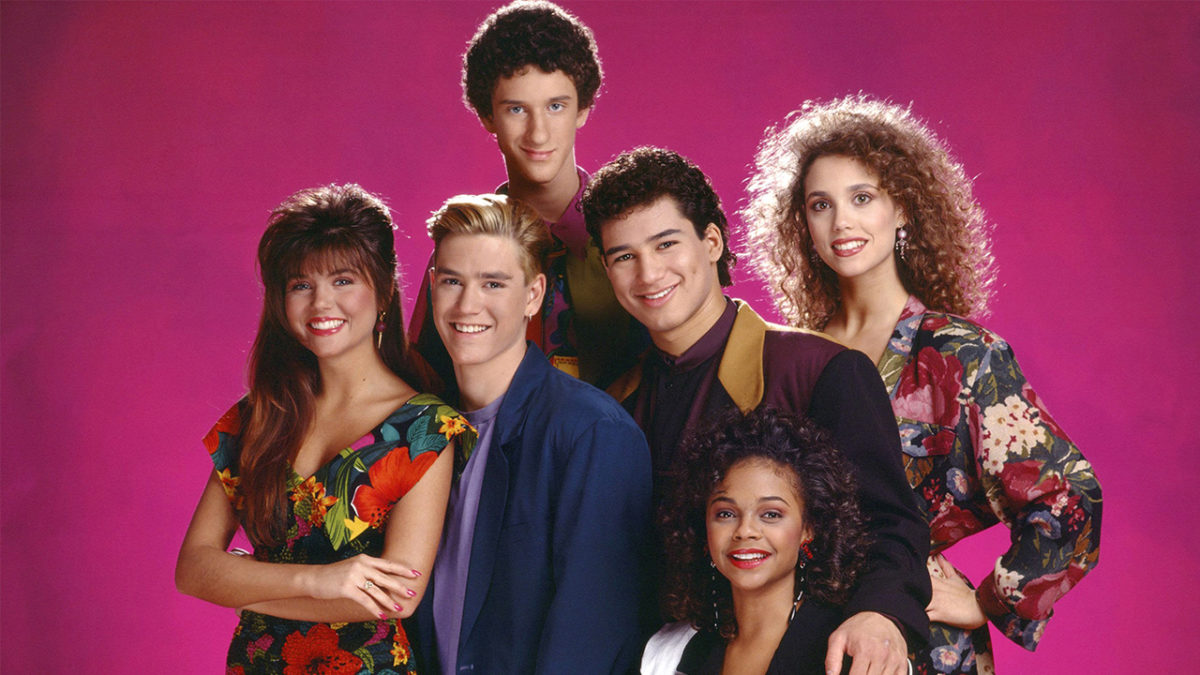
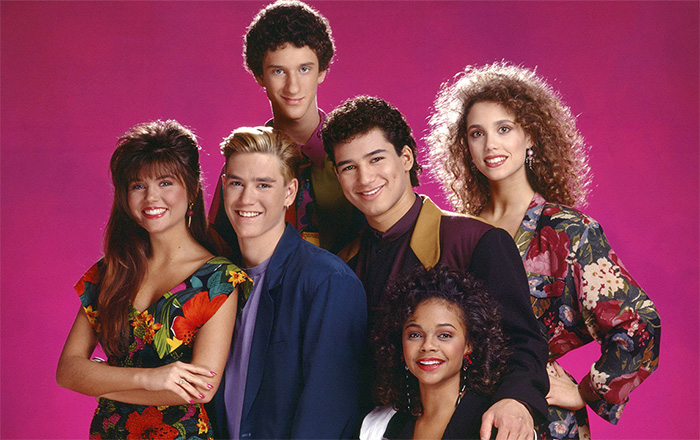
saved by the bell

Remember the days of staying home sick from school and watching reruns on daytime TV? Or getting up early on Saturday mornings to watch new episodes of your favorite cartoons? Curling up on the couch and binging Netflix can be pretty great, sure, but it doesn’t really capture that same nostalgic feeling of watching TV in decades past. Fortunately, that feeling isn’t totally gone: we’ve tracked down some hidden internet gems that will let you watch your favorite retro TV shows totally free.

How to watch retro TV for free

My Decade TV

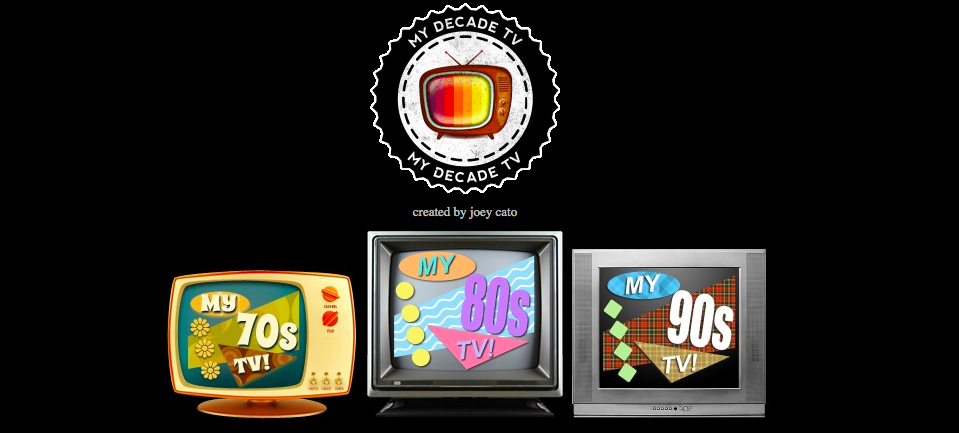
my decade tv homepage
My Decade TV

My Decade TV is pretty much paradise for TV fans of all ages. What really sets this site apart is the interface. When you visit the site, you’ll be greeted by the menu pictured above. My Decade TV has rounded up prime examples of vintage TV from the 70s all the way through to the 90s, so there’s sure to be something here for everyone. Simply click the era you wish to visit, and from there you’ll be greeted with a list of shows sorted into genres and categories.

They’ve even included movie trailers, commercials, and music videos from each era. The site’s full of neat little Easter Eggs: all the “TV sets” have fully functional controls, meaning you can turn them on or off with the power button and control volume with the buttons on the set as well. For older eras, there’s also a few cool video filters and effects designed to make the experience more authentic. It’s a totally customizable hit of pure nostalgia.

Toonami Aftermath

toonami aftermath logo wallpaper
Toonami Aftermath logo

If you were a nerd growing up in the late ’90s and early 2000s, you’ll probably remember Toonami. It aired on Cartoon Network and was a block of pure animation paradise, showcasing the best action anime and animation from Gundam to Dragonball-Z to Pokemon and more. Toonami had a huge following, and after the original block ended in 2008, Toonami Aftermath was formed to carry that torch. The fansite operates just like a normal channel would, running shows on a set weekly schedule.

In addition to the original Toonami staples, they also air old Cartoon Network shows like Johnny Bravo and Dexter’s Laboratory, as well as old Marvel animated shows like Spider-Man. A live chatroom runs with each show, allowing you to interact with other die-hard fans. Purists should note that Toonami Aftermath also has a plugin for Roku smart TVs, so you can watch it on your living room couch just like you would back in the day.

SleepcoreTV

sleepcoretv screenshot
SleepcoreTV

You’ve heard of Nightcore and Dancecore, but are you ready for… Sleepcore? SleepcoreTV is a YouTube channel focusing solely on the late-night programming from the 80’s and 90’s. Remember all those times you stayed up late and fell asleep in front of the TV, the sounds of those late-night infomercials providing an almost soothing background noise? Sleepcore has compiled that programming into a series of videos running several hours long. It’s several hours of live late-night TV, commercials included. SleepcoreTV is perfect to put on in the background while working, or to use as white noise while you try to catch some shut-eye. Sleepcore updates with new blocks just about every week, and will also run the occasional livestream while recording.

Next time you find yourself wanting to watch something but want to skip the same old Netflix shows, check out one of these sites. They’re perfect for scratching that nostalgic itch, and may help you rediscover some old classics you’d forgotten about. Also, as a general note: watching in your pajamas with a bowl of sugary cereal really does enhance the viewing experience.

4 ways to monetize your YouTube channel

Ready to launch your career as a YouTube star?

youtube vlogger

If you have the passion to create fun and engaging content for something that you’re interested in, you’ve most likely considered making a YouTube channel. You can make videos about anything: video games, food, reviews, pranks, tutorials, and music are just the tip of the iceberg when it comes to topics for YouTube content.

8

Creating videos and brainstorming new and fresh ideas takes a lot of time and effort, and it’s very difficult to do that all while holding a job in order to make ends meet. Thankfully YouTube has made doing both possible with their partnership program.  Google’s YouTube help page says this about the program:

On January 16, 2018, we announced new eligibility requirements for the YouTube Partner Program. Once a channel reaches 4,000 watch hours in the previous 12 months and 1,000 subscribers it will be reviewed to join the program. 

This is part of an effort to strengthen our requirements for monetization so spammers, impersonators, and other bad actors can’t hurt our ecosystem or take advantage of creators, while continuing to reward those who make our platform great.
Youtube on a cell phone

It’s a lot of work, but we’ve made a guide to how to make money doing what you love on YouTube.

How to monetize your YouTube channel

1. What will you do on your channel?

Come up with some ideas for videos whether it be gaming, reviews, or a mix of a lot of different topics. YouTube is a saturated market, so make sure to think outside the box and try to present your content from a different angle. What makes you stand out from the rest? Once you have fully planned out what you want to do, start creating your videos.

2. Make sure that your videos are within guidelines

In order to become a YouTube Partner, you must meet the following criteria listed on YouTube’s help page:

  • Your content is advertiser friendly.
  • You created the content or have permission to use it commercially.
  • You are able to provide documentation proving you own commercial rights to all audio and video content.
  • Your content complies with the YouTube Partner Program policies, YouTube’s Terms of Service, and Community Guidelines. YouTube reserves the right to disable monetization for accounts that do not follow our guidelines.

If all of your content is eligible for monetization, you can apply to be reviewed for partnership. The help page goes on to detail what will and will not be eligible; for example, if you have copyrighted music or your content includes violence or anything inappropriate that violates YouTube’s Terms of Service, your videos will most likely not be eligible. If you have any more questions or what will and won’t be accepted, just visit the content page for a lengthier breakdown.

filming a video

3. Research Adsense

After you’ve been approved to become a partner, it’s time to get that cash flowing! In order to make money, your YouTube video will need to have ads. Ads can be before the video starts or strategically placed a few times throughout the video. Google Adsense is a tool that reviews ads to make sure that they’re relevant to the content of your video and of good quality. Once you sign up you can choose which ads you like, where they’ll appear, and then Adsense will approve the ones that pay the highest. Read up on Adsense and learn how it works because it is one of the most popular ways to monetize.

4. Other ways to monetize

Although Adsense is a good way to monetize, for channels that are just starting out, it might be difficult to reach the 4,000 watch hours at 1,000 subscribers if you aren’t familiar with the YouTube algorithm. In order to make a decent amount of money, you have to have a significant amount of traffic, meaning that you have to post videos frequently and on a consistent basis. This can be hard if you’re working a full-time job elsewhere.

One of the other ways is with affiliate marketing. Many companies have options for you to sign up and become an affiliate and once you do, you can order and reviews their products in your videos. You’ll receive a special link that you’ll provide for your subscribers and when they use the link to purchase an item, you’ll receive a commission. An example of an affiliate program is Amazon Associates.

Associate: Amazon Linker Download Free ►
8

Another way you can earn to become a publisher with Brave. Brave is a web browser that specializes in supporting content creators, offering a few different methods to monetize your content in an age where ad-blocking is happening more and more. Download the browser and enable Brave Rewards. Brave anonymously tracks the number of visitors to your channel, and the more visitors there are, the more contributions for the creator. Once your contributions reach $100, Brave will send you an email to verify your channel. Then they’ll walk you through how to set up your Brave wallet, and you can view funds available to transfer to your bank account.

Brave also just launched their referral program and it has a lot of cool features. You can ask your followers to download Brave and use it as their browser, and for every person that does, you will receive $5 in BAT (Basic Attention Tokens), which is Brave’s version of currency. Your subscribers can also purchase BAT in their Brave payments wallet and donate it directly to you.

Lastly, Patreon is a great way for your subscribers to support you. With Patreon, you can set up monthly donation tiers and provide special things to subscribers who would like to go the extra mile. For example, you can start with a lower tier where, for $5 a month, you thank the subscriber by putting their name at the end of a video that you upload. For $100 a month, you can give them access to exclusive content. Put a cap on the number of donors per tier if you’d like so you don’t get overwhelmed. Patreon is great because you get a stream of revenue instead of just one donation.

8

5. Spread the word

Once all your ducks are in a row, spread your content everywhere. Create social media accounts for your channel, like a Twitter and Instagram page and advertise yourself. Tell your friends to watch your videos and to tell their friends to watch, too. When you send out holiday cards to your family, include a link to your channel at the bottom. Instead of getting gifts for your birthday, ask loved ones to watch, like, and subscribe. Nothing is off limits, and your goal is to get your increase your views and number of subscribers. Pitch to companies who make products that you use and if you do the job right, sponsors will come to you. Only advertise products and services to your subscribers that you actually like and can trust.

Keep working hard using these tips and you’ll be able to quit your 9-to-5 in no time.
 

YouTube makes it easier to subscribe to channels you love

You can now subscribe to a YouTube channel from a video embedded on another site

youtube

YouTube on desktop recently received an extremely useful new feature. Users can now watch videos while browsing the site for other videos and channels. And if that wasn’t enough, the site just rolled out another great feature.

YouTube Download Free
8

You can now subscribe to a YouTube channel from a video embedded on another site

YouTube is overhauling its embedded video player with new features. The embedded video player is the widget you see on other sites, allowing you to play YouTube videos. This used to be a very basic feature, simply showing a screenshot from the video, the play button, and some other basic information like the title. This new update now adds some other useful info and buttons.

Whenever you find an embedded video on a web page, like the one shown above, you’ll find the channel’s logo in the top right next to the video title. If you move your mouse cursor over the logo, it’ll open up to reveal the name of the channel and the number of subscribers it has. Crucially, hovering over the channel logo will also open up a subscribe button. This means if you find a YouTube video you love embedded on another web page, you’ll be able to subscribe to it right there with a single click.

This small update should offer a real boost to YouTube content creators as it makes it easier for them to connect with potential subscribers. Whereas having their videos embedded on other sites has always been a great way for them to collect video views, until now, embedded videos have shown very little information about who created them. Now, thanks to this latest update, users can not only learn who made the embedded video but also subscribe to their channel without having to leave the web page they’re currently on.

This new feature has been rolling out around the world for at least a couple of weeks now. As well as the channel information and subscribe button the new YouTube embedded video widget offers a couple of other useful features. On the top left of the video player users will find a Share button and a Watch Later button. The Share button will open up the standard YouTube sharing console and the Watch Later button will add the video to the watch later list of whatever Google account the user is logged in on.

YouTube’s latest update could be its best yet

You can now watch a YouTube video on desktop and search for other videos at the same time

youtube

YouTube has been around since forever. It is the most popular video hosting platform by far, but that doesn’t mean it is the best. For a long time, YouTube has been missing a number of features that users have been crying out for. Now, one long-awaited feature is finally coming to YouTube.

YouTube Download Free
8

You can now watch a YouTube video on desktop and search for other videos at the same time

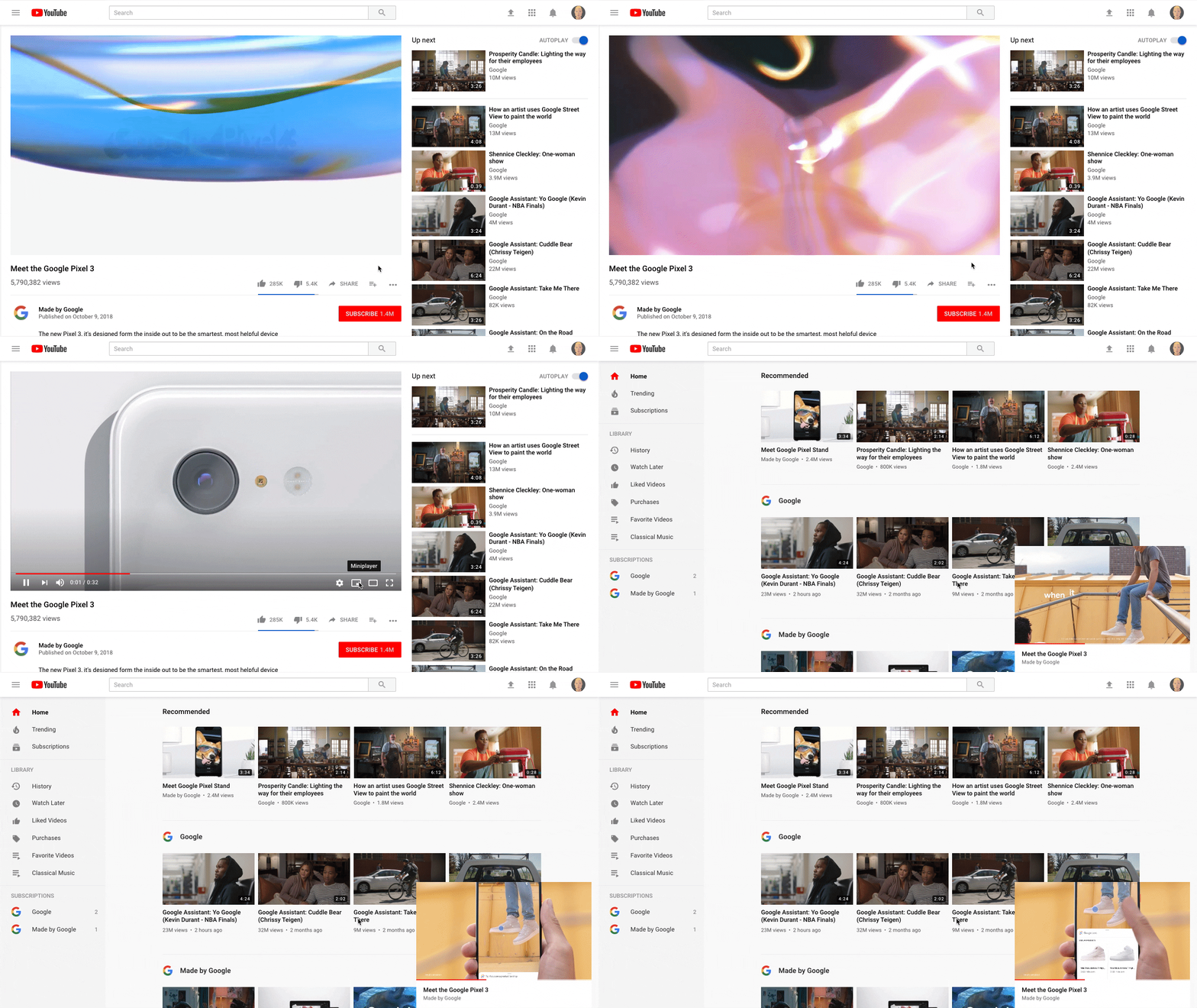
If watching YouTube videos while browsing the rest of the site sounds familiar, it is because it is. The feature has been available on the mobile versions of YouTube for quite some time now. Rather strangely, however, it has taken until now for the common-sense feature to reach YouTube on desktop. The new desktop feature is slightly different to the mobile version.

On a mobile phone, all you have to do to search while watching a video is select the video you want to play and then hit “back.” This will shrink the video down and show it playing in the bottom right of the screen while you get on with searching YouTube for more videos of cats being stupid. The desktop feature is a little more complicated to activate, though.

How to watch a YouTube video while searching for more videos

  1. Select the video you want to watch on YouTube and hit play.
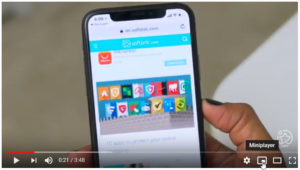
  2. While the video is playing move the mouse over and look for the new Miniplayer icon next to the Settings cog.  YouTube Desktop update video miniplayer
  3. Click the icon to shrink the active YouTube video into the bottom right of the screen.
  4. Continue using the YouTube desktop site as normal while your video plays.

This is the YouTube miniplayerThis is a simple enough update for YouTube, but it is one that users have been crying out for for a long time. Being able to watch videos while searching for new ones makes the whole YouTube experience much more user-friendly. It just leaves the question, why did it take so long for YouTube to add such a helpful feature?

Oh, by the way, if like us you want to be able to listen to music on YouTube while you’re using your phone for something else there is good news and bad news. The good news is that Google has added this very feature to YouTube. The bad news is that it is a part of YouTube’s new Premium service. If you want it, you’ll have to pay a monthly subscription.

Top 5 YouTube channels for pet owners

Animal lovers, unite! Here are 5 YouTube channels worth your time.

There’s nothing pet owners love more than talking about their pets and finding new ways to entertain them. Because of this, many YouTube channels have emerged dedicated to talking about unique pets and how to better take care of them. Here are a few of the best ones:

Top 5 YouTube channels for pet owners

Brian Barczyk

You might recognize Brian from his work on the Discovery Channel as a reptile breeder. His channel is perfect for anyone interested in reptiles (particularly snakes) and learning more about them, especially as pets.

The king of DIY

Fish owners will love this aquarium-themed educational channel that focuses on the life of Joey Mullen and his aquarium keeping. As his name implies, he does a lot of “do it yourself” videos, and can really help you save some money if you’re planning to make your own aquarium and aquarium accessories.

Taylor Nicole Dean

Probably the most popular pet channel right now, Taylor Nicole Dean owns a plethora of animals, ranging from fish to reptiles to mammals and everything in between. She does a lot of educational videos on taking care of them, and is a great resource for people looking to learn more about owning a variety of animals.

Tyler Rugge

Tyler has a similar channel to Taylor where he has a large range of pets that he shows on his channel. However, his channel is a bit more vlog-style and can be nice for people who are more interested in seeing unique pets and learning about them, rather than having a heavy focus on education in their viewing.

Simon’s Cat

While Simon’s Cat is a little different than the other channels on this list, it is probably one that you’re in some way familiar with. Simon’s Cat is more on the entertainment side, and features a variety of funny shorts featuring an animated version of a cat and his owner. There are also some nice educational videos as well, and it is a different and refreshing pace compared to some of the other pet-related channels you might be more used to viewing.

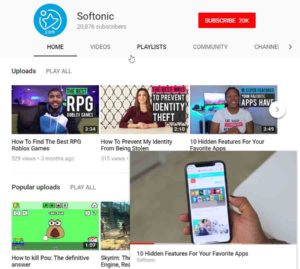
If you’re interested in more interesting YouTube channels, be sure to check out Softonic’s YouTube channel where we have some great tips and tricks for you to follow!

Coil could kill internet ads forever

Creators could dump display ads if Coil succeeds.

Coil

One of the most annoying things about the internet is the ads.

If you search the internet for anything, nearly all the pages that you’ll go to will be covered in ads. Ads help pay the people bringing you some of your favorite content, but we’re right there with you if you’ve closed out of your browser because too many ads slow down your computer. Even news sources now will only show you one paragraph of the entire article before they ask you to pay to see the rest.

Ads have been presented as a necessary evil, one of those things that we just have to learn to deal with in order to get what we ask for. All we want to do is know who the actor is who plays that one character in that show. That’s it! It’s so frustrating – but we might have found a way to both get around the ads and help pay the people who are just trying to give us the entertainment and information that we crave.

Coil was launched by Stefan Thomas, the former chief technology officer of Ripple Labs. With Coil, content creators on some of the biggest platforms like YouTube, Twitch, and Wikipedia will be able to accept payment in the form of XRP tokens, number three on the list of most valuable cryptocurrency.

8

In a post on Medium, Thomas says that he has stepped down from Ripple to continue work on Coil, which will “provide a third option outside of advertising and side-by-side subscription models.”

Right now, Coil is invite-only. But if you download it, you’ll pay a flat $5 monthly fee to bypass paywalls with the use of the XRP and Interledger technology created at Ripple. This tech will use cryptocurrency to pay any content creator using a program called Web Monetization which transfers small quantities of money.

There isn’t a set launch date for Coil, but when it’s available there won’t be a need for a ton of ads up on websites or popping up in videos. Download the Chrome extension and the creators will get more money as you spend more time on their website. If you’re interested and want to keep up with the development of Coil, you can go to the website and sign up for the preview.


YouTube kills gaming app, launches new gaming destination

YouTube’s first attempt to overthrow Twitch failed. Here’s what they’re trying now.

The fact that YouTube has a standalone gaming app probably comes as news for most.

youtube gaming screenshot

In 2015, YouTube Gaming was launched in an effort to become like Twitch, one of the world’s largest game streaming platforms. Like Twitch, the app has sections where you can watch creators live stream and stream your own games, a tab that separates videos by game, and an area for top channels. Even with these similarities, YouTube struggled to gain a dedicated community largely due to the lack of opportunity to monetize videos or actively tip streamers while they are live.

YouTube Download Free
8

Even with the consistent viewership on the gaming app, YouTube recognized that isn’t what it could be. According to a post on the official YouTube blog, the YouTube gaming app will close in March of 2019.

Let’s try this again

But YouTube isn’t throwing in the towel. A new video hub has been introduced. The new YouTube gaming destination will have all of the features of the app and more. The main reason for the switch is that YouTube recognizes just how large their gaming audience is, clocking in at over 200 million viewers per day. Only a very small fraction of those views are through the app, relocating to the main site will help viewers have better access to the gaming community.

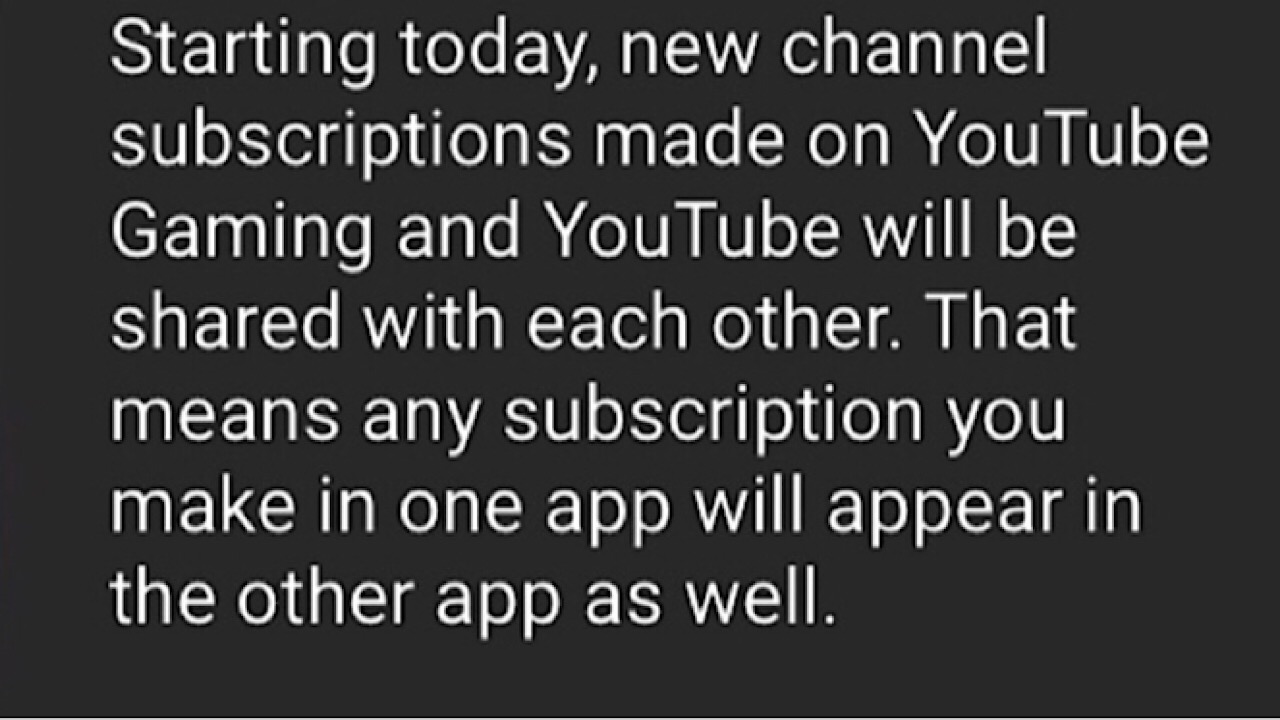
If you liked the app, don’t worry! Now when you log in, you will be prompted to grant permission to share existing subscriptions.

youtube gaming pop up

You won’t have access to the standalone app once March rolls around, but you won’t lose track of anyone you subscribed to. Happy watching!


YouTube Kids adds greater control for parents

YouTube now offers greater control for parents.

Just shy of six months ago, YouTube Kids, a branch of YouTube with services geared toward children, expanded its functions by allowing parents to edit controls so only videos screened by humans will be displayed instead of filtering through the algorithm.

If content is human-reviewed, this means that a YouTube moderator has watched a few videos on a channel and decides whether it is generally appropriate for children. Once opted in, the filtered content includes not only the videos that a child is allowed to watch, but the related videos as well. Before this, YouTube relied solely on its algorithm to choose which content would be appropriate for the Kids app, but because technology isn’t perfect, sometimes a video would slip through and it was up to parents to flag it for review.

YouTube Kids DOWNLOAD FREE
6

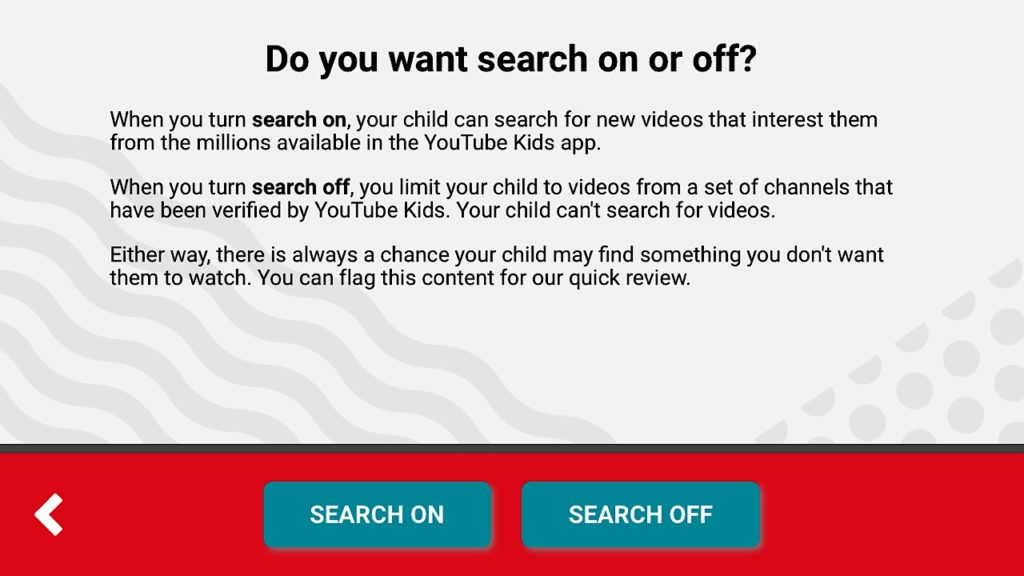
In a message on YouTube’s official blog, it was announced that YouTube Kids added another helpful feature – the ability for parents to whitelist. In the settings, parents can turn on the ‘approved content only’ option, the child will only be able to watch content chosen by the parent. This content includes specific videos or a creator’s entire channel. Once whitelisting is turned on, kids cannot search for videos or channels on their own.

youtube kids screenshot

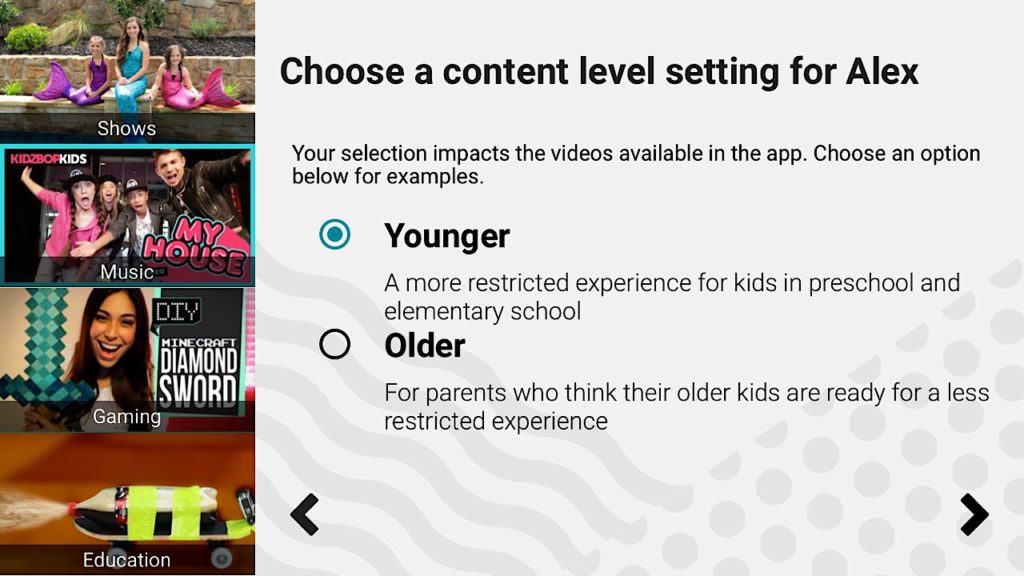
Adding to the whitelisting feature, there is also something for the older kids as well. The update brings a slightly more mature aesthetic to the app so kids 8 – 12 won’t feel as though the app is meant only for children much younger. Parents can also opt to choose the ‘older’ setting which makes videos available geared to the 8 – 12 age bracket, like gaming and music videos.

youtube kids screenshot

At the moment, whitelisting is only available on Android devices but iOS access will soon follow. Now, parents can feel more comfortable with children watching YouTube on their own.


Top 5 YouTube channels for film buffs

Thanks to YouTube, film criticism has never been more accessible. Here are our picks for five channels worth following.

There was a time when film criticism appeared only in newspapers. Maybe you’d catch it on TV. Thanks to YouTube, film criticism has never been more accessible. Not only that, but this commentary can vary from comedic to deeply analytical or anywhere in-between. Here is a list of some of the best channels to check out for film critics:

Top 5 YouTube channels for film buffs

CinemaSins

CinemaSins is probably the most popular YouTube channel on this list, and for a good reason. While they tend to be a bit nitpicky, their humorous take on deconstructing film can be appreciated by every film viewer. Whether you hate a movie or love it, you can still find amusement with CinemaSins calling out some of their choices in regards to the film.

RedLetterMedia

RedLetterMedia is widely known for their “Phantom Menace” review, and their way of approaching film criticism through comedy. They tend to focus on discussion of films and film topics in a comedic approach. Their comedy can be pretty dark compared to the others on this list, so be warned if that’s not your style. (Seriously, it’s dark.)

Lindsay Ellis

Formerly known as the “Nostalgic Chick”, from the once popular “Channel Awesome,” Lindsay Ellis has evolved into a film reviewer who uses an academic approach to looking at film. She’ll often give a detailed explanation of a film’s history, and then explore what’s successful about and what isn’t and why. All this with some light humor thrown in. She is definitely for people who like to see a detailed analysis of film.

FilmJoy

FilmJoy features a combination of the comedy one might see in something like CinemaSins and RedLetterMedia, with the analytical approach of YouTubers like Lindsay Ellis. Most popularly known for its series “Movies with Mikey”, his YouTube channel features a variety of approaches to film viewing and critiques.

ScreenJunkies

ScreenJunkies works more like its own television program, rather than a YouTube channel. It hosts various shows and parodies that discuss or comment on movies and television. They are probably most well-known for their “Honest Trailers” series, where they poke fun at movie trailers, but they have a wide variety of programing.

The world of YouTube film critics is larger than some might expect. Some of the best ones are popular already, while others are hidden gems. Hopefully, this list helped you find a few more channels to check out!