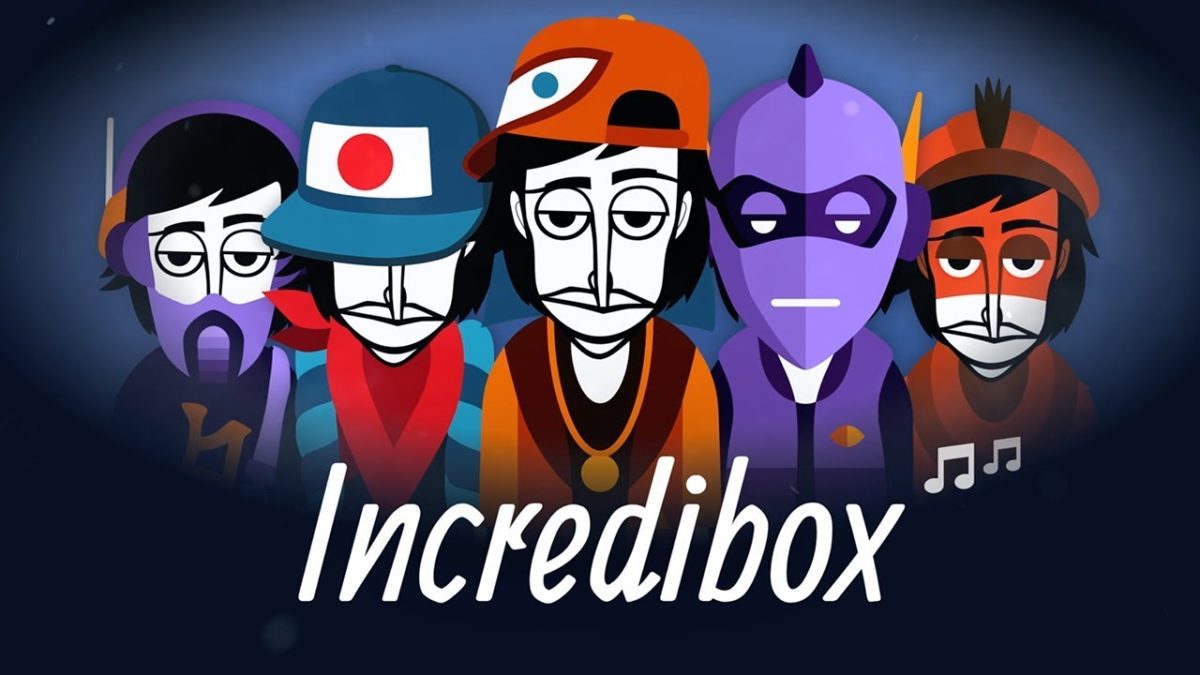
Incredibox

Educational beatbox music-making application

So Far So Good launched Incredibox on 16 August 2009 on Microsoft Windows, macOS, ChromeOS, Android, and iOS. You can create beatbox music by dragging icons around to simulate the sounds. While it’s been around for more than a decade, the app still receives regular updates.

Make your own music beat for a song

Incredibox features seven beatboxing characters who are waiting for you to give them musical tasks. You’ll need to pick a game mode to begin, switching to a unique interface for the next phase. There are seven blank slots for you to place one of the twenty sound icons. 

Each category has five sounds, which consist of effects, beats, voices, and melodies. The themes have different tonal sounds, but you can unlock harmonious choruses if you find the right combination. When your musical composition is complete, you can save it and share the link on social media for others to vote on for the Top 50 charts.

Here are some of the versions you can select before starting your beatbox music creation:

  • Original (2009): Initially launched as a flash game;
  • Little Miss (2012): Hip hop genre;
  • Sunrise (2013): Pop genre;
  • The Love (2014): French house music;
  • Brazil (2016): Brazilian tunes;
  • Alive (2018): Japanese musical culture;
  • Jeevan (2019): Indian themes;
  • Dystopia (2020): Futuristic.

Is Incredibox safe?

Incredibox is entirely safe and secure for people of all ages. The beatbox app is used by music teachers in schools worldwide as an educational tool, having received a PEGI 3 rating. Moreover, the American Association of School Librarians awarded it the Best Apps 2018 for Teaching & Learning, further cementing its value.

The latest Incredibox features

So Far So Good doesn’t merely provide new themes linked to different genres annually. You’ll occasionally see new settings and features that’ll improve your experience. One of the latest updates included a Dark Mode and parental control, safeguarding children against any inappropriate content.


5 Alternatives to Windows Live Messenger

The latest version of Windows Live Messenger has gotten mixed reception from users. Judging by the number of comments on Elena’s tutorial about how to uninstall Windows Live Messenger 2011, a lot of users aren’t thrilled with the changes!

You can always follow Elena’s tutorial to downgrade to Windows Live Messenger 2009, but you’ve got other options as well. In fact, there are quite a few alternative programs you can use that’ll let you chat with your friends online. Some of them even give you the experience of chatting with Live Messenger without the hassle of actually having to install it!

Here are five chat programs you can try out if you want to give Windows Live Messenger the boot. Continue reading “5 Alternatives to Windows Live Messenger”

0x10c – the follow up to Minecraft

The follow up to MinecraftMinecraft developer Marcus Persson, better known as Notch, has started to release information about his next game. Called 0x10c, it’s a Space game set in a parallel universe where the Space race never ended. A bug in deep sleep cells developed for space travel resulted in some people kept in deep sleep until the year 281 474 976 712 644 AD!

It’s a pretty cool concept – the universe is nearing the end of its life and dominated by massive black holes. From what he has announced on Twitter, it seems that Elite is a big influence, and it sounds really ambitious.  While 0x10c is in very early development, Notch says he expects to release it in the same way as Minecraft, so we should be able to sign up for early beta releases and watch the game develop.

Read on for some early screenshots and the preliminary list of game features.

Continue reading “0x10c – the follow up to Minecraft”

5 ways to easily file taxes online

It’s that time of year again: Taxes must be filed by Tuesday, April 17 in order to be on time in the US.

If you waited until last minute to file, you’re not alone and there’s no need to fret. There are a lot of great web services that let you fill out all your information and file online, many even for free!

Which one to pick? It largely depends on what types of returns you need to file, as well as how much help you need during the process. Whether you have the most basic W-2 paperwork or you’re overwhelmed with a grocery list of itemized deductions, independent contractor work and student educational expenses, there’s a web app out there for you. Continue reading “5 ways to easily file taxes online”

How to: download tracks from Hype Machine

hype machine logoHype Machine is a great way to discover new music but what if you want to keep a track for offline listening? Of course you can click through to the website and find a download link from there but there’s a simpler way. If you’re a Firefox user, there is an extension called The Hype Machine Track Downloader. The self explanatory name means that this extension does one thing and one thing only: downloads songs from Hype Machine. Continue reading “How to: download tracks from Hype Machine”

Google+ gets an interface makeover

If your Google+ account looks a little different to you on your next visit, there’s a reason. Google+ got a facelift – for the better in many instances.

From a completely new on-screen layout to improved navigation, there’s a lot to love about the new Google+ look.

There’s also a lot to get used to. We’ll take you through the significant changes below. Continue reading “Google+ gets an interface makeover”

How to setup a VPN for Minecraft with Hamachi

Playing Minecraft with friends is great, but playing with people you don’t know can ruin the fun. A solution is to create your own VPN server that only you and your friends can access. Theoretically, when creating a VPN network everyone will be able to play Minecraft in a server, hidden from the lurking eyes of other players.

The most common VPN software used is Hamachi. Hamachi is an easy to use VPN client that doesn’t require a lot of work to install and setup, but everyone who is planning on joining your secret match will have to install Hamachi. Just think of it as a rotating server between your friends.

Continue reading “How to setup a VPN for Minecraft with Hamachi”

Instagrille: an Instagram app for Windows

Instagram is massively popular on Android and iOS devices, but there hasn’t been a way to keep up with the people you follow on desktops before. Instagrille lets you do just that.

Instagrille lets you see your photos, your Instagram feed and also the current most popular images. You can see the latter with no account, but otherwise you have to sign in with your Instagram account.

Continue reading “Instagrille: an Instagram app for Windows”

How to check for the Mac Flashback Trojan

If you’re not comfortable using Terminal and want to check if you’re infected by the Flashback Trojan, a free simple app called Flashback Checker does it automatically for you. If you’re worried you may have been one of the reported 600,000 Mac users affected by the Trojan, here are the Terminal free steps you need to put your mind at rest. Note that in the rare case that your Mac is infected, you can use the F-Secure Flashback Removal Tool to remove it automatically without needing to use Terminal either.

Continue reading “How to check for the Mac Flashback Trojan”

How to: locate and delete duplicate files in iTunes

iTunes revolutionized the way people purchased and listened to music on their computers. Though that’s old news to most people by now, if you’re anything like me, you probably have thousands of songs now stored in your iTunes library.

Issues with duplicate items appearing in your iTunes library can sometimes arise, particularly in instances where you’re ripping songs off a CD or via another large music collection.

Thankfully, there’s a relatively simple way to locate duplicates and eliminate them quickly and effectively. Check out our 3 step guide below. Continue reading “How to: locate and delete duplicate files in iTunes”