If you have Windows 7, Microsoft just made a decision that could put your data at risk.
Microsoft famously called Windows 10 a “service” rather than an operating system, and now it seems they’re thinking about their older software in the same way. In a new blog post, Microsoft writes:
“As previously announced, Windows 7 extended support is ending January 14, 2020. While many of you are already well on your way in deploying Windows 10, we understand that everyone is at a different point in the upgrade process.
With that in mind, today we are announcing that we will offer paid Windows 7 Extended Security Updates (ESU) through January 2023. The Windows 7 ESU will be sold on a per-device basis and the price will increase each year. Windows 7 ESUs will be available to all Windows 7 Professional and Windows 7 Enterprise customers in Volume Licensing, with a discount to customers with Windows software assurance, Windows 10 Enterprise or Windows 10 Education subscriptions. In addition, Office 365 ProPlus will be supported on devices with active Windows 7 Extended Security Updates (ESU) through January 2023. This means that customers who purchase the Windows 7 ESU will be able to continue to run Office 365 ProPlus.”
What this means is that starting in January, Windows 7 users will no longer receive security updates or patches, effectively leaving their computers and data vulnerable to hackers and malware unless they pay the monthly fee.
Over 40% of all computers in the world run Windows 7. This potentially leaves huge amounts of data exposed and ripe for exploitation. The fact that Microsoft is willingly exposing their Win7 users to risk despite them making up such a huge portion of computer users worldwide is disappointing, but not entirely surprising.
It should also be noted that being able to pay for your security is an option offered only to Windows 7 Professional users who have Volume Licensing (a.k.a. big businesses that buy the software in bulk for their office). Small businesses and individual users don’t even have the option to buy their security.
For these users, their data is at risk unless they switch to a newer operating system, which Microsoft hopes is Windows 10. Windows 10 is no longer a free upgrade, being offered instead for $139 on Microsoft’s website. Windows 8 is also no longer for sale if for some reason you were thinking about getting that instead.
It will almost certainly be more affordable to just bite the bullet and buy Windows 10 instead of paying the monthly security fee. The exact pricing has so far not been announced, but Microsoft has announced that the price will increase every year. (Hooray.)
Thankfully, Windows 10 is itself a solid operating system. While Microsoft has received criticism for updating the OS automatically, prioritizing their updates over user control, it is a sleek and functional operating system. It is significantly more user-friendly than Windows 8, so longtime Windows 7 users shouldn’t have too hard of a time adjusting if they choose to upgrade.
Apple has officially killed the headphone jack. What now?
“Today Apple is going to reinvent the phone,” Steve Jobs famously said on January 9, 2007. Over 10 years ago, the original iPhone was introduced, and it’s certainly come a long way since. With technology the goal is always to make better, to make smarter, to make faster, to make simpler, and to make more versatile. The risk is that making room for these changes can require pushing old features off the shelf.
In 2016, Apple released the iPhone 7, and with it came the removal of the headphone jack. By 2018, this is old news, but now that we’re several models further along the timeline it looks like Apple has no intention of going back to its old design. ‘Going back to its old design’ is an abhorrent phrase for a company as forward-thinking and revolutionary as Apple, so it comes as no surprise that once they made the decision they stuck with it, regardless of the backlash.
Verge columnist Nilay Patel called the initial decision to remove the headphone jack “user-hostile and stupid” and said it would “disproportionately impact accessibility.”
The traditional headphone jack “works so well that an entire ecosystem of other kinds of devices has built up around it,” wrote Patel. “Millions of people have access to compatible devices at every conceivable price point.” To make such a drastic design change as to remove a crucial function must have given Apple designers pause back in 2016. Apple’s Senior Vice President Phil Schiller infamously heralded the design as “courageous,” citing a few reasons why they came to the decision – decision that Apple evidently stands by today:
First off, Schiller claims the lightning headphones that came with the iPhone were an effective replacement. Fine, except now we can’t charge our phones and listen to music via headphones at the same time. Well, that’s not too terrible, right?
Next, he explained that several key components of the new design were “fighting for space” in the iPhone and that the aux jack took up valuable space that was quite literally impeding new features.
Which features were these? Namely the dual-camera system, taptic engine, and the then-new 14% larger battery. Additionally, removing the aux jack pushed the iPhone’s durability up to IP67 (the new iPhone XS boasts IP68).
Lastly, Schiller maintained that the future is wireless, and that replacing the jack with Bluetooth capabilities was the only way to accommodate the growing demand for wireless functionality … except we still use wires to connect our headphones to our iPhones – now we just need more of them.
Moments later, Schiller introduced the AirPods, a set of user-friendly, efficient earbuds that sync directly to the iPhone … starting at $160.
Forbes writer Gordon Kelly criticized this choice, arguing that “you’re being pushed into an era where you will have to pay more for decent headphones due to their need for an integrated DAC and/or Lightning licensing.” True enough, Apple now charges licensing fees to millions of headphone companies who want compatibility with Apple products. The result is a scenario in which Apple is the only one really to profit.
It’s now 2018 – less than a year since the iPhone X was released – and Apple is completely removing the iPhone SE and 6s from its catalog, meaning that the last iPhones with headphone jacks will be forever discontinued.
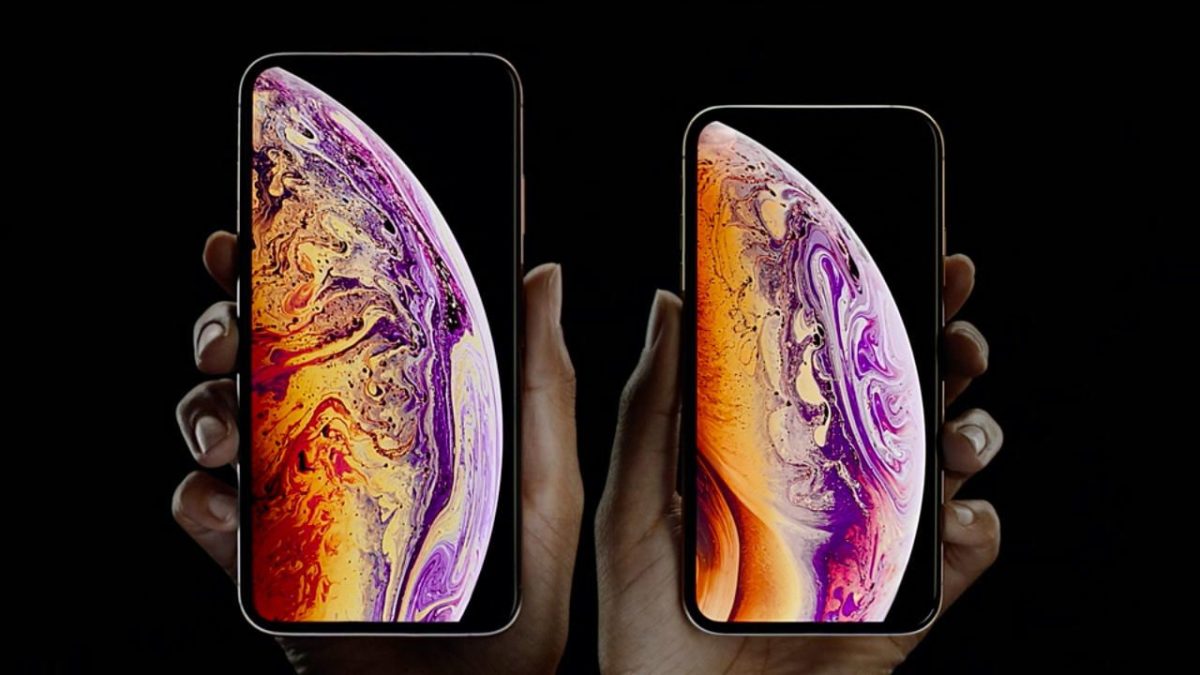
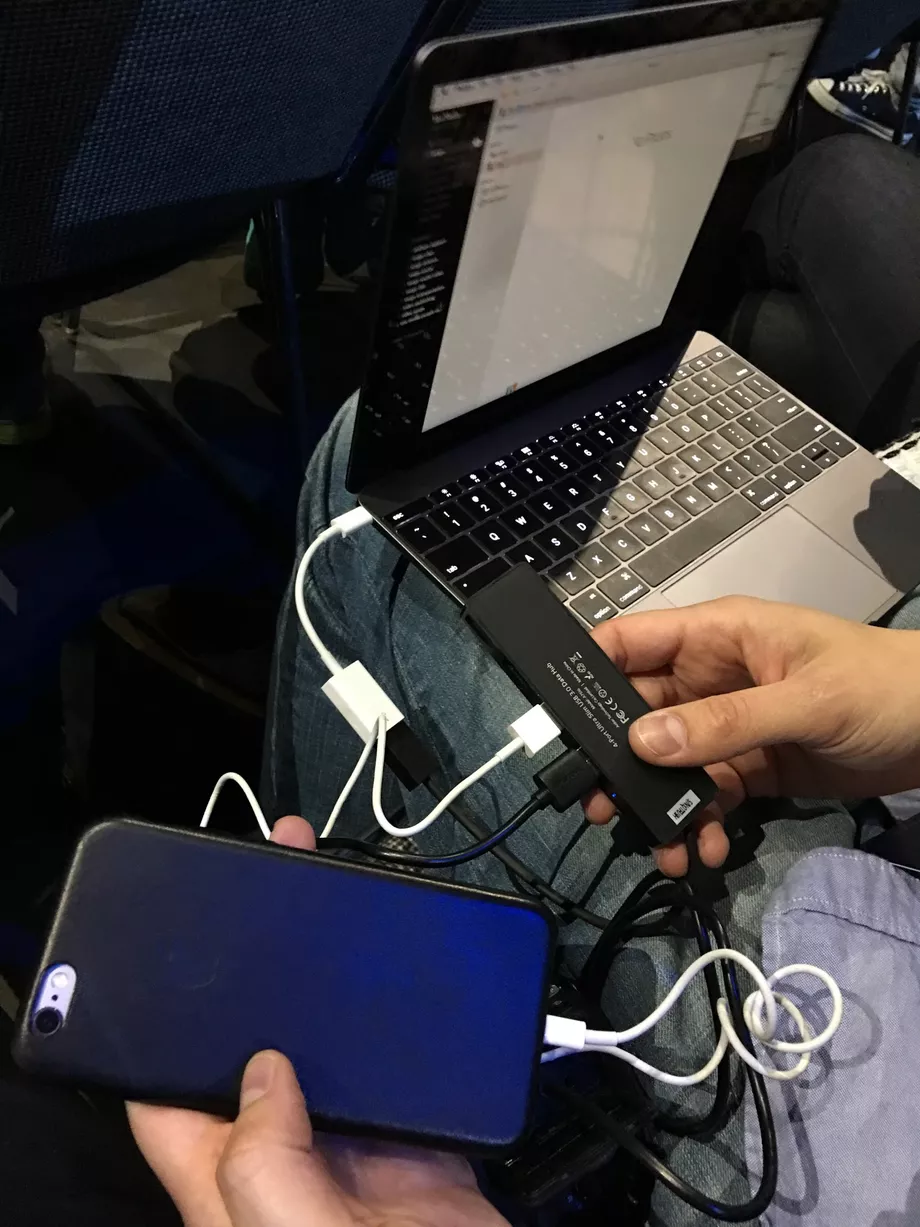
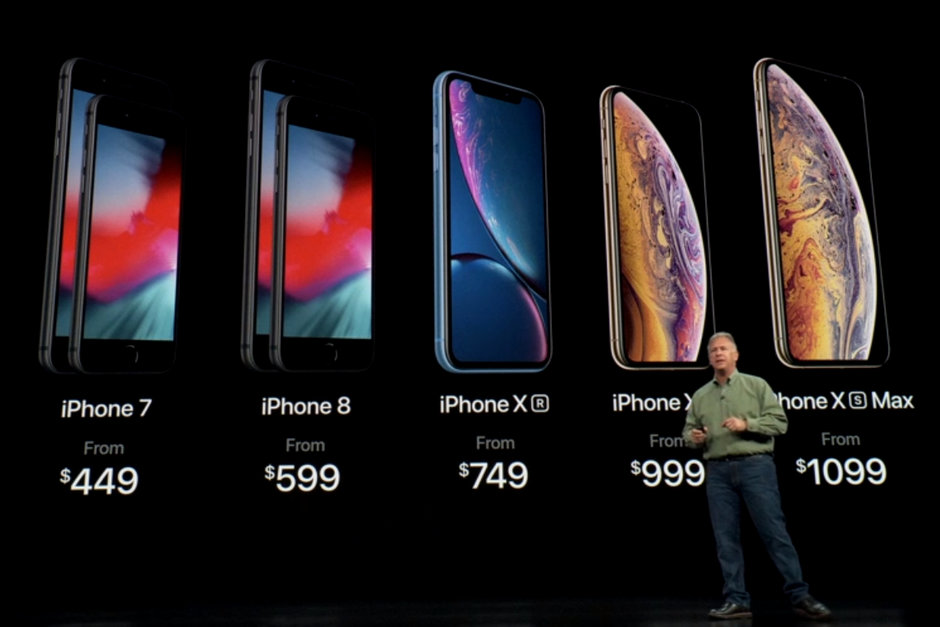
To drive the final nail even further into the coffin, the new iPhone models will not even include an adapter in the box. If you want to use non-lightning wired headphones with your iPhone XS the dongle will cost an additional $9 on top of the $999 for the phone itself. The lightning headphones will be included, however, but it looks like the end of the road for our old traditional set.
The future is here, says Apple, whether you asked for it or not!
Fortnite’s launch on Android brought major headaches and incredible riches.
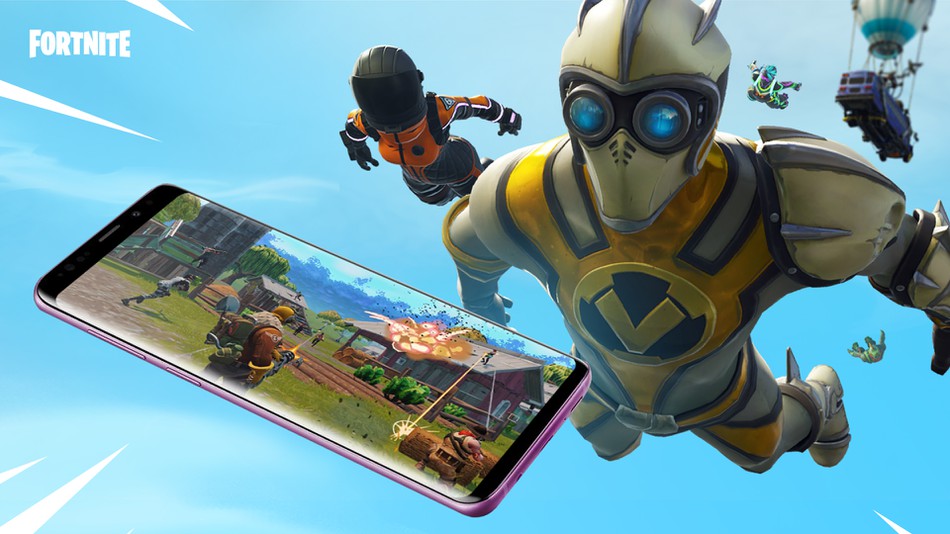
Debuting only three weeks ago, the smash hit Fortnite: Battle Royale has been downloaded over 15 million times on Android devices. Publisher Epic Games has already made millions of dollars through the in-game store.
The development and release of the megapopular game have been an important priority for both Epic Games and Android phone manufacturer Samsung. Developing games, especially more graphically intensive console-quality games like Fortnite, is often a nightmare for developers.
Unlike the iOS, which has a small and unified OS and family of devices to develop for, Android has thousands of different devices and many different versions of its software to take into consideration. Currently, your Android device must be on the more powerful side if it is to run Fortnite smoothly.
Epic Games recently teamed up with Samsung in a cross-promotion that awards an exclusive Galaxy skin to players who download Fortnite on the Galaxy Note9 or Tab S4. Owners of these devices can choose between receiving this skin and 15,000 v-bucks (Fortnite’s premium currency, used to buy cosmetics, worth over $100) or a pair of AKG headphones.
It’s worth noting that Fortnite is not available to download on the Google Play Store. Epic Games said that their reason for forgoing the Google Play Store was because they want a “direct relationship with our customers on all platforms where that’s possible.” Translated from PR speak to English this means that Epic wants to avoid the hefty 30% revenue cut that Google takes from any app downloaded through Google Play.
Given the massive success of Fortnite, it’s understandable that Google wants a slice of the pie, but on Android, Epic doesn’t need to share. On iOS devices, the only legitimate way an app can be downloaded is through the App Store. However, on Android, apps can be loaded from sources other than Google Play through a process called sideloading, in which an app package (apk file) is downloaded off the internet and installed directly on to the device.
The Ultimate Fortnite: Battle Royale Starter Guide
It can be difficult to tell which Fortnite apps are the real deal, but Epic is aware of the issue and is currently taking down copycat apps.
Fortnite has achieved unprecedented success, and now Android players can battle against players on iOS, consoles, and PC. Stay tuned to Softonic for even more Fortnite tips and content.
Know your Fortnite arsenal. Let’s take a look at all the explosives you can find in the game.
Fortnite: Battle Royale is a chaotic fight for survival against as many as 100 ruthless opponents. If you hope to survive and achieve the coveted Victory Royale, you need to make sure that you’re better equipped than the competition. With a huge arsenal of weapons to choose from, it can be tough to make split-second decisions about what to take with you and what to leave behind. We’ll do the work so that you don’t have to, with an in-depth examination of each weapon in Fortnite. For this guide, we’ll be looking at explosives.
One overarching rule to remember when it comes to Fortnite’s weapons: all guns in the game are available in varying levels of rarity, ranked based on a color system. Refer to the list below to see each level, and make sure you go for rare guns whenever you find them.
Common- Grey
Uncommon- Green
Rare- Blue
Epic- Purple
Legendary- Orange
Grenade
Fortnite Grenade
Rarities: Common
Damage Per Shot: 105
Ammo Type: N/A
Magazine Capacity: 10
Description: The classic grenade is a battlefield staple, the bread and butter of any arsenal. It’s an easy to use weapon with no frills. Simply toss at anything you want to go boom and repeat as necessary. The resulting explosion is powerful and effective, and can take out any structures or enemies caught in the blast radius. You can carry a hefty load of 10 in a stack, so if you find yourself in a sticky situation, simply saturate the area with grenades and watch the fireworks.
Description: A variation on the standard grenade, the Clinger has a giant suction cup attached to it. Clingers won’t roll along the ground like a standard grenade. Instead, they’ll attach to whatever you throw them at with a satisfying popping sound. This includes other players. If your enemies find themselves with a Clinger attached to them, the only thing they can do is accept their inevitable doom. Like regular grenades, Clingers can be carried in stacks of 10 in your inventory.
Remote Explosives
Fortnite Remote Explosives
Rarities: Epic
Damage Per Shot: 70+
Ammo Type: N/A
Magazine Capacity: 10
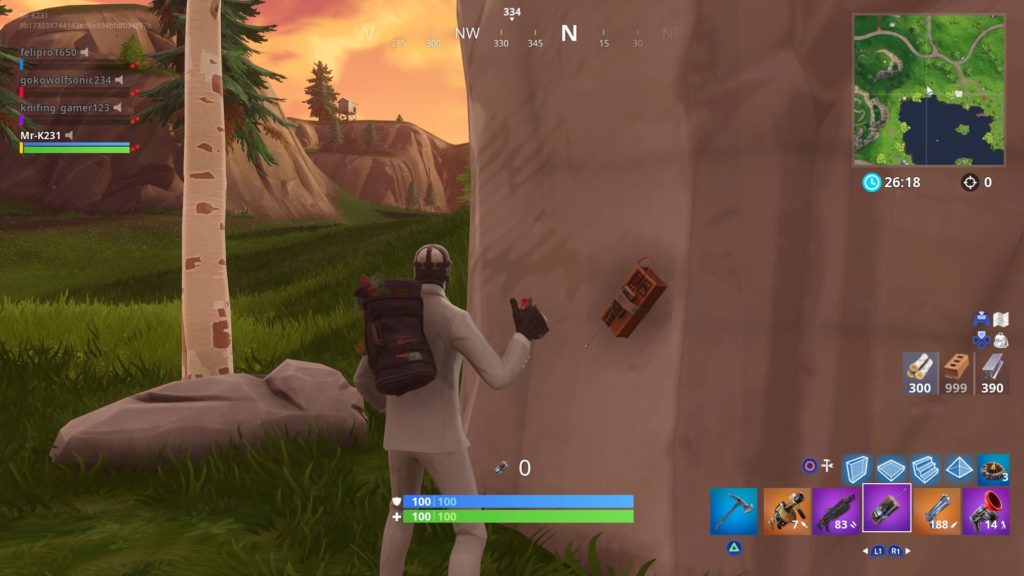
Description: Remote explosives come in two pieces: a brick of C4 and a remote detonator. Primary fire tosses the explosive, which will stick to any surface it lands on in a similar manner to a Clinger. You can toss as many C4 bricks as you like before detonating them with the secondary fire button. A single press will detonate each explosive you’ve planted in a single unified explosion. This is a great way to quickly demolish an enemy’s fort, leaving them suddenly exposed.
Alternately, your explosives will also detonate when shot, if needed in a pinch. Be careful, though: this delayed explosion time makes them difficult to use offensively, and if you aren’t careful, you could be caught in your own explosion.
Description: The Stink Bomb is an interesting oddity of a weapon. Similar in appearance to a standard grenade, the Stink Bomb’s glass canister contains a suspicious looking yellowish liquid. On detonation, the canister shatters and envelops the surrounding area in a sickly yellow cloud. Any players caught in this cloud will take damage over time at a rate of 5 damage every half second. The cloud itself dissipates after 9 seconds.
The Stink Bomb’s distinguishing feature is it’s ability to bypass any enemy shields and do damage directly to the health bar. It can be devastating in confined spaces or against large groups.
Boogie Bomb
Fortnite Boogie Bomb
Rarities: Rare
Damage Per Shot: N/A
Ammo Type: N/A
Magazine Capacity: 2
Description: The Boogie Bomb isn’t exactly a grenade, per se. It doesn’t do any damage, but instead, forces any enemies caught in the blast radius to submit to the all-encompassing power of dance. Players will be forced into a dance emote for the next 5 seconds or until taking damage. It’s an easy way to catch your opponent unawares and get in a few quick shots, which can be useful when coupled with a high damage weapon like a shotgun or Handcannon.
Description: Like the Boogie Bomb, the Impulse Grenade won’t damage enemies. Instead, it emits a powerful blast that sends enemies flying. Careful: if you get caught in your own blast, you’ll also be launched skyward. Impulse Grenades are a great way to quickly escape from an encounter, or you can use them to launch enemies off the edges of buildings or cliffs to get some eliminations worthy of “Looney Tunes.”
Shockwave Grenade
Fortnite Shockwave Grenade
Rarities: Epic
Damage Per Shot: N/A
Ammo Type: N/A
Magazine Capacity: 6
Description: The Shockwave Grenade is the Impulse Grenade’s tougher older brother. It operates in a similar way, but knocks back anything in its path, including squadmates, vehicles, and structures. It also has twice the blast radius and knock-back power as the standard Impulse Grenade, so careful you don’t go for an unplanned flight.
Description: A classic RPG has many uses on the battlefield. Most useful? You don’t really have to worry about aiming. Simply point, pull the trigger, and watch anything in that general direction get blown to bits. That includes both structures and players; the Rocket Launcher will make short work of both. This power comes with drawbacks, though: the rockets themselves fly slowly, making the Rocket Launcher a difficult weapon to use at long ranges. The reload time is also on the slower side, leaving you vulnerable to counterattack while you try to load another rocket.
Grenade Launcher
Fortnite Grenade Launcher
Rarities: Rare/Epic/Legendary
Damage Per Shot: 100/105/110
Ammo Type: Rockets
Magazine Capacity: 6
Description: The Grenade Launcher has a definite learning curve, but can be deadly effective for any players that take the time to learn its quirks. The Grenade Launcher fires from a six-round rotary drum magazine, and fires just about as fast as you can pull the trigger. Here’s the catch: the grenades won’t detonate on impact, but will instead ricochet and roll for a moment before exploding. This can be useful for banking shots through windows and off walls into enemy forts. It can also be useful to send a barrage of grenades flying towards an enemy and then watch as they try to escape the newly-created minefield.
Fortnite rap battle features some of the game’s biggest stars
Description: The Guided Missile launcher is an exceedingly rare weapon, but it certainly has its perks if you can get your hands on one. Firing the weapon will send out a rocket and switch the camera angle and controls: you’ll now have total control over the rocket and can guide it exactly to where it needs to go. This feature should be used with extreme caution, however. Once you’re in control over the rocket, you’ll be totally defenseless. Make sure you’re well hidden or safely behind cover before firing.
Someone once said that “any problem can be solved with the proper application of explosives.” This old adage certainly holds true in the world of Fortnite. With a huge number of explosives to choose from, your problems will soon be going up in smoke.
Need to compress or decompress files? Here’s how to get started with WinRAR.
With download sites, online clouds, and huge compendiums of zipped files available all across the internet, you’re undoubtedly going to need a way to open and extract the contents of zipped files. You may even want to upload files of your own, but aren’t able to do it when their sizes are too big to attach or send properly. WinRAR is your one-size-fits-all solution, and is a simple, intuitive program that lets you extract, manage, compress, and secure any zipped files you want to move.
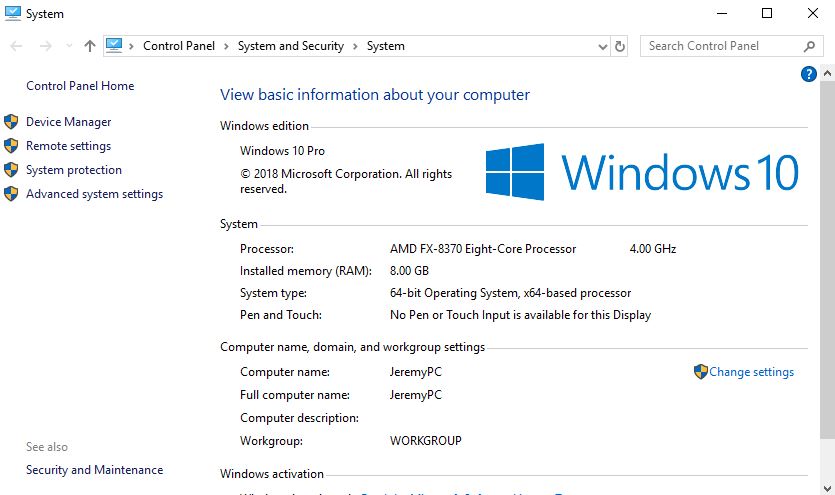
From the link above, you’ll be able to download WinRAR. Be sure to choose the correct version for your language and for your OS (either 32-bit or 64-bit). If you do not know which is correct for you, just hit Win+Pause and it will open a window showing your system type along with a handful of other useful information. The same window can also be found under your system’s Control Panel > System and Security > System.
Next, you’ll be prompted to select all the file extensions you want WinRAR to be able to recognize and use. We recommend keeping this as default, you’ll typically be dealing with zip, 7-Zip, and RAR. Hit Done and you’ll be good to go!
How to extract files
One of WinRAR’s main functions is to extract the contents of a zipped folder. We’ll be showing you two ways to do this.
Method 1
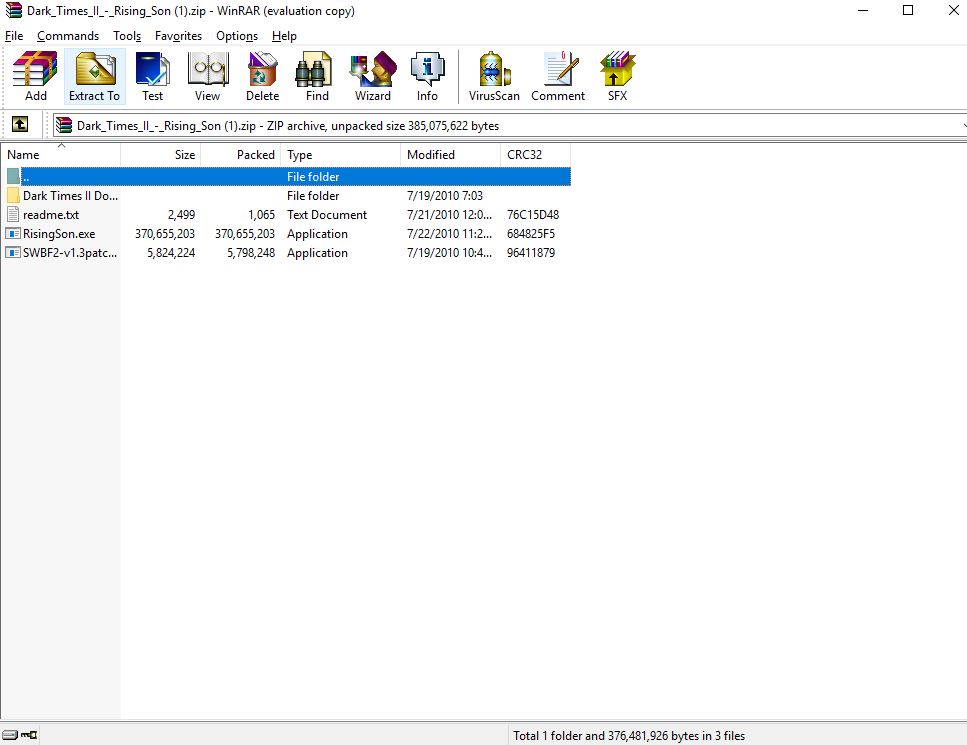
The first is to extract files through the WinRAR program. Once you’ve downloaded the zipped file you want, right-click on it and select Open with WinRAR. This will open WinRAR and your folder’s contents will be listed in the field below.
Next, it’s as simple as clicking the Extract To icon on the top toolbar. Select the destination and click OK. Now your files will appear right there.
Method 2
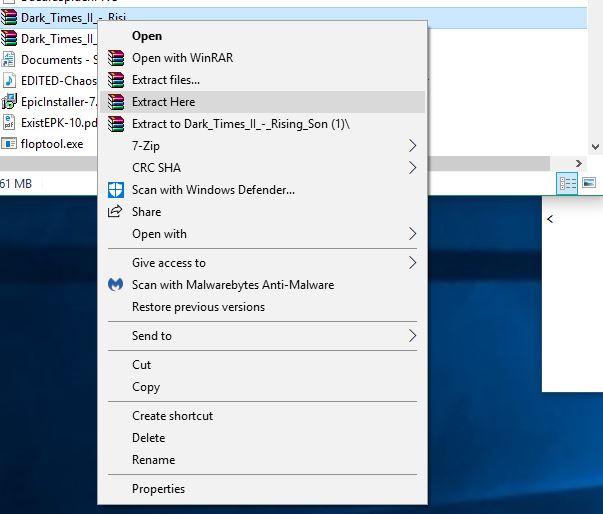
The second method is our preference. All you need to do is right-click the file you want to extract, and choose Extract Here. This will unzip all the contents from the folder right into the current window.
Note: If you use this function we recommend first creating a new folder, ideally on your desktop. Drag or cut/paste the zipped file into this new folder. This way when you choose to Extract Here the contents will all end up in the same easy-to-find location, and not get lost in a huge generic folder like your C: drive or Downloads.
How to zip a file
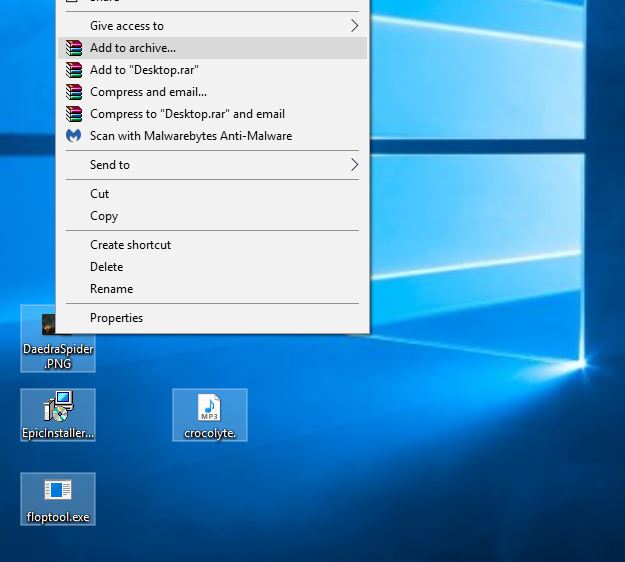
The other most useful feature of WinRAR is its ability to compress and zip files of your own. This is especially useful if you have multiple files you wish to email someone, and they’re a larger size. You can start by either selecting the files you wish to move (ctrl+click to select multiple files), or by dragging the files onto your desktop for easy access. We recommend the second choice.
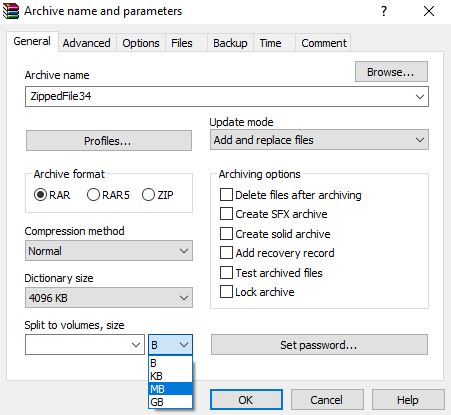
Once all the files are selected, right-click and choose Add to Archive. It will open a window that looks like this:
From here, you can input the name of your new archived file in the field up top. Before you click OK, though, be sure to select best from the compression menu drop-down.
Set the size of your file
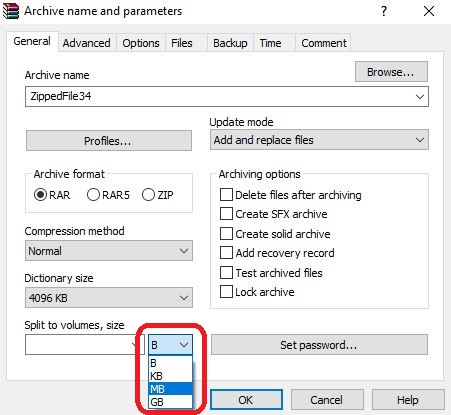
One of the most useful features when compressing and combining files into a new zipped format is WinRAR’s ability to specify format sizes, ranging from bytes up to GB. This is useful if you need to parse out smaller segments of a large file into more manageable sizes.
To do this, click the drop-down on the bottom left that says Split to volumes, size. This will let you decide how large each file segment will be, and the drop-down immediately to the right will affect whether the file is split into bytes, KB, MB, or GB.
Add a password to secure your file
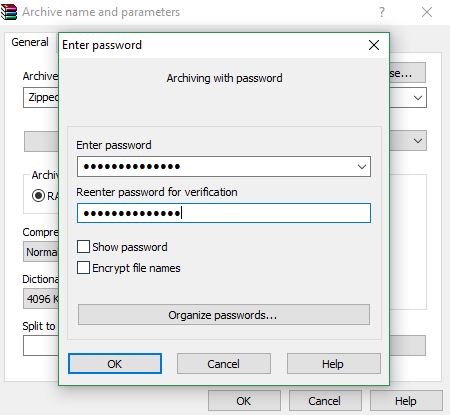
Lastly, WinRAR can secure your newly zipped file with a password. If you want to make sure the safety of the file will not be compromised, this is a smart thing to add. To password-protect your file all you need to do is click Set Password above the OK button. Enter your password here, confirm it, and then it will be requested upon trying to unzip the contents.
If you’re still lost, check out this helpful video illustrating these features:
There are many more features to WinRAR, like backing up files, keeping previous versions, compressing, and storing your files to separate archives, but we just wanted to cover the gist of what the program can do. Hopefully, our guide was helpful, and you’ll be able to easily access, manage, and share content across the internet!
Brexit could have a far-reaching impact for gamers. Here’s why.
British game developers play an absolutely vital role in the global video game industry. They’ve produced everything from classic games like Rare’s Donkey Kong Country and Banjo-Kazooie to modern day megahits like Rockstar’s Grand Theft Auto V. The British game industry has always made a huge splash critically and commercially.
However, Brexit looms over the industry, larger and more ominous than any final boss. While Brexit is a controversial and complicated issue with many moving parts, it deals a straightforward and heavy blow to the British gaming industry.
How Brexit hurts the British gaming industry
Say goodbye to data protection laws
If the UK votes “no deal” with the EU, meaning that the two parties did not reach a formal agreement on trade and other matters, the UK will fall out of the jurisdiction of the General Data Protection Regulation (GDPR). Briefly summarized, the GDPR is a ruleset introduced and applied through the EU that seeks to create standardized guidelines on how personal data is accessed and handled.
This has many ramifications in regards to video games. Game companies will not want to deal with the potential entanglement of data between players who fall under the GDPR and those who don’t. So players will be prevented from playing together in online lobbies. Online retailers like Steam or Origin will have to revise how many aspects of their software work, such as anti-cheat, creating headaches for them and inconveniences for British players. Even simple features for online games like stat-tracking will be affected by this discrepancy.
The game industry is global; Brexit would leave Britain in the dust
Video games are more popular than ever, and that phenomenon is reflected globally. Gaming culture transcends borders and languages, and the tools available to today’s developers are both accessible and powerful. The British gaming industry, in particular, is known for collaborating with international publishers and developers, making the industry one that is more closely linked with international accessibility than other sectors.
Brexit’s elimination of free movement between the UK and EU territories limits their access to the highly sought-after EU workforce. Workers from EU territories alone comprise over 34% of employees in British game companies. Without free movement, the immigration for all of these employees becomes uncertain, foreshadowing a legal and economic disaster for British game developers. A severe lack of manpower could cause developers and publishers to undergo massive downsizings, causing revenue to be lost and games to be canceled.
The British gaming industry was clearly built on the backbone of an open, diverse, and internationally driven workforce. This backbone will be ripped out by Brexit, putting the acclaimed and skilled British gaming industry in a worse position than its ever been. Even though it’s been reported that over 80% of British game developers voted to remain in the EU, they will soon be forced to adapt to the uncomfortable new problems brought to their industry through Brexit.
Try our 9-flavor-combo recipe and prepare to have your mind blown.
Peanut butter and jelly is one of the quintessential basic foods that everyone learns how to make when they’re five years old (provided they don’t have an allergy): Grab whatever bread you’ve got in the cabinet. Slap on peanut butter on one side, then spread grape jelly on the other and you’re done. The mix of sweet and savory, fruity and nutty, rich and light, is so good that we don’t give much thought to altering the formula. And yet we still look at PB&J as “the quintessential basic food that everyone learns to make when they’re five years old.”
Prepare to add some variety to the mix. We’re going to show you how to make the ultimate peanut butter and jelly sandwich that’s going to rock your kitchen!
How to take peanut butter and jelly to the next level
1. Bread
PB&J by default is three ingredients: Peanut butter, jelly, and bread. You might not generally give your bread much thought, but you’re ignoring a third of the flavor! Try wheat for a hearty, earthy flavor, rye or sourdough for a contrasting tang, or a rich pumpernickel. For some textural difference, we recommend toasting one side of the bread. Didn’t know PB&J could be so fancy, right? We’re just getting started!
2. Peanut butter
Peanut butter is the crux of this sandwich, as it adds that rich, nutty flavor; a smooth, sticky consistency; and the protein that adds nutritional value and makes you feel full after. Peanut butter is also, unfortunately, the biggest factor preventing people from enjoying PB&J due to common nut allergies. Fear not, for there’s a solution – a good many, in fact: Honey and flax almond butter; tahini, sunflower butter, or even coconut. For pros, cons, benefits, and brands check here, here, and here.
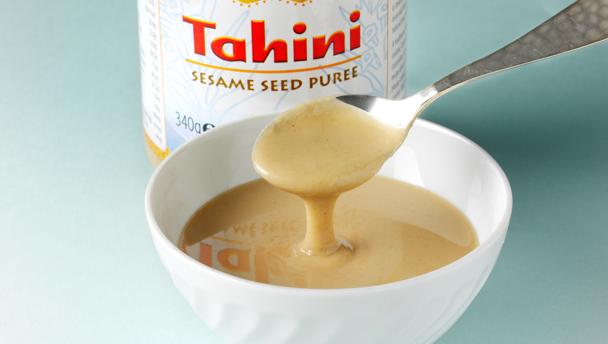
The above alternatives are of course more than just for people with allergies – they’re completely new flavors. Tahini, for example, adds a distinctive Middle Eastern twist to your sandwich, and is much less sweet than your default peanut butter, meaning it pairs better with sweeter jams.
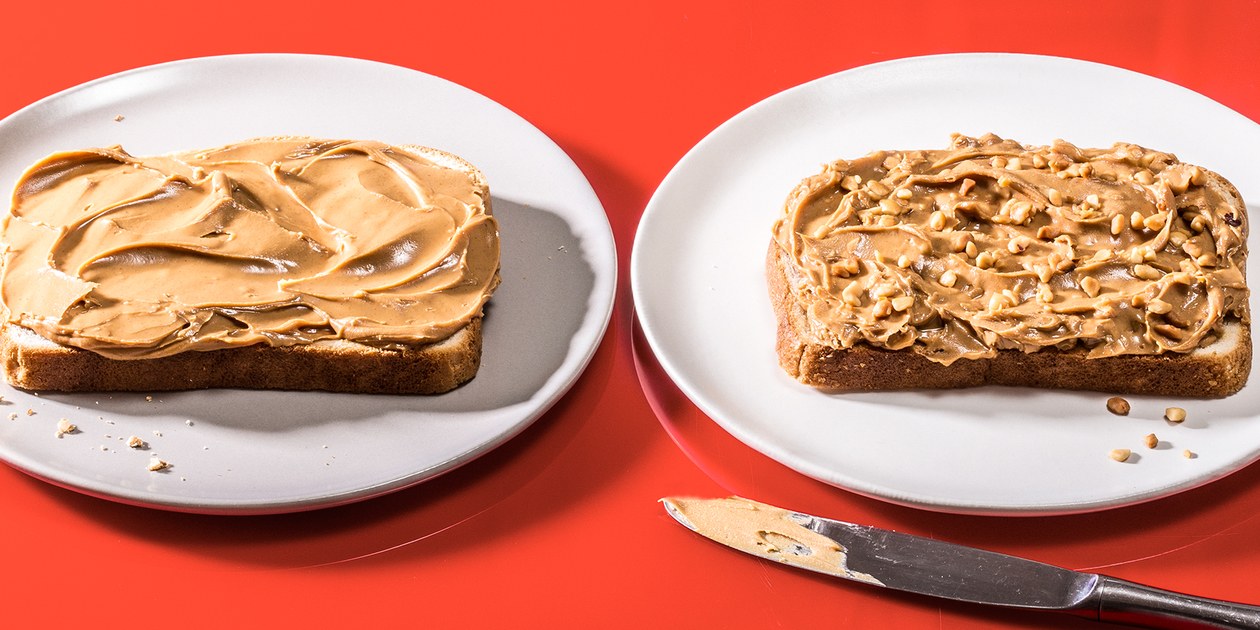
If you want to stick with peanut butter that’s fine, too! If you’re looking for variety in a different way, you might try mixing up the texture by trying crunchy peanut butter instead!
This is where things really hit the next level. Grape jelly is the most popular jam and jelly flavor in the United States, and it does pair excellently with peanut butter, given its sweet, fruity taste. If you don’t try other jams or jellies in your next PB&J, though, you’re shortchanging yourself.
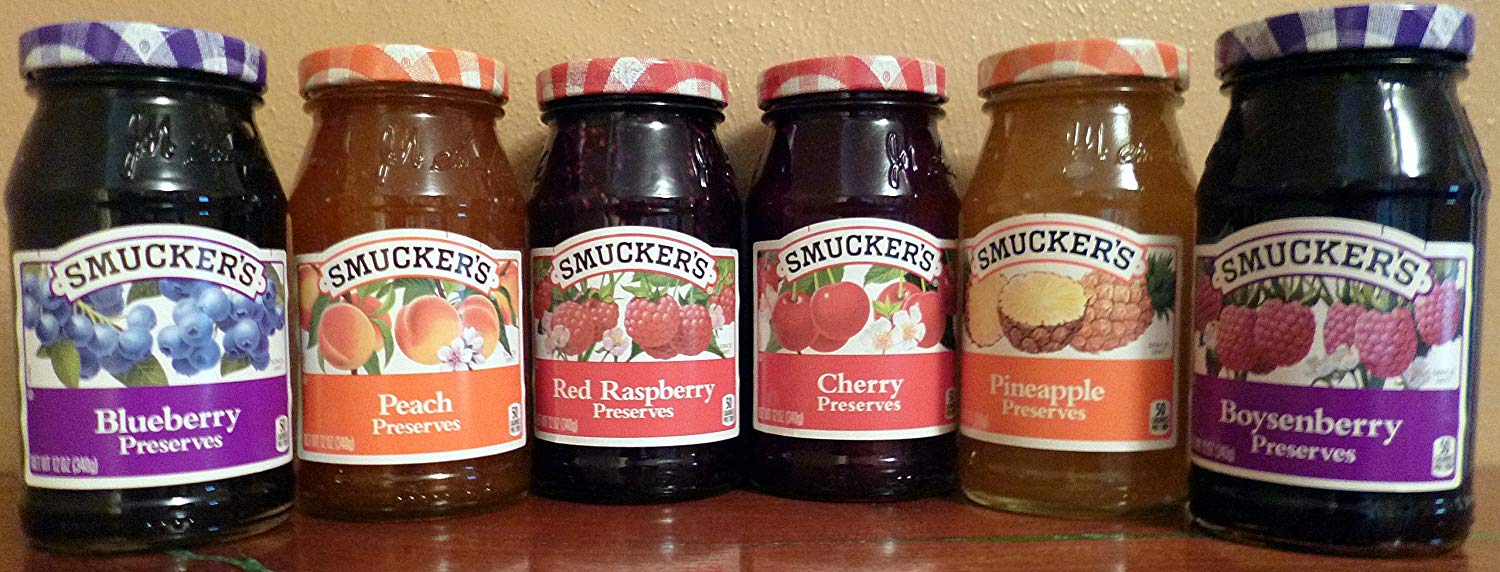
The go-to for an improved PB&J has got to be strawberry jam. It’s got more of a tang to it, has a sweeter bite, and contrasts the rich nuttiness of peanut butter in a really unique way. If you’re open to experimenting, though, try blackberry, raspberry (our favorite!), blueberry, or even peach or orange marmalade. Switch up jams, jellies, and preserves. Each one brings a distinctly different flavor to the table, and you’d be surprised how so small a change can radically change the flavor of the whole sandwich.
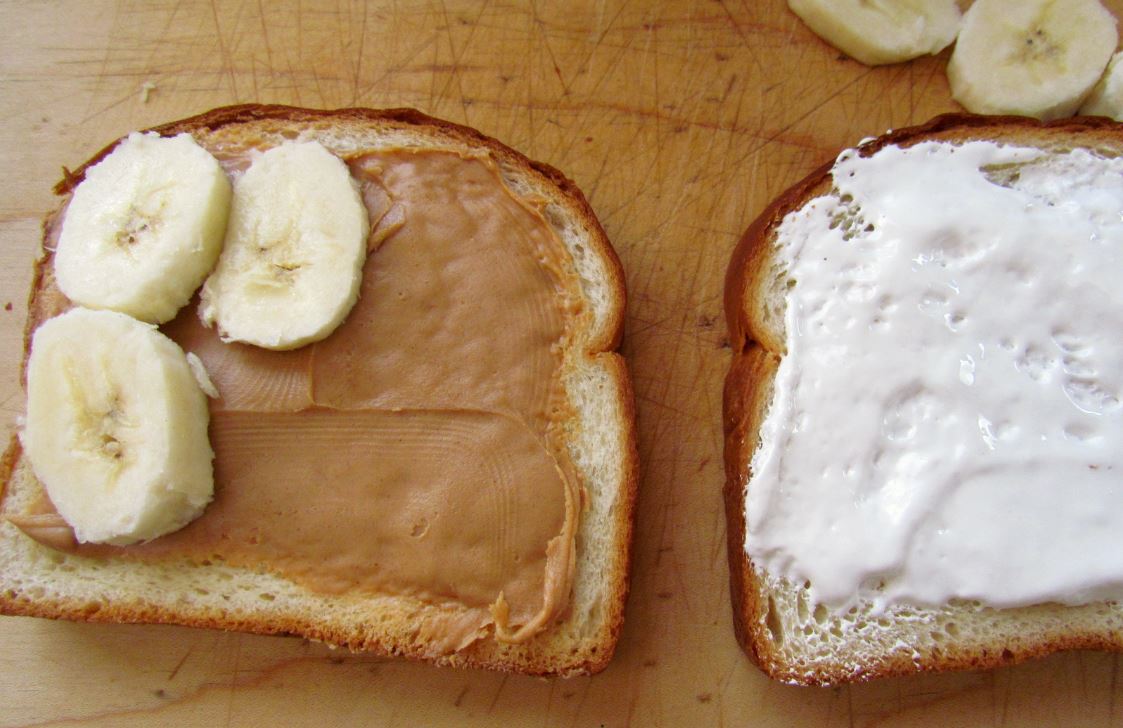
Don’t like jelly? Fluffer Nutters are the often-overlooked contender if you want a sweet sandwich with a less gloppy and more sticky, sweet change of pace. Honey or Nutella are also great substitutes, honey being especially good if you go with tahini. And if you want a more healthy choice, try slicing up a banana and adding that!
4. Layering
Now for the grand finale: We’re going to make a PB&J that showcases ninedifferent flavor combinations in one sandwich. You read that right.
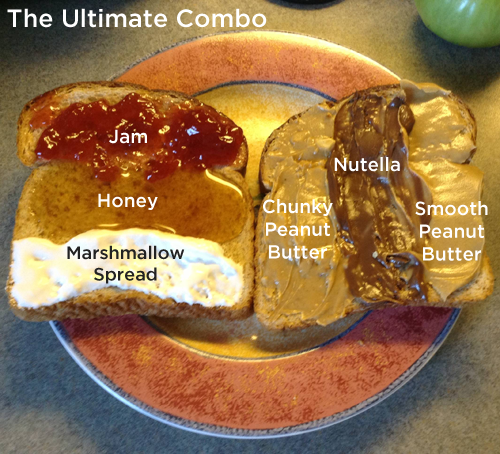
First off, toast your bread if you like that crunchy, smoky texture. On one piece of bread spread three thick vertical stripes of chunky peanut butter, Nutella, and smooth peanut butter. Then on the other piece of bread spread three horizontal stripes of your choice of jam, honey, and marshmallow fluff. Put the pieces together and you’ve got nine different flavors and textures. Now that’s an awesome sandwich! It should look something like this:
Try mixing in some of the substitutes we brought up earlier, too! You can’t really go wrong as long as you keep the thicker, richer ingredients on one side, and your lighter, sweeter ones on the other. The only limit is your imagination! Let us know in the comments below what new flavor combinations you come up with!
Studio Ghibli has changed animation forever. Have you seen these 5 classic films?
Studio Ghibli is one of the most influential and famous Japanese film companies. They’ve released dozens of modern-day classics since they were founded in 1985. Some of their movies have even become American staples, and are highly regarded on across the globe. Here are some of their best films that you’re missing out on if you haven’t seen.
“Kiki’s Delivery Service” follows the coming-of-age tale of a young witch with a delivery service. This movie was highly regarded on its release, and still holds up after almost three decades. Its depiction of an average teenage witch is much more heartwarming and child-friendly than many western depictions of the same concept.
4. My Neighbor Totoro
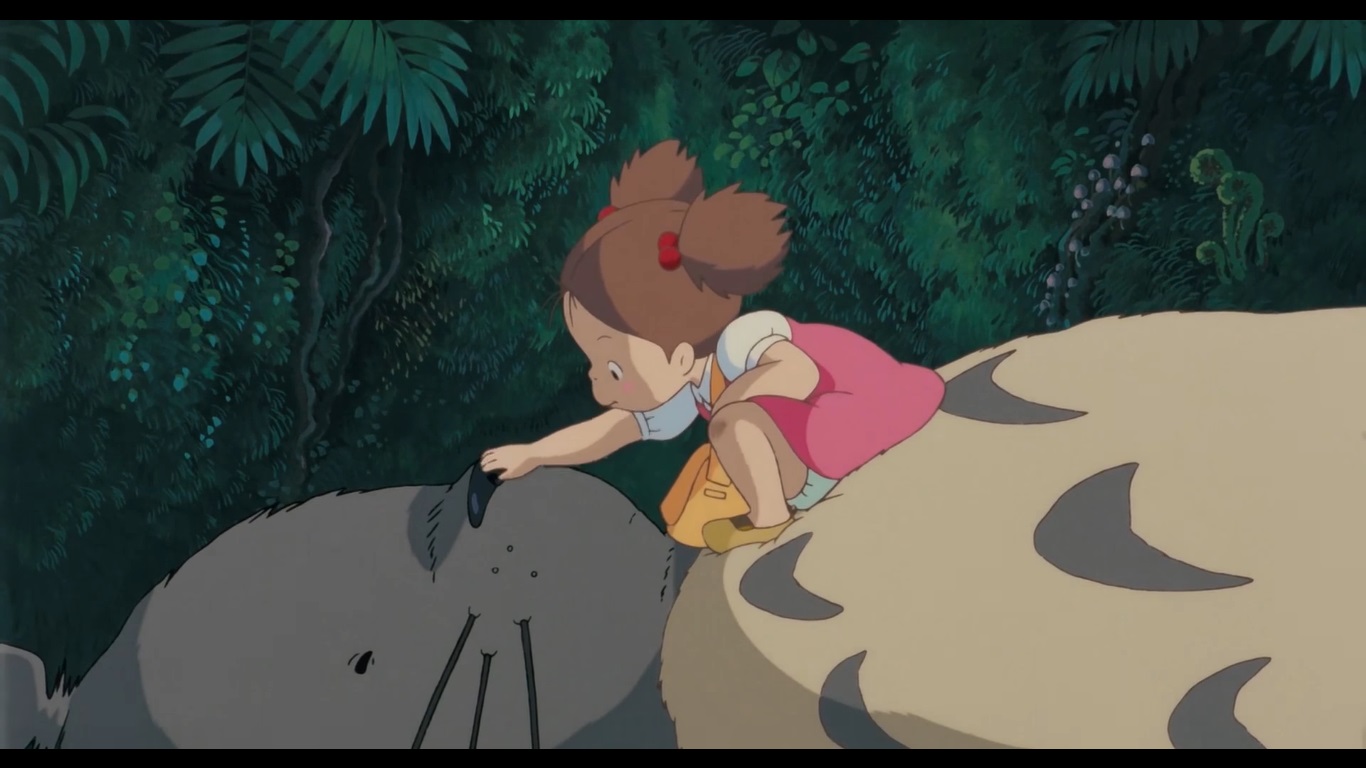
As far as child-friendly Studio Ghibli films go, none are as great as “My Neighbor Totoro.” This film is sweet and whimsical in a way that’s refreshing for both young and old viewers. The characters are colorful and memorable to the point where Studio Ghibli still uses the title character, Totoro, as their mascot.
3. The Cat Returns
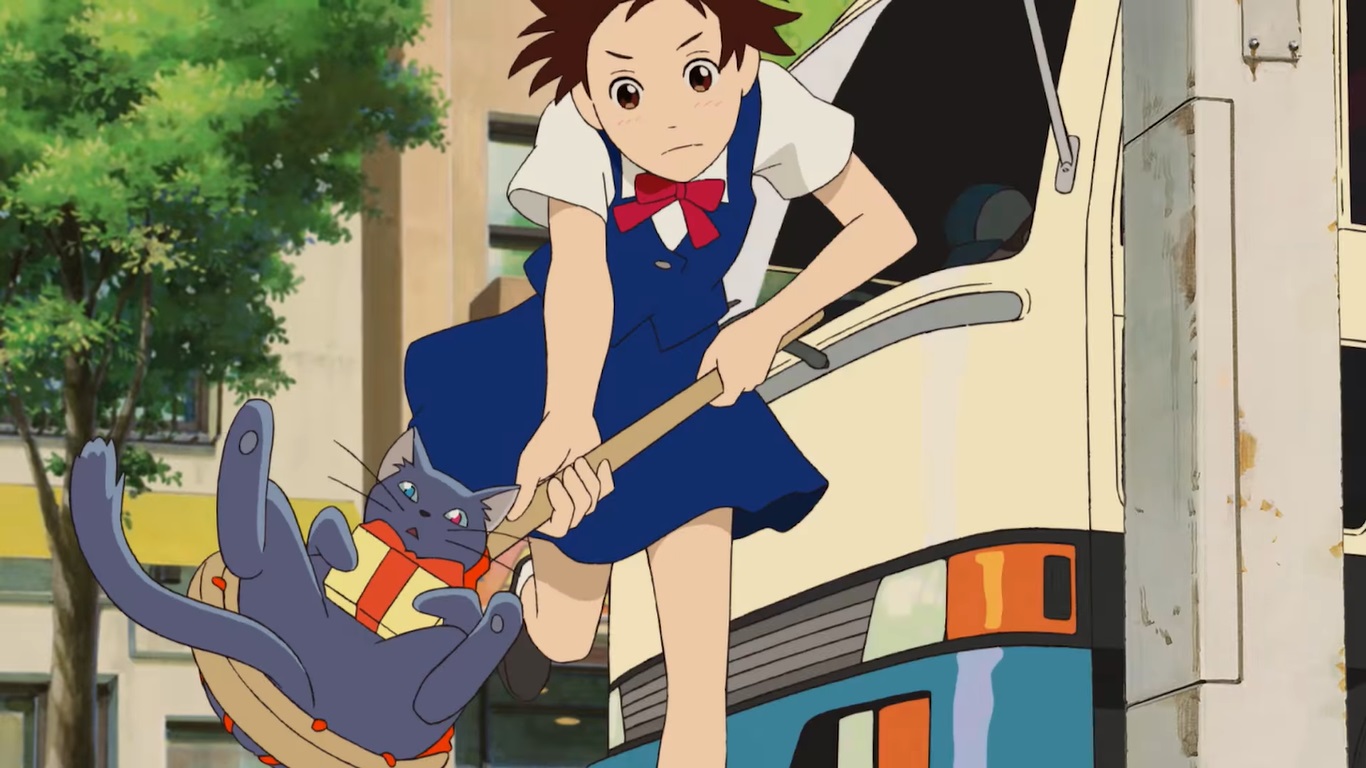
This is probably this list’s least well-known movie in America, though it was the highest grossing film in Japan on the year of its release. “The Cat Returns” focuses on the story of a young girl as she’s taken to a kingdom of cats. This movie sees the return of the Baron who was in a previous Studio Ghibli film “Whisper of the Heart.” “The Cat Returns” is a heartwarming whimsical story that’s hard to resist watching just once.
2. Howl’s Moving Castle
This movie contains some deeper and darker themes than much of the studio’s typical work. Despite this, it still offers much of the lighthearted and charming animation that the studio is known for. If you’re looking for something a little more serious, than this is a great film to check out, as it explores the struggles of war and aging with a unique perspective.
If you’ve never heard of this movie, you’re missing out. “Spirited Away” is by far Studio Ghibli’s most successful film, and it absolutely deserves this title. The movie follows the story of a young girl as she becomes trapped in a world of spirits and yokai, and tries to find a way back home. This movie takes a unique approach to the “Alice in Wonderland” concept of being taken away to a magical world. We highly recommend seeing the studio’s most critically acclaimed film, as it’s definitely worth it.
If you’re interested finding more amazing Studio Ghibli films, be sure to check out our Softonic Solutions page where our community answers this question with even more suggestions!
Spotify makes a big change that will make users happy. Here are the details.
Do the pros of Spotify Premium outweigh the cons? Free users of Spotify cannot choose specific songs to listen to; their playlists are on permanent shuffle. They also cannot listen to those playlists offline or skip more than six songs per hour. Today, Spotify made a change to one of those most annoying limitations.
In order to download songs for offline listening (and avoid frequent ads), you must be a Spotify Premium subscriber. Previously, you were only able to download 3,333 songs to listen to offline per device. Upon attempting to download music – which can only be done over a steady Wi-Fi connection – most users received a pop up saying that they reached their limit. You’d have to remove songs one-by-one, sometimes totally removing full albums to make space. There was also a limit of three devices that you could download songs to on each account.
According to Rolling Stone, the cap has been increased to 10,000 songs. Along with the rise in the number of songs, there’s also been an addition to the number of devices you can stream on, jumping up from three to five. Use this on five different devices, and you have access to 50,000 songs to listen to offline instead of 9,999 – a huge boost.
Unfortunately, the maximum number of songs total allowed in each user’s library is still at 10,000 per device, so even with the ceiling raise in offline downloading, you cannot have all of those same songs in your library. Hopefully, if Spotify sees enough positive consumer feedback, there will be a change here as well.
A 13-year-old movie mashup just pulled 47,000 upvotes on Reddit. See why.
Video editing is an underappreciated skill. They say when it’s done well, you don’t notice it. And when it’s done badly, it leaves you confused and disoriented.
Here’s an example of bad editing:
But when editing is done right, it elevates the images to an artform, telling a story in a new way. Imagine you’re an editor working for Cinemax in 2005. When you’re not daydreaming about working for HBO, you’re tasked with coming up with a trailer to promote the movie channel’s offerings. And that’s when this editor stepped up and knocked it out of the park.
Just imagine how good a 13-year-old trailer from a second-tier cable channel needs to be to get more than 47,000 upvotes on Reddit. And many of these movies are notoriously bad: “Catwoman,” “Elektra,” “Alien vs. Predator,” “Taxi.” You have to imagine the editor was thankful for “Spider-Man 2.” In the end, these seamless cuts, great music, and playful sense of humor combine to make a 100-second masterpiece.