On its second day released to the European and American gaming community, Lost Ark is already the most popular game on Twitch, with GTA V and Valorant tailing close behind. As of this morning, the Smilegate RPG Inc. MMOARPG is standing on 1.2 Million viewers on Twitch and climbing.
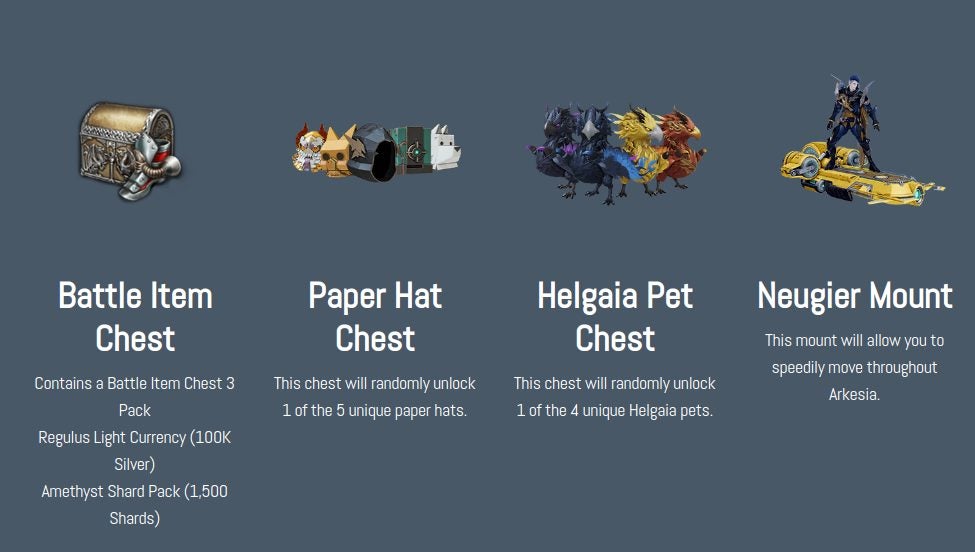
As a testament to how impressive this feat really is, you should note that gamers reached this figure while still downloading, unpacking, or waiting to play the game due to issues on Steam. While some players couldn’t play Lost Ark due to Steam and regional-specific issues, the game’s developers incentivized fans by rewarding them with incredible unlocks when they watched their favorite streamers on Twitch. Presently there are five drops available for twitch viewers:
LoLA Starter Item Set
Saphia Pet Chest
LoLA Helgaia Pet Chest
Arkesia Paper Hat Chest
LoLA Neugier Gold Mount
To unlock these Lost Ark Twitch Drops, you need to ensure that you activate Twitch Drops on your Lost Ark account. You can do this in a few straightforward steps:
Authorize your account and link it to your Steam account
Hit the ‘Activate’ button
Drops should be yours within 24 hours of earning them
The easiest way to earn Lost Ark Twitch Drops is by watching four hours of your favorite Lost Ark streams between February 8th and March 1st, 2022. Objectives are another way to earn points towards drops, and the objectives come with their own rewards, too; Bronze Founder’s Packs. Streamers will also give these away for free, so tune and pick one up if you haven’t already.
If you still think that your bank account, emails, and statements are completely safe, time to get a reality check now! The increasing habit of online money transfers to friends and family via bank is gaining the attention of the fraudsters commencing phishing activities. From basic net banking to big business transactions, securing your online bank account is now possible with some expert ways unleashed below.
Are cybercriminals bothering you to retain bank account safety? Is it possible to avoid phishing attacks? Screening and evaluating the fraudulent activities of the scammers who are trying to unveil your credentials with a malicious intention is essential. Do you know about phishing? It’s a vulnerable way adopted by tech-savvy cybercrooks to procure money from individual accounts by stealing their private data and sensitive details.
What are phishing attacks?
It’s a gimmick played by sharp and shrewd minds to abstract your personal details like passwords, credentials, credit card data, and bank account details. Phishing refers to attacks made for a data breach to unlock your online wallets and drain away from the bankrolls with a matter of a few clicks. That can be a horrible nightmare one would never wish to face!
Have you ever received a skeptical mail or message validating a recent transaction or purchase? Clicking it takes you to a page where you are quickly asked to enter credentials and gain luring rewards or prizes. Beware! That’s a phishing trap, and it would merely nullify your savings, leaving you in disgust and agony.
When someone prompts you to add any credentials through an unsolicited call or email, get alarmed about a potential threat that might drain you away completely. Online banking is now like binging on your favorite show that can be done at the ease of your home couch.
It’s fascinating for cybercriminals to create mental illusions and deliberately steal information and data online. Impromptu swipes, confirmation emails, tricky messages, fake phone calls, and an array of other techniques indicate that you are in financial trouble.
Six ways to save an online bank account from phishing sttacks
Is it possible to minimize the odds of being a bank fraud victim? Certainly yes, with the proper vigilance and some expert tips slated down below.
Use Strong Passwords
This is your online bank account’s first and most crucial security layer. Hacking the password credentials can lead to a massive data breach, and hackers are pro in it. In addition, many cybercriminals optimize the dark web and other software tools to identify the account credentials.
Keeping simple passwords like mobile number, date of birth, kids name, or numerical order is readily detectable in the recent social media era. However, do you know that paraphrasing passwords leads to an account hack with different symbols or characters? So be very creative and think out-of-the-box combinations beyond the hackers’ sight.
Go for Two-factor Authentication
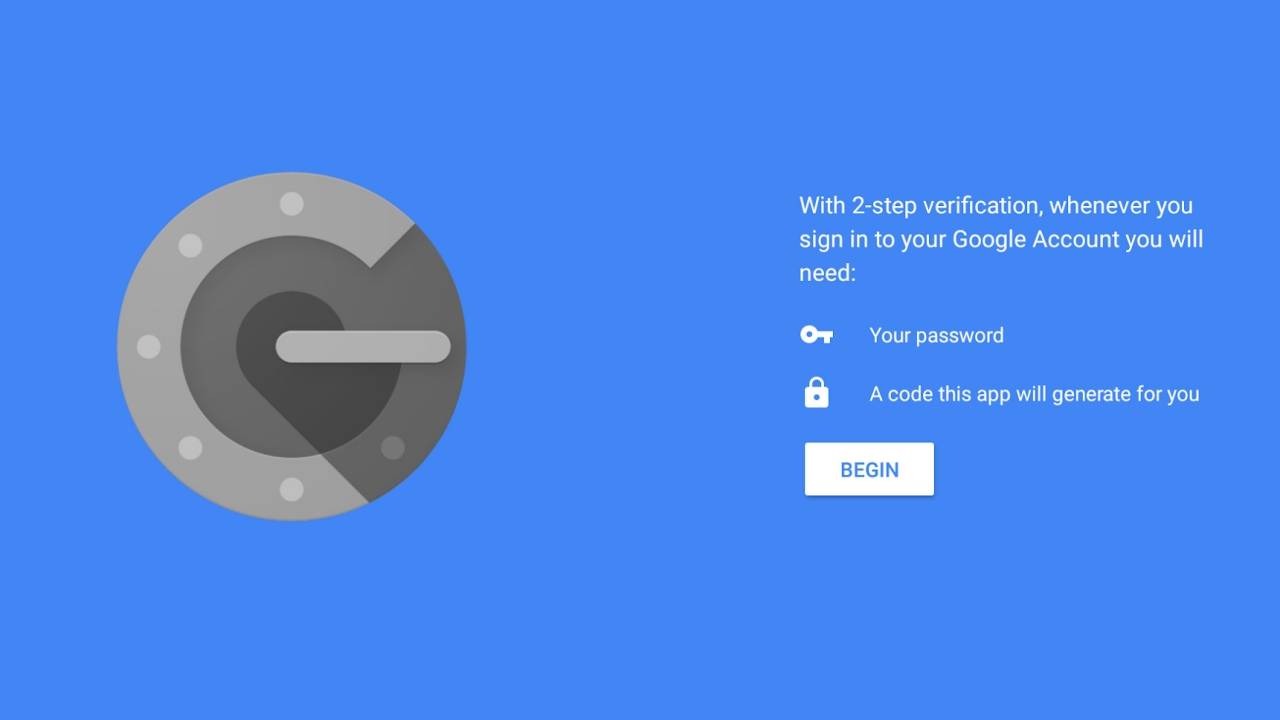
How about shielding your bank account with another layer for better combat? Enabling the two-factor authentication adds up to the device’s security, thus obstructing the revelation of essential data. When bad guys try to syndicate combinations for iCloud accounts, this step fails them to reach your device or access private information.
Two-factor authentication is combined account security where the user cannot just access the data with passcode, password, fingerprint, or biometric logins. It also prompts you to add a one-time code sent to the registered mobile device or the smartphone. Though this is also not 100% effective, it can assure a better security level for your accounts.
Invest in a Good Antimalware
Do you keep the main door of your house open unlocked ever? No, right, and the same implies for the bank account security. Invaders try to seize the system through malicious software for stealing data or breaking the security layer with some viruses.
Phishing attacks are vulnerable and can occur with an account hack by retrieving data through the operating system. The release of any crucial data can reveal sensitive information that’s flagged as very important. Installation of good and reputed antimalware prevents cyber threats and keeps your account safe from such cyber predators to a great extent.
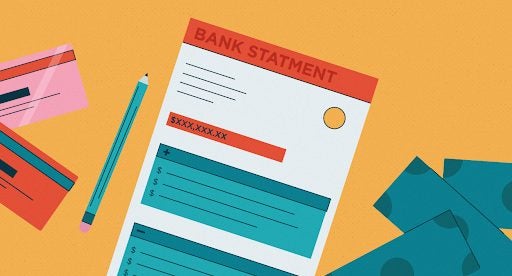
Keep a Check on Bank Statements for Fraud Detection
If you have bank accounts with reputed and government banks or credit card companies, they send regular notifications on expenses made through your account. Instant pop-up text appears on your mobile device indicating that someone might have succumbed to your account.
Suspicious purchase bills or fund transfers from weird locations and sources hint to you about the significant threat. You can stop it immediately with a prompt answer to the bank message and then review bank statements for complete data. Inculcate this practice to safeguard from them any major problem in the future. Get in touch with your banks to resolve any doubts or queries then and there.
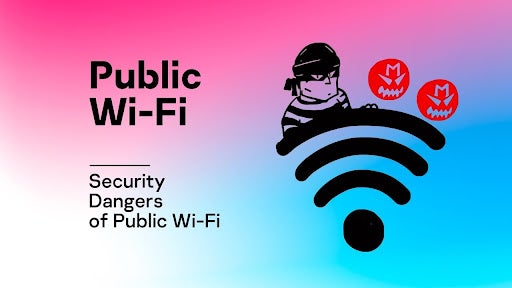
Avoid Using Public Wi-Fi Hotspot
Carrying out financial transactions like trading, online shopping, or banking at the airport lounge or bank is pretty standard. However, this gives one more attempt to the cybercriminals to detect your credentials and make big hacks.
Using a device through Wi-Fi at hotels, coffee shops, or libraries is an everyday regime but avoid making transactions through such locations. Unless you have a trusted or secured network, transactions can attract many potential risks. Tapping calls and tracking crucial data is easily possible in this digital age at such sensitive spots. Prevention is the only way to stay very safe in such a scenario.
Lock Your Devices
Cybercriminals are pretty savvy in analyzing the ways to make phishing attacks on your bank accounts. Adding a solid passcode for your device would prevent strangers from intervening in your private data. Imagine if you mistakenly happen to leave your phone at the coffee shop and realize it after crossing a mile ahead?
A stranger can breach the privacy protocols and fetch all financial data within seconds, leading to easy bank frauds. This is avoidable if you have biometrics, sensors, fingerprints, and other multiple safety ways to secure devices and then codes for your banking apps. Multiple layers of authentication can result in a safe and secured financial data system.
Don’t let them Phish you out!
Cybercriminals are upscaling their frauds into multiple channels and getting smarter with technological advancements, leading to more scams. Do you wish to escape this phishing funnel with the alertness of mind and the proper safety measures?
Follow the above ways to assure the safety of your bank account and be on the front foot to combat the ferocious minds of cybercriminals targeting your financial sanity. Rule out preventive techniques and ensure a safe environment for commencing your banking activities online.
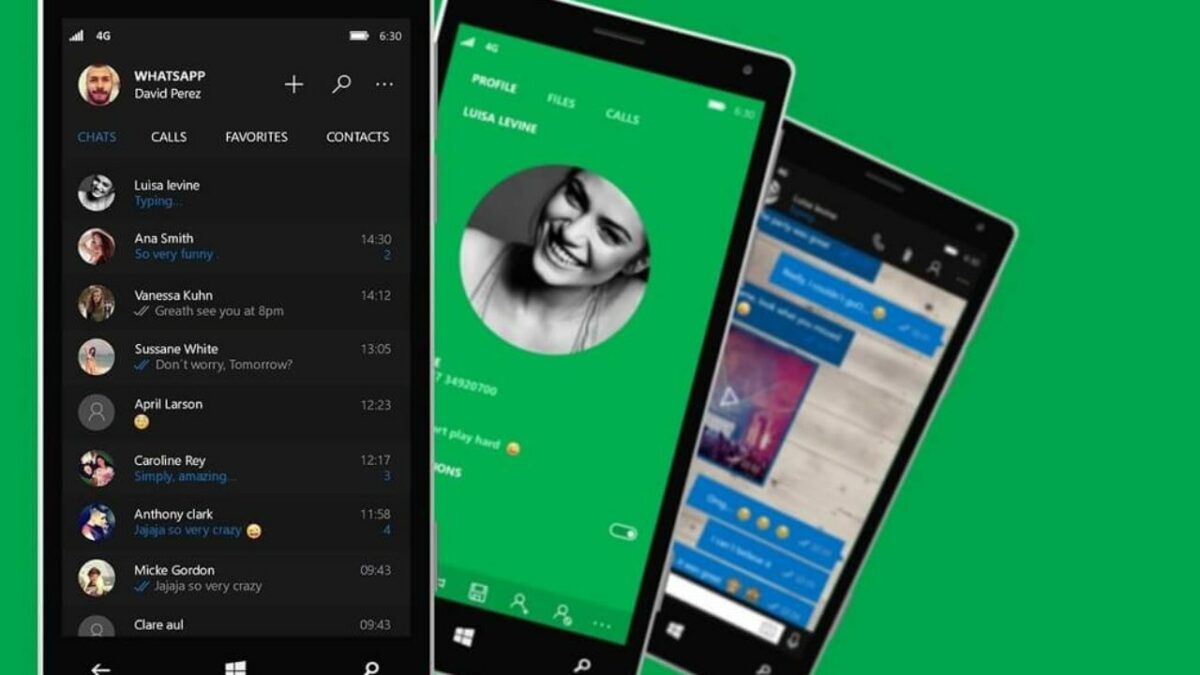
WhatsApp Beta for Windows 10 and 11 was released to the Microsoft Store in November. This gave fans of the instant messaging app a chance to experience WhatsApp from their computer. The last update to WhatsApp Beta for Windows has been the addition of a long-awaited feature: dark mode.
The latest update, version 2.2205.2.0, comes with a few minor changes to the UX, but most notably, this update introduces a dark mode. Users will now be able to change the app from the default light mode to a dark theme better suited to a certain screen and, of course, for use at night.
WhatsApp Beta will automatically follow the system theme set for your Windows 10 or 11 computer. You can also manually enable this new feature from the ‘Settings’ menu directly in WhatsApp Beta. Simply open the settings page, and then click on ‘General’, and here you can choose between the light or dark theme.
Meta (aka Facebook) has been making several improvements to WhatsApp Beta for Windows 10 and 11. Among the most recent updates were changes to the setting UI to be more in-line with Windows 11 design standards rather than those of Windows 10. Other parts of the UI also received this overhaul and now appear with rounded corners synonymous with Windows 11. These include the search box, message list items, and message bubbles. Small animations have also been added to the settings button so that the UI feels more interactive.
These continual updates and the release of dark mode all contribute to making the beta version more impressive and easy to use. We look forward to the release of the stable version of WhatsApp for Windows 10 and 11.
Love is in the air as Valentine’s day looms nearer. Pokemon GO is also sharing the love with their annual Pokemon GO Valentines Day event starting today. The event will include many new challenges, awards, and even the release of a few new Pokemon. It follows very closely after the recent Pokemon Go Lunar New Year’s event.
This annual Valentine’s Day event will be starting today, February 10, and will last until February 14. This should give players enough time to participate in the unique challenges, raids, and even encounter a few of the new release and limited edition pokemon.
That’s right, as, with most of the Pokemon GO events, this one will feature the release of the flower pokemon Flabébé, Floette, and Florges. Players will be able to collect these three new pokemon in five different colors. Three of these colors will be region-locked, while the other two will be available from rare encounters.
The new pokemon isn’t the only thing to look forward to in this Valentine event. There will also be a new Global challenge. This challenge will reward players with a special reward when the total gifts sent reach 70,000,000.
Players will also benefit from double lure module duration and double catch candies throughout the event. Players will also be able to participate in two new Valentine-themed collection challenges. By completing these challenges, the player will encounter a male and female Frillish.
Since this is a themed event, you can be sure Pokemon Go will stick to its routine and allow players to experience the theme through the pokemon they encounter. You can expect to see a lot more pink pokemon like Chansey, Luvdisc, Miltank, and more. You also have more encounters with paired pokemon like Plusle and Minin and Volbeat and Illumise.
Willing to update your PC with Windows 11? What about essential files and folders stored in Windows 10? Windows 11 version is out, and users will access it on most Pcs and laptops by the end of 2022.
However, data transfer from Windows 10 to Windows 11 might be challenging for many. So hang on with us to get acquainted with simple steps and safely secure all your files and folders in the new Windows version.
Is Data Transfer Possible from Windows 10 to Windows 11?
Yes, Microsoft allows this feasibility of transferring files and folders from Windows 10 to Windows 11 on your system, and that too without much hassle. If you upgrade to the new version or have recently bought a new PC, creating a new setup for Windows 11 is mandatory. You can accomplish this process without any hurdle with a couple of additional steps.
Tech-savvy users might also use an advanced software solution that facilitates file transfers with a single click. There are other varied methods like manually following every step using a USB Transfer cable or the hard drive for file transfers.
Transfer Files from Windows 10 to Windows 11
This is probably the best way to upgrade to the latest Windows version and a secured backup of all your essential data files. Using a wi-fi network or wired USB cable to connect two devices can help transfer files from one end to the other.
Use a Software Program
A stable network connection and the latest software that helps transfer files from Windows 10 to Windows 11 are all you need for this. Utilize the standalone software for this purpose. While there might be a few glitches in its Free version, the Pro version comes with a step-wise process that aids in transferring data from the old PC to the new one.
It is possible to transfer data to Windows 11, such as images, files, documents, apps, and any other thing you wish to restore. Data migration is a lengthy and arduous process, no matter how many software or tools you utilize. Good software can simplify the task with a one-click auto transfer of data from an old PC to the new one. Take a free trial for a couple of software to know about their features before you invest in them.
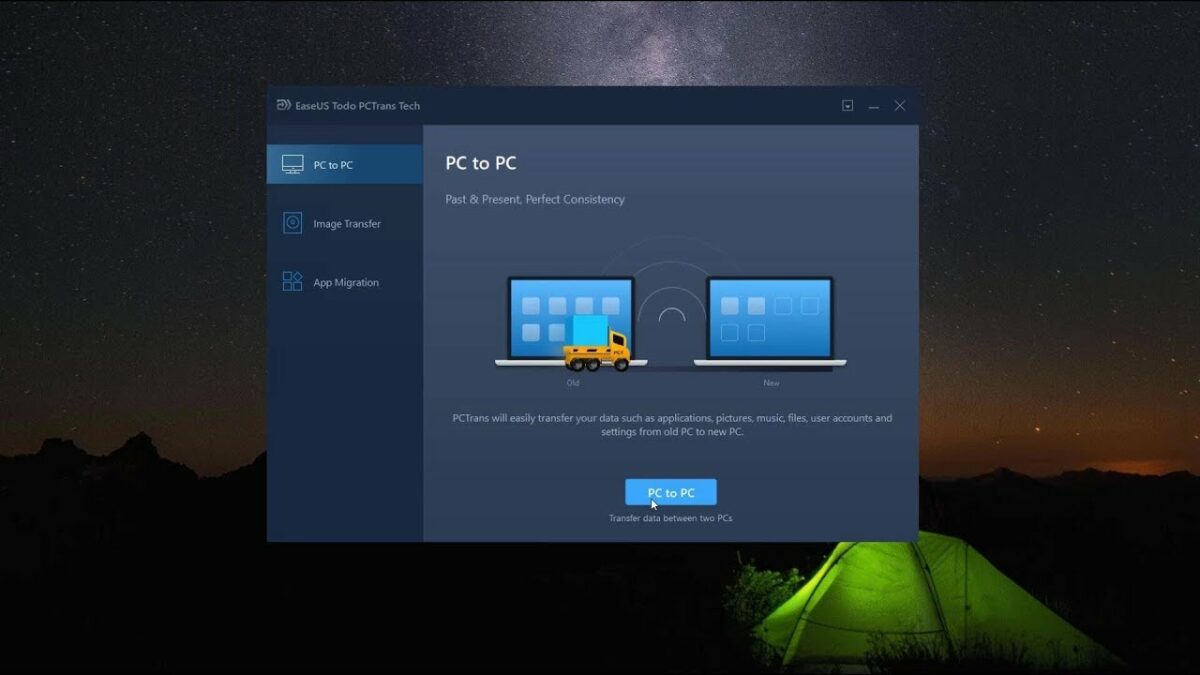
Step 1- Install the software on both ends to start ‘PC to PC’ data transfer and continue.
Step 2- Choose data transfer from the Old PC device to the new PC Device. Again, be careful with command selection.
Step 3- Establish a PC connection between two devices with a LAN and the verification code. After selecting the right data transmission action, press ‘Continue’ to head up with the process. Identify the verification code for the targeted PC stated on the main screen. Switch on by clicking at tab for the connection verification.
Step 4- Visit the ‘Files’ section and click on files and folders you choose to move.
Step 5- Press the ‘Transfer’ tab to start with data transfer. Keep patience until the process completes, as big-size files might take some time.
File Sharing Via Cloud Storage (OneDrive)
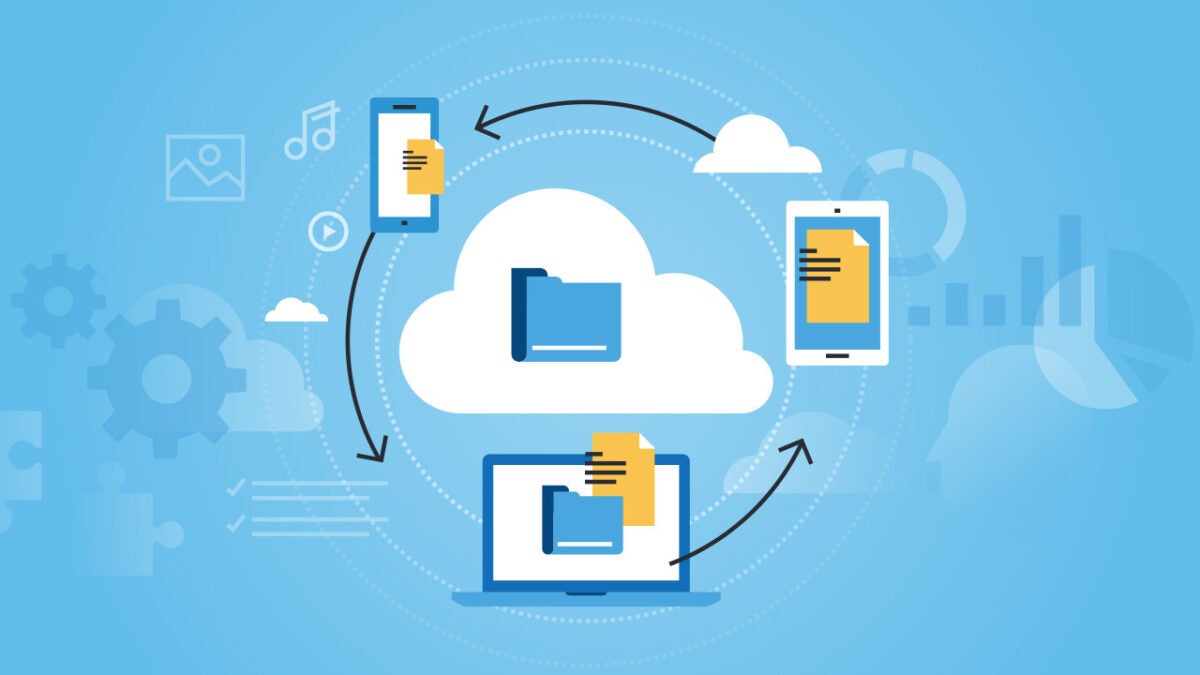
Another way to transfer files from Windows 10 to Windows 11 is through Cloud storage. This option helps in the swift migration of photos, videos, files, and other information to the new PC.
Step 1- Install and begin Set up for OneDrive, a Free file hosting service by Microsoft that allows Cloud storage. For transferring files from one Pc to another, you might have to take its one-time subscription.
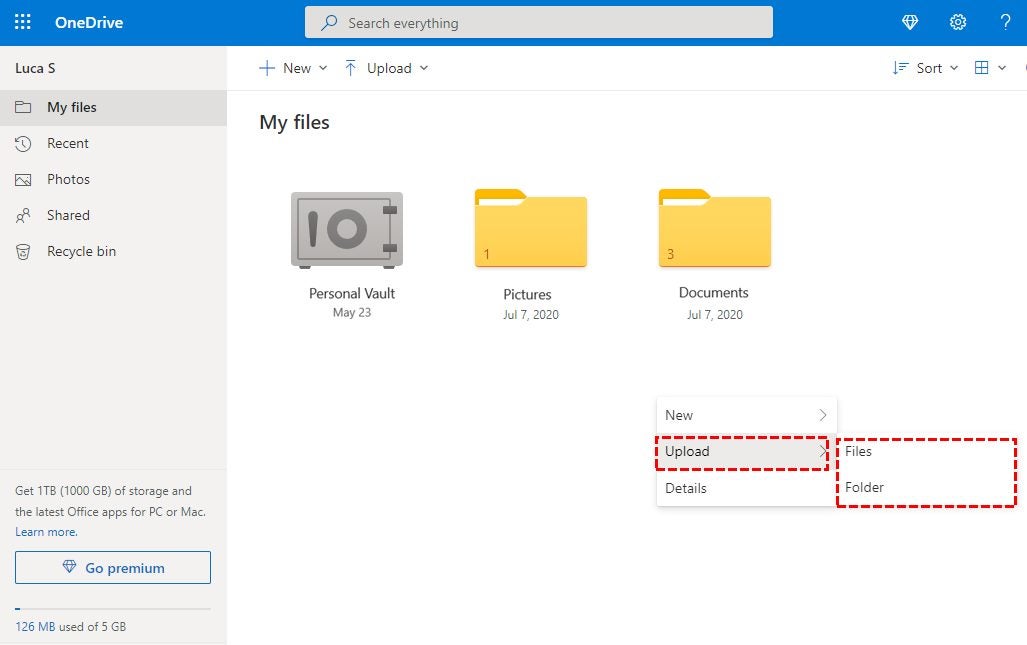
Step 2- Next step is to sync all files with OneDrive via its official website or the app. click to ‘Upload’ and click files you want to transfer. Using File Explorer is also a good option for data transfer.
Step 3- Install and complete the setup for OneDrive on your Windows 11 PC. Now you can allow receiving files from the other PC and download them to Windows 11.
You are done with it!
Using Email
Suppose you have marked a few essential files to transfer from Windows 10 PC to New Windows 11 Format. In that case, email transfer of selective files is also a good option. This is the safest alternative to complete data transfer from one Pc to another.
Users might find a few challenges in this process as emails are encrypted. In addition, there can also be a specific limitation for adding attachments depending on the file size of the email as there is a size restriction of up to 10 MB. Thus, going for PC to PC data transfer is a better alternative.
Copy and Transfer Files with an External Hard Drive
Are you fretting about file transfers to Windows 11 without a network? Do not bother, as other alternatives can prove helpful in this context.
An external hard drive or flash drive is an excellent option to complete the data migration. First, users can connect the external hard drive from Windows 10 PC and start copying files. Now again, connect the hard drive with Windows 11 PC and copy all required files to it. Besides, you have the complete data back up in an external source if some goof-up occurs.
Winding Up
Windows 11 had a successful launch, and there were concerns about it being compatible with Windows 10. However, it won’t be compatible with all Windows devices completely.
Suppose you are also looking to transfer data from the old Windows 10 PC to the Windows 11 PC. In that case, the above steps and tutorials might help you in the process. We recommend you do so soon, as there are plenty of new Windows 11 updates and features coming to the operating system.
This franchise dates back to 2001 with Serious Sam: The First Encounter for Windows, Xbox, and the Palm OS. That’s right: this thing ran on Palm Pilots. The original title saw an HD re-release in 2009, 2010, 2017, and 2020 respectively. But there has been an entry into the franchise in the form of a mainline or spin-off title regularly since the original came out.
It’s very clear that the game is a first-person shooter in the vein of Duke Nukem, Doom, or even Just Cause with its wackiness. The optional up to 4-player co-op mode adds another layer to the experience since a game like this is always better with friends. Let’s see how the game stacks up against similar titles across several categories:
Setting, Tone, and Story
Performance
Gameplay and Functions
Visuals and Sound
Are you ready to get into the visceral action explosion so hot it melts Siberian ice caps? Let’s do it.
Serious Sam: Siberian Mayhem background
Serious Sam’s legacy spans decades, but he has almost always sported a t-shirt of some kind, a cocky and boisterous attitude, and that signature angry bomb graphic. His antics fall into the “boomer shooter” category or games that recreate experiences like 90s pc fps games.
Serious Sam 4, released in 2020 and 2021 for various platforms, acts as the anchor for Siberian Mayhem as it was initially a mod for Serious Sam 4. Long-time modders formed Timelock Studios to develop this mod as a formal entry into the series with the guidance of Croteam and Devolver Digital.
Setting and tone
Serious Sam 4 was released in 2020 with great reviews, bringing a sleek revival to the franchise. It introduced tons of new weapons, co-op gameplay, and arcade-like mechanics. The game serves as a prequel to Serious Sam 3: BFE while Siberian Mayhem acts as a stand-alone expansion where Sam tracks General Brand to the Tunguska region of Russia.
This area of Russia suffered what is believed to have been a meteor airburst in 1908. It leveled 830 square miles of forest. Known as the Tunguska event, researchers did identify some materials of extraterrestrial origin in 2013. That makes a great tie-in for Serious Sam since the franchise is based on interacting with aliens.
Sam wields a mix of dad jokes and dated, but situationally relevant pop culture references. But the quick-paced, in-your-face action pairs well with Sam’s cavalier attitude toward the terrifying creatures and mutants he encounters.
Story
Since this game acts as a sequel-prequel of sorts, here’s a quick refresher on the overall plot:
There are multiple universes, but fans consider two of them as the “main” universes
The timeline order of games from a canon perspective is Serious Sam 4: Planet Badass, Serious Sam 3: BFE (Before First Encounter), Serious Sam: The First Encounter, then Serious Sam: The Second Encounter
This game is a “midquel” in that it occurs after 4
Sam has two main enemies: General Howard “War Dog” Brand, a corrupted Earth Defense Force member, and Mental, the final Hum-Tah or Infinite One fighting for intergalactic domnimation
Sam is chasing downGeneral Brand, but still dealing with Mental’s cronies
Since you’re tracking down Brand, the story doesn’t have too many twists and turns. After all, being a midquel limits the story’s ability to take too many liberties. However, for a game like this, tracking down a bad guy and taking him out in a grand fashion is kind of the point, right?
How long to beat Serious Sam: Siberian Mayhem
The game has 5 levels total, making for about 5 – 6 hours of story gameplay. Those looking for all the secrets could spend up to 15 hours exploring the open world.
Serious Sam: Siberian Mayhem performance
In general, if your PC can run Doom Eternal, it can run Serious Sam: Siberian Mayhem. The game doesn’t have game-breaking performance bugs like Cyberpunk 2077 or Deus Ex: Mankind Divided. It does have a long initial load time as you load a save file, but that is a common territory with most games nowadays.
Some players have criticized Serious Sam 4 for lackluster performance citing massive stuttering issues to AMD Ryzen users reporting major problems. However, on my Nvidia and Intel machine, the game ran beautifully with minimal stuttering, pop-ins, or rendering issues.
The only problem seems to be that the game doesn’t appear capable of fully exploiting a PC’s potential regarding CPU or GPU output.
Serious Sam: Siberian Mayhem gameplay and functions
As far as classic boomer shooter mechanics go, Siberian Mayhem checks all the boxes. Not only does the shooting feel crisp with a mouse and keyboard, but the aim is fairly true, as well.
The variety of weapons and additional items like mountable rockets will keep combat unpredictable, fast-paced, and explosive.
UI and interface
The UI is simplistic in a good way with just five tabs and lots of icons the player can mouse over for more information. Much like the game itself, it is straightforward and easy to use.
Players can view weapons, gadgets, enemies, and even the man himself among the various tabs.
Shooting mechanics
The arcade-style gunplay is not nearly as twitchy as other fps games like Titanfall 2, CS: GO, and the like. This game is designed to be a classic, more arena-like shooter hearkening back to its roots with Doom and Quake.
Getting precision headshots with a pistol feels gratifying while taking out multiple enemies at close range with a boomstick is also quite pleasing. Gadgets are hit or miss (sometimes literally), but the weapon suite, overall, feels very solid.
However, playing with a controller is practically impossible if you want to enjoy the game casually. Without the added stability and utility of a mouse, it can be difficult to aim as well as switch between weapons. While playing as a sniper is a viable and fun option, this makes mouse and keyboard the optimal experience.
New weapons and gadgets
This game adds all kinds of new items from enemies to unique puzzles. But what really sticks out are the new weapons and gadgets including:
AK-47MX rifle: thought firing rockets from a shotgun never gets old, this trusty rifle is a solid go-to. The only downside is how little ammo you can carry for it.
TCC-2 “Perun” Energy Crossbow: snipers should definitely give this one a go. It can take out medium enemies in one hit and it has “hitscan”, so it damages targets at any range.
XPMRBurner Raygun: this core weapon is fantastic. Players can find it in Stage 4 and it does more damage the longer you maintain a beam on a specific target. Pro-tip: dual-wield it against bosses, Khnums, and aerial enemies.
Airstrike Designator: as one might suspect, this gadget calls in missiles to help Sam take down lots of weak enemies or big, hulky bosses with lots of health.
Portable Hoverboard Scooter: this is a bit of a throwback as Sam had a hoverboard in the Serious Sam: Xbox game. Players can use it to glide around the map to explore more casually.
Serious Sam: Siberian Mayhem visuals, sound, and enemy design
Despite dating back two decades, the franchise for Serious Sam remains vibrant and full of life. The enemies are always nipping at Sam’s heels, but he always has enough shells to take them down.
As with any shooter game, the quality of the gun sounds is an important factor when it comes to immersion. The sound, world, and enemy design in Serious Sam: Siberian Mayhem are some of the best features.
Sound design
Overall, the gun noises, monster snarls, and environmental sound effects create a fantastic ambiance. You almost feel the chill of the Siberian wind and you definitely feel unease when you hear clip-clops of a Kleer skeleton heralding your imminent doom.
The only thing lacking was a better soundtrack to measure up to Sam’s cringe-worthy, yet endearing one-liners. The music was mood-setting, but not truly epic for those moments where you really got a spree going.
Enemy design
Many of the classic franchise enemies appear in this game, as well, in grisly detail. Players can get a better idea of enemy weak points under the “Dossiers” tab. Or you can just admire the work that Timelock studios put into rendering the creatures.
The bottom right lists useful stats while the top right has lore, as well as tips on how to fight them or what moves to watch out for. The best feature is how the sound design is incorporated so seamlessly into how the enemies inhabit the world of the game.
There’s nothing quite like the death knell of horse hooves when you’re in a dark room playing this game with headphones on.
World design
Even if some assets get reused quite often, the world of Siberian Mayhem is expansive and immersive. You can skid over ice, shoot seagulls off the docks, and discover abandoned shacks in the distance from any possible objective.
It feels like a logical evolution of a classic fps game from the 90s in the best possible way. After all, in what other games do you get to mow down weird alien-zombie-humans on a snowmobile?
Verdict and wrap-up
If Doom Eternal is a heavy metal opera through hell, this is an 80s hair rock romp through the alien-infested streets of New York. Does it tell a huge, sweeping story like Wolfenstein: The New Order? No.
But this boomer shooter has uniquely designed monsters, engaging gameplay, and satisfying feedback loops. Besides, how can you resist a dude who shares sage wisdom like “Every day, once a day, give yourself a present”? Of course, he will also just start singing “Born to Be Wild” in the middle of combat.
PROS
Engaging arcade-like shooting mechanics
Smooth and vibrant graphics
Fun-to-explore environments
Bridges other main-line Serious Sam game stories
Breezy, quick campaign with high replayability at various difficulties
Great co-op option for up to 4 players
CONS
Certain enemies become very challenging in large numbers at higher difficulties
Mouse and keyboard perform much better than controller when it comes to precision shooting
Straight-forward story with few surprises or twists and minimal lore
With Valentine’s Day around the corner, love is in the air at Disney Plus. Whether you have a significant other or you’re still waiting for that special someone, the streaming service has a very special date prepared for you. Fall in love with the best selection of romantic movies and TV shows and enjoy an unforgettable evening full of love, drama, and happy endings. Don’t know where to start? Don’t worry. We’ll share with you the best movies and series to warm your heart on Disney+.
Looking for the perfect Valentine’s present? Say goodbye to flowers and chocolates and surprise your partner with Disney Plus. With it, you’ll be giving a treasure trove of entertainment, movies, and tv shows! Also, don’t miss out on the current promotion, which will let you save 20% off the annual price.
It’s impossible to make Valentine’s movie list without mentioning Pretty Woman. After all, we’re speaking of the most popular romantic comedy in the history of cinema! Are you ready to fall in love with it one more time?
Meet Edward Lewis (Richard Gere), a handsome and wealthy businessman who, after fighting with his girlfriend, needs to find a companion for an important business meeting. Not knowing what to do, Edward hires Vivian Ward (Julia Roberts), an ill-mannered prostitute who little by little, will win over his cold heart. Without a doubt, this modern era Pygmalion is a fan-favorite for Valentine’s Day!
WandaVision
Marvel fans can enjoy a romantic evening with one of its most surprising and renowned series: WandaVision. Created by Jac Schaffer, the show takes us to Westview, an idyllic American neighborhood that will be the home of an atypical newlywed couple: the Avengers Wanda Maximoff (Elizabeth Olsen) and Vision (Paul Bettany).
What at first seems to be a tribute to classic sitcoms from the ’60s and ’70s such as I Love Lucy and Bewitched, turns out to be a thrilling and convoluted story that only the Scarlet Witch can solve. Because… if we think back to the Infinity Wars… did both Avengers really lived happily ever after? If you haven’t watched it yet, now’s your chance. And don’t let anyone spoil for you its surprising twists!
Romeo + Juliet
The tragic story of Verona’s star-crossed lovers jumps from Shakespeare’s masterpiece to modern times thanks to the mind of Baz Luhrmann. With an amazing cast lead by then teenagers Leonardo DiCaprio and Claire Danes, Romeo + Juliet is a bedazzling film ideal to watch on Valentine’s Day. Fast-paced, exuberant, and stylish like no other, the movie manages what seemed impossible: to bring the classic prose of this story to a contemporary viewer.
Without a doubt, the beautiful and kaleidoscopic Romeo + Juliet is a classic to all romance fans. If you believe in true love that not even death can tear apart, this is the movie for you. Don’t forget though, it is one of the most famous plays from the Shakespearean tragedies, so keep a pack of tissues nearby!
Love, Victor
Are you looking for a good teen romantic comedy show to watch this Valentine’s Day? You definitely have a date with Love, Victor. This spin-off from the movie Love, Simon (also available in Disney+) follows the life of the shy Victor Salazar (Michael Cimino). The young boy has recently moved to Atlanta with his family and, just like Simon, he attends Creekwood High School. However, adapting to a new life won’t be easy.
Dealing with a new city, school and friends aren’t the only problems that Victor will have to face. Constant disagreements with his strict Catholic family will clash with his personal journey to discover his sexual identity. Thankfully, Victor will meet the charming Benji (George Sear), a young boy who will steal his heart. Fun and fresh like no other, Love Victor is a great show which proudly sings that love has no gender.
Moulin Rouge
Moulin Rouge is considered by many Baz Luhrmann’s best works. Meet Christian (Ewan McGregor) a bohemian and naive poet in the Paris of 1900. After attending a performance at the Moulin Rouge, he’ll madly fall in love with the sparkly Satine (Nicole Kidman), the brothel’s star. However, these lovers cannot be together, since theirs is an impossible love. The Duke, the largest investor of the Moulin Rouge, will stop at nothing to have Satine for himself.
Even though this dazzling musical is already 20 years old, it still surprises and shines just like day one. Along with its visuals, the film has an amazing soundtrack, consisting of many of the best pop and rock songs of all time. In conclusion, Moulin Rouge is, without a doubt, one of the best choices for all of us who believe in love above all things.
Water for Elephants
Last but not least we have Water for Elephants. Based on Sara Gruen’s bestseller, the movie tells us the story of Jacob Janjowski (Robert Pattinson). After the loss of his parents, this young vet starts working at the Benzini Bros circus. There he falls in love with the wife of the ringmaster, the beautiful but unhappy Marlena Rosenbluth (Reese Whiterspoon). What first started as a job taking care of animals soon turns into a dangerous adventure. However, there’s nothing impossible when true love is involved.
Altogether, Water for Elephants is a film full of magic and color. Its high doses of romance and drama make it the perfect mix to celebrate Valentine’s Day. Don’t forget to check it out!
This Valentine’s, fall in love with Disney Plus
As you can see, turning February the 14th into the most lovey-dovey day of the year is easy with Disney+. Proof of this is its amazing catalog, full of the best modern and classic romantic movies and tv shows. Moreover, if you’re still not a member, now’s the perfect time to join the platform. Take advantage of this special offer and get 20% off its annual price. That’s 2 whole months of Disney Plus for free!
February 17th is the expected date of arrival of a new The Sims 4 game pack teased in January. The teaser came as a part of a roadmap released by EA on social media that vaguely maps out the studio’s year ahead. The devil was in the details with this roadmap; however, as fans of the franchise and diehard Simmers picked apart the graphics elements of the social media post and came to one conclusion; The Sims 4 is getting a wedding pack.
Notable Sims community member and EA GameChanger @lilsimsie discussed the background of the post in a video on her YouTube channel, mentioning that details that in previous posts were simply confetti resembled all sorts of wedding paraphernalia in the latest post. Kayla, as she is known off-screen, is not alone, with other community members jumping on the wedding bandwagon.
The unofficial release date and concept and assumed cover art for the new game pack, presumably titled The Sims 4 My Wedding Stories, comes courtesy of a leakby a Twitter account known for successfully leaking content pertaining to upcoming games. The account, @Alumia_Italia, leaked that the pack is expected to release on February 17th, just a few days after Valentine’s Day. The leak was corroborated by other Sims fan accounts such as @lunar_Britney, and numerous Sims YouTuber’s like @Deligracy have already commented on the leak, adding to the general feeling that it is all but confirmed as the next big game pack.
Subsequently, Key features of the pack have been ‘leaked’ as well, with specific attention paid to the purported new wedding-themed world Tartosa. Only February 17th will tell how much of this is grounded in reality. Until then, however, feel free to read about the recently released collaboration with Pabllo Vittar and brush up on your Sims 4 knowledge with our in-depth review of the wildly successful life simulator by EAGames and Maxis.
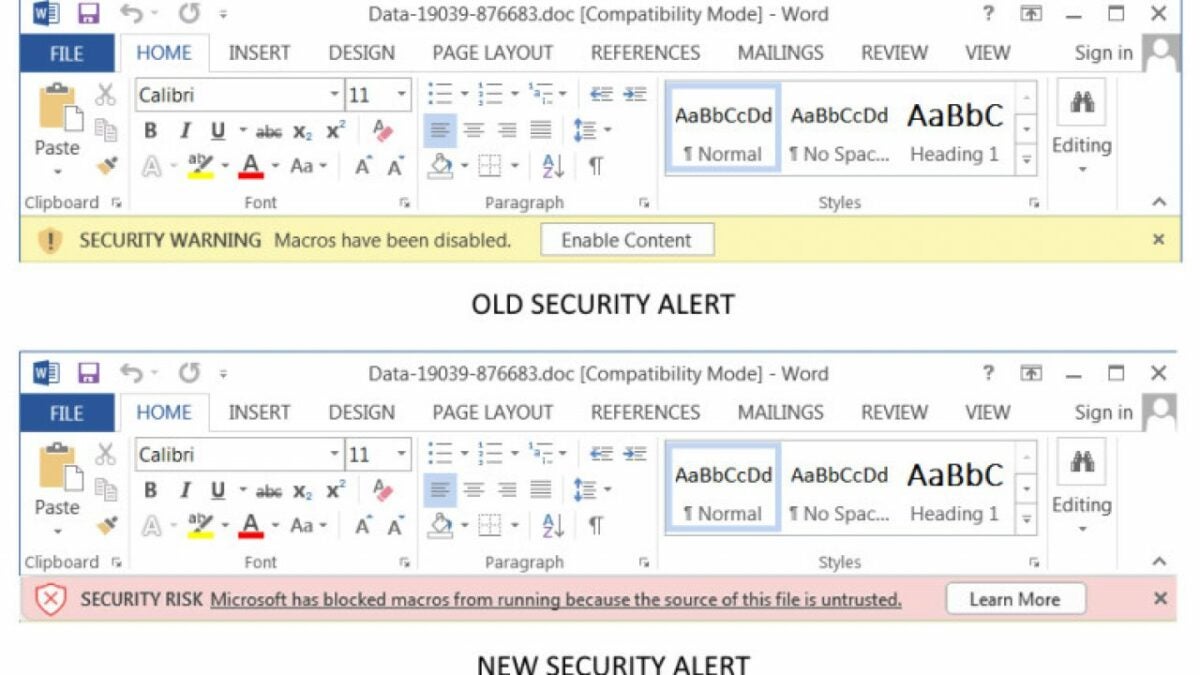
Microsoft announced steps to eliminate malware attacks across their Office productivity suite on Monday, February 7th. To this end, whenever a user opens an attachment or downloads a file from the internet, these files will be analyzed for macros. The files will then be classified as ‘untrusted’ by the entire Office productivity suite. Furthermore, a banner will be displayed altering the user to Microsoft blocking macros from running because of their untrusted file source.
This news comes within a month from Microsoft’s announcement that it was disabling macros in Excel 4.0. This was also done to limit security threats to unsuspecting users as Excel 4.0 (XLM) macros had become synonymous with malware distribution.
However, this feature does not give you less access to your computer or files on it. The user still has full control over their system and the information they expose it to; the new feature simply makes Office’s default setting one that protects the user’s system.
Should users wish to unblock macros for downloaded files, the process is easily executed in a few simple steps:
Right-click the desired downloaded file
Select ‘Properties’ from the menu
Click on the ‘General’ tab
Tick the ‘Unblock’ checkbox
The new changes are expected to take effect on Microsoft 365 from April 2022. Microsoft is also expected to backport the updates to Office2021, Office LTSC, Office 2019, Office 2016, and Office 2013 at a future date yet to be announced.
If you would like to learn how to unleash the full potential of Microsoft’s Office productivity suite, read our full guide to Microsoft Exceland our article on using Excel formulas in 3 simple steps. Mathematics has never been easier.
YouTube Music annoyed many Android users when they removed the ‘Offline Mixtape’ app in July 2021. What made this even worse is that this feature is still available on iOS. However, YouTube Music has just released a feature that will make Android users very happy.
YouTube Music is introducing a new ‘Downloads’ shortcut to all Android users. This will make it much more convenient to access and play all your downloaded content from your home screen, even while you’re offline.
If you long-press the YouTube Music icon on your Android device, you’ll reveal the new ‘Downloads’ option just above the ‘Search’ option. You can tap on this directly, and it will start a shuffled play through all of your downloaded music. Alternatively, ‘Offline Mixtape’ only plays a playlist from Smart Downloads.
This new ‘Downloads’ button can be placed directly on your home screen. This makes it an extremely convenient shortcut as you can tap on it and immediately start listening to the music you’ve downloaded. This includes full albums, playlists, or individual songs that have been downloaded. This is much easier than opening the YouTube Music app and then navigating to downloads, and it works offline.
We see this new ‘Download’ shortcut feature on versions 4.63 and 4.64 of YouTube Music for Android operating systems. It seems to have been released in an automatic server-side update. If your YouTube Music hasn’t received the automatic update, make sure to check your app version and manually update it if necessary.
Despite this new release, the ‘Offline Mixtape’ is still available on iOS. It has also received an update that released outline-styled icons, a ‘Library’ tab, and a ‘Now Playing screen.