Genshin Impact 2.6 leaks reveal two possible character releases

Genshin Impact version 2.4 has just been released recently, and we are eagerly awaiting the release of version 2.5, which will feature a fan-favorite character, Yae Miko. While Genshin Impact 2.5 is set to be released on February 16, it is the 2.6 update that has fans of the game excited.

Since the release of version 2.4, there have been a few different rumors about which characters will be joining the roster in Genshin Impact 2.6. Recently, there have been leaks that have revealed that there may be two character releases, Ayato as the five-star character and Heizou as a four-star release.

Although there is still fairly little known about these characters, we’ve learned from reliable leaks and the Genshin Impact story to this point that Ayato is the brother of Ayaka and is the real head of the Kamisato clan. We also believe that he will be a hydro character, making him and Ayaka (a Cryo user) very compatible with good synergy. Another thing we know about Ayato is that he will be a sword user, making him the second hydro-sword wielder after Xingqui.

The second character Heizou is shrouded in even more mystery than Ayato. From the recent leaks that have been released, we know he’s a detective with the Tenryou Commission. There are also speculations that Heizou will be the shortest male character following Xiao. This is based on the skeletal designs of the character. There are also rumors that Heizou will be the first Genshin Impact character with a mustache.

To this point, we don’t have any concrete evidence from the developers, miHoYo, regarding the release of these characters or any of their details. And while they’re keeping the speculations going without addressing anything, we are getting more excited to see which of these speculations and leaks will turn out to be true.

Manage overdue tasks with Google Calendar

Google’s latest update to its Calendar app offers deeper integration with tasks. It is now much easier to view and manage overdue tasks via a new “Pending” section, which has been made available across its web and mobile versions.

This new feature comes shortly after the application received an update back in December 2021 that added an option that allows users to repeat tasks with customizable rules and conditions. It was a move that would potentially offer better productivity tracking and management.

Google Calendar has come a long way since its first inception. It has constantly been receiving updates through the years. These incremental additions all aim to help users boost the efficiency and quality of their work and productivity—some of which might have gone unnoticed to this day.

The new Pending section will appear as a drop-down menu that will highlight the number of overdue tasks that you might have missed or overlooked over a 30-day period. It details the date it was created and when it was originally due. From there, you can take immediate action from within the app, including editing the task condition or marking it as complete.

This update comes as a small but thoughtful one that adds more utility to the already quite robust Google Calendar. Considering millions of people use this particular app on a daily basis for work and general productivity, it’s a win-win scenario for everyone. It’s already available via the web app, while Android and iOS users can expect it on February 17 and March 1, respectively.

How to use WhatsApp to be more productive – Tips & Tricks Unleashed

Are you frustrated with the myriad of WhatsApp notifications disrupting you now and then? Do you archive most of the WhatsApp chats? Billions of people are using this popular messaging yet are unaware of how productive it can be.

Time to take a reality check on how beneficial the wonder can be provided you streamline it to your advantage. Let’s show you how you can use WhatsApp to be more productive.

Is WhatsApp risky?

A few USPs of this app are end-to-end connectivity in a few seconds, quick loading, and encrypted chats. However, managing group chats and contact with family or friends can be tedious. Perhaps, a weekend party plan with your loved ones could drain out a significant chunk of your valuable time and ruin productivity with hundreds of notifications. 

That is why many companies hesitate to allow employees to use this app at the workplace. The absurd chain of WhatsApp Forwards, Quiche News, and First spreads can be a few other reasons for commotions in your work.

The technological expertise of this app can foster your business growth if you channelize it in the right direction. It is the world’s largest text communication channel, and imagine its impact to bring purpose and management to enterprise levels.

Professional use of WhatsApp to bolster better productivity

This app’s proper supervision and management can bring tremendous value to your entity. Empowering them with the steps and tips to use Whatsapp rightly is the need of the hour. Integrating a central mobile communication system is an excellent way to converse the positive of this app and reduce the risks or vulnerabilities to minimal.

  1. Share Newsletters Via WhatsApp

    How to Make Best Use of Whatsapp for Increasing Productivity

    Conventional use of newsletters was to track the employees’ timelines, product innovations, discussions, and updates on what’s new and latest additions to the entity. Owing to the work-related emails filing up the mailboxes, it’s hard to delve through the newsletters. Hence, a modern way is to share them through WhatsApp as it’s an easy way to reach out to the maximum employees with a single click. Attaching the newsletter copy or file in a company broadcast WhatsApp group could fetch their attention and motivate them to do better in their jobs.

  2. Utilize WhatsApp for Quick Decision-Making
    How to Make Best Use of Whatsapp for Increasing Productivity

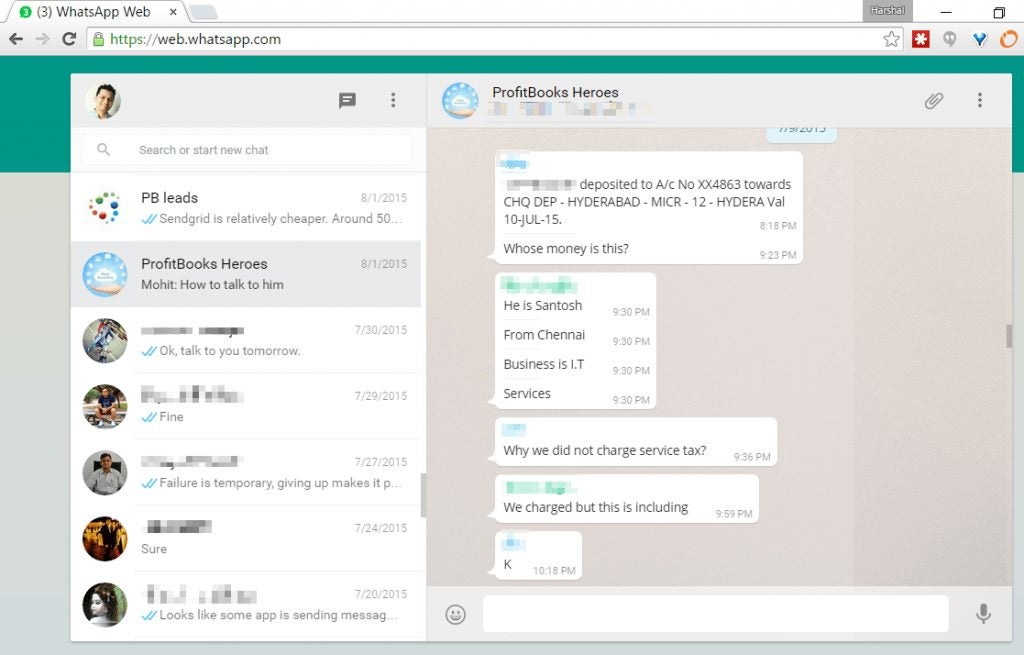
    Some matters and concerns require immediate attention in every company. It’s a trend to communicate over WhatsApp groups rather than texting personally about an issue. How about taking employee insights here? This helps subordinates and managers secure the right directions relevant to issues and come up with solutions that need collective approvals. As everything is in writing here, this is a great place to keep records of discussions. It can help multi-tasking rather than sparing hours to sit in conference rooms over a minor issue. Faster conversations, quick solutions, and a better impression on company clients are now possible with this app.

  3. Group Messaging is an Asset

    How to Make Best Use of Whatsapp for Increasing Productivity

    Only a thorough professional can understand the value of time and how self-realization about time management can add value to the company. Group messaging is a popular WhatsApp feature often used for gossip and irrelevant discussions. Rather departments can have their individual groups headed by the Subject Matter Expert (SME), who highlights the issue and asks employees to pour in their relevant insights on all matters. Project leaders can minimize the decision-making time by asking employees for their input on the problem, thus helping them connect and participate in the internal issues of the organizations.

  4. Collect Employee Feedbacks

    How to Make Best Use of Whatsapp for Increasing Productivity

    Do you know that research suggests that 70% of the messaging on WhatsApp groups is subject to personal opinion on important or unimportant matters. The residue of this research indicates that this is a perfect platform to gather suggestions and feedback from the employees. You can converse with them about their experience in the company and encounter if they are facing any challenges with the workplace culture. They can also give accurate feedback on the specific issues that could result in a meaningful end result.

Seven ways to rescue from the buzzing WhatsApp chats

If switching back to the task after the WhatsApp chat is a roadblock you have faced for quite a long time, here are the quick ways to save yourself and control the time you spend on WhatsApp:

1. Keep Selective Broadcast List– It can be intruding to hang up on someone’s device with vague messages, and the best way is to limit your broadcast circle to limited contacts to avoid a two-way jam.

2. No Influencer in List– Respect your time by staying away from adding contacts in the WhatsApp list of influencers who have to develop networking by trailing messages to increase count.

3. Minimal WhatsApp Groups– Be the member of the groups that have only valuable text popping in. Groups with 50-100 members can be noisy, leading to hampered productivity at the end.

4. No Forwarded Messages Please– Do not waste your and others’ time by bugging devices with boring jokes or links that yield no meaning at all. Devote weekends for such activities and avoid spamming strictly.

5. Make Promotions– Use your wits right for marketing and promotion of your products. Personal contact helps build a better rapport. It could be a valuable insight to the users on the other end.

6. No Bad Grammar– People get used to texting acronyms and jargon for quick text senders. This could impact your professional conversational tone. Thus, stay formal, polite, and to the point in your text.

7. No ‘last Seen’ Business Please– Do not stalk over the ‘last seen’ or ‘last read’ time of others as someone is online does not mean that they are chatting. Respect time and focus on more important things and result-yielding in life.

What’s new in WhatsApp?

The latest addition to the WhatsApp power is the WhatsApp Archiver that further simplifies the issues related to compliance and regulation of this app. It helps in creating messages and communications through group messaging threads.

It is similar to the original Whatsapp application but augments the communication experience for the employees. You can use it to archive all marked chats and search, track or retrieve them whenever required. A detailed administration report can also be available with this system.

Make better use of your Whatsapp time!

WhatsApp is a backbencher in a class whose potential is least discovered and unexplored to bring into utility! While complaining about its annoying buzzes and quirky messages, you can flip to the other side that could be very productive and game-changing if used right.

An intelligent user demands excellence in technology, and WhatsApp never fails to show it out. All you need is a focus-centric approach towards utilizing most of this application and reaping maximum benefits of it in your professional life. Kudos to the Smart Technology!


Google Messages Beta teases Gmail features and expanded functionality

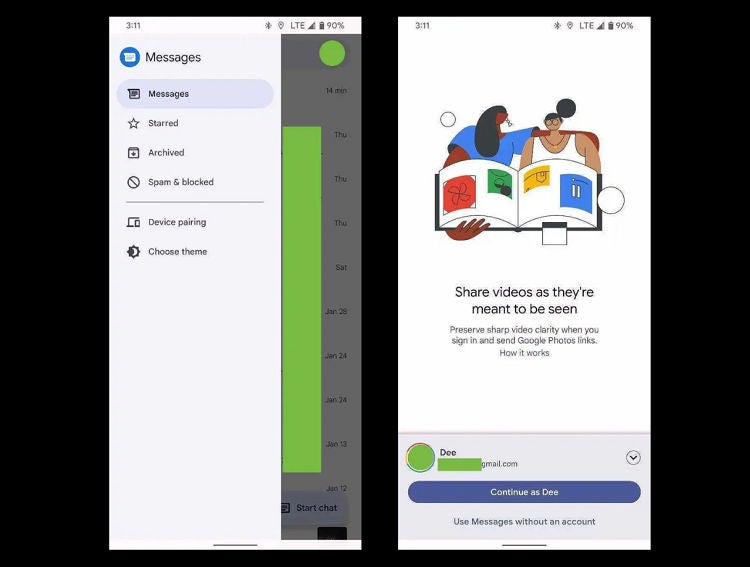
The beta release of Google Messages seems to tease a more synchronized future for Google’s resident messenger. Previous versions have been cluttered with menu options under the formerly-standard ‘three dot’ layout. The latest beta does away with these in favor of the more modern and streamlined hamburger menu. While the options within the menu have remained the same, the fresh layout breathes new life into Google Messages and brings it more in line with the rest of the Google productivity suite. 

Beta’s aren’t always anything to go by in terms of what the final release of a product will be, so it’s far too early to count our better-organized and streamlined chicken eggs. However, it is safe to assume many of the features that bring the beta closer to what Google already offers with its other products will make it into the final build. 

The beta also features better integration with Google Photos, letting users send high-quality media directly from the Messages app. Previously, users were only able to send lower-quality media via MMS functionality. While this new integration is an exciting development for Google Messages, the productivity giant is already behind, with apps like WhatsApp able to send high-quality media for years. For devout Google fans and texting aficionados, though, this is big news. 

In other developments, Google has also announced the redesign of the Google Chrome browser logo. Chrome hasn’t experienced a refresh in over eight years, so it’s high time for a redesign to remain competitive and fresh-faced amidst the recent spike in Microsoft Edge users on Windows 11. 

Both the final build of Google Messages and the redesign of the Chrome logo are expected to be widely available soon. In the meantime, why not check out our articles about the Google productivity and functionality suite and all its wonders?

Rockstar confirms GTA 6 is in active development

Rockstar has been rumored to have been working on a new title in the Grand Theft Auto franchise for at least two years. Now, after nearly nine years of GTA V, in addition to the newly released Definitive Editions of the 3D universe, the company has confirmed that GTA VI is in active development. 

GTA V has dominated both single-player and online gaming since its release in 2013. But even with its many facelifts, updates, and DLC packs, fans of Rockstar’s crime franchise are ready for something new. With the global success of GTA V and Rockstar’s recent embarrassment due to the unfinished state of the Definitive Edition releases, the company is under more scrutiny than ever before to turn this new title into something spectacular. 

Nothing has been said by the team behind Grand Theft Auto apart from that GTA 6 is officially confirmed, this has not stopped the rumor mill from churning away and making predictions about the upcoming addition to the Grand Theft Auto HD universe. 

Rumors abound that GTA VI is due to be set in the fictional location Vice City, due to both players’ desire to return to the Miami-esque city and supposed leaked maps for a modern-day Vice City. Other rumors are that Rockstar is employing features from Red Dead Redemption, another Rockstar game, in the development of GTA VI. For the moment, however, Rockstar hasn’t released any other official information, meaning we’ll have to wait and see what the next few years’ worth of announcements, leaks, and community speculations say as the much-anticipated game starts to take shape. 

For all you need to know about Rockstar’s current crown jewel GTA V and how to make the most of your experience, read our expert guides, mod reviews, and tips and tricks for GTA V HD universe.

Direct DM testing coming to Twitter – Is it a good idea?

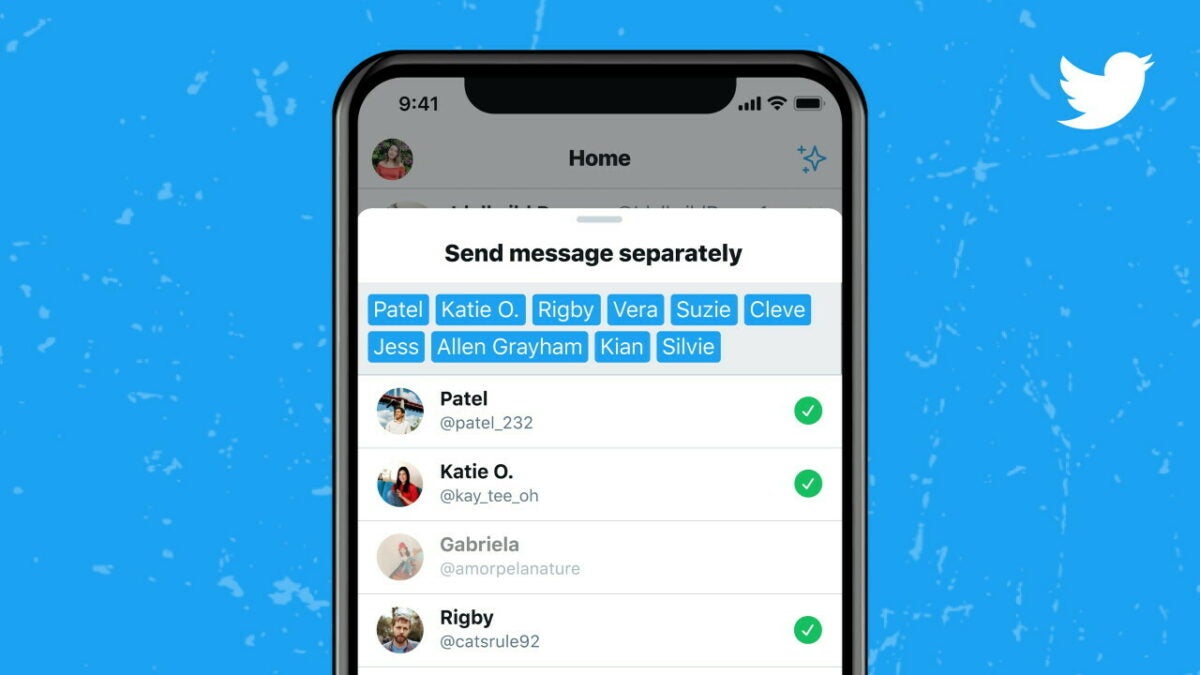
The social media platform Twitter recently announced that they will start testing a new direct DM feature. This feature is supposed to make it easier to start a conversation directly from your timeline. But some users are concerned that this would make users more susceptible to harassment.

This new feature will let users enter messages to your inbox from a link in your tweet instead of having to navigate to your profile and pressing on the DM button. Although this might seem convenient, you quickly start to realize what this means for users’ privacy and safety and why it could be a bad idea.

Public Defender, Eliza Orlins, pointed out in her response to the announcement on Twitter that allowing this shortcut to DMs could make users more susceptible to harassment. The reality of abusive DMs is not a fictional story. There’s a reason why Twitter had to roll out the feature in 2019 that automatically filters out abusive DMs. Why would you want to open up this Pandora’s box once more?

Some Twitter updates make sense, like the Messenger-style pop-up tab released in 2020. This feature makes life easier for you without allowing users to send you a DM directly from a tweet. This makes us wonder if this new feature isn’t just a terrible idea?

This feature is being tested now. As far as the privacy policy is concerned, there is no news yet on whether users will have the option to disable this feature from within their settings. This is another point of concern that we hope will be clarified soon. 

Google Chrome Icon Update – First One in 8 Years

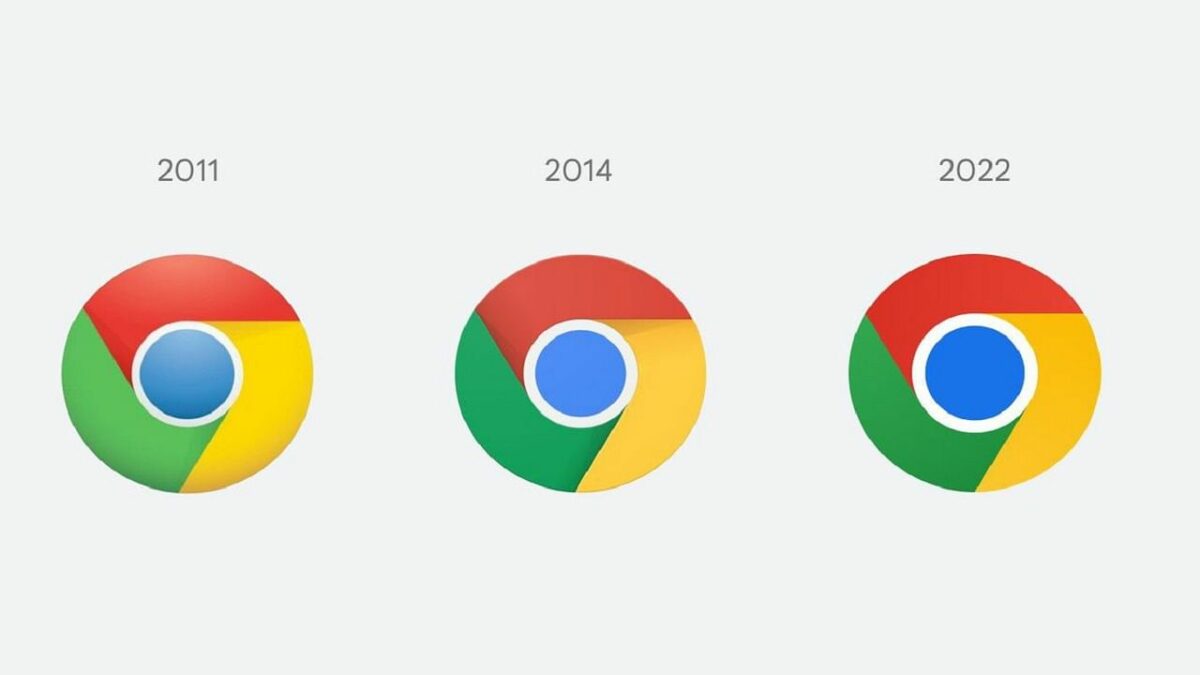
Since Friday, the internet has been buzzing when the news first started spreading on Twitter regarding a new Chrome icon update. This would be the first update to the Google Chrome icon in eight years. The designer, Elvin, explained some of the changes.

Since the Google Chrome browser first became available in 2008, it’s only gone through 4 major changes to the icon. The last change was eight years ago in 2014 and gave us the Chrome icon we’re all used to. However, it seems we’re finally getting a new icon; or are we?

At first glance, there is barely any difference between the 2014 and 2022 Chrome browser icons. It’s only when you take a moment and compare the logos side by side that you start to notice the differences.

The logo is still flattened, but the developers have removed the shadows between the notorious red, yellow, and green outer ring. Upon closer inspection, this does make the colors more vibrant. They also refined the proportions of the outer ring, making the whole design appear crisper.

Despite using flat colors, Google did add a gradient to the main color following research that showed unpleasant color vibrations existing between certain shades of red and green. According to designer Elvin, this was changed to make the icon more accessible.

Google’s biggest goal with the new icon is to support OS-specific customizations. The brand wants the icon to feel recognizably Google while still being able to be customized for the different OS. For example, on Windows, the new Chrome icon looks more graduated to fit in with the other icons, whereas it appears almost 3D on macOS.

Wondering why Google didn’t go for a more extreme change? Google reported that they looked at more drastic changes, including ones using more negative space. In the end, they decided these were not as effective.

The new Google Chrome browser icon will start appearing today for users with Chrome Canary and should be coming to all users within the next few months, probably with the release of Chrome 100 scheduled for the end of March.

Google assures that Stadia has a great future ahead

Google is promising a “great future” for Stadia and assures gamers that more games are to come. This statement comes after a recent report that the company is shifting its focus away from the consumer side of the platform.

Instead, it will be placing it into a back-end service called Google Stream, in an effort to license the streaming technologies behind it to other companies. However, many in the industry are viewing this as a demotion and theorize that Stadia will be nothing more than a technology platform to power up other services.

When Stadia was first introduced to the world, it brought hopes for a game streaming service, backed by Google, that would rival the likes of Sony, Nintendo, and Microsoft. What ended up happening was a case of overpromising and under-delivering.

The promise of Stadia was every gamer’s dream—the ability to play your games on any device without any lag thanks to Google’s powerful cloud servers. After dealing with so many hiccups since launch, though, the company itself seems to have thrown in the towel. The hope for a comeback into cloud gaming is all but non-existent now.

While it is technically true that Stadia still has a great future ahead, it won’t be the one that Google nor gamers had envisioned for it. Also, since its internal development team and game studio have already been shut down, it’s not the same branch anymore. Google is already eyeing a partnership with exercise equipment and media company Peleton for a possible game called Lanebreak.

How to unlock The Rock content in Fortnite’s The Foundation

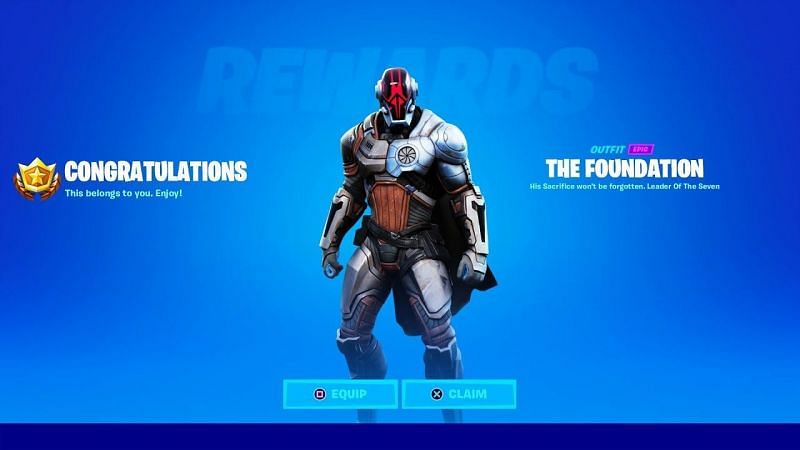
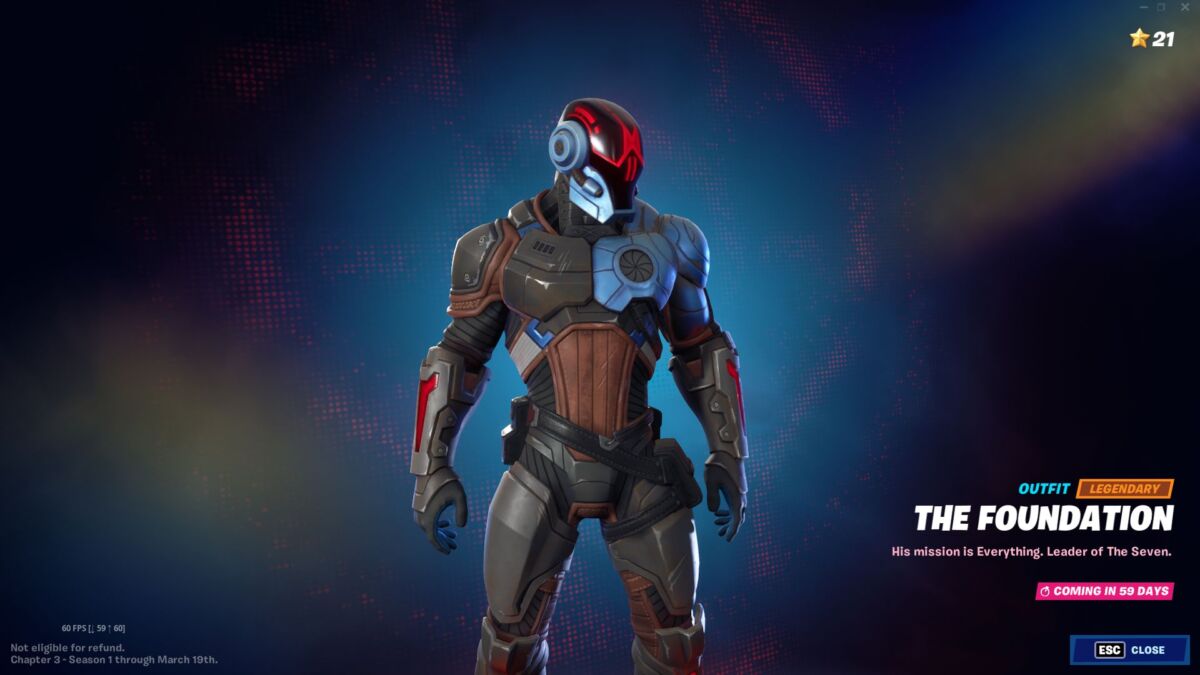
In case you haven’t heard the news yet or played the game in a while, Dwayne ‘The Rock’ Johnson is now in Fortnite as The Foundation. We’ve seen the block locked on the Battle Pass screen ever since Epic Games released Chapter 3 Season 1, but we’re happy to see it finally unlocked. This content follows the recent Haven masks that were made available with quests a few days ago.

Well, if you’re ready to jump into the Foundation skin and wreak some havoc, here’s a guide on how to unlock The Rock content in Fortnite with some valuable tips.

Unlocking The Rock in Fortnite

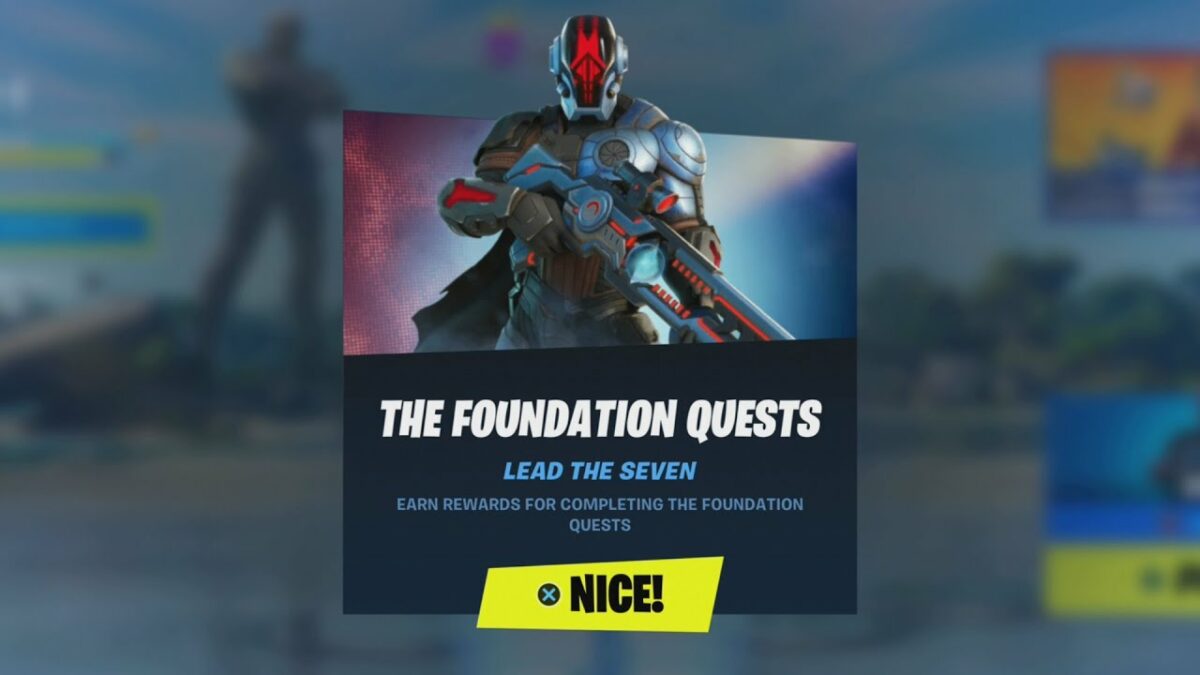
Before you head into the detailed guide below, we should mention that you need to have the Fortnite Chapter 3 Season 1 Battle Pass. If you have a friend who cares about your sanity, you can ask them to gift you the BP if they have enough V-Bucks. For now, here’s every single mission in The Foundation quests, the content you’ll unlock for The Rock character, and some advice on how to complete them quickly.

  1. Maintain the Perimeter

    Objective: Visit Might Monument, a Seven Outpost, and Sanctuary

    Reward: The Foundation outfit

    Tips

    In this mission, you’ll need to visit all three locations in a single match. There’s a Seven Post right near the Mighty Monument on a small island to the east, which is where we suggest you start. Then, grab a weapon and make a beeline for Mighty Monument, followed by the Sanctuary. Congratulations! The suit is now in your locker.

  2. Demonstrate the element of surprise

    How to unlock The Rock content in Fortnite’s The Foundation

    Objective: Snipe an opponent with a Sniper Rifle while crouching 

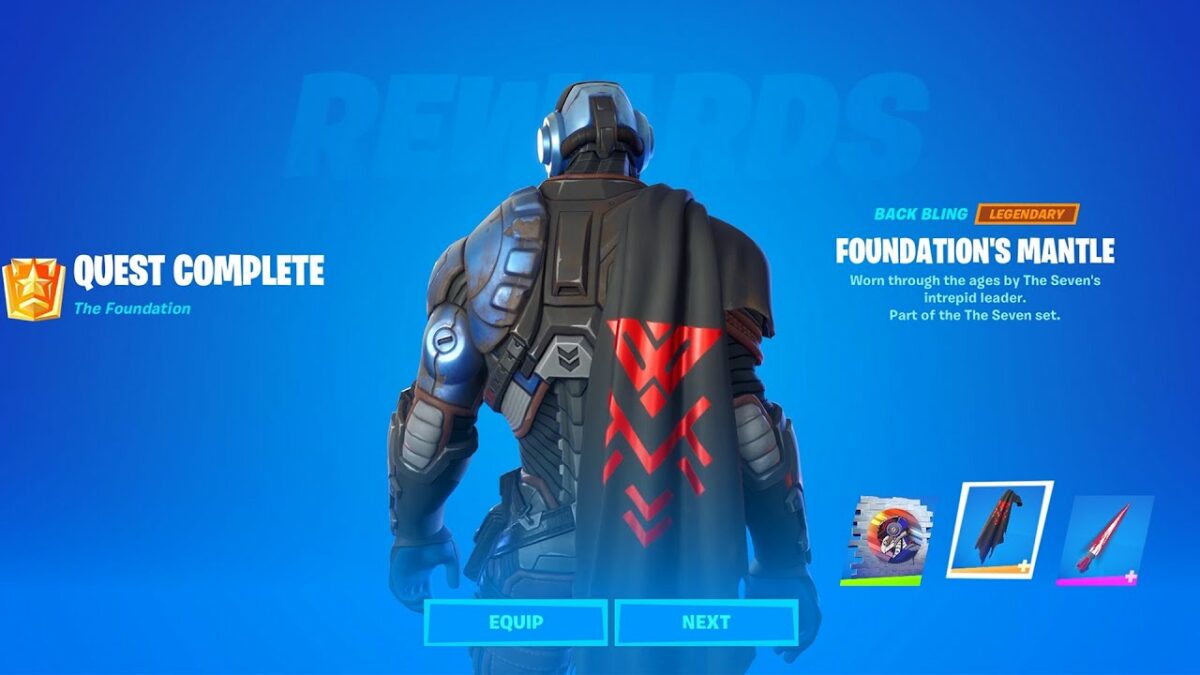
    Reward: The Foundation’s Mantle Back Bling.

    Tips

    This quest is pretty simple and even works on NPC opponents, like those in Covert Cavern. Just find yourself a sniper, kneel down, and fire! No need to kill them, as long as it causes damage.

  3. Keep your enemies close

    How to unlock The Rock content in Fortnite’s The Foundation

    Objective: Deal 100 melee damage to opponents

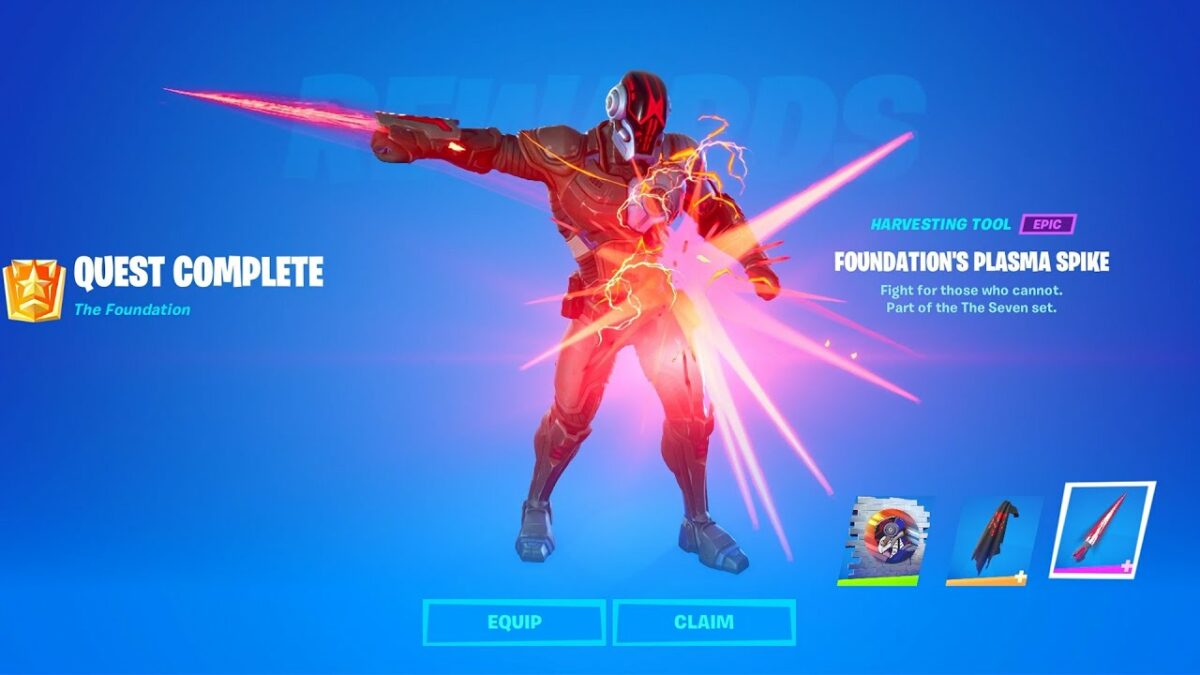
    Reward: The Foundation’s Plasma Spike Pickaxe.

    Tips

    You may think this Foundation quest is tricky, but it’s actually easier than it seems. You’ll need to do this early in a match when other players either don’t have a firearm or have one that’s common. Then, dance around them in a circle while slashing with your harvesting tool. Even the best shooter will struggle to hit you.

  4. Raid the IO armory

    How to unlock The Rock content in Fortnite’s The Foundation

    Objective: Search three chests or ammo boxes at Covert Cavern 

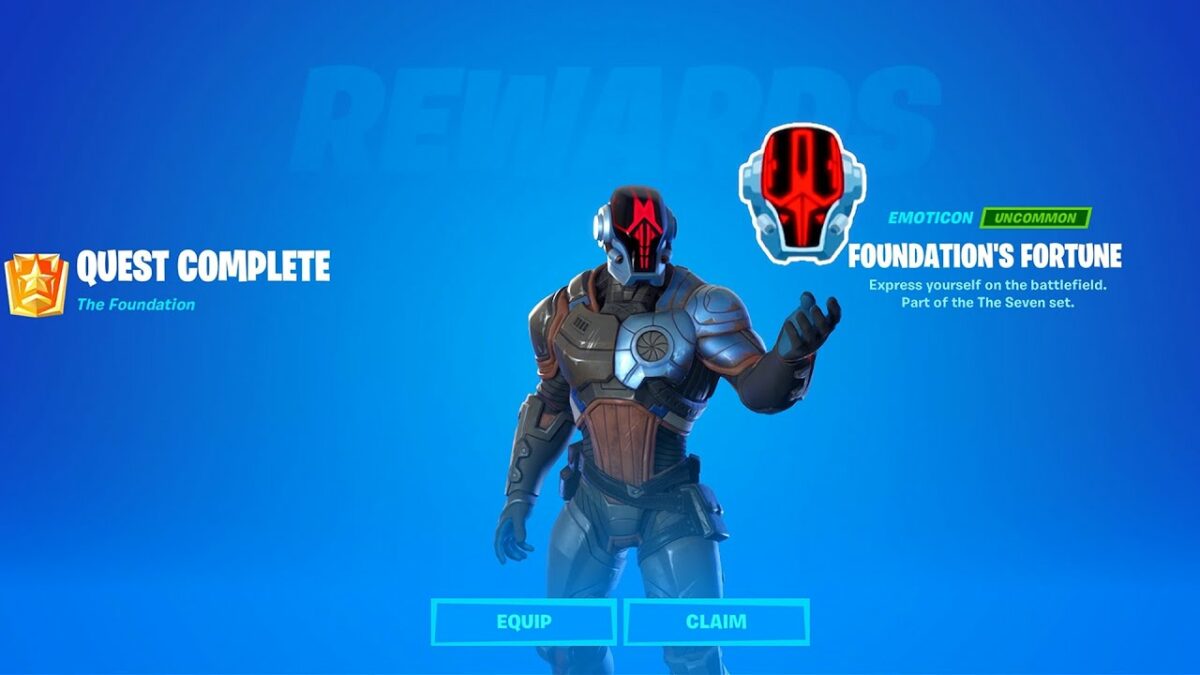
    Reward: The Foundation’s Fortune Emoticon.

    Tips

    When you’re doing some other missions in Covert Cavern, just spend some time opening ammo boxes or chests. There are plenty of them around, so you should complete this quickly.

  5. Always be prepared

    How to unlock The Rock content in Fortnite’s The Foundation

    Objective: Use four shield potions in a single match

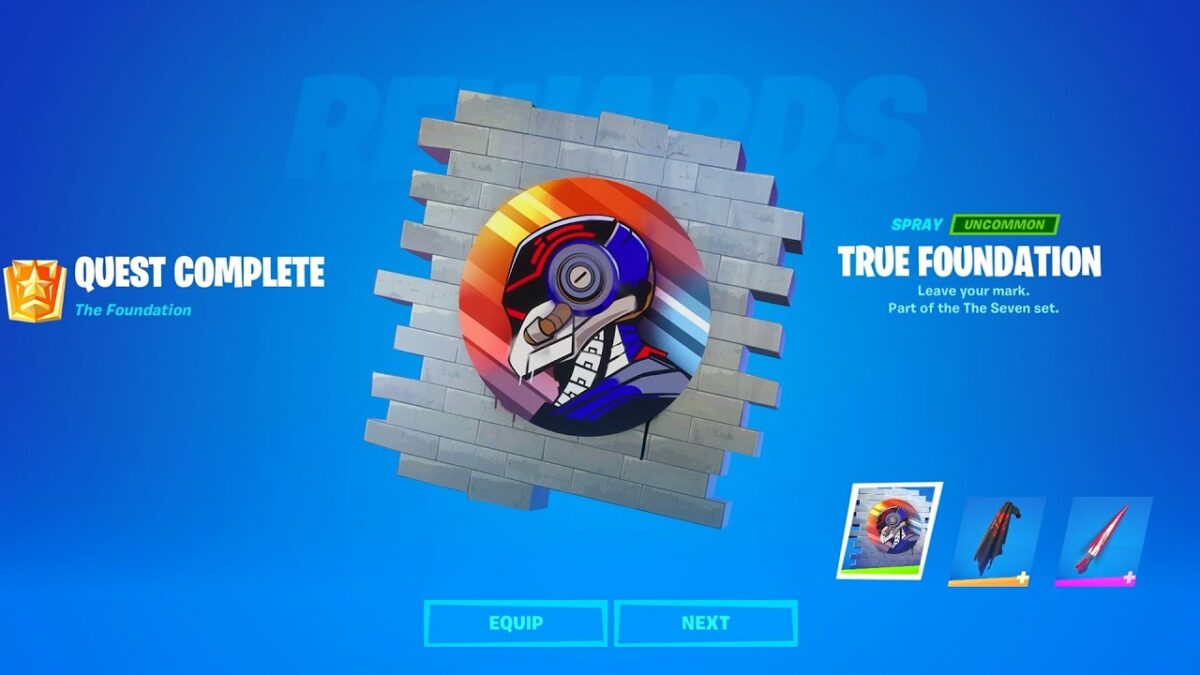
    Reward: The True Foundation Spray

    Tips

    Once again, you’ll need to do this in a single match, which is fine if you stock up on shield potions while running around. We actually found a quick shortcut. We found 5 small potions and 2 standard ones. Now, the former can only fill your shield up to 50, while supplying 25 at a time. So while on empty, we drank two small ones to 50, then a large one to 100. We looked for a wild boar that rammed into us and reduced the shield slightly before drinking the final large potion.

  6. Never be too proud to recruit help

    How to unlock The Rock content in Fortnite’s The Foundation

    Objective: Hire a character and travel 1000 meters with them 

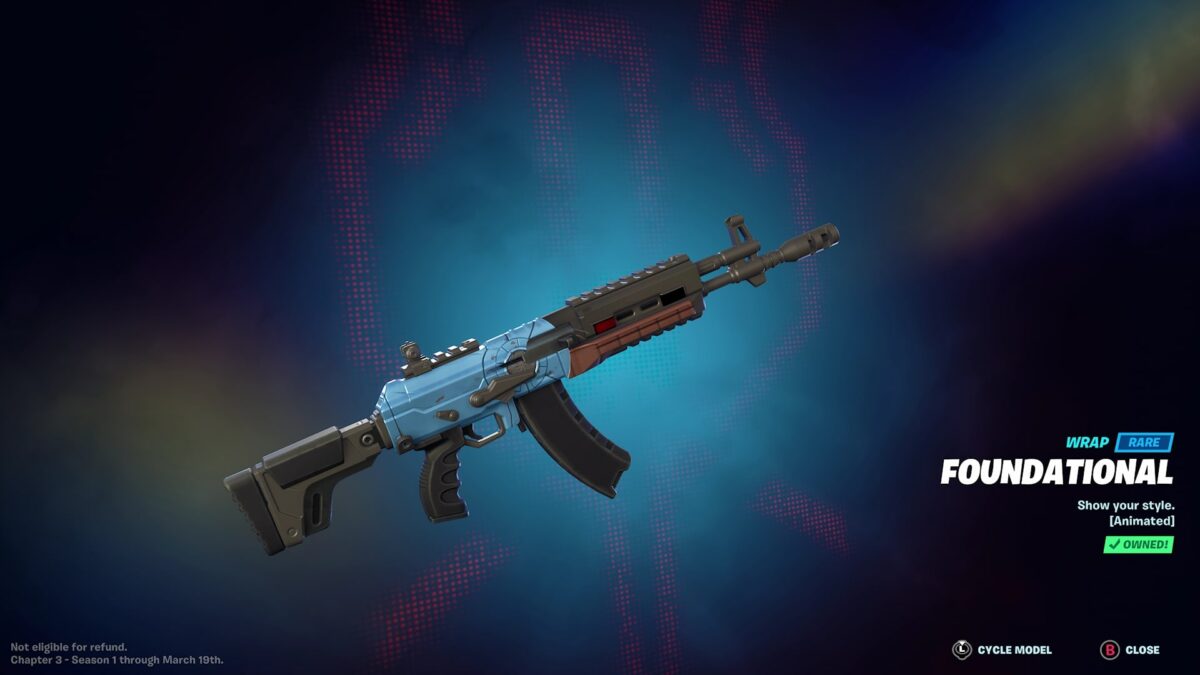
    Reward: The Foundational Wrap.

    Tips

    Here’s another easy one to complete on page 1 of The Foundation quests. Just head to LogJam Lumberyard and go south of the pool of water to a small house with a bouncing llama. There, you’ll find Lt. John Llama. Hire him with some gold and run, or ride, around the map. Either one counts.

  7. Give the new IO officer a warm welcome

    How to unlock The Rock content in Fortnite’s The Foundation

    Objective: Assist in eliminating Gunnar 

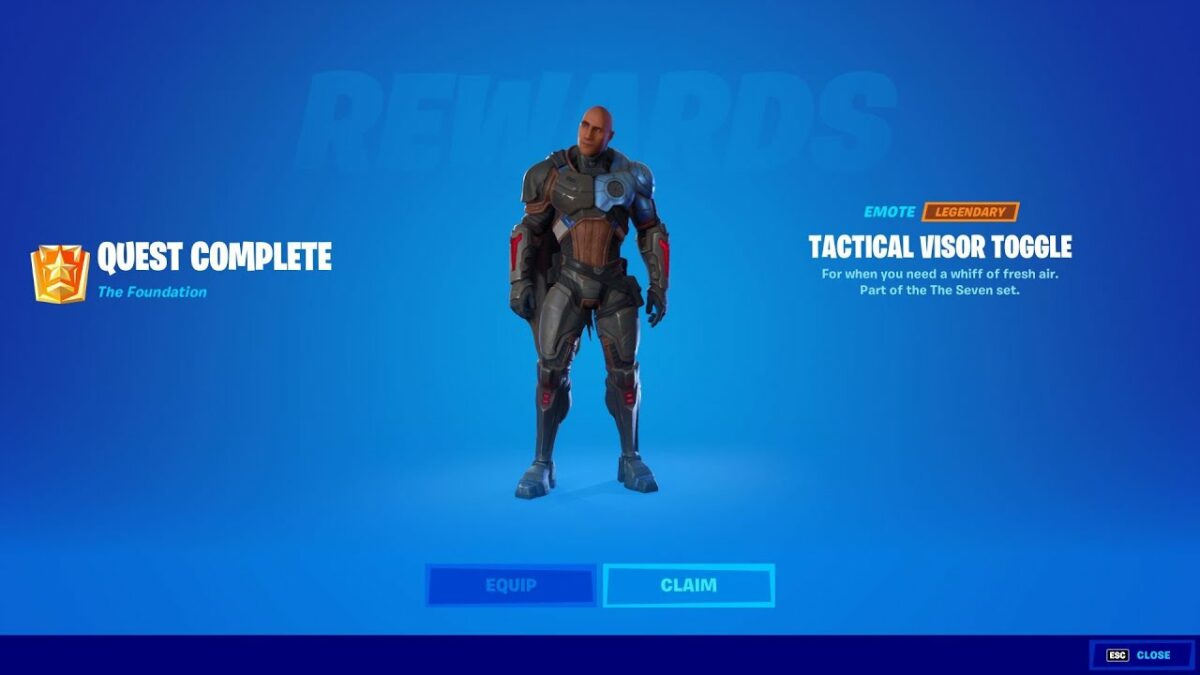
    Reward: Tactical Visor Toggle Emote The Foundation Outfit’s Unmasked Style.

    Tips

    Welcome to page two of The Foundation’s quests. When you complete page 1, this page will unlock. Even if you completed some of these tasks already, you’ll have to do them again anyway. In this mission, head to Covert Cavern and fight Gunnar in the main bay by the water. He’ll have some minions with him, but as long as you deal some damage before he dies, you’ll pass the test. It’s helpful if you play as a team.

  8. Make the most of what you have

    How to unlock The Rock content in Fortnite’s The Foundation

    Objective: Deal 500 headshot damage to players with Common or Uncommon weapons 

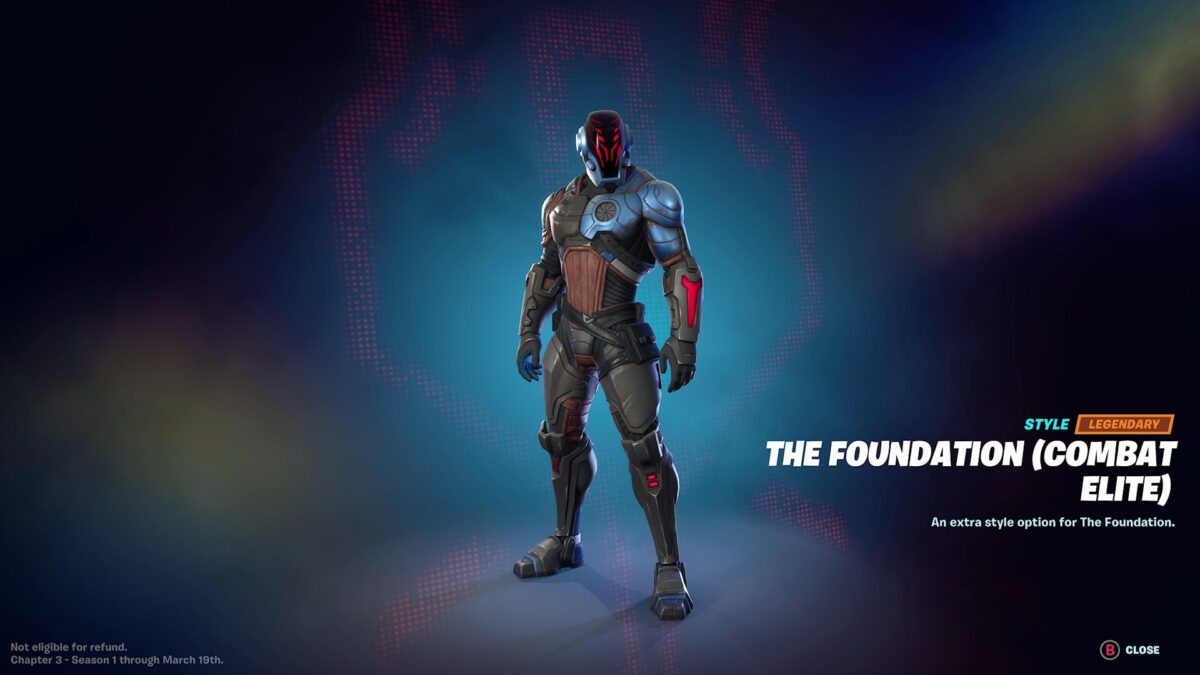
    Reward: Combat Elite Foundation visor.

    Tips

    Yet again, this one is easy if you have some buddies. It’s you who needs to have the common or uncommon weapon, and not the opponent as we first thought. Just aim for their heads when you shoot. It also counts if they’re crawling on their knees in Duos or Trios, which is why you need to tell your buddies not to kill them when they’re down so you can get the headshot.

  9. Gain the high ground

    How to unlock The Rock content in Fortnite’s The Foundation

    Objective: Deal 1000 damage to opponents from above with Shotguns or SMGs

    Reward: Tactical Foundation visor.

    Tips

    This mission is trickier than most of them, but you’ll get it right eventually. We recommend an SMG, as it deals damage much faster. Stand on higher ground and shoot down, causing as much damage as possible. You’ll need to do this to several enemies to rack up those 1000 points.

  10. Stock up at an Outpost and get ready

    How to unlock The Rock content in Fortnite’s The Foundation

    Objective: Land at a Seven Outpost and then finish Top 10 

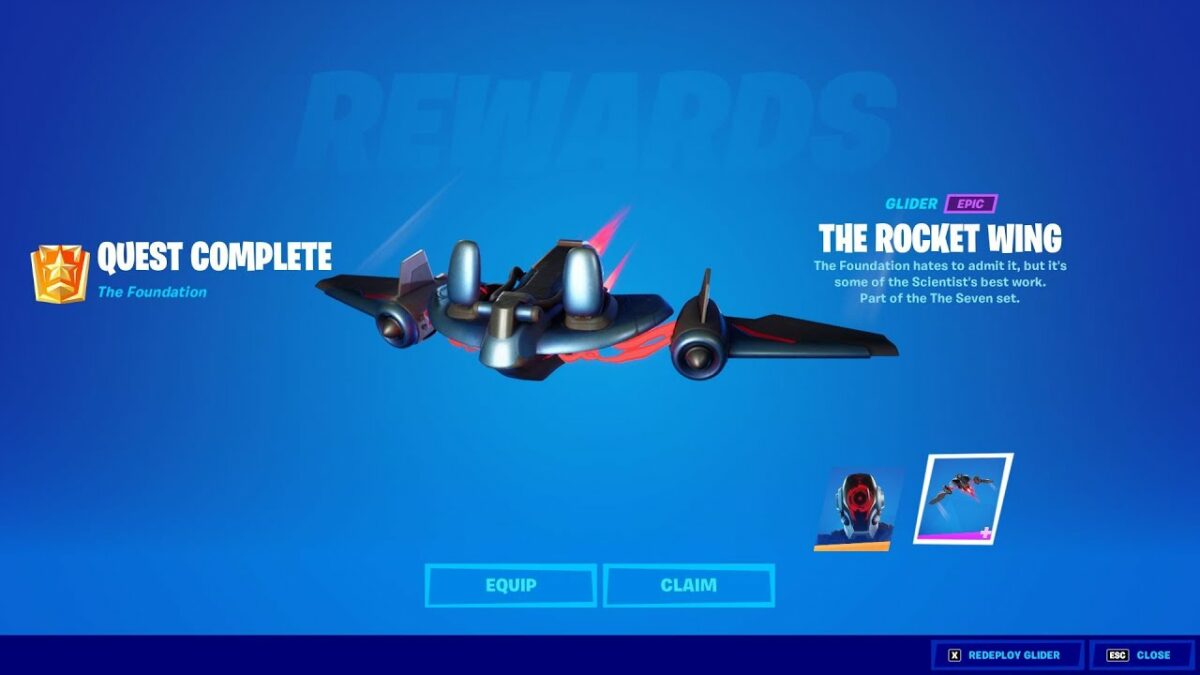
    Reward: The Rocket Wing Glider.

    Tips

    You could have completed this mission with the first one if the second page wasn’t locked. Just land at any Seven Outpost and end up in the top 10. The more friends you team up with, the easier this is to accomplish, as your team just needs to finish in the top positions.

    Once you complete all these tasks, you’ll unlock the final Foundation skin alternative.

Time to go Rock the Foundation!

Now that you know how to unlock The Foundation featuring The Rock, it’s time to show other gamers no mercy. We hope the tips we provided helped you complete the missions and gain the new content.

Infinity Ward teases a Modern Warfare Sequel in the Call of Duty “New Generation”

Activision is wasting no time in beefing up their already stellar catalog. With the ink barely dry on the release of Sledgehammer Games’ Call of Duty: Vanguard, the gaming publisher has inadvertently announced a new project. In a post on Twitter yesterday, the Infinity Ward official account tweeted that it was bringing to life ‘A new generation of Call of Duty.’

Expected to arrive sometime this year, Infinity Ward’s next contribution to the CoD franchise is rumored to be a sequel to Modern Warfare. It could reportedly feature drug cartels as the main storyline. 

Modern Warfare is one of the greatest titles in the Call of Duty franchise, and for a good reason. First released in 2019, the game brought back characters from CoD games past, even though the canon was slightly altered, and introduced several notable new ones. A sequel to Modern Warfare was expected as relentlessly teased and desired within the CoD community, so Infinity Ward’s announcement comes as no surprise.

However, what is surprising is the rumor that it will center around drug cartels, as Call of Duty has mostly previously focused on full-blown war and rebellions. But this would not be the first time CoD has deviated from that unwritten rule, and Colombia’s war on drugs is considered a modern war, so it would be an apt setting for a Modern Warfare Sequel.

The game’s future in terms of platform is uncertain, with Microsoft’s purchase of Activision Blizzard, but reports suggest that at least the next three CoD titles will still be on PlayStation. The assumption is that the franchise will eventually take its place on Xbox and Microsoft Gaming with all of Microsoft’s other acquisitions, but nothing has been confirmed as yet. We do have a suspicion which Activision Blizzard games we expect to see on Games Pass, though.