Photomath solves math problems with your phone’s camera

Become a math genius with your phone’s camera.

PhotomathSchool materials are expensive. If you’re a college student, the price of textbooks can be a huge chunk of your expenses, and a lot of math classes require you to have a huge calculator that has buttons you never have to use. Luckily, mobile apps are evolving every day and with the addition of Photomath, you won’t have to worry about shelling out for the fancy calculator.
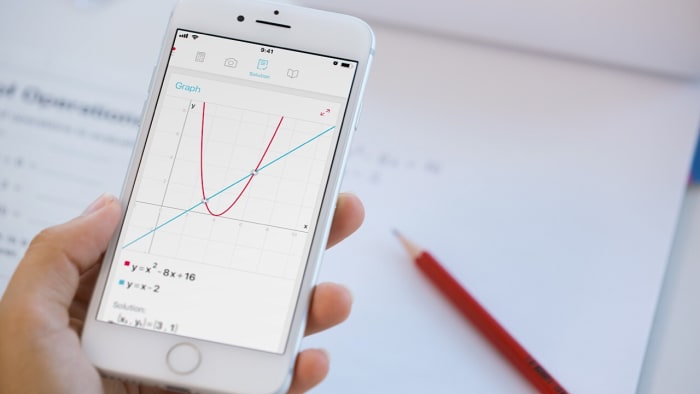
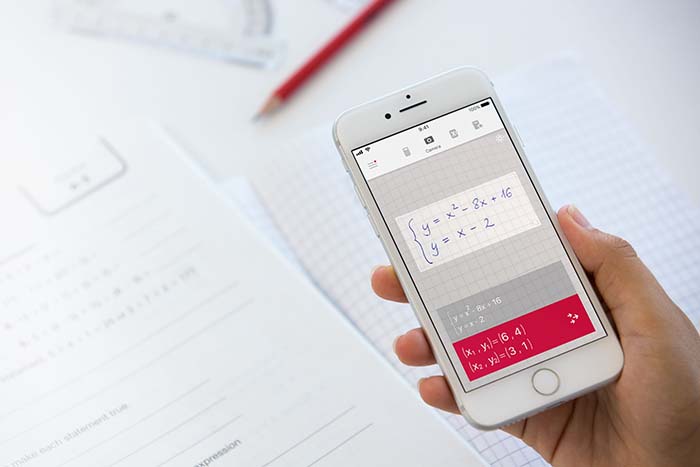
With Photomath, you can use your phone’s camera to scan a printed or handwritten math problem and solve it instantly. It has a scientific calculator built in, so it has everything that you’ll need for almost any math course you can think of.

Photomath DOWNLOAD FREE ►
8

Along with basic math like addition, subtraction, multiplication, and fractions, Photomath covers more advanced topics like algebra, trigonometry, calculus, and statistics. Interactive graphs can even help you identify things like slope and y-intercept.

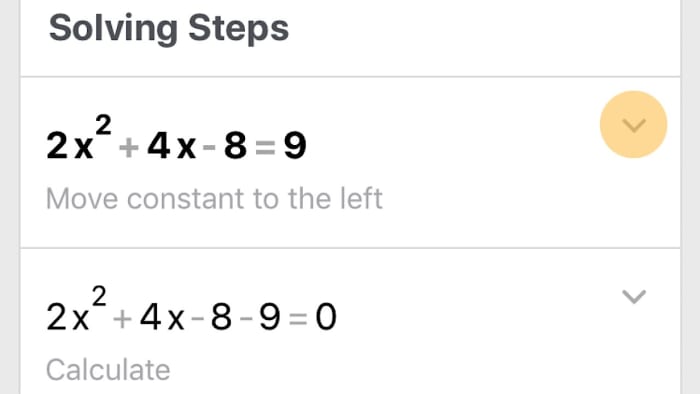
If you have trouble understanding how the problem is solved or you want to double check your answers before submitting an assignment, the app will break down the solution for you so you can follow the process step by step.
Photomath supports more than 30 languages, and one of the functions that we like the most is that you don’t even need Wi-Fi to use it. So, if you’re about to walk into a meeting or you’re on the bus headed to a final and you want a quick recap, just whip out your phone and have a world of equations and ways to solve them at your fingertips. Talk about handy! Did we mention that Photomath is free?

Thinking back to the first time that we learned algebra, an app like this would have been a lifesaver. What sort of math problems would you use Photomath to solve?

MANGA Plus provides English versions of new manga

Love manga? This app is perfect for you.

Struggling to find English translations of your favorite manga online is now a thing of the past.

Shueisha, the entertainment section of huge Japanese publisher Shogakukan, has just launched the manga site and app MANGA Plus. You can read the newest manga as they’re published and as of today, you have over 50 different manga series to choose from.

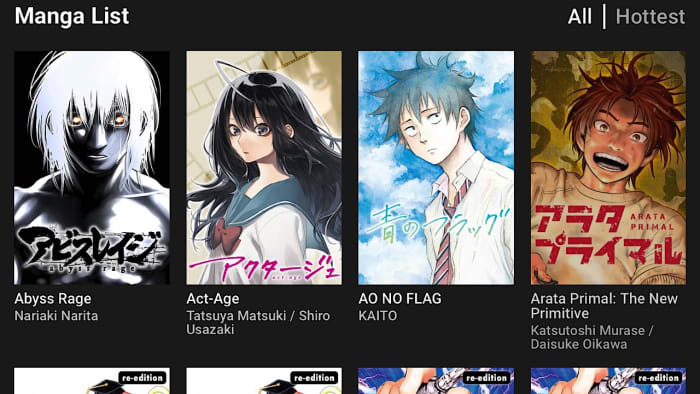
manga plus manga listWe remember having to scour the internet to find current chapters for our favorite manga, and on the off chance that we did find something, ads slowed down the reading experience tremendously. Nostalgia is great and everything, but fortunately, none of those issues are present on the website and the app which run incredibly smoothly. You can enjoy new titles or popular favorites, like One Piece and of course, Naruto.
MANGA Plus Download Now ►
8

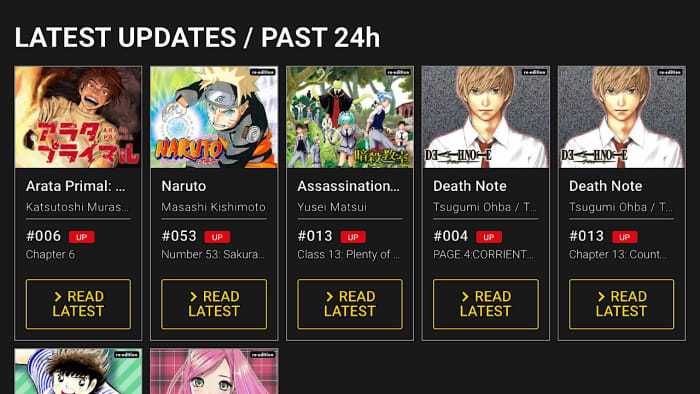
manga plus latest updatesWhen a new chapter for an ongoing manga is released in Japan, you’ll be able to read it on MANGA Plus. To find out when you can read a new chapter, just click on a title and the date and time of the future releases will be listed. MANGA Plus is available globally, but at the moment titles are only available in English and Spanish. When selecting your preferred language in the app, you’ll be able to see how many titles that have been translated and are ready to read.
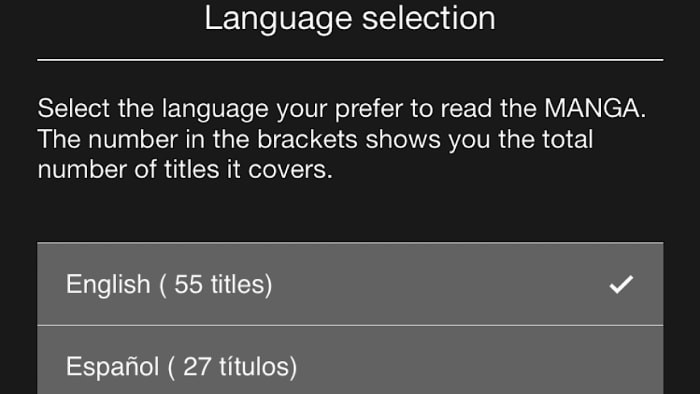
manga plus language selectionThere are a ton of awesome manga out there to be read, and we’re definitely going to be checking MANGA Plus first when we’re looking for something new. What is your favorite manga? Let us know!



Bear Grylls’ life is in your hands in new interactive Netflix show

Netflix brings interactive adventure to your couch.

You vs Wild

If you’ve ever yelled at your television because of a character’s bad decision, you now have the chance to actually change fate.

Last year Netflix released “Bandersnatch,” a show that blew up in popularity due to the fact that you could make decisions for the main character. Video game enthusiasts flocked to the show, as it truly felt like you were playing a game instead of just watching TV.  The program had a ton of endings, ranging from crazy to downright catastrophic, and you could spend hours exploring all of the possibilities and still not reach a happy ending – if that’s what you were going for.

8

Netflix is back at it again, this time putting real life into our hands – belonging to none other than the world’s favorite British survival show hosts, Bear Grylls. Grylls first popped up on our radars with his hit series on the Discovery Channel, “Man vs Wild,” during which Grylls would travel to far off locations all over the globe to try to survive in some of the world’s most dangerous places. In “You vs Wild,” all of Grylls’ decisions are made by the viewer in what may be the first ever interactive survival show.

Antartica or Africa? Lush jungle, scorching desert, or freezing tundra? Camp and wait out the storm, or brave the rain and make it to a destination before night falls? We’ll have to wait and see what our options for Grylls will be until April 10, when all 8 episodes of “You vs Wild” will be made available on Netflix.

Where would you like to see Bear Grylls survive a night the most?

Top 8 Harry Potter YouTubers

Do you love Harry Potter’s wizarding world? Check out these great YouTube channels dedicated to JK Rowling’s universe.

harry potter

With the release of the first two movies in the “Fantastic Beasts” franchise and three more to come, the Harry Potter universe has had a resurgence in popularity. Harry Potter and the Cursed Child, a screenplay about the famous trio Harry Potter, Ron Weasley, and Hermione Granger, takes place 19 years after the last Harry Potter book’s events and gives fans a little taste of the story that came first. Although the Harry Potter YouTube fanbase is small compared to other genres like gaming or makeup, these top 8 YouTubers have strong opinions and an incredible amount of creativity that helps them stand out among the rest.

YouTube Download Free
8

8 best YouTube channels for Harry Potter fans

1. Cherry Wallis

Hogwarts House: Gryffindor
Subscriber count as of today: 431,902

When you think of Harry Potter on YouTube, chances are you’re thinking of Cherry Wallis. Before throwing herself completely into Harry Potter, Cherry’s channel consisted mainly of beauty product reviews, makeup and cosplay tutorials, and skits. Now you can find wand reviews, Harry Potter and Fantastic Beasts monthly subscription box unboxings, magical DIYs, and our personal favorite – the vlog where she met J.K. Rowling herself. Cherry truly has everything a Harry Potter fan is looking for in a YouTube channel.

2. TheBakeey

Hogwarts House: Slytherin
Subscriber count as of today: 168,593

TheBakeey (Sophie Baker) is known for being the proudest Slytherin around, and for her obsession with the Potions professor Severus Snape. Her channel has subscription box unboxings, merchandise hauls, and our favorite, fanmail unboxings – TheBakeey’s fans really go all out. We haven’t seen anyone with a Funko Pop! collection like hers. Like a few other YouTubers on this list, last year Sophie was invited to walk the blue carpet at the “Fantastic Beasts: Crimes of Grindelwald” premiere in the UK.
3. The Potter Collector

Hogwarts House: Slytherin
Subscriber count as of today: 72,305

The Potter Collector (Peter Kenneth) is the first on our list of YouTubers not from the UK. Based in Illinois, Peter has one of the largest collection of Harry Potter books around. With the count currently over 1,100 books of all languages, Peter makes videos reviewing the new versions he comes across as well as the rare books he gets, like his copy of The Tales of Beedle the Bard. This book is a replica of the seven that were handwritten and hand bound by J.K. Rowling. One of the original seven was purchased by Amazon for around 4 million dollars, and 100 signed replicas were made. Peter claims that his replica is the rarest book that he has in his collection at the moment.

Other videos in The Potter Collector channel are tips for book collectors who are just starting, like how to know if a book is authentic, the difference between an edition and a printing, and how to know what your books are worth. These videos are packed with valuable information that collectors and fans will enjoy.

4. Seamus Gorman

Hogwarts House: Hufflepuff
Subscriber count as of today: 306,205

Seamus Gorman is one of the few Harry Potter YouTubers who have non-Potter content on their channel, as Seamus is also a Pixar fan. With that said, he is most known for his Harry Potter theories. One of his most popular videos is when he broke down and intensely analyzed the trailer for the “Fantastic Beasts: Crimes of Grindelwald” film trailer, with the video raking in over 96,000 views. He has a knack for tying in little-known facts that even the most thorough fan might have missed.

5. Vegard

Hogwarts House: Hufflepuff
Subscriber count as of today: 90,774

Like a lot of the other YouTubers, Vegard Saeterhaug does merchandise and subscription box reviews, but most of his videos are challenges, vlogs, and quizzes. We really enjoyed his recent video which was a discussion on whether or not Harry Potter is becoming oversaturated, with J.K. Rowling having a tendency to reveal important facts about characters and the wizarding world retroactively. This is one of the most controversial topics among fans now, and Vegard is pretty awesome for addressing it.

6. Harry Potter Folklore

Hogwarts House: Slytherin
Subscriber count as of today: 335,302

Harry Potter Folklore is a channel that focuses mainly on – you guessed it – Harry Potter Folklore created by Dean Jewell. The channel explores character profiles and family bloodlines, theories about prophecies and magical artifacts. Each video dives deeply into each topic backed up thoroughly by facts and cites a number of resources including the Harry Potter books, interviews with J.K. Rowling, and more. From time to time, Dean also has videos of himself taking some of the most popular quizzes on Pottermore, J.K. Rowling’s website created to be a hub for information on the wizarding world.

7. KivoxEnder

Subscriber count as of today: 25,993

KivoxEnder (Alfredo Fonseca) is dedicated to merchandise reviews. While there is the occasional video on merchandise from other fandoms, Alfredo focuses collecting all of the authentic wand replicas from the Harry Potter universe, and creating some of his own. While most Harry Potter YouTubers review top subscription box sellers like Loot Crate and Geek Gear, the KivoxEnder channel likes to give lesser known boxes a little exposure.

8. Tessa Netting

Hogwarts House: Ravenclaw
Subscriber count as of today: 542,032

Tessa Netting is not only a Harry Potter YouTuber, but an actress and singer. Some of her Harry Potter videos are mashups or parodies of popular radio or broadway hits with Harry Potter related lyrics. Tessa’s channel is absolutely packed with quizzes, merchandise hauls, and tours of Universal Studios’ Wizarding World of Harry Potter. We loved seeing her interview with none other than the star of the “Fantastic Beasts” franchise, Eddie Redmayne, whose plays Newt Scamander in the films. All of her content, even the videos that may seem commonplace like a morning routine, have a magical touch.

All of these creative individuals bring something fun and unique to the Harry Potter fandom, and if you’re not already subscribed, you’re missing out. Which of these YouTubers is your favorite?


Top 5 YouTubers for special effects makeup

Want to scare your friends? Check out these great YouTube tutorials for terrifying special effects makeup tips.

Have you ever watched a movie or a TV show and wondered how an actor was able to be transformed into a vicious werewolf, or an alien with green skin covered in dripping space goop? There’s a good chance that a large amount of the transformation was due to CGI, but the rest was done with makeup. If you’ve ever seen the television show “Face Off,” you’ll know that it can take days of work to achieve your desired look. Thankfully, YouTube is the home to a large number of talented special effects makeup artists who put in all of the hard work and edit the videos so that we can see transformations in a lot less time. Check out the list below to see a few of our favorite artists. A warning to the squeamish – some of the videos below include simulated gore.

YouTube Download Free
8

Top 5 special effects makeup artists on YouTube

1. Glam&Gore

Subscriber count as of today: 3,474,674

Glam&Gore, also known as Mykie, is a self-taught artist. Mykie started her channel in 2014 and it has blown up due to the popularity of series like ones where she makes gory versions of Disney Princesses. What makes Mykie special is, even though she uses high-grade makeup and other expensive tools for some of her videos, she also makes tutorials using drugstore makeup for artists who may be just starting out and can’t blow insane amounts of money on things like prosthetics.

Other content on Glam&Gore includes collaborations with other YouTubers where Mykie tries to transform herself into that YouTuber, and challenges where she lets apps like Tinder pick her makeup. Fun fact: Mykie was 2015’s winner of the NYX Face Awards, an open competition where contestants submit their most creative makeup tutorial video adhering to specific challenge guidelines. Prizes included $25,000 and products from NYX and other sponsors.

2. Freakmo

Subscriber count as of today: 474,019

Freakmo, or Kiana Jones, is an Australian artist best known for her thorough tutorials. Mainly focusing on technique and proper materials, Freakmo covers a wide range of topics appropriate for new or advanced artists. As well as popular Halloween looks like creepy dolls, demons, and zombies, Kiana has a lot of highly detailed injury tutorials to help you with your best severed hand or finger prank. Give your family a heart attack with this infected knee video!

If you want to know more specifics about materials, Freakmo is a good place to start. You can learn the best products to use to make molds, and how to sculpt a mask to make it look extremely realistic.

3. Simple Symphony

Subscriber count as of today: 243,961

If you’re a fan of “Stranger Things,” Simple Symphony has an amazing video for you! Demogorgons, the Mother of Dragons, and other popular characters from video games and television are just the tip of the iceberg. Simple Symphony, or Ophelie, is a French YouTuber who started posting her elaborate tutorials two years ago. She started making videos in her native French, but as her channel grew in popularity some were made in English. Language won’t be a problem, because some of these looks are so incredible that they’ll leave you speechless.

4. Pinkstylist

Subscriber count as of today: 2,533,864

Pinkstylist, or Charlie Short is an artist from the UK who gets inspiration for his tutorials mostly from film and comic book, like his video with a twist on the classic Joker. Charlie is extremely skilled in prosthetics and liquid latex, and we don’t know many people who can use contouring to create dramatic and detailed expressions as he does.

Along with his tutorials, Charlie also does subscription box and viewer mail unboxings, but our favorite part of Pinkstylist has to be his scare videos. Charlie films some of his most horrifying tutorials and then broadcasts on Omegle, a video chat website, to see how many people he can scare and makes hilarious compilation videos from their reactions.

5. Madeyewlook

Subscriber count as of today: 2,657,741

Alexys Fleming is a Chicago based YouTuber and her channel Madeyewlook is probably our favorite on this list. She has a wide array of content consisting of makeup tutorials, special effects instructional videos, bodypainting, makeup challenges, vlogs, and more. If it’s popular at the moment, Alexys has put her own twist on a recreation. Her most viewed video right now is when she made herself into seven different Snapchat filters!

If you’re into video games you’ve definitely found the right channel; a lot of Madeyewlook’s videos are character recreations. Alexys has recently begun live streaming herself creating her looks on Twitch, as well as playing the games that some of her characters are from. We’ve seen a lot of YouTubers moving over to Twitch part-time, and we’re milking the opportunity to see as much of these talented artists as possible.

Twitch DOWNLOAD FREE
9

Special effects makeup can be a really difficult field to get into for a number of reasons. Having some really awesome content creators who are familiar with some of the most intricate details of the craft is really useful, and it’s so much fun seeing all of the crazy creatures they can come up with. What’s your favorite special effects look?

Top 5 apps to simplify your life

Feeling like your life is too cluttered? Try these great apps to simplify and streamline your everyday existence.

minimalism

Looking for a simpler life? We’ve compiled a list of apps that will help you cut out the extra things that you don’t need, streamline productivity, and move toward a less stressful year.

Top 5 apps for minimalists

1. Amount Plus

amount plus screenshot

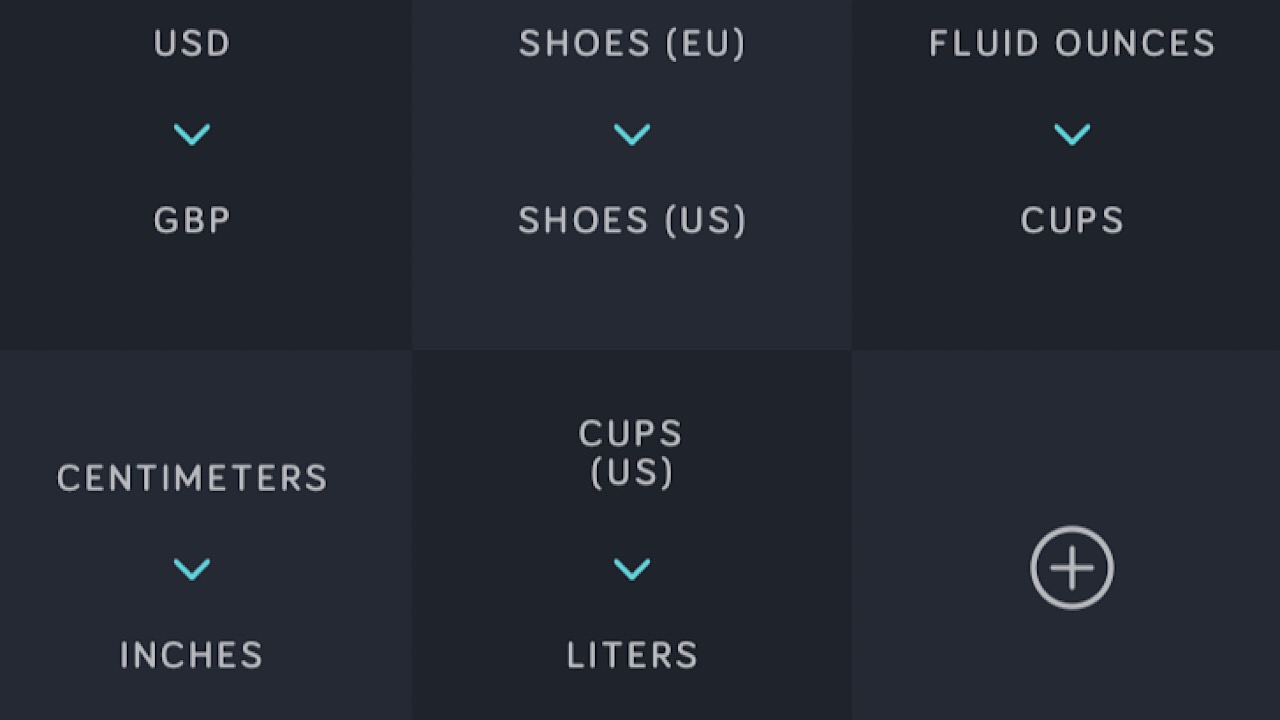
This is an app that everyone needs. Amount is a conversion app that you can whip out when you’re having a brain fart. The best part is that you can make shortcuts on the homepage for the conversions you use most. You can have your currency converter, European shoe size to American shoe size, and ounces to cups all in the same place. Toggle from day to night mode to make it easier on your eyes. Amount Plus comes in at only $0.99, so it’s definitely worth having. Available for iOS. 

Amount Plus - Unit Converter Download Now ►
8

2. MinimaList

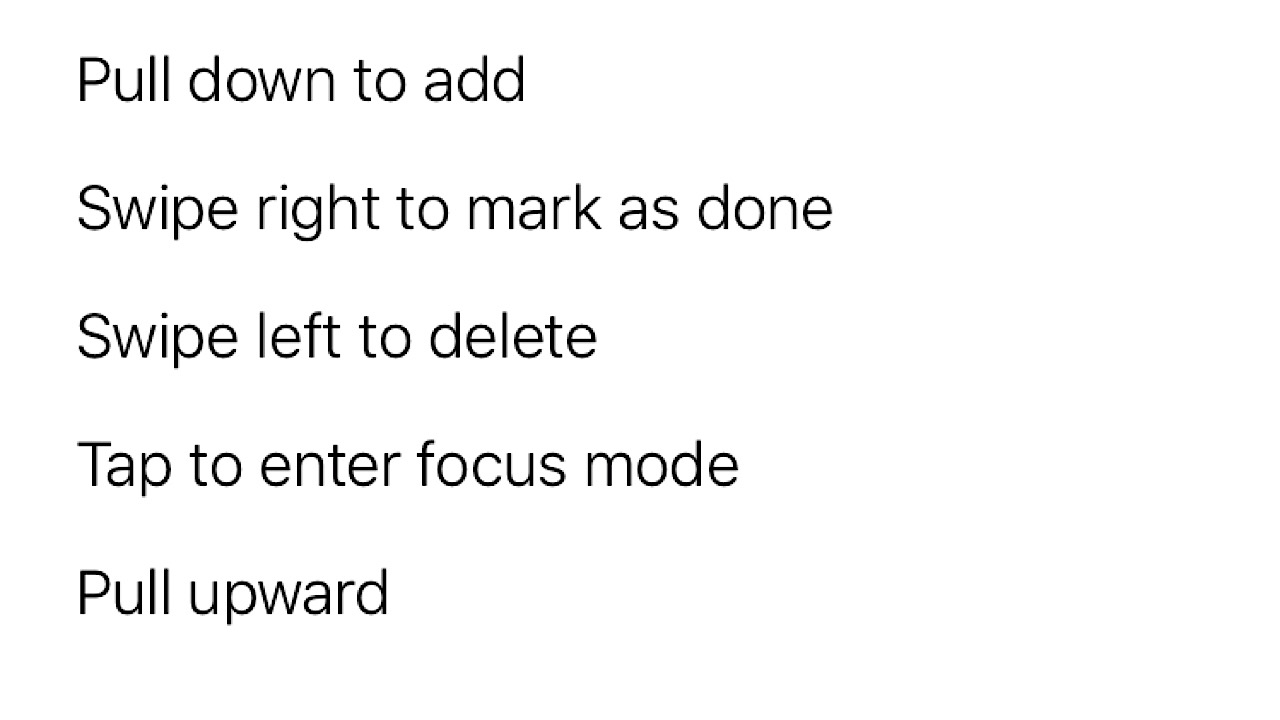
The most simple app for tasks that you’ll ever have. As soon as you open it, you’ll see only five steps you’ll need to navigate the app:

MinimaList screenshot

Create a task, mark when it’s finished, and delete it when it’s done and you want to make room for another task if you’d like. Add lists of tasks for today, tomorrow, and next week. You can even add a timer in focus mode so you don’t end up doing more than one thing at a time. For $2.99, you can get a lifetime upgrade and choose another font out of 8, or change the background color. Available for iOS.

MinimaList – To Do List, Reminder & Task Manager Download Free ►
7

3. Feedly

feedly screenshot

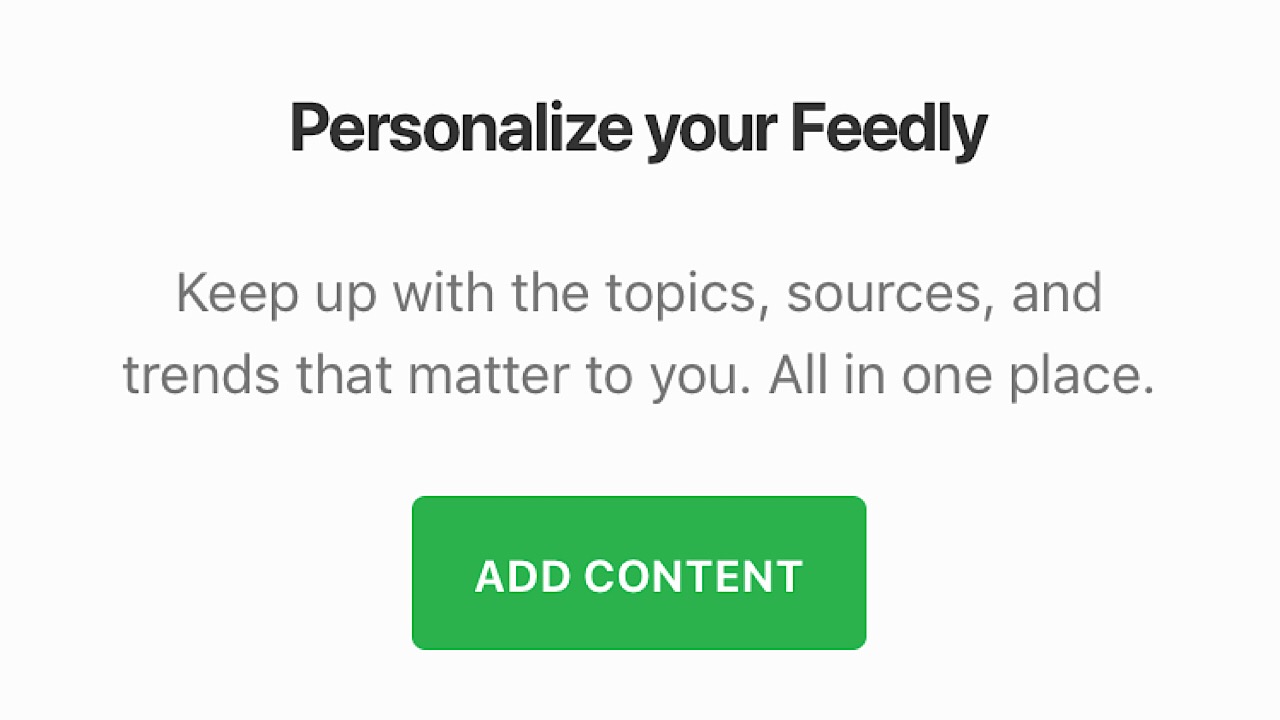
Stay in the loop without having to go open a lot of apps or visit a ton of websites. Feedly helps you concentrate your news sources into a few (or just one) customizable feeds, separated by industries like tech or politics. Name your ‘Comic’ feed, select from the variety of your favorite websites or apps for online comics, and add them to the feed. Every time you refresh it’ll show you what’s new with the sources that you chose. If you’re on the go but see something you’d like to read, save it to your ‘read later’ list. With the $8 per month upgrade, you can unlock features like unlimited feeds and Google keyword alerts. Media can be overwhelming, but with Feedly, it won’t be. Available for iOS and Android.

Feedly Reader Download Free ►
8

4. NoWaste

NoWaste screenshot

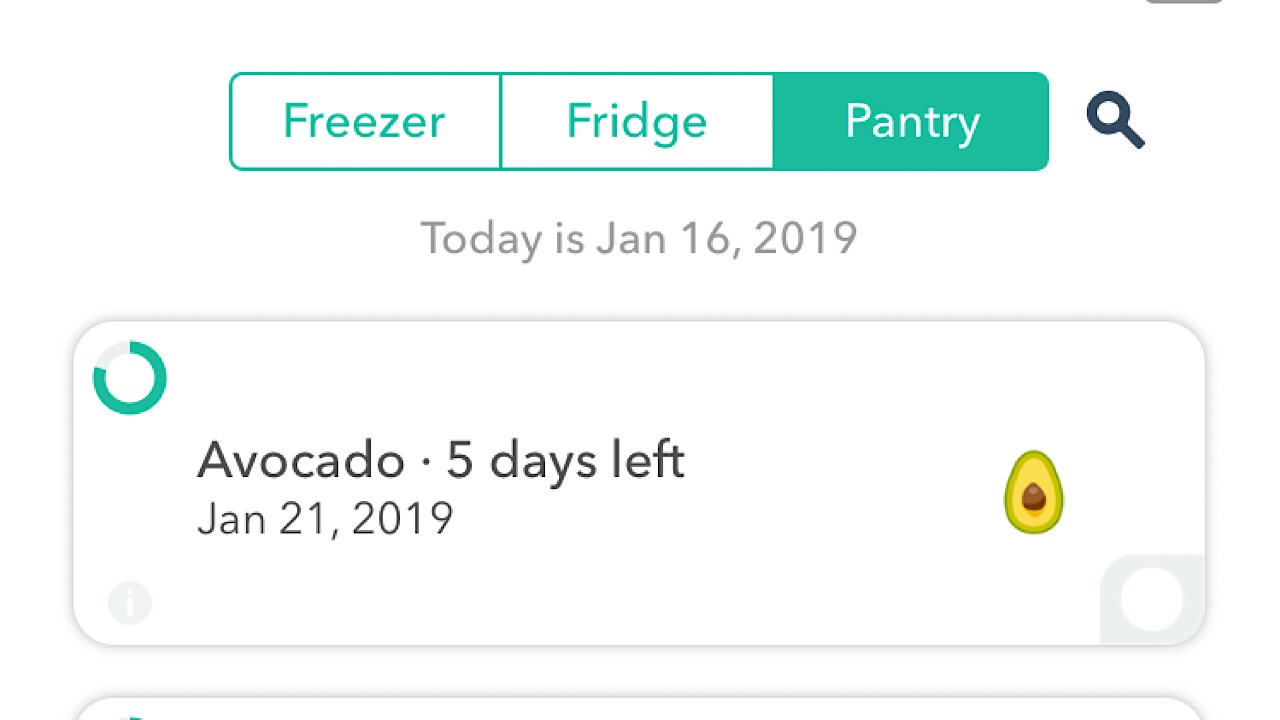
If you have issues remembering to eat food before it goes bad, NoWaste is a must have. Start by choosing the ingredients that you have in your pantry, fridge or freezer, then customize them by weight or amount. The app will automatically display how long the food will last before it spoils, so when you’re putting away your groceries, make sure to add them to the app. Every few days you can check and see which foods you should whip up into a meal so you don’t waste them. A lifetime upgrade is $5.99 and you can set expiration alerts, and create a meal plan so your family will keep their paws off of the shrimp that you’re using for dinner tonight. Available for iOS.

NoWaste - Food Inventory List Download Free ►
7

5. Minimalism Amino

Minimalism amino logo

Amino is an app for groups, and the Minimalism Amino is a group where you can chat with other minimalists on all things minimalism. Contribute to the conversations already created, or make your own chatroom within the group. This is a great place if you’re just starting your minimalist journey, or if you’re wondering about a better way to cut down on something. Join challenges to see how well you can do with food waste in 30 days, or reach out to a minimalism veteran if you’re feeling stuck or have fallen off the wagon. Available for iOS and Android.

Minimalism Amino Download Free ►
8

Making things more simple by cutting out some of the things that you think are necessities can be difficult, but try out a few of our suggestions and we can promise that you’ll be walking down the path to decluttering your space and your mind in no time.


A Geek’s Guide to Valentine’s Day Gifts

Order these great gifts for the geek you love.

valentine's day for geeks

Valentine’s Day is coming up faster than the Firebolt in the first round of the TriWizard Tournament, and if you’re a geek who’s having a hard time coming up with the perfect holiday gift, look no further than this nerdy guide! Whether it’s for your soulmate or if you’re treating yourself, we know you’ll love what’s on this list.

Best Valentine’s Day gifts for geeks

1. Cuphead Ceramic Mug – $19.99

Cuphead mug

It’s a good day for a swell battle, so start your morning off right with a sip from Cuphead. This mug holds up to 12 ounces of your favorite beverage and comes with a ceramic straw, so the price tag of $19.99 will be a great slam and then some.

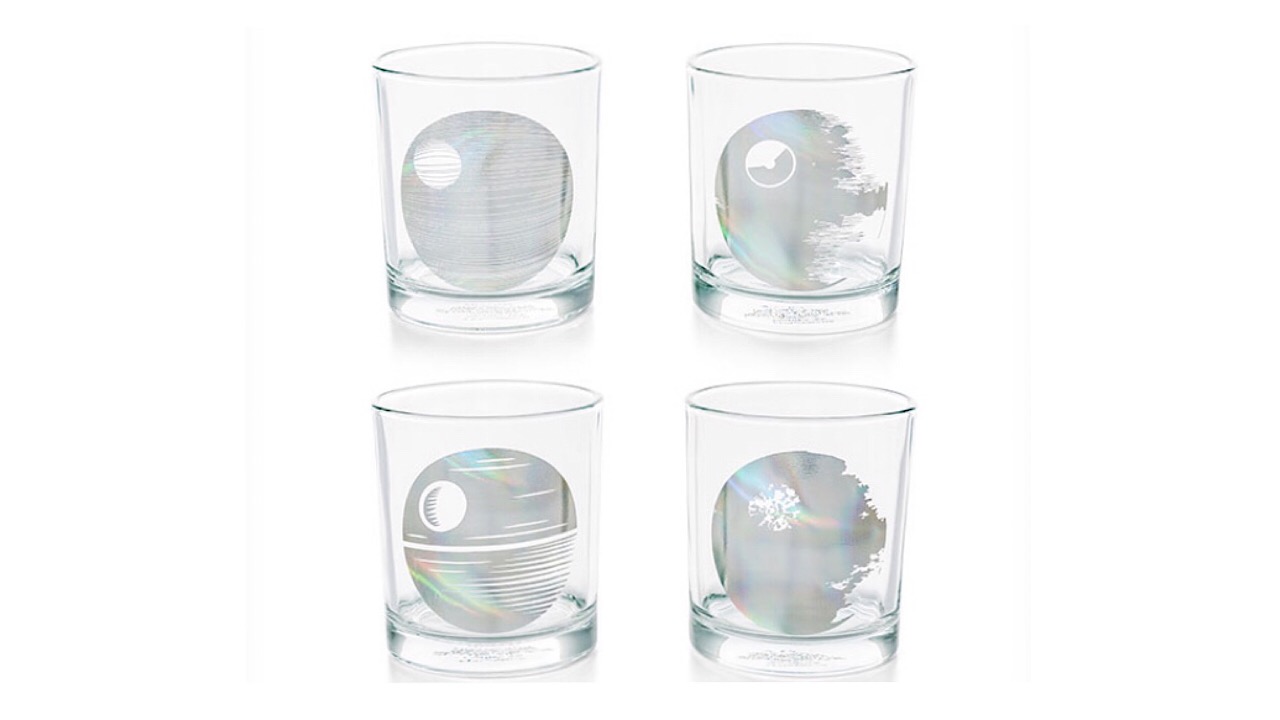
2. Star Wars Death Star Glasses – $29.99

Star Wars drink glasses

“That’s no moon, that’s a refreshment station!” Explore each layer of the Death Star with this set of four glasses. This is a gift for someone who likes to entertain, and an easy conversation starter if some of your guests are unfamiliar with “Star Wars.” The more people that we can turn into fans the merrier, but whether or not they’ll fall prey to the Dark Side of the Force remains to be seen.

3. Wonder Woman Spa Set – $47.97

Wonder Woman spa set

Saving the world is a stressful business, and even superheroes have to relax. This spa set includes a fluffy robe, slippers, an eye mask, and toe separators all wrapped up in a Wonder Woman branded bag. It’s just the right size for travel, so if Ares decides to cause trouble again, you can be ready at a second’s notice.

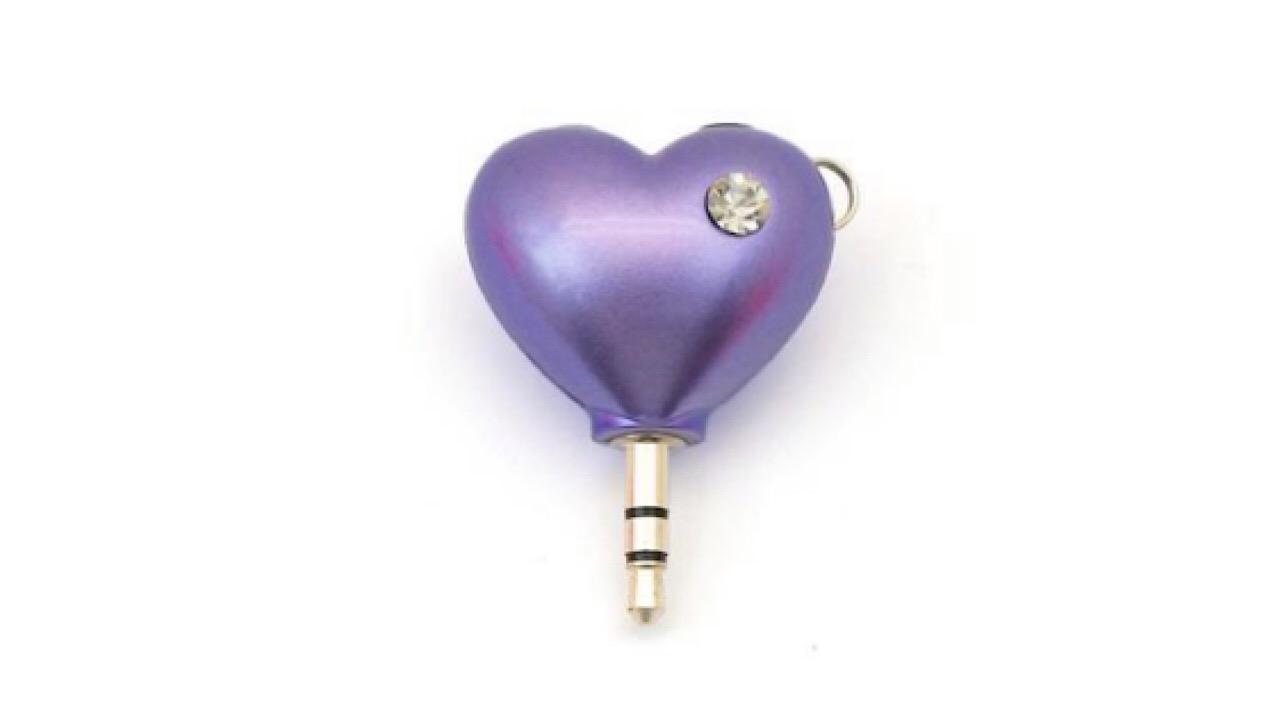
 4. Heart Shaped Headphone Splitter – $11.99

Heart shaped headphone splitter

Host a Valentine’s Day Twitch stream with your crush and use this adorable headphone splitter. Whether you’re slaying zombies or going on an intergalactic adventure, you’ll be doing it with love.

5. Bluetooth Pom Beanie – $24.99

Bluetooth beanie

End your special night with that playlist that you’ve been working on for the past month and send your date home with something to remember the fun by. This fleece-lined Bluetooth beanie has a built-in microphone and speaker with a range of up to 30 feet. Your other half will feel warm and fuzzy during the trip home in more ways than one.

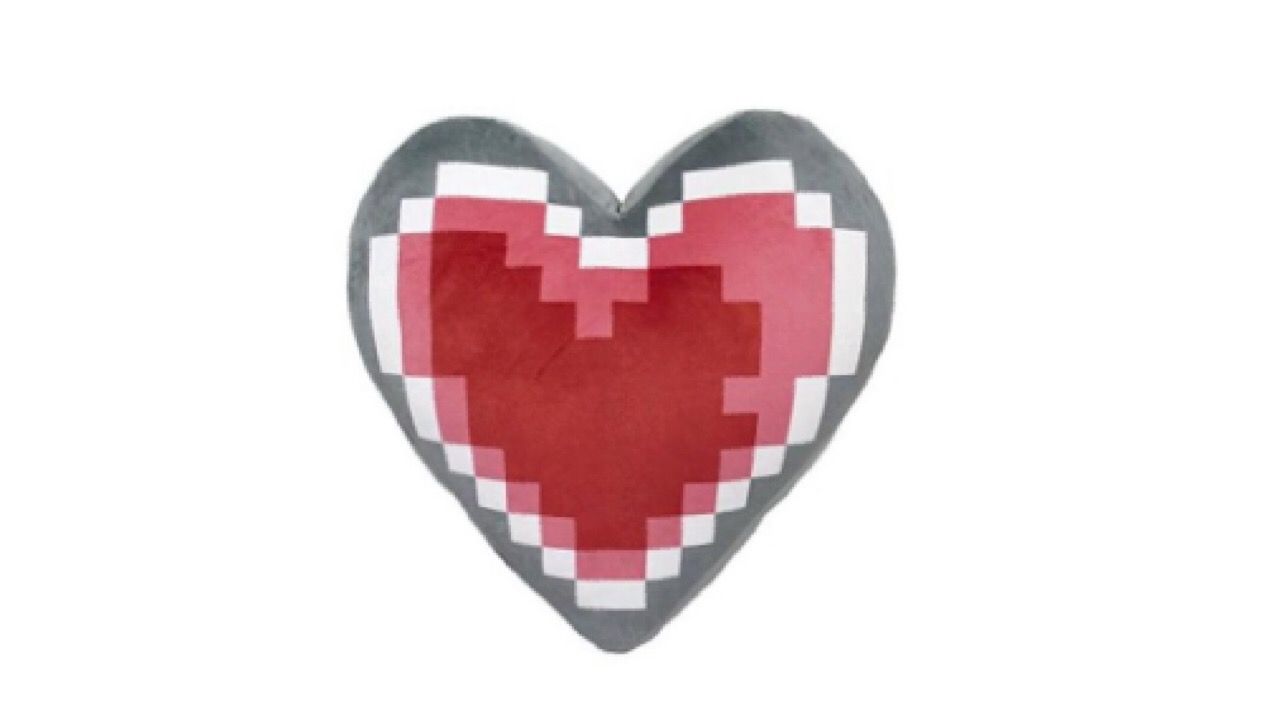
6. Legend of Zelda Heart Container Pillow – $43.99

Heart Container pillow

Just the sight of them adds an extra heart container, and there’s no better way to let your Valentine know than with this comfy pillow. It’s plush, so it’s obviously the most comfortable pillow they’ll ever have and we’re pretty sure Link would approve.

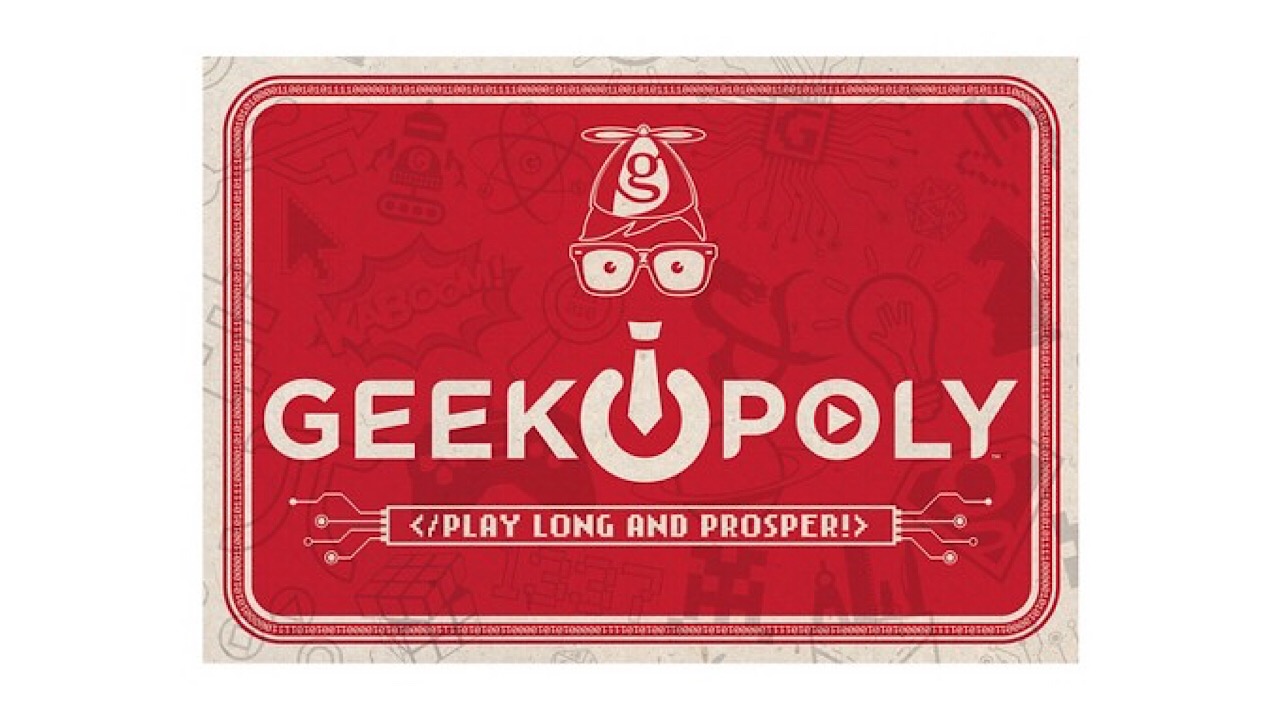
7. Geek-opoly Board Game – $19.99

Geek-opoly game

If you know the difference between Terabytes and Gigabytes, there’s a good chance that you’ll like this game. Perfect for a game night with your date or with your other single friends, this Monopoly spin-off will feed your need to become a mastermind on a journey to take over the world with your genius.

No matter how you play to spend your Valentine’s Day, these gifts will bring joy to anyone who receives them, even if that person is you. Treat yourself!

Best Pinterest Tutorial: What is it and how to use it

Curious about Pinterest? Here’s how to start using the super-popular site.

When it comes to boosting creativity and sharing ideas, it’s challenging to find a better app than Pinterest. Many businesses and freelancers are using it for their own sites, while others are pinning URLs for others with similar interests to read. 

You may be wondering what Pinterest is and how to use it, or what does Pinterest do? We’ll show you how it works and some excellent tips for making boards and sharing them.

What is Pinterest and what is it used for?

In essence, Pinterest stands for pinning interests to a board. It’s like a discovery channel that uses visual and text elements for inspiration and creativity. When you find a site or idea you like, you can quickly save it to your Pinterest channel for your followers to follow.

Pinterest is one of the easiest social media platforms available. It’s mostly used by people that want to share online content, such as music, recipes, lyrics, and so on. You’ll also find it ideal for organizing your ideas and thoughts on one page.

pinterest

How does Pinterest work?

All you need to do is enter a site with ideas that you like and pin the link to a board. These categories help to separate content so it’s easier for your followers to read and view. If you add the Pinterest extension to your browser, it’s as simple as clicking on the Pinterest logo for a quick save.

What is the purpose of Pinterest?

The primary purpose behind Pinterest is storing ideas and visual content that you can save on boards. There are millions of online pages you can store, and it acts as a shortcut on your channel. Anyone following special hashtags or topics will see your pin appear on their daily feed. They can also follow your boards.

Tutorial and tips: starting on Pinterest

Now that you have a better idea of what Pinterest is, we’ll share some tips on how to use it. There are a few easy steps to get started, after which you can get pinning away!

Creating your profile

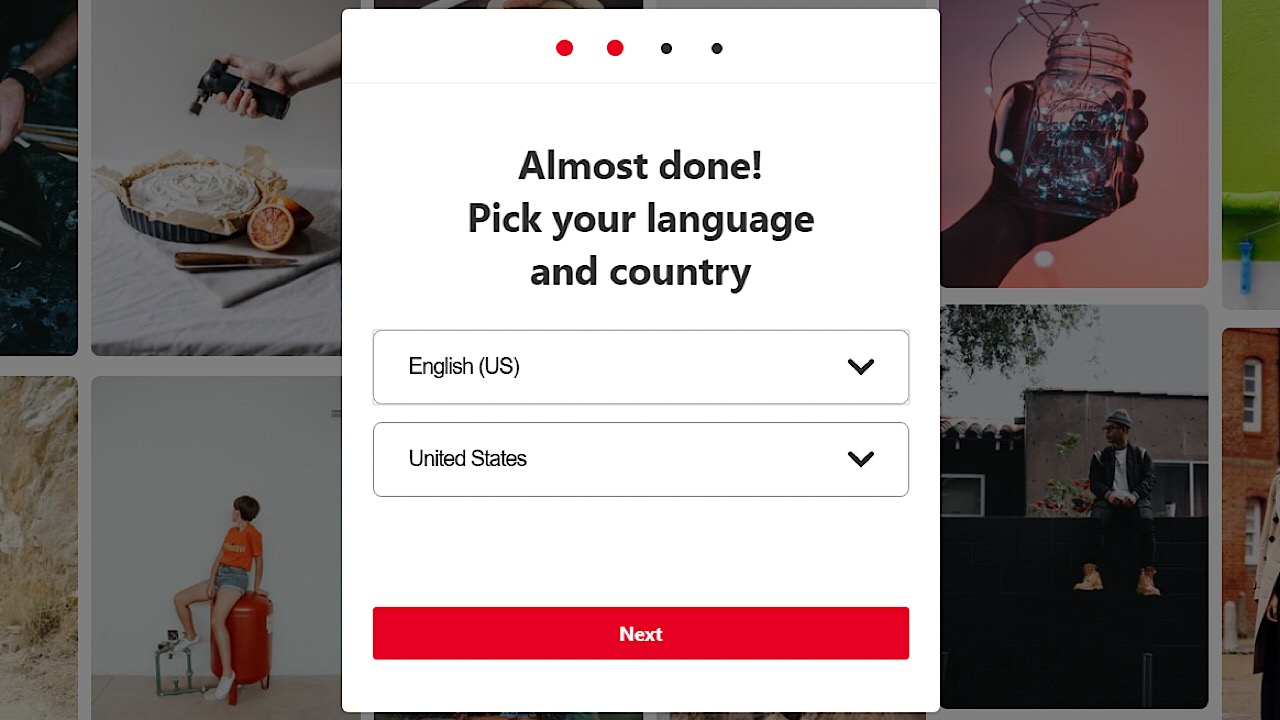
After entering your email address and creating a password, you’ll enter more basic information like your gender, preferred language and country.

Pinterest screenshot 1

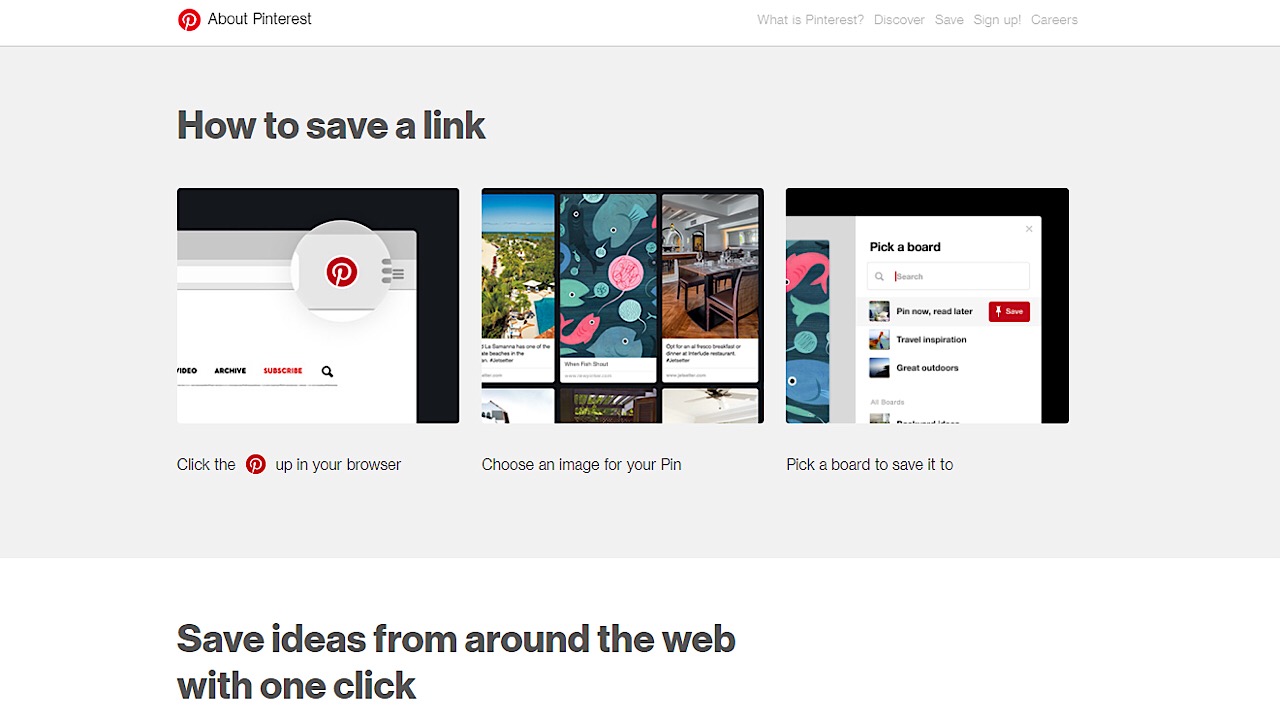
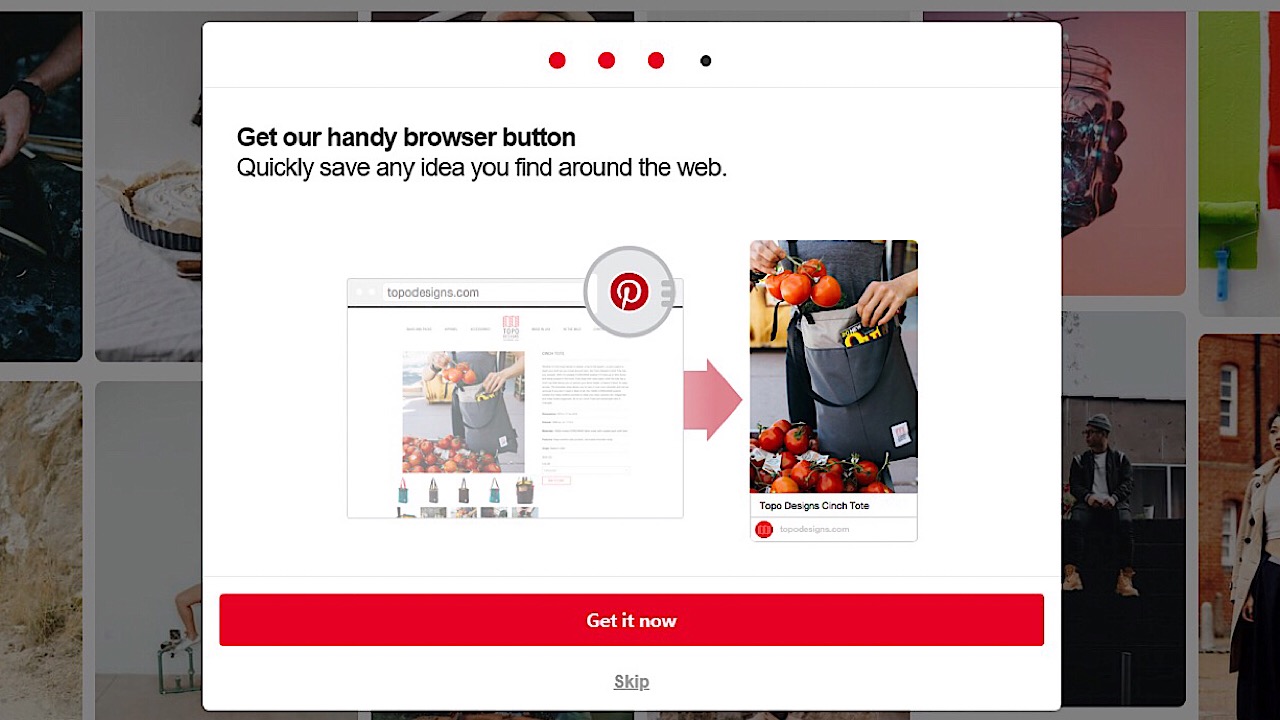
You’ll then be prompted to install the browser button. This button allows you to save things to your Pinterest account that you see while browsing online outside of Pinterest.

Pinterest screenshot 2

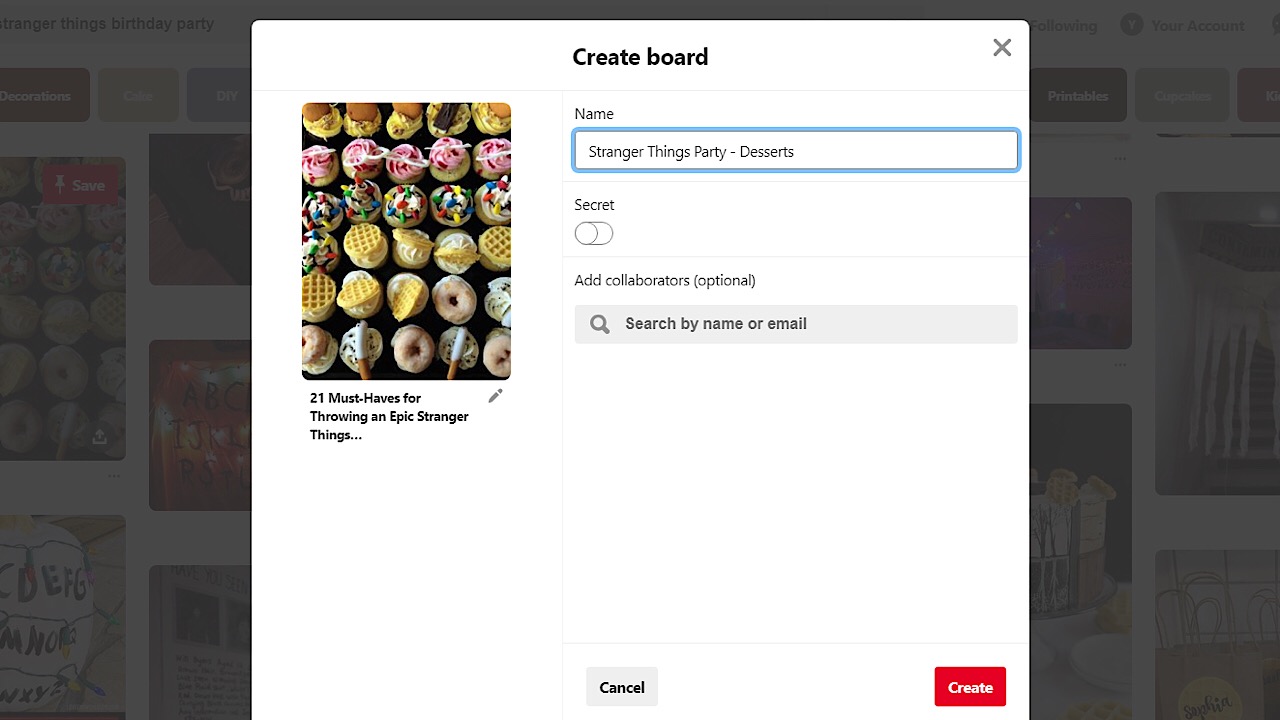
Imagine that you’re planning a birthday party for a friend and while browsing the web, you come across an awesome layout for a dessert table. With the browser button, you’ll be able to save the link to this page to a Pinterest board full of ideas for the party that you can come back to and reference later, so we definitely recommend installing it. Once installed, a little Pinterest icon will show up in your browser’s toolbar for you to click whenever you want to save a webpage, and another page will open that explains how to save a link.

Pinterest screenshot 3

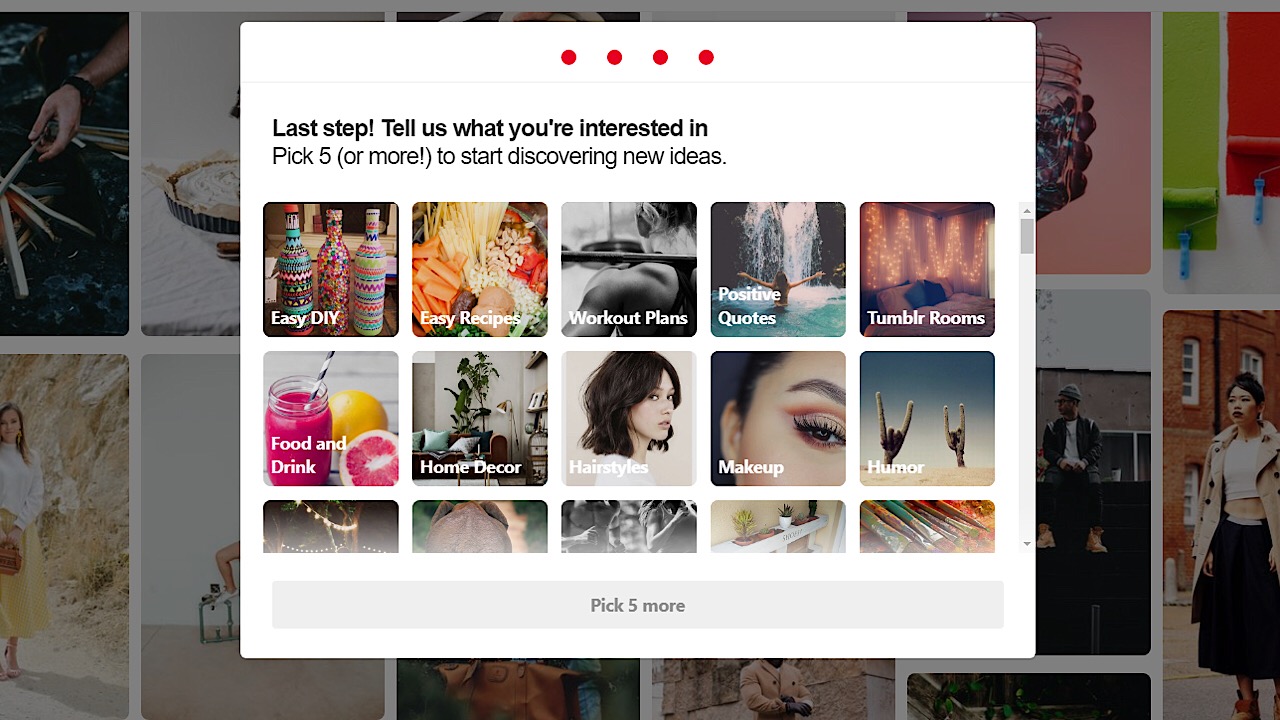
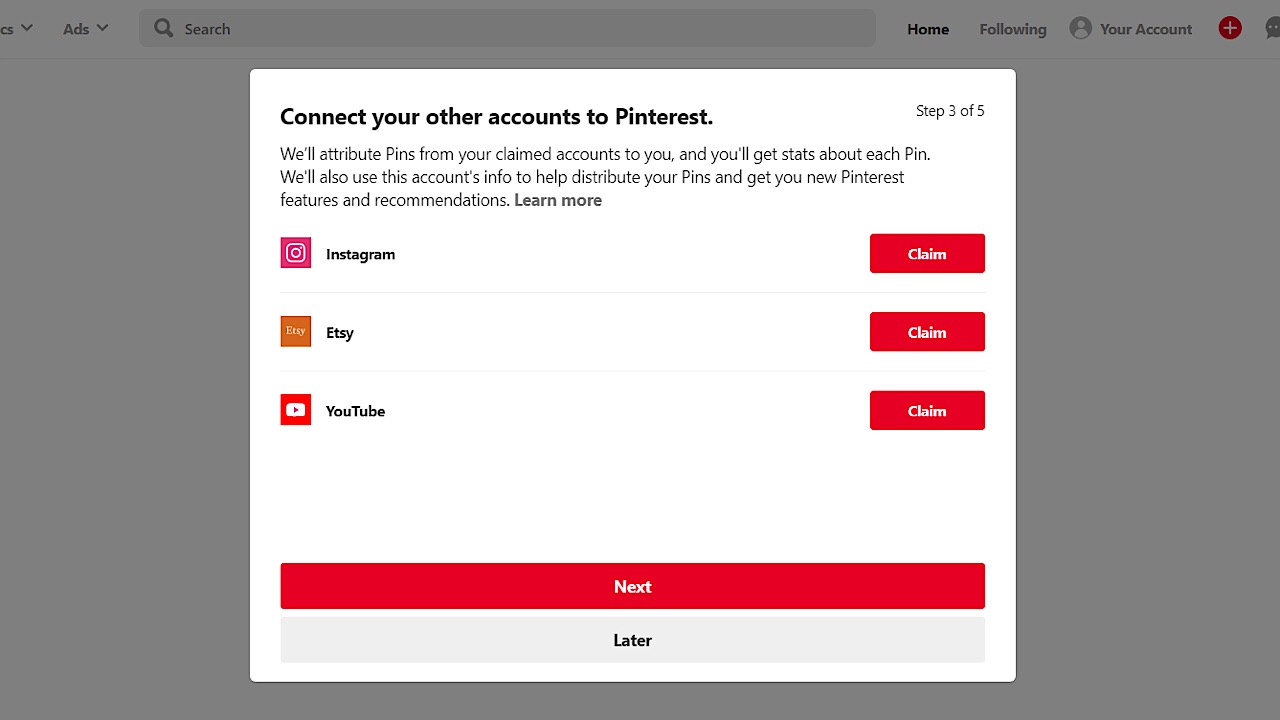
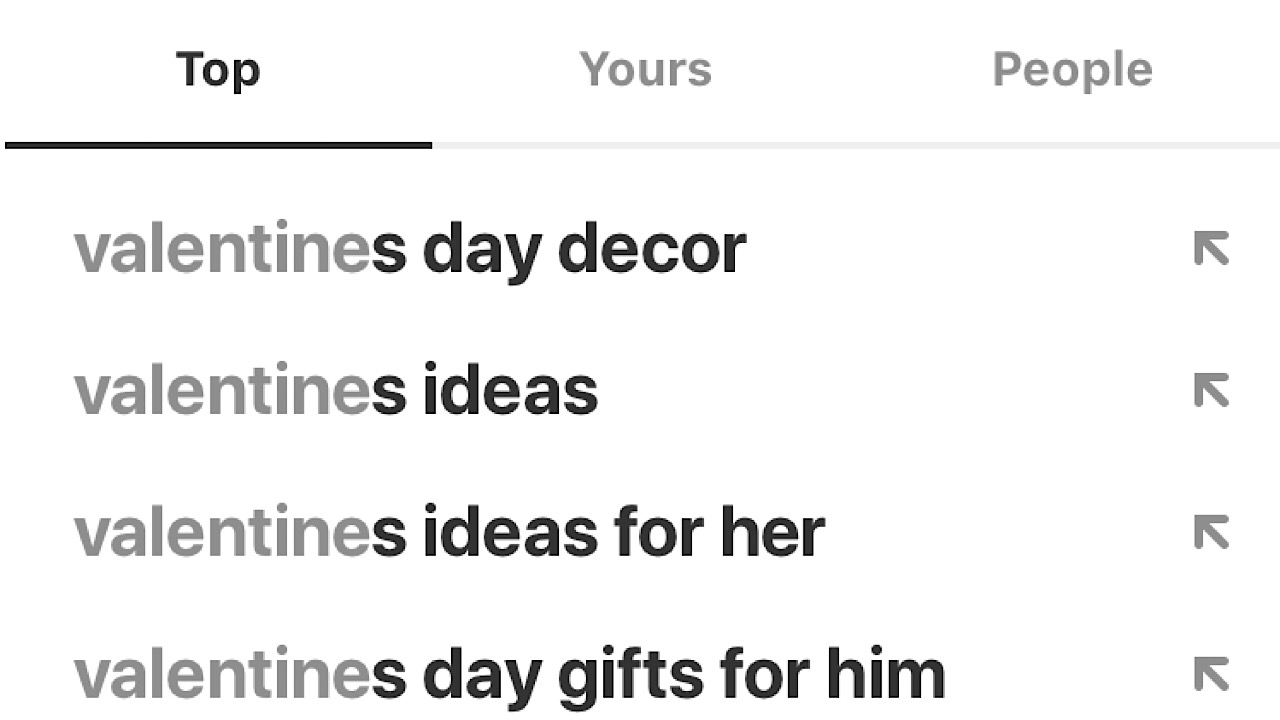
Before Pinterest cuts you loose to get sucked into the black hole of architecture designs and Etsy wedding dresses, they ask you to choose a few things that you like in order to get an idea of what to display on your feed. You can choose as many as you like, and the cool part is that whenever you search for something, Pinterest will remember and curate more pins like it.

Pinterest screenshot 6

Customizing your profile

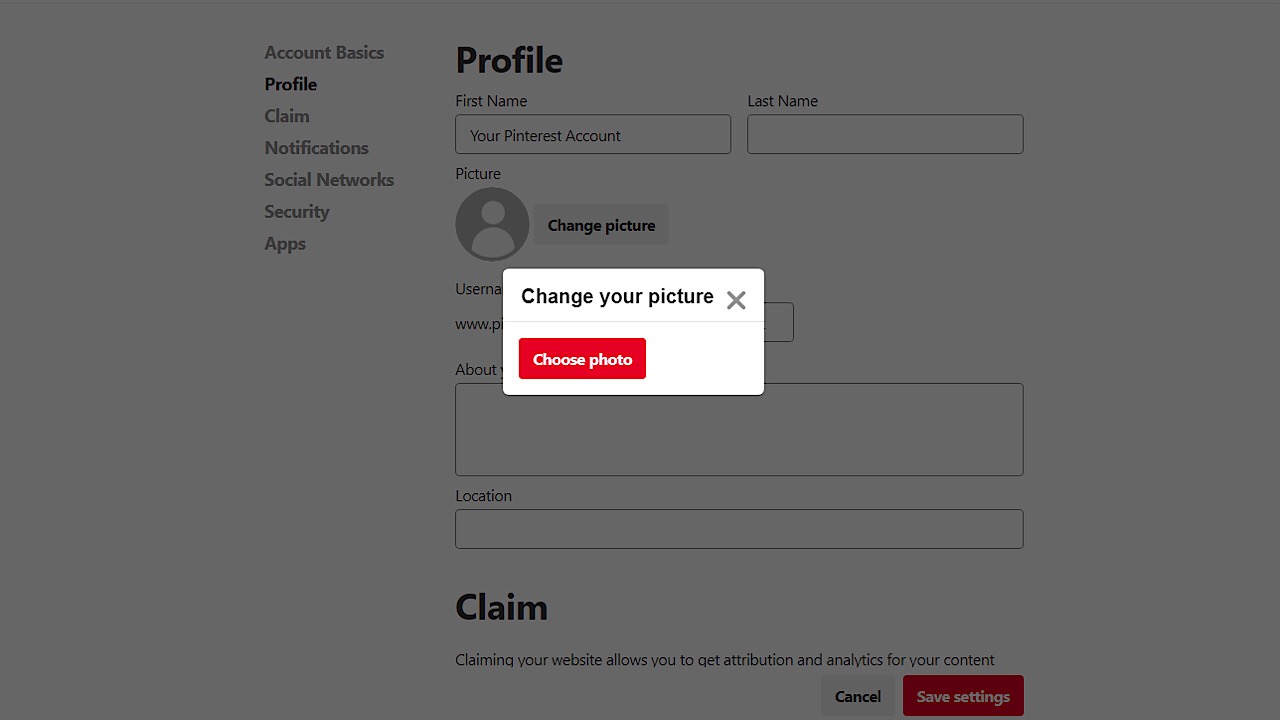
Pinterest will save your name as the email address you use to sign up, so to change this, just click the three grey dots in the upper right-hand corner of your web page, then click on ‘edit settings.’  Under ‘profile’ you can change your name, add a photo, and a biography.

Pinterest screenshot 4

You can also navigate to other areas where you can also edit your email address, password, and privacy settings. For example, if someone were to Google workout tips and you don’t want your fitness board to show up,  you can toggle that option off.

What is a pin on Pinterest?

Pins work like bookmarks to other sites where you found interesting information or images. If people are looking for specific content, they can search for topics, and the results may show your pin. You can also use pins to link to your site and share your latest products.

What is a board in Pinterest?

When you want to separate your pins into categories, you create Pinterest boards. It helps organize your content and thoughts in a more efficient way that people can more easily follow. It’s especially helpful for businesses that have different types of products to showcase across various industries.

Pinterest screenshot 7

Socializing on Pinterest

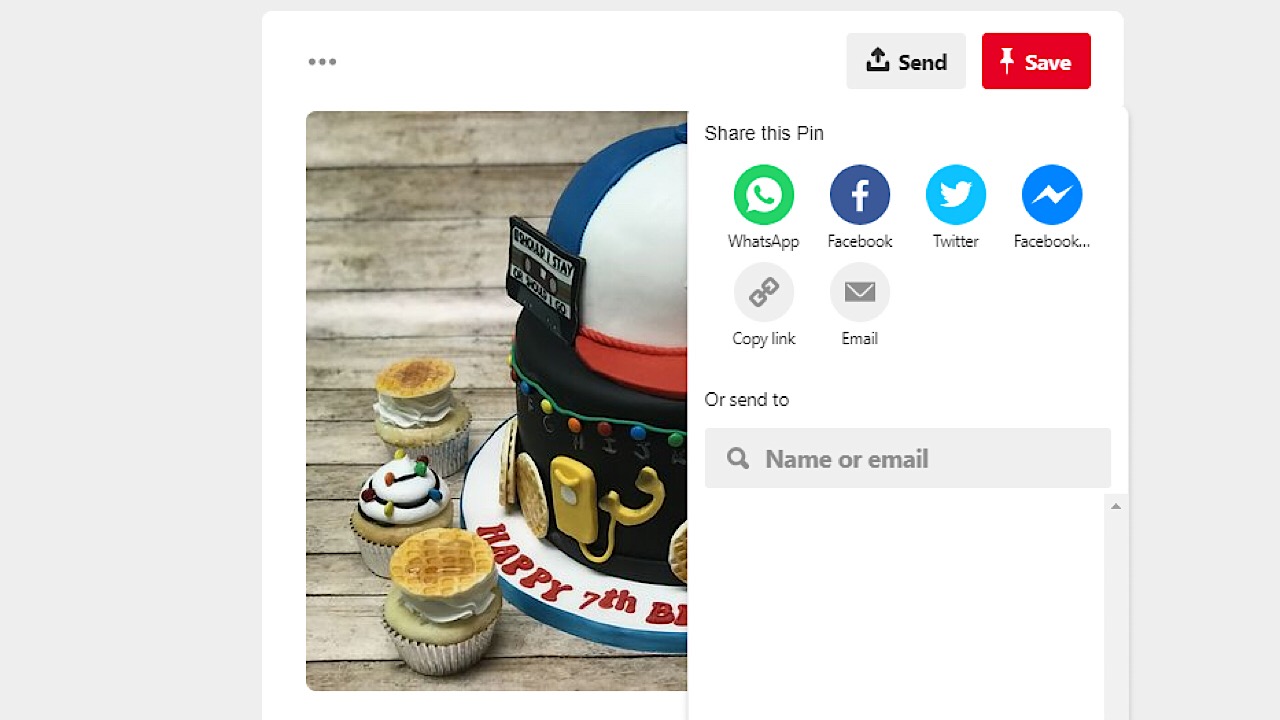
Another great feature is that you can share pins or entire boards to people that don’t have Pinterest accounts. Just click on a pin, and click on the icon with an arrow pointing up. Then you can send it to someone directly by email, or you can post it on social media accounts.

Pinterest screenshot 8

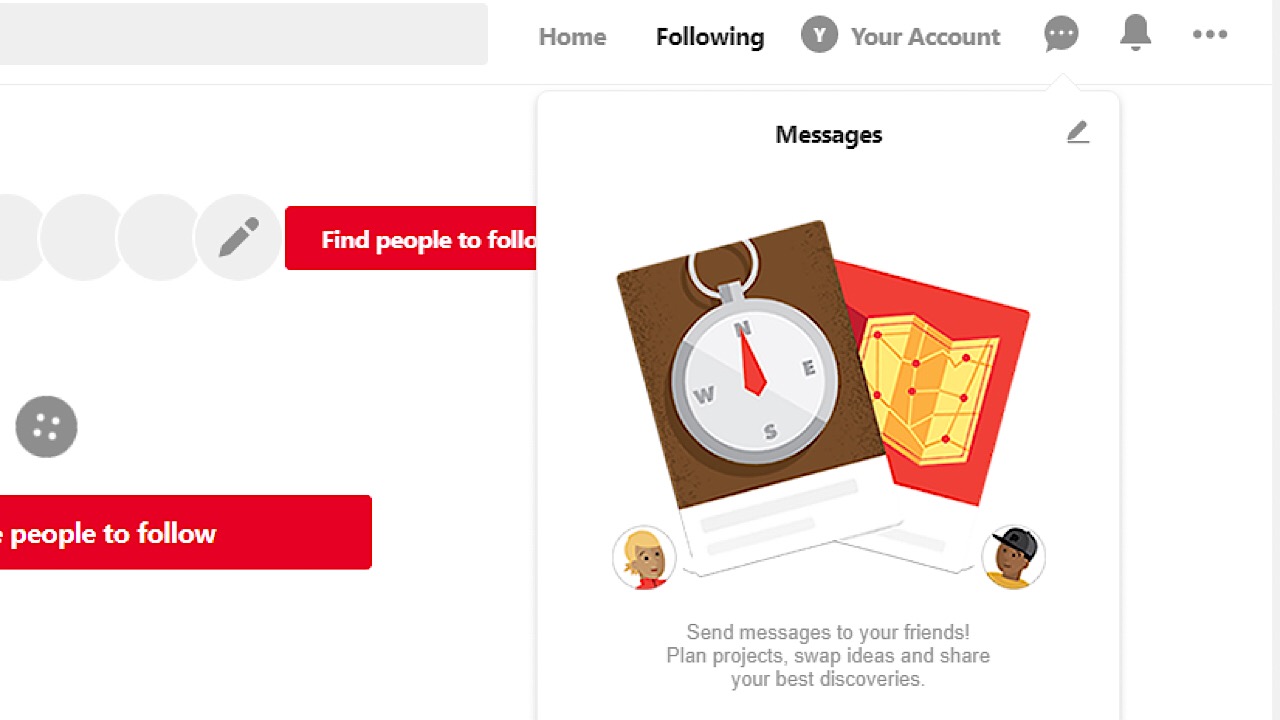
If you’d like to chat with a friend who does have an account, you can use the messaging box.

Pinterest screenshot 9

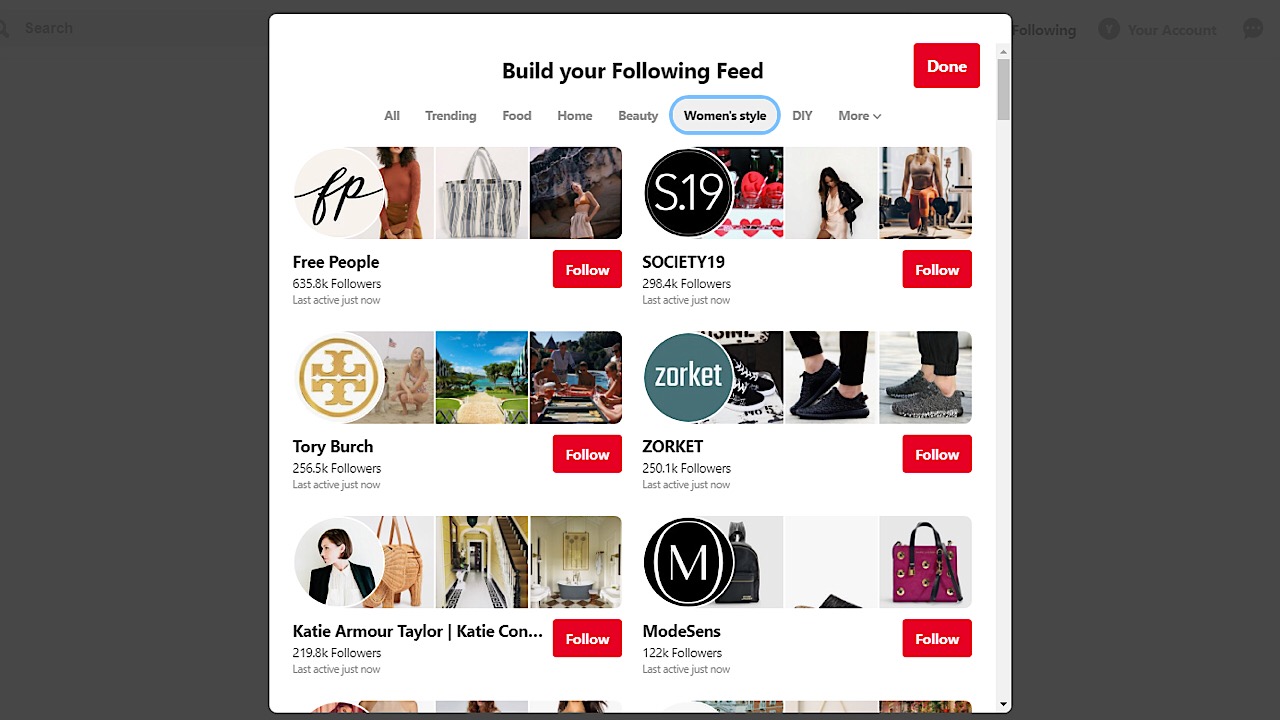
Some of your favorite bloggers and companies have Pinterest boards! If you’d like to follow their boards,  you can search their name in the search bar. You can also click on the ‘following’ button on the top right corner of the page and follow Pinterest boards by category and see what popular boards are currently trending.

Pinterest screenshot 10

Pinterest for businesses

If you’re a blogger, Pinterest is a great way to gain more exposure by upgrading to a free business account. You just link your blog, connect your social media accounts, and when someone saves one of the pins you’ve created from any of your posts you can see how much traffic that each post is getting.

Pinterest screenshot 11

You can also consult with a Pinterest ad team to help you create ads to expand your reach even further.

Whether it be professionally or just as a fun thing to do in your spare time, Pinterest has something for everyone. A world of video game memes and obscure fruit art awaits, so, what are you waiting for?

Top 5 apps to plan the perfect Valentine’s Day

Ready to impress your Valentine? These online tools will guarantee sparks on February 14.

valentine's day

February always sneaks up faster than you expect, and whether you’re in a long term relationship, a new relationship, or you just want treat yourself this year, we have compiled the top five websites and apps to use to have a warm and fuzzy Valentine’s Day.

Top 5 online tools to plan the perfect Valentine’s Day

1. Pinterest

Pinterest screenshot for Valentine's Day

You can’t have a true DIY without enlisting the help of good ol’ Pinterest. For those who aren’t familiar, Pinterest is a website (and app) where you can get ideas, look up recipes, or browse for literally anything you can think of. Save websites, images, or video links that users have made in the form of ‘pins’ and save them to boards that you can organize any way that you’d like. Install the Pinterest button on your toolbar so if you’re browsing and see a website that you like, you can make your own pin and save it to your account for others to see as well.

Pinterest Download Free ►
8

2. Epicurious

Epicurious screenshot

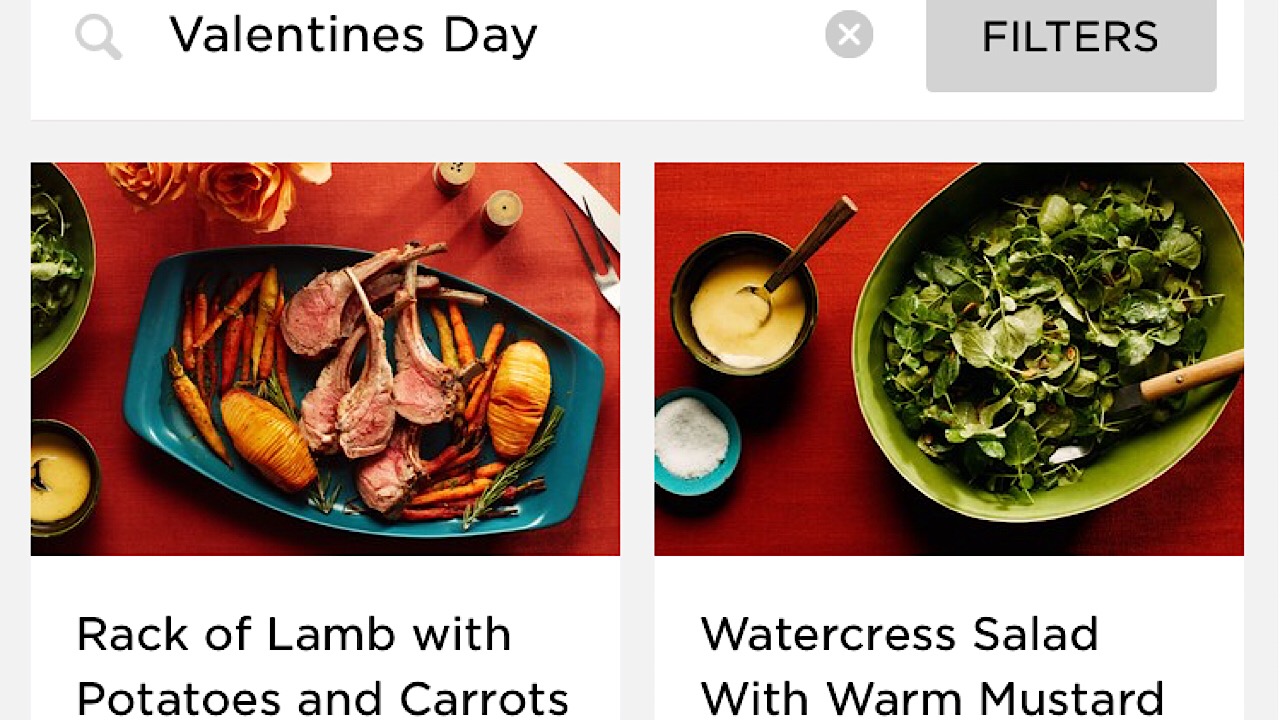
Whip up a perfect meal for two! Epicurious lets you search a meal by categories like a certain ingredient or special occasion and presents you with a ton of delicious options. Step-by-step recipes with some quick tips about what you should do ahead of time to make your dinner and dessert come together makes this app a must-have. Save recipes for later or add them to your shopping list if you’re about to head out the door to the grocery store.

Epicurious DOWNLOAD FREE ►
7

3. Hello Vino

Hello Vino screenshot

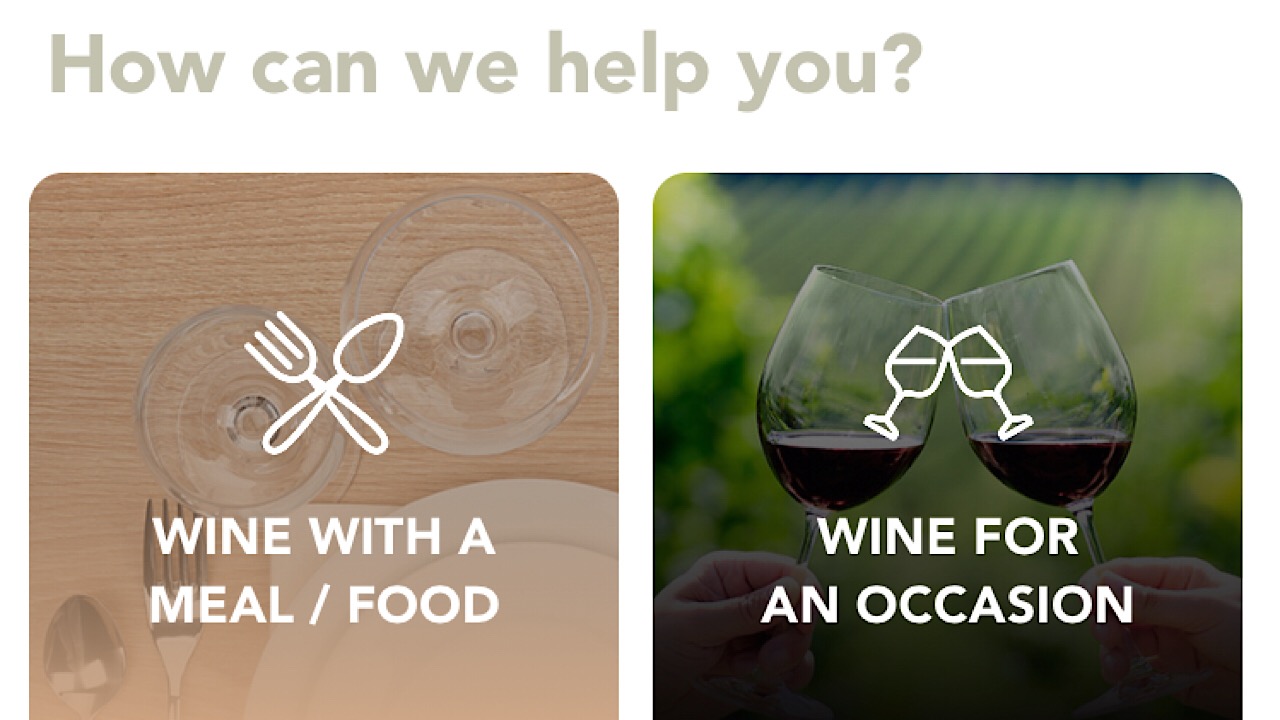
The drinks are just as important, if not more important than the food. Hello Vino helps you choose which wine will be best for whatever you’re having it with or for a special occasion. If you’re having sushi for dinner, a crisp white wine like a Chardonnay will complement your meal best. The app then lists a few different types of your wine of choice, describes the taste, gives you prices and where to go to pick up a bottle. Short, sweet, and to the point.

Hello Vino: Wine Assistant DOWNLOAD FREE ►
6

4. OpenTable

Open Table screenshot

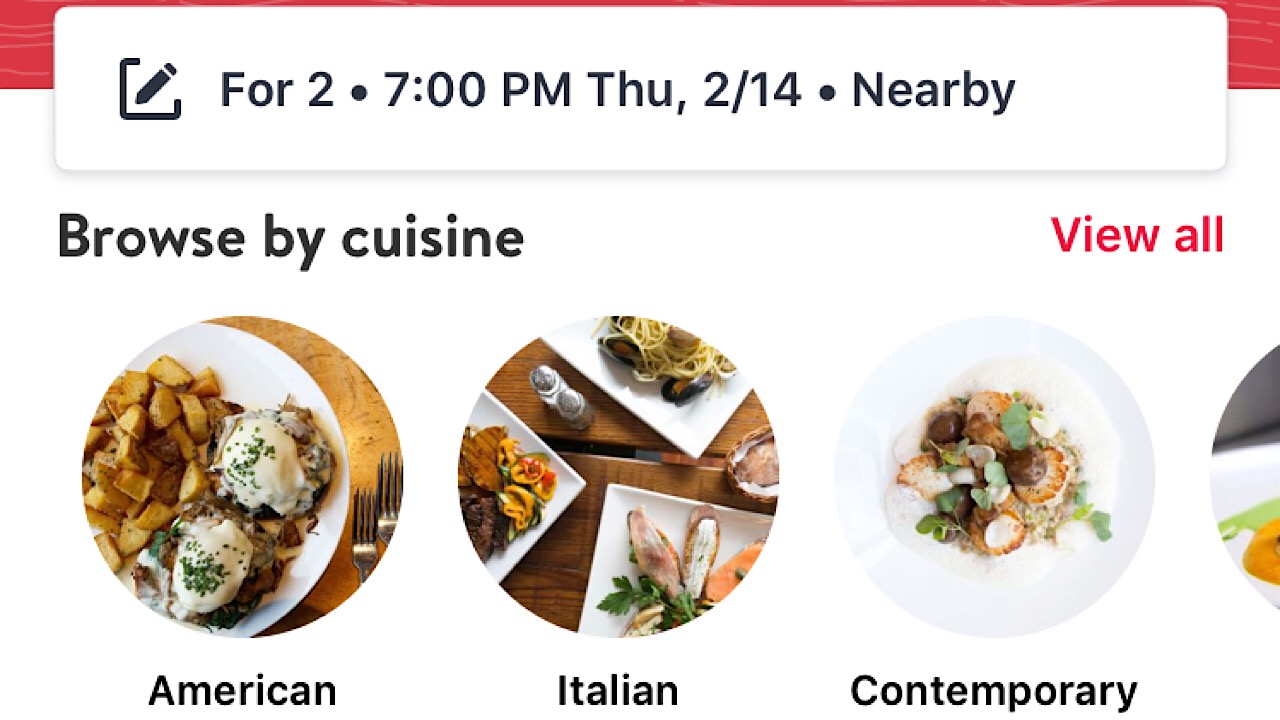
If there isn’t a dish you haven’t managed to burn, OpenTable is the place to go when you want to go out. Start with booking ahead, and once you’ve selected the date and turned on your location settings, you can see which restaurants near you (or wherever you’ll be) are accepting reservations. Browse by cuisine, area, and whether you’d like fine dining or a more relaxed setting and you’re all set to let someone else do all the hard work for you.

OpenTable DOWNLOAD FREE ►
9

5. Groupon

Groupon screenshot

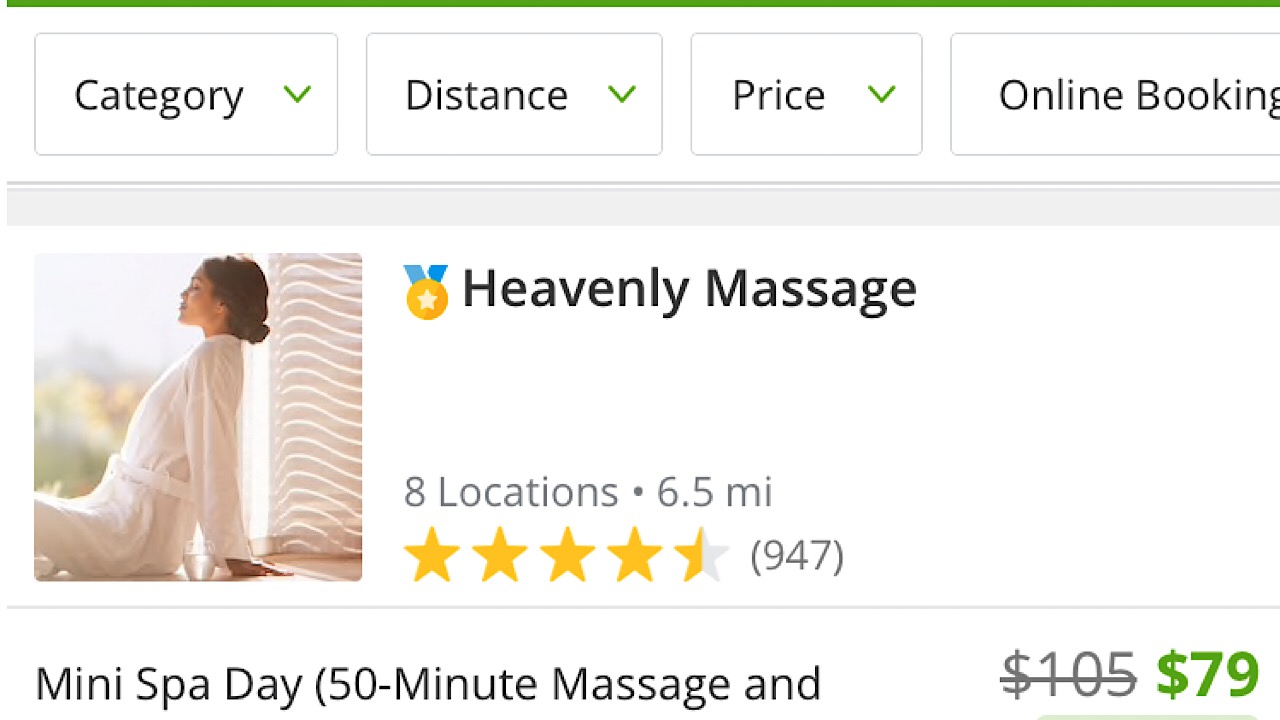
If Valentine’s Day was created by the candy companies and single life is where it’s at, use Groupon to take advantage of the amazing slashed prices on services like hot stone massages that are popular during this lame holiday. As the great Beyonce once said, “Me, myself, and I is all I got,” and what you’ve got is a great opportunity to stick it to the man and treat yourself at the same time.  50% off of Edible Arrangements? Don’t mind if we do.

8

There are a ton of things to do no matter if you’re with that special someone or if that special someone is you, so get out there and have a great time this Valentine’s Day. You deserve it.

5 best tools to jumpstart your new online business

Ready to launch a new business? These tools will give you a jump on the competition.

new business

A new year means New Year’s resolutions, and it’s a perfect time to make a fresh start, turn over a new leaf, and chase the dream you’ve been wanting to pursue. Hundreds of people are realizing that the best way to live is to work for themselves, and with the internet and social media evolving quickly every day, there are more ways to do what you love now more than ever. Whether you’re selling handmade jewelry or your stock market expertise, here are a few resources that will help you get started with creating your own business.

Best online tools for entrepreneurs

1. BigCommerce

Instead of having to spread your attention thin over a ton of websites, with the help of BigCommerce, you easily streamline your selling process. From one page, manage your listings from the most popular platforms like Amazon, eBay, Instagram, and Facebook. You can choose from a wide variety of themes from a dark and sleek look to a more lighthearted aesthetic.

Access a variety of different apps like Hubspot to better market your products and increase sales, and apps for ShipperHQ and Ordoro to more efficiently ship your products once a purchase has been made. BigCommerce offers different plans depending on what you want for your business, starting at a reasonable $29.95 per month for the basic option. If you’re not sure, you can start with a 15-day free trial where you can start selling immediately.

2. Constant Contact

Constant Contact logo

People check their email repeatedly throughout the day, so the ability to market through emails is one of the keys to increasing traffic to your website. Constant Contact is one of the biggest newsletter tools in the world, and with over 100 easy-to-edit templates to choose from, email marketing has never been more simple. You don’t need to be a master coder to create the perfect email, just drag and drop graphics and scroll through fonts to create top-tier designs that will engage your customers and have them exploring your website for more in no time.

Also integrated is Autoresponder, a feature that sends personalized emails for events like birthdays and anniversaries that help build a stronger connection between you and customers so that they understand that their business is valued. There’s a 60-day free trial and a 30-day money back guarantee once you’ve chosen a plan (but we don’t think you’ll need it), so head over to the website to check them out.

3. Intuit

Finances are a huge part of any business, but we can’t say it’s the most exciting. It’s easy to get confused when handling the numbers gets a little convoluted. Luckily, Intuit will take the stress out of dealing with money by organizing everything for you. Finance giants like TurboTax, QuickBooks, and Mint are incorporated into Intuit, so things like taxes, invoices, and general expenses are broken down to make things easier to understand.

Intuit also offers services to help build your website, attract customers, and enhance productivity. After your free 30-day trial, plans start at the low cost of $7.99 a month. Spend less time worrying about money and more time doing what you love with your business.

4. Buffer

The internet is one of the most important tools in creating a business, and once you’ve got the ball rolling, you need to keep it rolling. Word of mouth is powerful, and new information can be shared at lightning speeds. Buffer is a platform that helps you harness your potential and spread the word about your business by way of social media. With all of your apps in one place, you can easily schedule and send out content at the same time. You can also view your post analytics to see which ones are more popular and how they improve the posts that need a little help.

As you expand, you can add team members to your account and give them access to certain areas to manage, and you have the ability to approve posts before they’re sent out. There are five different plans to choose from so you can use the “Starter” options if you’re not ready to jump in head-first; when you are, you can switch to the “Business” plans to increase the number of social networks you can use.

5. Moo

Now that your business is up and running, you can focus on the physical part of networking. Big brands like AirBnB and Quantcast are using Moo to make items like business cards, flyers, and custom letterhead. Start by connecting with Moo on their website, and they’ll assign you an Account Manager. They’ll help by making your business account and working with you to create designs online for whichever products you’d like, so you can log in at any time and see the progress. Once you have finished designs that you love, simply order your products. Small businesses can start free with same day setup and once you expand you can move up to the “Office” and “Enterprise” plans.

Now you’ve got all the resources you need to start building your own brand. There’s no time like the present – good luck!