{
"de-DE": "",
"en-US": "My first computer was an Amstrad CPC 6128 and so began my love for gadgets. Besides tech and games I love music (I'm a singer in two bands of swing, jazz and blues), cinema (watching and writing about it), gastronomy (cooking... but above all eating!) and alternative fashion. Do you follow the cult of The Rocky Horror Picture Show? Great, I'm sure we can get along.",
"es-ES": "Mi primer ordenador fue un Amstrad CPC 6128 y así se inició mi amor por los gadgets. Además de la tecnología y los juegos me apasiona la música (soy cantante en dos bandas de swing, jazz y blues), el cine (verlo y escribir sobre él), la gastronomía (cocinar... ¡pero sobre todo comer!) y la moda alternativa. ¿Sigues el culto de The Rocky Horror Picture Show? Entonces seguro que podemos llevarnos bien.",
"fr-FR": "",
"it-IT": "",
"ja-JP": "",
"nl-NL": "",
"pl-PL": "",
"pt-BR": "",
"social": {
"email": "maria.baeta@softonic.com",
"facebook": "",
"twitter": "https://twitter.com/mariabaeta",
"linkedin": "https://www.linkedin.com/in/mariabaeta/"
}
}
WhatsApp just added a very useful option to the emojis section: now your most-used emojis appear, making it easier to select your go-to images.
This option, called “Top Emoji,” appears when you tap the magnifying glass to search for emojis. Besides showing the little box to put in keywords, now we can see a history of our emojis:. the ones we use most.
This option is similar to what some cell phone keyboards offer, including iOS and Android.
The “Top Emojis” option appears in the beta version of Android 2.18.133. To learn to become a part of the app’s beta program to receive updates before everybody else, click here.
How to try new features on WhatsApp before anybody else
The “Don’t Like” button has been on Facebook users’ wish lists for a long time. After years waffling, the social giant may have caved: a“Don’t Like” button may appear on FB in upcoming months… but there are some conditions.
According to media in the United Kingdom, Facebook has tested this button on 5 percent of its North American users. Rather than a thumbs down, it would be more like a negative vote or downvote, and would be used to flag posts or comments that may be considered malicious or disrespectful.
So, the idea behind this “Don’t Like” button isn’t to express disagreement (for that, we’ve already got the “angry face” reaction), but rather to report inappropriate content on the platform. Also, it would come with another button, upvote, that would show preference for certain content.
The system of upvotes and downvotes is similar to “karma” on some sites or votes on platforms such as Reddit and Quora, which highlight one post above the rest.
By encouraging the best comments, Facebook users would work to self-moderate, which would help the company determine what its audience is really interested in.
The end goal of all this would be to stop “fake news,” a plague to Facebook and other networks like YouTube.
In any case, all this work won’t be left to users: just this week, Facebook announced that it will establish offices in Barcelona with a team solely dedicated to moderating and verifying content. It’s clear that, besides the good work by users, more professional tools are needed to fight against fake info.
What do you think about the premiere of this “Don’t Like” button? Do you think users will use it correctly?
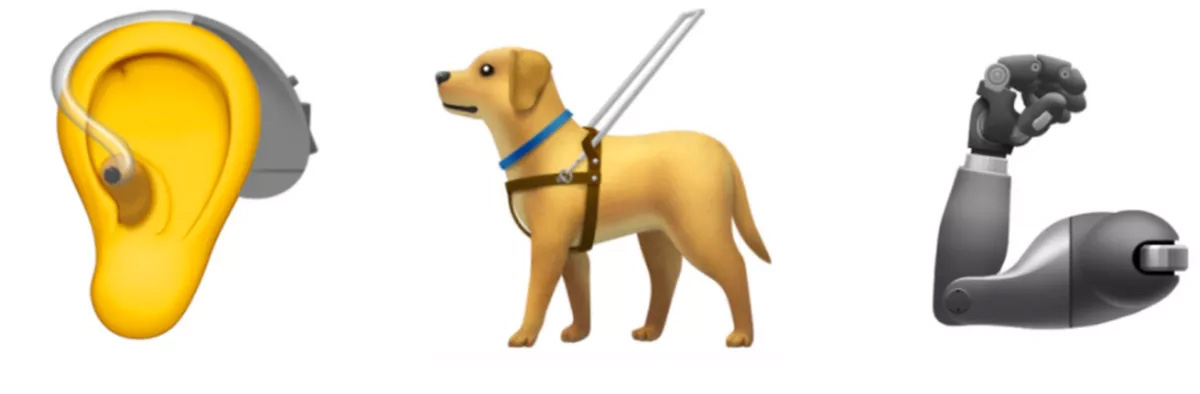
A flamingo, falafel, new clothing items, icons that represent inclusion… and even a sloth! These icons, plus nearly a hundred other images, have been proposed by the Unicode Consortium to become emojis in 2019.
The Unicode Consortium is the organization in charge of designing and proposing new emojis that operating systems and apps have to include over time. Though we’re still waiting for the 2018 emojis to come to most devices, Unicode has already presented its suggestions for the upcoming year.
Like previous editions, Unicode is committed to inclusion, adding several icons that represent functional diversity: an ear with a hearing aid, two types of wheelchairs, a prosthetic arm or leg, a guide dog…
It also considers the unique characteristics of some countries, adding typical foods and drinks, such as mate in South America, or different icons of Hindu culture like the sari and a temple.
And, of course, emojis have to keep up with trends: what would a chat be today without adorable animal emojis such as flamingos, otters, and orangutans?
New colored hearts and other symbols will also be available.
Remember, Unicode’s suggestions are the first step of the process. This means that not all 104 icons may end up on every operating system, not to mention how each system uniquely adapts them (remember the controversy over gun emojis).
You can see the full list of 2019 Unicode candidates here.
What emoji would you still like to see on WhatsApp and other programs? Tell us your suggestions in the comments! Maybe we’ll give the Unicode Consortium ideas for their 2020 list!
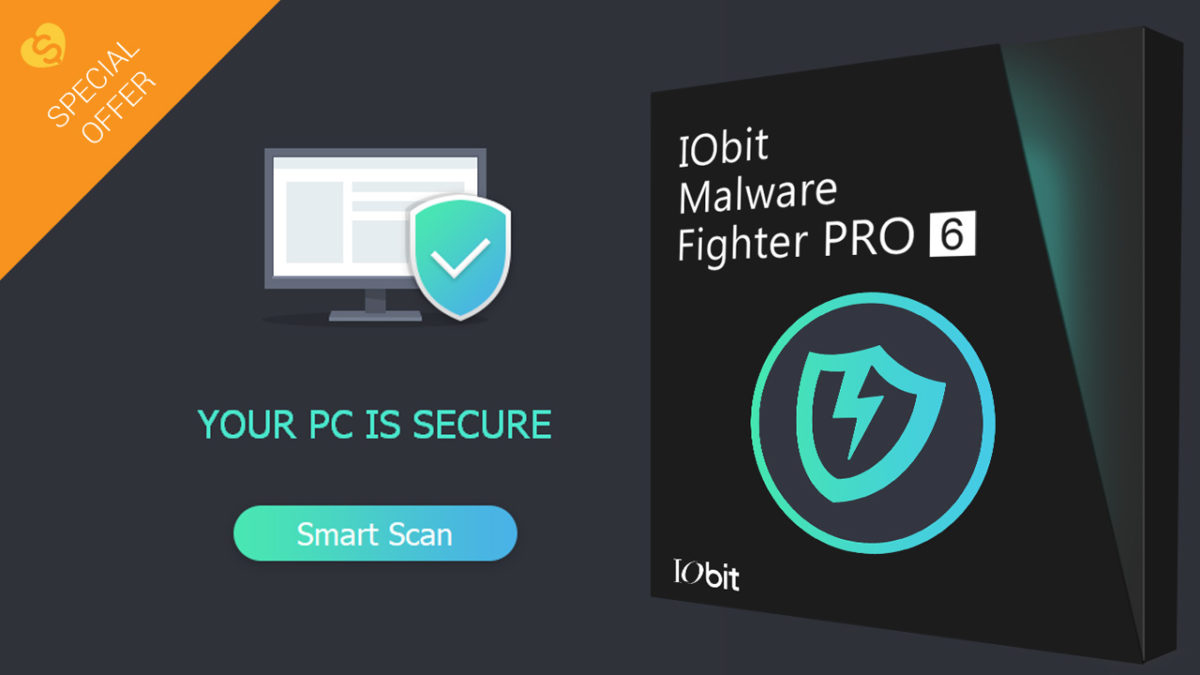
Malware and ransomware are big known threats if you regularly browse on your PC. The best way to prevent them is to install a good anti-malware program on your computer, which will protect you against all these viruses. IObit Malware Fighter, which is now releasing version 6, is a great option if you’re looking for real-time protection for your PC.
Using minimal resources (it works on all PCs with Windows XP and higher, up to Windows 10), IObit Malware Fighter offers total protection for your PC and can remove threats of all kinds: spyware, adware, ransomware, trojans, keyloggers, bots, worms, viruses, etc.
Also, it includes systems to protect you while browsing and prevents, for example, somebody from spying on you through your webcam.
What does the new version of IObit Malware Fighter come with?
These are the new features of IObit Malware Fighter:
New “Safe Box” to protect specific folders from unauthorized access.
New “MBR Guard” that protects your PC from malicious attacks such as GoldenEye/Petya.
New filter to prevent cryptocurrency mining and an ad blocker to stop cryptocurrency mining scripts, which cause crashes and slowdowns on your PC.
New notification center.
New interface that offers a better user experience.
In addition, IObit Malware Fighter has enhanced the following features:
Expanded malware and virus database.
Optimized driver for quicker scanning, better detection and more effective removal.
Enhanced cloud database.
Upgraded “Fix All” mode to perform one-click quick scans.
Up to 32 languages.
Do you want to get IObit Malware Fighter 6 already? At Softonic, we’re bringing you an exclusive free download of the program, 24 hours before its official release. If you want to protect your PC from malware and other threats, don’t hesitate and download the program now in the box below.
Google recently held the Google I/O 2018, the search giant’s annual developer event to present the present what lies ahead for the company. In this year’s edition, they talked about the most famous Google apps, Android P, and new projects that are underway. Let’s have a closer look at some of the more significant announcements that have come from the conference.
1. AI for good causes
Google has been working with artificial intelligence for years, and with this Google I/O they wanted to show that it can be used for everything from everyday tasks to health.
They showed technologies that will detect diseases and how it will be possible for Google’s keyboard, Gboard, to understand Morse code based on predictions, which will allow people with reduced mobility to communicate. This is the case of Tania, a disabled woman with whom this technology was tested with great success:
Also, Google presented improvements in AI for much simpler tasks. Machine learning will make Gmail much smarter, saving us writing time as autocomplete will be able to suggest whole sentences.
2. Google Photos, even better
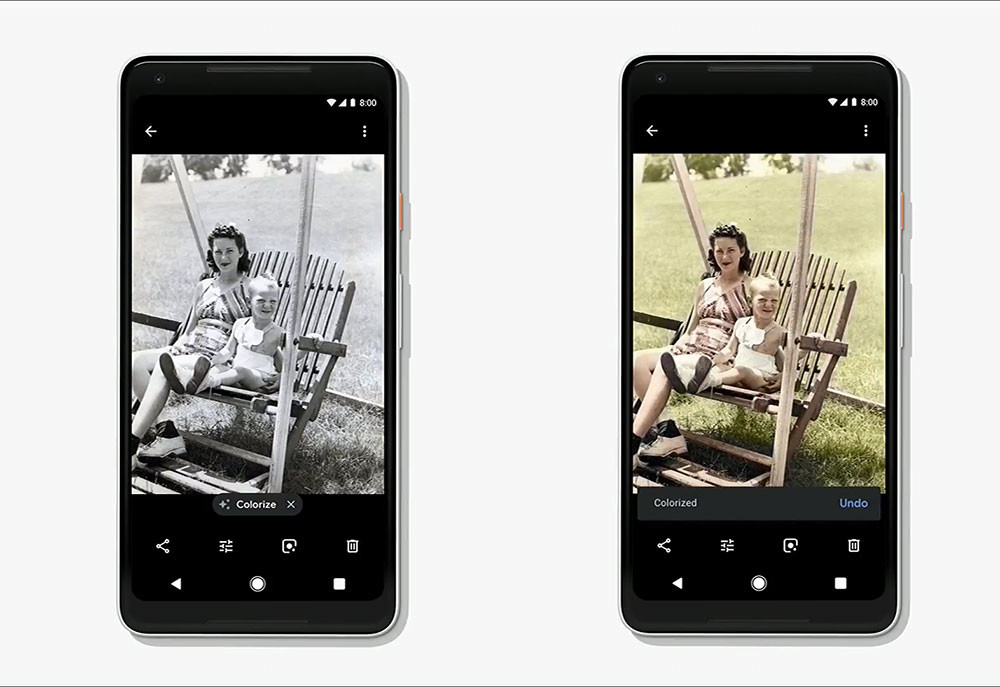
An app that will benefit a lot from improvements in artificial intelligence is Google Photos. Google estimates that in about two months, it’ll add an option that will enable you to add color to black and white photos, as we see in the example below.
It will also add another interesting feature: it will be able to analyze each photo that we keep in the app and automatically create the best version out of all of them.
3. Google Assistant learns how to talk on the phone
Google Assistant is learning skills so quickly, it’ll feel like something from a creepy sci-fi movie. Assistant will soon be able to call restaurants, hairdressers, and other services to make reservations for us. Google is confident that Assistant will sound so natural that the person on the telephone line won’t notice that they’re talking to a machine.
Google Assistant will also improve in conversations with its users, meaning we won’t have to keep repeating, again and again, the famous “OK Google.”
In addition, the English version of Assistant will get six new voices, including that of the singer John Legend. Other languages will have to wait and see.
4. Android will give us more control over how much time we spend on our phones
Android phones will have a control panel that will tell us how much time we spend on our phone, what we spend it on, and even recommend that we take breaks. (Don’t tell me how to live,
There are already third-party apps for this, but now Google wants to add it organically to your operating system.
5. Google News will keep you up to date
Google News will be completely revamped to make it easier to access reliable information. With this new app, Google will fight against fake news and offer users a large number of options to keep up to date without the risk of falling victim to hoaxes.
It will be straightforward to subscribe to news outlets, read the most reliable sources, and learn about the context of the news story you’re reading.
Google News will replace Google Play Newsstand and Google News & Weather apps.
6. Android P: battery, gestures, and other news
Andoid P will have what they have called Adaptive Battery, which will control how we use our mobile and optimize battery use.
It will also have adjustable brightness: the phone will learn how to adapt the automatic brightness for every task we do.
In addition, it has been confirmed that Android P will have gestures.
7. Google Lens, not just for Pixels
Google Lens, Google’s smart camera app, will now be available on more phones. For now, they have confirmed LG, Motorola, Xiaomi, Sony, Nokia, OnePlus, BQ, Asus, TCL and Transsion Holdings.
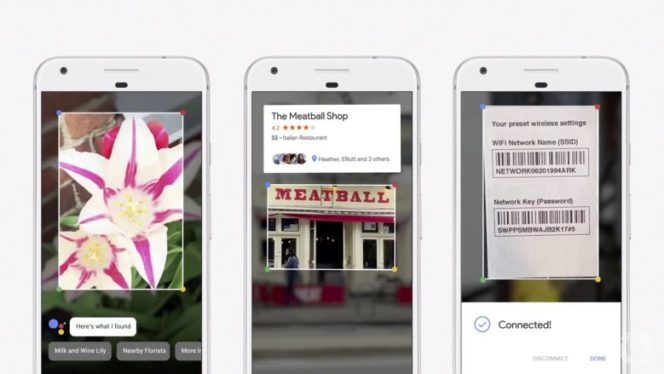
Also, Lens will stop being in Google Photos and will integrate into camera apps, something that makes all the sense in the world. It will also add new options: it will recognize texts, brands, styles, and much more.
8. The Maps of the future
Maps will also take advantage of artificial intelligence, giving better advice about places around us. Besides, it will add new forms of transportation, such as the motorcycle, and will improve the integration with the real world using the camera.
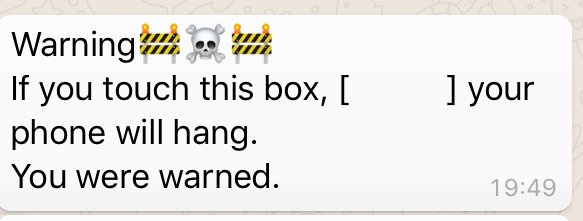
If you touch the black circle, WhatsApp will crash. Don’t Touch Here
In effect, touching the picture blocks your WhatsApp and you will have to restart the app. What happens? Is it a virus that infects your mobile forever and ever? Does it summon Thanos and his Infinity Gauntlet to eradicate life on Earth? Not exactly.
The image in question hides thousands of characters (visible if you convert the image to .txt format).
There are so many characters that WhatsApp can’t process them all, which causes the app to shut down. If you fall into this trap don’t worry, all you’ll have to do is restart the app.
Thanos, famous for taking on the Avengers in their latest movie, Infinity War, is now also stomping faces in Fornite. Since May 8, you have been able to transform into the Marvel Universe’s biggest badass, but you’ll only be able to do so for a few days.
To fight as Thanos in Fortnite: Battle Royale, you must scour the island in search of a special object: the Infinity Gauntlet (an immensely powerful weapon from Infinity War). If you find it, you can transform your character into the Marvel villain and use of some of his powers, as shown in the video below:
Bear in mind that as the glove has six infinity stones, it is very possible that it’ll give the wearer some advantages when it comes to fighting and surviving in Fortnite.
People are already having a lot of fun with Thanos in Fortnite, especially his new dancing abilities.
Netflix is the world’s largest online video store. But just because you have it/use it/love it, doesn’t meant that you are getting the most out of it. Don’t worry, though; we have seven tricks to get all you can from your subscription.
Netflix is a video streaming application that allows you access to the service's huge library of movies and TV shows.
1. Find out what is worth watching from trusted movie goers
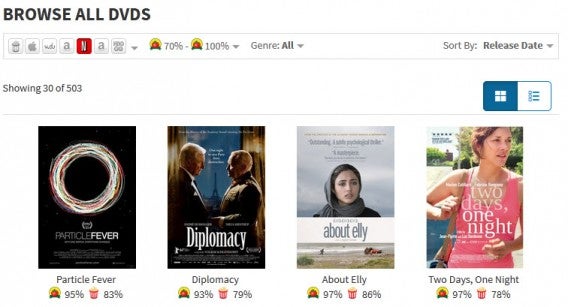
Any film fan knows that IMDB and Rotten Tomatoes are two of the best places to learn about movies. But did you know that you can use these services to search Netflix movies? IMDB has a list of the top 250 movies on the streaming service, while Rotten Tomatoes will let you browse Netflix’s huge library from its Movies & DVDs page.
2. Use the Netflix bible to find what you are interested in
If you have a clearer idea about what you want to watch, you can search directly from Netflix. The problem is sometimes the search can be a bit difficult to navigate between categories. To save time, use this simple trick: copy this URL in your browser (http://www.netflix.com/WiAltGenre?agid=CODE) and replace “CODE” with the genre you want to explore.
Movies are divided by genre and sub-genre with larger categories – such as comedy – having as many as 20 subdivisions. That’s a lot, and the ability to distinguish between Teen Comedies and Romanic Comedies has saved me many hours of searching.
3. You’d prefer a surprise? Use Flix Roulette and be amazed
Can’t decide what to watch from Netflix’s huge library? Let Flix Roulette make the decision for you! Just add a few parameters for your search, and this handy app will find you something to enjoy.
For example, I can pick the name of an actor (let’s say Nicolas Cage) and a rating (from 4-5), and then give roulette a spin… apparently, I am about to spend my next two hours watching The Croods.
Netflix is available on many platforms, including Windows 10 (and most modern Windows machines) and Mac. If this is how you are accessing the service, here are the keyboard shortcuts you must know:
If the default subtitles do not suit the movie or series you are watching – or if you are simply struggling to read the text – then you do have the option to alter them. To change color, size, or font just access Your Account > Appearance Subtitles.
6. Save data on your mobile or tablet
Do you watch Netflix on the go with your phone, tablet, or laptop? If you find yourself constantly worrying about your data usage, go to Your Account > Playback settings > Data Usage per Screen and switch the streaming setting to low. This basic video quality is around 480p, which is fine for small screens, plus it only burns around 0.3GB per hour.
You can even go one better and download certain programs and series to your device while on wifi so that you won’t have to pay data charges at all.
7. Sign up to Netflix on social media
Facebook, Twitter, and other social networks are the best source of Netflix news and updates. Make sure you are signed up to make sure you never miss out.
What’s your preferred streaming service? Are you nuts over Netflix, Whoop Dee Doo for Hulu, or amazed by Amazon? Let us know in the comments.
Call of Duty: Black Ops 4, coming out in October 2018, could be a first for the franchise: it’s possible it will be the only CoD without a Campaign Mode. Why? Because it has to keep up with the times.
Several sources have assured that Black Ops 4 will forego Campaign Mode for a very trendy mode these days: Battle Royale. This mode is used by two of today’s most famous games: PlayersUnknown’s Battlegrounds and Fortnite.
In reality, Campaign Mode, the classic CoD mode, has been losing traction in recent editions: users finish the game quickly and mainly play using multiplayer and zombie modes.
Another rumor involves who will be in charge of the new Battle Royale mode for Call of Duty: Black Ops 4. The name being thrown around is Raven Software, which has been developing additional CoD games since 2010. They’re also responsible for a handful of franchise games such as Star Wars, X-Men, and Star Trek.
Though a Battle Royale mode for the Call of Duty franchise was only a matter of time, nobody expected it so soon.
What does Activision have to say about all this? Well, nothing for now. Maybe they’ll wait until May 17, the date chosen by the company to officially reveal the game and show off its first details.
Do you think CoD: Black Ops 4 will come with a Battle Royale mode? What other features should the new game come with? Let us know in the comments below.
Forget Fortnite: Check out the 10 best free to play games ever
When we shop online, most of us assume everything will be safe and easy. Butonline shopping can be risky. Want to dodge danger? Follow these simple tips.
How to shop online safely
1. Always keep your PC protected
A PC free of viruses and threats is a closed door to any hacking attempt (for example, a malware that hijacks your computer). We recommend that you have the highest security measures on your operating system or that you install an antivirus.
These days, many unreliable websites will try to lure you with fake offers and zero guarantees. To know if a website is trustworthy, the first tip is to check the URL: does it start with https? Great! You’re good to go. If it starts with http, get out. This means that its security protocol is weak or nonexistent.
Other tips to check if a website is trustworthy: look to see if its customer service is visible and accessible. In general, if the website has good spelling and layout: shady websites usually don’t have reliable online stores.
3. Be careful with crazy bargains
No, nobody is going to sell you a $200 brand-name pair of shoes for $20. A good deal is one thing, but you should keep an eye out for an unrealistic bargain that hides low-quality fakes or even products that never arrive. Don’t trust pages with extravagant bargains, they’re likely to be unreliable.
4. Control your personal data
It’s normal for an online store to ask for certain info to place an order, such as your address and ID/Passport. Make sure that this info doesn’t end up in the wrong hands by reading the privacy policy on the site about how data is used. Also, on many forms, they ask you if you want to release your data to third parties (usually for advertising purposes). If you don’t want to, uncheck this option.
5. Make sure your payments are secure
When paying, make sure that the website has a secure payment platform. Also, we recommend that you choose payment methods that are easier to claim if the item isn’t what you expected: so, it’s better to pay with Paypal or credit card than making a money transfer.
6. Always check how much money you’ve been charged
Once the payment is made, check your banking statement to see if you’ve been charged the correct amount and that no additional unspecified charges have been made. If this happens, the business is engaging in illegal activity and you should cancel your order as soon as possible and get in touch with your bank to make a complaint, if necessary (though in most cases, you won’t need to go to that extreme).
7. Watch out for phishing!
Phishing is when hackers send email messages and pose as other trusted senders, such as stores or banks. During Christmas campaigns, these emails are even more common, looking to lure clueless victims.
If you get an email with links that aren’t clear, don’t open it. What’s more: never open attached files that supposedly have been sent by online stores. This isn’t how they communicate: these messages are fraudulent and the attachments have viruses or other threats. Send them directly to your spam folder!











 8. The Maps of the future