Battle of the Browsers: Brave vs Google Chrome – Who Wins?

Find out which browser is better in our in-depth comparison of Brave vs Chrome: speed, performance, CPU and RAM usage, and battery life on different devices.

Choosing the right web browser can be complicated. Two of the top contenders for internet browsers are between Brave vs Chrome.

Many people use Google Chrome for their search queries and internet use by default, habit, convenience, or they have no idea about other options, which can also include Firefox and Safari.

In this article, we’ll explore Chrome vs Brave to help you decide which feature is most relevant to you so you can make an informed decision.

Brave vs Chrome: Quick Summary
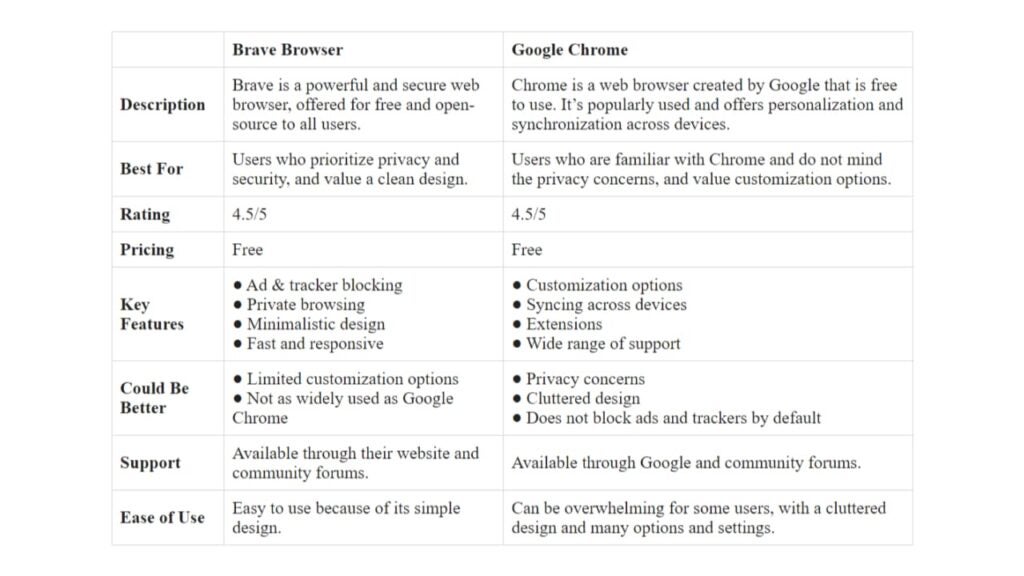
Brave VS Chrome

Brave and Google Chrome are both free, so below is a more detailed breakdown of these two browsers, so you have more options and avoid making a wrong choice.

Speed and Performance
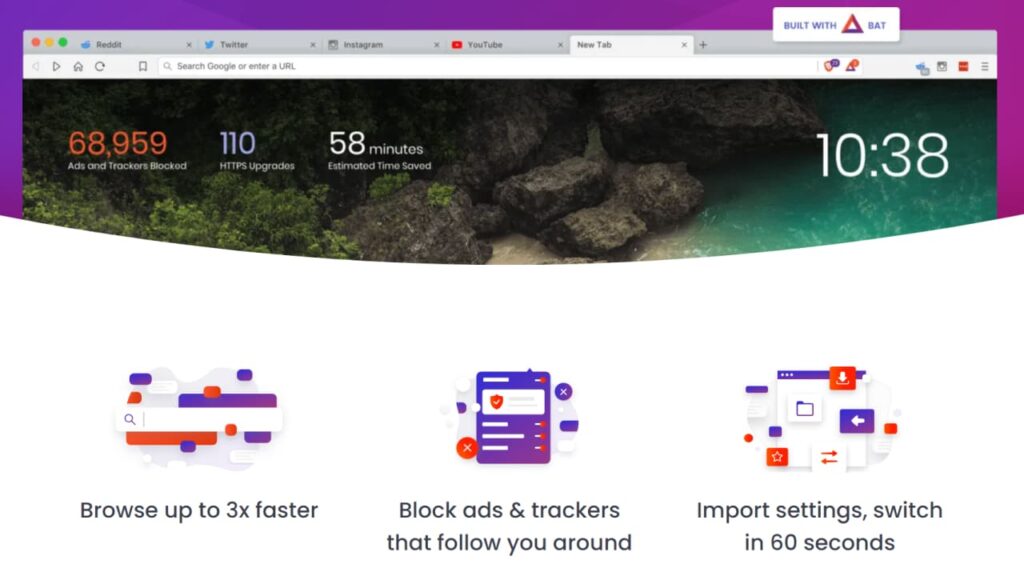
Faster Browser

Brave Browser

Brave browser is designed with speed in mind. According to tests conducted by Brave, it loads pages 3x to 6x faster than other browsers.

Its software architecture helps minimize the amount of data and processing power required to load web pages, resulting in faster load times.

It utilizes a specialized version of Chromium, with modifications to further optimize performance and efficiency. The browser makes use of advanced compression techniques and data caching strategies, which helps in reducing data usage and improving page load speeds, even on slow or unreliable network connections.

Another reason is Brave also provides protection against trackers. Many websites use trackers to collect data on their users, which can slow down the page load time and can compromise user privacy.

These features, combined with Brave’s efficient use of resources, result in a significantly faster and more efficient browsing experience compared to Chrome.

Google Chrome

Google Chrome is also known for its fast speed and performance. The reasons include:

  • Improved load times due to investment in optimizing browser experience and use of V8 JavaScript engine, which can process JavaScript code up to twice as fast as other browsers.
  • Prioritizes loading of important content (text, images, videos) first, ensuring quick and seamless browsing experience.
  • Use of hardware acceleration, which utilizes the user’s hardware (graphics card and CPU) to process web content, leading to smoother and faster browsing experience.

According to tests conducted by Cloudwards, Google Chrome is the fastest because of these reasons:

  1. Efficient use of resources, meaning it uses less memory and CPU power than other browsers.
  2. Streamlined design that prioritizes loading the most important content first, resulting in faster page load times.
  3. Its V8 JavaScript engine can process code twice as fast as other browsers.

These are extensions that can help speed up the browser even more:

  1. The Great Suspender. It helps increase Chrome’s speed by automatically suspending tabs that have been inactive for a specified amount of time. This helps reduce the amount of memory and CPU usage that Chrome is consuming, resulting in a faster and more responsive browser experience.
  2. Data Saver. It helps save data by compressing images and videos before they are loaded on a page. This reduces the amount of data that needs to be downloaded, which in turn leads to faster page load times and improved browsing performance.
  3. OneTab. It helps increase speed by organizing all of your tabs into one single list. When you activate the extension, it converts all of your open tabs into a list, freeing up memory and reducing the strain on your CPU. This results in a faster and more responsive browsing experience.
  4. AdBlock Plus. It blocks unwanted ads, banners, pop-ups, and trackers from appearing on the website you visit. This helps to improve the speed of the website as fewer resources are required to load, reducing the time it takes for pages to load and reducing data usage.

The verdict for speed and performance is clear: Google Chrome is the winner. It has a streamlined design, efficient use of resources, and powerful extensions that can help speed up your browsing experience.

Security and Privacy
Private Search

Brave and Chrome have their own set of features that addresses security and privacy.

Brave Browser

Brave is one of the most secure browsers available today because of these factors:

  • Prioritizes user security and privacy. Brave was created with the aim of addressing the growing concerns of internet users regarding online security and privacy. It offers a secure and private browsing experience without sacrificing speed and performance.
  • HTTPS everywhere. It uses HTTPS to automatically encrypt all website connections, providing enhanced protection against malicious websites and potential cyberattacks.
  • Tor mod. Brave offers a Tor mode, a feature that’s in beta, which allows users to browse the web anonymously and privately. This adds an extra layer of security as data is routed through multiple servers, making it much harder for anyone to track online activity.
  • Third-party cookie blocking. It allows users to block cookies, which are often used by advertisers and other companies to track online behavior. This helps to protect personal information and browsing habits from being collected and used for malicious purposes.
  • Blocks website scripts and cookies. This enhances the security of user data by preventing unauthorized access to sensitive information, such as browsing history, passwords, and personal details.
  • Crypto wallet support. Brave supports cryptocurrency wallets, allowing users to store, manage, and make transactions with their digital assets securely within the browser. This eliminates the need to use third-party services that may pose a security risk.
  • Open-source. As an open-source project, Brave’s code is transparent and publicly available for inspection and improvement. This can help increase security, as the community can identify or highlight any security vulnerabilities.
  • Basic Attention Token (BAT) rewards for viewing ads. The BAT reward system helps to incentivize users to view ads, which helps support content creators. This system also adds an additional layer of security, as it allows users to transact and receive payments in a secure and decentralized manner, without relying on intermediaries.

Google Chrome

Google Chrome is fast, reliable, and secure, making it an ideal choice for many users.

One of the main concerns with Chrome is that it collects user data, such as browsing history, location, and search queries, and shares this information with Google for targeted advertising and other purposes.

To address security and privacy concerns, Chrome offers these features:

  • Protection against phishing scams and malicious websites. It provides features such as secure browsing through HTTPS, which encrypts the data transmitted between your device and the website you’re accessing.
  • Regular security updates. It’s regularly updated to address new security threats and vulnerabilities that emerge. This helps to keep users protected against evolving online risks, such as malware and viruses.

Additional Security and Privacy Factors to Consider When Using Chrome

  • Limitations of private browsing mode. While Chrome’s private browsing, also known as incognito mode, prevents the browser from saving your browsing history and data, it does not protect against other forms of online tracking, such as by internet service providers or website administrators.
  • Corporate interests. Google, the corporation behind Chrome, has its own interests and goals, which may not align with the privacy concerns of its users. Chrome’s privacy policy may allow for the collection of significant amounts of personal data through the browser, which some users may find uncomfortable.

For those who prioritize security and privacy, Brave is the clear winner. Brave is designed with these concerns in mind and offers a more robust protection against online risks.

Performance on Different Devices
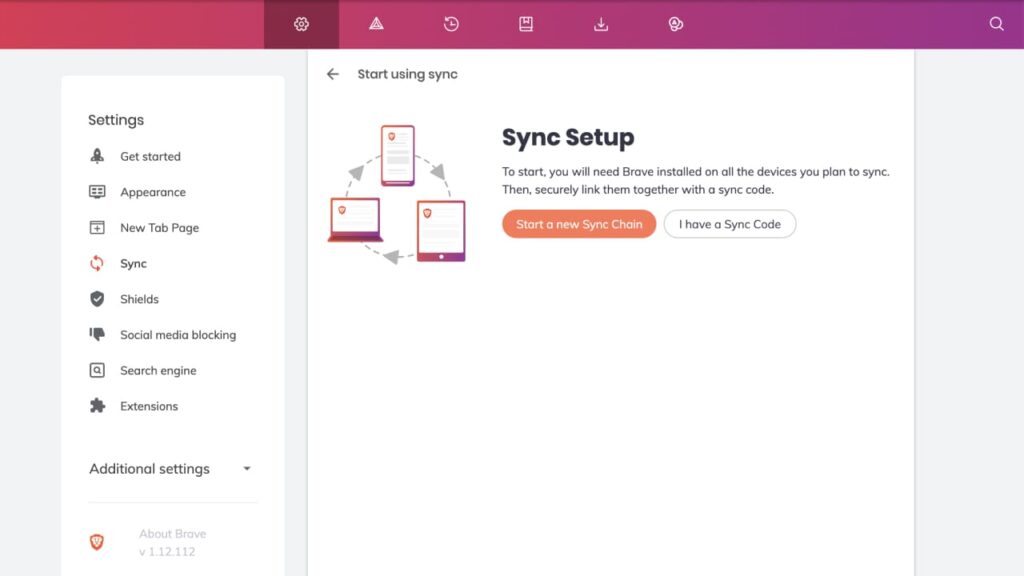
Sync

Both Brave and Google Chrome can be utilized on a number of platforms, such as Windows PC desktops, Mac laptops, Android devices, and iOS smartphones and watches.

A question that’s often asked is, “Does Brave use less RAM than Chrome?” To answer this question, we need to look at the performance of each browser on different devices.

Brave Browser

Brave’s performance varies depending on the device it is used on. Here’s a breakdown of its performance on different devices:

  • Desktops: It performs well on desktops, with fast load times and smooth browsing experiences. This is because desktops typically have more powerful hardware compared to mobile devices.
  • Laptops: It performs similarly to desktops, with fast load times and smooth browsing experiences. Laptops also have more powerful hardware compared to mobile devices, which contributes to its good performance.
  • Tablets: It also performs well on tablets, with fast load times and smooth browsing experiences. However, performance may vary depending on the specifications of the tablet being used.
  • Mobile phones: It performs well on mobile phones, but may experience some slowdown or lag compared to its performance on desktops and laptops. This is because mobile phones typically have less powerful hardware compared to these devices.

It’s worth noting that Brave’s performance may also depend on the version of the device’s operating system, available RAM, and the number of tabs and extensions being used.

Unique Features
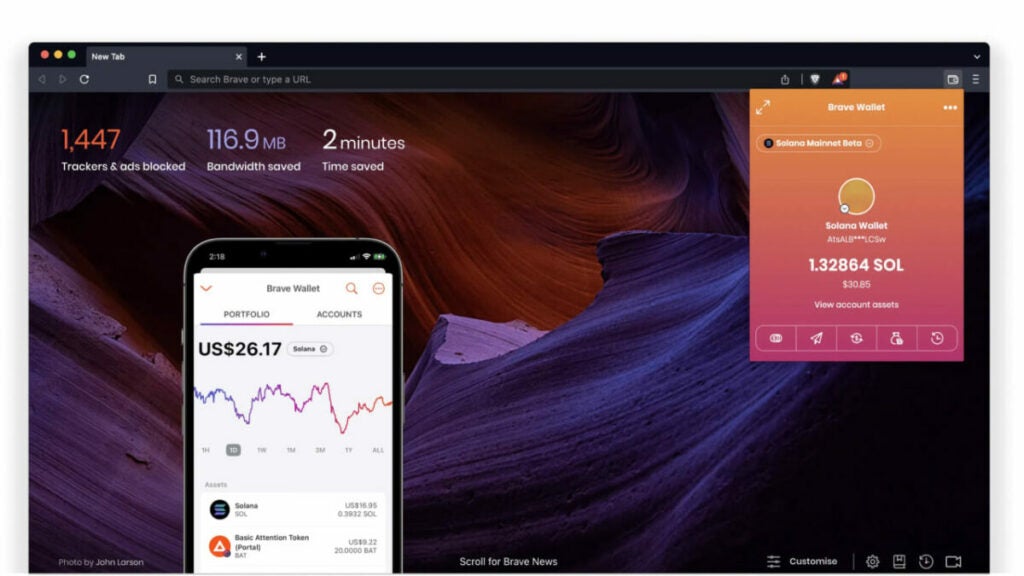
Cryptocurrency Wallet

Brave also has a built-in cryptocurrency wallet, which allows you to earn and spend Basic Attention Tokens (BAT), a cryptocurrency that rewards you for your attention to ads.

This built-in cryptocurrency wallet in Brave is related to performance on different devices in several ways.

  1. Having a cryptocurrency wallet integrated within the browser offers an additional layer of convenience and accessibility for users, as they can manage their digital assets directly within the browser without having to switch to another platform. This can improve the overall user experience, especially for those who actively participate in the cryptocurrency economy.
  2. The use of blockchain technology to manage transactions within the wallet can impact the processing power required by the browser, and therefore affect its performance on devices with lower specifications. However, Brave has been designed to optimize the use of resources and minimize the impact on performance, making it suitable for use on a wide range of devices.
  3. It allows for a more efficient use of processing power. By allowing users to earn and spend Basic Attention Tokens (BAT), Brave incentivizes users to pay attention to advertisements, which in turn reduces the amount of unwanted or irrelevant ads that are displayed. This reduction of unwanted content can help to improve the performance of the browser on different devices, as less processing power is required to display and render the content.

In summary, Brave performs well across different devices, offering fast and smooth browsing experiences.

Google Chrome

Chrome can also be accessed on different devices.

  • Desktops: It offers a smooth and fast browsing experience. Its features and extensions work seamlessly. With a fast and powerful processor and adequate RAM, Chrome can handle multiple tabs and processes with ease, making it ideal for desktops.
  • Laptops: It performs similarly on laptops as it does on desktops. It provides fast and efficient browsing, and its interface is well optimized for laptop use.
  • Tablets: It provides a similar browsing experience as on desktops and laptops. The interface is optimized for touch screens, providing a user-friendly and convenient experience. However, on older or lower-specification tablets, users may experience slower performance and longer load times.
  • Mobile phones: It provides a fast and smooth browsing experience on mobile phones.The interface is optimized for smaller screens, with features like automatic text-wrapping and pinch-to-zoom functionality. Chrome’s extensive feature set is also available on mobile, including Incognito mode, synchronizing tabs and bookmarks across devices, and a large library of extensions.

Google Chrome provides a fast and efficient browsing experience on all devices. However, performance may vary based on the device’s specifications and hardware.

In summary, the performance of Brave and Chrome on different devices can vary depending on various factors, such as device specifications and network conditions.

On desktops and laptops, both Brave and Chrome offer smooth and fast browsing experiences with no major differences in performance.

On mobile phones, both browsers perform well, but Chrome may be more suited for devices with higher specifications due to its resource-intensive nature. Brave, on the other hand, is designed to be more efficient and can perform well on lower-end devices.

On tablets, both browsers perform well on high-end tablets, but Chrome may have a slight edge in terms of performance due to its resource-intensive nature. On lower-end tablets, Brave may perform better due to its more efficient design.

Both Brave and Chrome offer solid performance on different devices, with no major differences in performance. The choice between the two browsers may depend on other factors, such as security, privacy, and the user’s personal preferences.

Battery life
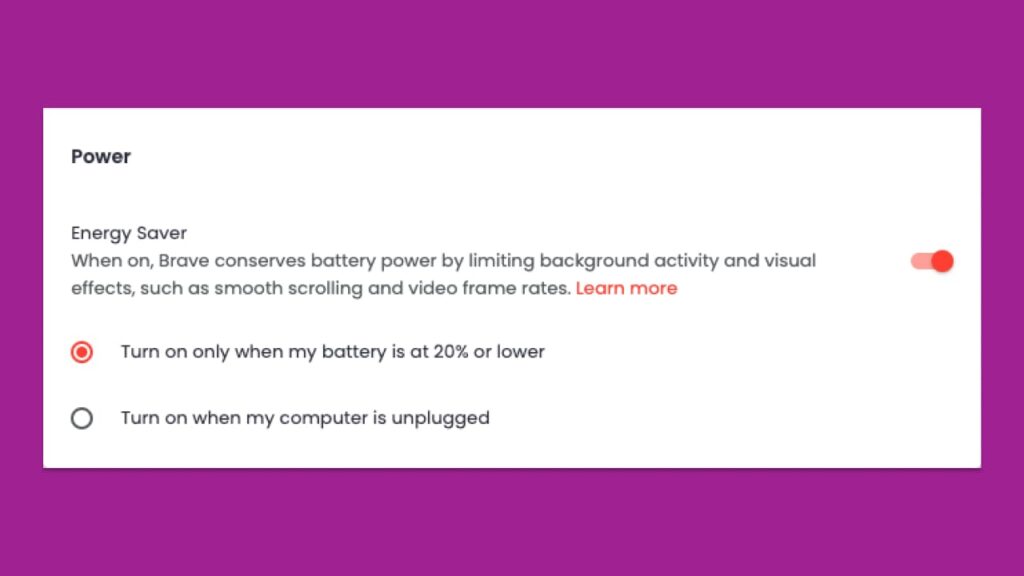
Energy Saver

Here is a summary of the difference between the battery life of the two browsers.

Brave Browser

According to Brave, mobile users can expect up to two and a half extra hours of browsing per battery charge.

The factors that help improve Brave’s battery life include:

  • Efficient use of resources. It’s designed to minimize resource usage, which translates to better battery life performance. This is because the browser is optimized to use fewer system resources, such as CPU, RAM, and battery.
  • Battery saver mode. It offers a battery saver mode that reduces the battery consumption of the browser by limiting resource usage, such as by disabling background tabs. This feature is a convenient way for users to extend their battery life when needed.
  • Hardware acceleration. It uses hardware acceleration to perform certain tasks more efficiently, which helps to conserve battery life. This feature takes advantage of the underlying hardware in a device, such as the GPU, to perform tasks that would otherwise require more CPU power and battery.

Google Chrome

Studies have shown that using Google Chrome can consume more battery compared to other browsers. For example, a test conducted by PCWorld compared the battery life of several popular browsers, including Google Chrome, Microsoft Edge, and Mozilla Firefox.

Features Chrome uses to improve battery life include:

  • Efficient resource management. It’s designed to be efficient with device resources, using minimal processing power and memory to help extend battery life.
  • Background tabs management. It has the ability to limit the activity of background tabs, reducing their impact on battery life. This means that, even if you have multiple tabs open, they won’t consume significant battery power.
  • Power management API. This enables Chrome to adjust its resource usage depending on the device’s power source, reducing power consumption when running on battery power.
  • Hardware acceleration. It uses hardware acceleration to offload some processing tasks from the CPU to the GPU, reducing the burden on the CPU and extending battery life.

In summary, Brave has key features that suggest it offers a longer battery life on most devices, which includes fast page loading speeds, ad and tracker blocking, and customizable settings.

Design of Browsers: How it Impacts Performance and User Experience
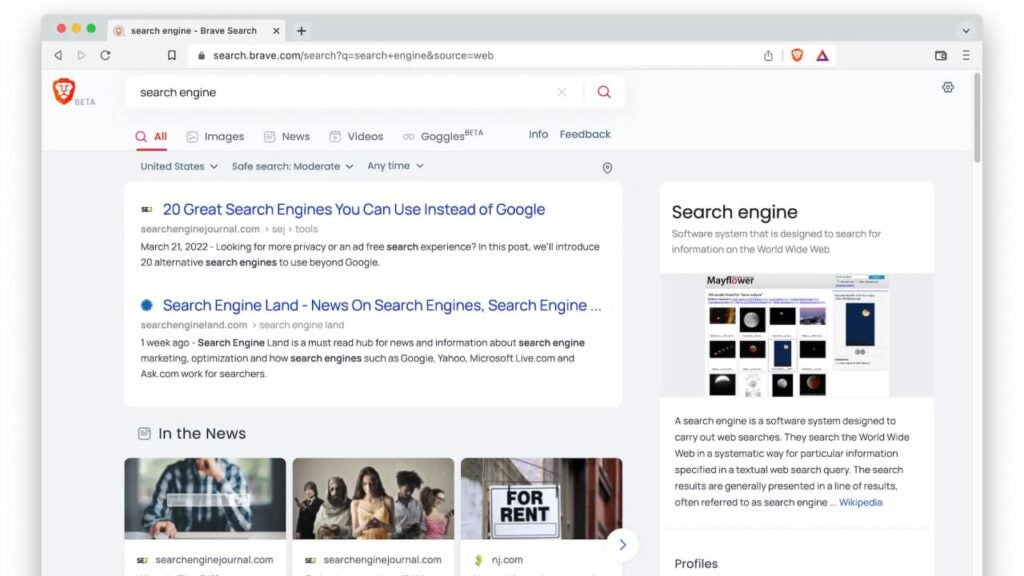
Brave Design

When comparing the design and user interface between Chrome vs Brave, both have a clean and intuitive design.

Brave Browser

These design features have a significant impact on both performance and user experience:

  • Prioritizing simplicity and efficiency. This has several benefits. Firstly, it’s easier for users to navigate and find what they’re looking for, which can lead to a more efficient browsing experience. Secondly, a simpler design reduces the risk of clutter and confusion, which can lead to improved performance, as the browser has less to process and can allocate more resources to the tasks that matter.
  • Minimalist interface. This helps users focus on the content they’re looking at, rather than the browser itself. This can help reduce distractions and improve the overall user experience. A minimalist interface can also help to reduce the amount of memory and processing power the browser requires, leading to improved performance and battery life.
  • UI customization options. Users have the ability to personalize their browsing experience, making it easier to navigate and interact with the browser, thus providing a better user experience.

Google Chrome

Chrome also has design features that affect performance and user experience:

  • User-friendly interface. It features a neat interface that makes navigation and accessing features easy. This enhances the user experience as users can quickly find what they need and carry out tasks efficiently.
  • Tab management. This is designed to allow users to easily open and switch between multiple tabs. This allows for a more organized and efficient browsing experience, as users can quickly access the tabs they need without having to search for them.
  • Customization. Chrome offers a variety of customization options, including themes and extensions, that allow users to personalize their browsing experience. This can impact performance and user experience as users can tailor the browser to suit their specific needs and preferences.
  • Automatic updates. It’s designed to automatically update to the latest version, ensuring that users have access to the latest features and security updates. This can improve performance and user experience by fixing bugs and adding new features, as well as ensuring that the browser is secure. Users also have the option to turn off this feature.

In summary, since Brave has a more simple design and user-friendly interface, it’s ideal for users who don’t need a lot of customization options, which makes it the better choice.

Why Should I Use Brave Over Chrome?
Brave

Ultimately, when deciding which browser is better comes down to personal preference.

Brave and Chrome both have their advantages and disadvantages, so it’s important to consider your individual needs when making a decision.

Brave is a great choice for those who value privacy and want to take control of their experience. With its built-in ad blocker, open source and better privacy feature, and cryptocurrency wallet, Brave offers users more control over their data and online activity. It also has a lightweight design that helps conserve battery life.

Google Chrome is an excellent choice for those who are concerned whether it’s open source or not and prioritize speed over any other feature. With its improved hardware acceleration, it allows the browser to take advantage of the computer’s graphics processing unit (GPU) to perform complex tasks, such as rendering graphics and animations.

By leveraging hardware acceleration, Google Chrome can offload some of the processing tasks from the central processing unit (CPU) and provide a smoother and faster browsing experience.

It also has a large library of extensions available in the Chrome Web Store.

Is Brave More Private Than Chrome?
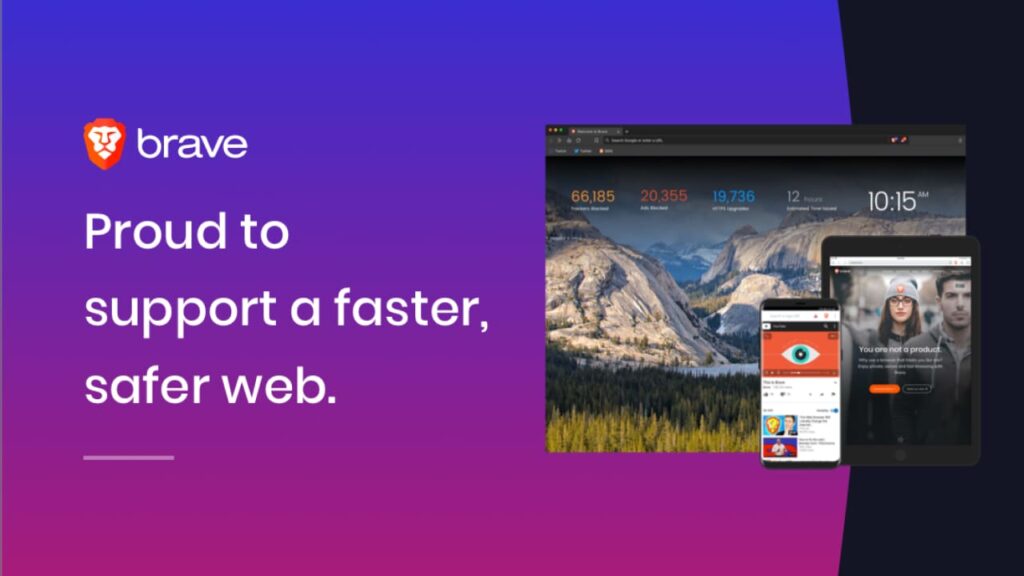
Safer Web

When it comes to privacy, Brave is the clear winner. Brave has a built-in ad blocker and privacy features that make it easier for users to control their browsing experience.

It also has a search engine called Brave Search, which is a privacy-focused search engine that doesn’t track users’ data or history.

Google Chrome does have some privacy features, such as Incognito Mode and Do Not Track, but these are not as comprehensive as those offered by Brave.

Chrome’s hardware acceleration can be used to track user activity, making it less secure than Brave.

Is There a Better Alternative?

There are several up-and-coming browsers that deserve your attention. Here are four alternatives to Brave and Chrome that are worth checking out:

Tempest
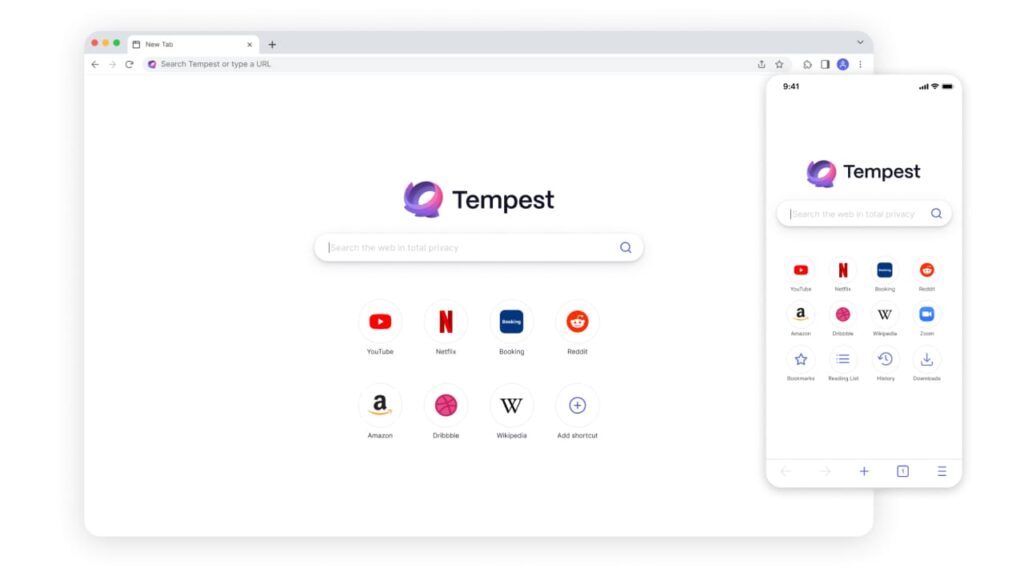
  • Blocks trackers and ads by default.
  • Offers a unique blacklist feature that allows users to block specific websites from tracking them.
  • Intuitive and easy-to-use interface.
  • Fast and responsive browsing experience.

Tempest DOWNLOAD FREE
10

Mozilla Firefox

  • Open-source, community-driven browser.
  • Highly customizable with numerous add-ons and extensions.
  • Robust privacy protections with enhanced tracking protection and strict cookie policies.
  • Emphasis on user control and ownership of data.

Vivaldi
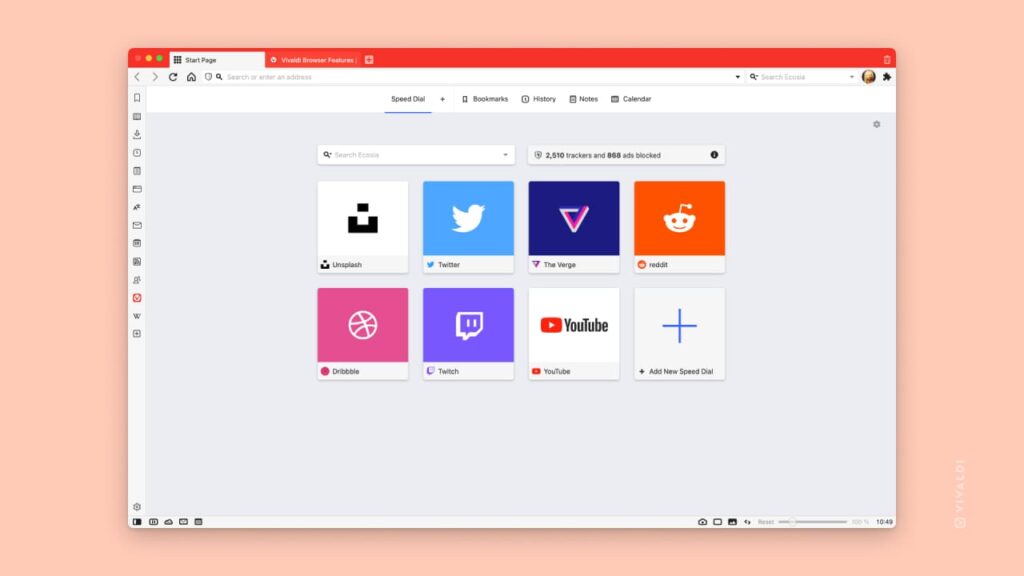
Vivaldi
  • Flexible interface with many customization options.
  • Advanced tab management features.
  • Built-in tools for taking notes, screenshots, and monitoring the weather.
  • Strong privacy and security features, including ad-blocking and fingerprinting protection.

Microsoft Edge

  • Developed with an emphasis on speed and performance.
  • Offers seamless integration with Windows 10 and other Microsoft services.
  • Industry-leading privacy controls, including tracking prevention and private browsing.
  • Built-in immersive reader mode for distraction-free online reading.

While Brave and Chrome are popular browsers, with strong privacy and security protections, they’re not the only options available. By exploring alternatives like Tempest, Firefox, Vivaldi, and Edge, you can find a browser that’s tailored to your specific needs and preferences. Whether you prioritize customization, performance, or niche features, there’s a browser out there that has you covered.

Summary

In the age of big data and targeted advertising, finding a browser that respects your privacy and security is more critical than ever.

While Brave and Chrome are two of the most popular options on the market, there are several alternatives that offer unique benefits for users.

From the sleek and customizable Vivaldi to the community-driven Firefox, each of these browsers provides a different experience that prioritizes user control and protection.

By exploring the variety of options available, you can find a browser that aligns with your values and needs.

Ultimately, the browser you choose will determine the level of control and security you have over your online activity, so make sure to choose wisely.


Tweet Fakery 101: Learn How to Create Hilarious Fake Tweets to Prank Your Friends

Do you want to prank your Twitter friends but don't know how? With these 5 free tools you can create fake tweets in a matter of seconds.

Social networks have become our window to the outside world. Any thought, photograph or news spreads like wildfire on the wings of Twitter‘s famous blue bird. However, not everything we see on social networks is real and we are sure that on more than one occasion you have come across some fake news. As Terry Pratchett once said, “A lie can go around the world before the truth has time to get its boots on”. That is why it is the favorite way to play pranks as in the classic April’s Fools.

If you’ve ever wanted to surprise and make your colleagues laugh through social networks, you’ve come to the right place. In today’s article we are going to show you how to create fake tweets to prank your friends. How? Very simple, thanks to our selection of free tools to create funny posts on Twitter. Here we go!

Twitter DOWNLOAD
9

TweetGen

We start our selection with Tweetgen, a free online tool with which in a matter of seconds you can create a fake tweet to surprise your friends. Its operation could not be simpler. Simply choose the type of image you want to create (you can choose between a tweet, a chain of replies, an account blocking image or an account suspension image) and start writing your great joke.

As we have already told you, one of the strong points of Tweetgen is that it is a very easy to use tool. First choose whether you want your tweet to emulate the light or dark mode of the social network, as well as the font for the publication. Once selected, upload the image of the Twitter account you want to imitate, its name, Twitter address, message and type the date of the post. After that click on “Generate image” and you will have your fake tweet created, now all that’s left is to send the image to your friends!

As an example, we have created a tweet in which we dreamed that Shakira clearly regrets not having read our article earlier. We haven’t used her name or real account address as it’s simply a funny example to demonstrate the results of the application (we don’t want to get in trouble). Isn’t it convincing?

TWEETGEN OFFICIAL WEBSITE

Prank Me Not

As with the previous platform, Prank Me Not allows us to perform the same function, but with a special feature: we can also create fake private messages on Twitter, as well as Facebook chats and statuses on profile walls.

As soon as you enter the web page you will have seen that four categories appear: the first two for Facebook and the last two for Twitter. Choose the one you want and you will enter the editing menu. This is very similar to Tweetgen, although somewhat simpler. From it you can choose the image, name and address of the account to emulate as well as the message. Once you have selected the date of your post-broma, you will be able to see a preview image at the bottom of the screen and download it.

As you can see, the results are not as good as Tweetgen. The profile image appears square instead of round and, overall, it’s easier to tell that it’s a fake tweet. It’s still a great option for pranking your friends, especially if you’re also a Facebook user.

PRANK ME NOT OFFICIAL WEBSITE

Zeoob Fake Tweet Generator

We continue our selection with Zeoob Fake Tweet Generator, another online tool with which you can create fake tweets in the blink of an eye. This one is really complete and, unlike the previous tools, you will also be able to create fake publications for other networks such as Facebook, Snapchat, Instagram or TikTok.

As for its operation, Zeoob Fake Tweet Generator is not only very easy to use, but also incorporates many more customization options than the other tools. From it you can change the profile picture, its name, add images to the Tweet and even add the blue official account tick. You can also select the date of publication, the number of likes and retweets of your publication, so the result is really excellent.

Below you can see a new example of the results of Zeoob Fake Tweet Generator. As you will see, it is very difficult to distinguish from an official tweet, do you want to try it?

ZEOOB FAKE TWEET GENERATOR OFFICIAL WEBSITE

Tucktools

None of the above options convinced you? Try Tucktools Fake Tweet Generator an online tool with a minimalist interface but loaded with options to write the perfect tweet. For this you will only need a few minutes and a lot of sense of humor.

As we have already mentioned, Tucktools Fake Tweet Generator stands out for having a really simple interface. On the left side menu of the screen we will have all the options to customize our tweet while on the right side we will be able to preview it in real time. Among its options you can change the theme of the tweet, the name, user, message and time of publication as well as add the official account badge, likes, retweets and even the device from which the publication has been written.

Since we will be previewing our tweet at all times, we will ensure that it looks exactly as we want it to with little effort. Once finished, simply click on the “Generate tweet” button to save it to your PC in PNG format.

TUCKTOOLS FAKE TWEET GENERATOR OFFICIAL WEBSITE

GenerateStatus Fake Tweet Generator

Don’t let its generic name fool you. Fake Tweet Generator is an exceptional free tool to create fake tweets in a matter of seconds. Perhaps at first glance the page is not very attractive, but the results it offers are really surprising. The tweets it generates perfectly mimic those of the social network.

Fake Tweet Generator is divided into two columns. In the left one we can add the user image, name and Twitter account as well as the type of device from which the post has been made or if it is an official account. On the right we can add an image and specify the date of publication as well as the number of retweets and likes.

To guide you through the process, at the bottom of the screen you will have a preview of your spectacular tweet. If you like the result, click on the “Generate Image” button and you can share your image via URL, HTML code, BB or save it directly to your computer in PNG format.

GENERATESTATUS FAKE TWEET GENERATOR OFFICIAL WEBSITE

Surprise your friends with the funniest tweets

We hope this article has helped you create hilarious tweets to make your colleagues laugh. As you can see, it is very easy to create an image that looks like a real Twitter post, so think carefully about what to write before creating an image. Fake news can be a fun joke but they are also dangerous so don’t forget to use your common sense before creating any post.

And remember, if you liked what you read, don’t forget to share it with your friends on social networks, but really share it!

Solving the ‘Location Unavailable’ problem in Find My Device: Tips and tricks

Learn how to activate the location of your Android mobile and to solve the location problems of the service “Find my device” from Google.

There are few things as frustrating as losing or having your cell phone stolen. Fortunately, if you are an Android smartphone user you can find it in a few seconds thanks to its “Find my device” function. This is able to locate on a map the exact location of our mobile or tablet in addition to, to the misfortune of the thief, block and erase the device’s data. However, sometimes the Android Device Manager does not work as it should and gives the error message “Location not available”. Does that mean we have lost our phone? Of course not!

In today’s article we are going to show you how to fix the “Location Unavailable” failure of the “Find My Device” app or web version. The process is very simple and in a few minutes you will have your phone perfectly located again. Here we go!

What is Find My Device

First of all, let’s talk a little about the “Find my device” security feature that comes with all smartphones or tablets with Android operating system. This, thanks to the location system, allows you to find in a few seconds where your phone or tablet is remotely.
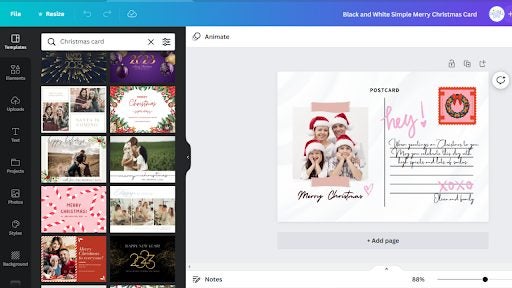
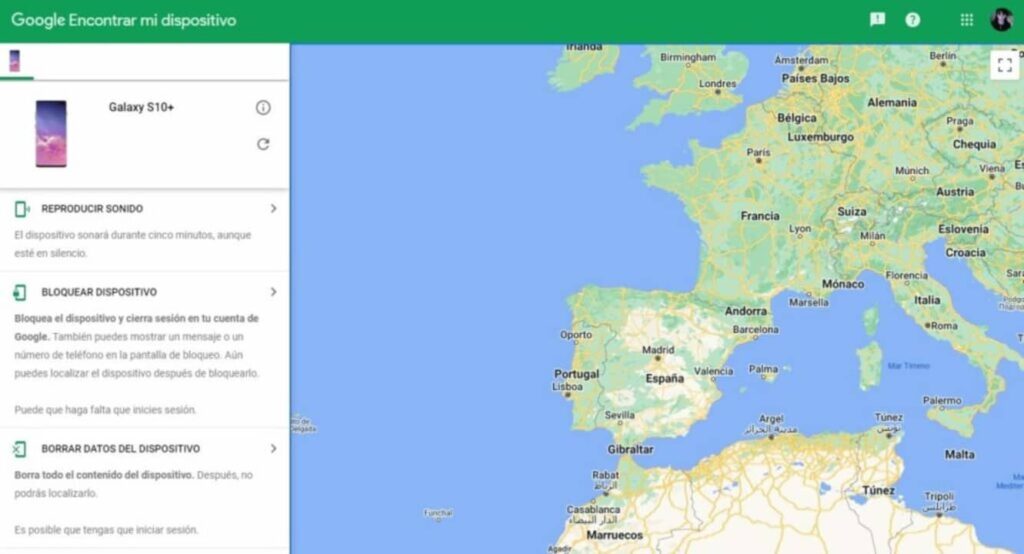
The operation of “Find my device” is very simple. Just by using its application or visiting its website we can locate on a map all the Android devices that we have linked to our Google account. But that’s not all, because in addition to locating them we can interact with them, resulting in an indispensable security tool in case of loss or someone has stolen our mobile.

Find My Device DOWNLOAD

What is Find My Device used for?

As we have already told you, “Find my device” is a Google security service that you can access both from its web version and from its Android application. Thanks to Find My Device you can locate any cell phone or tablet that you have linked to your Google account. That is, as long as you have the location enabled. But “Find my device” is much more than a service to locate a lost smartphone. You can interact with your devices remotely with a single click.

These are the main functions of “Find My Device”:

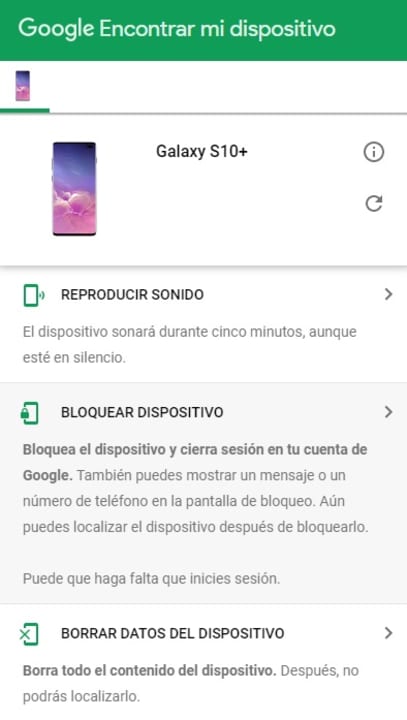
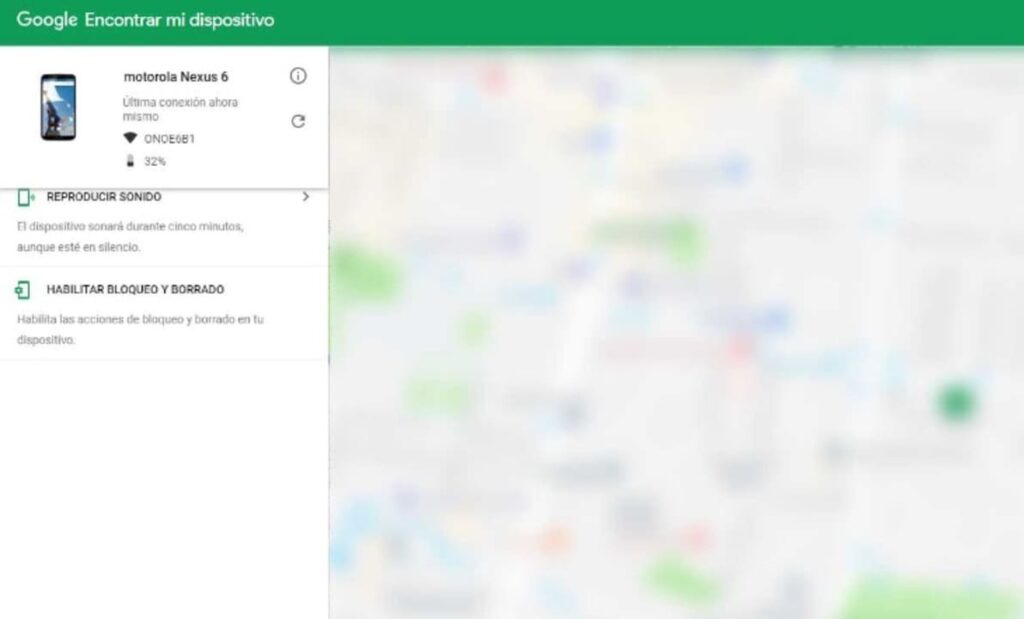
  • Locate your device– The location of your Android smartphone or tablet will be marked on a map.
  • Play sound– Your device will beep for five minutes even if it is on silent. This way you will be able to find it if you are not sure where you left it.
  • Lock device– Allows you to lock your phone and sign you out of your Google account. It also offers the option to display a message or phone number on the device screen. Ideal if you have lost your phone and want whoever finds it to be able to contact you. It is also perfect for locking your phone in case of theft.
  • Erase device data – Allows you to erase all the contents of your mobile or tablet remotely. This way, if someone has stolen you, they won’t have access to any of the files or data on your Android device.
Why can’t I find my device?

Although “Find My Device” is an excellent service, it can sometimes be buggy. That is why if you are unable to geolocate your smartphone or the message “Location not correct” appears, we recommend that you check if your device can be found by following these steps:

Step 1. Make sure you are signed in to your Google account
For “Find my device” to work properly you will need to log in to your Google account from your smartphone or tablet. To do this click on Settings (it’s the cogwheel icon), click on your profile picture and check if your account address is correct.

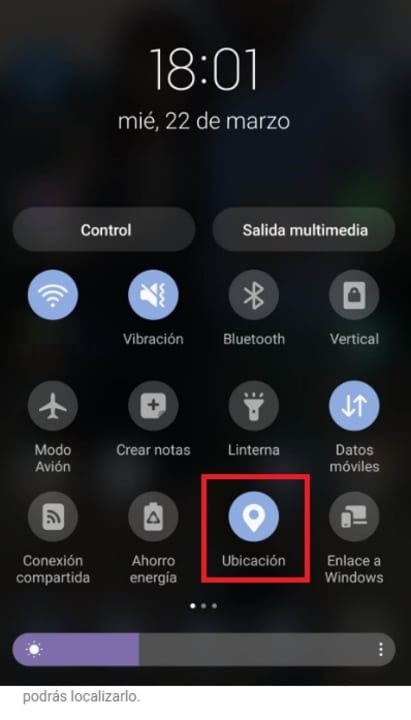
Step 2. Check that you have your location activated.

Now that you have linked your Google account, it’s time to check if you have your mobile or tablet’s location enabled. Without it, you will not be able to use the “Find my device” location.

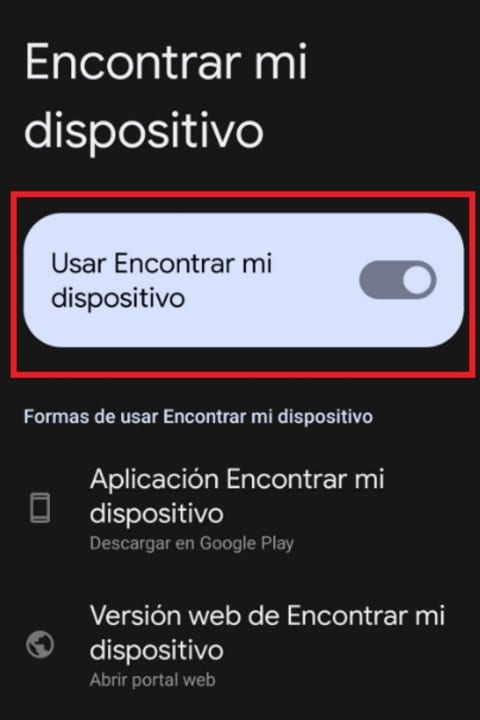
Step 3. Activate “Find my device”

It is very common that by mistake, we cannot locate our device because we have forgotten to activate this option. To do this, go into your cell phone settings and click on the “Security” option followed by “Find my device”. If you do not find it, try “Security and Location” or “Google” followed by “Security”. Once you have done this, check if you have the “Find my device” function activated.

Step 4. Make sure that the “Save most recent location” option is active

In order to provide you with the location of your cell phone even when you are offline, “Find my device” uses the last location of your cell phone. Make sure this option is active on your cell phone by clicking on “Settings” followed by “Security” and “Find my device”. If you cannot find the option, opt for “Security and Location” or “Google” followed by “Security”. After that, see if the “Save most recent location” option is active.

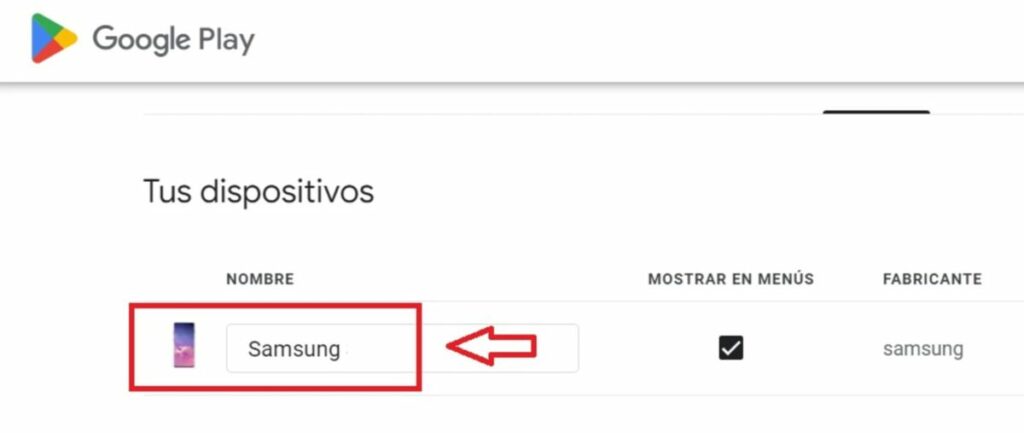
Step 5. Check if your device is visible on Google Play

Now that you have your locations active, check if your device is visible on Google Play. To do this simply open the following link and check if your smartphone or tablet is listed.

Step 6. Check the location of the device

As a final step, check if the location of your cell phone works. To do this, access “Find my device” from their website and see if it appears on the map. If you wish, you can also do this from their free and convenient application. You can download it safely and securely below.

Find My Device DOWNLOAD

I cannot activate the location of my device

Sometimes activating your phone’s location is not as simple or intuitive as it seems. This is especially true if we are using an older version of Android, where the various menus and options appear with names quite different from those used today. If you have trouble finding this option, don’t worry. Below these lines we show you how to do it.

How to enable localization on older Android devices

It is possible that you have an older version of Android and the device location is disabled by default. If this is the case, you just need to re-enable it. To do this, go to “Settings” -> “Location” -> “Google location reports”. Right there several accounts will come up, so choose yours and hit “Enable location reporting”.

When this is done, go back to “Settings”, click on “Google” -> “Security” and look at the “Enable find my device” category. As simple as activating it and restarting the smartphone. Remember to check through the geolocator if everything is correct.

How to enable location on new Android devices

If you have a more modern version of the operating system, all you have to do is go to “Settings” -> “Google” -> “Security” -> “Find my device”. Here the classic button will appear at the top, that is, you enable it and that’s it. It is quite faster and simpler than the previous process, as Google developers realized the importance of this option.

Easily find your Android phone

We hope this article has been helpful when it comes to using the “Find my device” function of Android. And remember, if you liked what you read… Why not share it with your friends via social networks?

How to Quickly Protect your Computer from Wifi Outside?

Get-togethers are fun, especially when you have loved ones visiting for the holidays. Unsurprisingly, you’ll do everything to keep them comfortable by providing them with a nice play to stay, food, and anything they might need. Providing guests with a Wi-Fi password is one of the most common gestures expected by a host.

While you won’t have any trouble sharing yours, you must keep your network protected, so your system and any device connected to it are safe. If you’re wondering how to protect your Wi-Fi networks from threats, here are a few tips that’ll come in handy.

  1. Changing the Default Name and Password

    protect wi-fi

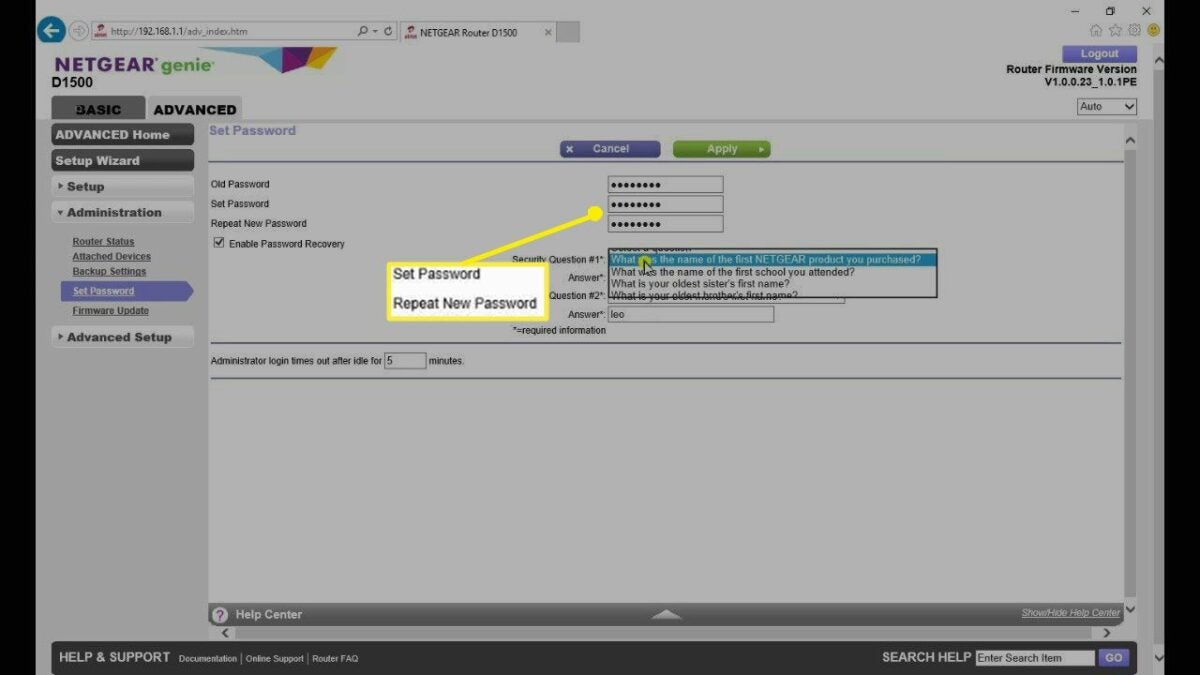
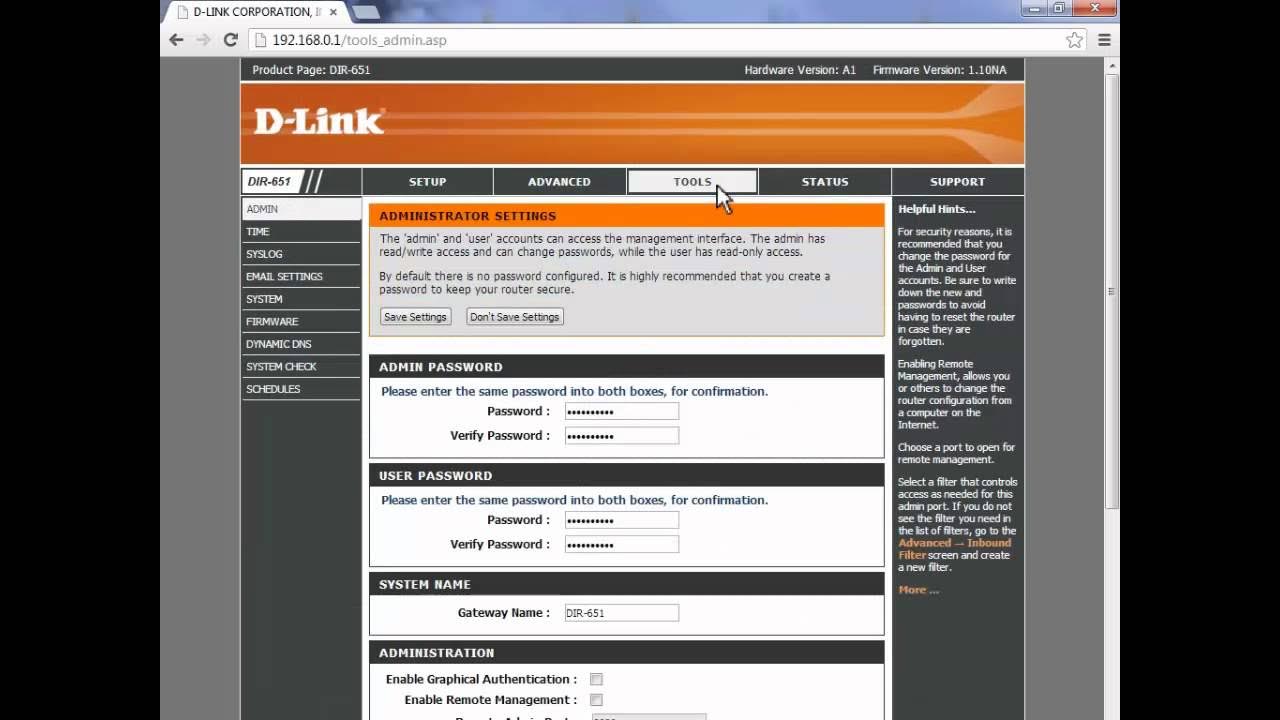
    One of the first things to do is change your network’s default name and password. The name is called the SSID, which stands for Service Set Identifier. This can be done by opening your windows command prompt. Type ipconfig and then press enter. This will give you the IP address for your system.

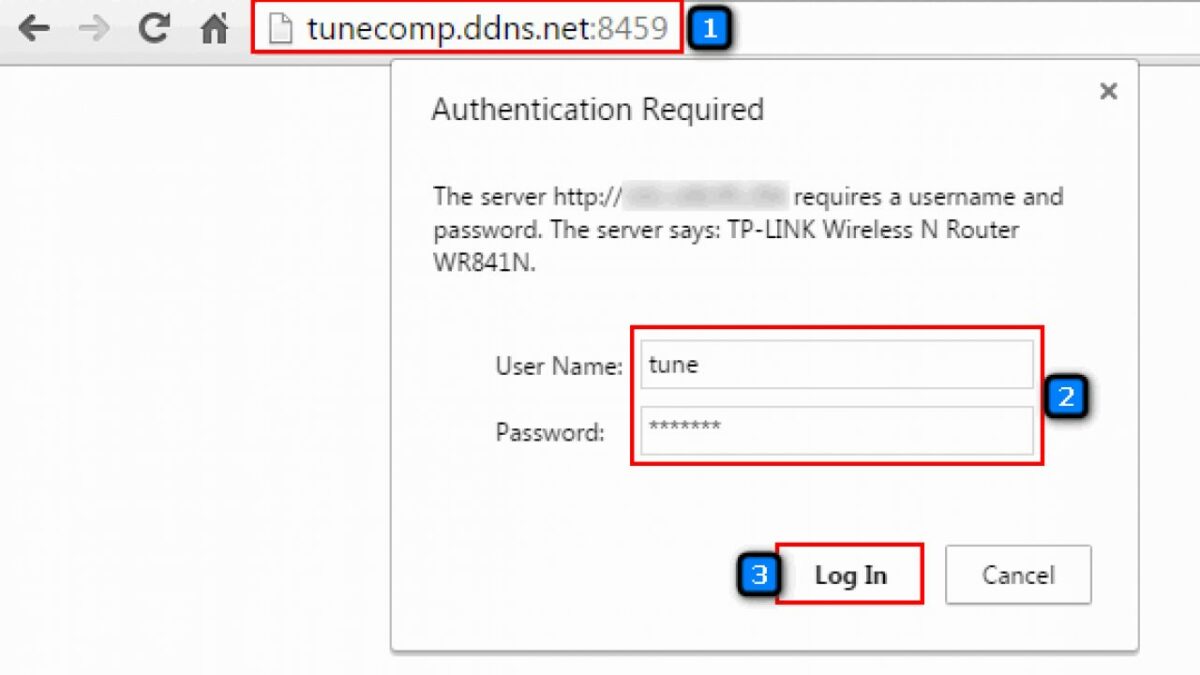
    Open a browser and type your IP address and then press enter. Enter the login credentials for your router and open your Wi-Fi settings. You can change the SSID and password in the settings. Always ensure you don’t enter personal information such as your date of birth or child’s name as the password. These are obvious passwords that can be predicted easily.

  2. Access to Your Network

    protect wi-fi

    While this may seem like a very obvious thing to do (or not do), avoid giving your Wi-Fi password to people you don’t know. The more people that have your password, the more vulnerable your network will be.

    A classic example would be giving your password to a private contractor working in your house. They may ask for your internet credentials while working at your place. If they need this, change the password (using the steps above) as soon as their work is done.

  3. Create a Guest Network

    protect wi-fi

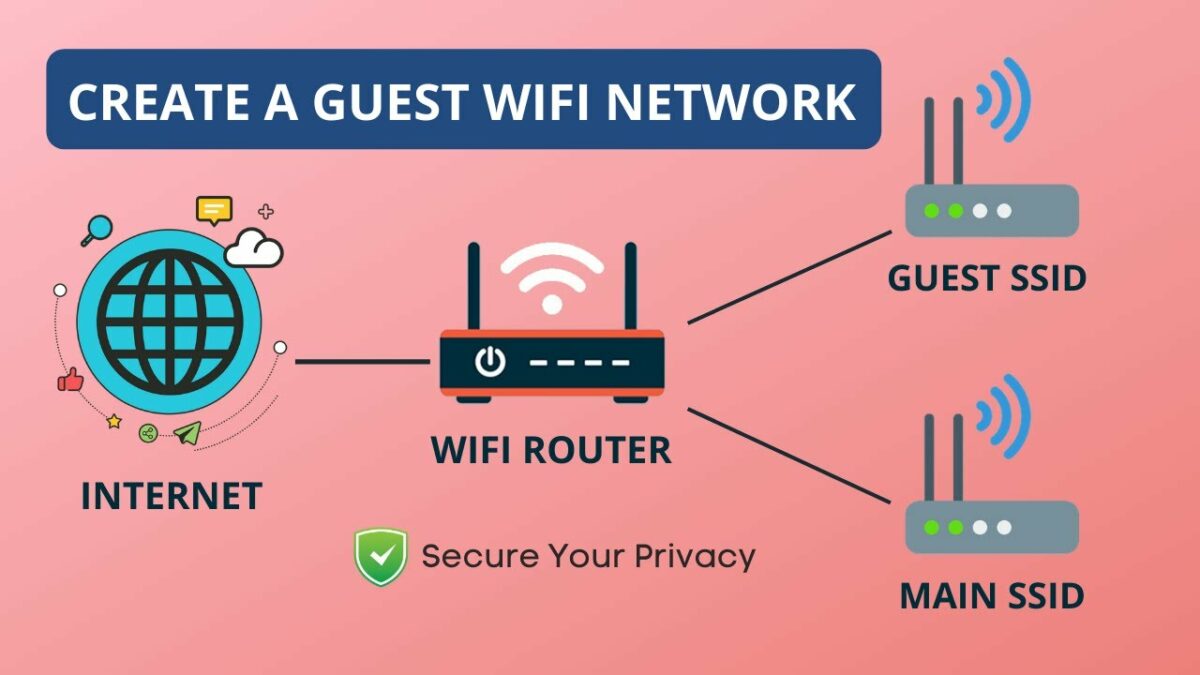
    Another way to protect your home network is by creating a guest network. A guest network is when you set up a separate network for guests. You can hide shared printers, folders, and storage devices. Most wireless routers allow you to create a guest network through the device settings.

  4. Place Your Router in the Middle of Your Home

    protect wi-fi

    This is a step we highly recommend because it can protect your Wi-Fi by limiting the range outside the house. If your device is kept closer to the door or in the corner of your home, it’ll have a longer range outside, and this can increase the potential threat to your computer and the network. The best part about this step is that it’s non-technical; once you’ve done it, you won’t have to worry about it.

    If you can’t place the device in the center of your home, try to keep it away from windows and doors so you can protect the connection as much as possible.

  5. Disable Remote Access

    protect wi-fi

    Most routers allow remote access, which is a feature that’s always activated almost always. If you have your remote access enabled, it’s best to disable it unless it’s necessary for you to leave it on. Remote access is a feature that enables your Wi-Fi network to be accessible from anywhere. While this seems like a convenient choice, it’s also risky. This risk is even greater when you haven’t changed the wireless password or set one. Hackers tend to target networks that have their remote access enabled.

  6. Choose a WPA3 Router

    protect wi-fi

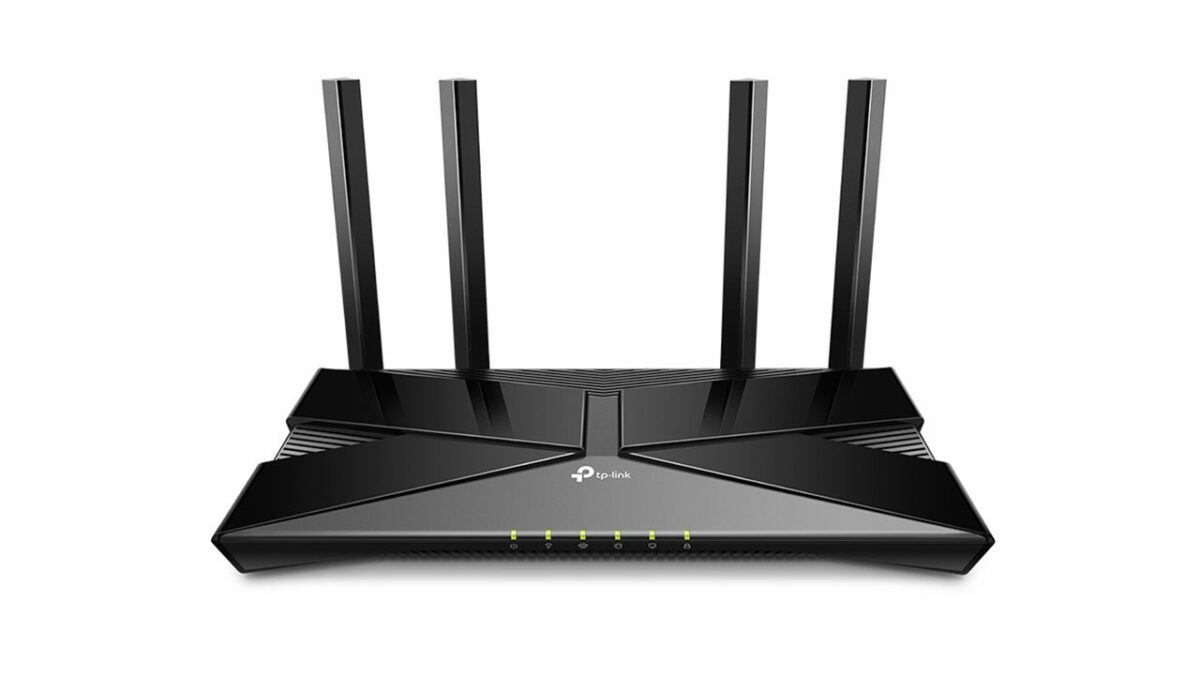
    A WPA3 router is one of the safest routers you can choose. It addresses almost all safety concerns one might have regarding wireless networks, thereby protecting your system in the best possible manner. If you haven’t already got a Christmas gift, this might be a great one before the holidays.

  7. Update Your Router’s Firmware

    protect wi-fi

    The firmware in your router is incredibly important, and without regular updates, it can get susceptible to virus attacks or even a hack. The best way to get it regularly updated is to keep the auto-update function on at all times. If you feel this hasn’t happened in a while, check manually to see if any updates are needed and get it done. If you don’t know how to update the router’s firmware, all you need to do is go to the website of the router company and check the process.

  8. Wi-Fi Network Encryption

    protect wi-fi

    Most routers (WPA2 & WPA3) come with an encryption option. This option can be accessed through your Wi-Fi settings. When switched on, it encrypts all sent and received between your channel and device.

    This prevents anyone from seeing what data you’re accessing. You only need to remember to reconnect all your devices once you enable this option.

  9. Router Firewall

    protect wi-fi

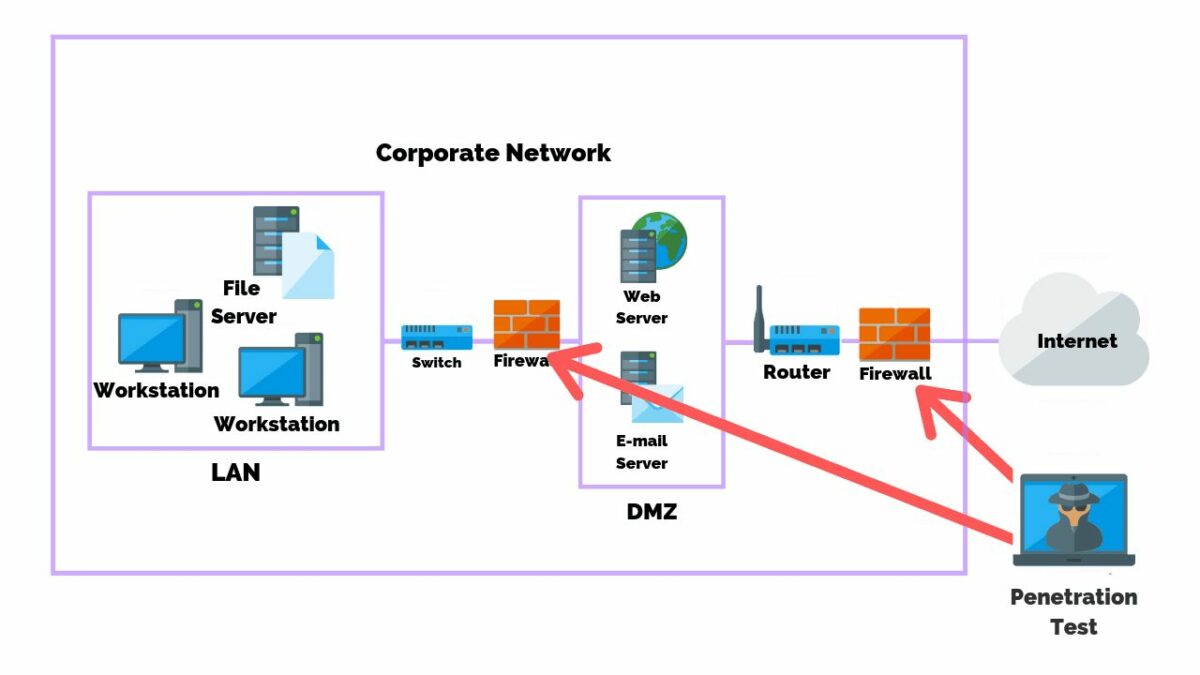
    Most modern-day routers come with hardware-based firewall settings. This helps prevent unwanted traffic from accessing your wireless network without your permission.

    Router firewalls are not enabled by default. They need to be activated manually. For this, you need to access your router settings with your IP address. Look under the router’s advanced settings for the firewall toggle. Please note that enabling this would slow down your internet speed. If you need high-speed internet, for example, when gaming, you can switch off the firewall and switch it on when done.

Security Inside To Stay Protected From the Outside

We hope this article gave you sufficient tips to secure your Wi-Fi network. Most of these methods are straightforward and don’t need any technical training or networking knowledge. Follow the steps provided in this article, and your home wireless network will stay secure.

How To Connect Quickly to a WiFi With Your Mobile Phone?

Holidays aren’t complete without meeting loved ones, and many times we end up traveling during Christmas to meet the people we love and haven’t seen in a long time. It’s safe to assume you’ll spend some time with them or at least stay for a meal. While most of us have our mobile internet, it’s ineffective when traveling, especially in a new city or country. That’s where Wi-Fi comes in.

While you may feel it’s smart to connect to a public network that’s not password protected, that’s one of the riskiest things to do since these open networks are highly susceptible to virus attacks which could risk your device and the data on it.

In such scenarios, the best thing to do is to connect to the wifi of your host. How do you do that? Always begin by asking them if it’s ok, and then proceed to ask them for the password. Once you’ve got the go-ahead and the password, you’ll need to connect quickly to wifi with your mobile phone.

  1. Connecting Your iPhone to Wi-Fi

    Connecting Your iPhone to Wi-Fi 1

    If you’re looking to connect your iPhone to a wifi network, you need to go into settings. This is the gear icon you will see on your home screen. Under the settings menu, you will see wifi at the top of the screen. Tap it, and you will enter the wifi settings.

    At the top of the screen, toggle the WiFi switch to the “on” position. Your phone will now scan for all available networks nearby. If your wifi switch is already on, you just need to refresh your screen to see the list of available networks. When you see a network name you recognize, tap on it.

    If you see a lock icon next to the network name, it means that the network is protected by a password. Public networks are not usually protected by a password. If password protected, you will be asked to type in the password after you tap on it. Once you enter the password, click the join button in the top right corner.

  2. Connecting Your Android Phone to Wi-Fi

    Connecting Your Android Phone to Wi-Fi 2

    When connecting your android device to a new wifi network, you have a couple of ways to do it. The first way is to swipe down on the home screen. The notification shade will come down with a list of options. Some phones may have a profile option in the top right of their phone. You would need to tap it to bring down the menu options.

    Once the quick menu scrolls down, tap and hold on the Wi-Fi icon. You will see a list of available networks. If your wifi is not enabled, you need to toggle it on. You will see a list of networks. Password-protected networks will have a lock icon next to the name, and open networks will not have this.

    Tap the network you want to connect with and tap on connect. If the password is correct, you will be connected to the network. You can also connect to a Wi-Fi network through your android settings. In the menu, you will see a gear icon. Tap on it and then tap on “Wireless & Networks.”

    Some phones may have listed this as “network & internet” or “connections.” You will see wifi as an option on the next screen. If it is on, it will scan for available networks. If it is off, you will have to switch it on. The steps from here on are the same as the quick menu method.

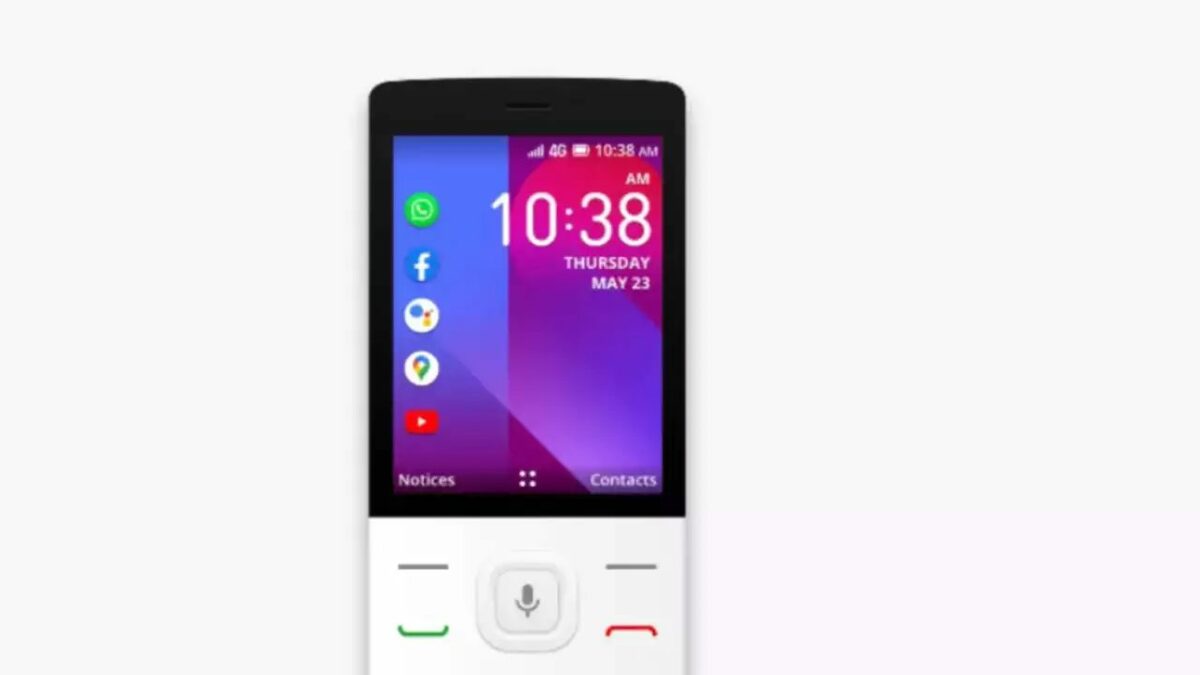
  3. KaiOS

    KaiOS wi-fi

    If you have a phone running on KaiOS, follow these simple steps. Open the settings on your phone and tap “Network & Connectivity.” Switch on wifi on the next screen, and your device will scan for nearby networks.

    Locked networks will have a lock icon next to the name, and open networks will not. Once you tap on a password-protected network, you will be prompted for a password. Enter it and tap on connect.

Stay Connected, No Matter Where You Go

Limited internet connection won’t ever be an issue when you know how to use your mobile device to connect to a wifi network you trust. These steps mentioned above are simple and effective, so you’ll manage to connect to the network in no time, irrespective of which device you own.

While connecting to Wi-Fi during Christmas is easy, you need to remember to respect boundaries when you’re using someone else’s network. For starters, don’t download large files that could slow down the entire network unless necessary. It’s also rude to stay connected to the network when revisiting without permission. Whenever you plan to connect to wifi, no matter how many times it is, always ask before connecting.

How to create beautiful Christmas Cards with Canva Pro features

Make this Christmas special by creating Christmas cards for family and friends to treasure. Why buy generic Christmas cards when you can use your favorite photos to create custom cards with Canva Pro features?

Canva Free Trial

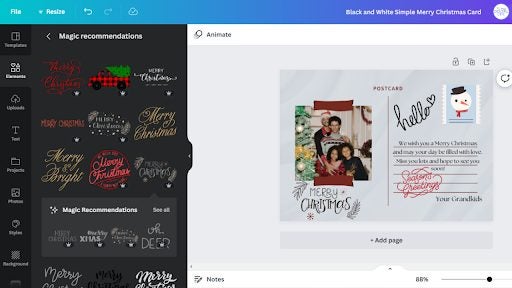
It is easy to upload photos to Canva; you simply drag and drop the image you want to use from your desktop and add it to your design. With Canva’s built-in photo editor and filters, you can transform your photos in seconds and have a Christmas card masterpiece in no time!

Design your custom Christmas Card with Canva

You can share your festive cheer with family and friends with Canva’s custom Christmas cards. Whether you want to upload and use your holiday photos or explore Canva’s various seasonal templates is up to you. But with further adieu, let’s get down to it, shall we?

How to make a Canva Christmas Card

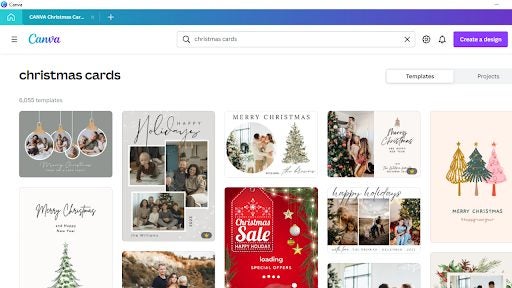
  1. Search for a design

    create beautiful Christmas Cards with Canva

    Open Canva in your browser or desktop app if you already have a Canva Pro account, and in the search box, type “Christmas Card” to start your design.

  2. Select a template

    create beautiful Christmas Cards with Canva

    Choose a Christmas card template to suit a mood and style featuring family portraits, illustrated holiday scenes, candy canes, polar bears, snowflakes, Christmas trees, and Santa. Once you have decided, click on your favorite template and start designing. 

    Canva Pro offers you more features and images you can utilize as you wish. You will notice a gold crown in the bottom right corner.

  3. Explore features

    create beautiful Christmas Cards with Canva

    Once you decide which template to use, you can explore the Canva features. You can use the drag-and-drop tool to move stickers, shapes, icons, images, photos, and any other elements onto your design and rearrange them as you please.

    Canva Pro allows you to choose from various elements and animation features.

  4. Customize your Canva Christmas card

    create beautiful Christmas Cards with Canva

    It is all about making the person feel special when they receive your unique Christmas card design that you created for them. Adding a personal touch will give it more meaning, so upload family photos and play around with the Pro features to create something magical.

    Once you are happy with your Christmas card design and feel it is complete, you can either share it as an e-card or you can share it on social media if you want to share it with more than one person with just a few clicks. Ultimately you can enjoy high-resolution prints through Canva Print.

What size are Canva cards?

You don’t have to make your Christmas card a generic size Canva offers you the following sizes to choose from, and you can design your card how you want to:

  • 7 x 5 inches – Flat cards
  • 7 x 5 inches – Folded cards
  • 5 x 5 inches – Square cards
  • 5.5 x 7.1 inches – Postcards

Make Christmas extra special this year!

If you have family and friends that live abroad, then making a customized Christmas card can make them feel special, and you don’t have to send it by post. You can simply send it as an e-card. And for those nearby, you can hand deliver your gorgeous design for them to hang on their mantle, or you can place it on yours to give your home that Christmas feeling.

We hope you have fun creating beautiful Christmas cards for one and all. And may your home be filled with love, happiness, and Christmas cheer!

How to Add Fonts to Microsoft Word in 3 Steps

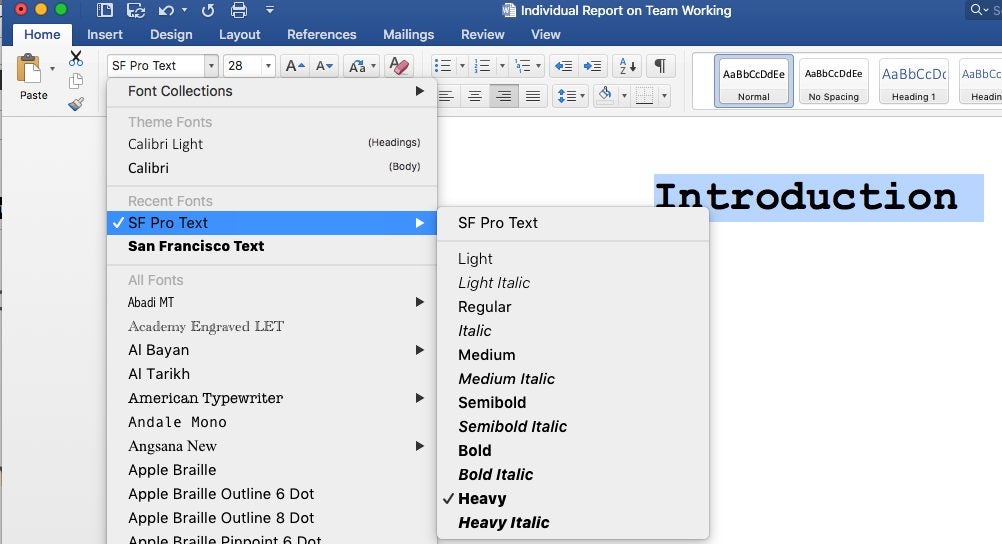
Learning how to add a font in Microsoft Word for Windows, Mac, Android, and iPhone can be challenging if you’ve never done it before.

A quick look at the 3 steps involved

Step 1: Download the font file

You’ll usually find the font files you’re looking for on trusted online sites. Once you locate the one you need, download it onto your device.

Step 2: Extract the files

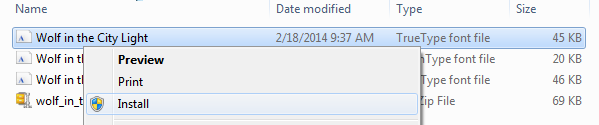
To use the fonts, you’ll need to first extract the zip files to your font folder. Once completed, it will appear as OpenType (OTF) or TrueType Fonts (TTF).

Step 3: Install the fonts

The final step involves selecting one of the fonts and choosing the install option. You’ll see the font appear in Microsoft Word as one of the options.

How to Stop Winrar from Opening Jar Files in 3 Fast Steps

There may be specific zipped files that you don’t want WinRAR opening on Android devices, iOS, Linux, Windows, and Mac. One such example is JAR files. This file extension stands for Java Archive and is a few file formats that handle both audio, images, and class files. You may prefer your Java application and not WinRAR to open that JAR file. So how do you stop WinRAR from opening this file extension?

How to Stop Winrar from Opening Jar Files

Step 1: Open WinRAR

Open your WinRAR program on your chosen device. In the top menu bar, click on ‘Options,’ and a drop-down list will appear.

How to Stop Winrar from Opening Jar Files in 3 Fast Steps

Step 2: Access integrations

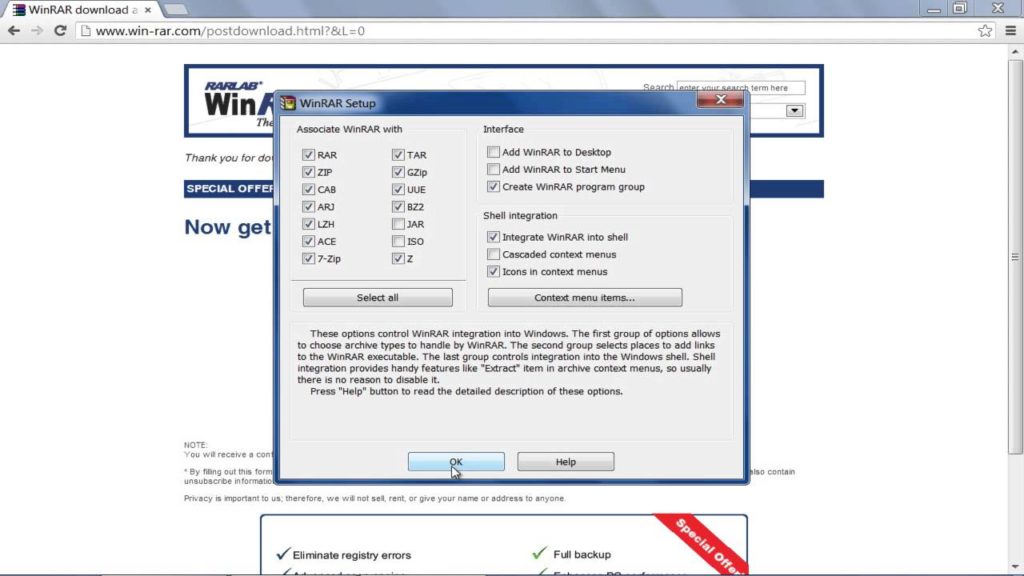
In the drop-down list that appears, click on the ‘Settings tab. Click on the ‘Integrations’ tab to open a list of all the file extensions that WinRAR will open.

How to Stop Winrar from Opening Jar Files in 3 Fast Steps

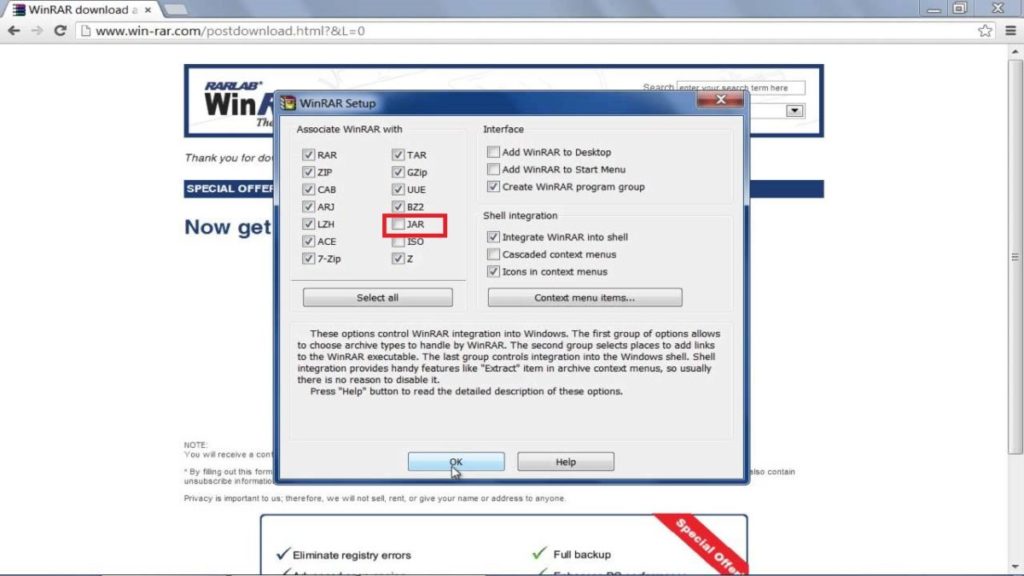
Step 3: Uncheck ‘JAR’ Files

Find the JAR files extension in the list and uncheck it. This will stop WinRAR from opening JAR files.

You can now right-click on your JAR files and click on ‘Open With’ and then ‘Choose App’ to select which program you want to open the Jar file. If you tick the ‘Always Use This App To Open .jar Files’ option, this will become the default program for opening JAR files in the future.

How to Stop Winrar from Opening Jar Files in 3 Fast Steps

Customize Your File Extraction Program

As you can see from the above, it is effortless to customize your file extraction program. You can easily choose which files to open and which ones not. Why not try it now.

Best 10 coupon Chrome extensions

Coupons help shoppers save money and businesses advertise their products, gain new customers, and increase revenues. They’re especially popular right now with prices increasing and many people trying to save money in a less robust economy. You can also receive discounts when browsing online stores on Chrome.

This guide tells you how to get coupons as Chrome extensions when you shop online and use them on those sites or retailers like Walmart, Target, WinCo, Food 4 Less, and more.

Why get and use coupons on Chrome?

Here is a list of the best Chrome extensions to get shopping coupons to use either online or at stores countrywide. If you’re a shopper, you can save thousands of dollars over time by using coupons. Suppose you’re a retailer prepared to allocate a certain amount of money to attract new customers. In that case, coupons can be a more effective and less expensive way to do so than advertising.

Coupert – Automatic Coupon Finder & Cashback

Coupert is an automatic coupon finder that gives you the best cashback rate for thousands of online stores, including top retailers like Walmart, Booking.com, Macy’s, Forever 21, eBay, and Finish Line. 

Using it means you won’t have to search for coupon codes because it does the work for you. It easily finds the best promo codes online and automatically applies them to your purchase at checkout, which is why a million people use it! The Coupert Chrome extension uses Google Analytics. You can opt-out by going to http://tools.google.com/dlpage/gaoptout.

Coupert DOWNLOAD
Best 10 coupon Chrome extensions

Cently (Coupons at Checkout)

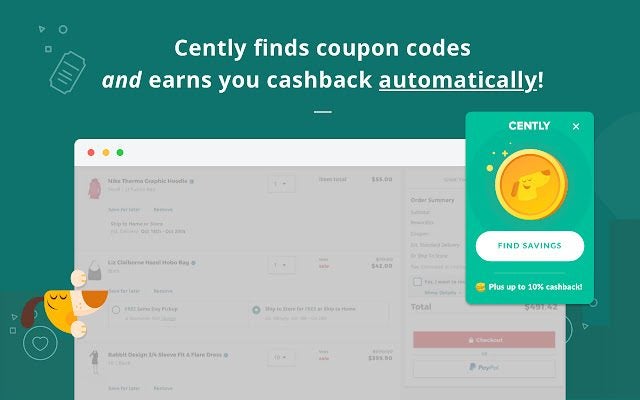
Formerly called Coupons at Checkout, Cently will automatically apply coupon codes for you every time you shop online. Whenever it finds an empty Coupon Code box at an e-commerce store, it searches the web, finds all that retailer’s latest coupon codes, and applies the best one! It’s featured on Mashable, LifeHacker, VentureBeat, and CNET’s best money-saving tips! 

You can earn cashback and rewards at your favorite retailers across the web using the latest version! It’s a free Chrome add-on that supports thousands of stores in several countries.

Cently DOWNLOAD
Best 10 coupon Chrome extensions

FatCoupon Cash Back & Promo Codes

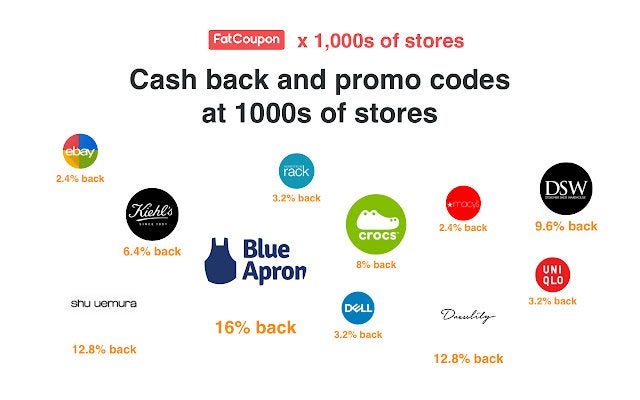
With FatCoupon, you can earn cashback at more than 5 000 stores on Chrome. They have a full-time team testing codes to make sure they work. You just add it to chrome, and it automatically applies the best coupons when you shop online. It even creates price and in-stock alerts for Walmart, Amazon, and Best Buy. 

You can get extra savings at holiday sales like Black Friday, Memorial Day, Cyber Monday, Labor Day, etc.! FatCoupon works very fast. It won’t slow down your web browser like other coupon extensions.

FatCoupon Cash Back & Promo Codes DOWNLOAD
Best 10 coupon Chrome extensions

Moolah – Automatic Coupon Hunter

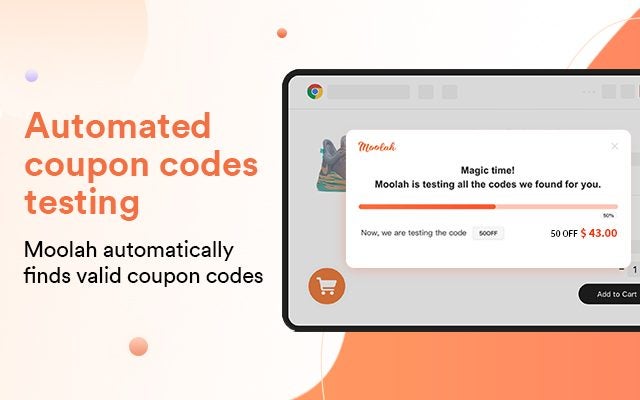
The Moolah engineering team calls themselves a bunch of geeks who are passionate about helping people save money. After installing the Moolah free Chrome extension, it will test coupon codes and apply the best one or even two stacked if the shopping site you’re visiting permits it. 

It does all this automatically, so you don’t have to. Moolah browses the whole internet with artificial intelligence, so it won’t miss any codes that can save you the most money and add them to your shopping cart.

Moolah DOWNLOAD
Best 10 coupon Chrome extensions

Juice – Amazon Coupons Finder

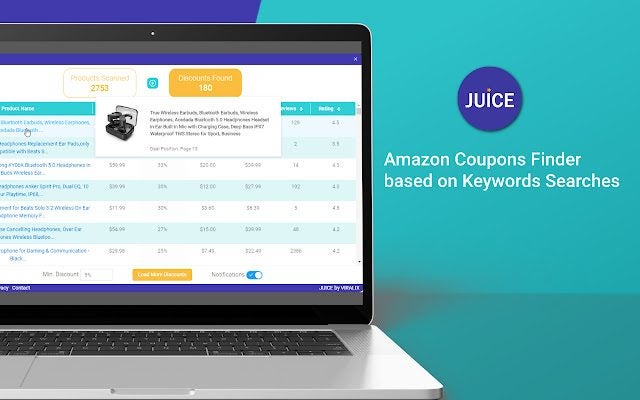
This free Chrome extension is designed to find products that offer discounts on Amazon as easily as possible. Juice is a great option for Amazon buyers. Based on your searches, it will show you all the discounts available. 

You’ll find discounts only on what you’re looking for and not random products you might not be interested in. It allows you to sort results by discount, price, reviews, and rating. Install juice to help you find the best and most appropriate discounts on Amazon.

Juice - Amazon Coupons Finder DOWNLOAD
Best 10 coupon Chrome extensions

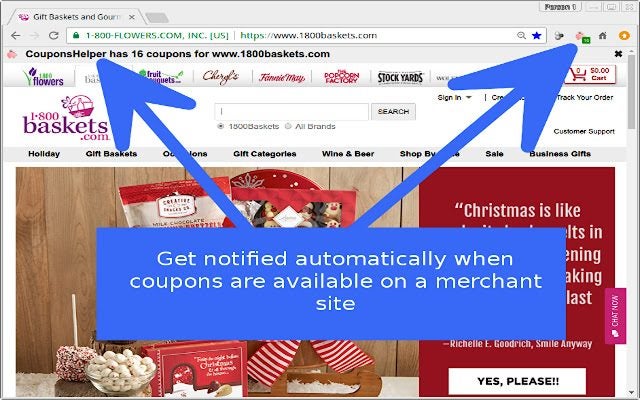
CouponsHelper

CouponsHelper retrieves coupons while you’re busy browsing shopping sites. It helps you save money right away. Visit one of the thousands of online merchants it supports and gets coupons right in your Chrome browser. You’ll know it has found some when its pink piggy flashes! 

It supports a large number of notifications to inform you when there are coupon codes on any shopping site that you’re visiting at any moment. CouponsHelper finds coupons you can use, so you’ll never miss the best deals for you.

CouponsHelper DOWNLOAD
Best 10 coupon Chrome extensions

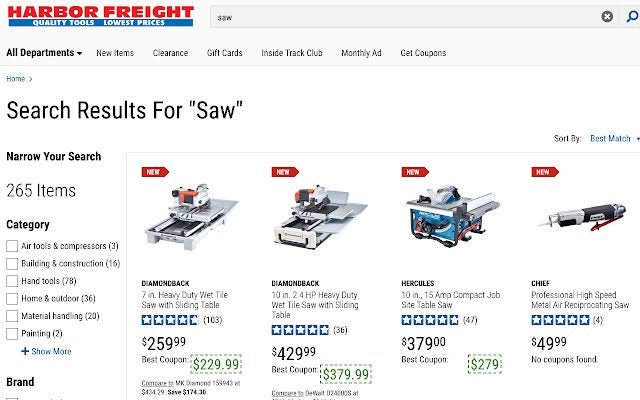
Harbor Freight Coupons

Harbor Freight specializes in selling high-quality tools at the lowest possible prices. To help you save even more money, they automatically find and display Harbor Freight coupons on their website from the hfqpdb.com database for the best coupons on Chrome. 

The coupons are displayed by item number next to the retail price while you browse Harbor Freight’s website. Using these coupons means you need never pay the full listed price for these excellent products again.

Harbor Freight Coupons DOWNLOAD
Best 10 coupon Chrome extensions

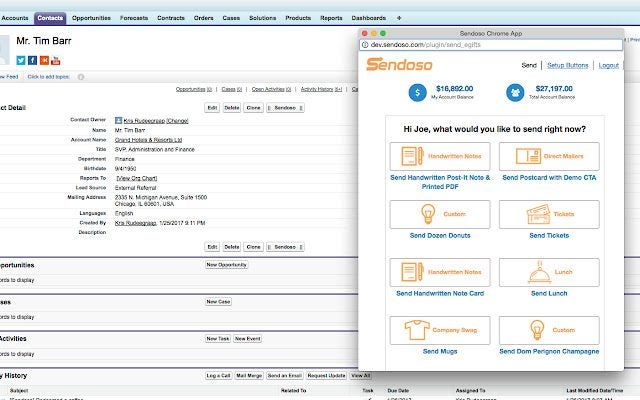
Sendoso for Chrome

Sendoso is a free Chrome Extension that allows users to measure the effects their business efforts are having from Salesforce, Outreach, Amazon, and SalesLoft. It offers new and innovative e-commerce solutions to help companies drive and improve their revenues. 

Sendoso assists companies with scaling their marketing programs and connecting with their customers. As a result, it gives businesses the ability to increase their revenue by improving their whole customer experience from the start of the engagement to the final transaction.

Sendoso DOWNLOAD
Best 10 coupon Chrome extensions

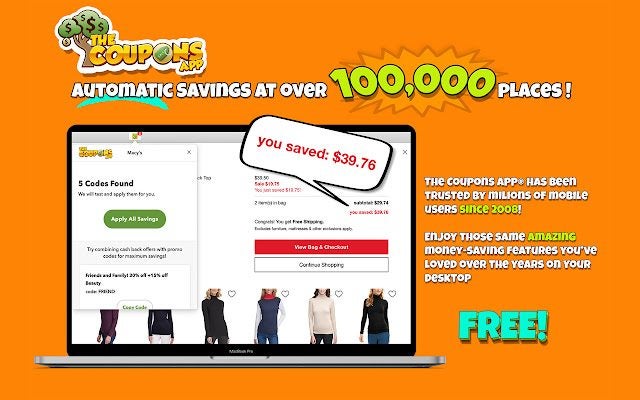
The Coupons App®

The Coupons App free Chrome extension finds coupons for you. It automatically applies promos when you shop online. One click will find the biggest savings and apply them to your shopping cart. It could not be easier. You can use the app on your phone like millions of people have done since 2008. 

You can also use it on your desktop computer and start saving. Taste a really sweet shopping experience that will really help you get the best deals on anything you want to buy anywhere online.

The Coupons App® DOWNLOAD
Best 10 coupon Chrome extensions

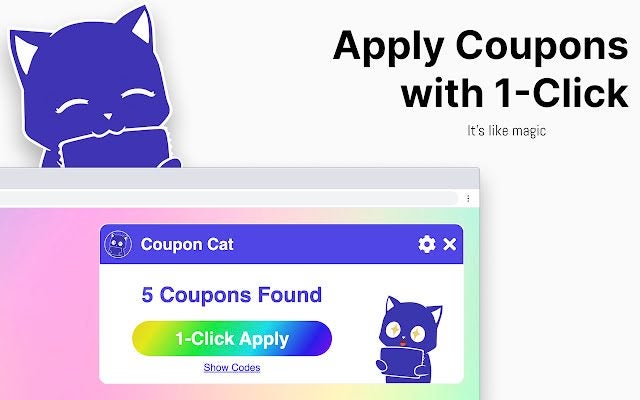
Coupon Cat for Chrome

Pon is a cute coupon cat that will help you find coupon codes on Chrome on whatever web page you are shopping on. You won’t have to look endlessly through different search engines or other websites. Pon will know exactly which pages have the best coupon codes and bring them to you in seconds. 

Pon will also apply your coupons to ensure you get maximum savings on whatever you buy. Just look out for the magical rainbow button when Pon is ready to go to work for your best savings!

Coupon Cat DOWNLOAD
Best 10 coupon Chrome extensions

Get your discounts on Chrome!

If you’re a discount hunter, you now have several of the best coupon extensions on Chrome you can use to your benefit. Remember to check out all the deals before you engage with them, as there may be some stipulations you need to be aware of first.

If you enjoy using add-ons on your browser, be sure to check out the best VPNs for Chrome.

15 Best VPNs for Chrome READ MORE

The Best Free-to-Play Games on Steam

Steam is the world’s most popular and widely used platform for the sale and download of digital video games. It was a pioneer in the sector, and although there are many alternatives today, no competitor comes near it.

If you’re an avid gamer, surely you’ve bought a game on Steam at least once or seen its incredible catalog. But did you know that you don’t have to pay for many of the video games on this platform? Steam offers a generous number of free-to-play games, so get ready to have a blast without spending a dime.

In today’s article, we have a roundup of what we consider to be the best free-to-play Steam games of 2020. You’ll find options in every genre, from shooters and RPGs to the best strategy and MMO games. Want to know which ones? Keep reading to find out!

What do I need in order to install free games from Steam?

Downloading and installing free-to-play from Steam couldn’t be easier. You just need two things: a Steam account (don’t worry, you can create one for free) and the Steam client, which you can download from the digital store.

To create your own Steam account, click on this link and follow the steps on the screen. Once your email address and info are confirmed, you can access Valve’s platform and link video games to your library.

Now that you have your account, just download and install the Steam client. You can do this on the platform’s website, or download it securely and conveniently below.

Steam DOWNLOAD
7

Once you have your account and the Steam client installed, just select the free games you want and they’ll be saved in your game library. Now all you have to do is download them and play them to your heart’s content.

The best free-to-play games on Steam today

Alien Swarm

Alien Swarm is a completely free-to-play co-op tactical shooter. This game puts you in command of a group of marines that will have to face the invading hordes of a treacherous alien race.

Developed by Valve itself, Alien Swarm is an excellent title for anyone looking for a good multiplayer game that supports up to four players simultaneously. In addition to stunning graphics, the title offers many options for customization. You’ll have a choice of eight characters in four classes, in addition to an arsenal of more than 40 different weapons.

If you’re a sci-fi fan looking for a good free co-op game, you won’t regret checking out this title.

Alien Swarm DOWNLOAD
8

Battleborn

Battleborn is a fun MOBA developed by Gearbox that, despite being released as a paid title, still follows the free free-to-play system. In it, you can have epic battles between teams of five players each where only the best are left standing.

One of Battleborn’s biggest draws are its characters. Its more than 30 heroes are as varied as they are colorful, with play styles and abilities to suit all types of gamers.

Like all free-to-play games, Battleborn has options that you can unlock with payments, although the game is perfectly playable in free mode. We highly recommend it.

Battleborn DOWNLOAD
7

Brawlhalla

Brawlhalla is one of those games that, year after year, appear on every list of the best free-to-play games on Steam. The reason? This 2D fighting game is not only completely free, but also incredibly fun.

In this cool platform brawler, you can enjoy local and online battles with up to eight players. This title stands out for its multiple game modes (1v1, 2v2, 4 against all, 8 against all, etc.) and its list of playable characters. In fact, you can embody well-known stars like John Cena.

Brawlhalla is a fast, fun title, and it’s also quite gangster. All the fights are full of humor, so don’t hesitate to use all kinds of weapons and unsportsmanlike gadgets to win.

Brawlhalla DOWNLOAD
8

Counter-Strike: Global Offensive

Counter-Strike: Global Offensive (CS: GO) is an excellent FPS that preserves and improves the best of Counter Strike and Counter-Strike Source to offer an up-to-date gaming experience.

Counter-Strike: Global Offensive may not be the most graphically realistic title in the Steam catalog, and it lacks the colorful graphics of most Battle Royales, like Fortnite and Overwatch. Still, this fun title has a large community of players and is sure to thrill fans of war games.

If you like competitive FPS games but could do without the fantastical settings and lighthearted designs of certain games in this genre, do yourself a favor and check out CS: GO. It’s completely free, and we bet you’ll love it.

Counter-Strike: Global Offensive DOWNLOAD
7

Crossout

Crossout is a free-to-play MMO that takes you to an apocalyptic world clearly reminiscent of Mad Max. In it, you’ll play one of the few survivors of a viral epidemic called Crossout that wiped out a large part of the human race while turning some people into strange creatures.

Crossout is especially recommended for fans of driving titles who also enjoy combat elements. To survive the apocalypse, you’ll need to take special care of your vehicle. Crossout offers countless options for customization, armor and weapons to build your own battle tanks.

If you’re looking for a challenging MMO with an emphasis on driving, we strongly suggest that you try Crossout. You won’t regret it!

FREE
Crossout

From: Daijin

Destiny 2

Developed by the creators of Halo, Bungie, Destiny 2 is an excellent action MMO that you can enjoy for free alone or in the company of friends.

The sequel to Destiny has everything it needs to become one of the best free games of 2020. This shooter has not only good graphics and gameplay for 10, but also an interesting story that will keep you glued to your PC for hours on end.

Destiny 2 can be played alone, but if this title stands out for anything, it would have to be its multiplayer mode. You can play both cooperatively and competitively with friends (and enemies!) from all over the planet. With hundreds of missions to complete and a veritable arsenal to collect, Destiny 2 is a sure bet for looter-shooter fans. And it’s free!

Destiny 2 DOWNLOAD
9

DCS World Steam Edition

DCS World (Digital Combat Simulator) Steam Edition is an extraordinary combat simulator that, thanks to its hyper-realistic graphics and compatibility with virtual-reality headsets, makes you feel like you’re in the middle of a battlefield.

Created by experts in the field of fighter jets, DCS World Steam Edition lets you fly the TF-51 Mustang and Su-25T as much as you want, completely free of charge. As if that were not enough, you can make micropayments to acquire other aircraft such as the -10C Warthog, UH-1H Huey, F-86F Saber, the Spitfire, and hundreds of fighters and helicopters from World War II until today.

Along with a number of free maps and campaigns, DCS World Steam Edition has a completely free mission creator to generate or recreate your favorite battles. It’s a must for combat simulator fans.

DCS World Steam Edition DOWNLOAD
8

DC Universe Online

DC Universe Online is a free-to-play action MMO based on the DC comics universe. You can create your own hero and villain or as join well-known characters such as Batman, Superman, the Joker, Wonder Woman, and Harley Quinn.

After all these years, DC Universe Online is still a thrilling MMO for superhero fans. Boasting missions and adventures written by the DC writers, this title takes you to locations such as Gotham City, Metropolis and Arkham Asylum.

If you’re looking for a good multiplayer action-adventure online title, don’t hesitate to check out DC Universe Online!

DC Universe Online DOWNLOAD
7

Dota 2

Dota 2 is an excellent, incredibly popular MOBA. In fact, it’s the most downloaded and played game on Steam right now. You’ll travel to a fantasy world and fight the best battles between groups of heroes where only one team can be the winner.

Aside from being a visually appealing game, Dota 2 offers endless possibilities through its impressive catalog of heroes. Each one has its own characteristics and attack styles, making every battle a true adventure.

Unlike other MOBAs, Dota 2 offers its content completely free of charge, so battle outcomes will never favor players with the most microtransactions. This game is well-rounded, hilarious, and above all, free. Go ahead and give it a try!

Dota 2 DOWNLOAD
8

Eternal Card Game

Clearly reminiscent of Hearthstone, Eternal Card Game is the perfect multiplayer title for card game fans. This game requires elements of strategy when creating your deck, and obviously, the luck factor comes into play when you receive your cards.

In terms of plot, Eternal Card Game takes you to a world of war and turmoil where spells, swords and revolvers will be used in the battle to sit on the Eternal Throne. You’ll need to create a good deck, defeat your enemies and gradually obtain the best cards in the game.

Besides being free, Eternal Card Game is truly challenging and fun. It is updated quite often, so there are always new cards that you can collect to take your rivals by surprise.

Eternal Card Game DOWNLOAD
9

Fallout Shelter

Fallout Shelter is a simulation and strategy game based on the popular Bethesda RPG Fallout. This fun, curious spin-off takes you back to the Wasteland, although this time you’ll oversee your own underground vault.

With help of the now classic Pip Boy, in Fallout Shelter you’ll have to create your facilities, obtain resources and make sure that your shelter’s inhabitants are happy and healthy at all times. As you well know, the Wasteland is a dangerous place, so be prepared for surprise attacks and all kinds of crazy situations that will subvert your management on more than one occasion.

Fallout Shelter was released as a mobile title, but due to its popularity, it also has a version for PC and Mac. If you enjoy strategy and management or are simply a Fallout fan, this game is a must!

Fallout Shelter DOWNLOAD
9

Fistful of Frags

Fistful of Frags is a fun, original FPS that takes you to the heart of the Wild West. Originally released as a mod, it was so popular that the developers turned it into a full-fledged title.

Fistful of Frags is basically a shooter where you can become a real gunslinger. It offers a completely free game mode (all vs. all), a team mode and a 1 vs. 1 duel mode.

If you’ve always loved Westerns and want to challenge a friend to see who’s the fastest draw, don’t hesitate to download this game today.

Fistful of Frags DOWNLOAD
8

Paladins

A free game, Paladins is very similar to Overwatch, but unlike with the popular Blizzard title, you won’t need to pay to play it. Continuing with the genre of multiplayer shooters featuring heroes, in Paladins you’ll face a rival team on a fantasy battlefield.

In addition to being free, one of Paladins’ biggest attractions are its heroes. The game has a great sense of humor that is reflected in each of its characters and how the fighting unfolds.

If you’ve always wanted to play Overwatch but are dissuaded by its price… why not give Paladins a try?

Paladins DOWNLOAD
9

Path of Exile

Path of Exile is a free-to-play indie game that fans of the classic Blizzard title Diablo will adore. This online action RPG puts you in the shoes of the Exile, a betrayed and disgraced hero who will not rest until he exacts revenge.

Path of Exile has all the elements of a good action RPG: an addictive story, a challenging combat system and hundreds of options to help your hero survive in the world of Wraeclast.

This is a perfect game for anyone who loves to explore dungeons and embark on all kinds of deadly missions. Don’t miss your chance to try it!

Path of Exile DOWNLOAD
8

PlanetSide 2

PlanetSide 2 is an interesting mix between an MMO and a futuristic shooter that will fully immerse you in a fierce interplanetary battle. Set on four different continents, PlanetSide 2 will have you fighting to obtain resources and territories on behalf of the faction you decide to serve. To put it simply, this game is an out-and-out war for control of the galaxy.

When you start a game, you have to pick the team you want to play for. There are three factions (New Conglomerate, Terran Republic and Vanu Sovereignty) and five kinds of characters to choose from. Then you’ll join your squad and, together with them, take control of the game’s continents.

PlanetSide 2 is an amazing game because of its complexity, its huge community of players, and above all, the fact that it’s completely free. If you like shooters, then be sure to give it a try.

PlanetSide 2 DOWNLOAD
8

Ring of Elysium

If you’re crazy about battle royale games, you’re sure to love Ring of Elysium. Although this title seems quite similar to PUBG (PlayerUnknown’s Battlegrounds) at first glance, it has enough novelties to stand out from other free-to-play games in the genre.

As in any battle royale, your mission in Ring of Elysium will be to exterminate the other players and survive until the rescue helicopter arrives. To do so, you’ll have an ample arsenal and all kinds of vehicles, and you can even use bikes and snowboards to catch your rival off guard. Ring of Elysium stands out for its varied, extensive battlefields, which include snowy areas, forests, cities full of buildings, etc.

With remarkable graphics and gameplay as frenetic as it is fun, Ring of Elysium is the perfect choice for battle royale fans who are tired of Fortnite.

Ring of Elysium DOWNLOAD
9

Quake Champions

Fans of multiplayer FPS games are in luck, as the veteran Quake Champions is available on Steam for free. It brings together everything that made Quake III Arena one of the greats of the genre and improves it to satisfy the new generations.

Quake Champions is a fast, fun game designed to let you compete against your friends. It offers improved graphics and new weapons, maps, characters while staying true to the spirit of the shooter series.

Whether you’re new to the genre or looking for a title to challenge your friends online, Quake Champions is a game to keep in mind.

Quake Champions DOWNLOAD
8

Shadowverse CCG

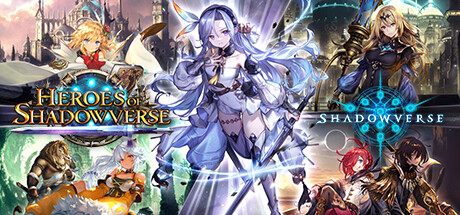
Shadowverse CCG is a tough fighting card game for fans of the genre who have grown bored of titles like Hearthstone. It has a large community of players (the distributor makes sure that more than a million users connect daily) so you’ll never waste a single second searching for an opponent.

With simple yet challenging game rules, in Shadowverse CCG you’ll have to devise the most ingenious strategies to destroy your opponent’s defenses or make sure they run out of cards. The games are fast and have beautiful illustrations that will delight fans of Japanese manga and anime.

Shadowverse CCG is perfect for card game devotees seeking an alternative to more commercial titles. And if you want to take your game with you everywhere, there is a mobile version that is also free.

Shadowverse CCG DOWNLOAD
8

SMITE

It may not be a new title, but SMITE is still one of the most popular and downloaded games in the entire Steam catalog. This third-person MOBA action game is truly fun to play.

In SMITE, you’ll control gods from various mythologies as they star in amazing online battles. Each one will have unique abilities and characteristics, so you’ll have to choose wisely when creating groups.

SMITE could be described as the quintessential free MOBA. When you download it, you’ll find everything you need to spend hours in front of your PC having a blast.

Smite DOWNLOAD
7

TERA

TERA is perhaps one of the most popular free MMORPGs in all of Steam. Although it’s been around for many years, it’s still one of the most beloved and downloaded games for fans of the genre.

In this game, you’ll travel to a fantasy world where you can have all kinds of online adventures with players from all over the world. While the game may seem simple or too similar to other online role-playing titles, anyone who tries TERA will be amazed by its fighting. Because unlike classic turn-based combat titles like Final Fantasy XIV, TERA offers battles in real time. This makes it far more challenging, setting it apart from other games in the genre.

If you’re looking for a classic MMORPG with a twist, dynamic combat and no annoying paid subscriptions, be sure to check out this game!

Tera DOWNLOAD
8

The Awesome Adventures of Captain Spirit

Fans of the adventure and storytelling genre have a little gem waiting for them on Steam: The Awesome Adventures of Captain Spirit. Set in the same universe as the acclaimed Life is Strange, The Awesome Adventures of Captain Spirit will put you in the shoes of Chris, a boy of just 10 years old who dreams of having powers.

As is usual in these kinds of games, the biggest attraction of The Awesome Adventures of Captain Spirit is its story. You’ll discover how Chris’s hard life has made him take refuge in his imagination in order to escape from reality. Through the main character, you’ll revisit your own childhood and immerse yourself in a world of mystery that will serve as a bridge to Life is Strange 2.

The Awesome Adventures of Captain Spirit is a short game at just three hours long, but it’s superbly done. A must for all adventure lovers.

The Awesome Adventures of Captain Spirit DOWNLOAD
9

Team Fortress 2

Team Fortress 2 is probably the best-known multiplayer shooter to debut in recent years. This game is completely free on Steam, so if you’re a fan of the genre, you have no excuse not to try it.

The game stands out for its sense of humor, hilarious characters and many game modes. This is essential for a shooter of such characteristics, because otherwise it could become repetitive and even boring in the long run.

With millions of weapons and items to collect and limitless action, Team Fortress 2 is still one of the best free-to-play games on Steam. Don’t miss your chance to try it.

Team Fortress 2 DOWNLOAD
8

Unturned

When you see the picture, you might assume that we’re recommending another clone of the now-classic Minecraft, but nothing could be further from the truth! Unturned is a fun survival game where you’ll have to use all your wits to avoid being fed to a horde of zombies.

Unturned can be played cooperatively with other players, or you can engage in real battle royale combat to eliminate them from the game. You’ll have to collect resources, create weapons, get food by fishing, planting, etc. In fact, you’ll have complete freedom, and the way that you play this game is entirely up to you. Of course, be careful with the zombies, because they are very sure that they want you to be their next meal.

Fun and challenging, Unturned is a title that won’t leave any survival game fan indifferent. Don’t pay too much attention to its graphics and give it a try. You won’t regret it!

Unturned DOWNLOAD
9

Warframe

Warframe is a co-op multiplayer action game that will take you to a futuristic world ravaged by the Grineer, terrifying creatures that threaten peace in the galaxy. The Solar System’s only hope is a team of galactic cyber ninjas who are willing to do anything to eliminate them.

Warframe is a fast, fun shooter with hundreds of missions to tackle with your friends. In fact, its varied characters, missions, and customized weapons are among the title’s biggest strengths. Another plus is that Warframe has a broad, open world to explore and versatile characters. You’ll discover that Warframe ninjas are experts in parkour, and as such, they can overcome any obstacle.
With more than 38 million players, it’s clear that Warframe has become a true Steam phenomenon. So, what are you waiting for? Try it today!

Warframe DOWNLOAD
7

War Thunder

War Thunder is a war MMO that lets you pilot all kinds of war machines, from planes and tanks to the most powerful ships and aircraft carriers. In fact, the game has a total of 1,700 vehicles, so you’ll never get bored while enjoying this little free-to-play gem.

If you like full battle simulators, you’ll love War Thunder. This title has 100 different maps, all based on historical battles and perfectly recreated. Thanks to its size and realism, it allows battles between players of epic proportions, delighting fans of the genre.

Finally, in addition to War Thunder’s own content, the game lets players create their own content through War Thunder Live and use it to earn real money. Do you dare to try it?

War Thunder DOWNLOAD
8

World of Tanks Blitz

Do you love war video games? Then you surely know the famous World of Tanks franchise like the back of your hand. WoT Blitz, the free version of this extraordinary tank game, delivers an equally fun experience even though its game system has been simplified to a great extent.

World of Tanks Blitz boasts a total of 300 different war vehicles, including some of the most iconic WWII tanks. In addition, the title has 26 different game arenas, missions and challenges to demonstrate your skills and a fun 7 vs. 7 multiplayer mode.

In short, World of Tanks Blitz is a fun and challenging game, and we promise you won’t have a second to get bored. It’s perfect for fans of big battles and nonstop action.

World of Tanks Blitz DOWNLOAD
9

Yu-Gi-Oh! Duel Links

Since the advent of the groundbreaking Magic: The Gathering, collectible card battle games have been all the rage. In fact, they became so popular that they served as the basis for anime series like Yu-Gi-Oh!, whose sole purpose was to promote the card game.

Yu-Gi-Oh! Duel Links is the perfect title for fans of anime, strategy and card games in general. It has been a hit on Steam since 2017, and in it, you can collect cards and defeat your opponents in order to improve your deck.

Links Duel is a fast, entertaining game that never gets boring. Despite being a free title, it’s frequently updated with new cards and new challenges to meet. We highly recommend it.

Yu-Gi-Oh! Duel Links DOWNLOAD
9

We hope you enjoyed our roundup of free-to-play games on Steam. Do you know of any others that we should add to our list? Tell us about them in the comments section!