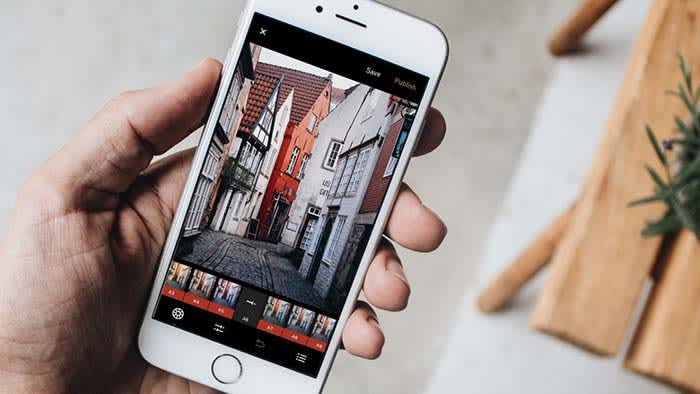
7 underrated Instagram apps you need to know about

These apps can make your Instagram posts sizzle and pop off the screen.

Instagram enhancer

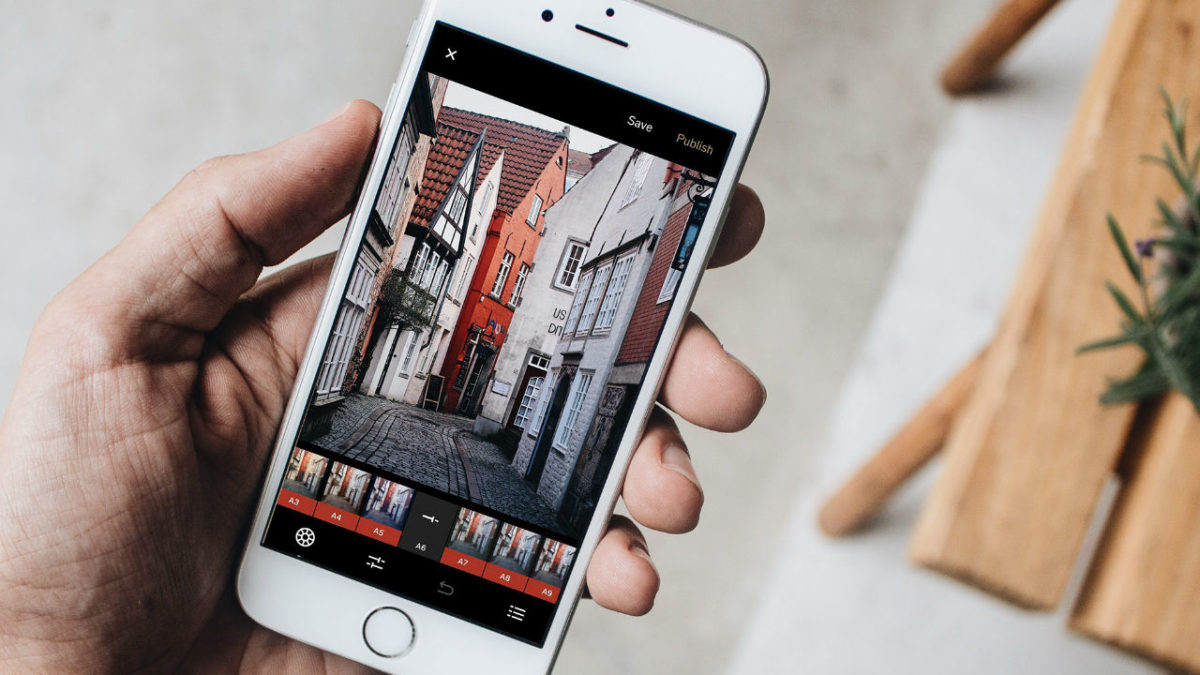
Facetune and VSCO are great and all, but today’s Instagram feed needs something a little more out of the box. You need more if you’re hoping to stand out in a sea of pitch-perfect pics and color-coordinated feeds.

Scroll through your profile for a few seconds and you’ll likely see a repeating stream of photos that feel eerily familiar.

Break the mold by downloading some new apps. From the artistic to the just plain rad — here are some under-the-radar app recommendations perfect for livening up your tired old feed:

7 underrated Instagram apps you need to know about

1. Enlight
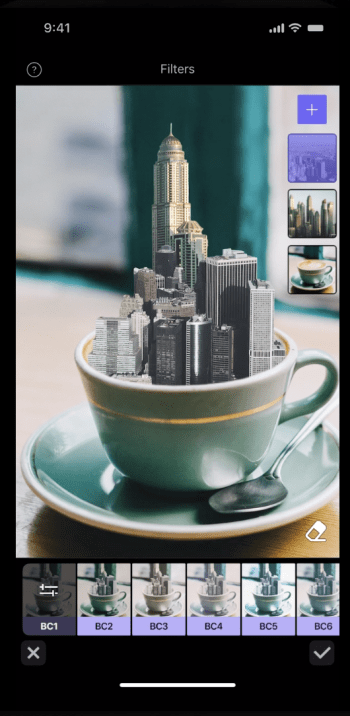
Enlight Photo editor

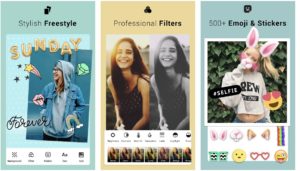
Enlight is a $4 iOS app made by the fine people who brought us Facetune. The app does way more than dress up your photos with stickers and overlays or just apply filters. Enlight exists to help you make capital-A Art. The app brings painting, sketch, and mixer effects to your smartphone — plus the usual presets and adjustment tools.

9

2. Pic Stitch

Pic Stitch collage maker

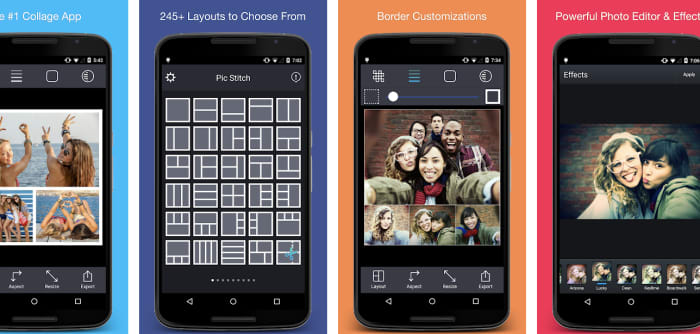
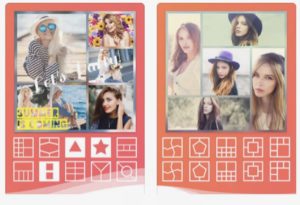
Pic Stitch is a layout app that comes with more than 200 layouts and a built-in photo editor. The idea is these collage layouts give you space to carefully consider how each photo fits into your feed. Gone are the days of amateurishly posting a bunch of pics from the same outing. Instead, Pic Stitch is an opportunity to organize your images in a way that’s both calculated and cohesive.

Pic Stitch Download Free ►
9

3. Artgram

artgram instagram editor

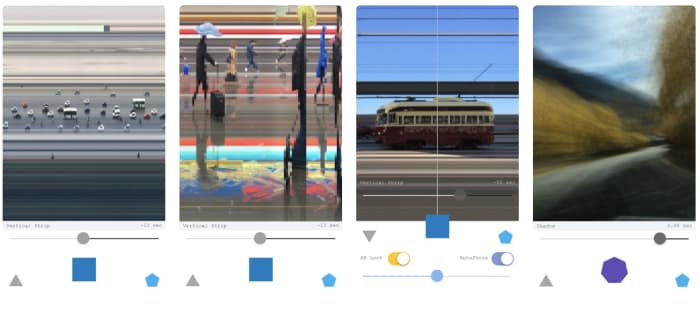
Artgram is a weird, experimental lo-fi app. It also makes some really cool-looking photos. Something of an art project, Artgram is a free download — available in the App Store alongside your usual sticker packs and face-editing tools. The app allows you to create these fragmented shots — streaked with lines or abstracted in some way or another.

7

4. Prisma

Prisma Instagram app

This one has been around for a few years — being named App of the Year by Google and Apple in 2016. However, it’s still a bit underrated in our opinion.

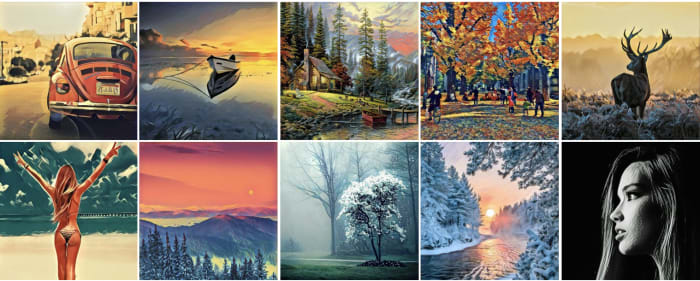
Prisma is a photo-editing tool that works to turn your photographs into paintings. Well, it sort of does that. The app comes with 300+ filters inspired by art movements and artists transforming your photos through a powerful AI.

Art-inspired filters kinda sound like the domain of Mac Photo Booth selfies. However, there’s a lot more to Prisma than turning yourself into a comic book drawing. Sharpen, crop, edit, and fine-tune your creations for photos that are less gimmick and more creative expression. Postmodernism at its finest, right?

5. Kapwing
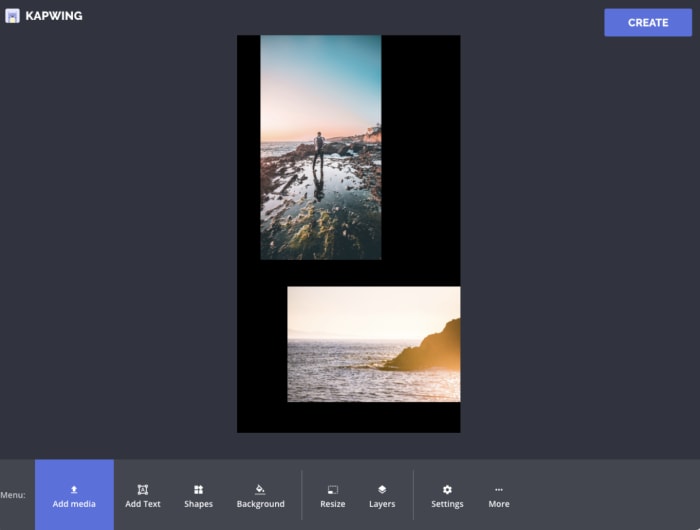
Kapwing app for Instagram Stories

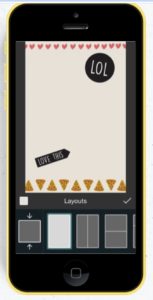
Kapwing is a hand-curated selection of templates you can use to level up your Instagram Stories. The app is only available on iPhone and even then, it doesn’t feature the editing tools. Those tools are only available on the website. The templates are super simple — you’re not going to find complex story editing tools that you might find in tools like Over or Canva.

The idea is to give Stories users a framework for combining multiple images together within a single story. So, you might use this to create a slide-show style story, put together collages, or make memes.

7

6. Leetags

Leetag hashtag finder Instagram

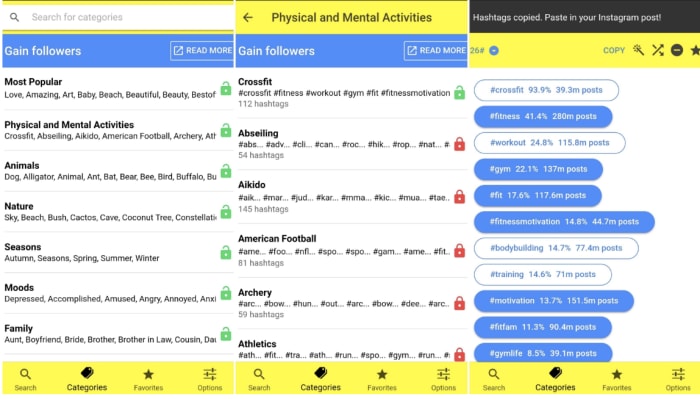
Leetags is an Instagram app that helps you find hashtags, an important component of growing your following. Finding hashtags can be a tedious, overwhelming process if you don’t exactly know what you’re doing. Sort through hashtags by searching various themes: animals, nature, food, drinks, and so on.

Users might feel that the categories are fairly broad. And, that’s certainly true. However, when you’re searching for inspiration, this approach can help you generate ideas. That’s much easier than heading over to Google Trends with no idea what to post.

7

7. Unfold

Unfold Instagram

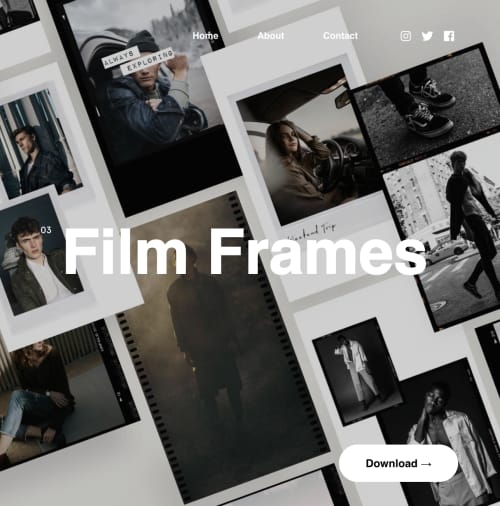
Unfold is another app that makes it easy to create Instagram Stories built to engage. The selection of templates is top-notch, drawing inspiration from classic film, minimal photography, and more.

Add in text and export videos in hi-res. Unfold doesn’t come with a million features. However, you’ll have exactly what you need to create a beautiful collection of stories with an understated, artistic flair.

Become Insta-famous

These apps can help turn the ordinary into the extraordinary. Sometimes the tools in the Instagram app just don’t have the tools you need to fully express your creativity. Hopefully, these apps gave you the resources you need to turn your posts into showstoppers.

Instagram Download Now ►
7

Famously secretive organization joins Instagram

What will the CIA be willing to share?

Instagram is an open network, and a visual one, too. Posts are images with text playing a very small part in the makeup of an Instagram post. You would think that this makes Instagram a hard place to keep a secret; quite the opposite, in fact. Instagram is the place you go to announce things. Your vacation, that new lipstick you’re using, that old friend you’ve just seen, or how amazing your breakfast looks. Instagram is about sharing information not withholding it. This is why a recent announcement is a little bemusing, to say the least.

The CIA is about to launch its own Instagram account

CIA on Instagram

During a national security forum at Auburn University in Alabama, CIA Director General Gina Haspel made the surprise announcement. She said, “Just to talk a moment about transparency, of course, CIA does have a Twitter account… Our office of public affairs is getting ready to launch our Instagram account.” Details about what we might expect to see on said account, however, were thin.

The aforementioned CIA Twitter account is very real and has over 2.5 million followers. Its tweets are rather mundane, however, as you might expect. Rather than sharing details about daring missions on foreign soil, it acts as more of a showcase for CIA history and is used as a way to recruit new agents. It also advises on upcoming forums like the one that Haspel dropped the Instagram news at and revels in letting everybody know when former deputy directors find themselves on TV.

If we take the CIA Twitter account as our guide, we can expect photos of people receiving medals rather than secret photos taken using classified spy plane technology. There’ll likely also be recruitment drives and photos of interesting items and artifacts used by various CIA personnel through the years.

Interestingly enough, the CIA won’t be the only government intelligence agency looking to share on Instagram. The FBI is already way ahead of them with more than 400,000 followers. If the movies are anything to go by, these two agencies have a testy relationship at the best of times, so it could be fun to see them head off against each other to see who can get the most Instagram Likes and followers.


View this post on Instagram


Over the years, the #FBI seal has undergone several significant changes. In its early years, the Bureau used the Department of Justice seal. . The first official FBI seal was adopted in 1935, modifying the Department of Justice logo by adding “Federal Bureau of Investigation” and “Fidelity, Bravery, and Integrity” to the outer band. . In 1940, Special Agent Leo Gauthier—a draftsman, artist, and illustrator—presented a new design based on an earlier Bureau flag that he had created. . Each symbol and color in the FBI seal has special significance. The dominant blue field of the seal and the scales on the shield represent justice. The endless circle of 13 stars denotes unity of purpose as exemplified by the original 13 states. The laurel leaf has, since early civilization, symbolized academic honors, distinction, and fame. There are exactly 46 leaves in the two branches, since there were 46 states in the Union when the FBI was founded in 1908. The significance of the red and white parallel stripes lies in their colors. Red traditionally stands for courage, valor, strength, while white conveys cleanliness, light, truth, and peace. As in the American flag, the red bars exceed the white by one. The motto, “ Fidelity, Bravery, Integrity,” succinctly describes the motivating force behind the men and women of the FBI. The peaked beveled edge which circumscribes the seal symbolizes the severe challenges confronting the FBI and the ruggedness of the organization. The gold color in the seal conveys its overall value. . #fbiseal #history #fbihistory #dyk

A post shared by FBI (@fbi) on Mar 11, 2019 at 11:00am PDT

There is no news yet about when the CIA will start posting on Instagram. There is an account claiming to be the “Official Account of the CIA” that links to the CIA homepage but as yet, there are no posts. Also, the page has Leviticus 20:13 in its bio, which is a Bible passage that is often used to attack same-sex relationships. We don’t know what that means, but we have to believe this isn’t the official account of the CIA. We’ll just have to wait and see.

Leaked Instagram update shows hidden “like” count

A new leak shows that Instagram may hide how many likes a post generated from the poster’s audience

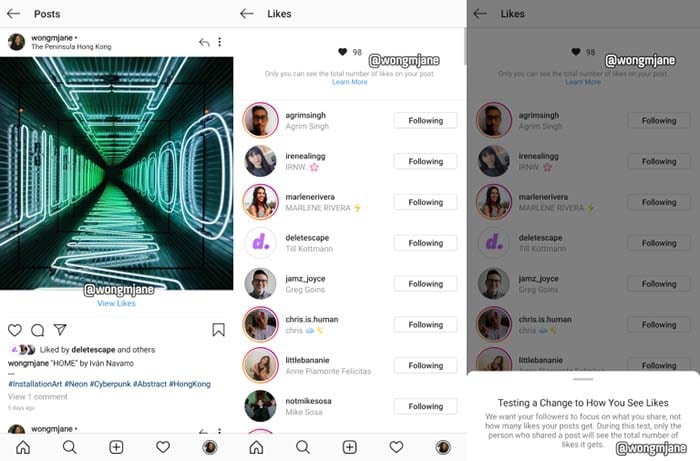
Instagram prototypeIn a leak discovered by reverse engineer Jane Manchun Wong, Instagram might be bidding adieu to the like-counter.

The prototype shows that audience members who view posts won’t be able to see how many likes a post gained.

“We want your followers to focus on what you share, not how many likes your posts get,” Instagram writes in an in-app message. “During this test, only the person who shares a post will see the total number of likes it gets.

Instagram Download Now ►
7

In an interview with Techcrunch, an Instagram spokesperson confirmed that the leak is a prototype from Instagram

“We’re not testing this at the moment, but exploring ways to reduce pressure on Instagram is something we’re always thinking about,” the spokesperson said.

Whether removing the like count from audiences’ eyes will “reduce pressure” remains to be seen. Not having to worry about your post being judged by its amount of likes, but for its content sounds good in theory. We’re up for anything that helps our mental health. If Instagram can prove that hiding like totals helps us feel better, we can only hope that Facebook and Twitter follow suit. 

How do I break my social media addiction?

Do you find yourself reaching for your phone to check apps like Facebook? We can help break your addiction.

Smartphone addict

Social media connects us to new people and ideas — for better or worse. It’s also a massive time suck that can wipe out a whole day and get in the way of accomplishing goals.

The word “addiction” brings to mind drugs and alcohol. It might seem too strong a word to apply to something like social media, right?

Well, not exactly. Though social media addiction has yet to secure an official spot in the DSM, it’s already become quite prevalent in the U.S. and Europe. It is affecting up to 8.2% of the general population.

How often are you on track, knocking tasks off your to-do list when a friend request or Instagram comment derails your progress? One second you’re typing up an email, and the next, you’re deep into some acquaintance’s 2016 vacation pics.

All of us are susceptible to succumbing to these distractions, but there are some things you can do to fight full-blown social media addiction.

Here are some tips you can use to regain control:

Learn why you’re addicted to social media

Facebook addict

What is it you hope to gain from opening social media? Uncovering the “why” behind your bad habit does require some introspection.

You might not have a good reason for your endless scrolling. If that’s the case, take a closer look at your motive. Do you hit the ‘gram when you’re stressed or overwhelmed? Or, is it when you’re trying to put off a project you don’t want to start?

Perhaps, you’re seeking connections with the outside world or accessing new information.

In any case, we tend to lean on social media to fill a void. Psychology Today describes this endless scroll as this “wanting activity.” Meaning, we tend to keep looking at our feeds because we’re anticipating some reward.

It’s also a lot easier to veg out in front of your feed than picking up a book or phoning a friend. This just adds to the temptation.

Reset

Going on a hike

One way to fight social media addiction is by taking a day off. Consider taking a day each week where you avoid using the phone or your computer.

This gives you some space to schedule some in-person social time. Do some analog reading, or you know, go outside.

That said, a full day of no socializing might add to your anxiety for a lot of people. If that’s you, aim for a couple of hours at a time.

Set ‘micro-boundaries’

Micro-boundaries is a concept developed by University College London researchers. It refers to a handful of ways to set distance between you and your bad social media habits.

The researchers say there are four types of micro-boundaries.

  • Digital: Separating accounts or using apps that block out certain websites
  • Physical: Choosing to leave a device at home or keeping it in a drawer at work
  • Social: Turning your phone on airplane mode or do-not-disturb during social situations
  • Temporal: Turning alerts off or setting the phone to do-not-disturb for specific hours

The UCL paper does acknowledge that you may need to let others know about these digital boundaries. If you’re a quick responder, then you might need to give people a heads-up.

Focus on what you can add to your life

Woman meditatingLike going on a diet, prohibiting the use of social media isn’t sustainable for the long-term. Instead, you should try setting achievable goals. Habit formation depends on training the brain to get that reward satisfaction from a healthier source.


Plan a cell phone-free dinner once a week, get into hiking, biking, or exploring your neighborhood.

Disable your alerts

Alerts play into our brain’s reward center, providing a rush of dopamine when we hear those familiar sounds.

According to Harvard researchers, Instagram likes, and text messages activate the same release of dopamine you’d receive from completing a “successful social interaction.” The article also notes that dopamine paths are often dysfunctional in people will any type of addiction, be it substance abuse, gambling, or Facebook.

The thing about disabling notifications is, you still have access to everything you want from your phone/computer. However, it provides a level of separation between you and your apps.

Wrapping up

Women socializing

Most of the notifications you receive don’t contain critical time-sensitive information. But for a lot of people, opting out of push notifications can present interpersonal challenges. Your mom or your partner might get annoyed when you don’t respond ASAP.

This study, aptly named The Do Not Disturb Challenge had interesting results. They found that while participants felt more productive after turning off their notifications, they also felt anxious about not being as responsive as expected.

So, again, success may depend on convincing your colleagues and text-happy friends to take a more moderate approach to social media.

Instagram tests video fast-forward, rewind

Finally, Instagram will let us skim to what we want to watch.

Instagram VideoFinally, we will have the ability to sift through our friends’ five-minute Instagram posts.
Instagram will be adding a seek bar to videos in an upcoming update. Similar to one you might find on YouTube, the seek bar will let users skim through videos to fast-forward and rewind to the parts they want to watch.

Instagram Download Now ►
7

The new feature was discovered by app researcher Jane Manchun Wong.

Currently, users have to go through the inconvenient process of rewatching a video from the start and waiting to get to the part they want to watch. Being able to avoid an Instagram user’s cringey video intro or a few minutes of dull content will prove very useful.

It is unknown whether or not this feature will be available in stories, but we can hope it will be. There is no set date for when the update will drop, but if we can wait this long, we can wait a bit longer.

What next?

The ability to rewind and fast-forward videos will encourage more users to post longer content. Currently, videos are typically less than a minute long due to the lack of that control. Content creators such as Twitch streamers and how-to video creators may upload some longer content to Instagram to reach out more to their audiences. This may inspire more people to try and become Insta-famous and monetize their Instagram pages.

Facebook and Instagram announce ban on white nationalism

See how Facebook and Instagram will redirect searches for white supremacy.

Facebook

Facebook has officially announced that it will no longer tolerate white nationalism and white separatism on the platform. The same policy applies to Instagram.

Facebook released a statement outlining its efforts to ban racialized hate beginning next week. They said that while they have always included bans on the hateful treatment of others based on race, ethnicity, and religion in their policies, in recent months they have decided to explore broader concepts of hate.

Facebook Access Facebook
7

Part of the statement reads:

“…over the past three months, our conversations with members of civil society and academics who are experts in race relations around the world have confirmed that white nationalism and white separatism cannot be meaningfully separated from white supremacy and organized hate groups. Our own review of hate figures and organizations – as defined by our Dangerous Individuals and Organizations policy – further revealed the overlap between white nationalism and white separatism and white supremacy. Going forward, while people will still be able to demonstrate pride in their ethnic heritage, we will not tolerate praise or support for white nationalism and white separatism.”

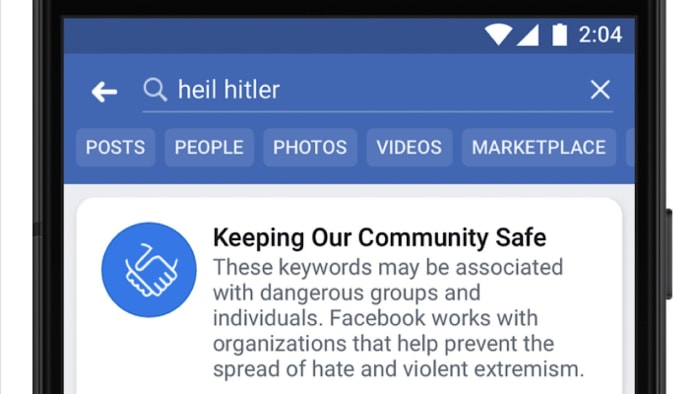
The statement continued by introducing a new function on Facebook’s website and app. Any time a user searches for a term associated with white supremacy or a hate group, a pop-up will appear and direct the user to Life After Hate, a non-profit organization created by former white extremists aiming to help others who are currently involved in hate groups.

Facebook Life After Hate popup

Instagram Download Instagram
7

What do you think about this move by Facebook? Is this enough to truly combat hate on the platform or damage control after the discrimination accusations? Sound off in the comments!

11 best Instagram accounts for food lovers

Looking to make your Instagram feed more mouthwatering? Follow these foodies.

Instagram

Instagram isn’t just a social network. It is a tool that can offer inspiration. Whether it be travel, fashion, exercise, meditation, or motivation, Instagram puts you in contact with inspirational people around the world offering visually appealing bite-size chunks of inspiration.

Food is one of the jewels in Instagram’s crowns and there are plenty of Instagram accounts all vying for your attention by serving up mouth-watering images of the tastiest dishes out there. Come to learn, come to cook, or just come to look. It doesn’t matter. Check out these mouthwatering Instagram accounts.

The best Instagram accounts to follow if you love food are…

@_foodstories_

Food is art and art is food. You’ll be seeing this truism in your timeline often if you subscribe you _foodstories_. Focusing on nature, including, but not limited to, apple and pear trees, berries, cherries, walnuts, elderberries, fresh herbs, and whatever else grows in their garden Laura Muthesius and Nora Eiserman post beautiful images of the food that they eat and tell the story behind each meal. If anything takes your fancy, you can get your hands on the recipe via their blog.

@diethood

Delicious and kinda good for you. Katerina from Diethood has come up with some truly scrumptious recipes that both look fantastic and err on the healthier side of the spectrum. There’ll be no melting cheese or deep fat frying found here, but you will get hearty satisfying meals and easy to follow step by step recipes. This Instagram account is all about treating yourself without having to feel guilty about it.

@minimalistbaker

For all you veggies, vegans, and people living gluten-free lifestyles we’ve got the minimalistbaker. Cooking up vibrant veggie platters and spicy Korean vegetarian wings, this Instagram account will make you drool and then realize how hungry you are. As a bonus, all recipes need just 10 ingredients or less and every one of them can be made in a single bowl in 30 minutes or less. If you’re hungry, lazy, and/or vegetarian you should be following the minimalistbaker.

@brianharthoffman

The minimalistbaker branches out beyond mere baking, so if you’re looking for somebody to follow who’ll only bring you scrum-diddly-umptious baked treats, Brian Hart Hoffman is who you’re looking for. Brian is the Editor-in-chief of Bake from Scratch magazine so his personal Instagram account brings you all sorts of incredibly tasty cakes, cookies, brownies, and whatever else you can cook in an oven that tastes good. Warning: Don’t follow Brian if you’re trying to lose weight.

@feelinwhisky

Not all of the best Instagram foodie accounts have thousands of followers. Feelinwhisky is one of our favorite foodies who has just a shade over 1,000 Instagram followers. She focuses on healthy food and easy to follow recipes and knows how to make photos of her food pop. If you’re looking for great recipes for soups, salads, tacos, or treats, give feelinwhisky a follow and join an exclusive club.

@ellenmariebennett

Hadley and Bennet make aprons for chefs. This puts Ellen Marie Bennett in a fortuitous position that allows her to travel the world and sample some of the tastiest delights it has to offer. Whether those delights be tacos in Mexico City or brunch in Chicago they’re always tastebud-tinglingly good. As well as all that, Ellen Marie Bennett is a pretty kick-ass cook herself and a really inspiring person to look up to.

@feedtheswimmers

The “swimmers” in question are Jill Fergus’ kids. She runs this Instagram account and accompanying blog and realized when her kids started swimming competitively how important nutrition is to performance and overall health. Accordingly, she posts images and recipes of fantastic dishes made from whole and organic natural ingredients. Jill also likes to experiment and embraces her failures as much as her successes so you’ll also find some out there creations that might just pique your interest.


View this post on Instagram


This beautiful sunshiny day in NYC today has me yearning for these fully loaded springtime nachos- blue corn chips layered with black beans, fresh salsa, radish, peach, fresh herbs and vegan cheese (crunchy, gooey, savory, sweet, spicy). A version of these will be dinner this eve (I see some cauliflower and broccoli additions…)! . . . #nachos #vegan #f52grams #feedfeed @thefeedfeed, #saveurmag, #huffposttaste #tastingtable #foodnetworkfaves #iamwellandgood #sweetpaulwinter #tastemademedoit #gloobyfood #lifeandthyme, #imsomartha #thekitchn #feedtheswimmers #foodrevolution #youonthechew #eater #emdailypic #thenewhealthy #makesmewhole #buzzfeast #thechalkboardeats @food #myallrecipes #goopmake #foodandwine #bombesquad #lovefood @love_food #bestofvegan

A post shared by Jill Fergus (@feedtheswimmers) on Feb 27, 2018 at 10:13am PST

@emcdowell

Erin Jeanne McDowell brings another baking Instagram account to our list. She adds something new, however, thanks to her fantastic savory creations like this unctuous deep-dish pizza or this tearable, shareable giant pretzel. She, of course, also cooks up some mind-bendingly beautiful sweet treats, which have will make your mouth water and have your hand subconsciously reaching for the mixing bowl.

@brunchboys

Disclaimer! As we approach the end of this list I need to tell you that putting it together has not helped my waistline at all. I’ve been in a constant state of needing to devour good food and the brunchboys have worked me up into that crazy fervor more than most of the other accounts we’ve looked at. This account is not held back by concepts like organic, vegan, or good for you. It is a simple celebration of the fact that some clever bastard realized that my merging lunch with breakfast we basically give ourselves the freedom to have ALL the good stuff on our plate at once. What a treat! Follow these guys and then eat well on every weekend and day off you have for the rest of your life.

@gatton-michelle

Michelle Gatton is a food stylist. Yes, such a job exists. Her job is to make even boring food look amazing, and she does it admirably. You won’t find recipes on this Instagram account, but you will find out just how good food really can look. For all you adventurous gastronauts out there, you might not find step-step instructions here but you will find inspiration by the truckload. Take a look and see what you come up with.
@bliu07

Betty is a photographer. She snaps weddings on the weekend and food during the week. We’re bringing you back to the beginning here as Betty likes to tell stories with her Instagram account about the food in her photos and what that food means. She posts incredible photographs of many different types of food but her main focus is Asian food, due to the fact she grew up eating traditional Chinese food thanks to her mom’s cooking. No less enticing than other of the accounts we’ve featured, Betty’s account will make you think about the food rather than just wanting to put it inside you!

Instagram wrestles with mental health concerns

Can Instagram allow free expression without encouraging self-harm?

phone depression

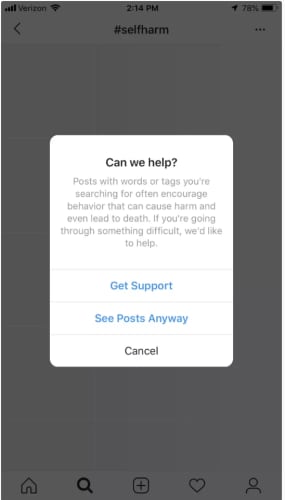
Earlier this month, Instagram announced they’d be cracking down on self-harm imagery. Or rather, they’ve doubled down on the sensitive content filters implemented in 2017.

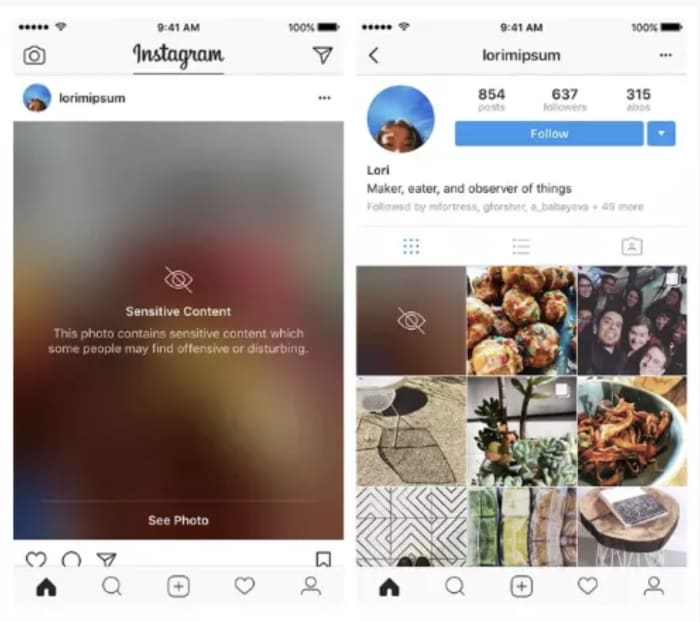
The filters, or “sensitivity screens,” blur out content related to suicide or self-harm and users can tap the screen to view the image. The idea was to reduce the likelihood of stumbling upon unwanted or harmful content.

Since then, Instagram has been dubbed the worst social media platform for mental health, particularly among young people.

From body dysmorphia to eating disorders, self-harm, and low self-esteem — the platform is an undeniable minefield for all kinds of mental health issues.

The initial filters didn’t ban images of cutting or other forms of self-harm, as Instagram didn’t want to ban posts from those who were struggling.

While most of the dialog surrounding social media and mental health has focused on things like FOMO and body image issues, the conversation has shifted toward what content should be banned in an effort to protect vulnerable users.

Here’s a little more about Instagram’s push toward a healthier platform–and why.

Why is Instagram increasing controls on sensitive content?

The decision to ramp up controls over self-harm posts came two years after 14-year-old Molly Russell took her own life. Molly’s parents believe that content found on Pinterest and Instagram may have played a role in her death.  Her father, Ian Russell has been vocal about the failure of social media companies to protect their young users.

In the wake of the tragedy, UK health secretary Matt Hancock warned Facebook (who, of course, owns Instagram) that he would take legal action to protect young people from harmful content. In a letter to “social media bosses,” Hancock said it is appalling how easily young people can access content that “leads to self-harm and suicide.”

Adam Mosseri, the head of Instagram, responded by announcing that they would roll out sensitivity screens blocking images that depict self-harm.

self-harm Instagram

“We still allow people to share that they are struggling,” Mosseri stated. The app’s policy only bans images that “glorify” self-harm. The platform does hide posts that reference self-harm or post non-graphic depictions.

As it stands, the app does ban promoting content that relates to self-harm or suicide. However, they’ve struggled to gain control over the content the algorithm recommends — allowing graphic imagery to pass through the filters anyway.

Instagram’s algorithm is set up so users receive personalized recommendations based on past activity. So, despite Instagram’s efforts, the platform guides users seeking self-harm content toward other posts/accounts that align with their “interests.”

Mosseri admits in an op-ed that the platform hasn’t done enough to keep these images out of feeds. While the 2017 effort was a step in the right direction, this latest move involves allocating more resources to fighting back — content moderators and engineers.

Is it Instagram’s responsibility to ban sensitive content?

Instagram sensitive content

Early reports of the tool in action show Instagram did censor certain hashtags — obvious ones like #selfharm or #selfinjury came with the sensitive content label, but the issue was, users could just add new hashtags and circumvent the filters.

Like some of the biased algorithms we’ve seen in the news recently — problems aren’t evident until something bad happens. A tool isn’t programmed to have racist inclinations or built-in gender bias, but once it’s out in the wild, dealing with real people, it doesn’t have the “training” to respond appropriately to every situation.

It’s troubling that the platform has been recommending sensitive content to a vulnerable audience. But it’s unclear if Instagram’s ban will extend to accounts that raise awareness for mental health issues or speak out about their experience with depression.

As we’ve seen with Facebook’s crackdown on fake news and political ads, many accounts may find themselves subject to penalty. But, it’s certainly a step in the right direction.

Instagram Direct brings DMs to the desktop

Big things are coming for users of Messenger, WhatsApp, and Instagram.

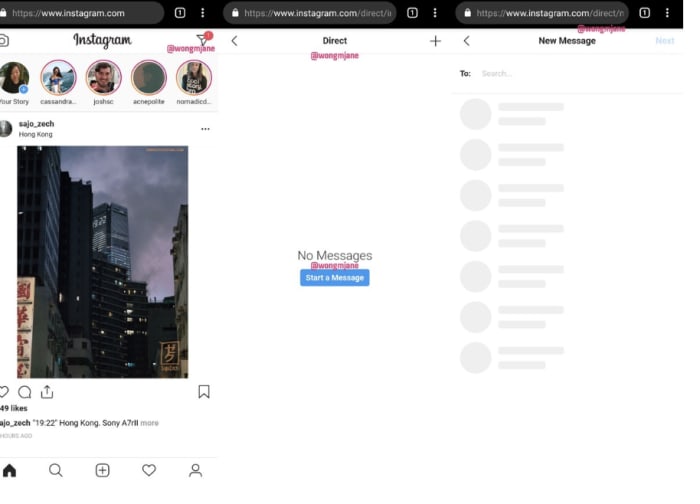
Instagram is testing a new direct message app for the web. Jane Manchun Wong, a reverse engineer pro broke the news to TechCrunch. Wong discovered the mobile-centric app was testing a web version internally by messing around with the URL structure.

Here’s what it looks like:

Instagram DM app preview

Weirdly, some apps (Instagram…) still don’t provide the cross-platform functionality that has become par for the course.

Instagram, long the mobile-only holdout, seems to be following WhatsApp and Facebook, experimenting with a standalone DM app — available on both web and mobile devices.

What will we get from Instagram Direct?

No stories, no pics here. Instagram Direct won’t bring the eye candy to the table like Instagram proper.

Sure, Instagram is a photo app, but the web version will be a standalone chat app, no filters or uploads included.

It seems that the main idea here is to make it easy to respond to text-based messages, as most of us can type faster on a keyboard than the phone.

There are also rumors floating the web about potential support for the iPad. Which again, likely won’t include bringing the full Instagram set-up to the tablet (likely because they take bad pictures?), but presents another way to chat with friends and customers.

Unified messaging with WhatsApp and Facebook is a driving factor

Instagram’s move toward more desktop functionality comes after the big, controversial announcement that Facebook would be combining WhatsApp, Facebook Messenger, and Instagram Direct by the end of this year.

The idea is, the apps will continue to function on their own, but on the backend, the three will be integrated — so users can communicate across platforms. But, as the New York Times reported last month, unifying the backends of the chat apps will require engineers to completely reconfigure the technical infrastructure of all three from the ground up.

Of course, people have not been happy about the announcement, citing privacy issues and security concerns. And the rollout of Instagram Direct represents progress in this whole unification effort.

Businesses can already respond to Instagram DMs via Facebook

A few weeks back, Instagram debuted web-based DMs, by way of Facebook.

Right now, you’ll need to have a business account to access DMs online. But access isn’t limited to a small group of beta testers. Anyone with a business page and an active Instagram can take advantage of the “all-in-one” messaging system.

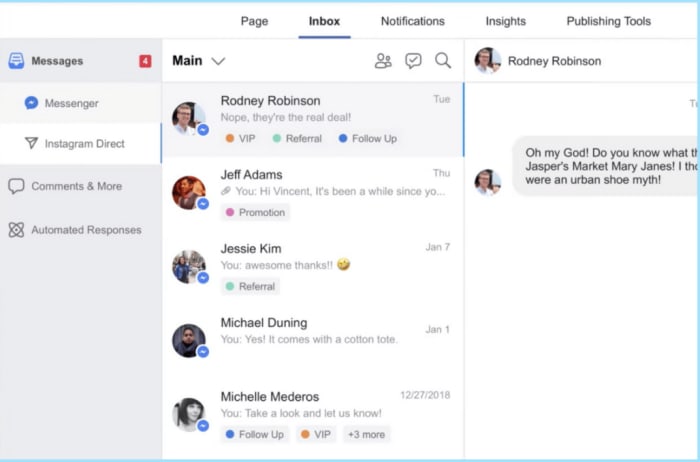
Facebook recently announced that they’d be rolling out the feature in combination with the Facebook inbox. While it’s not a standalone app, users in the US and Brazil can now toggle between inboxes.

The Instagram marketing platform Later.com recently shared a post that showcased Instagram Direct in action. As you can see below, both Messenger and Instagram Direct show up when you click on the Facebook Inbox.

Instagram direct for business

Facebook says that this allows businesses to manage their conversations and respond to customer questions and comments faster than they can on mobile. Makes sense. The fact that Instagram has been clinging to mobile-only seems a bit outdated.

These days, we’ve grown to expect our apps to work on any platform — we’ve entered the era of cross-platform convenience.

Facebook stands to profit from web SMS

Facebook is promoting integration as a way to bring more convenience to the platform — which it does. But, the real benefit for Facebook is two-fold — one, as we mentioned, it’s a step closer to uniting WhatsApp, Instagram, and Facebook.

Two — it’s an opportunity to monetize. Facebook doesn’t directly monetize Instagram Direct right now.

However, an SMS-supported, cross-platform DM app presents a new platform for advertisers to push out ads while users wait for the next message to arrive.

Still, the promise of convenience hangs in the air. And, while Instagram Direct won’t come with photos, stories, and hashtags, it will make responding to messages a little easier.

8 best apps for Instagram collages in 2019

Want to fuse multiple pictures for an Instagram collage? Here are your best bets.

There are a few different ways to make collages on Instagram.

For those new to the concept, an Instagram collage is a collection of pictures that almost look like the grid view in your feed. The difference is, the collage is uploaded as one photo.

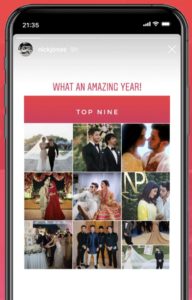
You’ll probably notice the collage trend near the end of every year, as many of your friends probably post their “top nine” collections.

That said, if you’re new to the collage game, you need to know that Instagram collages require a third-party download. You can’t make collages in the Instagram app — between these 8 apps, there’s something for the total beginner, the sticker fiend, and the editing pro.

Best Instagram collage apps

1. Layout

Instagram collage Layout

Instagram’s Layout app leads the charge when it comes to creating everything from top nine collages to merging a few photos together for a unique effect.

The app is easy to use and allows you to re-mix up to nine photos at a time from your camera roll — or photos taken in the moment. You won’t find crazy stickers or tons of templates in Layout, but you will find the straightforward editing and arranging features that make for a high-quality end result.

Layout from Instagram Download free ►
7

2. Top Nine

top nine 2018

Top Nine is one of the most popular collage apps in the game, mentioned by big names in the press like Refinery 29, Cosmopolitan, New York Magazine, and Mashable. The app is less of a creative tool and more of a fun “generator” that puts together a collage of your best posts of the year.

While it’s a fun trick, we only recommend Top Nine in late December unless you feel like being way ahead of (or behind) the curve.

7
Instagram Download Now ►
7

3. Collage Maker

collage maker features

Collage Maker brings a lot of choices to the collage process. Like stickers? Emoji? Then this one’s for you.

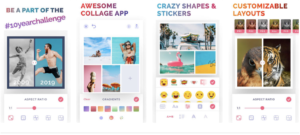
Download the app and you’ll gain access to over 60 different frames, 48 layouts, and five ratios for a customizable experience. We liked that the app was super easy to use and that it came with a lot of features. There were a couple of downsides, though. Collages end up being pretty big downloads and the app features a ton of ads.

Collage Maker - Photo Editor Photo Collage DOWNLOAD FREE ►
6

4. Photo Collage Pro Editor

Photo Collage Editor

Want even more variety? Look no further than Photo Collage Pro Editor. This third-party app comes with 120 different frame variations and a ton of layouts, stickers, and colorful backgrounds. We liked that the editor was super easy to use and allows you to customize photos with the various features.

What we didn’t like we’re all of the popup ads. We get that they’re a compromise that allows us to use apps for free, however, they’re still pretty annoying when you’re trying to find the perfect sticker to put on your friend’s face.

Photo Collage Pro Editor DOWNLOAD FREE ►
6

5. Pic Collage

pic collage template

Pic Collage has a distinctive, feminine aesthetic, so it might not be everyone’s style. Still, the app comes with some interesting design options, the ability to adjust the brightness, hue, and saturation, as well as some stickers. Customize your borders, play with different layouts — Pic Collage is a great way to create cute collages to dress up your feed. Again, the site comes with ads—and collages display a watermark.

Pic Collage download free ►
6

6. Pic Jointer

pic jointer screenshots

This simple app does photo grids and not much else. We recommend this for a couple of reasons — ads are relegated to the bottom of the screen (no popups) and it’s super easy to use. While the more tech-savvy Instagrammer is not going to be impressed, Pic Jointer gets the job done when you just want to get something posted right away.

Pic Jointer – Photo Collage, Camera Effects Editor download free ►
7

7. Moldiv

Moldiv photo editor

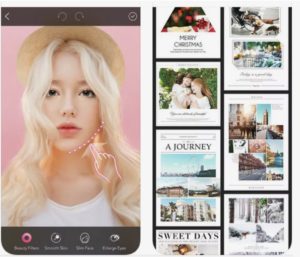
Moldiv is an all-in-one Instagram editing solution. Use this app to tighten up your selfies, edit your food pics, and build some seriously creative collages. Where Moldiv really shines is in the editing department — it’s great for those beauty enhancements and comes with 135 layouts, 310 different frames, and the ability to change aspect ratios.

There is a slightly higher learning curve compared to the simplistic Pic Jointer, and the ads can be kind of intrusive.

MOLDIV - Photo Editor, Collage & Beauty Camera download free ►
8

8. KD Collage

KD Collage for Android

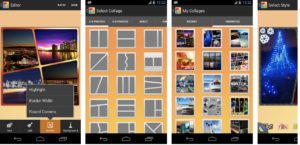
KD Collage brings together ease of use with a lot of options. While there is no built-in editing tool, KD Collage does allow you to create collages using 80+ backgrounds and 90 collage templates. You can also add text to your handiwork — and customize the color, size, and font style. In all, a solid app that makes collaging a breeze.

KD Collage Free download free ►
8