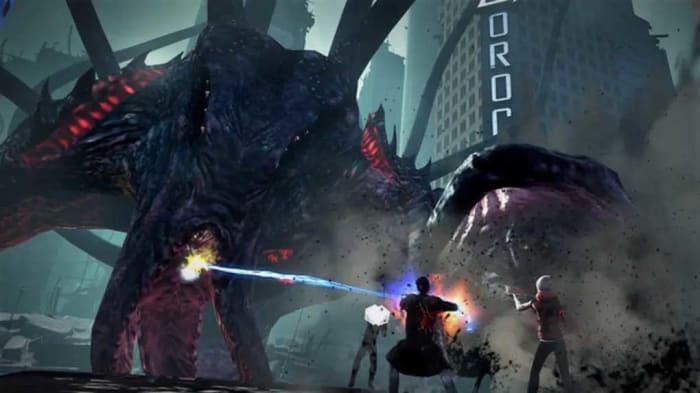
Best free RPG Games

All of these epic multiplayer and single player RPG and MMORPG games are available to download for free right now.

Disclosure: Our team is always looking for things we think our readers will value. We can receive compensation for publishing this article.

We’re continuing on with this week’s look into all the best games you can get for your Windows PC. We’ve already looked at the best free board games and the best sports games for PCs. Today, we’re going back into free games as we bring all the best free RPG games and multiplayer MMORPGs you can download for free and play right now.

If you’re an adventurous soul and love to use your brain as you seek to complete your quest, then today’s guide is for you. RPGs can be set in epic fantasy lands or in more recognizable modern settings. Whatever you’re into, today’s list will have something for you. Let’s go through then, the best free RPG PC games.

RPG games that are free

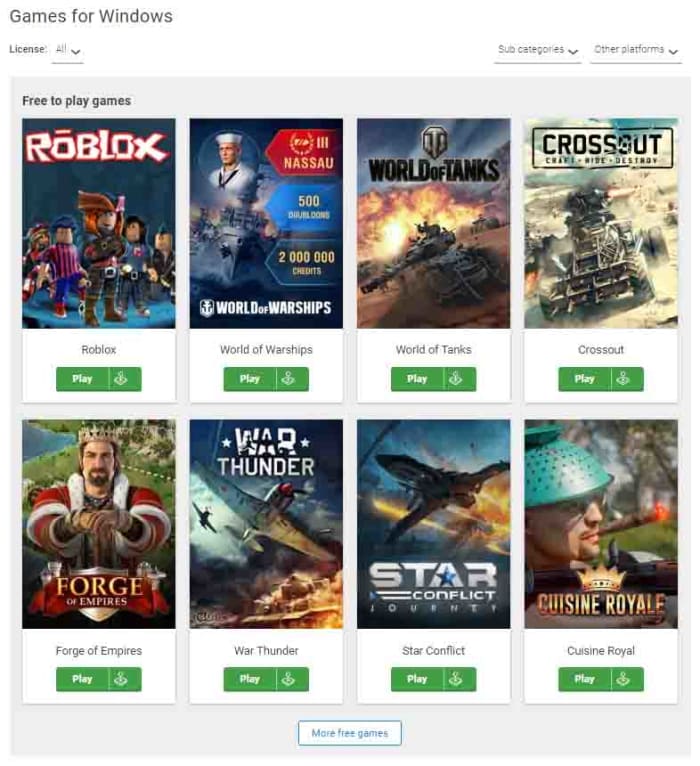
World of Warships

World of Warships

Although World of Warships plays like individual battles, the fact that you can slowly build up your flotilla of deadly warships over time and craft the capabilities of each gives the game some deep RPG dynamics. Sure, you can plunge yourself into fierce battles and simply fire away until all your enemies have sunk to the bottom of the ocean, but there is also so much more here. The same also goes for World of Warships sister games World of Tanks and World of Warplanes.

Rift
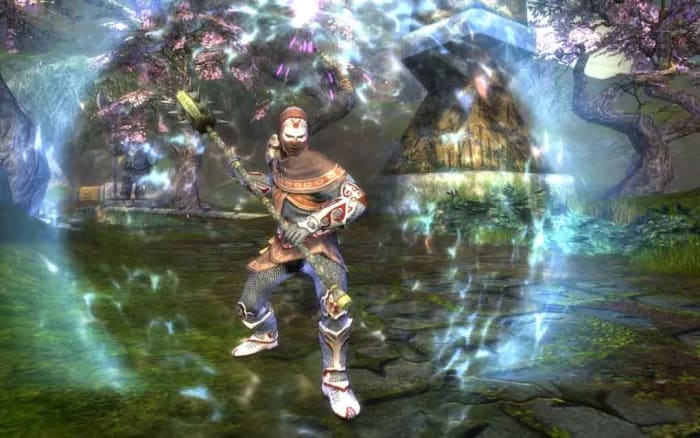
Rift on PC

Telara, which is the world where Rift is set bears more than a striking resemblance to the fantasy world you’ll find in Blizzard’s open-world game, World of Warcraft. This is a fantasy-based land where you can set off on your quest as either a Guardian or Defiant as you advance along the standard paths of either the Warrior, Cleric, Mage, or Rogue. Rift gives players an incredibly large amount of control over their development path, which is great for a free game. If you’re looking for something that feels like World of Warcraft but offers something unique, this is the game you should try.

7

Star Trek Online

Star Trek Online

Star Trek Online has been around for years and has just kept getting better and better. If you’re a Star Trek fan and love playing RPGs, this game has a lot to offer. Even if you’re not a Star Trek fan, there is still plenty here for you to get into. You form your own captain, assemble your bridge crew, and then take to space in your Star Ship and defend all four quadrants of the galaxy against wilful aggressors. You’ll also get to interact with famous characters from the show. There is a lot here for something that’s free.

Star Trek Online Download now
8

Archeage

Archeage

If you want to take to the high seas and live the life of a pirate, then Archeage is the free RPG for you. There’s a lot going on here in this medieval Japan-inspired RPG that not only takes the PvP action to the sea but also to the air through epic dragon battles. With four major races and over 100 separate classes that have been developed across 10 separate skillsets, your character alone is a world to get lost in. You’ll need a lifetime to do everything in this free role-playing game, as there’s so much on offer from building empires to mastering the skies.

Archeage Download now
10

Secret World Legends

Secret World Legends

Not everybody wants to spend hours and hours exploring fantasy lands that were formed in the mind of some developer. If that’s you, you should consider downloading Secret World Legends, which takes the action to places you would quite rightly recognize as cities like London and New York. This game isn’t for the faint-hearted though, with sinister monsters and often terrifying horror game mechanics making this one of the darker games in today’s list. The gameplay makes more of an action RPG too. There is so much going on here and with a distinctive storyline driven world to explore you should definitely try this entertaining fantasy game.

Secret World Legends Download now
8

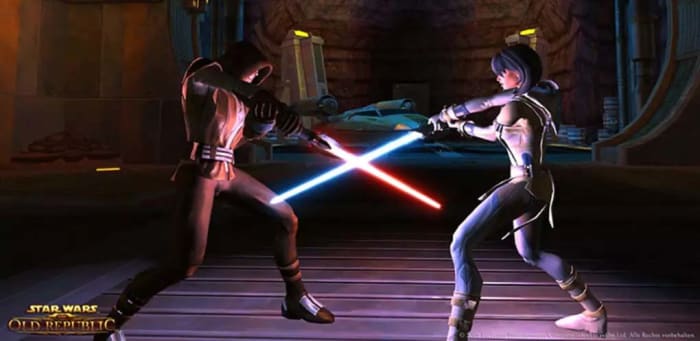
Star Wars: The Old Republic

Star Wars The Old Republic Free RPG

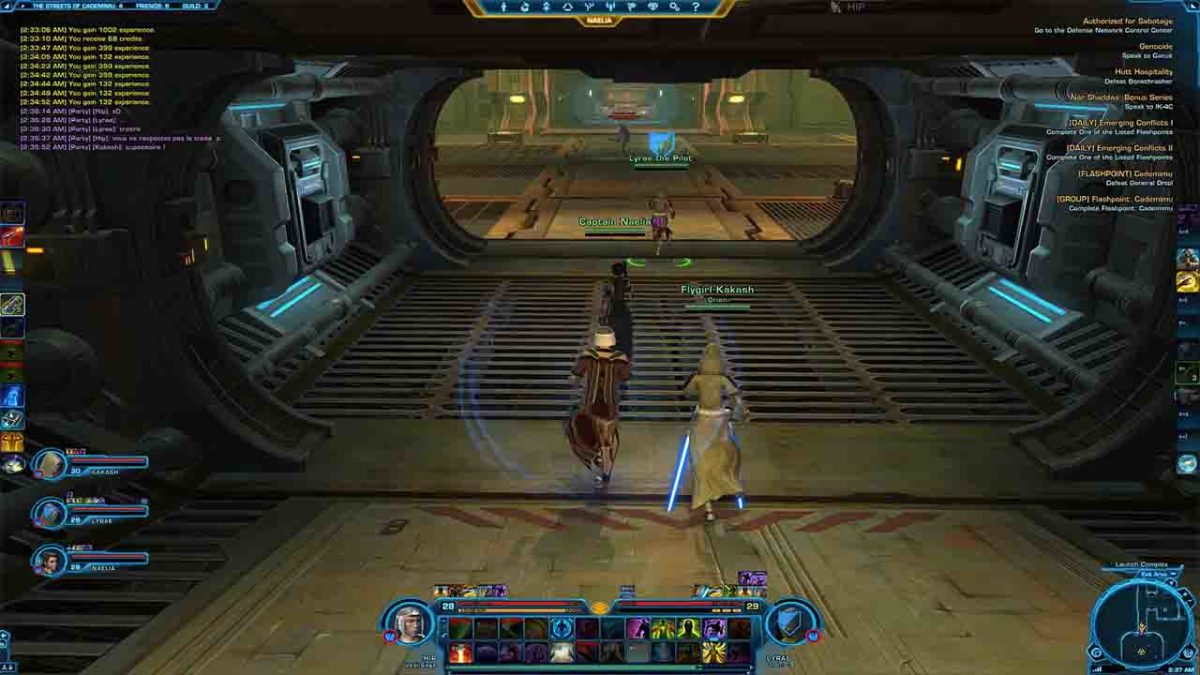
Much like with Star Trek Online, Star Wars: The Old Republic offers a hugely immersive experience that will be lots of fun for both fans of the series and those unfamiliar with a Galaxy Far Far Away alike. This is a game that will take a while to master but that has a lot of fantastic content including entertaining sci-fi cutscenes and well-written narratives that explore the world of Star Wars over 4,000 years before the action that took place in the original movie trilogy. Players pick a faction and a class and then slowly work through the early levels as they build up their character. This might feel like a slow burner but the game’s definitely worth the effort once you’ve established your character.

Star Wars: The Old Republic Download now
7

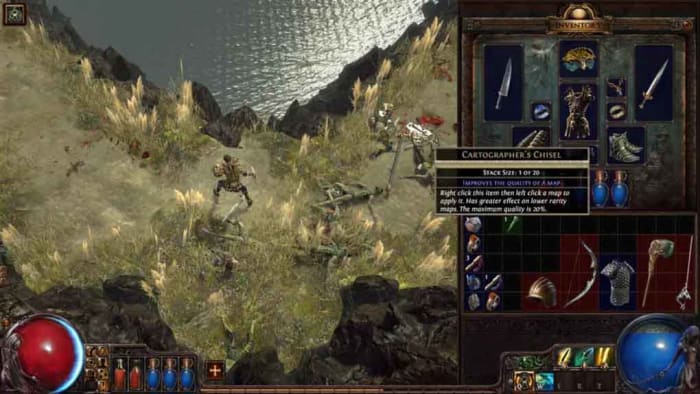
Path of Exile

Path of Exile

Path of Exile is a free RPG game that receives massive updates and content shakeups every three months. This ensures that there’s always plenty of new stuff for players to explore and experience no matter how many hours they’ve logged. On top of this, Path of Exile randomly generates all areas across the game’s servers meaning that genuinely no two places will ever be alike. Another great feature about Path of Exile is that although there are microtransactions in the game, the developers have to pay the bills somehow, they don’t actually offer any advantage to players who purchase them. Path of Exile is not pay-to-win with paid-for add-ons only offering cosmetic differences similar to those found in Fortnite: Battle Royale.

Path of Exile Download now
8
Wrapping up

RPG is such a vast and expansive genre and today we’ve tried to touch as much of it as possible. We’ve brought you games that have the more traditional fantasy tropes associated with the genre, but we’ve also tried to go beyond that. As well as fantasy, today’s list also brings you epic wartime recreations, battles that span across galaxies and ages, and enough terrifying horror action to warrant a trip to the underwear store. We hope you enjoy the games we’ve recommended today and look forward to hearing your thoughts in the comments.
Best sport games

These are all the best Sports PC games you can download right now.

Best Sports Games for PC

Today we’re back with another guide to some of the best PC games available to download. Yesterday we brought you all the best free board games and we’ll also be looking this week at RPGs, strategy games, and finishing the week with a bonus article on the best games you access on Steam for free. Today though, we’re looking at the best Sports games for PC.

Sports games have become incredibly popular over the years, which means there are plenty of high-quality games out there across many popular sports. Today, we’ll be looking at single and multiplayer football games, soccer games, athletics games, racing games, and even cricket games. Let’s get into the best Sports PC games.

Sports games for today

Monster Energy Supercross

Moto Cross game

We’re starting off today’s list with Monster Energy Supercross. Supercross is an incredibly fun sport to watch. It has it all. Fast-paced action, death-defying stunts, and an against the clock turbo feel that doesn’t quit until the chequered flag is waving the winner home. It’s dangerous though, which is why you and I might best be suited to stay at home and get our Supercross kick on our PC.

This is where Monster Energy Supercross comes in offering impressive graphics as you hurtle around the course on your Moto Cross bike. What’s even better about this Supercross simulator is that it comes with a world tour track builder, which means you can customize your tracks and build in as many stunts, twists, and turns as you like. The gameplay isn’t for the faint-hearted though and has quite a steep learning curve. If you’re not up for a difficult challenge, you should look elsewhere.

Monster Energy Supercross Download now
9

FIFA 20

FIFA 20

FIFA has been the dominating force when it comes to football video games for some time now. Sure, there’s the Pro Evolution Soccer series, we’ll get to that later, but when it comes to units shipped there is only one winner.

With the latest installment, FIFA 20, Electronic Arts has added a brand-new dimension to the world of football it tries to digitally represent. VOLTA is a new game mode that takes its name from the Portuguese word for return. The idea behind this is clear as VOLTA is taking FIFA back to the street where so many of the world’s biggest soccer stars fell in love with the game. These “streets” hold a loose meaning too as the game is boiled down to smaller 3v3, 4v4, or 5v5 games in crazy arenas including rooftops, beaches, and cages. There’s a lot to learn with VOLTA but you’ll certainly have a lot of fun as you get to grips with the new dynamics VOLTA will need you to master.

FIFA 20 Download now
8

Pro Evolution Soccer 2020

PES 2020 efootball

The battle between FIFA and PES (Pro Evolution Soccer) used to be a lot closer than it is today. PES was widely regarded as the better game while FIFA offered a much more polished experience. For years though, PES fell behind in both regards and FIFA established itself as the football game to play.

Recently, though, PES has quickly been regaining lost ground and is once again garnering the critical acclaim it used to enjoy. This latest version of the Konami franchise has taken huge strides in that regard. Pro Evolution Soccer 2020 now has a completely revamped Master League, a more realistic transfer system, better first touch controls, improved goalkeepers, and more finely tuned ball physics. Even free kicks and penalty shootouts are better now too. Once again, PES is feeling like a video game that simulates the game dynamics you contend with when playing the game for real compared to a FIFA that simulates the game you watch on TV. Both are fun and both are great at what they try to do, but individual tastes will dictate which game is right for you.

eFootball PES 2020 Download now
9

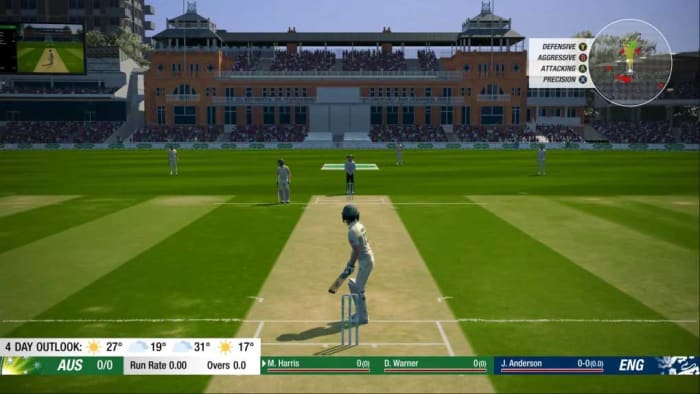
Cricket 19

Cricket 19 game

Cricket 19 is a fantastic cricket simulation game that really lets you dive into the on-field experience of world-renowned cricket stars. The game enjoys fantastic graphics and also has realistic physics and dynamics making all those spectacular catches you see on the TV more difficult to pull off but equally more satisfying when you do.

Cricket 19 also boasts an excellent career mode that will see you forming your own cricket club and building it up from scratch. Another great feature is the Scenario mode, which allows you to play in some of the most famous cricket matches of all time. If you’re a cricket fan, this is the game you want to try.

Cricket 19 Download now
9

Madden NFL 20

Madden NFL 2020

The Madden games by Electronic Arts have been around for decades now and, accordingly, have enjoyed constant evolution and refinement over a very long period of time. This latest addition to the series keeps it moving forward in impressive fashion and offers all American Football fans the chance to get into the heart of the action without having to put on protective pads and a helmet.

The graphics in Madden NFL 20 are simply mind-blowing and will leave you wondering whether you are playing a video game or controlling a game in real life. On top of the improved graphics, Madden also has an improved career mode called Face of the Franchise: QB1 that sees players try to become the NFL’s star quarterback.

Madden NFL 20 Download now
8

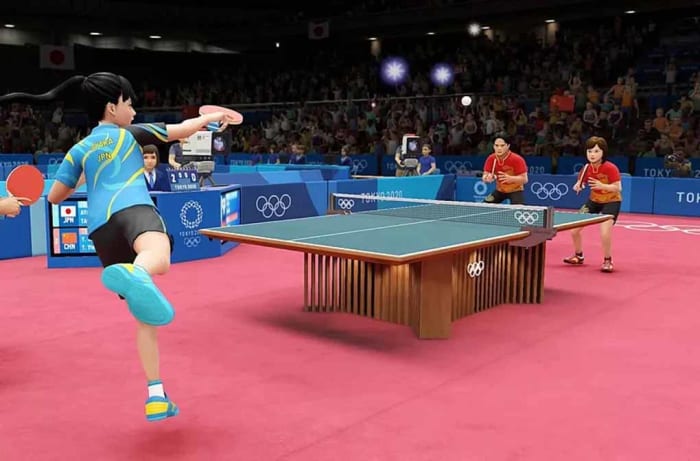
Olympic Games Tokyo 2020

Tokyo 2020 PC game

The Olympics have always been the pinnacle of all sporting events across a wide variety of sporting disciplines. Always a treat to watch, the official Olympics game from Sega makes competing accessible for Olympics fans too. This online Sports game looks fantastic and offers recreations of many of the most popular Olympic events including the 100m Sprint, 110m Hurdles, the Hammer Throw, and the Long Jump, various swimming events, and ball games such as Baseball, Basketball, Beach Volleyball, Football, Ping-Pong, and Tennis. You’ll also get a boxing game too.

There’s a lot here for all sports fans to get into and this game is definitely worth checking out. If you have certain events that you’d like to play, however, make sure you check the game has them as not all Olympic sports are here.

Olympic Games: Tokyo 2020 Download now
8

Best free board games

These are all the best free board games you can download for free from the Softonic games catalog

Free board games

Who doesn’t love a good old classic board game? With all the incredible advancements in video-game processors, graphics, and most of all production and marketing budgets, it is easy to forget the fun you can have playing board games. You have the board, the rules, and then any extra cards, pieces, or paraphernalia and then you are good to go. Board games can take you into any type of game world and provide any type of experience.

These days board games are easier than ever to play as many of the best games have been digitized and made available online. What’s even better is that many are available to play right now for free. Let’s not waste any more time then and dive into the best place to get your hands on free board games and all the best games you can download. If you have a party coming up, this is the list for you.

Free board games online

Softonic

Softonic is the web’s number one source of secure downloads for all different types of software. At Softonic, you can download everything from service packs for Microsoft Office to the latest Opera web browser. Games also form a massive part of the Softonic download catalog and there is a dedicated section for popular board games.

Amazing free games

This is the place to go if you want a game for free and you want it for life. There are lots of classic online board games here for you to choose from including the likes of Chess, Yahtzee, Uno, Monopoly, and classic games like Dominoes and Mahjong. Let’s go through the best games together.

Best free board games

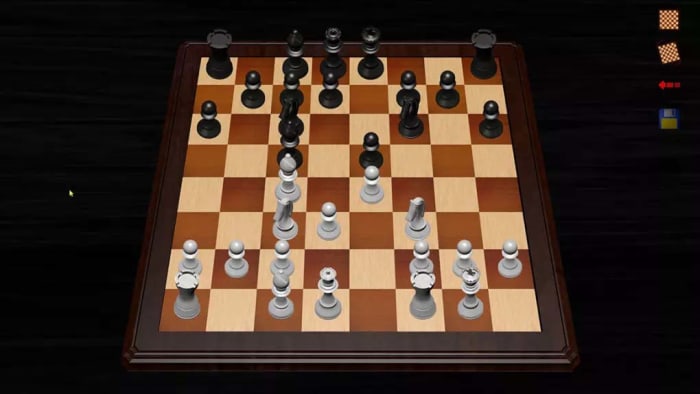
Free Chess

Free Chess

Chess is probably the most famous board game there’s ever been. The classic strategic battle of wits has been played for centuries and its winners have long been marked as the most intelligent people out there. Free Chess offers all chess fans, old and new, a free and lightweight program that offers quick access to single and multiplayer games of chess. This program isn’t feature-rich; it is simply a popular platform for playing chess.

Free Chess Download now
8

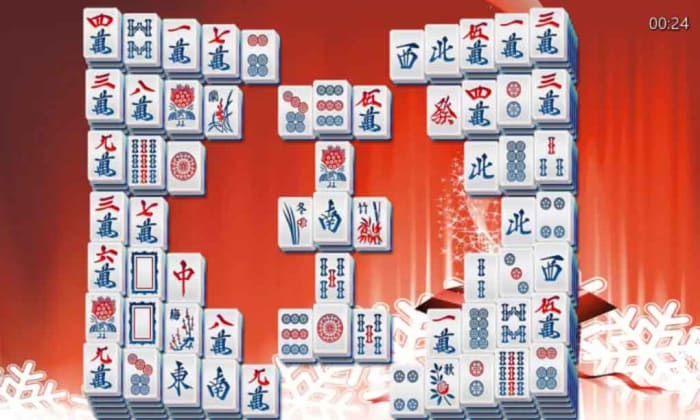
Mahjong Deluxe

Mahjong deluxe for freeAlongside Chess, Mahjong is another classic game that has been played throughout the ages. Originally developed in China, Mahjong is a tile-based game that sees three or four players battle it out in a game of tactics, memory, and strategic observation. Mahjong Deluxe offers a beautiful Mahjongg simulation that looks fantastic and plays very smoothly. It also offers stunning backgrounds and a variety of sounds and songs that play in the background.

Mahjong Deluxe Download now
8

Monopolie

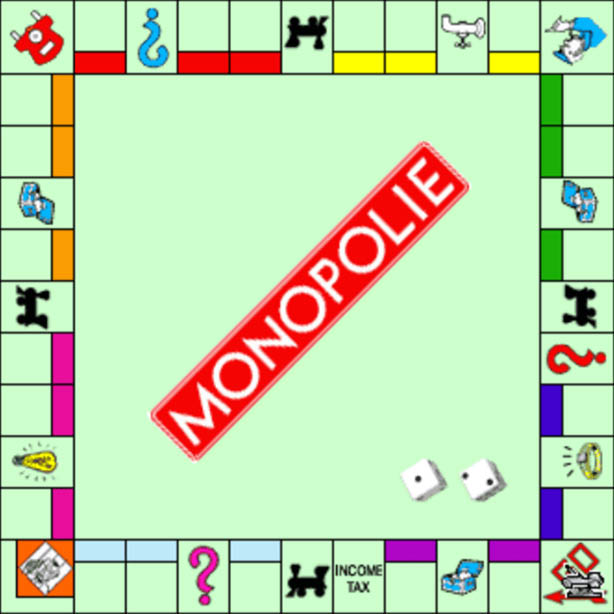
You are reading that right and it isn’t a typo. Monopolie is a free version of the classic property tycoon simulator board game. This program is simple enough. You get a board, you get the cards, you get dice, you get the famous little pieces, and yes, you get $200 when you pass Go. There are other versions of Monopoly out there and you might even say some of them are slicker than Monopolie, but this is free, and it works well so we’re happy to add it to our list.

Monopolie Download now
8

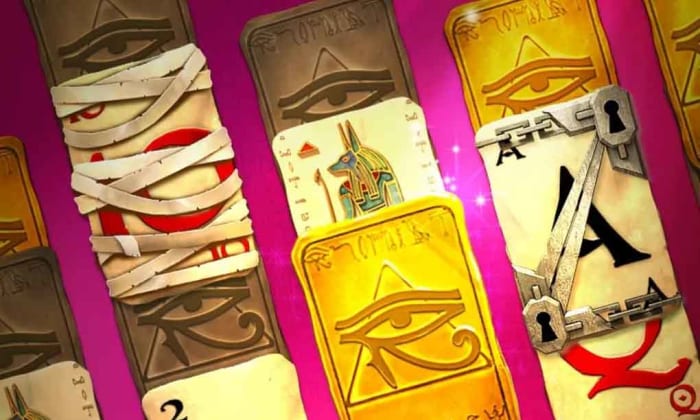
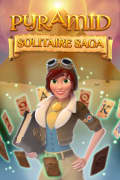
Pyramid Solitaire Saga

Pyramid Solitaire

Pyramid Solitaire is a particularly entertaining version of the classic card game you play on your own. The action sees you lay out the cards in a pyramid shape and then try to work your way through them all from the foundation up. Pyramid Solitaire Saga brings all the elements of the solitaire game and plays on the Pyramid theme by adding a narrative that involves traveling around the world and searching out the secrets of the ancient of the world.

Pyramid Solitaire Saga Download now
7

Uno

Uno

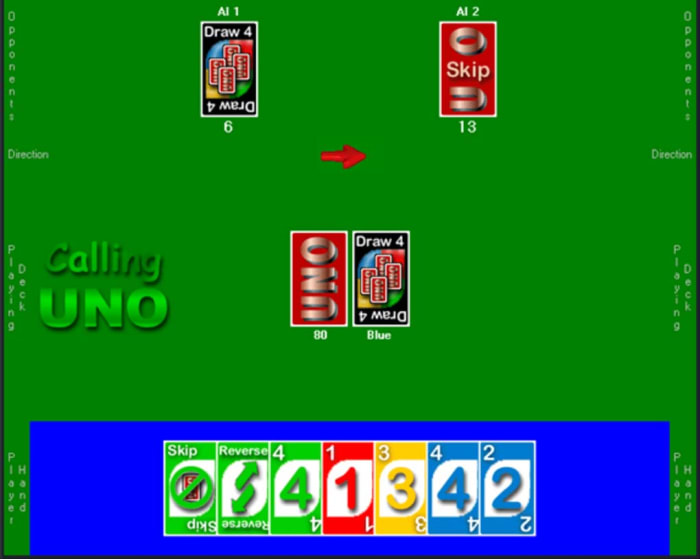
Uno is another classic card game that offers players lots of fun. This simple and free version of the famous game recreates exactly, everything you can do with Uno cards on your PC. You can play against up to 9 players, either AI or human, and the action is exactly the same as you’ll get playing the game in real life. No bells, no whistles; just Uno.

9

CheckerBoard

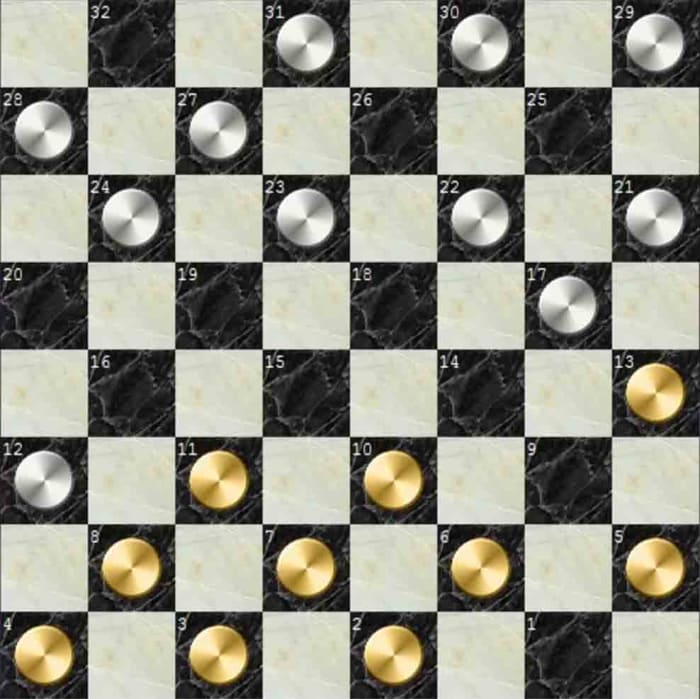
The real beauty of a good board game stems from the endless hours of fun that can be had with such simple concepts. Perhaps no board game encapsulates this truth more than checkers. Played on a chessboard, checkers is easy to learn and rewarding to master. This excellent free version of the game mirrors the real-life version. It is simple yet effective. You won’t get explosions or cutting-edge graphics, but you will get to play Checkers.

CheckerBoard Download now
8

Domination

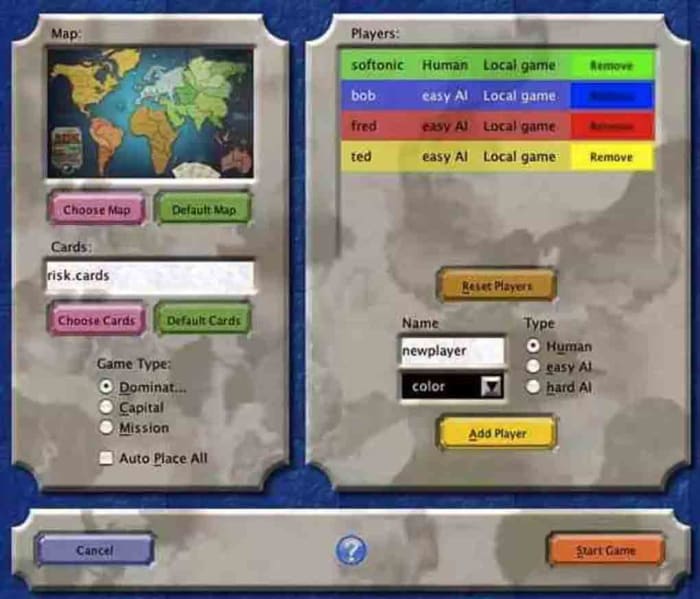
If you’re a strategy game fan, you’ve probably played Risk. Risk is the game of global domination that carves up the world and then asks players to try and win the largest share of the pie. Domination is a well-executed free version of the classic strategy board game that mirrors the original, complete with global power plays and epic battles. What the game adds to the traditional board game experience though, is detailed performance statistics on how you and up to five other players did during the game.

Domination Download now
9

Dominoes

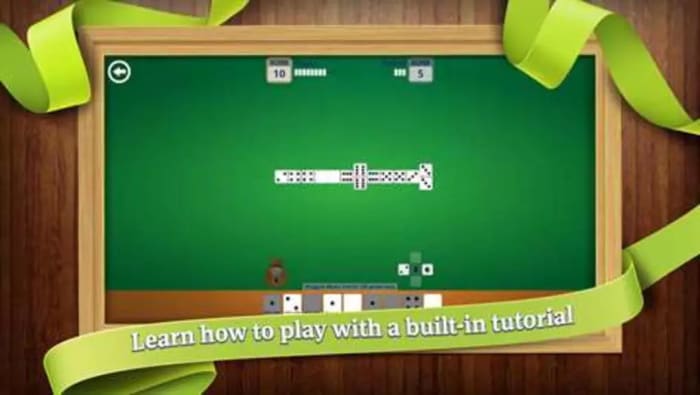
From Domination to Dominoes. Again, this is a classic tabletop game expertly recreated in video game form. The game offers customizable tables and has three different game modes. You’ll also get a tutorial that will teach you the basics and train you up to be a more advanced player. What’s even cooler about this simple recreation of a simple table game is that you can also play it on your phone and even in 3D using a Microsoft HoloLens. If that sounds a bit complicated for you, don’t worry, the standard Windows version is lots of fun too.

Dominoes Download now
9
Wrapping up

There you have eight excellent free board games you can download for free right now. As well as the eight games we’ve highlighted above you’ll find many more board games in the Softonic library like Backgammon, Battleship, and Ludo. Make sure you head over there and check out all the games Softonic has to offer.

Minecraft farming guide

Farming can feed you in Minecraft, giving you something peaceful to concentrate on, and put money in your pocket. This is how to do it.

We’re bringing you another of our Minecraft guides. Today, we’re looking at farming. Why do you need to farm in Minecraft? Well, because farming in the Minecraft world is a great food source just like it is in the real world. Also, just like in the real world, you will get hungry in Minecraft and want something to eat.

Farming isn’t just about food for your belly, though. You can trade your food with other players and NPCs (non-player characters), or you can simply sell it to get your hands on money, which you can then use to buy whatever you need. Like most things Minecraft though, farming is a big subject, so buckle in as we go through the basics.

What can you farm in Minecraft?

Minecraft farming: sugar cane

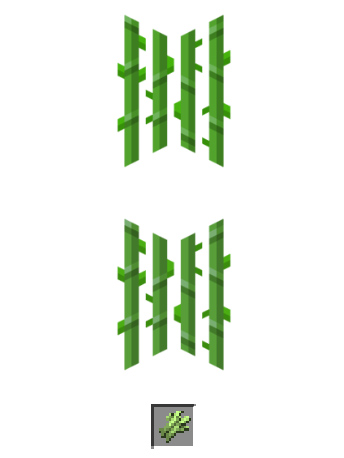
Sugar Cane grows naturally near water, and you can start a sugar cane farm with a single sugar cane block. It looks like green reeds and, when grown, can be used to make sugar, which can go into other food items, but also paper and other crafting items.

To grow sugar cane, you place the reeds next to a body of water you’ve either found or built. It will grow to be three blocks tall, and then you want to harvest the top two blocks and let the bottom block grow again.

Image via: Minecraft Wiki

Minecraft farming: chickens

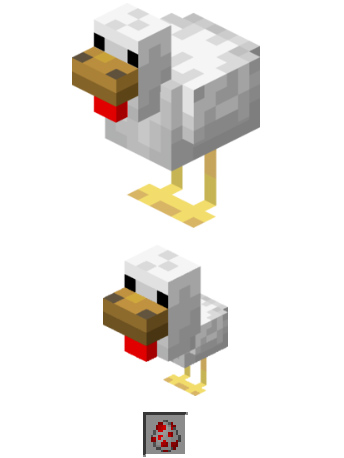
Chickens are a very useful resource in Minecraft. You can cook and eat them, they also produce eggs, and you can make arrows out of their feathers. You can hunt chickens if you have some seed in your hands as they will follow you wherever you go. You’ll need to walk slowly though. This means you can build a pen and then they’ll walk into it themselves.

Another way you can start a chicken farm is by using eggs. If you can collect eggs, one out of every eight you place in your pen will hatch into a chicken.

Minecraft farming: mushrooms

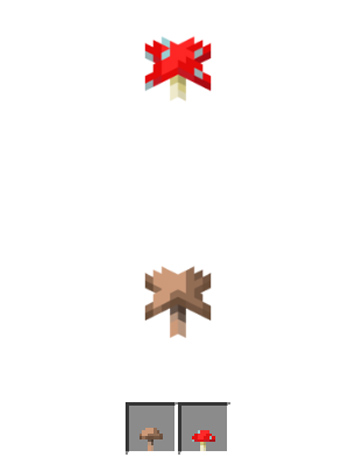
Mushrooms don’t need water and grow in the dark, or at least anywhere the light level is 12 or below, which means you’ll be best growing them indoors in a dimly lit room. You’ll probably be worrying about monsters now though, which spawn in the dark. You can use nearby torches, two blocks away, to prevent this or farm your mushrooms in corridors that are only one block high. This second method would work because mushrooms spread, as long as there aren’t more than five other mushrooms around, so you can direct this spread to an area where you can access them.

Minecraft farming: melons

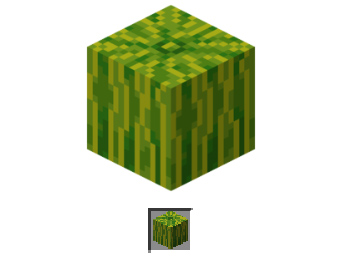
Melons are quite difficult crops to grow in Minecraft, but with a bit of effort and planning, you should be able to do it. Once grown, they’re an excellent source of food as melon slices and also produce further melon seeds.

To grow melons, you need to create strips of soil that are flanked either side by strips of water and grass. This is so the grass will support the heavy melon as it grows, which is helped by the water the melon can drink. You can use fertilizer to help them grow faster, but we’ll come to that later. When you harvest melons, chop the melon block and leave the stalk block to grow again.

Minecraft farming: wheat

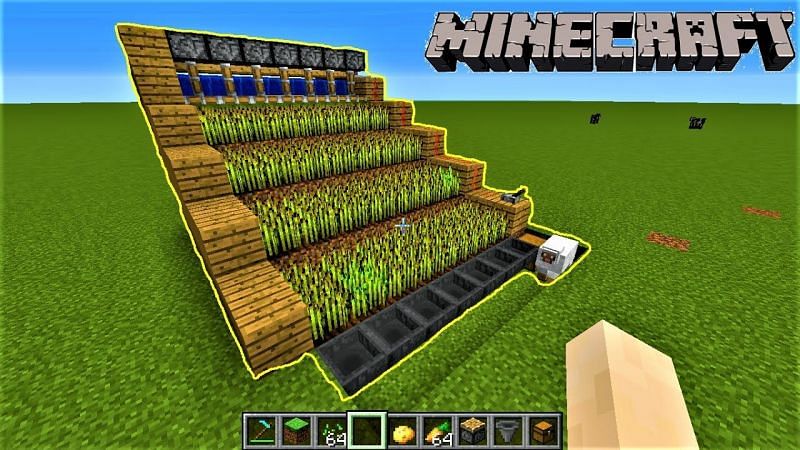
Wheat is a staple crop and is one of the easiest things you can grow in Minecraft. Wheat not only creates a crop for you to use, but it’ll also give you extra blocks that you can use to expand your farm.

To create a wheat farm, you’ll need to create strips of soil two blocks wide with one block wide strips of water either side. The wheat doesn’t need the water to grow, but it will grow much faster when it can access water. You need to plant your seeds in the soil and wait until the sprouts grow and turn a yellow or brown color. You then harvest the wheat and use some of the harvests to replant the wheat to grow again.

And more…

We’ve outlined some of the things you can grow on Minecraft. You can also grow things like carrots and potatoes, which grow like wheat. Another option for your melon farm would be pumpkins. You could also try your hand growing cocoa beans, cacti, or beetroot among other things.

How to: Farming in Minecraft

Minecraft farming house

The basics you’ll need for your Minecraft farmhouse beyond walls etc. are a bed, a chest, and a crafting table. With these in place you’ll always spawn nearby should you die, you’ll have somewhere to store your crops, and you’ll also be able to build new farming tools when you wear down the ones you have.

The right kind of soil

Speaking of farming tools, you’re going to need a hoe. You use a hoe to turn grass and dirt blocks into farmable soil. If you follow the guidelines laid out above, you’ll be able to create farmland in most areas and biomes. To make a hoe you need two planks and two sticks. Place one of the sticks in the center square of your crafting grid and the other directly below it. Then place one of the planks above the central stick and the other plank to the left in the top-left corner of the grid.

Water and light

Your crops are going to need access to water and light if they’re going to grow properly. The most efficient way to set up a farm is to build water channels next to your crops so that you don’t have to run around with buckets all the time. With light, outdoor farms will work best, except for mushrooms. You can grow indoors and even underground, but remember, if the light source isn’t as strong, the plants will take longer to grow.

Seeds and fertilizer

You can find seeds like pumpkin seeds, wheat seeds, plant seeds, and more in chests. You can also trade for them with villagers, and even get potato and carrot seeds by killing zombies. Another source of seeds is destroying grass blocks you find dotted around the world and searching out wild versions of the plants you want to grow.

To fertilize your crops you need to use bone meal and, in some cases, the crops will grow instantly when you fertilize them. You can create bone meal yourself by grinding up the bones of skeletons you’ve destroyed in a fight.

Where to find the best sports wallpapers

If you’re a sports fan, we’ll walk you through of the best places to find sports wallpapers and backgrounds for your phone and desktop PC or Mac.

We’re back with another of our desktop and mobile wallpaper guides today, bringing you the best places to find the coolest backgrounds and wallpapers for all of your devices. Scroll down to see all the other cool guides we’ve brought you this week including the best movie wallpapers, video game wallpapers, space wallpapers, and minimalist wallpapers. Today, however, we’re concentrating on sports and we’ve found some fantastic collections for you to use on your electronic devices.

We’re going to cover all the biggest sports in the world from American Football to what the rest of the world calls football but is known as soccer in the US. We’ll also look at Baseball, Basketball and many other great sports. Let’s not waste any more time then, and get into the best sports wallpapers for Windows PCs, Apple Macs, Android smartphones and tablets, and iPhones and iPads.

Sports HD Wallpapers

NBA.COM

We’re starting today’s sports list with basketball. The NBA is the biggest basketball association in the world with all the greatest players donning team vests for NBA teams like the New York Kicks, Utah Jazz, LA Lakers,  Boston Celtics and more. As you’d expect, NBA.COM is a central hub for all things Basketball related in the US. You can do everything there from buying tickets to following live score updates.

What we’re interested in today, however, are the sports backgrounds you find via the team pages. Most NBA team pages have official basketball wallpapers that you can download and use for free. These are professionally produced backgrounds that look fantastic. To access them you need to click the Teams option in the menu that runs across the top of the page. From there, select your team in the menu down the left side of the page and then click the Team website option over on the right side of the page. When you’re there, you need to search for the Fans or Community sections in the menu that runs across the top of the page. If your team has an official Wallpapers section, this is where you’ll find it.

FIFA.COM

FIFA is the world governing body for soccer or football as it known all around the world. FIFA is responsible for setting the laws of the game that other football associations then follow and also decides who will host the World Cup. If you’re interested in learning more about football, the FIFA website is a great place to go. You’ll also find an excellent library of photos that would be perfect as a desktop or mobile wallpapers. You’ll find live-action shots from the biggest football tournaments all around the world as well as cool and interesting images from behind the scenes. This is a really interesting place to search out sports wallpapers for your devices.

Unsplash

Unsplash has made it into more than one of our wallpaper lists this week because it offers a broad range of fantastic images across a wide range of topics and themes. It makes it into today’s list of places to find HD sports wallpapers though, because of how well organized and laid out all its sports categories are. Sure, you’ll find breathtakingly cool images from the big sports here, but you’ll also get dedicated libraries of HD and Ultra HD 4K images for sports like Volleyball, Running, Cycling, Climbing, Track, and even Archery. On top of that, what you’ll find with Unsplash is that the images will have an all-round different style and tone to what you’ll find elsewhere. These are trendy photos taken by photographers at the top of their game.

Wallpaper NFL

If you’re a football fan, then Wallpaper NFL is a great place to go to search out some high-quality images to set as a football wallpaper. You’ll find over 42 pages of HD desktop wallpapers, but you’ll also be able to search via a handy search bar at the top of the page and also browse through different categories that you’ll find at the bottom of the page. In reality, these categories are rather simple, but you will be able to browse through different wallpapers and backgrounds for each of the major NFL teams as well as backgrounds optimized for certain types of smartphones. The wallpapers here are good too and have clearly been made with a high level of design and care.

MLB.COM

If you’re a baseball fan, you’ll likely already be familiar with MLB.COM. The site performs the same function for baseball in the US as the NBA site we’ve already mentioned does for basketball. In that respect then, we want to point out that that you can find team specific wallpapers for MLB teams in exactly the same way you can for NBA teams at NBA.COM. The only difference here is that when you get to the individual Teams page, you’ll need to look for the ellipsis icon ) three vertical dots in the menu that runs across the top of the page. When you click that icon, you’ll open a drop-down menu, which will contain the Fans section where you will find all the wallpapers and screensavers attached to that particular team.

Where to find the coolest minimalist wallpapers

These are the best sites, pages, and posts for finding the best minimalist wallpapers

Minimalism is a philosophy that stands out in today’s world of more, more, more. The idea that less is actually more goes against the very culture that we’ve built our society upon, but do you know what? It works. There is a true, elegant beauty that can be found in minimalist designs, which has led to many non-believers adopting the minimalist deign style too.

A perfect way of adopting the minimalist design style is via a desktop wallpaper. Think about it, you don’t want your background distracting you from the live icons that sit above it. You don’t want a busy image with lots going on, you want something smart and distinct yes, but also quiet and understated. You want a minimalism wallpaper. What’s more perfect then for this than an image than adheres to the minimalist design philosophy.  Let’s look today then, in our fifth and final article on desktop wallpapers for Windows PC, Apple Macs, and Android and Apple smartphones, iPhones, and iPads, at where to find the best minimalist desktop wallpapers and 4K Ultra HD backgrounds. You’ll get extra points, if you spot the second Star Wars design.

Minimalist wallpapers

Imgur

Amazingly, our first source of mind-bendingly good minimalist wallpapers isn’t a webpage but rather a post on social media. Imgur was set up originally as a way of sharing images across the social network Reddit. As is usually the case on the internet, however, things evolved quickly and the Imgur platform quickly developed its own community, complete with its own unique quirks.

The post we’re highlighting today was made in 2016 and contains over 140 unique HD wallpapers. Strictly speaking, not all of these designs are what you’d call minimal designs, but there are more than enough fantastic designs here to warrant it a place in today’s list. These designs do follow a chic and minimal design philosophy but some of the images also include minute details, which goes against the idea of keeping elements to an absolute minimum. Still though, this is a fantastic collection of wallpapers that definitely deserves a look.

Inspiration Feed

If you’re looking for quotes, articles, tips, tricks, and all manner of listicle designed to inspire you to do what needs to be do then Inspiration Feed is a site worth looking at. There is lots here and the site is still updating with new content. What we’re looking at today though, is a post from 2019 that included 75 excellent minimal designs that would make fantastic minimalistic wallpapers on both desktop and laptop PCs, and mobile devices. The great thing about minimal designs is that they can simply be cropped to suit you layout needs. As there isn’t a lot going on in the images the chances of you cutting out something vital are slim to zero.

Minimalism.Life

As we mentioned earlier, for some, minimalism isn’t just a design philosophy it is a way of life. For those people, or anybody looking to enter that way of life, minimalism.life is a central hub offering information on how to organize your life according to minimalist principles.

As well as the articles and links to other minimalist organizations, you’ll also find a small gallery of minimalist wallpaper designs you can use on either your PC or smartphone. There are some great iPhone wallpapers here. It is definitely worth us pointing out though, that these designs take the minimalist idea to a whole new level offering little more than a fade from one color to another. In fact, some don’t even bother with the fade, simply offering a solid brick of color.

I can be creative

Here we have another design website that offers various tools to budding and professional designers alike. You’ll find tutorials here as well as guides and many different types of free tools that you can download. On top of all that, you can also download different designs to be used as wallpapers and backgrounds. Lucky for us, and for all you minimal lovers out there, there’s also a section for minimal wallpapers including lots of great minimal takes on things such as the solar system, superheroes, outfits, movies, and more. There are some fantastic designs here for you to check out.

Hongkiat

Our final source of stunning minimalist designs you can use as backgrounds for your phones, tablets, and desktop backgrounds is Hongkiat. Another design website, Hongkiat brings with it all the usual inspirational bells and whistles as well as a place for up and coming designers to showcase their work. This is where we come in looking for cool images and iconography to plaster all over our electronic devices. Hongkiat doesn’t let us down here at all and presents us with many different cool, inspirational, and most of all minimal designs that look amazing.

All the best movie wallpapers 2020

These are all the best places to find all the best movies wallpapers for your PC and mobile.

This week at Softonic we’re bringing you all the best places to find cool and epic desktop wallpapers and backgrounds for your Windows PCs, Apple Macs, and also some for your Android smartphones and tablets, and iPhones and iPads. We’ve split our offerings up into five categories and although some of the sites we’re flagging today have cropped in more than one of our lists, we’ve tried to broaden out our offerings so that we can bring you as many different sources of HD and 4K wallpapers as possible.

Today’s offering is movie wallpapers and backgrounds and we’ve got some really great options for you to get into. If you’re a film buff or just somebody who appreciates the aesthetics of a good movie poster, today’s list is for you.

Movie wallpapers

Movies Wallpaper HD

The first internet library of HD desktop wallpapers and backgrounds we’re bringing to your attention today is a simple Blogspot website called Movies Wallpaper HD. Don’t let this page’s humble layout fool you, this site has a ton of great wallpapers from some of the biggest movies ever. What’s even better is that the site is well organized into excellent categories meaning it is really easy to search for movie wallpapers via genre. There are lots of categories here too, including 4K wallpaper Hollywood movies, animation movies 4K and HD, classic movies wallpaper, Harry Potter movies, Horror movies, Marvel movies, and many, many more. All you need to do is search through this extensive library and click on the wallpaper you want.

The Movie Score

Although it hasn’t been updated in quite some time, The Movie Score is a half decent site for all movie fans to visit. It is full of movie and TV related content including reviews, trivia and quizzes, behind the scenes reports from shoots, and many different types of lists and galleries. The site also claims to have the largest archive of movie facts. Unfortunately, however, the list of movies it claims to have facts for only take to you to trivia hosted on other websites.

Despite that, however, you’ll still find a great library of HD photos and images from some fantastic movies that you can use as your desktop background. This is the place to go for truly beautiful shots from some of the all-time classic movies including the likes of Indian Jones, Star Wars, and Apocalypse Now. This old site is where we found some of our favorite movie wallpapers.

HD Wallpapers

You won’t find any movie trivia here or industry insider information. Instead, what you get at HD Wallpapers, as we’re sure you’ve already guessed, is an extensive and well-organized library of HD and 4K movie desktop backgrounds that will make your PC, Mac, or mobile phone stand out from the crowd. There aren’t nearly as many categories as you’ll find at Movies Wallpaper HD, but you will find well over 200 pages of HD and 4K Ultra HD wallpapers from both blockbusters and arthouse indie movies. You’ll even find desktop wallpapers for movies that haven’t been released in theaters yet.

Movie Mania

Movie Mania is an astonishingly large and well put together a library of movie wallpapers and backgrounds. In the top-right corner of the page, you’ll find a little switch that will toggle between the desktop wallpaper site and the smartphone wallpaper site. There are thousands of options in each and all of them look amazing. You get all of the usual categories here, but it is the content that is so good. You’ll get images and promo shots from all the biggest movies, but you’ll get angles and setups that you just won’t find anywhere else. The content here is unique and looks amazing.

1001 Free Downloads

The 1001 Free Downloads site is a bit of a catch-all site that offers a little of everything. You can find fonts, icons, brushes, vectors, and much more here but what we want to show you is the wallpapers section and in particular the movie wallpaper section. There are no categories here, movies is the category, but there are still plenty of interesting and cool movie images you can download and set as your background. The focus here is much more geared towards Hollywood blockbusters than you’ll get elsewhere in today’s list, but you will find wallpapers that you won’t find in the other sites we’ve listed. This is the place to go for high-quality wallpapers from movies like Star Wars: The Rise of Skywalker, Batman: The Dark Knight, Superman, Avengers: Infinity War, Wonder Woman, Captain America, Deadpool, and more.

Wrapping up

So, there you have five great sources to get all your favorite movie images to use as a background. We’ve shown you were to find backgrounds for all your devices, so it doesn’t matter if you’re looking for a wallpaper for your phone, Windows PC, or Apple Mac. This list has you covered. We’ve picked out some of our favorite images, but you’ll find thousands more by following the links we’ve included above. As a little bonus though, let us know in the comments if you can name all the movies we’ve featured with today’s article. We bet nobody will be able to get them all.

Where to find the best videogame wallpapers

Here are some amazing video game wallpapers and links to some fantastic collections of HD video game wallpapers.

Video games are now true works of art. Epic in size and scale, and breath-taking in their beauty; video games have established themselves as not just for the gamer but an essential part of modern popular culture. They offer experiences, feelings, and emotions that cannot be found elsewhere. We’re not here today though, to talk about story lines, emotions, or character development. Mostly, we’re here today to talk about amazing graphics and incredible vistas. We’re mostly focusing on them, because they’re what make great video game wallpapers.

Scroll on then to go through some of the best video game wallpapers available right now and also to discover some of the best places to find video game wallpapers too. Get ready for epic!

HD video game wallpapers

Cyberpunk 2077 and more

Cyberpunk 2077 might just be the most hotly anticipated video game in the world right now. Coming out April 2020, Cyberpunk 2077 is CD Projekt Red’s hotly-anticipated follow up to The Witcher 3, which is widely regarded as one of the best RPGs ever. Yep, you’re right, that is the same Witcher that is currently on Netflix. Cyberpunk 2077 looks fantastic and on top of that, the cyber punk genre is incredibly popular with fan artists meaning there is a lot of great fan art available too. Check out these wallpapers below.

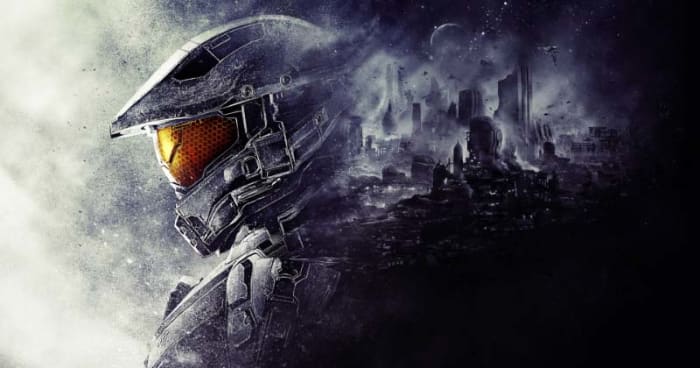
All of these Cyberpunk 2077 wallpapers came from GameWallpapers.com. To access the full HD version of the above wallpapers you should head over there and register as a user. You’ll also find great computer game wallpapers for games like Total War, World of Warcraft, Gears of War, Doom, Halo, and many more.

Battlefield and more

Battlefield and Call of Duty have been the two stand out first-person shooter games for quite some time. Both have ebbed and flowed and occupied the top spot at different times, but it has always been one of the two. Now, this might be a bit of a subjective choice on our part, but we’ve always loved the promo artwork that has gone with the Battlefield games and think there are some really excellent wallpapers there for you to check out.

Again, all of these wallpapers and more can be found in a single place. If you got to Wallpapers Wide, you’ll see all sorts of different wallpapers that go way beyond video games. As you’re here, however, looking for video game wallpapers, you might be most interested in the strict video game section, which includes wallpapers from a broad variety of games including the likes of Age of Empires, BioShock, Grand Theft Auto, and more.

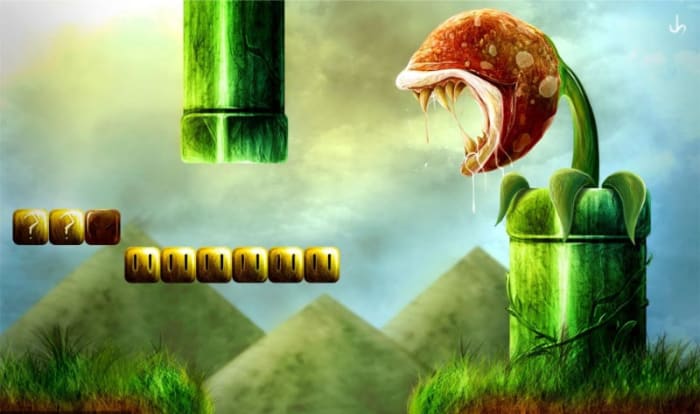
Super Mario and more

We’re taking you a little left-field now as we delve into the world of fan art. These are video game wallpapers of your favorite games and characters but as you’ve never seen them before. If you want to assert your video game fan credentials while also maintaining an air of independence, these are the wallpapers for you.

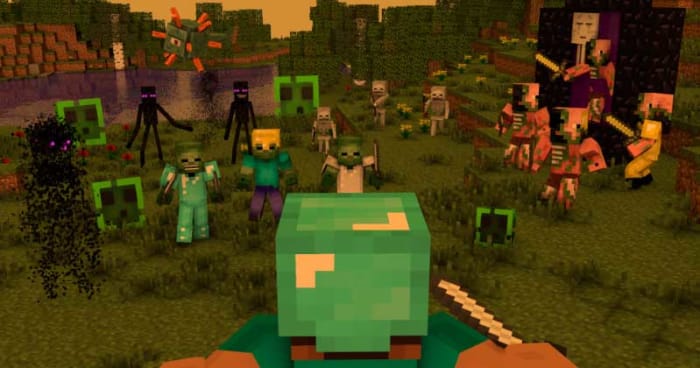
If you’re into this kind of video game background then you should head over to the video game section of WallpaperPlay where you’ll find well over 70 cool and unique HD wallpapers based on your favorite computer game characters such as Minecraft, Assassin’s Creed, Fortnite, Far Cry, Guild Wars, and League of Legends.

Computers, consoles, VR headsets, and more

It’s worth noting that it’s not just the video games themselves that look beautiful and epic anymore. A lot of design work goes into creating every single piece of equipment that helps us immerse ourselves in the video games we love to play. Even something as simple as a PlayStation controller looks good today but you can add to that VR headsets, Ultra HD TV sets, the video game consoles themselves, modded up gaming PCs, and all manner of experience boosting peripherals from  gaming headsets to strip lighting that makes monitors glow in the most epic fashion.

All of these gaming equipment wallpapers are from the uber cool and free stock photography website Unsplash. If you head over to the Unsplash gaming collection, you’ll find all the wallpapers we’ve shown above and more. Unsplash is definitely the place to go for anybody who is looking for a more hipster type of gaming wallpaper.

Wrapping up

We’ve given you 18 HD gaming wallpapers to help you personalize your Windows PC or Mac. If you’re an Apple iPhone or Android smartphone user, then all you need to do to get wallpapers for your devices is follow the links we’ve included after each set of images.

We’ve tried to cover as many different aspects of gaming culture as we can for our list of wallpapers and places to find great video game themed backgrounds. We’re confident that after reading our guide, you’ll definitely have found something you’re happy with. Let us know your wallpaper choices in the comments below.

Best data recovery programs for Windows 10

If you’ve lost a file or program, this guide will help you find it and tell you three of the best data recover programs you can use on Windows 10.

Best data recovery programs for Windows 10

Sometimes, the worst happens. For one reason or another, that file you need or want to access is gone. You might have deleted it accidentally and then realize you need it back; it doesn’t really matter. You need it and it’s not there. You need to recover a lost or deleted file. You’ve looked everywhere for it, including the Recycle Bin, and it’s not there. What do you do?

First things first. Don’t panic!

OK, now you’re not panicking, read on. We’re going to walk you through all the different steps you need to follow to get your file back and tell you about all the great programs available that can help you do so.

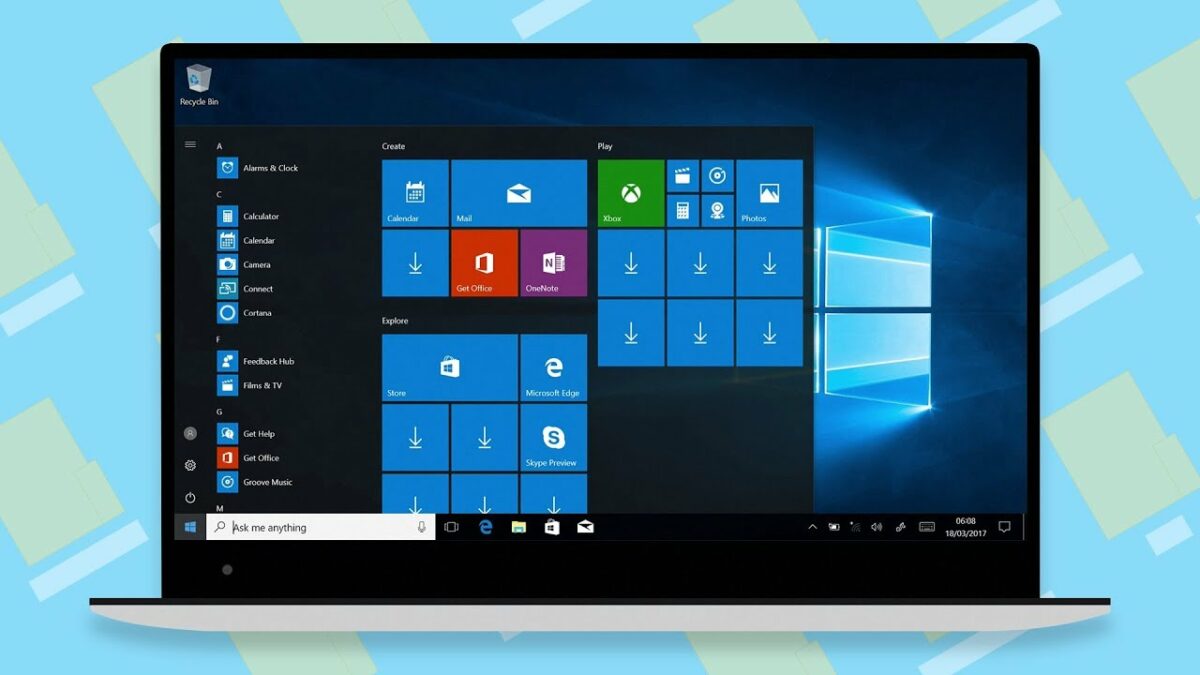
The latest and greatest version of Microsoft's operating system.

Recover deleted files on Windows 10

Before you begin

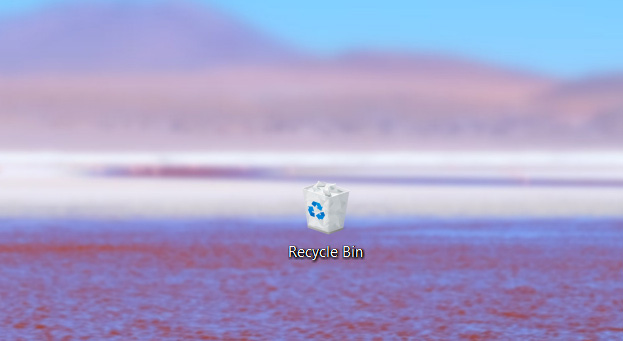
As you’re not panicking, you’ll be composed enough to take a few steps before you try to recover your lost files. For a start, it might not actually be deleted, and it is worth your time looking for that lost file. The obvious first place to look is the Recycle Bin where many accidentally deleted files end up. If your Recycle Bin has many files in it, you can save time by typing the name of the file into the search box in the top-right corner of the window. If your file is there, all you need to do is right-click on the icon and select Restore.

Windows 10 Recycle Bin

If your file isn’t in the Recycle Bin, copy and paste the search term you just tried and head over to your File Explorer. In the menu on the left, you’ll see various drive locations on your PC. You want to select This PC and then paste your file name in the search box in the top-right of the Window. If your file turns up, it hadn’t even been deleted in the first place, just moved. If both these methods came up short, your file is no longer on your PC. There’s one final search you can do, however, before you try to restore it.

These days, cloud storage services are prevalent. You can get a couple of gigabytes worth of free storage with Dropbox, 15GB free with Google Drive, and if you subscribe to Office 365, you get a whole terabyte worth of free space on Microsoft OneDrive. If you have a cloud subscription service, it is worth your while checking there to see if your lost file has been backed up.

The best data recovery programs for Windows 10

If you’ve got this far, then you need to recover an important file that you can’t find. Don’t worry though, because there are some excellent file recovery programs available that will help you search through recently deleted files and if needed, delve deeper into the depths of your system and recover what they find there.

EASEUS Data Recovery Wizard

EASEUS

EASEUS is a data recovery tool that works both on Microsoft’s Windows 10 operating system and Apple’s Mac OS. Although there are premium features you’ll need to pay for, the app also has some excellent free tools that will help you get your files back. Furthermore, the free version of EASEUS is easy to use meaning it won’t be too complicated a process getting your hands on your lost file again.

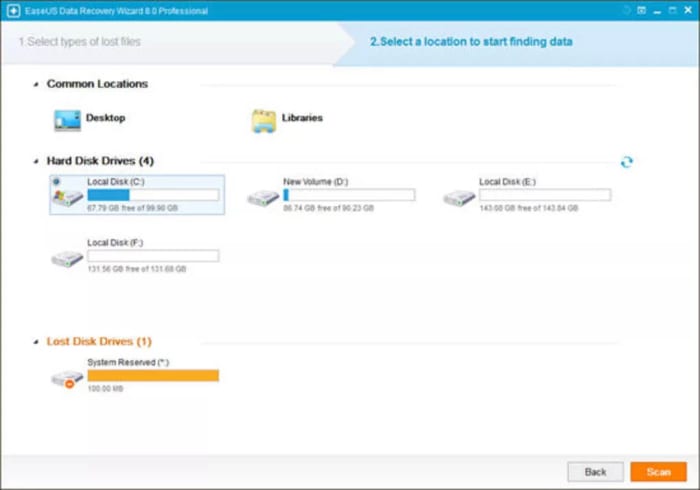
When you launch EASEUS you’ll see a list of available discs it can recover files and programs from. EASEUS is able to recover files from many different types of disc including internal and external hard drives, SD Cards, memory cards, USB drives, and more. You simply select the disc you want to look at and hit Search. EASEUS will then display all the files from that location that have been deleted. There are further options you can explore but overall, EASEUS is easy to use and effective.


EASEUS Recovery Download now
7

Recuva

Recuva

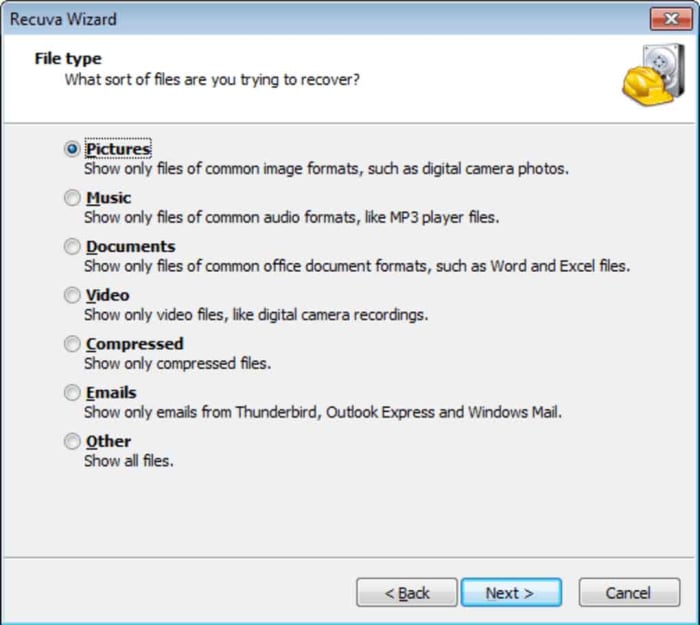
Recuva is another data recovery program that has both free and premium options. Recuva can help you recover all types of deleted files from different types of drive, similar to those offered by EASEUS. A nice feature of EASEUS is that it allows you to set a recovery file location rather than simply sending the file back to where it came from.

With Recuva, when you access the list of deleted files from your searched location, you’ll see a rating for each file. This rating refers to the chance that Recuva will be able to recover the lost file. The ratings include ExcellentPoorVery Poor, and Unrecoverable.

Recuva Download now
8

DiskDigger

DiskDigger

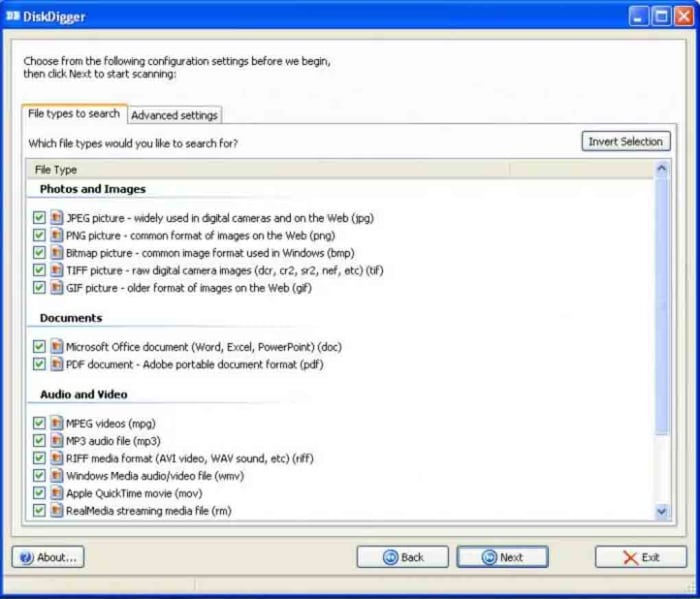
The third and final recovery program we’re highlighting today is DiskDigger. DiskDigger is a free program that offers many options, although a search function isn’t one of them. This means that even though you will be able to recover lost files, you will have to scroll through all the deleted files found on a particular drive to find them. This can be a time-consuming process.

DiskDigger can recover many different file types, which shouldn’t be sniffed at for a completely free program. These include images, videos, documents, XML files, and even GIFs. Like with the earlier programs, Disk Digger also makes it possible to recover files from a variety of discs and drives including internal and external magnetic hard drives and SSDs, USB flash drives, and SD Cards.

DiskDigger Download now
7

Wrapping up

So, there you have three excellent examples of data recovery software that offer you varying levels of data recovery capabilities for free. If we had to recommend a single program, we’d likely choose Recuva.

It is possible to recover lost files because what actually happens when you delete a file is that it is the path to the file that is deleted, rather than the file itself. You can’t see it, but it’s there and will remain so until it is overwritten by another file. The Recuva ratings, we mentioned earlier, give a good indication of how long the lost file has been in its current state and whether any of it has been overwritten. Generally, they can be relied on and this is why it is our favorite program.

How to clean install Windows 10

If you want to upgrade to Windows 10 or reinstall Windows 10 to deal with performance issues, this guide will walk you through the process.

Often, the best way to save your Windows PC is to start again. Whether you’re upgrading from an older version or you want to reinstall Windows 10 doesn’t matter. That reality remains the same. A clean install cures all.

A Windows PC on its own is just the beginning. The true power of the PC comes in all the programs, features, tools, and games that we can install and run on it. This makes a Windows PC something of an infinitely expandable digital Swiss army knife. It can do whatever we need it to as long as we install the right program. This incredible truth, however, brings with it a couple of inherent vulnerabilities.

The first of these is that it can be hard to manage infinity. With so many options to download and install, often we make mistakes and install something bad or corrupted, or we just overload our system. The other vulnerability is related to general online security. There are many people out there looking to exploit our ever-increasing reliance on personal electronic devices that connect us to the internet. There are many ways they can do this, and these hackers and cyber-criminals are an imaginative bunch.

For both vulnerabilities, the reality ends up the same. We end up with a lot of crap on our PCs that slows everything, including our operating system, down to a crawl and in some extreme cases see our most personal, private data siphoned off and sent to some unknown nefarious character. It’s frustrating but we’ve all been there, don’t worry. The best thing to do is reinstall Windows from scratch and start again. In a flash, this will wipe out all the crud and likely get your PC buzzing again. Let’s look then, at how to do a Windows 10 clean install.

Clean Install Windows 10 Home

Where to begin

First things first, you need to know that reinstalling Windows from scratch is going to delete every single file that you’ve added and installed to your Microsoft PC since you first started using it. This means that you need to Backup any files you don’t want to lose. Depending on how many files you have that you want to keep there are various different ways to back them up. You could use cloud services such as DropboxGoogle Drive, or Microsoft’s own One Drive.

Another option for backing up your files is an external hard drive. These should offer much more value compared to the online cloud subscription services laid out above.

Minimum requirements

If you’re upgrading to Windows 10 from an older machine, you’ll need to check that your machine meets the minimum spec needed by Windows 10 to work its magic.  Your machine will need:

  • 1GHz processor or higher
  • 1GB RAM for 32-bit machines or 2GB RAM for 64-bit machines
  • At least 32GB of storage (This, however, is a minimum. With Windows 10 updates increasing in size you’ll struggle on Windows 10 with anything less than 128GB.)

Once you’ve backed up your files and checked your system meets Windows 10 minimum requirements, you’re good to go.

The Microsoft Windows 10 Media Creation Tool

To perform a clean install of Windows 10 you need to create an installer using either a DVD or USB Flash Drive. To do this, hit the link below and follow all onscreen instructions to download and install the Windows 10 Media Creation Tool.

Windows Media Creation Tool Download now
8

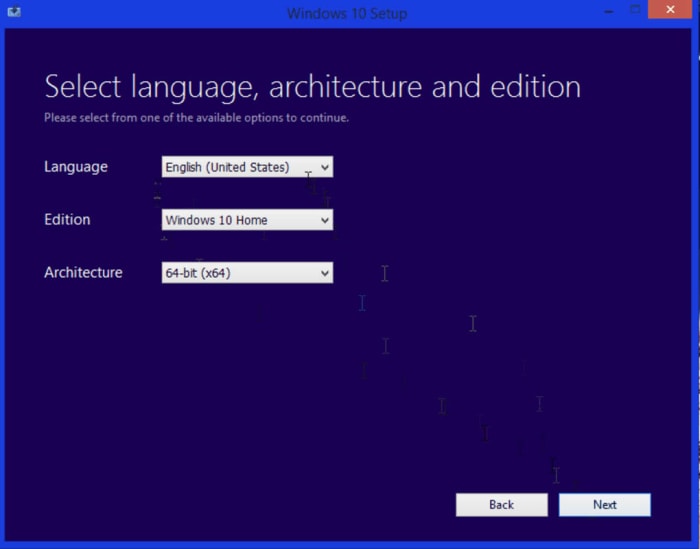
Once you’ve done this, open the program, which is designed to download the correct version of Windows installation files for your system. Select the Create installation media for another PC and then choose the language and either 32-bit or 64-bit version of Windows. Once you’ve selected all the appropriate options and hit Next Windows will download all the Windows 10 installation media onto your DVD or Flash Drive.

Windows 10 Installation Media

You then want to restart your PC with either the DVD or USB Drive inserted so that it knows to run from the inserted media rather than boot as normal. If you’re performing a Windows update from Windows 7 for example, this is when you’ll have to enter your product key, which proves you’ve paid for the software. If, however, you’re reinstalling Windows 10 to start again you should select the I don’t have a product key option and then Windows will activate from your previous activation once it is installed.

What follows will be a fairly basic Windows setup installation process although one that takes a little longer than you’re likely used to. The important thing to remember is to select Custom Install when you see the option. This is so you don’t perform an upgrade only install but instead get the full clean install you want.
The final options the installation process will show you will be partition options for your hard drive. This part is entirely up to you. Partition your drive to suit your own needs.

Activation and updates

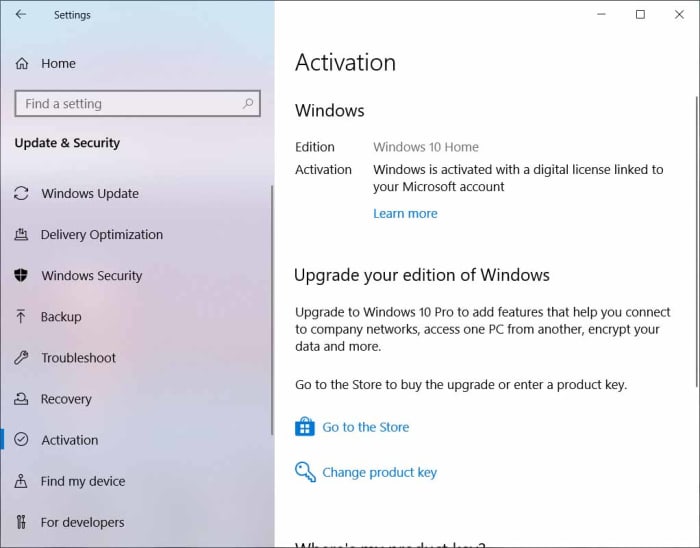
Once you’ve followed all the steps laid out above you will have performed a clean install of Windows 10. If you reinstalled Windows 10, it should automatically activate itself as soon as you connect to the internet and sign in to your Microsoft account. To make sure this has happened, however, you need to hit Start, then click the Settings icon, and then select the Update & Security option. Here you need to select the Activation option. This is where you’ll see Windows is activated if it has activated properly.

Windows 10 activation

The other thing you’ll need to do following a clean install is installing the latest Windows 10 updates and hardware drivers to make sure everything works as it did before you performed your clean installation. This will also ensure you have all the latest security updates too.

Once you’ve done all that though, your machine will have a clean, up to date, and activated version of Windows 10 ready to go. You’ll have gone full circle and find yourself once again at the beginning.