iOS lock screen exploit tricks Siri into revealing your email, SMS and Twitter

iOS is notorious for having lock screen vulnerabilities that allow attackers to access supposedly secure parts of your iPhone and iPad. Today, a new exploit was found that tricks Siri into revealing your messages as well as letting someone tweet from your phone.

The exploit affects all iPhones running iOS 7.0 and later, including the latest iOS 8.0.2 update released last week. The hack works by taking an iPhone offline by ejecting its SIM card, then allowing it to reconnect to the internet.

You can try it out on your own iPhone by following these steps.

1) Make sure Wi-Fi is off so your iPhone can be taken fully offline.

2) Ask Siri a question like “Siri, show me my emails.” Siri will tell you that a passcode is needed.

3) Eject the SIM card and put it back in. Wait for the icon in the menu bar to show it has reconnected to the cellular network.

4) Tap the “edit” button with Siri active to edit your voice command with the keyboard. Change the question slightly by adding or removing words. For example, “Siri, show me all my emails.”

Siri should then follow through with your command without asking for your passcode. This also works with reading your text messages and sending tweets from your Twitter account. The attack enables Tweeting from the lock screen using Siri, even if you had the option disabled before.

There’s no reason to freak out about this yet, as it’s unlikely this exploit will cause massive damage since someone needs to have physical access to your phone.

Still, if you want to protect yourself while Apple figures out how to fix this, you can disable using Siri from the lock screen. You can do this by heading over to the Settings app and then looking for Touch ID & Passcode. Uncheck the Siri button under Allow Access When Locked.

iOS 8 is still very much a secure operating system, and has proven itself the safest mobile OS in our comparison.

Source: Phone Rebel

Related Stories

Microsoft collects your data in Windows 10 preview, but it’s not a ‘keylogger’

Should I be afraid of the Shellshock bug?

Google wants to help you remove those annoying toolbars

Follow me on Twitter: @lewisleong

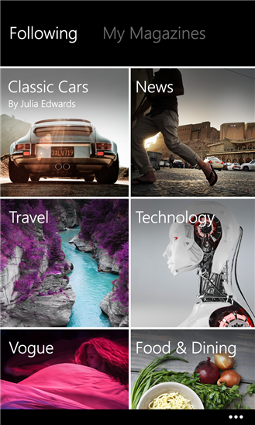
Flipboard comes to Windows Phone

While the popular news reading app Flipboard has long been available for myriad devices and platforms, users of the much-maligned Windows Phone have been forced to sit this one out. That is, until now, as Flipboard is now available for Windows Phone 8.1 devices with at least 1GB of RAM, and will come preloaded on the Lumia 830 for Verizon.

Flipboard for Windows PhoneFlipboard is a news aggregator that also hooks into a user’s social networks to curate a custom news feed. The app works like a digital magazine where you “flip” through the various stories, hence the name. That said, Flipboard for Windows Phone has been getting a lot of attention because, according to some, the company has seem to have done away with the iconic flip animation.

We spoke to Flipboard Chief Technical Officer Eric Feng about this design decision as we were curious why Flipboard for Windows Phone behaves differently than it does on both Android and iOS.

According to Eric Feng, “As we bring Flipboard to new platforms, we strive to create a custom tailored user experience specifically for that platform. To start with, we adopted many familiar Windows design concepts like their menu system, animations, fonts, and iconography. We also listen to user feedback and heard from users that being able to quickly scan through information is important. So we opted for a ‘feed first’ interface that immediately shows users great, personalized content as soon as they open the app.”

The app also includes a built-in search feature that’s fairly intuitive. This makes it easier to discover new content sources. “We created a brand new scrolling view from the ground up that not only makes content even faster to navigate, but also feels more native to the Windows platform (which uses scrolling within their core UI like the Home / Start screen more so than other platforms),” said Feng.

Seeing that Flipboard has been around since 2010 we asked Feng about the overall dearth of apps for Windows Phone relative to iOS or Android and why this situation still persists. Said Feng, “This is simply a question of prioritization. At Flipboard, we have limited resources which is a challenge that many app developers face. So we’re constantly having to balance our product ambitions with what we can actually get done. That said, we believe Windows is a platform that is here to stay and we’re looking forward to sharing upcoming releases that take Flipboard for Windows in new and exciting directions.”

Flipboard is currently available for Windows Phone 8.1 devices with at least 1GB of RAM, and will come preloaded on the Lumia 830 for Verizon. The company is currently working on versions of the app for those phones that fail to meet the technical requirements.

Download Flipboard for Windows Phone 8.1.

Related stories

Six alternatives to Paper by Facebook

Softonic editors: how do you get your news?

Which is safest: Android, iOS or Windows Phone?

Follow me on Twitter: @woneal

The Sims 4: how to make easy money

Getting to the top of a job in The Sims 4 takes time and effort. However, there are a few ways to speed up the process so that you can become a boss and end up as the richest Sim in the neighborhood.

Find a profession that suits your personality

Once your characters get to the Young Adult stage they can start searching for jobs using cellphones, computers, or from the Find a Job option. At any time you can select from eight different professions: Astronaut, Painter, Writer, Criminal, Secret Agent, Entertainer, Culinary, or Tech Guru.

Each of these professions relate to various skills and activities, and having certain personality traits makes it easier to get promoted as they can increase your performance when doing certain activities.

The list below shows the most ideal personality traits for each profession. However, this doesn’t mean that Sims with other personalities can’t succeed in these careers.

Astronaut: Active, Genius

Painter: Art lover, Creative

Writer: Creative, Bookworm

Criminal: Evil, Active

Secret Agent: Geek, Active

Entertainer: Goofball, Music lover

Culinary: Foodie

Tech Guru: Geek, Genius

In addition, the perfectionist and ambitious personality traits are always help, no matter the job.

Get a head start by improving your skills

In every profession there are phases where you are required to improve a certain skill in order to get promoted. Get a head start by improving the skills that are related to your profession before the game prompts you to do so.

Here’s a list of the skills you need for each job

Astronaut: Fitness, Charisma, Logic

Painter: Painting, Charisma

Writer: Writing, Charisma

Criminal: Programming, Charisma, Mischief, Fitness

Secret Agent: Programming, Fitness, Charisma

Entertainer: Comedy/Piano, Violin, Guitar

Culinary: Cooking, Gourmet Cooking, Mixology

Tech Guru: Video Gaming, Programming

It’s worth mentioning that all professions after level 5 are divided into two branches. This is why you’ll need to enhance some skills more than others.

Do you need help improving your skills? Here I reveal a few tricks that will help you level up skills quickly.

Look after your friendships

Some professions required a certain number of friends. Get a head start by making as many friends as possible the moment you arrive in the neighborhood.

In order to do this, you can invite neighbors that are passing by your house or visit community lots. Interactions are much easier because you’re able to talk to other Sims while having a drink at a bar or listening to music. You can improve your personal relationships without even realizing it.

Do your best at work

As well as meeting requirements, in order to get promoted at work you’ll need to fill up the performance bar. You can speed this up by taking advantage of the different ways you can work during your shift.

To do this, click on the icon with the two figures, which appears next to the Sim’s portrait while they’re working. This brings up you a number of options; you should use the ones that improve your work performance (such as “Work hard”). You can see what each option does by holding the cursor over them.

Earn some extra money

Getting promoted at work isn’t the only way to make money. You can increase your income in the comfort of your own home.

All you need to do is perform activities that will improve your skills and give you with extra money.

Here are some ways to make extra money:

– Play music for tips

– Perform stand-up comedy routines for tips

– Paint pictures and sell them

– Sell musical compositions

– Write novels and articles on your computer

– Hack databases on your computer

– Once you have a certain level of Mischief, you can steal other Sims’ wallets

All these ways to make money are related to skills, not profession. For example, even if your Sim is cook, if you have a high level in painting you can earn a lot of extra money by selling the pictures you paint as a hobby.

One last secret

If you want an even easier way to make money, you can cheat.

The Sims 4 has a few cheat codes for getting money. These cheat codes have been present ever since the first game in the series. To enable them you need to do the following:

1. On the keyboard,  press CTRL+SHIFT+C

2.Type in motherlode and press Enter; this will instantly give you 50,000 Simoleons. If you don’t need a lot money you can use the kaching or rosebud cheat codes; both will give you 1,000 Simoleons each time you use them.

Using this system is not as exciting as making money, but it is useful if you prefer playing The Sims 4 in Build Mode rather than the Live Mode.

If you liked this article you should also check out

The Sims 4: How to level up your skills quickly

The Sims 4 review: Is it worth it?

The Sims 4: Create A Sim demo

Originally published in Spanish on Softonic ES.

Follow me on Twitter: @mariabaeta

Microsoft collects your data in Windows 10 preview, but it’s not a ‘keylogger’

Over the weekend, there was a frenzy of media reporting that the Windows 10 preview included a keylogger, a piece of software that tracks everything you type. Publications like The Inquirer and The Hacker News. were quick to jump Microsoft, accusing the company of wrongdoing.

The truth, however, is less nefarious. With software previews, companies often collect usage data to help it determine what improvements can be made before its release. With the Windows 10 preview, Microsoft alerts users in its terms of service that it will be collecting huge amounts of data about them. Here’s what the terms say:

“Examples of data we collect include your name, email address, preferences and interests; browsing, search and file history; phone call and SMS data; device configuration and sensor data; and application usage. For example, when you:

– install the Program, we may collect information about your device and applications and use it for purposes such as determining or improving compatibility;

– use voice input features, such as speech-to-text, we may collect voice information and use it for purposes such as improving speech processing;

– open a file, we may collect information about the file, the application used to open the file and how long it takes and use it for purposes such as improving performance; or

– enter text, we may collect typed characters and use them for purposes such as improving auto-complete and spell check features.”

While some of this data collected is out of the ordinary, other data transmitted to the company is standard in the technology industry. If you ever use voice commands on your phone or use voice-to-text, you’re sending your voice data and what you “type” to Google or Apple’s servers.

If you opt into helping improve a product, you’re handing over some of the information referenced in the terms as well. Google asks new Android users if they want to help Google improve Android by sending anonymous usage data.

And the Windows 10 preview is entirely opt-in. Microsoft will not record as much personal information in the final version of Windows. It is only doing so in the preview to understand how users are using the software and how it can be improved before its 2015 launch.

If you don’t want Microsoft to collect this data about you, don’t install the preview. If you still want to try it, you can install it on a spare computer or in a virtual machine. Be sure to use accounts that don’t offer up personal information if you’re worried about Microsoft’s misuse of your data.

I want to stress again that the Windows 10 preview is not meant for a computer you use daily. The operating system is experimental and is definitely not reliable enough to handle your daily tasks. Only install the preview if you want to help shape the final version of Windows 10.

If you’re still worried, give Microsoft’s complete terms of service a thorough reading.

Source: Microsoft

Via: Lifehacker

Related Stories

Why Facebook Messenger permissions aren’t unique or dangerous

Which is safest: Android, iOS or Windows Phone?

Should I be afraid of the Shellshock bug?

Hong Kong protesters flock to Firechat off-the-grid messaging app

Follow me on Twitter: @lewisleong

The Crew online racing game gets delayed until Dec 2

Ubisoft’s massive online multiplayer racing game, The Crew, has been delayed until December 2nd. The game was originally scheulded to launch November 11th.

Ubisoft explains the short delay is due to the fact that the company wants to incorporate more user feedback before the game launches. “We are now scrutinizing all of the player feedback so we can ensure that The Crew delivers the seamless open-world experience that meets everyone’s high expectations,” said Ubisoft Creative Director Julian Gerighty.

Ubisoft hosted three closed betas already on both PC and consoles. The company wants to launch another round of beta testing for console gamers in November, perfecting the game before launch.

The Crew will be available December 2nd on PC, PlayStation 4, Xbox 360 and Xbox One.

For more about The Crew, check out the trailer from Gamescom 2014.

Source: Ubisoft

Related Stories

Logitech’s Arx Control app extends the PC gaming experience to Android devices

This weekend’s gaming: Fruit Ninja 2.0 out now

Watch the launch trailer for Middle-Earth: Shadow of Mordor

Assassin’s Creed: Identity coming to iOS and Android next year

Follow me on Twitter: @lewisleong

Which is safest: Android, iOS or Windows Phone?

When it comes to buying a smartphone, not paying attention to security can bite you down the road. So today, we’re comparing the security of the three most popular mobile operating systems to see which offers the best protection.

How important is security in a mobile operating system?

Very. Try to imagine any of these situations, the stress they can cause and the money you could lose:

– Your phone gets stolen or you lose it in the back of a cab.

– Someone steals your photos.

– A virus sneaks into your phone and steals your payment information.

– Your phone gets damaged and you haven’t backed it up.

When a mobile operating system is secure and its security features are easy to use, it’s less likely you will end up in one the situations. Choosing a more secure mobile operating system could save yourself a lot of hassle in the future.

What mobile operating systems are we comparing

Over 95% of  mobile phones that are able to connect to internet use Android, iOS, or Windows Phone. We have analyzed the following versions found on typical devices:

Android 4.4.4 (KitKat) on Nexus 4
iOS 8 on iPhone 5s
Windows Phone 8.1 (Update 1) on Lumia 630

Although Windows Phone is still has a long way to go before it catches up to Android, its market share is approaching 3.6% in the United States; which is why we decided to include it in our comparison.

Which operating system has the fewest amount of viruses and harmful apps?

Alcatel-Lucent reported that 60% of mobile malware infections happened on Android. As the most widely used OS in the world, it’s also a prime target for hackers. Viruses don’t attack Android from Google Play, which is safe, but through pirate app stores or direct app downloads.

Malware like Android Defender, a false app that hijacks your smartphone, haven’t been seen on either iOS or Windows Phone for one very simple reason: Android is the only system that lets you install apps outside of its official app store. By default, you can’t install apps from unknown sources, but people who want free apps are willing to bypass security to save money.

Below is an example permissions required by an official game and the malware infested copy.

The green border shows the official game; the red shows the game with a virus that asks for more permissions (Source: F-Secure)

Apple has tight control over its App Store and makes it difficult for viruses and misleading apps to sneak onto your iOS device unless you’ve jailbroken your phone, something most users don’t do. Windows Phone is in a similar situation, although its store is full of fake apps that Microsoft is only now cleaning up.

iOS wins for its quality control and app security

Which is easier to recover if my phone gets lost or stolen?

All three systems have anti-theft apps: Find my iPhone, Android Device Manager, and My Windows Phone. These apps allow you to locate your device remotely and send basic commands, such as erasing your data or setting off an alarm. However, Windows Phone is the only system that can send these commands via SMS, Wi-Fi and cellular data.

The anti-theft apps for Android, iOS, and Windows Phone

iOS features an activation lock, which requires you to enter your Apple account information if a phone is reported as lost. This feature has effectively helped decrease iPhone thefts. However, Microsoft is working on adding an activation lock to Windows Phone.

Android allows you to lock the phone with a message and a phone number

Android has a password lock similar to Apple, with the option to add a phone number to your lock screen just in case someone finds the device. You can also lock or wipe your friends’ devices (also possible on iOS). Samsung phones have additional options, but only on certain models.

What happens if someone steals your phone and wants to access your data? In this case, only iOS 8 incorporates full data encryption by default. Android features an optional setting and on Windows Phone, data encryption doesn’t apply to the memory card. This means that iOS is the only system that offers complete data protection in case of loss or theft.

iOS 8 takes the lead with its automatic data encryption.

Which is the easiest to unlock and which has the best device lock?

According to a 2013 report from Trend-Micro, between 30% and 60% of users don’t lock their cell phone. Having to unlock your phone is often seen as a nuisance. Therefore, the ideal locking system should meet two main requirements: it must be unbreakable and easy to use.

Android has the largest variety of locking options: slide, PIN, password, pattern, and facial recognition. The pattern is perhaps the easiest to use and is also extremely secure. iOS, on the other hand, has PIN and password protection as well as Touch ID on newer iPhones. Windows Phone only offers swipe and password.

Apple’s Touch ID in action (photo courtesy of iPhoneWorld)

In my opinion, Touch ID is most convenient system. It’s difficult to break into and unlocking takes a second. The runner up is Android’s pattern lock, which although robust, is less reliable than the fingerprint, especially if you set an easy pattern.

iOS wins for its Touch ID.

Which best protects my children?

Parental control has long been a long-standing issue for mobile operating systems. What worries parents most today are the things their children are able to do with their smartphone or tablet, such as buying expensive apps without permission or accessing important data and photos.

Android has parental controls with its user profiles, but those are only available on tablets. Android’s app store, Google Play , allows you to set a password to make purchases. Windows Phone has more options, such as My Family which allows you to define what kind of apps your children can download and how much they cost. It mainly focuses on controlling the installation of apps, and is configured from the browser.

My Family (Windows Phone) allows you to control the purchasing and installation of apps

iOS 8 is the one with the most options. In the Restrictions menu you can disable system apps (like the browser) and limit the settings that can be changed. With Family Sharing you’re able to control purchases (children must request permission to buy apps). The most useful feature however is Find My Friends, which allows you to locate your friends and family on a map.
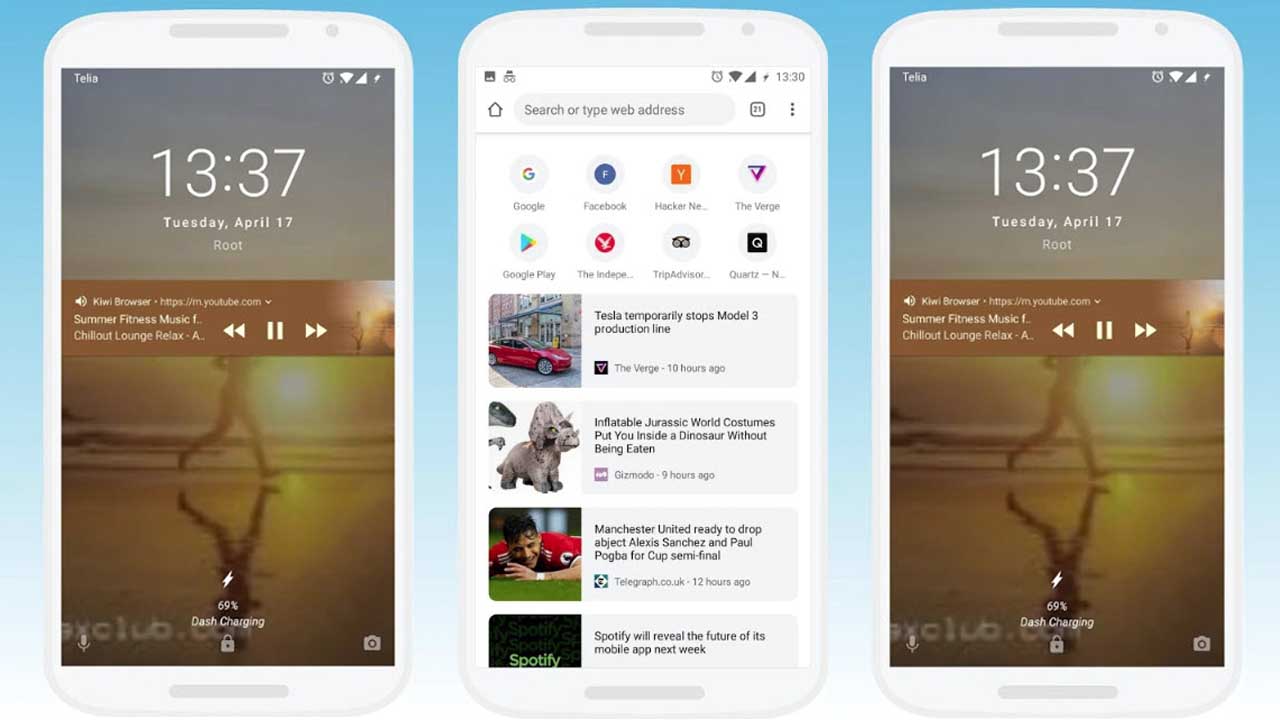
With Find My Friends (iOS) you can locate family and friends on the map

If I had to choose an OS for the quality of parental controls, the mere simple fact that i can locate my family makes iOS my clear choice. In iOS 8, Apple’s operating system is designed to help families who want to keep their kids safe.

iOS 8 is the winner with its parental controls and Find My Friends.

Which one best protects my data if it gets erased?

After resetting or switching phones, what features can you restore? Has the system backed up your data and apps? Backing up data to the cloud is one aspect to keep in mind when opting for one system or another.

Windows Phone can back up your apps, photos, and text messages to the cloud. You have 18 gigabytes of free space available to use with Microsoft OneDrive. Windows Phone saves you the hassle of remembering to make regular backups. Your backups can be also managed (deleted) from the phone.

The cloud backup system for Windows Phone uses OneDrive

Android uses a different approach. It automatically stores your settings and passwords in the cloud, but photos, videos and documents are stored in separate, optional spaces such as Google Drive or Google+ for a combined 15GB of storage.

iOS stores all kinds of data in iCloud, but only gives you five gigabytes for free. This is virtually nothing compared to the 18 gigabytes that Microsoft provides through OneDrive (15GB free and 3GB for uploading your photos).

Windows Phone wins for its extra space and easy configuration.

Conclusion: iOS is the safest out of the box

Second place goes to Windows Phone: very robust and with excellent backup options, but still needs some work.

Android falls to third place, as it forces you to make more decisions and has a less consistent security landscape, with manufacturers adding their own security customizations.

As we discussed in the previous comparison, security that isn’t intuitive is not very useful. iOS 8 takes first place because Apple knows how to combine safety with ease of use. It requires little configuration, and features such as Touch ID and Find My Friends make it unbeatable.

In short: if you don’t want to think too much about security, choose iOS or Windows Phone. Android can be dangerous, but only if you’re leaving Google Play and customizing your security settings to leave the phone open. I guess that’s just the price you pay for more freedom.

Related Articles

Should I be afraid of the Shellshock bug?

The next version of Android will encrypt your data by default

Stop ignoring Android app permissions

Originally published in Spanish for Softonic ES.

Follow me on: @remoquete

Google wants to help you remove those annoying toolbars

Toolbars and browser-hijacking software have plagued our computers for decades and there’s no sign of them stopping. To make things just a little easier, Google has released a simple PC cleaning tool to help clean up and recover your malware-ravaged Chrome browser.

It’s called Software Removal Tool and is available in as a beta download, meaning it’s not ready for prime time yet. The app is small and only does two things, which include getting rid of toolbars and helping you reset Chrome.

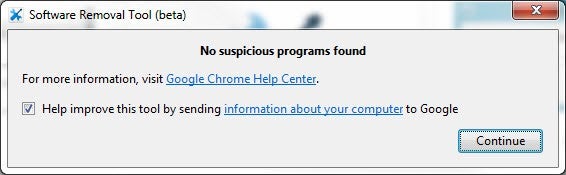
Google SRT no suspicious programs found

This tool is very basic but may be all you need if you’re trying to rid your parents’ or grandparents’ PC of any toolbars they accidentally installed. You can skip the browser reset if everything is working after the toolbars are removed.

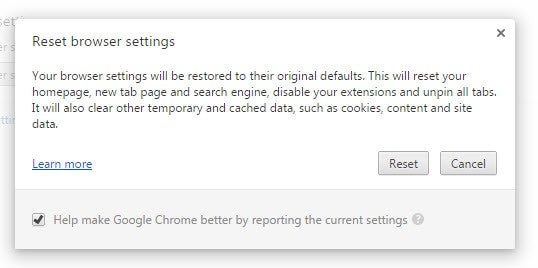
If the infection is more severe, it may be best to reset Chrome. Note: resetting Chrome will delete all your extensions, cache, cookies and settings.

Google Chrome Reset Browser Settings warning

If you want a more nuanced and powerful PC cleaner, check out the venerable CCleaner, which is available for free for PC and Mac.

Source: Google Software Removal Tool

Related Stories

Should I be afraid of the Shellshock bug?

Hong Kong protesters flock to Firechat off-the-grid messaging app

How to set up AVG Antivirus 2015 for optimal protection

Security company finds many popular Android flashlight apps could compromise your data

Follow me on Twitter: @lewisleong

Will you be able to pay with Facebook Messenger soon?

It seems like you’ll soon be able to send money with Facebook Messenger as well as photos and stickers.

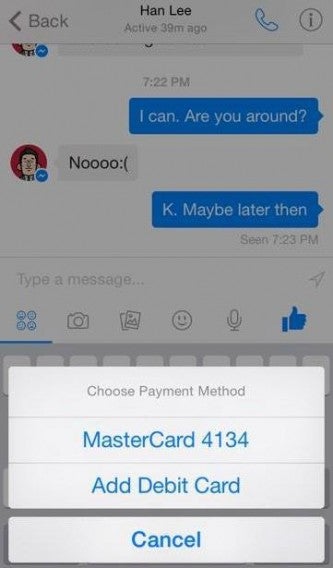
Payment features are hidden and currently inactive in Facebook Messenger for iOS. Stanford student Andrew Aude discovered them by using an iOS exploration app. From what we can see in the screenshots, it appears that you will be able to send payments via Messenger using a debit card.

The Messenger payment feature lets you choose an amount of money, and then immediately send it. You will have to set up your payment methods, similarly to Apple Pay. After that, every time you want to send money or pay, just select the payment option you want.

It looks like Mark Zuckerberg has big plans for Messenger, perhaps similar to the massive LINE messaging app. LINE started life as a messenger, but has expanded to offer all sorts of other services and monetization. It could also be that Facebook Messenger could become a kind of competitor to PayPal – Messenger is headed by the former president of PayPal, and Zuckerberg has already said there will be an ‘overlap’ between payments and messenger.

There has been no official Facebook statement about when any payment system might be launched.

Download Facebook Messenger for iOS and Android.

Source/images: Techcrunch

Related Stories

BitTorrent’s Bleep chat app is untraceable

Rumor: WhatsApp voice calling feature coming soon

Why single-use apps like Yo could take over your smartphone

Follow Jonathan on Twitter: @jonathanriggall

Adobe releases new mobile apps and tightens Creative Cloud integration

Adobe updated and released new mobile apps that you’ll actually want to use. Instead of just allowing users to continue their work on mobile, Adobe’s new apps actually help with the creative process.

The most interesting of the new apps are Brush, Shape and Color. These three apps let you look for inspiration in real life and will bring them into Adobe’s editing programs like Illustrator and Photoshop.

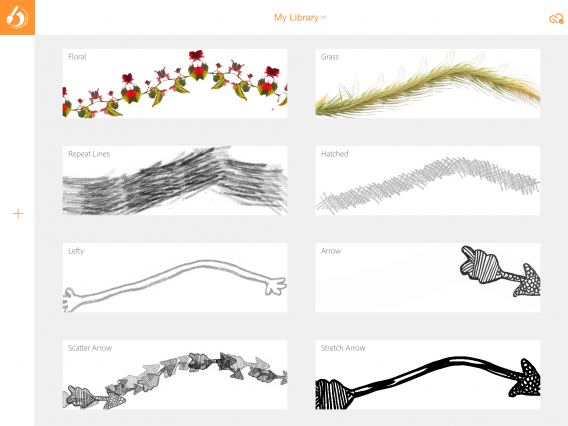
Adobe Brush examples

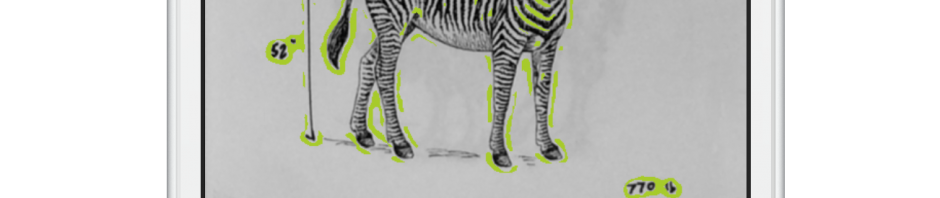
Adobe Brush lets you take a picture of paint brush strokes and other mediums. Adobe Senior Marketing Director Scott Morris showed of how Adobe Brush can turn a charcoal line on a piece of paper into a custom brush for Photoshop. The app takes a picture and analyzes it, creating an organic looking brush for you to use later.

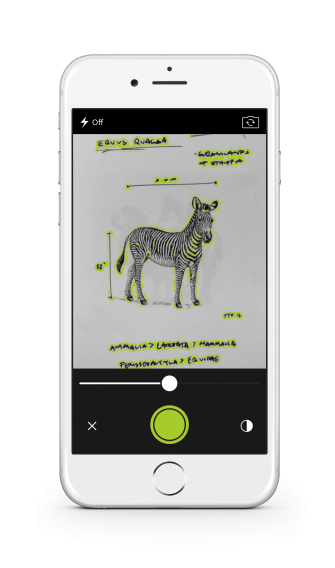
Adobe Shape lets you take pictures of shapes you see in the real world to bring into your designs. The app analyzes the shapes around you and turns them into editable vectors, perfect for editing in Illustrator.

Adobe Shape detection for iPhone

Adobe Color lets you snap a picture of a certain color so you can use it later in your work.

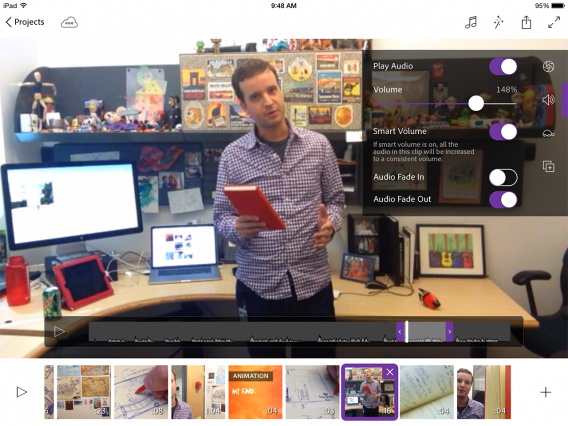
Mobile videographers should be excited for Adobe Premiere Clip, which lets you quickly edit your video on the go. Premiere Clip integrates with the desktop so you can polish your video with the full power of Premiere Pro. You can look forward to “cinema quality color treatments,” slow-mo effects and more.

Adobe Premiere Clip for iPad

The company has also updated its Windows tablet apps to be fully touch enabled. Windows tablet users now have the freedom to use full touch controls to create with Photoshop, After Effects and Premiere Pro.

Adobe hasn’t forgotten about its desktop users either. Today, the company announced a ton of new features for its Creative Cloud suite of apps. There’s too many updates to go through but what’s important is how deeply integrated the Adobe apps are. If you’re a Creative Cloud subscriber, your workflow will be even faster with all your design assets and settings synced using the Creative Cloud. This includes your colors, text styles, brushes and image assets.

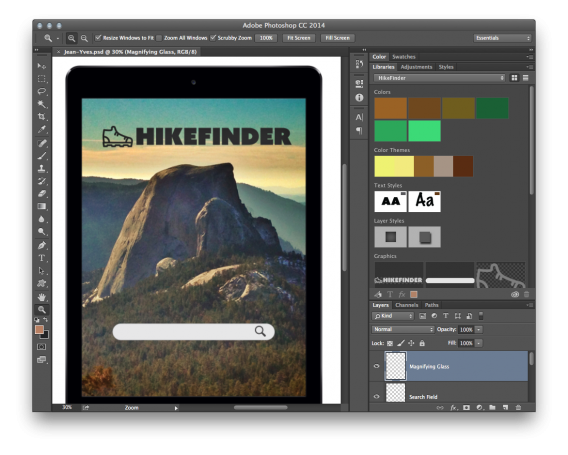
Adobe Creative Cloud libraries in Photoshop

The new Adobe mobile apps are available today on iOS for free. You’ll need to pick up a Creative Cloud subscription to unlock the full potential of the apps. The updates to the desktop Adobe apps for Mac and PC are also available today so check to see if you have an update waiting.

Adobe does plan to eventually bring its suite of mobile apps to Android but is hoping developers will create awesome Android apps using the company’s software development kit.

Related Stories

Adobe Creative Cloud coming to Chrome OS, starting with Photoshop

How to get Windows 10’s best features right now

Microsoft previews Sway, the first addition to Office for a decade

Follow me on Twitter: @lewisleong

You can update to the Windows 10 Technical Preview from Windows 7

Last week Microsoft made the Windows 10 Technical Preview available for download. Now it’s possible to install it like an update directly from Windows 7.

To get the Windows 10 Technical Preview, you have to sign up to the Insider Program. After downloading and running the file, it will launch Windows Update. This is easier than the Windows 8 Technical Preview, which came as an ISO file, requiring a manual install.

The Windows 10 Technical Preview is free, but we don’t recommend installing it on your main computer, as it is buggy and also expires (at which point you will have to downgrade or buy Windows 10).

Another reason for caution, is that the terms of service for using the Windows 10 Technical Preview allows Microsoft to collect lots of data about how you use it. This includes monitoring speech to text and ‘voice information’, collecting data on the files you open and even data on what you type. This is all for improving Windows 10, and the reason the Technical Preview is free is that you are providing Microsoft with data to help develop the final product.

Download the Windows 10 Technical Preview.

Source: Microsoft, Neowin.

Related Stories

Watch the full Microsoft Windows 10 presentation video

The Windows 10 preview expires April 15, 2015

Microsoft skips Windows 9, jumps to Windows 10

Follow Jonathan on Twitter: @jonathanriggall