Okay, which profile song are you adding? Please say “Monster Mash.”
MySpace and Xanga were truly the epitome of the good old days of social networking profiles. Private messages and bulletin boards were the most special features, but the best part of having your own page was picking a profile song.
MySpace charged ahead of Xanga at this point, first having one song auto-playing at a time, then opening up to giving you the option to create playlists so anyone visiting your page wouldn’t be forced to listen to the same song on repeat. We remember spending hours customizing our themes, creating playlists and customizing our top friends (carefully – there was nothing more scandalous than moving an old friend out of your top eight).
Shortly after, Facebook was introduced and it brought a more mature and organized layout, and the main point was to make statuses. Over time, Facebook became what it is today, but a lot of users couldn’t help but wonder, would Facebook ever have music? There are pages for musical artists, but how could the king of the social networking profile not utilize what was the most popular feature in networking profiles past?
Fortunately for us, yesterday, Facebook announced that they’re planning to bring us music in a few different forms: music in Facebook stories, expanding Lip Sync Live, and you guessed it – profile songs.
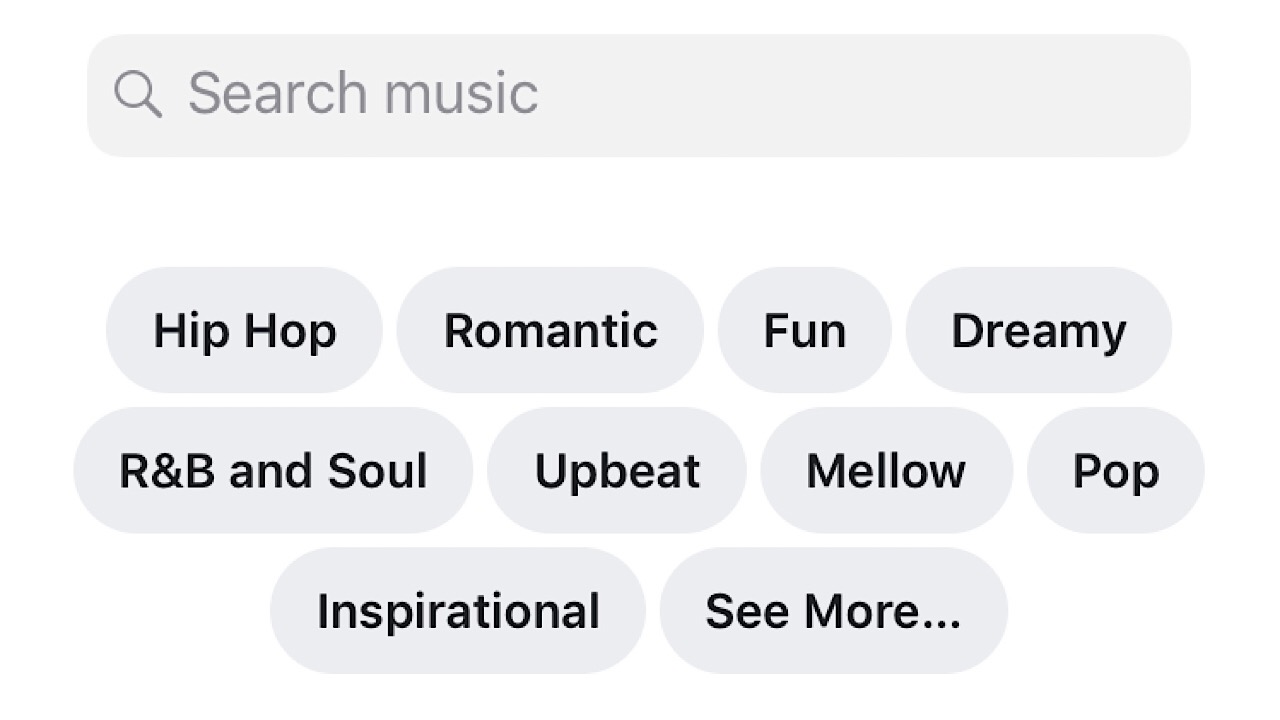
In Facebook Stories (and News Feed) you can upload a photo or video and lay four seconds of music over it. Upload, click the sticker icon, choose the music sticker and then search for the song that you want. Voila! You can move the stickers around or add other effects like borders to your story too.
Lip Sync Live was rolled out a little while ago and it seems to be Facebook’s spin on the super popular Musical.ly (now merged with TikTok) where users can choose and song and like the name, lip sync to it live. Now, you can add lyrics to your video so others watching can sing along with you.
The coolest part of this update (at least to us) is that soon we can add a song to our profiles. Facebook says that you’ll be able to pin your favorite tune to the music section of your profile right under your profile pic.
Dominate Halloween with our ultimate guide to carving pumpkins.
First things first, let’s address a sad fact: there is no objectively perfect pumpkin! The only person who can decide if your pumpkin rocks…is you. So, to ensure you have the best shot at making a masterpiece, let’s get down to our steps for…
Guide to carving the perfect pumpkin!
Getting a Pumpkin
Buy your pumpkins in person, period. Next step!
As long as you buy in person, the place shouldn’t matter. However, we suggest Walmart, which currently sells a great variety of pumpkins for $4.88 (a far better price than many of these “pumpkin patches”).
So many choices!
You shouldn’t have to look hard: pumpkins are often placed in the parking lot or right inside the front doors. Gotta keep those holiday shoppers happy!
Finally, consider buying your pumpkins in the morning a few days before Halloween. Why? Most stores restock in the morning, so you’ll have better choices. Also, the closer it gets to Halloween the more likely another shopper will snag the best gourds!
Setting up Shop
There are a few basic articles to pumpkin carving:
1. A good workspace. This should be an open table, preferably somewhere outside. You want room to work!
2. Paper or plastic wrap. Pumpkin cleanup works best when you can wrap the remains in a sheet and scoot the remains into the trash! Even newspaper works great. (Remember when newspaper was a thing?)
3. The pumpkin.
4. A bowl for pumpkin seeds. Have you ever baked the pumpkin seeds? It’s delicious! We highly recommend it, since throwing seeds away is a waste of delicious snack material.
A few pumpkin gut remnants are okay. They taste great after baking!
5. Carving utensils. For demonstration, we used the classics: a kitchen knife for carving, and a spoon for scooping. Bare bones, right there! You can find cheap kits in most grocery stores during the fall, but there are some more professional options available online…
6. Your friends. Whenever possible, get multiple pumpkins for yourself and friends, then attack those gaping gourds together!
Carving the Top
What should you consider? Size and notch!
The size of your cap depends on the pumpkin’s shape and your plans for a carving design. Thinner pumpkins necessitate a smaller hole while bigger ones allow for more wiggle room. However, if you plan a large design, you’ll need more room at the front of the pumpkin. You may wish to trim the cap down…or simply cut out the back instead (like a lunatic).
Subsequently, make sure to include a “notch”:
Notches are clear, angular portions of your pumpkin cut. They help you easily replace the cap after it has been removed. Surprisingly, this makes a huge difference!
For this part, we recommend trying to keep the convex part of the spoon upward, so hold it the opposite way you would if you were eating soup:
Yes!Nah, dude.
The higher the inner side of the spoon (concave) rises, the more likely it will dig into the soft pumpkin insides, tearing away more pumpkin than expected. That may not sound terrible, but there’s a catch…
We want you to keep scooping and scooping and scooping, even after the guts are gone. Keep up until your pumpkin becomes much, much thinner on the inside!
Keep going…Much better!
Having a thin pumpkin makes carving easier in the long run, especially if you plan to create more intricate designs.
Creating a Design
If you’re planning to make the perfect pumpkin carving, we cannot recommend finding or creating a design enough! At the very least, type your idea into Google and see what others have created to fuel your imagination and ground it with basic principles of pumpkin physics.
Whether it looks intricate or detailed, have a design! Then draw it on that big orange noggin with a Sharpie.
Carving the Pumpkin
At this point, what else is there to say? You bought the right gourd, set up a usable workspace, and created a design. At this point, most carvers simply need to follow the lines!
Just a few more words of wisdom, however… If you go too far with a cut, you may lose something else that was important. If you use Sharpie, draw inside what you want to carve so the dark marks will be shaved off (ooh, the dark mark from Harry Potter would make a good design). Finally, if you’re going professional and shaving your design to perfection… take it slow!
Thanks for reading!
Final Words
Want to go next-level pumpkin carving? Rather than a candle, put some electroluminescent lights in there! That’ll kick your jack-o-lantern game into 11th gear.
Spice up your Halloween costume with electroluminescent lights
Try this: open your smartphone’s storage settings to find out which application is using the most space.
We can totally bet that “Photos” and camera app are near the top (if not at the top).
Smartphone cameras are so good these days with better clarity, detail, and color due to which resulting file sizes are getting bigger, and eat up a huge chunk of your storage space.
Enjoy more storage space by removing useless duplicates. 60% OFF with the coupon SOFTONIC-GIFT-60
Add holiday snaps, family albums, and special occasions (birthdays, weddings, graduations, and so on) and you could be looking at 100-150GB of photos.
Those stats might not be surprising, but they don’t account for a growing problem of our multi-device, cloud-storing, social media sharing age: Duplicates.
Duplicate photos could double, triple, or even quadruple those data calculations, meaning you might waste almost half a terabyte of data in your lifetime.
Not to mention the hassle of removing duplicate photos manually, or worse, putting up with messy, disorganized albums across all of your devices.
Thankfully, there is another way.
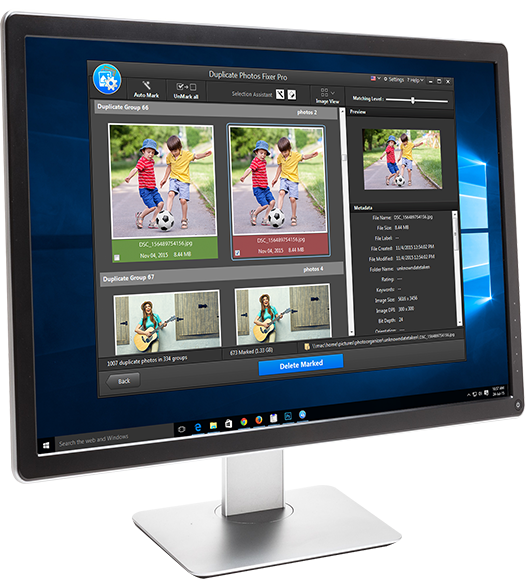
Duplicate Photo Fixer Pro wants to save you time and hassle by removing all your duplicate photos from your devices in a single click.
You have a duplicates problem – you just don’t know it yet
Now, you might think you’re pretty good at keeping track of your photos. Perhaps you even check duplicates yourself now and again, to ensure you’re keeping a clean, organized photo collection.
But how well do you know your own photos, really? How often do you flick through photos taken years ago – that trip to Niagara Falls in 2009, your best friend’s wedding in 2014, your dad’s 60th birthday party last year?
They’ve all migrated to social media, Whatsapp groups, and maybe even iCloud or other online storage by now, haven’t they? Never to be seen again except through a Facebook “memory” or digital photo frame.
Duplicate photos are sneaky. They spread and multiply almost of their own accord. If you’ve done any of the following, then you’re likely harbouring fugitives of your own:
Mistakenly taken a “burst mode” shot instead of a single shot
Taken an HDR photo
Converted a photo file into another photo file (JPEG to PNG, for example)
Used Lightroom or Photoshop to edit your pictures
Downloaded the same photos to more than one device
Taken more than one picture of the same scene or people
Given your phone to someone else to take a picture
Created photo playlists for use in a digital photo frame
All of the above could result in unwanted duplicate photos, which may now be hogging up hard drive space on your computer, phone, or tablet.
Enjoy more storage space by removing useless duplicates. 60% OFF with the coupon SOFTONIC-GIFT-60
Duplicate files waste space and cause stress
Laptops are still the most capacitive of our portable devices – at least for the moment – so that sets a limit on just how much “permanent” storage we have. Most laptops ship with between 500GB and 1TB of storage, which can easily fill up with movies, music, and pictures.
To free up space you have to search for unimportant files and delete them manually. That means going through hundreds or even thousands of files, usually under conflicting naming systems, file types, and spread across multiple folders.
The problem is worse on smartphones and tablets, where it’s harder to see all your files. Do you regularly get that “storage is almost full” message on your smartphone? Annoying, isn’t it? And then you have the mind-numbing task of freeing up space manually.
Enjoy more storage space by removing useless duplicates. 60% OFF with the coupon SOFTONIC-GIFT-60
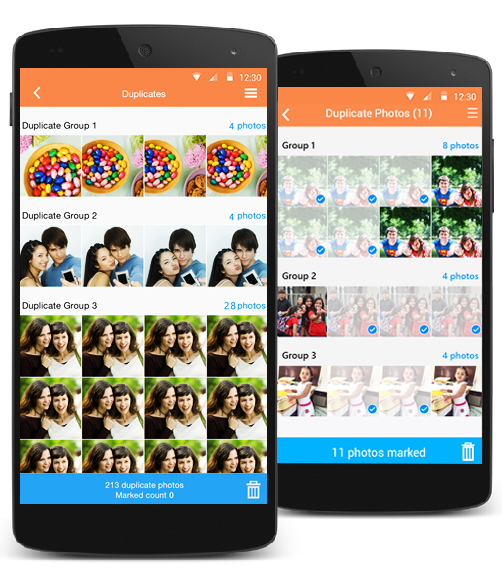
Duplicate Photo Fixer Pro from Systweak Software fixes the problem of duplicate photos. It analyzes files and folders to detect and remove all your duplicates in a single click.
It goes one step further too, by detecting similar photos as well as duplicates, which is useful if you regularly take several photos of the same scene (to ensure you snap a keeper), or use a burst or HDR mode that leaves extras you don’t need.
The process is really simple:
Add photos or folders to the Duplicate Photo Fixer Pro interface
Delete multiple copies of the same or similar photo in a single click
Enjoy GBs of free storage space
Even better, Duplicate Photos Fixer Pro is available on OS X, Windows, iOS, and Android so it works on ALL of your devices.
Make your Google homepage a little friendlier! Check out these free backgrounds.
Google ranks among the very best search engines in the world, yet many people still don’t realize they hold the ability to change the background theme to something AWESOME!
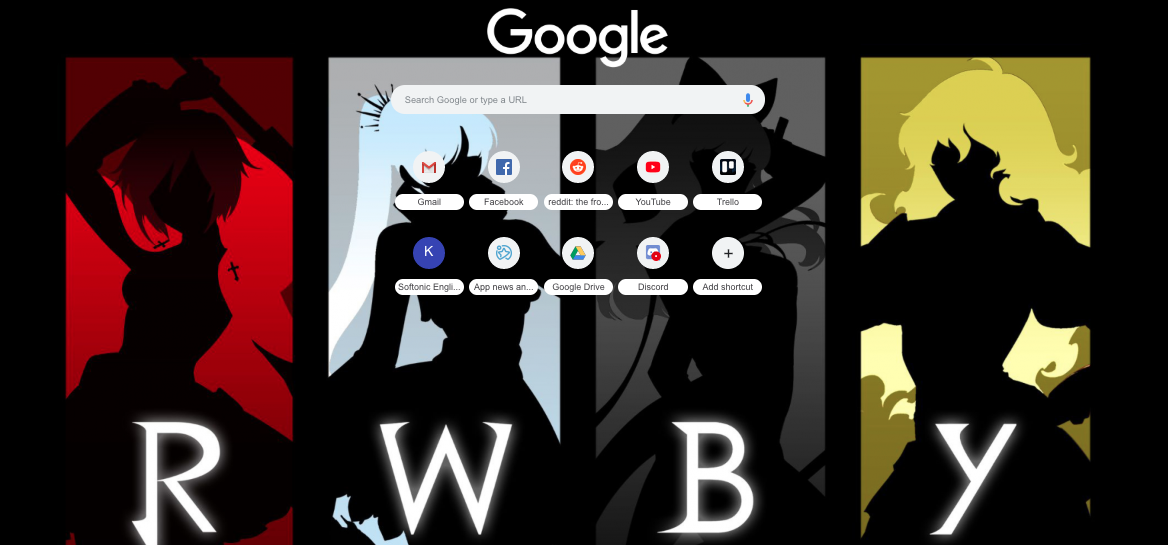
Name in Chrome Web Store: “RWBY III – 1600px”Name in Chrome Web Store: “Tardis”Name in ThemeBeta: “Forest Dream”
Whether flashy or minimalist, art or photography, pop culture or mother nature… there are almost a million free options to choose from! Follow these simple steps to discover your new look with either Google Chrome or ThemeBeta:
(You may have noticed in the photos… my most visited apps are: Gmail, Facebook, Reddit, YouTube, Trello, WordPress, Softonic, Google Drive, and Discord. How many of these show up on your Google page? Comment below!)
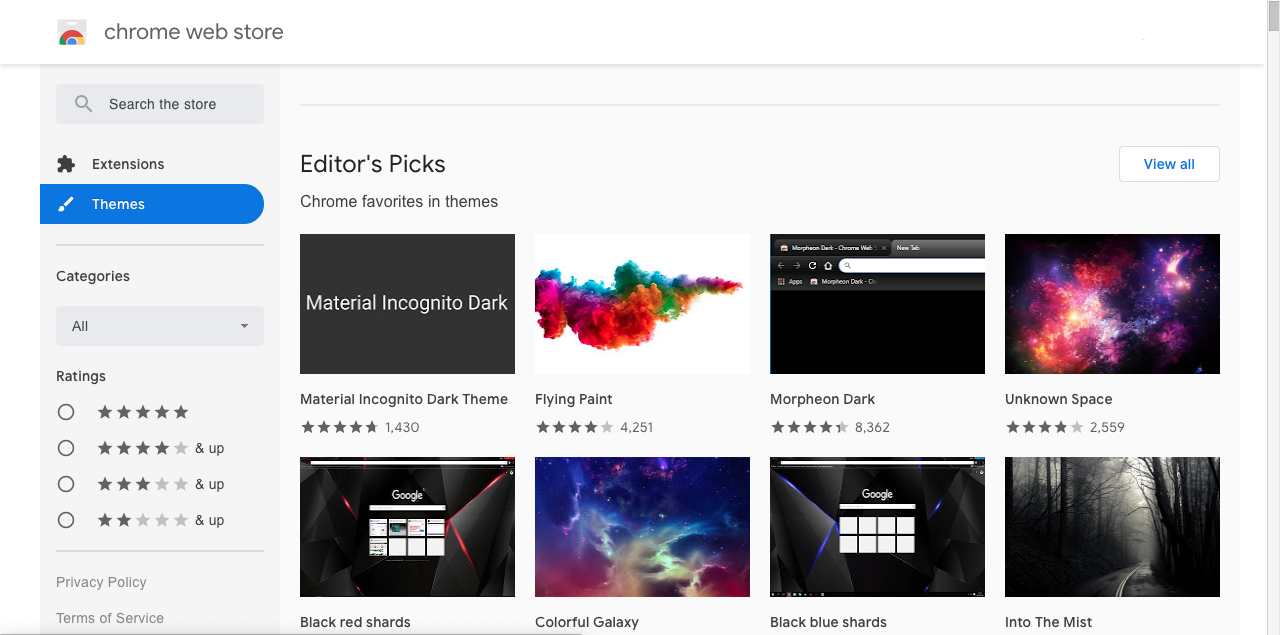
The Chrome Web Store marks the easiest path to a new background.
Searching
In the CWS, you can either scroll through or search using the left bar.
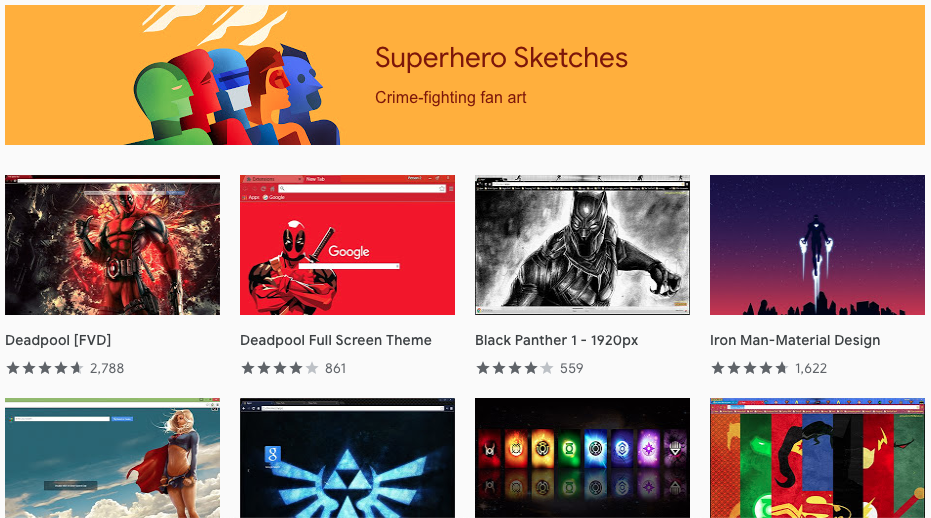
While scrolling, check out the many categories provided: “Editor’s Pics”, “Space Exploration”, “Into the Forest”, and many more! Any of these sections may have the thing for you, so hit “View All” if anything piques your interest.
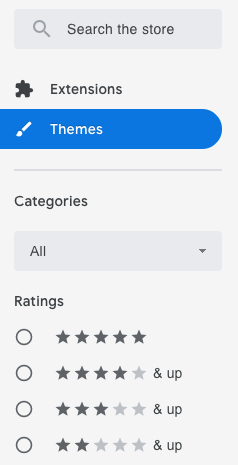
To look for something specific, visit the left bar:
Your options are: type in a keyword search, check through their two categories (we don’t recommend this), and narrow the results by rating. Just remember: when you search, the Chrome Web Store may show you extensions and themes! Select “themes only” for your convenience.
Installing
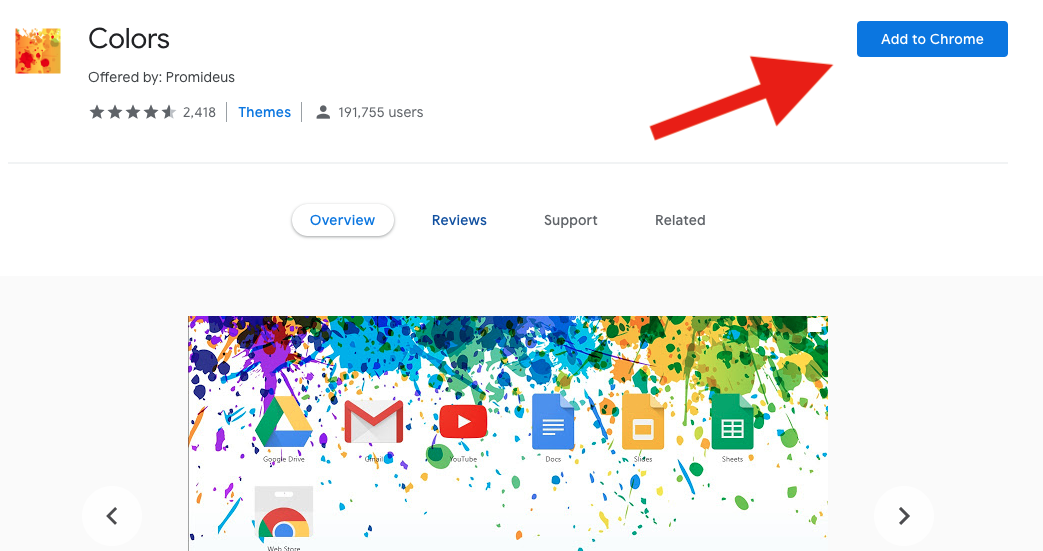
Guess what? This is the easiest part! When you find a theme you like, Google literally requires nothing more than a click. Hit “Add to Chrome” and you’re finished!
Name in Chrome Web Store: “Colors” (as you may have noticed)
ThemeBeta takes the Chrome Web Store to whole new level, providing a system where users can develop their own themes! (We’ll release an article on how to use their theme creator soon enough.)
Head over to their website:
Searching
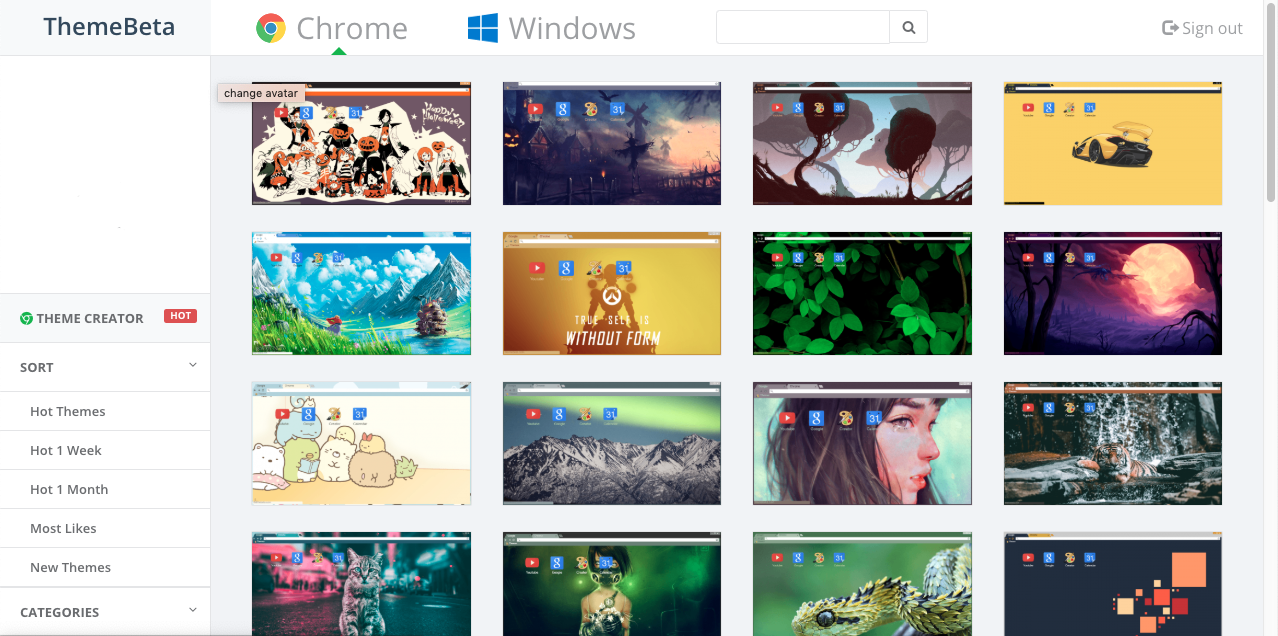
ThemeBeta doesn’t offer categories right off the bat, but their main pages hold a ton of great theme options bunched together: we recommend scrolling down to see some great artwork and photography! Right now, many are capitalizing on the Halloween excitement and it’s legendary:
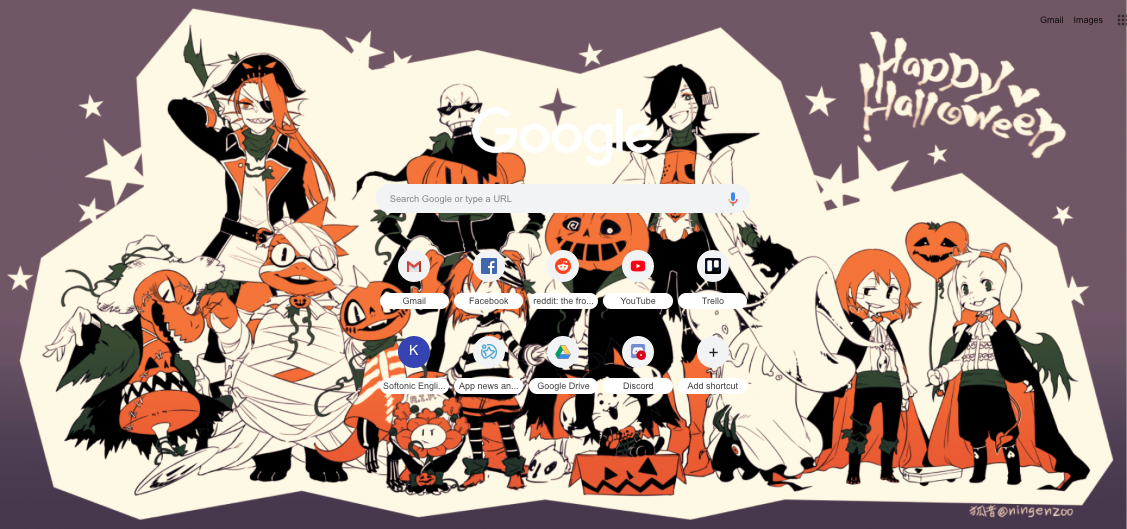
Name in ThemeBeta: “Undertale Halloween”Name in ThemeBeta: “Halloween owo”
To narrow the field, mosey over to the left bar for a number of options: “Sort,” which places themes in order of recent hotness or newness; “Categories,” from animals to holidays; and “Resolutions,” if you’re very particular about your pixels.
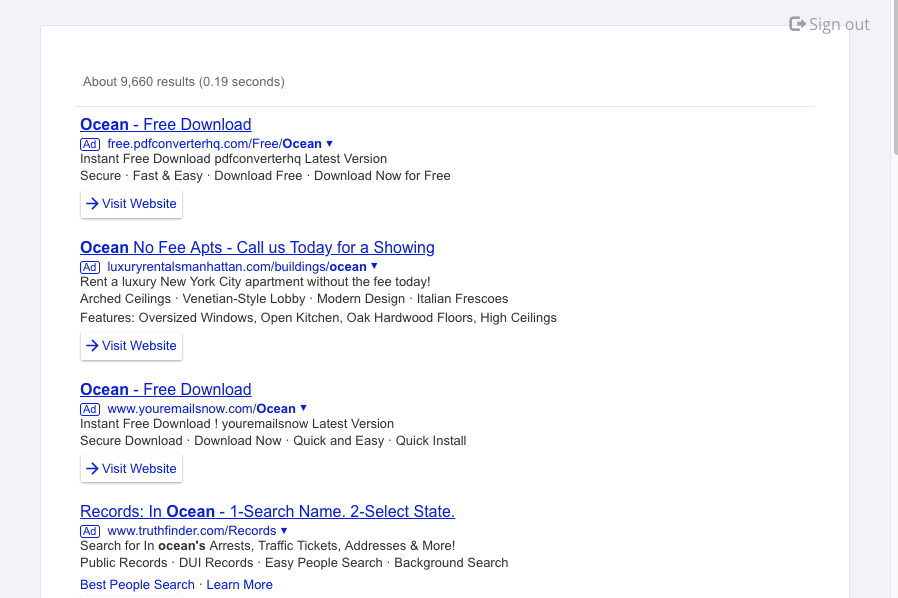
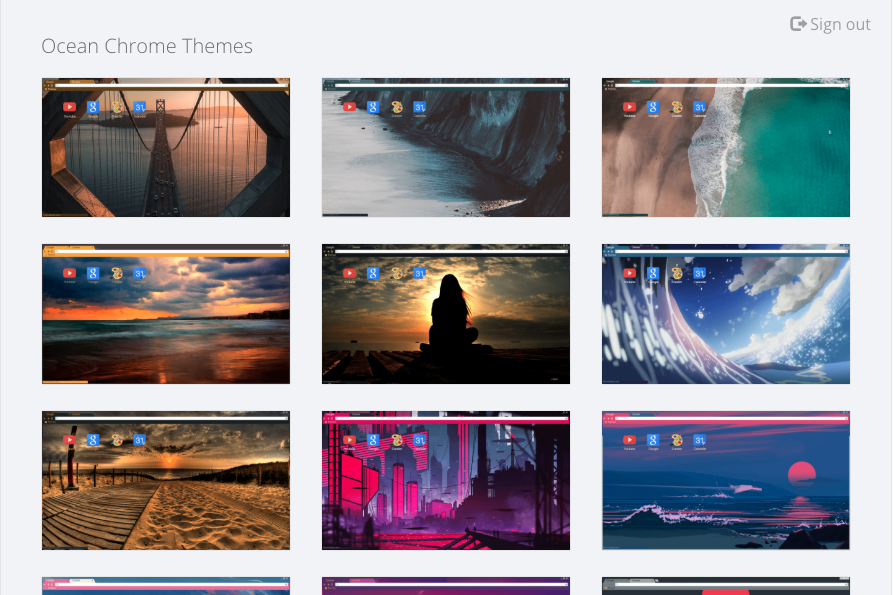
Last but not least comes the search option. ThemeBeta’s keyword function has an interesting snag: it shows results like a normal search engine! A search for “Ocean“themes might look like this:
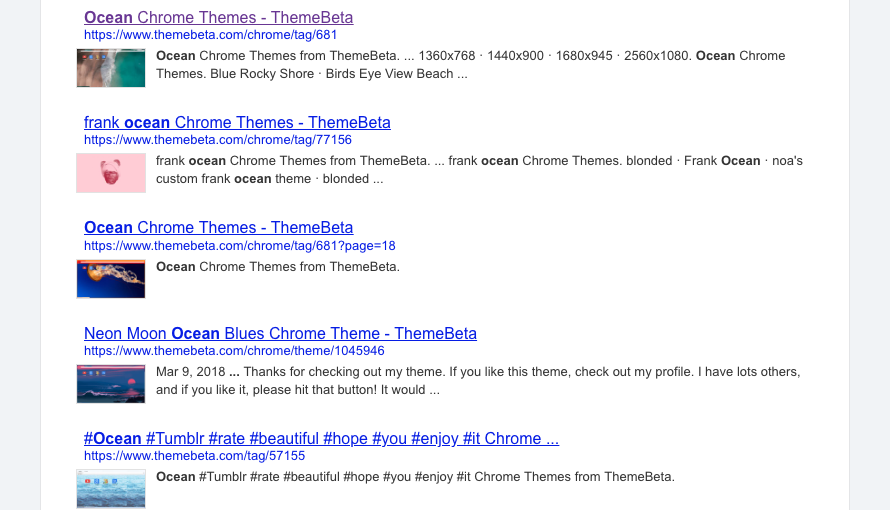
The solution? DON’T PANIC. Scroll down, and you will find what we lovingly refer to as “actual theme links”. Almost every search has them:
Open any one, and you’ll find a helpful gallery such as this:
Installing
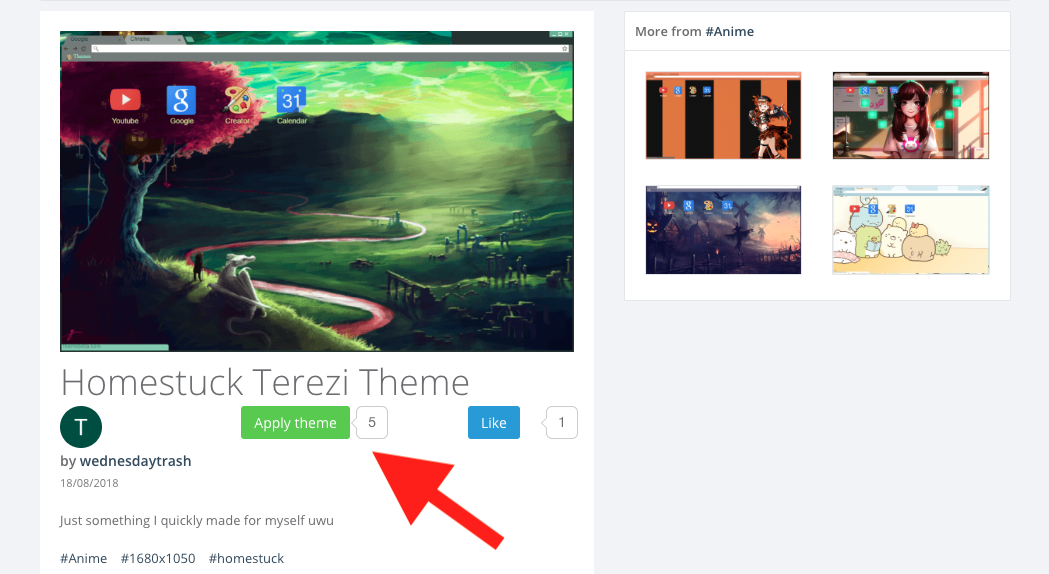
Guess what? Once again, installing works easily! Just hit the “Apply Theme” button. Another text box may appear, asking if you’re sure about the download. Click “Continue” or “Add Theme” again, and you’re done!
Name in ThemeBeta: “Homestuck Terezi Theme” (of course)
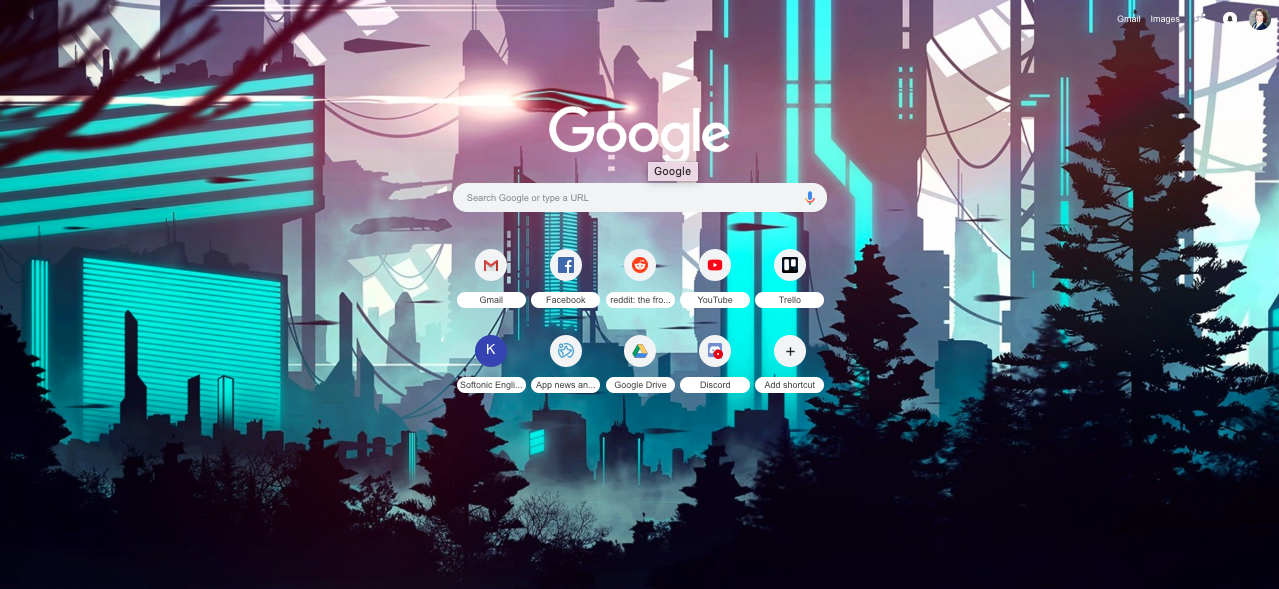
A few moments later, your theme appears!
Name in ThemeBeta: “Futuristic Cityscape”Name in ThemeBeta: “Autumn Painting”
Final Words
We hope this guide helps you find a new Google theme, whether through the Chrome Web Store or the friendly user-run app, ThemeBeta!
If you still can’t find the perfect look, or have artwork you wish were a theme, remember to check our next article on the subject: “Making themes in ThemeBeta”. Thanks for reading!
(P.S.: if you’re looking for the cat theme we used as a thumbnail, it’s called “made_of”)
Imagine Fortnite with magic. Here’s why Spellbreak could be the next big thing in Battle Royale.
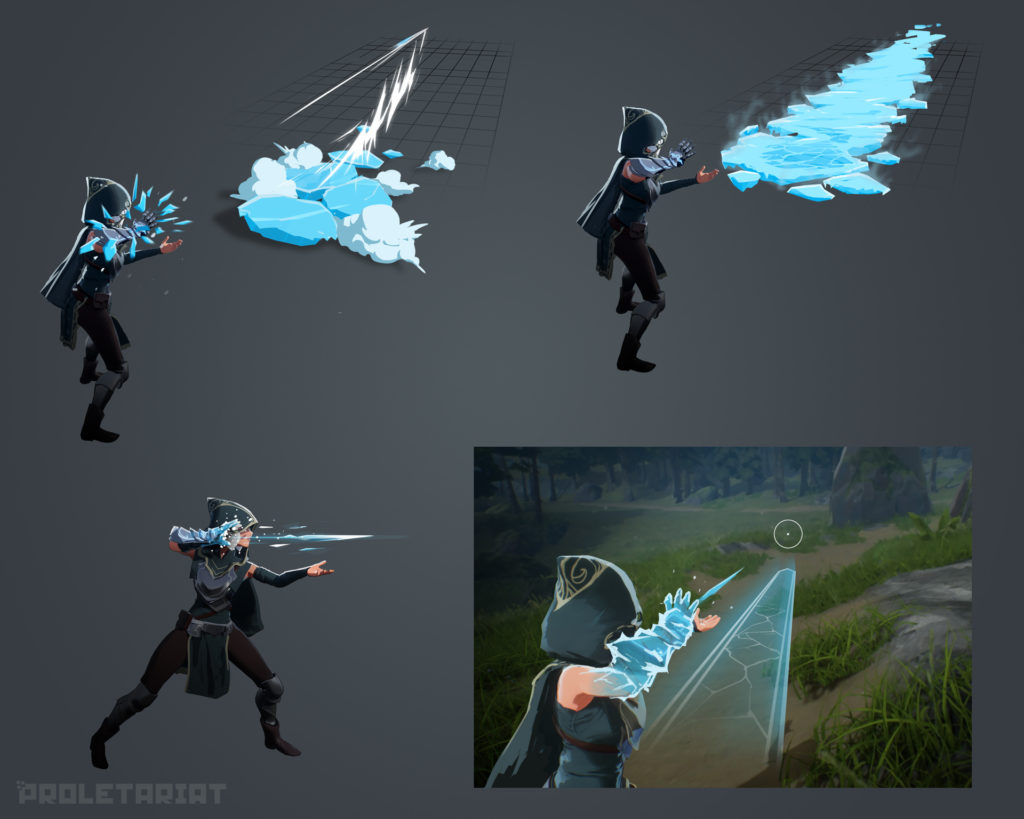
2018 is the year of the Battle Royale game. From Fortnite to Call of Duty: Blackout to PUBG, it’s a defining year for the genre. With such a crowded field of entries, it can be hard for new games to stand out from a crowd that feels increasing stale. Fortunately, Battle Royale fans have something entirely new to look forward to: Spellbreak, an upcoming Battle Royale game that plays like a beautiful cross between Fortnite and Skyrim.
Playable Classes
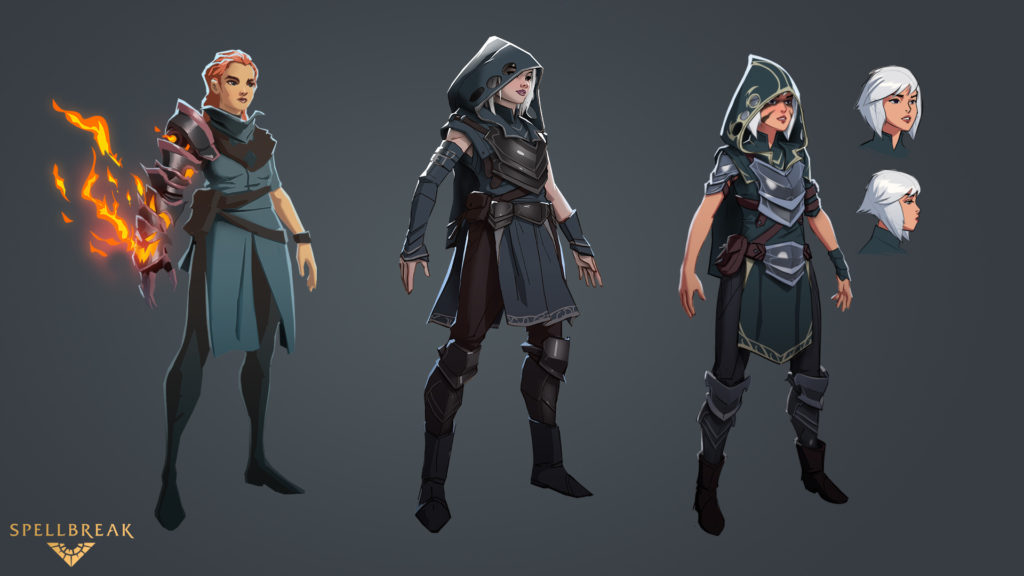
Pyromancer class concept art
Most gamers are familiar with the basic elements of Battle Royale: a group of players are dropped into a single large map and then fight to be the last one standing. In most entries in the Battle Royale genre, players drop in totally naked (sometimes literally naked), and have to gather supplies that are scattered around the map.
Though there are elements of this in Spellbreak, players won’t be dropping in totally equipment free. All players will pick from a selection of classes, and this class controls the magic they can utilize in combat. This class-based combat system also brings other RPG elements into play. At the start of each match, players can choose two magic classes. Within each class, players have access to a passive ability and three scrolls that you choose and level up as a match progresses. Currently, 11 playable classes have been confirmed, including:
Fire
Ice
Lightning
Stone
Wind
Poison
Spellbreak’s imgur page has showcased two of the game’s classes so far: the Pyromancer (fire) and Conduit (lightning), though we’ve also seen glimpses at Ice and Poison abilities.
Magical combat and abilities make up the core of Spellbreak’s PvP experience, but it’s not limited to simply casting spells and hoping to kill your opponents. Passive abilities play a huge role in Spellbreak, and each class has a unique passive ability. For Pyromancers, that ability is Phoenix’s Rebirth, which allows players to revive at half health after their first death. For the Conduit, Lightning Fast increases your movement speed. These abilities shake up the way a Battle Royale is traditionally played, and means that players will have to think a little harder and strategize before they attack.
Why Battle Royale fans need to play this hilarious game
The different magic classes interact in different ways to make for lethal and unique combinations that can suit any play style. For example, poison magic and fire magic react in explosively. Casting a poison cloud then hitting it with a fireball creates a massive neon green inferno reminiscent of the infamous Wildfire from “Game of Thrones.” Players can also cast a fireball on puddles of poison to ignite them, potentially creating a wall of flame that can block other players in or cut them off.
With 11 playable classes currently, the potential for casting combinations is huge and ripe for experimentation. Duos and Squads have also been confirmed, which means that coordinating magic combos with your team is going to be a big part of playing.
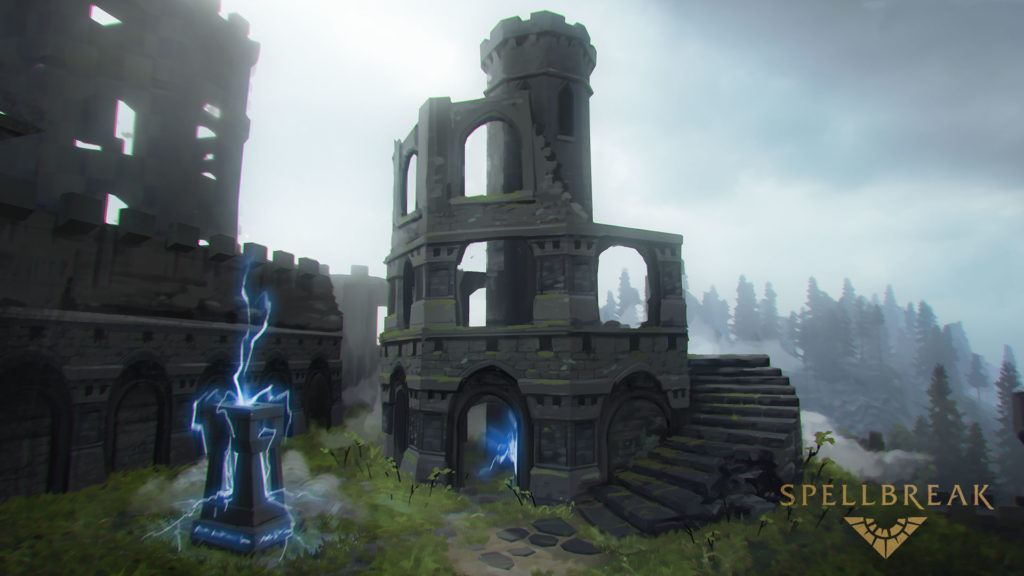
Spellbreak’s map is expansive, the lush green forests and rocky landscapes looking like something out of Skyrim. Of particular note is the ruined castles littered around the map. They’re a focal point for the game’s combat. Wander inside one of these ruins and you’ll find intricate mazes of corridors and battlements. Head up to the castle towers to ambush opponents from above, or lose pursuers in the tangle of crumbling halls within. Castles in-game range in size from small ruins to massive fortresses, breaking up the battlefield with multiple levels and providing ample opportunity for cover and concealment.
The game’s graphical style also sets it apart. The cel-shaded visuals are gorgeous and definitely bring the hit Legend of Zelda game Breath of the Wild to mind. The almost cartoonish look makes the game’s combat colorful, chaotic, and over-the-top, deepening the sense of frantic battle.
Spellbreak is currently available in pre-alpha on Steam. Players can apply for the pre-alpha on the official Spellbreak site, where so-called Founder Packs are also available for purchase that grant access to Alpha Keys and other development-stage goodies, as well as other items available at launch. For more info, you can also check out Spellbreak’s imgur or Reddit page where you can find behind-the-scenes looks and more in-depth examinations of combat. Spellbreak is setting itself apart in a crowded Battle Royale field, and it’s certainly shaping up to be a unique and incredibly cool looking addition to the genre.
Want to earn some Bitcoin, but aren’t sure how to do it? Here are 3 easy ways.
Intimidated by Bitcoin? Don’t be. Earning or investing in this relatively new currency doesn’t have to be a difficult or overly risky task reserved for the select few. There are many ways that you can get involved with Bitcoin without being an expert on the subject or assuming too much risk. Here are some of the easiest ways you can get the cryptocurrency right now.
3 easy ways anyone can access Bitcoin
1. Download an investment app
Robinhood is a popular user-friendly investment app. Their mission is to prove that anyone can seek investment opportunities, no matter their skill set or financial status. The best part? Robinhood now supports cryptocurrency trading, making it even easier — for anyone at all — to invest in Bitcoin.
With an investment app like Robinhood, you won’t have to worry about handling private keys or storing your bitcoins in a virtual wallet (which is a lot more complex than it may sound). They will take care of it all. All you need to do is create your account and get started. So, if you’re looking for an easy way to get started with Bitcoin, consider investing with Robinhood Crypto.
2. Earn bitcoins while you shop online
Ever wish you could get paid to shop? With Lolli, you can earn bitcoins automatically just for shopping online. Lolli is a cash-back reward system that has partnered with more than 500 retailers to give you bitcoins for making a purchase on one of their sites.
Simply download the Lolli extension for your browser. Whenever you’re on one of their partner sites, Lolli will notify you. You’ll then activate Lolli on that site and start shopping as you usually would. After you’ve made your purchase, you’ll receive your bitcoins. It’s as easy as that.
Lolli currently partners with retailers such as Groupon, Forever 21, Hotels.com, and Macy’s, among many others.
3. Get paid to complete small tasks
Another easy way to earn bitcoins is to get paid for completing small — but time-consuming — tasks online. These tasks won’t often yield a lot of bitcoins, but they’re one of the easiest ways you can earn them. For example, some sites will pay you in bitcoins to visit a website or view ads.
Other sites like Coin Tasker or CoinWorker will pay you in bitcoins to complete a variable number of tasks. Sites like these might ask you to complete surveys, test programs, and files, or organize photos in exchange for bitcoins. However, it’s important to note that you probably won’t make that much money with any of these options. Even if you complete tasks all day, you likely won’t earn more than the equivalent of $5 to $10.
What are your favorite ways to get your hands on cryptocurrency? Let us know in the comments below!
Latest Google maps update allows users to share their ETA across third party apps like Facebook Messenger, WhatsApp, and Line
Google Maps does more than just show you how to get to and from places. Maps has also introduced a slew of new features designed to help you communicate your location and even how much battery your phone has left with the people you’re going to meet. Google has now announced an extension to its useful “Estimated Time of Arrival” broadcasting feature.
Latest Google maps update allows users to share their ETA across third-party apps like Facebook Messenger, WhatsApp, and Line
The idea behind Google’s latest update to Maps is to take the stress out of keeping people updated about your journey’s progress. This is particularly important if you’re driving. Google wants you to keep your loved ones updated in a way that allows you to “keep your hands off your phone and your eyes on the road.” To make sure you can do this with as many people as possible, Google is opening up its ETA sharing tool to other apps. This means you’ll now be able to share your ETA with WhatsApp and Facebook Messenger users, as well as users of other messaging apps like Line.
This new feature broadcasts the navigation route you are following. This means if you want to give people a live update of your ETA, you need to be following a Google Maps Navigation route. It isn’t limited to driving, however, and the improved journey sharing feature is available for driving, cycling, and walking navigation routes.
Once you’ve started navigating using Google Maps, you need to hit the ^ button. This will bring up the option to “Share trip progress.” Here you’ll find the option to share your ETA with either your contacts or across other messaging platforms.
This new ETA sharing function is different from sharing your live location as it stops sharing your location as soon as you reach your destination. If you simply share your live location, you do so for a set amount of time rather than until you reach where you’re going to.
This new journey sharing feature is already available via the latest version of Google Maps for both Android and iOS. To start using it make sure you’ve downloaded and installed the most recent update for Google Maps.
Want to whip up a professional looking document in a hurry? Here are 4 ways Google Docs can help.
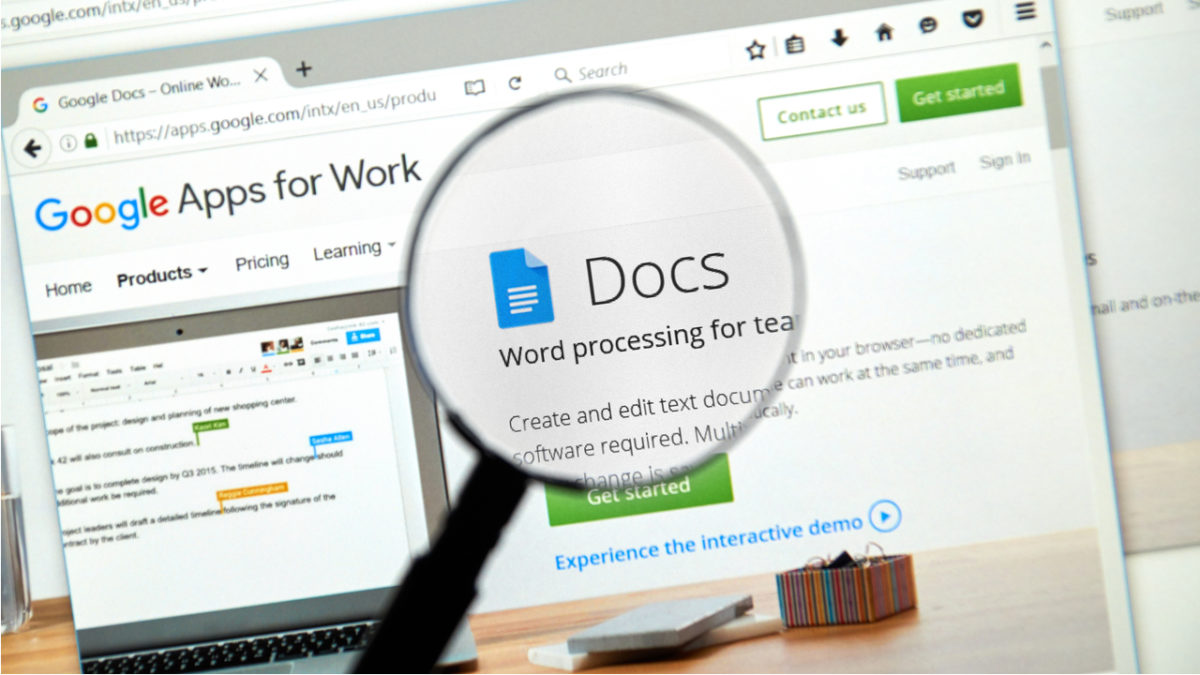
There are so many things you can do using Google Docs. Sure, the program can’t make you breakfast or walk your dog (yet). However, Docs offers users so many helpful services. One of the best tools is the variety of handy templates, all free to use. You can see all the templates here, but we’ll take a look at four of the most popular and useful templates.
4 super useful templates in Google Docs
1. Resume
The job market is competitive. For many people, just getting a foot in the door can be overwhelming, with so many candidates vying for positions. A solid resume is the first step toward landing the job you want.
Today, most companies use automated resume-sorting software. This means if your resume is strangely formatted, doesn’t have the right keywords, or contains any mistakes, it will probably get tossed aside before it ever gets on a hiring manager’s desk. Having an impeccable resume is an absolute must. Thankfully, Google Docs gives you an array of fresh, modern templates to help you build one that stands out in the right ways.
If you’re tasked with creating a company newsletter or putting one together for a class project, Google Docs is here for you. Save yourself plenty of stress by using the handy newsletter templates. Choose from several snazzy styles, and add your content to the customizable fields. Your work will look sharp and professional, all with minimal effort on your part.
3. Legal documents
Ah, legal documents. Nobody likes them, but everybody needs them. If you own a business, run a website, or do almost anything else out in the world, you might find yourself in need of a legal document. Google makes this unappealing task a little more palatable by giving you pre-made templates for commonly used legal documents. Options include terms of use, software licensing agreements, and privacy policies.
If you’re a student, you’re likely going to have to write a report at some point. Depending on what you study, you may even have to write many, many reports. While you’ll have to do the writing and researching part on your own, Google Docs has the tools to make it all look good when you’re done. Choose the appropriate template, and it’s that much easier to impress your instructor with a polished report.
Dominate your costume contest with a costume that lights up! Here’s how to make one.
If you’ve ever wondered how to work those crazy lights and wires into your costumes, here’s a simple guide! By the end, you’ll realize EL work is easy, affordable, and freakin’ awesome.
Without further ado, for your viewing pleasure:
Spice up Halloween costumes with electroluminescent lights!
Choosing Your EL Product
First, ask yourself: what do you need for your costume? An outlined design, a few stripes, a logo? Once you have your vision in mind, consider the main three types of electroluminescent products:
You’ll see EL wire used more often than not. Why? Simplicity, simplicity, simplicity! Wire forms difficult shapes with ease, attaches to costumes readily, and holds up when cut for soldering!
For our Halloween cosplay project – the Fortnite Drift skin – we used pink EL wire purchased on Amazon.com for just $7 a strand. There are plenty of other affordable options in multiple colors!
EL tape looks bright and colorful when used on a costume.
The problem? It’s much harder to use! Unlike the EL wire, you cannot easily bend the tape in any direction. Also, it is virtually un-solderable: if you cut off a piece, bid the lost end farewell.
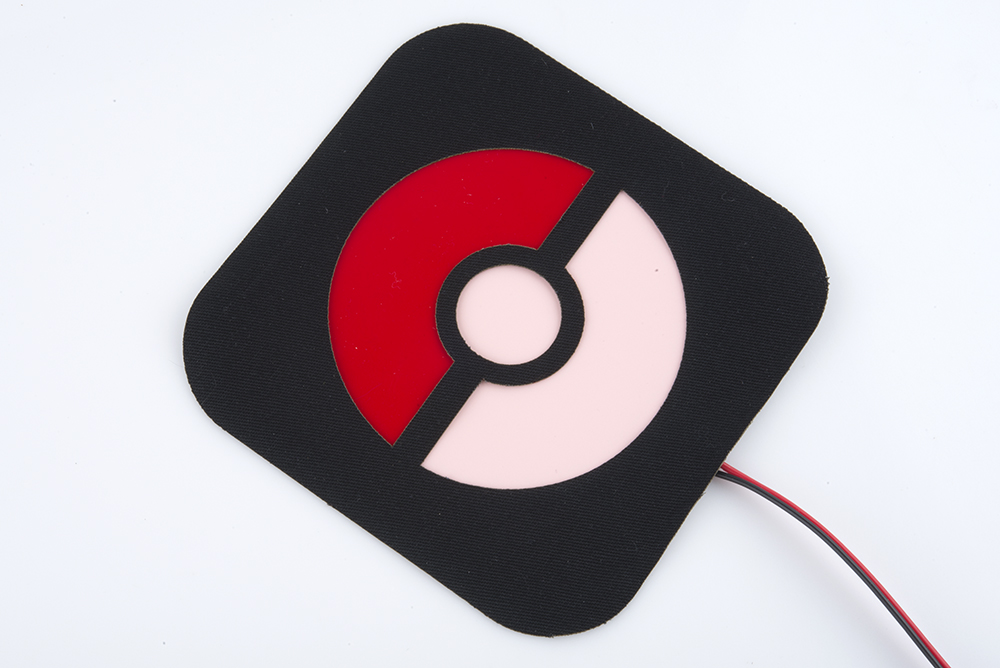
EL panels are much wider than tape or wire. They can be cut into shapes or masked:
A Pokemon panel design.
Purchasing
Remember: lighting can become complex. If you’re new to EL lights or looking at a large project, map out your design on paper first, and then decide what is required.
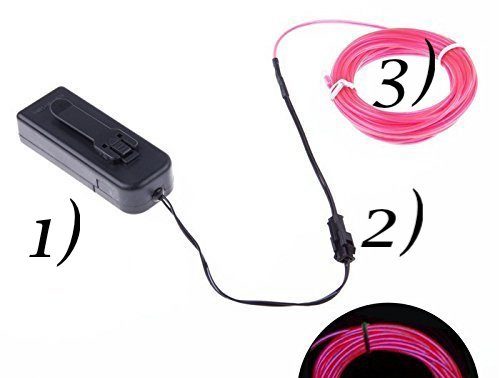
The full EL package looks something like this. There are three parts we want to address:
1. Battery pack
Most EL products use a standardized battery pack that runs on two AA batteries. They often have four settings installed: off, on, slow blinking, and fast blinking.
2. Connector clippy doodad (CCD)
Thanks to the CCD, you can disconnect the EL wire and battery pack in a jiffy. This helps for battery replacement, light attaching, and soldering work.
3. EL portion
Finally, as expected, you have the electroluminescent component: wire, tape, or panel. ‘Nuff said!
Guide to carving the perfect pumpkin for Halloween
Before attaching your lights, remember to place the battery in a convenient location… a pocket, perhaps? It has to stay somewhere all Halloween night, and you probably don’t want it dangling in midair!
If you can’t comfortably wire the lights through your costume, you may need to visit our section on “soldering” below!
The wire
From our experience, there are two routes for attaching EL: sewing, and glue.
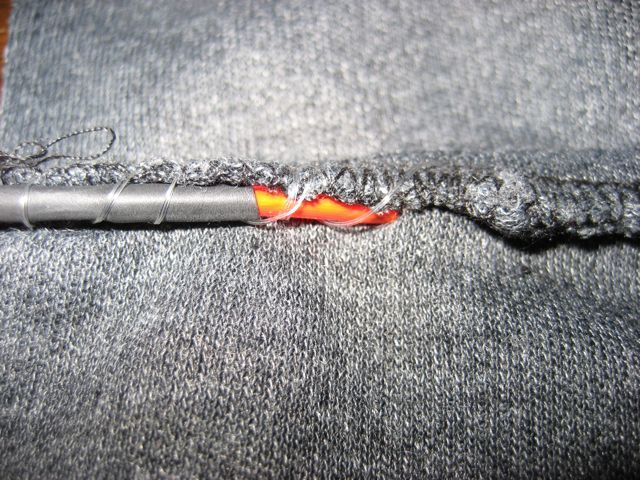
Sewing works great on clothing because it securely holds wires in multiple locations. Movement can easily break glue, but thread will secure the lights without breaking in the event of a costume dance battle.
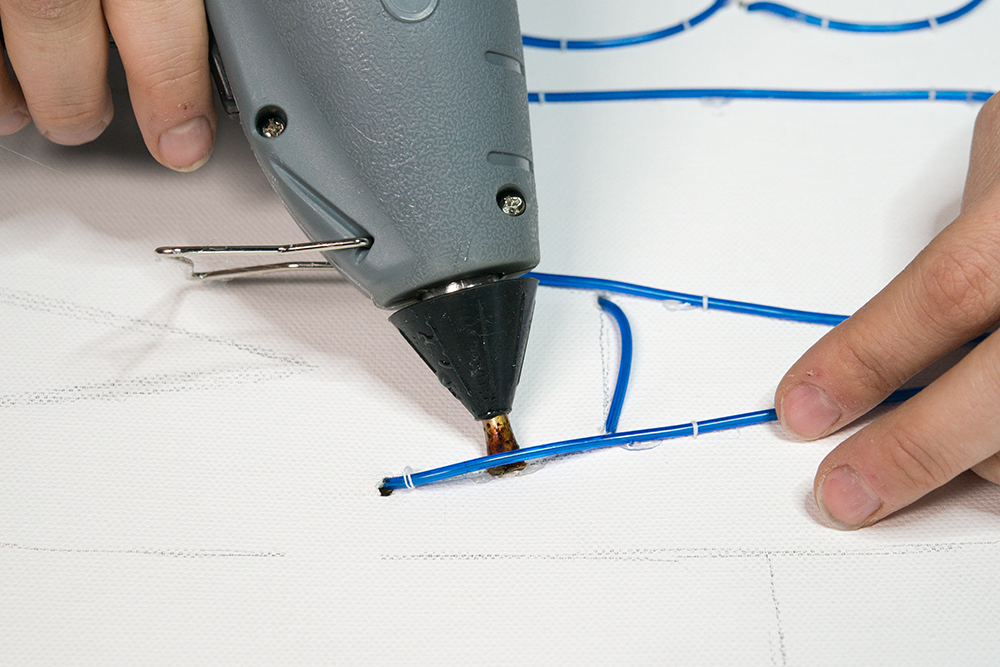
Glue (whether hot, super, or epoxy) works better on hard surfaces. It’s far easier to use than thread, and should remain strong on hard materials that won’t shift. When you don’t need thread, use glue!
Fishing line couldn’t keep the wire formed properly, so we started using Gorilla Glue. After that, we secured everything with fishing line for the long run. So far? No problems whatsoever!
At this point, hopefully, you’re finished! The wire has been attached and strung, everything is in place…
But sometimes that’s not the case!
You may need/want to lengthen the battery wire, or extend the EL lights to another place without sending the light itself through your costume. To do so, you’ll have to employ the magic of soldering.
Into the darkness
Okay, it’s really not that bad! Soldering just means connecting wires with “solder,” a metal that has an unusually low melting point. For this part of the project, you’ll want something like a soldering iron kit.
This kit will provide the wire cutters to strip the electrical wires, the iron to melt the solder, and a mount so you can leave the sautering iron up while working the wires together.
These heat shrink tubes go over the recently sautered wires for their protection.
With your materials in place, it’s time to learn how to solder!
There you have it: soldering is soldering. You attach one wire to another.
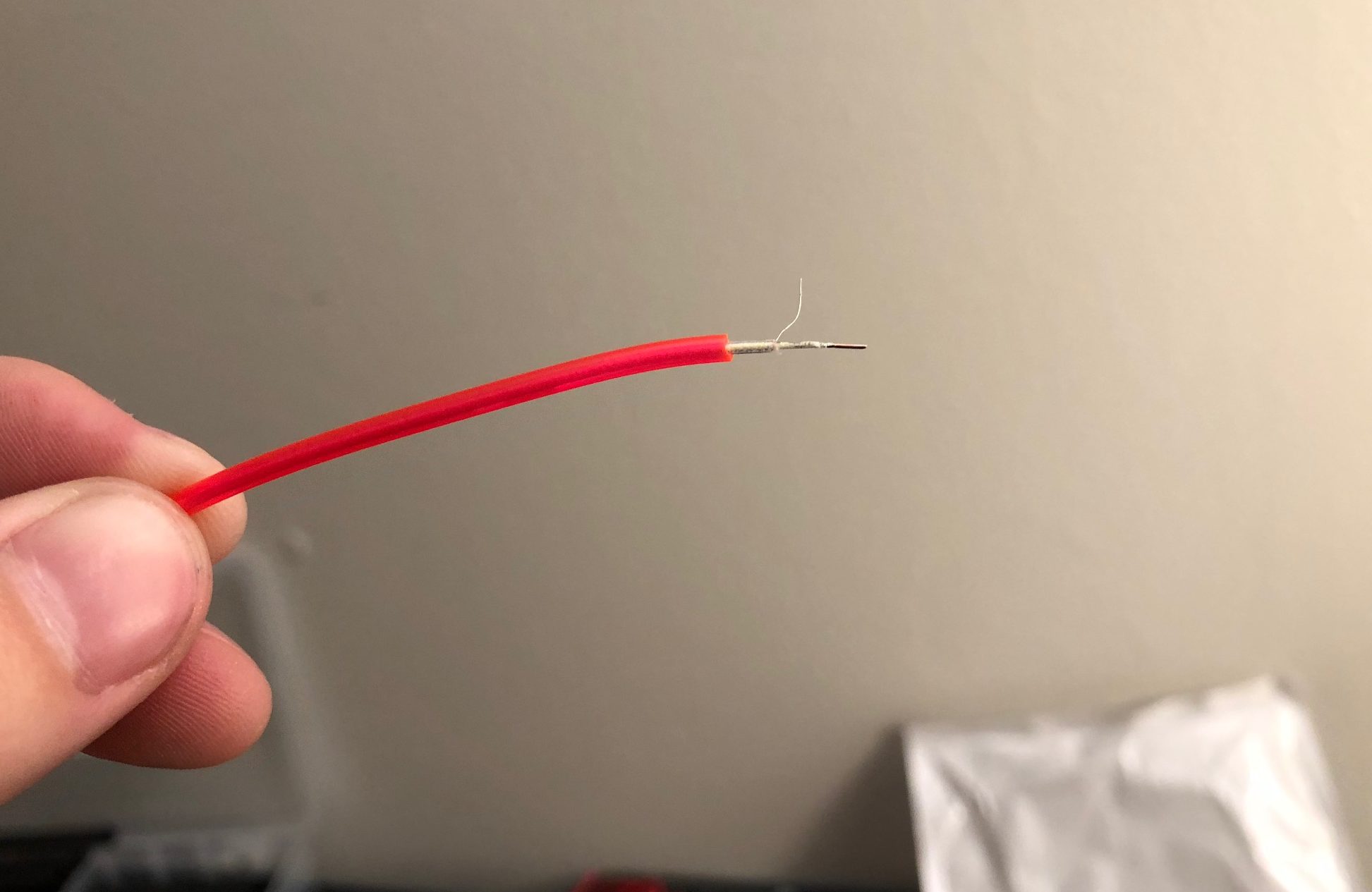
However, it may be hard to find those wires with EL wire. There are a number of layers:
Let’s travel from the outer shell to the center:
1. Pink plastic. This layer both protects the underlying components and adds the color.
2. Clear plastic. The clear plastic layer insulates the outer wire.
3. Outer wire. The one poking up in the picture.
4. Phosphor. Under the clear plastic, there’s a layer of phosphor excited by the central wire. You’ll need to scrape this away in order to solder the central wire.
5. Central wire. The main attraction: in our picture, it’s at the very end of the EL wire.
This may take some experimentation on your first try, so give yourself an extra half-inch. First use wire cutters to strip the pink plastic (be warned, it’s pretty tough). Then, slice the clear plastic away until you can pull the outer wire away. Finally, head to the end of the EL wire and strip the phosphor away from the central wire. The result should look something like the picture above.
Guess what? You now have two wires ready! Solder them to extension wire and protect the result with heat shrink tubing. It’s a wrap!
(And again, don’t try to solder EL tape or panels. We destroyed two pieces of tape and received multiple electrical shocks before learning that lesson.)
Conclusion
EL lights take costumes to the next level. Before we discovered the glory of electroluminescence, we always wanted to be the cool kid at the party with a light-up costume but assumed the process for using lights would be too hard. But no longer!
Try out some EL light for your next costume, and Happy Halloween!
Should you mix social media with your career? A look at the pros and cons.
Social media and its role in our professional lives is complicated. Offices take varying stances on whether they allow it, while others make social participation mandatory for employees.
The benefits of maintaining a professional presence online are clear. Social channels done right can validate your brand and help you land a job or connect with “the right people.”
But shifting norms have come with some new expectations. Do we need to be that active on Facebook and Twitter at work?
We’re honestly not sure.
As it stands, there are plenty of guides across the web from Flex Jobs to Monster to the NYT that stress the importance of keeping up an active online presence.
Some say that opting out can be seen as a red flag for employers, but curating a personal brand when you’re not trying to become an influencer is extra work.
Below, we’ll look at some of the benefits and minefields associated with social media and its role in the office.
Social media and the workplace: a delicate balance
Social employees tend to be more engaged
HBR found that workers who used social media at work tended to be more engaged. Think about it; these are the folks actively making connections during their workday. This group looks at their role in the broader sense; following trends in the industry and working to improve their reputation.
They’re also always on the hunt for the next best thing. That same HBR piece mentioned that social butterflies tended to leave their jobs more often than their less engaged peers.
People without a social presence risk appearing like they don’t care or they don’t know their way around the internet. Through social media channels, employees can bolster their connections in the industry, which is especially useful in sales, marketing, PR, event planning.
More and better connections can be good for the company. Benefits come in the form of increased leads and better recruits, as well as competitive intelligence.
So, great for companies, then? What about regular workers?
Well, on the employee side, research has found that employees who feel comfortable fostering these digital connections are more open to collaborating with others or researching new ideas they might not be familiar with in real life.
What that means is, if you’re a social networker, you might be more productive.
Making meaningful connections on LinkedIn, for example, could help you stay in contact with people who can boost your career, while general usage keeps you abreast of the latest trends in the space.
No cat videos and fake news aren’t going to magically boost your brain power. But using social media, thoughtfully opens you up to a whole world of new information.
Intelligent digital conversations require research and strong communication skills. Meaning, if you’re talking with industry experts in your LinkedIn group, you’ll likely be looking at credible
While social media might be best known at this point for fake news, just about all of the platforms can help you uncover new content, learn more about other companies and increase your reach.
Finding jobs is one of the more practical applications of social media.
The downside is, when you’re using social media to find a job, there may be some expectation that you’re actually, well, good at it. As such, numbers matter.
You’ll want to take some time to build your network which is understandably daunting. Start by reaching out to people you know—add people from your alma mater, people you’ve worked with in the past and include a personal note along with your invitation.
LinkedIn, of course, is the more obvious job hunting platform, but Twitter might prove useful as well. Twitter has feeds dedicated to advertising jobs, though you’ll need to sift through a fair amount of noise to find opportunities.
One of the biggest complaints from hiring managers is that job hunters aren’t prepared when they walk into the interview.
Instagram can be helpful in that arena, as you can quickly learn more about not only what the company does, but what their culture and branding are like.
You can also use the platform to engage with companies you like. Sometimes brands share open positions on their social channels before posting to job boards.
On the one hand, the idea of combining social media and coworkers is a recipe for disaster.
Do you really want these people intermixing on the same digital playground as your family, your friends from college? The people you weren’t friends with in high school?
Yeah…
But, there are some benefits to braving the social minefield, too. For example, coworkers can use social media to interact with each other, promote each other’s accomplishments, and strengthen bonds.
A recent survey from Microsoft found that incorporating social media into workplace communication strategies would make their jobs easier.
Social can be a way to share ideas and boost communications, especially with remote teams. But, the case for limiting those social interactions to Slack channels, LinkedIn and other work-specific platforms is a strong one.
Stressing about whether you want to accept a Facebook request from Janet in accounting is kind of a bummer. This article from Fast Company recommends simply doing nothing when someone sends you a Facebook request you feel weird about.
Your personal Instagram or Facebook might not contain any damaging information, but some workers don’t want colleagues to access images of their after-hours selves.
Wrapping up
In short, though, the main benefits of using social media seem to be linked to those users who actually want to use the tools. You’ll see some good results if you’re using the internet to learn new information and make meaningful connections.
No matter what industry you’re in, a social media presence can pay off in the form of new contacts and job leads. That said, if you’re not into it, try maintaining a professional-looking LinkedIn page rather than forcing yourself to keep up with Instagram and Facebook.
In the end, getting social can help you succeed in the workplace. Social media, of course, helps you build connections that move your career forward both in and out of your organization.