4 of the best gadgets for your garden

Looking to upgrade your lawn? Ditch the backbreaking labor and deploy these gadgets. And have a little fun while you’re at it.

You might be surprised that for a bunch of nerds, one of our favorite places is actually outside in the garden. As much as we love burning our eyes in the blue glow of a screen late at night, there’s nothing better than getting out and having some fresh air every once in a while.

However, while you might be able to tear the nerd away from the tech, you can never truly take the tech out of a nerd. So while we love being outdoors, that doesn’t mean we can’t still take our gadgets outside too.

Today, we’re going to look at four of the best gadgets for your garden, ranging from super advanced down to the slightly more humble. Let’s get started.

1. Inflatable Outdoor Cinema Screen – $220

Traveling to the movie theater can be a real chore, and expensive, too. Fortunately, you can set up your own cinema right in your backyard, and make the most of those long summer nights.

This particular model is 12 feet wide, so fire up your 4K projector and a decent set of speakers, and enjoy all of your favorite movies. A motorized pump that inflates the screen from a standard plug is included, and there are tethers and yard stakes to ensure it doesn’t blow into the neighbors garden.

2. Husqvarna Automower – $3,400

Even the garden is not safe from the inevitable march of our robot overlords. This nifty machine is like a Roomba for your lawn, and takes all of the back-breaking labor out of maintaining your grass.

It can mow to a schedule and recharges in just 75 minutes. It can mow in the dark, and the rain, and if some enterprising thief disturbs it during a programmed cut, the anti-theft system emits a siren and sends GPS coordinates to the associated app. It’s expensive, but it’s got the features to match the price tag.

3. Geodesic Dome – $149

A moonbase for the kids, a domed aviary, a nature sanctuary, a festival tent, a fruit igloo? There are so many possibilities with this clever product, your imagination is the limit. Kits come in different sizes, and your own choice of wood, so you can fully customize your dome into whatever your heart desires. Setting up the dome is a piece of cake, and you can put whatever sort of mesh, wire, or waterproofing over the top when it’s constructed. Get creative!

4. Parrot Flower Power Plant Monitor – $98.45

If you’re anything like me, you’ll never forgive yourself when one of your favorite plants dies through lack of care. Well, worry not – this clever little device is a smart sensor that assesses your plant’s needs and sends alerts to your smartphone when they need water or food.

With a database of over 7,000 plants, this fully customizable monitor can also tell you if the levels of sunlight or humidity are harming your plant’s wellbeing, helping you make sure you never kill another plant “by accident” again.

That completes our round-up of some of the best tech for your garden. Hopefully, some of these devices will help take the stress out of caring for your outdoor space – we wish you long summer days, a pristine lawn, and healthy plants.    

 

4 of the best laptops under $700

Spending a bit more for a mid-range laptop makes sense if you want to do lots with it. That extra buying power means you can do all but the most demanding tasks, like intensive video editing or high-spec gaming, for which you’ll need to save a bit more.

We’ve put together four of our favorite mid-range laptops below. In this price range, the hardware is going to be pretty good no matter which you choose, but I’ve highlighted what I consider to be the standout features.

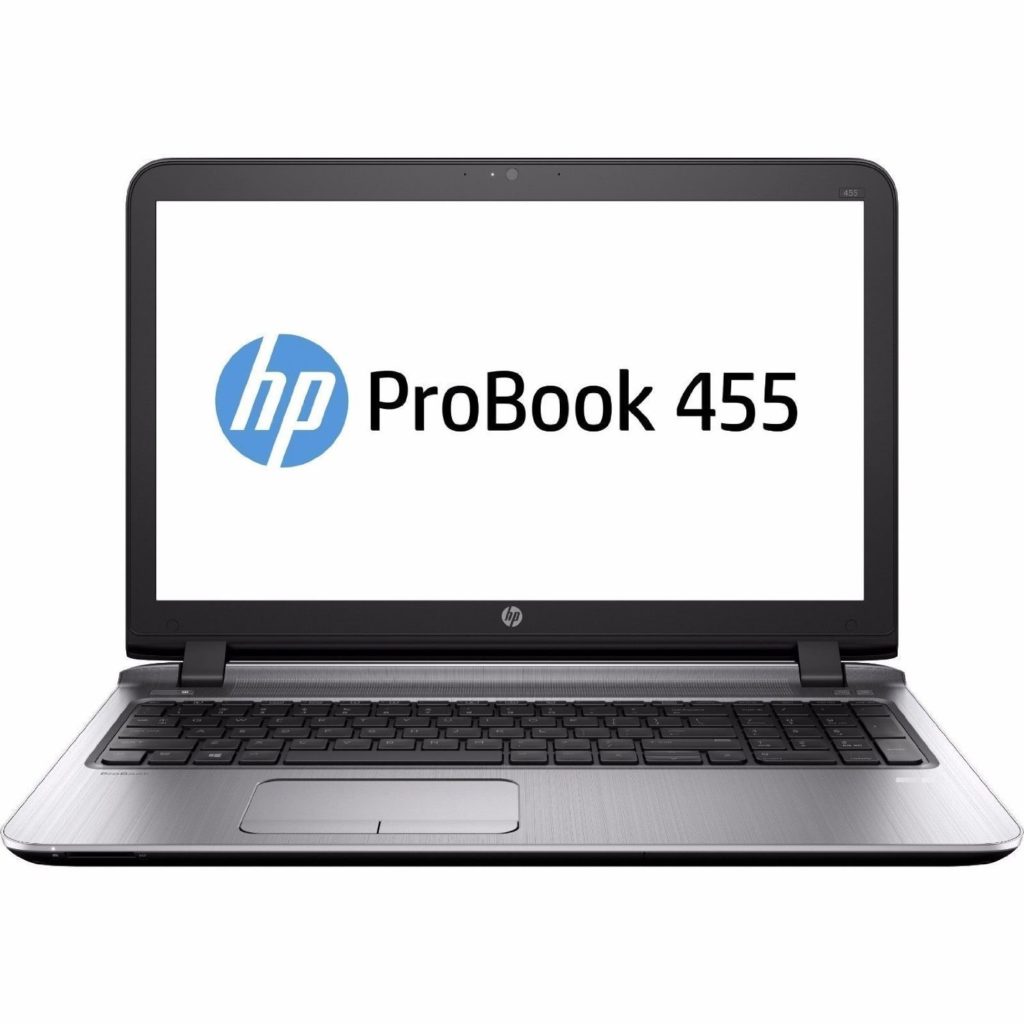
1. HP ProBook 455

The HP ProBook 455 is an attractive all-rounder: full HD 15.6” screen, 256GB SSD, quad-core AMD A10 chip clocking up to 3.2 GHz, and a decent battery life of around 7 hours. Its standout feature is the whopping 16GB RAM – usually found on more expensive machines. Combined with the fast CPU, this laptop should accomplish anything you throw at it – even heavy video editing.

Still, it’s a bit of a trade-off between the higher RAM and smaller 256GB drive. Also, the lack of a discrete graphics card means you’ll have to keep settings low on the latest games. Not a big deal unless you’re a hardcore gamer.

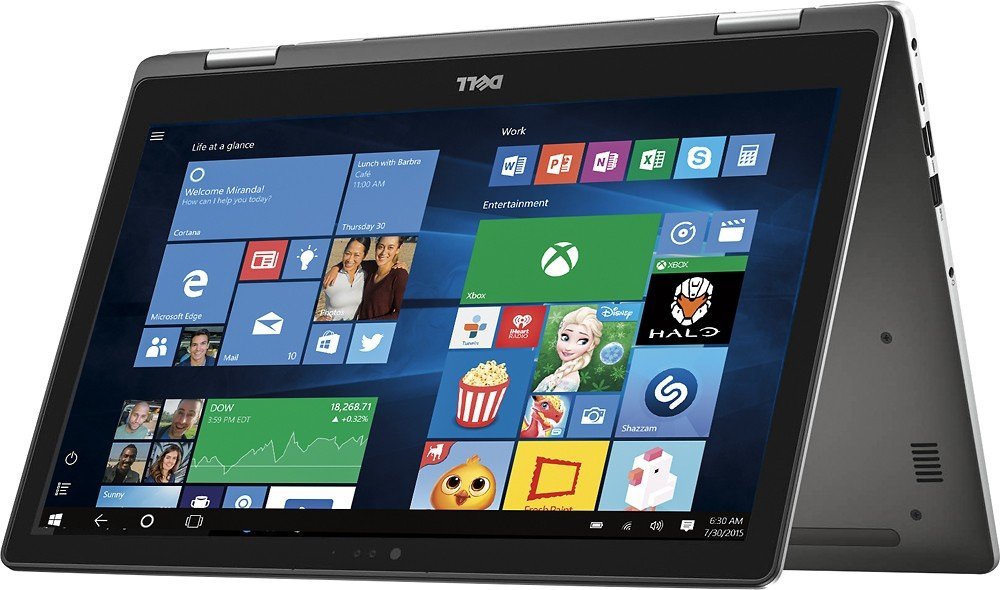
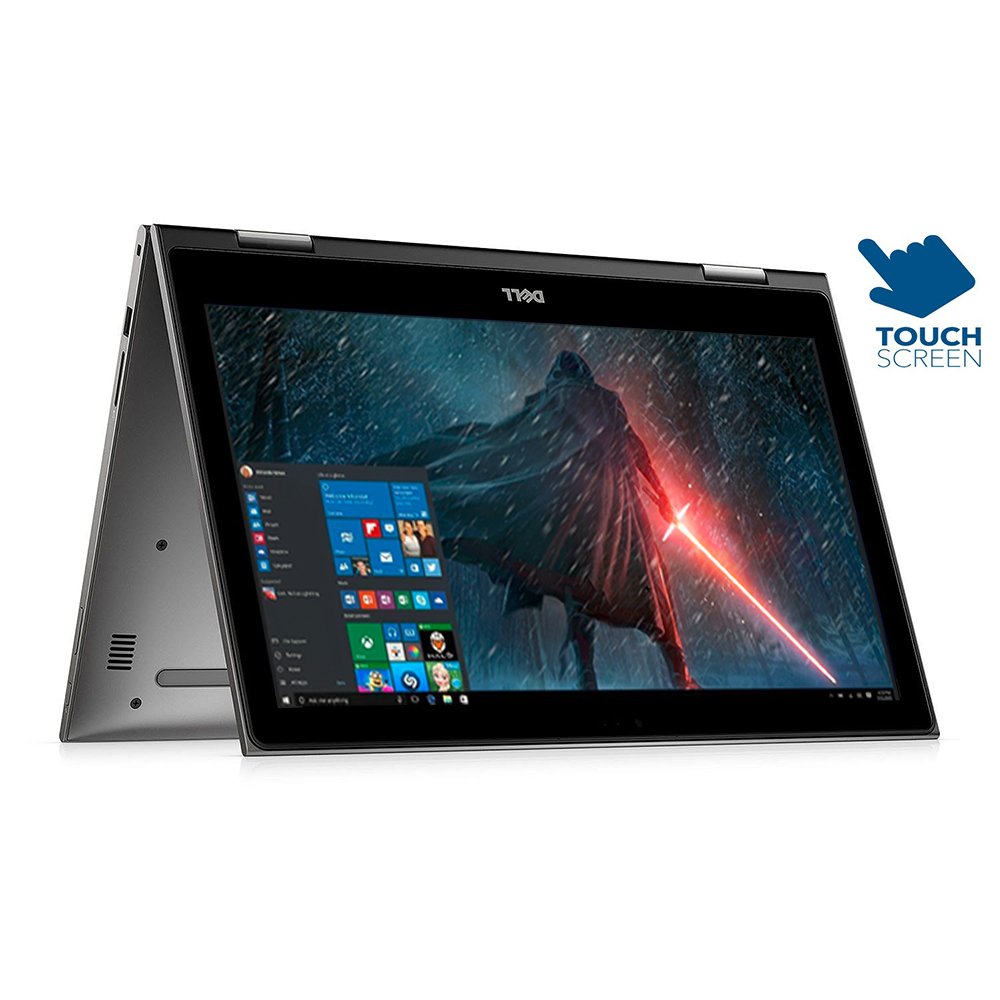
2. Dell Inspiron 2-in-1

This 2-in-1 from Dell is great for families. Its standout feature is the 360-degree flip and fold design, which turns the laptop into a tablet. The 8-hour battery life will make long car journeys easier for the children, and when you arrive, you can fold out the keyboard and pick up that work email where you left off.

Its full HD display is crisp and colorful, and it’s great for playing digital board games like Monopoly, too. The Intel i5 CPU, 256GB SSD, and 8GB RAM will ensure fast and fluid performance, but its integrated graphics chip won’t support dynamic 3D rendered games – perhaps a good way to keep the kids focused on their homework instead of improving their high score.

3. Asus Zenbook Flip

The Zenbook Flip is the least powerful laptop on this list, but boy is it portable. An impressive 9:58 real-world battery life means you can work or study all day, no matter where you are. It’s also incredibly thin and light, measuring less than half an inch thick and weighing under three pounds. While the Intel M processor limits speed a bit, the full HD 13.3” touchscreen display, 8GB RAM, and a 256GB SSD more than make up for it.

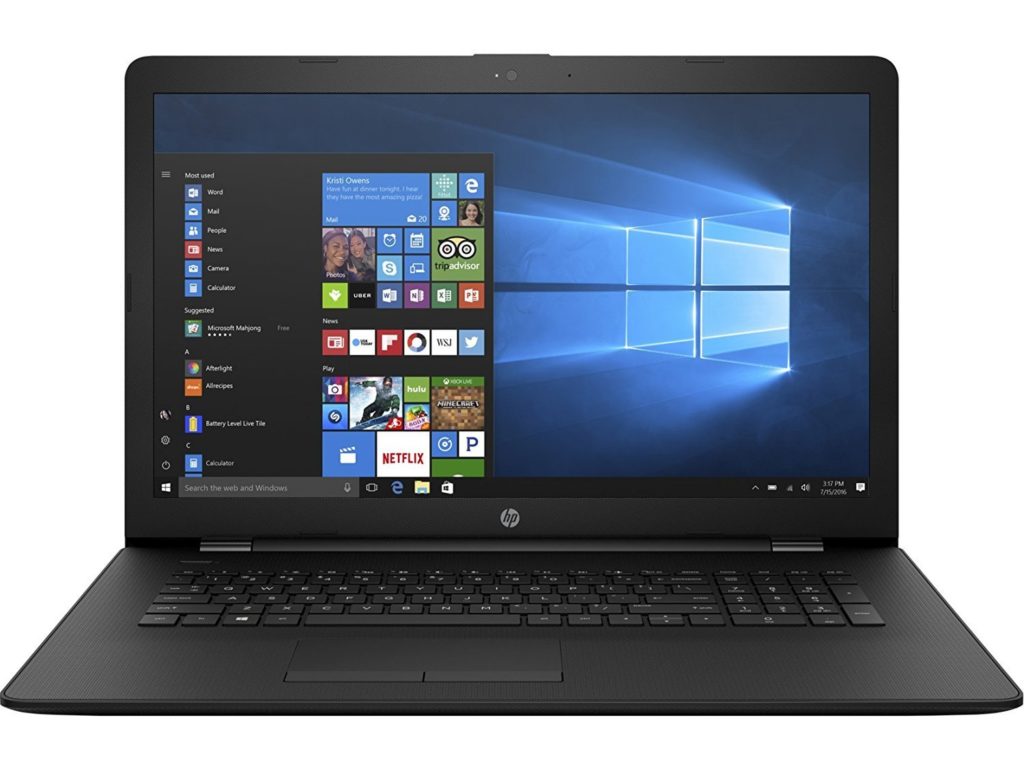
4. HP 17

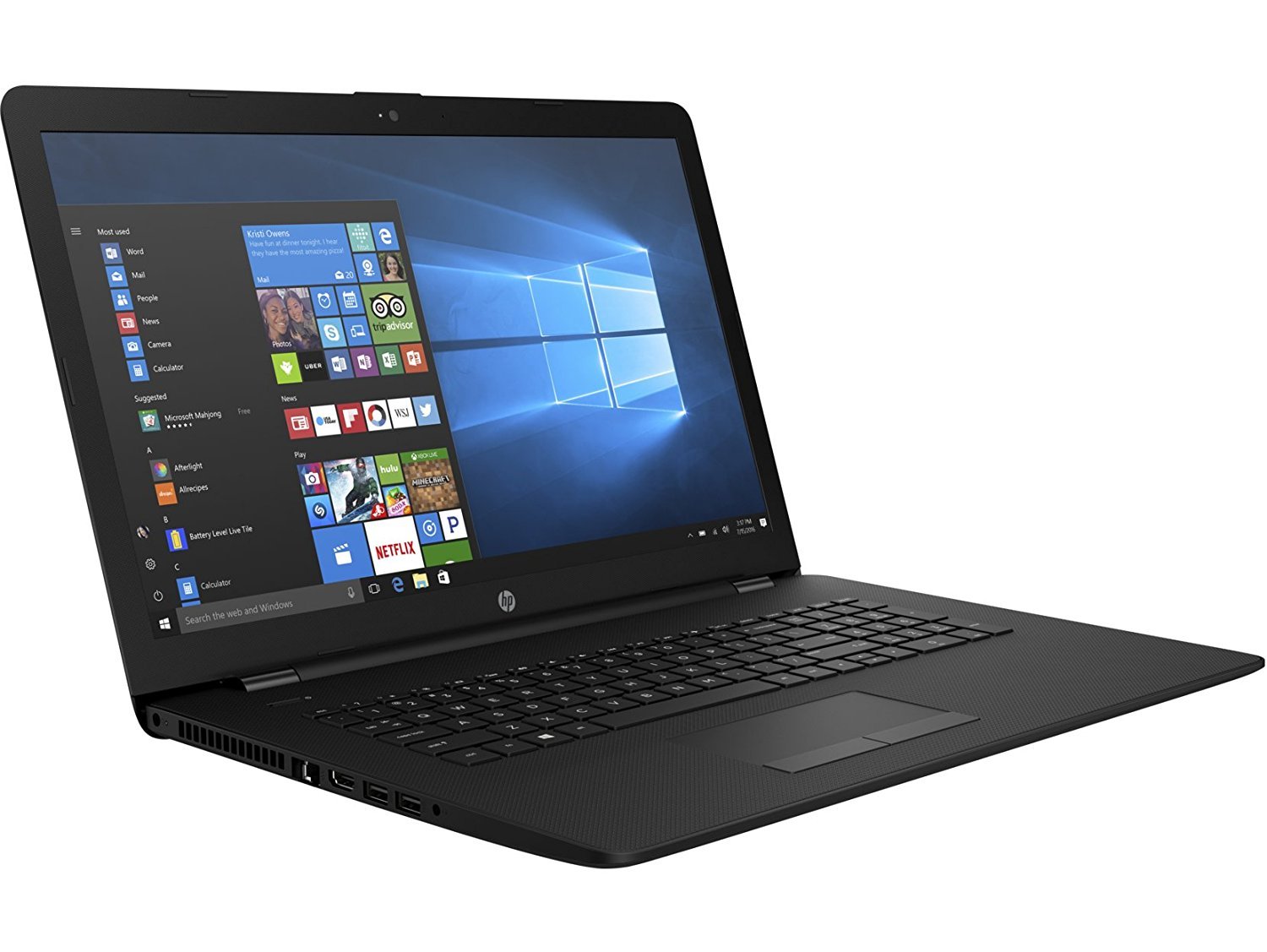
The HP 17 is for those that like it big. It features a massive 17.3” HD+ display, and a gargantuan 2TB HDD. At almost eight ounces, you probably won’t want to take this with you when you leave the house, but as a slim-ish workstation for the home, it’s perfect. The 8GB RAM and Intel i3 CPU will ensure you can run several programs at once without slowing performance, and there’s a DVD/CD writer for digitizing those old “Seinfeld” box sets gathering dust in the attic.

You’ll probably spend a decent part of your life in front of a laptop, so there’s no shame in spending more for a better one. Hopefully, these have given you a tantalizing taste of what those extra dollars can buy.


The 4 best apps for listening to podcasts

Want to learn Spanish?

There’s a podcast for that.

Want to know what started World War I?

There’s a podcast for that, too.

Want to listen to your favorite comedians, film stars, and scientists?

Yep, there’s a podcast for that as well.

Podcasts are an incredible resource of entertaining, educational, and fun content. From rude and hilarious audiobooks to the deepest mysteries of the cosmos, podcasts help you laugh, cry, or learn new facts – usually for free. All you need is an app to find the podcasts you want to listen to, and an internet connection to download them.

We wrote about our favorite podcast apps in 2014, but we thought it was time to see what’s changed. So here are our four favorite podcast apps for 2018…

1. Stitcher (free)

Featuring over 100,000 shows, Stitcher is a powerful tool for finding the podcasts you love. 

It’s perhaps the most accessible podcast app, with iOS and Android versions, an Amazon Alexa Skill, and integration with car brands like Ford, Volvo, and BMW.  

Using Stitcher’s tiled interface is a breeze – more like browsing album covers than audio shows. You can create customizable playlists, stream your favorite shows, and discover new podcasts based on what you most enjoy listening to.

There’s a premium version that gives you exclusive access to more content, and as Stitcher sponsors the creation of new shows, such as The Sporkful – a podcast for foodies – this app is an enticing choice for podcast addicts.

Stitcher for Podcasts Download Free
8

2. Overcast (free) – iOS

Overcast is a refined yet simple app that helps you do more with your content. Ever wished you could listen to more shows? By naturally shortening silences, Overcast’s “smart speed” lets you pack in more content without affecting the listening experience. And with “sound normalization”, you don’t need to crank up the volume if the recording was a bit too quiet. 

Overcast also offers customizable playlists and Twitter recommendations. Although ad-supported, they’re tastefully done and not too intrusive. When we reviewed this in 2014, a lot of Overcast’s best features were in-app purchases, but with the addition of ads, these are available in the free version. (You can pay to have ads removed on an annual subscription basis, but it’s probably not worth it.) Overcast also works like a charm with Apple CarPlay

Overcast: Podcast Player Download Free
8

3. Pocket Casts ($3.99) 

Pocket Casts has a suite of powerful features wrapped up in a beautiful, intuitive interface that makes the small investment worthwhile.

There’s a library of over 300,000 shows, and the app offers flexible playback such as variable speeds, silence trimming, and sound normalization. It also supports chapters. By creating a Pocket Cast account, you’ll sync across all your devices, so you can switch from smartphone to laptop and pick up where you left off.

You can personalize Pocket Casts with customizable playlists and filters so you’re enjoying more of what you love, while automatic Wi-Fi downloads mean you never have to wait for your content.  

Pocket Casts Download
7

4. Breaker – iOS

Breaker describes itself as “The social podcast app”. It’s not just about sharing podcasts with friends, but being part of a community of listeners discovering the best podcasts out there.

You can “heart” different shows, comment on them, and see what’s hot in the Breaker community. This adds depth to the podcast experience and bringing you closer to other listeners with the same tastes. You can discuss episodes, share stories, or laugh together over the best bits.

Aside from the social side, Breaker includes over 300,000 shows, flexible playback (variable speed and silence skipping), and an offline mode. So far, users love it, with over 600 reviews on iTunes with an overall 4.8/5.

Breaker Download
8

How are you listening to podcasts these days? If you’re using your smartphone’s native podcast app, or worse, through a browser, you might find switching to one the above makes the experience more fun. Can’t hurt to try, eh?


5 of the best gadgets for your garage

Looking to make your garage a happier place? We’ve got 5 gadgets sure to help you be more productive and keep your car looking pristine.

The garage is one of our favorite rooms. It’s just so versatile – somewhere you can park your car, build a chair, or store old rusting tools. For many, the garage is a refuge, where you can tinker away to your heart’s content without worrying about the outside world.

We love the garage, and just like every other room in your home, there are gadgets that help you be more productive, organized, and safe. Here are five of our favorites…    

1. Fold Down Bench – $399.99

Dying to do that DIY project, but don’t have enough space in your garage for a full-sized workbench? This unique wall-mounted foldable workbench provides space when you need it, and folds down against the wall when you don’t.

Unlike a standard workbench, this one leaves room for a vehicle, so you don’t need to leave it in the driveway next time you’re building something. There’s also a version with a slatted backboard, so you can store your tools conveniently right next to where you work.

2. Door Protector – $14.95

If you’re somewhat on the clumsy side (or have children), this simple addition to your garage will save countless bumps, dents, and scratches to your car doors. The Door Protector flexes to absorb impacts, and the lifetime warranty ensures years of use. The kit includes all the necessary hardware to install on drywall, studs, brick, and concrete. 

3. Pegboard Wall – $110

If you’re prone to abandoning or losing tools after any DIY project, then this wall-mounted pegboard could be the answer. Due to its 20-gauge steel construction, it holds heavy items without warping, fraying, or cracking (like a plywood pegboard might), and you can customize your pegboard with a number of add-ons to give you ready access to the things you need. Add spray paint holders, paper-towel holders, additional brackets, and shelves. The sky’s the limit.

4. Vertical Bike Rack – $59

Making sure your bike stays upright is a bit of a chore – especially when doing repairs. This vertical bike rack not only frees up space in a crowded garage, but helps keep the bike stable when you need to do repairs. Entirely freestanding, you can move it anywhere you like, and the durable, epoxy-coated finish ensures years of use.

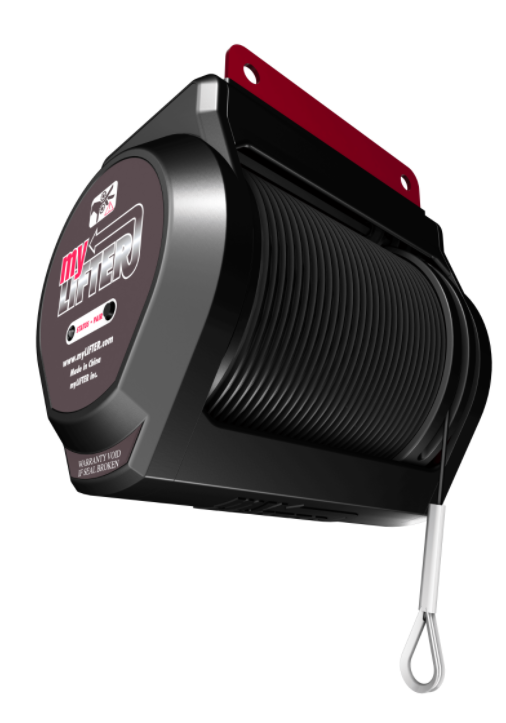
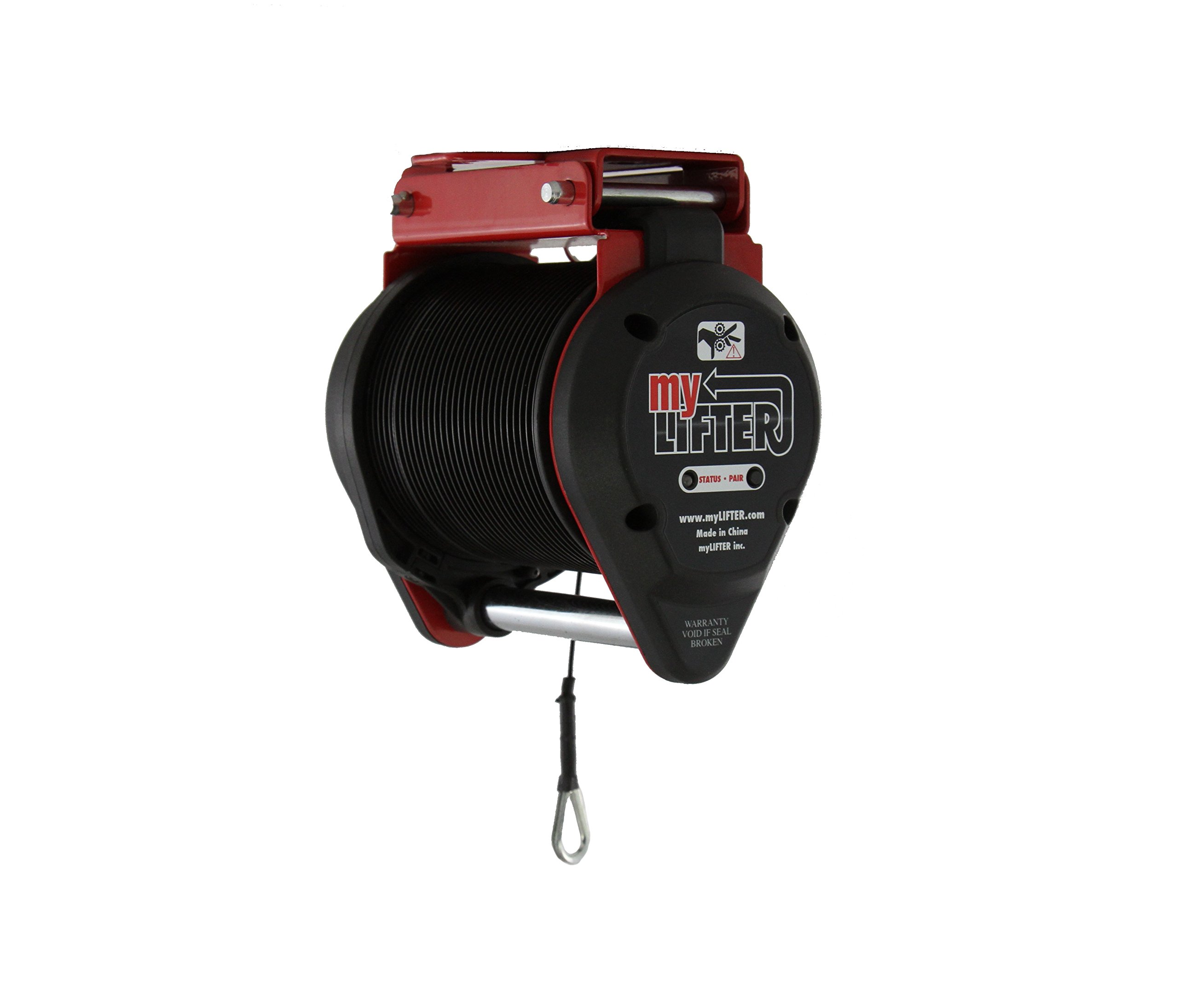
5. MyLifter – $175

Say goodbye to pulled muscles and backaches with MyLifter – the world’s first smart lift and storage system. The base kit lifts 50 lbs of vertical hanging weight, or 100 lbs with the included pulley. That’s more than enough power to lift bikes, tires, toolboxes, or other heavy items.

The MyLifter comes with everything you need to mount it to your garage ceiling, and in a few simple steps it links to the remote smartphone app. There’s an overload warning, so you’ll never risk the safety of your items. Just tap your smartphone, and the MyLifter will raise your items up and out of the way.

That completes our round-up of some of the most useful gadgets available for your garage. Maybe there’s something we’ve missed? Why not let us know in the comments below.


How much money can you earn on Instagram?

We’ve explained how to earn money on Instagram by attracting sponsorship from businesses and brands. Today, we’re going to look at the figures: how much can you earn?

Since it was created in 2011, Instagram has been one of the fastest growing social media platforms. With over 800 million accounts, and a reported 500 million daily users, Instagram is a marketer’s dream.

Brands continue to pour more money into sponsorship and advertising as they reach out to Millennial and “Gen Z” audiences. Currently, the influencer market size is estimated at $1 billion, and expected to double by 2019.

Those with more than 100,000 followers can earn $700-$900 per post. Those with 500,000 followers can command $2,000 to $3,000 per photo. To understand how, let’s take a look at some examples.

Top of Their Game

Jack Morris

A post shared by JACK MORRIS (@doyoutravel) on Jun 15, 2018 at 4:51am PDT

With 2.8 million followers, veteran travelers Jack and Lauren are the epitome of high-flying influencers. Their account documents their journey to destinations all over the world, and with that sort of reach and engagement, they can work with anyone they want.

Morris told Cosmopolitan he once earned $9,000 for a single post on Instagram. He added that he won’t post for less than $3,000, and will only work with brands that resonate with him.

Elma Beganovich

With 2.3 million followers across social media, Elma (former lawyer) and her sister Amra (former economist) have built an Instagram empire based on travel and fashion. They told Business Insider that when they started back in 2013 they were charging around $99 per post. Now, with each of their posts averaging around 30,000 likes, they say they can charge brands up to $20,000 for a sponsored link.

Emily & Corey

With 181,000 followers, Emily & Corey aren’t quite as big as the accounts above, but they have an extremely dedicated fanbase who love #vanlife, and are moved by Emily’s inspirational attitude. Quitting their jobs and buying a van to travel across the world, the couple has worked with many different brands, promoting chocolate, probiotic drinks, and kettle chips.

While they might not be able to charge as much as others, their super-engaged audience means they can earn between $1,000-$2,000 per post. More importantly, GoWesty, a parts supplier for the VW van that the couple drive, sponsors their vehicle and does all the repairs for free, making their lives on the road that much easier.

What’s the science?

Although it might seem random, there is science behind a post’s potential value, and a formula for working it out. According to Social Media expert Eduardo Morales, the breakdown is:

Instagram post’s potential value = Engagement Rate + Follower Growth Rate + Follower Demographic and Lifestyle MatchSponsored Post Promotion Rate

A simpler way of working out your potential value is to plug your handle into the Instagram Money Calculator.

If your followers are far fewer than the examples above, you can still earn money on Instagram as a micro-influencer.

Small but mighty

Very few of us will earn a fortune for posting pictures of our dinner. However, brands and businesses often find themselves priced out of the market with Instagram’s highest paid superstars.

Enter the micro-influencer.

If you’ve got 20k followers and a high engagement rate, you’d be surprised how many businesses would be eager to speak to you, particularly if the demographic and lifestyle of your followers is in line with the brand’s own values.

There are some great examples of micro-influencer campaigns from brands like Banana Republic.

Free stuff!

It’s not just about the cash. Growing your influencer base and working with brands and businesses might result in you grabbing some free merchandise, or getting the opportunity to test products before everyone else. If you have a brand that you love, getting all of their stuff for free is a pretty sweet deal.


Why you should be playing Neverwinter

Dungeons & Dragons defined the role-playing game as we know it today. The fantasy setting, character progression, and story-driven quests have delighted millions of players around the world, inspiring a host of movies, novels, and video games.

One of those games is Neverwinter: a story-driven, action MMORPG set in the Dungeons & Dragons universe. Unlike most MMORPGs, Neverwinter is entirely free to play, with no forced micro-transactions or subscription fees to complete the game’s many quests. With over 15 millions players already, it’s the perfect choice for novice and seasoned adventurers alike.

Neverwinter expands upon the rules laid out in the fourth edition of Dungeons & Dragons, picking up after the fall of the titular city as described in the first book in the Neverwinter Saga, Gauntlgrym. The evil Lich Queen Valindra wants to destroy Neverwinter forever, fomenting discord between the survivors that’s threatening to become all-out war. It’s up to you and your chosen companions to defeat Valindra and save Neverwinter from annihilation.

Neverwinter thrusts you into a massive world of over 35 questing zones, filled with bloodthirsty monsters, powerful bosses, and hordes of the undead. You’ll need the best team you can assemble from Neverwinter’s thirteen races and eight character classes. Should you be an Elven Wizard or a Dragonborn Rogue? Neverwinter lets you become the hero you’ve always wanted to be – just make sure you recruit a healer so your quest doesn’t end too soon.

Neverwinter’s gameplay engine is what you’d expect from a AAA MMORPG. The graphics are immersive, gameplay is fluid, and the action-RPG combat will get your palms sweaty. Every fight generates action points which you can use to perform special abilities, but you’ll need to be quick and accurate to take down your enemies – and don’t forget to bring lots of health potions. 

Once you’ve thwarted Valindra’s plans for good, your journey certainly isn’t over. Neverwinter has an ever-growing number of free quests, campaigns, and dungeons. Campaigns are particularly fun, taking you to far-flung places where you’ll meet new characters and fight new enemies. Each campaign has a tree-like structure and to ascend you must complete each section in a specific order, whether that’s defeating a monster, recovering a special item, or clearing a dungeon.

Though unlikely, if questing every gets boring, you can create your own in Neverwinter’s Foundry. Community quests can be fun to do, though sometimes a tad frustrating – us gamers have a rather twisted sense of humour.

Neverwinter is available on PC, XBOX One, and PS4, making it one of the most accessible MMORPGs around. We’re awed by how much there is to do, and the developers seem committed to releasing new content in the future. While you can speed up your progress by buying gear, companions, or loot, you don’t have to, which is a pretty amazing boast for such a premium title.

If you’re a fan of Dungeons & Dragons, want a classic RPG with modern gameplay mechanics, or are simply bored with shooting games like Fortnite, give Neverwinter a try. You never know – you could be just the right kind of hero Neverwinter needs. 

The 5 best ways to watch free movies

You don’t need a Netflix subscription to enjoy great movies. There are plenty of films you can watch online for free without breaking the law. Some don’t even force you to watch ads!

The 5 best ways to watch free movies

1. Sony Crackle

Sony Crackle is one of the easiest ways to classic entertainment and original programming for free. From critically-acclaimed shows like “Seinfeld” and “The Shield,” to hit movies like “Inception” and “Pineapple Express,” Crackle delivers quality content without the premium price tag.

It’s available on smartphones, tablets, computers, smart TVs, and consoles – and the app is really easy to use. Just search for a title or browse the categories until you find something that suits your mood. Just be prepared for ads interrupting  playback now and again – your cue for a drink refill or a screen break.

Crackle Download Free
9

2. Hoopla

Hoopla is a digital media streaming service available through your public library membership. To sign up, you download the app, add your library card details, and then you’ll have access to a catalog of movies, TV shows, music, and audiobooks. It’s premium stuff, too – including movies like “Knocked Up,” “Liar Liar,” and “Scarface” – with new titles added every week.

Hoopla categorizes content by genre and recent additions, making it easy to browse, and you don’t need to worry about late fees – as it’s digital, access to borrowed titles ends after three days. Given that each episode of a season counts as one title, Hoopla is better for movies than a marathon binge session. But with no ads, it’s an excellent option.

Hoopla Download Free
8

3. Libby

Libby is very similar to Hoopla. It’s a library service that streams content via an app, and then restricts access after borrowing time has elapsed so you don’t get charged fees. Also, no ads here!

Libby’s catalog is newer, but you might have to wait a day or two for the latest releases. Unlike Hoopla, which charges libraries each time you borrow, Libby libraries must buy individual titles. That means the library can only lend the same number of copies as it has bought, which can make popular titles a little harder to get hold of. 

Libby by OverDrive Download Free
8

4. Pluto TV

Pluto TV is a free-to-watch online TV network. It’s another ad-supported service, so if you hate interruptions this might take some getting used to. Interestingly, there’s no search function – instead, you browse the 100+ channels to find something you enjoy, whether it’s sports, comedy, or news.


Pluto is available on all devices, and offers a good range of premium and classic content. Movies like “Rain Man,” “Moonstruck,” and “Lara Croft: Tomb Raider” are available for free. Sports fans are well catered for, with everything from kickboxing to football available to stream all day. There are cartoons, gaming channels, and even a channel dedicated to dog videos, too.

It’s also one of the few free streaming services to offer content in HD and 4K.

Pluto TV: TV for the Internet Download Free
9

5. PopcornFlix

PopcornFlix also earns money through ad breaks, but they’re a little less bothersome here, and generally of shorter duration. The movie selection is typical of a free service: there are a few gems (“Battle Royale,” for example) buried among niche or lesser known content.

Like Crackle, you won’t find anything in HD, but this isn’t an issue if you’re watching on a tablet or smaller device, and makes for stable streaming. 

There’s no such thing as a free lunch, as the saying goes, but if you can handle a few ads or if you have a library card, there is such a thing as a free movie. So why not see if you can cut the cord without breaking the bank? Looking for even more movies? Check out these top 40 sites from our Softonic Solutions community!


3 online scams to watch out for in 2018 (and how to avoid them)

No matter what precautions we take online, cybercriminals will eventually find a way around them. So what can be done?

Well, half the battle is being aware. Scams are a lot like the common cold virus: they mutate all the time. Once we defeat one, a new and unfamiliar one comes along. This makes catching them all the more difficult, and why antivirus software just isn’t enough.

We won’t ever know the details of every scam in existence, but we can learn their general appearance and practice common sense. Technology is so ingrained in our lives, there are thousands of different vulnerabilities hackers can exploit. But if we’re vigilant, if we “arm” ourselves with the knowledge of scamming practices, we can parry these attacks before they do us harm.

So let’s take a look at the scams to watch out for in 2018.

Phishing attacks

A phishing attack is when a criminal tricks you into revealing personal information by pretending to be a trusted person or institution, such as a friend, colleague, bank, or even a service like Netflix.

The most common phishing attacks are by email, and often include links to fake sites that capture your details. Everything, including logos, language, and design, is made to look as close to a genuine email as possible, so you’ve got to be on your guard. They’re usually easy to spot if you hover your mouse over the sender to reveal the real email address.

Over the years, phishing scams have become ever more elaborate. They’ve spread to social media, where hackers pose as friends to encourage you to click links to fake sites that steal your data. There are even fake apps that do the same. Perhaps most worrying is hackers’ use of artificial intelligence to convince you they’re genuine.

What action can you take?

  • Check the real email address of senders by hovering your mouse over the sender’s address – if it looks strange, don’t open it.
  • Don’t open any links from friends unless you’re 100% sure it’s authentic (if in doubt, speak to the friend first).
  • Hover your mouse over links and you’ll see the URL at the bottom left of your browser. Only click if it’s genuine – if you’re not sure, use a URL Checker.
  • Download solid antivirus, anti-malware, anti-spam, and anti-phishing software with real-time protection.

Ransomware

Ransomware is type of malicious software (malware) that essentially locks down your device until you pay a ransom to the attacker. Or it can steal sensitive information and then blackmail you. Attackers usually demand ransoms in decentralized currency like Bitcoin.

Ransomware is particularly frightening because once it happens, there’s very little you can do to fix it. They’re often used to create botnets, which are networks of hijacked computers doing the bidding of cybercriminals.

Ransomware usually starts with downloading an attachment from a fake email, but it can propagate without the user doing anything. WannaCry, the devastating ransomware that infected thousands of computers in 2017, used Microsoft Windows vulnerabilities to spread.

What action can you take?

  • Check the real email address of senders by hovering your mouse over the sender’s address – if it looks strange, don’t open it.
  • Don’t open any links or attachments from friends unless you’re 100% sure it’s authentic (if in doubt, speak to the friend first).
  • Download solid antivirus, antimalware, anti-spam, and anti-phishing software with real-time protection.

Fake news

Fake news is propaganda on steroids. In the past, the war of words between opposing factions took place in newspapers, on television, and at podiums. You knew who was speaking. You knew their biases, so could take what was written or said with a grain of salt.

But the internet has allowed the power-hungry and malicious to challenge truth itself. This is done by creating alternative “truths” through the propagation of fake news. It’s news that’s designed to look, sound, and feel “real”, despite being entirely false or grossly misinterpreted.

Because we all live in social media bubbles, fake news can continuously bounce around our news feeds, amplified by comments from like-minded friends or other fake stories. This creates a false sense of credibility to rumors, hearsay, and outright lies. The tribalism it creates divides societies – it can even influence elections.

What action can you take?

Hopefully, this list has equipped you with the knowledge you need to stay safe online. Remain vigilant, protected, and be wary of things that seem too good to be true.


Could Google’s Project Fi save money on your phone bill?

What is Project Fi?

Google’s Project Fi is a mobile phone plan with a difference. It caps your bills, chooses the fastest network for your location, and reduces the cost of using data abroad.

The catch? It’s not available on every phone, it’s only available for U.S. residents, and you’ll need to use a lot of data to make it worthwhile.

Project Fi is Google’s attempt to disrupt the cellular network space. The big selling point is an upper limit on your phone bill, so no matter how much data you use, you won’t get a nasty surprise at the end of the month.

Many of us have been whacked with a big bill after using more than our plan allows – usually because of data. Just browsing your news feed can rack up the gigabytes in videos and pictures, so Project Fi could save you a lot of money… if you use a lot of data.

How much does Project Fi cost?

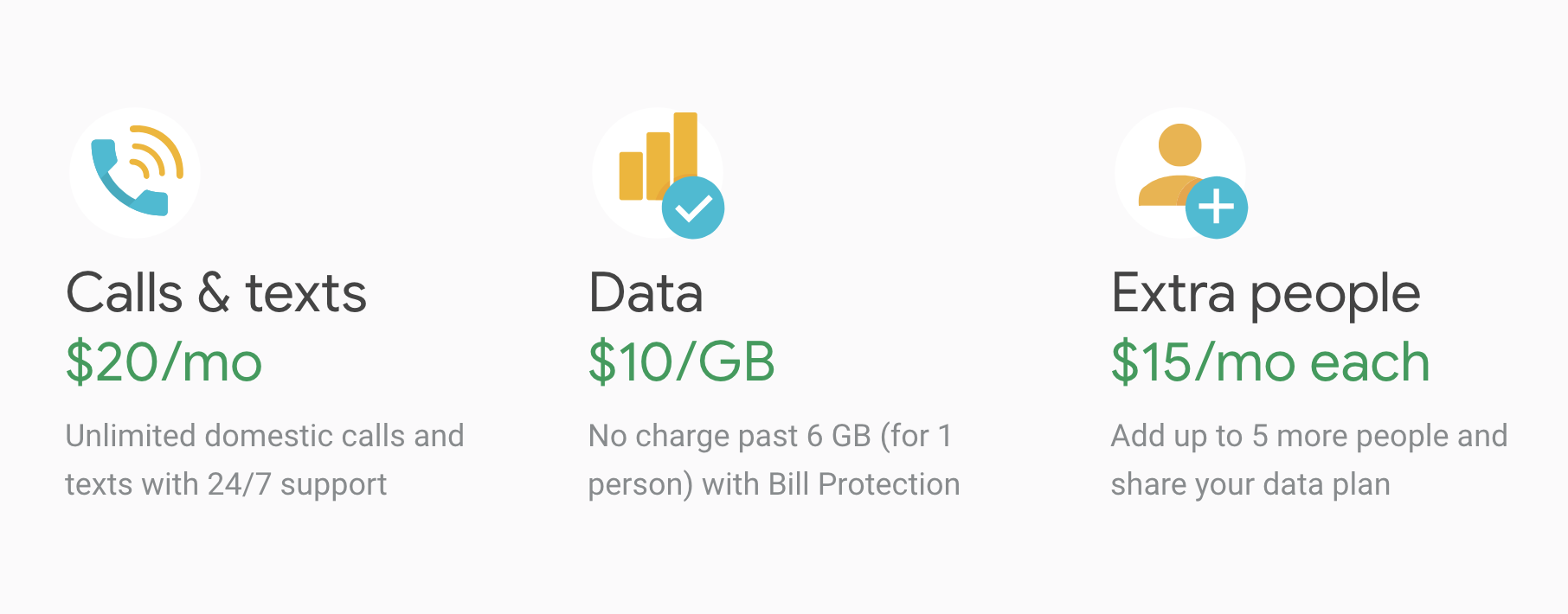
The plan costs $20 per month for unlimited domestic texts and calls, and unlimited international texts. Data costs an additional $10 per gigabyte, no matter where you are in the world, up to a maximum of $60. Once you’ve used 6GB, the rest is free, with no reduction in speed until you reach 15GB.

Surprisingly, there’s no minimum spend on data. If you use 1GB, you pay $10, so if your monthly bills jump up and down like a kid on a trampoline, expect to pay less with Project Fi. It’s both rare and impressive that Google has chosen to protect consumers from overspending without imposing a minimum, too.

You can also save a bit more if you add more people to the plan. For example, if you add two people, you’re only charged for the first 10GB ($100, or $50 each). That’s a saving of $20 ($10 each) over two individual sign-ups.

What makes Project Fi better than other mobile plans?

Aside from savings, Project Fi’s other advantages are also pretty rare in the cellular world. First, you get access to three 4G networks (Sprint, T-Mobile, and US Cellular) and one million Wi-Fi hotspots. Project Fi will determine the fastest connection for your location and switch you to it automatically, so you can always browse at top speed without fiddling with settings.

Another huge win for Project Fi’s customers is international data roaming. In over 170 countries, you get the same data benefits and prices as under your usual plan. There are no hidden fees. Calls cost 20 cents per minute, however, and do check your destination is included in the plan before you travel.


How do you sign up for Project Fi?

Before signing up, check you use enough data to make the plan worthwhile. You can do this by looking at an old bill, or checking data usage on your smartphone if your device supports it (most do). If you rarely use more than two or three gigabytes, there are cheaper plans out there – especially when you factor in calls and texts.

But if Project Fi could reduce your bills, then the first thing to do is make sure you have a supported phone. Only certain phones have the tech to “intelligently shift networks” and at the moment they’re limited to the Google Pixel, Nexus 5/6, and Moto X4.

You can, of course, order a new phone with Project Fi and they’ll throw in 0% financing and insurance for $5 per month. Your choice is still restricted, though, so don’t expect to find Project Fi on any iPhones anytime soon. You also need to be a U.S. resident.

But provided you’ve got or are willing to buy a supported phone, and you live in the U.S., just head to the Project Fi website to sign up.

For data-junkies, Project Fi makes financial sense. But if you prefer a book to watching Netflix, conversation to Spotify, or daydreaming to updating Instagram, you’ll have to look a bit harder to get excited about it.

The 5 best sites for streaming recommendations

Benjamin Franklin once said only two things in life are certain: death and taxes. Not to take away from the great man’s words, but here at Softonic, we’d like to add a third: too little time. Especially when trying to enjoy the endless stream of great TV shows and movies coming out.

You’re probably already familiar with this problem. You get home after a long day of work, turn on the TV, open your favorite streaming site, and instead of jumping straight into a great show, you spend hours just browsing. By the time you’ve chosen, it’s 2 a.m., and you’re getting less than four hours sleep again. What a drag.

Fortunately, there are many sites out there to help you find the best shows, and we’d like to share some of the most useful ones with you today. 

1. Instantwatcher

Instantwatcher helps Netflix and Amazon users explore the streaming catalog of each site in the most efficient way possible. You can play or queue titles directly from the website, and it charts the most popular shows as well as new titles just breaking ground. 

2. Metacritic

Considered by many the most comprehensive listing site, Metacritic is both easy to navigate and helps you sort the good from the bad as judged by both critics and the general population. You don’t get personalized recommendations, but the site has loads of round-ups and lists that help point you in the right direction.

3. SynopsiTV

SynopsiTV is the opposite of Metacritic – it’s all about personalized recommendations instead of following the crowd. There are sections for movies and TV shows, and as you log what you’ve watched before, you get tips on similar content. You can also search by genre, actor, year, and various other criteria. Plus, you can follow other users on the site and compare favorites.

4. agoodmovietowatch

agoodmovietowatch is exactly what it says: an independent site that recommends the best movies and TV shows streaming right now, as well as promoting lesser-known titles you might not have considered. You can search by mood, genre, name, or staff selection, and even share the love by recommending your own binge-worthy show for everyone to enjoy.

5. Televisor

Televisor is nice and simple – just type in a TV show you like, and the site will spit out something similar. What’s more, each results page offers plenty of detail so you can make an informed choice, and you can also pick between new releases or classic shows when you’re searching.

Even better, there are built-in links to Netflix, Hulu, and Amazon, so you don’t even need to search twice once you know what you’re after. Just click, and it’ll start streaming. The same format for movie recommendations is available on sister site Movievisor.

We hope that one of the above sites can help you finally make that all-important decision on what to watch tonight. Who knows, you might even stumble on the next great show.