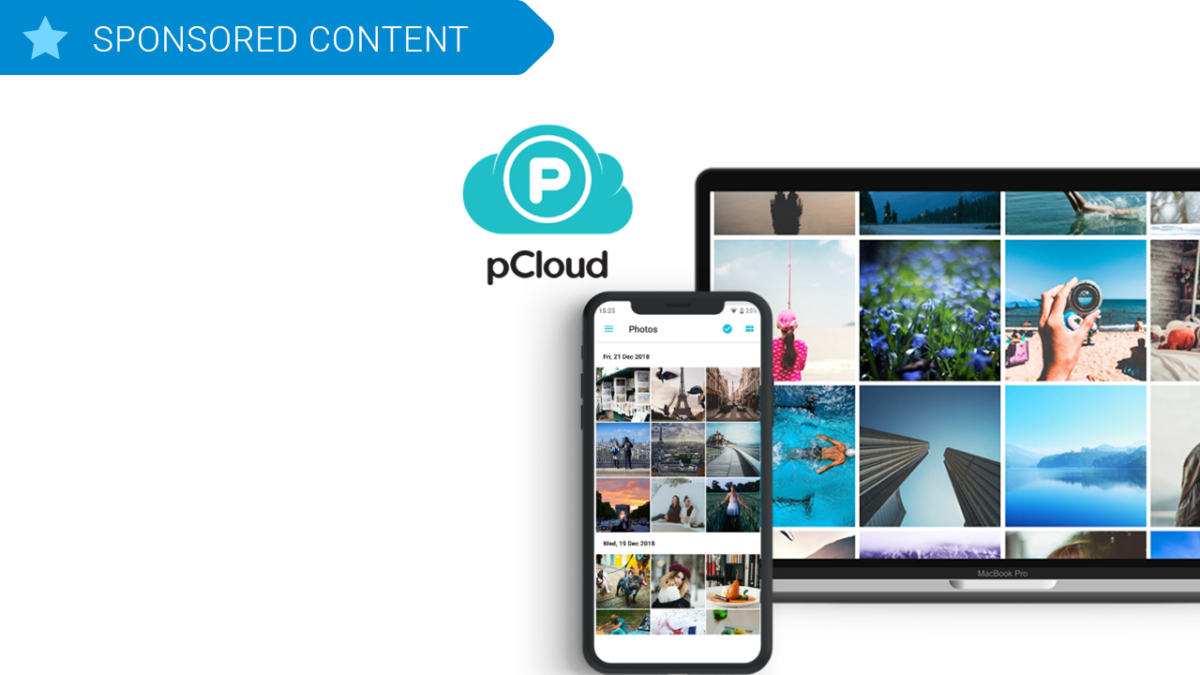
This Dropbox alternative will make you love the cloud again

pCloud is a cloud storage platform for all your files and folders, available through mobile, desktop and web client. Get 2TB of memories in the cloud with pCloud.

The cloud helps millions of us work, study, and play. How often do you use it? I bet almost every day. From sharing photos to collaborating with friends and colleagues, without the cloud, life would be that little bit harder for all of us.

Familiar cloud storage names like Dropbox, OneDrive, and Google Drive are pretty good at what they do, but here at Softonic, we’re always looking for the best. We love new and innovative ways of tackling old problems, and that’s where pCloud shines.

Founded in 2013, pCloud is making huge strides despite a saturated market. They have over 9 million users, including employees of Coca Cola, Uber, and Nike – an impressive roster that reflects the platform’s enormous benefits.

So let’s find out what makes pCloud so special. You might even want to make the switch yourself…

Your files whenever you need them

pCloud is a cloud storage platform for all your files and folders, available through three different applications:

  1. The web client
  2. The mobile app
  3. The desktop app

While you can use pCloud with all of your devices through the web client alone, I recommend you also download the mobile and desktop apps for their additional features.
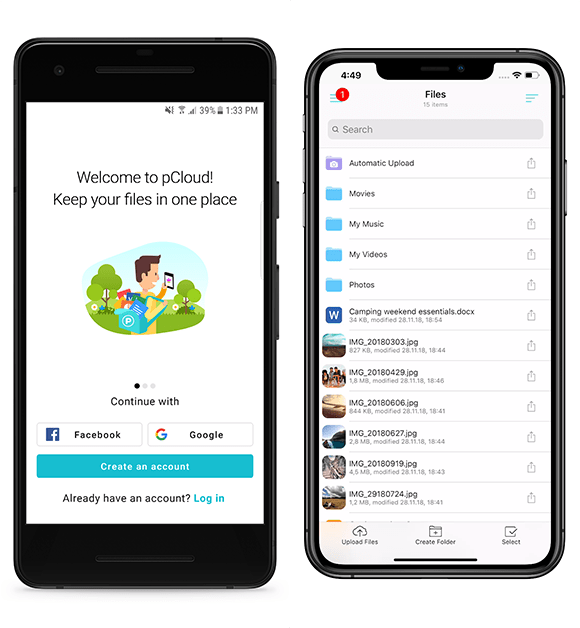
The mobile app, for example, includes offline file access, letting you select files you want to store locally on your device so you can access them without an internet connection or mobile data signal. Great for watching movies or listening to music on-the-move.

The desktop app seamlessly integrates into your workflow by creating a virtual hard drive on your machine. You can then use pCloud just like an additional hard drive with full synchronization between your computer and the cloud.

Upload from absolutely anywhere

One of pCloud’s greatest strengths is its upload system, which is faster than Dropbox (watch the video here), easy, and convenient.

As well as being able to upload from any device, you can also backup files from other cloud storage platforms. So if you’re making the switch from Dropbox or another storage platform, you can do it all quickly within pCloud.

pCloud can also create an upload link for others to send you files. Don’t download from their cloud account and then upload to pCloud, instead, send them a link to your pCloud account and they can upload the file directly. This makes sharing content much faster and easier to organize, since you cut out a redundant process.

Best of all, you can even upload files direct from other internet servers with Remote Upload. If you want to upload a photo hosted on Flickr, for example, simply enter the file URL and it will upload directly from the server to your pCloud account. There is even a browser extension for uploading webpage content.

Share and collaborate with anyone

Gone are the days when email attachment limits prevented you from sharing large files. Today, we share download links so others can enjoy our content, and pCloud does this really well.

First, you can password-protect download links so only the right people can access your files. You can even set an expiration date so that after a certain amount of time, specified by you, the link won’t work anymore. Privacy is a sacred thing, nowadays, and pCloud has got your back.
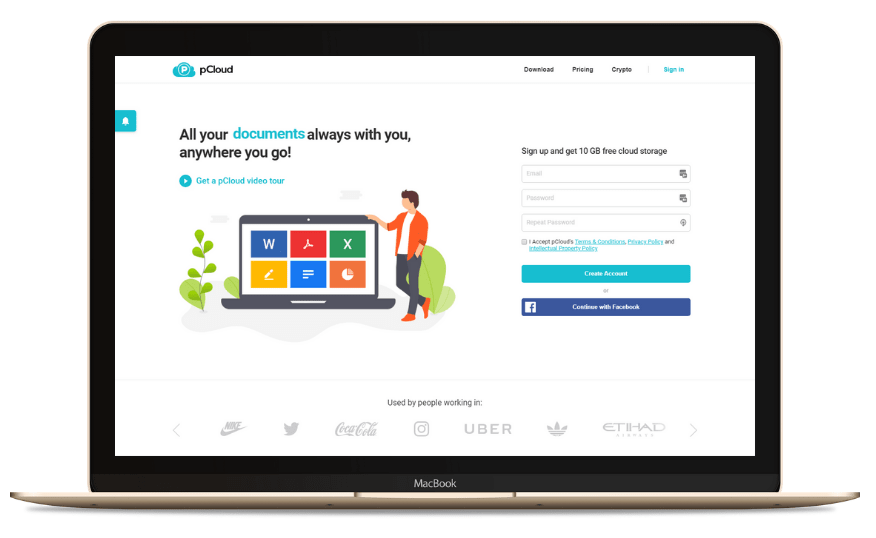
Once someone receives your download link, they don’t need a pCloud account to view or download the content. They can stream videos, listen to music, or edit files with the pCloud link alone. Since pCloud doesn’t force you or anyone else to download the application to access content, it’s ideal for sharing with large groups of people.

Finally, If you’re a social media influencer or have a business audience you’d like to share content with, branded links through pCloud are easy and free to make. Add your personal brand to download links by including a heading, title, and image. Adding a professional edge to your links could result in more clicks (which you can also track in pCloud).

Protection from theft, damage, or accidental deletion

If you want best-in-class security protection for your files, add pCloud Crypto to any pCloud plan. This feature encrypts files on your device and then uploads the encrypted versions to pCloud servers. You alone can decrypt your data using your Crypto Pass, which protects your files from prying eyes. Not even pCloud can see your content.

For those of you worried about losing data or making unintentional changes, pCloud Rewind allows you to revert your files to a previous state within 15 days on the free plan and up to 30 days on the paid plans. You can also extend this further with the Extend File History paid-for add-on. Think of it like a massive “undo” button for your files that could save you from making costly mistakes.

How much does pCloud cost?

If, by now, you’re realizing how useful pCloud can be, then you’re probably wondering about pricing. Well, you’ve got three main options:

  1. Get pCloud FREE and enjoy 10GB of FREE storage. This is a nice introduction to pCloud, but that storage space will be eaten up in no time.
  2. Get pCloud Premium and enjoy 500GB of storage FOR LIFE for a one-off payment of $175. A flexible storage buffer for life, but is 500GB really enough for you?
  3. Get pCloud Premium Plus and enjoy 2TB of storage FOR LIFE for a one-off payment of $350. A huge virtual drive with enough space for thousands of pictures, movies, and hours of music – you might never run out of space again.

pCloud Premium Plus is our easiest recommendation yet. 2TB for just $350 is incredibly good value for 99 years of storage – you’d spend more than that in two years on Dropbox’s monthly plan (99 years on the Dropbox 2TB monthly plan works out at almost $20,000!).

So if you’re looking for the best value cloud storage platform, with all the flexibility and features required of our digital age, get the pCloud Premium Plus 2TB lifetime plan today.

Photomath solves math problems with your phone’s camera

Become a math genius with your phone’s camera.

PhotomathSchool materials are expensive. If you’re a college student, the price of textbooks can be a huge chunk of your expenses, and a lot of math classes require you to have a huge calculator that has buttons you never have to use. Luckily, mobile apps are evolving every day and with the addition of Photomath, you won’t have to worry about shelling out for the fancy calculator.

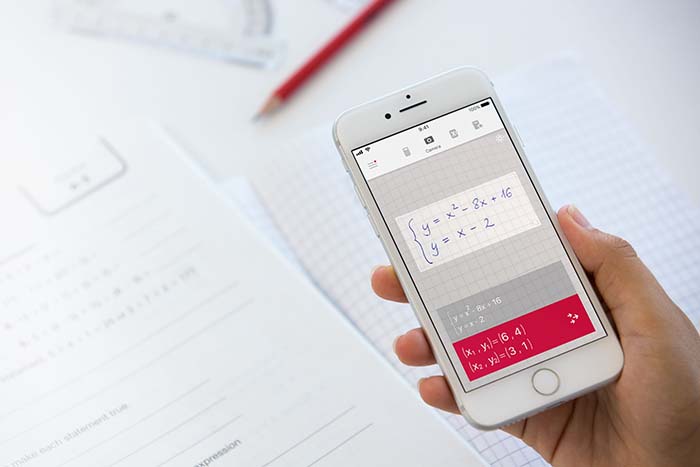
With Photomath, you can use your phone’s camera to scan a printed or handwritten math problem and solve it instantly. It has a scientific calculator built in, so it has everything that you’ll need for almost any math course you can think of.

Photomath DOWNLOAD FREE ►
8

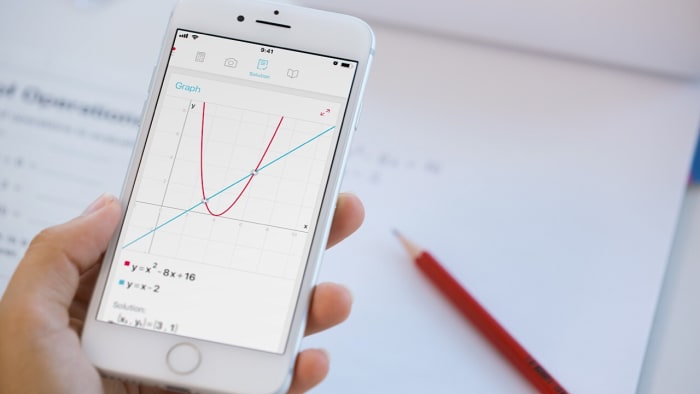
Along with basic math like addition, subtraction, multiplication, and fractions, Photomath covers more advanced topics like algebra, trigonometry, calculus, and statistics. Interactive graphs can even help you identify things like slope and y-intercept.

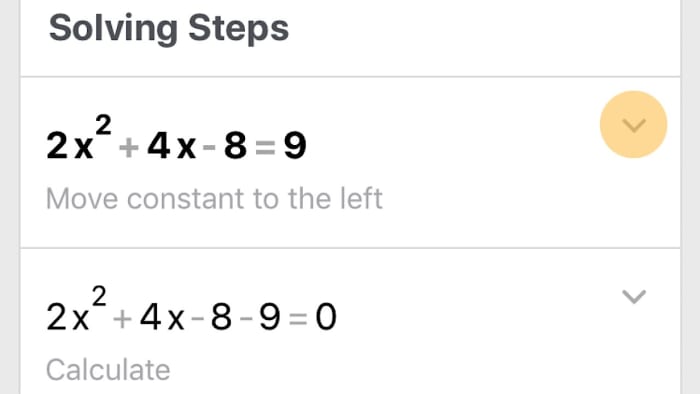
If you have trouble understanding how the problem is solved or you want to double check your answers before submitting an assignment, the app will break down the solution for you so you can follow the process step by step.
Photomath supports more than 30 languages, and one of the functions that we like the most is that you don’t even need Wi-Fi to use it. So, if you’re about to walk into a meeting or you’re on the bus headed to a final and you want a quick recap, just whip out your phone and have a world of equations and ways to solve them at your fingertips. Talk about handy! Did we mention that Photomath is free?
Thinking back to the first time that we learned algebra, an app like this would have been a lifesaver. What sort of math problems would you use Photomath to solve?

How to use LetGo to sell or buy used stuff

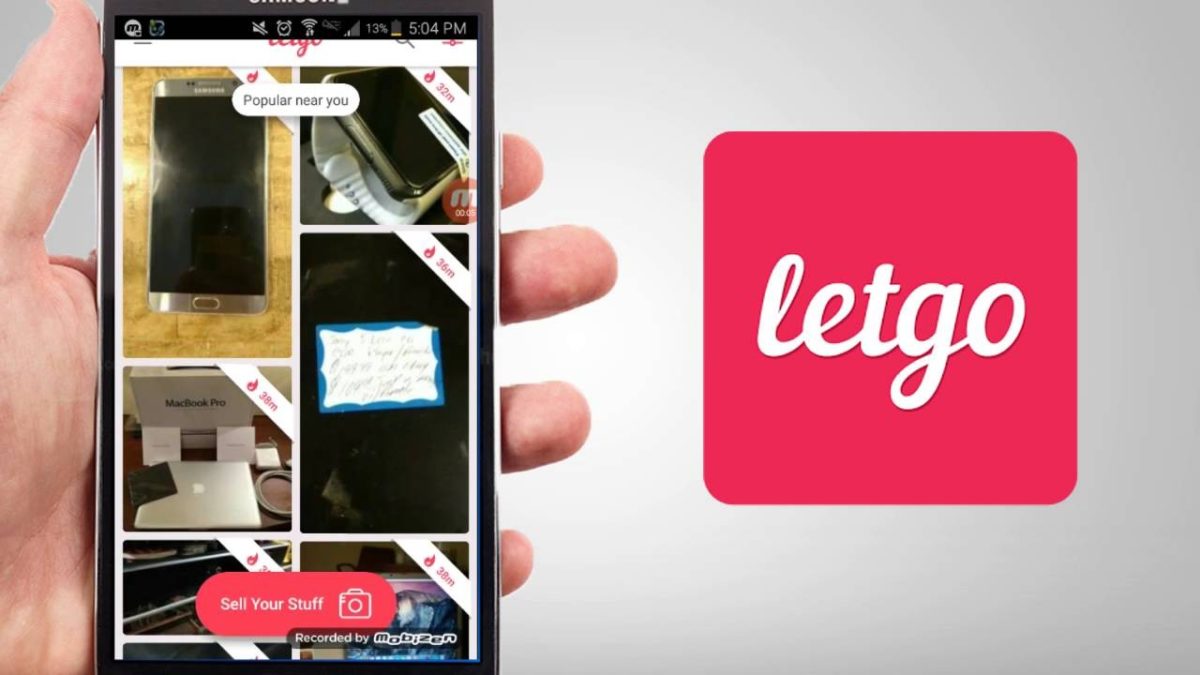
Want to get rid of your stuff or buy something used on the cheap? You need to try LetGo.

LetGo

“The stuff we have isn’t always the right stuff,” laments LetGo on their site. It’s totally true; as we enter new phases of our lives – new job, kids growing up, getting that new house, inheriting gifts from family – the only way to make room for the new is to get rid of the old. If that sounds like an angry sentiment reminiscent of Kylo Ren, that’s not really what we’re getting at. It’s more like getting rid of that bookshelf that can’t hold enough books, or selling that pair of shoes that you outgrew last year.

In fact, with LetGo you might even get paid to do your spring cleaning.

What is LetGo?

Founded in 2015 by entrepreneur Alec Oxenford, LetGo is a website and app that lets users buy and sell their stuff within a configurable radius.

That’s right – LetGo is preset to your location, meaning you won’t have to pay or wait for shipping, talk to people across the country, or drive out someplace far away to pick up the package.

LetGo is the largest and fastest growing app for local buying and selling, and it’s got everything from clothes to cars to action figures. Within the first two years, the app saw 3 billion messages – which averages out to around 9 million a day – and that number has only grown. Whether you’re in Denver, San Diego, Chicago, Las Vegas, Orlando, Houston… or practically anywhere in the U.S., you’ll find deals and people willing to scoop up your old stuff.

What kind of products are on LetGo?

It’s pretty much all there, you just have to search for it! The most popular searches on LetGo are used smartphones, clothing, electronics, old furniture, vehicles, and even real estate. Just keep scrolling until you find something worth getting. Or put something up on offer yourself if you’ve got needless clutter that you won’t miss. See it magically poof into money.

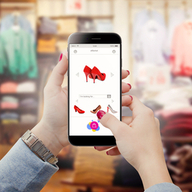
Products on LetGo search
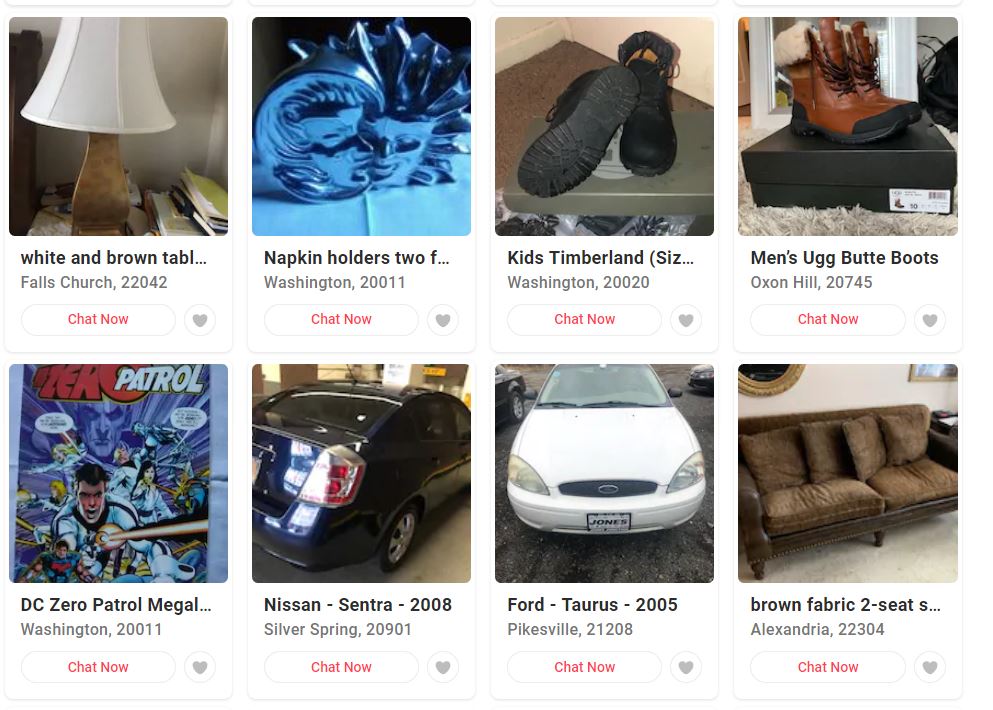
LetGo has everything from shoes to cars to comics. All local.

LetGo has competitive deals on it all, be it a used PlayStation, your dad’s unused record collection, someone’s unwanted Samsung Galaxy, or a beat-up old board game. The app is essentially a constantly-refreshed garage sale on your phone.

How do you buy something on LetGo?

“There’s a secret economy right in your neighborhood,” says LetGo, “and we’re your ticket in.” The beauty of the app is that all its products are displayed based on the geo-location closest to the buyer, and there’s no log in required. The app is integrated with instant chats to make your experience as streamlined and simple as can be.

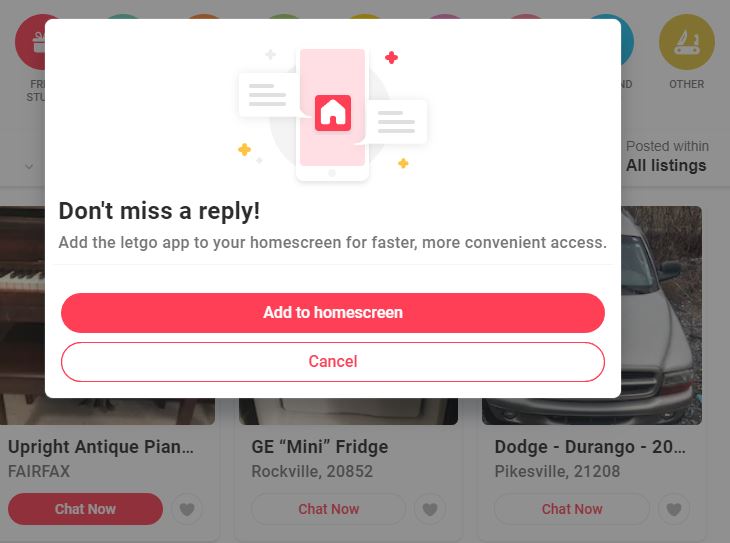
LetGo app pop-up
Get notifications when someone’s interested in your stuff.

LetGo was designed with the mobile user in mind, so the marketplace interface is primarily optimized for smartphones, featuring large photos of products for sale that users can scroll through as long as they wish. You can rifle around for stuff on sale nearby, or you can look up something specific if you’ve got something in mind – like a more compact, community-oriented Amazon, eBay, or Craigslist. You can swipe between other users’ profiles, ratings, and reviews, too, if you want some idea on what else they might have for sale.

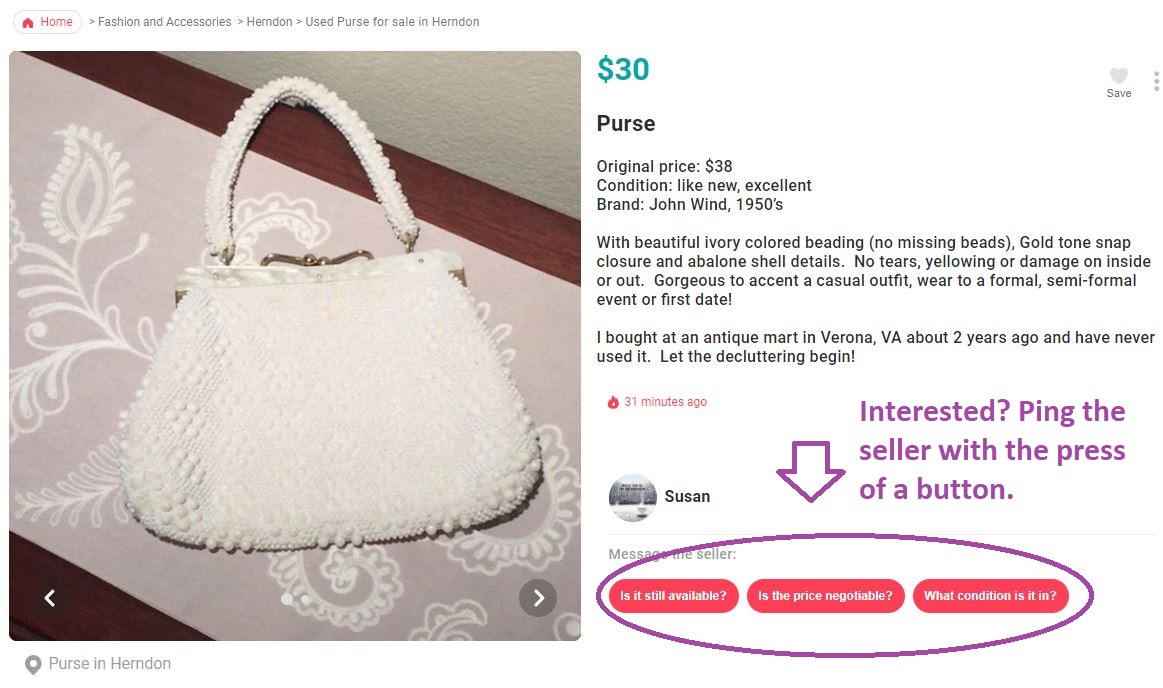
Buyers on LetGo can easily nudge the sellers, with auto-fill button prompts like “is this item still available?”, “what condition is this in?”, or “is the price negotiable?” to initiate a conversation with them.

Ping the seller of this purse on LetGo

After you’ve bought something on the app, you can choose to rate your experience and the seller, or leave a comment. Just like on Yelp, that rating will then show up in their profile on the app.

How do you sell on LetGo?

Selling on LetGo is even easier than buying. All you have to do is take a picture of what you’re looking to sell, upload the image photo to LetGo (either on mobile or desktop) and the website will take care of the rest. Once it generates interest, LetGo will notify you of any messages or comments your post has gotten. You can also use Featured Listing to make sure your product remains a priority:

LetGo is the only buying and selling app that automatically titles and categorizes your listing – no matter what it is! It does this by using image recognition to scan the product, build the listing, and even siphon it into the right category so any prospective buyers can find it easily.

Is LetGo safe?

Yep. Tens of millions of people use the service, so LetGo stamps all its verified user profiles with reviews and ratings, giving you the general consensus on the seller and providing you an opportunity for a dialogue with them. Since LetGo can be integrated via instant messaging, all buyers and sellers can chat with each other without even having to leave the app. You won’t even need to give out your email address or phone number! Instead, you can directly negotiate your price or find a time to meet in person.

You also cannot use LetGo to send or receive money, so there’s another element making this safer than eBay, less dangerous than Craigslist, and less corporate than Amazon.

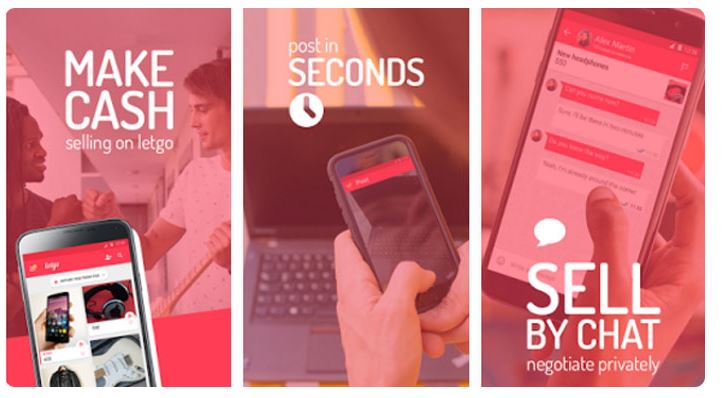
Make cash, post in seconds, sell by chat with LetGo
Buy and sell privately with LetGo.

For more information on LetGo’s safety, you can check out their privacy policy here and their community guidelines here. LetGo has over 75 million downloads and 200 million listings, so download the app today for free and see what you can offer, and what it can offer you!

Warning: avoid these GPS navigation apps

These 19 Navigation apps are just Google Maps with extra ads bolted on.

The Google Play Store is the main app store for the biggest mobile operating system on the planet. It is home a to a whopping 2.1 million apps. The market is booming, and it offers up plenty of choice, but the sheer size of it means it can be hard to police every new app that becomes available. This has led to plenty of fake apps getting through Google’s security web and making their way onto the Android app store. Security researcher Lukas Stefanko has found 19 such apps that all have something in common.

These 19 navigation apps are just Google Maps with extra ads bolted on

Stefanko reports that the 19 navigation apps he tested all have more than 1 million installs each and between them have been installed over 50 million times. In the series of tweets Stefanko published to raise awareness of the apps and this type of issue, Stefanko said, “These apps pretend to be full featured navigation apps, but all they can do is to create useless layer between User and Google Maps app. They attract potential users with fake screenshots stolen from legitimate Navigation apps.” Although the apps present themselves as being unique and can even have their own UI experience when opened, as soon as the user begins navigating, the app opens Google Maps.

The main reason these types of scam app exist is to raise revenue through ad placement. With over 1 million installs each, these apps will be able to raise quite a bit of money by inserting ads into each user’s navigation process. One of the apps Stefanko tested even offered an in-app-purchase that would remove the ads in exchange for a payment.

Unfortunately, however, some of the apps went further than this and asked for strange permissions like access to the phone’s dialer. In itself, this represents an extra security risk on top of the annoyance of having extra ads pop up every time you want to find out how to get somewhere.

Worryingly, for Google and users of the Google Play Store, three of the scam apps came up as the top three Recommended for you apps when Stefanko opened the Maps and Navigation section of the Play Store. Furthermore, Stefanko only tested apps with more than 1 million downloads. As none of the other recommended Maps and Navigation apps were from reputable companies like TomTom or Waze, there is a good chance some of the other top apps were fake too.

What this all shows is that Google still has a large fake app problem with the Play Store. To ensure you only install legitimate apps always follow the steps laid out in this tutorial. It also shows, however, that if you’re looking to download a navigation app, you’re best sticking with one of the big boys. There aren’t many big tech companies who are able to collect the huge amounts of detailed mapping data needed to create a reliable navigation app, as this new deal between Apple and DuckDuckGo highlights.

Google updates the Play Store to help you manage your apps better

Google Play Store update makes it easier to track available disk space, uninstall apps, and manage your apps

Google Play Store


Apps are getting bigger and bigger these days. If you add to that the fact we are increasingly using our phones for more tasks these days, including listening to music and watching movies and TV shows, you can see why our phones are often running full. We often have to delete something before we can install something new. On its own, this is a tiring process but if deleting things provides its own practical challenge, it can turn into a real downer.

Google Play Store update makes it easier to uninstall apps

The latest update to the Play Store has brought with it a new disk space status button. The new button will allow you to keep tabs on how much space you have left on your phone and will also make it easier for you to free up more space by enabling you to more easily delete the apps you have installed on your device.

To find the new feature all to have to do is head to the My Apps & Games section of the Google Play Store. Open up the Play Store and click the Menu icon in the top left of your screen. Once you’ve done that, you’ll see the button at the top of the menu. After you’ve opened it up, swipe to the right to open the Installed apps tab. Once you’ve done this, you’ll see the new status bar at the top of the screen.

To make this new feature even better for anybody who never has enough space on their phones, clicking the new disk space status bar will open up the Free up space menu. This menu makes it easier than ever to delete your unwanted apps and see how much space you will free up by doing so. The menu offers check boxes next to all the apps on your phone. Clicking them will select the app to be downloaded and at the bottom of the page, the confirm button will show the total space you’ll free up should you delete them.

This new feature was first spotted by an Android user who then posted his findings to Reddit. This is only a small change, which could be why there has been no official announcement from Google, but practically, it will make a big difference to users who don’t have much space left on their phone.

Top 5 apps to help plan your holiday party

Use these great apps to plan a raging fiesta or a quiet gathering with friends.

Christmas Party

Parties are one of the best parts of the holiday season. Along with the chance to get together with family and friends and exchange gifts, they’re the perfect excuse to drink until you don’t mind listening to the same 10 Christmas songs all night. If the responsibility of hosting falls on you this year, don’t worry! We’ve got a few apps that can help make the experience a lot less stressful.

Top 5 apps to help plan your holiday party

1. Doodle

Doodle app logo

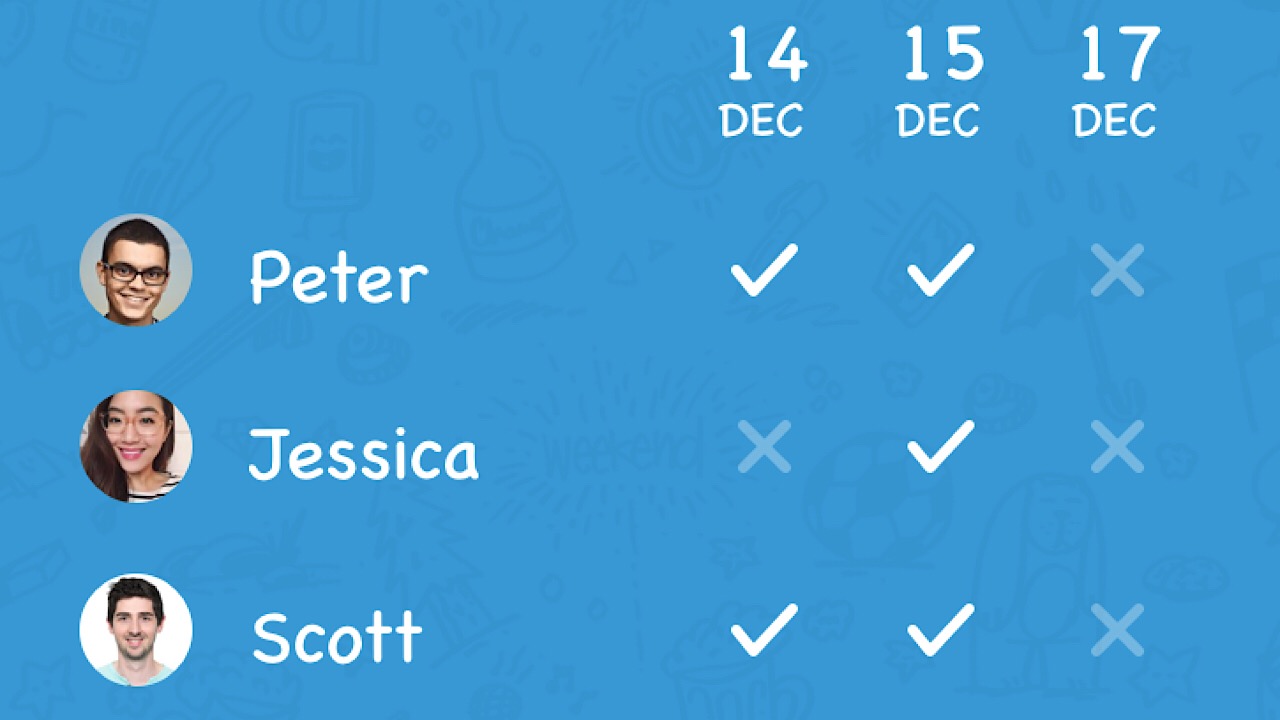
As adults, we all have separate lives with responsibilities that make it difficult to meet up with others. Instead of trying to wrangle everyone in a group text or Facebook group where it’s easy to lose track of things, Doodle is an app where you can see who is available on what day.

Doodle app screenshot

Start by creating your event. Then, pick a few dates and times for your party that guests can choose from. After that’s all finished, you can send invites by text message, Facebook Messenger, WhatsApp, email, Twitter, and other methods. Once a participant receives the invite, they’ll select the date that’s best for them without having to download the app.

Your guests’ avaliability will show up in your Doodle page, and you can finalize your date from there. It’s such a relief to not have to contact a lot of people on a lot of different platforms and will really cut down on your workload. Available for iOS and Android.

Doodle: Easy Scheduling Download Free ►
8

2. Yummly

Yummly logo

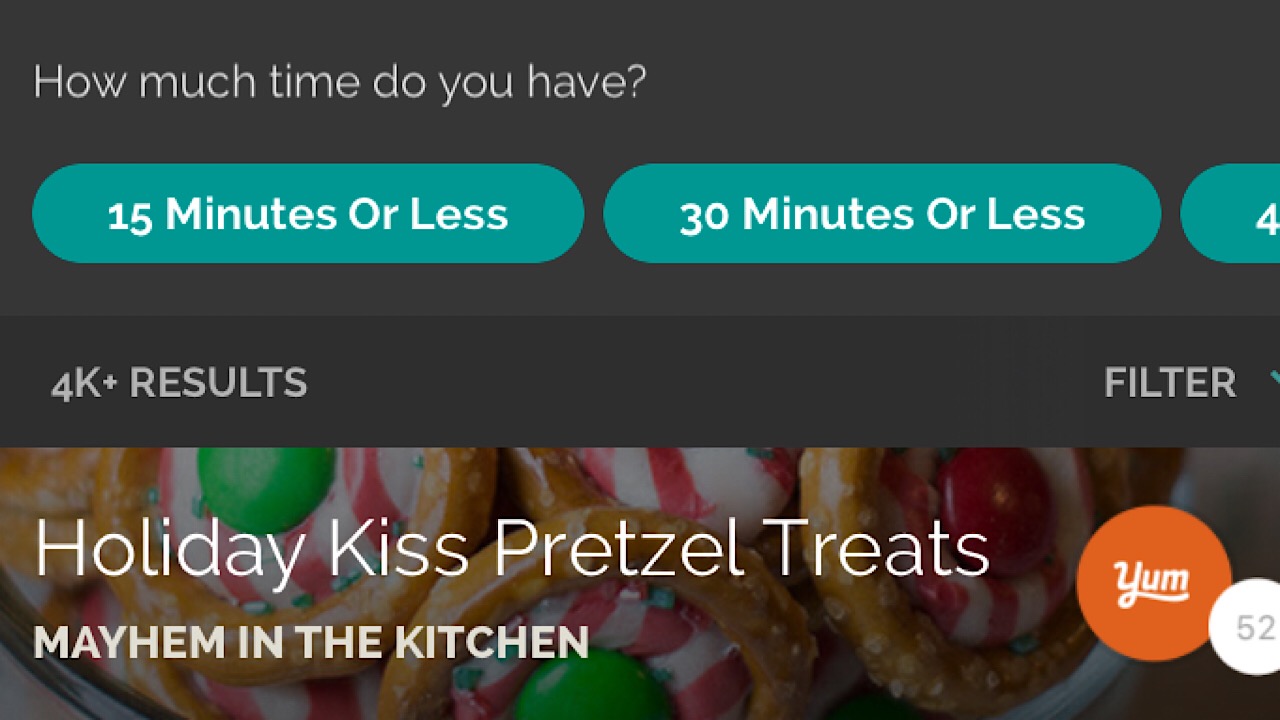
The most important part of the party is the food, of course! This could also be the most stressful part, but Yummly has you covered. Even after the holiday season, Yummly is a great app to have for day-to-day recipes. The first time you open the app, you’ll be prompted to select your favorite cuisines, enter any food allergies that you have, and foods that you just don’t like. From then on, it curates recipes that it thinks you’ll enjoy. For your holiday party, you can search by holiday and the app will scour the internet for the best Christmas cookie or Thanksgiving turkey recipes.

Yummly screenshot

If you’re on a strict schedule, you can pick certain dishes by how much time you can spend to make them. Save recipes for later in pre-named categories, or make your own. If that isn’t cool enough, Yummly takes it a step further with their “Shopping List” function, where you can add ingredients manually so you’ll know what you need when you head to the grocery store. Available for iOS and Android.

3. Tasty

If you’re on any social media platform, you’re sure to have crossed a Tasty video or two. Tasty recipe videos are super binge-worthy, not only having classic recipes but also putting new and creative spins on them. Tasty is not only great for food, but their drink selection is probably the most vast and aesthetically pleasing that you’ll see anywhere on the internet. Discover the top recipes that people are searching for today, or look up the specific drink that you’re looking for (five recipes just for eggnog!).

Tasty app screenshot

Add your recipes to your shopping list and your app will organize it for you. No more circling the grocery store, going back and forth between aisles for items that you forgot. Tap the ingredients that you have in your cart, and they’ll be crossed out on the list. If a recipe is a success, add it to your “Would Make Again” list so you can easily go back and access your favorites. Available for iOS and Android.

4. Instacart

instacart logo

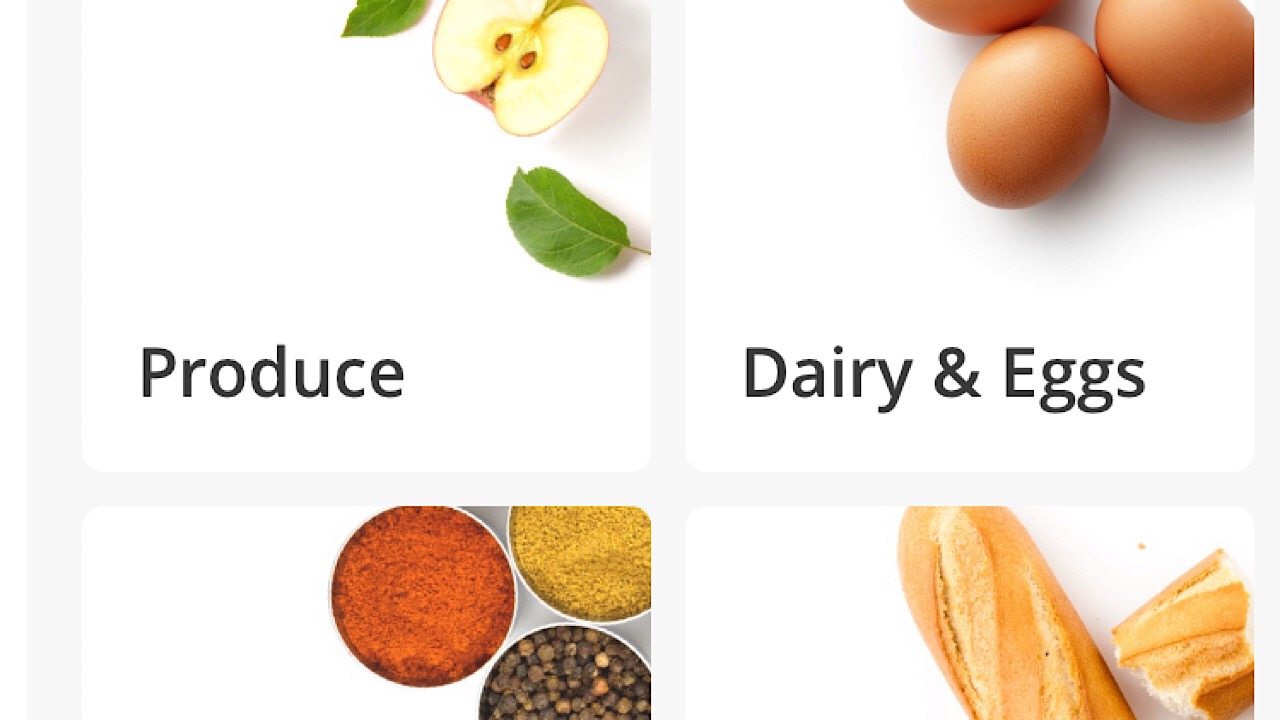
Instacart is a lifesaver when it comes to holiday parties. Let’s say that you’ve already spent two hours at the grocery store, and once you’ve dragged all of the heavy bags inside when you get home, you realize you’ve forgotten a key ingredient. Or, maybe you’ve been cleaning all day to prepare for the party and you just don’t feel like grocery shopping at all. Let the awesome shoppers at Instacart do it for you! Just enter your basic info, and select from the available stores around for groceries and alcohol. Add everything you need to your cart, and let the shoppers know if they can substitute an item for another if the one you want isn’t available. Handle your other chores and the groceries arrive at your door!

Instacart screenshot

Instacart is updated constantly, so make sure that you check the coupon page to take advantage of the savings. Available for iOS and Android.

Instacart Grocery Delivery Download Free ►
7

5. Heads Up!

Heads Up! logo

After all the food has been eaten and everyone’s had a few drinks each, there’s nothing more fun than playing a game with all of your guests. Heads Up! is a hilarious, family-friendly guessing game. Split into two teams and pick a category, from sports teams to blockbuster movies.

heads up screenshot

With one team playing at a time, a single player is selected who holds their phone against their forehead for their team to see. The team describes the person, place or thing shown on the phone and the winner of the round is the team who had the most correct answers after everyone has played once. For particularly goofy moments, you can watch a video replay of your friends’ crazy charades. New categories are added frequently so it’s no wonder that Heads Up! has been one of the most fun party game apps for the last five years. Available for iOS and Android.

Heads Up! Download Free ►
9

Now that you have your food, drinks, games, and guests, you’ll all set to have the most epic holiday party of the year. Have fun!

Top 4 funniest apps that we promise will make you laugh

Download. Laugh. Thank us later.

funniest apps

Sometimes, it seems like from the moment you wake up, everything goes wrong.  Maybe you slept through your alarm, shrank your favorite shirt in the dryer, or forgot that a work deadline was today. The good news is, we’ve got a list of the funniest apps to download so if your car broke down this morning, we can help to turn that frown upside down – at least until the towing service arrives.

Top 4 funniest apps that we promise will make you laugh


8
theCHIVE started out as just funny pictures, but then had a major expansion. Now the app is home to videos, news and humor articles, and photos of people just generally being cool. Have you ever seen someone make an origami gnome? We hadn't either. theCHIVE calls itself probably the best app in the world, and it's definitely a hit with us. Some people love it so much that they rep theCHIVE by purchasing merchandise like T-shirts in their online store. Available on iOS and Android.
iFunny 🙂 Download Free ►
8
iFunny has been around since 2013 and has stayed relevant for a reason. It compiles the top featured photos on Twitter and Instagram for your viewing pleasure. After photos, videos were added and it's probably one of the top apps that we use if we're in the mood for some hilarious memes because there's an entire category dedicated to them. Subscribe to the users that you like the most, upvote and downvote posts and comments, and chat with other users. A useful feature of this app is the content warning, so if you're sitting next to Grandma you won't run the risk of something showing up that's not suitable for the fam to see.
Pics HD for Reddit Download Free ►
9
Just like the title says, this app is dedicated only to the pictures of Reddit. The reads are fun and informational and everything, but sometimes we just wanna jump straight into the funny cat pictures. The app has a very simple layout with a few categories like those for gaming, reaction gifs, and cute animals. If you find other categories that you like, you can upgrade to Pro for $4.99 a month. With Pro you can also remove ads, submit your own funny pictures, and access the comments, so we think it's pretty worth it.
9GAG - Funny pics and videos Download Free ►
8
Last but definitely not least is one of the original funniest places around on the internet. With some of the smoothest app functionality, it's got a ton of different categories packed with funny pictures, videos, and gifs. A mix of old and new, 9GAG knows how to stay on top of the meme game while catering to meme fans that have been around since memes became a thing. I can say that I saw someone get bodyslammed, WWE style, by a horse on this app. What have you done today?

Whether your day didn’t turn out as you planned or you’re just looking for some entertainment to pass the time, we can promise that you’ll get lost in one or a few of these hilarious apps for hours.


Be careful what you download from the Google Play Store

Google has found malware in apps that have been downloaded more than 500,000 times from the Play Store

Malware play store 500,000 app downloads

Android is the biggest mobile operating system on the planet. Its popularity can it make it harder to police. Accordingly, we’ve seen a number of problems hit the Google Play Store, which is where most Android users go to get their apps. We’ve seen malware added to established apps and we’ve even seen apps serving up pornographic ads to children. Google acted quickly to head off both of those problems and the search giant has been forced to act quickly again and remove a number of apps from the Play Store that were infected with malware.

Google discovered malware in apps that have been downloaded more than 500,000 times from the Play Store

A security researcher named Lukas Stefanko recently found 13 apps on the Play Store containing malware. Unfortunately, at the time Stefanko found the malware, the apps had already been downloaded by 560,000 people. All 13 of the apps were developed by the same person, a guy called Luiz Pinto. The fake apps posed as games and included luxury car, motorbikes, truck, and firefighter simulators. Google has now removed the apps, but embarrassingly two of the apps made it into the Play Store’s trending section.

Once installed on a user’s device, the apps installed malware and then deleted their own icon so that they’d be harder to delete. The last point is important as none of the 13 apps actually worked. They’d crash the phone and then when the user would search for the app to delete it, they wouldn’t be able to find it. The malware would gain full access to all device network traffic, which would offer it an excellent opportunity to steal private and personal data. If you’ve downloaded any of the apps listed in the tweet above, you need to delete them now or contact the Play Store for further advice.

As we pointed out, Google has been dealing with similar problems for a while now. The internet giant is committed to getting on top of the issue, but ultimately the responsibility lies with you. When downloading apps make sure to check the developer’s name as well as other users’ reviews. If something doesn’t look right, avoid downloading the app you’re looking at. For a more in-depth guide to spotting fake apps on the Google Play Store check-out our guide below.