6 best Apple Pencil apps for 2019

Ditch the pen and paper and bring your art to the 21st century with these apps.

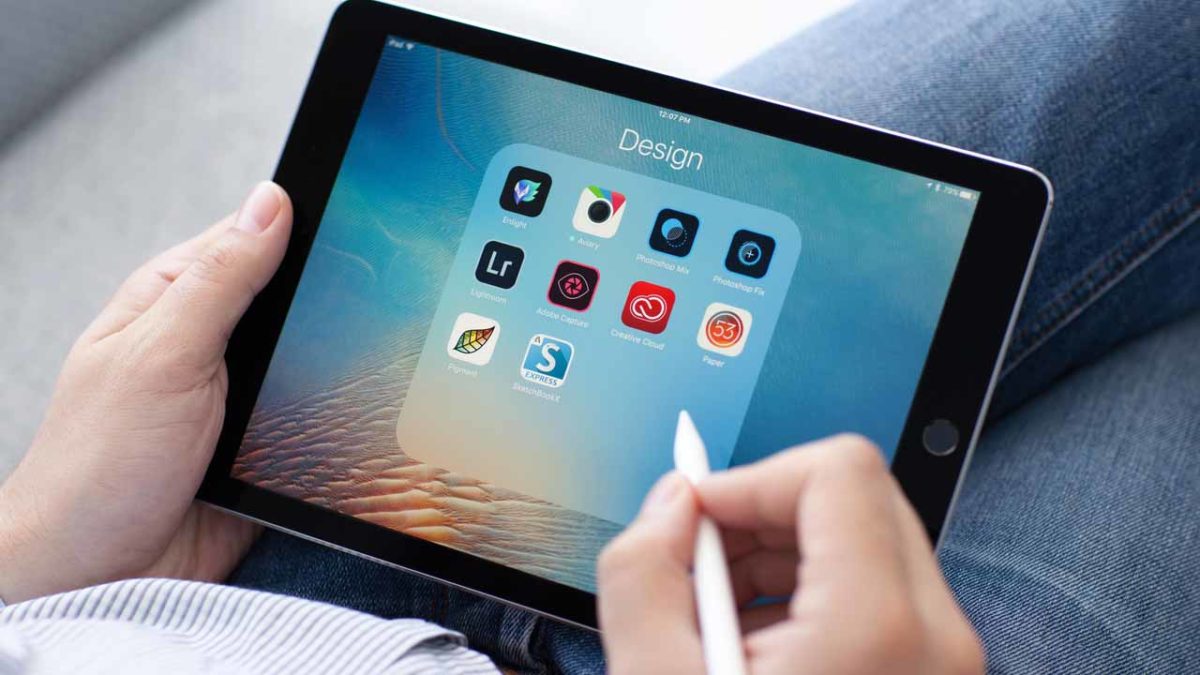
The Apple Pencil has transformed the world of digital art. Purists might argue that nothing can replace the feeling of putting a new set of pens to paper. However, the Apple Pencil gets pretty close to replicating the joy of analog art.

If you’re looking to buy an Apple Pencil, you can order one on Amazon here. 

There’s also the added benefit that using the stylus with the right apps means you can take your drawings to a whole new level.

Below, we’ve compiled a roundup of the best Apple Pencil apps, and we’ve included something for everyone. Whether you’re a seasoned pro designer or coloring is more your speed, there’s an app for you.

Autodesk Sketchbook
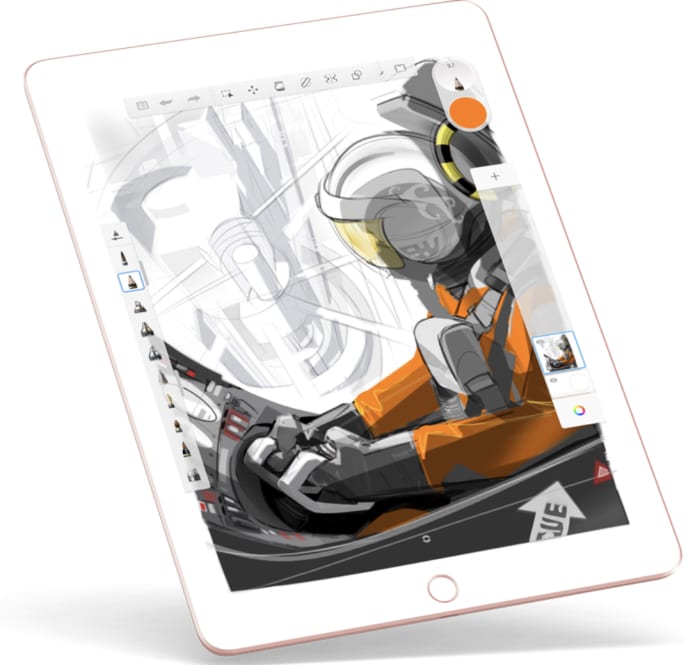
Autodesk Sketchbook is a sketch app that brings your standard fare to the table. Pencils, ink, and nearly 200 brushes are at your fingertips. For art nerds, you’ll have access to the full library of Copic Colors. If you’re like us, you’ve maybe spent too much money collecting them all before the Apple Pencil was an option.

Autodesk is sold as a business tool. The brand is more about software solutions with solid UX to organizations than it is creating software built for “fun.” Yet, Autodesk Sketchbook is fun.

You can snap a pic of your analog art from your tablet or phone and make changes from there. This is a good choice for those who aren’t quite sold on going full-on digital yet. Or, you can sketch out your ideas on the app’s endless sketchpad.

The website claims that the app feels just like drawing on paper, but it takes things a bit further. The app adds in features for product designers, industrial designers, and automotive designers among other skilled pros.

Autodesk Sketchbook Download Free ►
10

Procreate

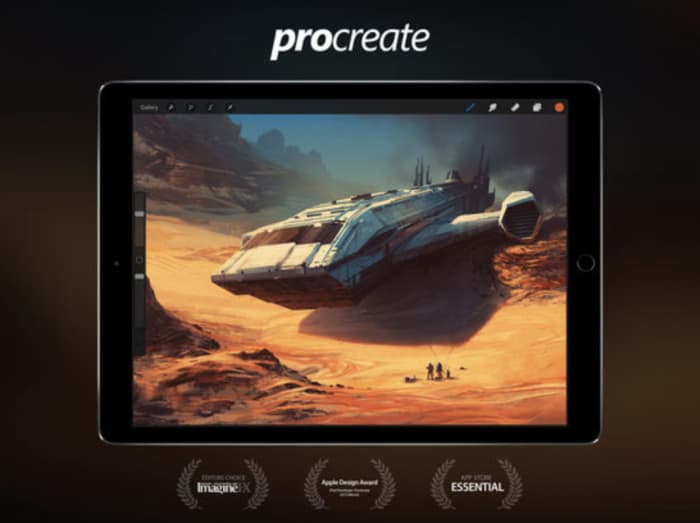
procreate for iPad

Procreate strikes a balance between professional-grade graphics and a relatively low learning curve. The focus is less on packing in the most tools,  but more on a thoughtful interface that doesn’t get in the way of genius.

This app brings together a lot of the tools you’d find in Photoshop and Illustrator. It’s similar to the Adobe Suite in that it’s built to handle layers and it comes with brush and tool presets.

It’s also just $9.99, which is equivalent to a month of using Photoshop and Lightroom through the Adobe Creative Cloud. Procreate is an Apple Design winner for good reason. There’s no drag, and you can undo and redo up to 250 levels. You can also record your drawings as HD videos if you’re into showing off your process.

Procreate Download Free ►
9

Pigment

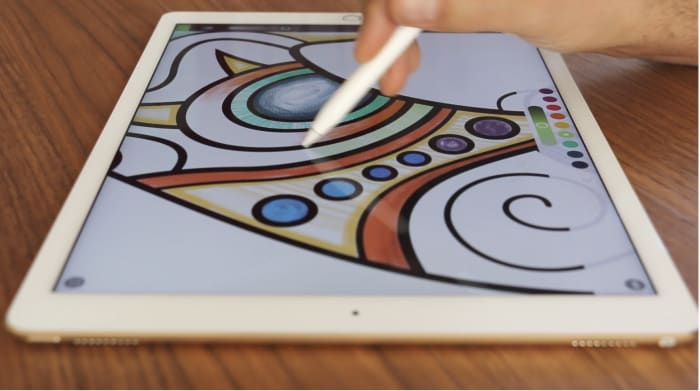
Pigment coloring app

Adult coloring hit it big a few years ago. It’s known to combat anxiety, reduce stress, and it’s undeniably fun. Pigment takes the coloring book and brings it to the iPad, bringing all the tools you need to your screen.

Sure, maybe you didn’t come up with the lines on your own, but there’s something relaxing about kicking back with a coloring book. With the Apple Pencil, you’ll get a more authentic coloring experience than you might with a smartphone app and no stylus.

Pigment offers 4,000+ pages to color your way through and you can choose to color one section at a time or take a more traditional approach.

8

Paper

paper ipad apple pencil app

Paper isn’t exactly new — in fact, it was one of the first apps available when the iPad Pro came on the scene. Still, the whole aesthetic experience is something special.

Paper presents a personal space for writing notes, creating doodles and drawings, and journaling. Taking things digital means you’ll get some technological assists like auto-corrections. This will crisp up your rough lines. You can also input templates— storyboard, templates, and grids, for some added precision.

Tayasui Sketches

Tayasui sketch app

Use your Apple Pencil to draw, paint, and edit with a variety of tools from oil pastels to pen brushes, patterns, and smudge. Tayasui Sketches is one of the most comprehensive sketching apps for iPads and mobile devices. It’s not as complex as something like Procreate, yet the tools are sophisticated enough for skilled digital artists.

Tayasui Sketches Download Free ►
9

Affinity Designer

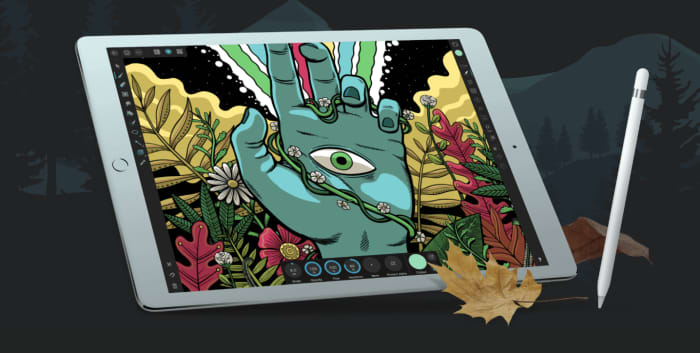
affinity design app

Affinity Designer is of the best professional drawing apps for Apple Pencil and iPad. It is a feature-rich design tool that allows you to create freehand vector drawings with tons of detail.

Affinity Designer is built for the iPad, so it’s sensitive to Apple Pencil pressure and allows you to pinch and pull your way around the screen. It includes a range of touch gestures that replace keyboard commands like shift or alt.

Work in layers, zoom in on specific sections, and gain complete control over your colors. Additionally, you can use Affinity for custom typography, and import your own fonts for fine-tuning or start from scratch.

Don’t let the app intimidate you. Regardless of your skill level, Affinity gives you a professional toolset for under $20.

Affinity Designer Download now ►
9

Drawing a conclusion

If you’ve always wanted to learn how to draw, we have a few solutions for your needs. 

There is an app to help you with any and all art need that comes your way. Whether you consider yourself a beginner or a master, these apps can help put the picture on the canvas in your head to the screen in your hands.

Unleash your creativity with this new Adobe software sale

Get 20% off the Adobe Creative Cloud for a limited time.

These days, it’s hard to think of a career that doesn’t benefit from access to good video and audio editing software: Photoshop, Illustrator, Lightroom, After Effects – these are the secrets to stepping up your presentation game, no matter your vision, no matter what medium. Whether you’re an Animator, YouTuber, Filmmaker, or a Graphic Designer, these are the tools you need.

Adobe video editing software
Edit your projects with the same tools as Hollywood professionals

These Adobe products will let you create and edit on the fly from either your desktop or mobile device, and breathe life into whatever you can dream up, adding any manner of graphics, effects, and pro-quality audio.

Creative Cloud

Got your eye on a few of these products? Save your money and check out the Creative Cloud. The Creative Cloud is a series of different price plans that group all the best video and audio editing software into a neat bundle. Now, for a limited time, you can grab all this great software for £39.95/month. That’s 20% off.

Creative Cloud contains all the renowned apps and services we mentioned above, giving you a huge leg up in any video editing, visual and audio design, and photography you want to tackle.

Adobe Creative Cloud
Watch your art and animations come to life

It’s also got built-in tutorials and templates if you’re just starting out, so you’ll get a feel for how each program functions as you take your first steps. If you’re already a seasoned artist, you’ll find the Creative Cloud has all the design tools to bring your ideas to life.

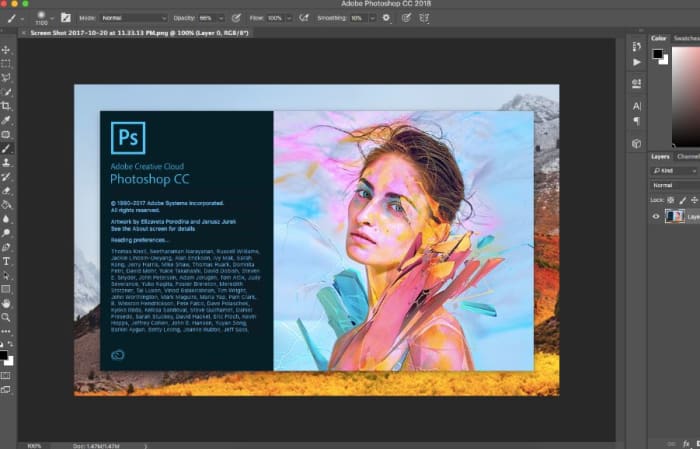
Adobe Photoshop
Your trial subscription will automatically roll over to the full version!

This is the perfect opportunity to sample some of Creative Cloud’s most powerful tools, and to do it conveniently and for a great discount.  If you’ve ever wanted to unleash your creativity, jump on the sale and see what you can dream up!

Adobe offer

How to create your own publication on Medium

Ready to start an ongoing publication with Medium? Here’s how.

writing

Got opinions to share? Axes to grind? Stories about your life? Or a 12-part sci-fi saga about an alien war brewing on the far edge of Galaxy 17? Medium.com is a simple and easy platform for sharing your writing. It’s very similar to typing up something in Google Docs, except once you hit the “publish” button, the whole world can discover it. Ready to dive in?

How to create an ongoing publication on Medium

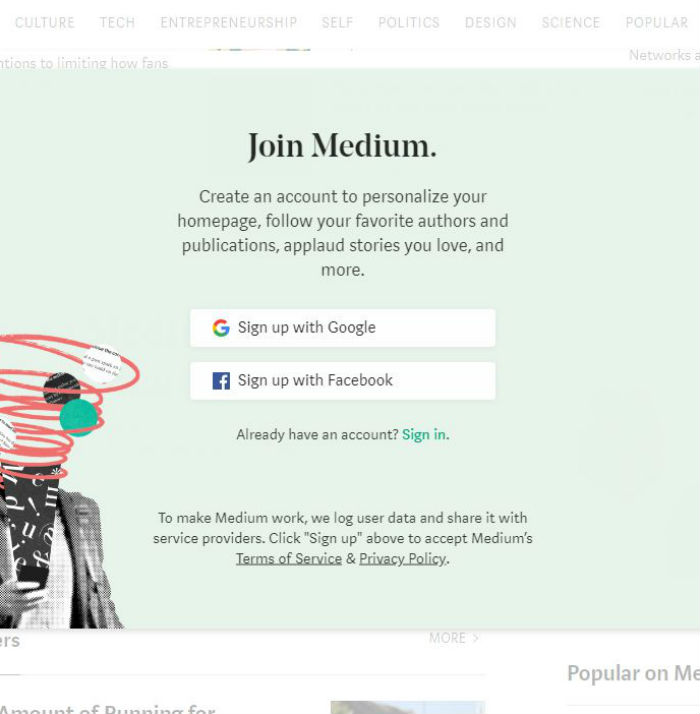
To write and start your publication, the first step is to create a free account. Sign up with Google or Facebook.

sign up for medium

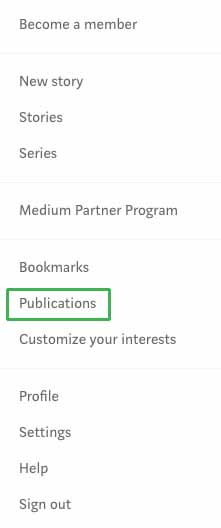
Easy, right? Now that you’ve made an account, it’s time to dig in. From a PC or laptop, click on your avatar and then click on the option for publications.

medium publicationsA new screen will open. Click on the “New Publication” button near the top.
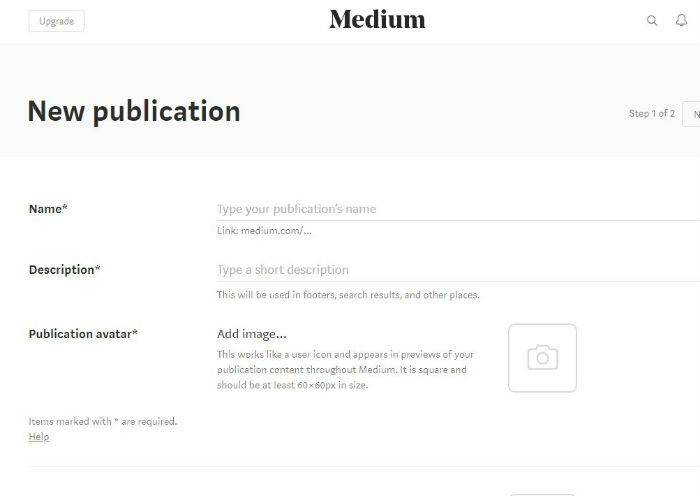
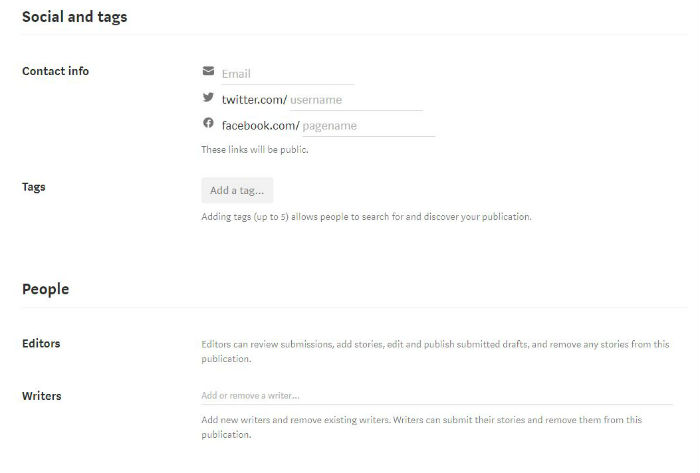
Now, let’s fill in the blanks.

Name your publication. This is the medium.com/XXX web address your readers will use to find you. If you already have an established brand, use it. Medium will let you know how many characters you have to play with.

What is your publication about? Fill in the description space to let potential readers learn more about what to expect.

Gather up your logo, your avatar, and consider your header. Let’s add personality to this page. Upload a publication avatar. You’ll want to use a square image at least 60 x 60px. Each time you write an article or leave a comment, your image will follow. Make sure you choose a clear and memorable image.

When someone lands on your articles, they will now see a header image. This space represents your brand, so make it good. Upload a transparent 600px wide and 72px tall image.

Social networks and tags are just as important to the growth of your publication on Medium as they would be on any other content management system. Fill in your email address, as well as your Twitter and Facebook usernames.

You can use your email address to sign into Medium. The social network additions allow your readers to follow you beyond on just Medium.

Next, work on your tags. Medium allows each publication to choose five different tags to describe its work. As you begin to type, Medium will share suggestions.

Choose the terms that best describe what you plan to create or what you are importing from a previous website.

Is your publication a solo gig? If so, you can skip the People section. Otherwise, this is the space where you can add in your editors and writers. These jobs have different roles.

Editors can go over submitted articles, edit articles, and publish drafts submitted by themselves and others. Writers, on the other hand, can only submit stories and drafts.

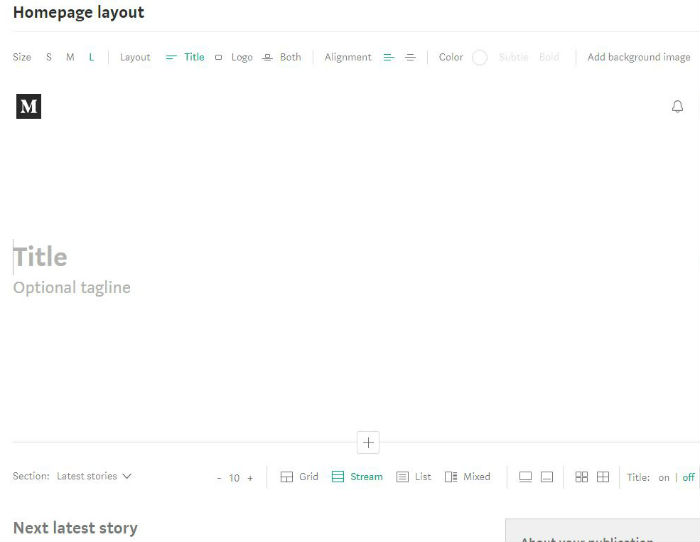
Your homepage would be boring without the next step. Upload a background header image or use a text headline. For an image header, you can change the size or click on where you want the image to center by clicking on the background image drop-down menu icon.

Add in your title and your tagline. You can play with the header size for these items too.

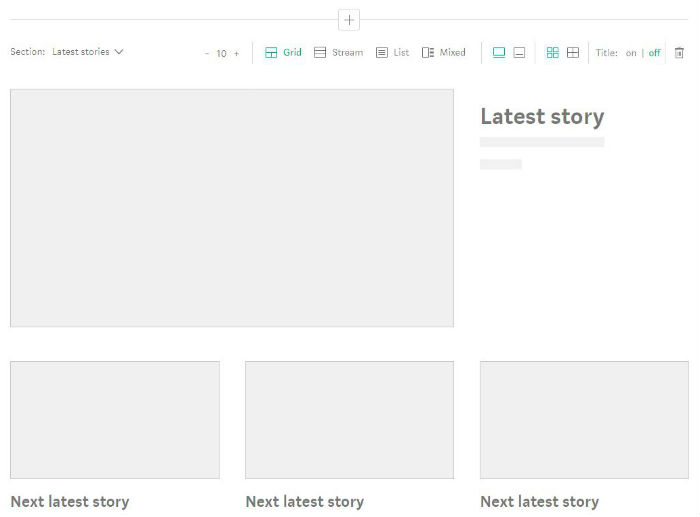
Jump down to the first content section, which is set to “Latest stories” by default. How do you want your content to display on your home page? Choose between grid, stream, list, and mixed content, and decide how many items should appear on your homepage.

Make your selections and then click “Create” to make it happen. Ta-da! You’ve just created your first Medium publication. The more you publish, the more readers you’ll attract, so get typing!

Boost your creativity with slow thinking

Want to be more creative? Slow down.

creativity

The prevailing theory in today’s world is that creativity is a collaborative effort. We value extroversion, spit-balling, and 24/7 connectivity. We’re expected to be good at Slack and to speak up at meetings. What’s more is, there’s also the expectation that our best and brightest thinkers broadcast a never-ending wellspring of fresh ideas.

But when it comes to creativity, the best ideas don’t always come from brainstorming aloud. We need some time to let our thoughts grow back, after all.

Research suggests that slowing the old brain down can lead to more original ideas than trying to find the fastest path from point A to point B.

And with that in mind, it might be worth circling back to this idea of slow thinking.

Here’s a little more about the term, as well as its potential effects on creativity

What is slow thinking?

Behavioral scientist Daniel Kahneman popularized this idea of slow thinking a few years back.

In his book, “Thinking, Fast & Slow,” he describes fast thinking as the quick judgments we make. While slow thinking, by contrast, takes more time and effort.

Slow thinking isn’t what it sounds like. The term doesn’t refer to someone who isn’t cognitively, well, fast. Instead, slow thinking is a deliberate act of processing information.

It kicks in when you need to focus on a solution to a complex problem or when you’re given some time to think away from smartphones, notifications, and the rest.

In short, slow thinking comes with this pressure-free, unhurried approach to solving problems or exploring our own thoughts. Without building some “thinking time” into the day, we may miss out on our best ideas.

So, it’s wise to take some time to doodle, free write, or even daydream at least a few minutes each hour to come up with some new ideas.

We need time to idle

creativity

LinkedIn CEO Jeff Weiner is a proponent of this idea. Weiner schedules periods of “nothing” into his workday, time purposely spent outside of meetings, alone, for processing ideas.

The idea is that building in some quiet time to think allows you to take off some of the pressure, and let your ideas just flow freely. Research has found that time pressure can squash creative thinking, as you don’t allow for the best ideas to develop naturally.

It’s also worth pointing out that workers stop developing new skills when they’re in “go mode” all the time. According to LinkedIn’s 2018 Workplace Learning report, ongoing learning leads to more success on the individual and organization level.

But expecting a constant wave of tasks and communications means that employees don’t have the bandwidth to take on all of these challenges at once.

People who continually learn are more productive, engaged, and creative than those who don’t. The thing is,  learning new skills must also come with the time to synthesize new information.

Where does creativity come from?

art creativity

There are a lot of myths about creativity. Some people believe they are more creative when they’re placed under time-pressure. However, studies have found that constant pressure can create this creative hangover of sorts.

Meaning, you might bang out some great ideas under pressure one day, but you’re exhausted the next day or two afterward.

Others think of creativity is innate, or a marker of intelligence.

Science suggests that the parts of the brain associated with creative thinking are made up of these tiny, winding paths. Creative thought stems from using those parts of the brain that sometimes get neglected.

A study from the Proceedings of the National Academy of Sciences looked at distinct patterns of brain activity in the most and least creative people. The more creative people in the group showed a strong connectivity from networks in the brain.

One is called the default network — an area known for spontaneous thinking and mind wandering. The second is the control network, where people focus in on a thought.

These two systems are often at odds with one another — much like the slow vs. fast dichotomy that Kahneman refers to. System one works to “feed” new information to system two, which processes unwieldy thoughts into a viable idea.

In a study cited by Scientific American, participants were asked to perform a simple task, that would allow the mind to wander as they worked through the mind-numbing activity. Think “busy work” like stuffing envelopes or basic data entry.

Researchers measured the results against those engaged in a period of quiet rest and participants engaged in a cognitively demanding task. Individuals who were given the easy, mind-wandering task showed a 40% improvement in creative performance, compared to their initial baseline.

The study found that the “inability to suppress” unnecessary cognitive activity might actually allow participants to come up with new ideas.

So it seems that system one was given the space to explore the various pathways in the brain, while system two kept that participants grounded in a reality of sorts.

Getting used to slowing down

creative thinking

The benefits of taking time to think are clear. You’ll make fewer mistakes when thinking through each logical step and likely will generate some more novel ideas sure to impress your colleagues.

Still, there may be an adjustment period for people used to thinking in the fast lane. For one, it’s tempting to check your phone or email, or to knock out multiple tasks with your spare time.

If it’s hard for you to “idle,” we recommend setting a timer, try spending just 10 minutes doing nothing or journaling. From there, you can work up to 20 minutes, 30 minutes, or an hour.

Another issue is feeling like you haven’t accomplished anything. Because we’ve grown used to multi-tasking, focusing on one task or none at all feels like a waste of time. For that, we recommend creating a “done list.”

Unlike a to-do list, a done list focuses on things accomplished both big and small. This list serves as a counterbalance to your fast-thinking inclinations by proving that, yes, you really are making progress.

Think about it like a set of personal, analog analytics that you can use to inform future decisions.

And while you’re at it, maybe write down some of those new ideas, too. It always pays to keep some concepts in the pipeline.