
Top free online games

These are the best free online games you can play right now.

BEst online games for free

The internet. A modern technical marvel that has truly revolutionized the human experience. We’re now constantly connected to almost all human knowledge that has ever existed, we can talk to people on the other side of the world for free whenever we want, and we’re able to watch almost any movie or TV show and listen any song or album at any moment of any day. The internet is amazing and has gifted us some truly marvelous things.

No list of the internet’s greatest hits, however, would be complete without games. Not just any games, though. Free games. Yep, since the dawn of the internet we’ve been coming up with better and more beautiful ways to kill our time and free online games stand at the pinnacle of our achievements. So, without further ado, let’s have a look at the best free online games to play on the internet. We’ll start off with a couple of the biggest free games ever, but then we’ll move on to free online games you don’t even need to download. Free games you can play in your browser.

The best free online games

Fortnite: Battle Royale

Fortnite is the biggest multiplayer game in the world right now and could, quite possibly, be the biggest game ever. Each new game of Fortnite will see you battle against 99 other players in a cartoon-like wonderland. The Fortnite map is split into separate areas based on different climates and environments and you’re free to travel through all of them once you’ve parachuted in off a flying school bus. Fortnite: Battle Royale is a lot of fun to play. So much so, that an almost unbelievable 250 million people play it.
Fortnite: Battle Royale Download Fortnite: Battle Royale ►
10

Dota 2

Following Fortnite: Battle Royale with Dota 2 in a list of free online games illustrates perfectly that today, free doesn’t have to mean limited. Both games offer vast experiences that could warrant large price tags. Dota 2 is a MOBA game, which means the strategy game action takes place in a Multiplayer Online Battle Arena. This genre is incredibly popular and Dota 2 is one of the original MOBA big hitters. In Dota 2 teams square up against each other, set up their defenses, and then try to take each other out. The action is fast and addictive.
8

The best free online games you don’t need to download

Mahjongg Candy

Mahjongg Candy

Mahjongg Candy is an addictive game you can play online without having to download anything at all. You simply head over to the Mahjongg Candy site and hit the play button. The game sets up like traditional Mahjong, with the main difference being that that the Mahjongg symbols on each tile have been replaced with different pieces of candy. Match the tiles to clear the board. It really is that simple. Mahjongg Candy is also available on iOS iPhones and iPads, and Android smartphones and tablets.

Daily SuDoku

Daily Sudoku

Sudokus are the classic puzzle game where you have to fill nine square blocks, each split into nine separate tiles with the numbers one to nine. The Daily SuDoku website gives you a brand new sudoku puzzle to do for free every day. If you’re looking for a great puzzle game, this is it. There’s also Daily Solitaire and Daily Word Search.

8 ball pool

8 ball pool

8 ball pool is an excellent free multiplayer game. This fun game is simple enough. You head over to the site, hit play, and the game will match you up with another player somewhere around the world. You can either play as a guest or create a game ID to use every time you play. This simple pool simulator doesn’t have complex actions like putting a spin on the cue ball, but it is lots of fun.

Bubble shooter

Bubble Shooter

Bubble shooter is an absolute classic shooter game. You sit at the bottom of the screen with your bubble cannon and above you sits an army of bubbles slowly coming to get you. You need to fire your bubble in the hopes of matching up with other bubbles of the same color. If you match up more than three bubbles of the same color, they’ll pop. It’s as simple as that, pop all the bubbles before they get to the bottom of the screen.

MOTO X3M

Moto X3M

Now, this is a fast action game. Using the arrow keys on your keyboard you fly through the 2D course on a motocross bike. You’ll need to jump and flip your way through all the life-threatening obstacles you come up against. This game is fun and frustrating in equal measure. You’ll love this racing game.

Outspell
Outspell

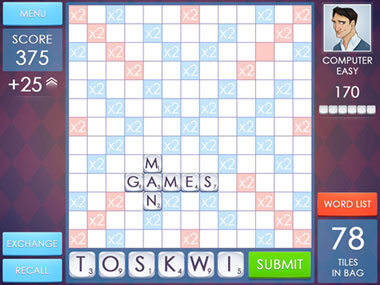
If Daily SuDoku is your number puzzle game then Outspell is your word game. The game is a copy of the classic board game Scrabble. You get six tiles, each with a letter and with a corresponding number of points you’ll score if you can use that letter to spell a word using the tiles already placed on the board. You play against the computer.

Jigsaws

Jigsaws

Another classic board game style puzzle you can play online for free is a good old jigsaw. You can find plenty of free jigsaw puzzles online. You can even set the difficulty by selecting the image of the puzzle and how many pieces it will have.

Blackjack

Blackjack

There are many classic card games you can play for free online. Perhaps the most popular of all is Blackjack. We’re not talking about gambling here, just some honest, fun, and free card play. What’s great about this free online version of Blackjack is that it’ll give you tactical and strategic tips as you’re playing, to help you develop your game.

Wrapping up

So, there you have ten free online games. We’ve tried to look deeper than the likes of Klondike Solitaire and Freecell to bring you a broad mix of games for you to play. Remember too, that the first two games we mentioned are completely free-to-play. The only thing that sets them apart from the rest of the list is that you need to download them first.

Microsoft Office for free? Try these great alternatives

You don’t need to pay premium prices to gain access to the premium features you expect from Microsoft Office. These are the best free alternatives to Microsoft Office.

Free Microsoft Office apps

If you’ve ever used your PC to do anything even remotely productive, chances are you’ve used Microsoft Office. The Microsoft productivity suite has always been the most popular suite of programs built to help you write documents, draw up spreadsheets, prepare presentations, and more. Microsoft Office is an institution.

As with most other established institutions, however, the Microsoft Office suite comes with a hefty price tag. The reliability that you get from an established productivity suite comes at a premium. If you balk at the idea of paying out for your productivity programs, then you’ll be glad to know that it doesn’t have to be that way. Let’s go through some of the best alternatives to Microsoft Office that you can use for free.

6

Microsoft Office alternatives for free

Google Docs, Google Sheets, and Google Slides

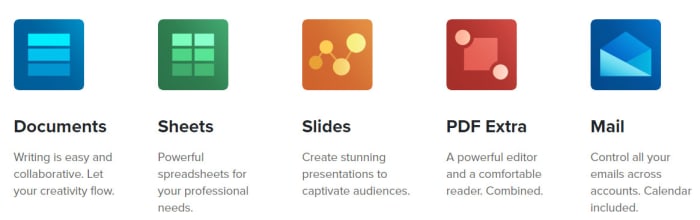
Google’s own productivity suite, linked to Google Drive, hasn’t been around as long as the Microsoft offering. It has, however, quickly gained a strong reputation for reliability and ease of use across multiple devices. Docs is a cloud-based suite of apps that uses the powers of modern web browsers to do all the heavy lifting. Although the programs are all online-first pieces of software they can all be made available for offline use too, so that you don’t have to worry about being connected to the internet before you start work.

You do need an account but once you have a Google account, which will give you access to Gmail and Google Drive’s cloud storage you’ll also then be free to use the Google Docs suite as you wish. Although many IT departments still rely heavily on the likes of Microsoft Word and Excel, Google Docs and Google Sheets offer amazing real-time collaborative capabilities making them perfect for team-based projects. This means Google Docs is the best free alternative to Microsoft Office for teams and IT managers should look into the enterprise level G Suite offering of the service.

Google Docs download free ►

8

SoftMaker Free Office

Free Office alternatives SoftMaker
Image via: SoftMaker

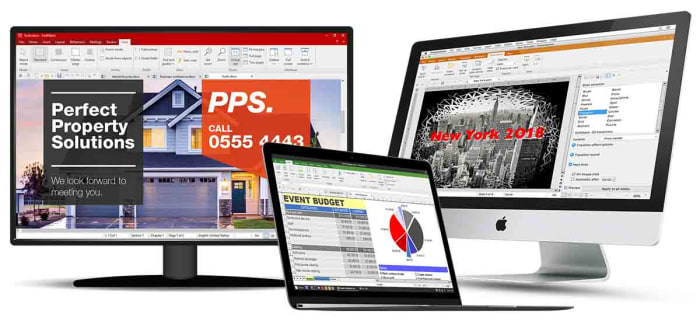
Free Office is the original free alternative to MS Office. The program has been around since 1987 and not only looks very similar to the Microsoft productivity suite, thanks to a recent update, it is also fully compatible with all Microsoft office files like DOCX and XLSX as well as many other file formats.

As the name suggests, Free Office is completely free to use, although you will have to register an account with the developer SoftMaker before you’ll receive your download link. It is available across multiple operating systems for Windows, Mac, and Linux users.

We recommend Free Office as the best free Microsoft Office alternative for anybody who is already used to Microsoft Office but no longer wants to pay for it.

SoftMaker FreeOffice Download now
7

Microsoft Office Online

Office Online

Another great option for former Microsoft Office users looking to take the strain off their wallets is Microsoft’s new online versions of the major Office programs. All are free to use. Microsoft Office Online gives access to cloud-based versions of Word, Excel, PowerPoint, OneNote and more. Although not as fully featured as the apps associated with an Office 365 subscription, this is still a great online office suite. It should be more than enough for most casual users who simply want a way to edit documents.

Office Online can be used across multiple operating systems using different web browsers like Microsoft Edge and Google Chrome. It can run with files stored locally on your PC as well as those stored on your Microsoft OneDrive. You will, however, need a Microsoft account before you can use Office Online.

Office Online Download now
7

Libre Office

Libre Office has been around in its current form since 2010 when it split from Free Office and has never failed to impress. Stemming from The Document Foundation, Libre Office is free and open-source software meaning it is worked on by a global community of collaborating developers.

With Libre Office, you’ll find comparable programs to Microsoft Word, Microsoft Excel, Microsoft PowerPoint, and more. You’ll also be able to run Libre Office on Microsoft Windows devices as well as Apple devices running Mac OS. Libre Office works on Linux machines too. There is also a Libre Office app for viewing your PDF files on Android devices and a plethora of add-ons to play around with too.

The only real downside associated with Libre Office is regarding compatibility with Libre files often experiencing formatting irregularities when viewed and edited in other programs.

LibreOffice Download LibreOffice
7

Open Office

Open Office by The Apache Software Foundation is another Microsoft Office alternative you can get for free that has a long history behind it. Open Office first appeared over 20 years ago and ever since, Apache has been updating, tweaking, and refining it. It is a great free office suite, offers strong alternatives to all of the core Microsoft Office programs, and can be installed on Windows, MacOS, and Linux.

Apache Open Office is similar to Libre Office in that it is open-source software, but it also shares Libre Office’s compatibility issues. Both use the open-source Open Document Format, which means you’ll be able to open versions of your Open Office documents on other programs but you might experience a few inconsistencies with the fonts and formatting.

Apache OpenOffice Download now
8

OfficeSuite

OfficeSuite apps

If you’ve owned an Amazon Kindle Fire or a Toshiba, Sony, or Alcatel device you might already be familiar with OfficeSuite by MobiSystems. All those devices come with OfficeSuite pre-installed. If you’ve never owned one of those devices before, and you’re looking for a free alternative to Microsoft Office or free word processing capabilities, it might be worth your time familiarizing yourself with what OfficeSuite has to offer.

OfficeSuite comes in a number of payment tiers with the basic offering being the free version, which gives access to a number of features. These include the ability to view and edit Word, Excel, and PowerPoint documents as well as being able to view PDF files. Admittedly, this is a very basic offering indeed, but it does meet the needs of many users and it’ll also give access to sharing platforms like Dropbox and iCloud. The main issue, however, is that basic users will be pushed heavily into taking out a paid subscription that will allow them to use OfficeSuite across their desktop, tablet, and smartphone.

OfficeSuite Download now
8
Final recommendations

We’ve been through quite a few free Microsoft Office alternatives for you to consider. As we’ve already pointed out we think that using Google’s online programs, like the word processor Docs and spreadsheet builder Sheets, offers the best experience for teams.

For anybody already used to the Microsoft Office layout, we’d recommend Free Office as developer SoftMaker has worked hard to make the experience as similar to that offered by Microsoft Office as is possible.

If you’re new to the game, however, and you’re looking for your first productivity suite, we’d recommend Libre Office. You can install it on your device for free and as well as offering reliable alternatives to the Microsoft Office programs, it also offers added apps like Math and Draw.

Other programs worth considering are WPS Office and Apple’s iWork.

How to play Words Story

Ready to try Words Story?

Words Story

Words Story is an unusual take on the mobile word game in that it’s part clever word game and part narrative. While the narrative itself isn’t the most compelling, it’s still neat to be given an actual storyline in a free mobile game. The story follows the plight of a crafty but determined prisoner as he attempts to “Shawshank Redemption” his way to freedom.

The game takes place over the course of 200 days of digging, waiting, scheming, and bribing the guards as you dream of sweet freedom beyond the brick walls and steel bars. Get through those 200 days, though, and you’ll reach the liberating embrace of the ocean.

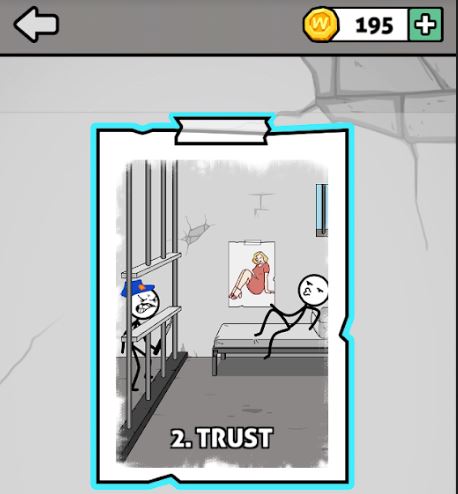
Words Story chapter 2 Trust
The story spans 200 days in prison, divided into multiple ‘chapters.’

How do you play?

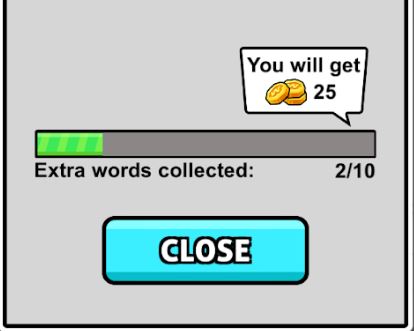
At its core, Words Story is a simple word unscrambling game. Each ‘day’ you’re presented with a new set of letters, the goal is to find the correct word hidden among them. Of course, there will be other words you’ll find that are not the correct one, and should you find them, the game rewards you with extra coins (just click the chest to accept them).

Words Story extra words collected for coins
Find extra hidden words and you’ll get to collect extra coins.

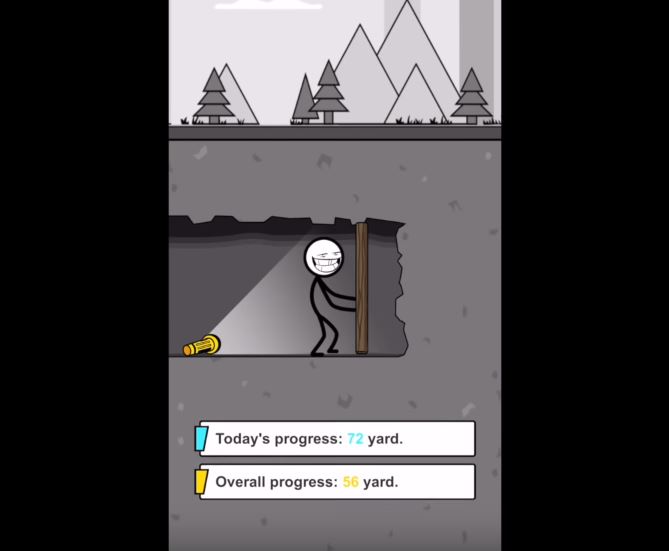
Many of the words you’ll unscramble are irrelevant to the plot, such as “hate,” “cat,” “pink,” or “meat.” The game does try to fit in as many related words as possible, so those should be your first guess. These are words like “map,” “beat,” “dig,” “file,” or “bag.” Typically you’ll get a relevant word every two or three ‘days’ of the game, after which you’ll be rewarded a short cutscene and your overall escape progress.

Words Story progress digging to freedom
Dig your way closer to freedom – day by day, inch by inch.

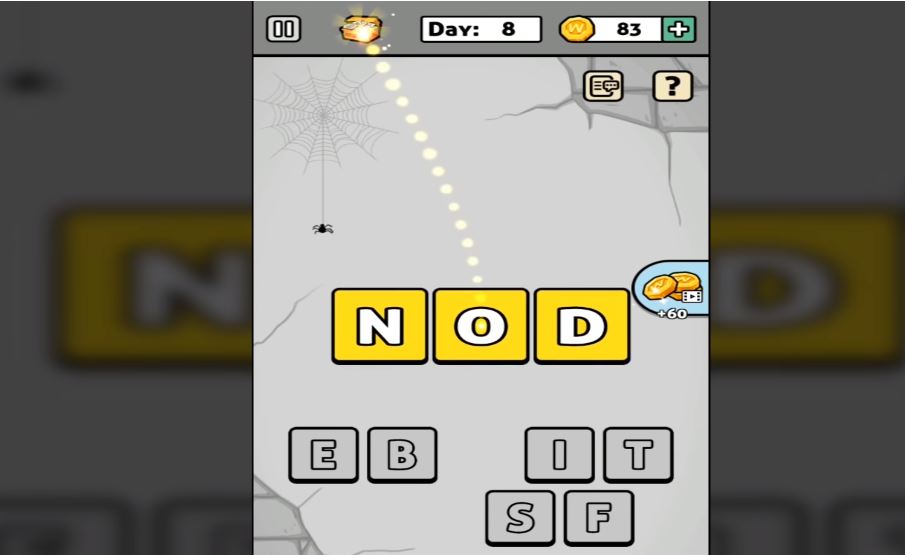
When you’re unscrambling words, there will also be a couple of tools to help you. One trick is to deliberately submit a word that’s not correct. Doing so will eliminate any letters you used for that word that are not in the solution. Also pay attention to the color of the letters after you place them: Blue means correct letter in the correct spot, while yellow means right letter, wrong placement.

Words Story wrong letters earn coins
Find hidden words to earn extra coin and eliminate variables

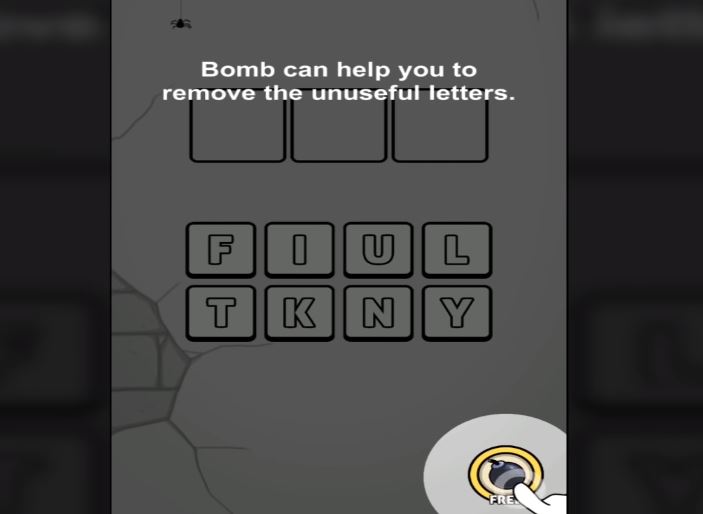
On the bottom left, there’s also an option to re-scramble the letter pool, which can help if you’re having a hard time visualizing the solution. On the bottom right there’s a bomb, which removes several incorrect letters from the pool immediately. You have unlimited uses for the bomb, but it does have a cooldown you have to wait for.

If you’re trying to get the most coins, you probably won’t be using the bomb much; it just eliminates letters you could otherwise use for extra words.

Words Story bomb remove letters
Remove multiple variables at once with a powerful bomb

How difficult is the game?

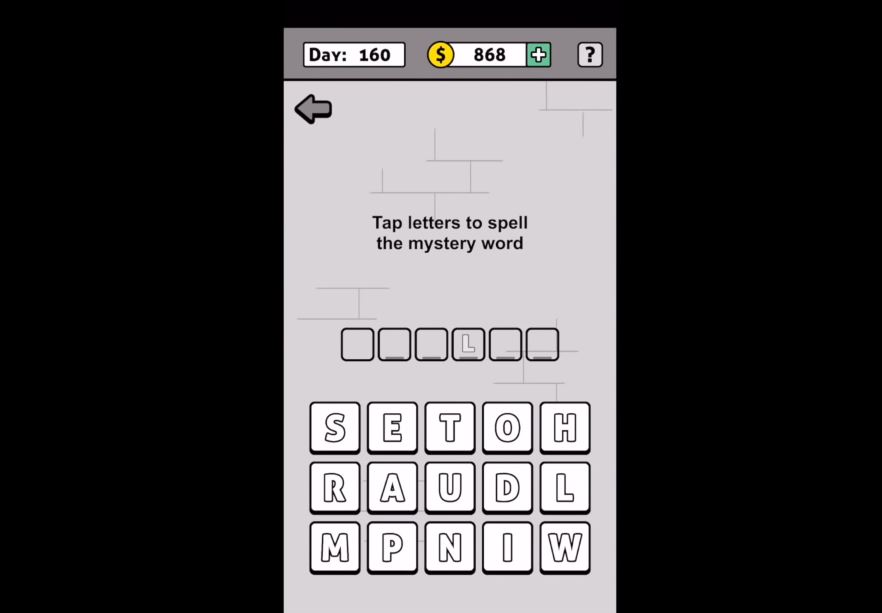
While typically word games will grow in difficulty by asking for longer words, Words Story does not do this. All the mystery words in the game typically vary between 3-6 letters, the tough part is that there are so many letters to choose from.

What starts as four possible letters to pick from turns into 15 by day 160. Additionally, since the mystery words are not always relevant to the prison escape story, it can get pretty hard to guess what random word the game wants.

Words Story tap letters to spell mystery word
More and more letters are added as you progress further

That said, the game is not too tough. There’s no time restriction and there’s no punishment for incorrect guesses, which means it’s just a matter of time before you get the right one.

If you find the game too difficult, there are plenty of online walkthroughs to help you out:

Is the game free?

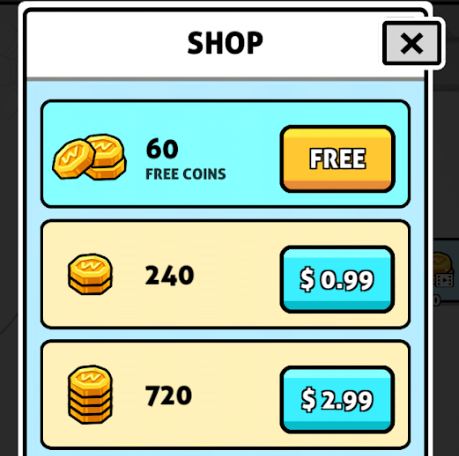
All levels in Words Story are free, as are the hints. You can choose to buy coins, but there’s really no point to doing so; you have nothing in the game to purchase.

Words Story in-game purchases, coin shop
Words Story has microtransactions, but coins in-game don’t serve any purpose.

Can you remove the ads?

Yes. Ads in this game another way you can earn in-game coins. As we said earlier though, coins in this game don’t actually serve any purpose, so there’s no incentive to watch ads. The good news is that Words Story lacks any online features other than the ads so if they’re bothering you all you need to do is turn off your internet connection or cellular and you’ll no longer be bothered by them.

Words Story Free Download
8

All in all, Words Story is an easy word unscrambling game for all ages that serves to pass the time and test your vocabulary a bit. For a free game, it definitely accomplishes what it sets out to do. Enjoy the game, and if you get stuck check out this video that takes you from day 1 to 200. Until then, feel free to check out Words Story along with Zhou Jiaping’s other work right here.

34 handy keyboard shortcuts for Audacity

Edit audio like a pro for free with these Audacity shortcuts!

Audacity

If you’ve ever done any kind of audio editing you’ve probably at least heard of Audacity – that free program that covers the basics but probably isn’t as good as a more pricey DAW like Pro Tools, Logic, or Ableton. While a heavyweight DAW like Ableton can get the job done like a champ, don’t overlook Audacity just because it’s free. Spend some time with the program and you can work absolute magic with it. People will hear your final mix and be absolutely shocked that you made it with freeware.

7

One easy way to take your Audacity skills to the next level is to familiarize yourself with its many keyboard shortcut commands. This will allow you to work faster, gain a more discerning edge over your audio product, and fine-tune your tracks more accurately and meticulously. Here’s a list of 34 different shortcuts you can use as you work:

Universal commands

Starting with the absolute basics, these are general Windows commands that seamlessly translate over to Audacity for ease of use. You’ve probably used many of these before in a program like Microsoft Word or Photoshop, and Audacity conveniently keeps the paradigm.

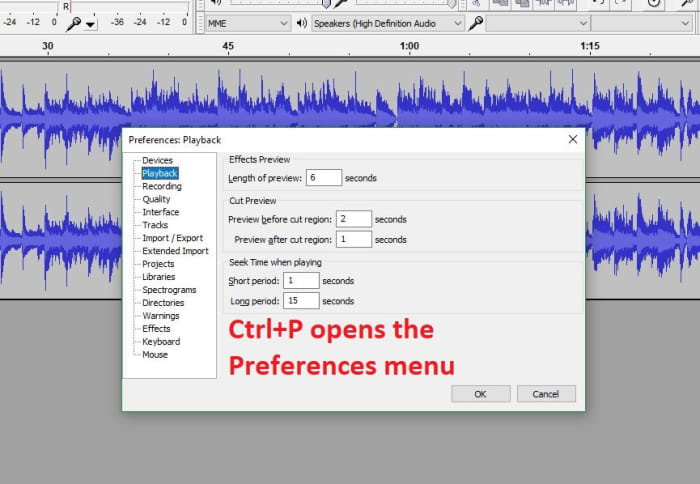
Audacity preferences menu shortcut

CTRL+N New project

CTRL+O Open project

CTRL+W Close project

CTRL+S Save project

CTRL+Z Undo

CTRL+Y Redo

CTRL+X Cut

CTRL+C Copy

CTRL+V Paste

CTRL+A Select all

CTRL+D Duplicate

CTRL+P Preferences

Playback commands

Audacity shares similar audio playback functionality as other digital audio workstations (like Pro Tools, Reaper or even Finale). If you start using Audacity more consistently you’ll be using these functions a lot. These shortcut commands will save you a ton of time:

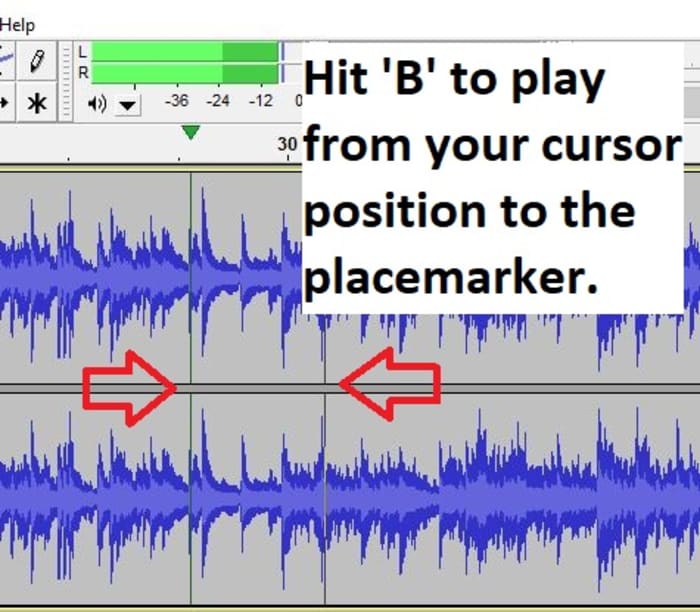
Audacity play shortcut B

Space Play/Stop

Shift+SPACE or L Loop

P Pause

R Record

1 Preview for one second

B Play from cursor to selection

Navigation commands

Editing audio is a lot of zooming in and out, selecting parts of the file, syncing tracks, and picking just the right nanosecond where you want to start that Fade Out effect or modify the volume a touch. Navigating your project is a cornerstone of using the interface, and getting a grasp of the relevant keyboard commands will grant you more finesse, maneuverability, and precision.

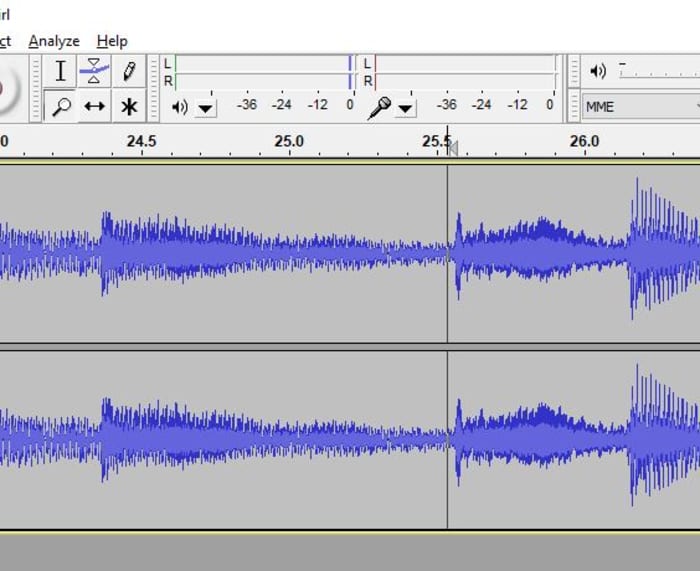
Audacity zoom feature
Set your zoom level faster with CTRL+#

CTRL+1 Zoom in

CTRL+2 Zoom normal

CTRL+3 Zoom out

CTRL+E Zoom to selection

F4 Zoom tool

F1 Selection tool

Edit commands

At its heart Audacity is free editing software, and that’s what the program’s all about. The following edit commands are what you’ll probably be using the most, to avoid having to keep clicking on obscure toolbar buttons or hunting through menus. Get used to these and you’ll be able to add effects, switch tools, and remove unwanted noise on the fly.

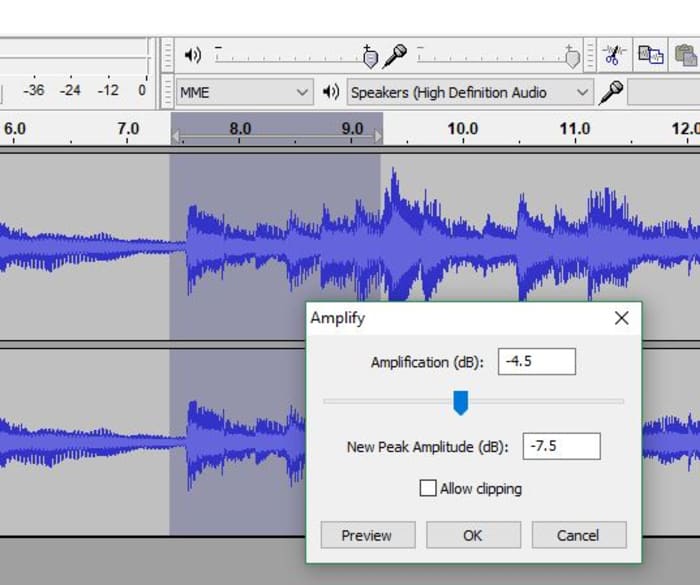
Audacity Amplify tool window
Switch to the right tool for the job.

F3 Editing tool

CTRL+R Repeat previous effect

Delete or CTRL+K Delete

CTRL+L Silence

F2 Envelope tool

F5 Timeshift tool

F6 Multi tool

D cycle tool forward

A cycle tool backward

For editing audio on a budget, you can’t do much better than Audacity. While it does suffer a few shortcomings (such as an inability to import WMA, AAC, AC3, or proprietary file formats), you’re getting a program that can keep up with other digital audio workstations, and that does it all for free. Other Audacity functions include multi-track mixing, vocal reduction and isolation, MIDI playback, and even full cross-platform operation.

We hope these helpful shortcut commands save you time! Stick with Softonic for more Audacity tips and tricks.

Unleash your creativity with this new Adobe software sale

Get 20% off the Adobe Creative Cloud for a limited time.

These days, it’s hard to think of a career that doesn’t benefit from access to good video and audio editing software: Photoshop, Illustrator, Lightroom, After Effects – these are the secrets to stepping up your presentation game, no matter your vision, no matter what medium. Whether you’re an Animator, YouTuber, Filmmaker, or a Graphic Designer, these are the tools you need.

Adobe video editing software
Edit your projects with the same tools as Hollywood professionals

These Adobe products will let you create and edit on the fly from either your desktop or mobile device, and breathe life into whatever you can dream up, adding any manner of graphics, effects, and pro-quality audio.

Creative Cloud

Got your eye on a few of these products? Save your money and check out the Creative Cloud. The Creative Cloud is a series of different price plans that group all the best video and audio editing software into a neat bundle. Now, for a limited time, you can grab all this great software for £39.95/month. That’s 20% off.

Creative Cloud contains all the renowned apps and services we mentioned above, giving you a huge leg up in any video editing, visual and audio design, and photography you want to tackle.

Adobe Creative Cloud
Watch your art and animations come to life

It’s also got built-in tutorials and templates if you’re just starting out, so you’ll get a feel for how each program functions as you take your first steps. If you’re already a seasoned artist, you’ll find the Creative Cloud has all the design tools to bring your ideas to life.

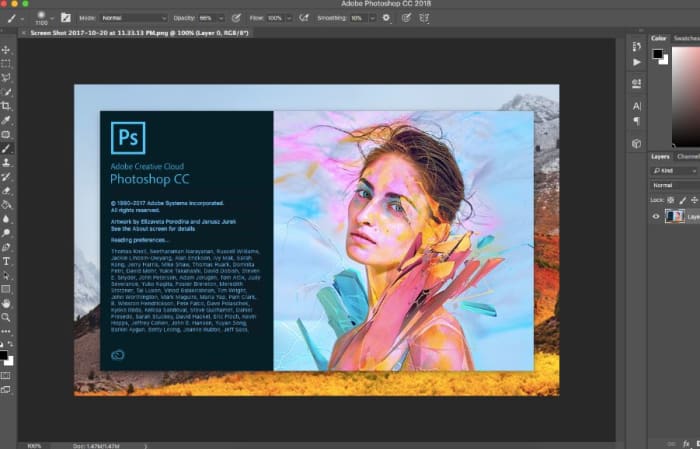
Adobe Photoshop
Your trial subscription will automatically roll over to the full version!

This is the perfect opportunity to sample some of Creative Cloud’s most powerful tools, and to do it conveniently and for a great discount.  If you’ve ever wanted to unleash your creativity, jump on the sale and see what you can dream up!

Adobe offer

Apex Legends advanced tips

Think you’ve mastered Apex Legends? These secrets will give you an edge.

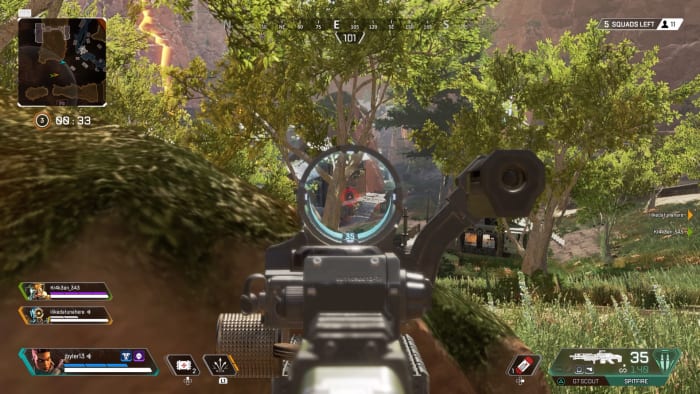
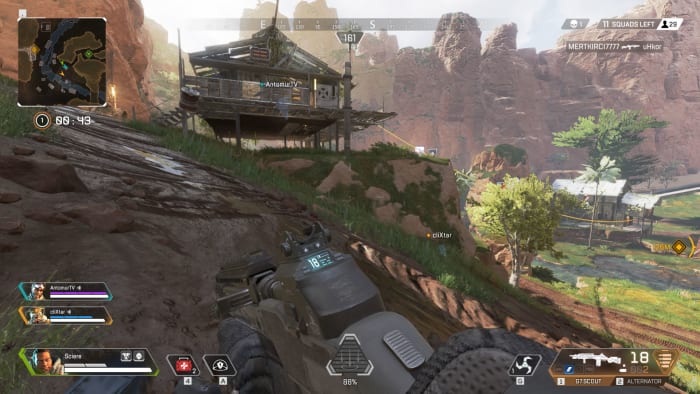
Apex legends

For those of you born to dominate the battle royale scene, you’ve probably already racked up 2,000+ kills in Apex Legends, revived hundreds of teammates, won a bunch of matches, and unlocked any Legends you’re interested in playing. For the rest of the players out there who are trying to take in and study every ounce of strategy they can bring to the fight, here’s our final guide:

Apex Legends Free Download
9
Get Apex Legends here ►

10 tips to master Apex Legends.

1. Fast-switch

Whether you’re playing a fast hard-hitter like Bangalore or Octane, or a slow and steady powerhouse like Gibraltar or Caustic, speed is key to success in Apex Legends. Weapons in the game have shallow clips, and even when you put a stock on your weapon, the switch speed to pull out your secondary gun is still more than enough to leave you vulnerable.

Apex Legends weapon swap
Swap your weapons faster to keep on the offensive

To perform a fast-switch, all you need to do is crouch while switching weapons. Luckily the concept is easy, because having the wherewithal to actually do it is another story entirely. Trust us, though; it’s worth it. Practice it in training to try and get the timing just right. Every second counts in a firefight, and this small trick can make all the difference.

2. Keep together, but not too close

Apex Legends is a squad-based battle royale, and playing with your team in mind will vastly improve your chances of survival once you hit ground. The exception to the rule might be Octane, however, as his Stim lets him engage and evade on his own (be careful not to get overwhelmed, though). While sticking together leaves you in a better place to help and be helped by your teammates, it also can make you all vulnerable to AoE attacks like Bangalore’s Ultimate, gunfire from both sides, or even a well-placed grenade.

Apex Legends running towards teammate
Keep your teammates close, but never group up.

Sticking close together is also a bad idea at the start of the match. Everyone’s scrambling for weapons and equipment, and with two other players working with you, there’ll be a shortage of goodies to go around. The best advice is to head towards the same general vicinity as your team, but break off before you land. Aim towards a building that no one else has gotten to yet, grab what you can, then make your way towards your squad. Later on, try and stick to spots where you can get to your team within five seconds, but can avoid grouping up for easy multi-kills.

3. Respawn in half the time

Apex Legends lets players revive defeated teammates at respawn beacons, but the task can be daunting. It puts them in a high-risk area where they have to recover your beacon (often through gunfire), then they have to make it to a respawn beacon safely. Better players might also sacrifice some equipment once you return, since you’ll be landing without a weapon or ammo.

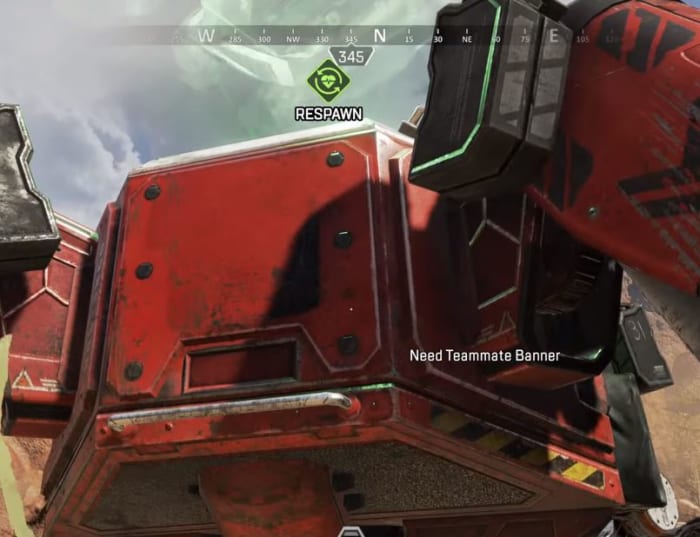
Apex Legends respawn beacon
The “need teammate banner” will disappear as soon as your buddy picks up the banner.

Since the process to revive a teammate is two-part, divide the responsibility between two members of your squad. As long as someone recovers the banner, you don’t have to be the one carrying it to revive. Any green dots on the map signify respawn beacons; you don’t need your teammates to ping them for you if you just look. Have a teammate recover the banner while another teammate makes a beeline for a respawn beacon.
As soon as your friend is carrying the banner you’ll be able to resurrect your fallen comrade.

4. Refresh shields instantly

Shield Cells and Phoenix Kits are the obvious ways to restore your shields, but the process takes valuable time (less so if you’re playing as Lifeline). You can move, crouch, and even slide while charging your shield, but you can’t fire, and that makes you an easier target to eliminate.

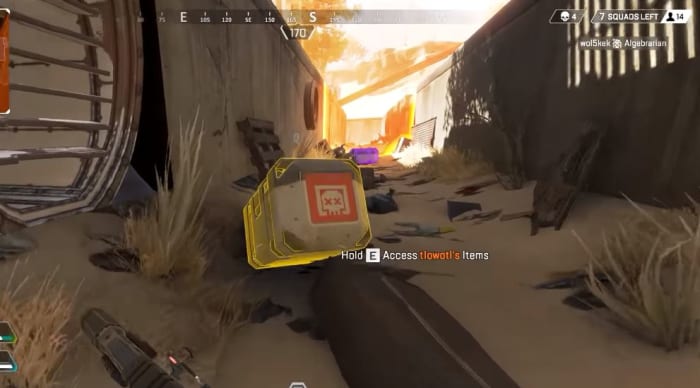
Apex Legends loot player box
Loot boxes for a much quicker armor refill

In the middle of a firefight you might not want to spend the time restoring your shields. If there’s a player box (from a dead player) nearby, though, you can just loot it and take the armor they were wearing. That armor might be of lower quality, but it’s guaranteed to be full. Save yourself the time in a firefight and restock your armor (as well as ammo, grenades and healing supplies) through player boxes instead of scrounging around the map. Do that after the fight is over!

5. Maximize jump distance

Movement is key in Apex Legends, and if you’re reading this guide you probably already spend more time sliding than running, more time mantling than opening doors, and more time sprinting with weapons holstered than with them in your hands. There’s always more you can do to get that little bit of extra speed though.

Apex Legends sliding crouch
Come off your running jumps by landing in a crouch.

When you perform a running jump, you’ll land with momentum that usually gets wasted. Instead of simply landing and hoofing it another few yards, instead try sliding. Crouch right after a running jump and you’ll get that extra couple yards of distance that can get you safely behind cover, down a hill, or right behind an enemy player.

6. Third-party enemy teams

This one’s pretty obvious, but it still usually happens by accident rather than on purpose. How many times have you been locked in a fight with another team, when a few more players randomly join the action and make your job twice as hard? You scramble to relocate and curse their luck for stumbling upon you at a moment of weakness, but what if it wasn’t an accident?

Apex Legends getting downed
Got shot from behind? Next time be the one shooting, not getting shot.

As the zone gets smaller and smaller, it can be very enticing to shoot before you think, to engage before you’re spotted. Hold out just that little bit longer, though, and you might be amply rewarded. Wait for the enemy team to come into contact with a third party, then after a couple of players get downed, make your entrance, ideally with your teammates firing from multiple directions. Remember kill streaks don’t guarantee you the win – just outlasting everybody else.

7. Pair Bloodhound with Bangalore

Bangalore’s tactical ability to fire a smoke grenade is so ubiquitous that we’ll spend no more time going over what it does; you’ve probably seen it used so many times that you can smell the smoke (check your PC; it might need help). Bloodhound’s Ultimate can see right through the smoke, which can be helpful when you’re going up against Bangalore players, but use this ability on purpose and you can really start to dominate the battlefield.

Apex Legends beast of the hunt smoke Bloodhound
See through Bangalore’s smoke to fight enemies who can’t detect you!

Have Bangalore pop smoke on an enemy location, then activate Beast of the Hunt right after. Bloodhound will be able to see without impediment, and the enemy team is going to be in disarray. Take them down using the smoke to cover you, and you might even come out completely unscathed. Beware that some enemies will have attachments to help them see through smoke, however. This tactic also works for seeing through Caustic’s gas, though Bloodhound will still suffer some of the debuffing effects.

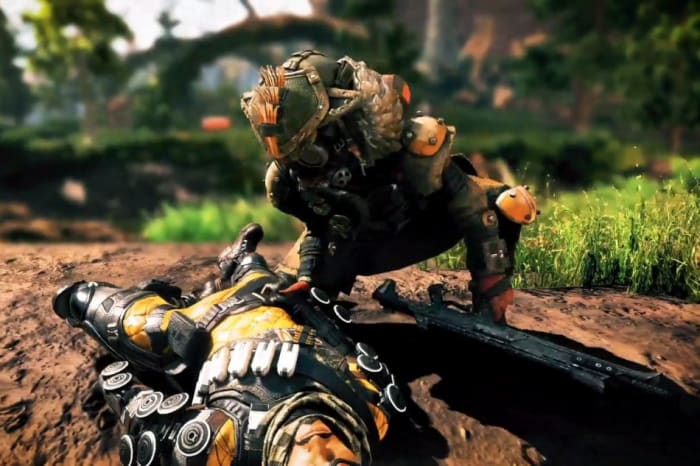
8. Bait with downed players

This is such a useful tip. As we mentioned in our intermediate tips, a downed player can still be extremely useful to his teammates. As such, now most players have learned to simply go for the kill rather than leaving them crawling on the floor pinging their every move.

Apex Legends revive
Punish players who foolishly run in to save their teammates

This makes killing them very tempting, but hear us out: Most teammates will come to help their fallen buddies, and that will lead them right to you – or more accurately to their friend. Use this bait to your advantage! Position yourself to expect them when they come charging in. If you’re playing Caustic this is an excellent time to place some traps.

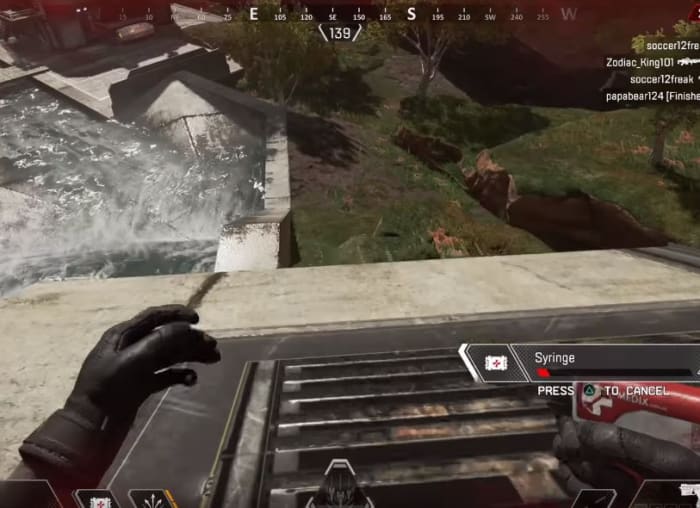
9. Ride the electric doors

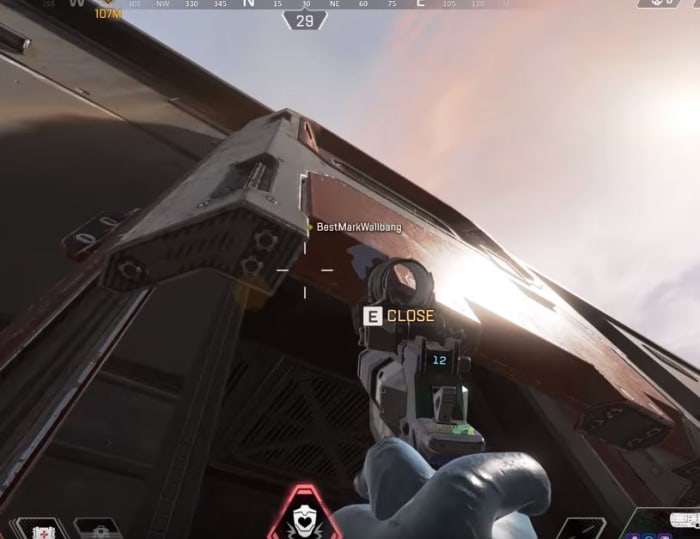
A simple tip for mobility, many of the buildings in Kings Canyon have big doors on them. These slide up slowly and are typically found on big warehouses like the Hydro Dam or Repulsor. Characters like Pathfinder or Octane will have no trouble scaling these warehouses, but the rest of the Legends can’t do so quite as easily.

Apex Legends sliding door
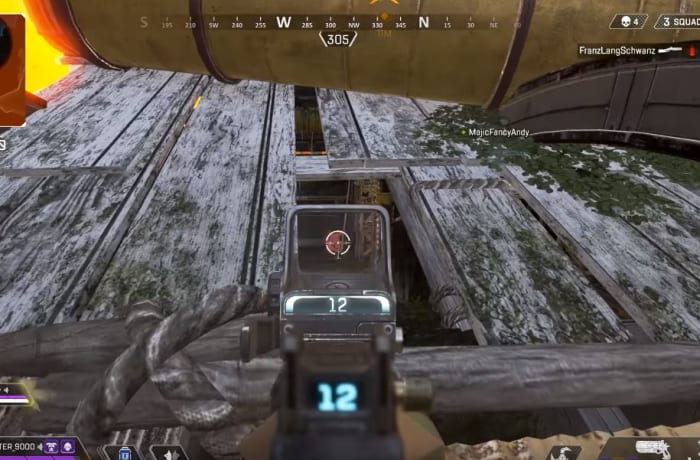
This door raises when opened. Be on top of it to scale the building!

If you get just the right angle, though, you can actually climb to the top of these doors before opening them. Look down at your feet once you’re standing on the threshold, and activate it with yourself on top! You’ll be able to ride to the top of the building. This is great for re-positioning and bamboozling enemy players, but is especially good early in the game when you’re trying to get loot quickly.

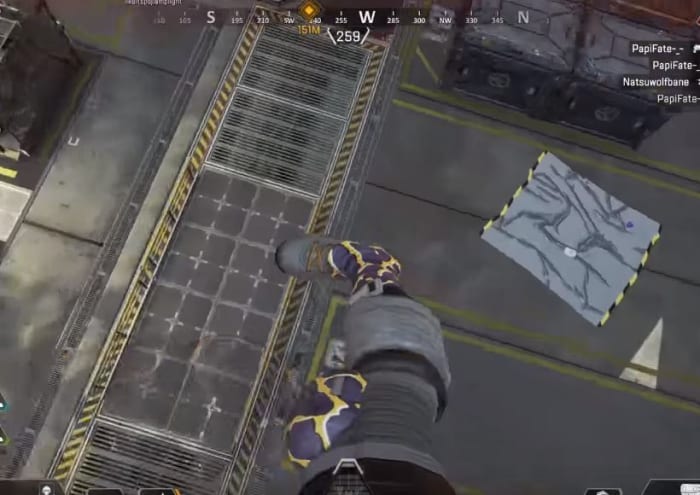
10. Hit the ground running

We mean that one literally. There’s no fall damage in Apex Legends, so obviously there’s no worry about leaping off huge buildings or hopping down cliffs. Once you actually connect with the ground though, you’re stunned for a little over a second. If you kick as you land, you can avoid the pause and ignore the stun effects. Don’t forget how awesome your Legend is!

Apex Legends aerial kick
Kick right as you land to negate the stun effect

And that wraps up our advanced tips guide! Stay tuned for more on Apex Legends, and don’t forget to check out our full character guide right here for more specific tips on each Legend:

Apex Legends: Who to unlock first?

Follow our guide to choose wisely.

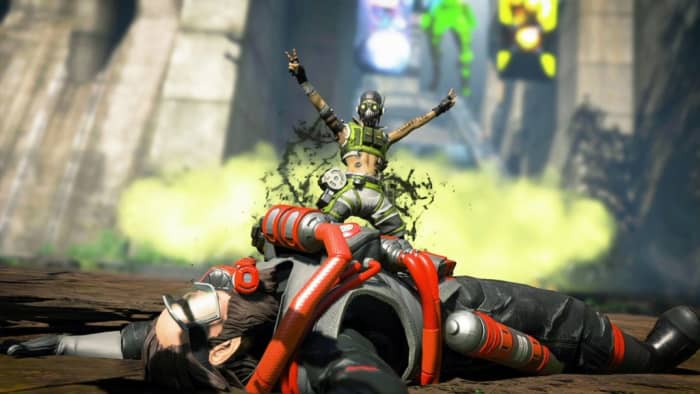
Apex Legends Octane

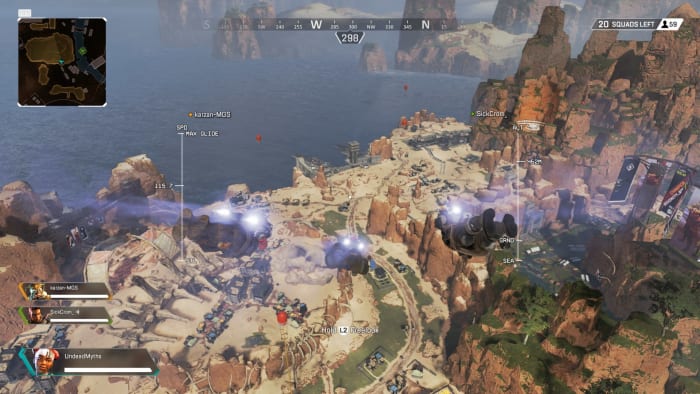
Apex Legends offers players nine different playable characters, but only six of them are available at the start. Mirage, Caustic, and Octane must be unlocked either through Legend Tokens or Apex Coins. As with other games from EA, this presents players with the choice of spending time (Legend Tokens) or spending money (Apex Coins) to get the extra Legend(s).

Apex Legends Free Download ►
9

How many Apex Coins to unlock Octane?

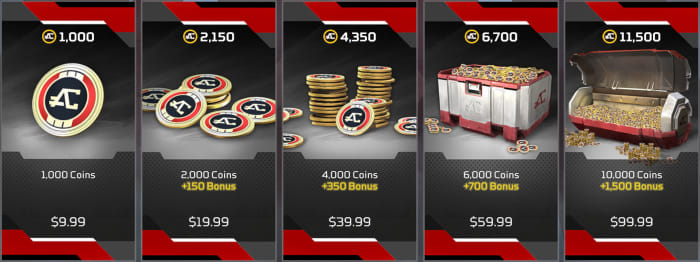
Apex Coins
1,000 is more than enough for one, but 2,150 isn’t enough for all three.

If you’re in no mood to play the grind game, you can also spend Apex Coins to get the three Legends whenever you like. Each one costs 750, and you can purchase a bundle of 1000 Apex Coins for $9.99. If you want all three heroes, though, you’ll have to go for the 4,350 Apex Coins bundle (and a +350 bonus for other in-game aesthetics), which will cost you $39.99. It’s a lot to pay for just three characters who are supposed to be equal in power to the others anyway, but hey, Apex Legends is a free game. If you think it’s worth giving some of your hard-earned cash, that’s up to you!

How many Legend Tokens to unlock Octane?

Mirage, Caustic, and Octane all cost 12,000 Legend Tokens, which depending on how often (and how well) you play, might take a while. Once you hit level 23 you should have enough Tokens to purchase one of these heroes, but again you’ll only have enough to get one; not all three. Which takes us to the point of this article:

Who to unlock first?

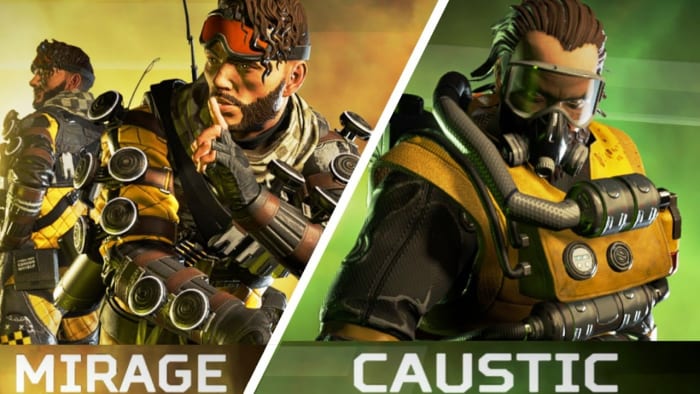
Apex Legends Mirage Caustic
Which character should you spend your Legend Tokens on?

If you do choose to earn your Legends rather than pay for them, the decision of which Legend to buy first will be a weighty one. The three characters all play very differently from each other, and there’s no clear winner as to which is “the best one.” But that’s not why you’re reading this article! Instead let’s go over the strengths of the Legends in question, and let their skills speak for themselves.

Mirage

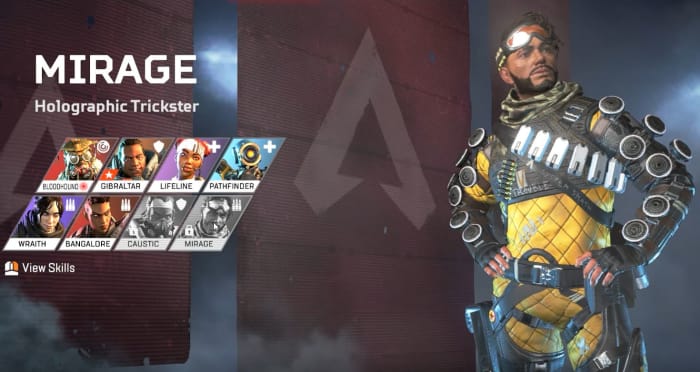
Apex Legends Mirage
Mirage focuses on bamboozling enemy players

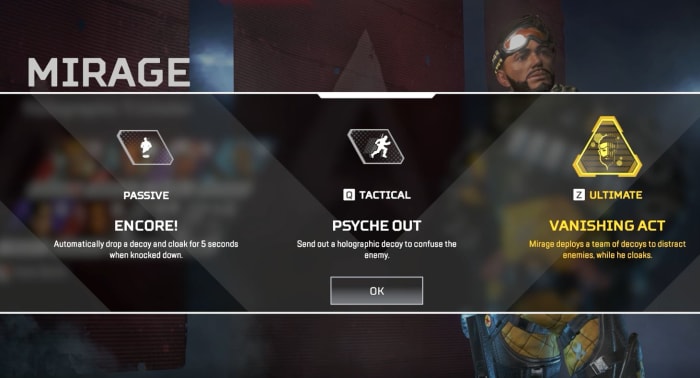
Mirage is the holographic trickster of Apex Legends, and excels in playing mind games with the enemy team. While he doesn’t have much in the way of actual defense (like Gibraltar or Wraith), his best solution is to draw fire away from him while he flanks from an unexpected angle. His tactical ability Psyche Out is the core of Mirage’s strategy, and fires off a decoy that fools and debuffs enemy players. His other two abilities are variations on the same theme, using decoys to trick unwary foes into making mistakes.

Apex Legends Mirage abilities

Mirage is a good choice if you think you’ll be good at using his holograms to open new angles and control the firefight through misdirection. It’s much more of a reactionary experience than the other two classes.

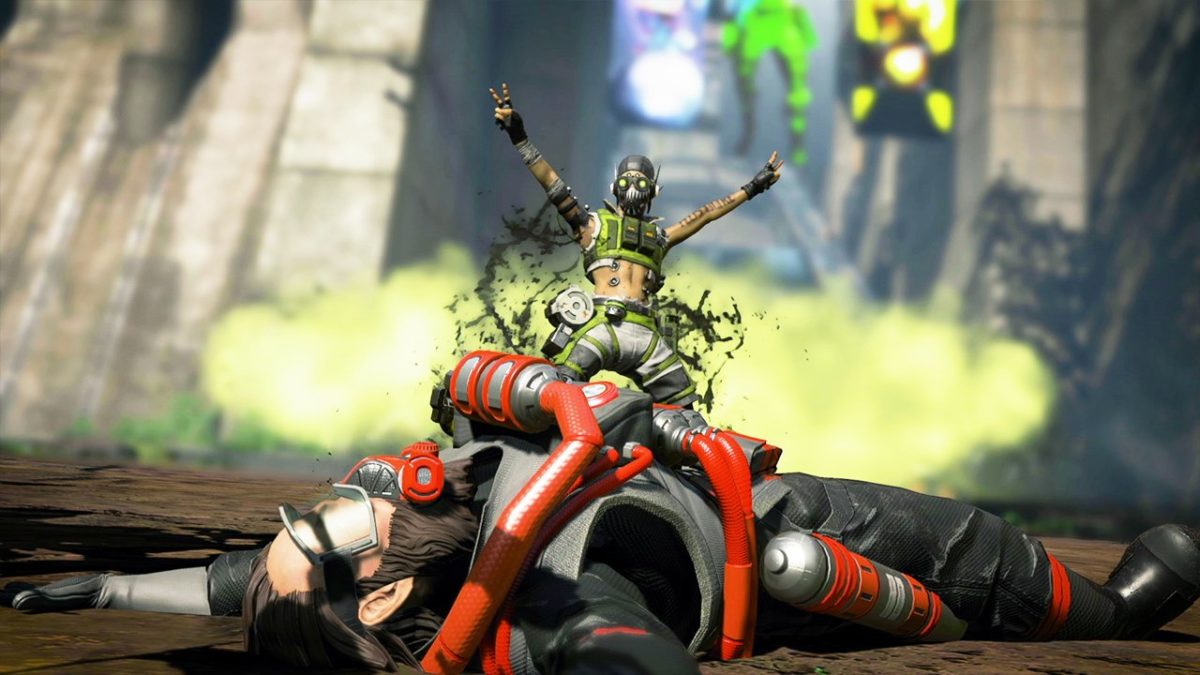
Octane

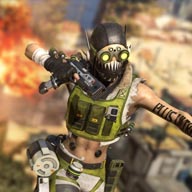
Apex Legends Octane
Octane focuses on speed and hit-and-run

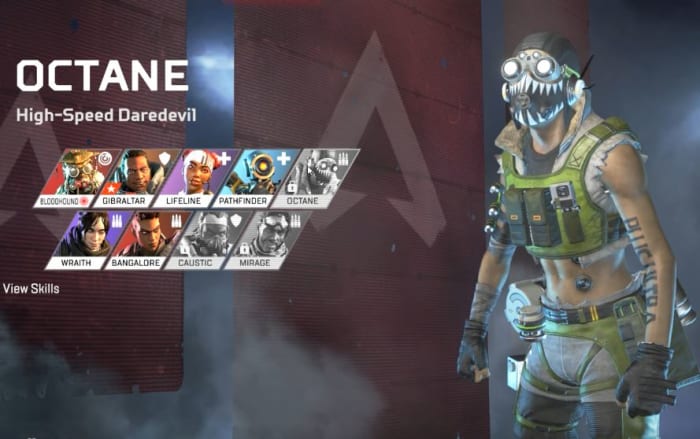
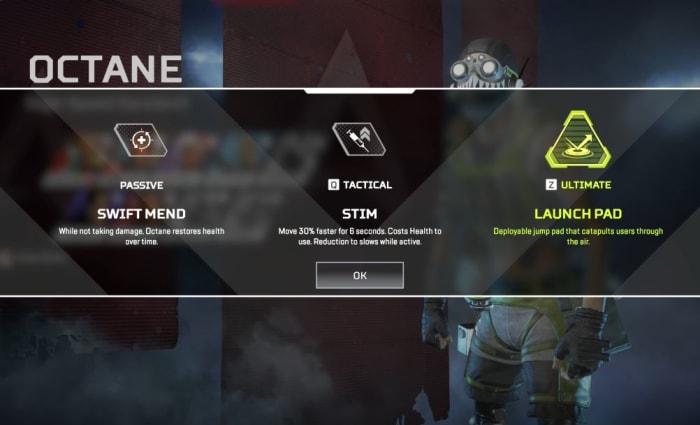
Octane is the high-speed daredevil, pulling out all the stops and opting for an extremely high-risk, high-reward play style. If you’re a natural at fast-paced shooter games and can operate under high pressure with low health, Octane will probably be your new favorite Legend. His biggest advantage is his Stim tactical ability coupled with his Swift Mend passive. The former grants him a hefty speed boost at the cost of health, and the latter heals him over time – very slowly. Swift Mend heals Octane slowly enough that if you OD on Stim, it won’t be able to save you from yourself. But go off the deep end for speed’s sake at the right time, and you can pull off some dazzling maneuvers that no other Legend can match.

Apex Legends Octane abilities

Pick Octane if you’re looking for a high-adrenaline, fast-paced shooter experience where you toss your own well-being to the wind in favor of crazy streaks, insane mobility, and verticality. YOLO, right?

Caustic

Apex Legends Caustic
Caustic brings battles to his doorstep, using gas to weaken his foes.

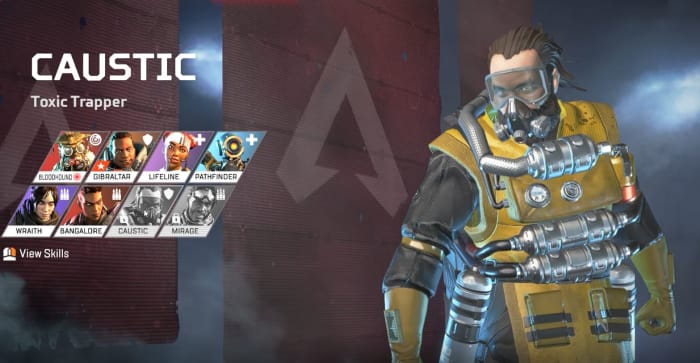
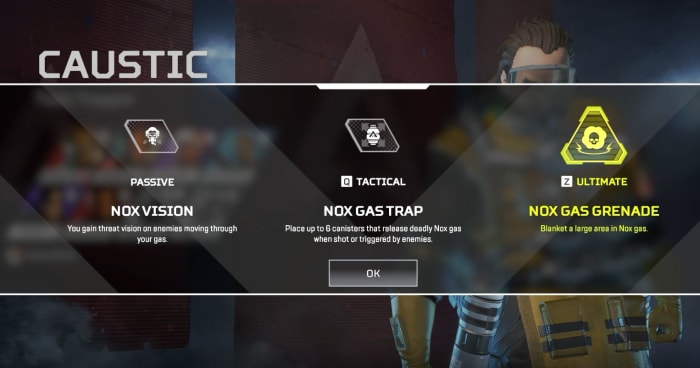
The antithesis of Octane, Caustic caters to a very different crowd than Octane or Mirage players. While the other two run around using holograms and adrenaline bursts to flank and move around enemies, Caustic is a toxic trapper who instead lures enemy teams, funneling them into his zone of control. In that zone of control Caustic is a force to be reckoned with, placing Nox Gas Traps around a chosen area which damage and debuff affected enemies. He’s a big target and he moves slow, so your success in-game is really going to come down to where you place your traps, how you use your poison to gain the upper hand, and whether you can survive long enough to whittle the map down to a small area where you can truly dominate.

Apex Legends Caustic abilities

If you’re not great at fast-paced shooter games, and don’t perform well under pressure, Caustic is probably the safest bet for your first unlocked Legend. Just remember that he’s just as squishy as the other two, and the only way to make the most of him is to make frequent use of his gas.

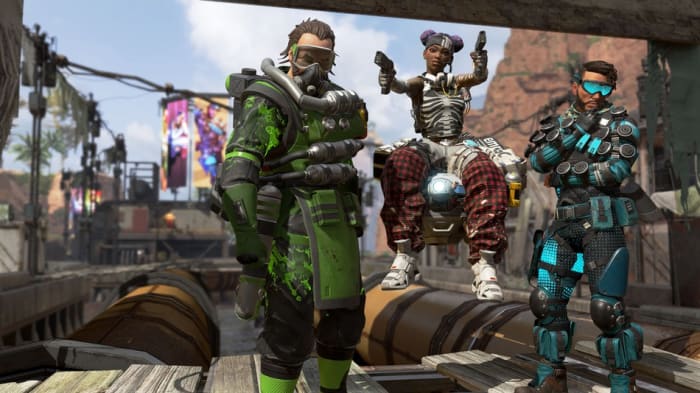
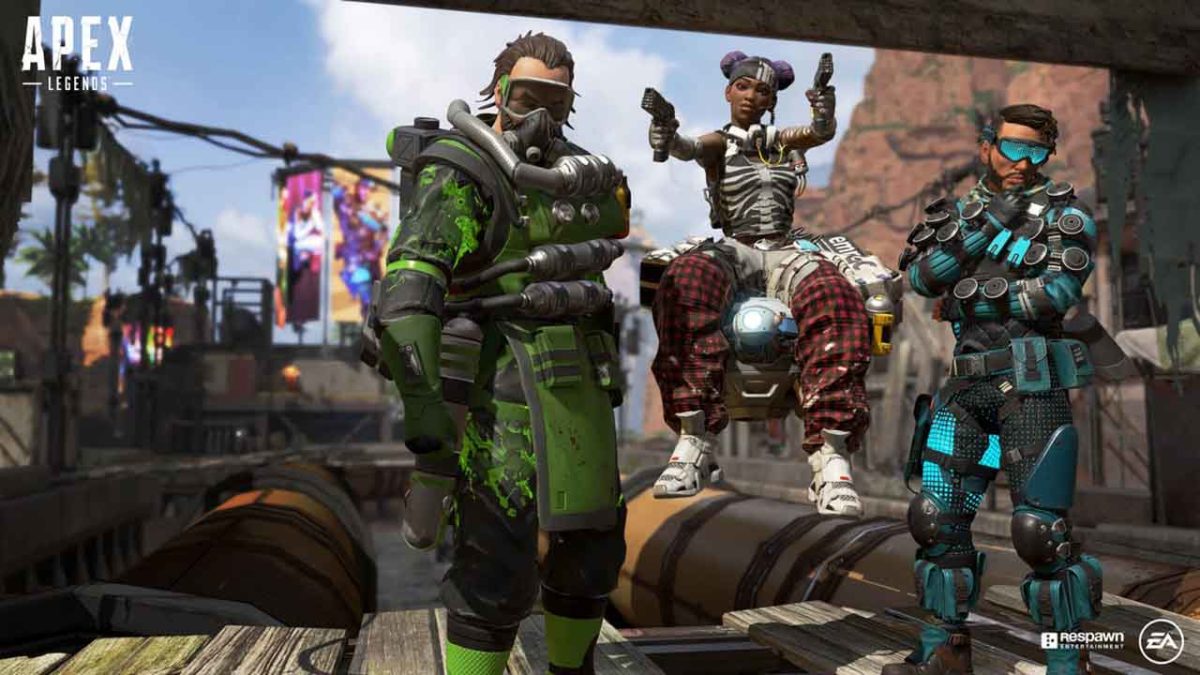
Apex Legends Caustic Lifeline Mirage
Remember that you’re still playing with a team. Or maybe you’d rather not?

Who is the best Legend? The choice ends up being pretty subjective, and unfortunately, there’s no way to test out each character before unlocking them. As such, the best way to determine who’s best for you is to ask yourself three questions:

1. Are you a more offensive or defensive player?

If you’re more defensive, choose Caustic. If you’re more offensive, then question number two:

2. Do you focus more on your movement or the enemy’s?

This is a tricky question since the answer is, instinctively, “both.” But carefully consider the firefights you’ve had. Do you try to press the attack with characters like Bangalore or Pathfinder? Or do you try to survey the scene like Bloodhound? If you focus on your own movement, take Octane. If you focus on where other players are, opt instead for Mirage.

3. How much do you rely on your team?

The last question is probably the biggest one: Do you find your strategy to rely heavily on what teammates you have? There’s a place as a teammate for all three of these characters, but Octane really presses the boundaries and often does better scouting far ahead of his team and using his speed to engage or escape from encounters that his teammates cannot. If you like the team cohesion, you might not be fond of the way Octane angles you to play.

Which Legend are you going to choose? Let us know in the comments below, and we’ll see you in Kings Canyon!

Apex Legends intermediate tips

Ready to take your game to the next level?

Apex Legends

Apex Legends has been out for less than a month and it’s already taken the battle royale crowd by storm. With over 50 million players in just a few short weeks, the title has had an incredible launch, and people are quickly getting the hang of how the game plays and how it differs from other battle royale titles such as PUBG or Fortnite.

Apex Legends Free Download
9
Don't have Apex Legends yet? Get it here ►
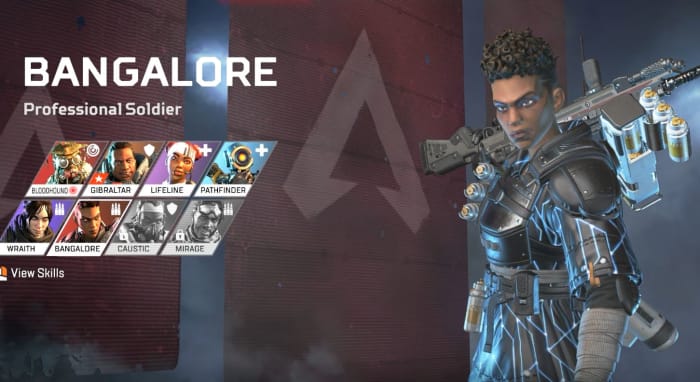
This guide is for players who already know the ropes, but are looking for new tips to keep a step ahead of the competition and survive longer than the other malicious teams roaming Kings Canyon. If you are brand new to the game, we recommend first checking out our beginner guide below. Without further ado, let’s jump in:

10 tips to keep you ahead in Apex Legends

1. Down, but not out

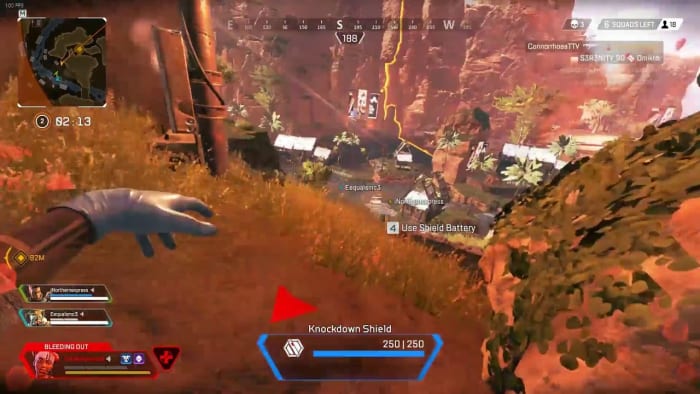
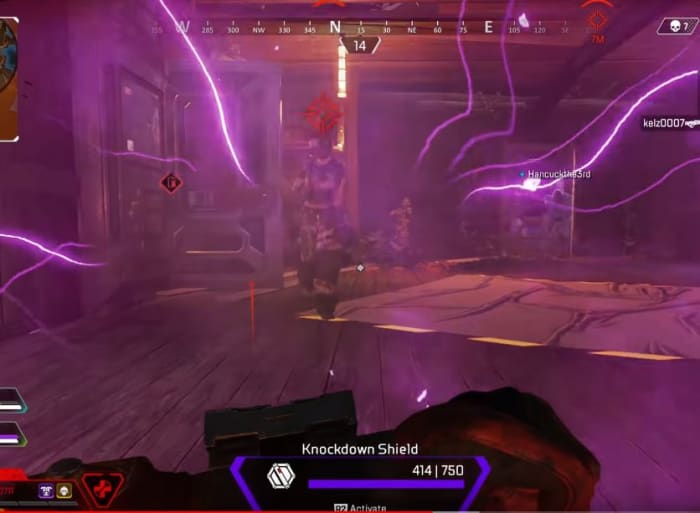
Apex Legends isn’t Fortnite. When you get downed by an enemy player, you’re not out of the game. First off, you can throw up a knockdown shield to repel enemy shots. This can keep you from being completely finished off, and dissuade opponents from taking that extra time now that you’re not as much of a threat.

Apex Legends knockdown shield
You can be an irritant to enemy players even when downed.

Second of all, you can still help your team even when you’re on the ground. You can still ping locations, targets, give tactical feedback over your mic, and even open and close doors. Prove your worth, and they’ll be more likely to revive or respawn you!

2. Outfit your squad

It’s pretty instinctual to gear up for a fight as soon as you hit the ground, so there’s no need to go over that. However, just because you happened upon that blue armor or that purple stock doesn’t mean your teammates have gotten as lucky. Remember that you really need to move and fight as a team to win a match, and giving that Ultimate Accelerant to Lifeline might end up saving your own life later on.

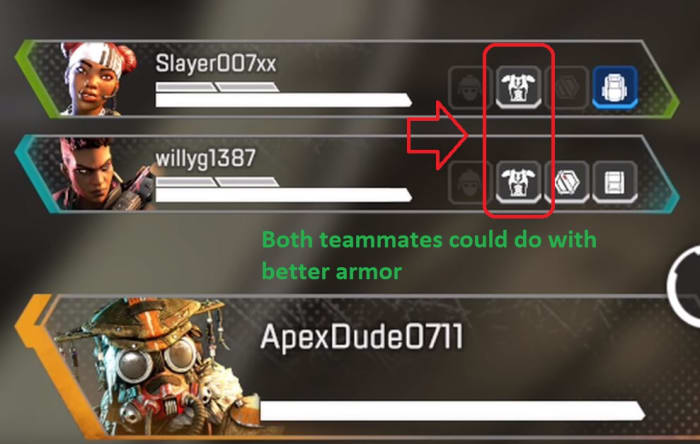
Apex Legends team inventory HUD
Already have a blue helmet? Give the next one to your squad.

At any time you can peek at the bottom-left of your screen and see what your teammates are equipped with. If you chance upon higher-tier loot than they have, give it a ping and they’ll make a beeline for it. This is especially useful early in the game when not everyone has a helmet, backpack, or armor.

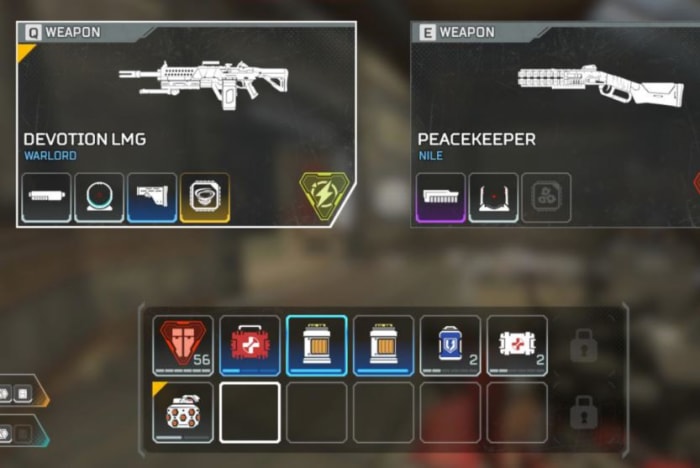
3. Know what inventory stacks

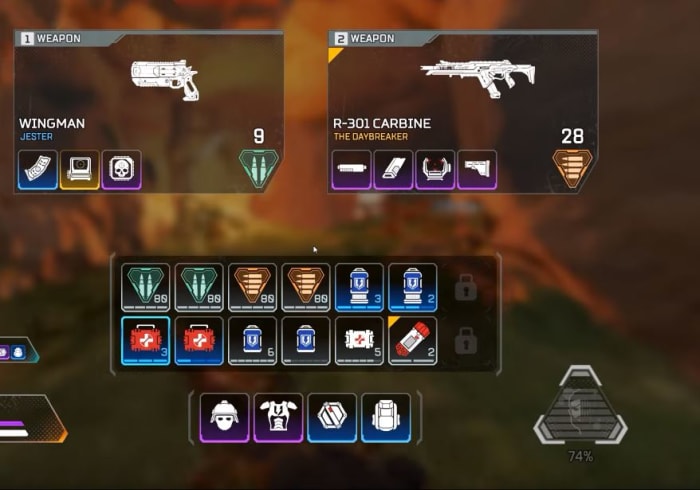
A lot of inventory items in Apex Legends stack, so you may well be able to carry more than you’d at first think, glancing at your backpack space. You can carry two grenades in one slot (as long as they’re the same type), six shield cells per slot, four ammo packs per slot, three medkits per slot, and six syringes per slot.

Apex Legends inventory
You can only carry one armor, but you can carry a lot of syringes

Try and maximize the number of health and shield kits you can carry, while still keeping a couple of slots open for extra grenades, accelerants, or rare upgrades. If you wind up switching guns later on, you might also consider dropping useless ammo or attachments in favor of more space for shields or medical supplies – especially late in the game. Don’t forget to ping dropped items that your teammates might want!

4. High-tier areas

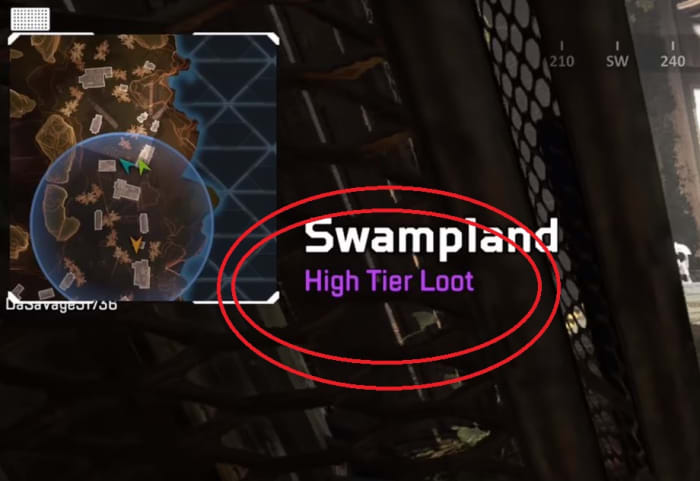
By now most players know to follow the gun ship or land in the blue circle to get the best loot right off the bat (or to avoid those areas, depending on your play style). What some players do forget, however, is that whenever you enter a new location, the name of that location appears on the top left of your screen, and beneath it, how good the loot is.

Apex Legends high-tier loot area
Don’t ferret through areas if there’s nothing there worth taking!

If you walk step into Water Treatment and purple “High Tier Loot” comes on-screen, you might consider lingering here and opening up a few crates before moving on. If you’re playing Bloodhound, this is also a good time to scout out the area and see who’s already been here, and what they took with them.

5. There is no friendly fire

Obviously, there is no friendly fire in Apex Legends, but that also extends to your ultimate abilities. While you probably weren’t actively trying to bombard your teammates from orbit, you may not have considered dropping that bombardment on your own location when you get ambushed.

Apex Legends Bangalore Ultimate Rolling Thunder
You can rat out enemy players while your teammates run right under the bombardment

This is an especially good strategy if you’re playing Caustic, Bangalore, or Gibraltar. If you’re playing Gibraltar, you can also put up your shield to lure enemies out of the bombardment – and right into the barrel of your Peacekeeper.

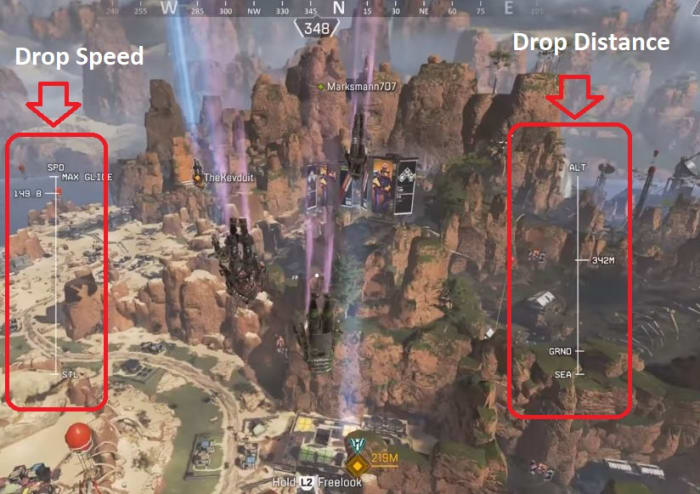
6. Drop faster

If you already know where you want to land, or if you want to hit those high-tier spots before your enemies, the only way to do that is to hit the ground before they do. Flying straight at the spot you want is counter-intuitively not actually the fastest way to get there.

Apex Legends drop strategy
Zig-zag as you drop to maximize speed and distance, and keep other players guessing.

If you nosedive it will increase your fall speed. Then level out and go horizontal again towards the intended area. The zig-zag pattern this creates will get you where you’re aiming as fast as possible. Careful not to aim down too much, though; you might hit a wall or miss your target.

7. You can heal while sliding

Like we covered in our beginner tips, sliding is hugely important for traversal in Apex Legends. Experienced players will use it to get around more quickly and safely, while minimizing their time exposed and out in the open.

Apex Legends heal while sliding
Take care of your health and shields while you’re on the move!

To encourage sliding, Respawn also decided to let players reload guns, heal, use shield cells while sliding. Instead of sitting there out in the open or crouched behind cover, healing while moving is a great way to flank and recharge at the same time, getting to the next fight quicker and stronger. This is especially good for Lifeline since she can use these items faster.

8. Keep spare supplies for revived teammates

Apex Legends lets you respawn dead teammates at beacons, but when they show up they’ll be without any items, just like they were at first drop. Now that it’s later in the game, they’re really poorly equipped to fight the better-outfitted competition.

Apex Legends inventory
Respawning teammates also gives away your position, so get them re-equipped to fight ASAP!

More forward-thinking players might stock up on extra shield cells, med kits, syringes, and ammo so that re-entering teammates can quickly snatch it up and get back in the action. You can also ping supply crates, dropped weapons and items, or player boxes to give them a heads-up.

9. Shoot through rooftops

For whatever reason, housing in Kings Canyon isn’t great and the roof is in serious need of extensive repairs. Many of the structures in Apex Legends have missing shingles on the roof, and besides just a neat aesthetic, it’s a clever way to get the drop on enemies who thought they were behind cover.

Apex Legends shoot through roof
Poor Lifeline thought she was safe.

This is a great approach for any players skilled in parkour, but is much easier to employ if you’re playing as Pathfinder. Just use the grappling hook to get above your enclosed targets, and open the fight by tossing in a few arc stars or a thermite charge.

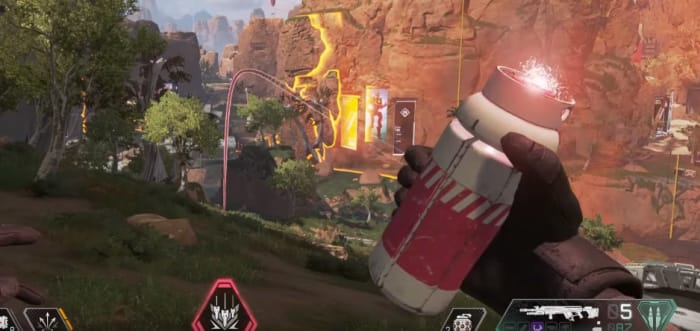
10. Break Caustic’s traps

Fighting a good Caustic player can be harrowing, especially late in the game when there’s not much space to maneuver in. His Nox Gas Traps can damage you, blur your vision, reveal your location, and slow you; all around not a good look for you. Luckily there’s a way to sabotage them so they don’t burst on you.

Apex Legends Caustic Nox Gas Trap red
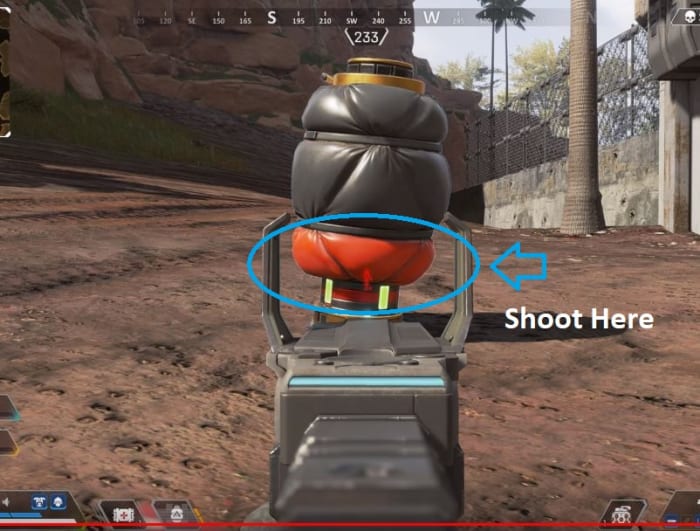
Shoot the red segment and the bag won’t burst.

If you shoot Caustic’s traps on the red marks towards the bottom, you’ll break Caustic’s trap without triggering them and debuffing yourself. Not only does this keep you safe from his debilitating effects, but it also might surprise him; some player set up an ambush for you, and you’re walking right through it without setting it off. Don’t be surprised if you catch Caustic off-guard shortly after.

Hopefully, these tips will keep you alive and in the match longer! Let us know in the comments below if there’s any strategies you’ve found, and we’ll see you in Kings Canyon!

Is Apex Legends better than Fortnite?

Which battle royale game gives you the most bang for your buck?

With over 50 million players and counting, Apex Legends has taken the online gaming community by complete storm. When you have a well-crafted battle royale game backed by a triple A company and the game is released as free to play, it’s no surprise that the title would rise to the top. It’s a milestone for sure, but obviously, EA and Respawn Entertainment aren’t the first to do it. It’s a formula that PUBG did, that H1Z1 did it, and Fortnite has been absolutely killing it with. So now for the question that’s on everybody’s mind now that Apex Legends is on the up and up: “Is Fortnite on its way out?”

Apex Legends Free Download
9

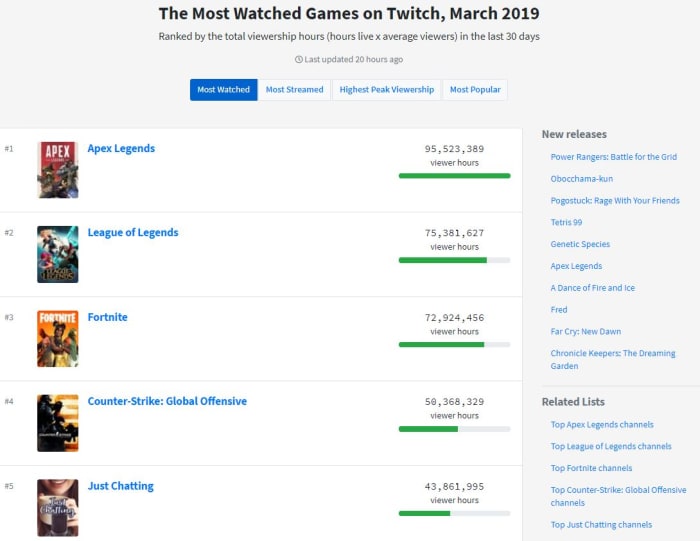
It’s definitely way too early to say, but the competition is surprisingly fierce – probably fiercer than Epic Games had expected. To EA’s credit, releasing Apex Legends during the slow period of Fortnite’s long seventh season was a stroke of genius. Many bored Fortnite players picked up Apex Legends just to see what the hype was about, and whether this battle royale game was better than the reigning champion. Evidently, many found this to be the case, as it’s climbed up to the top of both Twitch’s ‘most watched’ and ‘most popular’ lists, Fortnite falling to third on both counts:

Most watched games Twitch March 2019

One might think that the opening weeks aren’t any real indication of a game’s longevity or quality, but the frank truth is that PUBG never did recover from Fortnite’s initial splash. Like any good battle royale player, though, Epic Games was quick on the trigger, and is already working to reel their audience back in.

How?

With lots of money (offered to players as rewards through tournaments) and by directly incorporating some successful Apex mechanics into Fortnite, namely the game’s ping system. Rumors are also circulating about Epic Games putting in Apex Legends’ respawn system in a coming update.

Fortnite leaked respawn beacon
An upcoming respawn mechanic in Fortnite might look like this.

So who wins when two titans duke it out, trying to endlessly one-up each other?

We do!

A new free contender in the battle royale genre? That just means more opportunities to hop online and see which game we like better! In the end, that’s kind of the best way to look at things: Neither game is objectively better than the other; they both offer different facets to the experience.

Comparing Fortnite to Apex Legends

Graphics

Fortnite Apex Legends graphics comparison
Apex Legends takes on a less “arcadey” aesthetic than Fortnite

Apex Legends is obliquely set in the Titanfall universe, and carries some of the grit and more realistic character models with it. Fortnite fully embraces its unique visual aesthetic, and bumps the zaniness to 11 with players running around dabbing, riding chicken parachutes, and dressed as bananas.

Perspective

Fortnite Apex Legends perspective side by side
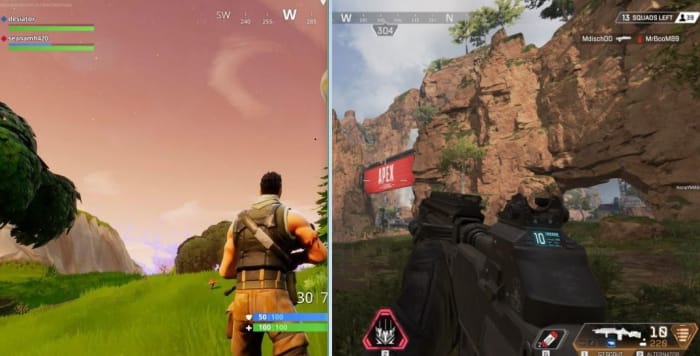
3rd-person shooter, or 1st-person shooter? You pick.

Fortnite plays in 3rd-person, while Apex Legends is the more classic 1st-person shooter. This means the player perspective in Apex Legends in smaller, and their view cone thinner. As with the graphics, Apex Legends is trying to push for a more realistic, less arcade experience.

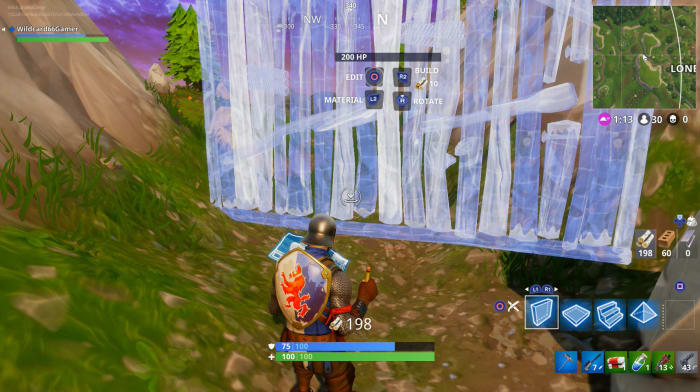
Fortnite has building

Fortnite building
There is no building or resource mining in Apex Legends

Players making the switch from Fortnite to Apex Legends will immediately notice the lack of a building mechanic. Some will be frustrated with the limited mobility (Apex doesn’t have vehicles, either), but others will glad to return to the genre’s shooter roots without having to worry about building battles or resource acquisition.

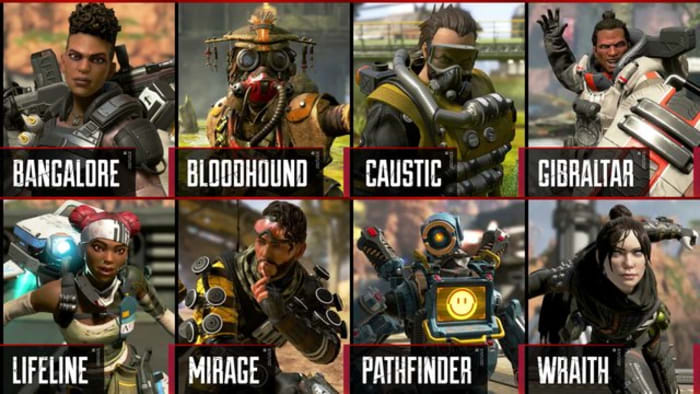
Apex legends has classes

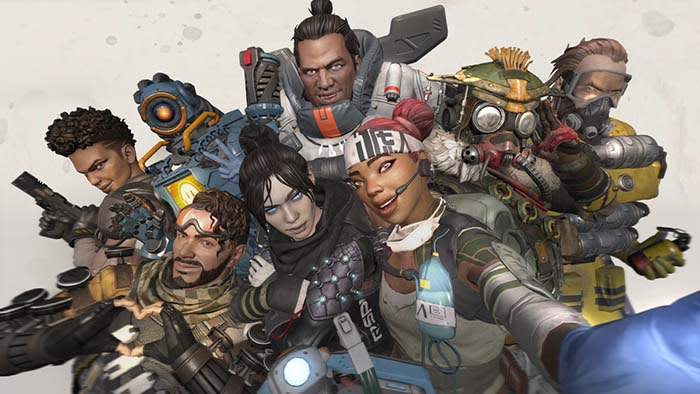
Apex Legends characters
Eight classes, eight play styles. More are on the way.

Apex Legends has eight (with more incoming) different Legends you can play as, each with their own unique perks and passives. This dramatically changes player encounters, and adds a fresh element to the mix (though Fortnite players might argue that building served much the same purpose).

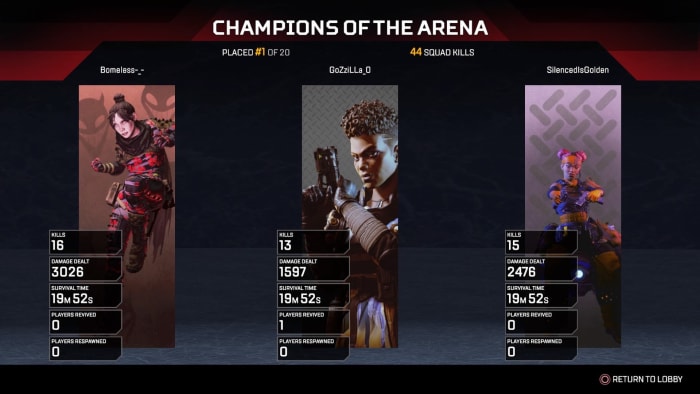
Squad gameplay is mandatory in Apex Legends

Apex Legends champion squad
The strength of the pack is the wolf, the strength of the wolf is the pack.

Sure, you can free fall onto a different part of the map than your buddies, but that happens pretty rarely. In Apex Legends you’re not alone; you’re on a squad of three players who are your only chance of getting back into the fight if you’re downed or killed. This offers a (weighted) chance to get back in the ring that many players will be excited to have, but other players may find it frustrating to kill the same players multiple times per game.

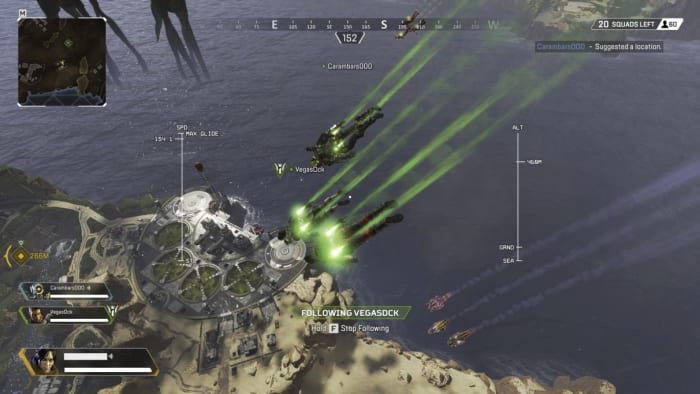
Fortnite has more people per match

Apex Legends free fall drop
Since Apex Legends isn’t a free-for-all, there are fewer players

There are 100 players in a Fortnite Battle Royale match, and there are only 60 players per match of Apex Legends, a little over half the people, and therefore half the chaos. Combine that with the fact that many players go solo in Fortnite, and you’re looking at a much more frenetic experience.

Cosmetics

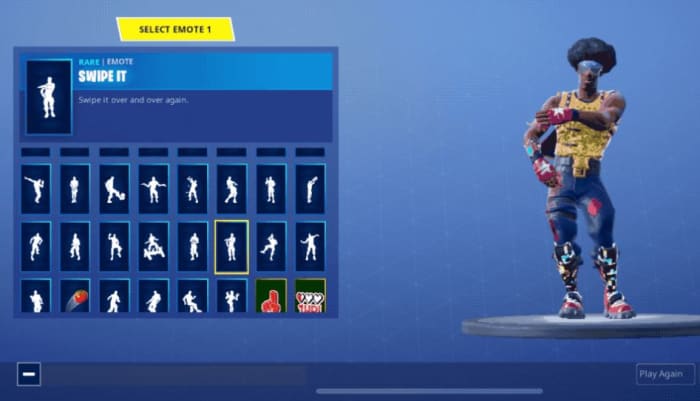
Fortnite dance emotes
We’re probably not going to see Caustic or Wraith ‘swipin’ it.’

Like Fortnite, Apex Legends is 100% free to play, but offers aesthetic upgrades to player skins, weapon skins, finishers, and emotes. Fortnite’s got a huge array of character customization, ranging from cool, to pop culture references, to absolutely ludicrous. Everyone’s got a lot of personality in Fortnite, and so far that’s not the case with Apex Legends. This comes as the result of Apex Legends already having eight established and fully voice-acted characters, though.

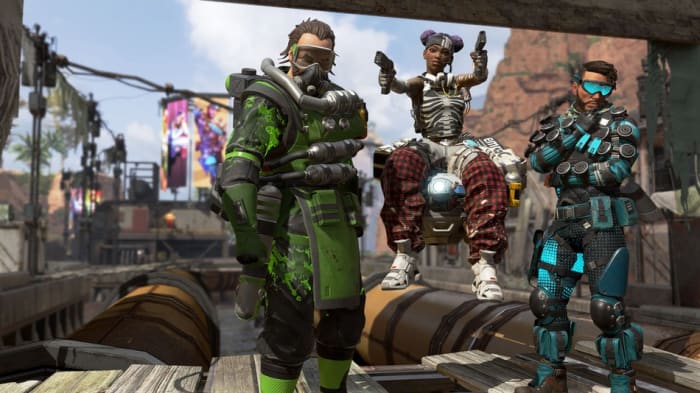
Apex Legends trailer Mirage Wraith Pathfinder
Each Legend has a fully voice-acted personality.

Right now Fortnite also has the advantage of multiple game modes, a larger community, and most importantly a name and culture behind it. Apex had a great launch and established themselves as a true competitor to Fortnite, but Fortnite is a game that’s held that top spot for years. Given the huge cultural phenomenon that Fortnite has become – and moreover, its continued popularity this long after launch – it’s not going to be that easy for Apex Legends to swoop in and steal the crown.

Fortnite Free Download
9

In the meantime, enjoy the fruits of the competing companies’ labors, and drop into whichever game is your favorite. Let us know in the comments below which game that is, and we’ll see you online!

Apex Legends beginner tips

Ready to jump into Apex Legends? Here’s all you need to know.

apex legends

Unless you’ve been living under a rock the past few weeks, you’ll have heard about Apex Legends: Respawn Entertainment’s new battle royale game published by EA. During the company’s development of Titanfall, the sudden success of battle royale games like Fortnite and PUBG, the dev team decided to take the genre into their own hands and the concept of Apex Legends was born. Like Fortnite, Apex Legends is free and can be downloaded with an Origin account literally right now. Get the game here, join the crowd of over 5 million gamers, and see what the buzz is about!

Apex Legends Download FREE ►
9

Apex Legends is a new take on the battle royale genre, so it’s got a lot of familiar elements if you’ve played a game like Fortnite before. It’s a king-of-the-hill, one-versus-many, survive-to-win type deal where the battlefield shrinks as the match goes on, forcing players into an inevitable confrontation for that elusive top spot. Games start with the typical free fall into a vast map filled with varying tiers of loot and gear, and your success is not dependent so much on your killstreaks and aim, but more on your ability to survive and to know when to strike.

Apex Legends drop
Fortnite players will be familiar with this view

What’s different from Fortnite?

Apex Legends Bangalore
Bangalore uses smoke grenades and airstrikes to root out enemy teams.

The biggest difference between Apex Legends and Fortnite is that Apex Legends requires you to play on a three-person squad. While Fortnite’s battle royale mode allowed for this as well, Apex Legends endeavors to start you off with a full trio each drop. This is to emphasize the second biggest change from Fortnite: Apex Legends has a class system with eight different playable “legends.”

We’ll get more into their unique skills a little further down. Other broad differences include basic movement, pinging, respawning (which has limitations). Fortnite fans will also immediately notice the building mechanic has been removed entirely from the experience. Will some master builders will be sad to see the element gone, others will be happy to see a more classic FPS experience.

Now that the basic differences are out of the way, let’s dive in.

10 tips to get you started in Apex Legends

1. Know your character, know your team

Like we mentioned before, Apex Legends features eight different classes, each of which is unique and plays very differently than the others. If you play Pathfinder the same way you play Gibraltar you’re going to do poorly against more experienced players. For the patient players, the best way to find your favorite class is to simply play the game a lot. Get the feel for each, then decide which are your favorites.

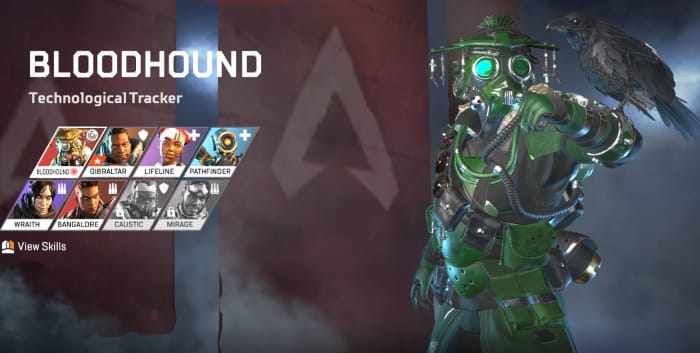
Apex Legends Bloodhound
Bloodhound excels at recon and tracking.

For the less patient, you can get a quick overview of each character’s three abilities (as well as their aesthetic customizations) under the “legends” tab on the main menu. Once you’re familiar with the characters and their abilities, try and think a little more macro as your team chooses their classes: How does your character benefit from theirs? How can you enhance their play style? What items should you prioritize, and which ones are better given to someone else?

Bangalore, for example, can use a sniper rifle, but she’s probably better off with a shotgun or SMG. Save the sniper rifle for Pathfinder and the Ultimate Accelerant for Lifeline.

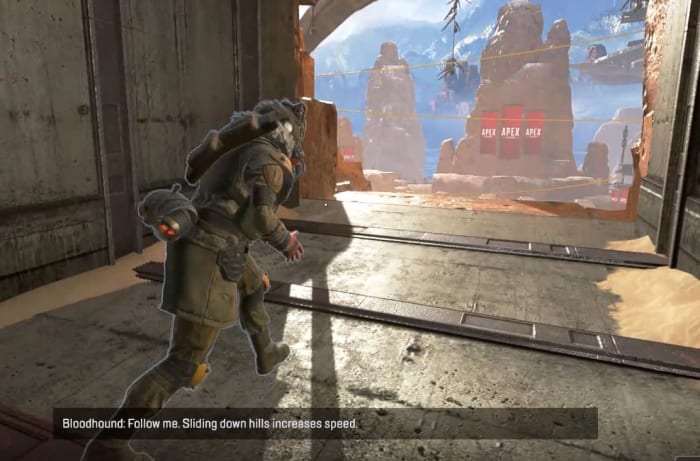
2. Slide

Movement is huge in Apex Legends, and the difference between a stationary target and one that is moving and sliding is night and day. If you tap “crouch” while sprinting, you’ll begin to baseball slide along the ground. This is a great way to evade gunfire, but more importantly is a way faster way to get around, particularly in more vertical areas of the map.

Apex Legends tutorial slide
Experience players spend more time sliding than shooting.

You can also slide way further than you’d think at first glance, which pretty much ensures that Respawn wanted this to be an integral part of the game. Next time you’re in a hurry or are under fire, stop sprinting and start sliding!

3. Holster your guns

An unusually realistic aspect of Apex Legends is that your characters can sprint much faster if their weapons are unequipped. As long as you’re not in a firefight you’re probably better off leaving your gun in its holster. You’ll move significantly faster, and as we said before, you’ll spend way more time moving during a match than you will firing your gun.

Apex Legends sprint weapon away
If you’re going to be running for a while, holster your weapon.

It’s also worth mentioning that while putting your gun away will increase your speed, all characters move and sprint at the same speed. You wouldn’t think it at first glance, but Caustic and Gibraltar can run every bit as fast as Bangalore or Lifeline.

4. Ping

Since Apex Legends capitalizes on teamwork and communication, the ping system is a huge component to your team’s success and survival. You can ping practically anything in the game – locations, enemies, weapons, armor, supply crates, and drop spots. If there’s something you see that’s worth mentioning, you’re always better safe than sorry. If you see it, ping it. This is especially true if you don’t want it or if you see that your teammate needs it.

Apex Legends ping tutorial
Ping items, enemies, and locations so your teammates can see them.

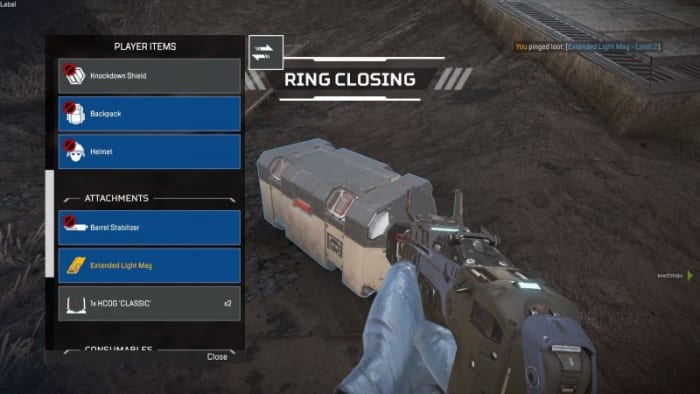
You can help yourself out by doing this, too. If you open up your inventory you can ping a bunch of different components, such as shields, health, ammo, or armor – even weapon attachments. This will alert your teammates that you’re actively searching for something. If they see it while scavenging, they might just ping it to let you know it’s up for grabs.

Apex Legends ping inventory
Open your inventory and ping items to tell teammates you’re searching for them.

5. Relocate with balloons

Scattered around the map are big red balloons. At any time you can go up to one, zip up the rope, and propel yourself back into the air, just like you did at the start of the match.

Apex Legends balloon
Activate these to launch yourself back up into the air.

This is handy if you’re trying to relocate quickly, or if you suddenly find yourself outside the ring. Be careful, though; you’re a pretty obvious target to anyone looking up.

6. Break the loot bots

While you’re scrambling for loot, you should also be on the lookout for loot bots. They’re typically found indoors tucked away in corners or behind staircases. Strike them with your melee attack and watch the leveled goodies burst out.

Apex Legends loot boxes
These are the piñatas of Apex Legends

7. Stick with your squad

Everything is awesome. Everything is cool when you’re part of a team. Apex Legends is meant to be a team-based battle royale, as opposed to the typical free-for-all. Character abilities work best in conjunction with each other, and pinging objects that are nearby is far more useful than pinging something across the map.

Apex Legends squad
Don’t play the lone wolf in Apex Legends. It means no one has your back.

Let’s also state the obvious: If you get surrounded by three enemy players with higher-tier loot than you, you’re probably going to die. Having teammates available to flank enemies, revive you when you’re downed, or trade supplies with you is a huge help.

8. Mod your weapons

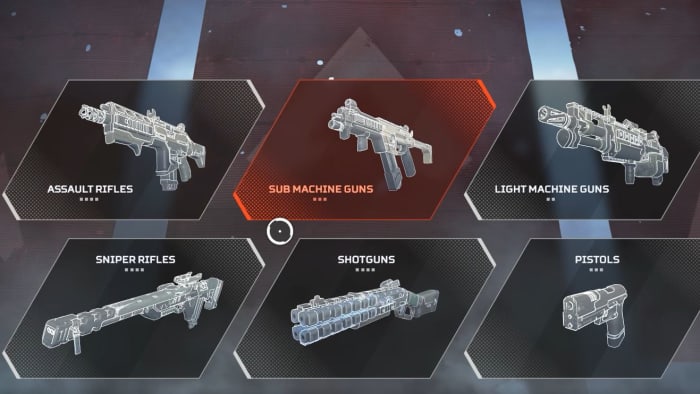
There are dozens of weapons in Apex Legends, and all of them support modifications that you can find lying around the map. Sometimes they’ll alter the way your scope looks, sometimes it’ll extend your clip size, sometimes it will even completely change the way your gun fires. Before you throw away an upgraded gun for one that you just like better, weigh your choice carefully.

Apex Legends weapons
Modifications lying around the map come in different tiers too.

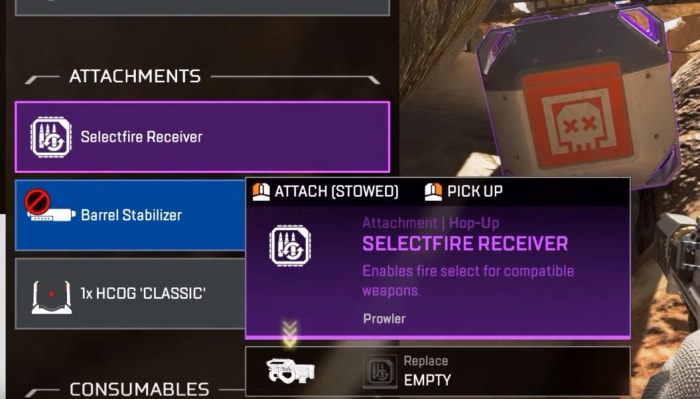
Some attachments like the Selectfire Receiver can even transform a burst-fire gun into a fully automatic weapon, which opens up entirely new possibilities for tactical weapon pairings.

Apex Legends Selectfire Receiver
The Selectfire Receiver allows you to select different firing options

9. Damage is color-coded

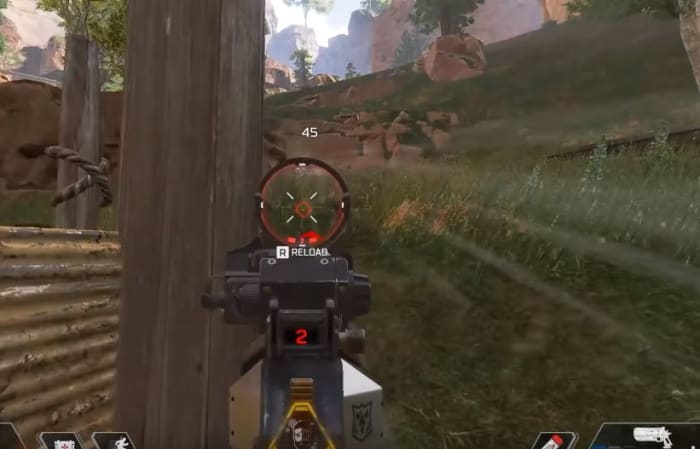
By default, Apex Legends has hovering numbers over enemies as you shoot them. These numbers obviously indicate how much damage you’re doing to them, but it actually tells you more: The color of these numbers indicates what tier of armor they have equipped – white, gold, blue, or purple. If the numbers are gold it means you’ve scored a headshot.

Apex Legends colored fire indicator
Switch ‘stacking’ to ‘floating’ under the Settings menu for a accurate damage output reading.

The higher-tier shields do not offer superior damage negation, by the way; it just means the shield will last longer. If you see purple, go for it.

10. Crates are color-coded, too

Lastly, when you defeat an enemy the color of their crate will match the level of the highest-tier loot they were carrying. If the crate is blue, for example, it means they were running around with that some form or other of gear at that level.

Apex Legends legendary crate
If you see a gold crate it means this player had a legendary item you can take.

If you’re in a hurry, prioritize searching crates that are purple or gold first. You can always ping these crates to return to them later, or so your teammates can find them.

As a final word, don’t be afraid if you end up head-to-head with high-level players. Their banners might show outrageous killstreaks or rare armor, but this actually has no bearing on their combat efficiency; it simply means they’re more experienced players. With the exception of Mirage and Caustic, the only unlockables in Apex Legends are aesthetics for your character, guns, finishers and emotes – none of which have any effect on how much damage your weapons do, or how much health you have on the battlefield.

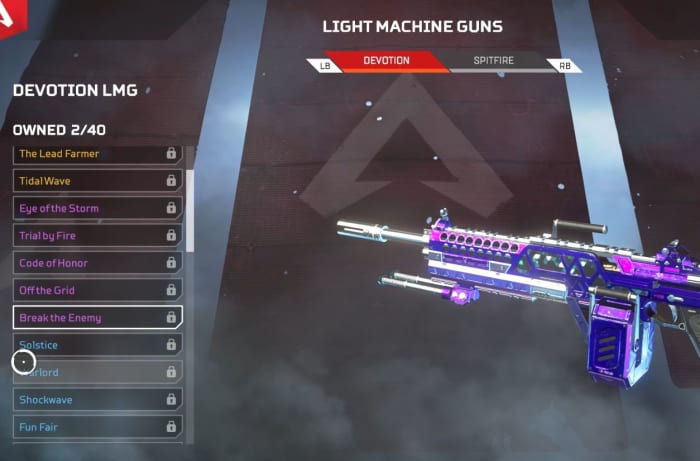
Apex Legends Devotion LMG weapon skin
Weapon skins are nothing more than aesthetic changes.

So there you go! Hopefully, our beginner guide will help ease you into Apex Legends, and let us know in the comments below anything you’ve found helpful in your matches. Stay tuned, and we’ll see you online!