Top colleges with video game development programs

Having trouble deciding what you want to do with your life? Consider video game design!

Game design

Game design revolves around building a game world, creating levels, developing a story into a playable experience for users, and more! There are endless ways to create new variations of games within just a single genre!

If your dream is to become a game designer and develop new worlds in intriguing ways that challenge, inspire, and engage players, we have some advice: getting a college degree can be a huge help!

Becoming a game designer

Why college?

Game design is akin to writing: you don’t truly need a degree to do it. You can just start working, develop skills, and apply to jobs with the portfolio you developed yourself. So why pay for school?

First, college programs are designed to give you a well-rounded experience with transferable skills. Having a four-year degree says a lot when you’re in an interview for a long-term position, and good teachers provide valuable instruction to help you through snags. Finally, our personal favorite, you’ll be able to work alongside other like-minded students!

Even if you don’t go to one of the schools we discuss below, you can get a degree in a related field – art, history, computer science – and experience many of the benefits listed above. Still, if you have the chance, accredited game design programs like these will have levels of esteem and industry connections that can’t be found elsewhere.

Now, let’s discuss the…

Top colleges with video game development programs

Digipen Institute of Technology

DigiPen

DigiPen Institute was created specifically for creators, with a heavy influence on game technology and development. Located in Redmond, Washington, the institute offers a range of majors from music to engineering and happily features student creations.

Also an important note: according to their tuition page, the cost of attendance is related to the number of credits taken, but doesn’t seem to ever go above $20,000 yearly for in or out-of-state students. That’s pretty cheap! Others can hit above the $40,000 range…

University of Southern California

USC

USC’s game design program is arguably the best in the world, but it comes at a cost…

The name “University of Southern California” carries weight in many areas, especially artistic. Their film, acting, and game programs are top-tier courses. Their impressive student center sits in Los Angeles, a worldwide hub for creative endeavors of all kinds.

At the same time, beware. Many people want to get into USC, which makes admissions a difficult process due to their low acceptance rate!

Tuition note: at this time, it seems that USC’s tuition rises above the $56,000 range, making it the most expensive college on the list.

New York University

NYU

Like USC, the NYU’s popularity makes it difficult to gain entrance but can be a huge benefit to those that make it.

Located in arguably the second greatest worldwide hub of creativity (New York, New York), NYU’s Tish Gaming school has a great “incubator” for budding designers. We recommend looking at their showcase to see what kind of projects the students are working on. You might just be impressed!

NYU’s tuition rises just behind USC, ending somewhere around $51,000 per year. Once again: the price may be worth the payoff. Both these universities are well known for producing quality workers, which may be a leg up in interviews for starting level positions.

Full Sail University

FSU

Finally, we arrive at Full Sail University, an educational experience designed for aspiring game creators.

Based out of Winter Park, Florida, FSU offers just three courses in game artgame development, and game design. While not the most famous course out there, the name is still well known and you’ll be surrounded by students headed in the same direction!

Full Sail’s graphic design program costs $696 per credit, according to their tuition page. A full 120 credits will reach about $86,000, but the yearly cost will likely fall around $20,000, making this one of the cheapest degrees, and potentially the biggest bang for your buck.

Conclusion

We hope these options start you on your path to a professional game design career! If you decide to first pursue art at a local community college or venture to one of the larger universities, we believe you’ll be well served by the confidence, determination, and knowledge that comes from graduating with a new major. Thanks for reading, and best of luck!

Duda: The design tool that’s making people leave WordPress

Duda’s tools can help take your website from zero to hero!

website design

Our team is always looking for things we think our readers will value. If we make a content partnership like the one featured in this article, then we may receive compensation for publishing.

It’s no secret that WordPress is the most commonly used content management platform in the world. Among DIY solo-preneurs, web developers and design agencies alike, it’s become the industry standard.

And for good reason:

  • Incredibly easy to use and doesn’t require much technical knowledge to get started
  • Open source and comes with a complete, well-documented API
  • Fast, fluid, robust, and supports almost every platform and device
  • Has a growing community of designers and developers who’ve contributed to its extensive library of thousands of themes and more than 55,000 plugins

But this doesn’t mean that WordPress is the right platform for your agency. This is particularly true if you’re looking to scale up on your agency’s project load, for reasons we’ll get into shortly. Additionally, with WordPress, you don’t get some of the more important business-oriented features like client management, team collaboration, and white-labeling.

In other words, even though WordPress can do a lot of things really well, it offers them at the cost of reduced efficiency.

Lack of a built-in, centralized multi-site dashboard makes project lifecycle management across domains challenging. When you have several clients with different hosting solutions, development requirements, and content systems, if it’s all on WordPress, you’ll have no choice but to manage login credentials individually. And no, WordPress Multisite doesn’t do what it sounds like it does. This isn’t a sustainable option for a growing design agency.

Duda’s design platform, on the other hand, was developed as a platform that meets the needs of agency workflows.

Duda offers tools that bring efficiency and scalability to your work environment. In this article, we’ll take a look at some of the reasons why digital agencies have started leaving WordPress for Duda and why you may consider making the switch for your team.

Easier management of client relationships

One of the standout features with Duda is that it makes it easy for design agencies to manage client relationships. Its built-in client management tools enable you to improve interactions and communication between your team and your clients. This way you can deliver better work more quickly, retain clients over time, continue acquiring new business, and drive sales growth.

Duda’s “Site Comments” feature helps you keep your customers engaged in the site design process. By allowing them to post comments directly on design projects that are in progress, you’ll be able to reduce the number of changes required afterward.

The user roles and permissions tool lets you limit client access to the more advanced features. This way you can prevent them from accidentally messing with design elements or widget scripts. On the flip side, if your clients are power users, you’ll be able to give them administrative access. With that, they can make changes and manage accounts after transferring the site over to them.

Brian Lewis, the CEO of Colorado-based design agency WebAct, says, “Duda enables us to assign highly customized roles and permissions to our clients, so we don’t have to give them blanket access to a website. Some of our customers are tech-savvy enough to make minor site changes on their own, and others would just break everything. The ability to easily turn on and off access for individual clients has saved us from hours of site maintenance work and a lot of headaches.”

Your customers will be able to access their sites and make changes through a centralized dashboard. For instance, they can easily change site themes, connect domains, or edit SEO settings.
Duda

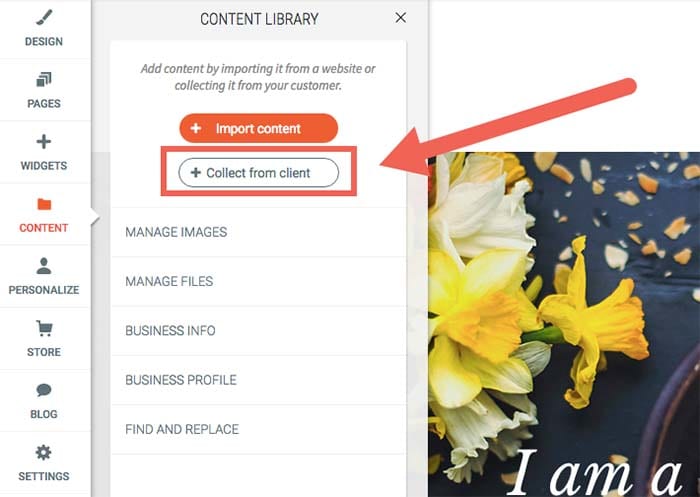
What’s more is that Duda makes it easy for design agencies to gather site content – including text and images – from clients. You can do this in one of two ways:

  • Set up automated emails that’ll ask them to send you the required site assets through an easy submission form.
  • Scrape content from their existing web database and insert it into your own libraries.

It also makes it easier for you to keep clients informed about site development and performance. You’ll be able to send progress tracking and regular analytics reports – personalized with your company’s logo and branding – to your clients using automated email sequences.

Allows you to offer subscription services

Duda is a complete website building platform. It offers design agencies fast and reliable hosting, e-commerce integration capabilities, a blogging platform, SSL certificates, one-click PWAs (progressive web apps), and several other useful features.

At web design agencies, customer churn is a major issue. Projects usually have finite scopes of work, and once they’re done, so is your client. Duda’s supported services make it simple to turn one-off projects into a recurring engagement.

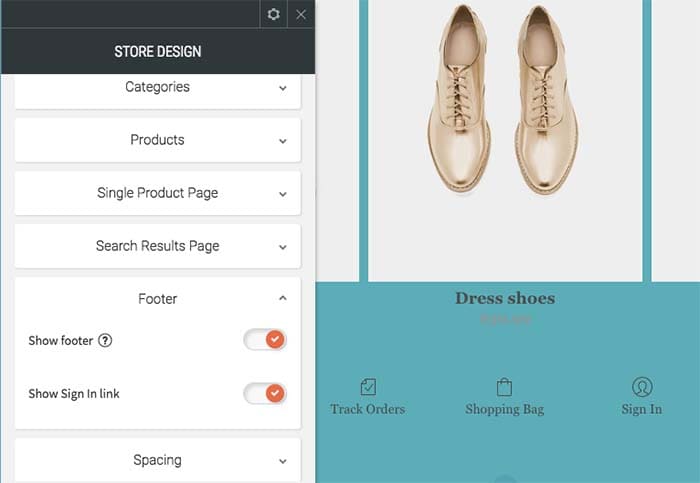
You can even diversify the services you offer by creating subscription packages for existing clients. For example, if a client’s e-commerce store has a lot of seasonal product turnover, you can offer to maintain the product listing content. You can also keep it updated in exchange for a monthly service fee.
Duda

You might also do well to create tiered, modular monthly subscription packages for small to medium-sized businesses. Consider the following structure model as a starting point:

Subscription plan #1:

  • Secure web hosting
  • Round the clock security monitoring
  • Weekly analytics reports

Subscription plan #2:

  • Secure web hosting
  • SSL certificate
  • Round the clock security monitoring
  • Google PageSpeed optimization and global CDN

With Duda, you also get access to several useful integrations for building your sites. These include commonly used apps and tools such as PayPal, Google Sheets, YouTube, MailChimp, and a number of social media platforms.

Built-in functionality for team collaboration

Duda enables website developers and designers to assign and perform tasks in an organized way. This helps avoid common mix-ups. For example, it avoids having multiple people on the same design team creating the same section of a customer’s site – which is more common than you think!

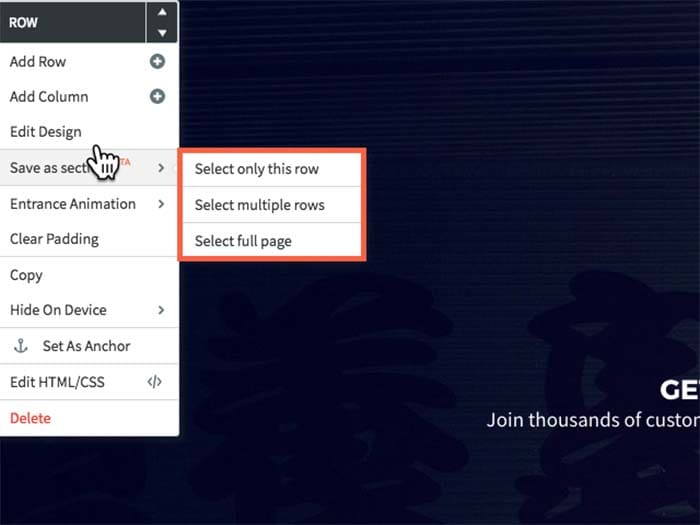
It also lets you easily collaborate with your team members on different tasks. In addition to this, you’ll be able to import and reuse template designs in future website projects. You can also share your agency’s libraries of themes, custom page “section” designs and custom widgets, so that your team can use them across multiple projects.
Duda

Duda’s user roles and permissions functionality can also help you manage access to site settings. When working in teams, different members are assigned different responsibilities, for instance:

  • Team members #1 and #2: Designing the site’s layout for a wireframe, mockup, or prototype.
  • Team member #3: Optimizing the website’s metadata for SEO.
  • Team member #3, #4, and #5: Managing e-commerce and call-to-action microcopy.

By controlling access to specific sections of a site, your team will be able to focus on their designated tasks without overlap or distractions.

Nat Rosasco, Chief Creative Director and Owner of the Olive Street Design agency in Illinois, reports, “We could build a website with Duda in a third of the time it took us with WordPress, and we really liked that all of the features were geared towards a team organization. It really helped us manage our workflow much more efficiently, which meant we could scale up.”

You can also use Duda’s website comments tool to improve communication between your team members and ensure that correct and up-to-date information is conveyed to clients. Team members will be able to drop comments directly on a section of a site as it’s being built. Every individual element can be assigned a separate comment to help design teams easily convey their ideas and get responses from the same place. This way everyone involved can easily follow site development and distribute tasks when needed.

A white-label-friendly experience

Duda allows you to white-label your dashboard experience, which gives you the ability to put your company’s logo and branding on your client’s site back-end. This allows you to make the platform appear as if you own it, which reinforces the client’s trust in the experience of working with your brand.
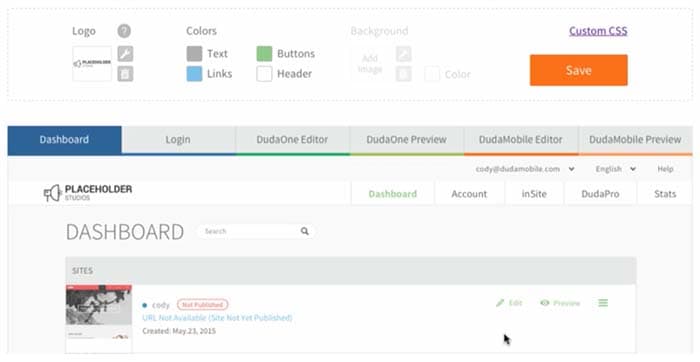
Duda

Duda also lets you personalize pages on your back-end, including client login, dashboard, site builder, editor, and preview pages. In addition to this, your emails will carry your agency’s logo. For instance, login credentials emails, password confirmation emails, or monthly analytics reports will have your customized branding.

You’ll also be able to edit and set default branding elements like images, logos, colors, typefaces, image styles, graphic elements, background images, icons, and buttons. You can go even further and make changes to stylesheets. It also allows you to design engaging, custom-branded site previews (or functional prototypes).

Makes website personalization easy

Duda comes with some powerful site personalization tools that allow you to create and deliver different digital experiences to individual audience members.

Agency designers and marketers can do this by configuring triggers and actions which generate a predetermined response based on the site visitor’s interaction. For example, if a user visits your client’s speedboat dealership website you can display a pop-up that invites them to a boat show where the client has a booth, and offer a special discount.

From a marketing perspective, this has the potential for major impact, as it maximizes the sense of belonging that the visitor feels on your client’s web pages. From an agency business perspective, the personalization engine makes for some major opportunities for providing value beyond design.

As Shane Hodge, CEO of Australian agency The Camel, puts it, “Duda provides us with the ideal set of web design tools that allows our designers to do truly excellent work. The ability to customize a site per device and add website personalization into the mix has been hands down the greatest thing that ever happened to our business…. People have been told for years they need a website, and that’s true. But for way too many businesses, these sites end up as nothing more than digital brochures.”

“A business owner would hire a developer and spend thousands on it, and in the end they wouldn’t see any tangible ROI — Duda’s website personalization tools changed that,” Hodge continues.
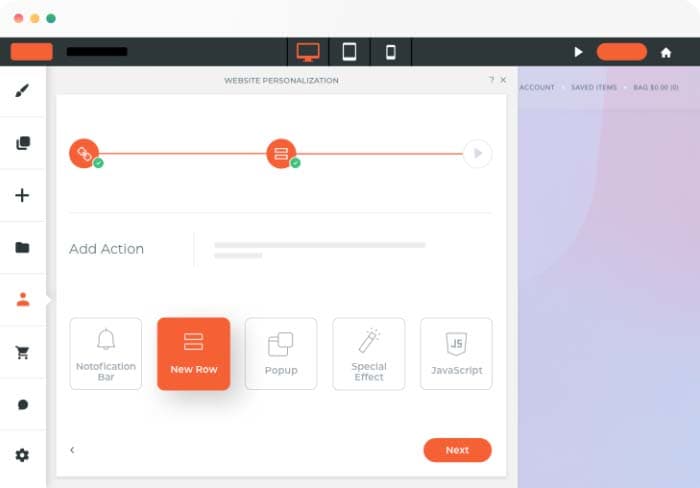
Duda

Duda has a library of triggers and actions including the end user’s device name, their geographic location, and the number of visits. Although only one type of action can be triggered on a page at any time, you can choose to create several possible actions. The action that appears higher up on the list will be triggered first.

Takes care of the technical details

With Duda, you don’t have to worry about the technical stuff like finding the right hosting solution for clients or installing SSL certificates. Its built-in features take care of these “under the hood” aspects of web design work allow you to focus on your core business activities.

All Duda websites are hosted on Amazon Web Services (AWS), one of the most reliable cloud hosting providers out there. Duda gives agencies access to unlimited storage and bandwidth, free hosting, SSL certificates, and mobile responsiveness. As a result, you’ll be able to deliver the best website design and development services around. All you need to do is point the domain’s DNS settings to Duda’s servers, and you’re good to go.
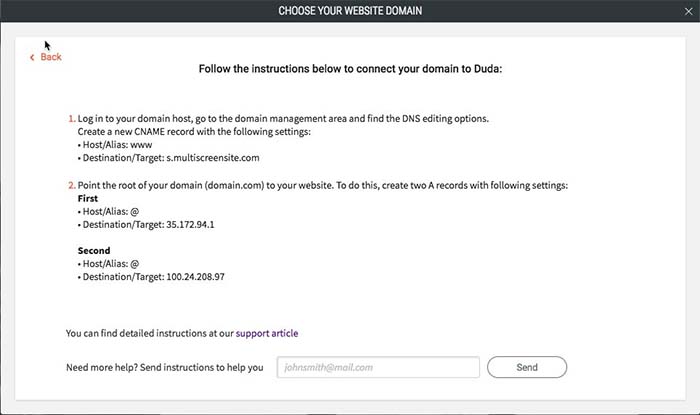
Duda

Additionally, Duda’s platform guarantees that your websites are GDPR compliant. It gives you ready-to-use resources like privacy policy templates, cookie notifications, and user consent forms.

All websites created on Duda’s platform are optimized for Google PageSpeed. It delivers your site content (like copy, images, and videos) to visitors through a global content delivery network (CDN), minifies CSS code, and supports lazy loading of below-the-fold elements.

Conclusion

With Duda, agencies are able to deliver fully white-labellable experiences and personalizations to clients that you simply can’t get with WordPress. More specifically, you’re able to:

  • Simplify client management.
  • Improve internal design team collaboration.
  • Look professional by delivering a fully white-labellable experience.
  • Diversify your offering by offering subscription packages.
  • Personalize client website using combinations of triggers and actions.
  • Stop worrying about the technical side of things and, instead, focus on growing your business!

What are some of the features you look for in an agency-focused site building platform? Let us know by commenting below!


Create professional designs with Canva

Use Canva to create amazing free designs for social media and beyond!

Designers, unite!

And, actually, everyone else! Why? Because Canva makes beautiful design work possible for everyone, even the most unartistic people, while giving those with aesthetic abilities the chance to make seriously wonderful art.

If you’re making a social media post, designing a website, developing an invitation, promoting your podcast, or doing anything that requires a solid graphic representation, give this app a try!

Create professional designs with Canva

Canva App

Let’s begin with the ol’ application! You can download Canva.

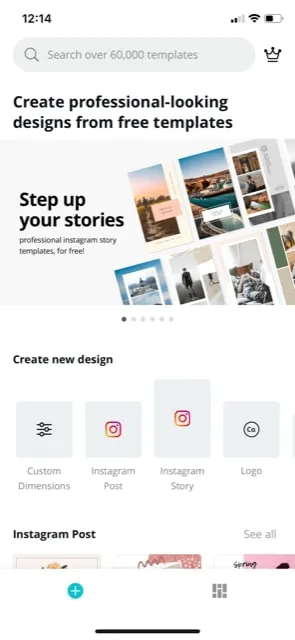
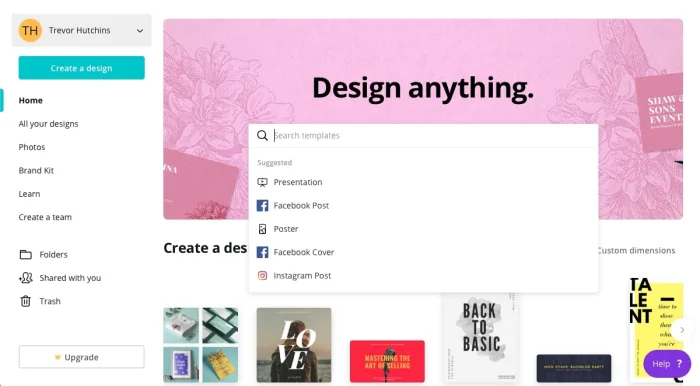
After you’ve finished downloading and opening the program, you’ll find yourself on the main page. From here, hop straight into the action! Canva recommends a number of template categories, ranging from social media posts to logos, flyers, and posters:

CApp1

For example, we’re going to assume you decided on an Instagram Story. Good choice, you!

When you select Instagram Stories, you now have a large bank of templates waiting at your beck and call, including a blank option for those who wish to test their creative abilities. If you’re simply looking to make a good post fast, check out the other designs:

CApp2

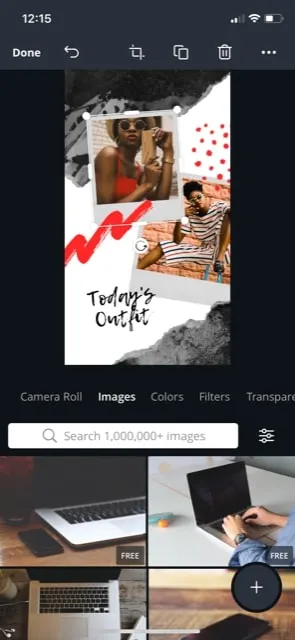
We chose the “Today’s Outfit” option. Look how exiting it looks already!

Try clicking around the picture; you’ll find that every facet can be altered, from the corner splotches to the pictures and the frames around them. All it takes are a few quick selections and you can make this your own:

CApp4

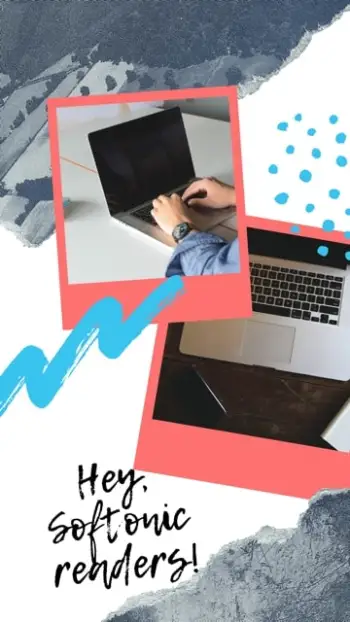
There we are! We changed the colors and photos to make the design a little more “Softonic.”

Okay, it’s very Softonic:

CApp6

That took about five minutes, and we enjoyed every one of them! There are admittedly benefits to using the full website, but we appreciate the mobile tools; there’s something satisfying about having a reliable design program in your pocket, on the go.

Canva Website

CSite

Welcome to the website!

Here, you may notice that Canva’s process has become… bigger.

That’s pretty much all there is to it: you can see designs better, type with a keyboard easily, operate the environment with a mouse, and basically have all the benefits of using a full laptop. Example: access to your entire photo library, something that may come in handy in a design app. Just sayin’.

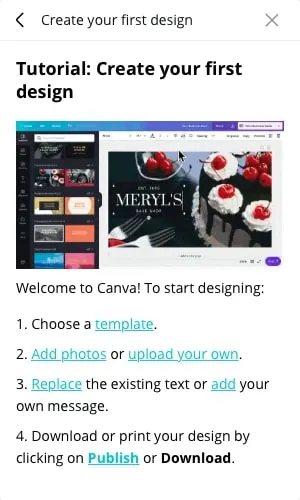
Also, when you begin creating your first design (we chose a Facebook post this time around) you receive a small tutorial drop down menu!

Description

Sounds good, but what does that process look like? Well…

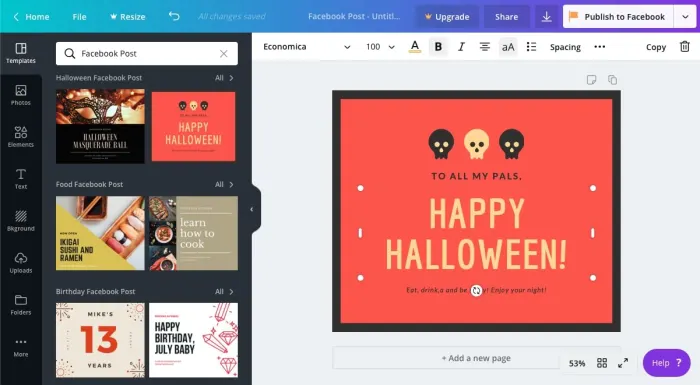
The full-fledged user interface appears something like this:

CSite2

There’s a lot going on here! You can save, resize, and share your design from the top bar. All types of material resources – uploading ports, text controls, and photos – are available on the far left.  Next to that, you can find the main bar of templates (woot woot). And finally, in the middle, you have the creation environment itself:

CSite3

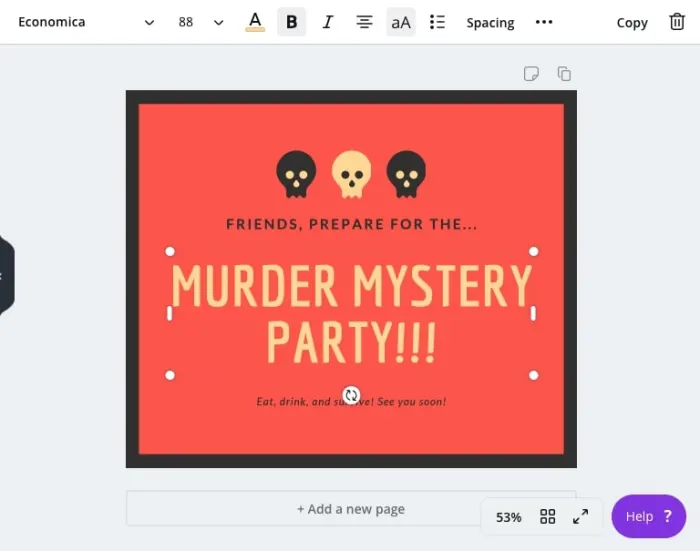
Once again, just like the app, you’re able to choose any element of the design and resize it, or alter the contents. In the case of text, the bar at the top will immediately change into your average word processor options.

(We chose this design because, frankly, it looks like the Secret Hitler website! Secret Hitler is and will always be our favorite print-and-play hidden role game and you should definitely try it out.)

Upgrade

CanvaUpgrade

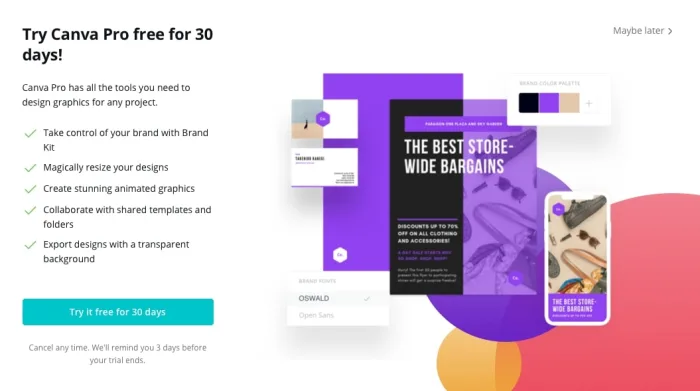
Canva Pro costs around $12 per month or $120 per year (approximately $10 a month). You get a brand kit, more resizing options, animated graphics, collaboration enhancements, and transparent backgrounds, as seen in the photo above.

Among those, we’re gonna be honest: transparent backgrounds sounds the best! Never know when you’ll need a transparent background, right?

Final Touches

Thanks for reading, we hope you find Canva useful! In the modern digital age, creating visuals that catch the eye can be a powerful tool for everything from generating influence to promoting your upcoming holiday shindig. Have fun making a great design, we’ll see you next time!

Unleash your creativity with this new Adobe software sale

Get 20% off the Adobe Creative Cloud for a limited time.

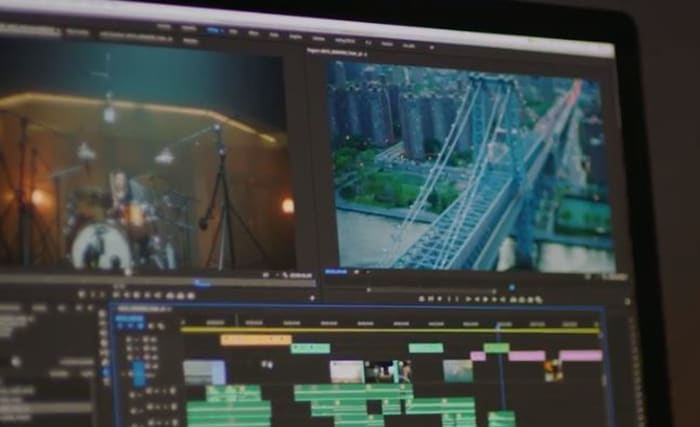
These days, it’s hard to think of a career that doesn’t benefit from access to good video and audio editing software: Photoshop, Illustrator, Lightroom, After Effects – these are the secrets to stepping up your presentation game, no matter your vision, no matter what medium. Whether you’re an Animator, YouTuber, Filmmaker, or a Graphic Designer, these are the tools you need.

Adobe video editing software
Edit your projects with the same tools as Hollywood professionals

These Adobe products will let you create and edit on the fly from either your desktop or mobile device, and breathe life into whatever you can dream up, adding any manner of graphics, effects, and pro-quality audio.

Creative Cloud

Got your eye on a few of these products? Save your money and check out the Creative Cloud. The Creative Cloud is a series of different price plans that group all the best video and audio editing software into a neat bundle. Now, for a limited time, you can grab all this great software for £39.95/month. That’s 20% off.

Creative Cloud contains all the renowned apps and services we mentioned above, giving you a huge leg up in any video editing, visual and audio design, and photography you want to tackle.

Adobe Creative Cloud
Watch your art and animations come to life

It’s also got built-in tutorials and templates if you’re just starting out, so you’ll get a feel for how each program functions as you take your first steps. If you’re already a seasoned artist, you’ll find the Creative Cloud has all the design tools to bring your ideas to life.

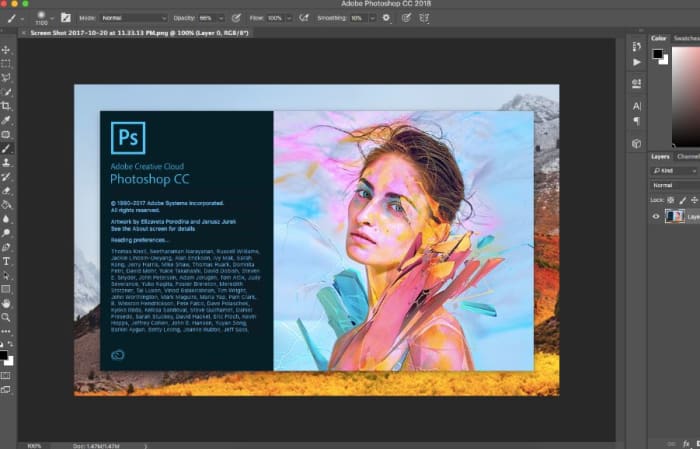
Adobe Photoshop
Your trial subscription will automatically roll over to the full version!

This is the perfect opportunity to sample some of Creative Cloud’s most powerful tools, and to do it conveniently and for a great discount.  If you’ve ever wanted to unleash your creativity, jump on the sale and see what you can dream up!

Adobe offer

Best ways to learn web design from home

Whether you might be a beginner or a master, these resources can help you hone your craft.

Web Design

If you’re interested in learning web design, there is a long list of options. You can take the time to go back to school, take classes online, or look toward the online community.

With web design, formal education doesn’t offer immunity against falling behind on industry standards.

Those new to the game don’t have the same benefits as their peers with existing knowledge, but that should not discourage you. Just remember, learning on your own isn’t out of the question.

Here, we’ll look at some of the skills that the modern web designer needs in order to compete. We also can tell you where to level up your know-how.

What aspiring web designers need to know

If you want to pursue a career in web design or development, there are a few components that make up the required skillset:

  • Coding — HTML and CSS are essential, even if you’re planning on sticking to the visual stuff. Knowing how to code makes it easier to make changes during the design process. These days it’s becoming less acceptable to pass off a web design to a developer without code.
  • Design theory — Design theory teaches the basics of design, shape, rhythm, color, typography, balance, and design fundamentals.
  • UX/UI (usability) — Aesthetics aren’t everything. Instead, you need to understand how to design something that works well for users.
  • Photoshop/Illustrator — The Adobe programs have become the backbone of web design. These pieces of software are required knowledge across the industry.

Best ways to learn web design from home

Udemy’s Adobe Illustrator CC MasterClass

Illustrator Master Class

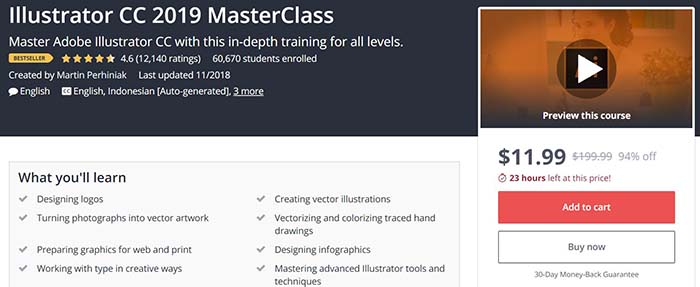
This program aims to teach participants the techniques needed to create logos and graphics in Illustrator. Illustrator is an application that allows you to create typography, logos, icons, and illustrations. With 12 hours of on-demand video, you’ll cover all of your basics from learning your way around the tools to advanced techniques.

Udemy also offers classes that cover the full Adobe Suite, as well as one focused on Photoshop. Courses offered here range from free to a  few hundred bucks. The Illustrator class is currently just $11.99, which is 94% off the normal price.

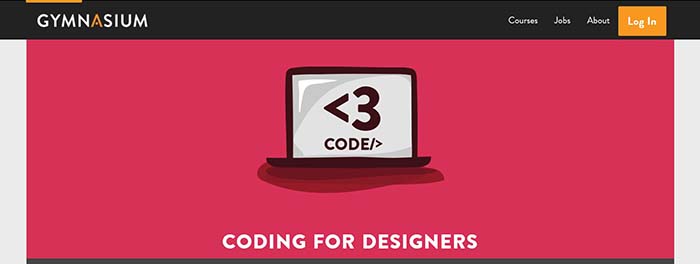
Gymnasium: Coding for Designers

Gymnaisum coding for designersGymnaisum’s Coding for Designers course is a free, self-paced intro for designers that need to learn coding.

Like MIT’s intro, there’s no need to bone up on HTML before enrolling. What’s different about the Gymnasium course is it focuses exclusively on where coding and design intersect. This free class teaches students how to translate graphic design to the web and troubleshoot some common problems. You’ll learn page layout with CSS, receive an intro on typography for the web, and create a website with Twitter Bootstrap.

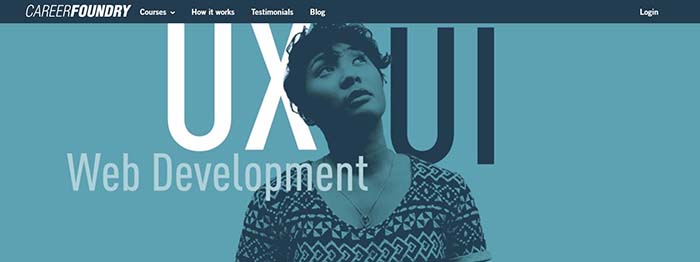
Career Foundry

Career Foundry

Career Foundry is a paid option, but they’re a reliable source for all things UX/UI/web design. The site offers a few options — a certification in each of the previously mentioned specialties. We recommend looking through the site to see where you might need to learn the most. For those who have some art and design background, a UX certificate can bolster your career, as this area is in high demand.

Career Foundry is one of the more expensive programs in this category. However, they offer a project-based curriculum that allows you to build a portfolio aimed at helping you find a job.

The course spans 10 months and includes a one-on-one mentor there to evaluate your projects daily.

What’s more, if you’re on the fence, take the site’s free UX short course and its free consultation.

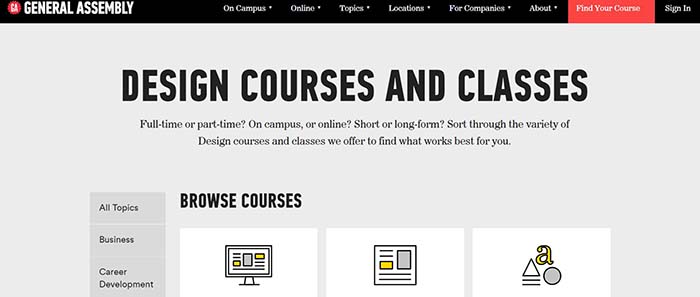
General Assembly

General Assembly

Like Career Foundry, General Assembly is not cheap. Still, there’s a reason these boot-camp-style programs have become so popular in recent years. They offer an accelerated program designed to give you skills you can use in the workplace.

General Assembly offers both UX design and visual design — and you’ll have the option to take an accelerated one-week program. You can also spread the lessons across a few months.

The curriculum combines user-interface fundamentals, web layout, and typeface design with research methods and responsive design. It’s a modern approach to web design that covers user-interface and usability tactics, along with graphic design principles.

The UX curriculum covers design in a broader sense. Much of the lessons focus on information architecture, consumer research, and usability testing. There is a unit on visual design as well, but the focus is on a website’s experience as a whole rather than just the aesthetics.

MIT OpenCourseWare: Introduction to Computer Science and Programming

MIT Open Coursework

This class may sound intimidating to those unfamiliar with coding and web development, but don’t let the name scare you. MIT’s free online program teaches beginners the ins and outs of Python, as well as computer programming basics.

While designers don’t need to become experts in coding, getting comfortable with the backend activity will serve you well.  This program isn’t necessarily design-focused. We think that the more information you can gather within the tech space, the better prepared you’ll be for digital transformation.

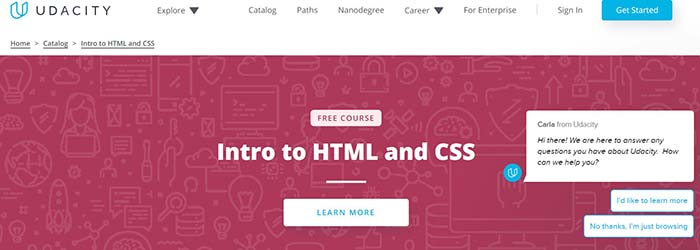
Udacity: Intro to HTML and CSS

Udacity

This online intro is a self-paced, three-week course designed to teach you the basics of CSS and HTML. It will make things easier for you if you end up working as a designer. In this course, you will learn the fundamentals of web development, how to style a website with CSS, and CSS syntax, units, and selectors.

Final thoughts

This info might be tech-heavy, but the design world is changing. No longer is it enough to have amazing artistic abilities and a knack for fonts; you need to have a strong command of the web from usability to CSS.

While we get that programs like General Assembly and Career Foundry can be pricey, they can be helpful for those looking to learn fast. If you’re just starting out or need to round out your skillset, take a few of these low-cost or free options. Later, you can decide if you need to invest more in your new career path.

From Airbnb to every designer brand — why everything looks the same now

Have you noticed how every website and app looks the same now? Here’s why.

For all the wonders of the web, it’s safe to say that things have become a little too homogenous.

Look at Instagram and you’ll notice that everyone in your feed from LA to NYC and across the globe are sharing the same lattes and posing against the same walls.

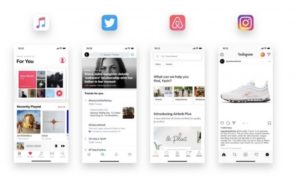
On the branding side, we’ve seen an overall flattening of fonts since the early ‘10s when American Apparel was still on top. Today, the brands leading the charge are Glossier, Outdoor Voices, Reformation, and as well as the tech giants like Airbnb, Twitter, and Apple.

But that hipster design aesthetic has some roots in practicality. Clean and modern is par for the course, but it’s got staying power for a few key reasons.

Why web design became so repetitive

web design

Blame the phones first

We hit peak hipster around the same time that smartphones became ubiquitous. In the early days of mobile sites, many companies were dealing with images that wouldn’t load or sites that presented all content in the form of links.

Removing shadowboxes and animated graphics eliminated a lot of issues and allowed us to fully embrace mobile. Font-wise, ditching the serif (those little lines on the ends of letters in Times New Roman and others) made web copy—mobile or otherwise—much easier to read.

This so-called flat design has been the reigning aesthetic for the better part of the past decade. And you’ve probably seen a ton of sites that look like this:

standard modern web design

It’s hard to argue against that level of practicality.

The simple, minimalist style gracing websites and apps was a breath of fresh air after an era of pop-ups, banners, and homepage animations gone wild.

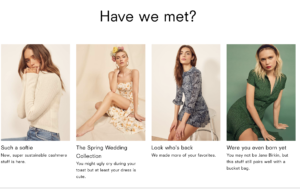
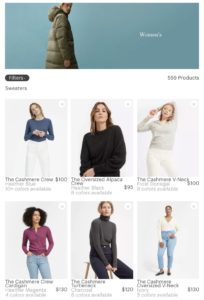
Sans serif, white space, and low contrast color spaces give us a sense of calm. Look at Reformation’s featured items — there is plenty of white space, it’s easy to read, and colors are relatively muted.

reformation minimalist

When we’re trying to consume information, usability is far more important than originality. Some older readers might remember, but reading articles online in the 90s was kind of a mess. Small print, weird formatting, and few pictures. Not exactly a pleasant experience, right?

Complaining about flat design is like complaining about white backgrounds or the fact that most books have similar fonts.

But… there are certain elements where originality is allowed: logos, photos, and graphics. This stuff operates on another plane — and a little variety won’t hurt the usability factor.

Pared down is part of the mission

The uncluttered design isn’t just an aesthetic choice, it is a representation of a brand’s values. Many startups from Everlane to Warby Parker, and a million companies that promise the best hoodies, pants, and sportswear operate on the D2C model.

warby parker minimal home page

These companies make high-quality products and sell them straight to consumers. They source materials themselves and work with factories—no middleman required.

That pared-down business model is one of the key selling points. A brand might say, transparency is one of their core values. Or job creation. Or good U.S.-made products at a reasonable price. You get the idea.
basic design white space

That back-to-basics mentality is reflected in the design. Think about it. Most of these brands aren’t covered in logos or one-season trends. They’re built to convey longevity.

All of these qualities are generally a good thing. Just when it comes to design, there’s a risk that this simplicity won’t feel special anymore.

What’s with the lack of diversity on the design front?

favorite apps look the same

If you’re looking at this sudden uniformity with a glass-half-full attitude, it might represent a narrowing world view.

However, consistency might not be a bad thing. We mentioned the rise of mobile. During that time, we’ve gotten familiar with a ton of apps. From Instagram and Facebook to Slack, WhatsApp, and our various financial services, email, and news apps. There’s too much going on.

Most people use a handful of essential apps regularly, while the rest get neglected or deleted after a single use.

These barebones apps might be on to something. Rather than focus energy on crafting a fancy exterior — companies now spend more time on user experience and content. Quality products, working digital solutions.

While it might feel like a downside when all of your apps look the same, it doesn’t necessarily mean that creativity no longer matters.

Rather, brands and their UX/UI designers know that utility comes first. Apps and websites have a job to do—and that job isn’t to mess with colors and spacing and veer from design norms. We all expect a shopping cart to work a certain way. We expect a clear navigation bar. We want to find information when we need it.

Good (and original) design isn’t going away. We’ve just been in the process of writing the “rule book” for what a site should do.

Still, it might be nice to see some new fonts every now and again.

3 augmented reality tools for decorating your home

Ready to give your home a makeover? Use these three apps to visualize your dream.

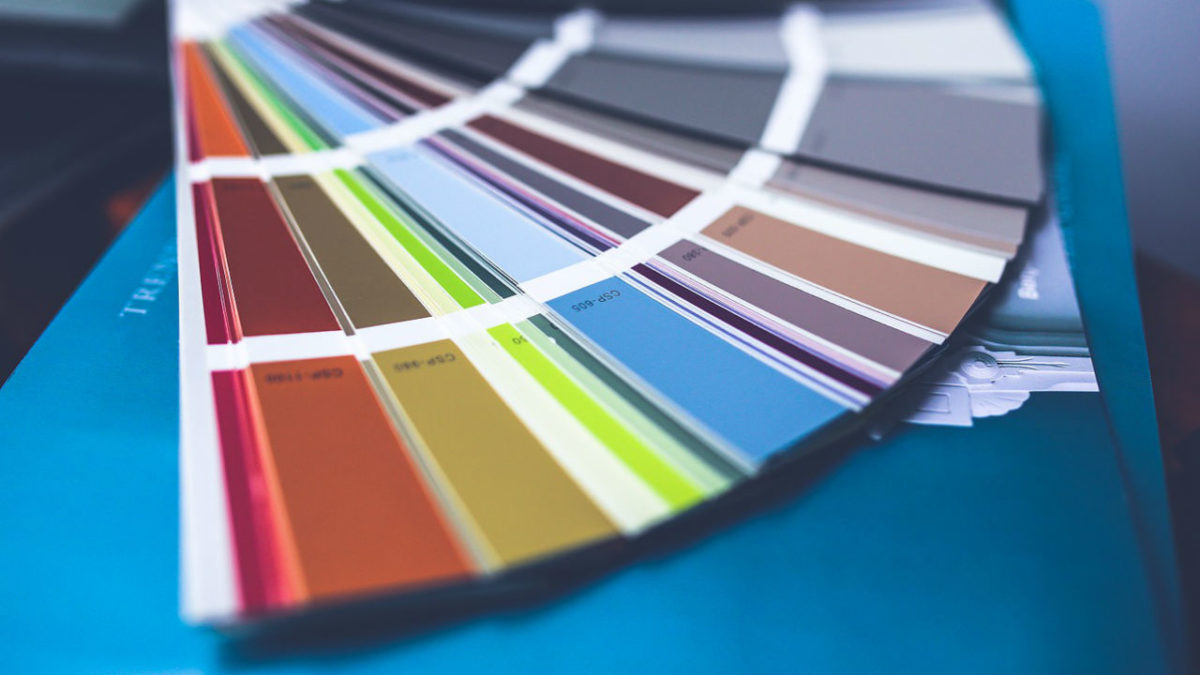
paint swatches

Thank you, cutting-edge technology! Augmented reality apps have made it much easier (and more fun!) to carry out a range of tasks and activities. For example, one of these tasks is decorating the interior of your home thanks to these innovations at our fingertips.

Below, we’ll take a look at some of the best ways to do just that. Check out three different apps that offer inspiration when you want to spruce up your space.

3 augmented reality tools for decorating your home

1. ColorSmart by Behr

Available on iOS and Android, Behr’s innovative app allows users to choose the perfect paint colors to suit their space. When you point your camera at a given wall, you can fill different sections with different paint colors to compare them and make the best decision. They also have a store locator feature to help you find the nearest Home Depot so you can get started on your project immediately.

ColorSmart by BEHR Mobile Download free
7

2. Wayfair

It can be tough to imagine pieces of furniture in a given space and envision how they’ll go with the overall vibe of a room. Thanks to the Wayfair app’s View in Room feature, you don’t have to just imagine it — you can preview it! Use the feature by selecting a piece of furniture you’re interested in, and then tap the View in Room button under the picture of the item. Then just move your phone to look around the room, and you’ll be able to get an idea of what the piece would look like in your home. Pretty cool, right?

Wayfair Download free
8

3. magicplan

Home improvement is made easy with magicplan! This app provides a virtual pin and grid that can mark corners of a given room and determine its dimensions. This makes it easy to get accurate and painless measurements of a space and allows for the simple design of a floor plan. This app also integrates well with Amazon, making it easy to get the necessary products to tackle a project.

MagicPlan Free Download ►
7

Augmented reality apps are increasing in popularity — and for good reason! They do a great job in helping with home improvement projects to make your house the best it can be.