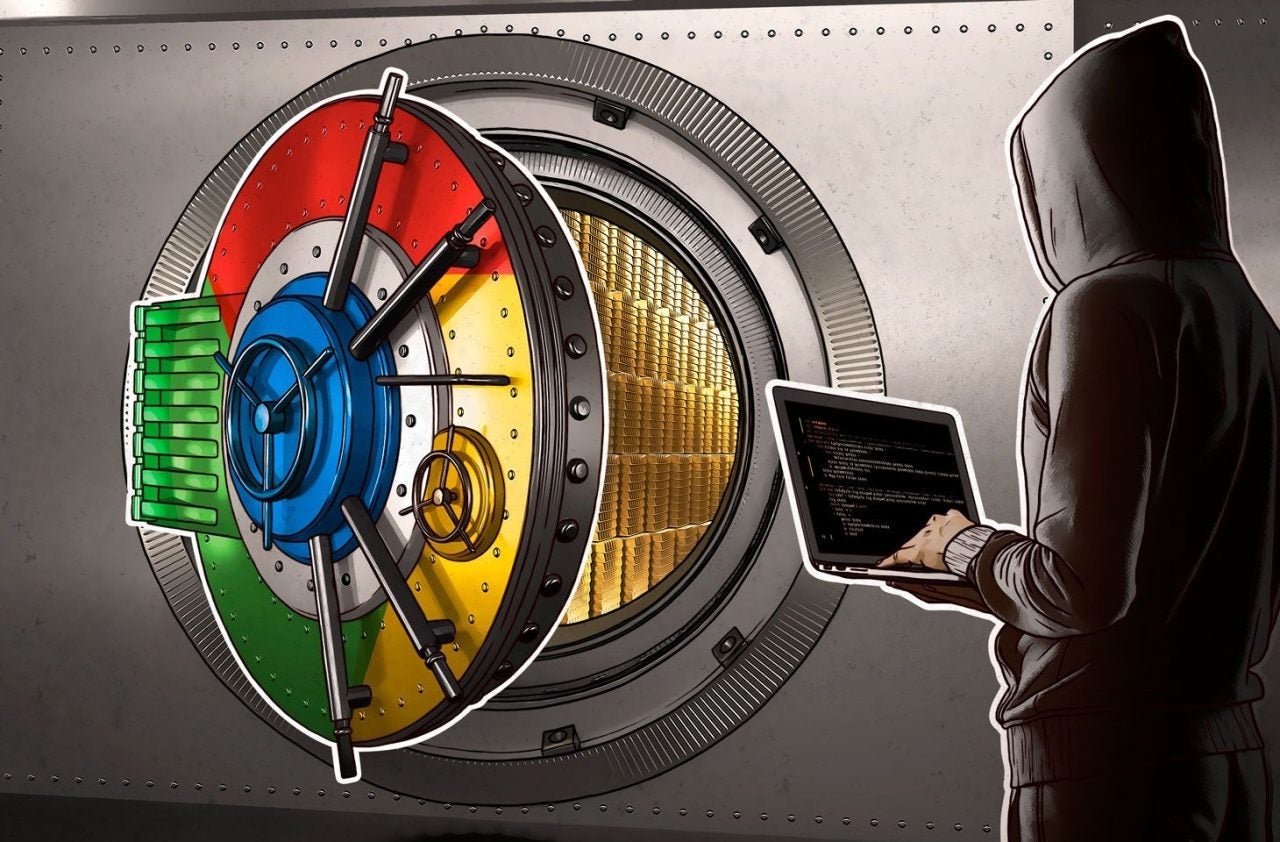
North Korea wants to access your computer. Be careful!

A new malware loader, called XORIndex, has been identified by Socket, a cybersecurity company. This malware has been integrated into malicious packages that have been published in the npm registry, a widely used repository for JavaScript software development. To date, XORIndex has achieved over 9000 downloads, indicating a concerning spread and a potential significant impact on users of the registry. The nature of the npm registry makes it an attractive target for malware distributors, especially from North Korea. With millions of developers using […]

A new malware loader, called XORIndex, has been identified by Socket, a cybersecurity company. This malware has been integrated into malicious packages that have been published in the npm registry, a widely used repository for JavaScript software development. To date, XORIndex has achieved over 9000 downloads, indicating a concerning spread and a potential significant impact on users of the registry.

Leash to Korea

The nature of the npm registry makes it an attractive target for malware distributors, especially those from North Korea. With millions of developers using this platform to find and share code libraries, the insertion of malicious software into seemingly harmless packages poses a considerable risk. Packages can be downloaded and used by individuals, many of whom may not have the technical expertise to identify the malware.

Experts warn that it is crucial for developers to be cautious when choosing the libraries and tools they incorporate into their projects. It is recommended to verify the origin and reputation of the packages, as well as to stay informed about best security practices in software development. Additionally, they emphasize the need to use antivirus software solutions that can detect and neutralize threats like XORIndex.

With the growing number of downloads of this malware, the tech sector faces a significant challenge in the fight against malicious software. Preventive and educational measures are essential to mitigate risks and protect both developers and end users from the consequences of these cyber threats. It will be crucial to continue monitoring this situation to prevent the impact of XORIndex from spreading further.

The serious dangers that lurk behind Chrome and Edge extensions

Researchers from Koi Security have identified 18 extensions in the Chrome and Edge browsers that, under the guise of productivity and entertainment tools, are actually malicious. These extensions carefully disguise themselves to deceive users, raising significant concerns about online security. Suspect everything The researchers warn that users, when installing these extensions, could be exposing themselves to various security risks. These applications can collect sensitive data, steal personal information, or even inject unwanted ads into the user’s browsing. In a digital environment where privacy is a precious commodity, […]

Researchers from Koi Security have identified 18 extensions in the Chrome and Edge browsers that, under the guise of productivity and entertainment tools, are actually malicious. These extensions carefully disguise themselves to deceive users, raising significant concerns about online security.

Suspicion of everything

Researchers warn that users, when installing these extensions, could be exposing themselves to various security risks. These applications can collect sensitive data, steal personal information, or even inject unwanted ads into the user’s browsing experience. In a digital environment where privacy is a precious commodity, the emergence of such threats underscores the need for greater vigilance when downloading browser add-ons.

The identified extensions include tools that promise to facilitate everyday tasks, such as password management or enhancing the video viewing experience. However, upon further investigation, Koi Security experts discovered that these applications are designed to carry out malicious activities without the user’s knowledge. The presence of such extensions highlights the urgency of promoting a more robust education about online security among users.

This situation is not new; however, there are now more sophisticated patterns in the way cyber threats are camouflaged. It is essential for users to stay alert and verify the legitimacy of the extensions they wish to install. Additionally, it is recommended to use cybersecurity tools and stay informed about the latest research and recommendations in cybersecurity.

Experts emphasize the importance of reporting and uninstalling any suspicious extensions, as well as always keeping browsers updated to protect against potential vulnerabilities. In a constantly changing digital landscape, caution and knowledge are the best defenses against malicious software.

If you struggled with trigonometry, this malware can be your worst nightmare

Trigonometry was one of the few words that could terrify a high school student, and now it can also be terrifying for those who might suffer a malware attack on their computer. A new malware is capable of bypassing security alarms by using trigonometric calculations in its commands, allowing it to mimic a human who naturally handles the device.

This malware, capable of stealing all kinds of personal information, including banking data or cryptocurrency wallets, used this ingenious method to evade security barriers and freely operate within the attacked PC. Detecting it hasn’t been easy, but it’s now listed as a dangerous malware to avoid.

Avast Free Antivirus DOWNLOAD

A malware that sets the standard

This malware would be LummaC2, and by bypassing computer security mechanisms, it’s capable of stealing information such as tracking cookies, passwords, banking data, cryptocurrencies, and any compromising content available within your device. It’s a tool used by many cybercriminals and is challenging to detect due to the trigonometric calculations it employs to simulate human-like mouse behavior.

The earliest records of this malware date back to December 2022, suggesting that this tool had been conducting cyber attacks for a maximum of one year. This also showcases the constant adaptation of malware to different security measures to evade them and continue carrying out illicit actions.

It’s important to have healthy habits in cybersecurity

The importance of cybersecurity

“Cybersecurity has always been one of the most crucial aspects of computer development. However, in today’s times, where digital commerce is exponentially advancing year after year, it has become an indispensable point where profound advancements have been made, especially considering the network security compared to what existed ten years ago. Yet, threats also evolve to continue seeking loopholes in security.

That’s why nowadays there are all sorts of resources to largely prevent these types of attacks. For instance, avoiding using applications that don’t encrypt data on their servers, such as Sunbird and Nothing Chats, which are already addressing the serious issue detected. Another aspect lies in habits, such as using different passwords or employing secure password managers that allow indirect entry of keys.”

IoT and OT malware surges in 2023

IoT and Operational Technology (OT) devices have witnessed a staggering four-fold surge in malware attacks within a year, underscoring the tenacity and adaptability of cybercriminals, according to recent findings.

The 2023 Enterprise IoT and OT Threat Report by Zscaler ThreatLabz, which examined around 300,000 thwarted attacks on IoT devices over half a year, sheds light on the unyielding nature of cyber threats.

The study reveals that attackers predominantly target longstanding vulnerabilities. Of the top 39 IoT exploits, 34 leveraged weaknesses present in these devices for over three years. In a significant 66% of these attacks, adversaries attempted to utilize Mirai and Gafgyt, renowned malware strains. These strains convert susceptible devices into a botnet, which can subsequently be harnessed for distributed denial of service (DDoS) onslaughts.

Which sectors are affected the most?

DDoS attacks powered by botnets result in billions of dollars in damages globally across various sectors, as per the report. Moreover, targeting OT devices with DDoS attacks can jeopardize critical industrial operations, potentially endangering human lives.

Manufacturing and retail sectors account for over half (52%) of IoT device traffic. Devices such as 3D printers, geolocation trackers, industrial control systems, car multimedia setups, data collection terminals, and payment kiosks are the primary contributors to this digital network traffic.

The manufacturing industry alone faces an average of 6,000 IoT malware attacks weekly. The education sector, another prime target, is under relentless malware assault, primarily due to the vast reservoir of sensitive data it holds.

This data can be exploited by cybercriminals in various malicious ways. Shockingly, the New YouTube update reveals that IoT malware attacks in the education realm surged by an astounding 1000%.

Geographically, Mexico topped the list with 46% of the year’s infections, closely followed by Brazil and Colombia. Interestingly, a whopping 96% of IoT malware is disseminated from compromised IoT devices located within the United States.

Digital vulnerabilities exposed

The recent surge in malware attacks on Internet of Things (IoT) and Operational Technology (OT) devices underscores a pressing concern in our increasingly connected world. As industries and sectors embrace the conveniences and efficiencies of smart devices, they inadvertently open themselves up to a new frontier of cyber threats.

While manufacturing’s digital transformation accelerates, it’s alarming to see it besieged by an average of 6,000 IoT malware attacks weekly. The education sector’s vulnerability is equally concerning. Institutions, in their bid to modernize and digitize, have become treasure troves of sensitive data, making them attractive targets for cybercriminals.

Geographically, the concentration of infections in Mexico and the significant malware distribution from compromised U.S. devices highlight the global nature of this threat. It’s not just a regional issue; it’s a global one.

Alien Malware Steals Banking App Credentials

At the beginning of this month, ThreatFabric’s security researchers made a shocking discovery; A dangerous new Android trojan with direct ties to the Alien malware. Xenomorph, as the new trojan is called, shares similarities with the Alien code, but the primary concern with the new trojan is that it is far more powerful and capable than its predecessor.

At the time of writing, over 50,000 users of various Android devices have installed seemingly innocent applications that act as carriers of the Xenomorph malware. Reportedly, the malware is already targeting users of 56 different European banks. 

While Google has been fighting back against hackers using generic apps to infect devices with malicious software, the war is far from over. Google Play remains one of the leading ways users’ devices pick up harmful malware, and the worst part is that users don’t even realize their devices have been infected until it’s too late.

One of the most recent apps discovered to be used as a malware dropper is FastCleaner. The app claims to be able to speed Android devices up and make them run smoother by removing clutter and ‘junk’ files. In reality, FastCleaner was found to be a dropper for the Xenomorph malware.

According to ThreatFabric, Xenomorph is still in active development, but the trojan is already capable of more than the Alien malware of 2020. Xenomorph primarily uses an overlay attack to gain access to users’ banking app credentials. An overlay attack is particularly successful and dangerous because it’s triggered without the user’s knowledge.

The malware is able to mimic a legitimate banking interface exactly and intercept the information picked up by the touch screen. Xenomorph can also read notifications and messages, thereby gaining access to OTPs sent out by your bank and even reading password change confirmations. 

Thus far, Xenomorph has attacked users in Italy, Spain, Portugal, and Belgium. Experts say that Xenomorph has a wealth of untapped potential, even though the malware is still in its early stages of development. For this and other types of threats, we recommend you look at our easy ways to remain safe online.

The Best Antivirus Software if your Computer is Running Low on Resources

The internet has changed our lives in ways we never could have imagined. Now we are connected to the rest of the planet, and with a single click, we can get the answers to our questions, access all kinds of content, make purchases, or do paperwork without leaving our homes. The internet is also, however, full of dangers, and cybercriminals know full well that you share all types of personal and banking data from your PC. That is why over the last few years, viruses, malware, and spyware on the internet have increased exponentially.

Having good antivirus software is no longer optional, it’s a must if you want to surf the net without having a potentially bad experience. These programs are able to detect and block any threat that tries to access your computer either through your browser, downloaded files, or malicious emails. However, a lot of anti-virus software does so many things that it ends up dramatically affecting your PC’s performance. Does that mean you have to give up protecting your computer if you want your computer to run smoothly?

Internet virus

Fortunately, there are excellent antivirus programs on the market that balance complete protection of your computer with using few system resources. In today’s article, we are going to share the best antivirus software for older computers, so you can use the internet safely without affecting your CPU’s performance. Let’s have a look!

Avast Free Antivirus
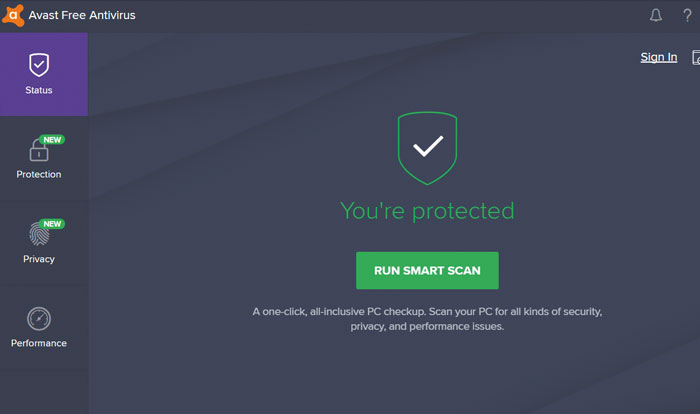
Avast Interface

Avast Free Antivirus is one of the best options whether you’re a laptop user or your PC is a few years old. Its more than 400 million users and excellent results detecting and eliminating viruses are just a few of the many attractions of this antivirus software. Even though it’s completely free, it offers protection on par with the best antivirus programs on the market.

The free version of Avast offers a wide range of options to keep your computer protected at all times. You’ll find browser shields, real-time protection, custom scans, and a great, always up-to-date virus library. Avast Free Antivirus also offers extra options such as a game mode, a password manager, or the ability to scan your computer for malware.

The reason we have included the free version of Avast on this list is that it hardly affects your computer’s performance. In fact, you won’t notice much difference in the speed of your computer, whether or not you have Avast installed. Your computer, though, will be completely protected from any hacker attack. If you’re interested in downloading Avast Free Antivirus, you can get it quickly and safely below.

Avast Free Antivirus DOWNLOAD
8

Norton Antivirus

Norton-Internet-Security-interface

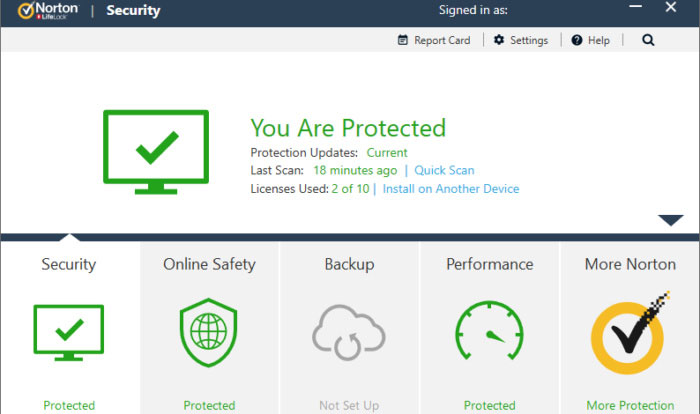
Norton Antivirus has been protecting computers from hacker attacks for years and years. Its latest version is still as good as the first ones, although it obviously comes with some great improvements, keeping up with the times.

One of the biggest strengths of the latest version of Norton Antivirus is its outstanding protection of your browser. It has a smart firewall and is able to block any kind of threat you may run into online. Norton Antivirus also has a number of tools designed to perform maintenance tasks on your computer and, for example, significantly reduce boot time in Windows.

Norton Antivirus is one of the programs that uses the least resources without decreasing its virus protection in any way. In fact, it is rated number one in the PassMark rankings in terms of CPU use by an antivirus product. The only disadvantage (if it can be called that) is that it’s not a free program, although it’s worth spending a few euros for some peace of mind when browsing online. Below you will find the free trial version.

Norton Security Deluxe DOWNLOAD
8

ESET Antivirus

ESET-antivirus-interface

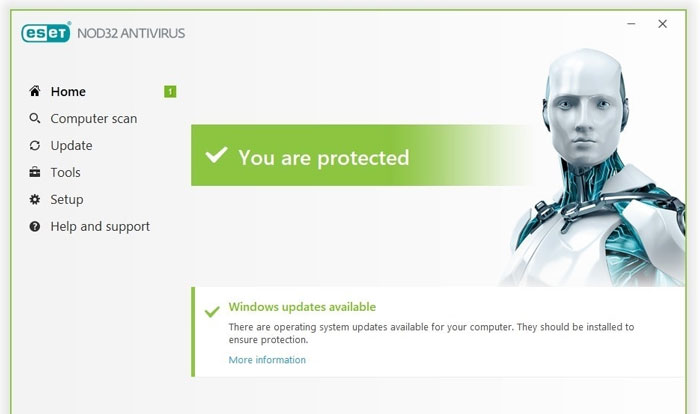
ESET Antivirus may not be the best-known option in the antivirus industry, but that doesn’t make it any less efficient. This is an effective, highly customizable program with a variety of options to ensure that your computer is always protected.

If there is something that stands out about ESET Antivirus, it is precisely all of its options and modes for analysis programs to run on your computer. While comprehensive, it can sometimes be a bit complex for novice users who prefer fewer options with good results. However, users who prefer an anti-virus program that’s literally custom-made will love it.

In terms of resources, ESET Antivirus barely uses any CPU, so you’ll be able to keep it on and work or play your favorite video game while hardly noticing your computer slow down. There are three versions of this antivirus software (ESET NOD32, ESET Internet Security, and ESET Internet Security Premium) that only differ in terms of small extras. That’s why for the most bang for your buck, we recommend ESET NOD32. You can download the free trial version below.

ESET NOD32 Antivirus DOWNLOAD
8

Avira Free Antivirus

Avira-Free-Antivirus-interface

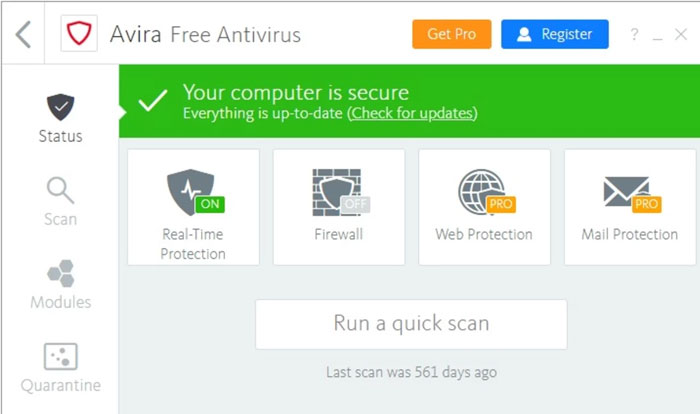
Avira Free Antivirus is a good choice if you’re looking for a solid free antivirus product with great results and a minimal impact on your PC’s performance. Avira is known around the world for its good results and it’s no wonder. This is because it is capable of detecting 99.97% of viruses and attacks your computer may receive, so you can go online carefree.

If you’re a first-time user or just don’t like cryptic or feature-rich antivirus products, you’ll be glad to know that Avira has a simple and easy-to-understand interface. You can use it to scan your computer for viruses and optimize your computer’s performance, something that’s really useful if it hasn’t been working as it should lately. It also has powerful phishing protection and offers the ability to browse through its integrated VPN. And all without slowing down your computer!

The only drawback about Avira is that, since it’s a free antivirus program, it has quite a few ads and pop-ups that can be frustrating. Also, be careful when choosing options when you install the antivirus software, since it will try to get you to install other Avira programs that you might not be interested in. If none of this bothers you, or if you just want to check it out, you can download this antivirus program for free below.

Avira Free Antivirus DOWNLOAD
8

Bitdefender Antivirus

bitdefender-interface

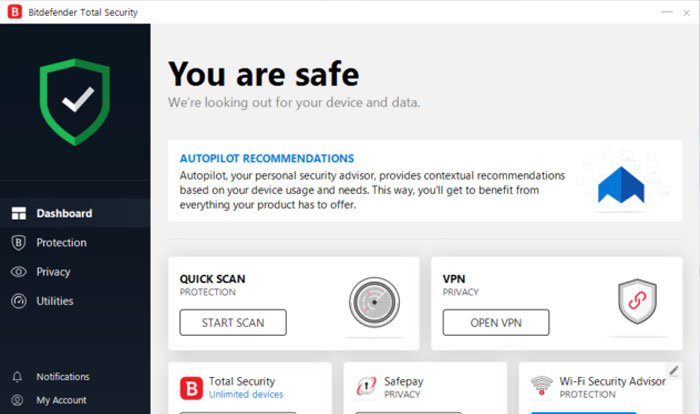
Bitdefender is another excellent option when it comes to protecting your computer without affecting its performance. It has a comprehensive virus database that is updated regularly and has achieved excellent results in the AV-TEST studies. But it doesn’t end there, because Bitdefender also offers a number of tools to improve your computer’s performance, making it one of the world’s most popular antivirus programs.

Depending on the features you want on your computer, you can purchase two types of Bitdefender Antivirus: Bitdefender Internet Security or Bitdefender Total Security. The first is a lighter version of the software, and as such, it has fewer options. In addition to offering you complete virus and malware protection, Bitdefender Internet Security also comes with the Safepay secure payment system, a password manager, and a computer vulnerability scan. Total Security adds a spam filter, a powerful parental control system, and an efficient firewall.

Regardless of which option you choose, Bitdefender Antivirus is perfect for protecting your computer against any attack over the internet without compromising the speed of your operating system.

Bitdefender Total Security 2020 DOWNLOAD
8

I installed an antivirus product from the list, but my computer is still slow 

If you have downloaded and installed one of the programs on this list but your computer is still slow, the problem is probably something else. There are many factors that directly affect your computer’s performance, and they’re not always related to antivirus software. The state of your hard drive, its fragmentation, an incorrectly installed program, an out-of-date operating system, or some malicious process that starts when the computer is booted could be the problem.

To figure it out, we first recommend scanning your computer for any viruses that might be affecting it. If your computer comes back clean, we recommend using some software to speed up your operating system. These programs scan your computer for system errors and unnecessary processes that are slowing down your computer. If you don’t know which one to choose, don’t worry. We have an in-depth article with the best tips and tricks to get your PC working like new.

We hope this article has helped you to choose the perfect antivirus product for your computer’s CPU. Do you know of any that you think should be in our selection? Tell us in the comments section!

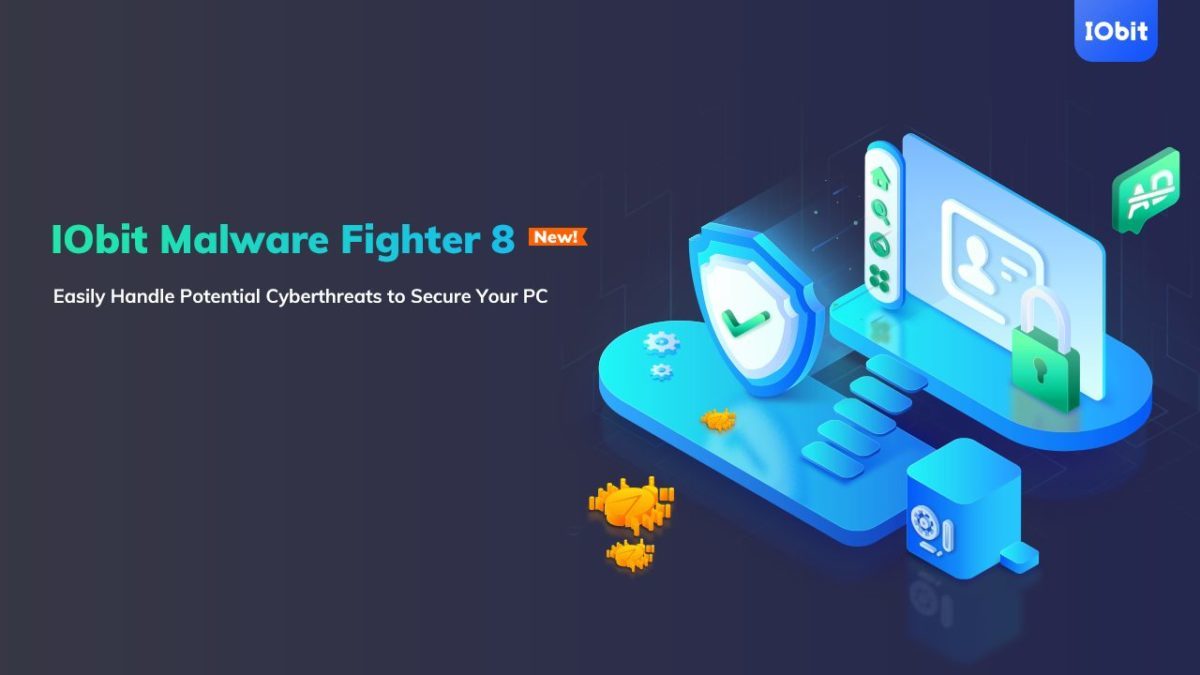
IObit Malware Fighter gets even more impenetrable with version 8 release

Leaving a computer unprotected against malware is like leaving the front door to your house wide open in a dangerous neighborhood. Arming your computer with basic malware protection is more like locking that door and maybe using a home alarm system. Malware protection from major cybersecurity companies, on the other hand, is like placing your home inside a bank vault. That’s exactly the kind of protection IObit delivers in its latest release of its famous Malware Fighter software.

Already a leading name in consumer-level online protection IObit has beefed up several protections in an already robust software package with Malware Fighter 8

Smarter and faster

Understanding that anti-malware software is really only as good as the last bug to hit the internet, IObit has super-charged its malware database by increasing it in size by 100% and making it faster and smarter as well. 

It can now scan your entire PC 50% faster than before. Plus, by using advanced heuristics (basically faster, computerized decision-making processes), the new software release can spot even more threats than before including such as viruses like BackDoor.Lokibot; Ransom.Robbin; Malware.Coronavirus and Ransom.WannaRen.

“IObit Malware Fighter 8 further optimizes threat detection and removal processes for a better user experience,” said Bing Wang, Product Director at IObit. “In the face of the growing number of cyberattacks and identity theft hacks – like the popular coronavirus-themed threats at present – IObit Malware Fighter 8 gives users more comprehensive protection to better deal with various PC security issues.”

Vault-like protection

Our earlier analogy of good anti-malware software acting like a bank vault around your data is particularly true of IObit Malware Fighter 8, thanks to the combination of something the company calls Sensitive Data Protect with its Safe Box feature. This creates even stronger, multi-layer privacy protection to the files you most want to keep safe. As a result, there’s virtually no chance of a hacker getting a hold of your files and holding them ransom for cash. 

Plus, the new release has also beefed up its web-based email protection features so that your inbox stays safe and clean from spam, phishing scams, and other email threats. 

All of this is on top of the software’s already impressive ability to keep your web-based activities away from prying eyes and potentially catastrophic invasions of your privacy by protecting you against spyware, adware, ransomware, Trojans, keyloggers, bots, worms, hijackers, viruses and more. 

An unbeatable deal

Right now, Softonic readers who act fast can sign up to get a copy of IObit Malware Fighter 8 at up to a 25% off discount. If you have a PC running Windows 10, 8/8.1, 7, XP or Vista, simply click the link below to visit the download site to start enjoying worry-free computing.

TrendMicro’s Antivirus for Mac goes way beyond malware

Even though Macs have a reputation for security, the number of malware attacks on Macs surpassed those on Windows machines for the first time in 2020, according to an article in Vox. So there goes the idea that if you have a Mac, you don’t have to worry about installing software to protect it. The fact is, hackers have gotten more devious in sidestepping the inbuilt protections in all our computers, so having an extra level of security – for Macs and PCs – is just plain smart.

AntiVirus for Mac from trusted software developer TrendMicro delivers this protection and much, much more.

Don’t be held hostage 

As with all antivirus software products out there, TrendMicro’s product will alert you when it finds malware on your Mac or when you attempt to download a potentially troublesome file. But Antivirus for Mac takes things a step further with enhanced ransomware protection. Called Folder Shield, this component of the program allows you to mark folders you want monitored so that if a hacker were to try to encrypt them and charge you money to un-encrypt them, he would be blocked and you would be notified.

Cruise the web with confidence

Antivirus for Mac also automatically plugs into your browsers when it is installed so that it can keep an eye out for suspicious websites and other online threats, which it identifies with an icon in search results. You are able to set your Web Threat Protection Level to low, medium or high, and you can also activate a website filter to block sites based on their themes/functions such as those that feature nudity, hate or racism, gambling, shopping, offer online chats, or provide streaming media. There are 31 filters in all, along with the ability to whitelist any site you’d like – a feature that comes in very handy if you have children surfing the internet.

Social distance

One of the standout features of Antivirus for Mac is the ability to have it examine your social media settings on Facebook, Twitter and LinkedIn for potential privacy concerns (although we couldn’t get this feature to work on Facebook in our tests). The scan will tell you what information you’re sharing with the public and recommend settings to help lock down your private information – including the information that’s shared with advertisers outside the social networks. 


Eye spy

Still another noteworthy feature of Antivirus for Mac is that you are able to set it to alert you whenever an application is trying to access your webcam or microphone to prevent unwanted spying. The setting is simple to activate during the installation process.

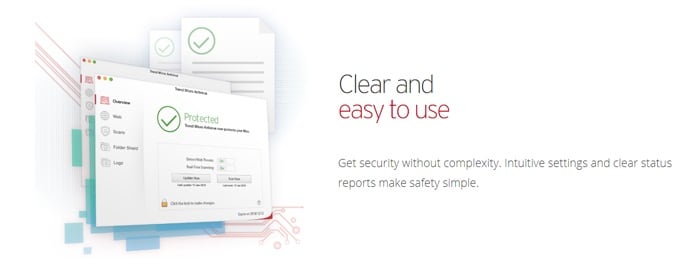
And speaking of simplicity, TrendMicro has made this program extremely easy to navigate. The main screen offers the various protection possibilities down the left and when you choose one, the window to the right is populated with the settings you can control. Things work with simple checkboxes and slidable switches, plus an icon in your Mac’s toolbar lets you quickly access key features including scans and updates.

Value time

TrendMicro’s antivirus, anti-malware, and anti-ransomware protections would be enough to make Antivirus for Mac a bargain on its own. Throw in all the features we’ve detailed, and it becomes clear that it’s hard to beat the value you get for your money. Right now the software is available for 25% off the normal rate of $39.95, so you’ll pay only $29.95 for a full year of protection.