The serious dangers that lurk behind Chrome and Edge extensions

Researchers from Koi Security have identified 18 extensions in the Chrome and Edge browsers that, under the guise of productivity and entertainment tools, are actually malicious. These extensions carefully disguise themselves to deceive users, raising significant concerns about online security. Suspect everything The researchers warn that users, when installing these extensions, could be exposing themselves to various security risks. These applications can collect sensitive data, steal personal information, or even inject unwanted ads into the user’s browsing. In a digital environment where privacy is a precious commodity, […]

Researchers from Koi Security have identified 18 extensions in the Chrome and Edge browsers that, under the guise of productivity and entertainment tools, are actually malicious. These extensions carefully disguise themselves to deceive users, raising significant concerns about online security.

Suspicion of everything

Researchers warn that users, when installing these extensions, could be exposing themselves to various security risks. These applications can collect sensitive data, steal personal information, or even inject unwanted ads into the user’s browsing experience. In a digital environment where privacy is a precious commodity, the emergence of such threats underscores the need for greater vigilance when downloading browser add-ons.

The identified extensions include tools that promise to facilitate everyday tasks, such as password management or enhancing the video viewing experience. However, upon further investigation, Koi Security experts discovered that these applications are designed to carry out malicious activities without the user’s knowledge. The presence of such extensions highlights the urgency of promoting a more robust education about online security among users.

This situation is not new; however, there are now more sophisticated patterns in the way cyber threats are camouflaged. It is essential for users to stay alert and verify the legitimacy of the extensions they wish to install. Additionally, it is recommended to use cybersecurity tools and stay informed about the latest research and recommendations in cybersecurity.

Experts emphasize the importance of reporting and uninstalling any suspicious extensions, as well as always keeping browsers updated to protect against potential vulnerabilities. In a constantly changing digital landscape, caution and knowledge are the best defenses against malicious software.

Overview of 8 Best Browsers with Built-In VPN [2023]

Learn more about the best 8 best browsers with built-in VPN in 2023: overview, use cases, key features, and pricing. Click here to read more.

In today’s digital age, online privacy and security are major concerns. Hackers, cybercriminals, and even governments can easily track your online activity, leaving you vulnerable to identity theft, surveillance, and other potential threats.

One way to stay protected while browsing the internet is by using a browser with built-in VPN. By encrypting your online traffic and masking your IP address, these browsers provide an added layer of security and privacy that traditional browsers can’t match.

This article explores eight of the top browsers with built-in VPN, such as Tempest, Opera, Firefox, etc., and highlights the features that make them stand out.

Tempest Browser DOWNLOAD FREE
10

Web Browsers with Built-in VPN

When it comes to web browsers with built-in VPN, there are several options available.

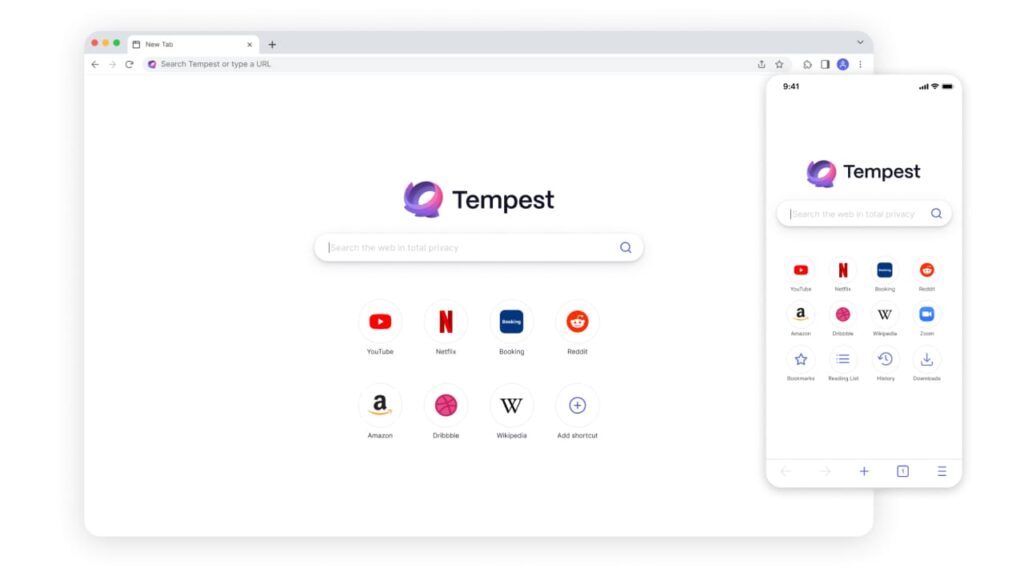
Browser #1: Tempest Browser

Tempest Browser is an excellent web browser that comes with built-in VPN protection, making it one of the most secure and reliable browsers on the market today. Here is what you need to know about Tempest Browser.

Key Features

  • Built-in VPN protection for maximum privacy and security.
  • Uses advanced encryption to secure your online activity and mask your IP address from potential threats.
  • Anonymous internet browsing for maximum privacy.
  • Cross-platform support, available for numerous operating systems.
  • User-friendly interface.
  • Available for various operating systems, including Windows, Linux, Mac, Android, and iOS.

Pricing

  • Completely free to download and use.
  • No hidden costs or subscription fees, making it a great choice for anyone looking for a free, secure browser.

Pros

  • Offers excellent security and privacy features.
  • Available for various operating systems.
  • Provides advanced security and search results are completely private
  • Does not store search history.

Cons

  • It may lack some features that other popular browsers have.
  • Not as popular as mainstream browsers.

Versions Available

Tempest Browser is available for Windows, Mac, and iOS.

In summary, Tempest Browser is one of the best browsers with built-in VPN on the market today. Its advanced security features and cross-platform support make it an excellent choice for anyone looking for a secure and reliable browser to protect their sensitive online activity. Whether you are using it on your PC or mobile device, Tempest Browser is a top choice for anyone looking for a private, anonymous internet browser.

Tempest Browser DOWNLOAD FREE
10

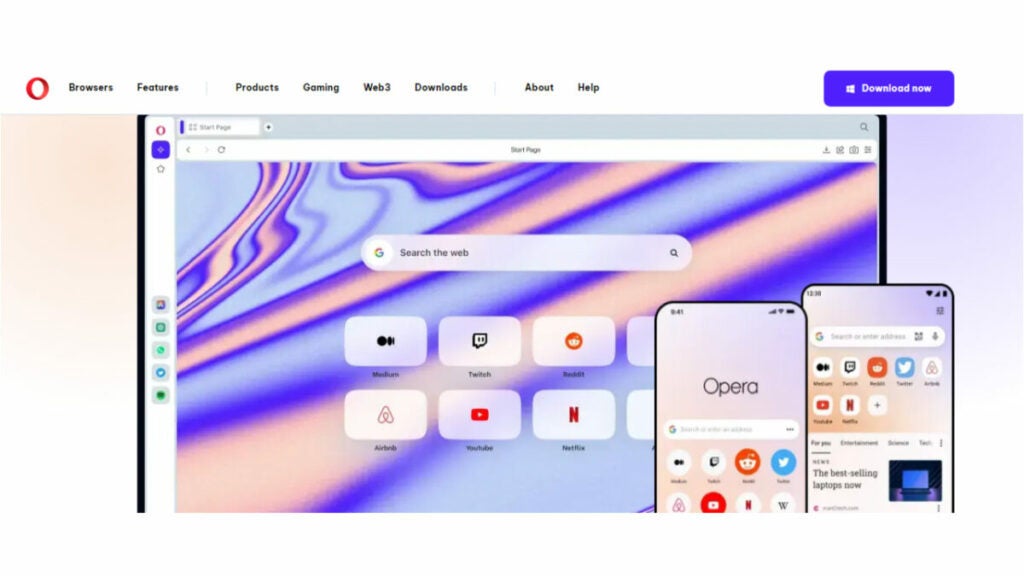
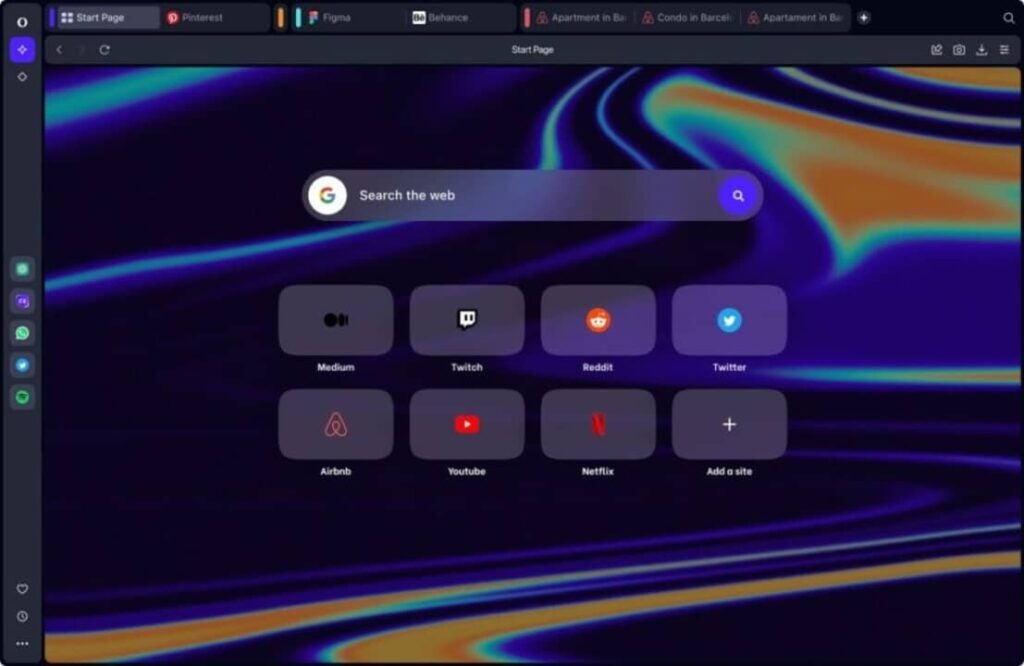
Browser #2: Opera Browser

Opera Browser is another great option for those in search of a secure and reliable web browser with built-in VPN protection. Here’s what you need to know about Opera Browser.

Key Features

  • Offers a built-in VPN that allows you to browse the internet securely, anonymously and without any limitations.
  • Comes with ad-blocker, which helps you to browse the internet without annoying ads.
  • Has a battery saver feature that extends the life of your laptop or mobile device battery.
  • Offers a unique tab-cycling feature that allows you to cycle through all of your open tabs.

Pricing

  • Completely free with no hidden costs or subscription fees.

Pros

  • Superior VPN protection.
  • User-friendly interface.
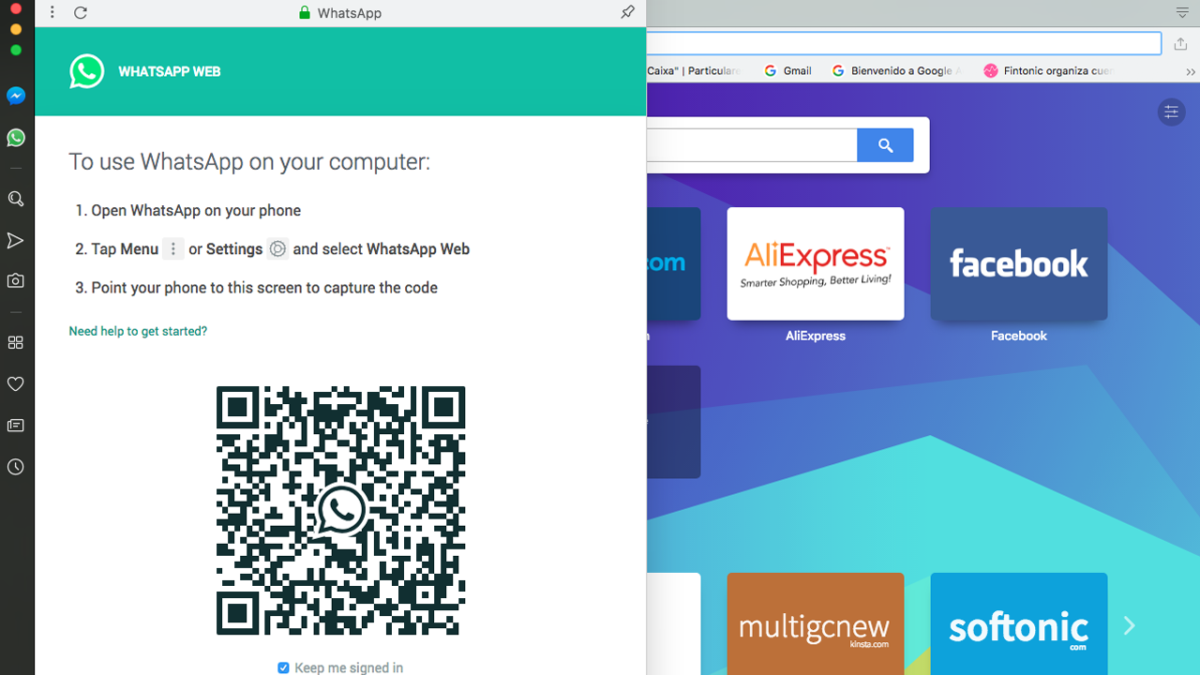
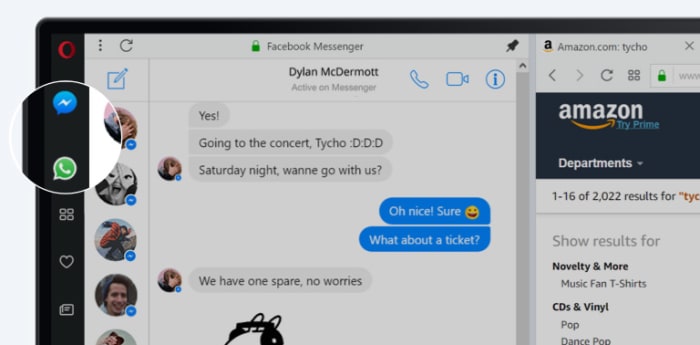
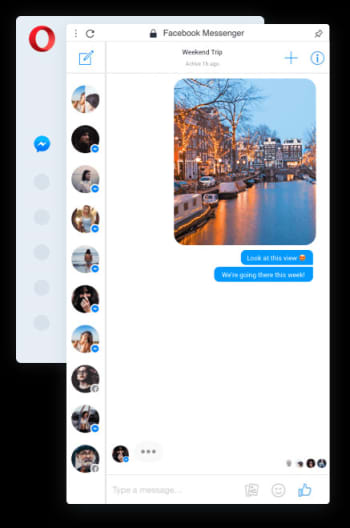
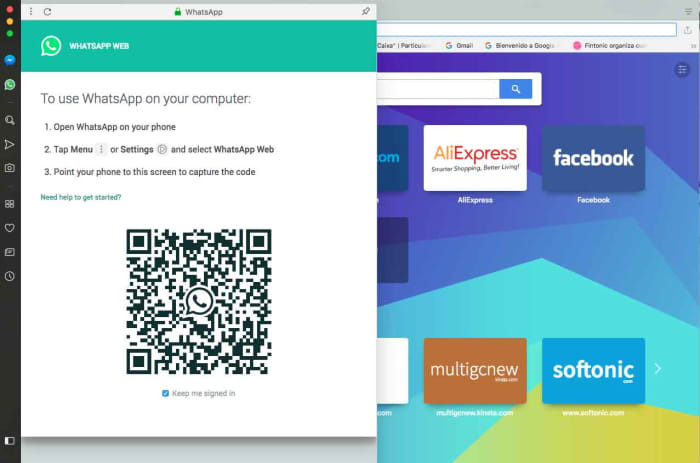
  • Integrated messenger feature, which allows you to chat on popular messenger apps, such as WhatsApp, directly from your browser.

Cons

  • Lacks some of the advanced features found in other popular browsers.
  • Some users may find it a bit slower than other browsers.

Versions Available

Opera Browser is available for Linux, Windows, Mac, Android and iOS, making it accessible to users across multiple platforms.

In summary, Opera Browser is an excellent choice for those seeking a secure browser with a built-in VPN. Its advanced VPN encryption, ad-blocker feature, unique tab-cycling feature, battery saver feature and integrated messengers feature make it stand out from the competition. The fact that it’s free to use also makes it an appealing choice for anyone looking for a reliable, secure, and free browser.

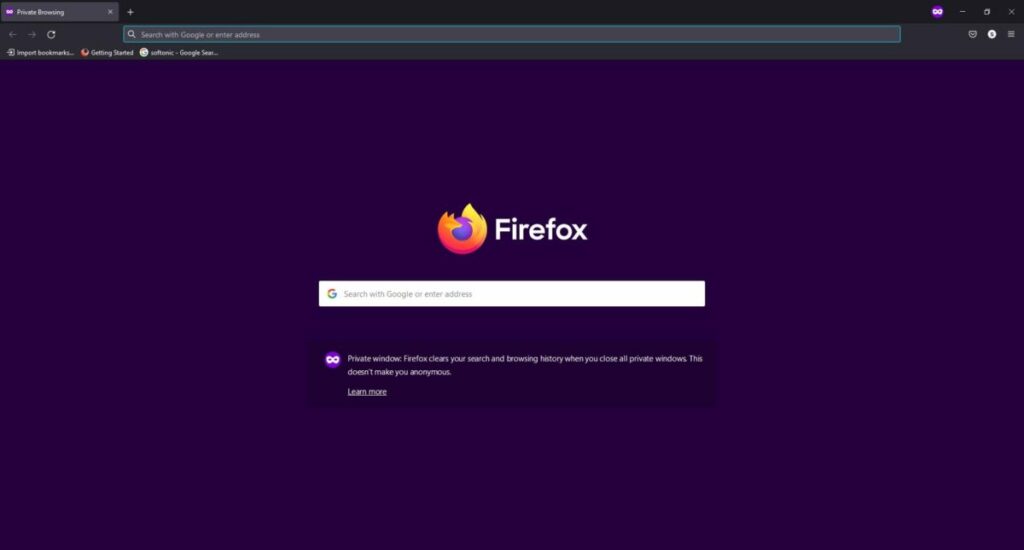
Browser #3: Mozilla Firefox

Mozilla Firefox is a widely used web browser that also offers built-in VPN protection for its users. Here’s what you need to know about Firefox.

Key Features

  • An open source browser that offers a range of privacy and security features.
  • Built-in VPN protection powered by Cloudflare.
  • Ad and tracker blocker to keep users’ online activity private.
  • Built-in password manager for added security.
  • Customizable user interface that allows users to personalize their browsing experience.
  • Various add-ons and plugins available to enhance user experience.

Pricing

  • Completely free to download and use.

Pros

  • Personalized browsing experience with optional add-ons and tools.
  • Utilizes Cloudflare’s powerful VPN protection for maximum security.
  • Beneficial ad and tracker blocker for added privacy.
  • Convenient built-in password manager for extra authentication.
  • Comprehensive range of plugins and add-ons to customize user experience.

Cons

  • Some users may find the browser to be slower than others.
  • May require additional plugins or add-ons for maximum security and privacy.

Versions Available

Mozilla Firefox is available for Windows, Mac, Linux, and Android.

In summary, Mozilla Firefox is a fantastic browser with built-in VPN protection. It has a range of privacy and security features, including ad and tracker blocking, password management, and customizable settings. Its compatibility with different operating systems makes it the perfect choice for users who demand a secure browsing experience. While it may not be the fastest, it is still an excellent option for anyone needing a reliable, secure, and free browser.

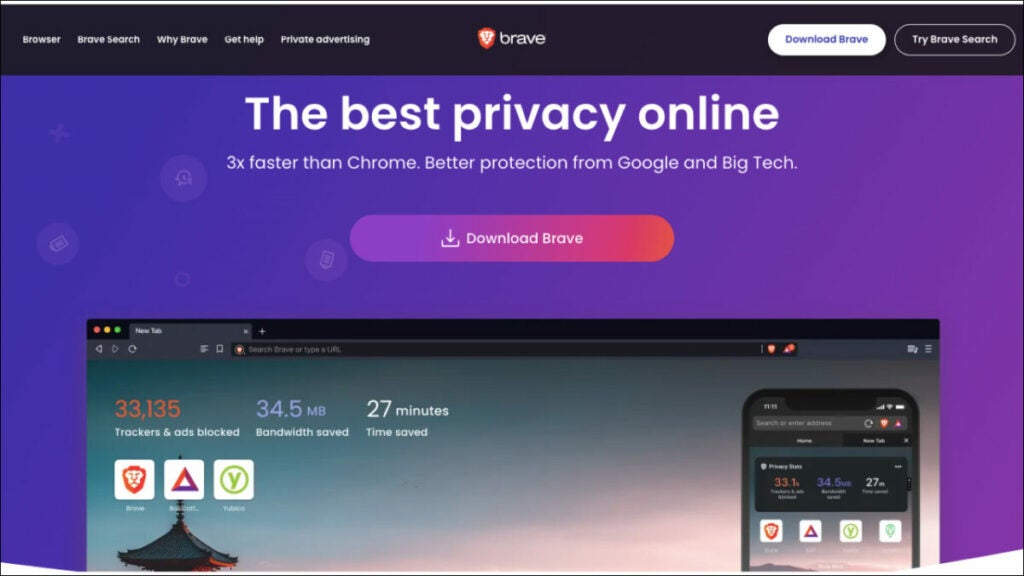
Browser #4: Brave Browser

Brave Browser is one of the best browsers with a built-in VPN. It offers an unparalleled combination of speed, privacy and security features, making it ideal for those who want to maintain their anonymity while browsing the web. Here’s what you need to know about Brave Browser.

Key Features

  • Built-in VPN protection that allows users to browse the internet securely and anonymously with no limitations.
  • Battery saver feature that help extend the life of laptops and mobile devices.
  • Ad-blocker that prevents annoying ads from popping up on websites.
  • Tab cycling feature which allows users to cycle through all open tabs.

Pricing

  • Completely free with no hidden costs or subscription fees.

Pros

  • Extremely user-friendly and easy to navigate. It also offers a unique messenger feature that allows users to chat on popular messaging apps, such as WhatsApp directly from the browser.
  • Superior VPN protection, which comes completely free and unlimited.
  • Offers advanced security features such as password management, tab cycling, and customizable settings.
  • User rewards system that offers cryptocurrency for using the browser.

Cons

  • Some users may find it to be slower than other browsers, and may require additional plugins or add-ons for maximum security and privacy.
  • The VPN service only offers server selection for certain countries.
  • Some users may find the browser to be less compatible with certain websites and applications.

Versions Available

Brave Browser is available for Linux, Windows, Mac, Android, and iOS so users can access it across multiple platforms.

In summary, Brave Browser is an excellent choice for anyone who wants to stay secure and anonymous while browsing the web. It offers a wealth of features that make it one of the best browsers with built-in VPN. From its free VPN protection to its battery saver feature to its tab cycling feature, Brave Browser provides everything you need for a safe and private online experience. Furthermore, it is available for multiple platforms and comes at no cost, making it an ideal choice for those seeking a secure browser.

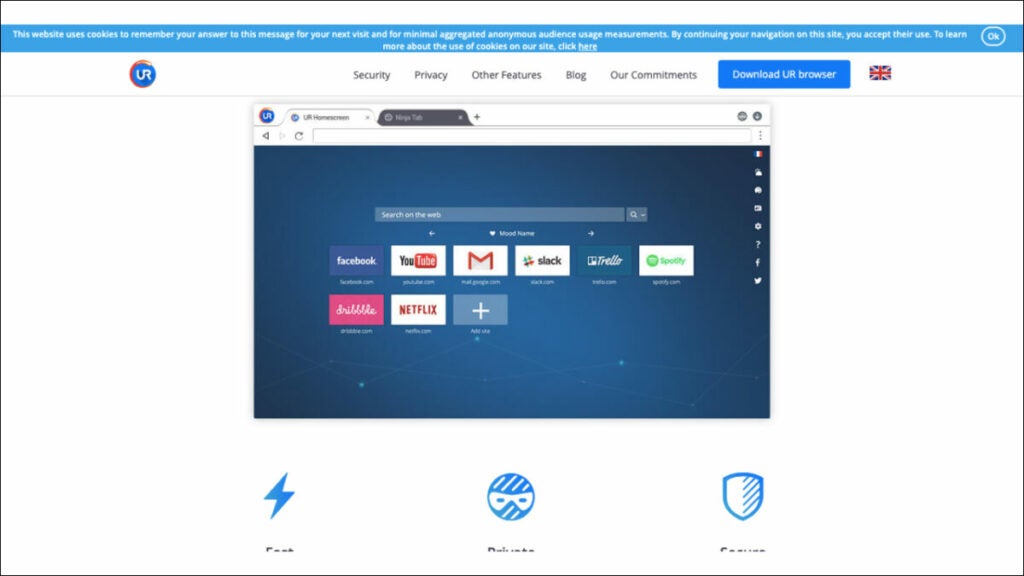
Browser #5: UR Browser

UR Browser is a reliable and secure browser with a built-in VPN. It provides a safe and private browsing experience for users, ensuring their data and identity remain securely protected from hackers and cyber criminals. Here’s what you need to know about UR Browser.

Key Features

  • Built-in VPN protection that encrypts all web traffic, keeping users’ identities anonymous.
  • Ad blocker that prevents intrusive pop-ups and advertisements while browsing websites.
  • Secure password management that stores all passwords in an encrypted vault.
  • Customizable settings allow users to tailor the browser to their needs.
  • Tab cycling feature which allows users to quickly switch between open tabs.

Pricing

  • Completely free with no hidden costs or subscription fees.

Pros

  • User-friendly interface that is easy to navigate and customize.
  • Superior VPN protection which encrypts all web traffic and keeps users anonymous.
  • Blocks intrusive advertisements, ensuring a pleasant browsing experience.
  • Secure password management ensures all passwords are kept safe and secure.
  • Tab cycling feature makes it easy to switch between open tabs quickly and effortlessly.
  • Customizable browsing preferences with a range of extensions, add-ons and themes for personalization.

Cons

  • The browser may experience slower speeds due to its enhanced security measures, which could be a concern for certain users.
  • Limited server selection when using the built-in VPN service.

Versions Available

UR Browser is available for Windows, Mac, Android, and iOS so users can access it across multiple platforms.

In summary, UR Browser is an excellent choice for anyone who wants to stay secure and anonymous while browsing the web. Its built-in VPN protection ensures all data remains encrypted and hidden from cyber criminals and government surveillance. Its user-friendly interface and customizable settings makes it one of the best browsers with built-in VPN.

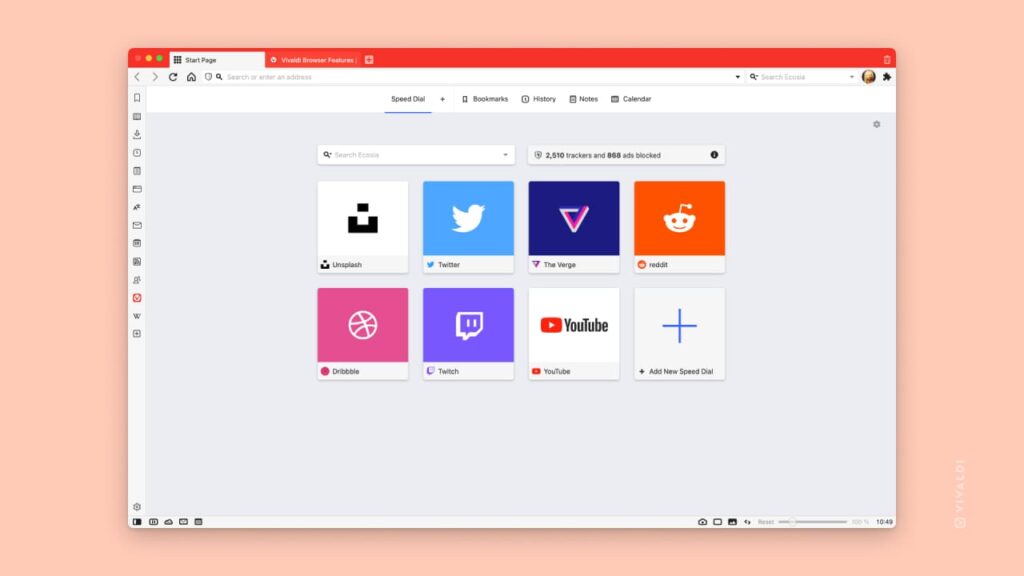
Browser #6: Vivaldi Browser

Vivaldi

Vivaldi Browser is an incredibly secure and private browser with a built-in VPN. It offers a range of features that make it one of the best browsers with built-in VPN. From its free VPN protection to its tab cycling feature, it provides everything you need for a safe and private online experience. It’s available for multiple platforms and comes at no cost, making it an ideal choice for those seeking a secure browser.

Key Features

  • Built-in VPN protection that encrypts all web traffic, keeping users’ identities anonymous.
  • Ad blocker that prevents intrusive pop-ups and advertisements while browsing websites.
  • Secure password management that stores all passwords in an encrypted vault.
  • Provides a range of customization options, from extension and add-on support to themes and wallpapers that make it easy to personalize the experience and create a unique browsing environment tailored specifically to their preferences.
  • Offers a tab cycling feature that makes it easy to switch between open tabs quickly and effortlessly.
  • Has a secure password manager that ensures all passwords are kept safe and secure, eliminating the need for users to remember multiple passwords.

Pricing

  • Completely free with no hidden costs or subscription fees.

Pros

  • Free unlimited VPN protection that encrypts all web traffic and keeps users anonymous.
  • Secure password management ensures all passwords are kept safe and secure.
  • Customizable settings with a range of extensions, add-ons, themes, and wallpapers for personalization.
  • Tab cycling feature makes it easy to switch between open tabs quickly and effortlessly.
  • Blocks intrusive advertisements, ensuring a pleasant browsing experience.

Cons

  • Steep learning curve for new users.
  • Some features may be overwhelming for casual users.
  • Some users may find the browser slower than other browsers because of its advanced security features.

Versions Available

Vivaldi Browser is available for Windows, Mac, Android, and iOS so users can access it from any device.

In summary, Vivaldi Browser is an incredibly secure and private browser with a built-in VPN. Its secure password manager, customizable settings, tab cycling feature, and ad blocker make it one of the best browsers with built-in VPN. The fact that it’s available for multiple platforms and comes at no cost makes Vivaldi Browser an ideal choice for those seeking a secure and private browsing experience.

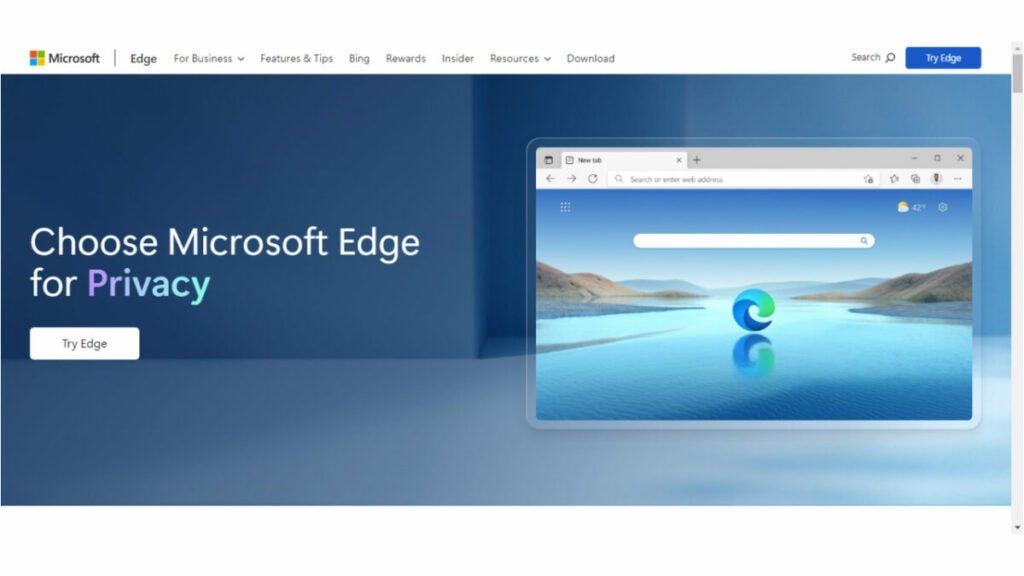
Browser #7: Microsoft Edge

Microsoft Edge is a web browser developed by Microsoft that features built-in VPN protection. Here are some key details about the browser.

Key Features

  • Built-in VPN protection that encrypts all web traffic, keeping users’ identities anonymous.
  • Ad blocker that prevents intrusive pop-ups and advertisements while browsing websites.
  • Secure password management that stores all passwords in an encrypted vault.
  • Has a range of customization options, from extension and add-on support to themes and wallpapers that make it easy to personalize the experience and create a unique browsing environment tailored specifically to their preferences.
  • Tab cycling feature makes it easy to switch between open tabs quickly and effortlessly.

Pricing

  • Completely free with no hidden costs or subscription fees.

Pros

  • Offers unlimited protection by encrypting all web traffic and ensuring user anonymity.
  • Secure password management ensures the security and protection of all passwords.
  • Offers customizable settings and a variety of options, such as extensions, add-ons, themes, and wallpapers for personalizing the experience.
  • Has a tab cycling feature that allows for efficient switching between open tabs.
  • Prevents unwanted advertisements, resulting in a more favorable browsing experience.

Cons

  • New users may experience a significant learning curve.
  • Certain features may present a challenge for users who are not accustomed to them.
  • Its advanced security features may result in slower performance for some users compared to other browsers.
  • Available only on Windows and Mac operating systems.

Versions Available

Microsoft Edge is available for Mac, Windows, Android, and iOS so users can access it from any device.

In summary, Microsoft Edge is an incredibly secure and private browser with built-in VPN protection. Its free unlimited VPN, secure password manager, customizable settings, tab cycling feature, and ad blocker make it one of the best browsers with built-in VPNs. The fact that it’s available for multiple platforms and comes at no cost makes Microsoft Edge an ideal choice for those seeking a secure and private browsing experience.

Browser #8: Tor Browser

Tor Browser is an open source browser that features a built-in VPN and other features designed to protect users’ privacy and security. It uses a network of volunteer-run servers to route users’ traffic through multiple layers of encryption, making it difficult to track their online activity. Here are key details about the browser.

Key Features

  • Anonymous browsing that hides users’ IP address and other identifying information as they browse the internet.
  • Multi-layer encryption that safeguards all web traffic from third-party surveillance or tracking.
  • Secure password manager that encrypts all passwords and stores them in a secure vault.
  • NoScript feature blocks certain scripts from running when accessing websites, providing additional layers of protection against malicious attacks and hacking attempts.
  • Can be configured to block ads, pop ups, cookies, and other tracking methods used to identify users.

Pricing

  • Completely free with no hidden costs or subscription fees.

Pros

  • Provides an added layer of security and privacy with its built-in VPN protection, encryption, and NoScript feature.
  • Allows for anonymous browsing by concealing users’ IP addresses and other identifying information.
  • Has a secure password manager that ensures the safety and protection of all passwords by storing them in a secure vault.
  • Can be configured to block ads, popups, cookies, and other tracking methods used to identify users.

Cons

  • Not compatible with certain websites and may experience compatibility issues when attempting to access certain sites.
  • May be slower than other browsers due to its added security features.
  • Advanced settings can seem overwhelming for new users who are not familiar with them.

Versions Available

Tor Browser is available for PC, on Windows, Mac, Linux, Android, and for iOS devices, making it accessible to a wide range of users.

In summary, Tor Browser is an excellent choice for those seeking an added layer of security and privacy while browsing the internet. Its built-in VPN protection, multi-layer encryption, secure password manager, and NoScript feature provide robust protection from third-party surveillance or tracking attempts.

Mobile Browsers with Built-in VPN

Mobile devices are also vulnerable to online threats, making it important to have a secure browser with built-in VPN protection. Here are the top eight mobile browsers with this feature.

Browser #1: Tempest Browser

Tempest Browser

It offers users a secure and private browsing experience by encrypting all web traffic and masking their IP address. Tempest Browser also provides advanced privacy settings allowing users to customize their browsing experience, as well as features like ad blocking, Cookie blocking, and pop-up blockers for an added layer of security. Its cross-platform compatibility makes it an ideal choice for those seeking anonymity while browsing the internet. In short, Tempest Browser is one of the best mobile browsers with built-in VPN that provides maximum protection from third-party surveillance or tracking attempts.

Tempest Browser DOWNLOAD FREE
10

Browser #2: DuckDuckGo Privacy Browser

DuckDuckGo is a browser with built-in VPN protection for iOS devices and Android browsers and devices. It blocks third-party trackers and forces websites to use encryption, ensuring that users’ online activity remains private and secure. DuckDuckGo privacy browser also includes a feature that displays a privacy grade for every website, making it easy for users to understand how secure their browsing experience is.

Browser #3: Aloha Browser

aloha logo

Aloha Browser is a private and secure browser with built-in VPN protection for iOS and Android devices. It has a user-friendly interface and allows users to browse the internet anonymously. Aloha Browser also supports ad-blocking, which enhances user privacy and reduces data usage. In addition to VPN protection, Aloha Browser offers a VR player for immersive browsing experiences. It is available for free with in-app purchases.

Browser #4: Brave Browser

Brave Browser is an open source browser that provides VPN protection for Android and iOS devices. It blocks third-party cookies, preventing advertisers from tracking users’ online activity. Brave Browser also offers a private browsing mode that doesn’t save users’ browsing history. It includes a built-in ad-blocker, reducing data usage and improving browsing speeds. Brave Browser is available for free on both the Google Play Store and Apple App Store.

Browser #5: Opera Browser

Opera Browser is a popular mobile browser with built-in VPN protection for Android and iOS devices. It offers fast browsing speeds and blocks intrusive ads, ensuring a smoother browsing experience. Opera Browser also includes a free, unlimited VPN that protects users’ online activity. The app is available for free download on the Google Play Store and Apple App Store.

Browser #6: Microsoft Edge

Edge Header image

Microsoft Edge is a mobile browser that offers a built-in VPN for Android and iOS devices. It offers fast browsing speeds and includes a private browsing mode that doesn’t save users’ browsing history. Microsoft Edge also allows users to add VPN extensions to their browser for added protection. It is available for free on both the Google Play Store and Apple App Store.

Browser #7: Mozilla Firefox

Mozilla Firefox is a popular mobile browser with built-in VPN protection for Android devices. It offers fast browsing speeds and includes a private browsing mode that doesn’t save users’ browsing history. Mozilla Firefox also allows users to add VPN extensions to their browser for added protection. It is available for free on the Google Play Store.

Wrap Up

There are several browsers with built-in VPN protection available, providing users with a more secure and private browsing experience. Whether you’re considering security reviews and looking for a browser with a strong focus on privacy, an open source browser, or a browser that’s available for a specific operating system, there’s an option out there for you.

It’s important to consider your specific needs and preferences when choosing a browser to ensure the browser you choose is truly secure. With a browser with built-in VPN, you can enjoy a more secure and private internet browsing experience.

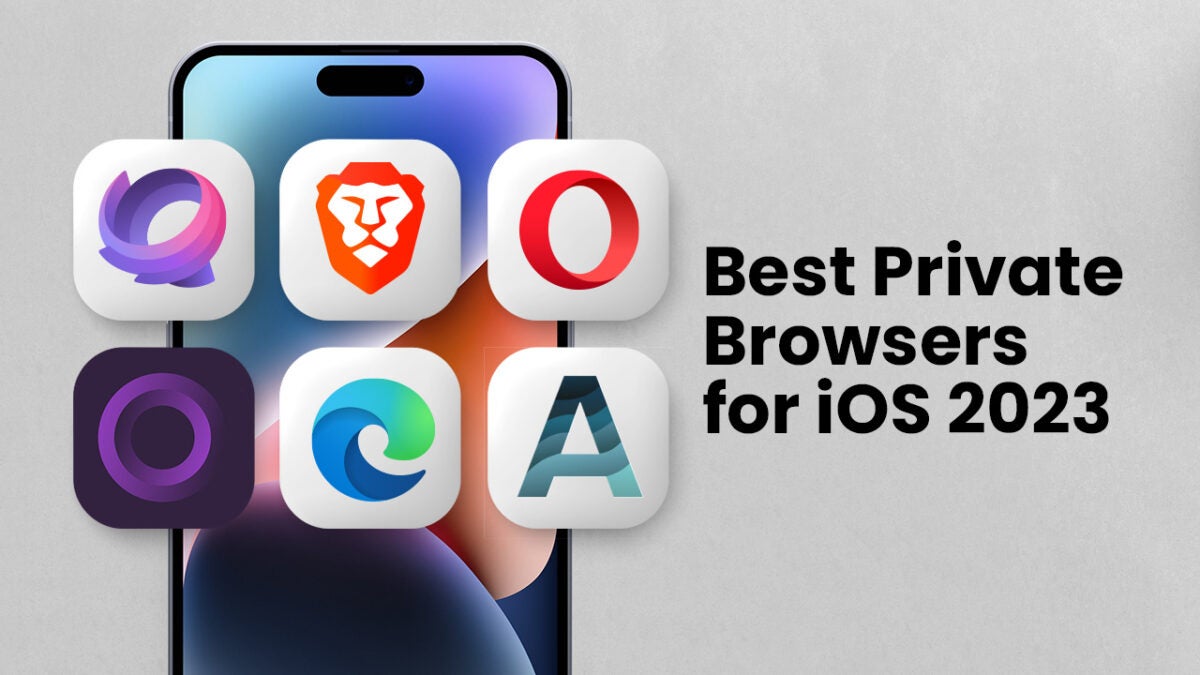
Best Private Browsers for iOS: 2023 Edition

Find out what is the best private browser for iOS in 2023 in our in-depth comparison of the top players: Tempest, Onion, Microsoft Edge, and more.

Privacy has become increasingly important over recent years, particularly as our smartphones have become more and more integrated into our daily lives.

For iPhone and iPad users, their devices hold a wealth of personal information, making it vital that they use a private browser that clears when closed and ensures they are not being tracked. With a host of options available in the market, choosing the best private browser for iOS that suits your needs can be overwhelming.

Find out the most efficient and safest private browsers for iOS in 2023 that offer maximum privacy and security. Whether you’re an iPhone, iPad or iPod Touch user, this article will help you find the best private mobile browser for your iOS device.

In this article, we’re going to explore the best private browsers for iOS in 2023, including Tempest, Onion Browser, Microsoft Edge, and other notable options, aiming to determine which one is considered the best by conducting an in-depth comparison.

Tempest DOWNLOAD FREE
10

Best Private Browser for iOS: A Quick Summary

Many iOS users may ask the question: Is there a private browser for iPhone and iPad?

The answer is a resounding “yes”! With the right private mobile browser for iPhone and iPad, you can browse the web without worrying about your data being tracked or compromised.

With a range of options available, it can be difficult to know which one to choose. Fortunately, this quick summary will help you decide which private mobile browser is right for you.

1. Tempest Browser

This is one of the most private iOS browsers that keeps your activity completely anonymous and all data encrypted. Tempest is designed to protect you from being tracked online and it also blocks third-party trackers, ads, and malware that can compromise your device’s security. Tempest also clears all browsing data when you exit the browser or switch to another app.

2. Onion Browser

This is one of the most secure no tracking browsers for iOS users as it uses the Tor network, which helps keep your identity anonymous while browsing the web. With Onion Browser, you never have to worry about leaving behind a digital footprint as it automatically clears cookies and other web history when you leave a website. It also has an in-built ad blocker and VPN connection.

3. Microsoft Edge

This is another private browser for iPads and iPhones and provides strong privacy protection by blocking trackers, cookies, and malicious sites. It also allows you to sync your browsing history across all your devices, making it easy to access your favorite websites wherever you go. It also has an “InPrivate” mode, which means that no data is stored on your device when you close the window after use.

4. Brave Private Browser

This is a fast and secure browser for iOS that has built-in anti-tracking technology and blocks ads and malicious software from accessing your device. It also includes an encrypted proxy feature that can disguise your IP address and location to keep your online identity safe.

5. Opera Browser

This is one of the fastest and most secure browsers for iOS that clears when closed, which means all your information such as browsing history, cookies, and other data will be cleared when you close the window or switch to another app. It ensures that your identity remains anonymous while browsing the web, and it also has an in-built ad blocker, anti-tracking technology, and a built-in VPN connection to keep your data safe from hackers. Its intuitive interface makes it easy to use and navigate through different websites with ease.

6. Aloha Browser

This is one of the best private mobile browsers for iOS devices, as it has a built-in VPN connection that encrypts all your data while you’re browsing the web. It also offers an unlimited ad blocker, custom themes, and private downloads so no one can track what you’re downloading or viewing online. It will also automatically clear your browsing data when you exit the browser.

Now, it’s time to review each of the best private browsers for iOS. Each of these options offers a range of features that can help keep your identity and data secure while browsing the web.

Browser 1: Tempest

Tempest is a private, no tracking browser for iOS, which means that you don’t have to worry about leaving a digital footprint when browsing. It blocks third-party trackers, ads, and malware and clears all data when you switch apps or close the browser window. Tempest was designed with a focus on privacy, ensuring that all your data, history, and passwords are kept secure. It has a user-friendly interface and is quite easy to use, making it a popular choice among iOS users.

Suited for Whom

Tempest is the perfect private mobile browser for iPhone and iPad users who prioritize their privacy, especially those who are concerned about their online safety. The browser’s features are designed explicitly for users looking for more security features than the default Safari browser.

Best Use Case

The most significant use case of Tempest is secure private browsing. If you want a private browser for iOS that has no tracking ability, this browser is the best choice. Tempest also offers ad-blocking features, making browsing faster while consuming less data.

Pros

  • Has an outstanding level of privacy, ensuring complete anonymity and confidentiality from third-party servers.
  • Zero tracking abilities, giving iPhone users much-needed peace of mind when it comes to their online activities.
  • Its ad-blocking capability makes browsing faster and smoother, without any intrusive ads and disruptive pop-ups to hinder browsing and streaming.
  • As a lightweight and fast private mobile browser, Tempest offers a seamless, speedy browsing experience.
  • Its syncing features ensure users can access bookmarks, history, and saved data from any Apple device, providing a high level of convenience.

Cons

  • Does not support Safari extensions, which can hinder users who may depend on these tools for browsing.
  • Compared to other browsers, Tempest has limited browsing options and features. While its focus is primarily on privacy, users may find themselves wanting more in terms of functionality and features.

Device Performance

Tempest is a lightweight private browser for iPhone and iPad that does not consume too many resources. It is fast and responsive, and the browser’s syncing features ensure that everyone can access the same bookmarks, history, and saved data across their Apple devices.

Other Factors to Consider

Tempest is a reliable private mobile browser for iPhone and iPad that offers excellent privacy features, making it a top choice for users looking for more privacy than Apple’s default Safari. The browser is available to download from Apple’s App Store and is compatible with all iOS devices. It’s also free to use, with no need for any subscription fees or in-app purchases.

Tempest provides an excellent level of privacy, making it one of the best private browsers for iOS and ensures private browsing for users.

Tempest DOWNLOAD FREE
10

Browser 2: Onion Browser

Onion Browser is a private browser for iOS that is based on Tor technology. It allows users to surf the internet anonymously, without leaving a trace behind or being tracked by the government or internet service providers.

Suited for Whom

Onion Browser is ideal for iOS users who want an ultra-private browsing experience. It’s also suitable for users who want to avoid being tracked by the government, hackers, or any third party that could potentially access their data.

Best Use Case

It’s perfect for users who want to browse the internet without revealing their real IP address, browsing history, or location. It’s also ideal for users who wish to browse sites that require a high level of privacy or security, such as online banking, online trading, or anonymous email services.

Pros

  • Provides a high level of privacy and anonymity, ensuring complete protection from government surveillance or cybercriminals.
  • As a no tracking browser for iOS, it ensures all browsing activity is kept entirely private, making it ideal for users concerned about their online safety.
  • It has a dark mode and ad-blocker that improves browsing efficiency and reduces distractions.
  • With an easy-to-use interface, it makes it easier for users to navigate and access the web with ease.
  • Based on Tor technology, making it one of the most secure browsers available in the market.

Cons

  • Onion Browser is not as fast or lightweight as other private browsers for iOS.
  • It does not support extensions or plugins for enhanced functionality.
  • Can be slow at times due to its reliance on Tor technology.
  • Limited features compared to other browsers.

Device Performance

Onion Browser is a bit slow, as it routes all traffic through several layers of servers to ensure anonymity. It requires a constant internet connection and may consume more battery life as a result.

Other Factors to Consider

Onion Browser is not a browser that clears when closed, making it necessary to clear cookies and browsing history manually. One of the unique features of Onion Browser is its ability to access the Dark Web, which could create a potentially harmful experience if users are not careful.

Onion Browser is a great option for users who want an ultra-private browsing experience. While it’s not as fast as other browsers, its ability to provide complete anonymity makes it one of the best private browsers for iOS.

Browser 3: Microsoft Edge

Microsoft Edge is a new addition to the private browsers for iOS, making it a top choice for users looking for an efficient and safe mobile browsing experience. This browser is built around the same core technology used by Windows and MacOS, giving it a high level of security. It also offers a range of features designed to protect user privacy, such as tracking prevention, secure password storage, and enhanced security settings.

The Microsoft Edge Private Mode is one of its most powerful tools, as it allows users to browse without leaving any traces of their activity. This mode also offers additional security with its built-in tracking prevention, secure password storage, and enhanced security settings.

Suited for Whom

It’s perfect for those who want a reliable browser with powerful privacy features. As a private mobile phone browser for iPhone, it provides unparalleled protection against tracking and malicious websites while offering superior performance compared to other browsers available in the market.

Best Use Case

For those who are looking to browse the web safely and securely on their iOS devices, there is no better option than the Microsoft Edge Private Mode. With enhanced security settings and powerful privacy features, it offers users unparalleled protection against tracking and malicious websites.

Whether you’re browsing online banking or trading sites, using a VPN service, or simply using social media, Microsoft Edge’s Private Mode provides a secure online experience. With its private browser app for iPhone and iPad, you can enjoy complete privacy without compromising speed or convenience.

Pros

  • Its private mode ensures complete protection from tracking, malicious websites, and other potential threats while remaining easy to use.
  • It provides superior performance compared to other browsers available in the market.
  • It has a range of features designed to protect user privacy, such as tracking prevention, secure password storage, and enhanced security settings.
  • Does not allow access to the Dark Web, making it more suitable for everyday use.

Cons

  • It is not as fast or lightweight as other private browsers for iOS.
  • The browser does not support extensions or plugins for enhanced functionality.

Device Performance

Microsoft Edge private mode stands out among private browsers for iOS. This browser is designed to be incredibly fast and efficient, allowing users to browse the web without lag or delay. With its built-in optimization tools, this private mobile browser for iPhone and iPad can quickly detect and address any issues that might arise while browsing, resulting in a smooth and seamless experience.

Its optimized codebase minimizes the app’s resource usage and battery drain, making it an ideal choice for long periods of use. Ultimately, if you’re looking for a secure yet speedy private browser for iOS that won’t slow down your device or drain your battery life, Microsoft Edge is the perfect option.

Other Factors to Consider

The Microsoft Edge browser is designed to be user-friendly and intuitive, so it’s simple to navigate it. The browser is also compatible with a wide range of websites and apps, ensuring all your favorite sites will be available while you’re browsing privately.

Microsoft Edge is an excellent candidate for the best private browser for iOS in 2023. It offers superior performance, powerful security features, and privacy protection without sacrificing convenience or device performance. It’s perfect for users who want enhanced privacy without needing access to the Dark Web.

Browser 4: Brave Browser

Brave

Brave Browser is considered one of the most private browsers for iPhone and iPad. It’s a great choice for those seeking maximum security and privacy on their iOS devices. Its advanced private browsing mode prevents third-party tracking and cookies, while its built-in ad blocker ensures you’re not exposed to malicious ads or websites.

It even allows users to opt in to message notifications through the app without having to sacrifice their privacy. Brave Browser offers superior performance, powerful security features, and privacy protection without sacrificing speed or convenience.

Suited for Whom

The Brave Browser is a great option for those who crave the ultimate privacy and security while they’re browsing the web. Its advanced features are unlike any other private browser in the market, allowing users to completely mask their activities online. This makes it ideal for anyone looking to avoid being tracked by advertisers or government surveillance.

Best Use Case

The Brave Browser is the perfect choice for those who are looking to browse the web quickly and securely while still enjoying complete privacy protection. With its built-in tools, users can quickly and easily detect and address any potential threats, ensuring their data stays safe at all times. The browser also features enhanced security settings that protect against tracking, malicious websites, and other potential cyber threats.

Its private mode ensures complete anonymity as it clears out all cookies and browsing history when closed. This ensures no one can access your online activity or track what you’re doing online. It also blocks ads, making it suitable for users who want a distraction-free browsing experience.

Pros

  • Its private browsing mode ensures complete protection from tracking and malicious websites, as well as other potential threats.
  • It has powerful built-in optimization tools that allow it to detect and address any issues that might arise while browsing, resulting in a smooth and seamless experience.
  • Does not slow down your device or drain your battery life.
  • It supports a wide range of websites and apps, ensuring all your favorite sites will be available while you’re browsing privately.

Cons

  • It can be difficult to find your way around the browser’s interface if you’re unfamiliar with it.
  • Can take some time to get used to the many features and settings available.

Device Performance

Brave is an incredibly efficient browser, and its optimized codebase ensures it doesn’t slow down your device or drain its battery life. It also supports a wide range of websites and apps, so you won’t have any trouble accessing all your favorite sites while using the browser. Brave can also be used with a VPN service, which further enhances your security when using this browser.

Other Factors to Consider

Brave’s user-friendly design makes it easy to navigate and quickly get up to speed with all its functions.It offers a range of powerful features, including ad blocking and enhanced security settings that protect against tracking and malicious websites.

With its superior performance, powerful security features, and privacy protection, Brave Browser is a strong candidate for the best private browser for iOS. Since it does not sacrifice speed or convenience, it’s perfect for anyone who wants to browse securely and privately on their iOS devices.

Browser 5: Opera Browser

The Opera Browser for iOS is a private browser that clears browsing data when closed, ensuring no tracking or data retention. With advanced privacy features, including ad-blocker and VPN, the Opera Browser is a top choice for those seeking maximum privacy on their iOS devices.

Suited for Whom

This browser is ideal for anyone who values their privacy and wants to protect their personal data from prying eyes. It’s perfect for those who are concerned about online tracking and data breaches.

Best Use Case

The Opera browser is best suited for those looking for a private mobile browser for iPhone or iPad. It is particularly useful for users who want to ensure that their browsing history and personal data remain private and secure.

The Opera Browser is best used for browsing sensitive content like financial information, personal details, and private research.

Pros

  • Clearing of all data and browsing history when closed.
  • Ad-blocker and VPN included.
  • Advanced privacy features.
  • Easy-to-use interface.
  • No tracking or data retention.
  • Fast browsing speed.

Cons

  • Limited customization options.
  • Users may find the interface too simplified.
  • Some compatibility issues with certain websites.

Device Performance

The Opera browser performs exceptionally well on iOS devices, with a fast browsing speed and smooth user experience. It has excellent device performance and responds quickly to user commands. The browser is also lightweight and does not slow down the device.

Other Factors to Consider

While the Opera browser is one of the most private iOS browsers available, it may not be suitable for users who require more advanced privacy features. Aside from privacy features, it also has a built-in news feed and currency converter. The browser supports multiple tabs and allows users to switch between tabs quickly.

If you’re looking for a private browser for iOS that clears all data and browsing history when closed and offers no tracking capabilities, the Opera browser is an excellent choice. With advanced privacy features, fast performance, and additional functionalities, it’s a browser that will cater to your privacy and browsing needs.

Browser 6: Aloha Browser

aloha logo

Aloha browser is a powerful private browser for iOS that offers a unique set of features, such as ad-blocking, VPN, and private browsing mode that clears browsing data when the app is closed. This browser also provides robust security features to keep your online activity safe and secure.

Suited for Whom

It’s perfect for people who value their privacy and want to protect their online activity from prying eyes. It’s also suitable for users who want to enjoy fast browsing speeds without being bombarded by ads.

Best Use Case

The Aloha browser is best used for browsing sensitive content, accessing location-restricted websites, and ensuring private communication through its encrypted messaging feature. It’s also useful for those who want to block ads and protect their personal data from tracking. 

Pros

  • Offers a built-in VPN service that encrypts your internet connection, making it difficult for anyone to monitor your online activity.
  • Its ad-blocker feature makes browsing the web much faster and less distracting.
  • The browser’s encrypted messaging feature ensures secure communication with anyone.
  • Private browsing mode that clears browsing data when the app is closed.
  • User-friendly interface and easy to navigate.
  • Multiple tabs and customizable home screen for enhanced productivity.

Cons

  • The interface is not as user-friendly as some of its competitors.
  • Can be slow to load pages at times.
  • Limited customization options compared to other private browsers.
  • The VPN service can slow down browsing speeds.

Device Performance

The Aloha browser performs well on iOS devices and does not significantly impact the device’s performance or battery life.

Other Factors to Consider

Aloha browser also offers unique features, such as VR player and media downloader, making it an all-in-one browsing solution for iOS devices.While it’s an excellent private browser for iPad and for iPhone, it’s worth noting that no browser can guarantee 100% privacy.

Overall, the Aloha browser is an excellent choice for anyone who wants to keep their online activity private. With its built-in VPN, ad-blocker, and encrypted messaging feature, it provides a high level of security and speed. However, the slightly less user-friendly interface and potential slowdowns caused by the VPN may be minor drawbacks for some users.

A Summary of the Best Private and Secure Browsers for iOS

The following is a summary of the covered browsers and their main features, which can assist you in determining the most suitable private internet browser for your needs.

1. Tempest Browser

Tempest Browser
  • A lightweight and privacy browser for users who want to secure their online activities.
  • Provides robust security measures to encrypt your data, block ad trackers and cookies, and prevent unauthorized access to your browsing history.
  • Comes with a built-in dark mode option and supports multiple tabs and automatic switching for a seamless browsing experience.
  • It’s 100% free to use, making it an accessible option for anyone looking for a secure but budget-friendly browsing experience.
  • Its lightweight design ensures fast browsing speed and low memory usage, even on lower-end devices.

Tempest DOWNLOAD FREE
10

2. Onion Browser

  • Uses the Tor network to route your traffic through multiple layers of encryption, making it difficult for anyone to track your online movement.
  • Blocks ads and tracking scripts by default, providing you with an uninterrupted browsing experience without any distractions.
  • Does not log any of your browsing information or collect any personally identifiable data, ensuring that your online privacy is protected.
  • Enforces HTTPS encryption for all websites by default, preventing any snooping or tampering with your browsing sessions.
  • User-friendly and easy to navigate, with support for tabbed browsing, bookmarks, and a customizable home page.
  • Includes a dark mode option, which is easy on the eyes and helps to reduce eyestrain, especially in low-light settings.
  • Is an open-source project that is free to use and has a strong community of developers who are committed to ensuring online privacy for everyone.

3. Microsoft Edge

  • Designed for speed and efficiency, with a lightweight design that ensures quick page load times and smooth performance.
  • Ability to sync your browsing data, passwords and preferences across your devices.
  • Offers a private browsing mode, which doesn’t save any browsing history, cookies, or passwords.
  • Integrates with other Microsoft apps.
  • Allows you to choose between different search engines, including Bing, Google, and DuckDuckGo.

4. Brave Private Browser

  • Blocks ads and trackers by default, providing users with a faster and more private browsing experience.
  • Employs many security features to protect user privacy, including blocking third-party cookies, fingerprinting attempts, and JavaScript trackers.
  • Provides a built-in Tor private browsing feature, allowing users to browse the web anonymously and access content that may be blocked in their country.
  • Ensures secure connections to websites by automatically upgrading HTTP connections to HTTPS.
  • Offers a private browsing mode to protect users’ browsing histories, cookies, and other website data.
  • Allows users to sync their browsing data, bookmarks, and preferences across multiple devices.
  • Puts user privacy and security first, and regularly works on improving its privacy features and reducing user tracking.

5. Opera Browser

  • Opera browser for iOS offers a free and unlimited VPN feature that can help protect your online privacy, bypass online restrictions, and access geo-blocked content.
  • Comes equipped with an ad blocker that can block annoying ads, pop-ups, and video ads, ensuring an uninterrupted browsing experience.
  • Opera on iOS offers a built-in crypto wallet that allows you to securely store and manage cryptocurrency assets.
  • Its turbo mode can compress web pages and reduce data usage, thereby accelerating browsing on slow or congested networks.
  • Lets you customize the browser’s look and feel with different themes, wallpapers, and icons.
  • Its battery saver can help extend your device’s battery life by reducing the browser’s power consumption.
  • Lets you easily manage and organize tabs, including the ability to search open tabs, preview them, and close multiple tabs at once.
  • Offers a swipe gesture feature for easy navigation between tabs, and it provides easy access to bookmarks, history, and other browsing features.
  • Allows you to sync your browsing data and settings across multiple devices.

6. Aloha Browser

  • Automatically clears your browsing history and cache after your session and does not store any user data or browsing information on the device.
  • Comes with a built-in VPN that allows you to browse anonymously, access restricted content, and protect your data when using public Wi-Fi networks.
  • Includes a powerful ad blocker that can block unwanted ads, pop-ups, and video ads, making for an improved browsing experience.
  • Allows you to stream media content directly from within the app, including videos, music, and movies.
  • Includes a download manager that can easily download and manage large files such as movies, music, and documents.
  • Can customize the browser’s appearance with different themes, and it also allows you to personalize your start pages with quick access icons.
  • Supports multiple tabs and windows, making it easy to browse and switch between different pages without losing your place.
  • Integrates with popular social media platforms like Facebook, Twitter, and LinkedIn, so you can easily share pages and content.

Conclusion

These private browsers for iOS offer unique features for enhancing online privacy and security.

The Tempest Browser offers a lightweight design and robust security features to protect user information, while the Onion Browser stands out for its use of the Tor network to shield user traffic from prying eyes.

Microsoft Edge is an excellent choice for iOS users who prefer a fast and user-friendly browser, and its integration with Microsoft services is a plus.

Brave Browser takes privacy to the next level by blocking ads and trackers by default, while Opera Browser offers a suite of features, including a built-in VPN and battery saver mode, users need to improve their browsing experience.

The Aloha Browser comes equipped with a free VPN, ad blocker, and download manager, making it a popular choice for users prioritizing online privacy.

Choosing the best private browser for iOS depends on your specific needs and preferences. Whether you prioritize speed, robust privacy features, or user-friendly navigation, these six browsers offer something that can meet your demands.

By using any of these browsers, iOS users can enjoy an enhanced browsing experience that prioritizes their online privacy and security.

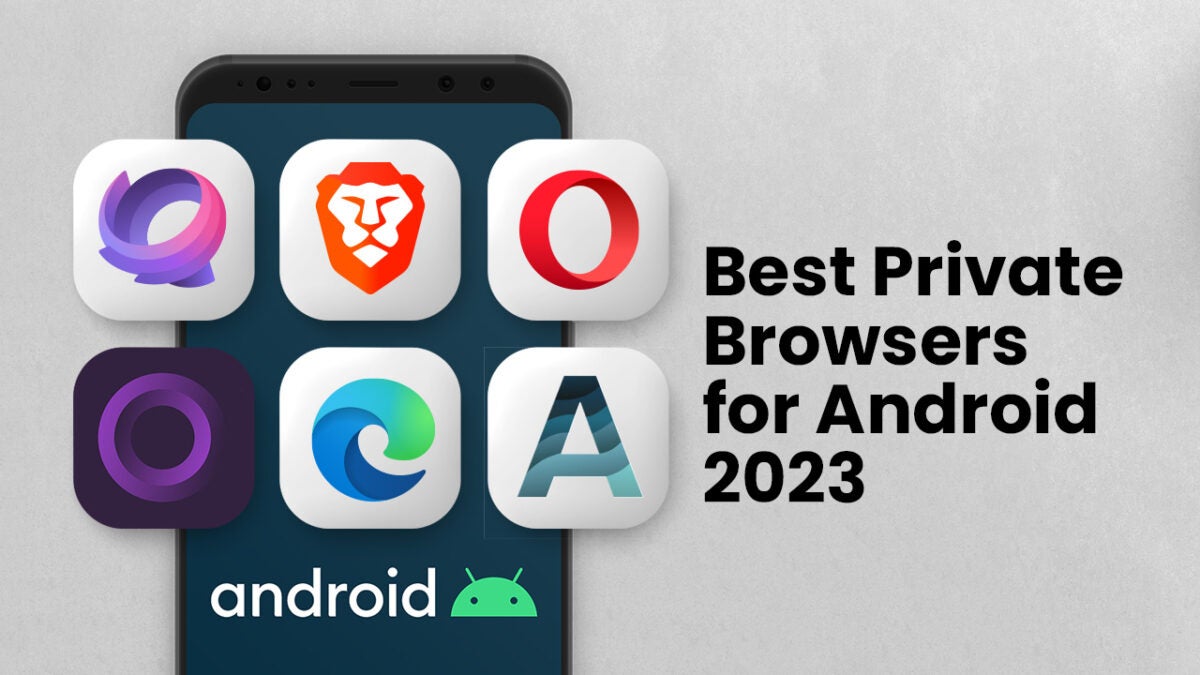
Best Private Browsers for Android in 2023

Find out what is the best private browser for Android in 2023 in our in-depth comparison of the top market players, including Tempest, Brave, Firefox, and more!

As online privacy breaches become more common, protecting one’s online activity is crucial. For Android users, there are many private browsing apps and lightweight browsers available that offer secure web surfing.

This article explores the best private browser for Android users who want to maintain strong privacy protection, while also having a fast, hassle-free browsing experience.

The good news is that you can find a secure and private browser that offers excellent protection without sacrificing speed or comfort.

We have collected and compared in detail the best Android browsers in this article, such as Tempest, Brave, Firefox, and others.

Best Private Browser for Android: A Quick Summary

Today, it’s essential to maintain stringent privacy measures and choosing the right browser is a key aspect of that. To answer the question: Is there a private browser for Android?, below is a quick summary of the options available.

1. Tempest Browser

Tempest is a private browsing app that provides reliable and secure browsing with an uncluttered interface and strong privacy protection. It boasts powerful privacy features, making it a top choice for anyone seeking a private browsing experience while maintaining total anonymity.

Tempest DOWNLOAD FREE
10

2. Firefox Focus

This browser is widely considered being the best incognito browser for Android users, with its ad-blocking feature and automatic deletion of cookies and browsing history.

3. Brave Private Browser

This is a browser for Android with adblock and a focus on user privacy, with its built-in ability to block ads and its vow to never track users or store their data.

4. DuckDuckGo Privacy Browser

This is the best privacy browser for Android users who want comprehensive tracking protection, providing a grade letter rating for each site based on its privacy policy.

5. Ghostery Privacy Browser

This is one of the safest private browsers, with advanced anti-phishing techniques and machine learning-based tracker detection.

6. Aloha Browser

This is a popular free, quick, private browser with a video player, making it the ideal all-in-one solution for browsing and media consumption for Android users looking for a private browsing app.

No matter what your needs are, one of these private internet browsers for Android tablets and phones can provide the solution you want. Whether you’re after a secure browser with built-in privacy features or an app for private browsing that offers additional protection with VPNs, these options make it easy to find the perfect one for your use case.

Browser 1: Tempest

Tempest Browser

Tempest is a relatively new private internet browser for Android tablets, known for its private lightweight design and numerous security features, including fingerprint protection and adblock. The browser also includes a private VPN service for enhanced privacy protection.

Suited for Whom

Tempest is best for Android users looking for a private and secure browsing experience with a lightweight design and numerous security features. It’s an excellent choice for users seeking a robust browsing experience without sacrificing speed or functionality.

Best Use Case

It’s best suited for users striving to protect their data privacy in an era where malware and data breaches are increasingly common. It’s the ideal browser for those who need to access sensitive information online or who want to prevent third parties from tracking their online activities. The private VPN service and advanced security features make it an excellent option for Android users who prioritize their privacy and want a truly private web browser.

Pros

  • Private and secure web browsing with fingerprint protection.
  • Built-in adblocker for an ad-free browsing experience.
  • Multiple tabs are allowed on this private mobile browser.
  • Includes a private VPN for enhanced encryption and protection.
  • Integration with the Tor project to provide further anonymity.

Cons

  • Does not include a built-in password manager.
  • Limited customization options compared to some of its competitors.

Device Performance

Tempest performs exceptionally well in terms of device performance, boasting a fast browsing speed and low memory usage, making it one of the top Android browsers for privacy.

Other Factors to Consider

In addition to its privacy and security features, Tempest also includes several other features to enhance the browsing experience, such as a built-in dark mode and automatic tab switching. The browser is easy to use, making it one of the best free private browsers on the market.

Overall, Tempest is an excellent browser for anyone looking for a private, secure, and reliable browsing experience on their Android device.

Tempest DOWNLOAD FREE
10

Browser 2: Firefox Focus

Firefox Focus is a popular and versatile private browser for Android that’s considered one of the best private internet browsers due to its robust privacy protection features, including blocking of ads and third-party cookies. The browser allows automatic deletion of browsing history, searches, and cookies with a single tap. It has a minimalist user interface to provide users with a distraction-free browsing experience.

Suited for Whom

Firefox Focus is ideal for users looking for an easy-to-use private mobile browser that balances privacy and speed. It’s well-suited to individuals who need speed and private browsing in their day-to-day activities.

Best Use Case

Firefox Focus is perfect for Android users who want a browser for privacy that provides automatic ad-block, faster page loading speeds, and an uncluttered user interface. It’s perfectly suited for daily use and does not compromise on speed.

Pros

  • Automatic deletion of browsing history, searches, and cookies with a single tap.
  • Ad-blocker that blocks third-party cookies.
  • Intuitive and user-friendly interface.
  • Allows users to erase browsing history with a single tap.
  • Can block a wide range of ads and trackers for a better browsing experience.

Cons

  • Limited customization options compared to its competitors.
  • It doesn’t allow for multiple tabs, which is a deal-breaker for some users.
  • Does not support third-party add-ons.

Device Performance

Firefox Focus performs exceptionally well in terms of device performance, boasting a fast browsing speed and low memory usage, making it one of the best private lightweight browsers for enhanced privacy protection.

Other Factors to Consider

Firefox Focus is a perfect choice for Android users who want a private, secure, and easy-to-use web browser that doesn’t compromise on speed. The browser is free and optimized for privacy protection, making it one of the best free private browsers for Android devices. The browser’s minimalist design makes it a perfect match for users who don’t want to spend too much time fiddling with settings and would instead rather focus on browsing.

Overall, Firefox Focus is an excellent choice for Android users seeking a fast, streamlined web browsing experience with robust privacy features. 

Browser 3: Brave Private Browser

Brave

Brave browser is a popular mobile browser known for being fast and user-friendly, with multi-layered privacy protection features, including ad and tracker blocking, fingerprinting protection, and HTTPS Everywhere. The browser also features a shortcut for quick access to private browsing mode.

Suited for Whom

The Brave Private Browser is well-suited for users looking for a private internet browser for Android tablets or phones. It’s a powerful tool that prioritizes their privacy while also delivering fast performance and advanced functionality. It is also suitable for those who want to support content creators through the platform’s built-in revenue sharing model.

Best Use Case

The Brave Private Browser is ideal for users who prioritize their privacy and protection, offering unparalleled security features such as fingerprinting protection and blocking of ads and trackers. Its unique revenue-sharing model is also great for users who want to support content creators while enjoying a fast and user-friendly browsing experience.

Pros

  • Provides multi-layered privacy protection features, such as ad and tracker blocking, fingerprinting protection, and HTTPS Everywhere.
  • Fast browsing speed with optimized battery usage for mobile browsing.
  • Shortcut for quick access to private browsing mode for Android.
  • Built-in ability to support content creators and keep browsing ad-free.
  • Option to sync bookmarks and settings across multiple devices.

Cons

  • Some users may find the content-blocker aggressive.
  • Does not support as many extensions as some other browsers.
  • Has a higher memory usage compared to other browsers.

Device Performance

Brave performs admirably in terms of device performance, utilizing optimization techniques to provide an optimal browsing experience for users on their Android devices.

Other Factors to Consider

The Brave Private Browser’s revenue-sharing model and commitment to user security make it one of the best privacy-focused mobile browsers on the market. The browser is free and user-friendly, making it an excellent option for users who prioritize their privacy, but also want a browser that’s easy to use.

Overall, Brave Private Browser is an excellent choice for privacy-conscious Android users. It offers a secure browsing experience with a unique revenue-sharing model, allowing users to support content creators while not having to worry about intrusive ads and trackers. Brave also provides an optimized performance on Android devices, offering fast speeds and lower memory usage than other browsers.

Browser 4: DuckDuckGo Privacy Browser

DDGO

DuckDuckGo privacy browser is a popular private lightweight browser, designed to provide maximum privacy protection. The browser is known for its comprehensive tracking protection features, encryption of users’ data while browsing, and detailed privacy policy grading system.

Suited for Whom

DuckDuckGo privacy browser is best suited for privacy-conscious Android users looking for comprehensive protection any time they use their device to browse the internet.

Best Use Case

The browser is ideal for anyone who prioritizes protecting their privacy while browsing, particularly when accessing sensitive information or when browsing on public WiFi. It’s also an excellent choice for those looking for a free, quick, private browser with its built-in adblocker.

Pros

  • Comprehensive blocking of third-party trackers, ad networks, and data collectors.
  • Grading system rates websites based on their privacy policy.
  • Encryption of user’s data when browsing.
  • Minimalist and user-friendly design.

Cons

  • Limited customization options compared to some of its competitors.
  • Some websites may not load correctly due to strict privacy controls.
  • Does not offer video playback functionality.

Device Performance

DuckDuckGo privacy browser performs well in terms of device performance, boasting fast browsing speed and low memory usage, making it an excellent choice for privacy-conscious users.

Other Factors to Consider

In addition to its privacy and security features, DuckDuckGo private internet browser also supports multiple tabs for efficient browsing and makes it very easy to erase browsing data with just one tap. Additionally, it supports Android TV and can be used on other Android devices such as smartwatches.

Overall, DuckDuckGo privacy browser is a great choice for privacy-conscious Android users who want comprehensive tracking protection without sacrificing browsing speed or functionality.

Browser 5: Ghostery Privacy Browser

ghostery logo

Ghostery privacy browser is a privacy-focused browser for Android devices that offers advanced anti-tracking and anti-malware features. With its machine learning-based tracker detection, it enhances users’ security and privacy further by protecting them from malicious viruses.

Suited for Whom

Ghostery is well-suited for privacy-conscious users and individuals who want to maintain high levels of data security and safety while browsing the internet on their Android devices.

Best Use Case

Ghostery is the perfect browser for Android users who want a private browsing experience with an emphasis on comprehensive privacy features, including advanced tracker and ad blocking, as well as protection from malicious malware and viruses.

Pros

  • Advanced tracking and ad-blocking capabilities with real-time tracking alerts.
  • Machine learning-based tracker detection.
  • Protection against malicious viruses and malware, enhancing user’s safety.
  • User-friendly interface.
  • Free and easy to use.

Cons

  • Limited customizability options.
  • It may not be as fast compared to some of its competitors.
  • Does not offer video playback functionality.

Device Performance

Ghostery performs exceptionally well in terms of device performance and speed, making it one of the best Android browsers for privacy. It’s lightweight, and memory usage is low, which will help keep your Android device running smoothly.

Other Factors to Consider

Apart from the advanced tracking and ad-blocking features, Ghostery also provides a side-by-side comparison of the trackers blocked on each website. This helps users to keep track of their privacy protection on various websites. Ghostery is easy to navigate with its user-friendly interface and offers a seamless browsing experience.

Overall, If you’re seeking a comprehensive privacy browser for Android devices, the Ghostery privacy browser is one of the best free private mobile browsers to consider.

Browser 6: Aloha Browser

aloha logo

Aloha browser is a free, quick, private browser with a video player that provides users with a one-stop solution for browsing and media consumption. The browser comes with a built-in adblocker and a VPN service, providing users with enhanced privacy protection.

Suited for Whom

The Aloha browser is best suited for Android users who want to use a private VPN browser app along with a media player for streaming videos and consuming other media content.

Best Use Case

Aloha is best used as an all-in-one solution for browsing and media consumption for users looking for a browser for privacy with a built-in video player. The browser’s privacy features make it ideal for those who prioritize their online security, while the video player’s range of supported file formats provides users with an enhanced media consumption experience.

Pros

  • The browser’s video player supports various file formats, providing users with a seamless media playback experience.
  • It comes with anti-phishing and anti-malware features to ensure user safety while browsing.
  • Features a built-in VPN service for added privacy protection.
  • Intuitive and user-friendly interface.
  • Private browsing mode, ad-blocker, and tracker protection.

Cons

  • The VPN service is not available in all regions.
  • The app’s file size could be an issue for low-performance devices.
  • Its streaming performance may not be as good as some of its competitors.

Device Performance

Aloha is a private lightweight browser that provides a fast browsing experience with low-memory usage, making it an ideal choice for users with low-performance devices.

Other Factors to Consider

In addition to the desirable features mentioned above, Aloha also has a private social media browsing mode that enables users to browse popular social networks without tracking. Its ad-blocker and tracker protection features make it one of the best privacy browsers for Android users.

Overall, Aloha is a feature-packed browser for privacy with a video player that offers a great browsing experience, making it an excellent choice for users looking for a private, all-in-one solution for browsing and media consumption on their Android device.

Tempest DOWNLOAD FREE
10

A Summary of the Best Private and Secure Browsers for Android

Below is a summary of the browsers covered and their key features to help you decide which one is the best private internet browser for you.

1. Tempest Browser

  • Lightweight browser designed for users who prioritize their privacy while browsing the web.
  • Known for its robust security features for enhanced privacy and encryption.
  • A built-in dark mode option and allows for multiple tabs and automatic switching for a seamless browsing experience.
  • Entirely free, making it an accessible option for anyone seeking a private, secure, and reliable browsing experience.
  • Lightweight design ensures fast browsing speed and low memory usage.

Tempest DOWNLOAD FREE
10

2. Firefox Focus

  • Built-in privacy protection features, including blocking of ads and third-party cookies.
  • Multiple tabs are allowed on this private mobile browser.
  • Option to erase browsing history, searches, passwords, and cookies with a single tap.
  • Intuitive and user-friendly interface.

3. Brave Private Browser

  • Enhanced tracking protection, including ad and tracker blocking, fingerprinting protection and HTTPS Everywhere.
  • Multi-platform browser, including Android smartphones and tablets.
  • Users can donate to publishers and content creators to stay ad-free while browsing content.
  • Optimized for mobile browsing with an intuitive and user-friendly interface.
  • Lightning-fast browsing speed by reducing page loading time, while also optimizing battery usage on mobile devices.

4. DuckDuckGo Privacy Browser

  • Comprehensive protection against third-party trackers, ad networks, and data collectors, making it a top contender for the best privacy browser for Android.
  • Forces websites to use HTTPS encryption whenever possible to prevent snooping and tampering with your browsing history.
  • Automates cookie blocking to prevent sites from tracking and profiling you, guaranteeing unmatched online privacy.
  • Gives you a grade rating on a website’s privacy policy via a small link in the search results of the DuckDuckGo search engine.
  • Minimalist and user-friendly design with clean and straightforward search results.

5. Ghostery Privacy Browser

  • Provided advanced privacy and security features.
  • Focuses on blocking various trackers, including ad trackers and social media trackers to enhance privacy protection.
  • Provides a privacy score for each website, allowing users to see the level of trustworthiness of the sites they visit.
  • Its user interface is designed to be user-friendly, allowing for easy customization and tweaking of settings.
  • Offers additional features, such as anti-phishing, anti-malware, and a machine learning-based tracker for detection and blocking.
  • Available for free on Android and iOS devices, making it accessible to a broad range of users seeking a safe and private browsing experience.

6. Aloha Browser

  • Privacy-focused browser for Android devices that offers built-in VPN and adblocker.
  • Provides a free, quick and private browser experience for Android tablets and smartphones.
  • Features a video player that allows streaming of various video formats without having to download them.
  • Offers a private social media browsing mode that prevents social networks from tracking your activity.
  • Allows multiple tabs to be open at once for quick switching between pages.
  • Comes with a download manager that allows you to organize your downloads and stop them if needed.
  • User-friendly interface with an intuitive design that makes navigation simple and straightforward.
  • The free version of Aloha Browser offers excellent features, while the premium version adds more privacy options and an ad-free experience.

Conclusion

Finding the best private browser for Android can be challenging given the crowded and competitive market. However, choosing the right browser is essential to secure internet browsing, protecting user data from malware and data breaches while ensuring complete anonymity at all times.

When you choose a browser for privacy and security, it should also provide enhanced tracking protection, fast browsing speed, and a user-friendly interface.

By using the best incognito browser for Android devices, you can avoid being tracked by third parties and protect your privacy.

Overall, the best private browser for Android in 2023 is one that balances privacy and functionality, and these selections have been made based on significant factors like security features, speed, ease of use, and adblock capabilities.

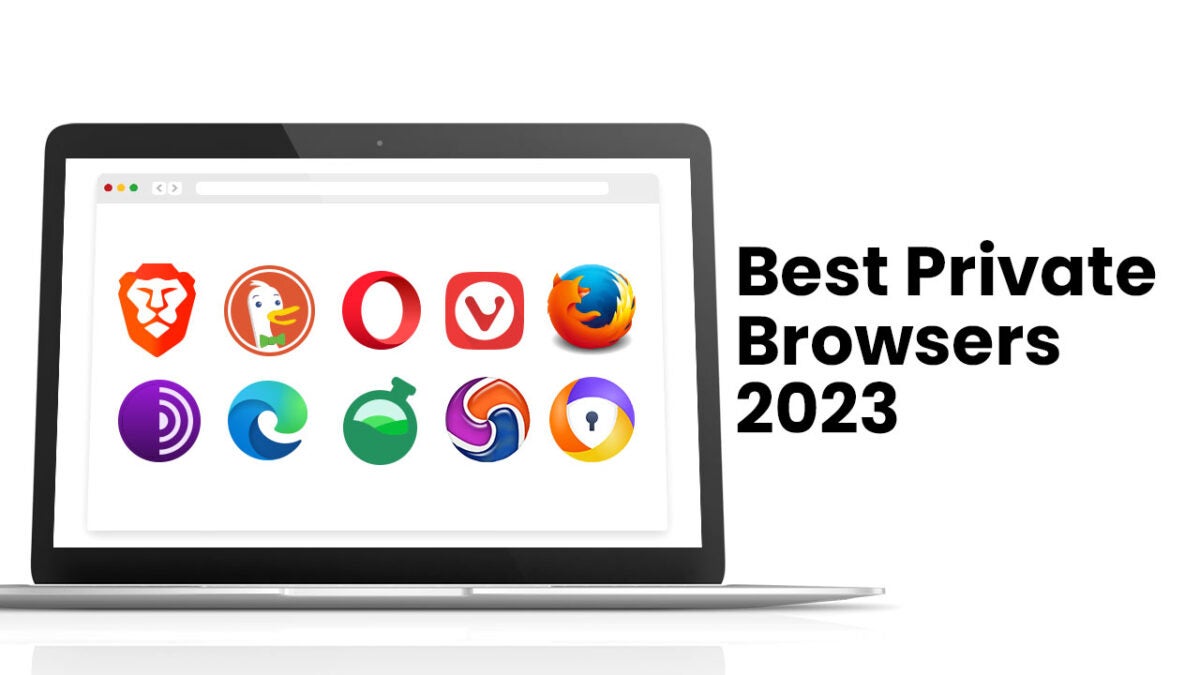
What is the Best Private Browser for 2023?

Find out what is the best private browser in 2023 in our in-depth comparison of the top market players: Brave, Duckduckgo, Opera, Firefox, Vivaldi, and more.

Do you need a website browser that guarantees a private internet surfing experience? 

Private browsers have different tools that let users surf the internet securely by preventing data hacks and breaches by protecting temporary files, cookies, browsing history, and other data related to user browsing sessions. 

In this article, we’ll discuss the best private browsers for 2023, such as Tempest, Firefox and over a dozen others.

Tempest DOWNLOAD FREE
10

Best Private Browser: A Quick Summary 

The best private browser for you depends on your preference. Here’s how each browser stacks against each others: 

  • Tor- Best private browser for anonymity
  • Brave- Best in Ad-blocking 
  • Opera browser- Integrated VPN and data saving
  • Vivaldi- Advanced user features
  • Avast- Best for security and integration with Avast anti-virus
  • Epic Privacy Browser-Best in privacy protection
  • Edge-Integration with Windows and Microsoft services
  • Bromite-Best for good browsing speed on Android
  • Firefox- Best for personalized browsing experience due to multiple customization options. 
  • DuckDuckGo-Best for using the search engine anonymously. 

Now let’s dig into more details on each of the software that made it into this list of best private browsers for 2023. 

Browser 1: Brave 

Brave

Brave is a web browser that was created by Brendan Eich, the lead developer of JavaScript programming language, and Brian Bondy, the co-founder of Mozilla. The platform is a free and open-source browser that helps users browse safer, faster, and securely. 

One of the impressive features of brave is its ad-blocking capabilities. The browser, by default, blocks trackers and ads; thereby improving data privacy, and improving load time.

Let’s delve more into the platform’s features

Key Privacy Features of Brave Browser 

The key features of brave browser entail: 

  • HTTPS Everywhere integration, 
  • Built-in support for Tor (The Onion Router) browsing
  • Fingerprinting protection, 
  • Brave Rewards, 
  • Per-site shield settings, 
  • Configurable global shield defaults. 

To properly consider the prospects of adopting brave as your preferred browser, it’s best to first consider its pros and cons. Let’s discuss this: 

Pros and Cons of Brave Browser

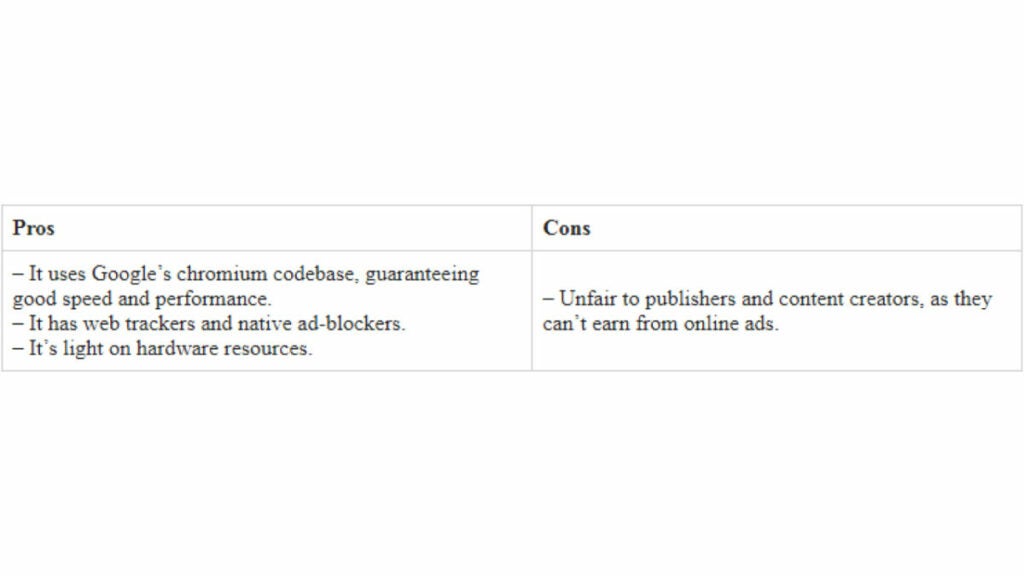
The benefits and drawbacks of using Brave Browser includes: 

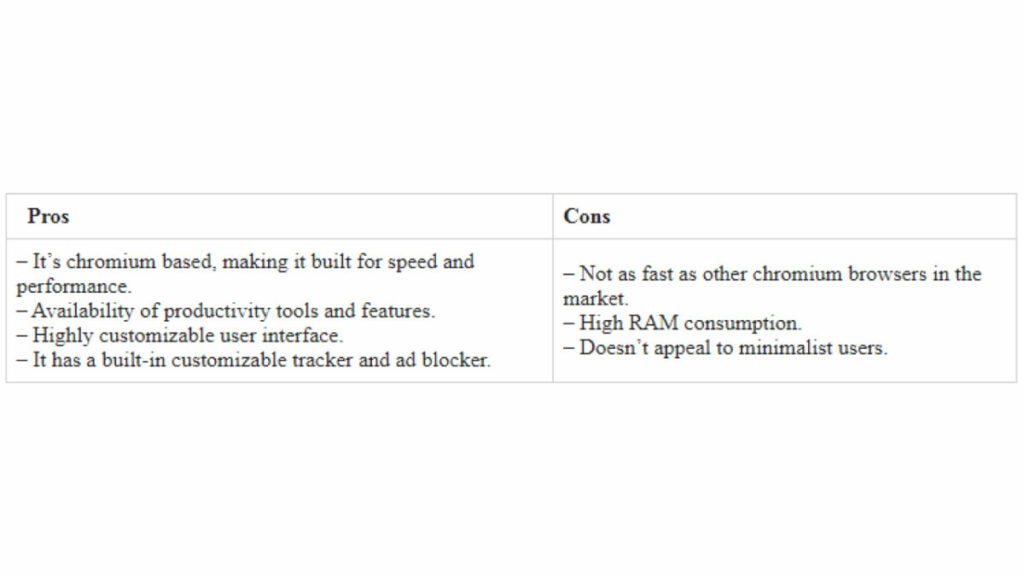
Another factor we’ll discuss is its performance: 

Brave’s Performance 

The Brave Browser performs well across all devices. Here are some key insights on its performance:

1. Speed: Brave loads fast due to its in-built blockers that help prevent intrusive ads, thereby, reducing load time. Additionally, the platform also features pre-fetching and background loading to improve speed. 

2. Memory usage: Brave uses less memory than most alternatives, which results in a noticeable user experience for those using small RAM and older devices. “Brave Shields” also reduces memory usage by blocking scripts and other unnecessary elements. 

3. Security: Brave performs well on the security side. The browser reduces the probability of malware attacks and security threats via ad and script blockers. Also, HTTPS Everywhere encrypts data exchange between devices and servers.

Overall, Brave Browser has top-notch performance in terms of speed, security, memory usage, and privacy. However, as with other software, it may experience occasional issues due to bugs, and lags.

Browser 2: DuckDuckGo

DDGO

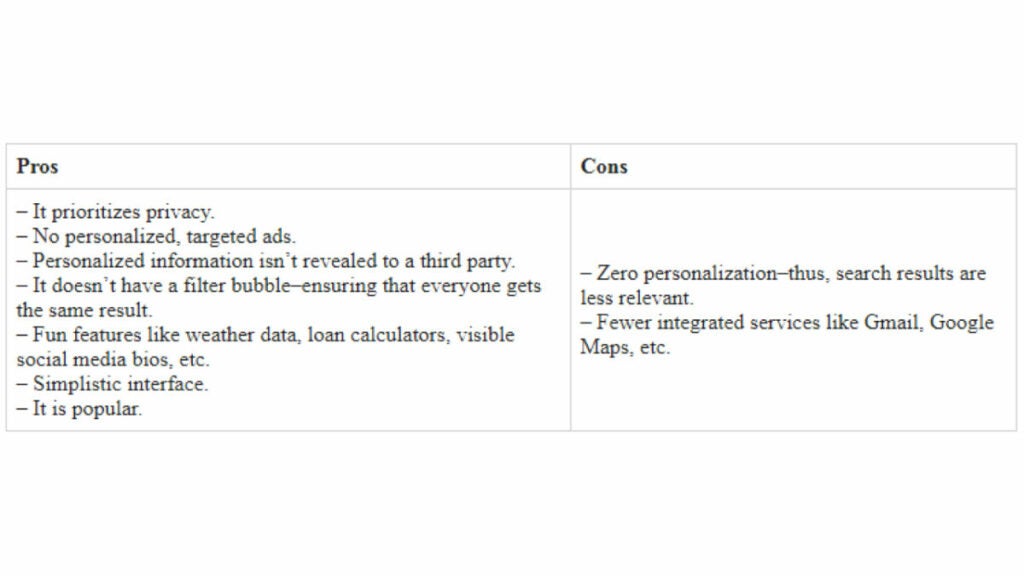
DuckDuckGo is a search engine that prioritizes data privacy, and avoids personalized search results. The browser differentiates itself from competitors by not tracking users or storing their search history–this improves user privacy. 

Rather than display personalized search result that are determined by user history, the platform ensures that it gives the same information to every user that enters the same keywords. This feature is called “bangs,” it allows users to search websites like YouTube, Amazon, etc.

Let’s discuss the platform’s features

Key Privacy Features of DuckDuckGo

Some features that make DuckDuckGo an effective private browser are: 

  • Private search, 
  • Web tracking protection, 
  • Smarter encryption, 
  • Android app tracking protection, 
  • Burn bar,
  • HTTPS Everywhere, 
  • Email protection. 

What’s next? Let’s discuss their pros and cons: 

Pros and Cons of DuckDuckGo 

How well does DuckDuckGo perform? Let’s discuss this: 

DuckDuckGo’s Performance 

1. Speed: DuckDuckGo is relatively faster than most browsers. Its in-built ad blockers reduce load time. The browser also has a quick startup time. 

The DuckDuckGo browser provides a good experience, with a focus on privacy. It features efficient ad-blockers and a search engine that makes it desirable to users amidst alternatives. Here’s a brief overview of DuckDuckGo’s performance:

2. User Interface: DuckDuckGo has an interactive, clean, and user-friendly interface. Its UI optimizing features entail bookmarks, history, a tab switcher, and a customizable layout.

3. Compatibility: This browser supports most devices, ensuring that it’s compatible with the majority of web applications and websites. 

4. Availability: The browser app is available for download on both Android and iOS devices, making it very accessible to most users.

Another to consider is Opera. Let’s dig right into that: 

Browser 3: Opera 

Opera web browser is a tool that’s known for its security, speed, and features that allow users to sync their browsing history and other data between devices. The browser, which was released in 1995 uses the Blink layout engine and supports all popular types of programming languages. 

Opera is available for all desktop and mobile operating systems. It’s known for impressive speed, security, and a range of impressive features like VPN, battery saver, and built-in ad blocker. 

Let’s further discuss its features:

Key Privacy Features of Opera 

These features enable Opera to be an effective private browser: 

  • Crypto-wallet, for secure payments
  • Secure cross-platform data synchronization, 
  • VPN pros 
  • Ad-blocker
  • HTTPs encryption. 

Let’s break down the pros and cons of this site: 

Pros and Cons of Opera Browser 

Now, let’s discuss its performance: 

Opera’s Performance 

Opera is a fast, feature-packed, and intuitive browser that supports several web technologies, making it suitable for browsing most modern sites. The platform has anti-phishing protection tools, all of which keep users safe online. Let’s break down the article: 


1. Speed: Opera has a good browsing speed, this is particularly noticed when you activate its Turbo-mode, which compresses the images on a site. This feature guarantees good load time when the internet connection is slow. Gamers that want additional protection can opt for Opera GX. 

2. User Interface: Opera has an easily navigable user interface. Its browser is easily customizable; and has a range of extensions, wallpapers, and themes. The platform also has a feature called “Speed Dial,” where users can access their favorite sites quickly.

3. Compatibility:  Opera can work on most operating systems, including iOS, Android, Linux, Mac, and Windows. It’s also suitable for modern browsing websites.

4. Security: Opera has top-notch security features. For example, its built-in VPN encrypts users’ internet traffic and protects their privacy. Thereby, guaranteeing a top-notch secure web browsing experience. 

Browser 4: Vivaldi 

Vivaldi is a cross-platform, freeware, a web browser that is built by Vivaldi Technologies.  The browser is designed for a good personalized browsing experience with advanced options and features. 

One of its stand-out features is its customizable interface. It lets users select from a range of themes to personalize their built-in editor. Users can also stack tabs to manage their pages and windows. 

What’s more? Let’s discuss the key features of Vivaldi. 

Key Privacy Features of Vivaldi

Some key features that make Vivaldi a private browser include: 

  • Private window,
  • It integrates well with tor browser 
  • Tracking blocking features, 
  • Ad-blockers, 
  • Reader mode, 
  • Keyboard shortcuts and mouse gestures.

Now, let’s discuss the pros and cons of Vivaldi. 

Pros and Cons of Vivaldi

Here are the pros and of the Vivaldi browser: 

The pros and cons help you to have a better understanding of Vivaldi, and to make an informed choice. Now let’s discuss the performance of the Vivaldi browser: 

Vivaldi’s Performance

Vivaldi’s customization options and numerous privacy features make it an excellent product for users. It’s also compatible with most websites and supports all major operating systems. Let’s discuss its performance in terms of speed, user interface, security, and compatibility. 

1. Speed: Vivaldi uses the Blink rendering engine, the same as Edge and Chrome; as such, it’s equally as fast as those two. 

For the JavaScript performance, Vivaldi uses the V8 engine, the same as the Google Chrome browser. However, it’s imperative to note that Vivaldi has multiple features running simultaneously that can slow the browser’s speed.

2. User Interface: Vivaldi has a customizable user interface. The platform has a tab-stacking feature that lets users group tabs. They can also view different tabs side-by-side on the same screen. It supports varying themes and lets users create their own. The browser’s interface has a sidebar for quick access to bookmarks, downloads, and history.

3. Compatibility: Vivaldi is compatible with most libraries and frameworks, and it supports all platforms built using JavsScript, CSS, and HTML. However, older browsers with legacy tech stacks may suffer some compatibility issues.

4. Security: Vivaldi is a secure browser with features to protect user data. It has a built-in ad blocker that prevents websites from tracking users. 

It also offers a built-in phishing and malware protection feature, which can warn users if they are about to visit a malicious website. Vivaldi also supports all the latest encryption standards, including HTTPS.

Browser 5: Firefox 

Firefox is an open-source web browser founded in 2004 and is compatible with most web browsers. 

The secure browser has immense compatibility with Linux, macOS, Windows, Android, and iOS. The platform offers several features that include geolocation, spell-checking, and tabbed browsing. 

It also supports a range of extensions and add-ons, allowing users to customize their browsing experience.

Key Privacy Features of Firefox 

Here are the key Firefox features that qualify it to be called an effective private browser: 

  • Enhanced tracking protection, 
  • Content blocking for pop-ups, trackers, and cookies, 
  • Anti-fingerprinting, 
  • DnS-over-HTTPS, 
  • HTTPs-Only mode, 
  • Password manager. 

Let’s discuss its pros and cons: 

Pros and Cons of Firefox

Firefox has a range of pros and cons to consider, these are: 

FireFox’s Performance 

Overall, Firefox is a reliable and feature-rich web browser that provides a fast, secure and customizable browsing experience. 

Its commitment to privacy and security, along with its compatibility with a wide range of operating systems and web standards, makes it a popular choice among users. 

Here’s a breakdown of Firefox’s performance per speed, security, compatibility, and user interface: 

1. Speed: Depending on your workload, Firefox can be fast as it’s optimized to handle content more efficiently than other private browsers. It separates the user interface from the content displayed through its sophisticated architecture. However, it can have a slow load time for sophisticated sites.

2. User Interface: Firefox’s interface is simple and intuitive, making it easy to use and navigate. It features a customization option that lets users personalize their browsing experience by altering themes, rearranging toolbars, and adding extensions.

3. Security: Firefox has remarkably strong security features that include a private browsing mode, regular security updates, built-in malware, and phishing protection. 

It also holds support for HTTPS Everywhere, a tool for encrypting web traffic to prevent transported data from tampering and eavesdropping. 

Another popular private browser we’ll discuss is Tor.

Browser 6: Tor 

The Tor Browser is one built specifically to protect users’ anonymity and privacy by routing internet traffic through the Tor network. 

The Tor network is a decentralized network of servers split around the world to hide users by bouncing them through multiple servers before reaching a final destination. 


For a while, Tor had the bulk of market share amongst users seeming to go anonymous online. However, its complex setup process created a loophole for other challengers to spring up. Tor works adequately due to a host of privacy-enhancing features.

Key Privacy Features of Tor

The top privacy features of Tor are: 

  • Multi-layered routing, 
  • Customizable security settings, 
  • Access to hidden websites and services, 
  • Cookies and scripts blocker, 
  • Encryption, 
  • IP Address anonymity,
  • Anti-fingerprinting.

Other than its privacy features, we’ll also discuss its pros and cons. 

Pros and Cons of Tor Browser 

Here are the benefits and disadvantages of using Tor: 

Tor Performance 

Tor is a specialized browser that provides strong privacy protection. However, its speed, compatibility, and user interface are impacted by its unique architecture. Let’s delve into the crux of this: 

1. Speed: Tor has multiple layers of relays and encryption, which slows down the browsing experience. In addition, the number of relays and the geographical distance between them and users impact performance. 

However, the Tor development team is constantly making effort to increase the network’s speed by optimizing its protocol without compromising on browsing data safety

2. User Interface: Tor has a simplistic and intuitive user interface that both novice and advanced users can use effectively. Firefox browser is its base operational architecture; it then builds on this for better security and privacy. 

3. Compatibility: Due to its privacy-focused design and unique architectures, Tor is not compatible with all online platforms. Some site block access from Tor exit nodes, and some sites are not configurable with the browser’s security settings. In addition, Tor doesn’t work appropriately with sites running on legacy tech stacks.

4. Security: Tor provides strong security protections and privacy, but it’s not 100% effective. Users still need to take precautions to protect their safety and guarantee anonymity. For example, users need to prevent downloading plugins and files from untrusted sources.

Overall, the Tor browser provides a unique and valuable service for users who prioritize privacy and security. Another option to consider is Edge browser: 

Browser 7: Edge 

Edge is a browser that’s created by Microsoft and included as the default browser in all Windows operating systems. It’s available for download on Android, iOS, and macOS devices. Edge is built for speed, convenience, privacy, and security. 

Edge is built with Chromium, which allows it to offer a similar speed to Chrome but with its own features. The browser includes some privacy and security features like phishing protection, password management, and tracking prevention.

Key Privacy Features of Edge 

Some key privacy features that make the Edge a great private browser are: 

  • In-built anti-tracker, 
  • In-Private browsing mode, 
  • Password saver, 
  • Do Not Track feature, 
  • Microsoft Defender SmartScreen, 
  • Cortana. 

Pros and Cons of Edge 

The advantages and disadvantages of Microsoft Edge are.

Edge Performance 

The performance of this private web browser can be evaluated using multiple factors, these include User Interface, Security, Compatibility, and Speed. Let’s elucidate on each of these factors: 

1. Speed: The Microsoft Edge browser is fast, as it features quick startup times, and fast web page load speed. It uses Blink as its rendering engine–the same as Google Chrome, which helps it render pages more efficiently and quickly. Additionally, the browser has a low memory footprint; an important feature for low-end hardware. 

2. User Interface: Microsoft Edge has a clean, and easy-to-use interface. The browser has a simplified toolbar that doesn’t consume too many parts of the real estate, and it offers some features such as a customizable tab page, and the ability to take notes on web pages.

3. Compatibility: Edge is compatible with most websites, which means users can access most sites correctly. However, users may have problems accessing older websites that are designed to work on older versions of internet explorer.

4: Security: Edge has numerous security features aimed at helping to protect users’ privacy and security. The platform features in-built trackers aimed at preventing sites from tracking the activity of users. It also offers protection from phishing attacks and malicious websites.

Tempest DOWNLOAD FREE
10

What’s more? Let us discuss another alternative–the Bromite browser. 

Browser 8: Bromite 

Bromite is a free and open-source browser that’s only available for Android Marshmallow (v6.0, API level 23) and above. The platform is designed to prioritize security and privacy; and various modifications on Chromium for more unique features. 

Bromite’s modifications entail trackers, blocking ads, and other potentially harmful items. Also, the browser provides a range of user interface modification features. Let’s discuss its key privacy features: 

Key Privacy Features of Bromite

Bromite qualifies as a good private browser based on the following features: 

  • Site-specific preferences, 
  • User-agent spoofing, 
  • DNS over HTTPS (DoH), 
  • Third-party Cookie Blocking, 
  • No Referrers, 
  • HTTPS Everywhere, 
  • Ad and tracker blockers. 


To help you understand this browser better, we’ll discuss its pros and cons: 

Pros and Cons of Bromite Browser 

Here are some pros and cons of using the bromite browser: 

Bromite Performance 

Here’s a breakdown of how the Bromite browser performs in terms of compatibility, security, user interface, and speed. Let’s delve into:

1. Speed: Bromite is a chromium-based browser. Among all secure browsers, Bromite is one of the most notable for speed and lightweight, which can provide slower Android devices with a smooth browsing experience. In addition, Bromite has optimization features like tracker blocking, and ad-blockers–both can improve speed by reducing the data you’ll need to fully load a page. 

2. User Interface: Bromite features multiple user interface enhancements that can improve user experience. They include the ability to customize the browser’s interface and night mode. In addition, Bromite is built to be easy to use and navigate. 

3. Compatibility: Bromite is compatible with more than 99.9% of sites on the internet. This is due to its Chromium-based framework. However, bromite is only available for Android devices. 

4. Security: Bromite has many types of privacy and security features aimed at protecting user data from being tracked and intercepted. Features that give bromite browser top-notch security entail HTTPS enforcement, DNS over HTTPS (DoH), third-party cookie blocking, etc. 

Browser 9: Epic Privacy Browser 

This is a secure browser that prioritizes privacy and security for its users. The platform was released in 2010 and is available for download on Linux, macOS, and Windows operating systems. This private browsing software is among the chromium-based browsers, however, it offers additional security for most in its league. 

Key Privacy Features of Epic Browser

The key features that make us consider Epic privacy browser as one of the secure web browsers are: 

  • HTTPS encryption, 
  • Proxy service, 
  • Private browsing, 
  • Cookie protection, 
  • Do Not Track, 
  • Data Encryption

Other than its key features, we’ll also consider the pros and cons of this secure browser: 

Pros and Cons of Epic Browser 

What’s more? Let’s discuss its performance: 

Epic Privacy Browser’s Performance

Here’s a detail of its performance based on security, speed, user interface, and compatibility: 

1. Speed: Epic Privacy Browser uses Chromium engine as its primary architecture. Thus, it guarantees as much speed as Google Chrome. However, it features a range of both in-built and customizable modifications for better speed. 

2. Security: A major selling point of the browser is its focus on security and privacy. It uses HTTPS encryption for all connections and has a built-in proxy service that lets users surf the internet anonymously. 

3. Compatibility: Epic browser is compatible with every website that accepts the Chromium engine. However, some sites with archaic technology might not load appropriately on the browser. 

4. User Interface: Epic privacy browser has a simple and intuitive user interface, ensuring that users can easily access and navigate its features. The browser has numerous customization options that include the ability to change themes, adjust privacy, and customize the toolbar. 

Now that you have a succinct idea of what Epic private browser is, let’s consider another option before you opt for what you think is the best private browser for your organization. 

Browser 10: Avast Secure Browser

Avast secure browser is designed to provide users with a safer and more secure browsing experience. 

Avast uses the chromium browser technology as its core framework, which means it has the same underlying google chrome. However, it has many security and privacy features that are not in the standard chrome browser.

This is one of the most secure browsers in the market, as it is embedded with a host of security features. For example, it features an Anti-fingerprinting mode that provides tracking protection. 

Additionally, the privacy-focused browser includes an extension guard that prevents malicious browser extensions from being installed. Let’s dig deeper into some important features of this secure web browser: 

Key Privacy Features of Avast Secure Browser 

Avast is a truly private browser for the following reasons: 

  • Built-in privacy and security tools like anti-tracking, anti-fingerprinting, and anti-phishing features. 
  • Password manager. 
  • Bank mode, for an additional layer of online privacy when making financial transactions. 
  • Avast Secure Browser that blocks ads and pop-ups by default. 
  • Anti-fingerprinting. 
  • Extension guard. 
  • Flash blocker. 

These are some of the few features of the Avast Secure browser that’s aimed at improving its privacy and making it of the most secure browsers. Let’s also discuss its pros and cons: 

Pros and Cons of Avast

Avast Browser’s Performance 

Here’s a breakdown of its performance based on speed, security, compatibility, and user interface. 

1. Speed: Chromium is its core engine, which is known for good browsing speeds. Additionally, the private secure browser has multiple technologies and website speed tests to optimize load times. 

2. Security: As a security company, Avast ensures that its privacy-oriented browser has various anti-phishing, anti-tracking, and anti-fingerprinting technology. It also prevents man-in-the-middle attacks with its HTTPS encryption technology. 

3. User Interface: The platform has a friendly interface that’s similar to most major browsers such as Google Chrome and Safari browser. It has a taskbar icon for quick access and a dark mode option for nighttime surfing. 

4. Compatibility: Avast is compatible with Mac os, Android, and Windows. It also supports extensions from the Chrome web store, which greatly improves functionality.

Is There a Better Alternative?

With so many excellent private browsers available today, it can be tough to determine which one is the best fit for you.

We’ve covered some of the most popular private browsers, including Tor, Brave, Opera, Vivaldi, Avast, Epic Privacy Browser, Edge, Bromite, Firefox, and DuckDuckGo, each with their own unique features and benefits. However, if you’re searching for more options, here are five more private browsers worth considering.

Tempest

  • Privacy-enhanced web browser that emphasizes safety and security.
  • Blocks ads, trackers, and malware by default, ensuring a clean browsing experience.
  • Combines speed, privacy, and security into a highly user-friendly interface.
  • Includes a unique Blacklist feature that allows users to block specific websites from tracking their activity.
  • Offers strong privacy features, such as HTTPS Everywhere, a feature that forces websites to use secure HTTPS connections.
  • Fast and responsive browsing experience.

Tempest DOWNLOAD FREE
10

Iridium

  • Fast browser that prioritizes user privacy and security.
  • Built-in ad blocker and Google tracking blocker.
  • Includes a range of customizable features, such as night mode and customizable user interface.
  • Incorporates additional security features such as a sandbox function, which helps to isolate web applications to prevent data breaches.
  • Runs on open-source Chromium code.

Waterfox

  • Open-source, privacy-focused web browser.
  • Supports numerous extensions and add-ons, with strong emphasis on speed and performance.
  • Customizable and user-friendly interface designed with privacy in mind.
  • Advanced tracking protection with support for multiple privacy modes.
  • Native support for CSS Grid and variable fonts.
  • Free and open-source browser, based on Mozilla Firefox.
  • Offers enhanced tracking protection and No Telemetry for secure browsing.
  • Focuses on compatibility with older Firefox add-ons and extensions.

Lunascape

  • A triple engine browser that integrates the Webkit, Gecko, and Trident engines for the best browsing experience.
  • Comprehensive ad and pop-up blockers.
  • Supports multiple language and special features, such as thumbnail preview, mouse gestures, and skins.
  • Automatic updates for better enhancements and stability.
  • Supports synchronization across devices.

Pale Moon

  • Lightweight and fast browser, based on Mozilla Firefox.
  • Customizable interface with several pre-installed themes.
  • Highly compatible with Firefox add-ons and extensions.
  • Emphasis on user control and privacy protections with No Telemetry policy and strong cookie controls.

These alternative browsers offer unique features and benefits tailored to different needs. By experimenting with these options, you can find a browser that satisfies your requirements and browsing habits, while ensuring a secure and seamless experience.

Summary

Private browsers offer a way to access the internet in a secure way. In this article, we touched on 10 of the best private browser for 2023. 

Each browser has unique features, thereby providing differing different private browsing experiences. Thus, the most secure browser for you depends on your preference and the intricacy of your browsing habits. 

Microsoft Edge update will make it perfect for bedtime stories

Microsoft Edge’s read aloud mode is getting much more natural sounding voices

Microsoft Edge has had a tumultuous existence since it first launched. It has rightly been lauded by critics and supporters but struggled to make a dent in Chrome’s dominance of the market. Microsoft Edge has now migrated to the Chromium ecosphere, which means some people claim it is no more than a different version of Google Chrome. The move has done Edge well though and moving closer to Chrome has actually given it the room it needed to gain traction for the key features that set it apart from the Google web browser offering.

6
The idea of Microsoft Edge is to be as fast, clean, and lightweight as possible to cope with the demands of different devices, whether it be a PC, tablet or phone.

One of those key differentiating features has been the reading mode and the connected read aloud mode. Chrome has a rudimentary reading mode buried deep within its code, but it is nowhere near as good as the reading mode on Edge, which can present crisp and clear text for any page of the internet. The Edge read aloud mode goes one further and actually reads out all the text, saving you the eye strain.

Edge's clear reading mode
Edge’s Reading Mode is very clear and far superior to Google Chrome’s

Read aloud has been far from a perfect feature though, and Microsoft has received a lot of feedback about how it could be improved. Feedback it is now clear that the software giant has been listening to.

Microsoft Edge’s read aloud mode is getting much more natural sounding voices

The key feedback Microsoft has been receiving on the feature is that voices doing the reading sound unnatural and robotic. Microsoft has released a blog post outlining how it plans to use “cloud powered voices” to deal with these complaints, including two new styles of voice that will be available to Edge users; Neural voices and Standard 24kbps voices.

The post describes Neural voices as, “Powered by deep neural networks…” and claims that, “these voices are the most natural sounding voices available today.” The Standard voices are described as being similar to the voices that are available already, but they’ll sound clearer due to an increased bitrate of 24kbps.

How to use the Microsoft Edge Read Aloud features

Microsoft Edge Nureal voice read aloud
Image via: Microsoft blog

Microsoft has also endeavored to make these new read aloud voices as accessible as possible. If you’re a Microsoft Edge user and you’d like to try out the new features, it couldn’t be simpler. All you have to do is open Microsoft Edge and navigate to the page you want Edge to read. Then, you simply highlight the text you want reading aloud, right-click, and then select Read aloud section. This will start the Read Aloud feature and will also open the Read Aloud menu, which will give you the option of selecting the type of voice you want to hear.

So, with new neural voices sounding more natural than ever, would you consider letting the Microsoft Edge browser read you a bedtime story to help you get to sleep at night?

How Brave eliminates common browser problems

Brave brings you fast, private browsing without many of the drawbacks of other browsers.

Brave

The internet has evolved into an essential component of our daily lives, and its use in American homes has increased by 400% in the past 20 years. According to the USC Annenberg Center for the Digital Future the number of hours we spend on the internet every week has risen from 9.4 (the statistic back in 2000) to 23.6. Overall internet penetration has increased from 67% to 92%. That’s all time that you’re spending on a specific internet browser, whether it’s Firefox, Chrome, Safari, Opera, or what have you. No matter your choice, it’s helpful to know the good, the bad, and the ugly of every choice out there. Not all browsers are created equally, so we’ve compiled a list of each one’s strengths and weaknesses:
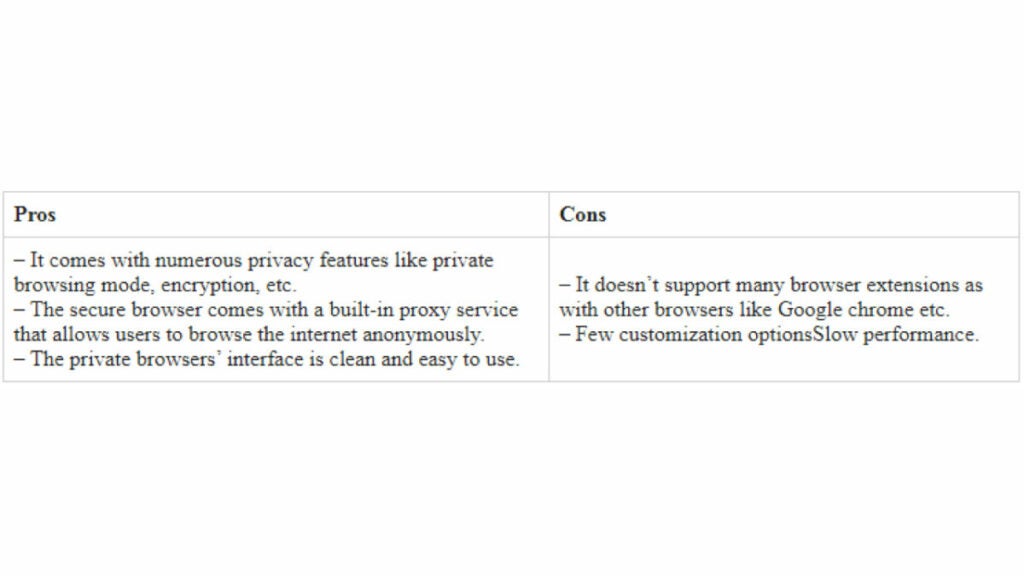
Is it time for you to make a switch? Check out the stats below and decide for yourself!

1. Google Chrome

Google ChromePros:

With the monolithic Google behind its creation, it’s no surprise that Chrome is fast, efficient, and user-friendly. It’s got pretty much anything you’d need to make the most of the web, like quick answers in your address bar, one-click translations, and a wide variety of extensions and customization options.

Chrome will also automatically protect you from security issues like scamming and phishing, making it pretty safe to browse with, too. Just as Google is the most popular search engine, Google’s Chrome is currently the most popular browser. Chrome’s popularity has led to a surplus of extensions and websites catered to the browser, making it a highly customizable experience to boot.

Google Chrome Download now ►
7

Cons:

As powerful and popular as Chrome is, the browser is not without fault. In order for it to achieve its impressive speeds, Chrome needs to take extra resources from your PC:

Chrome splits every tab, plugin, and extension into its own process – that’s how it manages crashes so competently. The downside is that means it’s far more taxing on RAM since it’s duplicating tasks for each tab. Chrome is one of the ‘heaviest’ browsers and can get swarmed by bloatware, making it less than ideal for machines with limited RAM. There’s also the mounting suspicion of tying your data to Google, and if privacy is your concern you should likely look elsewhere.

2. Mozilla Firefox

FirefoxPros:

One of the earliest browsers out of the gate, Firefox brings to mind two things: Privacy and speed. While other browsers that capitalize on privacy do so at the cost of loading speed and/or heavier use on system resources, Firefox manages to succeed on both fronts, achieving a browsing experience that gives Chrome a run for its money.

Mozilla is a non-profit organization, meaning it’s got far less interest in mining and selling your data than, say, Google Chrome. Firefox also updates on the regular to bolster user privacy and ad-blocking. Its combined speed and safety put it at the top of TechRadar’s web browser ranking as recently as September 2018, claiming that Firefox has “retaken its crown” in recent months, and is now deserving of another look from avid Chrome users.

Mozilla Firefox Download Now ►
7

Cons:

Firefox is fast, but it’s not always faster than Chrome. This is mostly apparent on pages with tons of images or videos, at which point you’ll probably want to simply install an add-on or extension to either speed it up or block them. This brings us to Firefox’s second weakness: If you start installing extra plug-ins to customize your experience to the same extent as Chrome, Firefox will start to lag noticeably behind the competition.

Lastly, Firefox doesn’t have built-in support for Flash. Flash is notoriously dangerous, so this isn’t so much of an issue in 2018 when the internet is largely abandoning the platform. Even so, just like Apple got a negative response for removing the aux jack, we feel it’s necessary to mention any upgrades that leave old tech in the dust.

3. Microsoft Edge

Microsoft EdgePros:

Microsoft Edge the default browser for Windows 10. As such, it does a decent job of keeping in line with the speed, intuitive UI, and ‘clean’ aesthetic of many facets of Windows 10. Edge holds its own by modern web standards, and additionally offers a few capabilities you won’t get in other browsers: Webpage markup, integrated Cortana features, and a clean-cut reading mode.

Recent updates have also included a Tab Preview, Set Aside, ebook reading, and a handful of nifty extensions. Edge also no longer uses the infamous ActiveX, browser helper objects, or VBScript support that made Explorer slow as dirt. Edge is easily a significant improvement over Internet Explorer in terms of speed, accessibility, and compatibility. It also weighs substantially less than Chrome, meaning you’ll have a less bloated browser experience, albeit a more bare-bones one.

Cons:

Edge has struggled to achieve market share, mindshare, and positive reviews. The first three months of 2018, Microsoft Edge pulled a less-than-impressive 8% of the 1.2 billion visits to government websites from consumer and business PCs and Macs. This figure isn’t wholly reliable for another reason that Edge gets a lot of flak: The browser is not even available on any Windows OS older than 10, or if you’re using a Mac.

The real head-scratcher is why Microsoft feels the need to support multiple browsers for different Windows Operating Systems when they could just work to make Edge backward compatible. Doing so would certainly help give it some much-needed traction. For more reasons why you might find Edge disappointing, check out this article.

4. Opera

Opera browserPros:

Opera is as underrated as it is high-quality, and it’s certainly both of those things. Opera is a Chromium-based software, which means it’ll feel similar to Google Chrome when it comes to facets like rendering, and was the flagship for popular modern browser features such as private browsing and pop-up blocking. Opera also offers a free VPN that will replace your IP address with a new one, making it more difficult for ads to track your location and harass you.

Opera pushes a focus on privacy and like Edge offers a simple, intuitive layout, and has built-in messenger services like WhatsApp, Telegram, and Messenger, making it altogether a quick, smart, intuitive browser that go toe-to-toe with the competition.

Cons:

Opera doesn’t offer as many plug-ins as other browsers and it’s also lacking in parental controls (if such a thing matters to you). Occasionally the browser will also have issues playing videos or have trouble keeping pace with other browsers like Firefox.  Moreover, there’s no shining reason why a person would switch to Opera. It performs everything a browser should, but doesn’t really excel in anything either. For speed, people go to Chrome. For customization,they go to Firefox. With Opera, there’s little pull to use it when compared to the competition; most people have a strong reason for using one browser or another and being caught in the middle isn’t helping its case.

5. Safari

SafariPros:

Safari’s got the home field advantage with the Apple crowd. It’s the default browser for all the company’s products, mobile or otherwise, and Safari has become intertwined with the Apple experience. Apple does a solid job with security, and Safari is no exception. Browsing with Safari is a ‘better safe than sorry’ experience and can be further optimized quite easily to bump your protection even higher. Safari uses default pop-up blocking, which is always a huge plus.

If you’re an Apple user, Safari is still an excellent browser, even 15 years after its release. It’s already preloaded on all Apple products, so it’s at your disposal immediately and seamlessly works in tandem with all software produced by the company.

6

Cons:

If you’re not an Apple user, then Safari is useless to you. Microsoft products want as little to do with the competition as possible, so if you’re in with Microsoft you may never even use Safari. Besides the enhanced security options, there also isn’t a ton you can do to customize Safari, meaning that you’ll get a good, safe experience but not necessarily and adjustable one.

Why we like Brave

BraveIf you haven’t heard of Brave before, it’s likely because its first stable release just landed for iOS back in early August. The platform is now available on iOS, Android, macOS, Windows, and Linux. Who created it? Brian Bondy and Brendan Eich, who you’ll remember as the inventor of JavaScript and the co-founder of Mozilla (makers of Firefox).

Much like Firefox prioritizes user privacy, Brave automatically blocks any third party trackers, shutting down anything that might worsen your browsing experience such as third party cookies, pop-ups, and ads. None of that even makes it past the first line of defense. From that point forward, the rest is up to the user.

Brave is fast (up to eight times faster than the mobile competition), offers extensions that you’re familiar with, shields you from third party trackers, and because Brave blocks excessive third party requests, you’re actually saving money on your data plan. But then we get to the age-old dilemma of publishers and advertisers not generating revenue due to blocked ads.

Brave has an answer for that too:

How Brave solves the ad problem

Basic Attention TokenWith Brave, users can always select an ad-free browsing experience. However, Brave introduces a new private advertising platform that users can opt-in to and receive rewards for their attention. Users who elect to view ads earn Brave’s Basic Attention Tokens (BATs) which can then be used to support publishers and content creators, distributing your monetized attention how you see fit. You’ll then benefit from better ad-matching, and your data remains private.

Thirty percent of the ‘revenue’ gained from watching the ads goes to Brave, while the other 70% goes directly to the user. Should you choose to browse with Brave Rewards, your data stays private and you’ll still benefit from more accurate ad-matching and reception of Basic Attention Tokens. If this sounds like a feature you’d be interested in, you’ll be happy to know over 33,000 content creators and publishers are already registered receive tips and contributions from their users.

Softonic is proud to partner with Brave. When you download from us, we may earn a commission.

If you use WhatsApp or Facebook Messenger, you have to check out the Opera browser

No more switching tabs to message people on WhatsApp or Messenger. Opera browser has fully-featured WhatsApp and Messenger integration.

There aren’t many web browsers that stand out for having truly unique features. These days we’re all looking for a quick and secure browser and pretty much all of the big ones can offer this. After that, there isn’t too much to choose between them. Sure, privacy advocates veer towards Firefox and Apple fanboys use Safari, but it is difficult to put your finger on discernible differences between the offerings of the big web browser developers. That is, apart from Opera.

New features come to the internet all the time but has any web feature had such a huge impact on our daily lives as instant messaging? Who doesn’t have a separate tab or window with either Facebook Messenger or WhatsApp open right now? Well, Opera has long been studying how we use the web and innovating new features designed to accommodate common web practices. The Opera browser now has fully integrated versions of WhatsApp and Messenger built into the browser.

No more switching tabs to message people on WhatsApp or Messenger

One of Opera’s key features for a while now has been its sidebar, which sits stealthily at the left-hand side of the browser. The sidebar gives quick and easy access to common web tools like search, downloads, favorites, etc. Last October, Opera also added two new buttons to the sidebar; the WhatsApp and Messenger chat bubbles.

Messenger Opera integration

Clicking the WhatsApp and Messenger icons opens out fully functional and well-designed chat widgets from the sidebar. They offer all the features you’ll find on the web versions of both apps, but sit above the web page you’re currently browsing and only cover about a sixth of the page.

With the integrated messengers being so small, the design is key, and Opera has pulled it off nicely. All the buttons and features are there but they’re tastefully placed in a way that feels right. Contact icons are down the left and hand side, with the conversation taking up most of the display space.

Messenger Opera integration chat bubble

On top of the neat design and full feature sets, the Opera browsers WhatsApp and Messenger integrations offer other key messaging app tools to ensure you’ll never have to leave the web page you’re browsing to check your messages again. You can activate in-browser notifications for incoming messages, pin your favorite chats, mute conversations, or log off from the services altogether.

The key here is that when you get a new message all you have to do is click the icon to the left of your page, read the message, and then respond, should you feel the need. Throughout that whole process, there is no need to switch tab and the web page you’re viewing stays on the screen the whole time.

WhatsApp web on Opera browser

In the tech world, small things make big differences, but with WhatsApp and Facebook Messenger integration, Opera has added a large feature to its browser that creates a smoother workflow and makes it harder to become distracted from what you’re doing. This is more than a big difference; this is a big deal.

Softonic is proud to partner with Opera. When you download from us, we may earn a commission.

How to remove Internet Explorer from your PC

Don’t leave yourself open to the latest hacking threat, completely eliminate Internet Explorer with these steps.

Internet Explorer has long been the butt of jokes and the wearer of the dunce cap in browser class. It’s no news that IE’s best days are long behind it, but now it’s not only terrible – it’s dangerous. Internet Explorer currently sports an unpatched exploit in the way it processes MHT files, the web archive format that the browser uses. Consequently, any hacker with malicious intent can easily spy on a Windows user and break into their local data. The flaw puts you at risk for doing something as harmless as opening an attachment. With so many better browsers out there, Internet Explorer is doing you more harm than good. Time to get rid of it:

But first…

Is removing IE dangerous?

Windows Features turn off Internet Explorer 11

When you try to turn off IE, you’ll get a scary message from your PC, saying that removing IE might mess with your default programs or settings. Surely this means the process is dangerous, right? Is this meddling in affairs that we do not comprehend?? Honestly … it’s not that big of a deal. Removing IE will change a couple of small things:

1. Links leading to IE are removed

If you remove IE, you’ll no longer have a shortcut for it (boo hoo), and until you elect to restore it, you’ll have no conventional way to run the browser. Obviously, you should have another browser in place before you remove IE (even if it’s just Windows Edge, the other default), otherwise, when you try to open a URL web address, nothing will happen.

2. IE is no longer the default for opening HTML

You won’t be given the option to use IE as a default program for opening HTML or FTP. It won’t even be listed in your Control Panel’s Default Programs anymore. Again, we’re not going to shed a tear.

Removing IE from your device in the following manner will shuffle how certain programs get opened, but it won’t actually delete any of your files that rely on the browser. As long as you have some other browser installed, you’ll be totally fine. All of your universal Windows apps will continue to function as normal, too. You’ll even gain hundreds of MB of free space!

Local disk space Windows 10 Internet Explorer 11

Install an alternative browser first!

9
Browse better for free

As we mentioned above, turning off Internet Explorer is perfectly safe, but we strongly encourage you to install some other browser first. Our recommendation is Brave, a browser that prioritizes speed, safety, and privacy. Brave was created by Brian Bondy and Brendan Eich a few years back. Like Eich’s previous baby, Firefox, Brave boasts great speed, safer connections, and more private browsing, even integrating other big names in anonymity like DuckDuckGo and Tor. In a lot of ways, Brave feels like an upgrade to Firefox, it’s default being to block any and all trackers, cookies, ads, pop-ups, and banners right out of the gate. It even automatically boosts your connections to HTTPS for the highest protection.

On top of that, the browser also introduces Basic Attention Tokens, a form of e-currency that safely allows users to distribute “attention” to their favorite publishers. The token encourages a more direct relationship between user and content publisher, and is working to usher in a “web 3.0” atmosphere where users are only given ads that are relevant, and only when they elect to see them. The Brave browser is free, and can be installed in three easy steps, so our recommendation is to install Brave before you rid yourself of Internet Explorer, which we’ll walk you through right now:

How to remove Internet Explorer

1. Open Settings

The easiest way to get to your Settings screen is to simply hit the ‘Win’ key and start typing “settings.” Once the option pops up, click on it.

Windows 10 open settings

2. Go to Apps

On the right of your Settings page you’ll see ‘Apps.’ Click here.

Windows 10 Settings Apps

3. Open Apps and Features

On the left of the Apps page you’ll see a list of subcategories. The first one on the list is ‘Apps and Features.’ Click this and it’ll take you to them.

Windows 10 Apps and Features

4. Open Programs and Features

The only tricky part of this whole process is finding where your Programs and Features link is located. Luckily, there are two easy ways to do this. The first is to maximize the window and you should see ‘Programs and Features’ on the right. Alternatively, you can also just scroll past all your apps and you’ll find it under the list. Typing in the search portal will not help here, so don’t let that discourage you. Eventually, you should see ‘Programs and Features’ right under ‘related settings.’

Windows 10 Related Settings Programs and Features

5. Toggle Windows features

On the left of this new window, you’ll see an admin option to toggle Windows features. Clicking this will bring you to a list of Windows features, one of them being the elusive IE 11.

Windows 10 Settings Programs and Features Admin features on or off

6. Uncheck Internet Explorer

Now that you’ve found it, disabling IE is as simple as unchecking the box next to it. Do so and banish it from your realm.

Windows Features Internet Explorer 11

Once the box is unchecked, click OK, then ‘yes’ to confirm that you want this dastardly piece of software removed from your OS. When prompted, click ‘restart now’ and enjoy your newly protected computer that’s at last free of its IE shackles. It’s also worth noting that if you want to bring the browser back (though we can’t see any reason why you would), you can just repeat the process above and when you get to step 6, re-check the Internet Explorer 11 box.

And there you have it! Your computer is safer, more efficient, and now has a bunch more space to boot. Let us know in the comments below if you have any questions with the process, and stay tuned with us for more tech tips and tricks.

How to import Firefox bookmarks

Make your life easier by following these steps to sync your Firefox bookmarks. Learn How to import Firefox bookmarks.

Bookmarks on our browser are a necessity. Whether we are at home or our office, the first thing we do is open all our bookmarks.

When we get a new computer, we have to go through the drag of resaving all of our old bookmarks. With that hassle, we have to remember those obscure URLs and dig through emails to find that one oddball website that we need to do our job.

If you’re using Chrome, you can log into your Gmail account and your bookmarks will be synchronized. However,  Firefox users will have to first export the bookmark file or use its Firefox Sync function. If you do not know how to do it, we’ve got you covered:

Mozilla Firefox Free Download
7
Mozilla Firefox is a free, open-source web browser. Now with new features, faster and more secure.

How to import Firefox bookmarks

If you know how to export your bookmarks but you are not sure about how to make your browser import them, read on.

Importing bookmarks file

Importing the bookmark file in the browser is really simple. First, open Firefox and make sure that the menu bar is visible. If it does not appear, right-click on the top margin of Firefox and click on “Menu Bar.”

Firefox Show All Bookmarks

After that, click on Bookmarks and then on Show all bookmarks. Alternatively, you can press the Ctrl + Shift + B keys.

Import and backup

In the Library window that pops up, click on “Import and Backup” followed by “Import bookmarks.”

Select the bookmarks.html file and click “Open .” Once you have done these steps, you will see how your favorite bookmarks will appear in your Firefox browser.

Using Firefox Sync

A second option to recover your bookmarks is using Firefox Sync. This function is really useful if we are looking to access our bookmarks from mobile devices or tablets. To use Firefox Sync, we must first make sure that our bookmarks have been synchronized with the browser account.

To do this, click on “Tools” and then“Sign in to Sync.” If you do not have a Firefox Sync account yet, follow the instructions on the screen.

Firefx Sync

Once done, select the data you want to synchronize with your Firefox account and click on “Save settings.”

Choose what to sync

To import your bookmarks you will only have to connect your mobile, tablet or different PC to Facebook Sync. Click again on “Tools” and “Sign in to Sync” and finally click on “Connect.”

Enter your Firefox credentials and click on “Log in.” Once you have done these steps, your device will have synchronized with Firefox Sync.

Wrapping up

Using Firefox Sync has a lot of added benefits. If you add a new bookmark, you can sync it again, and the new bookmark will appear on the rest of your devices as well. 

Mozilla Firefox Free Download
7
Mozilla Firefox is a free, open-source web browser. Now with new features, faster and more secure.

Softonic is proud to partner with Firefox. When you download from us, we may earn a commission.