The description for the event reads: “Xbox Live players are highly engaged and active on Xbox and PC, but now they can take their gaming achievement history, their friends list, their clubs, and more with them to almost every screen.” Microsoft clearly didn’t want people to know this yet, as the conference listing has been removed from the Game Developers Conference schedule.
Almost 20 years ago, Microsoft revolutionized online gaming with Xbox Live. The service introduced many features that are now standard, like friends lists, universal usernames, voice chat, parties, achievements, matchmaking, lobbies, and more. Basically, every online gaming service, from PlayStation Network to Steam, has been built off the foundation of Xbox Live. The obvious exception is, of course, Nintendo.
Nintendo has been infamous for their complete inability to make a decent online service. For a company that makes some of the most creative and innovative games ever, online seems to be the one concept Nintendo cannot get right. From 12-digit Friend Codes to a lack of matchmaking and voice chat, Nintendo disappointed online gamers consistently, but their incompetence was tolerable enough because their services were free. Nintendo Switch Online was Nintendo’s first attempt at a premium online service, and reception has been overwhelmingly negative due to the service’s lack of basic features like built-in voice chat.
Xbox Live coming to Switch could provide a much-needed boost to Nintendo’s online community. The ability to party up with friends and chat with them through supported games would provide Nintendo fans with the functional online service they’ve begged for. While we don’t exactly know how the service will work on the Switch, it certainly can’t hurt the console’s online reputation. Also, though it’s unclear if Xbox Live would cost money on the Switch, it should be noted that the Switch version of Minecraft uses Xbox Live for multiplayer at no additional cost.
Nintendo and Microsoft have shown that they’re willing to work with each other over the past few months, including teaming up to make a commercial that promotes crossplay between their consoles. Bringing Xbox Live to Switch is the next step in this relationship, so who knows what collaborations the two companies will make in the future?
Connect your Nintendo Switch to your TV in just a few minutes.
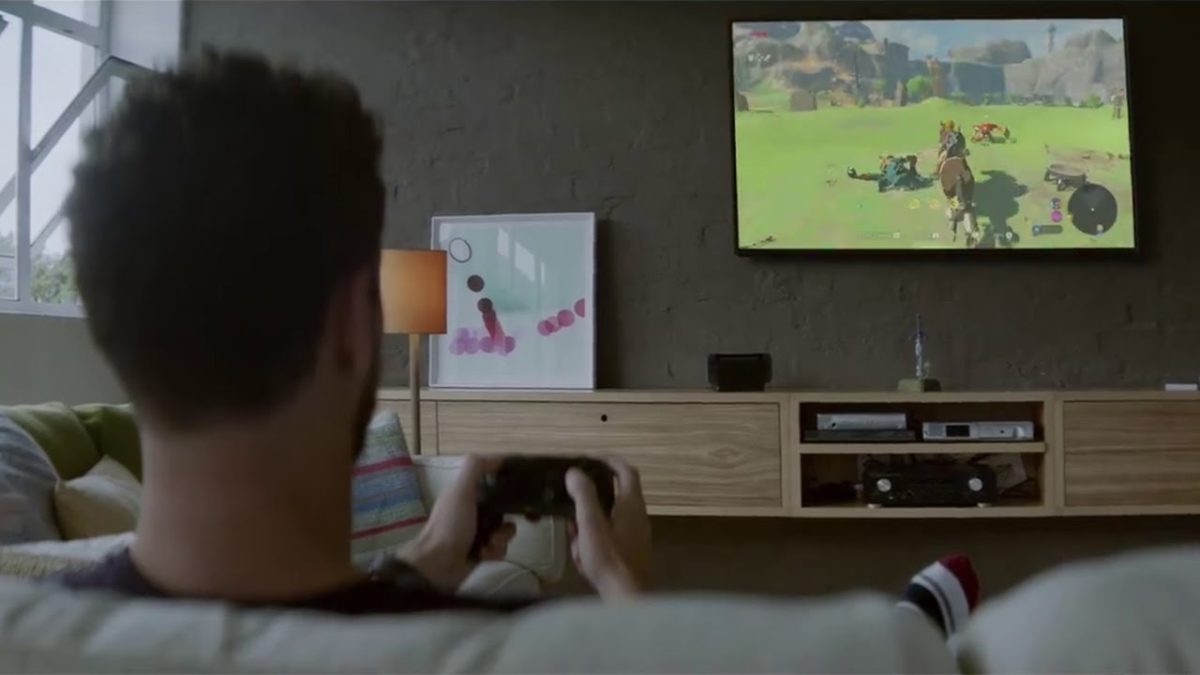
One of the more charming features of the Nintendo Switch is how versatile the platform is when it comes to choosing how you want to play. You can cozy up in bed and use the touchscreen, slot the two Joy-Con controllers to either side of the screen and play like a retro Gameboy, or you can stream it to a full-on TV monitor. This guide will be showing how to bring your Switch game to the big screen in 6 very simple steps.
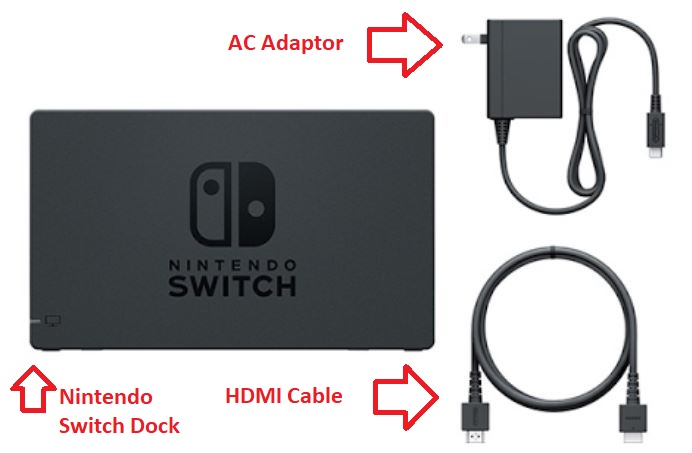
Additionally, you’ll be happy to know that (aside from the TV itself) everything you’ll need to use comes right in the box. Let’s get right to it.
Guide to connect your Nintendo Switch to your TV
1. Open the Nintendo Switch Dock
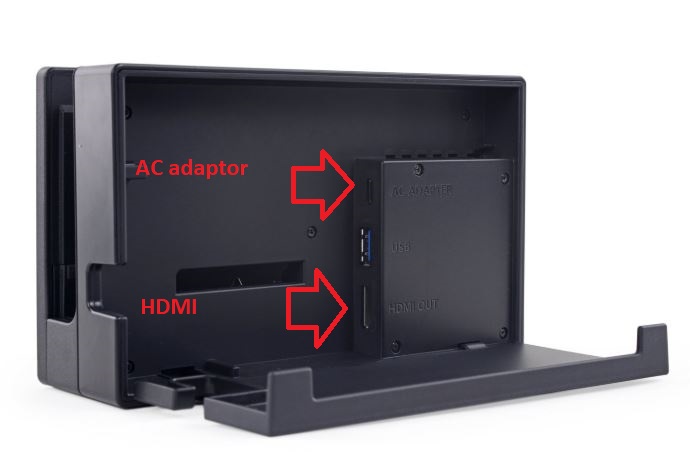
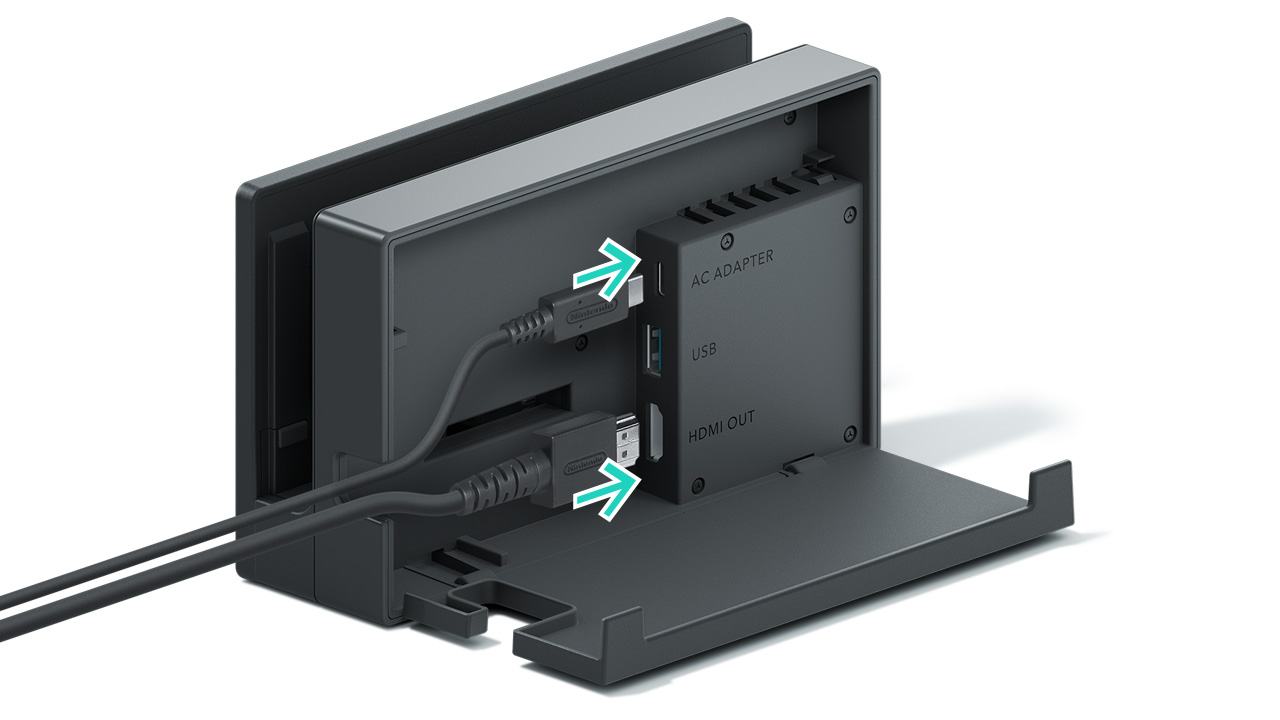
If you open the back panel you’ll see where the AC and HDMI need to go.
If you take a look at the Dock itself you’ll find that the back panel easily unhinges as shown in the picture above. Take a peek inside and you can see three ports where cables go: AC adapter, USB, and HDMI out. The ones we’ll need are the AC and HDMI.
2. Attach the HDMI cable
Attach the HDMI cable inside the Switch Dock. Next, we’ll do the same with the AC.
The Nintendo Switch comes with an HDMI cable, so you won’t need to hunt around for one or yank one off one of your other devices. Go ahead and insert the HDMI into the Dock where it reads ‘HDMI out.’
3. Attach the A/C adapter
Now do the same thing with the A/C adapter – attach it to the Nintendo Switch Dock. It should look like this:
Once both cables are in the Dock, you can close the back panel flap.
You can even snap the back panel back up to keep the inside of the Nintendo Switch Dock from getting too dusty.
4. Connect the HDMI to your TV
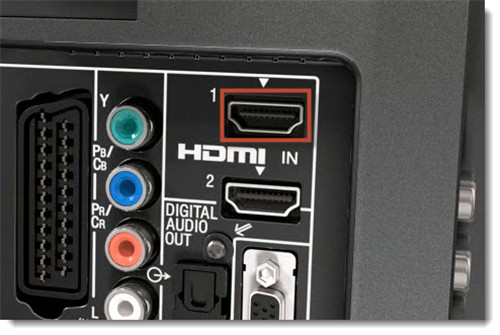
Now take the other end of the HDMI cable and put it into your TV. Every TV screen is built a little differently, but the HDMI port is usually in back and labeled clearly.
Plug the other end of the HDMI cable into your TV
5. Plug in the A/C adaptor
Now to power the Nintendo Switch Dock! Plug the A/C adaptor into the nearest outlet and you’ll run power to the device.
6. Dock the Nintendo Switch
The final step is to turn on your Nintendo Switch (making sure the Joy-Con controllers are first removed) and slot it right into the Dock. When you slot it be sure the screen is facing away from the back panel, and is aligned with the side featuring the Nintendo Switch logo. If you put the Switch in backward the Dock won’t recognize it, and you might scratch the screen.
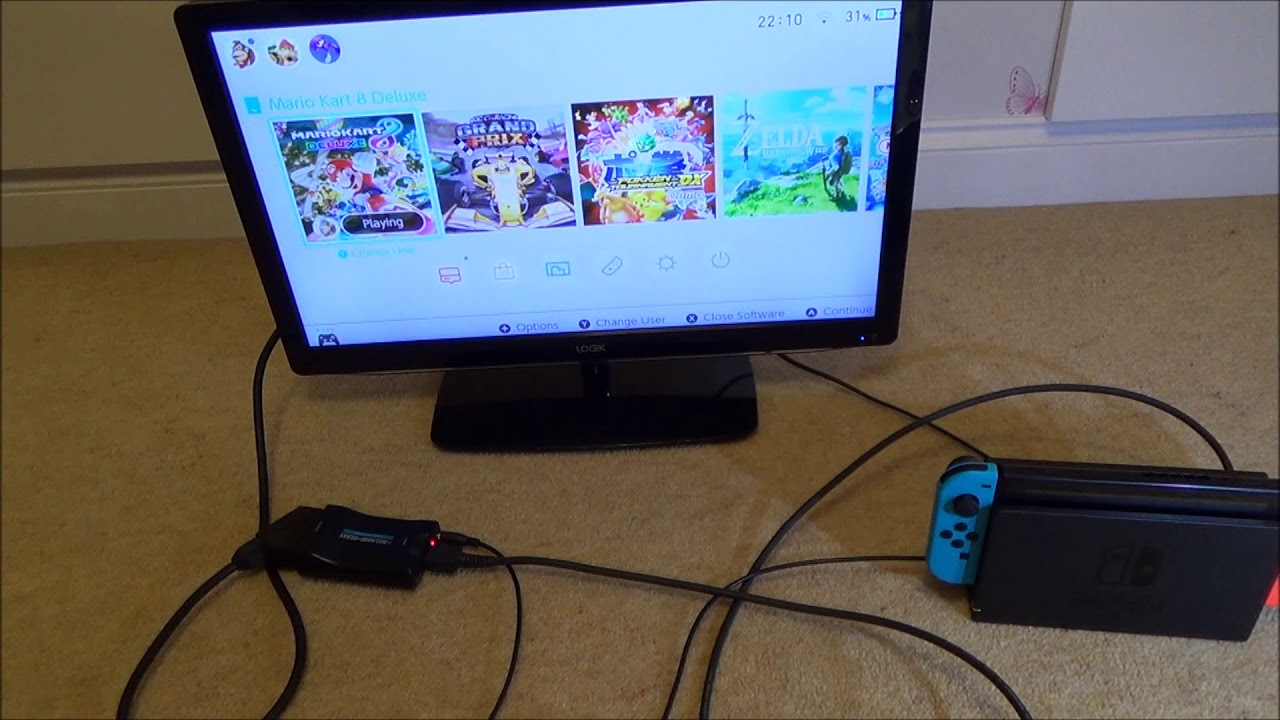
Turn on the Switch, dock it, and you’re good to go!
And there you have it! You should now be seeing the Nintendo Switch broadcasting from your TV screen.
Since the Switch itself is docked, you won’t be able to use the touchscreen while viewing the game on your TV. That leaves you to play one of two ways: You can hold one Joy-Con controller in each hand (Nintendo encourages you to tie on the wrist straps so you don’t accidentally drop one), or you can slot both into the Joy-Con Grip if you want it to feel more like an Xbox or PlayStation controller.
If you’re still having trouble getting the Switch to show on your TV, check out this video that demonstrates where to go in your Switch settings to be sure everything’s seeing each other:
We hope this guide was helpful, and that you’ll be able to enjoy your Switch games from the comfort of your favorite couch! Let us know if we were helpful in the comments below, and happy gaming!
There is a new YouTube app for the Nintendo Switch but all streaming services on the Nintendo Wii will close on January 31 2019
If you’re a big fan of Nintendo and you like watching video on your Nintendo devices then there is some good news and bad news coming your way. Nintendo is simultaneously opening new ways of streaming video and closing down established ways of watching videos on its consoles.
There is a new YouTube app for the Nintendo Switch but all streaming services on the Nintendo Wii will close on January 31, 2019
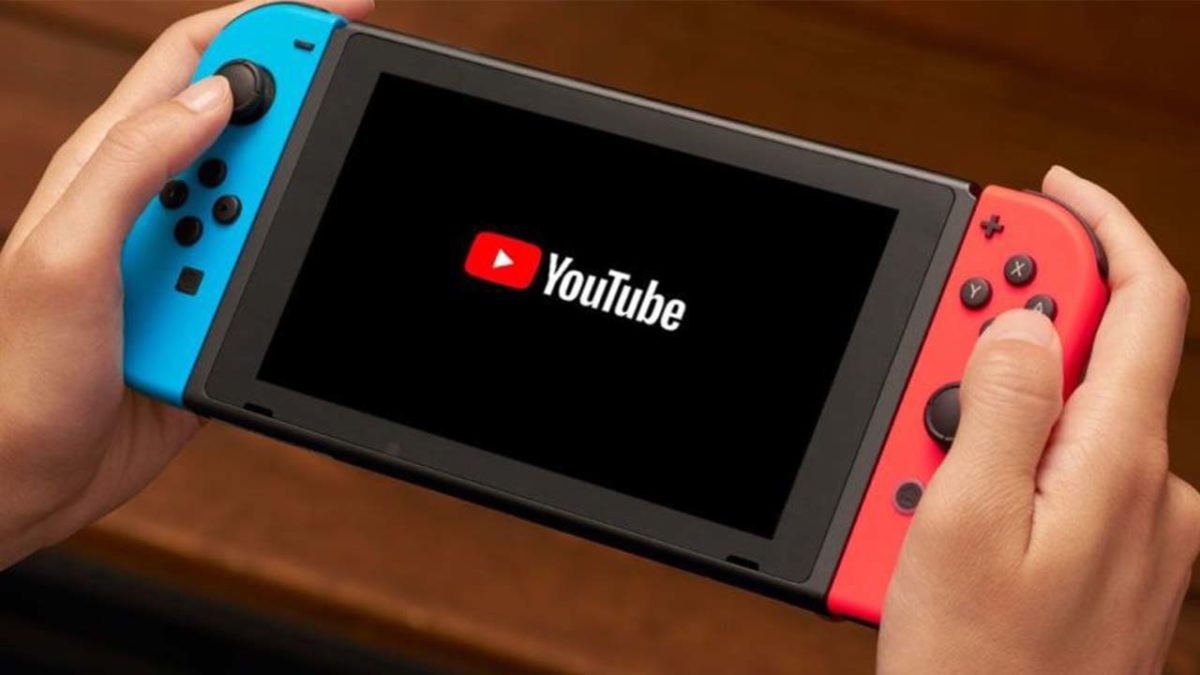
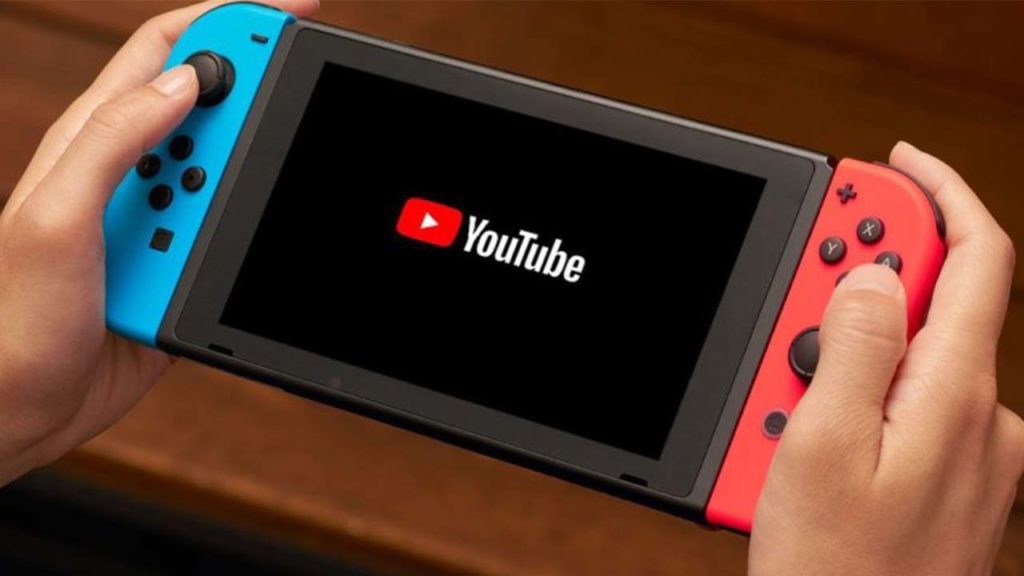
Streaming video and your portable Nintendo Switch seems like a match made in heaven. In that respect, it is somewhat of a surprise that it has taken Nintendo so long to release a YouTube app for the Switch. Well, at long last, it is here and is free for all users.
Kick back and relax with @YouTube on your #NintendoSwitch. Enjoy entertainment like music videos and shows, plus gaming livestreams, how-to guides and much more. YouTube is now available to download from Nintendo #eShop.
The YouTube on Switch app has been optimized for use on Nintendo’s handheld console. It can be controlled via the Switch’s touchscreen and can even show 360-degree videos with the viewing angle being controlled by the left joystick. The app will also be useful both at home and while on the road. Content can be downloaded for later consumption and, if the Switch is docked, can also be watched on your TV.
The new YouTube app is available now in the Switch app store.
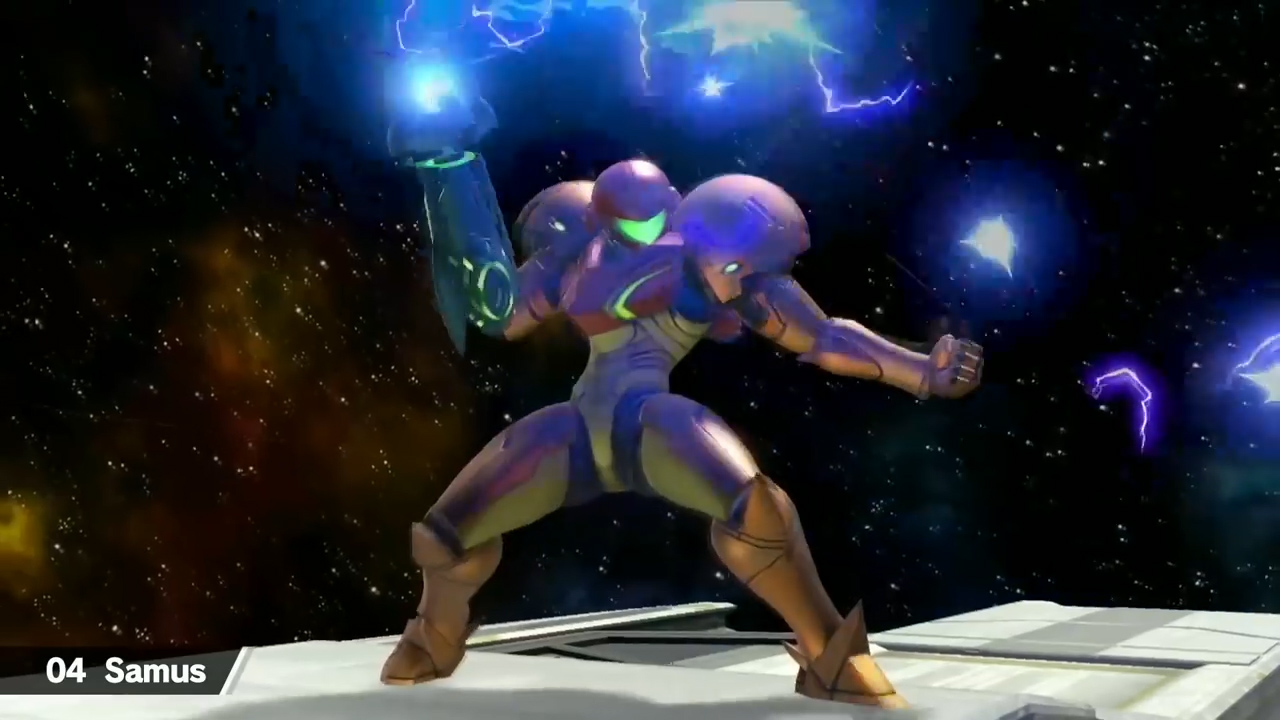
Everything we know so far about Super Smash Bros. Ultimate
Soon, however, the Switch will be one of a shrinking number of ways owners of Nintendo consoles can stream video on their Nintendo devices. According to an email sent out by Netflix, Nintendo is putting an end to all video streaming services on the Nintendo Wii at the end of January next year. That means come February 1, 2019, streaming video will only be possible on the Nintendo Switch, the unpopular Wii U, and the handheld 2DS and 3DS devices.
“Unfortunately, Nintendo will suspend all video streaming services on Wii—including the Netflix Channel—after January 31, 2019.”
The Netflix email states that it won’t just be Netflix that is pulled from the Nintendo Wii. There is a clear indication that all services will be pulled including Amazon Prime and Hulu.
This is bad news for Nintendo owners as streaming is yet to take off on the Switch, despite the new YouTube app. When it first shipped, there were no streaming options, although Hulu was added not too long after launch. With YouTube there are now just two video streaming options on the Switch, even though it seems like the perfect device for consuming video. Perhaps with the announcement about the pulling of streaming services from the Wii, we can expect to see some news about services like Netflix and Amazon Prime coming to the Switch too. We’ll just have to wait and see.
Over the past few weeks, Gamefreak has slowly released details about the upcoming Pokémon Let’s Go Pikachu/Eevee games. In case you haven’t been closely keeping up, we’ve kept track of the most interesting details below.
Your rival isn’t a jerk anymore
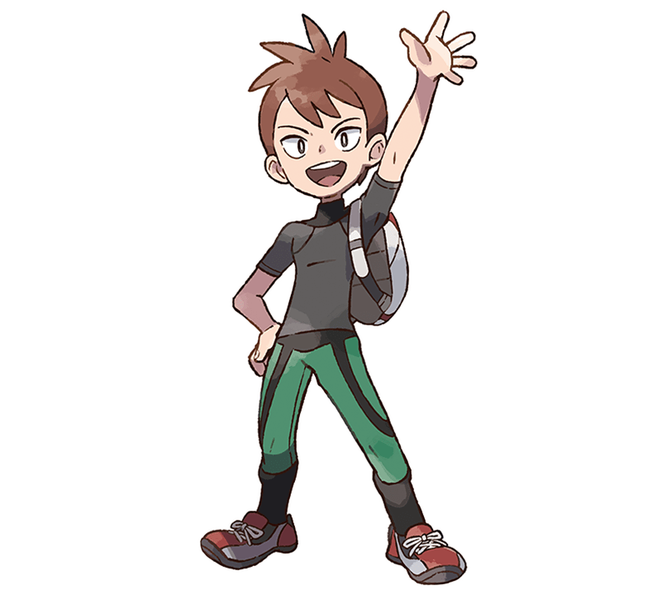
Say goodbye to that jerk Blue, and say hello to your new “friendly rival” Trace. Instead of constantly taunting you and telling you to smell him later, Trace offers friendly advice on where to go and how to raise your Pokémon. If Twitter reactions are anything to go by, most fans are not happy with this chipper new character, preferring the cocky rivals of old. (Extremely NSFW Twitter reaction here.)
Gamefreak has not made the rival character a jerk in years, and fans clearly miss rivals that they love to hate. Game director Junichi Masuda stated that the reason the rival is much nicer than in Pokémon Red/Blue/Yellow is that back then, the simple pixel graphics did not allow for much personality. To make up for that, the writers had to emphasize how much of a jerk the rival was through their words. Now that the series has HD graphics, Masuda felt the need to tune the cockiness down for fear of it becoming overwhelming or intimidating.
These 4 hilarious Pokémon Go ripoffs will make you cringe
The developers are working on a way to let you upload your Pokémon from Let’s Go! to Pokémon Bank
Masuda confirmed that he and his team are working on a way for players to be able to transfer their Pokémon caught in Let’s Go! to future entries in the series, including next year’s core Pokémon game. It has already been confirmed that players can transfer Pokémon caught in Pokémon Go to the Let’s Go games through a feature called the Go Park. If players are able to transfer Pokémon from Let’s Go! to the Pokémon Bank, that theoretically means that players will theoretically be able to use Pokémon caught in Go in future core titles.
The game is being designed to be simpler and “less scary”
Masuda has stated in interviews that he wants the game to be a starting point for kids and new players introduced to the series through Pokémon Go. As such, the gameplay has been simplified, including but not limited to:
Removing held items and abilities
Removing the need to battle wild Pokémon in order to catch them
Removing the breeding mechanic
Masuda has described modern video game players as having different tastes than they did 20 years ago. According to him, gamers today prefer simpler games that can be played in short bursts, mostly due to the influence and popularity of mobile gaming. This has led to the removal of features he considers too time-consuming or tedious for modern players, such as Strength puzzles.
The game features a never before seen “Master Trainer” mechanic as part of the postgame
When questioned on whether there would be challenging content in the game to please longtime fans, Masuda revealed the existence of the “Master Trainer” mechanic. Basically, there exists a Master Trainer for each of the 151 Pokémon featured in the game. These trainers are considered the best at using their respective Pokémon. If you’d like to become the Master Trainer for your favorite Pokémon, let’s say Charizard, then you’d have to find and challenge that Master Trainer in order to gain their title. Masuda said that dedicated players can become the Master Trainer of every Pokémon in the game.
Watch 8 minutes of Pokémon Let’s Go! gameplay below:
If all of those words mean nothing to you and you’d rather see the game in action, Nintendo World Report TV recently released footage of 8 minutes of gameplay.
How do you feel about these changes made to the Pokémon formula? Will you be picking up Pokémon Let’s Go? Which version? Let us know below!
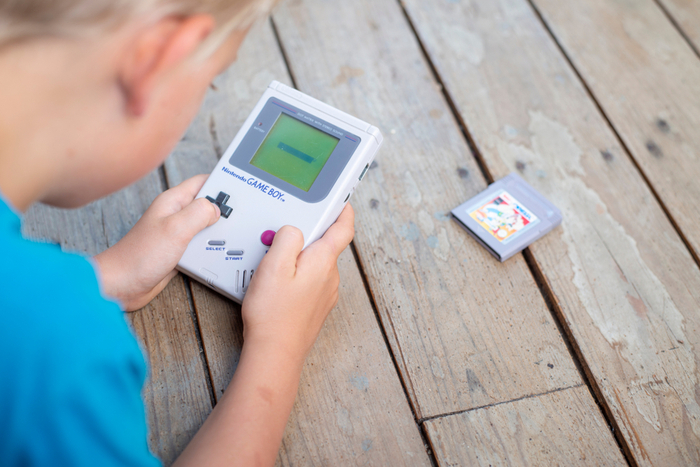
The runaway success of the NES and SNES Classic consoles led many to believe that a Game Boy Classic was inevitable. A recent patent published by the United States Patent and Trademark Office has revealed some details on what Nintendo has in mind for the Game Boy.
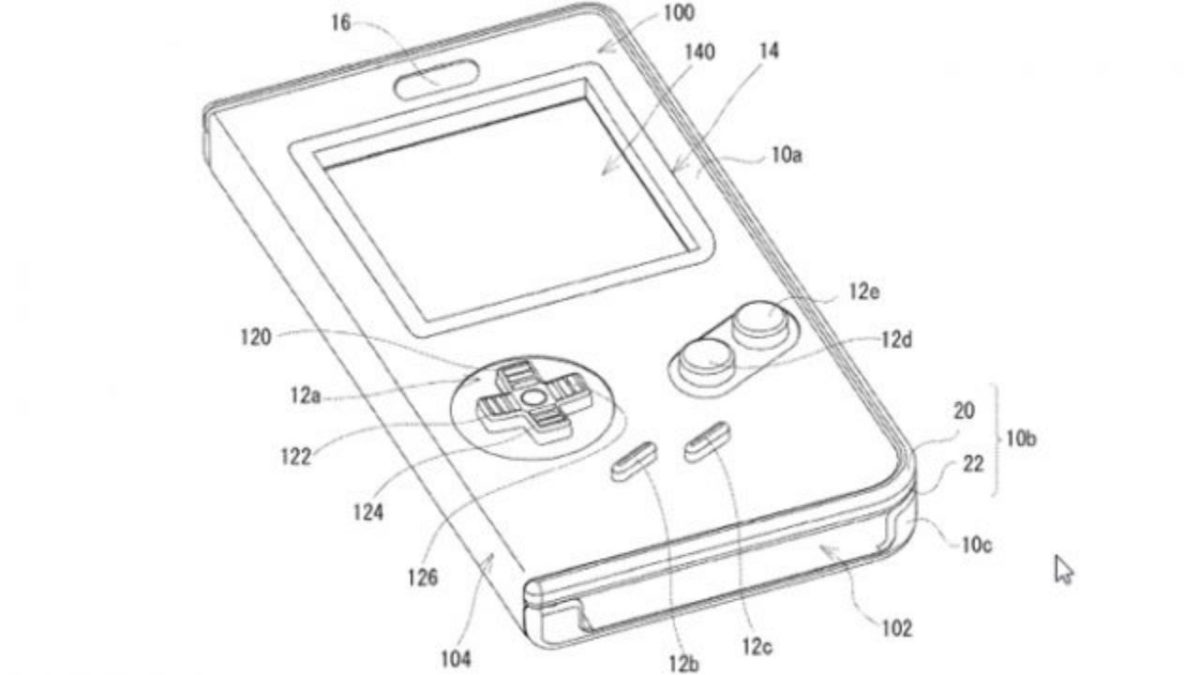
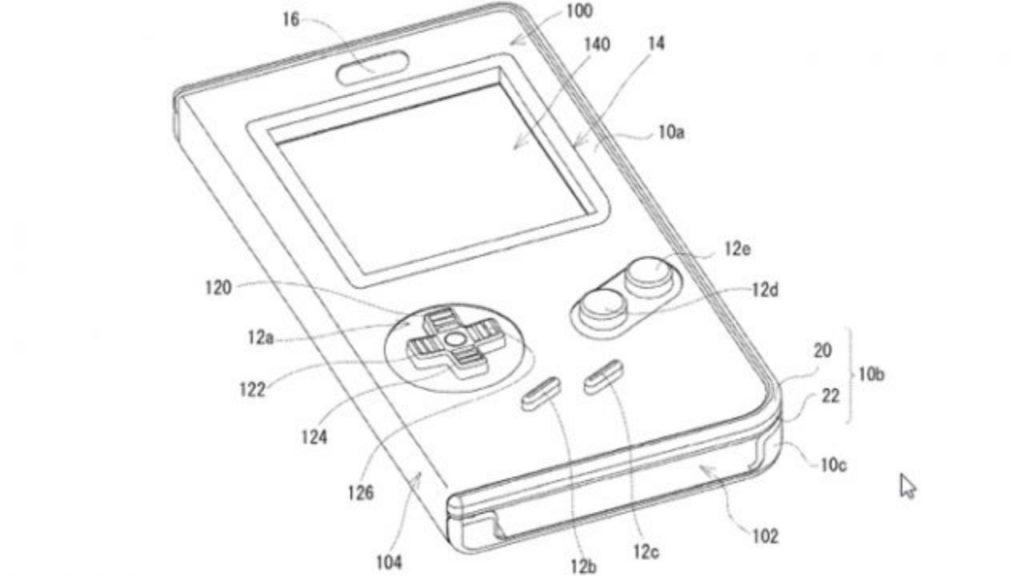
The patent describes a phone case that envelopes a smartphone with the Game Boy’s iconic button layout, complete with a d-pad and A and B buttons. Assumedly, users would press buttons on the case, which would press down and make contact with the touchscreen, simulating a button press. This would allow Nintendo to port its Game Boy games to mobile without dampening the experience with slippery, inaccurate touchscreen controls. It’s also odd to consider that Nintendo doesn’t include the words “Game Boy” or “game” in the patent.
Ye Olde Game Boy
How to get Game Boy games on your iPhone in less than 10 minutes
There have been similar phone cases released in the past that resemble a Game Boy, such as the Smart Boy. The Smart Boy, however, uses real Game Boy cartridges, and assumedly the Nintendo Game Boy phone case would use officially distributed ROMs instead. The success of these third-party Game Boy cases has shown that a market for this product exists.
Nintendo has not currently announced any plans for a Game Boy Classic, or any kind of Game Boy phone case. It would be extremely surprising if Nintendo actually released Game Boy games on mobile devices. While Nintendo has successfully dabbled in mobile gaming with titles like Super Mario Run, Fire Emblem Heroes, and Animal Crossing Pocket Camp, none of these games have been full-fledged entries in their respective series. Instead, they offer smaller or alternative experiences that are intended to encourage fans to buy the full games on Nintendo consoles. Nintendo does not want to cannibalize the sales of its own games by releasing the full experience on mobile devices. Why would anyone buy a Switch if they could play full-fledged Mario or Zelda games on their phones?
Watch: Fastest Super Mario Bros. speedrun in history
It should also be noted that Nintendo made headlines in recent months by going after ROM and emulation sites that hosted their games. Could this be because they are intending to release these classic Game Boy games on mobile? Stay tuned…
Want to do battle in Pokémon VGC 2019 Sun Series? Here are your best bets.
The Pokémon VGC Sun Series has been underway for about a month now, and the addition of cover legendaries has caused pandemonium within the format. With so many gods and elemental beasts running around, it can be hard to choose which two to use on your team. Before jumping in, here are the rules for VGC 2019 and the Sun Series:
All battles will be Double Battles played in Pokémon Ultra Sun and Pokémon Ultra Moon.
All Pokémon from National Pokédex No. 001 through 807 are allowed, with the following restrictions:
Mythical Pokémon and Ash-Greninja are not permitted.
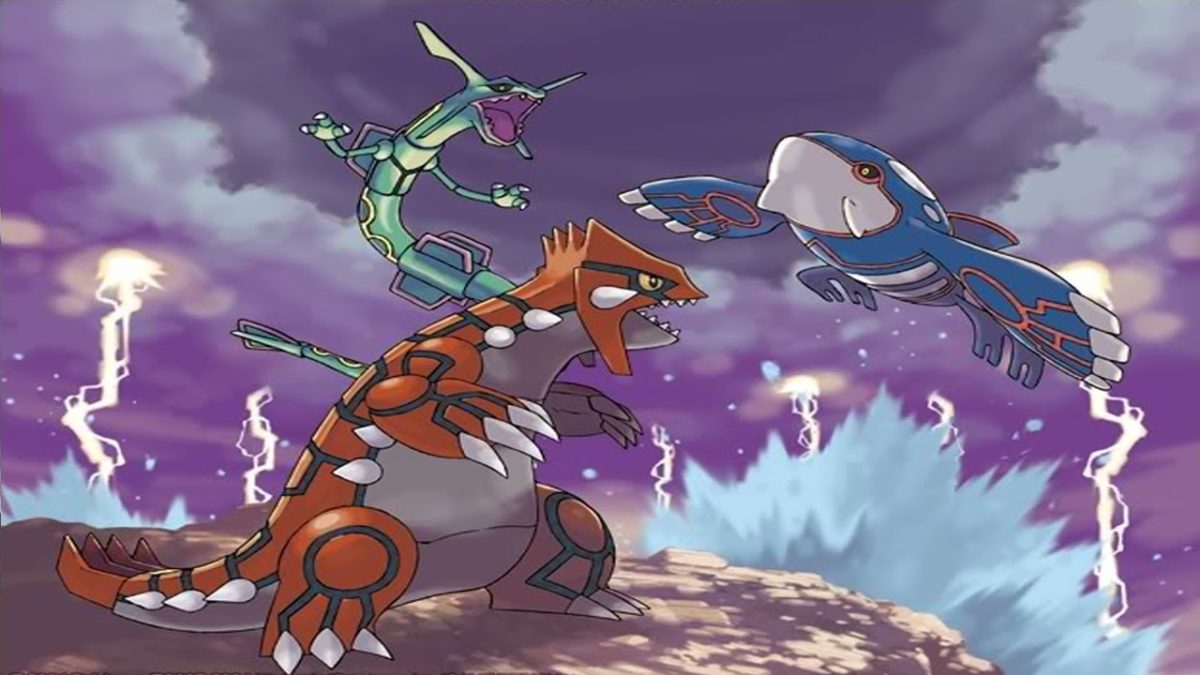
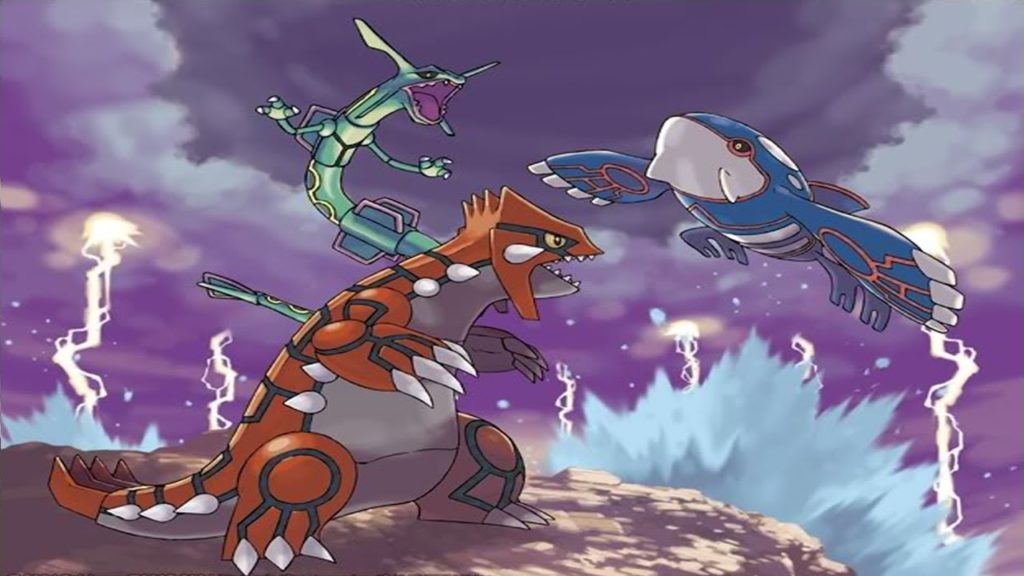
Players may only include two of the following Pokémon in their teams: Mewtwo, Lugia, Ho-Oh, Kyogre, Groudon, Rayquaza, Dialga, Palkia, Giratina, Reshiram, Zekrom, Kyurem, Xerneas, Yveltal, Zygarde, Cosmog, Cosmoem, Solgaleo, Lunala, Necrozma.
Pokémon must have the Alola symbol, showing they were caught in the Alola region.
Duplicate Pokémon are not allowed.
Duplicate held items are not allowed.
All Pokémon are set to Lv. 50, including Pokémon below Lv. 50.
Players will have 7 minutes of Your Time, up from 5 minutes in 2018.
The following additional rules will be in place only during their respective series.
Sun Series
September 4, 2018–January 7, 2019
Z-Crystals and Mega Stones are not permitted.
Blue Orb and Red Orb items are not permitted.
Rayquaza may not know the move Dragon Ascent.
Now that that’s out of the way, here are some of the best Pokémon in Sun Series so far.
These 4 hilarious Pokémon Go ripoffs will make you cringe
5 Best Competitive Pokémon for VGC 2019 Sun Series
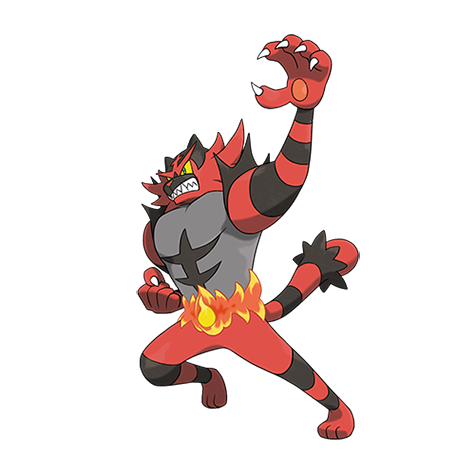
Incineroar
Incineroar @ Assault Vest/Figy Berry
Ability: Intimidate
Level: 50
EVs: 252 HP / 252 Atk / 4 SpD
Adamant Nature
– Fake Out
– Flare Blitz
– Knock Off
– U-turn/Roar/Protect/Snarl
The controversial heel wrestler absolutely dominated VGC 2018, and Sun Series looks no different so far, once again becoming the most commonly used Pokémon in the format. Incineroar’s monstrous attack stat and fantastic offensive typing allow it to hit opponents hard with STAB Flare Blitz and Knock Off. It’s bulky too, allowing it to survive a rain-boosted Origin Pulse from Kyogre while holding an Assault Vest.
Incineroar’s greatest strength, however, is its amazing utility with Fake Out and Intimidate. Intimidate is obviously one of the most broken abilities in doubles, lowering both of the opponents’ physical attack stats on a switch in. This broken ability combined with Fake Out pressure allows Incineroar to support its teammates, allowing them to set up utility moves like Tailwind or Trick Room. If you want additional utility, you can replace U-turn and your Assault Vest with a few different options. Roar can be used to phase out the terrifying threat that is Geomancy Xerneas, while Snarl does spread chip damage and lowers your opponent’s special attack stats.
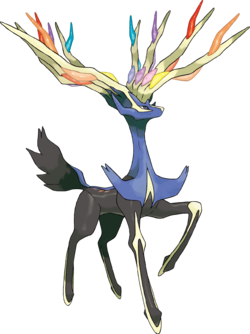
Xerneas
Xerneas @ Power Herb
Ability: Fairy Aura
EVs: 4 HP / 252 SpA / 252 Spe
Timid/Modest Nature
– Geomancy
– Dazzling Gleam
– Protect
– Moonblast
This roided-out Bambi is arguably the biggest threat in Sun Series so far. Once it gets its Geomancy up, there is very little in the metagame that’s able to stop it. The set is fairly straightforward: set up Geomancy, then win. While using Xerneas, you need to make sure you can get your Geomancy up safely.
Common anti-Geomancy Pokémon include the aforementioned Roar Incineroar and Haze Crobat, both of which can waste Xerneas’s Power Herb, making it significantly less effective. Make sure you support your Xerneas with Fake Out and Taunt users that can ensure your precious deer’s ascent into godhood.
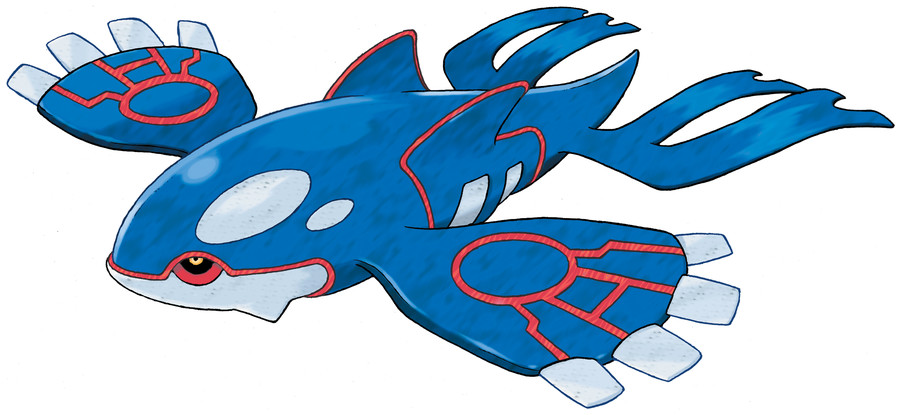
Kyogre
Kyogre @ Choice Scarf/Life Orb
Ability: Drizzle
EVs: 4 HP / 252 SpA / 252 Spe
Modest Nature
– Origin Pulse
– Water Spout
– Ice Beam
– Thunder
Even though it doesn’t have access to Blue Orb in Sun Series, Kyogre is still one of the best Pokémon in the game. If you can avoid Fake Out ruining your momentum, spamming scarfed Water Spout can net you a win. If you’ve been damaged a bit already, Origin Pulse still hits like a truck. Kyogre’s Drizzle ability also provides a lot of useful utility if you build your team around it. Swift Swim Pokémon like Ludicolo can run circles around the enemy team, abusing their blazing speed to remove threats to Kyogre and give you the win. Kyogre alone counters strong offensive Pokémon like Groudon and Incineroar, and if you can remove threats like Amoonguss and Ferrothorn, Kyogre should be able to clean up the enemy team easily.
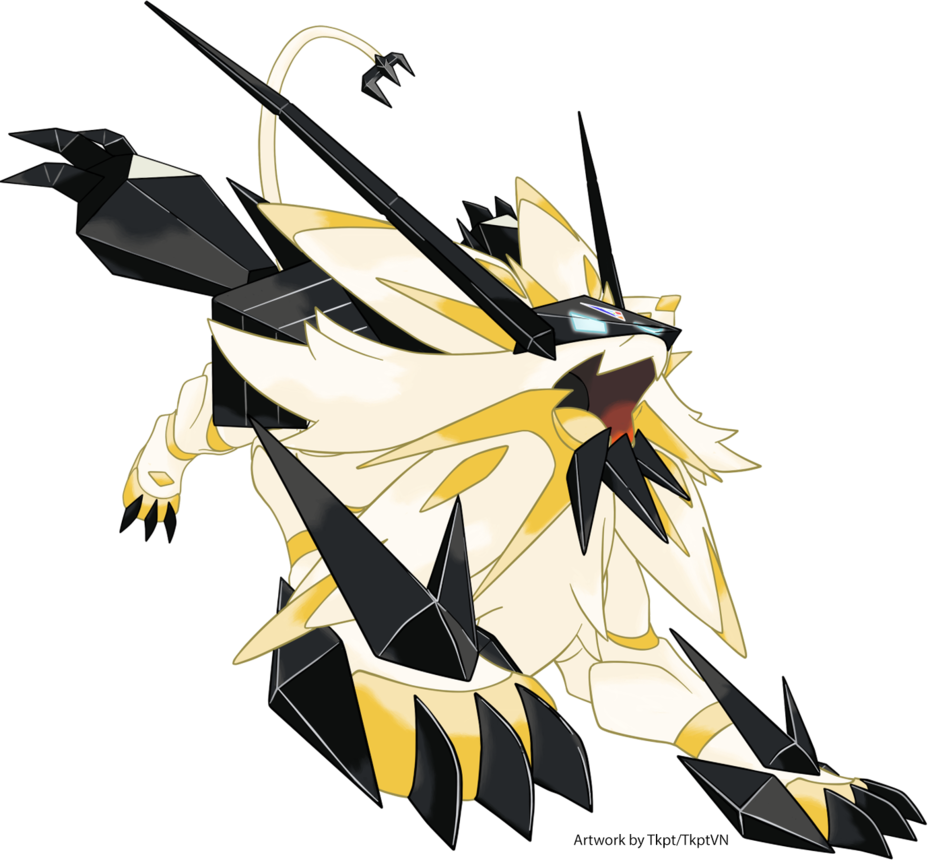
After making waves in Ubers, Necrozma-Dusk-Mane makes its VGC debut with a vengeance. Its amazing ability Prism Armor reduces damage from super effective attacks by 25%, allowing it to tank through common moves like Earthquake or Flare Blitz. After taking a super effective hit, NDM’s Weakness Policy will activate, allowing it to sweep. In order to make sure NDM can sweep, your team must utilize speed control. Either have another Pokémon set up Tailwind or have NDM activate Trick Room itself. NDM is arguably the most powerful Xerneas counter in the format. If you can establish speed control and eliminate threats like Incineroar, your NDM sweep will be extremely hard to stop.
Ferrothorn
Ferrothorn @ Leftovers
Ability: Iron Barbs
EVs: 252 HP / 4 Atk / 252 SpD
Brave Nature
– Gyro Ball
– Power Whip
– Leech Seed/Thunder Wave
– Protect
This thorny annoyance has made constant appearances in competitive play ever since its debut in Black and White. Ferrothorn’s insane bulk and fantastic defensive typing allow it to tank hits from some of the most powerful Pokémon in the game. The two most powerful Pokémon in Sun Series, Xerneas and Kyogre, both fear Ferrothorn. It can easily absorb hits from both of them and respond in kind with a Power Whip for Kyogre or a Gyro Ball to a boosted Xerneas. Depending on their set, Ferrothorn can one-hit-KO either of those two Pokémon.
It can also easily stall out enemy teams with Protect and Leech Seed, proving once again that it’s an unkillable parasite. If you come up against a Ferrothorn, break out the Incineroar and light it up with Flare Blitz. Just be wary of its Rocky Helmet.
Want to put these powerhouses into practice? Find an event near you with Game Freak’s official VGC event locator!
What to know about the first days of Nintendo Switch Online.
Nintendo Switch gamers were excited when the online component emerged until they learned that they had to pay for the service. Still, it provides a wealth of entertainment, whether you play with your friends or opponents.
If you’re eager to join this fanbase, here’s what Nintendo Switch Online is and how to play.
What is Nintendo Switch Online?
The Nintendo Switch Online is a service that lets gamers play multiplayer games with their friends and against opponents. If the title you have has a multiplayer component, you’ll need NSO to access it. Without the service, you’ll receive a message that you need to sign up for it to play online with others.
What is the Nintendo Switch Online membership?
The Nintendo Switch Online membership is a subscription you need to pay to play online. It’s a monthly or annual fee, depending on how much you’re willing to pay. When your membership runs out, you’ll lose all the online privileges you’ve had before.
How to play Nintendo Switch Online with friends?
When you’re ready to play Nintendo Switch Online with friends, there are only a few steps you need to follow. Please bear in mind that you need to have an NSO membership to be able to access the features.
Open the Nintendo Entertainment System – Nintendo Switch Online section
Access the main menu, and click on “Play online”
Use a passcode for the game if necessary
A notification will appear to tell you you’ve joined the online game
Guide on how to play Online Nintendo Switch
Now that you know how the system works, let’s see how Nintendo Switch Online works.
Online Matchmaking
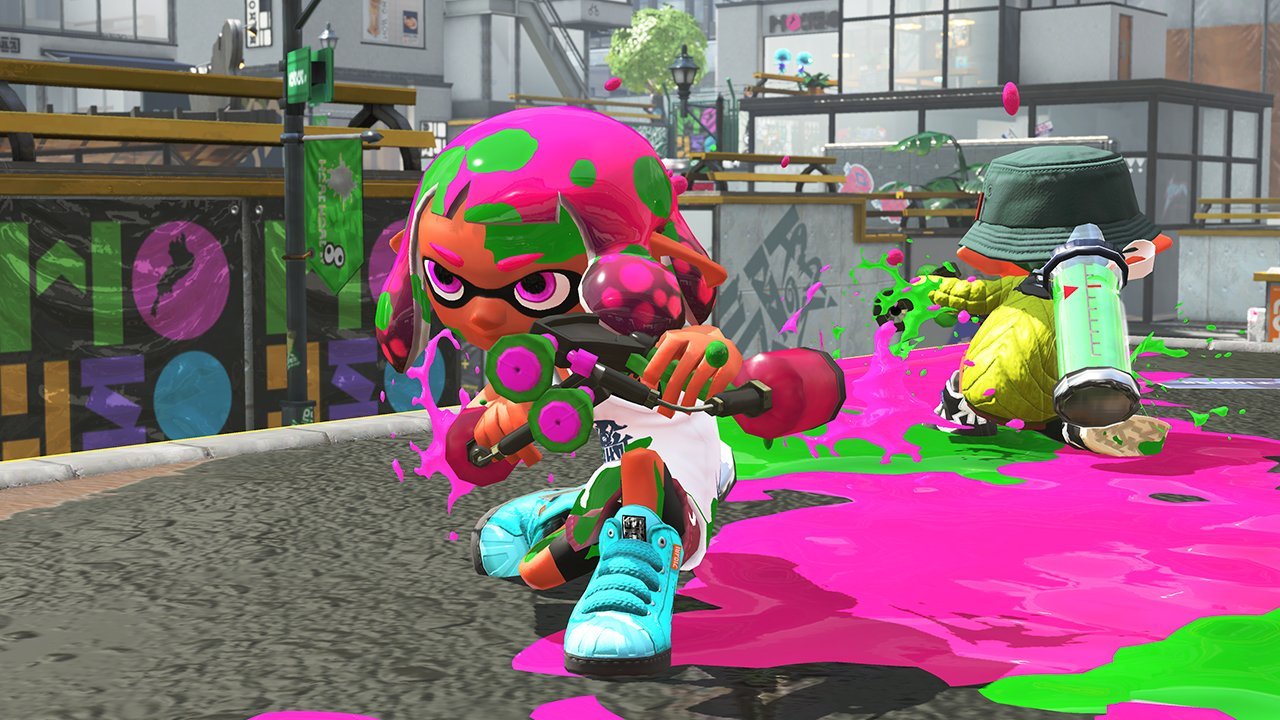
As of September 18, being able to play games online with friends and strangers is no longer free. You will need to purchase a Nintendo Switch Online subscription in order to continue playing games like Splatoon 2, Mario Kart 8 Deluxe, Mario Tennis Aces, and Rocket League online.
Many more games with a focus on online multiplayer are coming to the Switch later this year, including Super Smash Bros. Ultimate and Super Mario Party. However, there are some games that don’t require a paid subscription to play online, most notably Fortnite: Battle Royale.
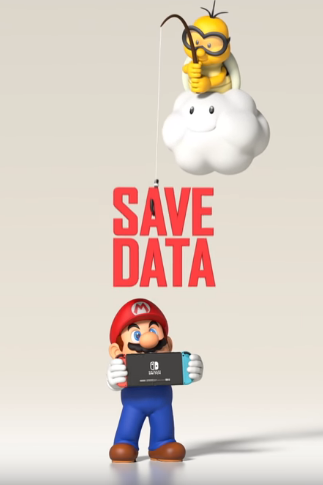
Online cloud save game backups finally come to the Nintendo Switch with their online service. If you don’t know what cloud save backups are, basically, you can upload your saved game to an online server. That way if your Switch gets lost or broken you can access your saved files on a new device. With cloud save backups, every moon you find in Super Mario Odyssey or Korok seed in Breath of the Wild will be preserved, no matter what happens to your Switch.
Not all games support this feature, including Splatoon 2 and Pokémon Let’s Go Pikachu!/Eevee! Additionally, Nintendo will delete your cloud saves if your subscription expires, so it’s to always have an offline copy of the save, too.
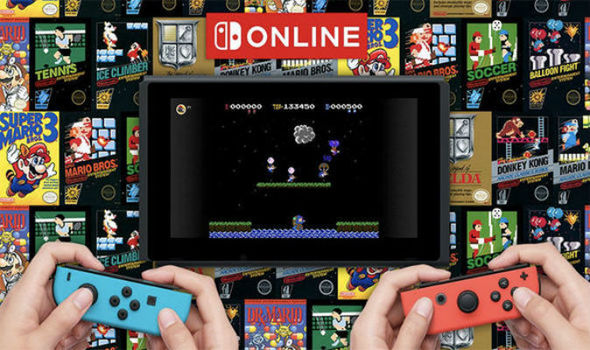
NES Game Library
Subscribers have access to a library of classic NES games. These games can be played locally or online with friends. These are the current 20 titles available:
Balloon Fight
Baseball
Donkey Kong
Double Dragon
Dr. Mario
Excitebike
Ghosts’n Goblins
Gradius
Ice Climber
Ice Hockey
The Legend of Zelda
Mario Bros.
Pro Wrestling
River City Ransom
Soccer
Super Mario Bros.
Super Mario Bros. 3
Tecmo Bowl
Tennis
More games will be added every month to the library of games, including Metroid and Ninja Gaiden.
How are Nintendo fans reacting so far?
So far, fans have been hostile-to-lukewarm regarding the Switch’s online service. The screenshot above shows the like-dislike bar on the Switch online trailer on Nintendo’s official YouTube channel, with 35,000 dislikes compared to about 8,000 likes.
Nintendo has always had a shoddy history with their online services, always being years behind Microsoft and Sony. Compared to Xbox Live and PS Plus, Nintendo Switch online offers little incentive to pay up for Switch owners who don’t enjoy online multiplayer.
Main gripes include the lack of party chat, cloud saves being locked behind a paywall, the lack of a messaging system, and no web browser or popular media player options (YouTube, Netflix, etc). Thankfully, at least the price is much lower than the $60 per year you’d need to spend on Xbox One or PS4.
We got a look at the limited edition Pokémon-themed Switch Bundle and it is awesome.
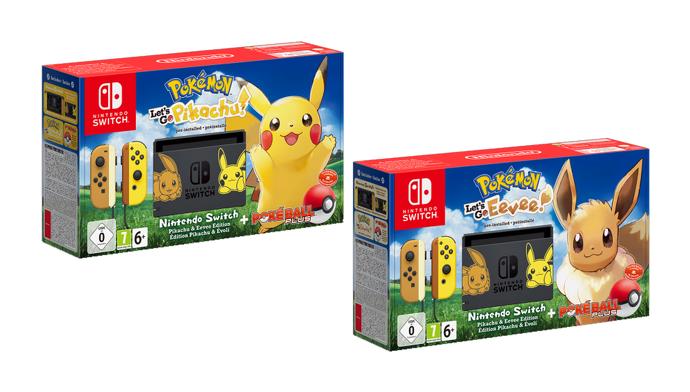
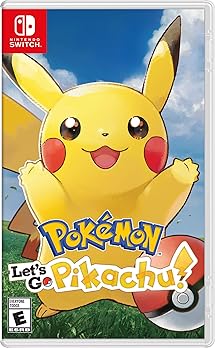
With the upcoming release of Pokémon: Let’s Go! Pikachu and Let’s Go! Eevee, two remastered versions of Pokémon Yellow, Pokémon fans have a lot to celebrate. Not only are these new games being released for the Nintendo Switch in November, but Nintendo just announced an incredible new bundle:
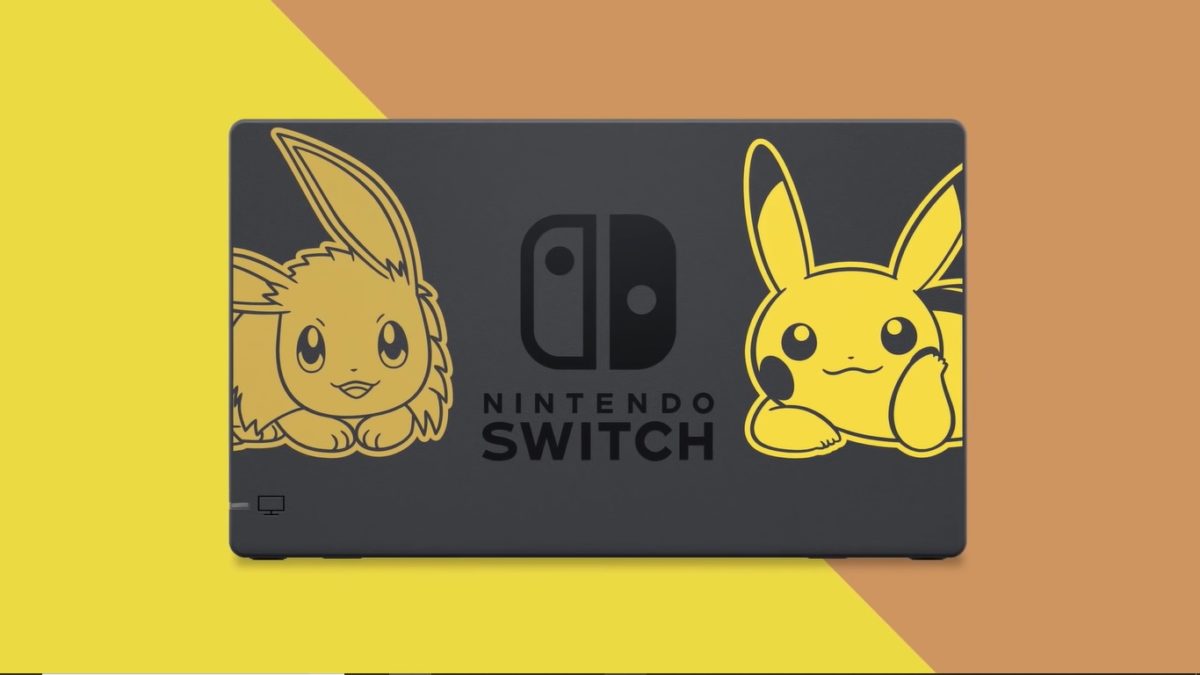
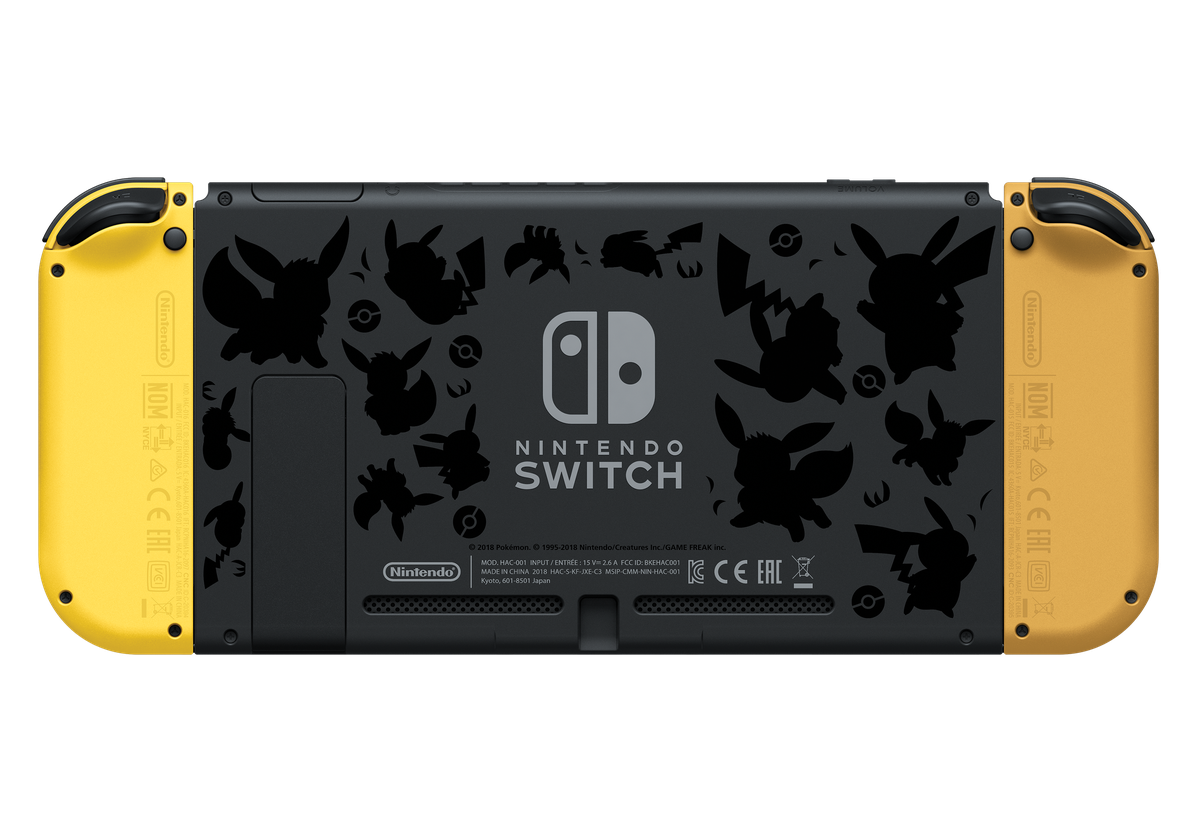
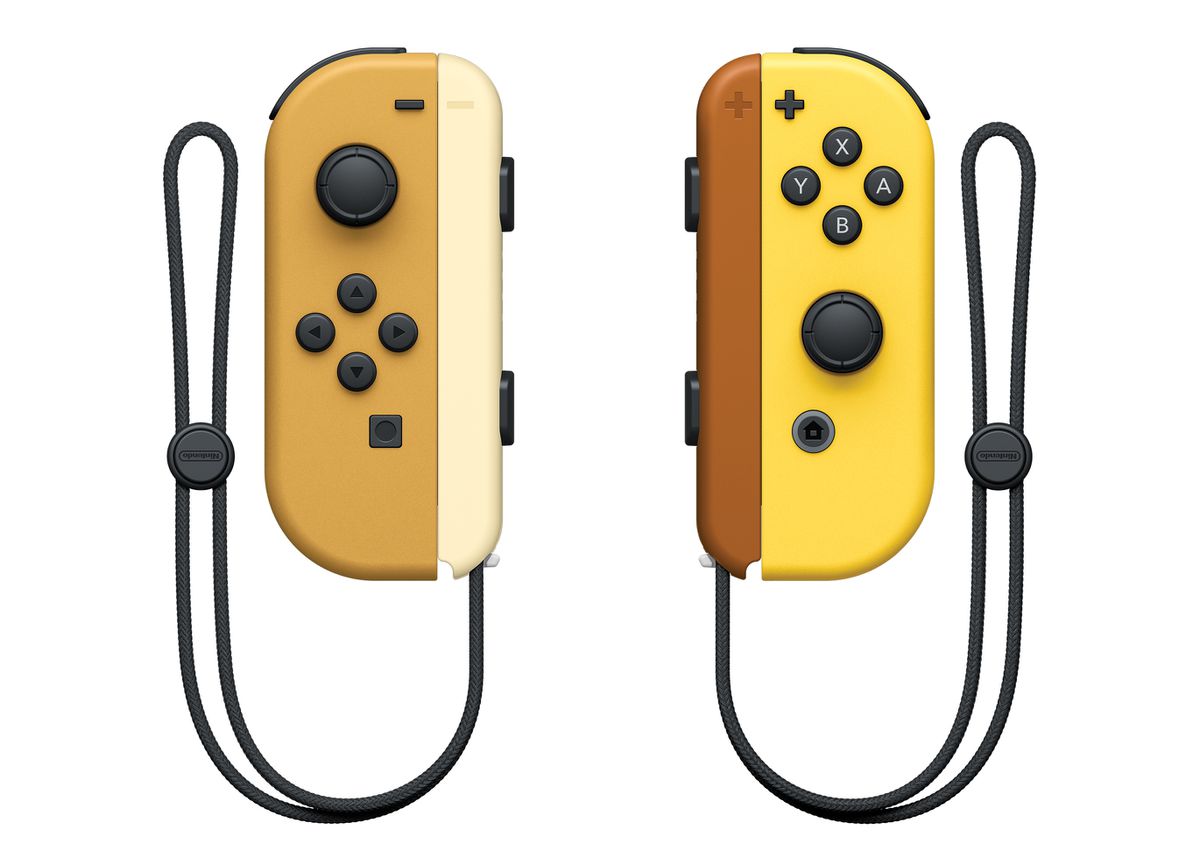
For $399.99 you can get this Pikachu and Eevee themed Nintendo Switch, the Poké Ball Plus controller, and a digital copy of one of the games: Let’s Go! Pikachu or Let’s Go! Eevee. The Switch also comes with unique Joy-Cons based off Pikachu and Eevee, and a limited edition Switch dock.
In the end, the deal is almost the same price as a regular Switch along with the game and accessory, so if you plan to buy the Switch for this game, this is the best deal for you!
The bundle will be released on the same day as the games: November 16. The games themselves are also available separately for pre-order, in case you already own a Switch. More details on pre-ordering the bundles will be announced on Nintendo’s Switch website.
It’s time to come back to Minecraft. Here’s a breakdown of all the recent changes that make the game more fun than ever.
There was a point in time where Minecraft was completely inescapable. The game’s iconic blocky graphics and freeform gameplay inspired millions of Let’s Plays, t-shirts, and countless blocky creations. Minecraft became the second best selling game of all time, only behind the Tetris. Nowadays, while the game is still very popular, its ubiquity and core demographic has seemingly been replaced by the massive success of Fortnite.
While you may have quit Minecraft long ago, it’s received constant updates throughout the years. These updates have provided new content that put a fresh spin on the core game without overwhelming new or returning players. Below is our guide for returning players and all of the new content to explore:
There are two main versions of the game: Bedrock Edition and Java Edition
While this may sound confusing, it isn’t. If you’re playing on PC and you’re repurchasing the game, we highly recommend buying the Java version, as it comes with the Bedrock version for free.
Anyway, the differences between the two versions are as follows. The Java version is the original version of Minecraft built for PC which has been continually updated. Most mods have been built for this version, so if you’re a PC player who loves modding the game, go for Java.
The Bedrock edition is the version of the game built for Windows 10, mobile devices, and all current gen consoles (minus the PS4). Crossplay is possible across the Bedrock edition, which means Windows 10, mobile, Xbox One, and Nintendo Switch players can all adventure together.
While the Bedrock and Java editions follow different update paths, the gameplay differences between the two versions are minuscule. If you value crossplay, play the Bedrock edition. If modding is the most important part of the game for you, play the Java edition.
Big content updates are here
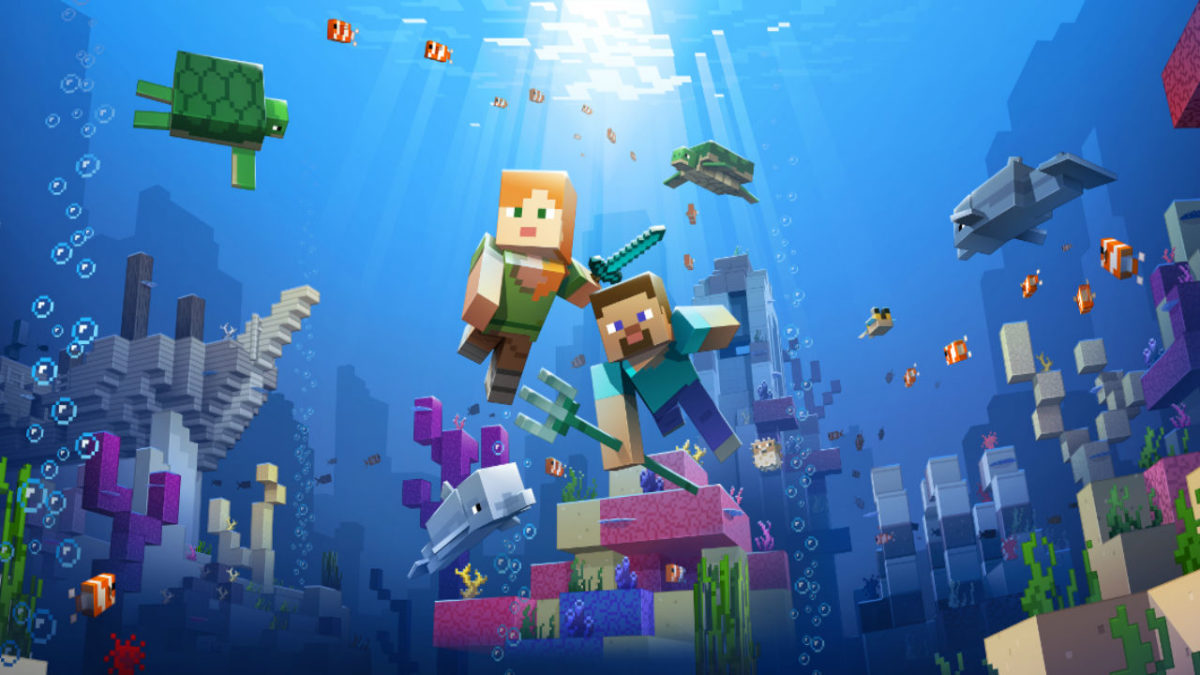
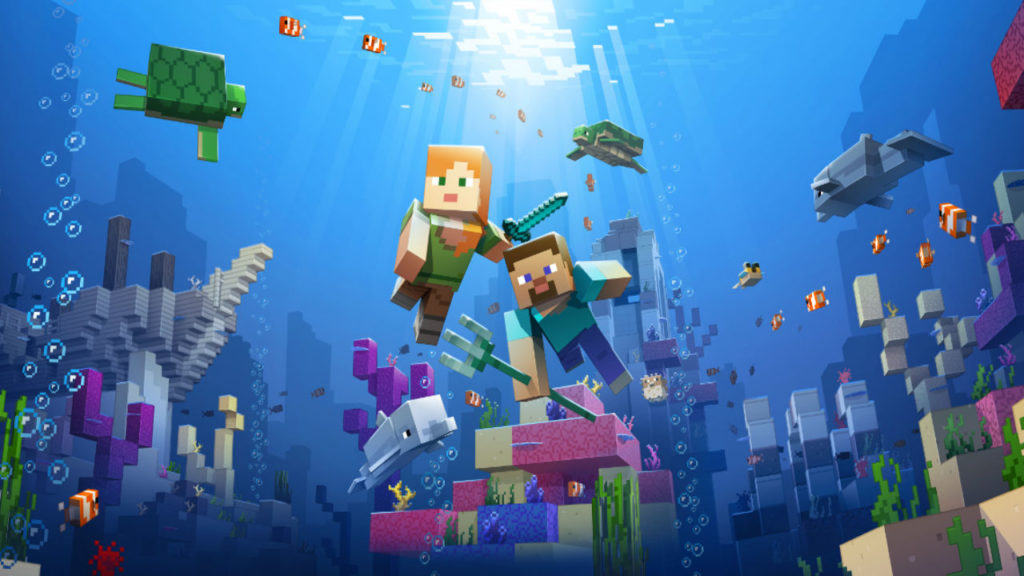
The most recent big content update is the Update Aquatic, which released this summer for both the Java and Bedrock editions. The Update Aquatic adds new ocean biomes, populated with plenty of sea life and sunken treasures. You can befriend dolphins and sea turtles, plunder shipwrecks, and fight aquatic zombies. The update is colorful and jam-packed with content, adding a whole new dimension to the already expansive game.
The Java edition also received the Combat Update. Released in 2016, the update heavily revamped the barebones combat featured in previous versions. Players can now dual-wield, equipping weapons, shields, or tools in their left hand (dominant hand can now be toggled for you left-handed folks).
The combat system has gained new attacks, such as a sweeping sword attack, as well as more depth, including an attribute and strength system. In this update, changes have also been made to the End. The Elder Dragon boss fight can now be restarted, and the End is now populated with outer islands with structures and ships to explore.
More things are coming
For those who want some more visual flair into their game, the Bedrock edition is getting an update called the Super Duper Graphics Pack. Though the pack has been delayed multiple times, Mojang has assured fans that the pack will come. The update will be optional, free, and playable on any device that can play the Bedrock version of the game. The enhancements of the pack can be viewed in the video below:
In the 90s, side-scrolling adventure games were the cream of the crop, and titles were built on a simple premise; overcome enemies and obstacles to make it all the way right to the end of the level. With the advent of 3D environments and isometric perspectives, interest in side-scrollers waned over time. It was only recently that the gaming community has seen a resurgence in the classic game formula, largely on the part of indie developers looking to bring new life to the genre.
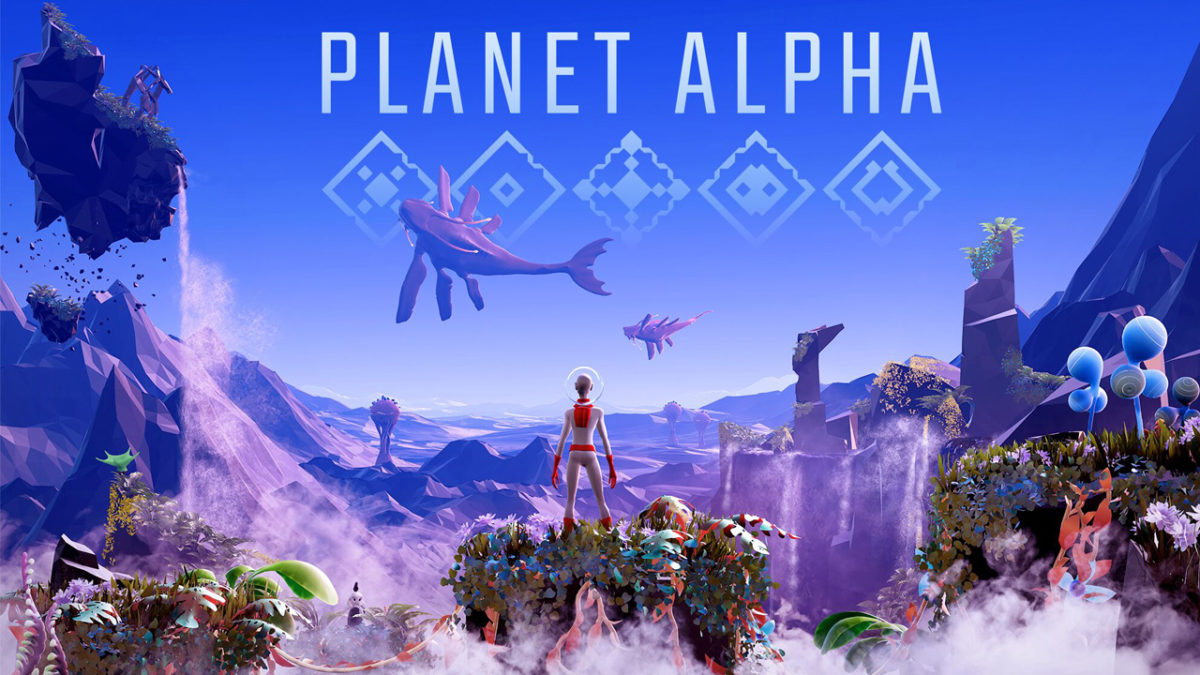
Though it fits this basic mechanic, Team 17’s Planet Alpha is more than just a side-scroller. Here’s why.
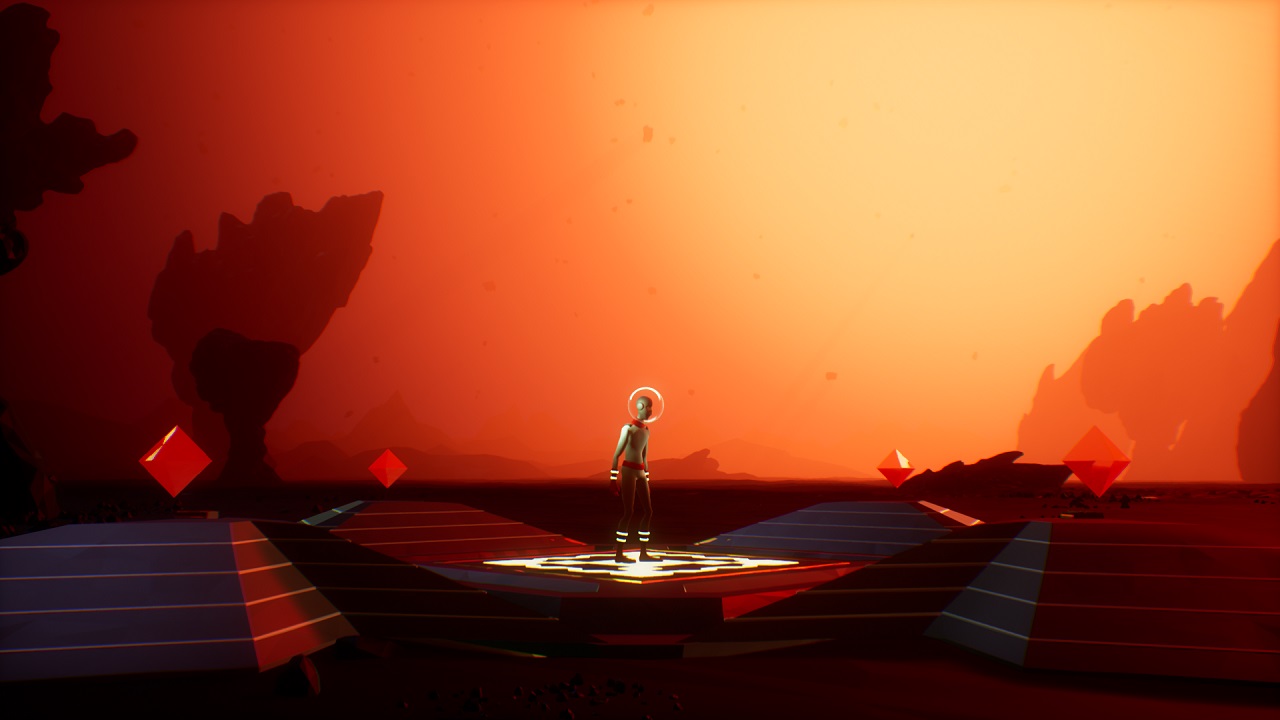
Right from the start of the game, Team 17 clearly sets its adventure apart from other titles of its type, establishing a tone of mystery, desperation, and dread; it’s a game with an artistic personality. Rather than opening to a menu screen, players load Planet Alpha to find themselves staring at a humanoid in a retro spacesuit, standing on some sort of ancient platform on an alien world. There are no keys, no instructions, no interface, and no dialogue — just one sentient life staring forward, waiting for something to happen.
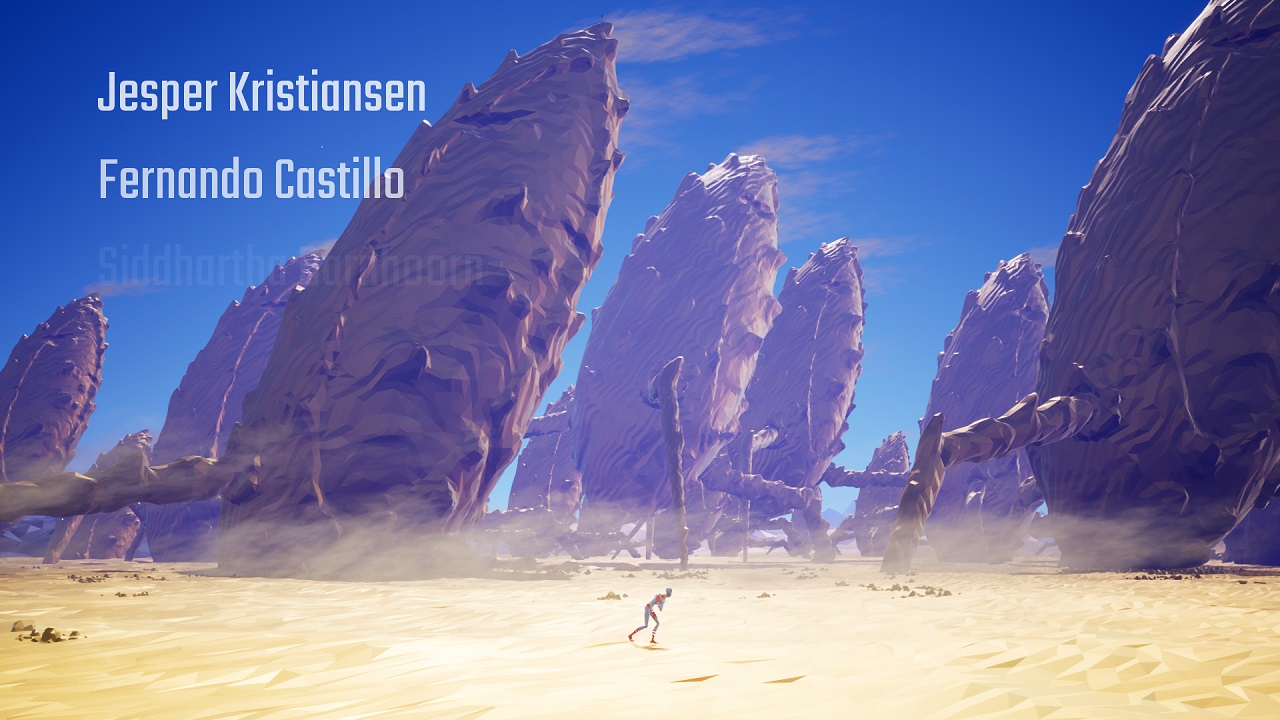
So, we just start moving to the right. And then we notice: our protagonist is limping. What happened to them? How did they get here? Where are they headed? Who is that other alien standing back there on that cliff? We aren’t told. We just keep on moving right, and the game soft cuts through a variety of barren environments, implying the passage of time as our hero (let’s call him/her the Explorer) makes the long trek forward through an alien desert. It’s ominous, artful, and engaging, all without uttering a single word of exposition.
The developer skillfully uses this introductory period to share its credits, hovering developer names softly over open areas of the screen as we watch the Explorer drag onward, finally collapsing before a cave mouth that looks suspiciously humanoid. This seems like the end of quite a long journey…
The Endless Pilgrimage:
And yet, it just goes on from there. We find our avatar lying down in a new place, jostle them awake, and then again move ever forward; the Explorer runs, walks, or jumps through beautiful, sometimes stunning settings, seamlessly blended together in a diverse and strange world. There are no load times, no more soft or hard cuts, and still never a word of dialogue an hour or more into the game. The only sounds to be heard are those around us or off in the distance, and an eerie, ethereal score that further immerses the player in the wonder and danger of this alien world.
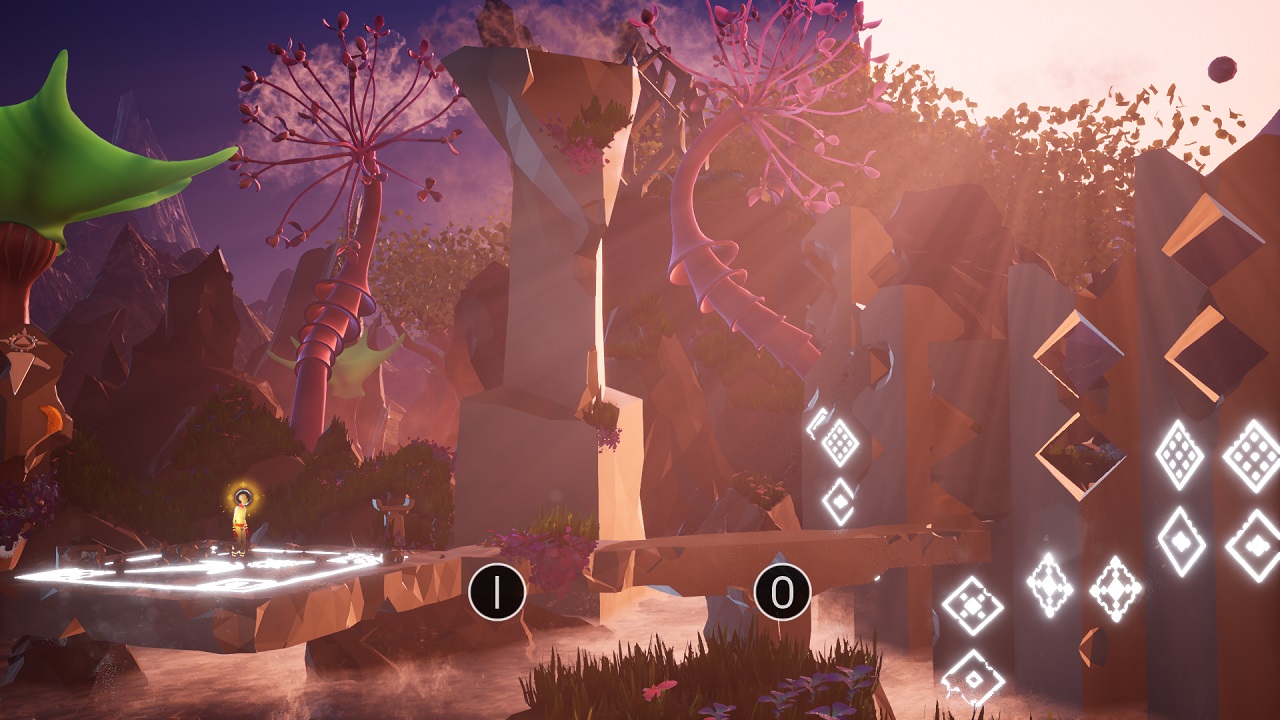
With the exception of a few different button prompts for learning to crouch, push, and manipulate alien technology, the game relies heavily on us to figure out each puzzle, obstacle, and situation for ourselves. Softly highlighted, marked objects indicate something in the environment you can manipulate in order to progress forward. There are no verbal cues or text hints to help you, further adding to the feeling of isolation and the air of mystery the game successfully conveys at every turn.
One of the most interesting aspects of the gameplay is the importance of the day/night cycle; in particular, using nature’s day/night cycle as a means of traversing obstacles or evading enemies.
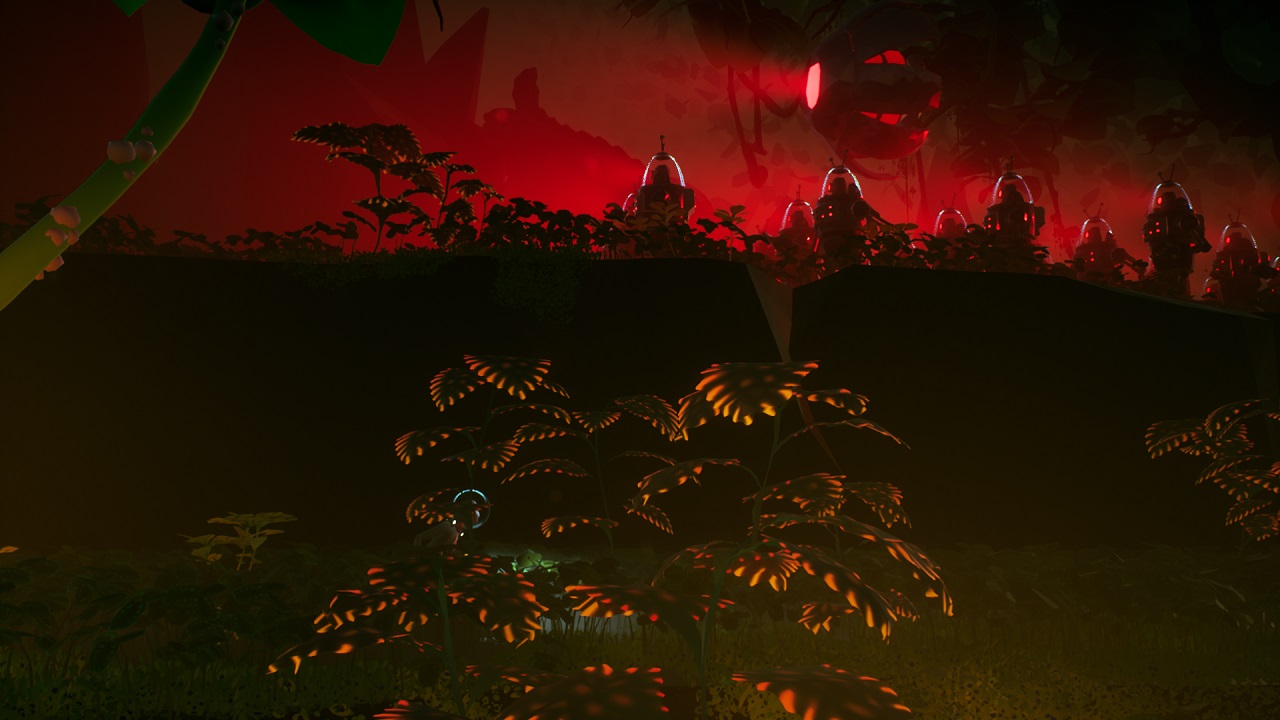
Can’t sneak past one of the game’s extremely deadly invading killer robots? You might just need it to be dark enough so the plant life to curls up its daytime blossom to form a large, person-size obstruction. Luckily, the game gives you access to powerful ancient platforms that let you manipulate the cycle itself. Over time, you use this power in new and interesting ways, each one feeling novel and unique, but never so complicated that the player is left completely in the dark (pun intended).
What a Wonderful World…
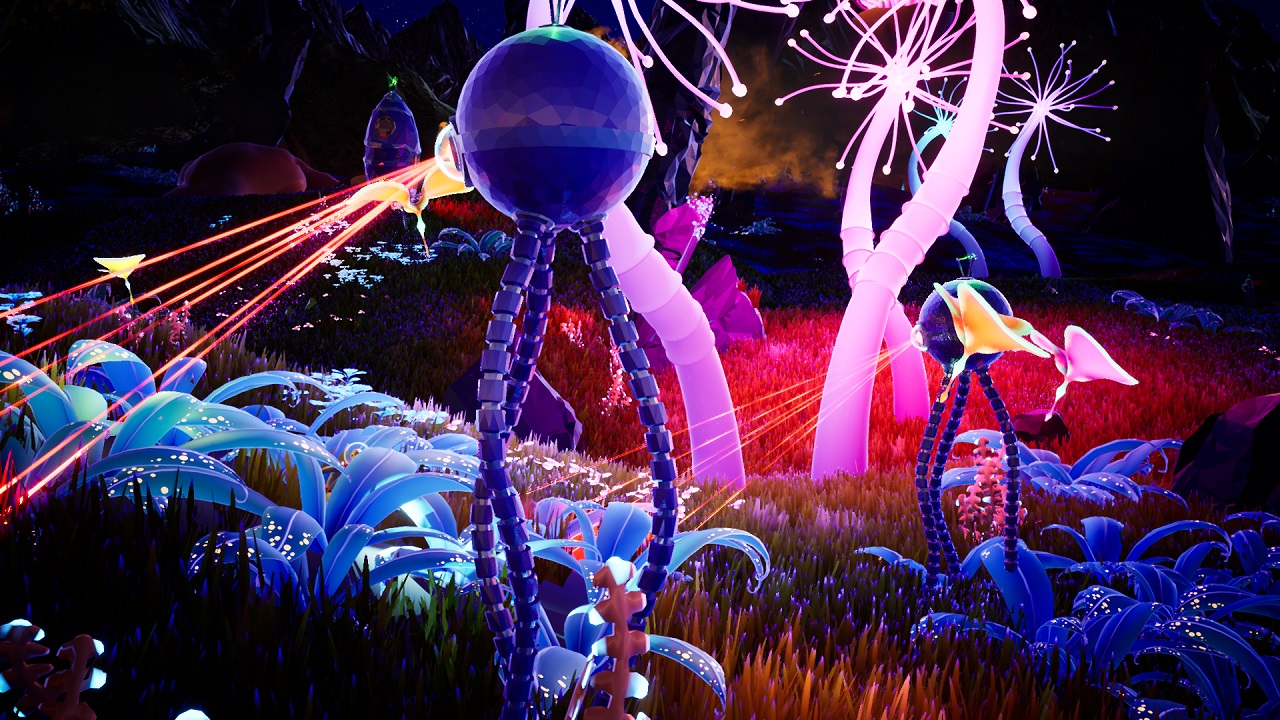
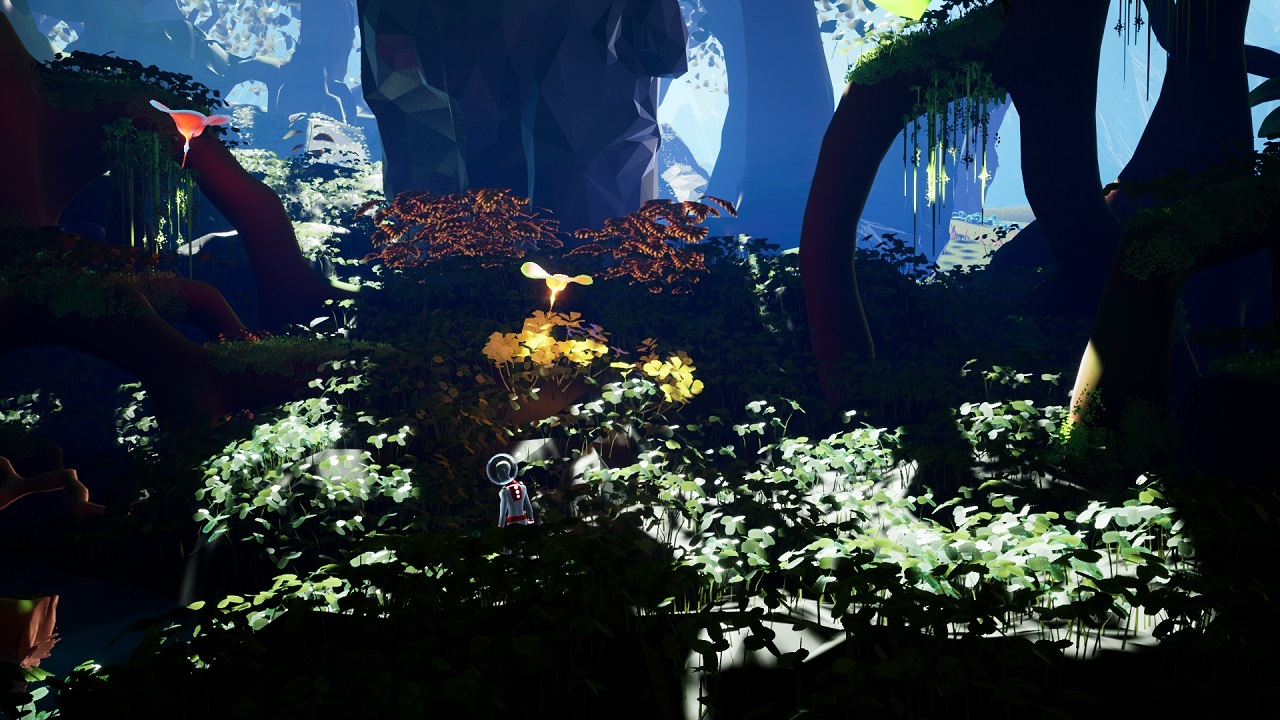
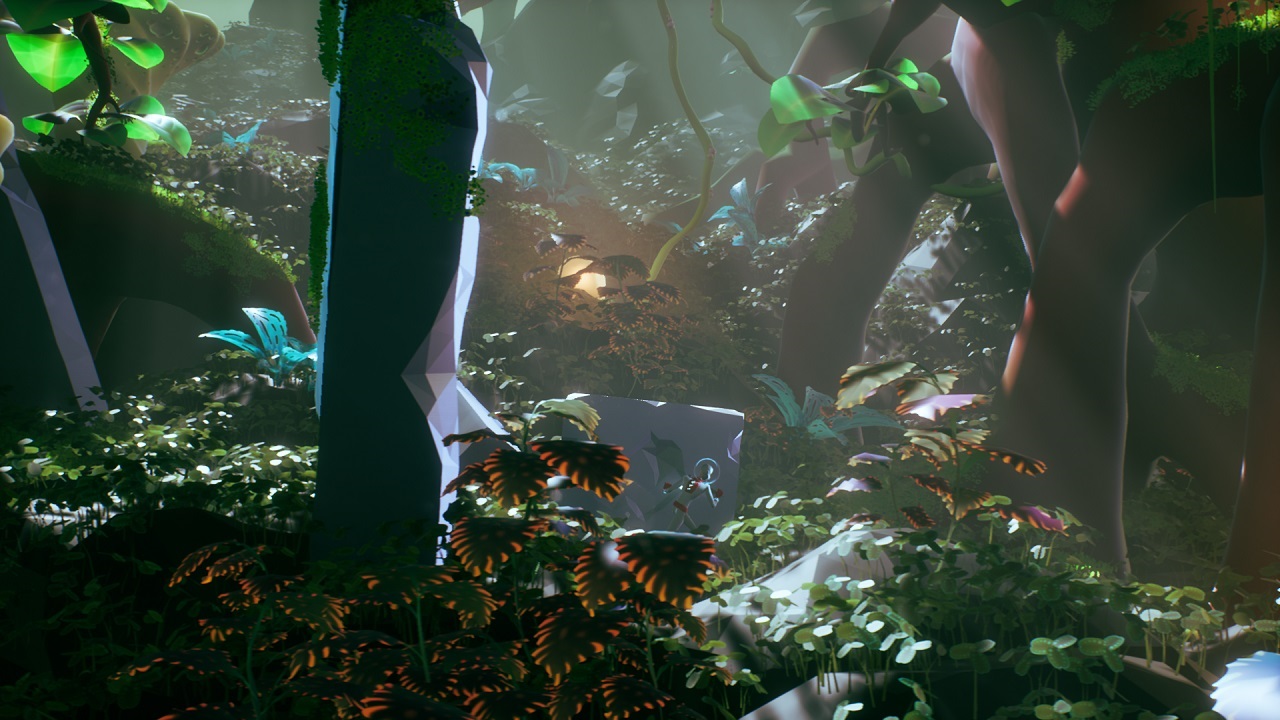
To call Planet Alpha a beautiful game is an understatement, and the art team for this title deserves high praise. Each and every environment has something interesting to look at, and while areas can appear similar, none are exactly the same.
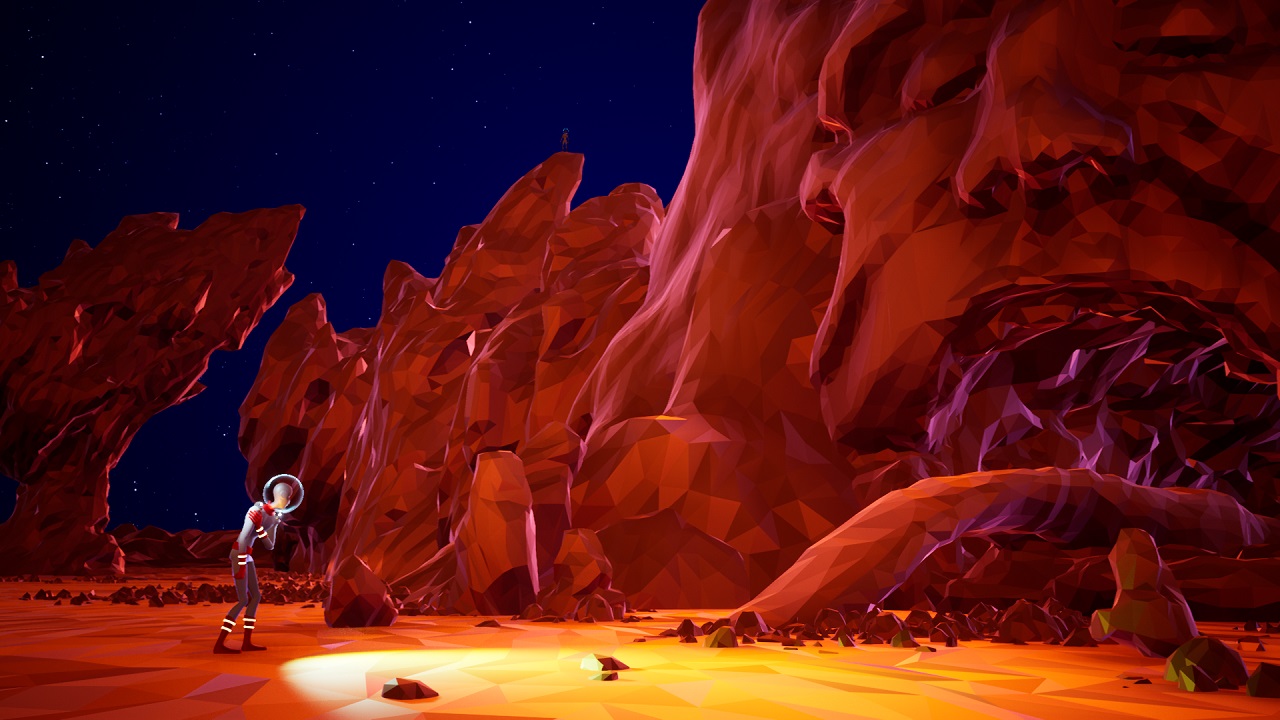
For a game that does not attempt to communicate photorealism, every location has a distinct feeling; the creatures here are truly alive, that strange monolith in the distance is really there, the stars are actually traveling across the sky above this field, the cavern the Explorer crawls through is as vast a network as it appears.
With a visual style somewhat similar to No Man’s Sky, every setting is immersive to the point that the player feels that if they chose to, they could turn right or left and continue on through the same living world without missing a beat.
To that end, the pacing is a part of the game that most players will never notice simply because it’s so well-constructed. ‘Boss events’ — which involves puzzle solving, not fighting — don’t feel staged or abrupt. Little flavor elements of the game, such as passing through a field of huge, foraging beasts, are treated with the exact amount of grandeur, never requiring you to stop and look at the world around you unless you truly want to. And when the Explorer does finds itself unable to move forward, the player doesn’t have to travel far to find some kind of solution.
And Yet, Deadly…
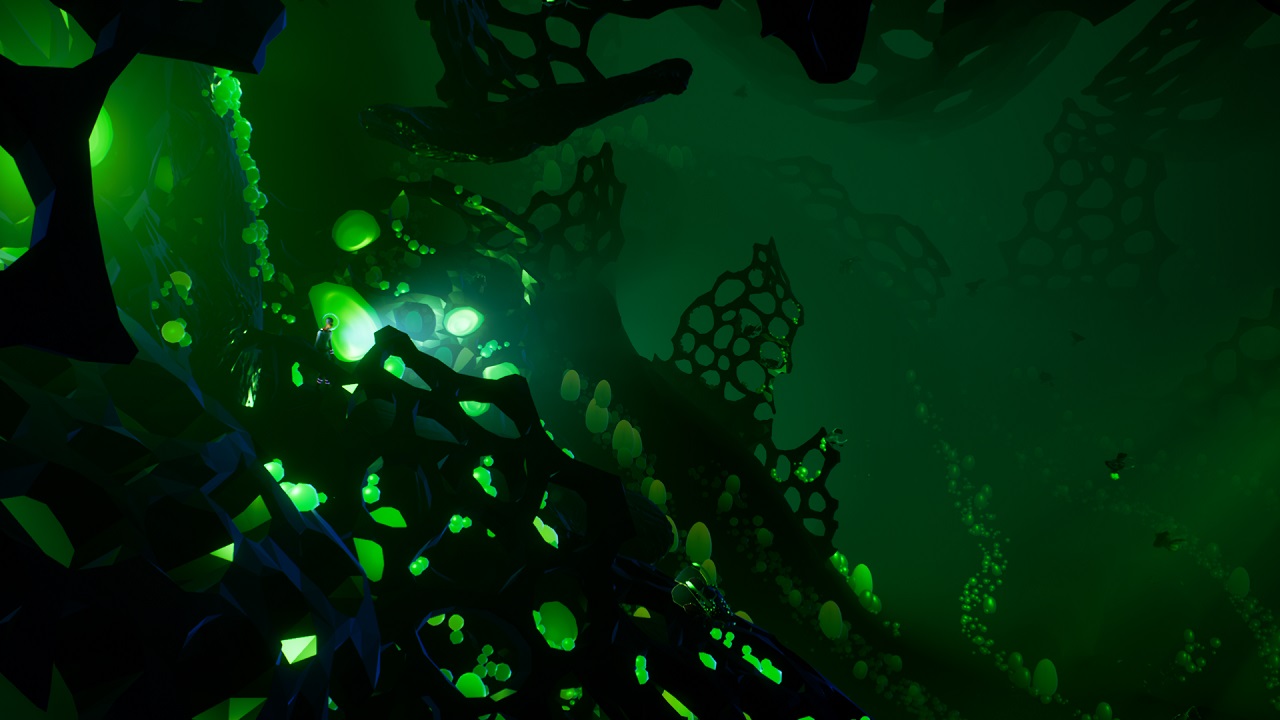
Some of the game’s most valuable teaching moments are those in which the Explorer is completely and utterly obliterated by one of the game’s many and diverse hostile enemies. When the Explorer takes damage, the colorful palette of the game fades into the greyscale. Given enough time, the color will return, but often threats are so large, fast, or powerful that our avatar is quickly and hilariously snuffed out.
Thankfully, the living, breathing nature of Planet Alpha is such that you are not the only prey — indeed, some of the most satisfying moments of the game are when you have an opportunity to put your enemies in view of one another, and watch them fight while you skate past.
Sprinkling seemingly random bits of mortal danger in between vibrant, gorgeous views gives the player an experience that is somehow both leisurely and tense. When you turn the page to the next chapter, will there be a beautiful valley of floating petals, or a dark chasm of War of the World’s-inspired tripods with lasers? The game rarely gives you hints of what’s ahead, rightly realizing that that’s part of the fun. By putting the player constantly at the mercy of their own mix of uncertainty and curiosity, Team 17 keeps our interest in what’s to come, and grants us constant awareness of our own fragile insignificance.
While many contemporary sidescrollers are fun and worth your time, it’s rare to find one as wonderfully crafted and detailed as Team 17’s Planet Alpha. The game is special; a side-scroller that keeps you often impressed, sometimes afraid and always engaged. Players looking for a casual-yet-immersive, familiar-yet-different gaming experience will find a lot to love here, and on September 4, we hope to travel to the end of the road with our courageous little Explorer.








 The Endless Pilgrimage: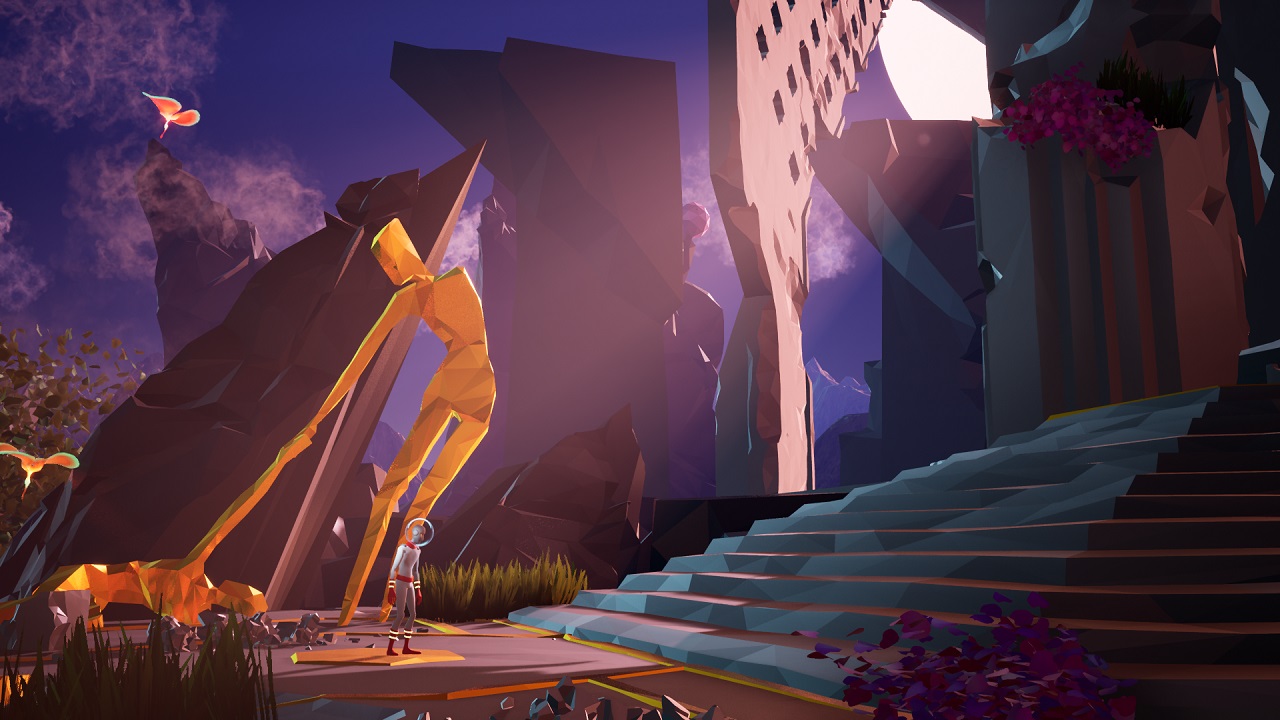
 What a Wonderful World…
 And Yet, Deadly…