When Super Smash Bros. Ultimate was first announced a few months ago, all we really knew was that they planned to bring everyone back who was ever featured in a Super Smash Bros. title.
Afterward, we got a glimpse of what the game will truly be like when they invited professional Super Smash Bros. competitors to publicly fight with a demo of the final game. Even more recently, however, Nintendo had some more things to announce at the popular fighting game event, EVO. Here’s everything we know so far about this much-anticipated game:
An ever growing roster
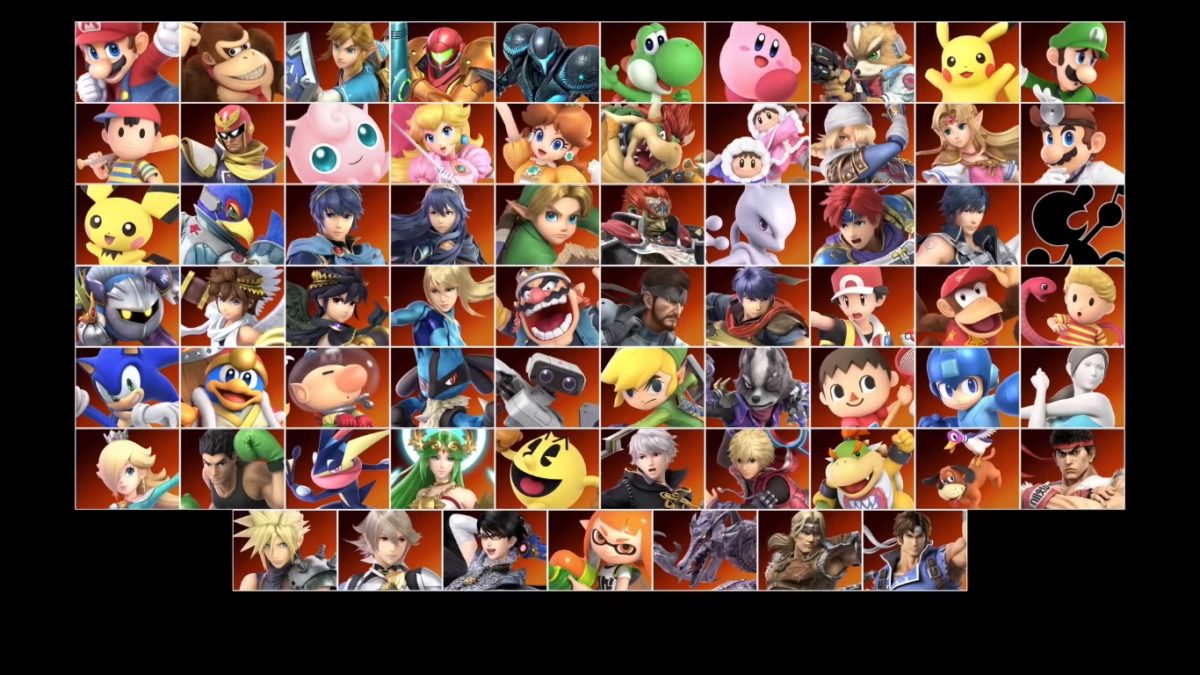
The first trailer for Super Smash Bros. Ultimate announced that we would see all 65 previous characters returning, along with three new competitors: Inkling, Daisy, and Ridley. While it was unclear at first if this was all we’d see, Nintendo has recently announced a whole new set of characters as well! Simon Belmont and King K. Rool are being added to the roster as new fighters, while Dark Samus, Chrom, and Richter are being added as “Echo Fighters,” a new category for Smash characters that are echoes of other fighters.
There have been a few changes to some of the returning characters, but most of them have not had many. A common change has been to certain characters’ Final Smashes, as well as updating many of the characters outfits and skins. There are a few important gameplay changes for some characters, however, such as Pokémon Trainer being able to switch Pokémon without a delay. It’s also likely we’ll see more characters added to the roster throughout the next few months.
New stages and music
While not every stage has been revealed yet, we know that there are going to be 103 stages from the start! Almost double the amount the previous game had.
Each stage also features a Battlefield and Final Destination mode, which lets you play it as versions of those maps instead. You can even leave the stage as is, but turn off the stage hazards, if you don’t want to worry about some of the crazy things that these stages can do. Along with this, there is now a “Stage Morph” feature, which lets the stage change around you into an entirely new one.
The best part of these new stage updates is that all stages now allow for 8-player mode as well. And with over 800 tracks of music, you can listen to anything you want while playing on your favorite stages.
Ruleset, tournament, and game mode updates
The game’s rule selection and tournament setup have been updated to include a much larger amount of flexibility and customization. You’re now able to create specific rulesets so that it’s easy to play the way you and your friends like to whenever you want. Along with this, stage selection has been moved to before fighter selection, and there are specific rulesets you can make for how stage selection is done (such as letting the loser of a previous match select the next stage).
Along with a new ruleset feature, Super Smash Bros. Ultimate also has an updated tournament mode. While tournaments were available in older titles, the tournament mode in this game is more structured and customization than any before.
Some additional game modes have been added as well such as Squad Strike. This mode lets you do 3-vs-3 or 5-vs-5 matches with specific rulesets. There has also been a single player mode and additional content hinted at, but yet to be revealed.
Additional devices and release date
Along with the game itself, Nintendo has announced a number of supportive gadgets in honor of the new game. There will be a GameCube adapter specifically made for the Switch, along with new Super Smash Bros. GameCube controllers!
The current release date is set to be December 7 of this year. Pre-orders are available now, so make sure to pick it up as soon as you can!
It can be difficult to decide which game console to buy. There are so many brands out there, it may be confusing to figure out what consoles are current and worth looking into. Thankfully, our Softonic Solutions community has voted on the best consoles are out there right now! Here are some of their picks:
5. PlayStation Vita
For a handheld console, the PS Vita has a surprisingly large selection of games. Along with that, you can access PSNow wherever you have Wi-Fi. It’s one of the best portable consoles out right now, and definitely worth looking into if you’re looking for something portable.
The Xbox One S is reasonably priced, and undoubtedly a strong contender for the best home console. The Xbox One has many games that are exclusive only to itself and PC, making it a great as an alternative platform to some of your PC favorites, such as Ori and the Blind Forest, and most of the Halo series.
This gaming system was revolutionary by being both a handheld and home console. Fans of indie games will love this system, as Nintendo has focused heavily on allowing indie companies to make games for the Switch. It’s also great for taking on the go, since it can play fully detailed home console games wherever!
Despite its age, the Xbox 360 is still a viable gaming device, with some classic games that you won’t be able to access as easily on newer consoles. Although the Xbox One is backwards-compatible, the Xbox 360 has a lot of charm that’s hard to look past. If you’re looking for something a little more old school, than the 360 is the way to go.
Not only does PlayStation carry some of the best games available, but the PlayStation Network is one of the best gaming services to date. The PS4 Pro lets you access a variety of applications and games available for your system, with great online functionality.
As usual, Fortnite: Battle Royale’s weekly challenges have been leaked. The season 5 week 3 challenges will launch on Thursday, July 26, but thanks to the leak you will be able to prepare mentally for the challenges to come. As always, there are free challenges and those that require a Battle Pass.
Free Challenges of Week 3 of Season 5 of Fortnite: Battle Royale
Challenge: Deal damage to opponents in a single game
To complete this challenge, you will have to do 500 damage in a single round. It is the most organic challenge of all. When playing Fortnite, you will likely complete it almost without even trying.
Fortnite rap battle features some of the game’s biggest stars
Finding a launch pad depends on a bit of luck. All you can do is keep taking out enemies until one appears. Then you just have to build the platform and shoot off into the heavens. Easy right?!?
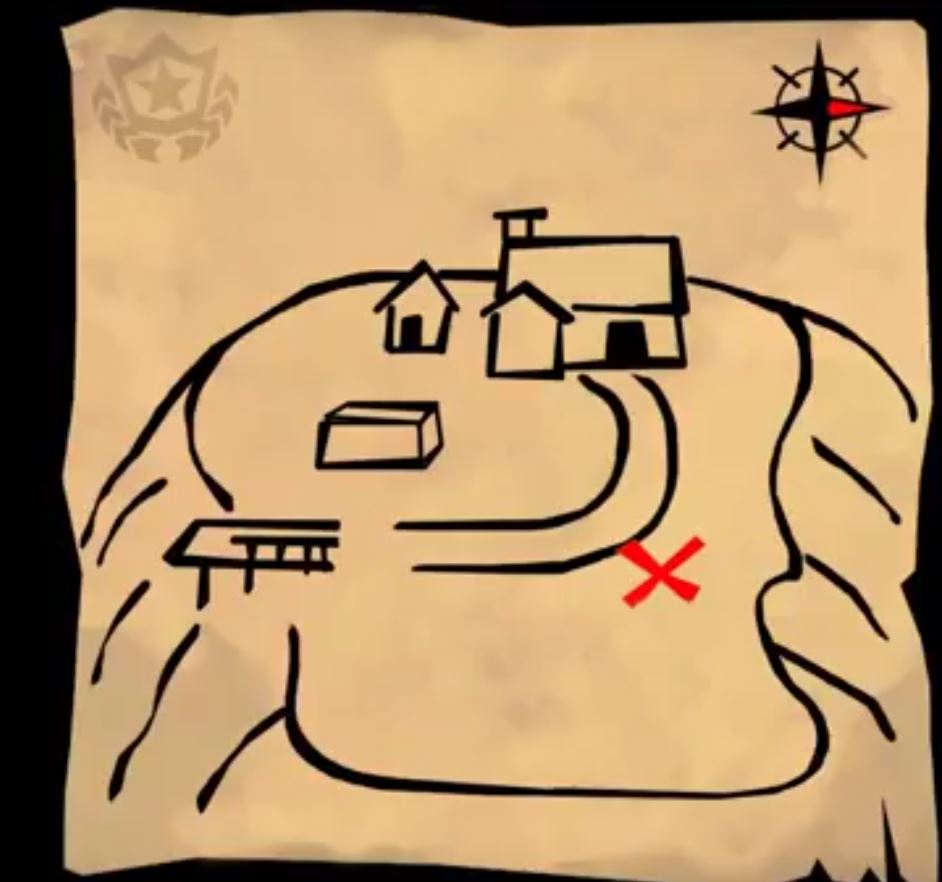
Challenge: Follow the treasure map found in Flush Factory
The map has been leaked, so many YouTubers have already worked hard to find the exact location of the treasure in the last few hours. Here is the leaked map:
And here is the place where the map will be. It is on the hill west of Fatal Fields.
Season 3 Week 5 Battle Pass challenges for Fortnite: Battle Royale
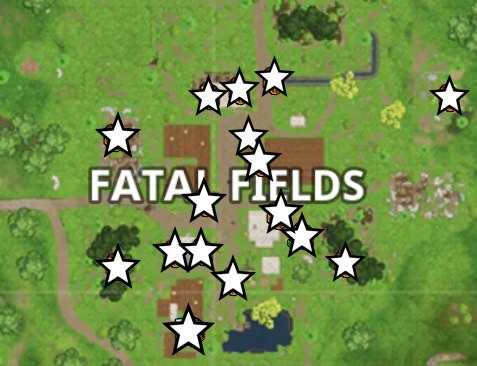
Challenge: Search chests in Fatal Fields
For this challenge, the best thing you can do is land directly on Fatal Fields and run to a chest location. It’s okay if you die opening one or more chests since your progress will be saved. Keep opening chests for two or three games and you’ll complete the challenge without too much bother.
You will find the chests in these locations:
Via: GameRevolution
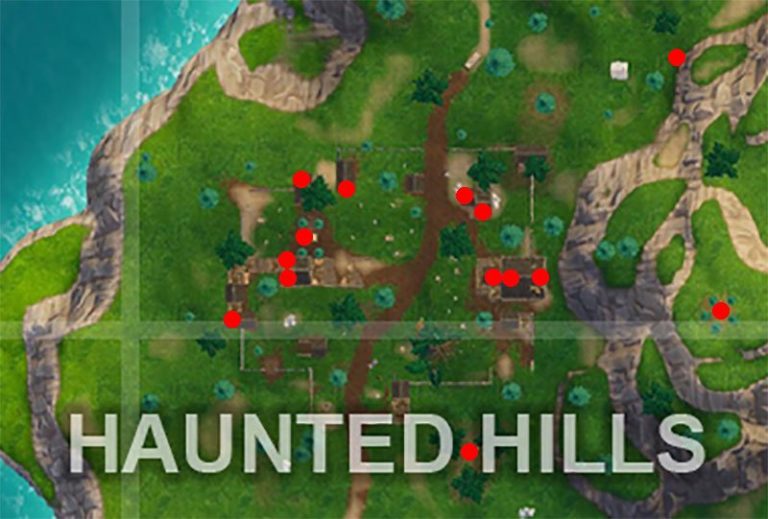
Challenge: Eliminate opponents in Haunted Hills
For this challenge, the best thing you can do is land directly in Haunted Hills. Once landed, start taking people out like there is no tomorrow.
You will find chests with loot in these locations:
Via: GameRevolution
Challenge: Shoot a Clay Pigeon at different locations
Fortnite’s First Anniversary has brought numerous celebratory activities and one of them is clay pigeon shooting. You have to go to five locations with special machines, pull the lever and shoot the flying object. It will be easier if you have a friend pull the lever for you.
You’ll find clay pigeon machines in Pleasant Park, Shifty Shafts, Bridge, Loot Lake and Paradise Palms.
Challenge: Explosive Weapon Eliminations
Gather as many grenades as you can, look for a fort or an enclosure with enemies … and turn their hiding places into a living nightmare! The other option is to find a missile launcher.
If you’re someone who plays games for the story, you’ve no doubt heard of Telltale Games. Telltale puts the story front and center and gives the player the power to shape that story in any way they see fit. Usually taking place over a season of multiple episodes, players are given the power to make significant choices that can affect how the rest of the game plays out. Each game becomes uniquely your own depending on how you play. Though the choices you make in their games can be difficult, deciding which games to play doesn’t have to be. Here’s a list of their five best titles.
5. Minecraft: Story Mode
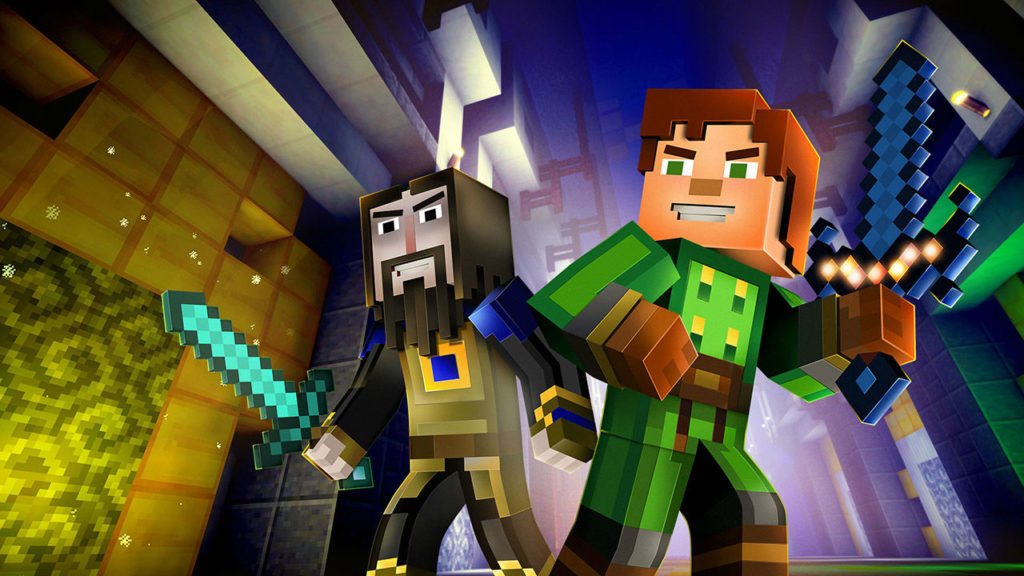
Ever found yourself wishing that Minecraft had a little bit more to offer? If so, Minecraft: Story Mode is the game for you. You take on the role of Jesse, a newbie Minecraft player. Jesse and a group of friends take on an epic quest to find a group of five adventurers who, once upon a time, saved the world. Their journey takes them to the far corners of the Minecraft world, from a mysterious mansion to floating sky cities to the Nether and more. Celebrity guest appearances, including a few by certain well-known Minecraft YouTubers, make this game into every Minecraft player’s dream.
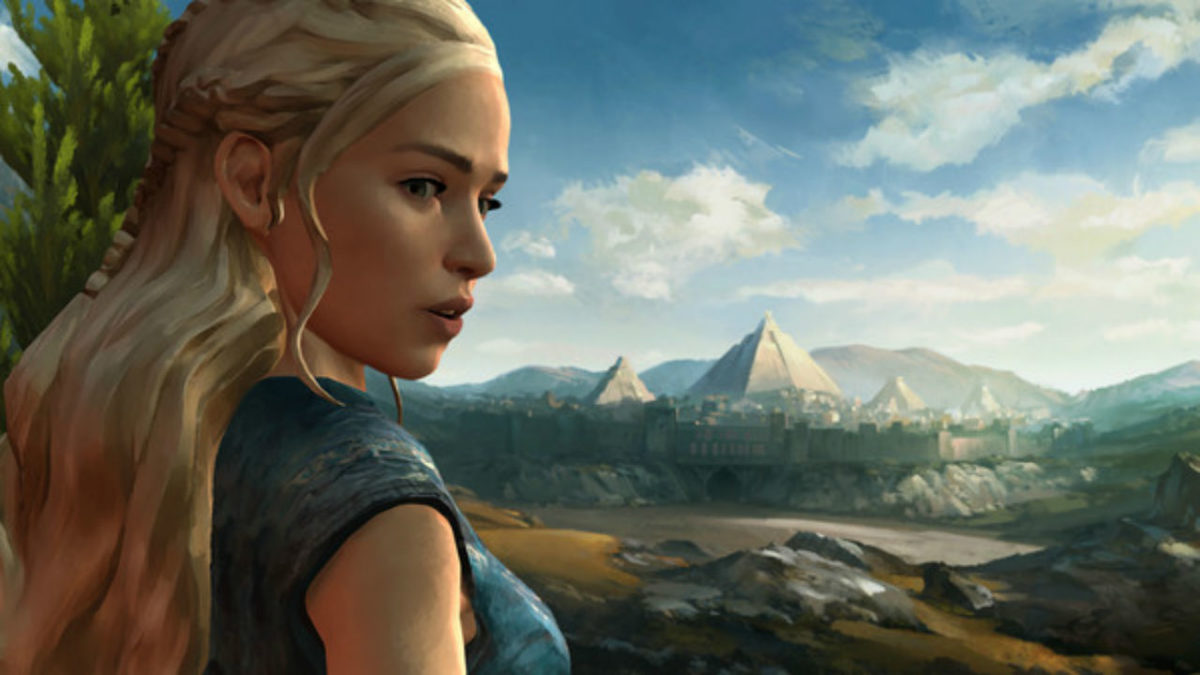
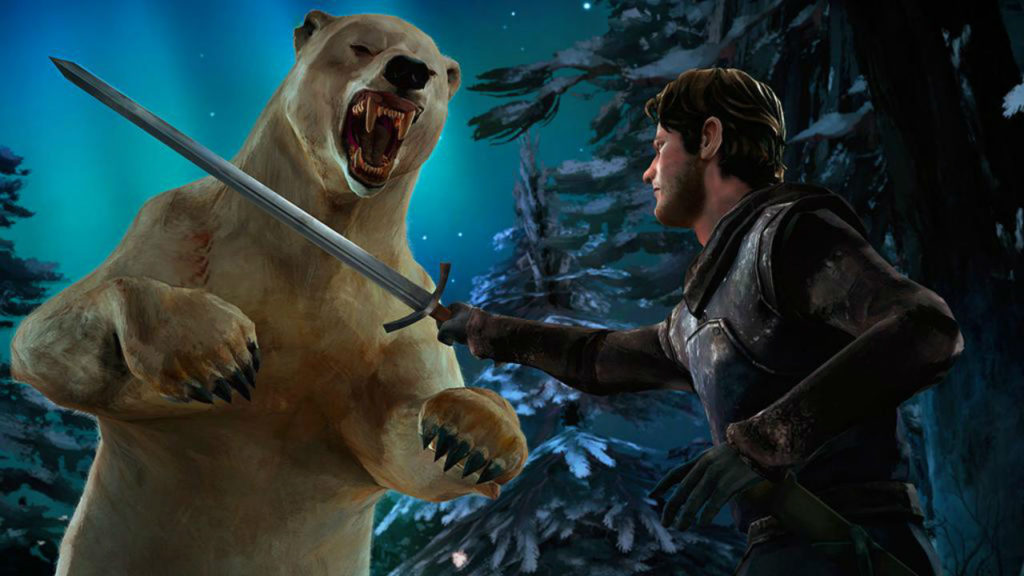
Come on, admit it: every “Game of Thrones” fan has wondered at some point or another whether they could survive the cutthroat world of Westeros. Telltale’s Game of Thrones lets you put yourself to the test. Whether it be fighting your way through legions of House Bolton bannermen or navigating the political intrigue of King’s Landing, this game makes players feel like they’re part of the show. Players take control of the Forresters, bannermen to House Stark who are caught up in the political treachery of Westeros and must fight to survive. Though these characters don’t appear in the show, fans need not worry. Plenty of other favorites, such as the Mother of Dragons herself, make appearances as well.
Game of Thrones - A Telltale Games SeriesDOWNLOAD NOW
3. Batman
“I’m Batman.” These are two words that everybody’s wanted to utter at some point in their lives. Telltale’s Batman lets every armchair caped crusader live out their superhero fantasy. All the familiar Batman characters are back, but with unique interpretations that make this title stand out. Will you play Batman as a benevolent hero, or will you indulge his more ruthless streak? Also of note is the Crowd Play feature introduced in this game. This allows an audience to vote on the choices made in the game using their phone or computer, so grab some friends and get playing. The end result can lead to some interesting scenarios, both onscreen and off!
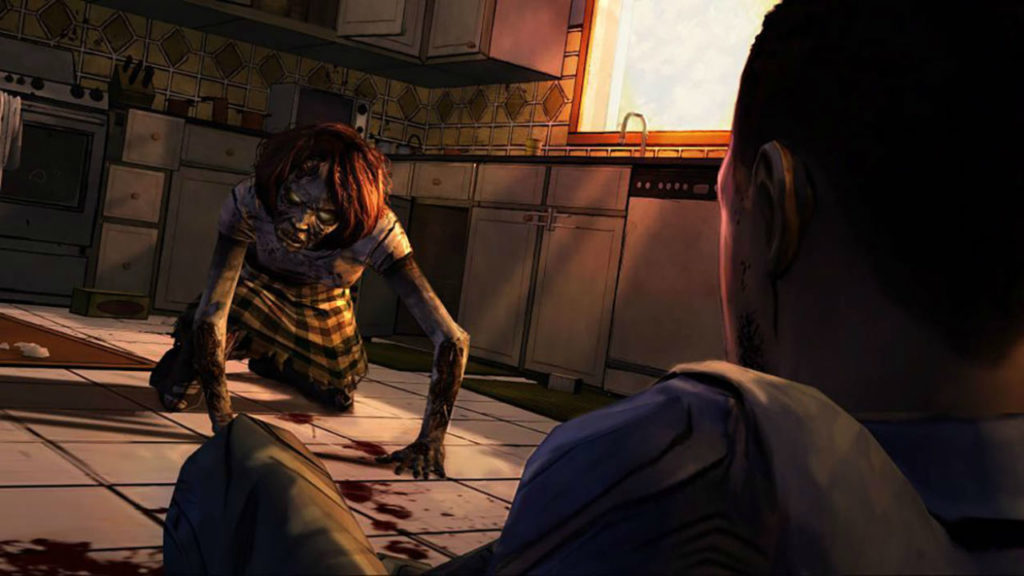
Telltale’s The Walking Dead is one of their most acclaimed titles, and for good reason. The story and characters in this entry are particularly strong. Players control Lee Everett, an ex-college professor and escaped convict, in the opening days of the zombie apocalypse. He soon finds himself having to care for Clementine, a young girl with a story of her own. The grim decisions that the TV series is known for return in this game full-force, except this time, you’re the one calling the shots. How far will you go to survive and protect the ones you care for?
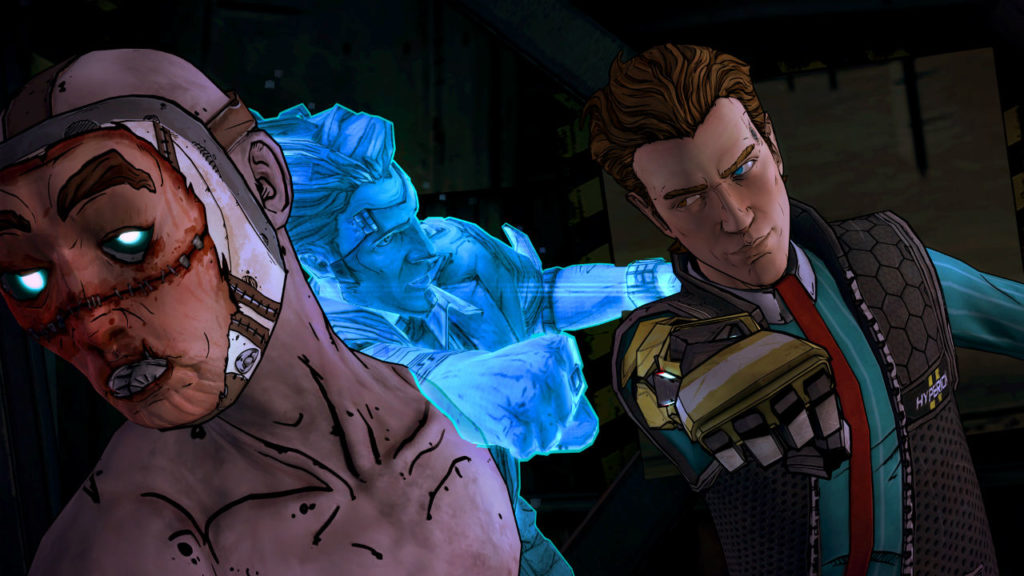
Tales from the Borderlands could easily be called Borderlands 3, and is a must-play for any fans of the series. Tales from the Borderlands takes place soon after the events of Borderlands 2. Players take control of Rhys, an ambitious employee of the Hyperion Corporation, and Fiona, a ragtag con artist from Pandora. The two soon find their paths intertwining in ways that they never expected as they pursue another one of the infamous Vaults and try to find the true purpose of the Atlas Corporation’s mysterious Gortys Project. The series brings back the humorous, sarcastic writing that Borderlands is known for while also bringing in some unexpectedly poignant, emotional moments and decisions that linger long after the game is finished. Beloved characters from the main series also return, including a fan-favorite handsome antagonist in a particularly show-stealing performance.
Whether it be fast-paced fights or nail-biting decisions, Telltale Games offer something for everyone to enjoy. Check out the games on this list and start making the story your own.
Fortnite: Battle Royale is a genuinely free-to-play experience, but has still made a lot of cash for Epic Games. This is how…
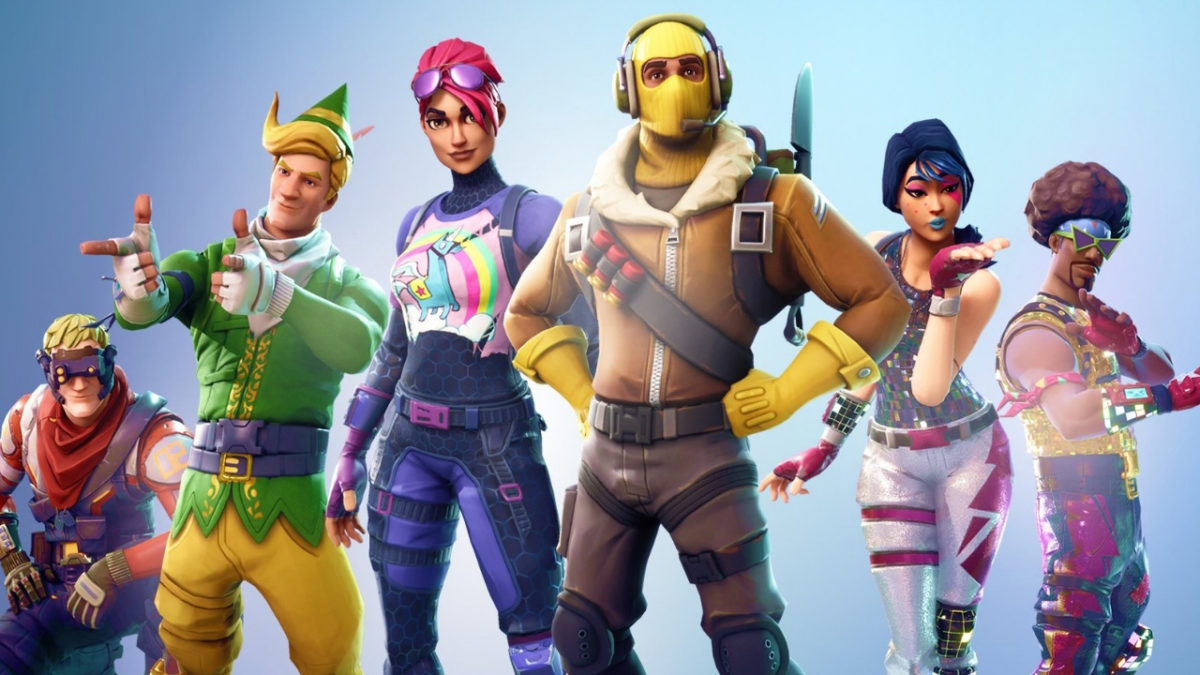
Fortnite: Battle Royale is a free game is a game that anybody can play. Even if you don’t have a single cent to spend on it, you can still get the complete experience that the game is offering. A pay-to-win game, on the other hand, requires money to get the optimal experience the game provides. You might be able to play the game from start to finish or compete with other players online, but spending money will make the whole experience much more accessible.
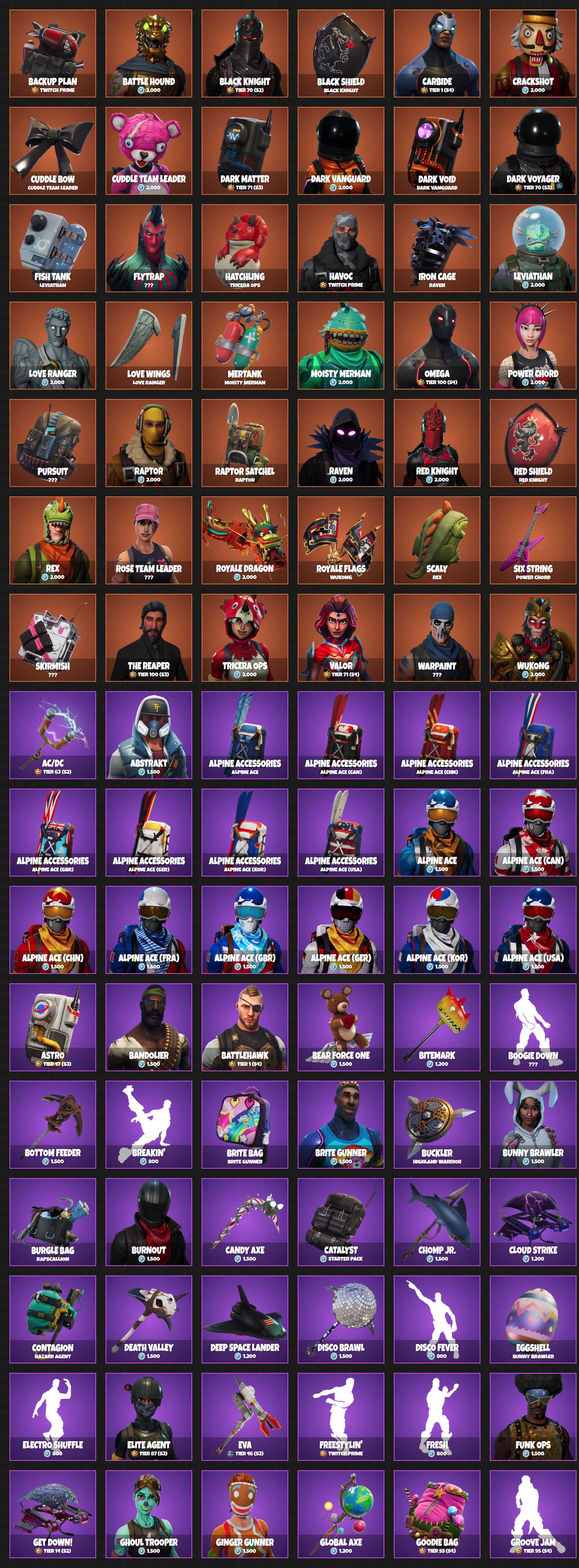
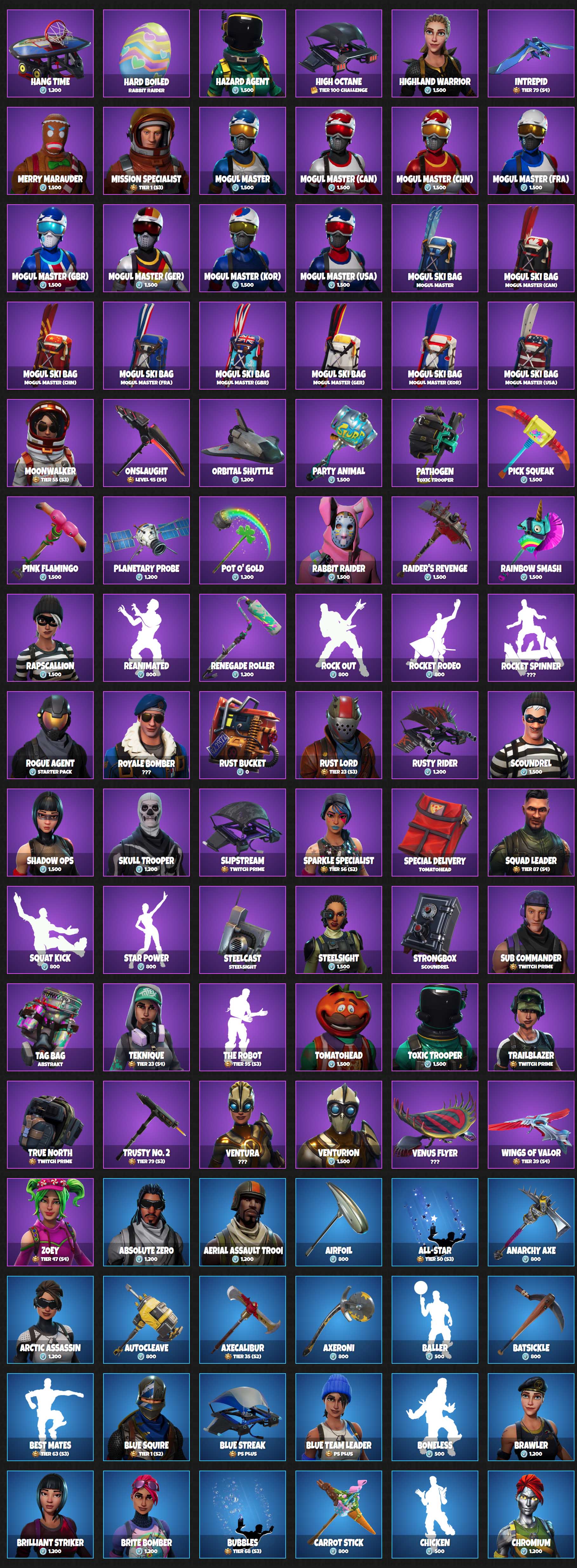
You can’t pay for an advantage when you’re playing Fortnite; it is 100% fair. Practice hard enough, and you’ll be able to take on the best players. Nobody can pay for an overpowered weapon that can take out the players who have been working hard to get better over time. If people can’t pay for an unfair advantage, how does Epic games make so much money from Fortnite? Well, thanks to the guys at fnbr.co we can see exactly what people are spending their money on in Fortnite: Battle Royale.
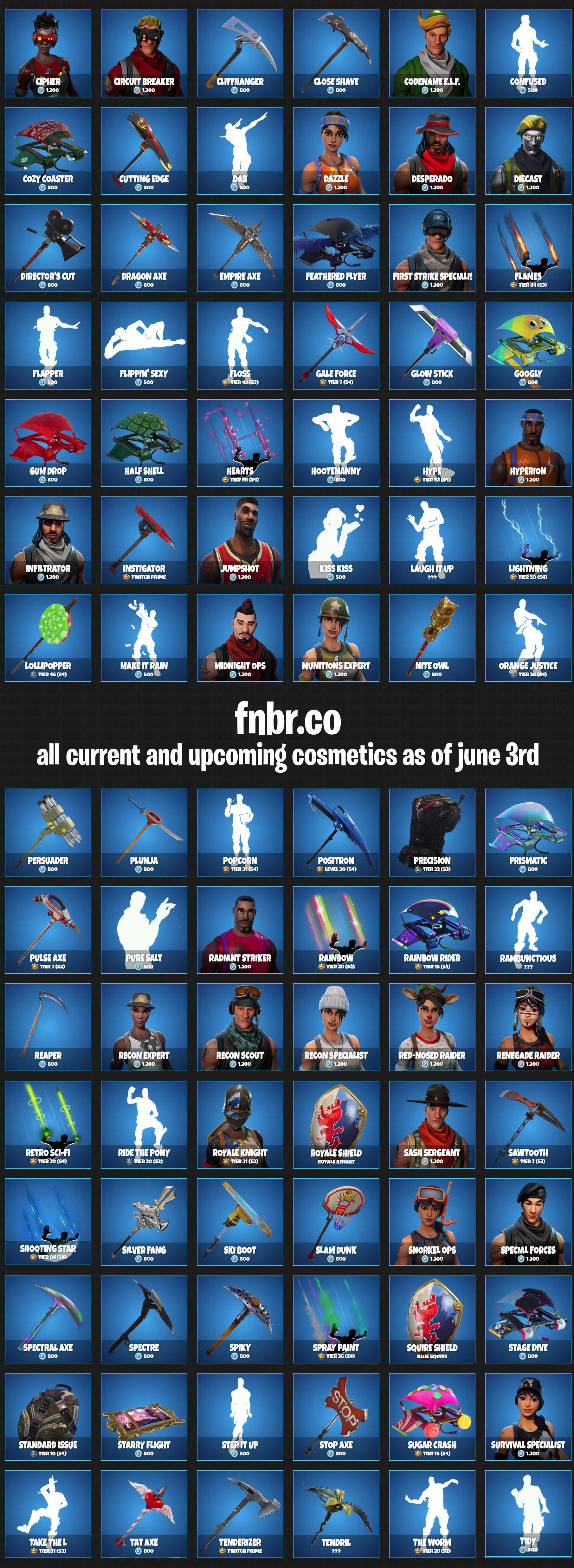
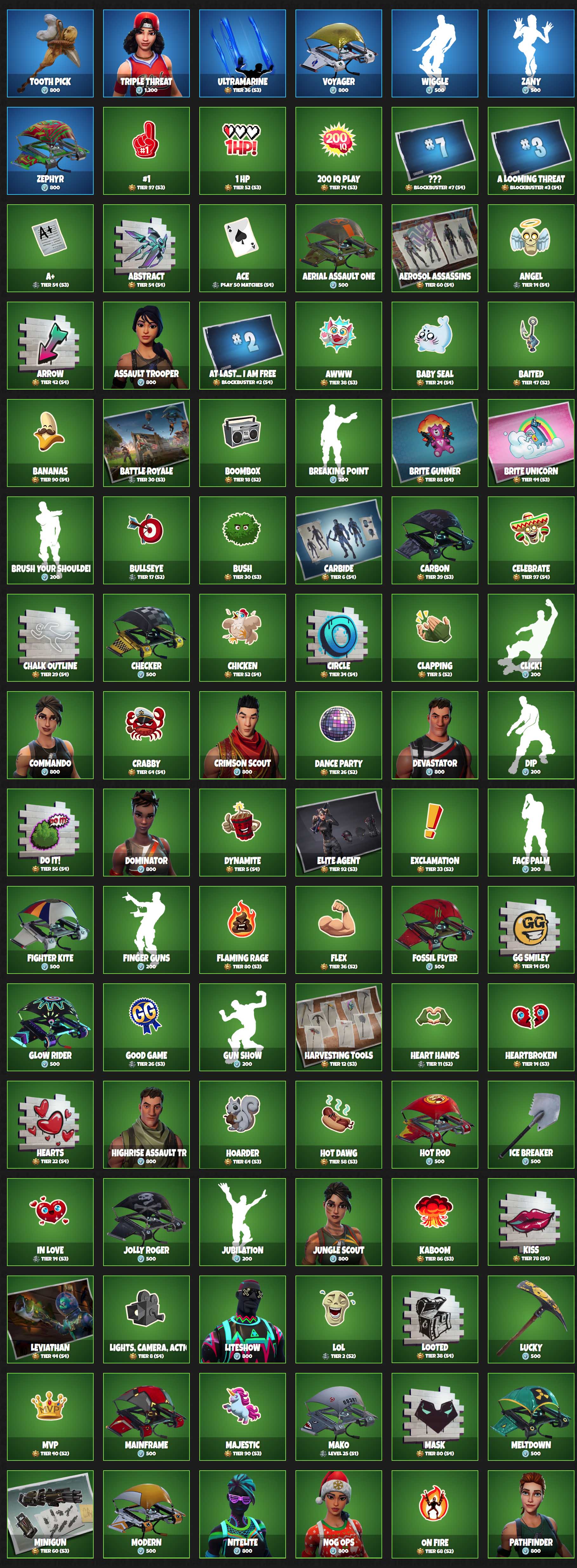
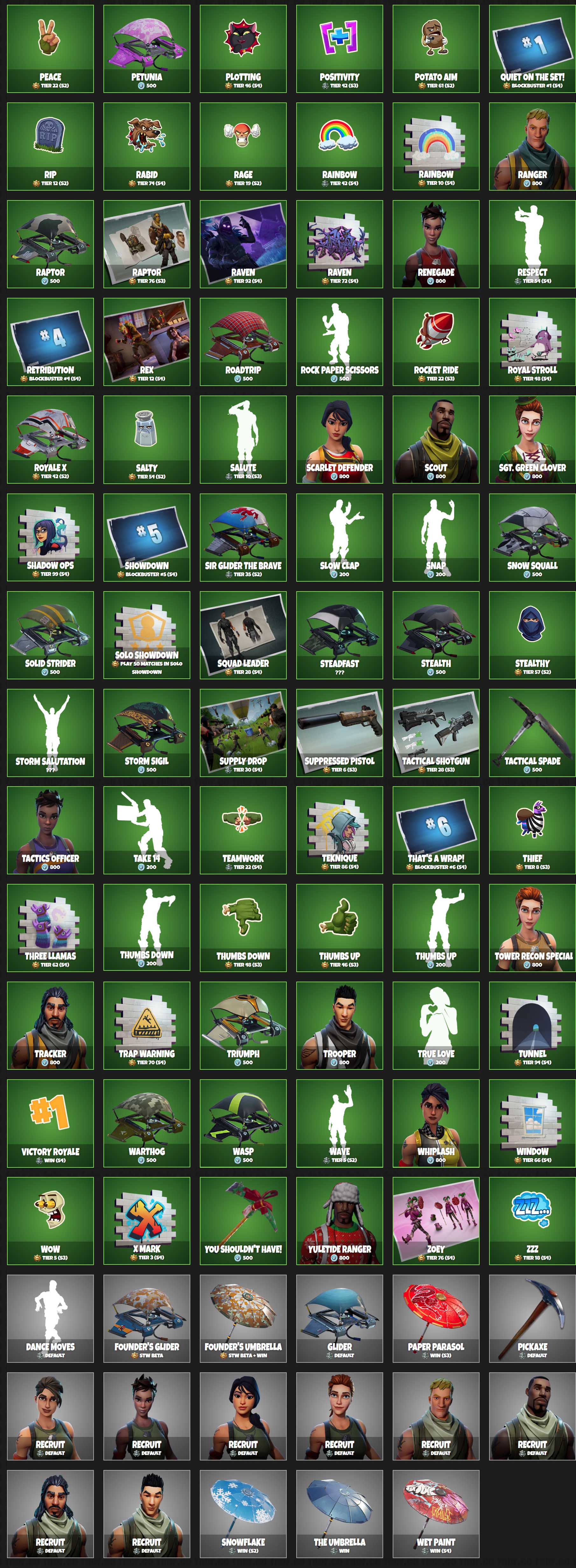
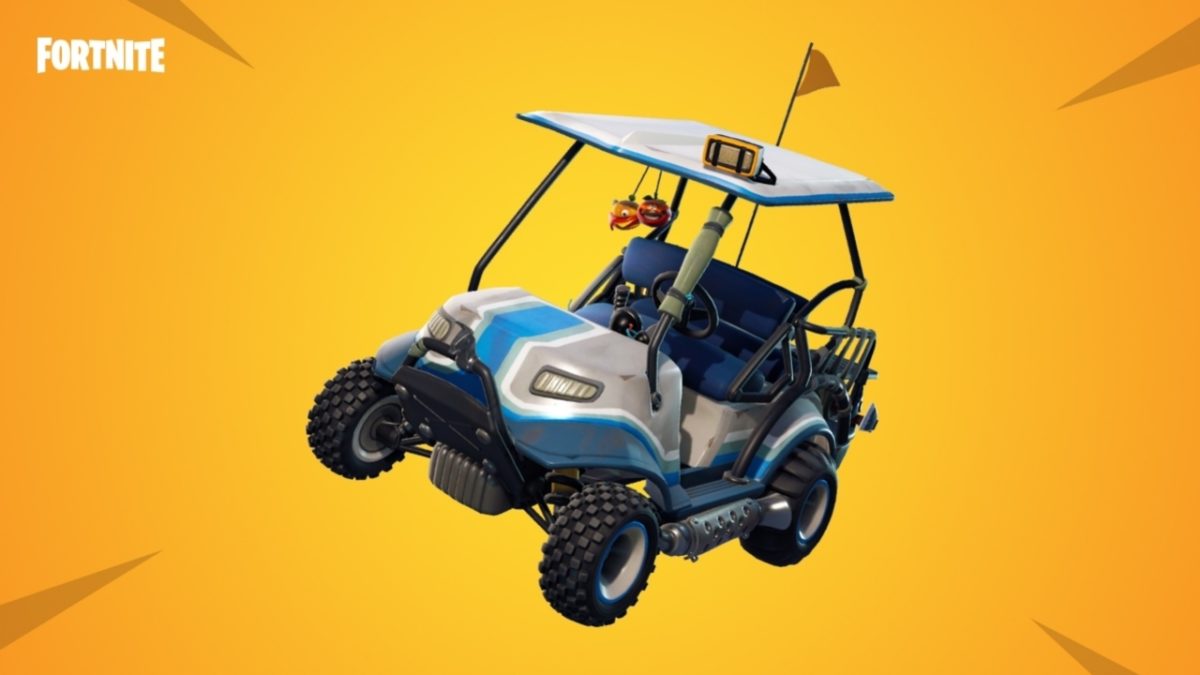
Above, we have a visual list of every single item available in the Fortnite store as of June 3, 2018. There are so many items we had to split the original image because it was just too damn big. According to the official Fortnite subreddit, it would cost $2,935 to buy every item in the Fortnite store!
The amazing thing about every item shown above is that they’re all cosmetic. The items don’t make you better at the game; they help you develop and show off an in-game identity to whoever you’re playing with. It is the fairness that comes with the free-to-play format and the ability to create your own identity that has allowed Fortnite to spread far and wide.
There is even an argument to say that these items give you a disadvantage. If you’re rocking all sorts cool skins then people might target you more, as they could think you’ve got the skills to go with them.
Have you ever bought anything from the Fortnite store?
Have you seen them? If you haven’t, get back into Fortnite for Season 5! Golf carts recently hit the battlefield, along with a number of other changes to the familiar island we’ve come to love.
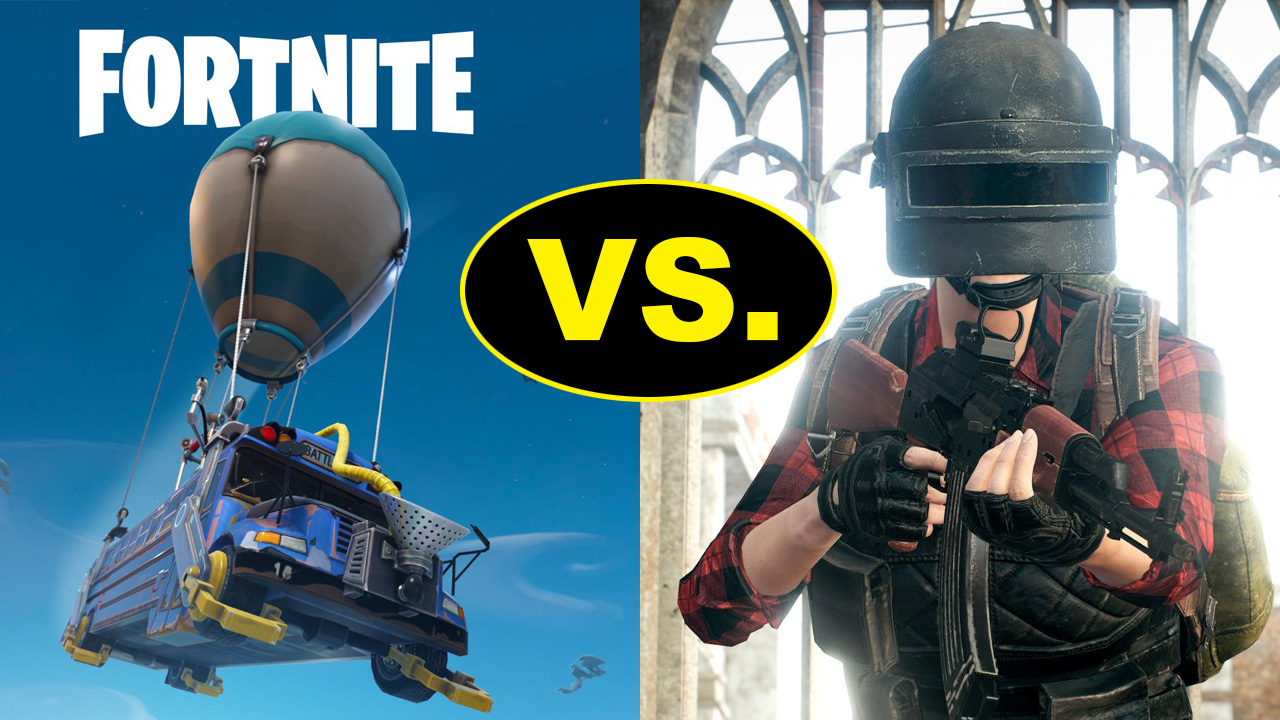
Despite Fortnite’s new rifts, skins, emotes, locations, and sports balls, the addition of driving to Fortnite likely deserves to be called the best change. Since many other battle Royale games – Player Unknowns Battlegrounds, for example – already allowed the use of vehicles, players have long expected some automobile in Fortnite. Now that it’s here, we’re glad to see the carts were designed with Fortnite’s characteristic charm.
There are a few technical details you should know. First, carts can be found in good supply at Lazy Links and Paradise Palms, two of the new locations which were ostensibly pulled into the landscape after the Great Rift of Season 4. Each cart sits four people: driver, shotgun, and two passengers on the back. They can be destroyed by gunfire with apparent ease. At top speed, they move much faster than a sprinting player and the roof acts like a bounce pad…
So what about combat?! To discuss this, we’ll go step by step and check through each position of the cart. Every one has a different role, and the successful completion of those could spell a Victory Royale; failure could mean a destroyed cart and a lost game, so read on!
Driver
Your job is to drive, naturally.
However, there’s more to that than you might expect. For one, you should know that the carts deal damage when they run into other players:
If you see the chance to run someone over, don’t waste the opportunity, and don’t miss!
At the same time, beware. As we’ve mentioned, the carts can be destroyed by gunfire, and are not very strong! If your enemies see you coming, it may be best to stay farther away and let your passengers engage in combat. When this happens, follow the Driver’s Number 1 Rule: keep moving, and avoid fire. A stationary vehicle makes an easy target, and a vehicle traveling straight ahead at the same speed isn’t much better. Get jiggy with it!
Finally, the driver is the parent/guardian of the vehicle. You’re responsible for making sure everyone’s inside. Don’t leave your friends amongst enemies or running through the storm!
Shotgun
Like the passengers, shotgun position can fire weapons. While driving across the landscape, you should be watching for signs of enemies ahead.
Once engaged with an enemy, note that the roof may impede your vision and doesn’t offer much cover. While this makes shotgun a difficult position, it still offers a huge plus: you’re closer to the front of the cart, and the ground…
That means building!
Is there a mountain in your way? Shotgun can build a ramp as the cart goes up. Are there people on both sides? Shotgun can create a wall to avoid a two-front war. Stay on top of it, keep fighting, and build well!
You are the brawlers. When driving, keep your head up and scour the landscape for signs of danger. You may see a group of enemies running before they spot you. When this happens, have your weapon ready and score a few hits before the building starts. Also, don’t forget to crouch back down if someone starts firing back!
Now, we admit that this requires excellent aim while moving. If you aren’t that type of fighter, no worries: once the enemies begin fighting you can always hop off and start building from the ground while your teammates keep rolling. Then, continue fighting the usual way!
Transport
Fortnite has an unspoken rule: transportation is combat.
On one hand, this relates to the storm. Since Fortnite’s weather itself deals damage, simply outrunning the storm may be your key to winning a fight. Why lose health when the environment will take care of your opponents? But on the flip side, you don’t want to be the team left behind, running for your lives. If the clouds are coming, get to that cart quick before anyone else does!
On the other hand, “transportation combat” can relate to positioning. Many battles are won with the use of jump pads and bouncers, all of which may help you get behind the enemy, on top of their fort, or simply to a safe place for healing. In terms of the cart, this may mean running, moving to higher ground, or a flanking maneuver.
(To flank: if you’re a passenger, hop off the cart while your teammates keep driving around. If you’re lucky, you may come up behind the other team while they’re distracted and catch them from multiple sides. If that doesn’t work, don’t panic: you may be the perfect distraction while your teammates get into position.)
Fun
Of course, don’t forget that we’re playing Fortnite here. Take nothing too seriously! Build a ramp, drive off cliffs, have drag races. If you’ve acquired one of the sports ball emotes, you can use the carts to get around Lazy Links for some golf, or visit the many other sports fields for a good time. Also, once the next set of Battle Pass challenges arrive, you can be sure the carts will help. Whatever the case, don’t forget to enjoy Fortnite’s new vehicles!
It’s been eight years since Elder Scrolls V: Skyrim. We completely understand if by now you’re getting a bit tired of Lydia as a follower. While there are a ton of follower mods out there, sometimes if you want something done right it’s best to just do it yourself. So exactly how hard is it to make your own follower in Skyrim? We’ll show you in these 15 steps.
It goes without saying that you’ll need a copy of Skyrim to test this properly, so if you don’t own the game, here it is:
Alternatively, if you own Skyrim or Skyrim: Special Edition Steam, you actually already own the Creation Kit. On Steam you can find it in your Tools tab under ‘Library.’ Just scroll down and double-click to install.
Once you have the Creation Kit installed, we’re ready to begin. Please do not forget to saveyour progress oftenand be patient when working with this software. There are thousands of assets at work here, so it’s very touchy and crashes quite often.
http://elderscrolls.wikia.com/wiki/Creation_Kit
1. Getting started
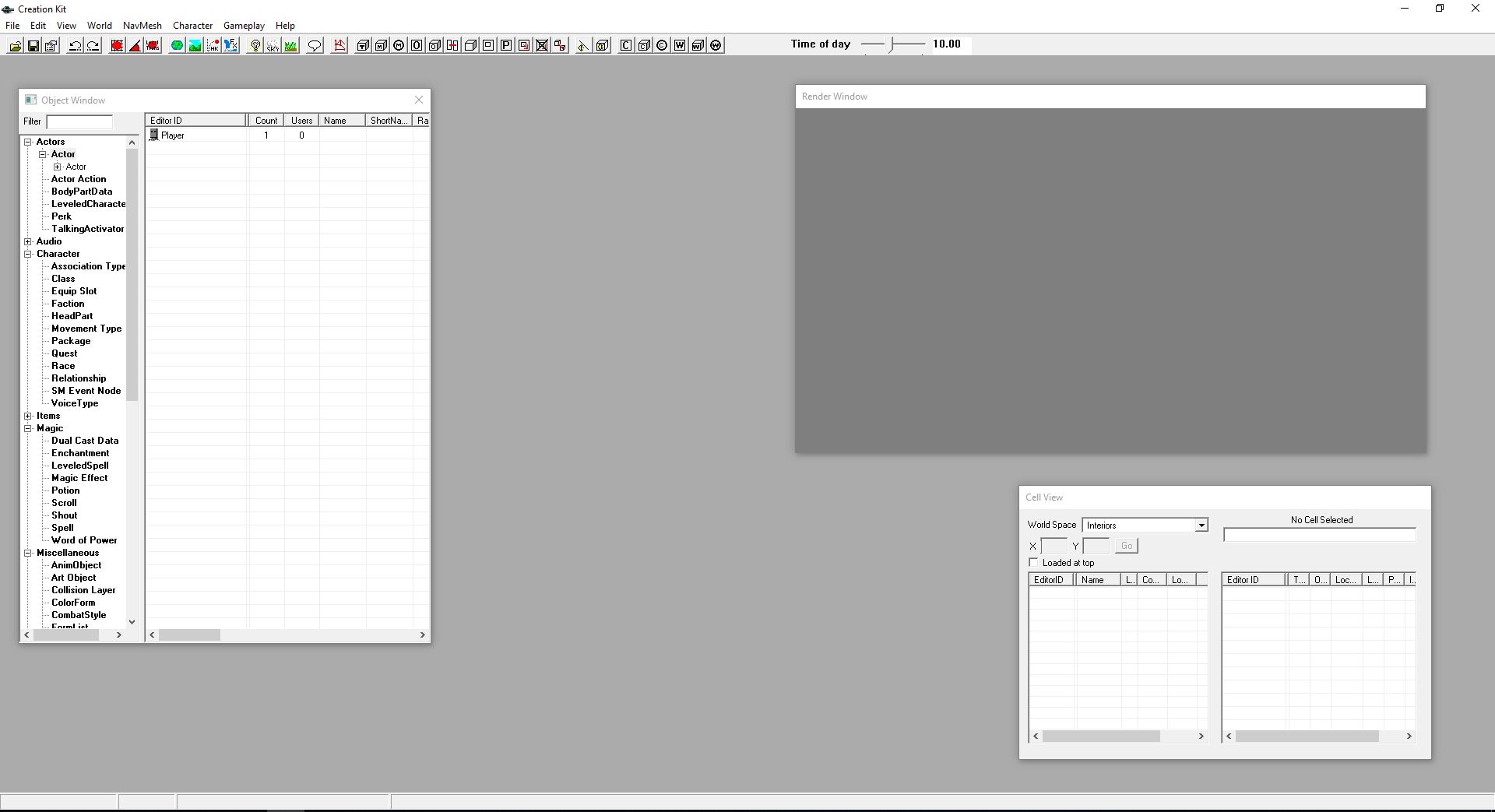
Once you’ve opened Creation Kit, you’ll be faced with this screen:
Click File > Open, then double-click ‘Skyrim.esm.’ Open it up. If a prompt comes up saying you haven’t selected an active file, ignore it. Similarly, if you get a message about missing plug-ins, just say ‘yes to all.’
Right-click on the massive list of actor names that appears on the left and say “new.” This will open up the character creation window. Now we’re ready to get working.
2. Name your follower
At the top left of the window that just opened, you’ll be putting in a ref ID. This is the unique tag that the game will identify your new character as. This will not be the character’s visible name! As such try and balance your Ref ID to be both unique and easy to remember, something like “JohnDoe101ActorFollower.”
After, type in your follower’s name. The “short name” afterward is optional. The name will be your character’s label in-game, while the short name is shorthand for quests. For example, “Jane Doe” might be referred to as “Jane” in your quest log.
Don’t touch any of the options below, like Invulnerable or Protected. We’ll do that later.
3. Assign Basic Traits
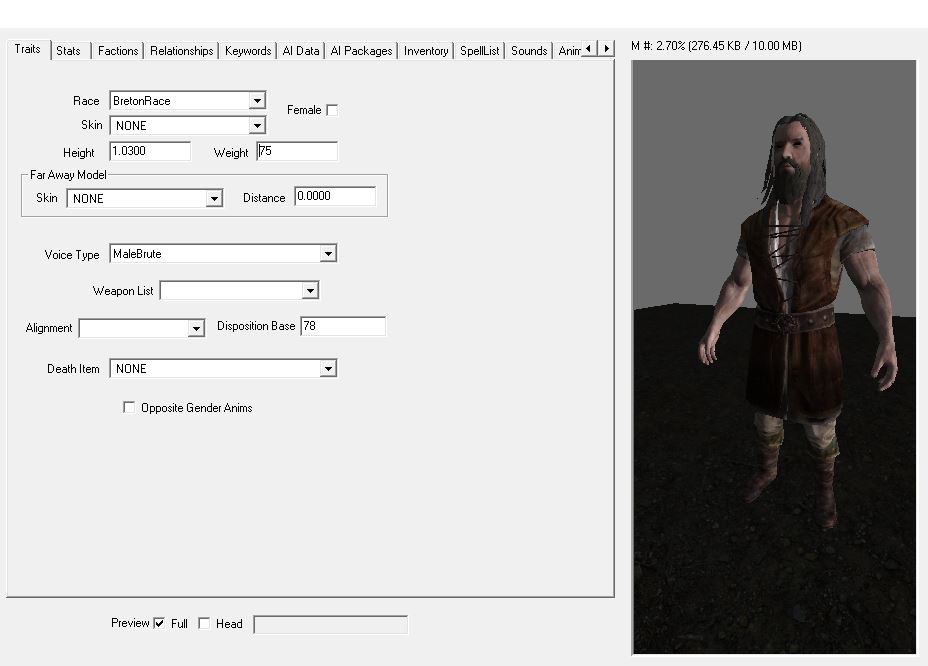
On the right, you’ll be presented with a handful of checkboxes for your character’s traits. Up top, pick your character’s race and sex. For the sake of this tutorial, we’ll be covering how to make a human follower, not an animal.
Next, you should tick the “preview” checkbox at the bottom of the window to see the character’s full body. This will help with the adjustments we’re about to make.
A character’s height and weight are very touchy, so if you make adjustments to their default they should be very minimal or they’ll look odd in-game. For reference, check the preview on your right as you go along.
4. Give your follower a voice
This next part is important. Still on the Traits tab, if you go down the Voice Type dropdown it will at first seem like you have a ton of options. This is sadly misleading. Most of these voices will unfortunately not work with follower characters. In order to find the ones that do, you’ll have to dig a bit:
https://www.youtube.com/watch?v=tLgSYzOaTnA
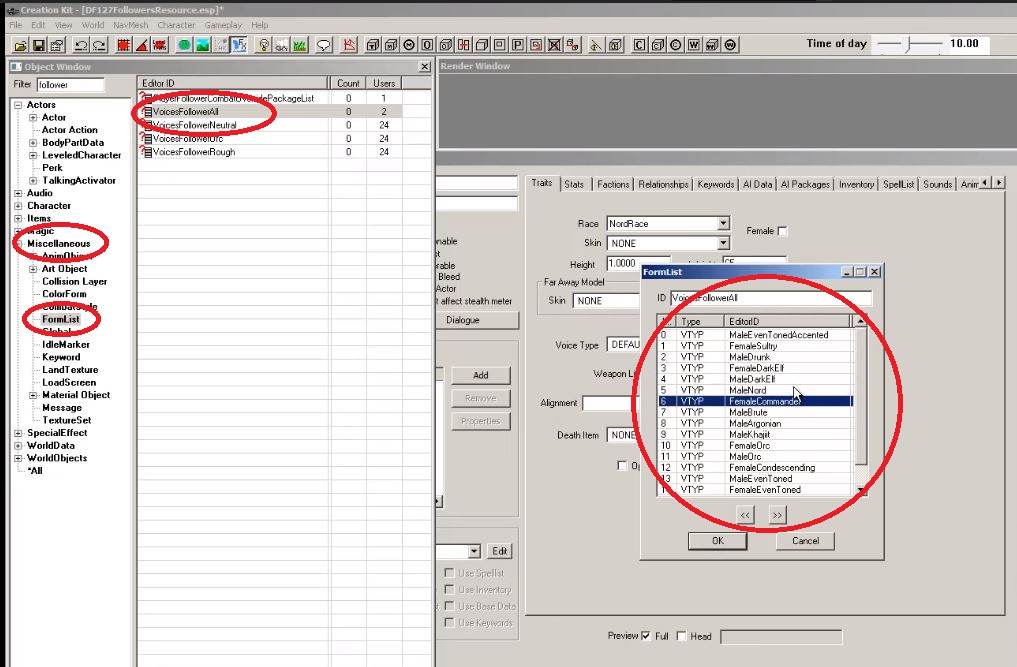
In your object window on the left, expand the Miscellaneous options and click on FormList. In the filter up top, type “follower.” Now double-click the “VoicesFollowerAll” option and scroll through to pick the one you want for your follower. If you don’t know what these voice types sound like, check out this video for samples:
5. Set your follower’s stats
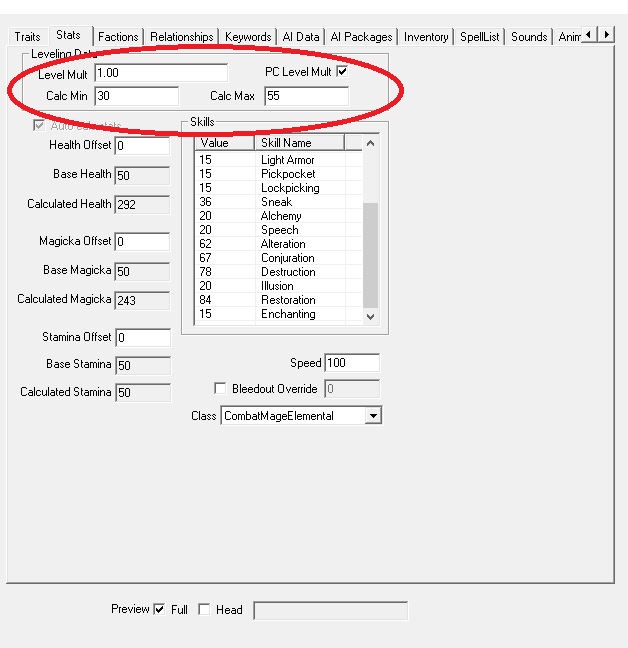
The stats tab is where you pick your follower’s level and how good he/she is with the various skills in-game. You can start by setting a follower’s level by simply typing it in the “Level Mult” portal, but we recommend a different approach:
Tick the checkbox that says “PC Level Mult” and it will unlock the two portals below that say “Calc Min” and “Calc Max.” From here you can put in the follower’s min and max level, so that they will better scale with the player character and the enemies you encounter. For example, our character starts at level 30 lowest, but caps at 55:
The bottom window has a variety of build options like Blade, Beggar, CombatScout, etc. Clicking through them will change which skills get priority for your follower. How good a follower is at any particular skill is a combination of both their “class” and their level window. Two CombatMonk class characters may have differing levels of Sneak depending on what level they are.
6. Set your faction
This tab and the next don’t have much wiggle room and aren’t as subjective as the past couple, so you’ll need to do the next steps exactly as written. Luckily they’re pretty simple:
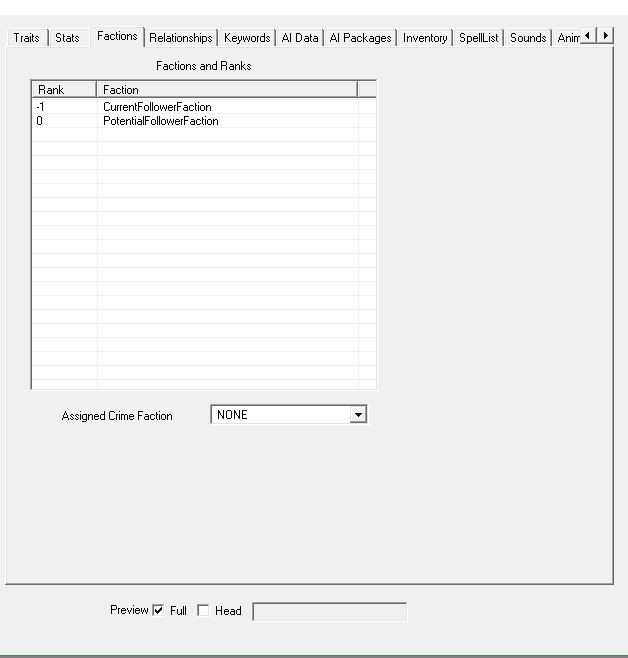
Go to the Faction tab. Now right-click in the empty lined box and say “new.” Then type follower in the filter. Choose “CurrentFollowerFaction” and “PotentialFollowerFaction” options. They should both appear in the window.
Now select the “CurrentFollowerFaction” and press F2. Then type in “-1.” This basically sets your character as unassigned to you from the start, which means they will only join you after you speak with them, as is the default in this game.
Frankly, if you set this value as anything other than -1 it’s unlikely that your follower will work at all. Do it right and your factions screen should end up looking like this:
Before we move any further, NOW is the time to check the boxes under your character’s ref ID and name. A quick runthrough of what these mean:
7. Can your follower be killed?
CharGen Face: Your follower’s face will be in the preset faces at the start of game. Essential: Your follower cannot die. Protected: You cannot kill this follower, but enemies and falls can. Respawn: After this follower dies, it will come back. Unique: This is only one follower, and there are no duplicates of this character running around the game world. Summonable: This character can be summoned via conjuration. Ghost: Weapons and spells will go through this follower. Invulnerable: Weapons and spells will impact this character, but they will be unaffected. Doesn’t Bleed: No blood animation when this follower is struck. Simple Actor: Disables several of the facial animations on this follower. Doesn’t Affect Stealth Meter: If this follower spots you while you’re crouching, it will not affect your sneak meter.
Pick whatever combination of these you like, but you’ll at least need to check the“Unique”box.
8. What is your follower’s relationship with you?
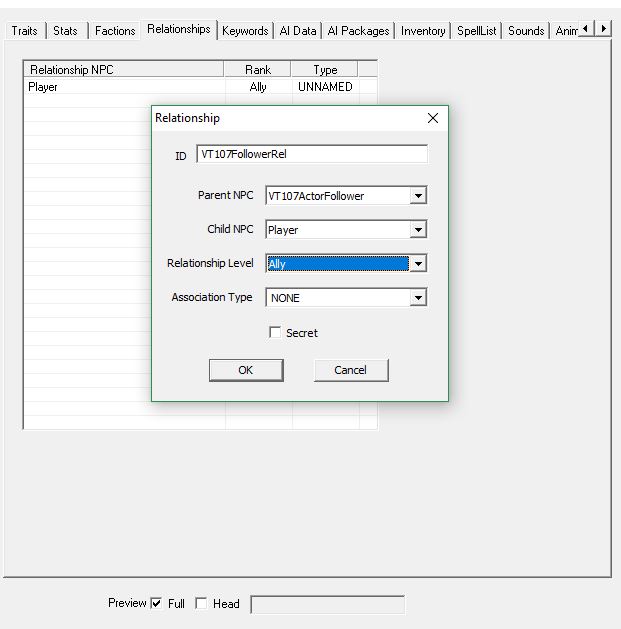
In the Relationship tab right-click in the window and click ‘new.’ Again make your ID straightforward and official – something like “JohnDoe101FollowerRel.” Your Parent NPC portal should be auto-filled to match your follower’s ID. Keep it that way.
Then simply make the Child NPC “Player” and the relationship level “Ally.” It should similar to this when you’re done:
Skip the Keywords tab and click the one that says “AI Data.”
9. Set your AI Data
This section is a little more up to your discretion. The AI attributes here affect your follower’s expressions and behavior. We do recommend, however, that you at least set the Aggression to “Unagressive” and your Confidence to “Average” just so your follower doesn’t go berserk and start attacking you should you accidentally hit him. The Mood portal determines your follower’s facial expressions, so set that with whatever you think best suits your dude.
Setting the Assistance and Morality will affect whether your follower will perform unsavory actions like attacking or stealing if commanded. Finally, the combat style should more or less mirror the class you picked out back on the Stats page. Again this might take some trial and error to pick out the one best suited for your follower.
Skip the AI Packages tab for now. We’ll come back to it soon.
10. Set your follower’s outfit and inventory
In the Inventory tab you get to pick out your follower’s clothes. Click the dropdown under “Default Outfit” and pick the one you like. What you’re really setting here is what your follower will wear when they’re not in your service. That means when they’re wandering around their starting location and such. Any armor is best given to them by you, in-game.
11. Set up your follower’s perks and spells
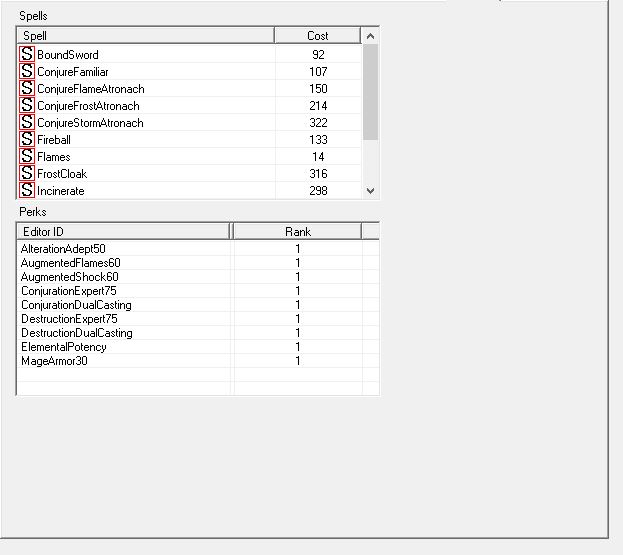
Here’s where you pick your follower’s perks and, if they use magic, their spells. We made our example follower a mage just so you can see what it will look like. If you use magic, right-click in the “Spells” window and pick out any spells you want this follower to use.
Note: Your follower will always use the strongest spells available, and that means he’ll default to using high-cost magic if they have access to something like Incinerate, Icy Spear, or Thunderbolt. If you don’t want him to run out of magicka too fast, don’t give him these spells! You can see how much mana your follower has back on their Stats page.
Next, pick your perks. It might take some guesswork to determine which perk is which, but you can always come back to adjust later. We made our character (above) a destruction conjurer with some points in alteration if you’d like to compare:
If you choose a more warrior build, the page might look something like this:
Now tab over a few to get to the Character Gen Parts
12. Make a face
Now you finally get to the fun stuff – pick what your follower’s face looks like! We recommend you start by clicking the “head” checkbox at the bottom of the window for a zoom-in view to get the best possible accuracy.
Start off with cycling through the presets, then get more in-depth with the options in the Base Head Parts box. If you want to go really crazy click the next tab over, Character Gen Morphs, to fine tune your aesthetic.
13. Where does your follower live?
If you haven’t been saving your progress lately, DO SO NOW. This next part is notoriously finicky, and the kit will often crash here.
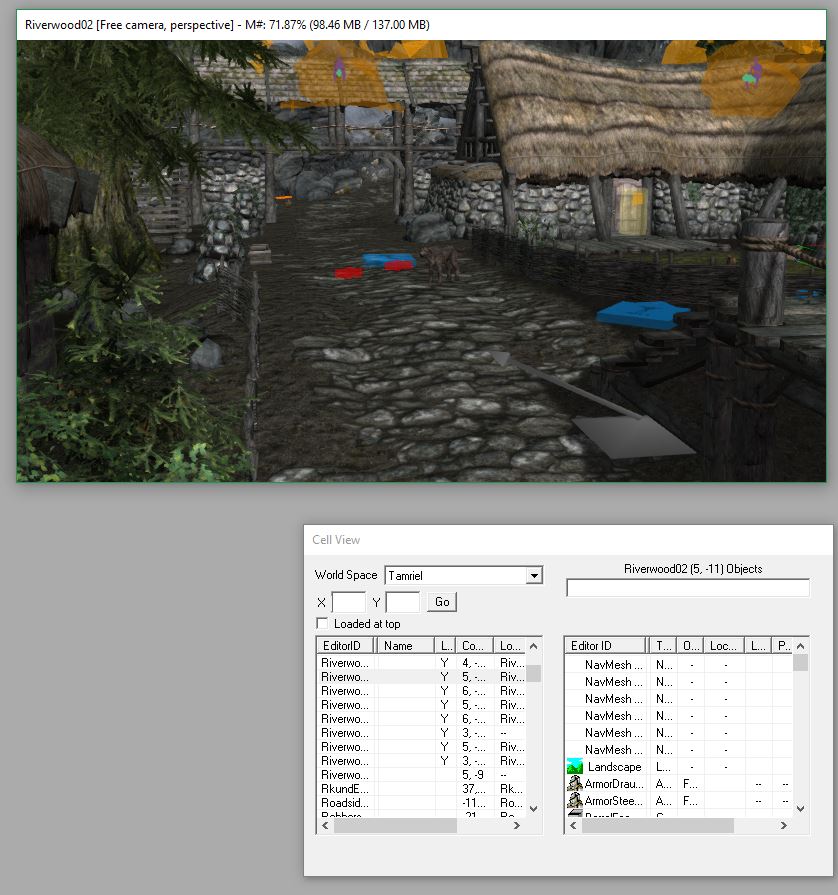
Notice the “Cell View” window towards the bottom right of Creation Kit. This is where any and all locations in the game are listed. Click where you want your follower to spawn. (We like Riverwood since it’s easily reached from the start.) If you get any error messages upon loading up your location, again just hit “yes to all.”
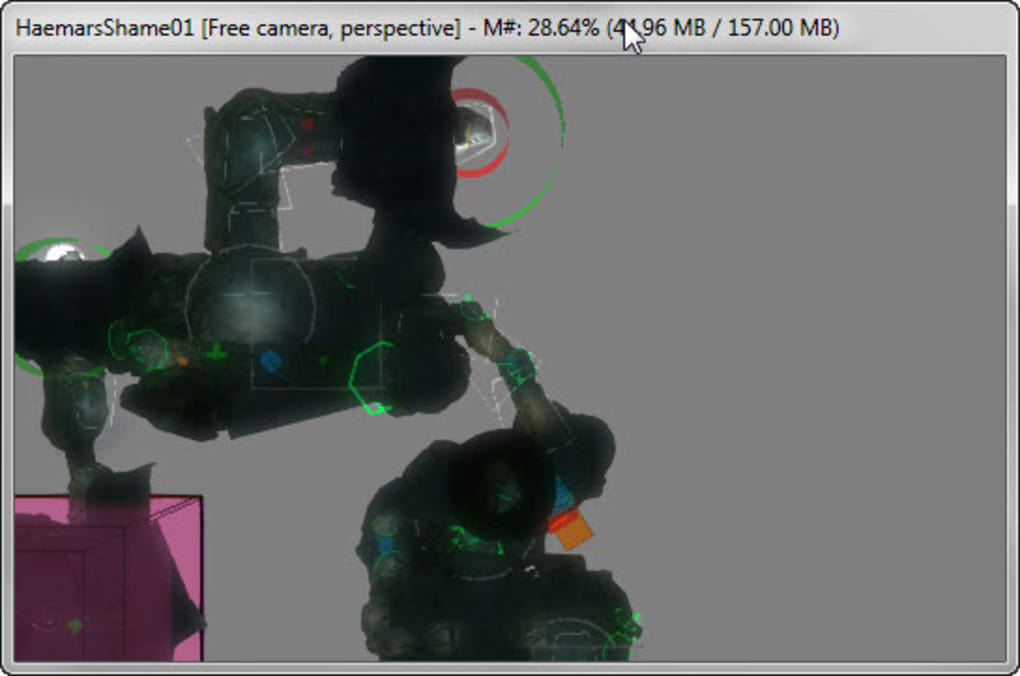
Navigating inside the Creation Kit takes some practice, but at it’s most basic, Shift controls the vertical angle while the mouse wheel zooms in and out. Be sure to take into account where everything in the game world was at the start, so you don’t accidentally save with a rooftop missing or something. If you do accidentally delete something, your best bet is probably just to close out and open the kit back up again.
Once you’ve found where you want to place your follower, all you have to do is drag it from the Object Window right into the map. Press ‘F‘ to make sure your follower lands on the floor correctly and doesn’t wind up embedded in the dirt or any similar embarrassment.
14. Nobody just stands still
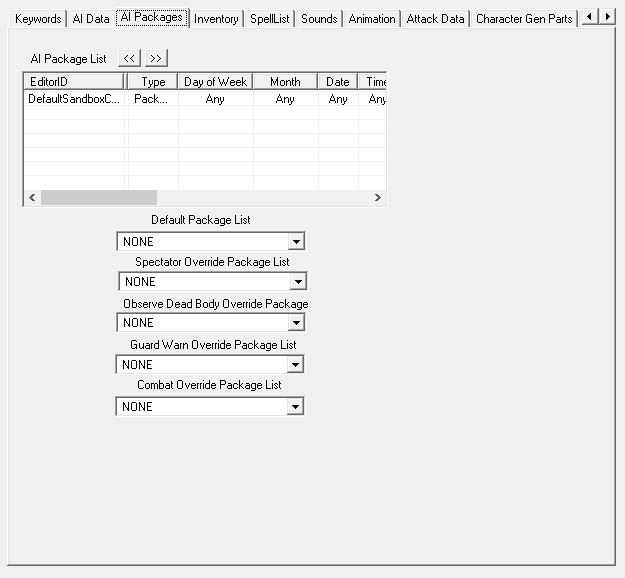
The icing on the cake is to add an AI package. Tab over to it and right-click in the window. Hit “add” this time, not “new.” “New” is if you want to make a completely new AI package, and we suggest just using one of the defaults, especially if this is your first time making a follower.
In the filter that comes up, type “defaultsandbox” and pick one of the four options that start with “DefaultSandbox.” The number after just refers to the radius in which your follower will wander from where you placed him, so probably the bigger the better.
Save your progressonce you’ve set this!
15. Meet your masterpiece
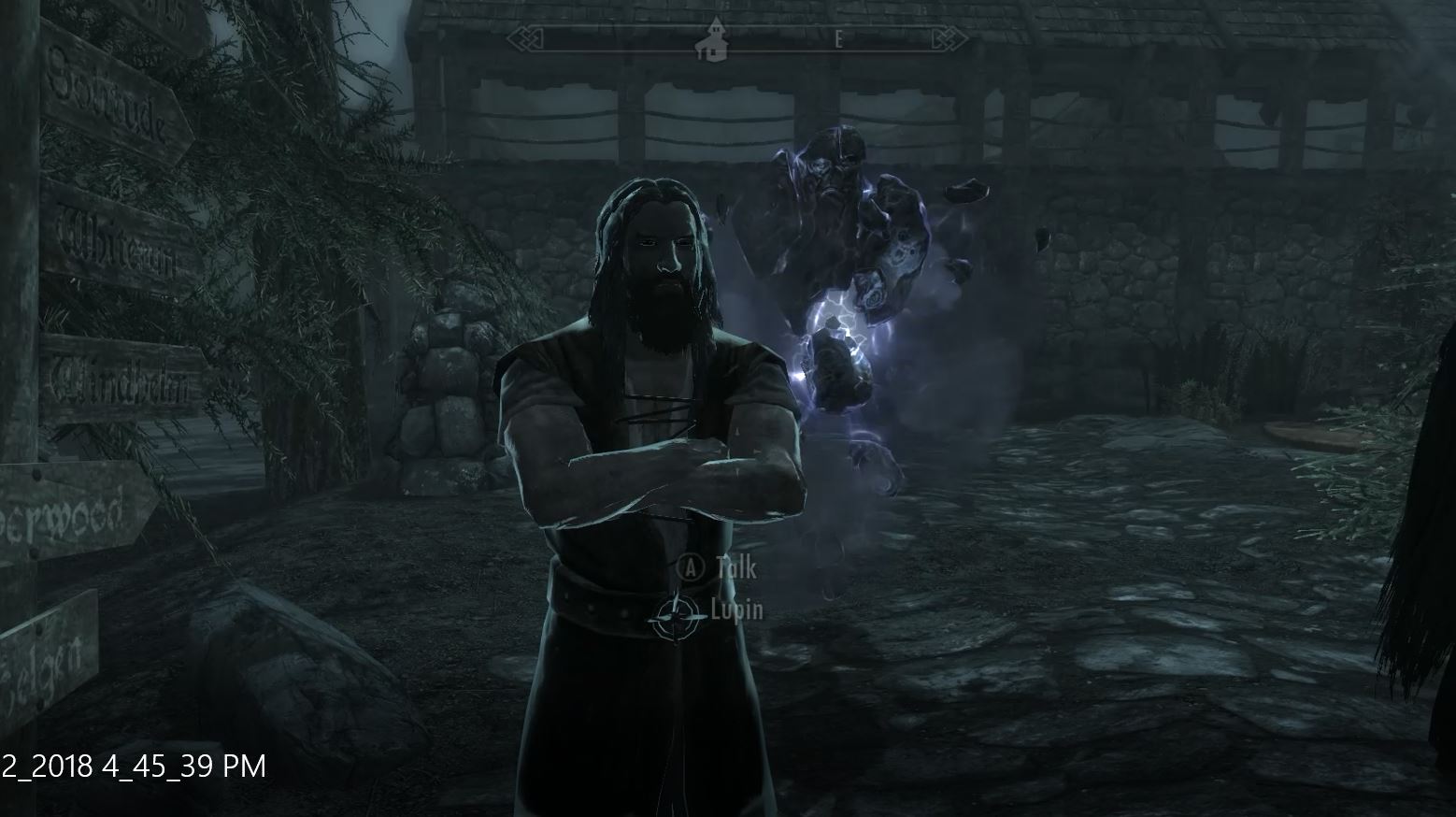
From here all you need to do is boot up Skyrim and go to the location where you placed your follower! Once you meet your creation if anything isn’t working correctly, do not fear; it happens to the best of us. Just back out and re-open the Creation Kit and try and troubleshoot.
It might also help to check out some of Bethesda’s default characters in the Creation Kit to get a better feel for how you might want to base yours. For mages, we recommend checking out Tolfdir or Nirya. Brynwolf or Karliah for thieves, Faendal or Aela for archers, and Lydia or Farkas for warriors.
Don’t beat yourself up if you’re still having trouble with this. The first follower you make is always the hardest one. Follow our guide here as best you can, but you may still find your character isn’t one hundred percent what you want. Trial and error are your best teachers, and all the characters you make afterward can be modeled off your first as a blueprint, saving you a lot of work.
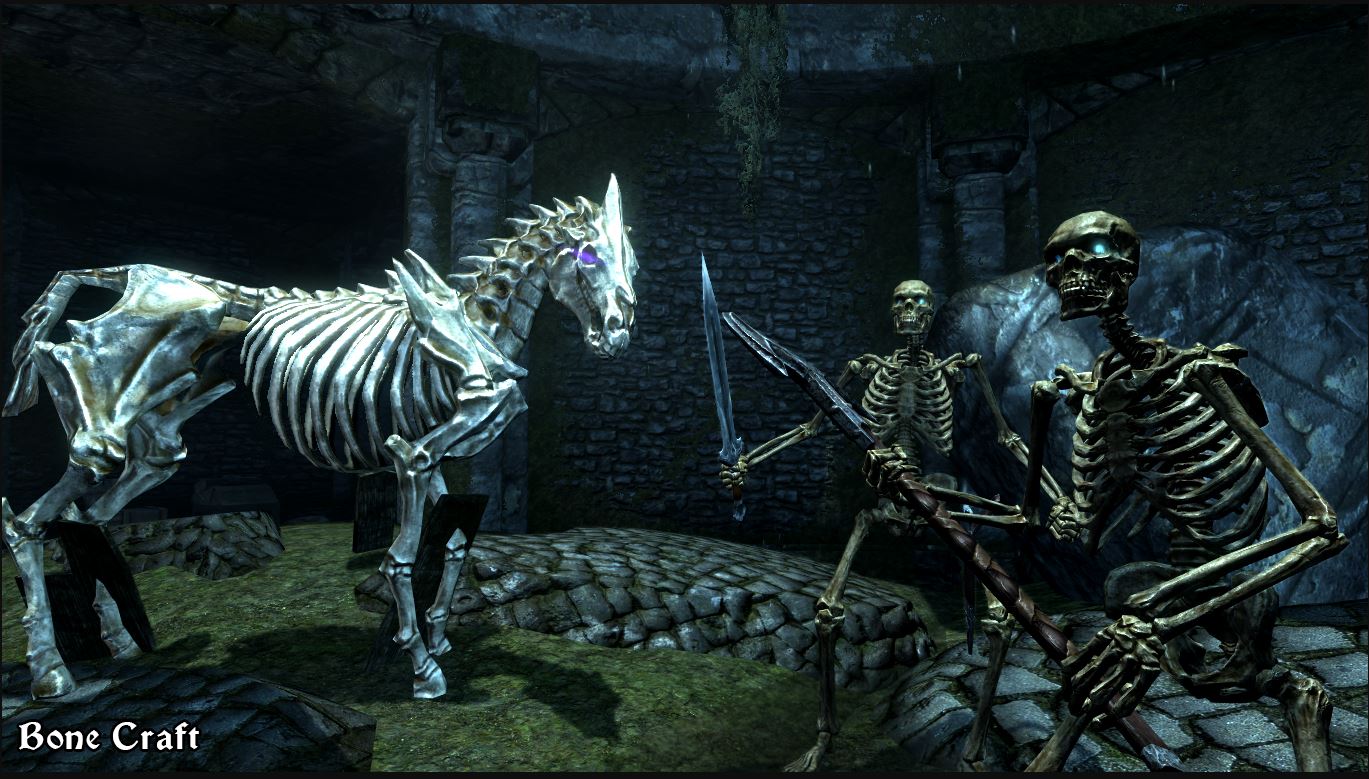
15 free Skyrim mods to satisfy fans until Elder Scrolls 6
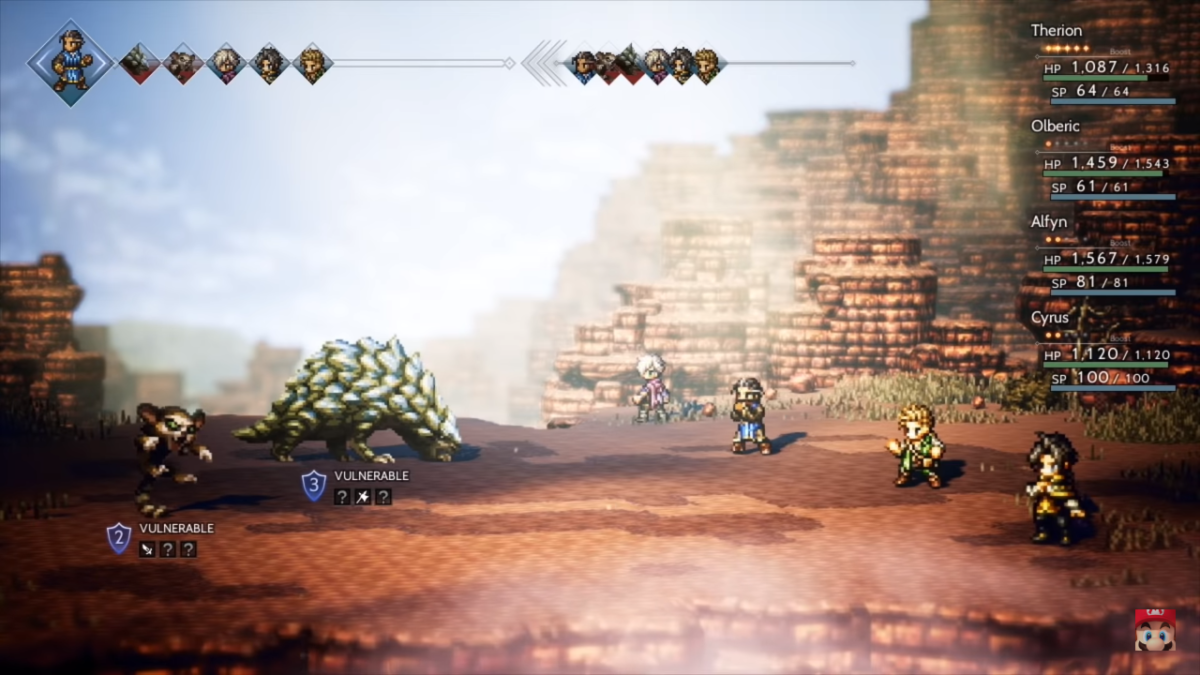
Octopath Traveler may be the newest Square Enix game, but it plays more like a classic RPG with some modern twists. The gameplay is a combination of classic JRPG turn-based mechanics, as well as a unique Boost Point mechanic. The story gets inspiration from the classic Canterbury Tales: there are a large number of archetypal heroes coming from all walks of life, each with their own tale; but with a more modern take on those story elements. Even the art is a modernization of an old style. It’s a unique take on 2D art that the creators refer to as “HD-2D”. This game has a lot to offer to both old and new fans of JRPGs, and below we have a few tips to help you on your journey:
Choosing your first protagonist
Octopath Traveler features a diverse cast of characters. Like classic Square Enix games, each character features their own abilities and benefits. You’re able to switch out your party at-will, with the exception of the protagonist you choose. This means you’re going to want to be careful in who you pick for your protagonist. Of course, you can choose based off their story, as each is unique and different. But you may want to consider their abilities if you are worried about being able to beat your first playthrough.
For example, Tressa, the merchant, has an easy time getting money and gains the ability “rest” fairly early. With those in mind, she’s one of the easier protagonists to start the game with. If you’re looking for something more challenge, you may want to choose Therion, the thief. It’s fun stealing from people, but it he can be a bit weaker than the other characters at the start of the game. Primrose, and H’aanit require a bit of extra attention to detail, since they use NPCs and summons to fight for them. Likewise, Cyrus and Ophelia are somewhat complex characters. Cyrus has some good early benefits, but both are fragile and may take some adjusting to their playstyles. Inversely, Olberic and Alfyn can make great starting characters, since they are more forgiving than most of the others.
Obtaining and choosing secondary jobs
Each character in Octopath Traveler has a primary job that determines their stats and abilities. These jobs are correspondent to their professions. For example, Ophelia is a Cleric, which lets her using healing abilities and light magic. As you progress through the game, you’re able to give your character’s secondary jobs, by visiting special shrines dedicated to each one. You’ll want to go to each to gain access to all of them, and decide which one fits best for your characters. While you are able to obtain the jobs of the eight main characters, you are also able to obtain four secret jobs as well. These aren’t obtainable until much later in the game, however.
Unlocking the secret final boss
You’re probably not thinking about the final boss of this game as you start playing it, but you may need to do some things along the way to unlock it. There are two side quests you’ll have to complete before the final dungeon can be entered (along with beating the game with all eight characters). Ravus’ Manor in Boulderfall has a guard who starts one of the quests. His name is Alphas, and you’ll meet him again in Saintsbridge. The other quest can be completed by helping out an injured boy named Kit. You’ll meet him at the beginning of the game, and have to help him a few times in Noblecourt and Moonstruck Coast. Once you’ve completed both quests and beaten every character’s story, you’ll be able to go to the final dungeon by talking to the Impresario in West S’warki Trail. Both quests you can do while completing the other character’s stories, so just keep them in mind while you play through the game.
After revealing the massively anticipated trailer for Super Smash Bros. Ultimate at E3, Nintendo streamed an invitational tournament featuring the new game. For the event, Nintendo invited some of the world’s most popular and successful professional Smash players, including C9 Mang0, TSM Zero, and UGS Armada. The event can be watched in its entirety below:
The tournament showcased many of Smash Ultimate’s new characters, mechanics, and stages. Competitors also had the unique opportunity to meet with Smash series creator Masahiro Sakurai to give him their thoughts on the game. Back in 2014, Nintendo put on a similar event before the release of Super Smash Bros. for Wii U/3DS. Both of these events can be seen as attempts by Nintendo to grow a closer relationship to the eSports scene, which they had previously ignored. Newer games that have been released by Nintendo, including Splatoon 2 and ARMS, have been deliberately and earnestly pushed as eSports-worthy titles to varying results.
Nintendo’s fanbase created their own eSports scene
While competitive events surrounding Nintendo’s games have always existed, they really came into their own after the release of Super Smash Bros. Melee in 2001. While the game was easy to learn, dedicated players soon discovered many advanced techniques and playstyles that greatly increased the speed and depth of the game. For years, community organizers hosted bigger and better tournaments, complete with streams, casters, and prize pools. Whereas most competitive games have direct support from their developers, such as Capcom hosting Street Fighter tournaments, for whatever reason Nintendo did not acknowledge this bustling and popular community. In 2013, Smash fans even secured a spot for Melee at EVO, the world’s most popular fighting game tournament, by raising over $94,000 for breast cancer research (EVO’s last spot that year was reserved for the game that received the most charitable donations). However, despite their efforts, Nintendo attempted to shut the Smash portion of the event down. Facing massive fan backlash, especially in light of the charitable donations, Nintendo relented and allowed the event to proceed and be streamed online. Why Nintendo had been so adverse to eSports has never been completely clear, but Masahiro Sakurai has spoken on the matter:
“The philosophy behind them doesn’t go in line with Nintendo’s philosophy in that some of these players are playing for the prize money…it comes to a point where they’re playing the game for the money, and I feel that kind of direction doesn’t coincide with Nintendo’s view of what games should be.”
While this stance seems to be part of Nintendo’s core philosophy and will likely never change, they have certainly warmed up to eSports in recent years. Since the 2013 EVO blunder, they’ve sponsored tournaments for Melee, Smash 4, Splatoon, and more. Their involvement is still minimal compared to most developers, but it’s getting there. Hopefully, with the release of Smash Ultimate, Nintendo can find a balance between embracing the competitive scene without alienating casual players.
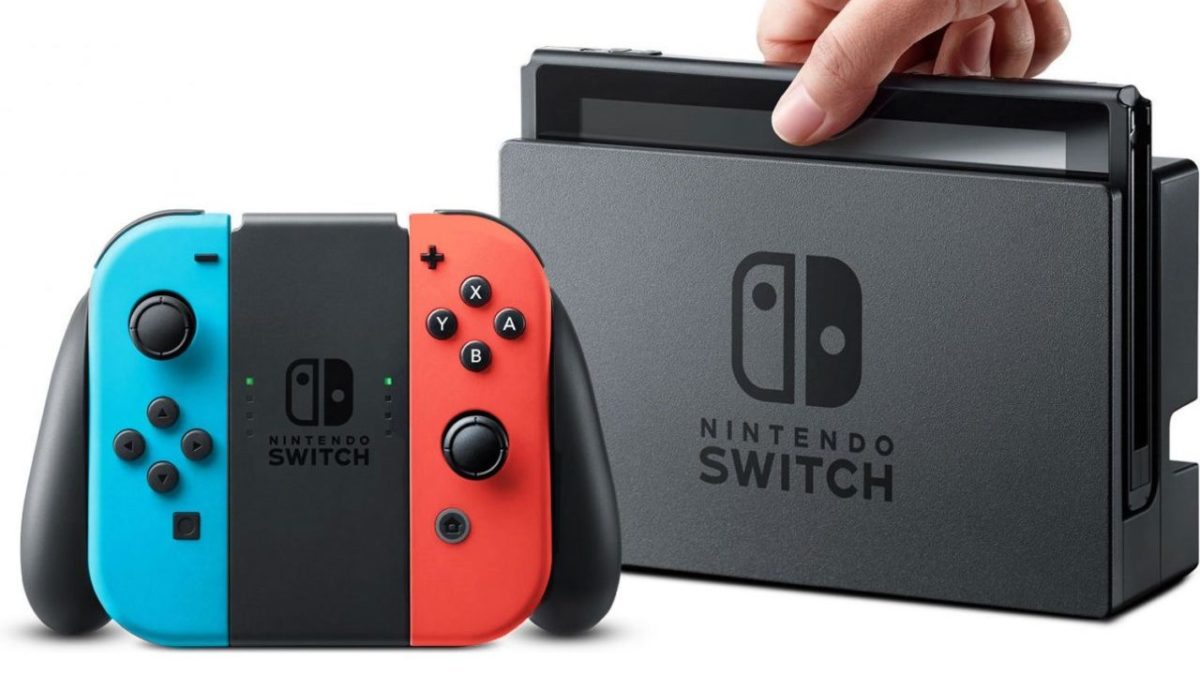
The Nintendo Switch is undoubtedly one of the most innovative consoles on the market, combining portability, solid performance, and a lineup of excellent games: Breath of the Wild and Splatoon 2, to name a few. The spunky design – a screen between two detachable controllers on either side, which can be configured in a number of different ways – showed the world just what the Wii U aspired to be. Currently, it has become Nintendo’s best-selling console and just keeps growing in popularity.
In short, the Switch is heckin’ cool! So cool, in fact, we would argue that within the niche market Nintendo has created, it is almost PERFECT. Almost…
Despite its other qualities, the Switch lacks one feature: a good way to connect with other players.
Basics of the issue
Turn on the Nintendo Switch and open a profile. You’ll find three subsections related to friend activity: Friend List, Friend Suggestions, and Add Friend. The Friend List shows your current friends, whether or not they are online, and what game they are currently playing if so. The Friend Suggestions tab allows you to find friends from social media and other Nintendo devices. Finally, Add Friend lets you send and receive friend requests, as well as search for users that you’ve played with recently, who are nearby, or who have chosen a “Friend Code”.
So, what’s the big deal?
After discovering friends, sending requests, and linking your profiles, the Switch doesn’t allow any communication between users.
See a friend online? Go ahead and select their profile. You’re only given three options: make them a Best Friend (which places them at the top of the list), remove them as your friend, or block them. No sending messages, no chatting with a microphone, no way to let them know you’re online. Even if you start playing the same game as your friend and join their team, there’s still no chat allowed.
You’ll just have to find a way to talk in-game…
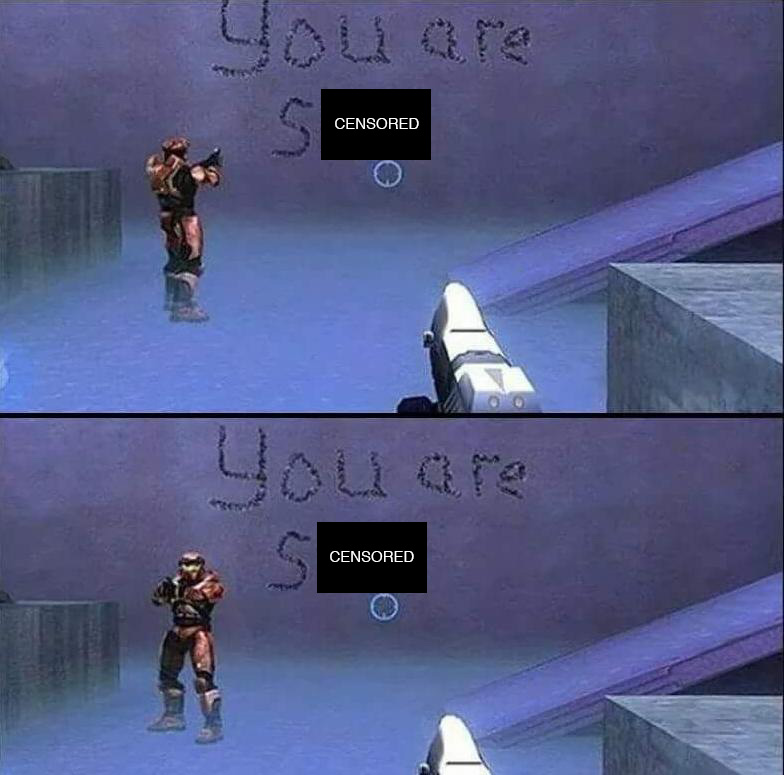
Welp, that’s one way to get your point across…
Don’t get us wrong, we still love the Switch and believe this problem will be fixed in the near future. In fact, we have two solid theories on what Nintendo may be doing.
What this probably means
Nintendo bears its family-friendly history like a badge. Their consoles and games have often been designed to bring people together both in-game and online. Remember cord-assisted Pokemon trading? The physical movement of the Wii remote? Aspects like encouraged Nintendo users to get out, about, active, and most importantly, connected to others.
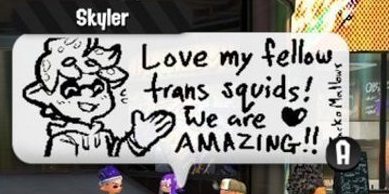
The Switch’s current lack of messaging could be intended to avoid caustic communities around their games. For an example of how this looks, check out Splatoon 2. After the tutorial, your game experience begins in a city square populated by other players, idling about, who communicate through small drawings.
Thanks to this system, Nintendo is able to allow community messaging and conversation to happen without anything too hateful or negative invading the positive and kid-friendly atmosphere.
What this Could Mean
On the other hand, Nintendo also plans to create a paid online service – like Xbox Gold or Playstation Live – beginning in September of 2018. Since playing games across the internet currently costs nothing for Switch users, the change from free to paid could very well produce anger. Nintendo may already have messaging software ready, but has planned to provide free user communication tools to smooth out the transition.
If this turns out to be the case, we’re excited for September! Although Nintendo adopting a subscription program disappoints us, it’s a trend that console gamers have become familiar with and makes sense for Nintendo’s business.
User suggestions
Still, Switch users may want to find other ways to send messages to online friends, and we have some ideas for you!
Ask yourself: are your friends already connected elsewhere? As we’ve mentioned, the Switch allows you to meet with people nearby, or from social media. If you’re able to chat in person, on Facebook, or on the phone, use those methods to stay in touch!
What game are you playing? Remember, games like Fortnite have in-house chat programs that will allow your friends to use voice chat. But REMEMBER: you’ll only be able to use this form of communication while playing that game, so it may be best to connect over social media or by phone, as we noted in suggestion 1.
The creative approaches. If you met someone on the Switch in a game that doesn’t allow chat, it may be difficult to send a message. Instead, you could find a way to send a pictogram within the game or ask around online through sites like Reddit. There’s no telling how you may bump into your mystery friend.
We’re excited to see where the Switch goes from here, and hope a solution to this problem will be set in place to make the Switch even better!