The best podcast applications and services (2023)

September 30 is International Podcast Day and we want to celebrate it by recommending the best platforms to listen to your favorite podcasts.

This year, September 30th is quite special. Today is not only Save Your Photos Day, an annual event encouraging users to store and preserve their photographs, but it’s also International Podcast Day, an event celebrated to promote this format that combines traditional radio with the vast possibilities of the internet.

Podcasts come in many different genres and contents, and the best part is that you can enjoy them from anywhere: you can listen while doing your chores, while cooking, in bed before sleep, or even while commuting on public transport.

Do you feel like starting to listen to podcasts? Have you been listening to podcasts for a while and would like to discover something new? Below, we’ve compiled a selection of the best platforms for listening to podcasts in 2023.
Spotify

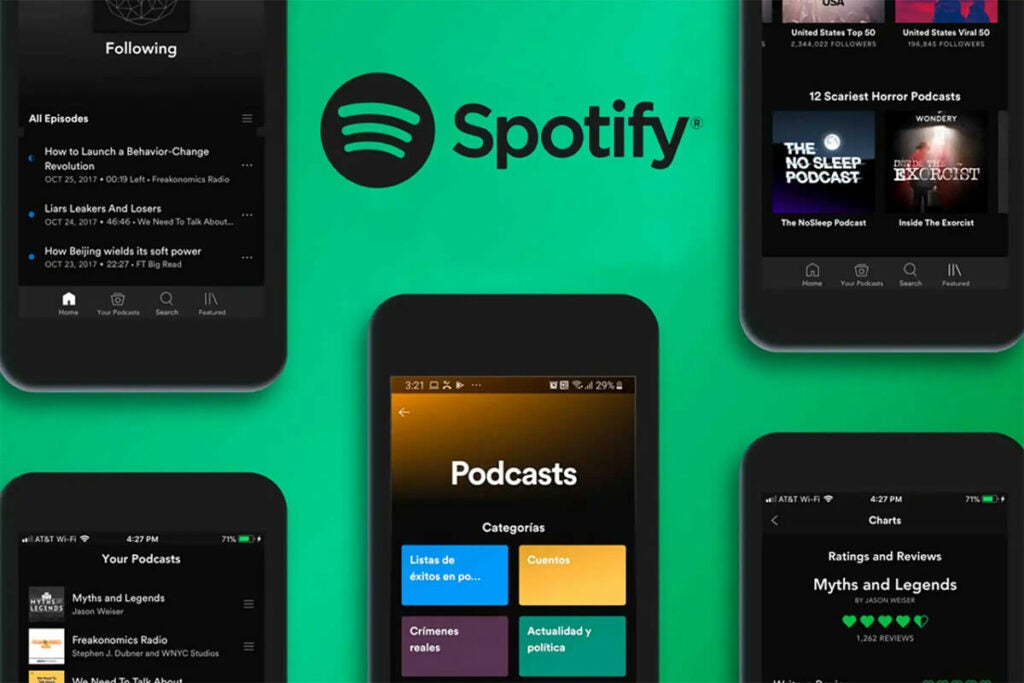
Spotify is a platform that allows you to access thousands of podcasts of all kinds, from exclusive originals to new releases and hits. On Spotify, you can stream podcasts or download them to enjoy offline. Additionally, you can interact with podcasts using features like questions and surveys.

Spotify DOWNLOAD

Moreover, Spotify provides you with music, radio shows, and personalized recommendations to ensure you never get bored. You can use Spotify for free with ads or subscribe to a Premium plan that suits your needs and budget.

Spotify also offers an app for Apple Watch, allowing you to control playback with Siri and connect to other devices compatible with Spotify Connect.
iVoox

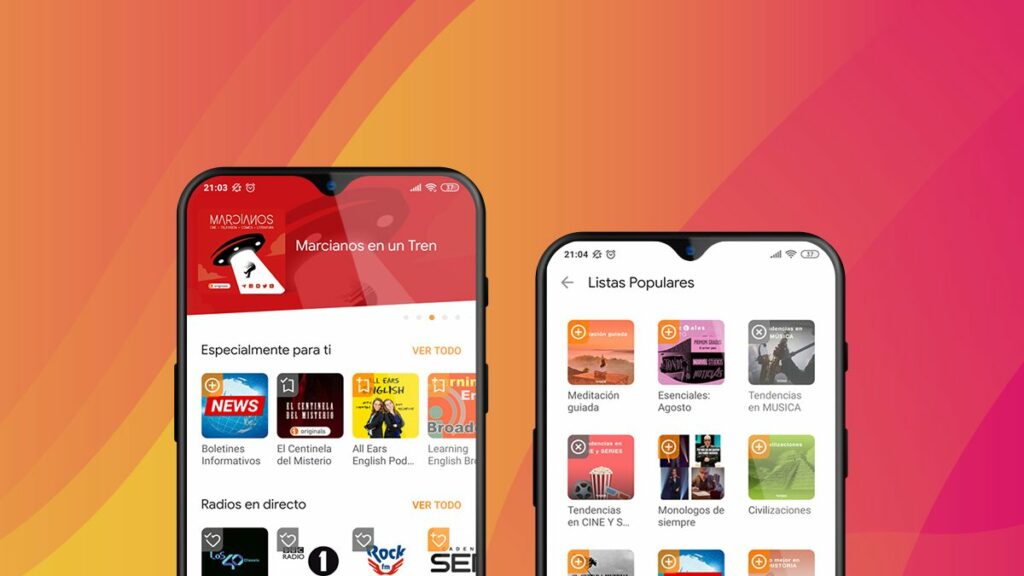
If in addition to podcasts, you also want to access a huge library of radio shows, audiobooks, conferences and much more, iVoox is the app you need.

iVoox DOWNLOAD

With iVoox, you can follow your favorite podcasts, receive notifications, download them automatically, or create your own playlists. You can also listen to live radio, discover new stations by genre, and save your favorites. If you want to speed up and monetize your podcast, iVoox provides you with all the tools to do so.

iVoox gives you access to the largest audio catalog in Spanish, with thousands of options for every taste and topic. And you can listen to any content for free anytime, anywhere, without the need to subscribe to anything.
Apple Podcasts

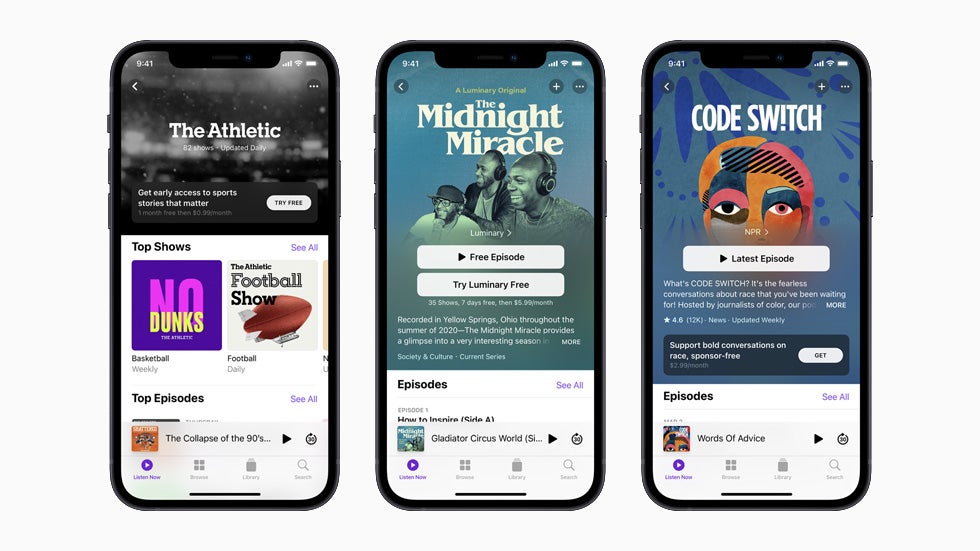
Apple Podcasts is an app that allows you to discover, follow, and listen to millions of podcasts from around the world. You can also explore new content through expert selections and personalized recommendations.
Apple Podcasts DOWNLOAD

With Apple Podcasts, you can access free programs as well as exclusive content through subscriptions. This way, you can support your favorite creators and enjoy ad-free episodes, early access, and much more.

Additionally, you can use Siri to play any podcast you want with just a request. And the best part is that you can listen to podcasts across all your Apple devices, and even download them for offline listening. Apple Podcasts is essentially the ideal app for Apple fans who love podcasts.
Amazon Music

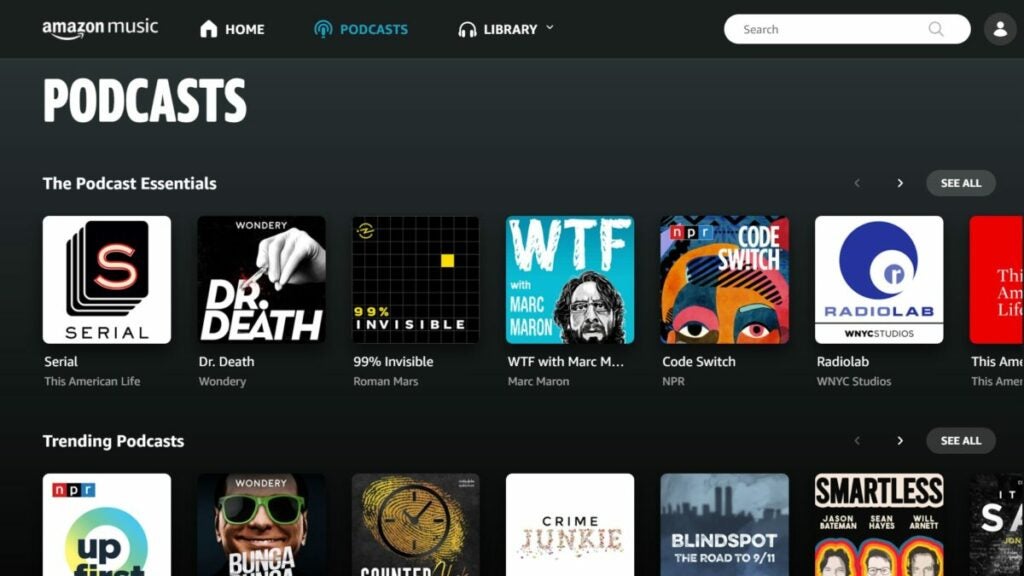
Amazon Music is an Amazon app that allows you to listen to thousands of popular and exclusive podcasts on various topics, from comedy to business, culture, sports, and more. With your Amazon Prime subscription, you can listen to podcasts on multiple devices, download them for offline listening, and easily follow all your favorite podcasts.

Amazon Music DOWNLOAD

Moreover, you can enjoy over 100 million ad-free songs with Amazon Music Unlimited, the most comprehensive music streaming service in the market. And the best part is, you can make the most out of Amazon Music with the mobile app, which allows you to access all the content from anywhere.
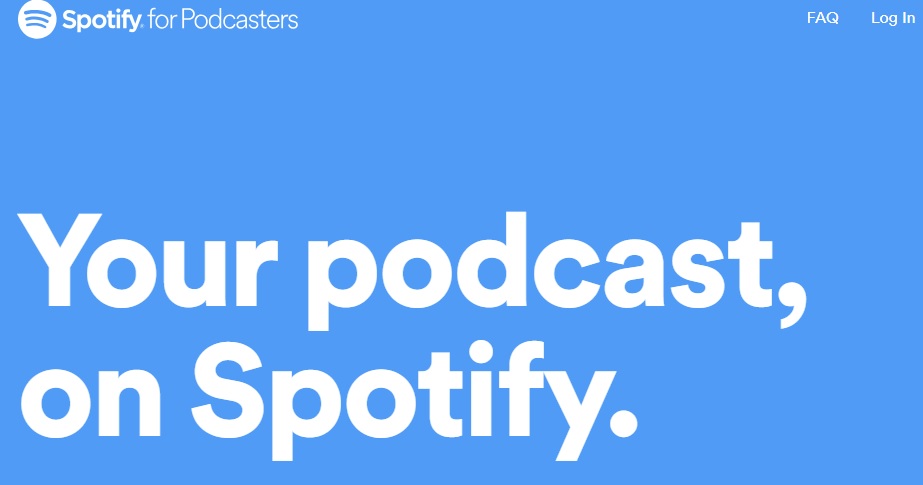
Spotify for Podcasters offers in-depth listener data

Get key-analytics information about your audience with Spotify for Podcasters!

Spotify

Finally, Spotify’s new podcaster-friendly service is here!

Spotify for Podcasters is a way for podcasters to have incredible analytics tools at their fingertips. Now podcasters will have a huge amount of data of their listers including their music tastes, gender, age, and location. They will also learn about their podcasts such as how long people typically listen to one of their podcasts, and at what point they stop.

For podcasters that don’t have the money or resources of shows like The Joe Rogan Experience, Spotify for Podcasters is probably the best analytics tool at their disposal. If you’re a podcaster, this tool is right up your alley.

Spotify also released this video to talk about all of the benefits of the new feature:

Wait, is Spotify stealing my data?

Don’t worry, Spotify is not mining user data. In order to listen to music on Spotify, you need to create an account. This account data is where Podcasters are getting all of their new analytics data.

Also, podcasters aren’t getting data that links back to specific users. Basically, if you listen to My Favorite Murder on Spotify, the creators won’t know that you specifically live in the U.S., are a man, and are between 18 and 25 years old. However, they will know that at least one of their listeners falls into those demographics.

8

What does it cost?

Spotify for Podcasters is free. But it’s important to note that Spotify won’t host your podcast. You need to provide a link to an RSS feed that’s on a hosting provider in order to get your podcast on Spotify.

You could upload your podcast to YouTube for free where there are a bunch of other great podcasts, but you won’t get access to these same detailed analytics tools.

Wrapping up

If you’re currently dipping your toes into the world of podcasts, we’ve got tons of helpful articles for you to check out below. Until then, make sure you check out Spotify for Podcasters to determine if it is the right tool for you!

Google adds podcast episodes to search results

Start listening to an episode of a podcast right from the Google search results!

Podcast

Your search results just got a lot louder. Google search results will now include podcast episodes based on your search results.

Podcast episodes will only be included when you are searching for a podcast topic on Google. For example, if you Google “podcasts about cooking,” you should get podcast episodes that deal with cooking in your search results.

When you click on the podcast episode, you will be forwarded to Google Podcasts where you can start listening to the podcast right away. 

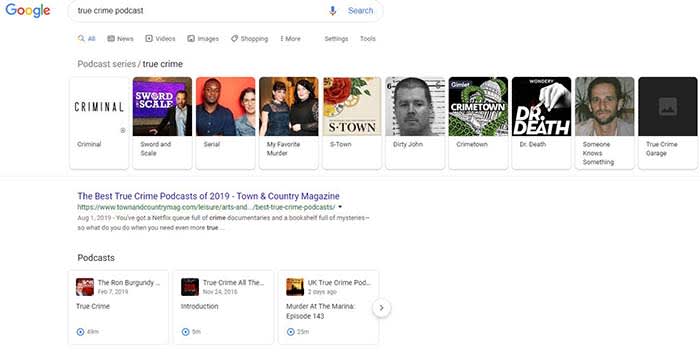
We tried it and the results were… interesting. As you can see, we typed in “true crime podcast” and got the following results.

True crime podcast

Although the results in the top bar were ones that made sense, the podcast episodes we could actually listen to did not reflect the top results. In fact, the first episode in the list was an episode of the Ron Burgundy podcast, a comedy podcast featuring Will Ferrell voicing his iconic character from “Anchorman.” Also, the other two podcast episodes weren’t from the top results either. Needless to say, there are still a few kinks to work out in this update. 

Google says the episodes are chosen based on the search engine’s “understanding of what’s being talked about on a podcast.” The fact that the Ron Burgundy Podcast episode that appeared first was literally called “true crime” probably led to it being the first result.

Google Podcasts and Google Assistant

Google is also planning to bring this new feature to Google Podcasts and Google Assistant. For Google Podcasts, you will be able to search for podcasts and podcast episodes, and listen right from your device! Also, your listening progress is synced, so you can stop and start again from the same point later!

Google Podcasts Download now ►
9

Once it is implemented, if you ask your Google Assistant to, let’s say, play a podcast about cooking a turkey, it will offer a few possible episodes.

Google Assistant Download now ►
9

Wrapping up

Unfortunately, this feature is only available in English and for U.S. users as of now. However, that should change relatively soon.

As we have shown, this new feature is not perfect. We tried it a few more times and got mixed results. We tried Googling “cooking a turkey podcast” and the first option was an episode on turkey hunting.

However, when we Googled “mental health podcast” we got three episodes from the Mental Illness Happy Hour podcast, a podcast that dives into mental illness, addiction, and overall negativity. Clearly, it can work from time to time, but don’t be surprised if you have to fine-tune your searches a bit to get the best results. For example, once we Googled “murder podcast” rather than “true crime podcast,” we actually got more legit true-crime podcasts!

It might take awhile to perfect this new feature, but it is a welcome addition to our search results.

Complete guide to iHeartRadio

IHeartRadio provides all the things we love about radio into a unique experience!

iheartradioIf you frequently listen to the radio on your way to work, you have probably heard the station’s DJ mention iHeartRadio. When you hear that name, you probably think, “Oh, it’s just an app that plays the radio. I don’t need that.”
iHeartRadio is so much more than just an app that plays the radio. You can listen to podcasts, create playlists, save your favorite stations, and more. 

The app has a smorgasbord of features that give you a customized listening experience. There is a free version and paid versions, with different options for different listening experiences as well as tools for enhancing your journey on the app. Let’s take a look!

iHeartRadio Download now ►
7

Complete guide to iHeartRadio

Learning what you like

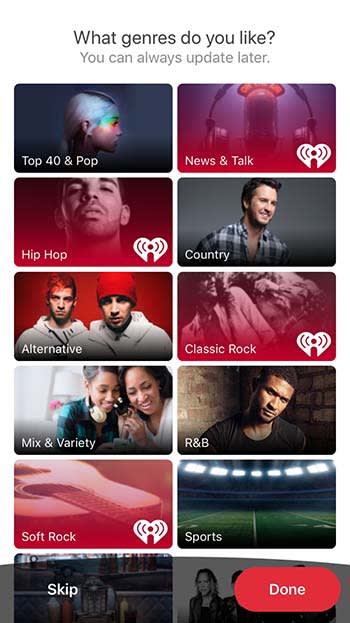
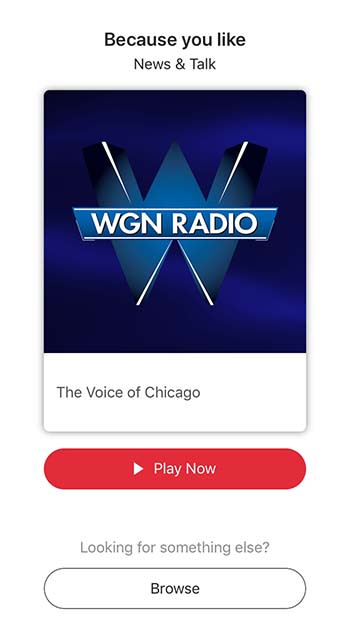
When you first download iHeartRadio, the app will ask you what you like. You will be shown a list of music genres as well as other things to listen to like podcasts and news.

iHeartRadioOnce you choose what you like, it’s time to pick your plan.
Free vs. paid listening

iHeartRadio

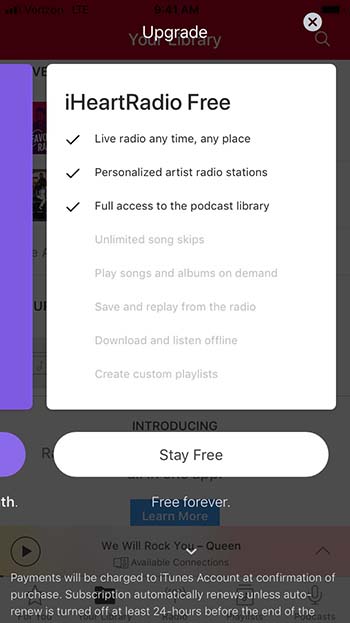
If the occasional advertisement doesn’t bother you, then there is really no reason to really go beyond the free option. That said, there are a few things that you might miss. For example, there is a limited number of times that you can skip past songs. You also can’t download and listen offline or create custom playlists. If that doesn’t matter to you, the free version is a great option.

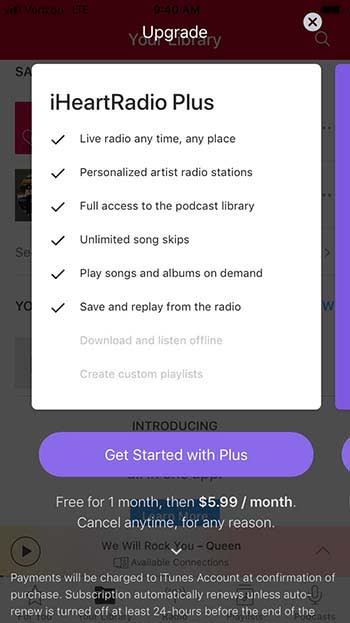
iHeartRadioIHeartRadio Plus costs $5.99 per month, but you can try it out with their one-month free trial. This version lets you skip as many songs as you want, play songs and albums on demand (like Spotify), and save and replay songs you hear on the radio.
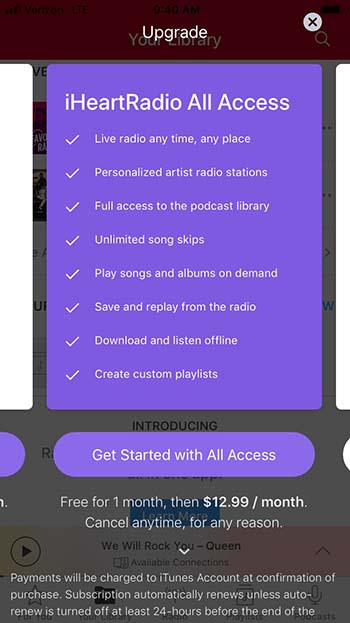
For $12.99 a month, you can get iHeartRadio All Access. It’s got everything from the previous two tiers, plus the ability to download for offline listening and the ability to create custom playlists.

iHeartRadio

Yes, you can listen to live radio

Yeah, yeah, yeah. iHeartRadio does have an option to listen to live radio. And it’s a bit more convenient then you might have anticipated.

iHeartRadio

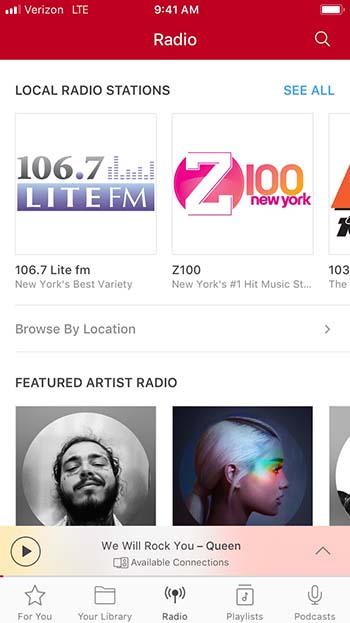
Sure, you can listen to some of the same radio stations you listen to in your car ride to work. However, iHeartRadio has stations that solely revolve around specific artists. This is similar to something that you might find on XM radio, but that costs money; iHeartRadio is free. Are you in the mood to listen to Post Malone? IHeartRadio has an entire station dedicated to him!

Suggestions based on your interests

When you’re on Facebook, you’ll get friend suggestions for people you might not even know. When you’re on iHeartRadio, you get suggestions for artists and stations you will probably know and like!

iHeartRadio

You’ll get a bunch of suggestions right when you download the app, so you can start listening right away.

Create a library of your favorite music and podcasts

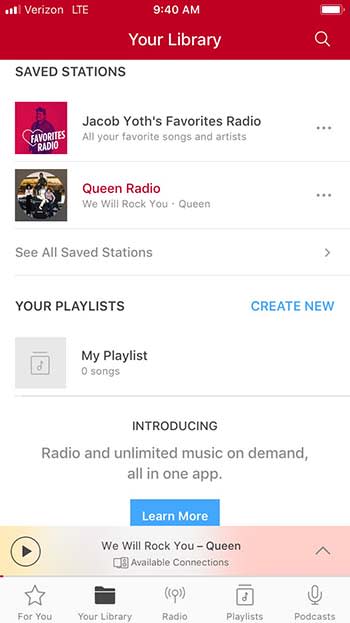
If you find a station that you like, you can save it in the Your Library tab. The app will also create a special station filled with songs and artists that you love listening to.

iHeartRadio Library

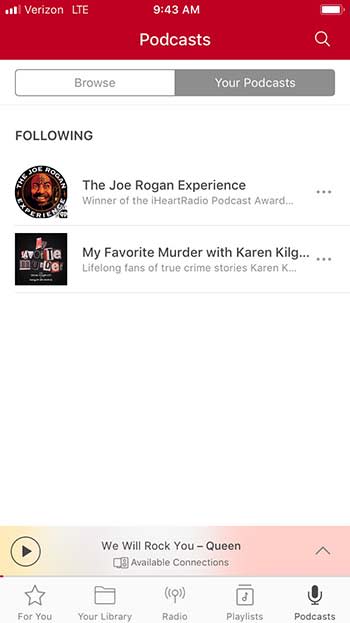
You can also follow podcasts and save them under the Podcasts tab.

iHeartRadio

Share with your friends!

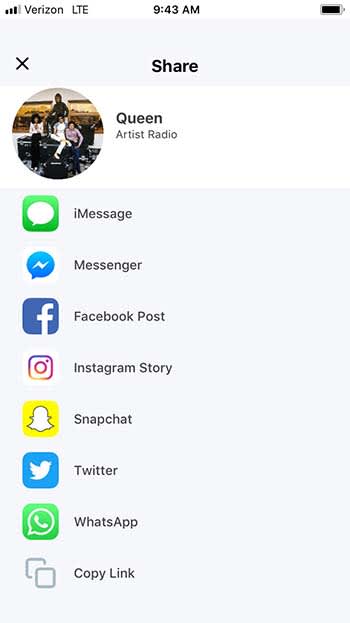
Have you ever been driving and you started listening to a song that is perfectly defining your morning? You’d love to share that song on social media, but you just can’t search for it on YouTube while you’re driving. Luckily, iHeartRadio gives you the ability to share songs, artists, podcasts, and more right from the app.

IHEARTRADIO

To make things even better, iHeartRadio gives you a ton of sharing options. Sure, you can just copy the link, but you can also share directly through Facebook, Twitter, Snapchat, Messenger, Instagram, and even WhatsApp.

Don’t forget the lyrics

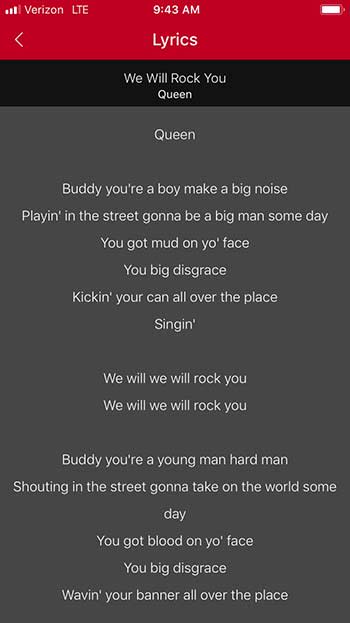
It’s a small little feature, but it’s fun and worth mentioning. While listening to a song, you can click on the Lyrics tab to get a transcript of the song’s lyrics.

iHeartRadioThis is fun if you want to sing along with the music, or if you want to prove to your friend that Jimi Hendrix isn’t saying “Excuse me while I kiss this guy.”
Wrapping up

IHeartRadio shares a lot of the same features as Pandora, but it also has so much more. It’s truly a one-stop shop for all of your listening needs, and for the low price of free, it’s definitely worth your time.

Top 7 podcasts on YouTube

Some of your favorite YouTubers have amazing podcasts! Check them out!

Ear BiscuitsMove over Spotify, you’re not the only podcast host around here.
Some of our favorite YouTube content creators and celebrities have decided to deviate from their usual work, and create podcasts. Just like how there seems to be a YouTube video for all of your needs, there seems to be a podcast on YouTube for all interests.

For this list, we took a look at all YouTube podcasts released by the creators. Although these podcasts might be available on other platforms, they can also be listened to on YouTube. Also, we are not considering podcasts that have been uploaded by fans or outsiders.

8

Top 7 podcasts on YouTube

Let’s get this out of the way: no, a YouTube video is technically not a podcast. By definition, a podcast is an audio file; there is no video. However, these creators refer to themselves as podcasts, and we aren’t going to argue with them or their millions of subscribers. 

7. StarTalk

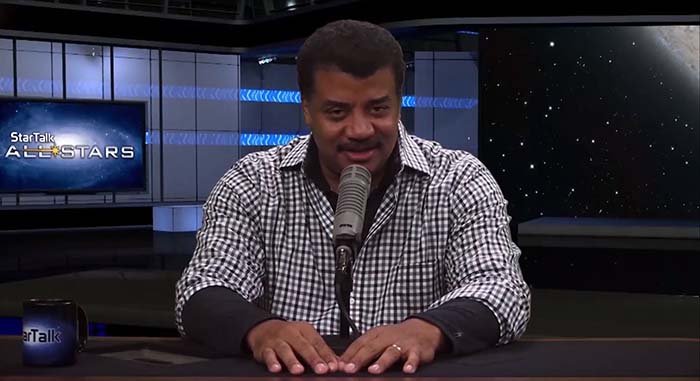
StarTalk

Even some of Neil Degrasse Tyson’s fans sometimes have an issue making it through his books. He’s quite knowledgable, but his charisma and entertainment value don’t quite shine through.

However, Tyson’s podcast StarTalk is filled with answers to many of the universe’s mysteries and still manages to be funny.

The channel does not have many full episodes of the podcast. For those, you will need to go to their website. However, the channel does have interviews, segments from the podcasts, and funny clips of Tyson being Tyson.

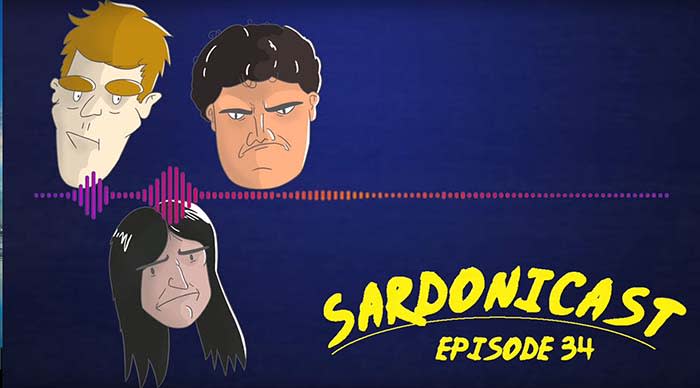
6. Sardonicast

Sardonicast

Sardonicast stars three YouTube content creators known for discussing film: Adam from YourMovieSucks, Alex from IHateEverything, and Ralph from RalphTheMovieMaker.

The podcast, as you might imagine, is also based around film discussion. The three hosts are known for being hilarious and also very sarcastic. The three banter about movies similarly to Gene Siskel and Roger Ebert.

If you’re a film lover, then you’ll love these guys. Not only will they make you laugh, but they’ll make you appreciate quality filmmaking so much more.

5. Your Mom’s House

Tom Segura

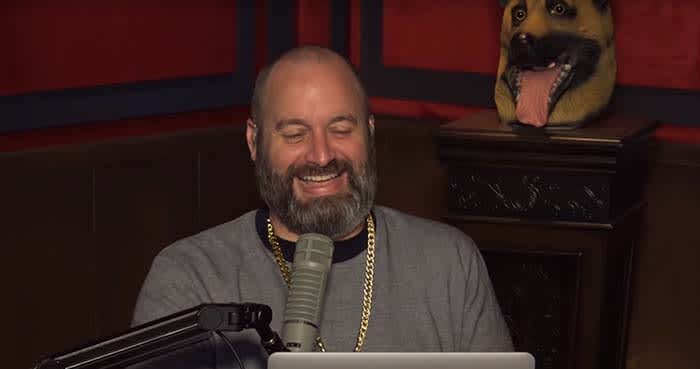
If you aren’t familiar with Tom Segura, go watch one of his Netflix specials right now. He is easily one of the funniest comedians in the game right now.

Are you back? Hilarious, right?

Your Mom’s House is hosted by Segura and his wife and comedienne Christina Pazsitzky. On the podcast, they interview other people in the comedy industry as well as entertainers.

If you want something funny to help get you through your work day, Your Mom’s House might just be the answer.

4. Joe Rogan Experience

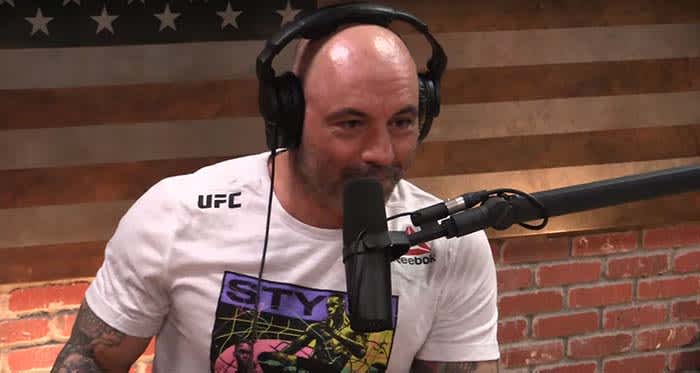
Joe Rogan ExperiencePrior to his podcast, Joe Rogan had a few claims to fame. He was the host of “Fear Factor,” a show where contestants had to conquer their fears. He’s a commentator for UFC. He even has done stand-up and has specials on Netflix. 
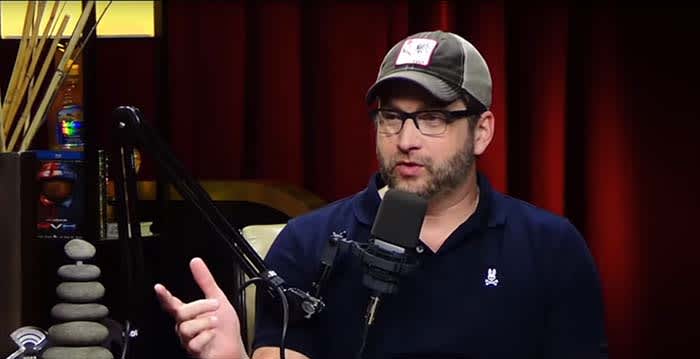
However, what most people seem to know him from nowadays is probably his podcast, “Joe Rogan Experience.” On the podcast, Rogan invites celebrities for interviews, or just to smoke a joint like how he did with Elon Musk. 

One of the best (or worst) parts of the podcast is that Rogan is not afraid to bring on controversial guests such as Alex Jones or Ben Shapiro. He’ll ask hard questions on controversial issues, and his fans love him for that.

3. RT Podcast

RT Podcast

If you type in “video game podcast” on YouTube, you’re gonna get a LOT of different podcasts. These range from okay, to pretty cringe-worthy.

The problem is a lot of these podcasters aren’t established names who have already made a name for themselves on YouTube or in the entertainment business in general. The RT Podcast is the definitive podcast for video games.

For those that have been living under a rock, Rooster Teeth is a popular YouTube channel that does let’s plays and other video game content. They also have a longrunning series called “Red vs. Blue,” which is a comedy that takes place in the Halo universe.

On the podcast, the team at Rooster Teeth talks about video games, internet trends, and also random internet hilariousness.

If you’re a fan of Rooster Teeth, the RT Podcast will not disappoint you.

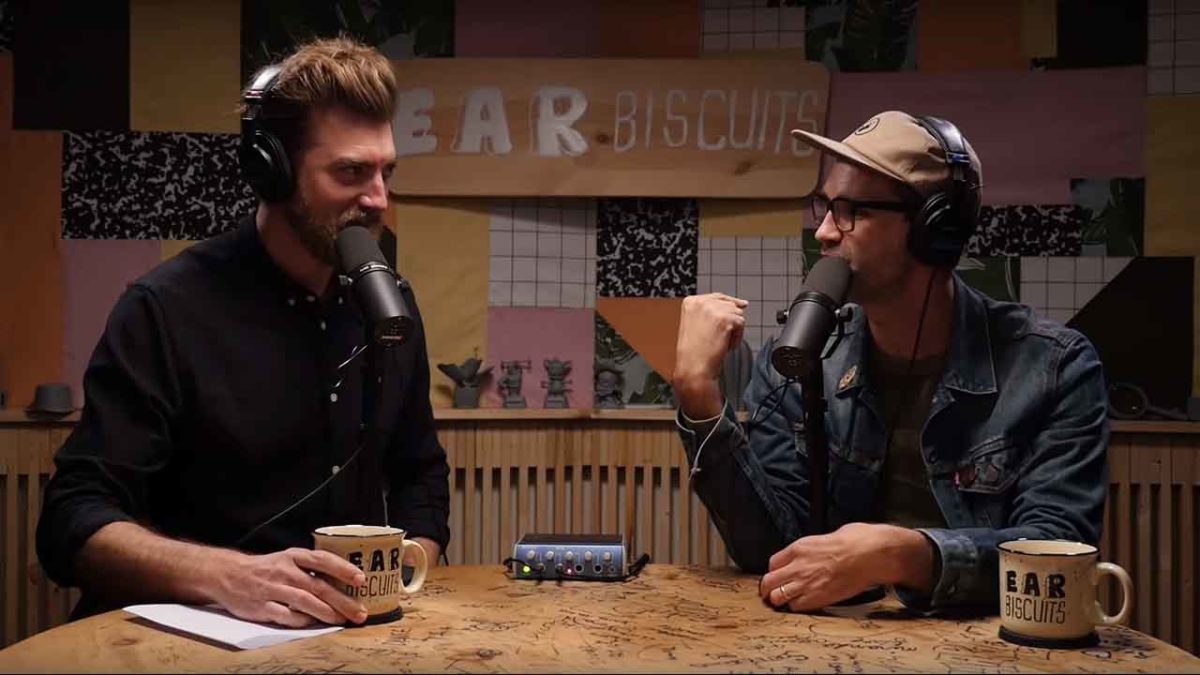
2. Ear Biscuits

Ear biscuits

Easily one of the best channels on all of YouTube is Good Mythical Morning.

GMM is essentially the talk show of the internet. Rhett and Link, the hosts, play games, eat gross food, and put their bodies through the oddest conditions.

So what’s Ear Biscuits then?

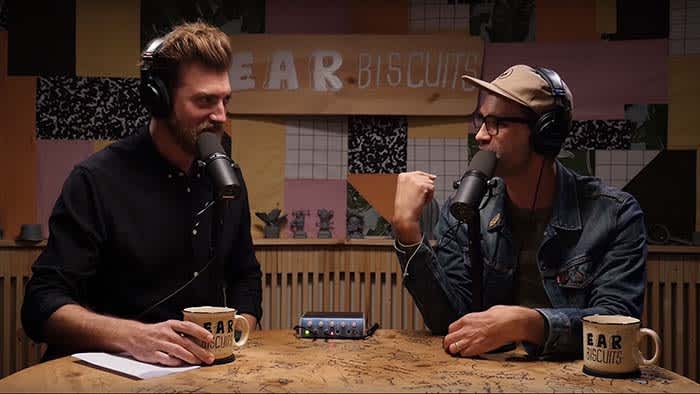
Ear Biscuits is the podcast hosted by Rhett and Link. Rather than talking about current events, celebrity gossip, or hosting interviews, the pair instead talk about everyday life. 

Has your family just suffered a loss? They talk about that. Do you often procrastinate? They go into that as well. Along with the mysteries of the universe, do you find yourself debating the comedic value of farts? Well, they talk about that too.  

On GMM, Rhett and Link don’t often go into controversial topics. You won’t hear a lot of social or political issues come up. However, the two are surprisingly much more vulnerable on Ear Biscuits.

If you’re a fan of GMM, then you’ll really love Ear Biscuits. If you’re not, there is still a lot of quality content for you to enjoy on the podcast.

1. H3 Podcast

H3 podcastEthan Klein is not the greatest host.
He often doesn’t stay on topic. He often loses control of interviews. Also, things rarely go according to plan. With that being said, you’re probably wondering how on Earth the H3 Podcast took the number 1 spot.

Ethan and Hila Klein create a very casual atmosphere where guests go into personal detail that we simply don’t get to hear elsewhere.

The husband and wife team do have shows just featuring the two of them, but they mainly do episodes with guests from YouTube and beyond. Heck, they even invite YouTubers they dislike on the podcast:

If you’re a fan of H3H3 Productions and their videos, their podcast definitely has something for you.

Wrapping up

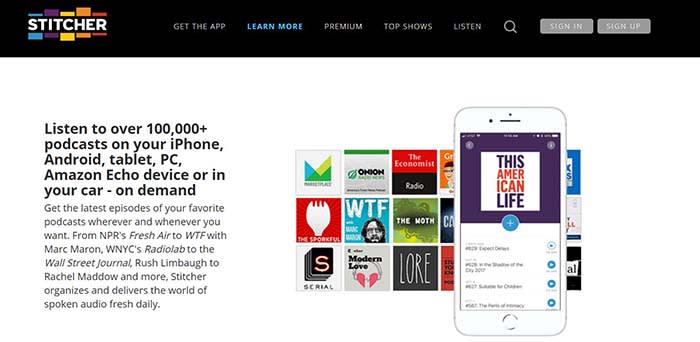
Look, if you’re a fan of true crime podcasts, then you need to listen to My Favorite Murder on Spotify or Stitcher. YouTube simply can’t compete in that area and some others.

8

Stitcher Download now ►
9

However, both celebrities and famous YouTube content creators have some incredible podcasts on the platform. Happy listening!

How to submit your podcast to Stitcher

Stitcher can be the tool that takes your podcast to the next level.

Making a podcast

So, you’ve created a podcast poised to become the next big thing in true crime, pop-culture, or something new altogether.

Now, you’re thinking distribution, expansion, and the ability to monetize.

Your next move is to submit your podcast to a few platforms. Think Apple, Google Play, Spotify, and of course, Stitcher.

Stitcher Download now ►
9

Below, we’ll look at what it takes to get your podcast on to the popular platform. Although, standing out in a sea of aspiring podcasters may well be another story for another time.

How to get your podcast on Stitcher

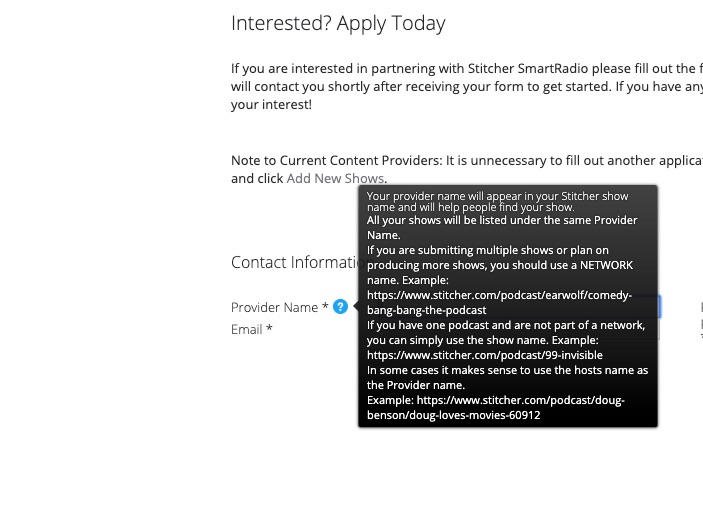
Getting your podcast on Stitcher is relatively easy. All you’ll need to do is head over to the official website, and create a content provider profile.

apply to be a stitcher content creator

Once you’ve created a login, click the “Add Shows” tab in the top navigation.

Add your RSS feed, show details, and hit submit.

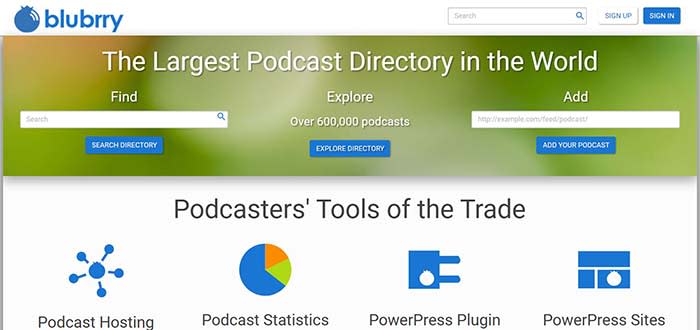
That said, there’s more to it than adding your RSS link. To find your RSS link, you’ll need to go to your podcast hosting platform — BluBrry, Spreaker, Libsyn, etc. From there, you can get the link.

Adding your link will provide Stitcher with your podcast’s metadata, but you can customize further once you’ve connected your episodes.

BluBrry

You can add a description that lets your audience know what each episode is about. This is better than lumping everything together under one umbrella description.

You’ll need to make sure you have a unique podcast title — hopefully, you’ve done this before you hit the record button the first time. However, we’d advise double checking that no one else is already using the name of your show.

You’ll also need to make sure your podcast artwork is 1,400 x 1,400 pixels, and in either PNG or JPG file format. Also, audio files must be in MP3 or M4a format.

Once all of those components are in place, you’ll just kick back and wait for approval.

Free MP4 MP3 Converter Download now ►
7

We should also mention that adding your show doesn’t mean you have a blanket approval for all future episodes. Stitcher manually approves each episode and can take up to a week to approve each show.

Keep that in mind if you’re posting on a regular schedule, as fans will expect shows to drop at a specific time each week.

What’s the deal with Stitcher approval times?

Stitcher

Good question. The Stitcher website isn’t especially forthcoming about who gets approved, and why, at least not at first glance.

According to a user on Reddit’s r/podcasting, Stitcher takes about an hour to approve content creator applications.

In that same thread, a few users mention that Apple Podcasts can take up to two weeks to grant their approval. Other platforms like Spotify and Google Play take a few hours.

8

Now, this is all anecdotal. It’s worth pointing out that approval times might vary based on factors such as listenership or whether you’ve submitted the requested information correctly.

After the initial approval, the platform may take a few days to approve each episode. So, you might want to front-load your content in order to make sure you can schedule regular drops.

Can you make money on Stitcher?

Make money on a podcast

Yes, but Stitcher won’t pay you outright. The whole purpose of Stitcher is to help you extend your reach to more listeners. However, you’ll need to establish partnerships with advertisers on your own.

According to the platform’s Content Provider page, podcasters who can grow a larger audience may be eligible to participate in the platform’s revenue sharing program.

But, if you’re just starting out, your best bet is to work on growing your audience on your own.

Promoting a podcast can turn into a full-time effort, just like any form of marketing.

Again, Stitcher isn’t the only place where you can submit your podcast. For best results, you should submit your podcast to Apple, Spotify, Google. From there, promote your podcast like crazy on social media.

How to add your podcast to Spotify

Don’t miss out on potential listeners. Add your podcast to Spotify with our guide.

Spotify with headphones

While Apple has dominated the podcast industry for a long time, Spotify has stepped up and become one of the top competitors in this field.

8

Many people who are new to podcasts are going to Spotify first because of how easy it is to integrate with your music. If you don’t have your podcast on this site, then you’re missing out on a lot of potential listeners.

How to get your podcast on Spotify

Step 1: Log in

Log into your Spotify account on their podcasters page.

Spotify podcast

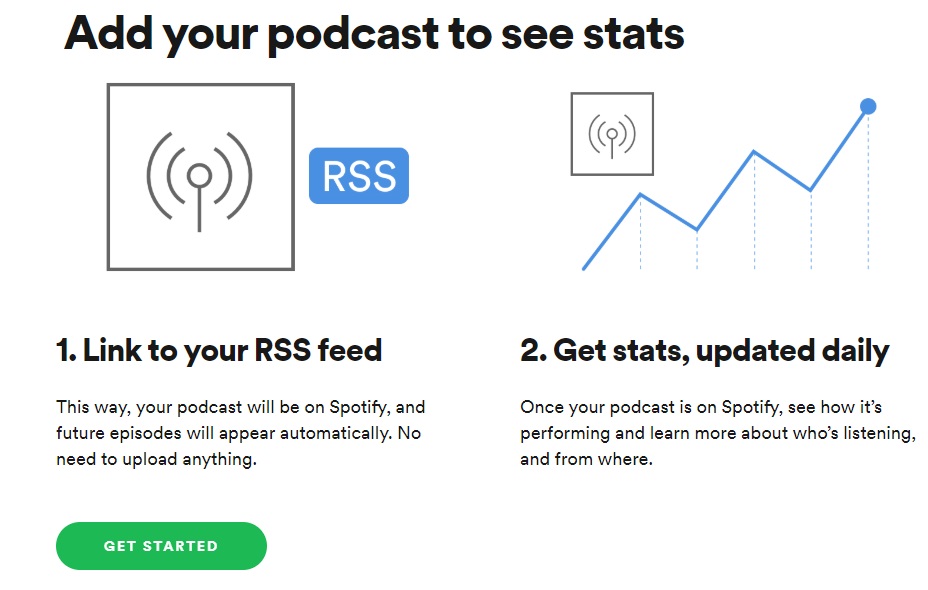
Step 2: “Add your Podcast”

You’ll be redirected to the “Add your Podcast” tab once you log in. On this tab, press the “Get Started” button.

Spotify Podcast

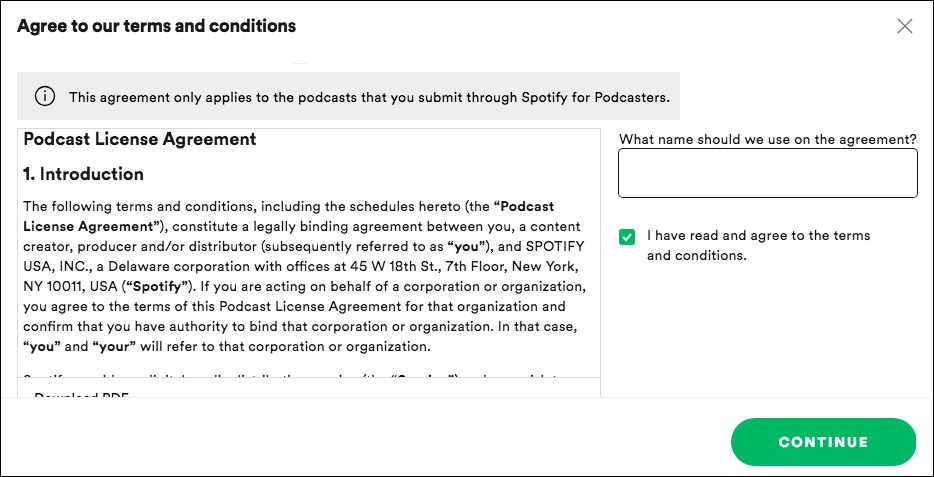
Step 3: Terms and Conditions

Check the box saying you have read the terms and conditions and enter your legal name or company name. Then press “Continue.”

Spotify Podcast

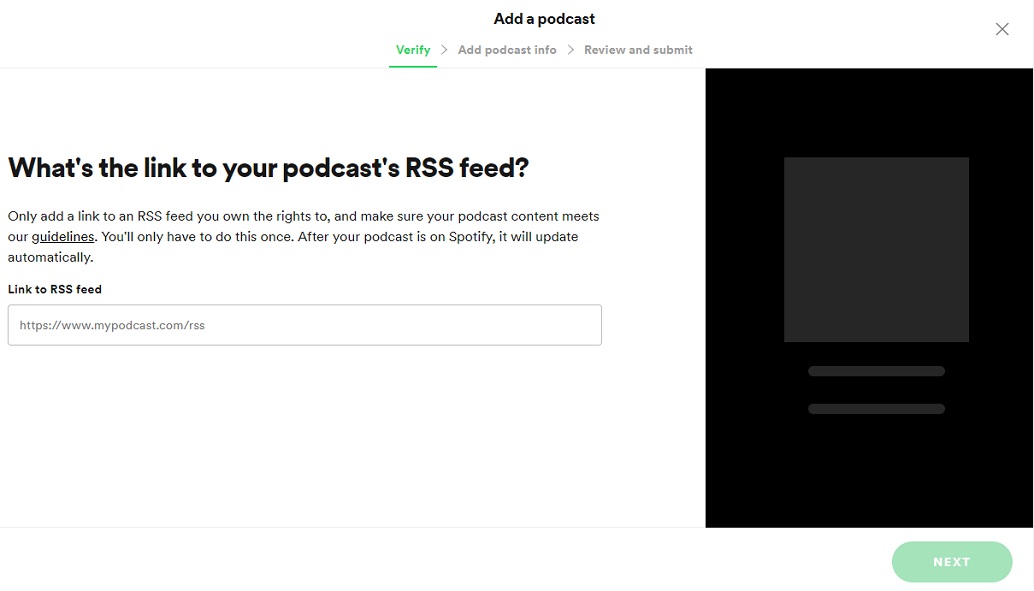
Step 4: Enter your information

Enter the RSS feed URL of your podcast into the box and press “Continue.” Your podcast’s information should appear after you put the RSS feed URL in the box. If it doesn’t, you may have a hosting problem that you’ll have to fix before you can continue.

Spotify Podcast

Step 5: Answer Spotify’s questions

Spotify will then ask you to fill out your location, podcast category, and some other basic information about your podcast. Once you’re done filling this out, you can press “Next.” Then press “Submit,” and you’ll be finished.

In conclusion

You will likely hear back from Spotify within the next few days. It is possible for them to deny your request if your podcast episode files are too large. They can also reject you if you lack a description, image, or episodes in your RSS feed. If any of these happen, Spotify will let you know the reason for your denial, so that you can go fix it and resubmit your podcast.

Additionally, if you haven’t submitted your podcast to iTunes, then you may want to check out this guide to help you do that as well. Since iTunes is still the most popular site for podcasts, it’s well worth using.

How to add your podcast to iTunes

Here’s how to share your podcast with the world…

podcasts

Despite all the competition, Apple Podcasts is still the place that the majority of listeners go to when searching for new podcasts. They’ve been in the game since the very beginning, and it would be completely irresponsible to not have your podcast on their site. Thankfully, they also have one of the easiest application processes for submitting your podcast, so you don’t have to go through an extreme process to get onto their platform. Here is an easy step by step guide on how to put your podcast on iTunes.

How to add your podcast to iTunes

Apple Podcasts

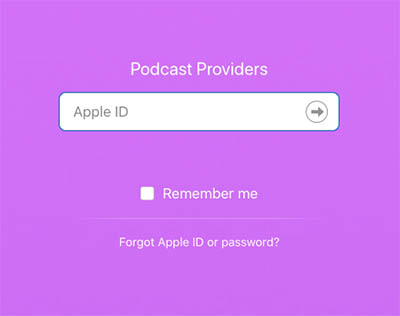
Step 1: Go to the iTunes Connect site and login with your Apple ID. If you don’t have one, you’ll have to create one.

Step 2: Enter your RSS Feed URL and press “Validate.” Note: You may have to press a “+” symbol in the top left corner if you already have a podcast associated with your Apple ID. This will bring you to the page where you can enter your RSS Feed URL.

If you’re hosting your podcast on SoundCloud, then you can find the RSS feed under “Settings” and “Content”. If you’re hosting it on another site and you do not know where to find your podcast’s RSS Feed URL, rss.com made an easy guide to help you find it.

Additionally, there are some requirements to what has to be in your RSS feed to qualify. The RSS feed must contain a title, description, and registered language. You’ll also have to place the podcast into a maximum of three different categories that Apple has listed, as well as marking whether the content is explicit.

You may also want to check out the other requirements Apple listed if you are worried about the content of your podcast possibly going against the values of Apple. Most of these are guidelines for the titles and artwork, but some include the type of content that is restricted by Apple.

Step 3: After pressing “Validate,” your podcast’s information should appear. Make sure to double check it for accuracy. Once you’ve done this, you can go ahead and press “Submit.”

Step 4: Wait for your confirmation email from Apple. This can take up to 10 days. Once you’ve received it, your podcast will be available to download right away.

Possible submission errors and how to correct them

Because Apple Podcast is such a popular choice, Apple has pretty high standards for what they allow on their site. While the content of your podcast doesn’t really matter to them, the appearance and quality do.

  • RSS feed problems – If you are using SoundCloud, Buzzsprout, Libsyn, or other reputable podcast hosting sites, then you shouldn’t have to worry about this being an issue (and each of those sites has their own troubleshooting methods if it is one). However, if you have your own site to host your podcast, you may run into an issue if your feed isn’t programmed correctly. There are a few feed validators on the internet that can help you find and fix your RSS feed issues.
  • Bad Artwork – Apple cares about appearance more than anything else, and if your podcast doesn’t look like it’s going to be high quality, then they don’t want it. Artwork seems to be a bigger issue than the audio quality (!), so you will need a quality image to go along with your podcast if you want to get it on Apple Podcast.

If you’ve successfully completed these steps, congratulations! You’ve finally put your podcast on the most important site in the industry. Don’t forget to check out other popular locations like Spotify and Stitcher, so your podcast is able to reach as many listeners as possible.

Spotify says it wants to become the Netflix of music

What’s next for Spotify as they look to dominate all audio entertainment?

A few weeks back, Spotify announced they were angling to become the Netflix of music. Isn’t that the same as what they currently offer? You pay for a monthly subscription and consume music that eventually builds an algorithm perfected by past choices.

But — what this means is something else. Something both Netflix and the long list of internet retailers and blockchain startups already do — wipe out the middle man.

In other words, Spotify needs to make its own content if it wants to level up its profit potential.

As is, record labels take about 75% of Spotify’s revenue. So, they’re making moves toward original content.

Spotify acquires Gimlet and Anchor

gimlet bought by spotify

As we mentioned, Spotify needs to get in on the content game to make money. So the plan is to take over podcasting. The streaming company announced this month that they had acquired Gimlet Media and Anchor.

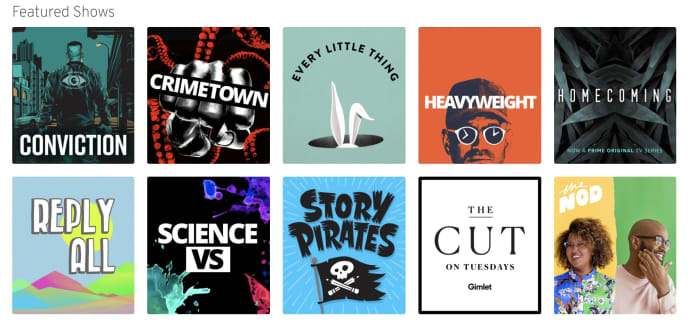
For those who don’t know, Gimlet is a podcasting network known for shows like Reply All and Heavyweight, while Anchor is a tool that helps podcasters produce and distribute podcasts.

These acquisitions signal a move toward a podcasting version of something called vertical integration. What this means is, one company buys two or more parts of the supply chain — an example is a store like Target that owns the manufacturing of its store brands, controls the distribution process, then sells those products in its stores.

Then, in the case of Target’s generic brand, passes the savings on to the customer.

Podcasting only? Not exactly

Interestingly this vertical approach seems to apply only to podcasting. With podcasting, the medium is only starting to pick up mainstream steam. Though some podcasts are hugely popular, many still have a DIY vibe.

Spotify has plans to spend up to $500m on podcast-centered acquisitions. Anchor and Gimlet are the tips of the iceberg.

TechCrunch raises an interesting point about Spotify’s focus on casts — the app simply added podcasts into the fold, alongside the music. The company hasn’t tried to force users to separate apps for podcasts and music like Apple. Rather, they’ve opted to keep things together inside the one app.

Second, Spotify is one of the few podcast platforms with a decent discovery feature, which has long been a pain point for the slow-growing industry.

That said, the discovery feature could be improved. As is stands, Spotify’s podcast section does make a few recommendations, but the content doesn’t always match up with listening preferences.

What about music?

According to Billboard, Spotify has started licensing some songs from artists directly. But it seems that right now, the streaming service is trying to stay away from competing with record labels.

While they don’t seem to be publicizing this much, Spotify does offer artists more money to work with them directly — so they technically are competing with record labels.

Spotify doesn’t ask for exclusive rights from those artists who work directly with the streaming service. Those artists can also sell their music to Apple and Google, or whoever else.

It’s also important to note that Spotify isn’t trying to become a label. But they are paving the way for artists who want to own their content and make deals with distributors, rather than working with a label who owns that music.

7

How will this affect content creators?

Ultimately, the actual payout remains to be seen. Spotify isn’t exactly known for offering musicians massive paydays.

Still, podcasting is a different industry. Creators often rely on crowd-funding and DIY marketing methods to get off the ground. Those who make money do so by selling ads, doing live shows, and selling merchandise.

No one really knows how this whole thing will shake out. There’s no question that a massive corporation entering this anything-goes, low-stakes industry might change what makes podcasting so special.

How to record a podcast with good sound quality

Sound quality can make or break your podcast. Follow our guide for a better recording!

podcast mic

Anytime you do a podcast, it’s critical to lay down a quality recording. No amount of editing can make a really bad recording sound good. You may have the funniest, coolest, most interesting conversations happening during your podcast. Unfortunately, nobody is going to listen to them if the sound quality is awful.

Here’s how to make sure you get the best possible sound quality when you record your next podcast.

How to record a podcast with good sound quality

1. Find a quiet place

When you’re choosing a spot to record a podcast, keep in mind four words: the quieter, the better. You can take steps to soundproof your recording space, including adding extra insulation to the walls or installing acoustic panels. Don’t forget to add insulation to any flat surfaces your equipment is sitting on. Even a simple towel on any surface can reduce the “bounce” of your voice. If you can’t do that, just try to use a room that is as noise-free as possible. Close any windows and doors, and turn off any appliances or electronics that create background noise. If all else fails, record in your closet! Your clothes can make for a surprisingly quiet recording space.

2. Use good equipment

You don’t necessarily have to spend a fortune on audio gear. However, you can’t use a poor-quality microphone and expect to achieve crisp, clear sound. Read lots of reviews before spending money on recording equipment. (We have some microphone recommendations to get you started.)

Look for gear that offers some kind of warranty or quality guarantee. Also, be sure to invest in good software to make it easier to record and edit professional-sounding podcasts. There are some good free options as well. Mixing software can help you do cool things in the editing phase that would take lots of time and expertise to do on your own. And if you’d like some free sound effects, those can help, too.

3. Keep the right distance between mouth and mic

One very common mistake people make when doing voice recordings is putting their mouth way too close to the microphone. Be conscious of how far your lips are from your mic, and try to keep them at least 4 inches away (but not more than 12, as a general rule). You’ll probably have to experiment with this to find the right distance for your setup.

Also be aware of moving your head to the right or left as you record. You should stay facing the microphone any time you are talking, and avoid shuffling around in your seat.

4. Don’t talk over one another

If you conduct your podcast with a co-host or have guests on your show, be careful that you don’t all talk at once. This sounds terrible, and your listeners won’t be able to tell who is saying what. It’s a good idea to brief everyone before the start of a podcast. Ask participants to let others finish talking before they begin. Also, it can help to create at least a rough outline for the recording.

Keep these tips in mind and start recording! Good luck!