Boom! E3 has kicked off, and we’ve already been bombarded with big announcements about the biggest video game franchises. As always with E3, however, we’ve been getting some of the wall announcements straight out of left-field. The best announcement so-far has to have come from Bethesda who’ve poked fun at themselves in an ingenious way.
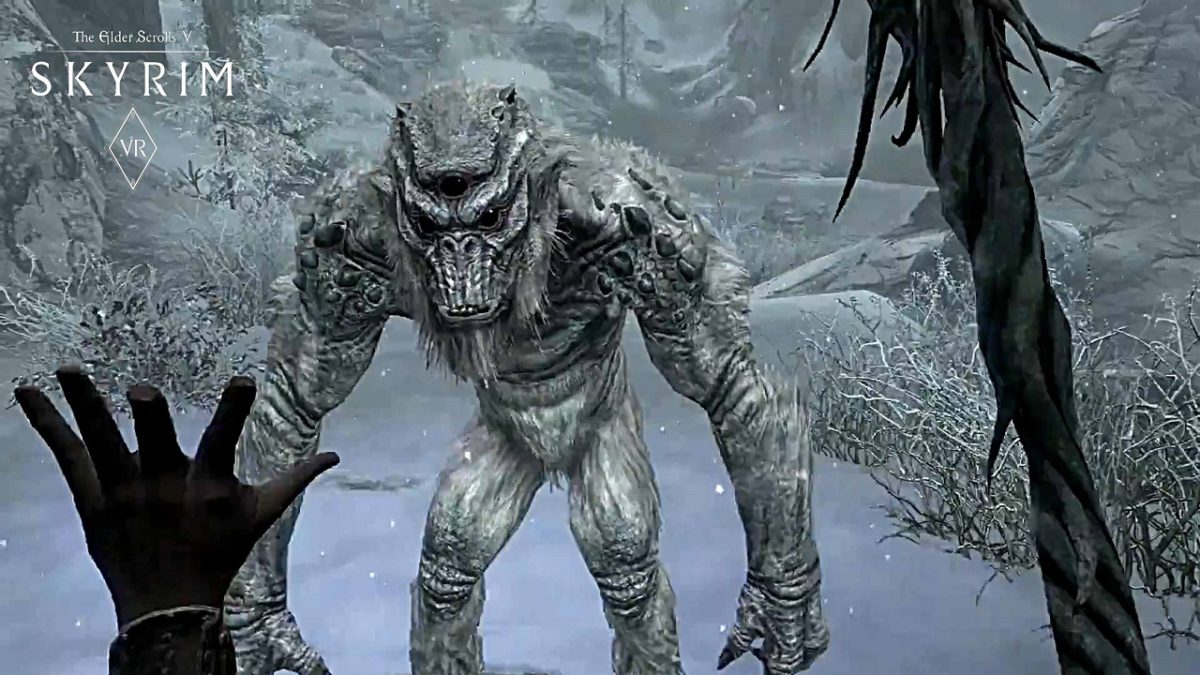
It has been a running joke for years now, that Bethesda has stopped making new games, instead concentrating on porting the hugely popular RPG Elder Scrolls V: Skyrim to different platforms. As well as PC, PS3, PS4, and Nintendo Switch versions gamers have been mocking up fake versions of Skyrim for everything from your smart kettle to a pipboy from Bethesda’s other popular RPG series, Fallout. With a host of new games announced including two new Elder Scrolls, Fallout, and a brand new franchise called Starfield; Bethesda was in a strong position to poke fun at their recent Skyrim porting history. That’s right, there is a brand new version of Skyrim available, and you can play it on Amazon Alexa.
With the trailer announcing other versions for your etch-a-sketch, Motorola pager, and a Samsung smart fridge it seemed to be a joke announcement. In fact, Skyrim on Alexa is very real, and you can play it right now. Repeat after me, “Alexa, open Skyrim.” Now go enjoy the adventure.
The Sims is one of the most fascinating video games out there. It’s almost two decades old and with each new release, it takes another step up. However, despite these updates, the big changes almost always come from user community, which creates excellent mods to get more out of the game. Today, we’re putting on our work boots and teaching you how to download and play Sims 4 multiplayer.
The first step is simple: download the mod.Do it here, unzip it and drag the folder ts4multiplayer-alpha1 to the location where the mods are.
Once the previous step is done, downloadHamachi, the program necessary for creating the virtual network that we’re going to use to play. Open the software and click on “Create a new network.” Add a name and password and write it all down, since you’ll have to send the details to your friend (and they’ll need to follow all the same processes you did).
Let’s go to the server now. Type in the following path: Documents\Electronic Arts\The Sims 4\Mods\ts4multiplayer-alpha1\Scripts\ts4mp\core. If you’re going to make the server, create a .txt file called “server.txt” (without quotation marks). Or, if you’re going to connect to your friend’s account, create a .txt file called “client.txt.” So far, so good, right? Now things get a little more complicated.
Go to Documents\Electronic Arts\The Sims 4\Mods\ts4multiplayer-alpha1\Scripts\ts4mp\configs and look for the file “server_config.py.” You need to open it. Most likely, it won’t let you, so click right and select “open with Notepad.” There, look for two clear sections. The first is called “Host,” where you have to enter a numeric code that appears next to the Hamachi power button (consisting of four series XX.XX.XX.XX). The second is called “Port” and it’s as easy as typing “9999.” Both you and your friend must follow this process, regardless of whether you’re the client or the server.
Don’t quit yet! We’re almost there. If you’re going to act as the server, go to Documents\Electronic Arts\The Sims 4\Mods\ts4multiplayer-alpha1\Scripts\ts4mp\core and look for a file called “multiplayer_server.py.” Open it with Notepad and go to the “self.host” section. There, type in the Hamachi address from the previous point (with the quotation marks this time) and for the “self.port” type in “9999.”
Ta-da, now you’re good to g!. Now just create a game with two Sims (if you’re going to act as the server) and send the saved file to your friend (the games are saved in the folder “Saves” within “The Sims 4”). First, load the file acting as the server and then the client. Now each user will have a Sim within that game.
The client may have issues when selecting a character. If this occurs, whoever makes the server just has to enter the following command: add_client_sims.
The process may seem a little tedious, but with some patience, you’ll get it working.
If you’re a gamer, you’ll know Battle Royale games have taken the world by storm.
Player Unknown’s Battlegrounds (PUBG), a game based on battle royale mods and developed by South Korean studio Bluehole, has taken the gaming world by storm. It has racked up huge sales numbers, an Xbox One port, and now a well-received mobile version.
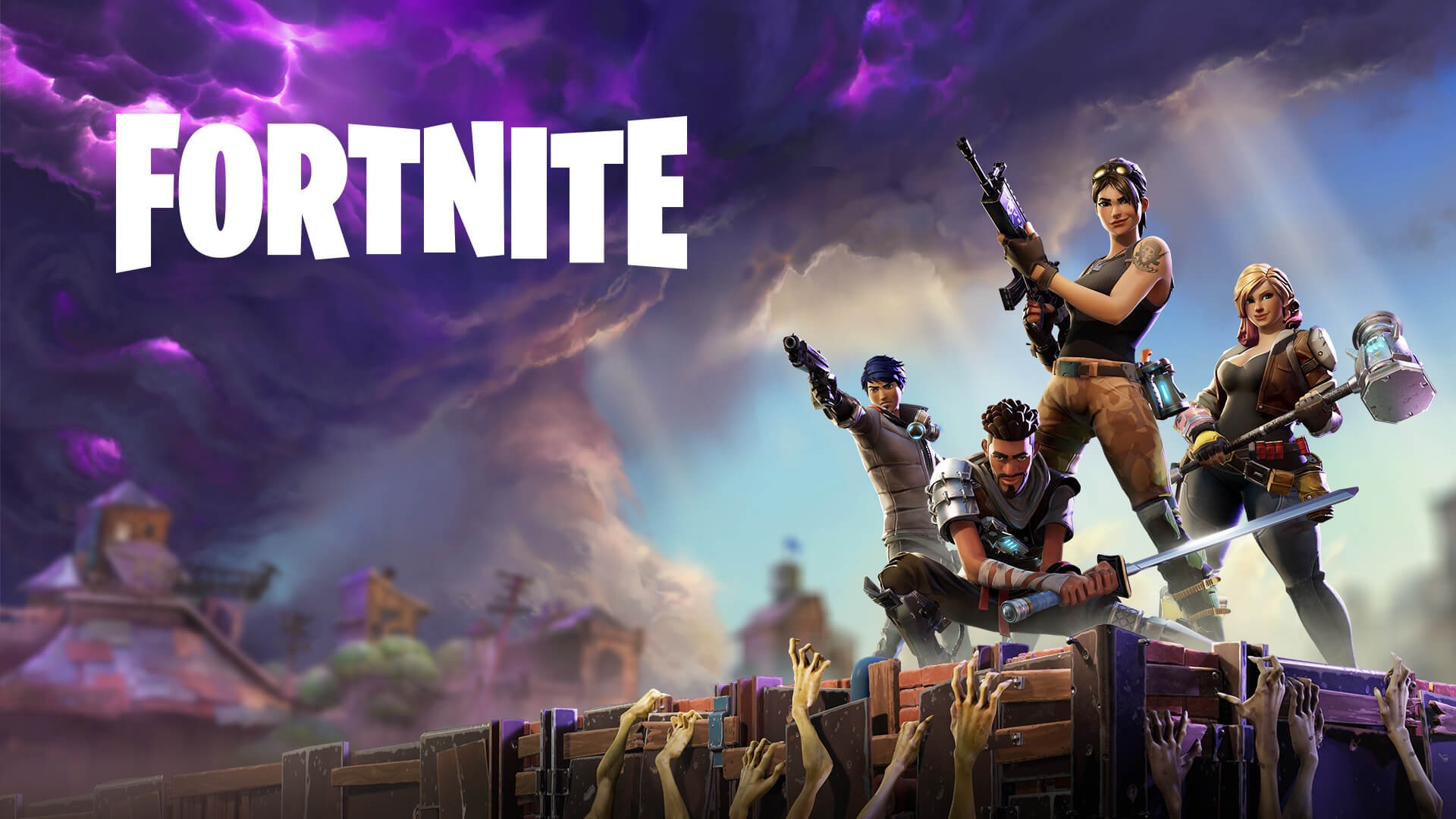
With such success, the game was never going to be alone for long. Enter Fortnite, a rival battle royale produced by American studio Epic Games.
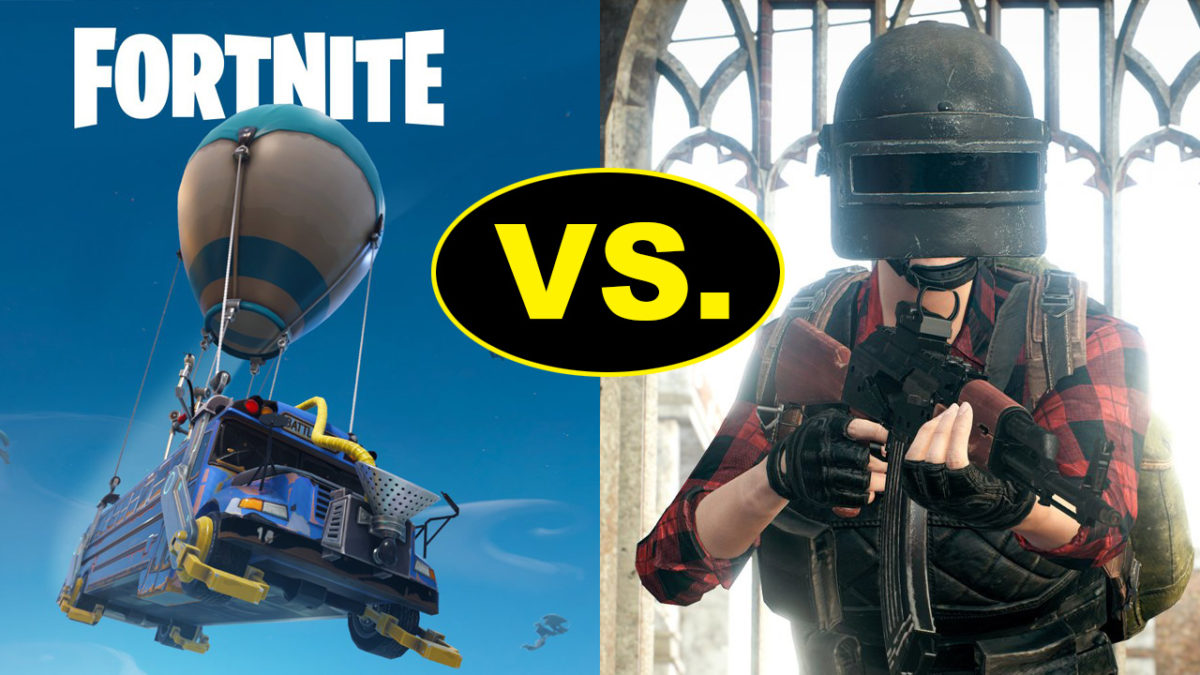
Both games offer the high-stakes, white-knuckle survival fix gamers know and love, but each has a slightly different approach. So, which is better? We’ll compare the major features to help you decide which is the one for you.
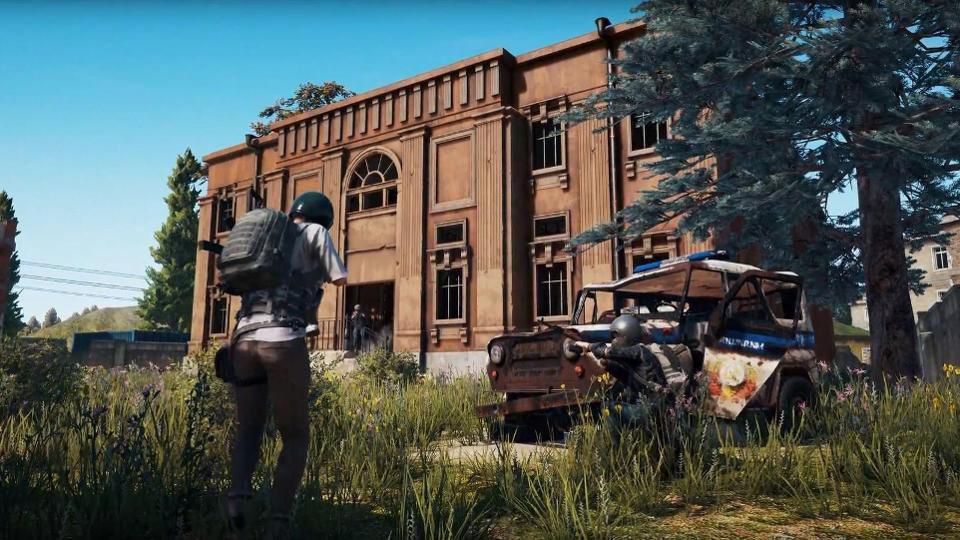
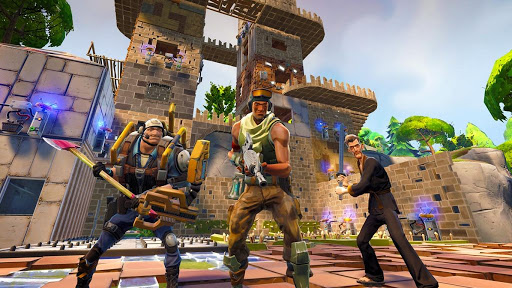
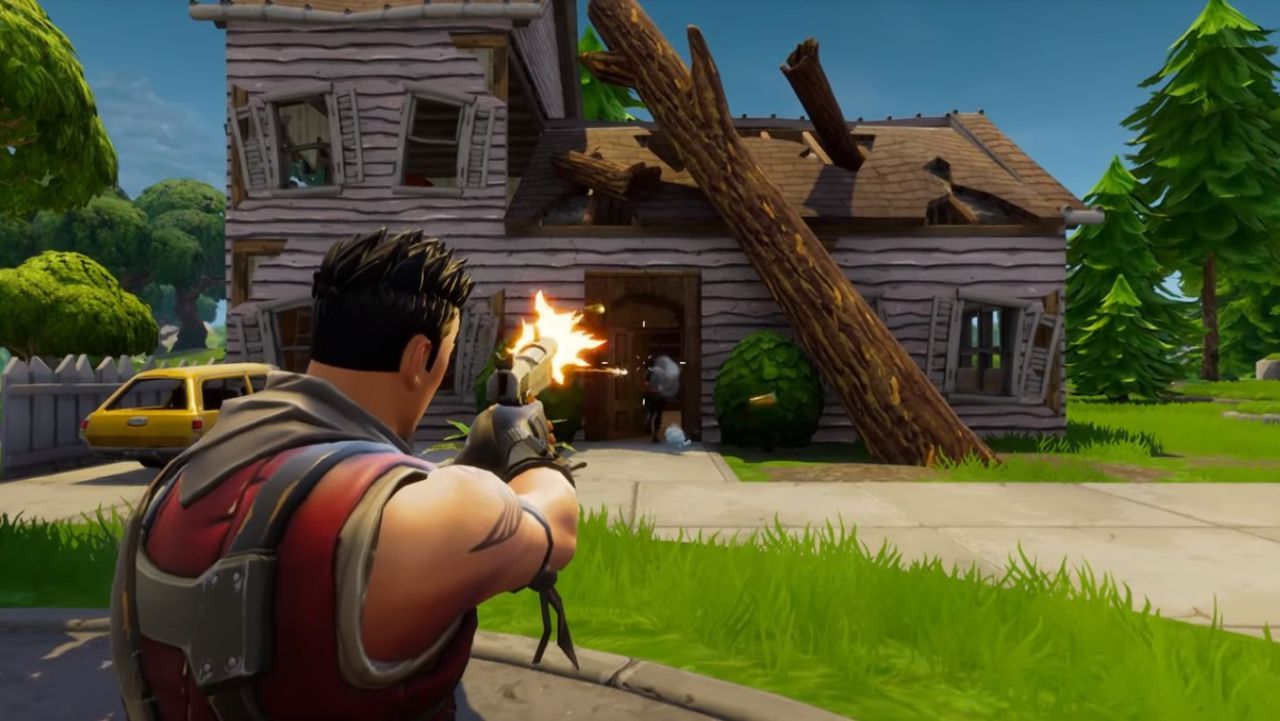
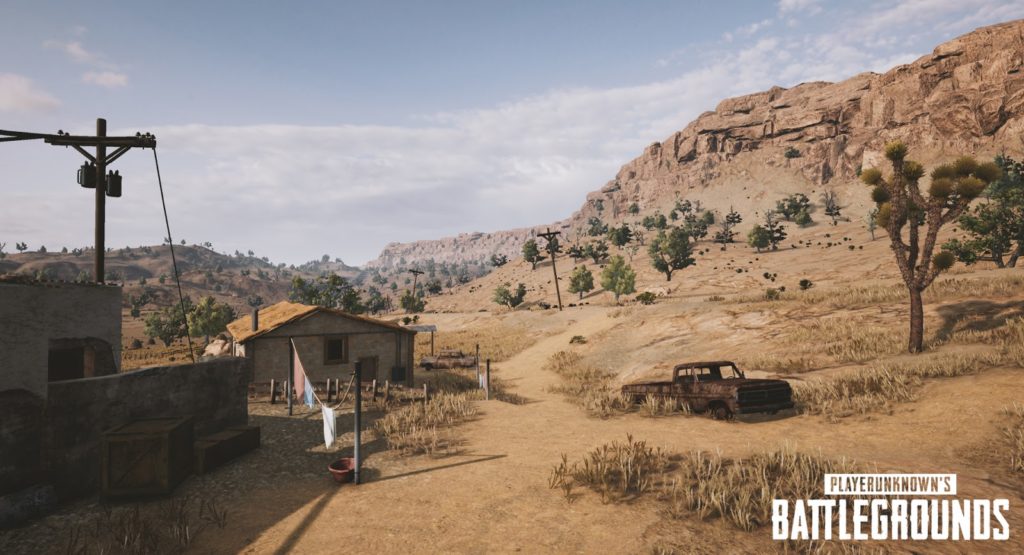
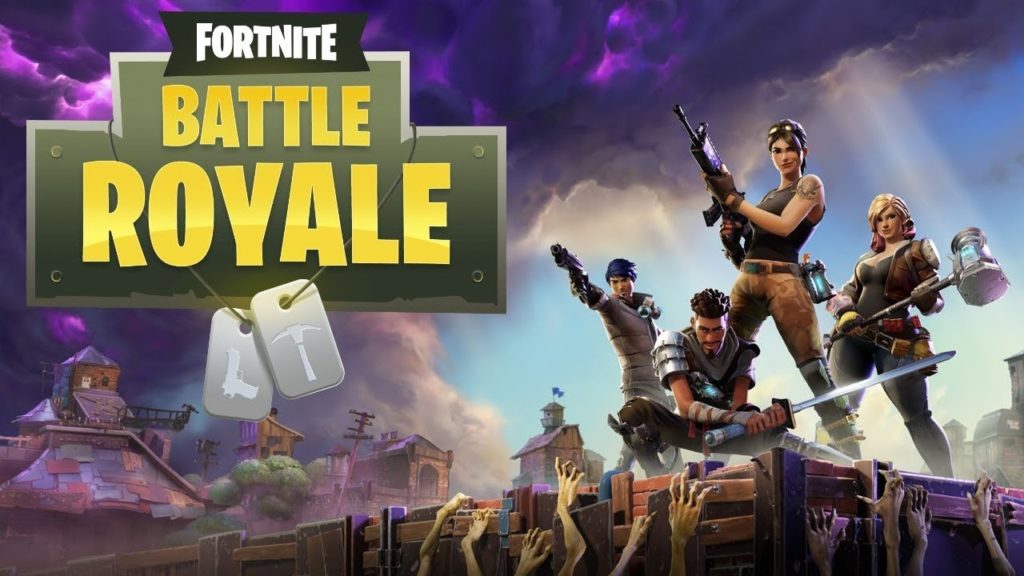
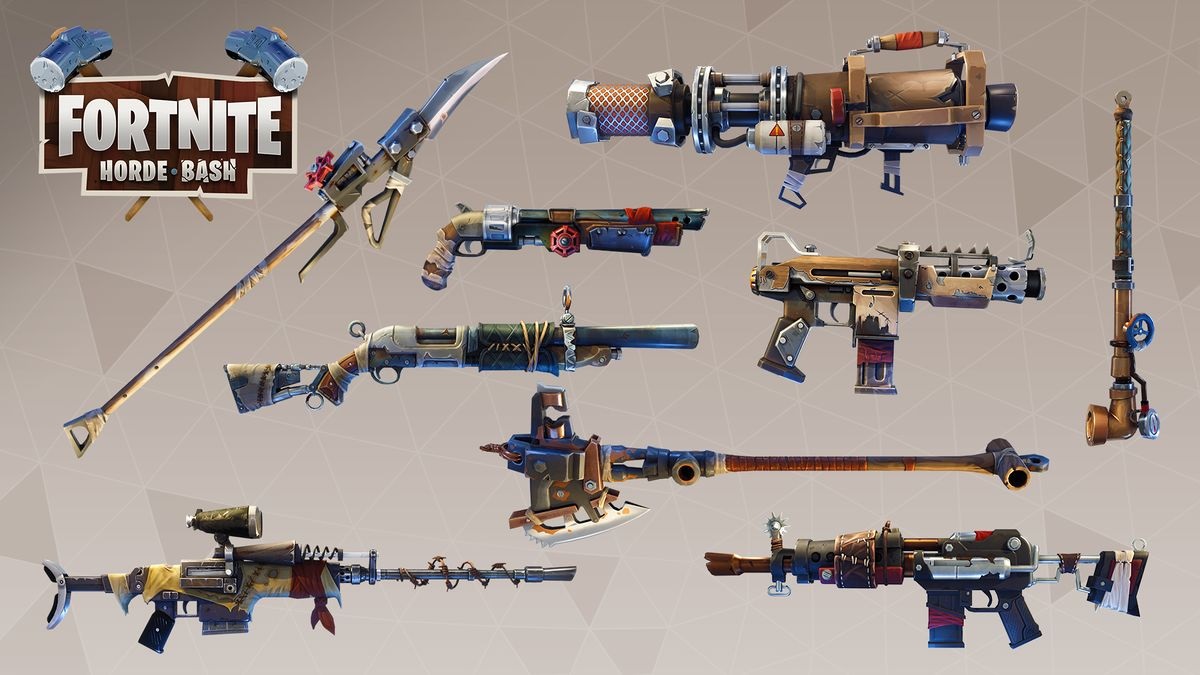
Both games offer a unique graphical style. PUBG is all about gritty, environmental realism, so the color palate is subdued and washed out. Fortnite is the complete opposite, embracing a bubblegum-bright, cartoonish style, with outlandish outfits and weapons.
PUBG environments look like they come straight out of The Walking Dead.
While Fortnite‘s visual style is more Disney than Day Z.
PUBG has gained notoriety among PC users for bad frame-rates and stuttering, even on high-end machines. There are plenty of guides to getting the most FPS from your rig, but until Bluehole fixes the bugs, you might need to play on lower settings. Not that that’s necessarily a bad thing, if you’re a pro player.
Fortnite seems better optimized graphically, and the minimum specs are much lower than PUBG’s, so a wider variety of rigs will be able to run the game.
Gameplay
Generally speaking, the goals of each game are the same: drop in, loot, kill your enemies, and stay within boundaries that shrink as time passes. Gunplay, though, is significantly different.
PUBG boasts realistic gun handling, and you have to account for things like bullet drop. This makes fights difficult and combat tense, but also more rewarding when you win an engagement. You have to plan your moves carefully, and the game rewards patience.
In Fortnite, the style is much looser. Hit points will fly out of player’s heads as you pummel them with a mini-gun, for example. It’s a lot simpler, and easier to grasp. In general, the weapons are a lot more forgiving than those in PUBG, so Fortnite is kinder to beginners.
Tension
We play games to relax, right? Not in Battle Royale.
Clutching your mouse in a death grip while scanning for the bullet that could end it all… Both games have a very different approach to creating this atmosphere.
Broadly speaking, Fortnite is faster, tighter, and the action takes place in a smaller area. When you hear gunshots, it usually means it’s too late to defend yourself.
PUBG is the opposite. Games are about the silence between engagements, the tension drawing out until you finally have someone in your sights. Then all hell breaks loose.
The Ultimate Fortnite: Battle Royale Starter Guide
The key part of any Battle Royale is the late game, and this is where PUBG and Fortnite differ the most.
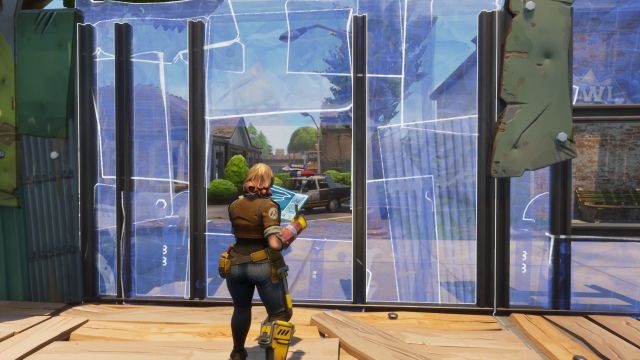
Fortnite introduced a building system, so you can quickly scoot up difficult terrain using stairs and ramps. Late game encourages players to build towers that overlook rapidly shrinking maps. Then you simply pick off your opponents who didn’t plan ahead by collecting building materials as well as weapons.
PUBG’s late game can be a little frustrating. It usually ends with eight players slowly crawling through fields or holing themselves up in one location, waiting for someone else to slip up and reveal themselves. While it’s nail-biting, it can deflate some of the early game excitement.
5 incredible multiplayer games for iOS and Android
Another key part is the actual battleground. Currently, Fortnite has only one map, but the developers are continually adding and polishing up locations.
PUBG has two maps, selected randomly when you join a match. The original map has a bleak, Soviet bloc feel, while the second is a desert. The change of scenery definitely helps keeps things fresh.
Epic chose to make Fortnite completely free. You can purchase outfits and weapon skins from their store, but there’s no pay-to-win advantages to buying an item.
Both PUBG and Fortnite are the leading lights in the newly revitalised Battle Royale genre. However, both will appeal to a slightly different kind of player.
If you’re looking for something casual that’s easy to learn but hard to master, then Fortnite is for you.
If you’re a fan of heart-pounding tension, steep learning curves, and big rewards, then PUBG is the way to go.
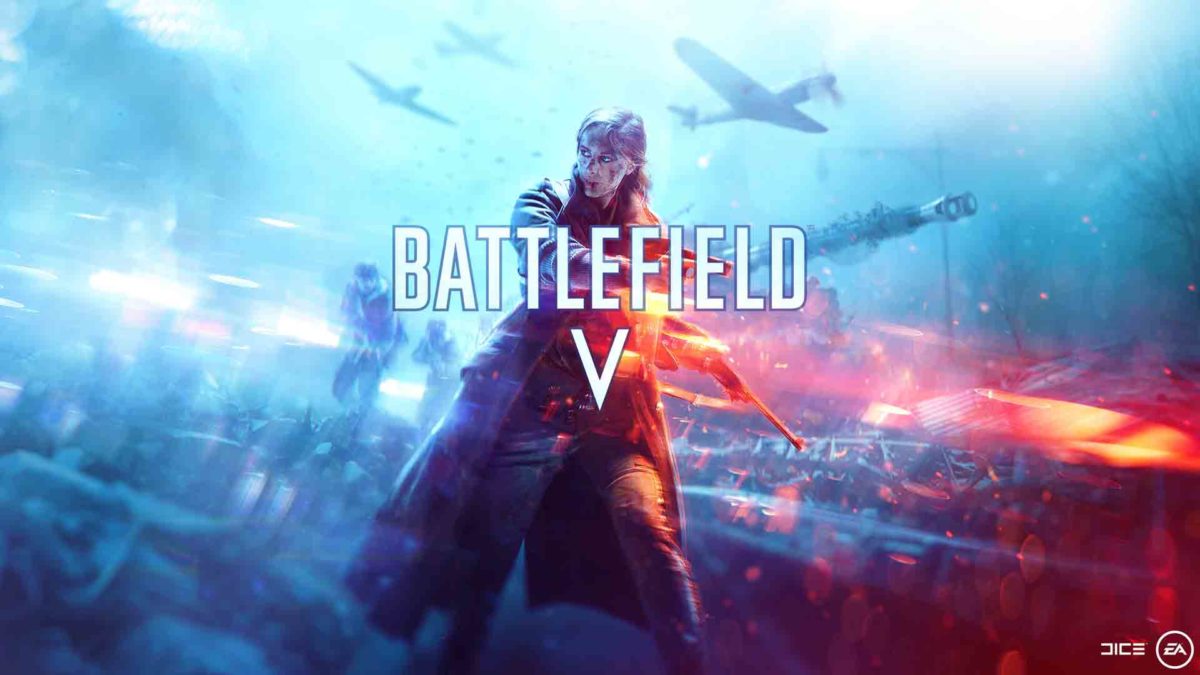
DICE has officially announced that the Second World War will be taking over the r/gaming subreddit on October 11, 2018. That is when Battlefield V, the latest in DICE’s insanely popular First Person shooter series, will see early release with a global launch coming the following week on October 19. As well as the release date and various notes on Battlefield V, which will be set during World War 2, Dice released a heart-pumping trailer. The game looks amazing.
On taking Battlefield back to the Second World War Oskar Gabrielson, General Manager of DICE said:
“Battlefield V is a homecoming for DICE as a studio—a return to the era that came to define the Battlefield franchise. But as nostalgic as we are about World War 2, we wanted to challenge the preconception of the era with an unexpected portrayal of this familiar setting. Our vision with Battlefield V is to let players explore new and untold sides of the conflict that shaped the modern world. The scale of each battle and level of immersion is unlike anything we’ve done before in Battlefield and players are in for an epic journey.”
Battlefield 1’s current outing, Battlefield 1, took the series back to First World War with great success. Incredible visuals, fast-paced action, and a compelling physics engine made Battlefield 1 the darling of the online community. Battlefield V’s trailer seems to indicate that Dice will be able to build upon that success.
The Frostbite engine has been upgraded to make objects much more reactive to your actions. There’ll be much more scope for destroying walls and taking out cover than there was in Battlefield 1. To counter that, the Gas Mask has been replaced by a toolkit, which will give players the ability to build cover to hide behind. In another possible nod to Fortnite, although it could be a response to the social media backlash EA received over paid DLC content for Star Wars Battlefront 2, the developers have made it clear that Battlefield V will not be a pay-to-win experience. All players will be on an even footing.
As with Battlefield 1, the latest Battlefield title will come complete with an engaging single-player campaign. The trailer makes a lot of one of a female character who will be taking a lead role when the game drops in October. Multiplayer has been expanded with Grand Operations taking players through key events during the war. When the game launches the first multiplayer campaign will focus on the fall of Europe at the beginning of World War II, but DICE wants to take players through the whole of the war Other series stalwarts including mixed vehicle combat remain, but Battlefield V will add vehicle customization to the mix.
Above all else, however, the trailer simply looks fantastic. Seamlessly flipping between cinematic cut scene and gameplay action the engrossing visuals simply do not let up. I had to catch my breath again once the promo had come to an end. You will, too.
Are you excited about Battlefield V? What do you think about the trailer?
Fortnite: Battle Royale has become the phenomenon of 2018. During 2017, its big rival (PUBG) won the popularity contest. This year, Fortnite is beating all the records. A few weeks ago, Elrubius and other YouTubers got an audience of more than 10 million viewers (among all the channels) while playing the game.
If you want to join in, here you’ll find seven tips to avoid dying right away on Fortnite.
Choose your landing spot well
This is a basic tip that any expert player will tell you: choose your landing spot well. It’s key that you do this before launching yourself from the Battle Bus, since there could be areas that you can sweep through better than others. Also, and this is key, you shouldn’t forget that there are 99 other players trying to kill you, so watch where they land so you’re not right next to them.
Grab a gun
The second “tip” is also basic: grab a gun. Many users go directly to collect supplies, but our advice is that you start going into buildings to find a gun, rifle, machine gun, etc. It doesn’t matter what kind you get, the important thing is that you have one at the start so you can blow up your enemies.
Build
You made a good landing, scooped up a gun to defend yourself, and now it’s time to construct buildings. Yes, to do this, you need to collect supplies first. Choose the pickaxe and start destroying everything you can. The more materials you have in your inventory, the better. You don’t want to start building a wall and running out of materials midway through.
Learn to build well
Here’s where we get into the advanced stuff. It’s one thing to know how to build a wall (the previous “tip”). It’s another thing to know when to do it. The best players of Fortnite have shown that they can build elements with frightening speedand in extreme situations. Thanks to these walls, ramps, etc. they are better protected (and covered) against enemies. If you know how to use these materials well, we can assure you’ll be in the top 20 of almost all games.
You could camp out and wait for the enemy. Or you could run for your life. Somewhere in the middle is best, so keep watching your surroundings, but never stop what you’re doing. For example, a good tip is to take advantage of the existing buildings, since they offer materials for building and additional protection.
Silence
If it’s important to watch your surroundings, remember that all players are doing this. Open fire only when you’re in an extreme situation or when you think the setting is in your favor. It’s usually a common error to see an enemy, shoot without thinking, and later say, “He was very far away, I should have stayed quiet.” Likewise, weapons aren’t the only thing that make noise: building elements does, too. Oh and don’t forget that a player can see you building from a distance.
Don’t forget the storm
Our final tip is the most ridiculous, but perhaps the most important: watch the storm. If you’re within the exclusion area, after a while you know you could die in a matter of seconds. Though it’s hard to believe, it’s unusual to have a game where players don’t die under the cloud.
LEGO Jurassic World is the first time that we’ve got to enjoy playing with our favorite characters from the four “Jurassic” movies. As you play through the game you can unlock the 100+ characters, but what if I tell you that you can play with some of these characters more easily?
As with the previous games in the series, LEGO Jurassic World gives you the option to enter codes to unlock extras without having to wait. All you have to do is follow the below instructions and you will have access to extra characters, dinosaurs, and other bonuses.
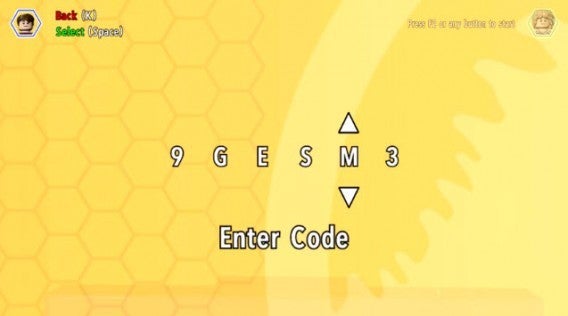
Entering the code
– The codes are entered by pausing the game and accessing the Extras / Enter code menu. You can also enter them from the cheat console located in the Jurassic World Innovation Center.
– Note that you will have to enter the codes each time you start a game of LEGO Jurassic World until you unlock them officially.
Minifigure unlock codes
ACU Trooper (Female) — AU25GR
ACU Trooper (Male) — 28SPSR
Carlos — VK3TP3
Carter — 9GESXP
Cooper — 5BETZ5
Dennis Nedry (Costa Rica) in Hawaiian shirt — RAVKRT
Dieter Stark — EKCKLC
Dino Handler Vic or Bob — YQ6S7Z
Ellie Degler — AV9DTJ
Gyrosphere Operator Josh — 9NGZZQ
Henry Wu (Jurassic World) — A3HC7E
InGen Guard Jerry — QKBCWT
InGen Hunter — 38YWVR
InGen Hunter 1 — 8XL359
InGen Mechanic AKA InGen Hunter 3 — RMVVB8
InGen Mercenary AKA InGen Contractor — VZRSD3
InGen Scout AKA InGen Hunter 1 — 8XL359
Jimmy Fallon (from The Tonight Show) — 6MKHSG
John Hammond (Lost World) — PR2R6Y
Juanito Rostagno — XTH9A3
Jurassic Park Driver — 3FE78R
Jurassic Park Warden (Female) — 8WY3FV
Jurassic Park Warden (Male) — XJS7UY
Jurassic World Paddock Worker — BX9Z6R
Jurassic World Ranger — GW9TGH
Jurassic World Worker (Female) — L5AU6Y
Nash (Runway) — BRLNWC
Raptor Handler Jenny — SXZ7CC
S.S. Venture Crewman — 62539J
Scientist (Female) — XVXGXF
Scientist (Male) — SKKLWC
Udesky (Alt) — PFEBS6
Young Raptor Handler (Jurassic World) — 7VNLJT
Dinosaur unlock codes
Ankylosaurus — PAAADT
Compsognathus — KAAAWV
Dilophosaurus — HAAAVW
Indominus Rex — GAAAAC
Pachycephalosaurus — IAAADT
Spinosaurus — MAAARF
Stegosaurus — FAAAVT
Triceratops — AAAADC
Tyrannosaurus Rex — CAAADT
Velociraptor — DDDFAC
Vehicle unlock codes
Jurassic Park Responder Vehicle — 3FE78R
Red Brick codes
Minikit Detector — JYJAFX
Studs Score Multiplier x2 — 5MZ73E
Play and discover even more secrets
Additional characters and improvements are just the start in LEGO Jurassic World. Remember this is a LEGO game, so it is stuffed full of special blocks and secret areas that will demand multiple attempts to reach.
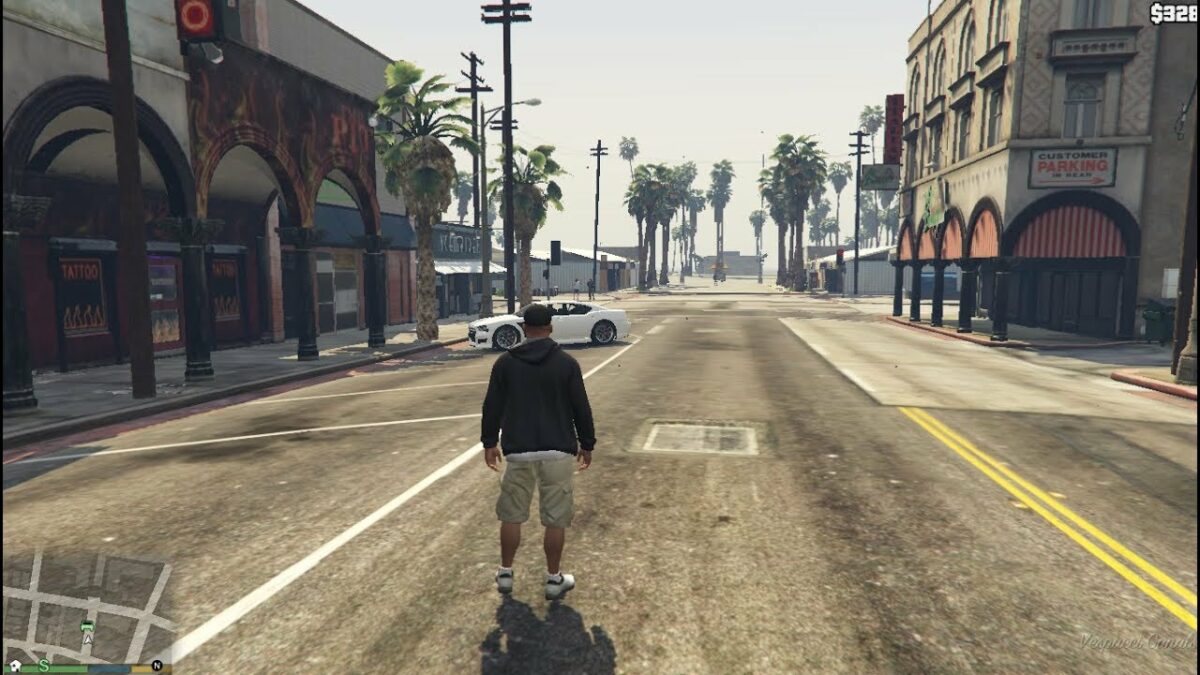
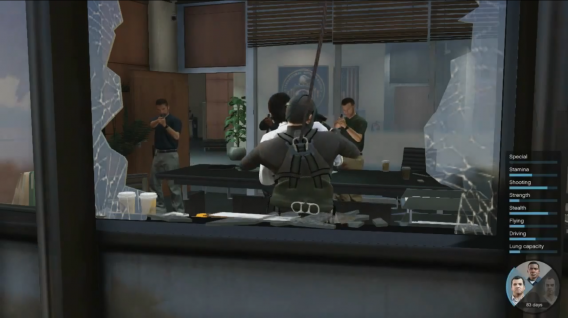
GTA V lets you play three different characters; Franklyn, Trevor, and Michael each have special abilities and you’ll need to switch between one and the other on a regular basis to carry out certain tasks. Let’s see how to master changing characters in GTA V.
How to change characters
Press and hold the Down arrow key and then use the right (R) stick to select Michael (left), Franklin (Up) or Trevor (Right). The lower area will be reserved for your GTA Online avatar. Note that you can also play Chop, Franklin’s dog, by selecting the left sector!
A high-voltage mission…
The color codes
During GTA V missions, you’ll have to switch between one character and the another very quickly. Fortunately, a system of flashes of color will give you critical information about the status of each character. When a character must be selected, the picture flashes white. A red flashing light indicates that the character has been injured and needs you to help him. Finally, a translucent portrait indicates that the character isn’t available.
Do you want to improve or change Elder Scrolls V: Skyrim on PC? Here’s how to install a mod in Bethesda’s huge role-playing epic:
1:Choose your mod and download it. There are tons of mods on offer; for this guide example I’m going to install an enhanced night sky, called Enhanced Night Skyrim. This adds an attractive colored galaxy effect at night. You can find a range of Mods at Skyrimnexus, and a good selection here at Softonic too.
2:Unzip, or expand your file. Almost all mods are offered in compressed form, either ZIP or RAR files. We use free app IZArc to decompress files. To open a compressed file, simply right click, and choose ‘Open with IZArc’. Open the target folder and leave it.
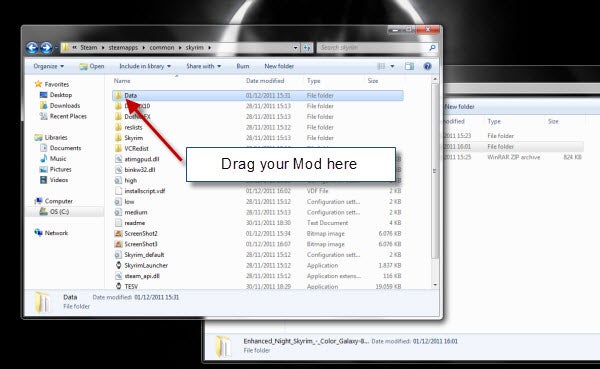
3:Open your Skyrim folder. You have to move your mods in here, so lets find it now. Open Windows Explorer, double click your hard drive (C:), then open the folder Program Files (x86), then Steam, then steamapps, then common, then skyrim.
4:Move your mod file. Finally, we’re here! Now, simply drag the mod folder – in this case it’s called textures – into the folder called ‘Data‘ in skyrim. That’s it! When you next run Skyrim, you’ll see your mod has taken effect!







 A high-voltage mission…