Did we see the next generation of consoles on show at E3?

For this year’s E3 bingo I went against all of my best instincts and filled in one of my squares with a PS5 teaser. Sony had been on record as saying they’d be having a relatively quiet E3, but I just couldn’t help myself. Predictably, the teaser never came, and a promising line that included Big Super Smash Bros. expo, Fortnite on the Switch, and Fallout 76 being a prequel was blocked off.

We never got an explicit teaser of Sony’s next-generation console, but maybe, just maybe, we were teased by games that we will see on the next versions of PlayStations and Xboxes. We’ve had some breathtaking gameplay action to drool over for games that still don’t have potential release dates. Are these games going to come out on the next generation of consoles from Microsoft and Sony?

Let’s have a look at some of the games we’ve seen at this year’s E3 that might find a home on as yet unconfirmed hardware:

Next-gen console games at this year’s E3?

1. The Last of Us Part 2

The follow up to Naughty Dog’s impressive post-apocalyptic outing will be back, but we don’t know when. The sequel got an 11-minute showcase in a temporary cinema to show off its impressive chops. The demo included a cutscene filled with teenage hormones and some fiercely brutal gameplay action. We’ve been told that the screenshots came from a PS4 Pro, but it seems strange that Sony isn’t shouting from the rooftops about how good the game looks on their current top of the line console. This could well end up being a launch title for the PS5.
2. Halo Infinite

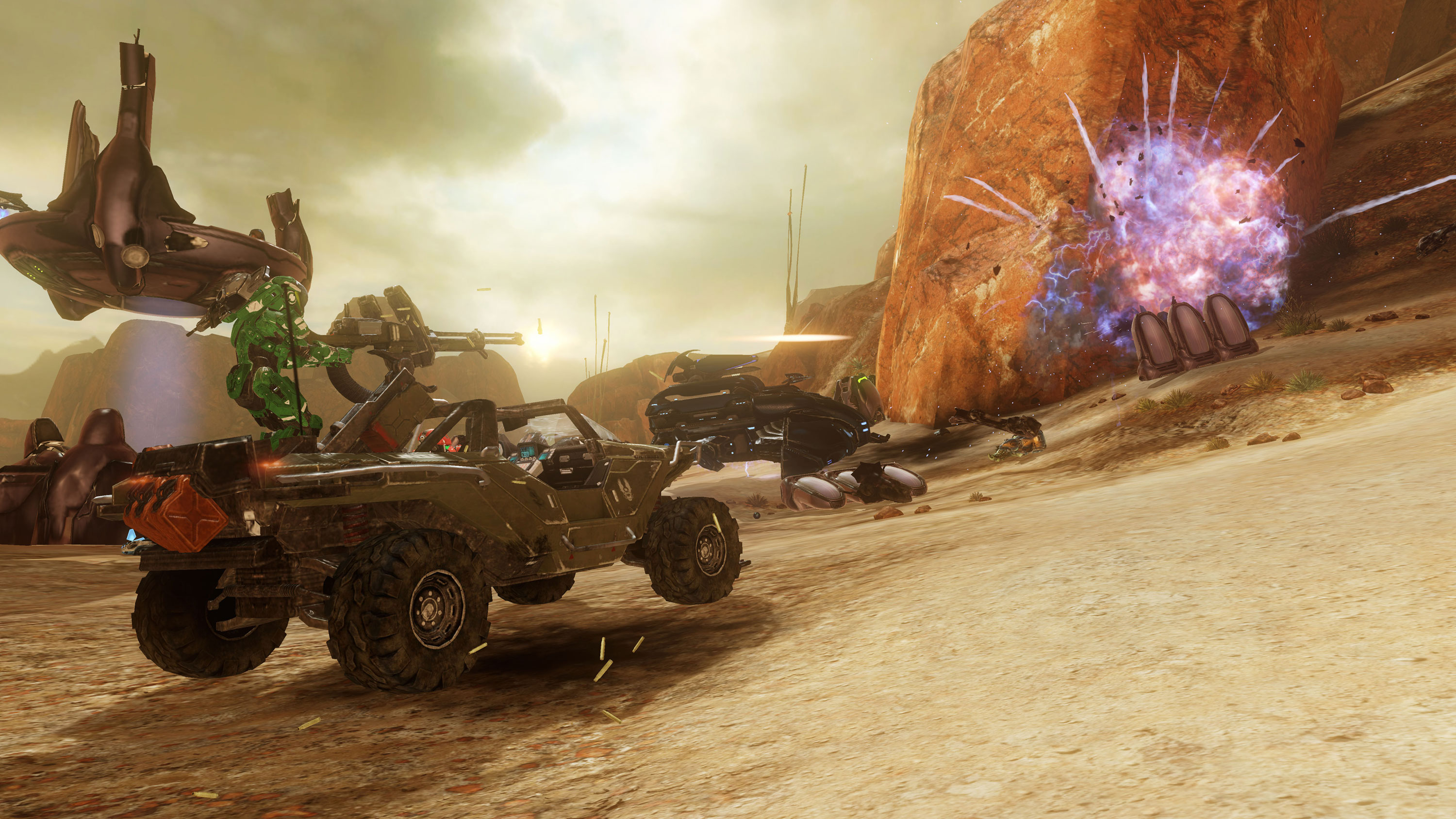
The Halo Infinite showcase that Microsoft used to kick-start its expo that this year’s E3 was more of a technology demonstration than a trailer for a particular game. In an accompanying blog post, entitled “Our Journey Begins,” 343 Industries makes it quite clear that the 6th Halo game chronicling Master Chief’s adventures is still only in early production. Furthermore, the new tech 343 is showcasing with the trailer is the new Slipspace Engine. The Slipspace Engine is allowing 343 to show a huge step up on anything the Halo series has offered before so there is a good chance that it could be a much more powerful Xbox that is running when Master Chief finally pulls his helmet on again.

3. Death Stranding

Death Stranding, from Kojima Productions, is one of those games that keeps showing us more as teaser after teaser comes out, but always offers more questions than it does answers. Hideo Kojima himself wrote a lengthy blog post about the development of Death Stranding, but didn’t mention a release date. This has led a lot of fans speculating about whether Death Stranding will end up being a launch title for the PS5. We wouldn’t be surprised as it looks very very good indeed.

Oh yeah, if you can figure out what the hell is going on it all of the Death Stranding teasers, we’d love to hear your take. Hit us up in the comments.

4. Cyberpunk 2077

CD Projekt RED, the developers behind the amazing Witcher 3, has been promising a futuristic follow-up RPG game for some time now. At E3 we got a whole host of info about Cyberpunk 2077, but no release date. We know that the main protagonist will be V, players will be able to completely customize V to their own tastes, and that the game will be a First Person RPG. We don’t know when it’ll come out but with CD Projekt RED saying stuff like “Our technology is ready to interface with future generations.” It could be a safe bet that we’ll be seeing V take to the mean streets of 2077 on the PS5.
5. Elder Scrolls VI

This one is a given, but we’re excited about it here so we’re adding it anyway. In essence, Bethesda simply announced that they were making a game that they were definitely going to make anyway and added nothing more. The teaser gave away next to nothing and will have fanboys combing over it for years until we get another morsel of information about the latest game in one of the best RPG franchises ever. What Bethesda did say, however, is that they’ll be launching a brand new franchise, Starfield, before they bring us Elder Scrolls VI. The teaser for Starfield had even less to offer than the Elder Scrolls teaser though so we probably won’t be seeing that for a while either.
 

Alexa, fatally harm mud crabs…

Boom! E3 has kicked off, and we’ve already been bombarded with big announcements about the biggest video game franchises. As always with E3, however, we’ve been getting some of the wall announcements straight out of left-field. The best announcement so-far has to have come from Bethesda who’ve poked fun at themselves in an ingenious way.

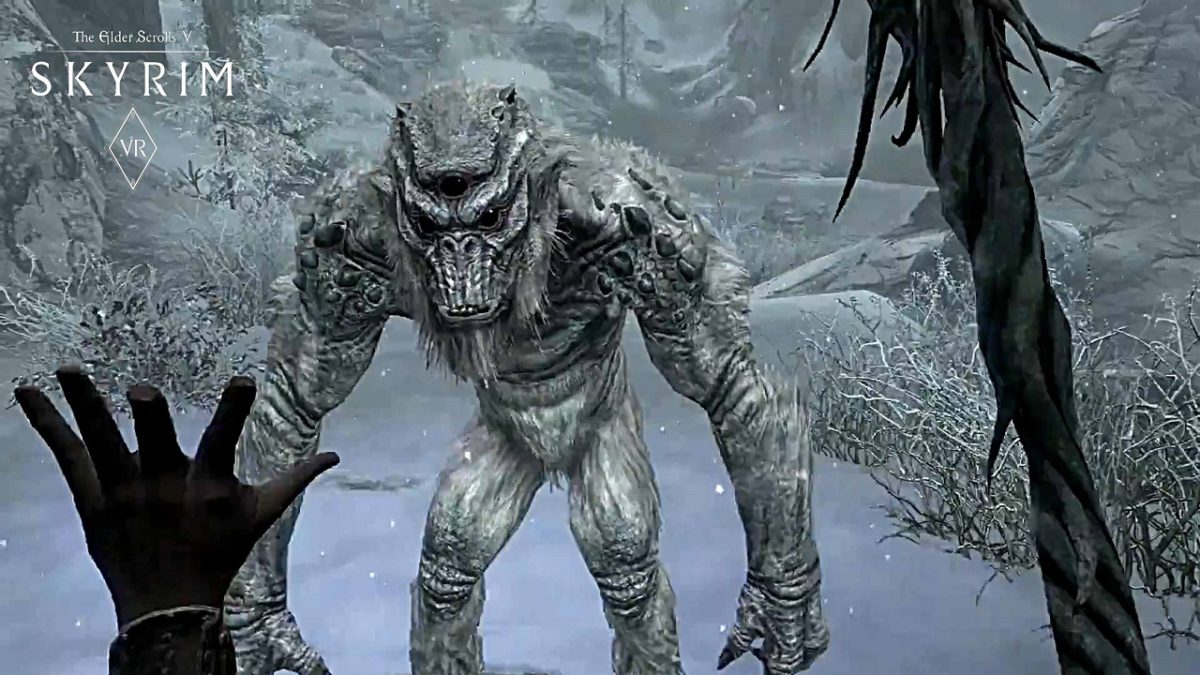
It has been a running joke for years now, that Bethesda has stopped making new games, instead concentrating on porting the hugely popular RPG Elder Scrolls V: Skyrim to different platforms. As well as PC, PS3, PS4, and Nintendo Switch versions gamers have been mocking up fake versions of Skyrim for everything from your smart kettle to a pipboy from Bethesda’s other popular RPG series, Fallout. With a host of new games announced including two new Elder Scrolls, Fallout, and a brand new franchise called Starfield; Bethesda was in a strong position to poke fun at their recent Skyrim porting history. That’s right, there is a brand new version of Skyrim available, and you can play it on Amazon Alexa.

With the trailer announcing other versions for your etch-a-sketch, Motorola pager, and a Samsung smart fridge it seemed to be a joke announcement. In fact, Skyrim on Alexa is very real, and you can play it right now. Repeat after me, “Alexa, open Skyrim.” Now go enjoy the adventure.

Xbox at E3: 2018 – Watch the newest game trailers for Halo Infinite, Battlefield V, Gears of War 5, and more

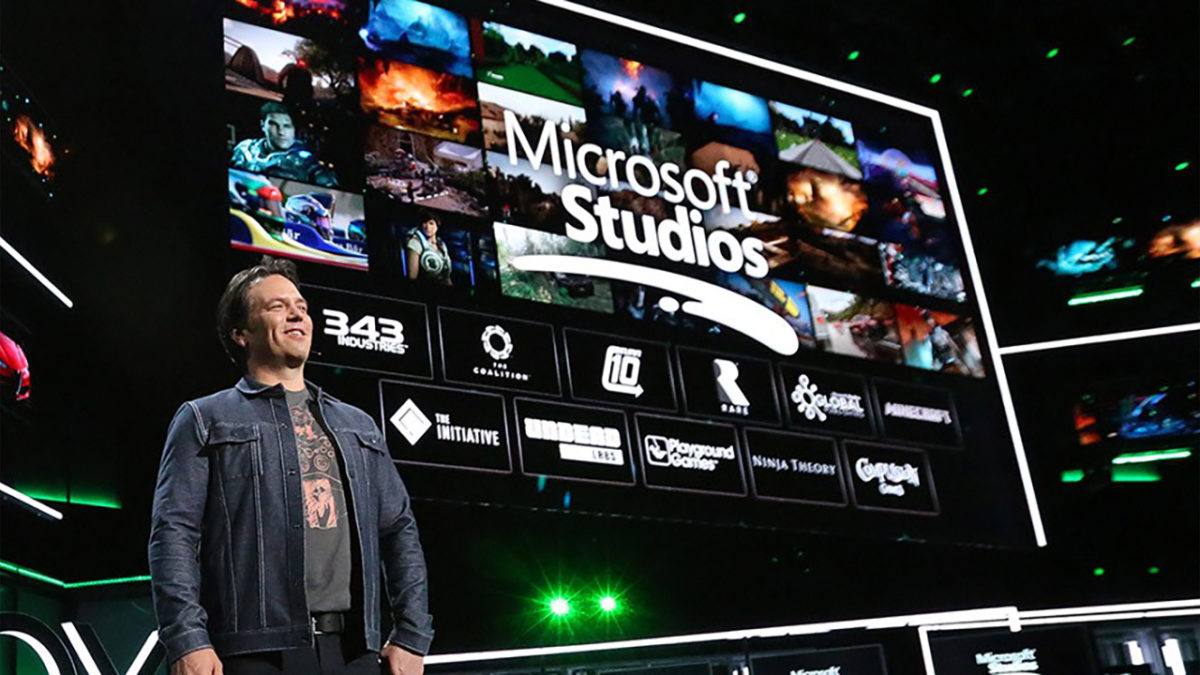
E3 is underway and Xbox got the chance to throw the first punches. The biggest news is probably that a new Xbox is in development. Actually, make that Xboxes, plural. Microsoft says they’re working on multiple consoles. You have our attention, Microsoft.

As to the games announced at E3, we’ve rounded up the trailers for the most anticipated upcoming adventures, so take a look and let us know what you’re most excited for in the comments below!

Want to watch the whole Xbox presentation? Check it out here:


The 4 best games for jaw-dropping graphics

After a hard day’s work, there’s nothing quite like relaxing in your favorite gaming chair and blowing off some steam.

We love all sorts of games here at Softonic, but you can’t deny the pretty ones are often the most popular. Although gameplay is important, there’s nothing more satisfying than escaping to a world that looks so real you can almost touch it.

So, let’s explore some of the best CPU-taxing, motherboard-melting, graphic card-smoking games that’ll make your eyes pop.

Far Cry 5

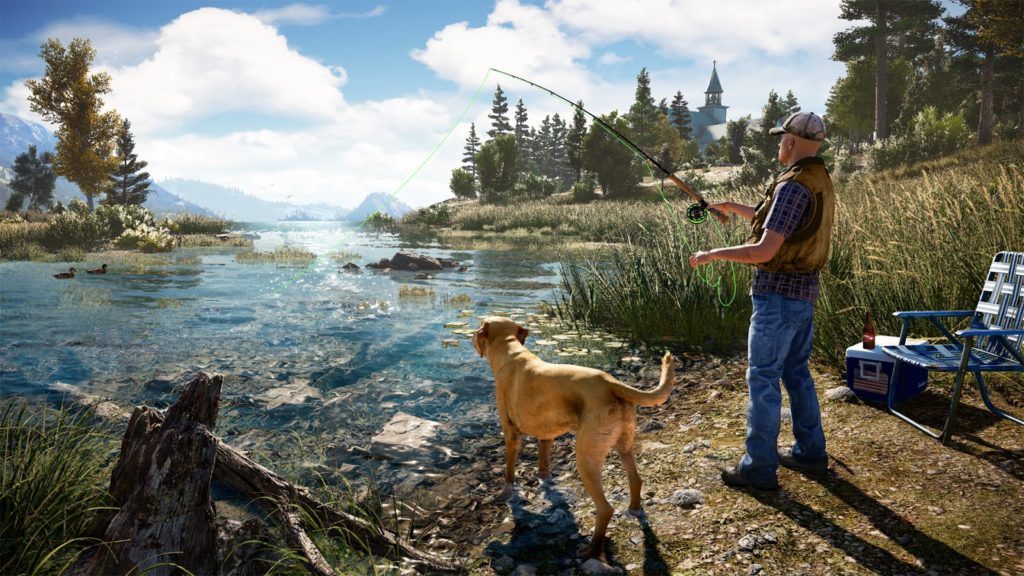
The newest entry in the long-running FPS franchise, Far Cry 5 is already a hit with fans and critics alike. And the graphics? Well, they’re incredible.

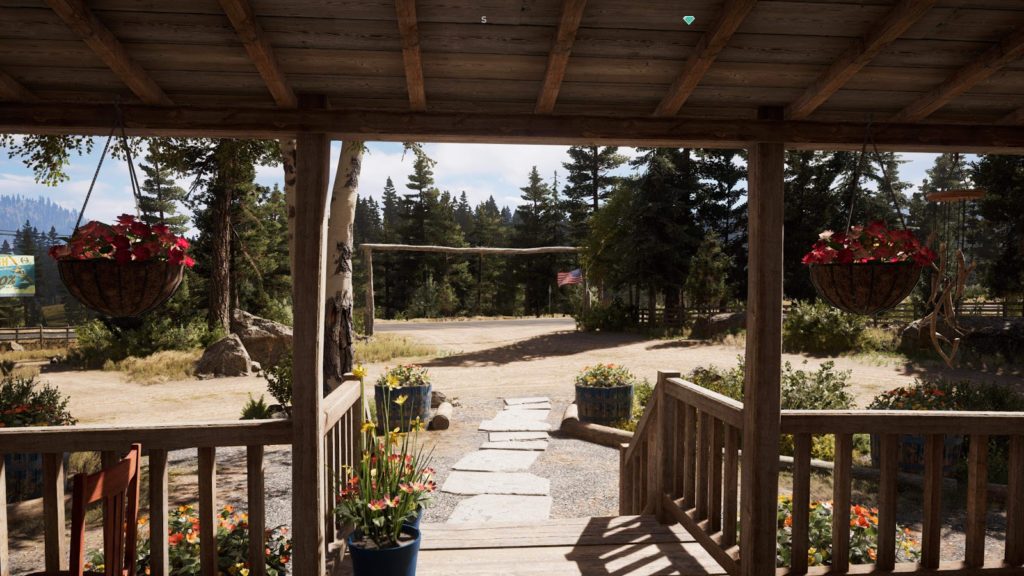
The environments are huge, open, and lovingly detailed. The foliage and weather effects are immersive, and explosions are crisp and satisfying. The game reaches a level of photorealism many premium titles can’t match, and even better, it runs well on most systems.

Ubisoft have done a great job with this release – just don’t mess with the turkeys.

The game retails for around $59.99.

Battlefront II

Although gamers were furious with EA’s pay-to-win progression (and their obsession with loot crates), you can’t deny that Battlefront II is absolutely gorgeous. The latest Star Wars films have jaw-dropping design, and this has clearly inspired the graphics team at EA DICE.

The models are detailed, animation is fluid, and the sound design is awesome (as expected from DICE). Videos with no HUD (heads-up display) show just how slick this game looks, on the wonderfully contrasting salt and red soil of the rebel base at Crait.

It’s currently available for around $30.00 on the Microsoft Store.

The Witcher 3

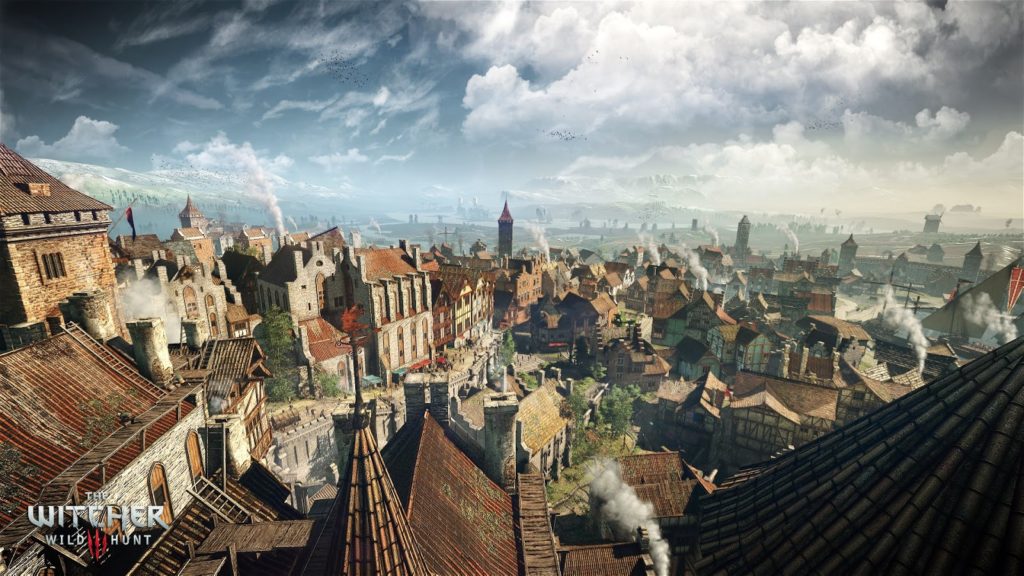
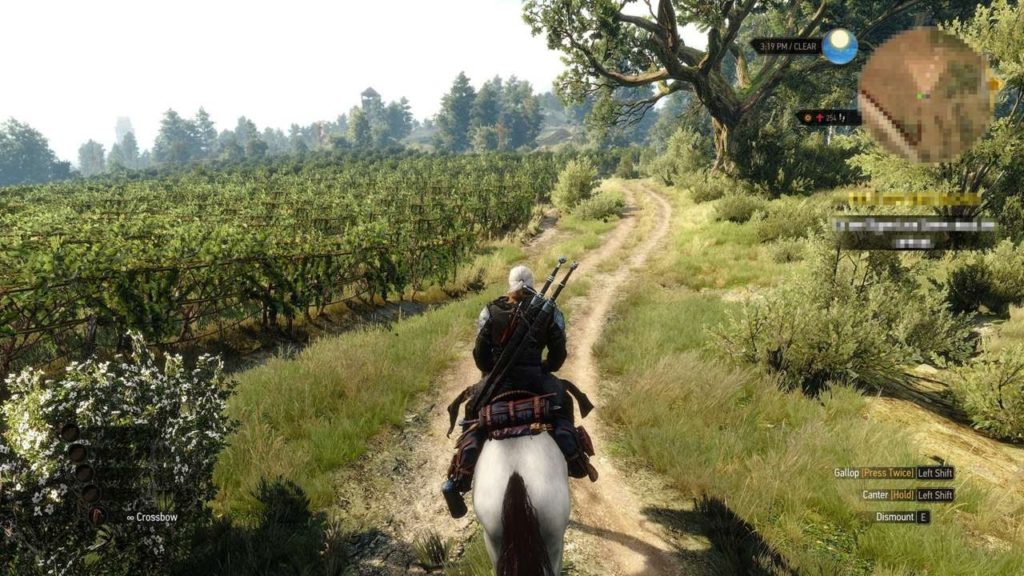
The third entry in the RPG adventure series, players once again take on the mantle of monster hunter, Geralt of Rivia. The series has always been renowned for the depth of its storytelling (and uh, romance), but the latest in the franchise also has a stunning world packed with vistas to explore.

It’s the sheer breadth of different environments that also makes the game notable. From densely-packed, dirty cobbled streets, packed with people going about their day, through to vineyards and dark, deserted forests with tall pines creaking in the wind – there’s a lot to explore. The lighting effects are beautiful, too, so if the monsters ever get a bit much, you can take Roach (your horse) for a sunset stroll along the beach – just watch out for the Drowners!

It’s available on Steam for around $39.99.

Cuphead

Time for something a bit different.

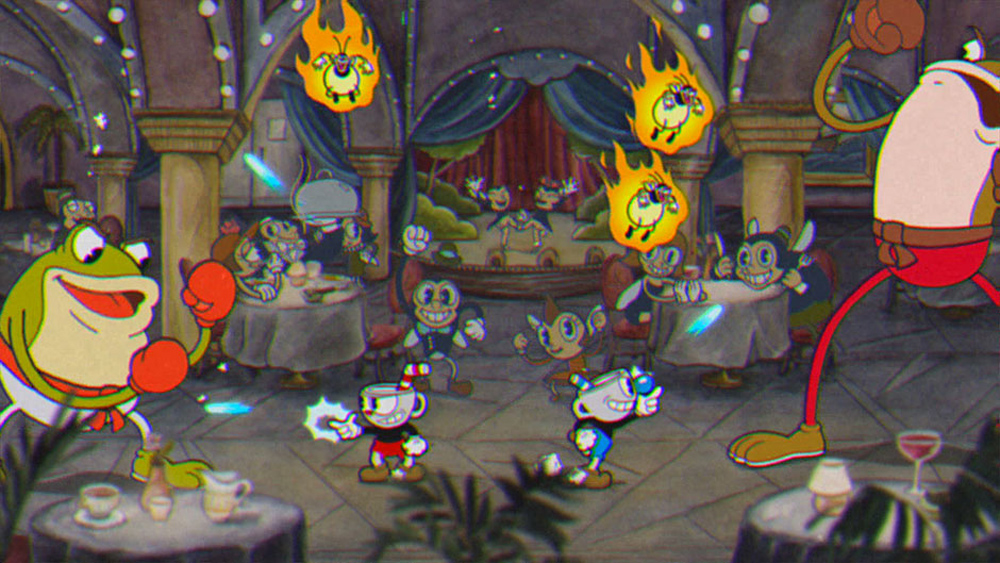
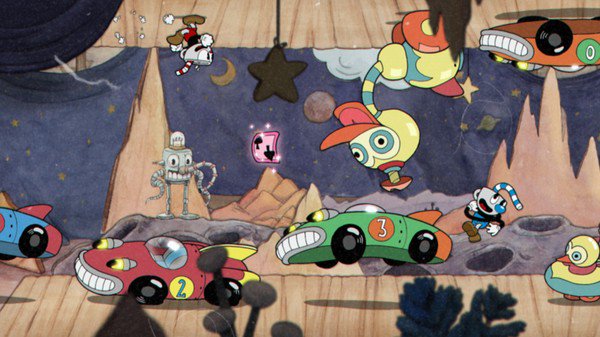
In an age where “best graphics” generally means having the most photorealistic design and animation, Cuphead appears to take a step backwards. A 2D side-scroller where you do battle with boxing frogs, angry bees, and giant paranormal carrots, the game also has a completely unique art style.

Every frame is hand-sketched, inked, and painted like a living 1930’s Max Fleischer cartoon. Although it might seem like a lot of work in an age where everything can be animated so easily, the extra effort elevates the graphics way beyond a quirky gimmick to something truly awesome.

It’s also tough-as-nails, so if you’re looking for a challenge, and hanker for something a bit more retro, you’ll love this game.

It’s currently retailing on the Microsoft Store for around $16.99. Considering the amount of hours put into animating it all, that’s a steal.

Cuphead Download Now
9

That concludes our round-up of our favorite games with the best graphics. Whether you like fleeing from deadly turkeys, shooting Darth Vader, chopping up monsters with a silver sword, or running around with a cup for a head, hopefully, there’s something on the list that will tickle your fancy.


New Pokémon game confirmed: Watch the trailer now

Pokémon Let’s Go Pikachu and Let’s Go Eevee will be the next Pokémon games for Nintendo Switch. The games are a mix between a Pokémon Yellow sequel and remake and will hit the shelves on November 16. In more exciting news, the games will also add Pokémon Go dynamics to the action.

Players will capture Pokémon just like they do in Pokémon Go. The Pokémon will appear on the map, and then players will have to fight them catch them using their Poke Ball. To throw the Pokémon ball you simply press a button on the joy-con, give it a shake, or you can use this Christmas’ must-have gift, the Poke Ball Plus.  A cool feature of the Poke Ball Plus is that players can put a Pokémon they’ve captured on the inside the Poke Ball and then take it with them everywhere they go.

Battles in the new games will be against other coaches. They’ll follow the same turn-based dynamics players will be used to, but there is little else known about whether new features will be added before release.

Players will be able to share Pokémon or fight both locally and online. Also, Pokémon can be transferred between Pokémon Go and Pokémon Let’s Go Pikachu / Eevee, but there’ll be a completely new story. Team Rocket will return, and Mewtwo will be back in his cave.

Pokémon GO Download Free
7

The 151 Blue / Red / Yellow Pokémon will be available in the game along with the Alola variants and an all-new mysterious Pokémon.

As the titles indicate, the Initial Pokémon will be Pikachu or Eevee. You will not be able to evolve them, but you will be able to capture other wild Pikachu or Eevee and evolve them to Raichu or Jolteon / Vaporeon / Flareon. Pikachu or Eevee will accompany you on your adventure on your cap. You’ll also be able to customize them.

Another great new feature of the game is the local cooperative mode. Another player can join the adventure at any time and help you capture Pokémon and fight other coaches.

Pokémon director, and producer, Junichi Masuda is involved in the development of the game. He clarified that Let’s Go Pikachu / Eevee are not the games that were announced at E3 of 2017. These games will be more classic deliveries in the style of Sun and Moon and will arrive on the Switch in the second half of 2019.

GTA V: How to change character

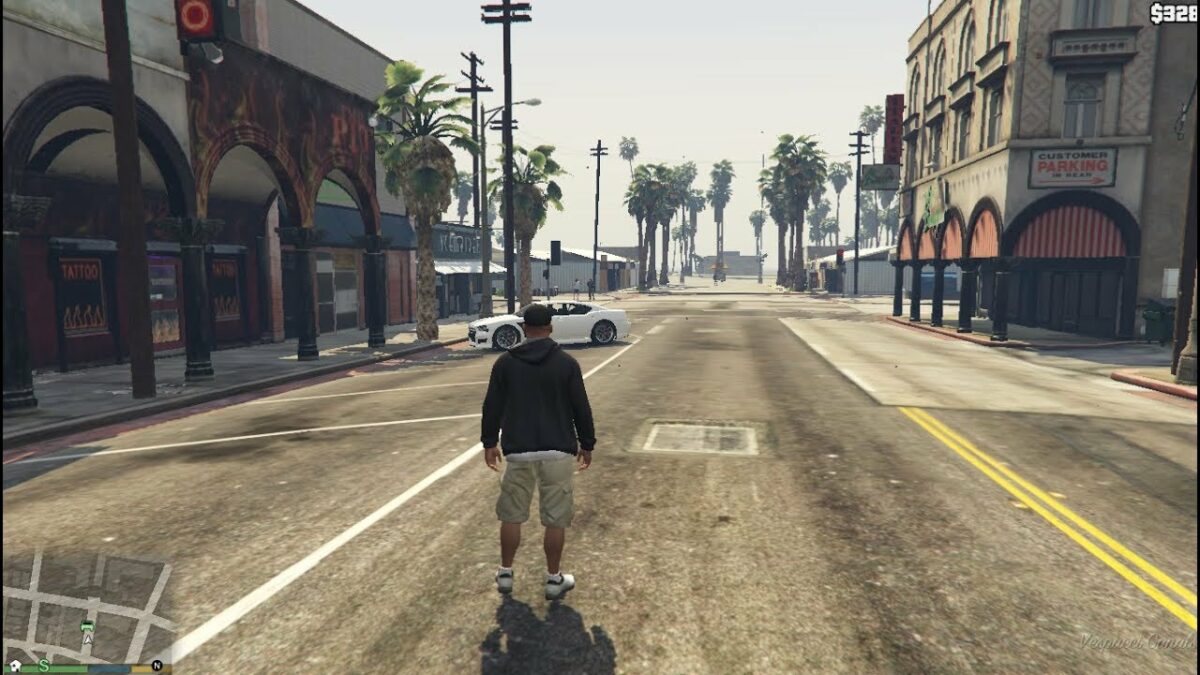
GTA V lets you play three different characters; Franklyn, Trevor, and Michael each have special abilities and you’ll need to switch between one and the other on a regular basis to carry out certain tasks. Let’s see how to master changing characters in GTA V.

How to change characters

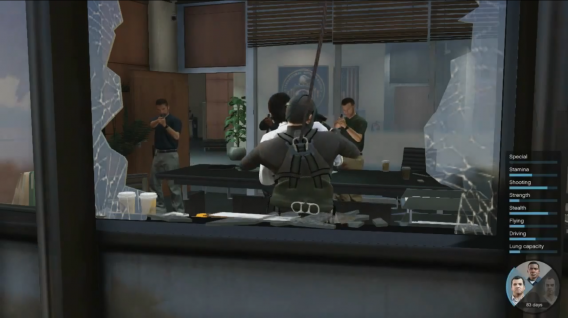
Press and hold the Down arrow key and then use the right (R) stick to select Michael (left), Franklin (Up) or Trevor (Right). The lower area will be reserved for your GTA Online avatar. Note that you can also play Chop, Franklin’s dog, by selecting the left sector!

GTA V A high-voltage mission…

The color codes

During GTA V missions, you’ll have to switch between one character and the another very quickly. Fortunately, a system of flashes of color will give you critical information about the status of each character. When a character must be selected, the picture flashes white. A red flashing light indicates that the character has been injured and needs you to help him. Finally, a translucent portrait indicates that the character isn’t available.

MORE GTA V…

Simcity Guide and tutorial: Best 10 Buildit Tips

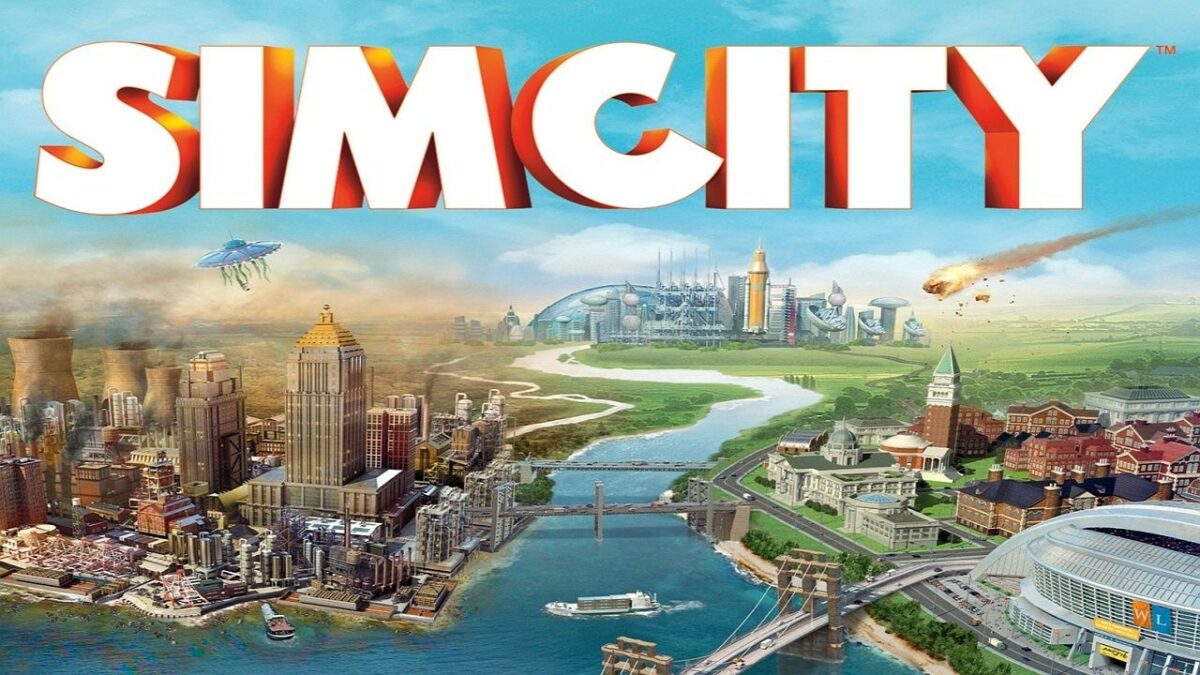
SimCity, the fifth installment of the city-building simulator from Maxis, appeared packed full of new features and options for managing your city. In fact, there are so many new features that you might feel a bit overwhelmed at the beginning.

In this simple SimCity tutorial, intended for those who aren’t familiar with the SimCity universe, I’ll give you ten basic tips and tricks to start effectively building your city so that you aren’t in danger of making the mistakes that so many first-time mayors make.

What is SimCity?

SimCity is a strategy video game that incorporates open-world settings. You’ll start with a piece of land, developing infrastructure to grow residential, commercial, and industrial entities. While the most popular version is on Windows, many people also enjoy the mobile version called SimCity BuildIt. As your city grows, you’ll need to handle natural disasters, crime, education, and many other factors.

What is the latest SimCity game?

The latest version of SimCity was released for Windows in 2013, and it was the last in the franchise due to critically negative reviews. In 2014, SimCity BuildIt hit mobile phones as a port, with most of the functionality changed and the necessity to collect resources from your buildings to upgrade them.

Best Simcity buildit tips

Let’s head straight into our SimCity tips and tricks to ensure your success as mayor of the town.

1. Good planning is important

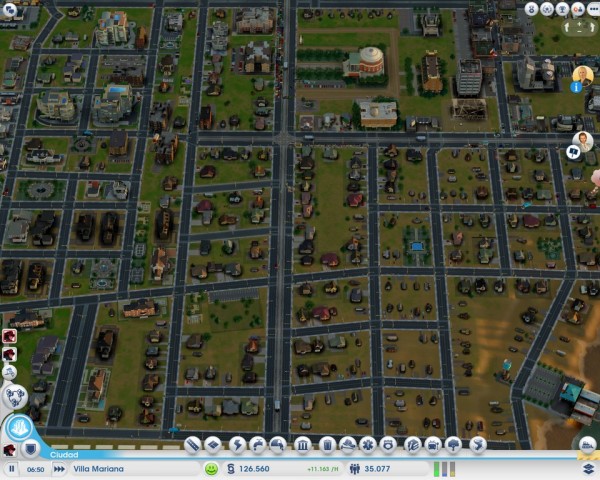
When some people start a new SimCity game, they tend to construct highways and areas without pre-planning. Then, when it comes time to create intersections, they’re forced to demolish buildings, resulting in a decreased population or service. My advice: before you start building, do some minimal street and intersection planning. Then, you can start to reclassify areas.

It’s easier to start in the middle of an area or in a corner, which will make it easier to expand. Also, keep in mind that although city plans with strange shapes are fun, it’s always easiest to start with a grid structure. If you’re not sure what I’m talking about, take a look at some big-city map and their central areas: streets set out in blocks are key.

Another tip is to have a large main avenue with narrower roads feeding off of it (or wider ones if you have the money).

2. Keep density in mind

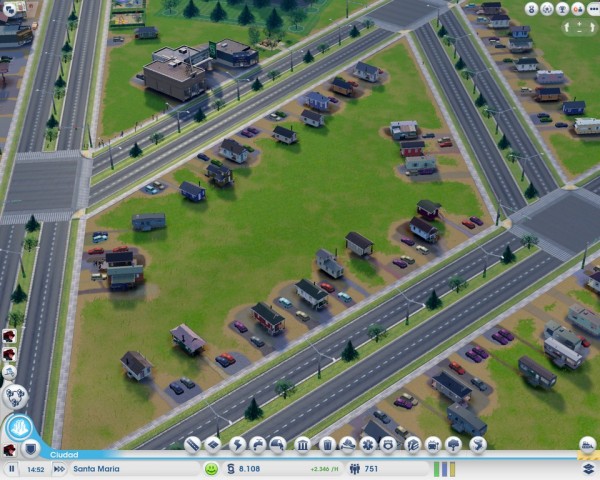
An important prerequisite for growing cities is room to expand. Although it may seem strange to place small buildings on a wide avenue or street, don’t get into debt putting more roads in the middle of these empty spaces!

It’s those empty spaces that’ll let your city’s inhabitants expand their homes, shops, or factories when things in the city improve. With a little patience and time, you’ll witness tremendous growth in your city without having to do too much.

3. Keep the city “clean”

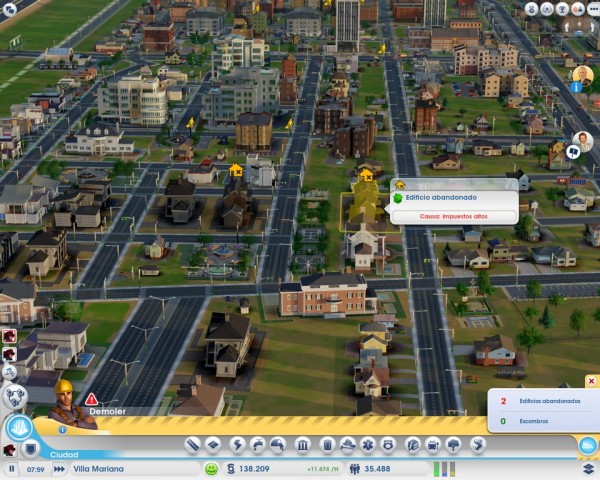
Keeping your city free of abandoned buildings or debris is as important as giving your city space to expand because these old buildings prevent new buildings from being constructed. To get rid of them, all you need to do is use the bulldozer on the land in question.

The game tells you when there are pieces of land like this, so you should check from time to time.

Another thing you should take into consideration: you can change the use of an area of ​​the city, maybe from residential to commercial, for example, but until you demolish the building that was there before, the change won’t apply.

4. Public transport is a good bet

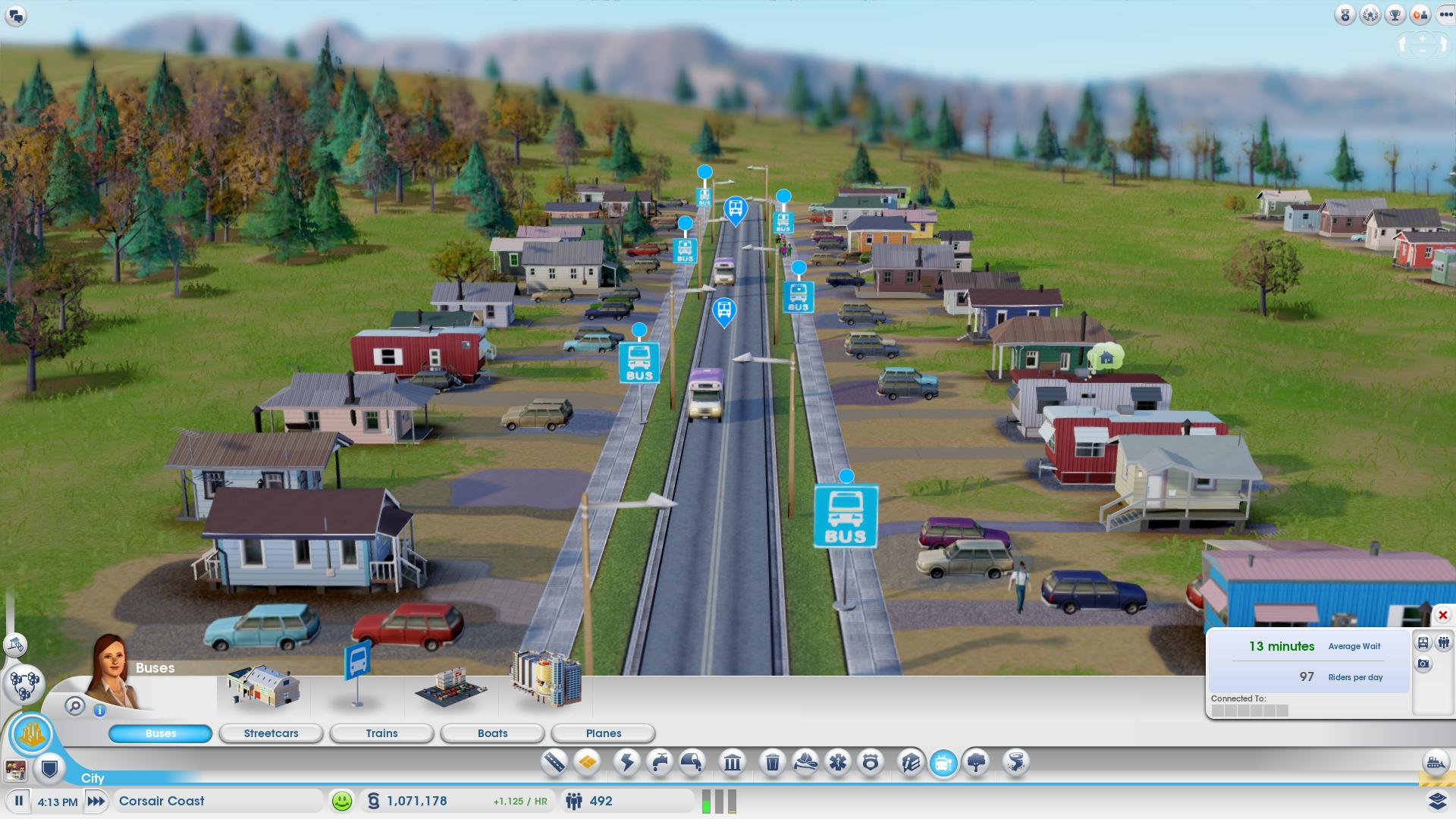
Your citizens will need to get around your city, and typically they’ll use their cars, which will generate lots of traffic jams on the main avenues. To reduce traffic, as well as to avoid excess pollution, fill your city with public transport.

Start with bus stops: start with a main bus station, then place bus stops throughout the city. Bus stops are very inexpensive and will increase your population’s happiness, especially in lower and middle class areas. Also, when you expand your town, don’t forget to expand the bus station with more vehicles before people start complaining that they’re too full.

When things start to improve, you can choose to put in a train station, tram stops, a ferry, or even a local airport. But don’t run before you walk! Start with the bus: it’s good, it works and it’s cheap!

5. Industry: the further from homes, the better

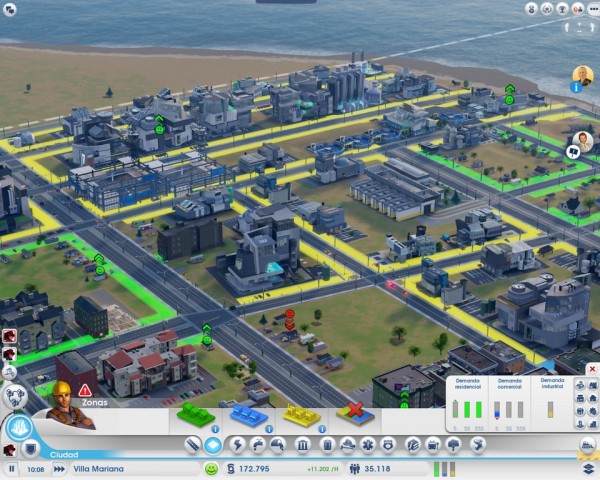
Nobody likes having a factory next to their house, especially if there’s a potential for contaminants. We recommend that you don’t distribute industrial areas around the city, but rather, designate a plot of your land as an industrial area, and try not to go over this area. Ideally, they should be situated as far away as possible from residential areas, like in a corner for example.

6. Have lots of green space

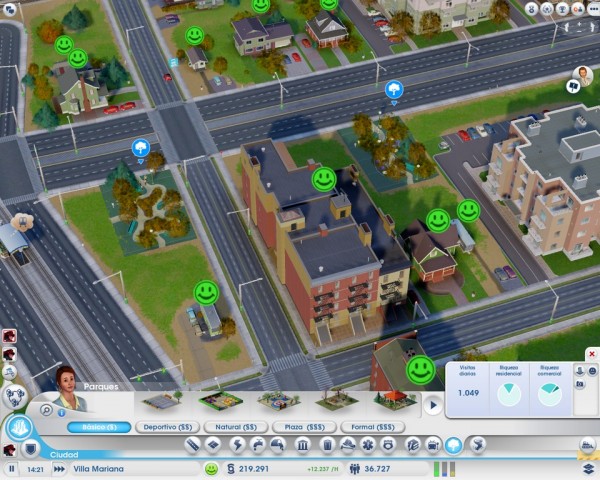
The cheapest way to please your residents is to build a nice environment to live and work in. People love to shop, but they love parks and green areas even more. Don’t be shy about filling your city with parks, areas for sports or other land for outdoor activities.

Parks are also a great antidote to factories. Even if you followed my advice in point 5, you may still have a residential area beside an industrial one. In this case, you might see some angry faces, but building a park next door will cheer them right up!

7. Maintain public facilities

Don’t take too long to build main public facilities like police stations, fire stations, hospitals, or schools. Remember though, keeping them up to date is just as important as building them in the first place.

Take note of complaints from inhabitants (keep an eye out for alerts over houses) and expand facilities when it’s convenient. If they tell you there’s a lot of crime, add a couple of squad cars. Health problems? Expand your hospital.

This practice also applies to public transport: if you receive complaints of it being overcrowded, consider whether it might be worth expanding your fleet of buses.

8. A good mayor isn’t afraid to borrow

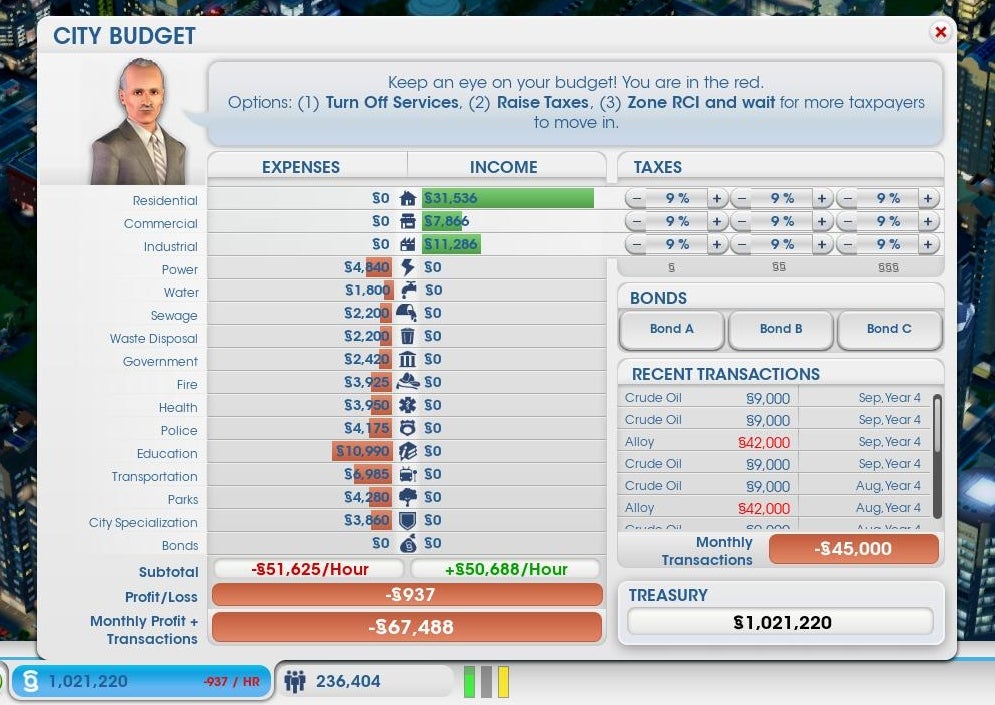
In real life, you want to avoid going into debt; in SimCity, things are a little different. When you start your game, you’ll want to build things, and the costs will soon pile up. If this is the case, don’t hesitate to get a bond.

A bond is a loan with interest that increases for each hour of play. Believe me, unless you’re a high roller, a small loan will be very easy to write off, because by starting to build, you’ll have more shopping areas, industry and residential taxes that will earn money to pay it back quickly.

Before drowning your citizens with stratospheric taxes, opt for a bond to start your expansion: people will be happy and won’t leave your city, which ultimately means greater prosperity and debts being paid off.

9. Collaborate with other cities

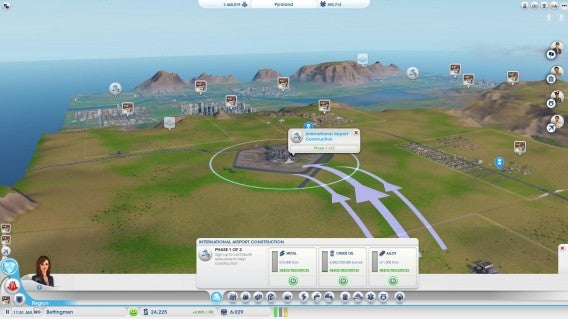
Whether you share with other users on your land or you own all the cities, don’t pass up the opportunity to collaborate. If you have a small town, it won’t hurt to buy resources in the neighboring city; it will provide extra income and you’ll avoid building plants that you might not need.

In addition, the game allows you to transfer funds between cities. To start your second city off, one option is to allow your biggest city to make regular cash donations.

10. Try to keep everyone happy…but use your head

Just like in reality, citizens in SimCity complain, and requests will appear in the game as small missions. Certainly, completing these gets you achievements and rewards, but remember, you can’t please everyone all the time.

Although you might have the money, at one point or another it won’t pay to expand a building or construct a facility. Before trying to be nice to everyone, use common sense – it’s the best way to create a thriving city.

Can you think of other tips for success in SimCity?

Now that you’ve read our SimCity tips and tricks, you can set off towards becoming the top mayor. We’re sure there are plenty more tasks you can attempt.

Originally written by Maria Baeta on Softonic ES.

How to install Skyrim mods

Do you want to improve or change Elder Scrolls V: Skyrim on PC? Here’s how to install a mod in Bethesda’s huge role-playing epic:

1: Choose your mod and download it. There are tons of mods on offer; for this guide example I’m going to install an enhanced night sky, called Enhanced Night Skyrim. This adds an attractive colored galaxy effect at night. You can find a range of Mods at Skyrimnexus, and a good selection here at Softonic too.

2: Unzip, or expand your file. Almost all mods are offered in compressed form, either ZIP or RAR files. We use free app IZArc to decompress files. To open a compressed file, simply right click, and choose ‘Open with IZArc’. Open the target folder and leave it.

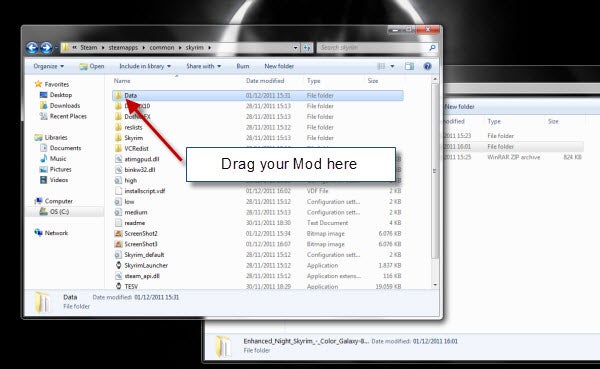
3: Open your Skyrim folder. You have to move your mods in here, so lets find it now. Open Windows Explorer, double click your hard drive (C:), then open the folder Program Files (x86), then Steam, then steamapps, then common, then skyrim.

4: Move your mod file. Finally, we’re here! Now, simply drag the mod folder  – in this case it’s called textures – into the folder called ‘Data‘ in skyrim. That’s it! When you next run Skyrim, you’ll see your mod has taken effect!