Snapchat launches new gaming platform

Snapchat jumps into games. Can they succeed?

Social media platform Snapchat has become the latest company to jump headlong into the gaming business. At an early April event, Snapchat announced its plans for its new Snap Gaming service. Here’s a look at what users can expect from the company’s new foray into the gaming world.

Snapchat launches new gaming platform
mobile gaming snapchat bitmoji party
Image courtesy Snapchat

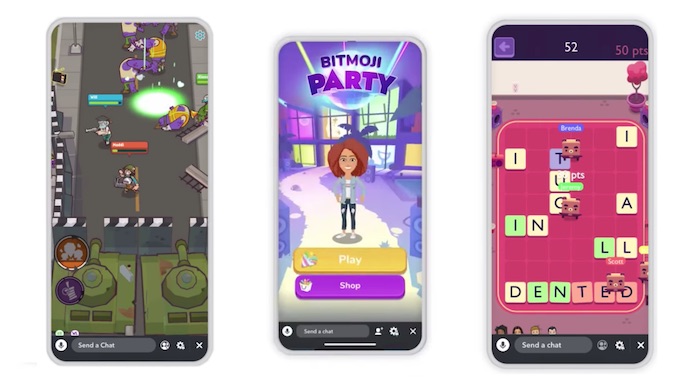
Snapchat’s new initiative isn’t the company’s first attempt at gaming. Last year, Snapchat introduced a handful of augmented reality games which it dubbed “Snappable.” This new slate of games has a focus on multiplayer gaming, and are all designed to be played in the app’s messenger function. The service’s flagship title, “Bitmoji Party,” is a Mario Party-style experience where users both compete and work together to play a variety of minigames, engaging in such activities as escaping zombies and more.

Snapchat Download Free
8

Other games include a word-puzzle game, a racing game, and a top-down battle royale shooter akin to Fortnite. Work on the titles began in 2017 when Snapchat acquired Australian studio PrettyGreat, which contributed to the development of classic mobile game Fruit Ninja. Users can opt-in to watch period six-second advertisements while playing to unlock in-game power-ups and other bonuses. Snapchat will split the ad revenue with developers, but has not announced what the exact split would be.
snapchat mobile gaming
Image courtesy Snapchat

So far, the move seems to be working in Snapchat’s favor. Since the announcement, Snapchat’s stock price has doubled, and recently announced that they are currently reaching 90% of their target audience in the United States. This comes on the heels of a rough 2018 for the company, which saw a major decline in users and the loss of several top executives. Since then, the company has seen a major increase in revenue, hitting a record high of $390 million in the last quarter alone.

In addition, Snapchat recently released a revamped Android app designed to address user complaints of slow speeds and crashes. The update has been in the works since at least 2018, and is essentially a total rebuild of the app’s previous iterations. The app’s new speed means that future updates will be much easier, and should allow Snapchat to easily add new games to its library.

Mobile gaming is one of the fastest growing markets in the gaming world, and Epic Games CEO Tim Sweeney recently went on record stating that smartphones would be the future of gaming. Apple has also continued to assert its presence in the mobile gaming sphere with the recent announcement of its new Apple Arcade service, a subscription-based mobile gaming platform. If these recent developments are any indication of things to come, 2019 may prove to be an excellent year for Snapchat users.

Instagram-powered vending machine gives free food for selfies

Take a selfie, get free food! Brilliant.

Have you ever been hungry while out and about and thought “Wow, I sure would like some food but I hate paying for things.” Well, you’re in luck, as techie food company Foodbeast has teamed up with Nissin Cup Noodles to produce the Foodbeast #DreamMachine.

foodbeast vending machine gives noodles for selfies

This bizarre piece of modern engineering gives you a cup of delicious instant noodles in exchange for a selfie. The machines are retrofitted vending machines from the ’70s. Built-in Raspberry Pi’s connect to Instagram to ensure a secure and encrypted noodle-selfie exchange.  The process for getting your free food is as follows:

  1. Push the big red button on the machine.
  2. Take an endearing selfie of your beautiful face next to the #DreamMachine.
  3. The #DreamMachine will generate a unique hashtag. Use that hashtag while uploading your selfie to Instagram.
  4. The machine will check to see if you obeyed its online noodle dispensing protocols, and give you your noodles if you followed correctly.


View this post on Instagram


A post shared by Las Vegas Moms (@lasvegasmoms) on Mar 6, 2019 at 11:07am PST

For such little effort, you too can have free noodles. The machine also can drop video games and gift cards, too, and while you cannot eat these prizes, they are welcome gifts nonetheless.

Initially conceived as a joke within Foodbeast, the #DreamMachine eventually made its way to production as the culmination of humanity’s shared love of social media influence and eating food. If you’d like to try out one of these machines, they’ll be set up at the Del Amo Fashion Center in Torrance, California, as well as the Las Vegas Premium Outlets South. They’ll be up all throughout March, and Foodbeast is considering additional locations in the future.

The Foodbeast #DreamMachine is a strange amalgamation of social media and food that actually seems to work out quite well. Hopefully one pops up in a store near me so I never need to spend pocket change on a cup of noodles ever again.

How to create custom lenses on Snapchat

Feeling creative? Make your own lens for Snapchat!

Snapchat lenses are a great way to keep the app fresh, exciting, and — most of all — fun! Thankfully, you can access a whole world of lenses you can use on the app when taking photos and videos. But the best part? You can also create original lenses by yourself! Below, learn how to go about creating custom Snapchat lenses to suit all of your snapping needs.

How to create custom lenses on Snapchat

Snapchat’s Lens Studio

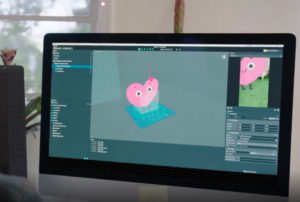
As an add-on to the regular Snapchat app, the platform released its second app at the end of 2017. This app, referred to as the Lens Studio, allows users to design and build their own augmented reality lenses to use on the regular app. Pretty cool, right?

This app is a bit different in the fact that it works on desktop computers rather than mobile devices. One of the neat things about it, though, is that the tools you use to create your custom lenses are similar to those Snapchat’s professionals use to create theirs.

Snapchat Lens Studio Download Free ►
7

This app was a huge release for the social media giant: A whopping 70 million users interact with Snapchat lenses on a daily basis. Now that’s a lot of dog faces and flower crowns!

Designing your own lens

So how difficult will it be for users to take advantage of this platform and create stellar lenses? Not hard at all! You don’t have to be a design whiz to do this.

The Lens Studio will conveniently include templates and guides that help individuals get started on their creation, including those for both two- and three-dimensional designs. It’s as easy as building a filter base and then tapping on items to change their shapes or other characteristics.

Once these lenses are created, users receive a unique Snapcode and Lens Link that they can share and utilize to put their lenses into action. It’s as easy — and fun — as that!

5 user-created Snapchat lenses you’ll absolutely love

Snapchat lenses have taken social media by storm. They’re fun to use and exciting to look at, and Snapchat users just like you can create and submit them. We’ll briefly discuss what these lenses are and how they work — and then spotlight five great user-created lenses to enjoy.

5 user-created Snapchat lenses you’ll absolutely love

What are Snapchat lenses?

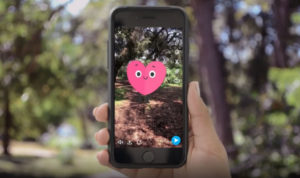
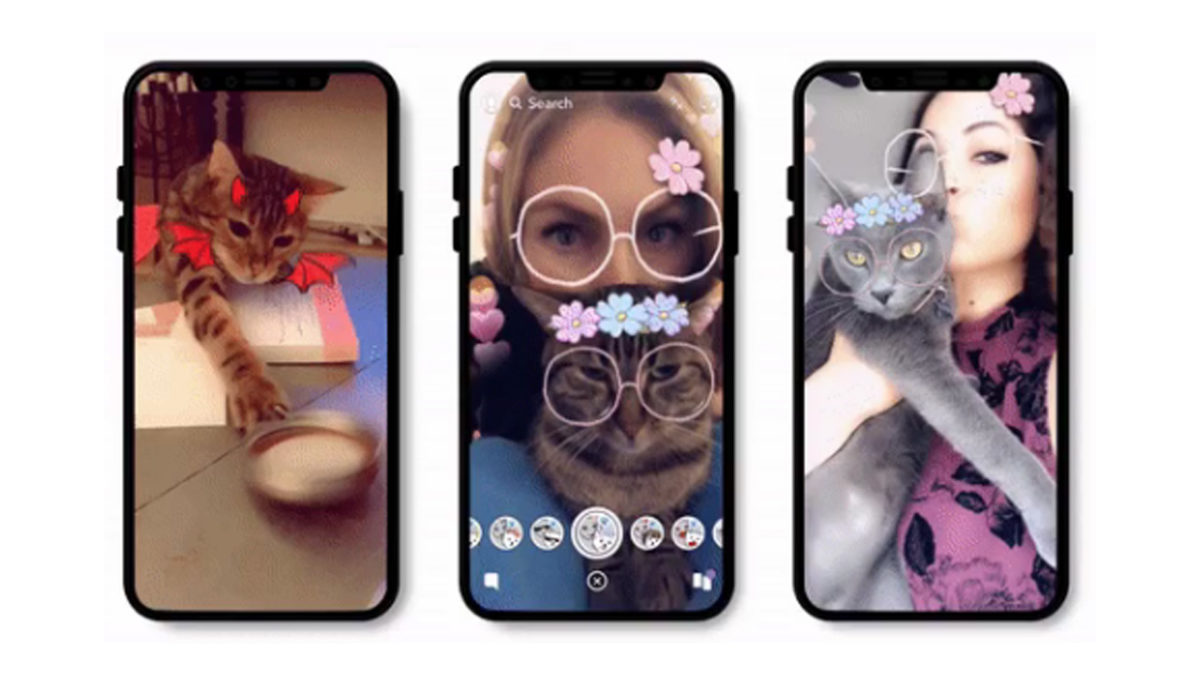
Snapchat lenses are the graphics that show up on your photos or videos in the app that cover your face, creating a “lens” around your face and virtually turning you into a character. These are a fun way to spice up your Snapchats and to get more enjoyment out of the app.

Snapchat Download Free
8

Pretty much everyone knows about the dog lens, the flower crown lens, and a range of others created by Snapchat itself. There’s even a lens specifically for your cat. But let’s talk about some user-created lenses that are worth checking out.

1. Mouth eyes lens

Mouth in Eyes Lens from r/SnapLenses

Welcome to your nightmares. Use this lens to turn the eyes of anyone in the frame into mouths. The mouth-eyes move as the person moves their real mouth. You’ll never sleep again after using this spooky lens.

2. Create your own thought bubble and fill it

Want to show that your dog is dreaming of chasing cats? Maybe you took a photo of someone sleeping and want to show that they’re dreaming of you! It’s possible with this creative, cute, and funny Snap lens.

3. Security cam

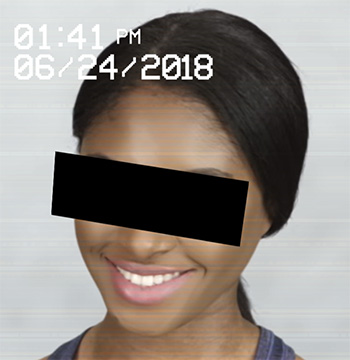
security cam lens

This lens makes it look like the photo subject has been captured on a security cam. It blocks out their eyes and even adds a time and date stamp to the snapshot. Turn your friends into criminals with the press of a button!

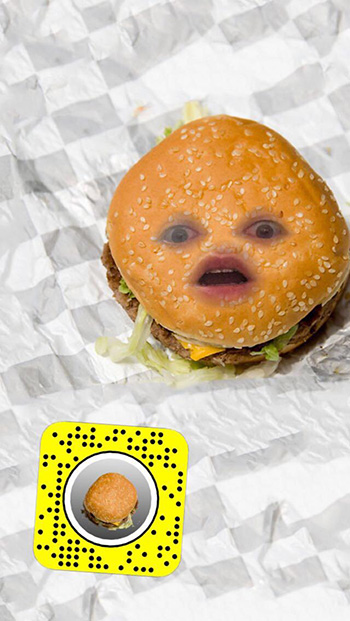
4. Burger face

burger face lens

Do you love hamburgers and horrific images? This is the lens for you! Simple yet hilarious, this lens was created by a user with a passion for buns and beef. It puts a burger on your face whenever you use it.

5. X-ray face

X-ray from r/SnapLenses

Need to film a thrash metal video? This lens will come in handy. Show your friends what’s hiding beneath your skin in the form of a creepy face X-ray. Super fun!

These are just a few of the many user-created lenses for the wonderful world of Snapchat. Have fun with these, and if you need more lenses, here’s how to find some of the best.

If you miss Vine, you’ll love byte

Don Hoffman, co-founder of Vine has announced byte, a follow up to Vine that will launch in spring 2019

6 second videos with byte

One of the main criticisms thrown at the internet is that it is constantly distracting us. We’re now distant introverts constantly trying our hardest to not check our phones for notifications, no matter the social situation we are in. One of the main culprits in the destruction of our attention span is Vine. Its six-second looping video format meant we could be genuinely entertained in less time than it takes most of us to finish a sentence. Vine didn’t last. But you can’t keep a phenomenon down.

Don Hoffman, co-founder of Vine,  announced byte, a follow up to Vine that will launch in spring 2019

Vine was originally founded by Dom Hoffman, Rus Yusupov, and Colin Kroll back in June 2012. Twitter bought Vine before its official launch but competition from the likes of Instagram, Snapchat, and other more traditional video platforms like YouTube led Twitter to stop new videos from being uploaded in 2016. Yusuprov and Kroll went on to found the now-famous interactive game show app HQ Trivia, but Hoffman stated that he was working on a Vine V2 app that wouldn’t be affiliated with Twitter.

It looked as though Hoffman’s project wasn’t going to see the light of day though, when he posted on the V2 community forums that the project was being indefinitely postponed, citing “financial and legal hurdles.” This all changed just a couple of days ago, when Hoffman tweeted that he would be launching a new looping video app called byte in Spring 2019. We’ll have to wait to find out more details about byte, but if it will be based on Hoffman’s published plans for V2, it should be a place for publishing videos between two to six-and-a-half seconds.

The short length of Vine videos forced users to be creative in ways never seen before. Vine might have helped shave minutes off of our attention spans, but it did it bring something fresh to the internet. When Twitter choked off new uploads, it left a hole that needed filling. Hopefully, when byte launches next Spring, we’ll start to see a whole raft of new creators rising to internet stardom.

To find out more about byte you can head over to www.byte.co and sign up for updates. If you’d like updates about all your favorite apps and programs, sign up to our newsletter by entering your email address in the form below.

Some of our favorite Vine creators

ProZD

Thomas Sanders

David Lopez

Snap Camera brings Snapchat filters to your desktop and Twitch streams

Use Snapchat with your webcam! This new feature is great for video streaming.

Let’s be honest, the best part of Snapchat is the filters. They’ve come a long way over the years, but the original famous filter was the dog filter, used primarily by the ladies to add cute dog ears, a nose, and a tongue to pictures. They were everywhere when first released and since then, interactive filters, filters for your cat, and filters including your animated likeness called Bitmoji were added. These filters were only available on the app and many other apps and websites tried to create their own versions, but it just wasn’t the same.

Snapchat decided to up the filter game (and whether this has anything to do with the stock in the company steadily declining recently, we’re not sure) and now Snap Camera bursts onto the scene.

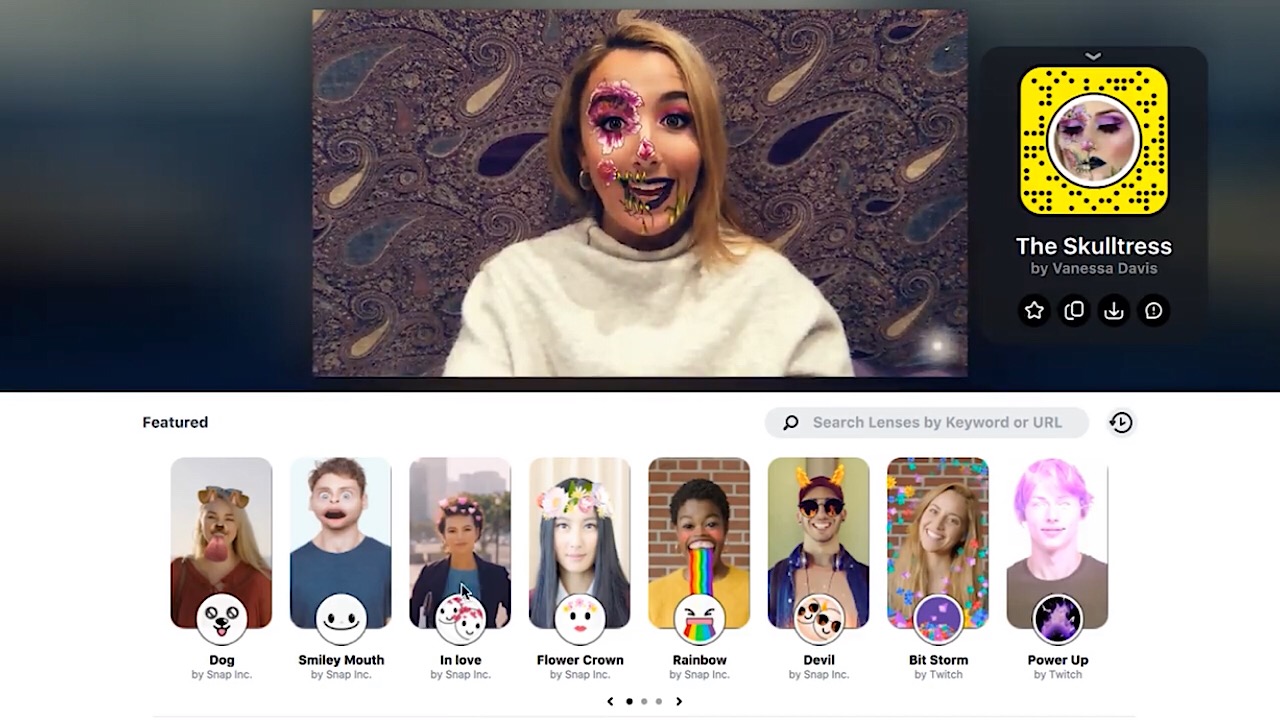
snap camera screenshot

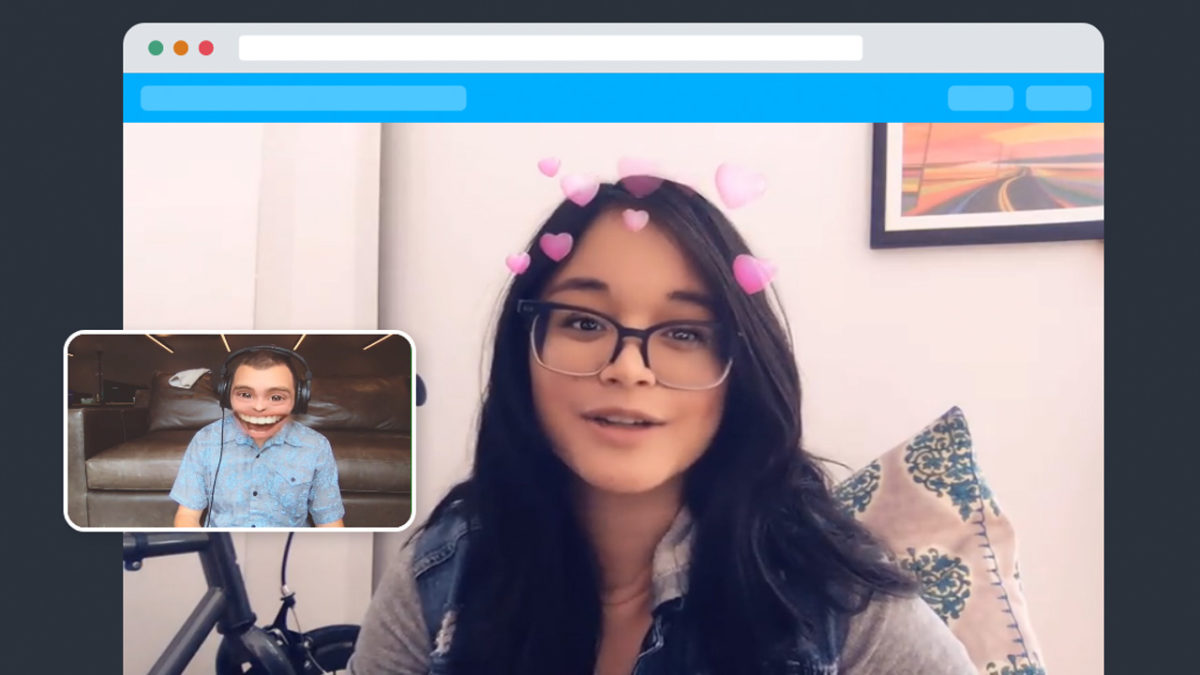
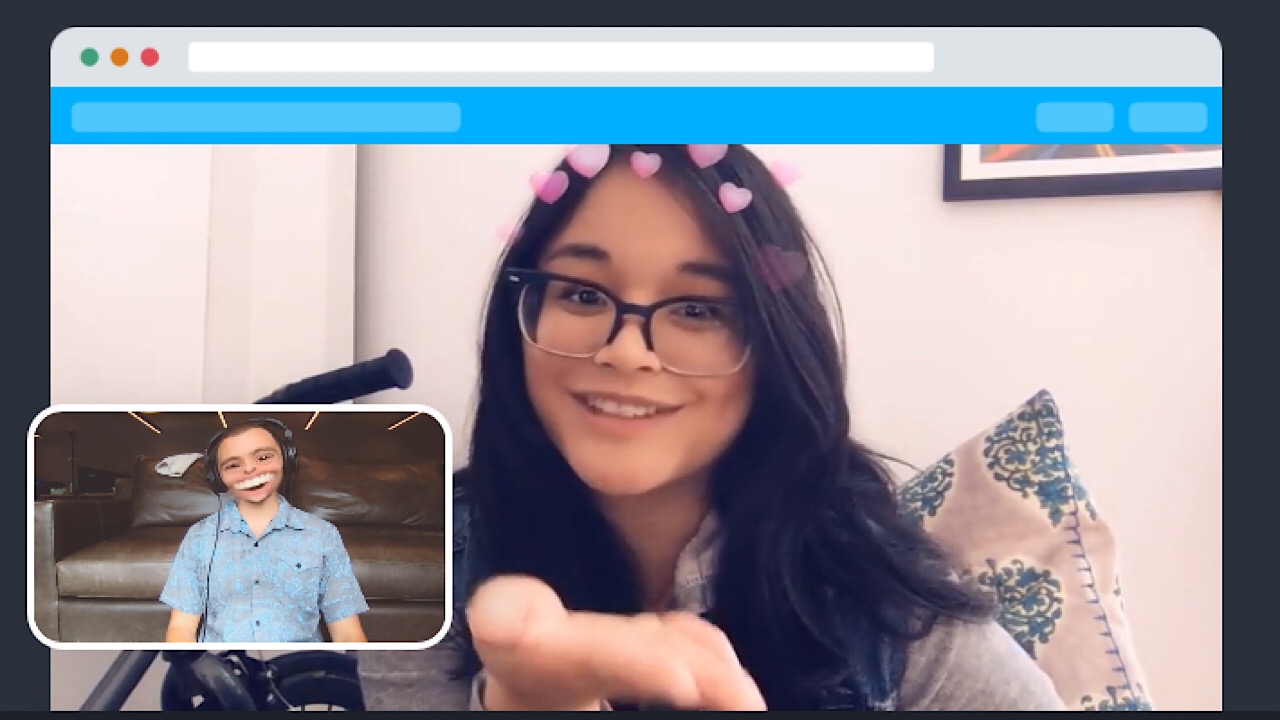
With Snap Camera, lenses (or filters) can be used on your desktop with virtually anything. Download Snap Camera for Windows or Mac, and along with your webcam, you can use the lenses with a ton of third-party video chat or live streaming services.

Snap Camera Download Free ►
8

Just open the app, search for the right lens, and you can vomit the most glorious rainbow in the snap of your fingers. Who wouldn’t want that? You can preview what the lens will look like before you apply it, and if you see a lens that you want to use later, just tap the star icon in the corner of the lens to favorite it. You can use Snap Camera as your webcam if you want to look like a dragon while video chatting with your mom. Choose Snap Camera in whichever app you’ll be using to chat to utilize the augmented video.

snap camera screenshot

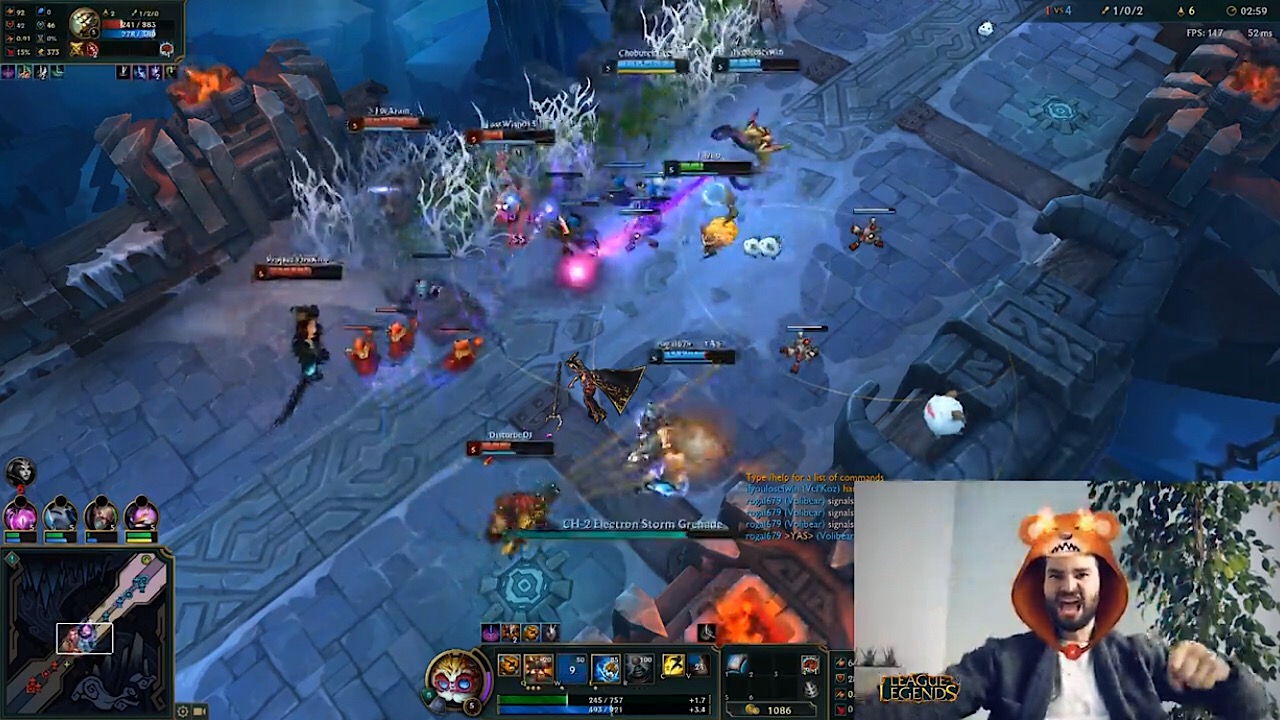
If you’re a Twitch streamer, we have some great news for you. With Snap Camera open, click on the Twitch logo and it’ll take you to the Twitch website. Authorize and install Snap Camera, activate the Twitch extension, and get ready to take your audience interactions to the next level.

snap camera twitch screenshot

You can apply lenses customized to your stream, and viewers can unlock special lenses just for them when they become subscribers.

Any of the lenses that you like on the desktop can also be exported to Snapchat, which is an awesome function. Filters for days!

8

There are thousands of different lenses to use and a ton of ways to use them, so test them out and let us know what you think!

How to create your own geotags and geofilters on Snapchat, Facebook, and Instagram

Did you know you can make your own geotags and geofilters on social media? Here’s how.

geotag

Geotags can be a really useful tool that a variety of social media sites have begun to adopt. It started on Snapchat, but has since made its way to Instagram and Facebook as well. It can be perfect for promoting a business event, or even just helping to celebrate a friend’s birthday celebration. If you’re interested in understanding how you can use geotags and geofilters, here is an easy explanation of what they are and how to use them.

How to create your own geotags and geofilters on Snapchat, Facebook, and Instagram

What are geotags and geofilters?

Facebook “check ins” are the easiest example of a geotag. Essentially, a geotag links a particular location to a social media post. Similarly geofilters are photo-filters built into Snapchat and Facebook that are location-specific. This makes both of these great for sharing your location with friends and family on these social media sites.

Snapchat Free Download
7

How to create a geofilter on Snapchat


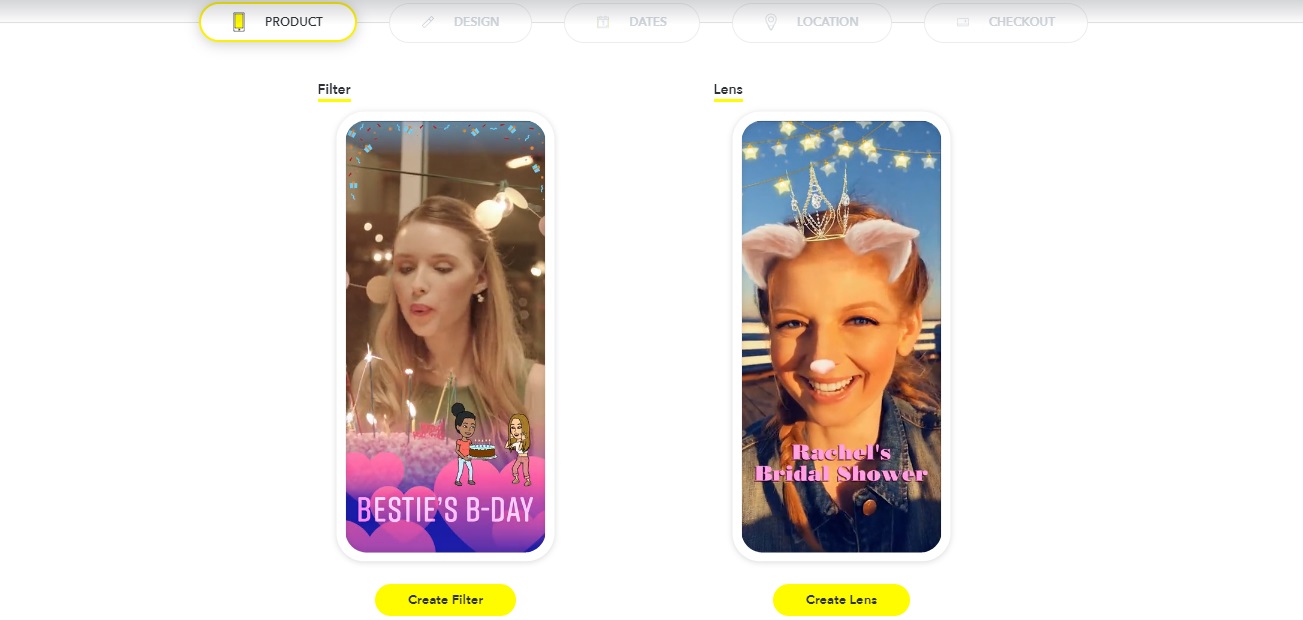
Snapchat makes it pretty easy to create geofilters, which makes sense since they were the ones to start the trend. The first thing you want to do is go to their create your own filter/lens site.

Snapchat filter

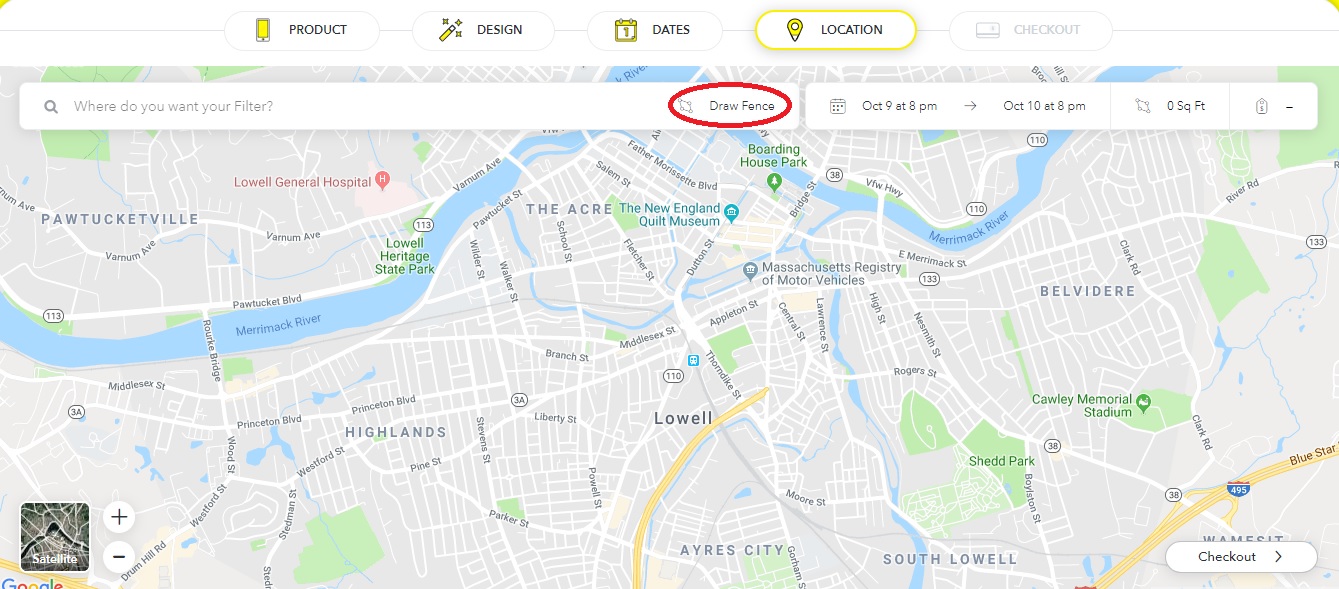
From here, you can choose to create your filter, and then customize it however you want. You can either upload your own art or use the filter creator that Snapchat has itself. Afterward, you can choose the dates and location of the event. Make sure to press “Draw Fence” and then click the points you want the location to be in.

Snapchat

You do (unfortunately) have to pay to create your own Snapchat filters. However, thankfully, it’s a relatively cheap cost, at roughly $5 per 20,000 square feet. So small events won’t end up paying a fortune, but larger ones may be a bit pricey if you don’t have a business paying for the expense.

Note that it may take a bit for Snapchat to process your request, since they have to make sure that the filter is appropriate.

How to create a geofilter on Facebook

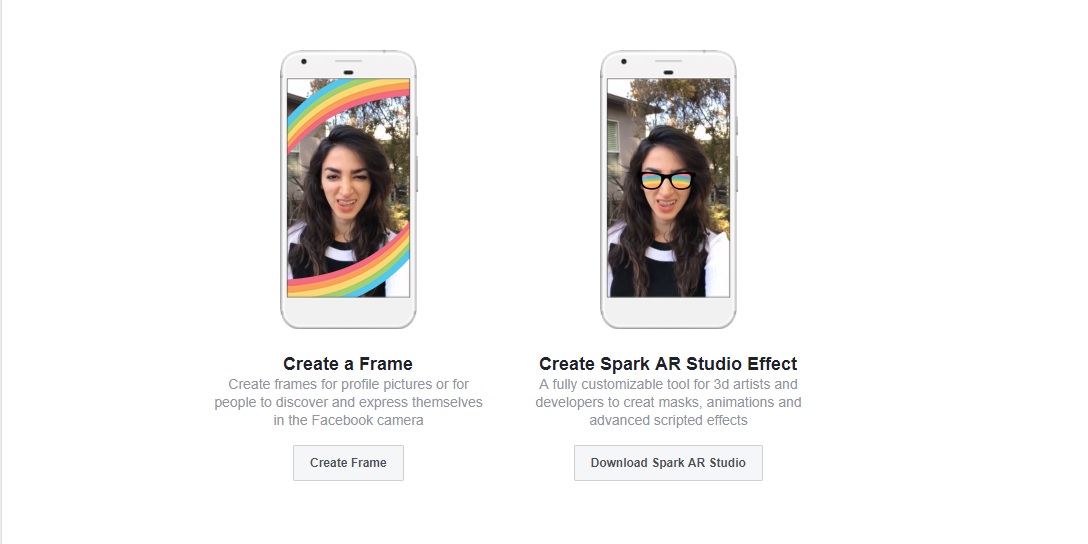
The process for creating frames on Facebook is similar to Snapchat. First, you’ll have to go to Facebook’s frame studio page, that gives you roughly the same options as Snapchat did. Choose “Create Frame” to get started. 

Facebook

Unlike Snapchat, you’ll have to create your filter outside of Facebook before being able to upload it. Afterward, you can name, give it a specific location (using Facebook’s “place” pages), and create keywords for people to search for it online. Once you’re done, you can publish the filter and make it available for anyone to use. Also, unlike Snapchat, these filters are completely free!

Instagram Free Download
7

How to create a geotag on Facebook and Instagram

Most people know how to geotag on both of these sites by simply using the “check in” or “add a location” features. However, creating your own geotag can be a bit confusing, especially on Instagram, since you can’t create one on the site itself.

Thankfully creating a geotag on Facebook actually creates one for Instagram as well. You can do this by pressing the “check in” button on the Facebook mobile app (it won’t work on the browser version of the site). From here, type in the name of the location you wish to add. Then press “add ‘Location name’” at the bottom of the “places” list. From here you can fill in details about your location, such as what type it is, and where it’s placed. Once this is done, you’ll be able to publish the location to both Facebook and Instagram for future use. Note that the location information becomes public after you publish, and you won’t be able to edit it in the future.

Snapchat’s lens explorer feature lets you explore thousands of customer-built lenses

Upgrade your Snapchat game and check out these great snaplenses.

The best part of Snapchat has always been the different filters or lenses that can be applied to your face or background. But did you know that you can now create your own lenses? Not only can you be a creator, but you can also view lenses created by thousands of different artists and everyday people.

Find out more about the new customer-built lenses below.

Snapchat’s lens explorer feature lets you explore thousands of customer-built lenses

How to use them

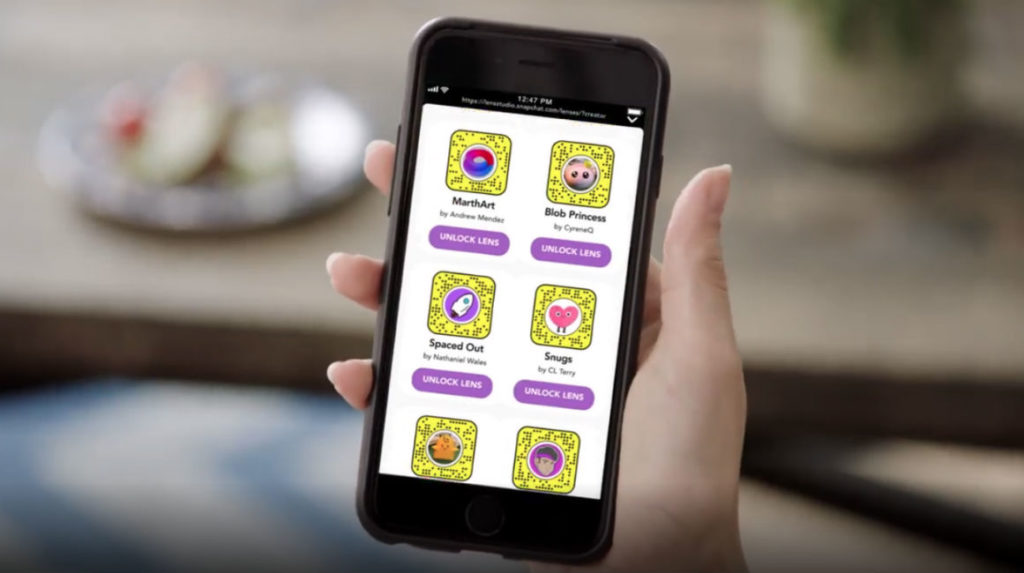
So where can you find this Lens Explorer feature? Basically, Lens Explorer will appear in the row of lenses that pops up when you tap the camera screen. In previous versions of Snapchat, this is where you would normally find the filters and lenses that you wanted to apply to your picture. But now with the addition of Lens Explorer, you will have access to more than 100,000 lenses.

8

These lenses work just like the normal Snapchat lenses that you’re used to. If you’re scrolling through the thousands of new Explorer lenses and find one you like, you can simply swipe up on the one that you choose and it will be unlocked for you to use in your future snapshots.

Personalized lenses

Snapchat will use your location information to show you lenses that are customized to your current location. These are very similar to the location filters they have, only there are many more options now.

These lenses may also be personalized based on previous lenses that you have used. Snapchat may try to show you lenses similar to the ones that you already like, which will make it quicker to scroll through the hundreds of thousands of lens options.

No sponsored content

A problem for some people is that many of the latest Snapchat filters available have been sponsored by big brands. However, for now, Snapchat promises that none of the Lens Explorer lenses will be sponsored. All the lenses will be created by individual creators from across the globe.

Only available on iOS

As cool as this new feature is, it’s not for everyone: Snapchat announced that for now, it will only be available on iOS (and not Android). However, if this new feature becomes popular, you can expect it to arrive on Android in the coming months.

Overall, the new Snapchat Lens Explorer sounds like it will revitalize Snapchat and make using lenses even more fun. Why not download the app and check it out for yourself?

Snapchat reaches historic technological milestone by creating selfie filters for cats

Uh, thanks, Snapchat.

snapchat

Nearly 50 years ago, the greatest technological innovation ever seen was the moon landing.

When the Apollo 11’s lunar module landed on the moon and Neil Armstrong spoke his famous words, everyone watching knew that their lives were about to change forever. For centuries, humanity gazed at the moon, sitting brightly among the stars, humbled by its foreboding size and unending glow. At last, in 1969 humanity had conquered the moon and seemingly achieved technological control over the universe. For a long time, I wondered what my generation’s “moon landing” would be. Something that challenges the limits of human potential and achieves the impossible. While scrolling through Twitter on October 12, 2018, I finally received my answer.

I sat, jaw agape. Was it possible? Had Snapchat truly done it? For years, cats being left in the dust while their human friends enjoyed the thrills and silliness of Snapchat filters had been the cause of countless suffering. Animal rights groups worldwide chanted the same question: If humans are so worthy of Snapchat filters, why aren’t cats? What unspeakable crime have cats committed that they aren’t able to enjoy a flower crown like the rest of us? Thankfully, cats and their human allies can now rest easy that their efforts weren’t in vain.

With this new technological revelation, everything changes: politics, religion, questions on what it means to be human. No conversation will be the same after humanity was able to put bread on a cat.

It’s truly inspiring what humanity can accomplish when everyone works together towards some unobtainable, world-changing goal. For years, cat selfies seemed so far away that no one dared to even try. Snapchat should be proud, because they now have truly left their mark on the world for centuries to come. Edison had the lightbulb, the Wright brothers had the plane, Bell had the phone, and now, as we witness it today Snapchat has the cat selfie.

Snapchat launches original shows

Will you watch?

SNAP ORIGINALS

Snapchat is one of the most popular social media apps around. Create your own account, record small videos up to 10 seconds each, and then keep that button pressed to add up to two minutes of video to make a story. Every celebrity has one, even if they’re not the person in charge of recording (Rihanna has that luxury). As the popularity of its rival Instagram grows, Snapchat has been cranking out new features and trying to come up with more ways to make you feel like you need it as a part of your daily life. Is that a pun-y license plate? Gotta snap it. Did you score those insanely difficult to get Beyonce concert tickets? Everyone needs to know! With this new update, they might just make that happen – if it hasn’t already.

Snapchat Download Free
8

Yesterday, Snapchat rolled out 12 original mobile series. You read that correctly – actual shows in the form of Snapchat Stories. Named V/H/S, or video horror shorts, the shows are viewed vertically and replay after 1o seconds, just like snaps.

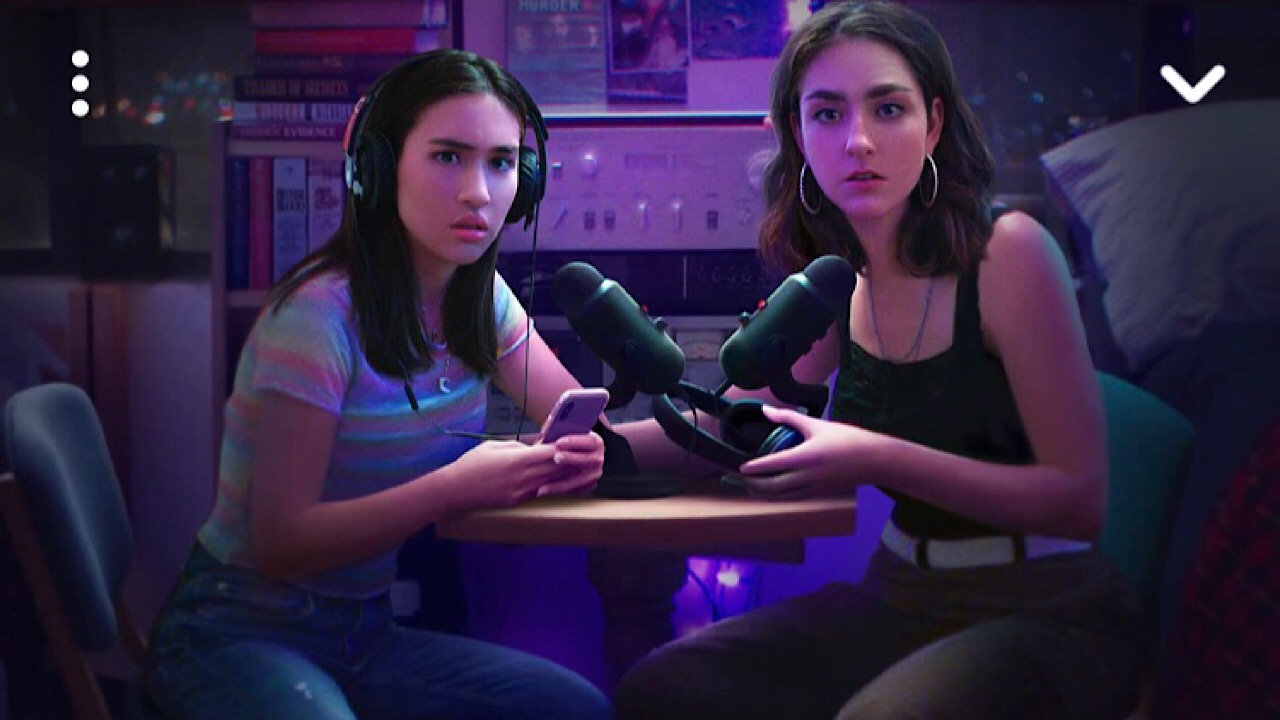
We watched the first episode of one Snap Original called “Class of Lies,” about two roommates who are obsessed with crime stories who created their own podcast where they solve sometimes high profile unsolved cases.

Class of Lies screenshot

Along with the scripted, there are also some reality shows in the fall line-up. “Bringing up Bhabie” will follow America’s most infamousfoul-mouthedd teenager Danielle Bregoli and show her attempt to become a rapper.  “Growing Up is a Drag” will be in docuseries form and show the sometimes difficult lives of teen drag queens. There are only two episodes that have been released of “Class of Lies,” and it looks like one episode of a series will be posted every day. We have to admit, is was a good show and was worth the watch.

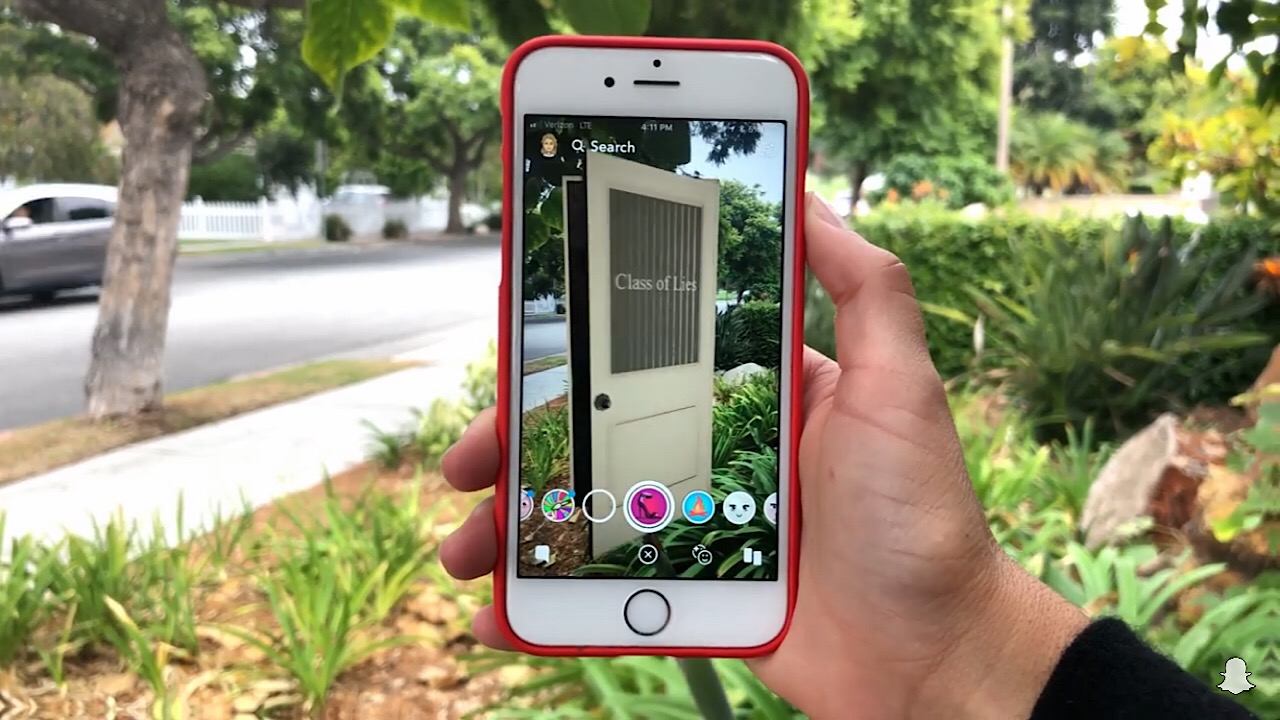
Another cool feature is that soon you’ll be able to try out interactive filters from your favorite Snap Originals. Talk about immersion.

snapchat filter screenshot

Now a questions that many people are asking – how is Snapchat paying for these? You guessed it: ads. Yes, there are two or three 6-second ads that run during each episode of a series. Since they’re so short, they’re a little less annoying – but only a little bit.

We predict that this move by Snapchat was a smart one, and we can’t wait to see what comes of it. Move over Netflix, Snapchat has just stepped up its game.