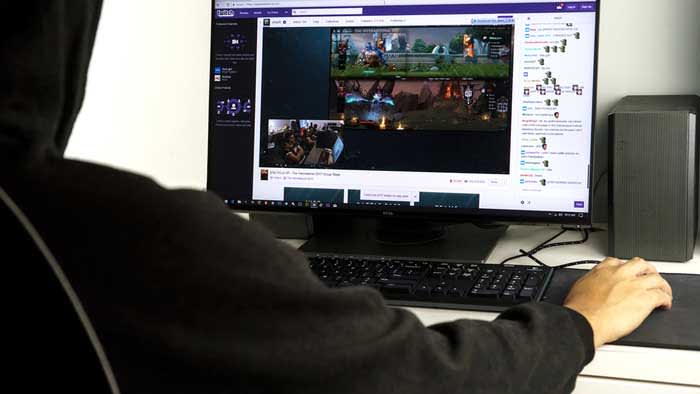
Twitch Streamer Caught With Deepfake Porn Of Friends Returns, Wants To Help

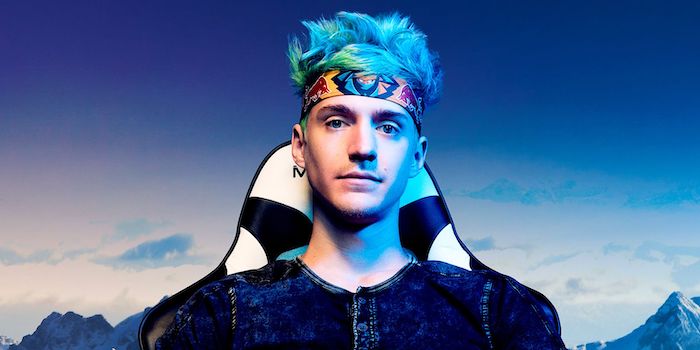
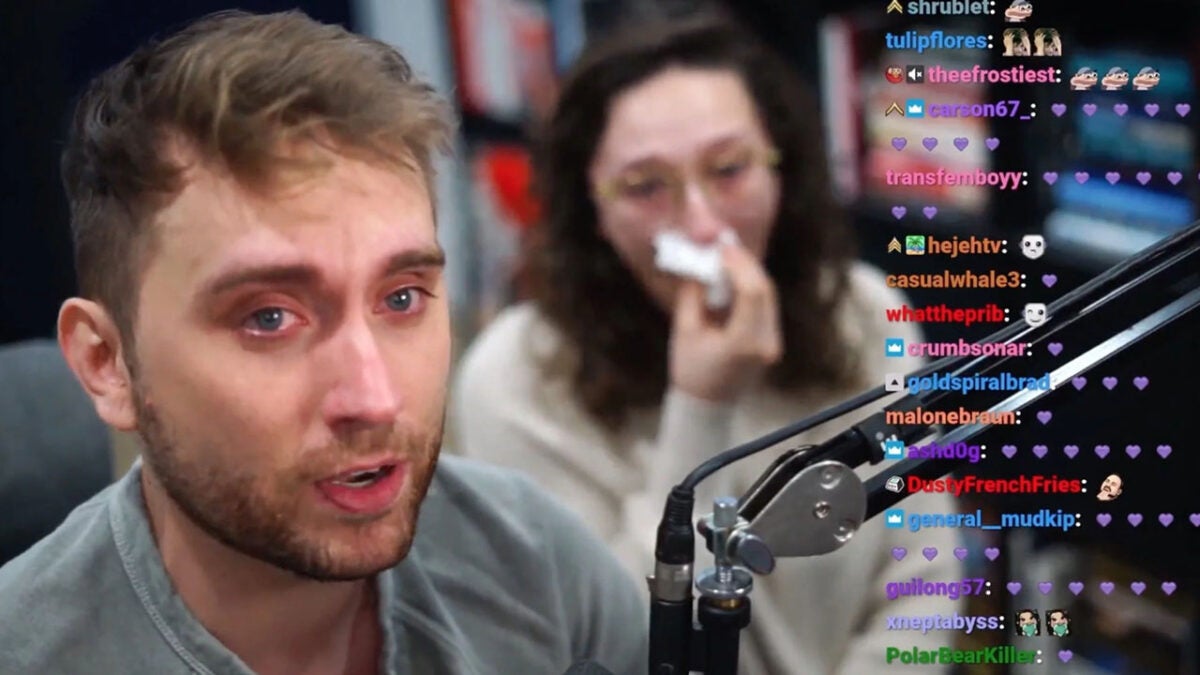
It has been several weeks since the DeepFake porn controversy, and Brandon “Atrioc” Ewing returned to Twitch to update fans on his fight against DeepFakes of streamers.

Atrioc made headlines earlier this year for his accidental confession on his stream to paying for DeepFakes of female streamers, some of which was friends he knows/knew.

When reality hit him after the leak, he faced his actions, went live with an emotional apology, and promised to redeem his mistakes. He admitted to doing this. He will step away from content creation and focus on working with a law firm to take down DeepFakes across the internet.

During this week, Atroic updated people on the situation by going live for the first time in six weeks. He has shared information about working with various people to help affected victims and take down DeepFake websites and videos.

He mentioned the best AI-developed tools by the company Ceartas. The AI tool automatically takes down stolen content from creators, and DeepFakes fall into that category. The algorithm requires a lot of data which is part of the issue with a need for creators willing to assist.

Twitch

Atrioc also shared his involvement with some prominent creators impacted by the DeepFake situation, like QTCinderella, Pokimane, and Maya Higa, to help them. Amouranth asked for help taking down the fabricated content depicting her: “She had heard about the work I was doing somehow, and she asked if I could help her get stuff taken down.”

Thus far, he has shut down thousands of sites using the help of other creators and the algorithm. Even though it’s still a work in progress, he admitted he would only provide regular content or stream occasionally.

Twitch is finally implementing a panic button to combat hate raids

Twitch has decided to take action and activate a long demanded option

Are you tired of being harassed on Twitch for something you believe in or your lifestyle choices? It can take time for you or your moderators to sift through hate messages and ban viewers. Well, the streaming platform now has Shield Mode. It’s a fancy panic button you click on that instantly puts security measures into place. 

What security measures, I hear you mentally ask with my telepathic powers. That’s up to you, actually. When you access the new Shield Mode, you determine what security features need to come into play once activated. It can be as simple as bulk-banning a group of hate commenters. Also, you can instantly shut down your stream or only make it available to your subscribers.
Once you’ve set the Twitch Shield Mode settings, it’s ready to go. If you see hate raids in your comments or something you don’t like, all you do is click that new panic button. The security measures will kick into place, and you don’t have to worry about all the manual work. You can also give access to your moderators, making their work easier.

Twitch introduces Shield Mode

One aspect of Shield Mode I don’t understand is No First-Time Chatters. It means that anyone that is new or didn’t chat in your last stream won’t be able to comment. Why I find this a bit odd is if you plan to use this for every stream. That means if someone is new and joins you for every stream from then on, they will never be able to comment until one day when you disable Shield Mode. It’s rather….odd. 

Twitch says it will be adding more features to ensure you still grow a decent following. Let’s hope Shield Mode doesn’t become an issue with obtaining new followers in the future.

The Evolution of Twitch: Is it becoming a pressroom?

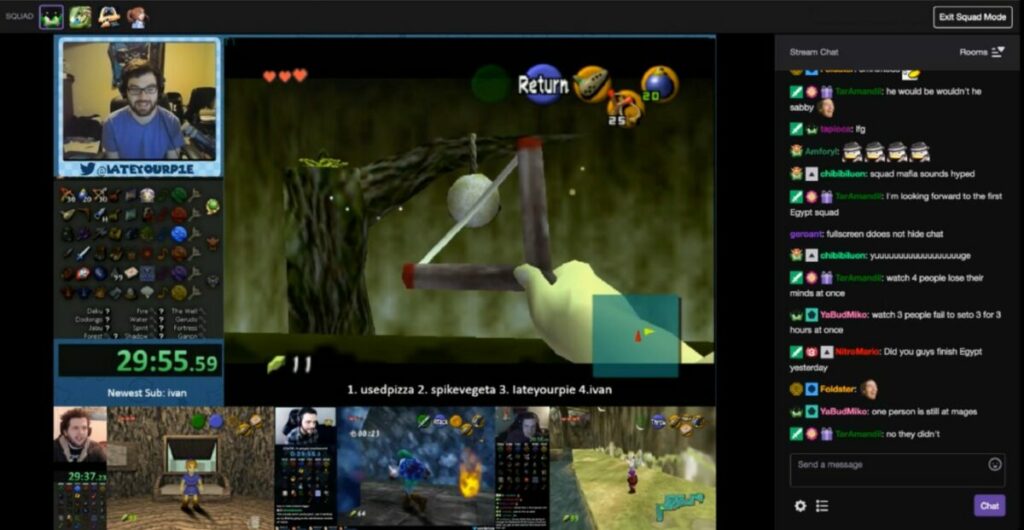
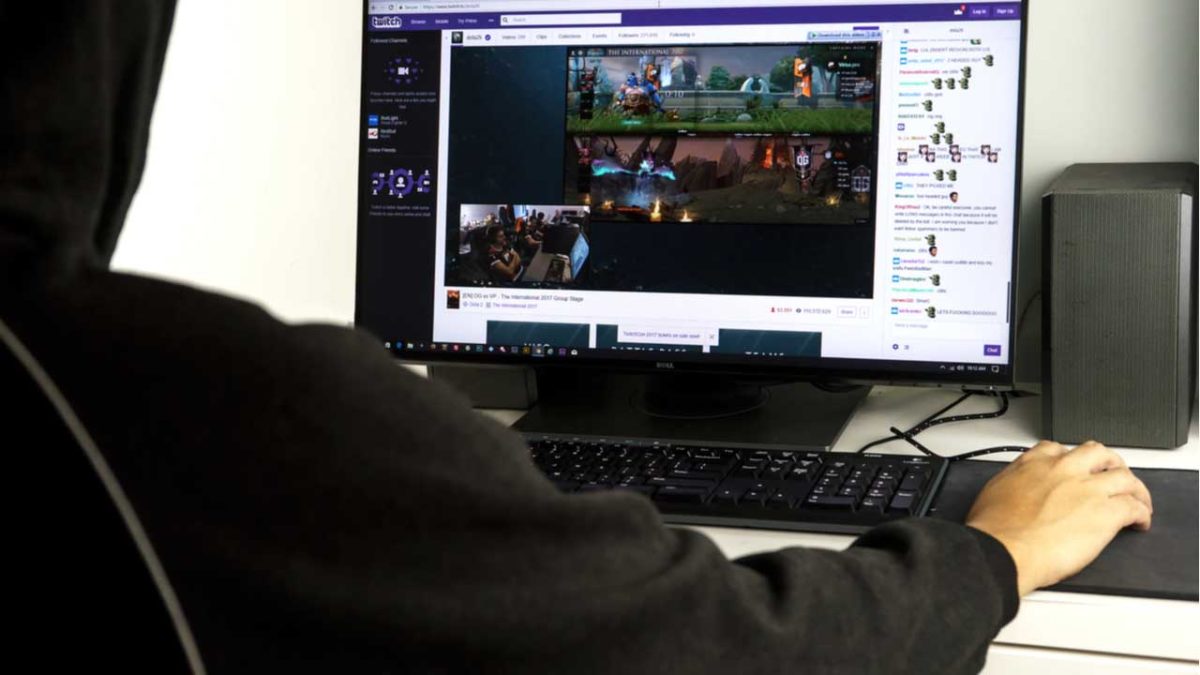
Twitch has become one of the fastest-growing live video-streaming platforms. Over the last few years, it has undergone quite a few evolutionary changes, from a personal 24-hour live stream to a live-streaming gamer platform and a media outlet. Content creators continue to find new ways to use the platform to engage with their audience.

This article will take a closer look at Twitch’s evolution and development over the last few years, including how it’s now a pressroom for celebrities.

The origins of Twitch

Justin Khan created Twitch. Originally it was called Justin.TV when it was released back in 2007. At that point, it was used by Justin and a few of his friends to vlog their lives 24/7. That’s right, Justin even streamed himself sleeping to create content.

As they continued to develop the platform, they started adding channels to make it easier to sort and categorize specific videos. This feature is similar to what we see on other video-streaming services like YouTube

In 2011, the name changed from the original Justin.TV to Twitch, and despite a rebranding and new slogan, the platform worked pretty much the same. Twitch is a platform where people can come together, share their lives, chat and create entertainment.

The way it provides content makes it an ideal platform for gamers and gaming content creators. Twitch allows content creators to connect and interact with their audience in real-time. They can adjust their content according to how the audience responds.

The platform saw a massive surge in popularity as more gamers made their way over to Twitch. Twitch’s popularity has grown significantly and continues to do so. The platform became so popular that Amazon bought Twitch in 2014.

Twitch has grown so much in popularity that it can stand as a competitor to YouTube. Part of this is because it creates a sense of closeness and intimacy that connects with people, in particular Gen Z. The connection between the content creator and the user adds more value to this platform. This feature is lacking from other communication platforms like television and even social media platforms like YouTube.

Despite being a live streaming app, which can raise privacy concerns for many. Twitch isn’t less safe than any other social media platform you use. Their privacy policy might be a little contradictory, but so far, there have been no outright violations like we’ve recently noticed with Apple. As long as you remain aware of what you share and protect yourself, there’s no need to fear using the platform.

is Twitch a pressroom

Twitch’s evolution into a journalistic platform

The journalistic environment has seen some sharp digitization in the last few years. More users are turning to their social media platforms for news. As such many media outlets are already building networks on social media platforms to reach as many individuals as possible.

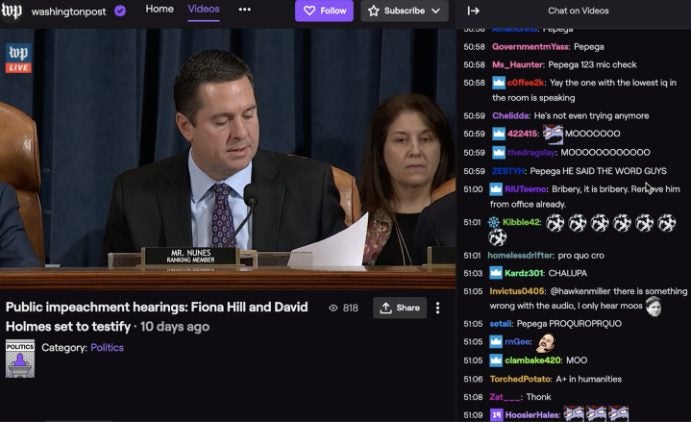
Twitch has been no exception to this trend. Media outlets have realized that Twitch is one of the best platforms for reaching a younger audience – if used effectively. The Washington Post, also owned by Amazon, was one of the first major news outlets to start posting on Twitch. Soon many other outlets, and even individual journalists, started utilizing the platform.

Twitch gives these journalists a way to report on essential topics such as politics, but in a way that makes it entertaining and engaging for all audiences. An example of this comes from the journalist Emilio Domenech. He lives in New York and originally used YouTube (under the name Nanísimo) to comment on the ins and outs of US politics. 

This can be a relatively dry subject unless you enjoy politics. However, he made the content engaging on Twitch by directly answering users’ questions, doing funny dances at the request of viewers, and much more. He’s even been able to grow his following to more than 23 000, which may not seem like much compared to streamers like Auron Play, but it’s still significant if you consider the specific niche he covers.

is Twitch a pressroom

Celebrities start flocking to Twitch

Many content creators have reached celebrity status directly by using the platform. Ninja, the popular Fortnite streamer, broke the record for most concurrent viewers on Twitch. In this particular stream, he was joined by hip-hop legend Drake (TheBoyDuddus), rapper Travis Scott (cactus_jackk92) and NFL rookie JuJu Smith-Schuster (FaZeJuJu_19).

We see this happening more often as celebrities have started using the platform to share news and interact with their fans. One of the first celebrities to make it to the platform was Joel Thomas Zimmerman, Deadmau5. The EMD DJ to the platform in 2015 showed his real face while playing his favorite video games. 

Coaches and sporting stars have also started reaching out on their Twitch platforms before even contacting mass media outlets. Ibai Llanos is a popular esports content creator who often streams alongside footballers Thibaut Courtois or Sergio Agüero. He was also the first person to have an exclusive interview after the signing of Marc Gasol for the Los Angeles Lakers.

Following suit, many other popular celebrities and artists have joined the platform recently. You can find OG rapper Snoop Dogg as he streams while playing Madden – in an authentically Snoop chill manner. You can also find Justine Bieber, but instead of streaming video games, he conducts interviews with other celebrities or shares his music with his audience. 

Songwriter and recording artist T-Pain can also play games like Call of Duty and Overwatch – with a killer freestyle or two tossed in. Post Malone is also active on the platform and gained a large following after partnering with HyperX to stream Call of Duty: Warzone. Recently he’s also started streaming other games like PlayerUnknown’s Battleground.

It’s not uncommon for celebrities to join social media platforms, not to mention video-streaming platforms. Celebrities like Dwayne’ The Rock’ Johnson, Kevin Hart, and even Will Smith all have YouTube channels where they share videos of themselves. However, these can sometimes come across as a little staged and more of a promotional stunt rather than true interactions with their audience. 

However, on Twitch, the above celebrities can take off their masks (some literally) and just relax and interact – giving their fans a real look at who these people are.

is Twitch a pressroom

Better get used to it – Twitch is here to stay

Twitch has quickly developed from a 24-hour live-streaming platform to a social media giant favored not only by gamers but also journalists and celebrities. Its popularity is still growing and shows no signs of stopping.

Twitch: How to make money as an affiliate

Becoming a Twitch affiliate might seem like a pipe dream, but this guide can make your dream come true!

Twitch

If you’re a gamer, you’ve probably had the fantasy of quitting your job to pursue a career of streaming video games on Twitch. However, an endeavor like that sounds too good to be true. Also, learning how to record and stream live gameplay sounds like a daunting task. On top of all of that, you need to not only figure out how to become a Twitch affiliate, but also if you can realistically support yourself through this new career path. Not every Twitch streamer is going to make $3 million playing Fortnite. 

Despite whatever qualms you may have, Twitch’s affiliate program is one of the top-ranking affiliate programs you can join. If you’re curious about how to get started, we’ve got the guide for you!

Twitch: How to make money as an affiliate

Starting off

You need to set realistic expectations for yourself as a streamer. You’re probably not going to be the next Ninja, but you can still make a name for yourself.

The first thing you need to do is to decide what games you’d like to stream. Weigh how popular a game against how much you enjoy playing it. Sure, games like Fortnite are really popular, but if you don’t find the game fun, nobody will want to watch you.

Also, don’t become a streamer just because you like to play video games. A lot of people like to play video games, but they don’t make money from it.

Become a Twitch affiliate because you like the idea of interacting with a community of gamers that you will gather.

We would recommend watching popular streamers to get ideas for your own stream. You shouldn’t copy another popular streamer entirely, but you can learn how to set up your streams, how to engage with your community, and how to stay interesting to your audience.

Eligibility

In order to be eligible as a Twitch partner, you need to stream 500 minutes of content every 30 days. That boils down to a little bit more than one eight-hour shift. You also need to stream seven times every 30 days. If you stream for an hour every Friday, Saturday, and Sunday, you’ll knock that out easily.

You might think that you need thousands of followers in order to qualify to be a Twitch affiliate, but you don’t.

In order to be eligible, you just need three concurrent viewers for your streams over the past 30 days. Finally, you need at least a total of 50 followers altogether. This means that you probably can’t just have all of your buddies follow you on Twitch, but you still don’t have an unobtainable goal in front of you.

Create the perfect streaming setup
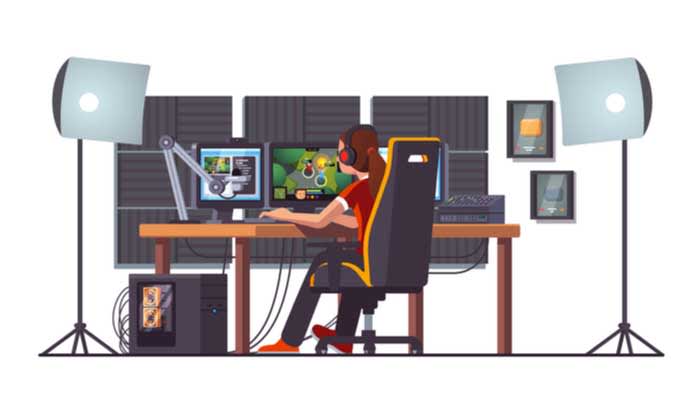
streaming

Aside from the money you’ll need to spend on consoles, games, controllers, and other gaming peripherals, there are a few things you are going to need to buy. Luckily, we have included links to some of the best products you can buy to create the perfect streaming setup.

This stuff can get pretty expensive, so don’t feel like you need to buy it all at once. However, if you want to really make it big in the world of streaming, these are all necessary and are used by the top dogs in the world of streaming.

Consider these things an investment into your future on Twitch. They can up the quality of your streams which means you can potentially gain more subscribers which means more money. The amount of money, time, and effort you put into your stream will determine what you get out of it.

How do Twitch affiliates make money?

Twitch affiliates basically have four ways of making money on Twitch:

  • Ad revenue
  • Paid subscriptions
  • Donations from fans
  • Sponsorships

Ad revenue

Twitch streamers make money from the pre-rolled ads run before their streams. Also, streamers can choose to run ads during their streams, which they also profit from. However, Twitch Turbo members and grandfathered-in Twitch Prime members won’t see these ads after a Twitch Prime change last year. 

Basically, you can’t quite rely on ad revenue to bring home the bacon.

Paid subscriptions
10K subs

If you want to subscribe to a streamer on Twitch, it costs $4.99. The good news is that Twitch streamers do get a cut of that money. Basically, if you have a few hundred subscribers that resubscribe every month, you got quite a chunk of change coming your way.

Twitch takes 50% off the top for paid subscriptions. However, if you average about 10,000 viewers per stream, Twitch only takes 30%, according to an article from Tubefilter. That extra 20% is a great incentive to try and grow your viewership.

You need to create incentives for your viewers to want to subscribe to you. A common thing streamers will do is to create custom emoticons that your subs will be able to use in the Twitch chat. These custom emoticons typically are related to your content or your personality.

You can hire someone to illustrate some emotes for your channel. Fun emotes can attract other viewers to your channel, which means more subscribers.

Donations from fans

It isn’t uncommon to make money on Twitch by receiving donations from fans. However, you shouldn’t base your entire Twitch revenue stream on hoping that you’ll receive donations from fans.

Create a link on your channel to for your viewers to donate money. Affiliates typically label this button as either “Donate” or “Send a tip.”

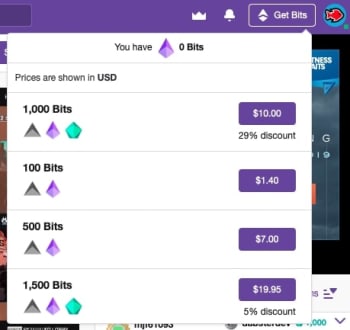
If you’re a Twitch affiliate, you can also receive donations by getting bits. Bits are sort of like Twitch currency (you know, aside from the actual real-world money on the site). Prices sometimes vary, but 100 bits typically costs $1.40. However, first-time bit buyers get a discount, and you get a discount the more bits you buy. If a viewer donates bits to you, you do get a cut of the profits. 

You can also receive donations via PayPal.

Sponsorships

Sponsorships are a great way to make money as a Twitch streamer. The way they work is that you’ll apply to be a sponsor of a company that’s typically gaming related. If you’re a big-shot streamer, companies might reach out to you, but, more often than naught, you’ll need to do the hustling yourself. If you’re accepted after applying, the company will send you instructions as to how your viewers can buy their products while you make a cut of the profits.

Typically, you’ll be sent a coupon code that your viewers can apply at checkout on the company’s website. For example, if your Twitch name is “GamerBoiJakeyyyy” they’d enter coupon code “Jakeyyyy” to get a discount on your sponsor’s product. Every time someone enters that coupon code, you’d get a cut of the sale. 

A great company to try and partner with is G FUEL. G FUEL is an energy powder you mix in with your drinks to keep you energized while gaming with no threat of crashing (allegedly). Also, they sponsor with loads of smaller streamers so they’re a great one to partner with if you’re on the smaller end.

Altogether, how much money you make as a streamer depends on the amount of time and energy you invest in your work.

Payout and payout schedule

Twitch has a $100 threshold in order to be paid out. Also, payouts take place around the 15th of every month.

This might be a bit of an issue for some potential affiliates. If you earned $75, you not only can’t access that money until the middle of the month, but you can’t get it unless you earn at least $25 more. If you need some money for groceries or another expense, you’re out of luck. You can receive money through checks or through PayPal.

If you have any other questions about Twitch payouts, check out their FAQ for more info. 

Consider other options

money

If you want to earn some extra money from your gaming content, there are other websites you should consider. For example, you can take your Twitch streams and upload them to a YouTube channel. That way, your fans can watch older streams of yours. If they’re YouTube Premium members, they won’t even have to sit through ads!

An added benefit is that if they see you interacting with your subscribers in the chat, it might inspire them to want to subscribe to you on Twitch.

You should also consider creating a Patreon page. Patreon is a great way to offer incentives to your fans in return for monthly donations to you.

Wrapping up

Working as a Twitch Affiliate full-time is not easy off the bat. If you have pressing bills to pay, you might want to consider another source of income before devoting all of your time and energy into working as a full-time streamer.

How to stream to Discord Community in 5 easy steps

Soon you will be able to stream games on Discord, but there’s a catch!

Discord is software that allows many people to talk to each other for an unlimited amount of time. You can use it to create channels and servers to interact with friends, colleagues, or groups of family members in visual, audio, or text formats. It doesn’t matter if you do so casually or in a formal business context. The result is still excellent communication about anything.

The app was originally designed for gamers to get together online and chat about games and gaming. But before too long, the players wanted a more inclusive communication platform for social groups, businesses, schools, clubs, and more. That led to Discord opening up to other uses, including streaming. Here’s a look at how to stream on Discord.

Discord FREE DOWNLOAD
9

Accessing Discord

The app is available for Windows (11, 10, 8.1, 8, 7), iOS, Mac, Linux, and Android.

 Once you’ve downloaded it onto your device, you can start communicating with whoever you want or streaming content. An increasing number of people are live streaming videos of themselves playing games while giving commentary. You, too, can build your own community and stream games or whatever else you like to people on your channels.

How to stream on Discord

Discord has a live chat feature that allows subscribers and streamers to interact in the same room. Therefore, streamers have many opportunities to interact with their viewers and build their communities to include as many people as possible who want to hear or see what they are offering. You need a server as well as a voice channel to stream. Here’s how to do it

  1. Download and install Discord

    How to stream to Discord Community

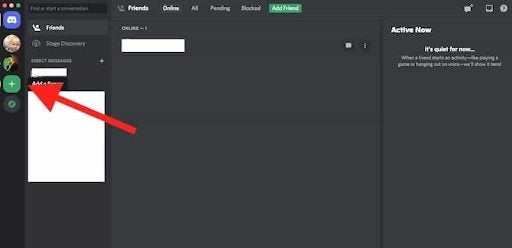
    Go to the Discord download page. Click on Download for Mac/Windows. Then install the software on your device. Open the app, register, and log in. You’ll see an invitation to go into public servers on the screen. There’s a plus icon that allows you to create your own servers. Once you’ve done so, a list of your servers will appear.

  2. Create a server

    How to stream to Discord Community

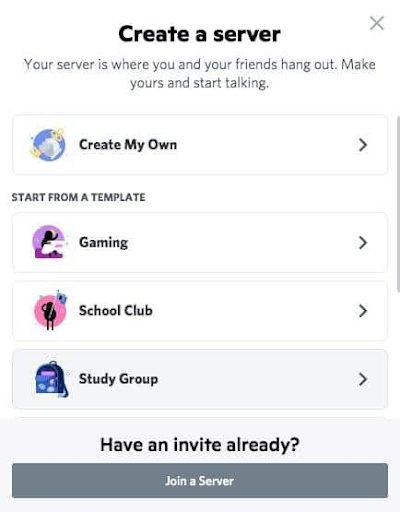
    Clicking on the Plus icon will take you to a screen where you’ll see templates for different categories of servers and an option to create your own. Once you have done so, give your server a name and an icon.

  3. Create channels

    How to stream to Discord Community

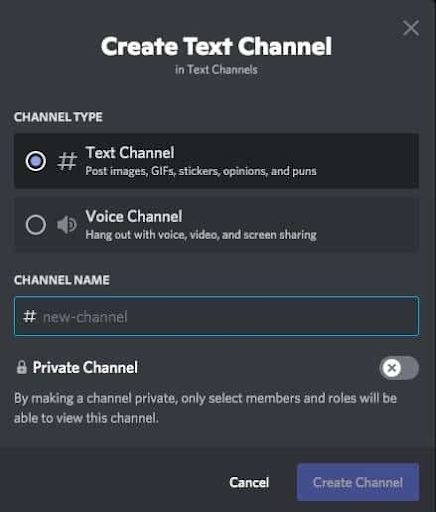
    Now you can set up different channels in your server for different topics, invite friends and contacts and start communicating. There are Voice or Text channels. To create a new channel, click the small plus icon. Pick the channel type, name your channel, and click on Create Channel. Now you can start streaming on any of your channels.

  4. Start streaming

    How to stream to Discord Community

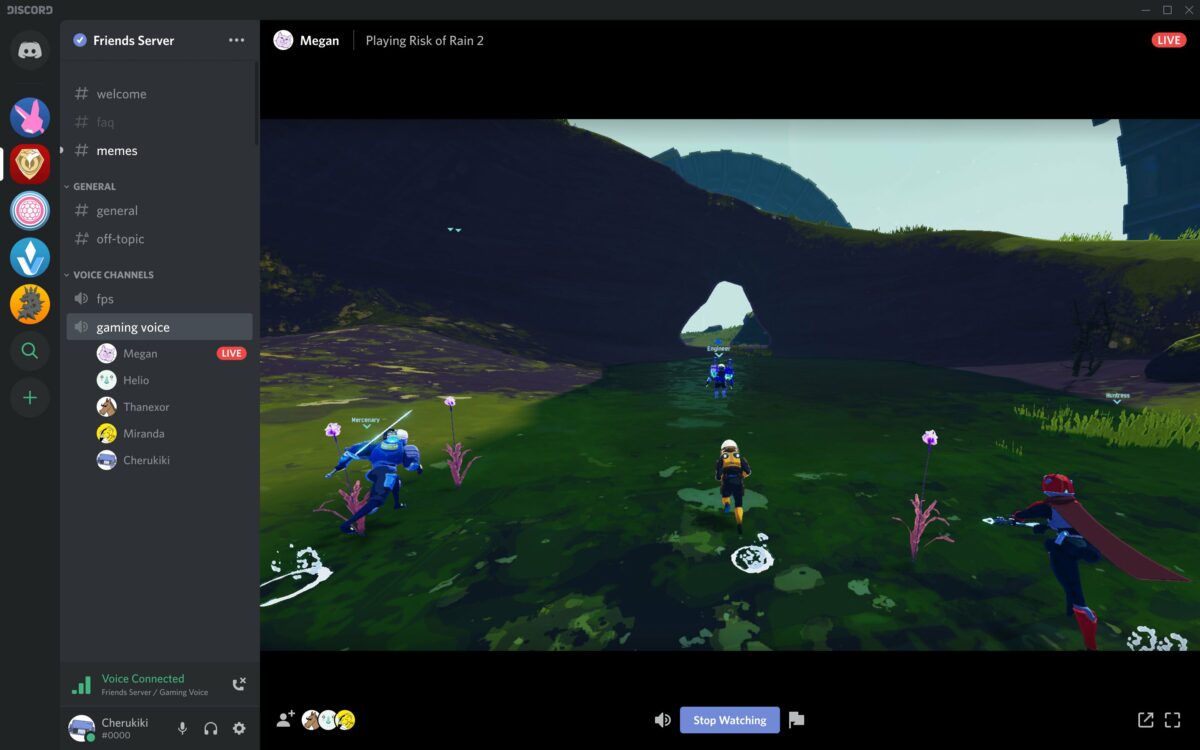
    You can only stream on Mac or Windows, and audio sharing is only available on Windows 10 or macOS version 10.13 or later. Here’s how: Open Discord and get onto a voice channel on one of your servers. Look for the option to turn on your video. Click on the Video button to make the camera appear. You’ll then be visible on the screen, and conversation mode will be on.

  5. Share your screen

    How to stream to Discord Community

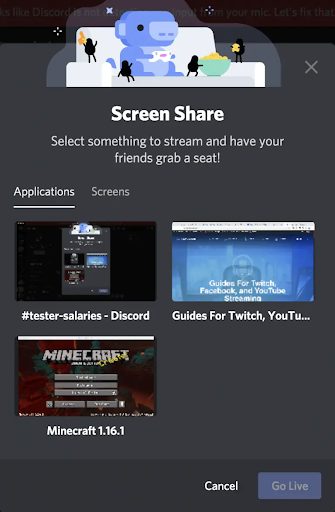
    Click on the Screen icon. A pop-up window will appear where you can choose how to share (a screen on your system or the whole screen). Then click on the Go Live button to share your screen with viewers. And you’ll be streaming!

    You can invite people to join you on our server. Click on the Invite button or send a server invite link. You can end your stream by clicking on the red Disconnect button on your Discord screen.

Watching a Stream

If you’re on a server where someone is live streaming, you can join the stream with a click.

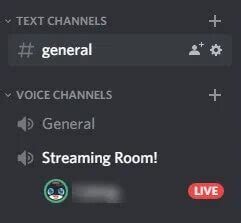
 You can see if someone is streaming because there’ll be a Live button on the screen. Click on the server’s name in the voice channel, and a window will pop up. Click on Join Stream to watch it.

Should you stream on Discord?

Streaming is a wonderful way to reach many people live on a Discord channel. You can stream so many different things, including games, the original reason for the introduction of streaming, cooking or gardening demonstrations, music, music videos, and movies, to name a few. The best thing about streaming is that you can find new Discord friends while you’re doing so. 

You can see their messages and replies in real-time, and you can reply to them in the same way. Engaging them while streaming is a good way to get them interested in your content so that they can spread the word about your stream. If you’d like to learn more, check out our guide on what Discord is and how it works.

10 best Fortnite Twitch players to watch

These Twitch streamers are the best the Battle Bus has to offer!

Fortnite

With billions of players worldwide, Fortnite has become a global phenomenon. People from all walks of life are dropping in from the Battle Bus and are trying to achieve that elusive Victory Royale. Those that aren’t playing are tuning into the countless Fortnite streams now on Twitch. Whether you’re new to Fortnite or just looking for a new favorite streamer, here are 10 of the best Fortnite players on Twitch.

10 best Fortnite Twitch players to watch

Honorable mention

Fortnite

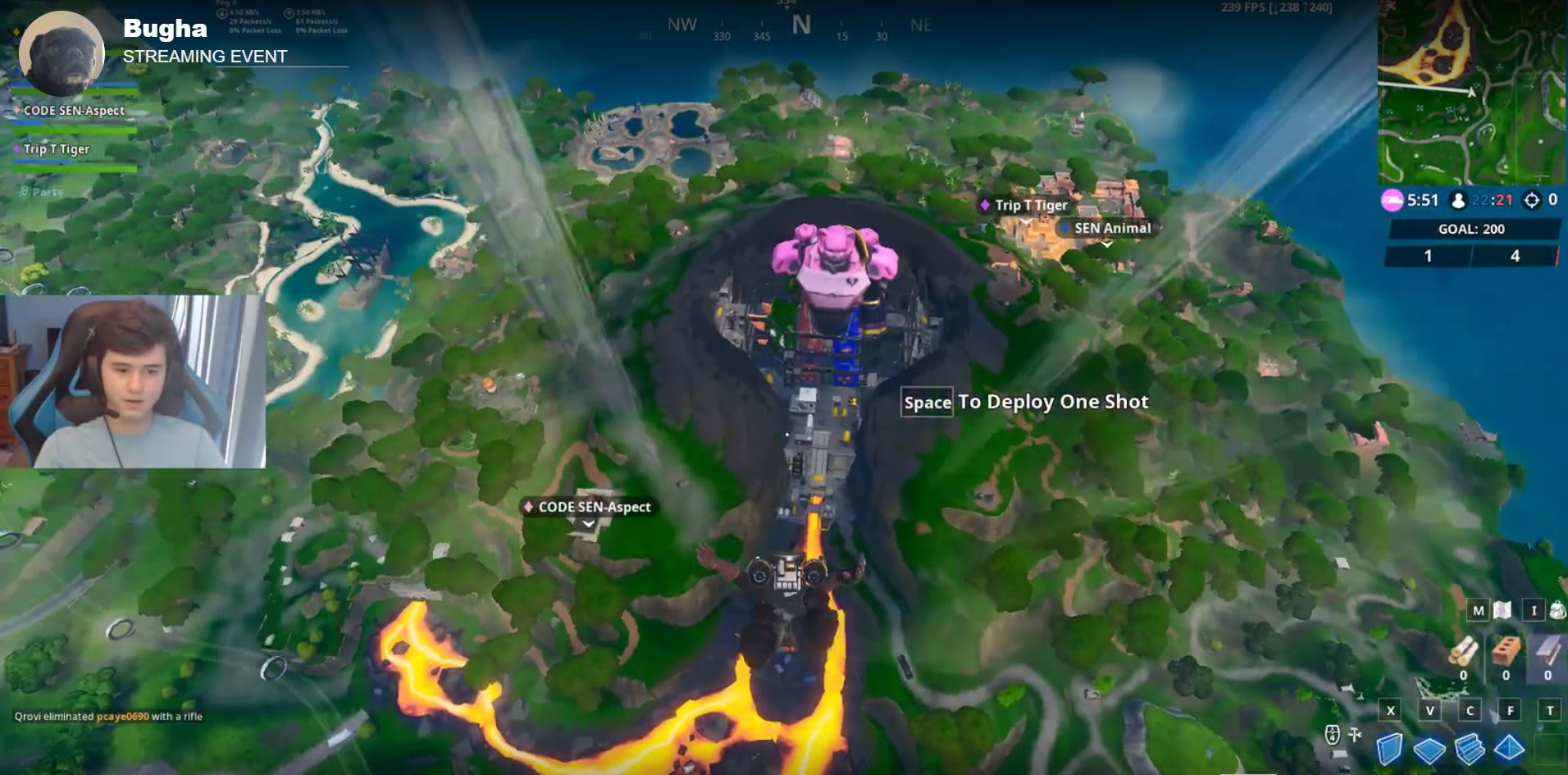
If you’ve been following the Fortnite World Cup, you might have heard about Bugha. Bugha is the current Fortnite World Champion and a recipient of $3 million. Wouldn’t you know it, Bugha has a Twitch channel! 

If you want to see the master at work, check him out!

Fortnite: Battle Royale Play now ►
10

10. Loserfruit

fortnite twitch loserfruit

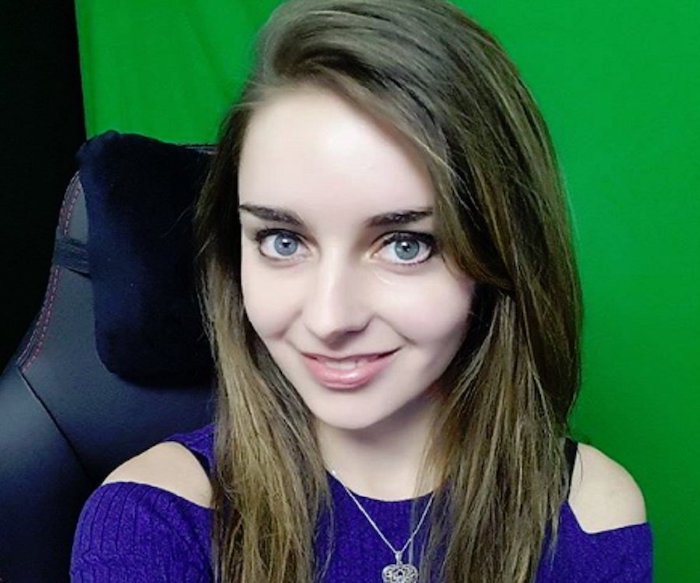
Loserfruit is a Twitch streamer and Youtuber hailing from the land down under. She got her start playing Overwatch and Fortnite, but also occasionally streams other games such as Apex Legends and PUBG. Aside from her Twitch and Youtube channel, she also runs a second channel under the handle “Lufu.” There, viewers can check out some pretty hilarious prank videos and vlogs about her life rooming with a group of Australian streamers known as Click.

Overwatch Download now ►
8

9. Airwaks

fortnite twitch airwaks

Anybody not already familiar with Airwaks may recognize the name from the recent Fortnite Celebrity Pro-Am, where he and musician RL Grimes took home first place. Hailing from Switzerland, Airwaks stopped studying to be an IT professional in favor of pursuing a career as a professional gamer. He got his start playing League of Legends, but eventually retired from LoL to become a pro Fortnite player.

League of Legends Download Free ►
8

8. Valkyrae

fortnite twitch valkyrae

Valkyrae is a force to be reckoned with. Though not solely a Fortnite player, Valkyrae is a true pro and has been breaking down barriers for women in gaming since she started streaming after college. Eventually building up a major following, she became the first female player for the 100Thieves esports team, and constantly advocates for women in gaming. She can often be found playing for all female teams, and even paid off her mom’s debts using her Twitch earnings.

7. Symfuhny

fortnite twitch symfuhny

Though he got his start playing H1Z1, Symfuhny soon transitioned to Fortnite, where his popularity skyrocketed. Aside from his streams, Symfuhny is known for his killer editing skills. His professionally edited and often hilarious highlight reels have earned him even more of a following, and he currently reigns as the 4th fastest growing channel on Twitch. Currently, he plays competitive Fortnite for NRG Esports.

6. NickMercs

fortnite twitch nickmercs

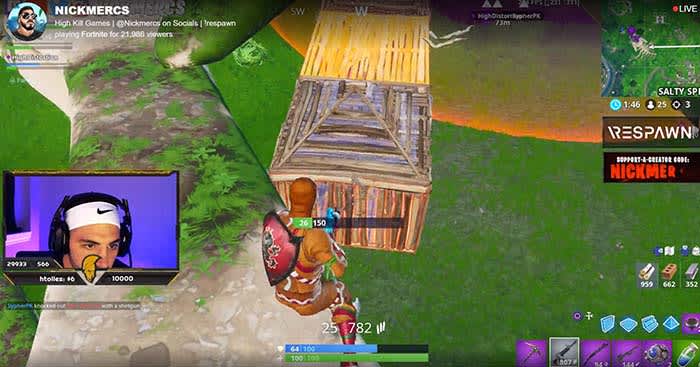
NickMercs is a gamer that isn’t afraid to make a scene. Originally breaking into the competitive world with first person shooters like Gears of War and Call of Duty, NickMercs became known for his brash, over-the-top personality and trash talk. Not afraid to cause controversy, NickMercs has been involved in some very public feuds and rivalries with fellow streamers. NickMercs is also notable for playing with a controller, busting the myths that mouse and keyboard gamers reign supreme. He has also made a name for himself in the Fortnite world by always landing at Tilted Towers.

Gears of War 4 Download Now ►
9

5. Myth

fortnite twitch myth

Myth is nothing short of a prodigy when it comes to building in Fortnite, and any player looking to improve their skills in that area would do well to tune to his channel. It’s widely agreed that Myth has been the best builder playing the game since its inception, and it’s hard to describe his fort making skills as anything other than jaw-dropping. His building expertise has earned him a major following… and a net worth of over $2.5 million.

4. DrLupo

fortnite twitch drlupo

DrLupo is a lifelong nerd who started out on the tabletop, playing such classics as Dungeons & Dragons and Warhammer. When he made the switch to streaming, he was a dedicated Destiny player and amassed more than 7,000 hours in the game. Eventually, he transitioned to Fortnite, and is known for his frequent charity streams. In 2018, DrLupo’s charity streams raised a total of $1.3 million for the St. Jude Children’s Research Hospital.

3. TimTheTatman

fortnite twitch timthetatman

Though some may say he isn’t the best player out there, TimTheTatman’s warm personality and colorful sense of humor have made him into one of Fortnite’s most popular streamers. He got his start in the FPS realm, where he would frequently play games such as Call of Duty and Overwatch. He is also known for throwing in a trademark flex during each session. After transitioning to Fortnite, Tim now plays as part of a team that includes Ninja and DrLupo.

Call of Duty Download Now ►
7

2. Daequan

fortnite twitch daequan

If you’re looking for consistent, quality content, look no further. Daequan provides a steady stream of Fortnite content to his eager audience, with streams every day and highlight reels and other videos posted to his Youtube channel. He currently holds several Fortnite records, including the impressive feat of racking up 39 kills in a single game.

1. Ninja

fortnite twitch ninja

Even people who have only a passing familiarity with Fortnite have doubtless heard the name Ninja. Ninja is an iconic and extremely skilled player that has played for several professional teams and has smashed several Twitch viewership records. He also made history as the first esports player to appear on the cover of ESPN Magazine. Whether you’re new to the game or a seasoned veteran, Ninja’s channel is a must-watch.

How Twitch streamers earn money

Many of us have considered becoming a Twitch partner, but can we realistically make money?

Tweeeetch

Whether you’re casually interested in Twitch or looking to become the very best streamer in history, one question often looms: How do they make money?

Sure, we’ve already talked about what it’s like being a YouTube content creator, but what’s it like being a Twitch partner? Can you really support yourself? Let’s find out!

How Twitch streamers earn money

Through Twitch

A streamer

There are a number of methods on Twitch for monetization.

Direct Donations

Donations are a streamer’s best friend! Money goes straight from the giver to the streamer, avoiding Twitch entirely. It’s an easy and meaningful “thank you” from users who love a channel.

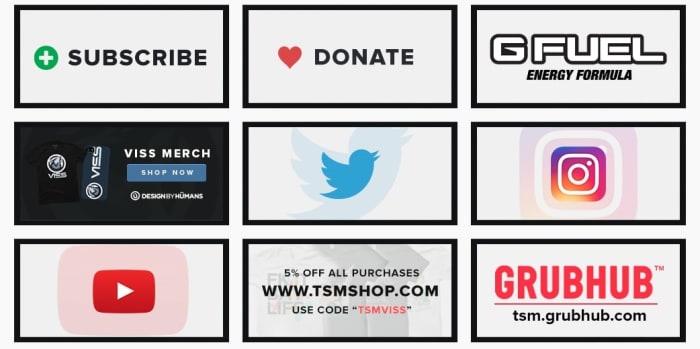
Understandably, since Twitch earns nothing, they require streamers to set up donation links for themselves. Take, for example, the Apex Legends streamer Viss. On their channel, you can find a number of links directly below the stream, as seen below:

Donations
Very clean and clear link menu, it has our approval!

All streamers that set up donations will have something like this button on their site. You may have to search, but it’ll be there!

If you are a streamer looking to set up direct donations on your site, you have the option to give your donors a choice of emoji that plays over the stream. We suggest using this to let the donors know they’re appreciated!

Twitch Affiliates and Partners

Before we go on, we need to discuss two terms: affiliates and partners. Essentially, these are two levels of Twitch streamer that each unlock new aspects of monetization.

To become an affiliate, you must reach 50 followers and meet a few criteria for monthly streaming (ex: 500 minutes on 7 unique days, etc.). Once that’s accomplished, you can apply to be an affiliate.

And why would you? Because subscriptions and bit donations start right here, along with the ability to earn from the advertisements played on your channel.

Twitch

Partners are a step above affiliates, and the requirements for partnership are set down in the aptly named Path to Partner. Basically, have 75 viewers on average, and a meet a much higher number of average streams. Twitch describes the ideal Partner as someone who they can partner with to exemplify a good streamer to others on the site.

This final tier has many more benefits: promotions on the Twitch website, channel-specific benefits to subscribers, potentially paid appearances at conventions, and more. We’ll talk about a few of these further down.

Subscriptions

Subscribe

Twitch subscriptions can be confusing for anyone traveling from YouTube, where “subscribe” simply means to follow a channel.

Here, subscriptions work more like a regular streaming service (think Hulu or Netflix). Users pay monthly fees for the ability to watch without ads, and half the subscription cost goes to the streamer.
With a subscription, viewers can also attain user badges and special emoji to enter in the live chat. Also, they may be invited to subscriber-only chatrooms.

Once again, these features become available at the affiliate level. Meanwhile, partners can begin to create their own badges and emoji for greater personalization.

Bits!

Biiiiiits!Bits are another form of “direct donation.” However, these are officially created by Twitch themselves and are only available to affiliates and above.

They work something like in-game currency: you buy bits, which are then used to purchase emotes that play over a streamer’s video. When this happens, you have a chance of being personally thanked by the recipient!

Once again, to create unique bit emotes and “cheermotes,” you must gain the level of Partner.

Outside of Twitch (Somewhat…)

There are many monetization options that aren’t connected to Twitch. These can actually be some of the best sources of income, but won’t be available to smaller streamers for quite a while.

Sponsors

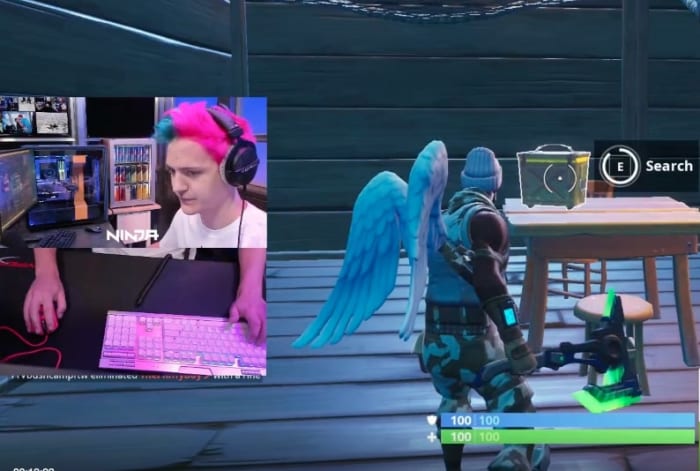
NinjaMany streamers use their channel to set up personal connections to products. Sometimes this takes the form of advertisements on their channel, which admittedly will be run through Twitch. Oftentimes, streamers can be paid for simply putting something in a video.

Think product placement in your favorite movies!

Take the above photo of Ninja for example. In most of his streams, the camera has been set so viewers are able to see his monitor, refrigerator, keyboard, and gaming computer. We guarantee each and every one of those things are created by sponsors who pay Ninja to subtly represent their product.

Appearances

Yep.

While Twitch Partners may receive offers to show up for Twitch events to represent the company, there are many different businesses that will pay to have streaming legends appear for their product.

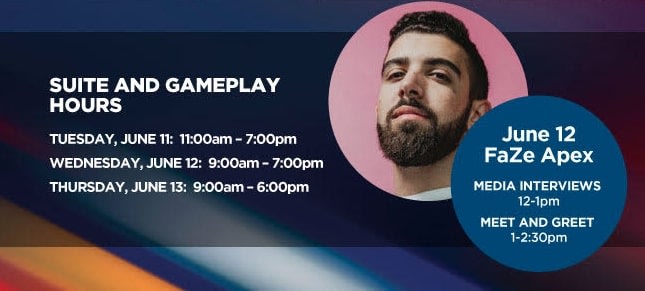
At E3 2019, the creators of Philips Hue, a company that uses light shows to enhance gaming experiences, invited Apex, a member of the FaZe Fortnite clan, to join their booth for media interviews.

So, is Twitch Prime Related?

Prime Benefits

With all this talk of Twitch, users familiar with the website may be questioning: does Prime affect monetization?

The answer is: kinda.

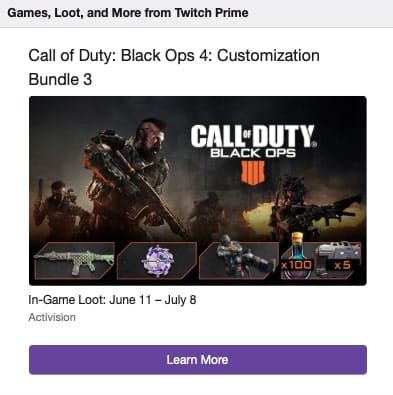
In addition to video game specific benefits like free loot boxes, every Twitch Prime member gets one free monthly subscription, which at this time would normally cost $5.

So, remember how we said Twitch streamers get about half of the subscription cost? In this situation, they still get paid half the month’s subscription, even though the actual viewer didn’t put money down.

Conclusion

Between direct donations, the affiliate and partner programs, subscriptions, bits, sponsors, appearances, and Twitch Prime, monetization can seem a bit daunting at first, when combined with everything else this streaming platform offers. We hope this guide gives you a better idea of how everything works.

Opera GX: the world’s first gaming browser

Opera GX is the world’s first gaming browser released by Opera. Try it out for free and enhance your gaming experience.

Opera has always been a cool browser – a turbo mode to speed up page loads, and a free integrated VPN for shielding your activity. The list goes on. It’s great at what it does, there’s no doubt about it, but today it pulled a rabbit out of its hat with Opera GX – the world’s first gaming browser.

Much like the Opera browser is made with user customization in mind, GX is designed for the meticulous gamer. “Opera GX is built for people who love games, and spend a lot of time building their setups,” said Krystian Kolondra, EVP at Opera browsers. “We want to give them a browser to perfectly match their beautiful machines.”

It’s true – every PC gamer worth his salt is proud to run a rig capable of flashy graphics, smooth FPS, and generous RAM. Serious enthusiasts will even opt for multiple GPU integration, water-powered cooling, or glowing keyboards that make you feel like you’re in “The Matrix.” Decking out your hardware is par for the course, but if Opera GX offers new levels of customization through a gaming browser, that’s exciting indeed. “I have a strong feeling this browser will resonate with the gaming world,” said Kolondra. Check out how it aims to do so:

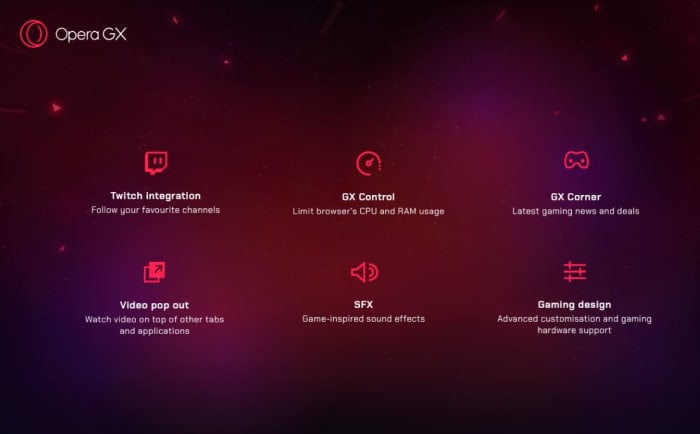
Opera GX features

  • Twitch integration: Follow your favorite channels
  • GX Control: Limit browser’s CPU and RAM usage
  • GX Corner: Latest gaming news and deals
  • Video pop out: Watch video on top of other tabs and applications
  • SFX: Game-inspired sound effects
  • Gaming design: Advanced customization and gaming hardware support


Control your gaming experience

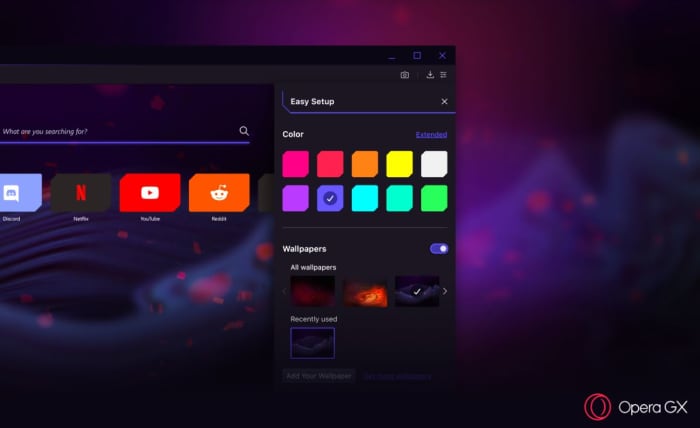
“From the startup sounds to the look of the browser’s speed dial, Opera GX was designed to feel at home on any gaming setup,” said Opera GX product director, Maciej Kocembra. Right upon booting it up, GX is visually stunning with crimson streaks, an elegant UI, and dark shadows. As you’d expect, the color palette can be changed to 10 different suggested colors (and 16 million other possibilities courtesy of the extended color picker). GX is about far more than just looking cool, though (we have to admit we do love the aesthetic)! GX is also about being able to comfortably keep a browser up and running while you’re deep in the game, something that until now has always come with the risk of FPS drops and lag.

Opera GX colors
Choose a variety of different color schemes and wallpapers

“Running a game might require a lot of effort from your machine. Even more so if you are streaming while you play,” said Kocembra. “Before Opera GX, gamers often shut down their browsers in order to not slow down their gaming experience.” Memory-hungry browsers (like Chrome) are notoriously bloated, sapping a lot of power to function at high speeds. “We came up with the GX Control feature to make people’s games run more smoothly,” said Kocembra, “without requiring them to compromise on what they do on the Web.”

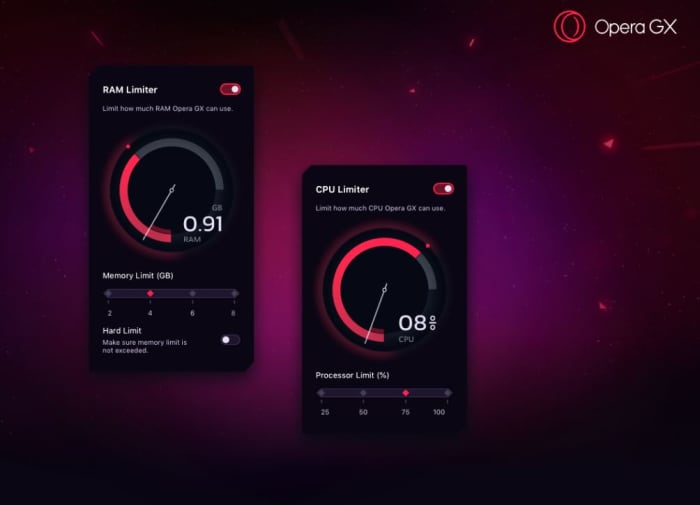
The main hub for this is the new GX Control panel, which allows users to choose how much of their computer’s CPU or RAM they want to dedicate to their browser vs their game. There’s a pair of dials (one for RAM, one for CPU) that you can toggle to decide what percentage of your computer’s resources you want to use for each. Trying to play while keeping a strategy guide open? Crank down the dials. Trying to improve your streaming quality? Dial them back up! Opera GX adjusts to stay within whatever constraints you set.

Opera GX memory processor limit
Adjust how much RAM and CPU you want the browser to use.

Smooth streaming

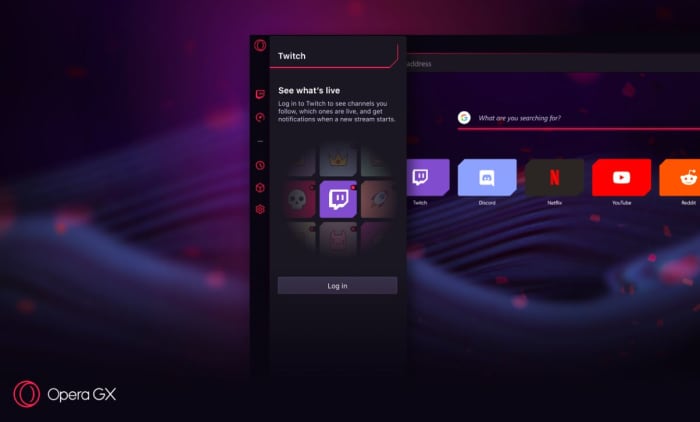
Twitch streaming isn’t the future anymore; it’s the present, especially for younger gamers. Streaming is a lucrative business too, which could make GX a preferred tool for the rising number of professional streamers. Twitch is integrated right into Opera GX, and the browser even lets users log right into their accounts directly from the sidebar. It also notifies you whenever a streamer you follow is going live. It’ll let you keep tabs in real time, and comes with shortcuts to sites like necessary sites like Discord, YouTube, and Reddit.

Opera GX Twitch sidebar
Seamlessly keep tabs on Twitch, Discord, Reddit, YouTube, and even Netflix.

For gamers and non-gamers

There are over 65 million Opera users, and not all of them are gamers. Like we said before, there’s a lot more draw to Opera than just playing Fortnite. As such, GX includes all the features that brought the browser under the spotlight in the first place: Integration with WhatsApp, Facebook, and Telegram right in the sidebar for easy access. Fans of Opera will also be happy to know that GX retains the popular Video Pop Out function, which will be more handy now than ever since you’ll want to fine-tune and manage your browsing while you’re in-game. You’ll also get the same powerful built-in ad blocker and VPN to keep your browsing session safe, distraction-free, and fast.

Opera GX

There are 1.2 billion PC gamers, and from the sound of it Opera GX is a promising choice for anyone looking for more control and convenience over their experience. Download it here while it’s in Level 1 early access to provide the Opera team with feedback and wish lists. Will you be giving it a try? Let us know in the comments below if this sounds like a browser you’ll be switching to!

Softonic is proud to partner with Opera. When you download from us, we may earn a commission.

Can I realistically have a career as a YouTube content creator?

Making money on YouTube sounds like the dream, but can it be a reality?

YouTube money

We’ve all thought about doing it: Quitting your job and becoming YouTube sensation.

That’s exactly what Nick a.k.a. Sacred/SacredAlmighty decided when he was 16.

“I just remember watching old let’s play-style videos back in 2009 and thought ‘I could do this too,'” Nick said. “I was always fond of video games and ended up meeting friends real quick once I started.”

At the age of 22, Nick has about 150,000 subscribers on his main YouTube channel, and more than 22,000 followers on Twitch. His content is focused on gaming with a heavy concentration on Pokémon games.

SacredAlmighty

Although being a content creator wasn’t Nick’s first choice of career, he can’t imagine pursuing a different career at this point in his life.

“I’ve been doing this since I was 16 and I know everybody has a normal job, but I genuinely don’t see myself being happy working and doing anything else for right now, at least,” Nick said. “I used to always want to be a police officer growing up but lord knows where that road went.”

No guaranteed success

Nick does not have a job outside of being a content creator. He supports himself through the money he makes from YouTube and Twitch.

“Being able to pay bills and buy gifts with money is something that I didn’t expect to have in the first place,” Nick said. “I didn’t see YouTube or Twitch becoming a thing at 16, but here I am.”

Although Nick has found success in his career, he does stress the unlikelihood of becoming the next sensation.

“No matter how much money or time you put into this you’re not guaranteed to become the next PewDiePie or Markiplier,” Nick said. “You can’t quit your job and blow up; that’s not the case at all. There are so many other people that have put hours into this, more than me, and haven’t gotten a scrap of anything. I spent the past six to seven years doing this and I just now hit where I am, and there’s so much work to do. “

According to estimates in a Medium.com post, less than 1% of content creators can financially support themselves solely off their channel.

Learning how to make videos

Content Creator

Some channels with millions of subscribers have content teams who help out with production. However, most of them started as solo efforts. A great example would be JonTron.

The work that goes into building a channel includes audio recording, video editing, and even marketing. This makes just picking up becoming a content creator a bit difficult to do.

“There are so many things you can do in Sony Vegas or Adobe Premiere that you just can’t pick up immediately,” Nick said. “You have to sit down for hours and pay attention to frames, transitions, and making sure the video is presentable. Audio always has to universally be sound enough for every device that YouTube is on so everyone hears it correctly. ”

Adobe Premiere Pro Download now ►
7

 
Sony Vegas Pro Download now ►
7

How much money can I make?

The actual money you can make is not quite as high as you might imagine. Your average content creator is making about $0.0042 per view. This money comes from advertisers. Let’s say you publish a video that gets about 50,000 views.  On average, you will only make maybe a few hundred dollars for that video.
Reaching 50,000 views per video is a nice goal, but it probably isn’t going to happen for your first few years on YouTube.
Even if you make a video that gets hundreds of thousands or even millions of views, that doesn’t necessarily mean your video will make thousands of dollars.

Abiding by YouTube

In order to become a partner on YouTube and monetize your channel, you need to abide by the company’s rules: 

Becoming advertiser-friendly is easier said than done.

Even if you are allowed to have ads on your videos, you aren’t really making a killing. If a viewer stops the video before a certain point or has ad block enabled, then the content creator makes nothing from advertisers.

“However many views the ads on your video get decides the pay,” Nick said. “Some people expect to quit their job, work towards monetization, and make big money but that’s not the case. There will be slow days and you’ll inconsistently make money. For some people, that’s the scary thing versus their normal $10 an hour job.”

Back in 2017, YouTube experienced what many have since dubbed, “The Adpocalypse.” During the Adpocalypse, several advertisers boycotted YouTube after their ads automatically played on a racist video. Afterward, YouTube began demonetizing videos that weren’t deemed advertiser-friendly. YouTube did release a video teaching how to remain advertiser-friendly, but many content creators are still having issues to this day:

 The problem is that many videos are being flagged without having any non-advertiser-friendly content. One person even commented on this video saying that their gardening videos were flagged.

Here’s where things get a bit hairy. Becoming advertiser-friendly might not be what your audience wants. When the first Adpocalypse hit, H3H3 Productions released a video talking about how their videos weren’t being monetized. The things that led to their videos being demonetized were types of humor that attract their millions of viewers. Removing the humor means losing those viewers.

In this comes the debate of what YouTube needs to do. Channels like H3H3 don’t have PG content. However, their content is not toxic/racist, so they should be allowed to have advertisers. Gaming content is similar. Playing a game from the Mortal Kombat franchise can attract viewers, but the amount of blood and gore can get your video demonetized.

What YouTube should be doing is monitoring videos for toxic/racist content, but allow YouTubers to exercise creative liberties based on things like content and comedy. Unfortunately, it doesn’t look like that change is coming soon.

Basically, if you aren’t planning on having PG content, then you need to explore other platforms to help earn money.

Partnering with Twitch

Twitch

Because YouTube pay is both sporadic and unreliable, many content creators also stream on Twitch for some added income.

Twitch partners can make money from sponsors, fan donations, paid subscribers, and ad revenue. A Twitch subscription costs $5 per month, but Twitch takes 50% off the top.

Those numbers may still sound better than YouTube. You may be thinking, “Why don’t I just become a Twitch partner and forget YouTube altogether?” Well, that’s not the best idea. For many content creators, YouTube is their biggest platform where they have their biggest audience. Even Pewdiepie who has nearly 100 million subscribers on YouTube has only about a million on Twitch.

If you have a YouTube channel, but you want to gain additional revenue on Twitch, plugging your Twitch stream on YouTube is your best bet.

How long can I realistically do this?

Old people using a phone

YouTube is a young platform that has already undergone so many changes. The website launched 14 years ago. In that time it went from being a place to share “fail” videos, to the supporter of full-time careers.

Some may think that being a YouTube content creator isn’t a viable option for later in life, but that’s not necessarily the case. As YouTube grows older, so does its audience. In fact, a July 2016 statistic shows that the average YouTube viewer is an adult with kids. 

“I always think about when is it my time to gracefully bow out, or maybe that won’t be the case and I become some huge, rich YouTuber,” Nick said. “Maybe I can hire someone that can manage full time, hire some editors, or whatever. It just depends on the decisions I make now that set me up for that point in time.”
So should I do it?

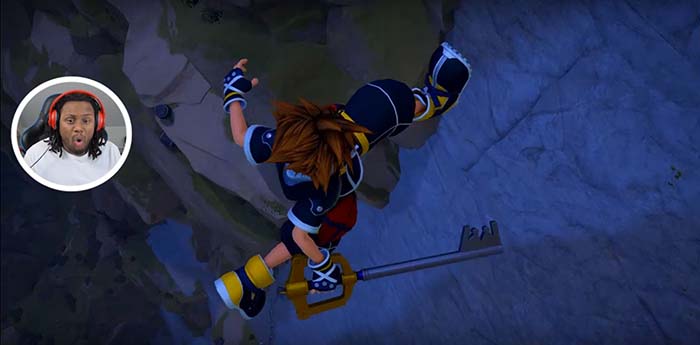
Sacred Kingdom Hearts 3

If you are going to start, start young. It is much easier to put in the time and effort when you are still in high school and you don’t have adult bills to pay. Starting when you’re older means that you need to do this along with a fulltime job that pays the bills.

“If you’re looking to get rich and spend money then just don’t bother,” Nick said. “This is a creative space, an escape for some, and overall a place where everyone is trying to be the next big thing. If you’re gonna come here, prepare for trial and error and accept that you might not get really big, but have fun while you’re doing this.

Get 12 months of Nintendo Switch online free with Amazon Prime

Play your favorite Nintendo Switch games online for free with Amazon Prime.

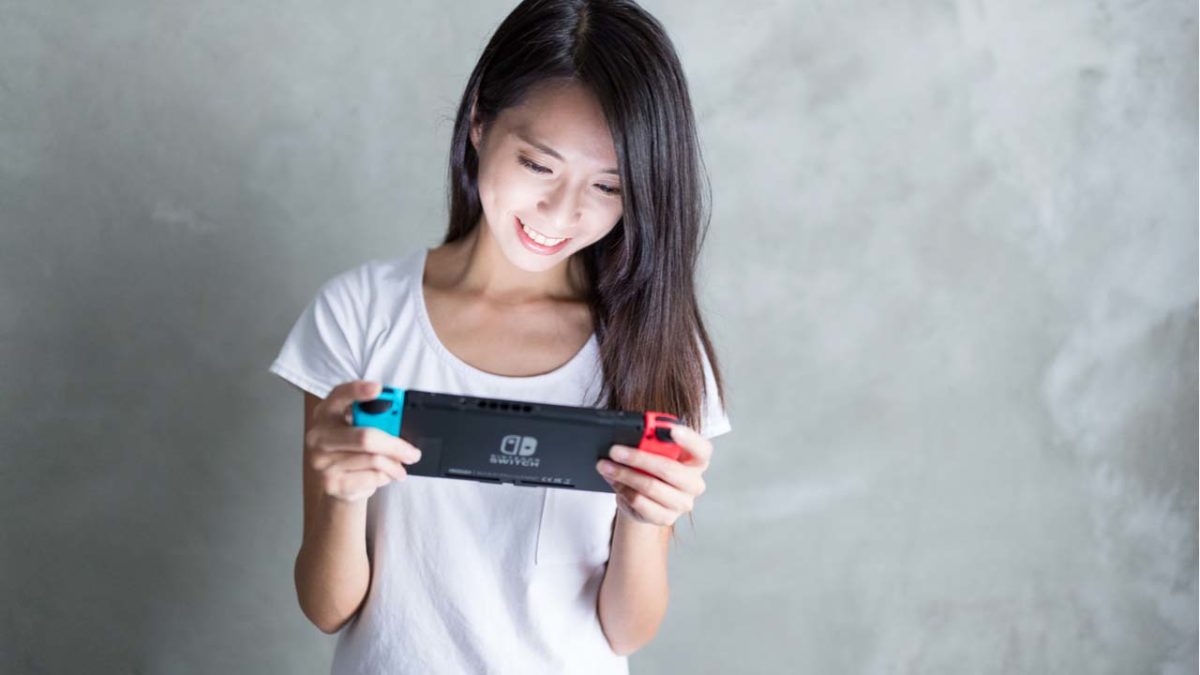
Nintendo Switch OnlineAmazon just made trading and battling Pokémon online way cheaper.
If you are an Amazon Prime member, you can now claim a new offer of 12 free months of  Nintendo Switch Online with a Prime member account. You can get the first three months when claiming the offer, and the other nine months 60 days after making the first claim.

Amazon Shopping Download Free ►
8

The offer is worth $20 and is available for download from Amazon through Twitch Prime. The 12 months will stack on top of whatever time you may have already purchased for Nintendo Switch online.

This is one deal in a long line of offers Amazon has made with gamers through Twitch and Amazon Prime.

Nintendo has several games that utilize online capabilities available in its store including Pokémon Let’s Go Pikachu and Let’s Go Eevee, Super Smash Bros: Ultimate, and Fortnite. With Nintendo Switch Online, you also get access to classic games from the Nintendo Entertainment System’s vast library.