WhatsApp Stickers: This is the ultimate trick for making your own sticker packs

The app will turn any photo into a WhatsApp sticker

Sticker Studio make your own WhatsApp stickers with photos

WhatsApp Stickers are a fairly new feature to the messaging service, but they’re already catching on. You’ve probably started seeing them pop up in your chats already. The really cool thing about WhatsApp’s newest feature is that you can create your own sets of stickers to start pinging at your mates. If you fancy giving it a try, you’ll be interested to learn about a new app called Sticker Studio.

WhatsApp Messenger Download WhatsApp ►
8

The app will turn any photo into a WhatsApp sticker

The guys over at The Next Web have highlighted an app Sticker Studio, which allows you to take any photo and then turn parts of it into a sticker for WhatsApp. The Sticker Studio app is very simple to use and easy to get the hang of, but it leaves a little to be desired if you want to make stickers to that look professionally made.

All you have to do is download the app from the Google Play Store and open it up. At the bottom of the page, you’ll find a + button. Tapping this will give you the option to either load a photo from your gallery or take a photo using your phone’s camera.

Once you have the photo selected that you want to turn into a sticker it couldn’t be simpler. All you have to do is draw around the picture using your finger and it will automatically cut it out from the background image. You’ll be shown a preview of what the image looks like and if you’re happy with you can click Save. If not, hit Try Again and repeat the process until you’re happy with the results.

Sticker studio Whatsapp stickers DIY
My stubby fingers couldn’t really make the most of the simple system

The app is very basic, but it is easy to use and fun to see people respond to the unique stickers you can now fire into your WhatsApp chats. There are some limitations to the app that need to be considered, however. The first is that you’ll need to add at least three stickers to a pack before you can export the sticker pack to WhatsApp. The second is that you are limited to creating 10 sticker packs of up to 30 stickers per pack.

Still though, for a free app Sticker Studio offers an easy way into creating your own WhatsApp stickers to share with your friends and family on WhatsApp. We’re not all digital artists capable of drawing up our creations so being able to create fun stickers using photos we’ve already taken or of anything we can take a photo of in the future is a neat way to get creative. Give it a try for yourself. We’d love to see some of the great stickers you’ll be able to create using Sticker Studio.
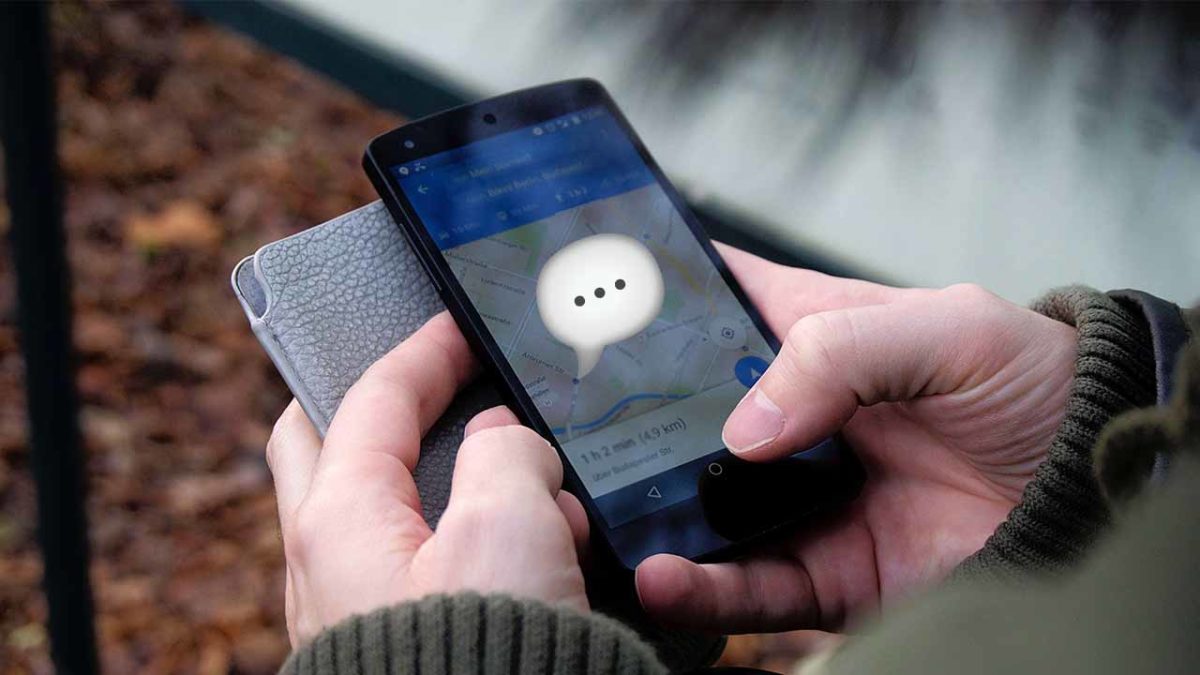
Did Google Maps just become a messaging app?

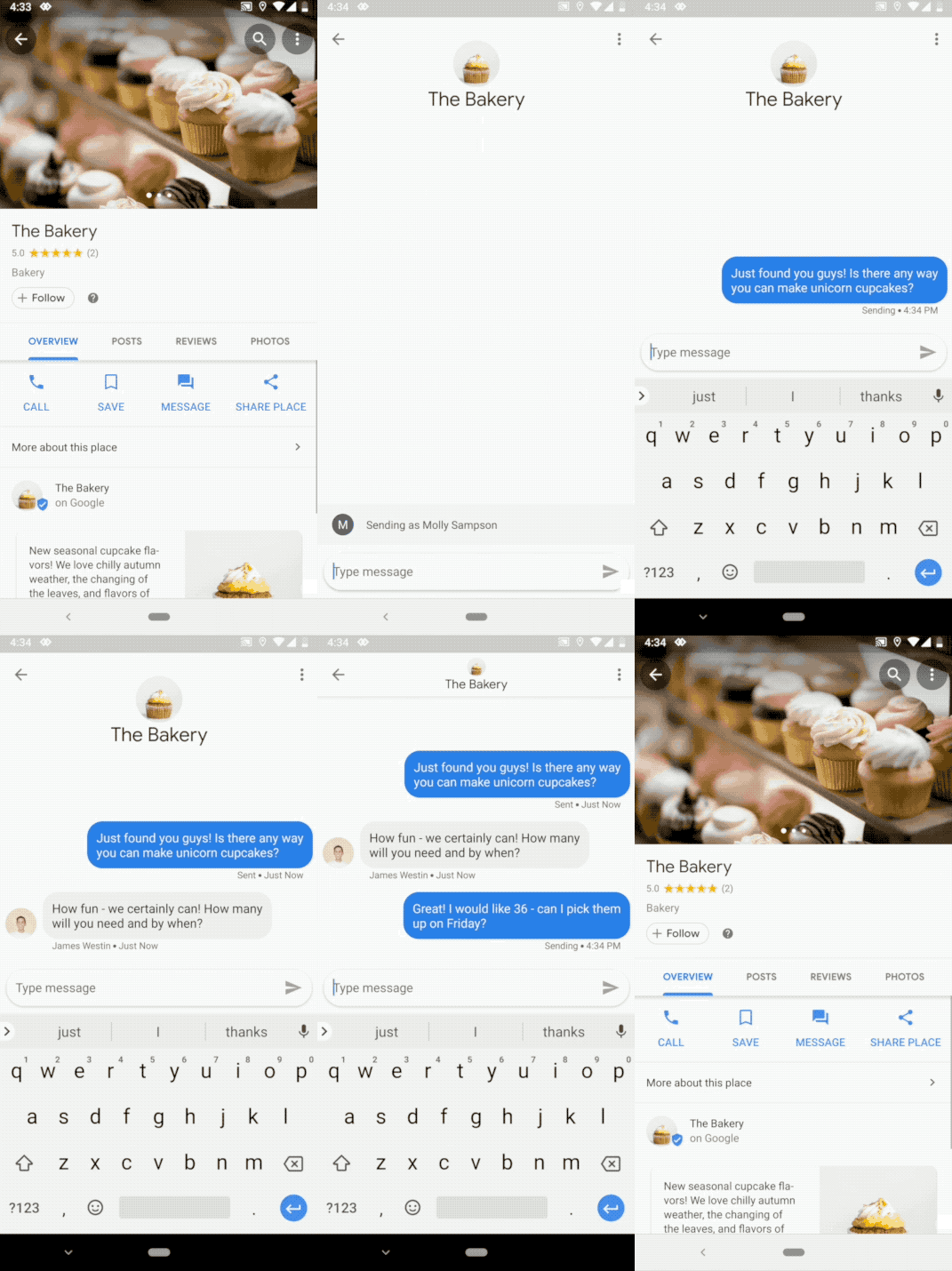
Google Maps will soon have a “Messages tab” for contacting businesses

Message businesses from Google Maps

Google Maps is a great way to find businesses, shops, and services that you may need to use for whatever reason. All you have to do is search for something like a bakery and then Maps will show you pins indicating all of the bakeries found in the area of the map you are looking at. These pins contain a lot of relevant information and even contact details, but now Google wants to open up a new and easier pathway to connect with the businesses you need right there in the Google Maps app.

Google Maps Download Free ►
7

Google Maps will soon have a “Messages tab” for contacting businesses

Until now, if the business had registered a phone number on the internet, Google would offer the chance to call the business from within Google Maps. All this does is open up your caller app and enter the phone number into it. You still have to place the call yourself and need to use minutes from your cell plan to pay for it. When the new Google Maps update rolls out, this will no longer be the case. You’ll still be able to make calls that way, but there’ll be an easier solution available.

Once you receive the update on your phone, you’ll see a message button on every business that has enabled messages. Tapping this button will open a chat and then you’ll be able to chat with them as you would on any other messaging app.

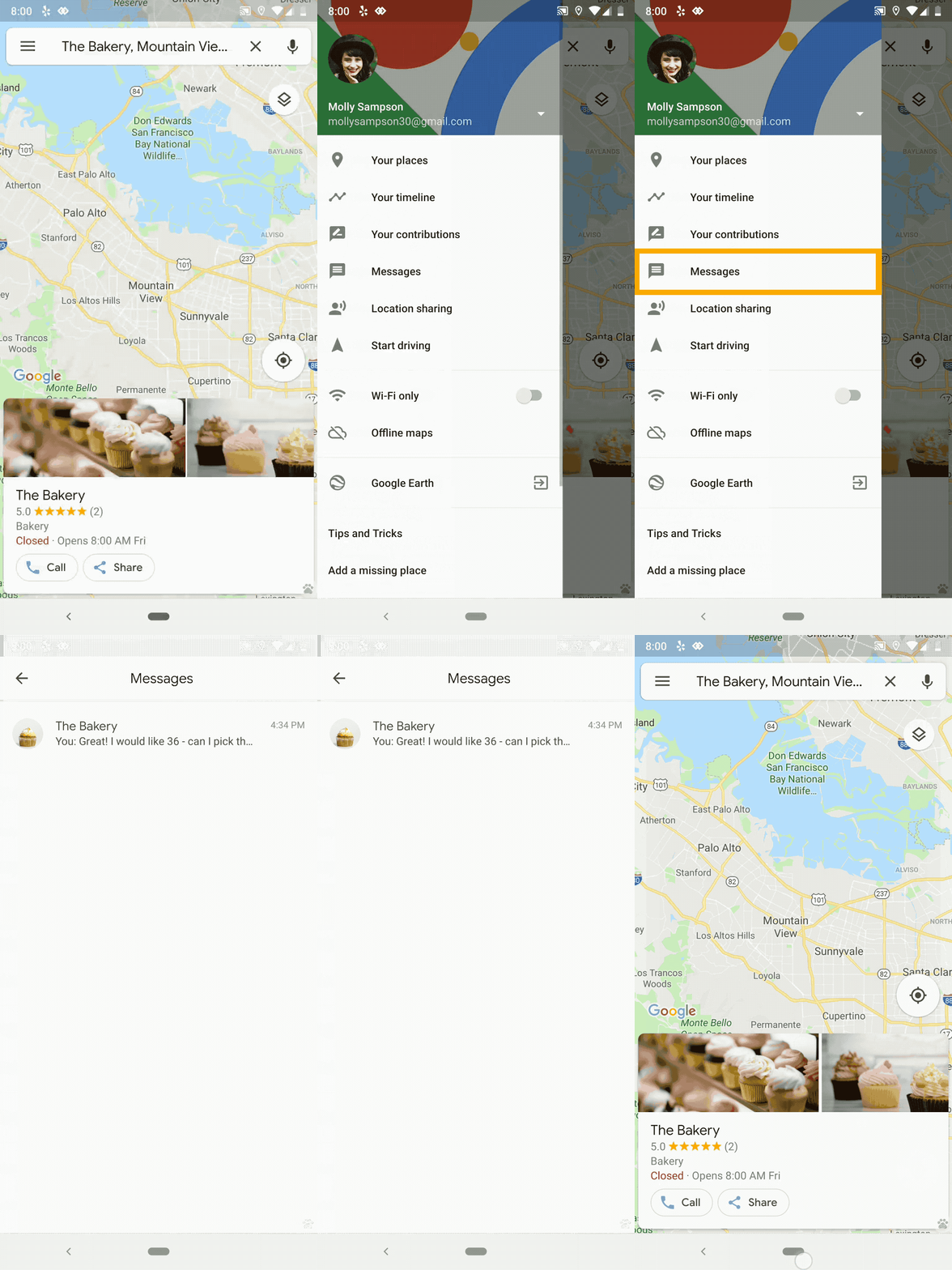
Once you’ve started messaging businesses from Google Maps, you’ll see a brand new tab when you open up the Google Maps settings menu. Fourth down in the list, just below Your contributions, you’ll see the Messages button. Unsurprisingly, this is where you will find all of the correspondence you’ve been keeping with businesses through Google Maps.

This is a big announcement for Google Maps that puts it in clear competition with WhatsApp’s new app, WhatsApp Business. WhatsApp Business is the latest way that WhatsApp is trying to capitalize on its massive user base.

WhatsApp Business Download Free ►
8

Although it offers an effective way to communicate with customers, it charges business users rates that are comparable to regular SMS charges to contact them. As well as offering a comprehensive maps service to allow people to visualize each business location, there is no mention of a charge for businesses to use the service. This competition between WhatsApp and Google Maps could get interesting.

Business owners looking to take advantage of the Google Maps business messaging service should download the new Google My Business app.


WhatsApp is going to start ranking your friends!

WhatsApp will rank your friends’ status updates and then push the ones it thinks you’ll want to see most

whatsapp friends status updates

The WhatsApp Status tab is a strange old beast. It works much the same as Stories on Facebook and Instagram but is nowhere near as popular. Users can share what they’re up to via temporary messages filled with stickers, GIFs, photos, and more, knowing that their updates will disappear after 24 hours.

The fact remains though, that nobody uses the Status tab. It is always empty. If you add to this that the Status tab will be where WhatsApp begins showing ads, you can see that the messaging app needs to get more people using the Status tab if it is going to start making back some of the money Facebook paid for it back in the day.

WhatsApp Messenger Download WhatsApp ►
8

WhatsApp will rank your friends’ status updates and then push the ones it thinks you’ll want to see most

This is all just another example of just how much data these apps are collecting about our habits, and their efforts to use all that data to make money from us. The system works by monitoring all the status updates users interact with the most. It then uses that info to decide which status updates the user will see first. There are a lot more metrics that the feature measures, making it much more complicated than that.

Other things the feature will be keeping an eye on include contacts that the user interacts with the most. If you chat with somebody a lot, then their status updates will receive a higher score and you’ll be more likely to see updates from them. People you tend to ignore, will be pushed lower down the list.

Other factors include chats with a lot of media, including photos and videos, getting a higher score, and calls affecting the rating of a friend’s status update, too. If you call somebody a lot, then there is a good chance you’ll be more interested in what they are up to as opposed to people you’ve never spoken to before.

All of this works on your phone, so none of this information will be sent to the central WhatsApp servers for processing. Deleting WhatsApp and all its data will reset the Status tab should you reinstall it. Statuses will be shown in a chronological order until the app can gather enough data to start feeding you the statuses it thinks you want to see most.

How do you feel about WhatsApp ranking your friends? The testing is being done on iOS but it is likely the feature will come to Android, too. Many people complained when the likes of Facebook and Twitter started playing around with their timelines rather just showing updates chronologically. If WhatsApp wants to avoid annoying users like Facebook and Twitter did, it should at least offer the option to toggle the new ranking system on and off. Unfortunately, according to WABetaInfo who broke the story, there is no such plan in the pipeline.

Facebook Messenger gets a new WhatsApp feature

Facebook Messenger is getting a new “delete sent messages” feature

MMessenger delete sent messages

Sending a message you never meant to send is a problem that rears its ugly head every now and then. For a long time, when this happened on WhatsApp, all you could do was scream at your phone in disbelief and wait for the pain as those two grey checks to slowly turn blue. After what seemed like far too long, WhatsApp introduced the Delete for Everyone feature, which meant you could delete those mistaken messages before the recipient could ever set eyes on them. Well if you’re a clumsy Facebook Messenger user, we have some good news for you too.

Messenger Download Messenger
7

Facebook Messenger is getting a new “delete sent messages” feature

There is good news and bad news for Messenger users. The good news is that social media update spotter Matt Navarra has spotted a new message delete function in the release notes for the latest Messenger update 191.0 for iOS. The bad news is that it looks like Facebook is only going to give users a 10-minute window to delete their messages. After that small amount of time the messages will be untouchable.

Over on WhatsApp, which is owned by Facebook, users get a full hour to delete messages after they’ve been sent. The catch is that there will be a speech bubble left in the chat that says “This message has been deleted.” In the notes discovered by Navarra, there is no mention of whether there will be a note left saying that a message has been deleted like there is in WhatsApp. The language used, however, could indicate that there won’t be a note as it says users will be able to “remove” the message.

WhatsApp Messenger Download WhatsApp ►
8

Facebook is in the process of completely overhauling Facebook Messenger in a bid to make it a much more simple and easy to use app. The new focus is on making it easier to contact your friends while still offering all of the other features that Messenger has grown to include like bots, business accounts, and mini-games. For more information about Messenger’s big update click the button below.

What are your thoughts on this new update coming to Facebook Messenger? Are you happy that you’ll be able to delete messages you’ve sent by accident or annoyed that you’ll only have 10 minutes to do so? Let us know in the comments below.

This is how to use WhatsApp stickers

How WhatsApp stickers work.

whatsapp stickers

0.7734

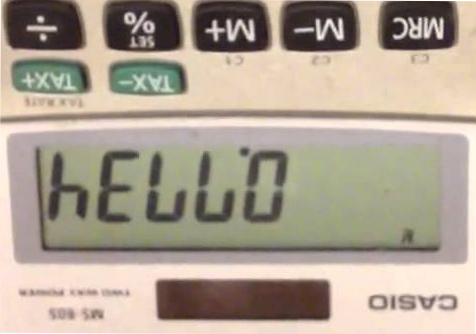
It doesn’t quite work the same when you type it out in classic numbers, but that was the first ever text message I sent. I typed it out on my Casio calculator, turned the calculator upside down and then asked the boy sitting next to me in math class to pass it across to my friend sitting two desks over. All it said was hello. It was amazingly simple yet I was immensely proud of myself. You might argue that it wasn’t a text message but it felt oddly familiar to the thousands of text messages I’ve sent throughout the years that followed as it didn’t get a response.

Image via: YouTube

Text messages used to be just that: text. They came into being when some innovative mobile users discovered they could push through 160 characters across cellular networks to communicate with each other. The networks realized what was going on, monetized the idea, and the rest is history.

A lot has changed since then. The dawn of internet messaging apps like WhatsApp, Messenger, Viber, and a whole host of others has opened up text messaging to a whole new world of possibilities. So much so, that it might be a stretch still calling them text messages at all. With WhatsApp being one of the most popular messaging apps on the planet we’re not unfamiliar with saying we will “WhatsApp somebody” or hearing that they are “going to WhatsApp us.”

This evolution makes perfect sense as WhatsApps can include so much more than just text. With WhatsApp, you can send images, videos, documents, GIFs, links, voice notes, GPS coordinates, and contact details from your phone book. No Casio calculator in the world is getting close to that. Something has always been missing from WhatsApp, however, which has been present on other messaging apps for quite some time: stickers. Not anymore. In a recent blog post, WhatsApp announced that stickers will be rolling out to all WhatsApp users in the coming weeks.

When they land on your phone, you’ll have a new and fun way of personalizing your WhatsApps to your friends. To make sure you are ready to go when you do get access to WhatsApp stickers, we’ve put together a little guide to show you how to use them.

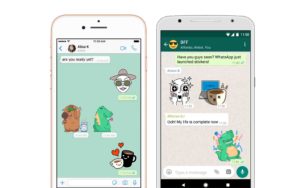
How WhatsApp stickers work

  1. Open a WhatsApp chat.
  2. Tap the new sticker button.
  3. Tap the sticker you want to share with your friend.
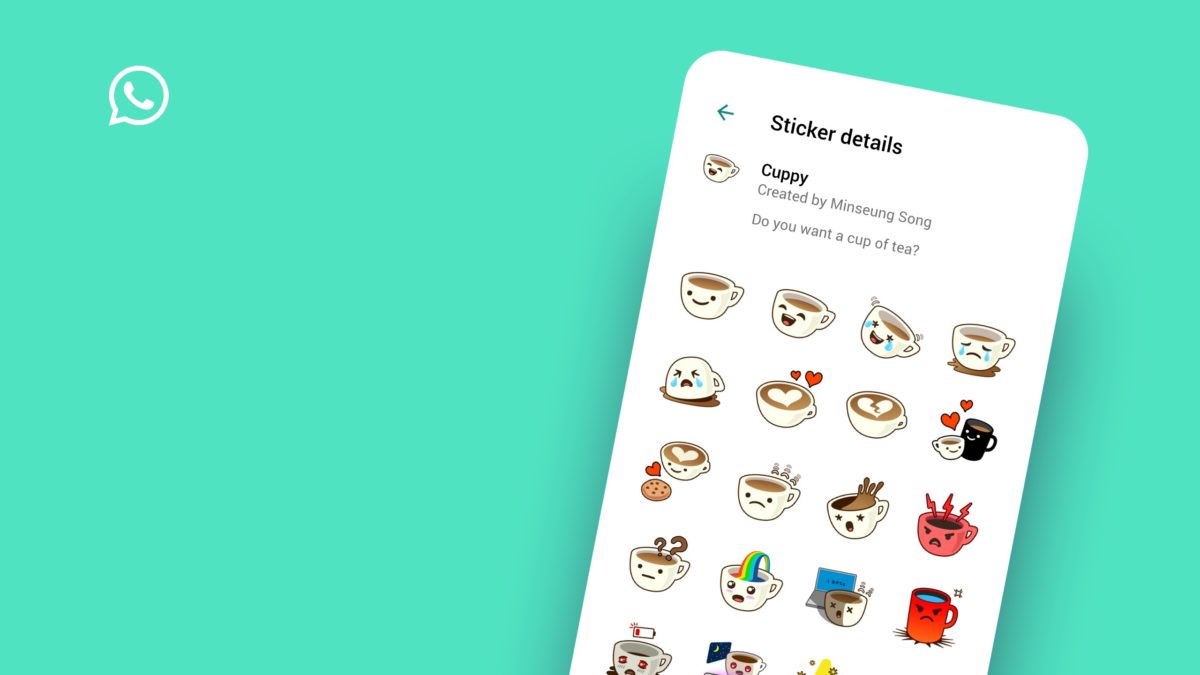
This what WhatsApp stickers look like
Image via: WhatsApp

Easy peasy. You can also download new sticker packs by clicking on the + icon once you’ve opened the sticker tab. Interestingly enough, WhatsApp has also said that third-party developers will be able to create their own sticker packs and publish them to the Google Play and Apple App stores. If you want to have a go at creating your very own sticker pack, you can check out the WhatsApp sticker guidelines here.


WhatsApp tests a new ‘vacation mode’

WhatsApp is testing a “Vacation Mode” for the iOS version of the app, similar to a feature already available on Android

WhatsApp is one of the most useful applications we have. It can be a little distracting, though. This is especially true for people who are members of a lot of groups. It could be useful then for WhatsApp to add a mode that lets you take a break from certain groups whenever you like. Like, say, if you’re on a vacation from work.

WhatsApp Messenger Download WhatsApp ►
8

WhatsApp is testing a “Vacation Mode” for the iOS version of the app, similar to a feature already available on Android

WhatsApp’s new Vacation Mode works on archived messages and groups. Without Vacation Mode, all archived groups become un-archived whenever a new message is sent to group members. This means if you’re a member of a group at work, you’ll receive notifications for work messages even if you’re away from the office on your downtime. The new Vacation Mode solves this problem.

WhatsApp’s Vacation Mode stops archived groups and chats becoming un-archived whenever a message is sent. All messages will be added to the archived groups and chats and will wait there until you finally decide to un-archive the group. Vacation Mode can be used to silence work groups while you’re on vacation or to give yourself a break from emotionally taxing or annoying groups and chats that you don’t want to leave.

WhatsApp Vacation Mode
WhatsApp Vacation Mode means you won’t have to leave groups or chats to be able to ignore them

This is an important step by WhatsApp as it allows users to turn their back on messages from work. With chats and groups simply muted you still see the chat rise to the top of your inbox whenever you receive a message. Now, with Vacation Mode enabled, you won’t know if you’ve received a message from a group you want to ignore. Vacation Mode puts certain chats out of sight and out of mind, without the need to leave the groups and chats in question.

In France, it is forbidden for companies to send work-related messages to employees outside of work hours. This is because work emails and messages are hard to ignore and France has a strong and robust trade union movement. We don’t all live in France, but this latest WhatsApp feature offers us more freedom from work commitments whenever we’re away from the office.

The new Vacation Mode was discovered by the guys over at WABetaInfo in the latest beta version of WhatsApp for iPhones. This means we’ll have to wait a little longer before we see it released to all users. With a lot of other useful WhatsApp features currently at the advanced beta testing stage of development, we should expect a large general update soon.

4 alternatives to WhatsApp for chatting with your friends and family

Tired of WhatsApp? Here are 4 great alternatives.

While WhatsApp is a reliable and useful messaging app, it’s important to realize that there are more fish in the sea. If WhatsApp doesn’t seem like quite the right fit, or if you just want to try something new, why not join another service? Here are some of WhatsApp’s competitors.

4 alternatives to WhatsApp for chatting with your friends and family

Similar to WhatsApp in that it uses phone numbers to identify users, this app easily integrates with your address book and connects you to other users that you may know. It also lets you make calls when you have an internet connection.
Facebook Messenger Download Messenger
7
Although many people use Facebook Messenger on a regular basis, it’s not always immediately thought of as a replacement for WhatsApp. However, the Messenger app provides messaging and even calling services over the internet. The only drawback with this service is that it doesn’t let you contact people who aren’t on Facebook.
After recently merging user contacts with old MSN and Hotmail accounts, Skype has the power to connect users with a wealth of individuals. It’s a great way to place a call for free or to send messages reliably using a Wi-Fi connection. One of the biggest differences with this service is that it requires individuals to approve contacts before starting chats.
Kik Messenger download free
7
This is a basic but reliable and free messaging app that competes with WhatsApp. It's easy to use: you just register with an email address and choose a username. From there, you can either message individuals or in groups. Sometimes it’s best to keep it simple.

These apps are all comparable to WhatsApp, while offering a bit of variation. They’re all great picks, so choose the one that suits your messaging needs the best!

You’re not going to like Facebook’s plans for WhatsApp

WhatsApp will start showing ads and Facebook could bypass WhatsApp’s end-to-end encryption to improve ad targeting

WhatsApp has grown into the global messaging behemoth it is today for a number of reasons. Two key features, however, are that it is free to use, and the messages WhatsApp users send to each other are completely private. They are protected by end-to-end encryption. Not for much longer. In a bid to keep WhatsApp free to use, Facebook is going to make some fundamental changes.

WhatsApp will start showing ads and Facebook could bypass WhatsApp’s end-to-end encryption to improve ad targeting

When Facebook bought WhatsApp, it did away with the only real means of monetization the messaging service had. Do you remember the yearly 59 cent subscriptions? Facebook did away with them and replaced them with, well, nothing. Ever since WhatsApp has been owned by Facebook it has been free to use and has remained ad-free. Facebook has had enough of this, and it is about to change. In 2019 the WhatsApp Status feature will begin showing ads.

What is the WhatsApp Status feature?

If you’re unfamiliar with the Status feature, that’s because there aren’t that many people that use it. The WhatsApp Status is a feature that works like Instagram Stories. Users can post updates about their day using images, GIFs, and stickers that disappear after 24 hours. You can find Status between the Chats and Calls tabs in WhatsApp. The issue is that there is usually nothing there, just an invite for you to add your own status. On the rare occasion someone has posted a status update, you’ll see a little dot in the Status tab at the top of the app.

Where to find the elusive WhatsApp Status tab

WhatsApp Status has been around since February last year and still doesn’t have too many people using the feature. Does this make it a strange place for Facebook to place ads in WhatsApp or the perfect place for Facebook to begin introducing ads to WhatsApp? Could WhatsApp Status ads be the tip of the battering ram, and could we be seeing ads in other parts of WhatsApp later down the line? We’ll have to wait and see.

The real big issue relating Facebook’s ad plan for WhatsApp is down to the incompatibility of modern-day internet ads and end-to-end encryption. Modern ads target you based on your web behavior. This allows the companies who are selling ad space to make more money by showing ads that personally target you rather than the same random ads for everybody. WhatsApp’s end-to-end encryption means it’ll only be able to show random ads as all your online behavior in the app is hidden behind headline-grabbing robust encryption.

A report in Forbes says that this isn’t necessarily true. According to the report, it could be possible for Facebook to identify keywords in messages that have been encrypted. These keywords could then be sent to Facebook HQ and processed so that more targeted ads could be served up next time. The report doesn’t say that Facebook is doing this now, but it does highlight that there are a lot fewer privacy advocates working at Facebook now than in the past and both WhatsApp founders left the company last year.

You can expect to see the first ads on WhatsApp at some point in 2019.

This new WhatsApp feature is great for watching videos

WhatsApp for Android is getting a Picture in Picture mode

WhatsApp security vulnerability

The latest beta version of the popular messaging app WhatsApp contains an impressive new feature. The WhatsApp watchers over at WABetaInfo are reporting that users will be able to watch videos from certain platforms right there within the Android app. This means users won’t have to switch to different apps to view the videos.

WhatsApp for Android is getting a Picture in Picture mode

Video platforms included in WhatsApp’s new Picture in Picture mode include YouTube, Facebook, Instagram, and Streamable. Once the new feature is rolled out to all WhatsApp users, you will be able to click on a video link you’ve been sent, and a small video player will appear inside WhatsApp. You’ll then be able to continue chatting away while the video is playing. You can see an example of this below:

Image via: WABetaInfo

For now, it is important to note that this feature is still in the beta testing phase so it could still be some time before we see the feature rolled out to all Android devices. In fact, some features are not working as smoothly on the Android version of the feature as they are on the iOS version. At the moment, videos will cease playing when you switch between chats, which doesn’t happen on the iPhone version of WhatsApp. This means that there could still be a few updates to the beta version in line before we all get to see this feature.

If you’d like to try this advanced WhatsApp feature before it is available to everybody else, you can. All you have to do is follow the simple instructions laid out in our tutorial below.

If you’d like to join the beta testing programs of other big name apps then you should try this next Softonic tutorial. You will learn everything you need to sign yourself up to be a beta tester for all the top tech firms and app developers.

Beta-testing is an important part of the development process so be prepared to offer feedback on your user experience when running beta versions of apps. Your feedback could help the developers make important changes so that the new features can be rolled out to everybody as smoothly as possible. You should also note that beta versions of apps may be unstable.

WhatsApp on Android is finally getting this iOS feature

Swipe to reply feature coming to Android WhatsApp soon

WhatsApp on iOS always seems to get the cool features before the Android version does. We’ve recently seen the introduction of the Picture in Picture feature, which iPhone users have had for a while. Now we’re seeing another iOS WhatsApp feature coming to Android too.

Swipe to reply feature coming to Android WhatsApp soon

WhatsApp Android features iOS

WhatsApp conversations are long. They never end as long you keep sending messages to each other. This means that they can become messy and cumbersome beasts. Group chats are even worse. If you don’t answer a particular question immediately, it can get lost in the mess and your response may seem out of place.

This is why replying is such a handy feature. When you reply to a WhatsApp message a miniature version of it appears (like an image would) and you can respond in an attached text box. There is no room for confusion when you hit reply.

iOS users have had it easy for a while now, but not so for those on Android. Until now, Android users have had to hold down their finger on the message they want to reply to and then hit reply in the menu that appears at the top of the page. It isn’t exactly scaling Everest, but in today’s world were attention is measured in micro-seconds those fiddly movements can feel like a drag. Step forward, Swipe to Reply.

The new swipe to reply feature does exactly what it says. All you have to do when you want to reply to a WhatsApp message is swipe your finger across it. This will automatically create the reply box at the bottom of the conversation, ready for your response.

This new feature was spotted by Android Police in the latest beta version of WhatsApp. This means that it still isn’t ready for a wider roll-out to everybody but it’s at a very late stage of the development process. With the Picture in Picture feature also making it to beta testing, we can probably expect to see them bundled into a single update sometime soon. As is always the case with beta features, however, we can’t guarantee that they will end up in the full version of the app. We’ll have to wait and see.