LibreOffice: All the best extensions for the free Word alternative

These are the best LibreOffice extensions and templates you can download now to make your life easier.

Lbre Office

LibreOffice is a wonderful thing. A completely open-source, and therefore free, fully functional productivity suite. If you need something like the Microsoft Office suite, yet can’t afford a license or subscription, LibreOffice is what you are after. Like Microsoft Office, LibreOffice has a lot of cool new features and apps designed to help make your life easier. There are lots of programs that fall under the LibreOffice umbrella including LibreOffice Calc, LibreOffice Draw, and LibreOffice Impress.

As well as just built-in features, however, LibreOffice also offers access to an extensive library of useful extensions, add-ons, and plugins that offer even more functionality to LibreOffice users. That is what we are here for today. In this article, we are going to walk you through the best extensions for LibreOffice that will help you be more productive and how you manage them using the extension manager. Whether you’re working from home or heading into the office, this guide will help make your life easier.

LibreOffice Download LibreOffice
7

Best LibreOffice extensions

These LibreOffice extensions will make your life easier and help you get your work done quicker and more efficiently. Check yourself here, if you’re using OpenOffice and not LibreOffice. Although similar, these are different programs and you should head to openoffice.org for information on how to use OpenOffice.
The extension manager

The Document Foundation that set up LibreOffice has also set up a library of extensions for the software that you can find over at extensions.libreoffice.org. You can also download the extensions we’ve listed below using the links we’ve provided. You can then manage your LibreOffice extensions inside the LibreOffice apps by heading to the Tools menu and selecting the Extensions Manager.

AltSearch (Alternative Dialog Find & Replace)
altsearch libreoffice

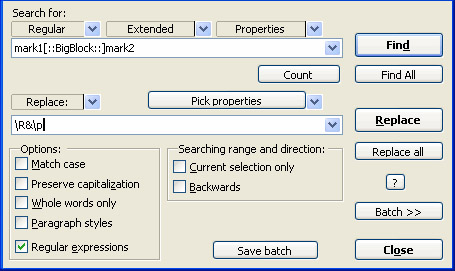
LibreOffice Writer does have a decent Find & Replace feature already, but it can prove frustrating at times. The AltSearch extension goes a long way towards remedying this situation by augmenting the native Fin & Replace feature with some added tools. The extension facilitates multiple searches at once and opens up the possibility to search for text in specialized elements of your documents such as bookmarks, notes, tables, footnotes, and endnotes.

Stop Begging
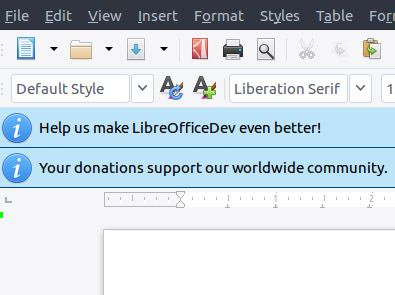
There is no doubt that LibreOffice couldn’t be what it is without support from a dedicated global following built up of developers and financial supporters. To maintain these levels of support, LibreOffice needs to constantly campaign for new supporters and one of the ways it does is by asking every user for support every 90 days. It is not much to have to deal with these requests but if it is too much for you, the Stop Begging extension will stop these requests from ever showing up again. We recommend you only download this extension after you’ve supported the Open Document Foundation and the LibreOffice project somehow.

Calendar Creator Template
calendar creator

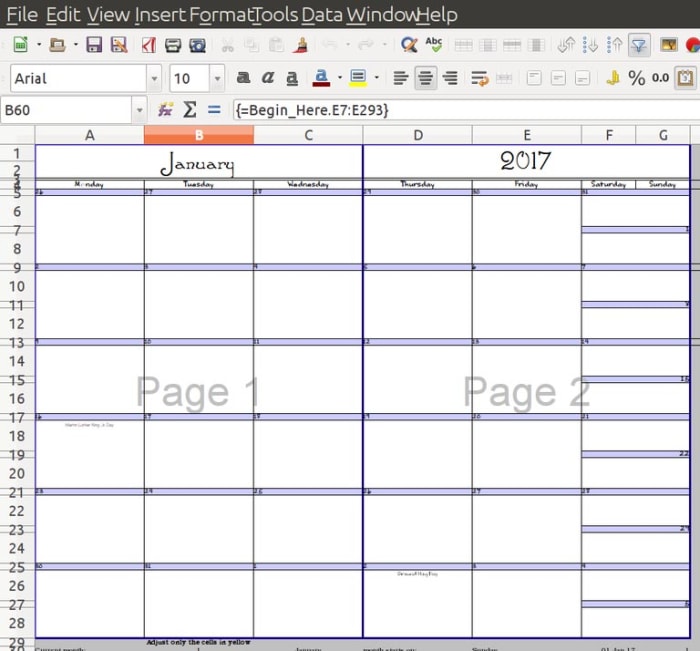
It’s not just extensions that you can download to augment your LibreOffice experience. There’s also an extensive library of LibreOffice templates that you can download for free and use on whatever projects you’re working on. This calendar Creator template is one such tool that makes it very easy for you to create weekly, monthly, and yearly calendars on printable sheets. You can also create single day calendars and automatically add events to your printable sheets when you add them to your document.

MultiSave

One of the frustrating aspects of working with LibreOffice is the Open Document Format that Writer saves your documents in. The open-source nature of the file does mean it can be used across multiple formats and programs but that isn’t the case straight off the bat. This is where the MultiSave extension comes in. With the extension installed you can easily save a document in different file formats at the same time including the Open Document Format, Microsoft Office format, and other useful file types like PDF.

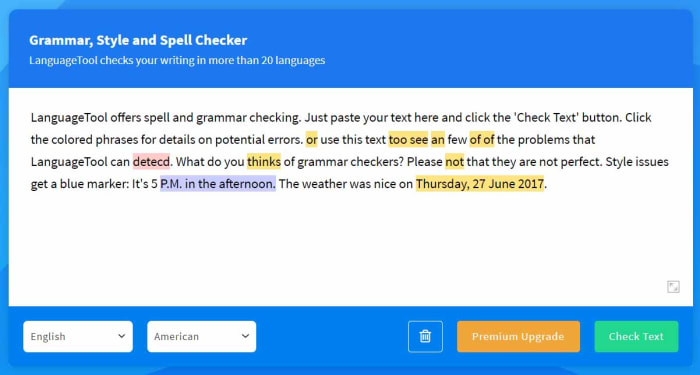
Language Tool

Language Tool

The Language Tool extension for LibreOffice offers grammar and proofreading support to LibreOffice users across a whole host of different languages. These languages include English, French, German, Italian, Spanish, and Russian. You can see all the different languages the extension supports on its homepage here. Please note, though, that the level of support the extension offers depends on the language.

Daily Planning Template
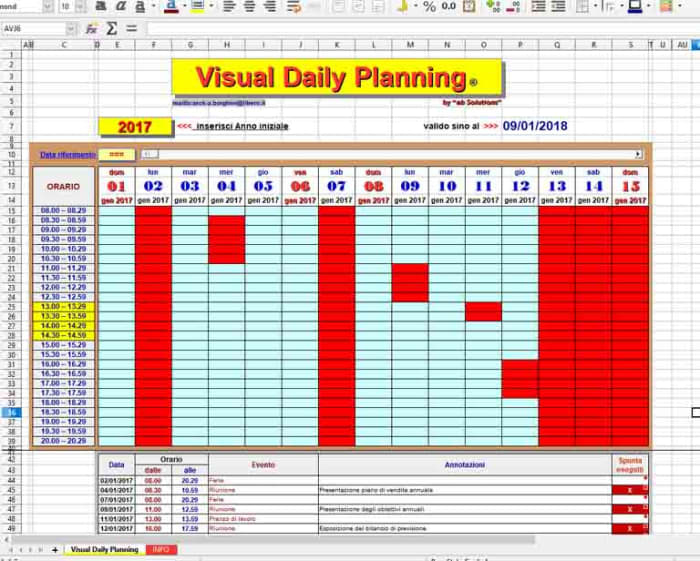
Daily planner

This Daily Planning Template makes it very easy for you to organize your time more efficiently. It compartmentalizes your day, breaking it up into individual timeslots that you can then allot to certain activities. You can easily add events to your calendar and control regular activities and appointments too.

Transcriber

The Transcriber extension for LibreOffice Writer is a great tool for anybody who has to interview people for the articles they write. Anybody who’s ever had to transcribe an interview will know how slow and frustrating the experience can be as you flip from one app to another or fiddle around with recording equipment. The Transcriber extension puts the playback buttons right there in the Writer app giving you quick access to the basic controls you need to control the audio as you write down everything that’s being said. It even offers keyboard shortcut controls too for quicker control.
Games to travel all around the world while staying home

These video games all offer you a window to the world through beautifully recreated locations from the real world.

Best games set in real places

This week we’re trying to go through all the best video games to play while you’re stuck indoors. We’ve already looked at the biggest PC games that will take the longest for you to complete and we’ll also be looking at Minecraft alternatives and the best multiplayer games that you can play with your friends who don’t even like playing video games. Yep, video games can even help you with your social life while you’re stuck in the house.

Today though, we’re concentrating on all the best video games set in real cities and countries. Today’s games will help you travel the world from your living room, exploring beautiful virtual recreations of real-world cities. With graphics being so impressive these days, prepare to be blown away by the impressive recreations of some of the best cities you’ll find in the games below. Enjoy!

Best video games set in real places

You don’t have to leave your house to see the world. You now have the opportunity to see beautifully recreated real-world locations within some of the best video games out there. Check out any of the games below to take yourself on a virtual holiday. We didn’t want to be too US-centric in this virtual tour of the world though, so for cities like Los Angeles, Boston, Seattle, and Miami you’ll have to look elsewhere.

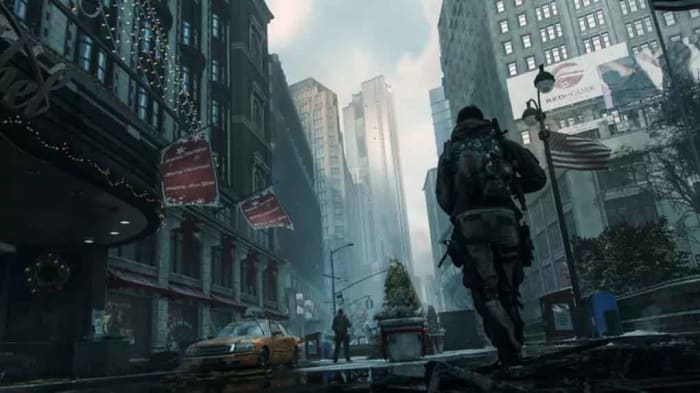
See Manhattan, New York in Tom Clancy’s The Division

The DIvision

Tom Clancy’s The Division is an exhilarating First Person Shooter (FPS) that is worth playing anyway. The action is fast-paced and sees you battling against the spread of a deadly virus with, you guessed it, lots of guns. The game is so good that it quickly became developer Ubisoft’s best-selling game when it first came out back in 2013.

We’re talking about it today though, because of the painstaking detail that Ubisoft went into recreating midtown Manhattan for the setting of the game. The game is pretty much a like-for-like recreation of the famous high-rise populated island in New York City. When you look up in Tom Clancy’s The Division, you’ll see the same you would see if you were actually in New York and looked up. Even better, the game still looks fantastic now, seven years after it was first released.

Tom Clancy's The Division Download now
8

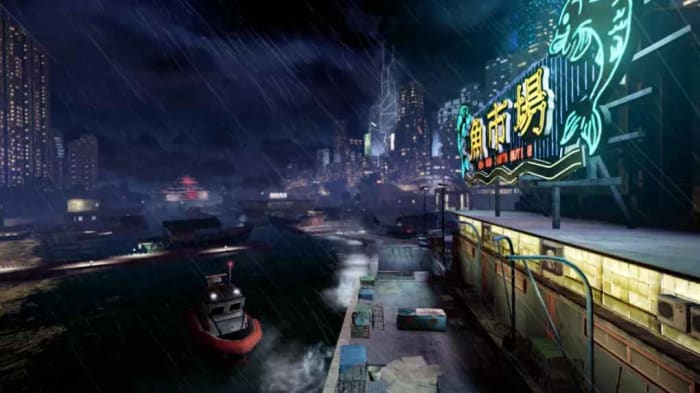
See Hong Kong in Sleeping Dogs

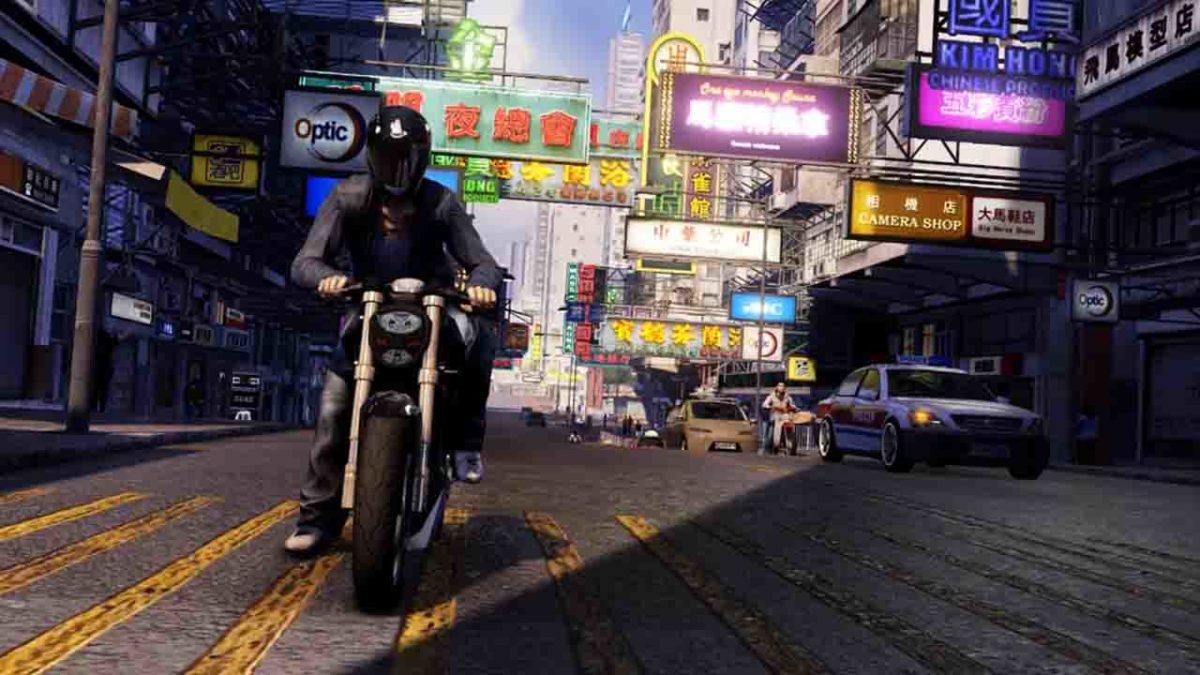
Sleeping Dogs from Square Enix is a bit of a dark horse when it comes to open-world RPG style games. The game doesn’t get nearly as many plaudits as it should because it is lots of fun to play and hardly anybody plays it. Think fast-paced triad flavored GTA and you’re halfway there. It’s not just a copy of Grand Theft Auto, however, as it offers a beefed-up fighting system and a fantastic story to get through. This game rocks.

What’s great about Sleeping Dogs though, is that the action takes in an impressively recreated Hong Kong. It’s all here, from tightly packed residential areas, bright neon-lit nightlife hotspots, bustling street food markets, and the traditional and ultra-modern port. Sure you’ll have to go there as an undercover cop trying to break into the local Triad gangs but if you’ve ever wanted to go and see Hong Kong, you could see this as your chance.

Sleeping Dogs Download now
8

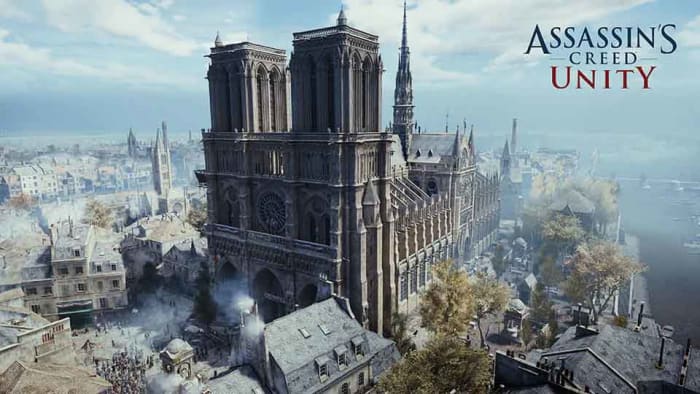
See Paris in Assassin’s Creed: Unity

The Paris that has been so beautifully remade in Assassin’s Creed: Unity is the Paris of the French Revolution when the game is set. You’re going time traveling on this holiday as you set off for the world’s romantic capital during the bloodiest era in its history. As well as the Eiffel Tower and Notre Dame Cathedral, you’ll also be seeing high levels of extreme civil unrest, regular lynchings and public acts of violence, and plenty of guillotines doing what they were invented for.

Again another Ubisoft recreation, this version of Paris gained so many plaudits due to the extreme levels of detail the team behind the game went to capture the magic of Paris. The Notre Dame Cathedral in particular marks a real achievement for the game with one developer dedicating over 80% of the work she did on the game to the single building. Furthermore, even though the Cathedral’s famous Spires weren’t actually a part of the Cathedral back then, Ubisoft added them anyway to stay true the essence of the building everybody knows and loves today.

Assassin's Creed: Unity Download now
9

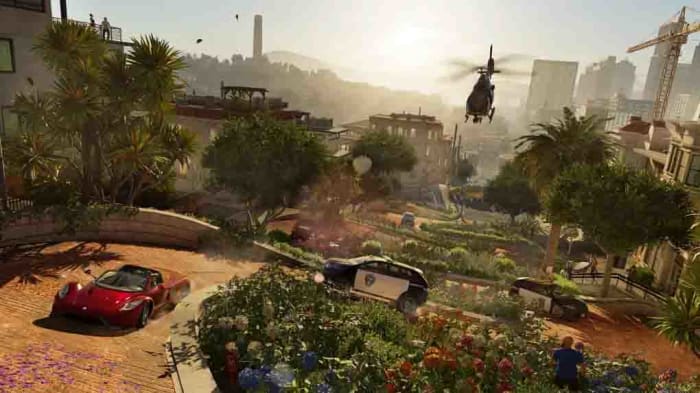
See San Francisco in Watchdogs 2

Sleeping Dogs San Francisco

Watch Dogs 2 is an amazing sequel to the first Watch Dogs game because it both completely reinvents the hacker based open-world adventure game while staying true to and improving upon the dynamics of the original. The game still feels fresh today and is definitely worth playing even before we consider the virtual travel option that it offers anybody who’s ever wanted to visit San Francisco.

Let’s be honest, San Francisco is an enticing prospect to any traveler with a plethora of famous landmarks and geological features. Watchdogs 2 has them all, from the famous Bay to the Golden Gate Bridge. What’s even better than going there in person, is the fact that on this virtual holiday you’ll have the skills of an expert hacker and be able to break your way into all the coolest places that you’d never get near in real life.

Watch Dogs 2 Download now
8

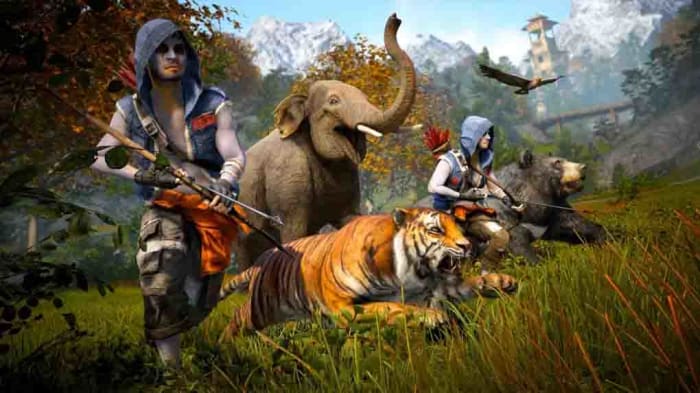
See Nepal in Far Cry 4

OK, this one requires a slight stretch of the imagination because Far Cry 4 isn’t actually set in Nepal, but a fictional country called Kryat. That being said, Kryat is most definitely a Nepali Himalaya inspired kingdom that bears more than striking resemblance to the tiny country that overlooks India. Everything you’d find in Nepal is here including misty snow-capped mountains and all manner of wildlife such as tigers and elephants. There’s also plenty of thin winding mountain paths to explore and all the Buddhist iconography you could ever hope to see.

Far Cry 4, just like all the other Far Cry games, is an absolute treat to play too. If you’re a First-Person Shooter (FPS) this is a game, you’ll absolutely love.

Multiplayer online games that your non-gamer friend will love

These multiplayer games are all perfect for playing with your non-gamer friends

Tetris 99 for non gamers

The final article we’re bringing you in this week’s look at the best games to play while you’re stuck at home is here to help you reach out to your friends even while you can’t leave the house. The truth is, not everybody is a gamer though so you can’t expect anybody and everybody to get involved in your next World of Warcraft campaign just because you haven’t seen each other in the real world for quite some time.

All is not lost, however, as there are plenty of games you can play online with friends who wouldn’t normally play video games. Some of these games are free, all of them are fun, and most of all they are all accessible to people not used to playing video games alone or with friends online. Let’s get into them then, the best multiplayer games to play with non-gamers.

The best games for non-gamers

The five games listed below all offer unique experiences that could be attractive to non-gamers and first-time gamers alike. All our perfect to play with friends when you’re stuck inside. There’s no ridiculously complicated RPGs or first-person games in this list, just the best video games with accessible gameplay, gentle learning curves, friendly co-op games, and simple gaming dynamics.

Minecraft

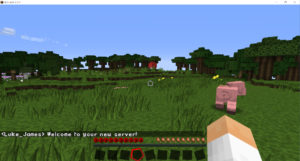
Minecraft is a huge open-world game that offers a massive world to explore, inhabit, and shape. The graphics are rudimentary in Minecraft, which may go both ways for new gamers either earning a scoffed rebuke or appearing unthreatening. The game dynamics and physics that lie beneath the surface, however, are deep and rich. As well as the huge physical size of the Minecraft game world, it also offers a universe’s worth of possibilities complete with a plethora of elements and materials to find, mine, and ultimately craft.

Playing Minecraft with a non-gamer friend offers a non-threatening and open-ended experience. If you start your own private server in Creative mode, you’ll be able to build whatever you like in peace. You’ll have no enemies to worry about, no battles to fight, and you’ll simply be limited by the bounds of your collective imagination. This is the perfect way to spend time with friends while you can’t actually be together. Create a world together and then build it in your own image.

Minecraft Download now ►
7

Castle Crashers

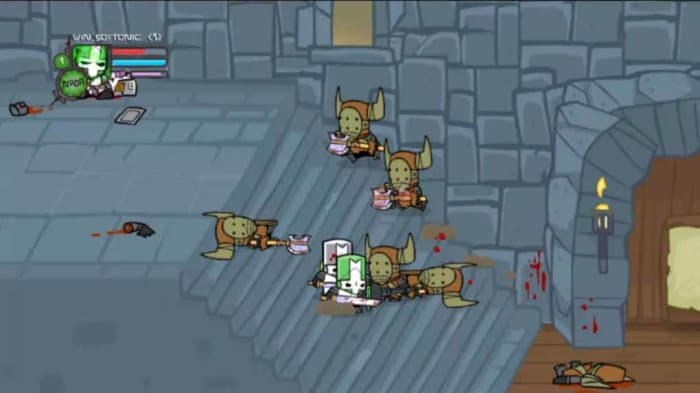
Castle Crashers is a ridiculously fun side-scrolling arcade-style action and adventure game. Simply put, you don’t need to be a hardcore gamer to be drawn into the fast-paced colorful action that can be played cooperatively by up to four players. What’s even better is that you don’t need to take this game too seriously. This is a party game in its purest sense.

The action sees you playing as four intrepid knights battling through a mystical, fantasy land in a bid to overthrow an evil sorcerer. There’s plenty of brightly animated, cute beasties for you to fight but don’t be fooled. These are tough little creatures and you’ll have to work hard and fast to past them all.

Castle Crashers Download now
8

Portal 2

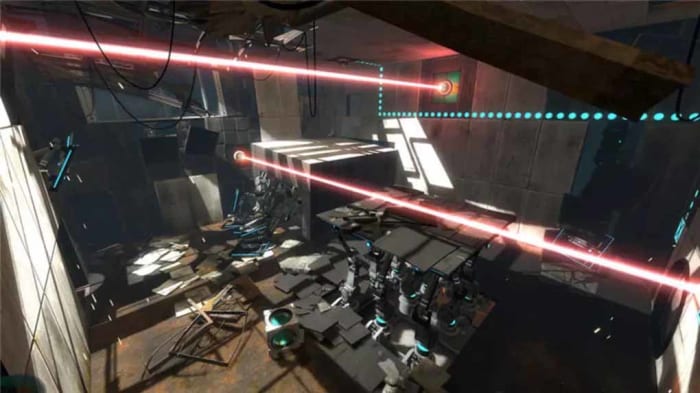
The original Portal game introduced some truly revolutionary game dynamics to the world of gaming. The titular portal gun allowed players to beam themselves around each individual level, with each being built specifically to warp the brains of the player so that they can best make use of the intriguing new technology. When you add to that the dark humor that the game also leveled at players you can see why the game became a cult classic.

Portal 2 improved and built on the winning formula in every way with one such way being the introduction of new cooperative dynamics. Portal 2 has all the physics-driven puzzles and action found in the first but can also be played with your friends. Being a mind-bending puzzler too, that doesn’t have any lethal weapons makes it perfect for anybody who doesn’t normally play video games. This is one of those games that will have non-gamers realizing they’re wrong about games and never knew all that they could be.

Portal 2 Download now
9

Tetris 99

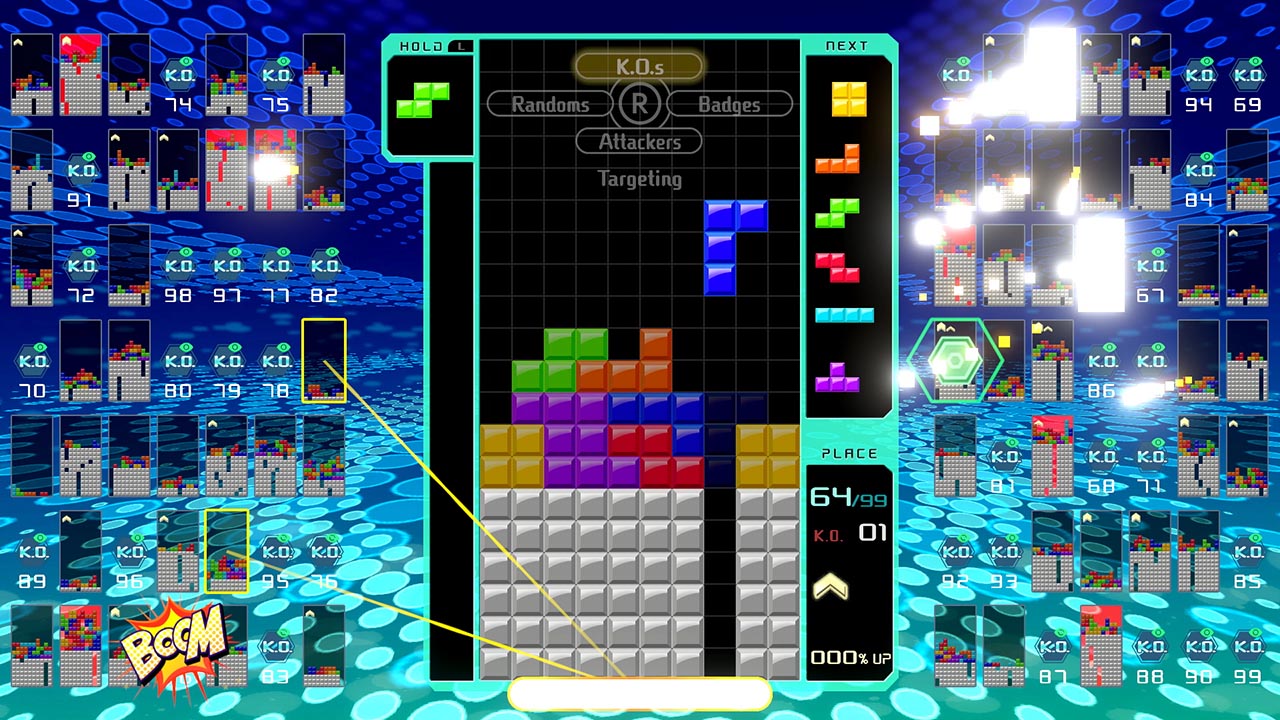
Even non-gamers know about Tetris and have probably played and loved it. The Gameboy classic puzzle game is another one of those video games that doesn’t feel like a traditional video game, it feels like something else. A game and puzzle in its purest sense, Tetris is simple yet perfect. Tetris 99 takes that video game ubiquity that has touched even the most ardent non-gamers and adds a manic social aspect to it that is a lot of fun once you get into it.

Tetris 99 is a Tetris Battle Royale game. Yep, you read that right. It is a game of Tetris that sees 100 players battling it out with each other in a bid to become the last man standing. It comes complete with new multiplayer elements including being able to lob bricks of all shapes and sizes at your enemies in a bid to throw them off-kilter and block up their screens. Ask your non-gamer friend if they’re ever played Tetris before and then ask them if they want to play it together against 98 other people. Then, let the fun commence.

FIFA 20

FIFA has always been one of the best social games ever. Playing a match against a friend sat next to you on the couch and beating them is a truly satisfying experience. When EA Sports added online multiplayer action the game though, everything went to the next level. You can now play against another player on the other side of the world and even play as a single player in a team of 11 against another team of 11 players. Absolutely ridiculous.

FIFA’s also great for playing with non-gamers though, as most of the time they’ll at least be football fans, so they’ll have something invested in the game before they even pick up the pad. If you then find that you’re unevenly matched to take on each other, you can simply switch to coop mode and try to win yourselves a trophy together. That way you’re in it together and everybody wins.

FIFA Mobile Soccer Play Now
9

Best PC games that last for hours

These long PC sandbox games offer hundreds of hours of gameplay to anybody brave enough to risk being sucked in.

pc games

There’s no reason to let being stuck inside stop you from having entertaining and fulfilling experiences. On the contrary, being stuck inside hands you a precious resource that usually evades too many of us as we deal with the pressures of modern life. That resource is time and when you’re stuck inside there’s a very good chance you’ve got lots of it, which means there’s nothing stopping you from getting into all the single-player and multiplayer video games you’re always too busy for.

Video games can too often feel like a guilty pleasure when you’re living in a busy world. Not now though. Now you’re free to sink endless days and nights into all the fantastic worlds to explore and adventures to complete. When you’re stuck indoors video games are your best friends and today, we’re going to introduce you to some of the best video games that will help you out while you’re stuck at home.

Best long PC games for PC gamers

The best games are the perfect way to while away long hours. Games now are so big and expansive that being stuck inside doesn’t mean you can’t experience vivid, realistic, and long adventures. Any of the games below are perfect for gamers stuck inside. We’ve touched on some big games in the list, but we’re avoiding the big names like Skyrim, Dark Souls, Total War, Diablo, DOTA 2, XCOM, and Final Fantasy.

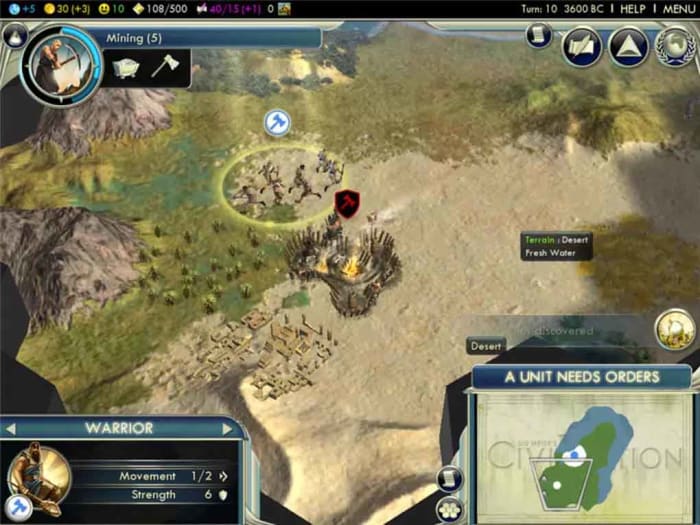
Civilization V

When it comes to epic games that just keep going, the Civilization series has all others beat. Tasked with taking a fledgling society from the stone age all the way up to becoming a spacefaring civilization, there’s clearly a lot of playability here for you to get into. Civilization V really hit the sweet spot too, building on the games that came before it without adding too may fiddly new features that detract from the huge scale of the job at hand.

This game offers complete control over many different facets that create and shape the path a society and culture can take. What’s even more interesting about this massive strategy game is that you can win without even having to fight a single battle. Sure, there are scenario levels and campaigns you can play out that require some sort of military conquest, but the sandbox version of the game offers true freedom, allowing you to conquer the world through your cultural advancements or scientific discoveries. There’s a lot here to get into, and all of it is rewarding.

Civilization V Download now
9

Red Dead Redemption 2

Rockstar’s Grand Theft Auto was one of the first big open-world sandbox games that really caught the world’s imagination. When the 2D world turned 3D with Grand Theft Auto 3, the series quickly became the most successful video game franchise of all time and still is today. Grand Theft Auto’s Rockstar stablemate Red Dead Redemption deserves plenty of plaudits in its own right though. The Old West based outlaw sim had a fantastic storyline and well-built world to explore. The recent sequel only built on this success further.

The Old West of the Old West of the Red Dead sequel is a little less wild than that of the first game as big cities have started springing up. The RPG-like gameplay dynamics are the same though, and what’s truly amazing about Red Dead Redemption 2 is just how beautiful everything is. In many ways, it feels more like an interactive movie than a game but when you scratch below the surface you find all the entertaining dynamics that Rockstar is famous for. The world is huge, the missions are expansive, and the game just draws you in. If you start this one, you’ll find it hard to stop.

Red Dead Redemption 2 Download now
8

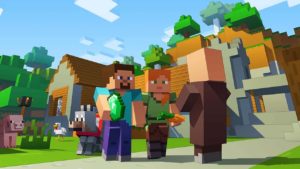
Minecraft

Minecraft is another huge game that offers endless possibilities. The premise is simple. The world is full of useful elements and resources and you can go out and collect them and then use them to craft all manner of tools, weapons, buildings, and more. Worlds are procedurally generated so no two are alike and you can even create your own personal servers, which act as your own personal worlds for you and your friends to do with as you wish.

What’s also great about Minecraft is that because it is such a long- and well-established game, you’ll be able to find plenty of resources online to help you get yourself started. We recently ran a series of introduction features ourselves, covering everything from mining and crafting to more advanced themes such as Redstone dust, which is essentially electrical cable. Yep, you have so many possibilities with Minecraft that you can even get into mechanical and electrical engineering.

Minecraft Download now ►
7

Planet Zoo

It might not be a platformer or an FPS with a complicated combat system but Planet Zoo is a fantastic game to play if you have a lot of time. It has an almost therapeutic nature to it. Not only is it about building and developing your wildlife exhibitions, there is an almost zen-like feeling that comes from creating what are essentially the ultimate gardens. If you’re an animal or nature lover, this truly is the game for you.

You basically start a Planet Zoo game with a huge open space and an incredible array of tools and features at your fingertips all designed to help you build the ultimate zoo. This certainly is an intimidating affair, but the game is well designed enough to walk you through it in a way that is both educational and addictive. You’re not just building your zoo for the visitors, you’re building it for the animals too, which is an incredibly satisfying feature when done properly.

Planet Zoo Download now
8

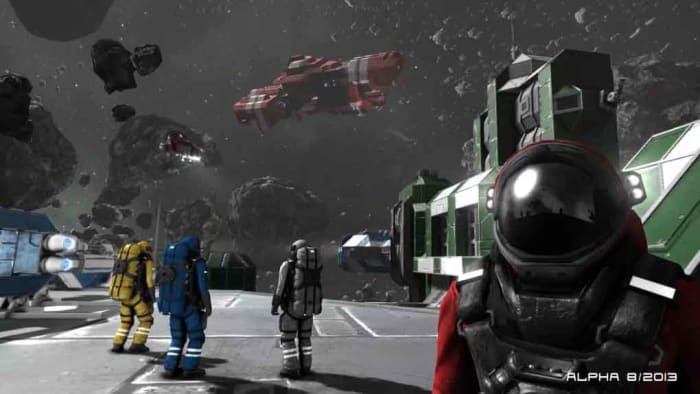
Space Engineers

We’ve looked at zoos, infinite procedurally generated and resource dense worlds, the old West, and the rise and fall of civilizations and our final huge sandbox PC game is concentrating on space and all the work and effort that goes into building things in zero gravity. Space Engineers is a truly impressive new game that could easily eat up solid days and weeks of your time.

If you’re a sci-fi fan, this is the ultimate sandbox game for you as it allows you to explore space, build spaceships and space stations, mine planets and asteroids, and of course, fly around in a plethora of spacecraft and battle against galactic foes.

Best Minecraft alternatives

Each of these games offers a fantastic alternative yet comparable experience to that you’ll get with Minecraft.

Best Minecraft alternatives

This week we’ve been focusing on video games that are perfect for playing when you’re stuck indoors. We’ve looked at the games with the best virtual recreations of real-world cities and also looked at the longest PC games that you can play for days. In that vein then, it makes perfect sense that we take a look at Minecraft. It makes sense because Minecraft is such a huge and open-ended game, that it can be called a world in itself. Minecraft’s endless possibilities make it the perfect game to help you keep yourself active while stuck indoors.

We had a look at Minecraft not too long ago, putting together various beginner’s guides on topics such as farming, mining, and crafting. You should check them out if you want to spend your time in the house playing Minecraft. What we’re going to look at today are some greet alternative games to Minecraft. Other infinite worlds for you to explore and inhabit while you’re stuck indoors. Let’s get started.

Alternatives to Minecraft

These games below all offer gaming experiences comparable to that you’ll find in Mojang’s Minecraft. If you’re tired of Minecraft or don’t like the graphics or simply want to play a different sandbox game that offers endless possibilities, try one of the games listed below. These are not just Minecraft clones though. These are the best games that build on the experience you’ll find in Minecraft.

Roblox

roblox

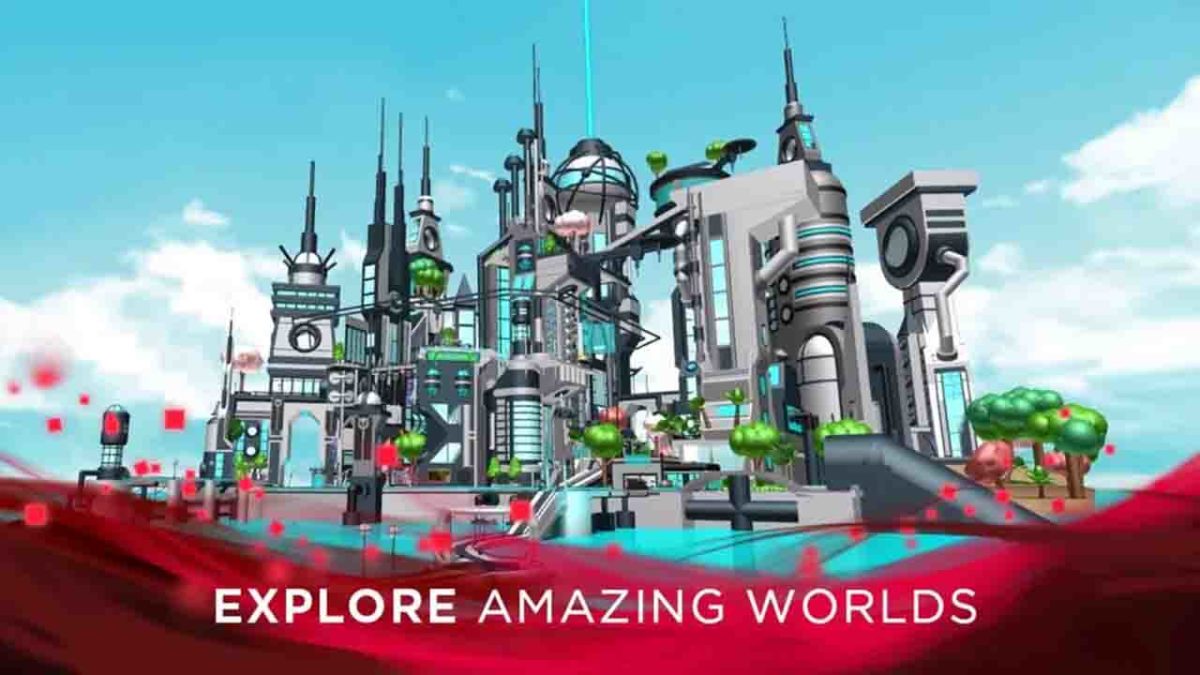
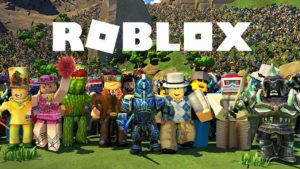
Where do you start with Roblox? Minecraft is about building, Roblox is about building games. Single-player and multiplayer games. It is like a Lego/Minecraft hybrid that only introduces players to building elements that allow them- to experiment with and build on the ideas they have, but also gives them access to a vast library of all the greatest creations that have ever been built on the platform.

Roblox’s huge catalog of user-created games includes many fan-made versions of some of the biggest gaming franchises. These include the likes of GTA, Call of Duty, and more Pokémon games than you can count. If, however, you want to build on Roblox like you can build on Minecraft, then there’s plenty here for you too. Basically, if you’re a Minecraft fan who’s not too familiar with Roblox, check it out now because you will not be disappointed.

Lego Worlds

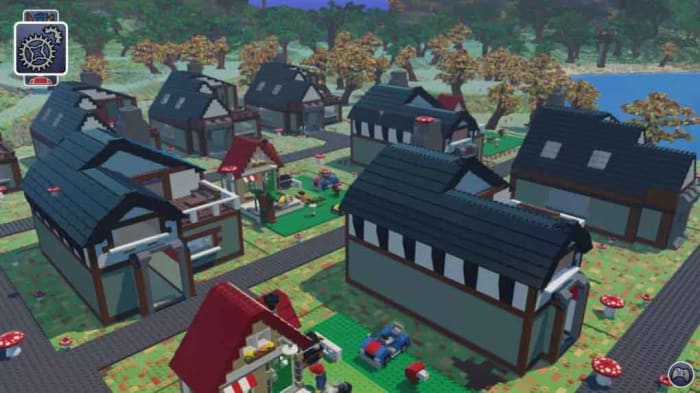
When you look at the block-based graphics of Minecraft and the building dynamics that have captured the imaginations of people all over the world, you can see how Minecraft’s success might have irked the people over at Lego HQ. Fortunately, though, Lego has a solid track record making excellent video games as well as brick-based kids playsets and it wasn’t long before Lego Worlds was born.

Lego Worlds is a great game too that in many ways offers a much more polished experience than you’ll get with Minecraft. As well as the building dynamics you find in Minecraft and the infinite possibilities that come with them, Lego Worlds also brings with it lots of the fun gaming engines that Lego has built into its long line of big-name Lego games from Star Wars to Batman. The gameplay in Lego Words is very well developed.

Lego Worlds Download now
8

Starbound

Minecraft is a vast procedurally generated 3D world. That doesn’t mean, however, that 2D side-scrolling games can’t offer enticing alternatives to Minecraft and Starbound is the first of two we’ll look at today. It’s also the first of two sci-fi games we’re going to tell you about.

Starbound is a pixelated gem that sees you leading a ship that’s traveling across a galaxy as it flees its home planet. Unfortunately, however, the ship doesn’t far and crash lands on a different planet. This is the premise that sees you start your Starbound adventure. You’ll get to explore and conquer beautiful 2D realms, mine for resources, and then use them to craft bases, tools, weapons, and more. You’ll also have to battle procedurally generated monsters, but don’t worry as you can do so cooperatively with friends online.

Starbound Download now
8

No Man’s Sky

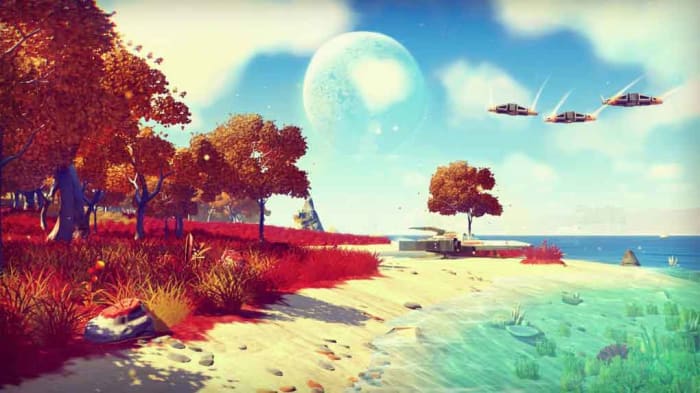
No Man’s Sky doesn’t look like an obvious Minecraft alternative, but it definitely is one. The game looks a lot slicker than Minecraft does and gives gamers an entire open-world universe to explore. Players can fly between planets and set up base on any of them, but there’s a lot going on beneath the surface bears similarities to Minecraft. Not least that the worlds are all procedurally generated, and you can build and craft everything you need to explore and colonize the galaxy.

This is a fantastic RPG-like alternative to Minecraft though because it offers you a fantastic opportunity to let your imagination run wild. There are no limits in No Man’s Sky, which is just like what you get with Minecraft. If you’re a Sci-Fi fan or if you’ve ever been obsessed with the infinite realm of space above us yet yearn to build and create just like you can on Minecraft, then No Man’s Sky is the game for you.

No Man's Sky Download NOW ►
6

Terraria

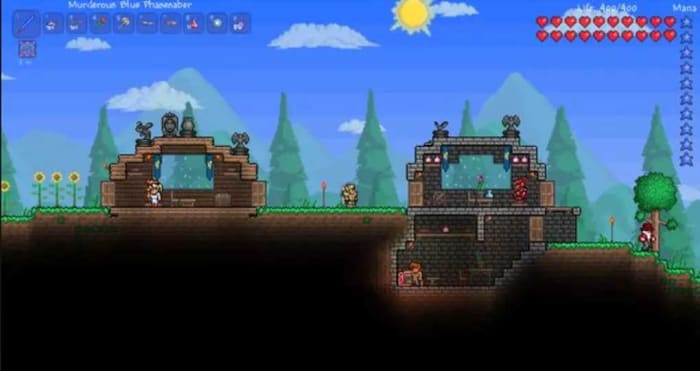
The final Minecraft alternative we’re featuring today is almost like a work of art. When you really get into Terraria, your creations take on a mind of their own and become real things of beauty. At its core, Terraria is a digging and crafting adventure game, just like Minecraft. It is another of our 2D Minecraft alternatives though and has traded Minecraft’s iconic block style for an enchanting pixelated aesthetic. That’s where all the beauty and art comes from.

Terraria is a huge game too. Armed with your trusty pickaxe, the game offers an incredibly large number of items for you to collect, refine, and then craft. There’s a lot more combat in Terraria than there is in Minecraft as well, so if you’re looking for more of an adventure, this is the game for you. It’s not simply about finding more resources to craft more out there items like lightsabers, which you can. The further you go in Terraria and the deeper you mine, the more outlandish things will start to happen. Honestly, if you’re stuck inside and looking for a Minecraft alternative that will take you places you never knew you wanted to go, Terraria is the game you’re looking for.

Terraria Download now
8

Complete guide to MS Office format files

update microsoft office new icons

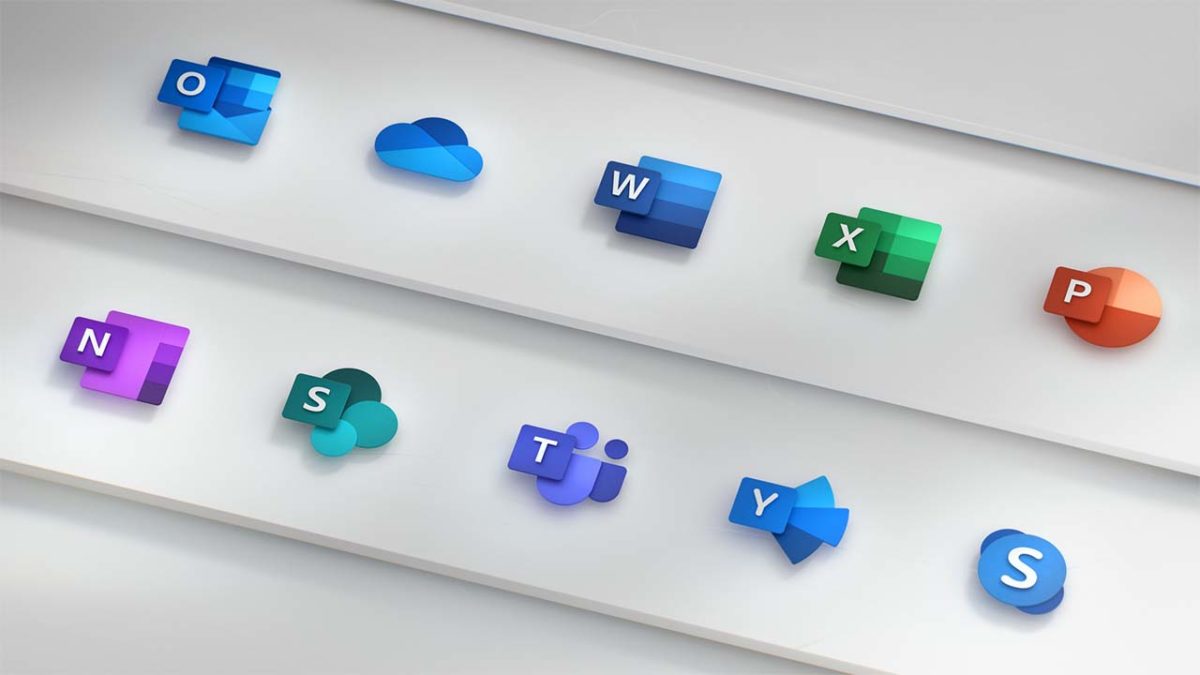
The Microsoft Office productivity suite has been around for a long time. Each Office application has evolved during all that time adding new features and tools and also, along the way, developing new file types both for the files that work with the programs and others that are at least compatible with the programs in one way or another. As you can imagine, over such a period of time this list of file types has grown to a formidable size and it can be hard to know what file works with what program and vice versa. That’s what we’re here to do today, walk you through all the different Microsoft Office file types and extensions for each of the main Office programs.

This is the fourth of our Microsoft Office guides this week. We’ve also covered productivity tips for Word, how to make infographics on PowerPoint, and the accessibility tools available across Microsoft Office programs. We’ll also be checking out Excel formulas so make sure you check that guide out too. For now, though, let’s get into Office file formats.

6

File extensions for Microsoft Office

Below is a list of all compatible file formats for Microsoft Word, Microsoft Excel, and Microsoft PowerPoint.

File formats supported in Microsoft Word

All file extensions for Microsoft Word

.doc – A document from Word 97 – 2003.

.docm – A Word Macro-Enabled Document. This stores Visual Basic for Applications (VBA) macro mode.

.docx – A Word document. This is the default Word document for anything post-Word 2003.

.dox – A Strict Open XML Document.

.dot – A template for Word 97 – 2003.

.dotm – A Word Macro-Enabled Template.

.dotx – A Word Template for anything post-2003.

.htm, .html – A Web Page, normally saved as a folder.

.mht, .mhtml – A Web Page, saved as a single file.

.odt – A OpenDocument Text, which is compatible across other OpenDocument compatible word processors.

.pdf – A Portable Document Format (PDF) file.

.rtf – A Rich Text Format file.

.txt – A Plain Text File that has no formatting.

.wps – A Microsoft Works 6 – 9 document.

.xml – A Word 2003 XML Document.

.xml – A Word XML Document for all versions of Word post-2003.

.xps – An XPS Document.

Microsoft Word Download Now
9

File formats supported in Excel

All file extensions for Microsoft Excel

.csv – A Comma delimited file that saves only the active sheet.

.csv – The same as above except for Mac.

.csv – The same as above but for MS-DOS.

.dbf – DBF 3 and DBF 4 files that can be opened in all versions of Excel 2013 and later.

.dif – a Data Interchange Format File that saves only the active sheet.

.htm, .html – A Web Page, normally saved as a folder.

.mht, .mhtml – A Web Page, saved as a single file.

.ods – An OpenDocument Spreadsheet that can be used across other spreadsheet programs compatible with the OpenDocument file type.

.pdf – A Portable Document Format (PDF) file.

.prn – A Lotus space-delimited Formatted Text file that only saves the active sheet.

.slk – A SYLK (Symbolic Link Format) file that only saves the active sheet.

.txt – A simple text file that saves the active sheet of a workbook as tab-delimited text.

.txt – The same as above but for Mac.

.txt – The same as above but for MS-DOS.

.txt – A Unicode Text file that only saves the active sheet.

.xla – An Excel 97 – 2003 Add-in file.

.xlam – An Excel Add-in file for all versions of Excel post-2003.

.xls – An Excel 97 – 2003 file.

.xls – An Excel 5.0/95 file.

.xlsb – An Excel Binary file for all versions of Excel post-2003.

.xlsm – An Excel Macro-Enabled file for all versions of Excel post-2003.

.xlsx – The default Excel file for all versions of Excel post-2003.

.xlsx – A Strict Open XML Spreadsheet.

.xlt – An Excel template for Excel 97 – 2003.

.xltm – A Macro-Enabled Excel template for post-2003 versions of Excel.

.xltx – A default Excel template for all versions of Excel post-2003.

.xlw – An Excel 4.0 file.

.xml – An XML Spreadsheet 2003 file.

.xml – An XML Data format.

.xps – An XPS file.

Microsoft Excel Download now
8

File formats supported in PowerPoint

All the file extensions compatible with PowerPoint

.bmp – A Device Independent Bitmap is a slide that is saved as a graphic to use on webpages.

.emf – An Enhanced Windows Metafile is a slide that is saved as a 32-bit graphic.

.gif – A GIF.

.jpg – A JPEG File Interchange File.

.mp4 – An MPEF-4 Video file.

.odp – An OpenDocument Presentation file that is compatible with presentation software that uses the OpenDocument file type.

.pdf – A Portable Document Format (PDF) file.

.png – A Portable Network Graphics Format file.

.pot – A PowerPoint 97 – 2003 template.

.potm A PowerPoint Macro-Enabled Template for versions of PowerPoint post-2003.

.potx – A PowerPoint template for versions of PowerPoint post-2003.

.ppa – A PowerPoint Add-in file for PowerPoint 97 – 2003.

.ppam – A Macro-Enabled PowerPoint Add-in file.

.pps – A PowerPoint 97 – 2003 show.

.ppsm – A PowerPoint Macro-Enabled show.

.ppsx – A PowerPoint presentation that opens in Slide Show view instead of in Normal view.

.ppt – A PowerPoint presentation from 97 – 2003.

.pptm – A Macro-Enabled PowerPoint presentation.

.pptx – A default PowerPoint presentation for versions of PowerPoint post-2003.

.pptx – A PowerPoint Picture presentation.

.pptx – A Strict Open XML Presentation.

.rtf – An Outline RTF presentation outline file that is saved as a text-only document.

.thmx – An Office Theme style sheet file.

.tif – A Tag Image File Format.

.wmf – A Windows Metafile slide that is saved as a 16-bit graphic.

.wmv – A Windows Media Video.

.xml – A PowerPoint XML Presentation.

.xps – An XPS Document.

The best accessibility tools for Microsoft Office

Microsoft has introduced many key accessibility features across all Office programs and this article will walk you through them.

We’re back today with another feature in our week-long look at all things Microsoft Office. Yesterday we looked at productivity tips for Microsoft Office and today we’re going through accessibility tools across all Office programs. Fortunately, Microsoft has put great effort into adding accessibility tools and assistive technology across the Microsoft Office suite to make it easier for anybody who needs assistance to get the most out of them.

The Office Accessibility Center

A lot of Microsoft’s accessibility features are actually built-in at the operating system level. This means if you’re using Office on a Mac, your Office programs will access the MacOS accessibility features. These can include things like changing background colors, various accessibility standards and accessibility resources, and alternative text arrangements.  The same goes for iOS users on iPhones and Android users on their smartphones and tablets. Of course, Microsoft has built a lot of features into Windows 10 too and we’ll look at some of those features below as well as Office specific features. If you’re not a Windows 10 user and you want to check out what accessibility features are available on your specific device, you should head over to the Office Accessibility Center.

Microsoft Office 2019 Download Now
8

Microsoft Accessibility tools

Tell Me

Tell Me on Office

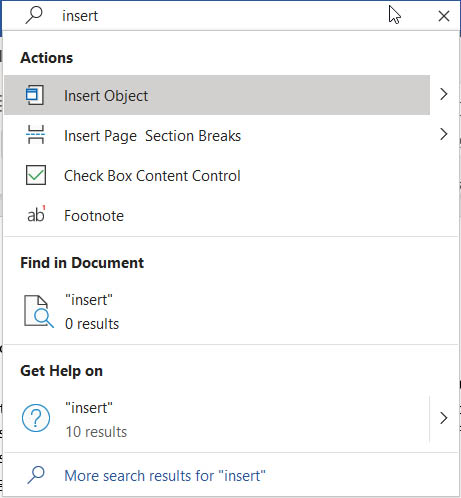
Ever since Office 2016, there has been a very handy feature built-into Office programs that makes it much easier to perform actions on your documents. As Office programs have grown in complexity, they’ve also taken on more and more features and tools. Navigating through these can be a nightmare and for some can render them impossible to access or use. The Tell Me feature, which is presented as a search bar across the very top ribbon of whatever program you’re using or a magnifying glass if you’re using the Office program in a floating window addresses this perfectly. Basically, all you need to do is type in the action you want to perform and tell me will present you with it. This completely removes the need to go searching through menus and taskbars and makes everything much more accessible.

Keyboard shortcuts

Another key accessibility feature to follow on from Tell Me is the keyboard shortcuts Microsoft has built into all Office programs that make them possible to navigate and use effectively without the need to use a mouse. There are far too many Office programs for us to go through them all now but if you follow this link, you’ll find a list of all Office apps including Excel, Word, and OneNote and be able to find the keyboard shortcuts available for all of them.

PowerPoint Subtitles

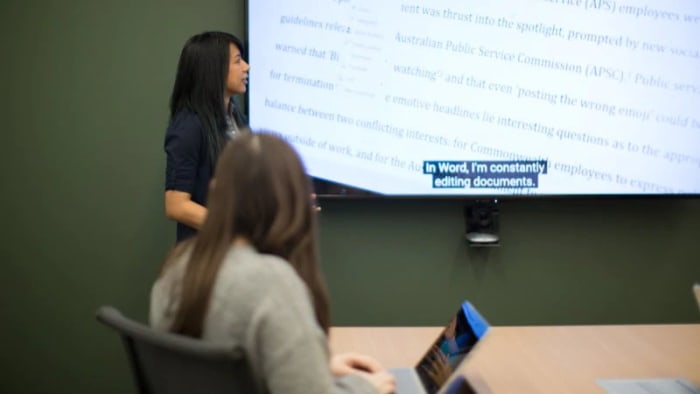
Microsoft has its very own translator app just like Google. What’s very cool about the Microsoft Translator app though, is that it has also been adapted into a PowerPoint add-in called Presentation Translator. As well as all the neat translation tricks this plug-in can do across multiple languages, it can also generate live subtitles based on the presentation you’re giving; making your presentation much more accessible for audience members with hearing difficulties.

Narrator

Narrator is a Windows 10 screen reader app that can help you understand all the different elements on your screen at any moment and also help you navigate around them. There’s a lot that Narrator can do including working with touchscreen devices and helping you accordingly, scanning emails and large documents appropriately, and it can even work with braille. If the Narrator sounds like a feature you’d be interested in, you’ll be glad to know that it is already installed on your Windows device. You should follow this link though, to access Microsoft’s full Narrator guide and see just how it can help you when using Microsoft Office.

Outlook accessibility prompt

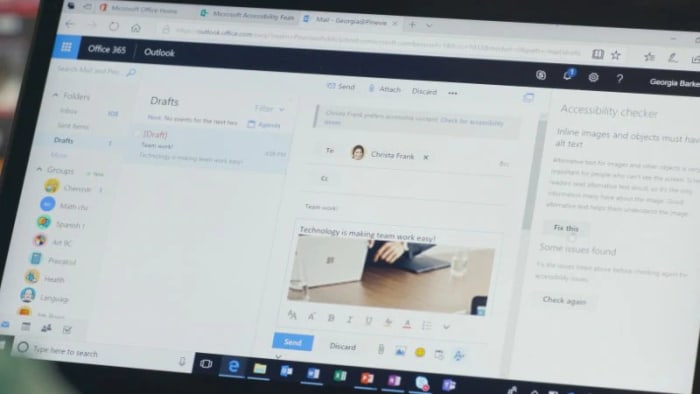
This is a very cool feature that promotes inclusivity in the workplace. You can set Outlook to prompt coworkers on your preferences for accessible content. As well as your preferences, the prompt also highlights Microsoft’s Accessibility Checker available in all Office applications, which can help solve any potential accessibility issues before they send emails in the first place. Sending accessible documents cuts out any potential issues before they arise and ensure everybody is included appropriately.

The Accessibility Checker

The Accessibility Checker on Office

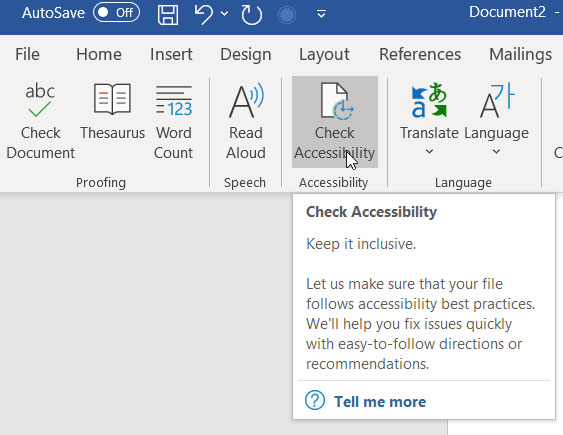
This brings us to a very important tool in itself, the Accessibility Checker. Microsoft has built a special tool into all Office applications that will check documents you’re working on against potential issues that people with disabilities may face when accessing them. To check your document for accessibility issues first click the Review tab and then hit the Check Accessibility button. The app will then open a sidebar highlighting any potential issues that you need to deal with.

Office Lens

Office Lens is a very cool feature that people with visual impairments can use to help take information from written sources. In particular, the Immersive Reader feature of Office Lens will grab even the smallest text from any page and then read back the information to you. As well as reading the information aloud, Lens will also change the font size and word spacing to make it easier to read the text as well as listen to it.

Office Lens Download now
8

Dictate 365

The Dictate 365 languages

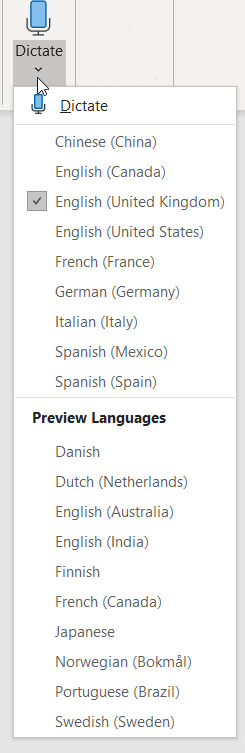
A very cool new feature found in Microsoft programs is Dictate 365, which allows you to speak rather than type. This can be very helpful if you have mobility issues or find it difficult to use a keyboard for prolonged periods of time. Dictate 365 is available for Microsoft Word, Microsoft PowerPoint, and Microsoft Outlook on Windows PCs. What’s also impressive about Dictate 365 is that it works in over 20 languages and can provide real-time translation in over 60 languages. If there is one issue with the feature though, it is with punctuation. The dictation skill itself is very impressive but you have to verbally add punctuation marks as Office isn’t capable of adding them itself just yet.

To access Dictate 365 hit the Home tab and then select the Dictate option, which you’ll then see in the top-right corner of your screen.

Improve your productivity with these Microsoft Word tips

These top tips for Microsoft Word will massively improve your productivity and help you get more done.

Productivity tips for Microsoft Word

This week at Softonic we’re here for all the Microsoft Office users out there. Whether you’re an Office 2019 owner or Microsoft Office 365 subscriber is all the same when it comes to getting the job done. We’re here for all of you this week as we’ll be giving you top tips for PowerPoint, a guide to accessibility tools across all Office programs, tips on formatting Office files, and some essential Excel formulas. Today though, we’re looking at Microsoft Word as we try to boost your productivity with some top tips.

Word is the most successful word processing program there has ever been. For years, in fact, it was the only one that mattered. Then the cloud came along and programs like Google Docs shook things up a bit meaning that Word had to adapt or die. The Microsoft program did so admirably and today has a plethora of new features and tools that Word users from just a few years ago wouldn’t recognize. Let’s not waste any more time then and get straight into our productivity tips for Microsoft Word.

Microsoft Word Download Now
9

Tips for Word

Keep your documents safe and private

Protect Word documents

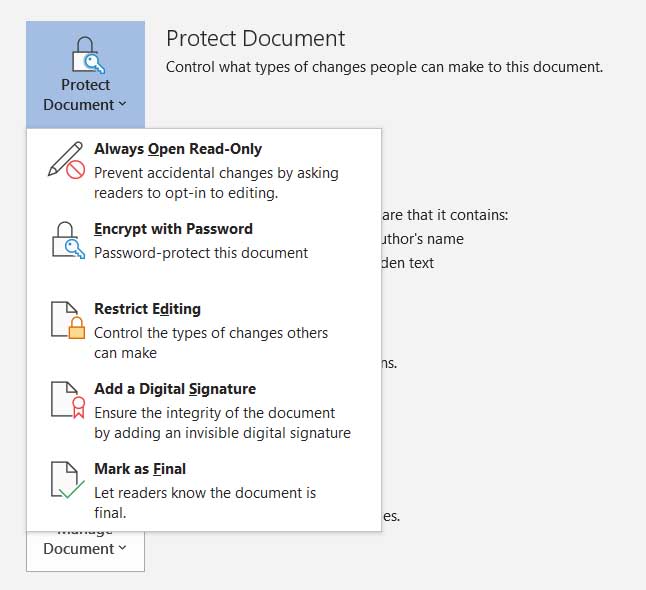
It is more important than ever to protect your digital documents as much as you can. Fortunately, Microsoft Word has a lot of features to help you do so including encrypting your written documents and protecting them behind passwords. You can also manage permissions for who can view and who can edit the documents you’ve created. To do so, Hit the File button and then click Info.

Quick highlight

This simple trick is very effective, and you’ll use it a lot once you know how to do it. To highlight an entire sentence in a single click simply hold the CTRL key as you click the beginning of the sentence. There is also a less refined version of this tip where you don’t hold the CTRL-key but simply perform multiple mouse clicks. A double click highlights a word and three clicks will highlight a paragraph. The final selection shortcut we have for you doesn’t even include mouse clicks at all. To highlight the entire document at once press CTRL + A at the same time. Be careful with this one though, and remember that the undo button is always there if something goes wrong.

The Word calculator

Calculate on Microsoft word

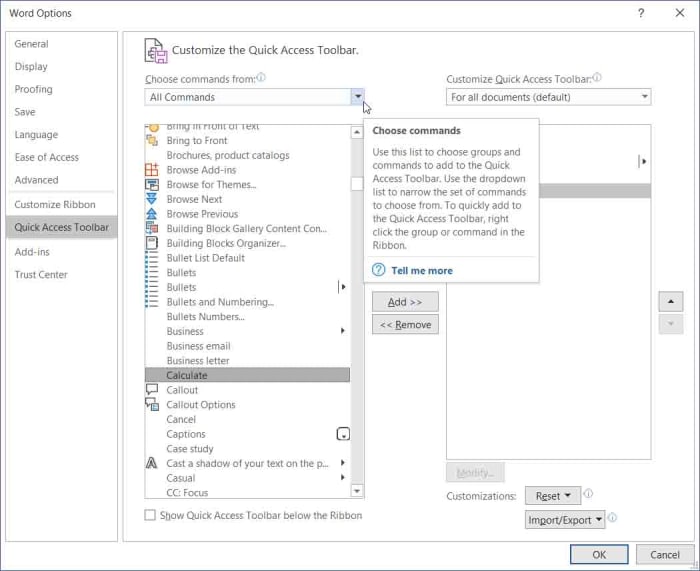
It’s a little-known fact that Word can do sums and math just like Excel can. You need to hit File, then Options, and then select the Quick Access Toolbar option in the menu on the left. You then need to click the drop-down menu called Choose commands from and select All Commands. Now in the list below find Calculate and hit Add. Confirm this by clicking OK  and then get back to work. You’ll now see a new blue button next to the Undo and Redo icons that will change color any time you type out and highlight calculations in your document. When it does this, click it and Word will show you the answer to your calculation where it normally shows you the word count of your document.

Word equations

Equations on Microsoft Word

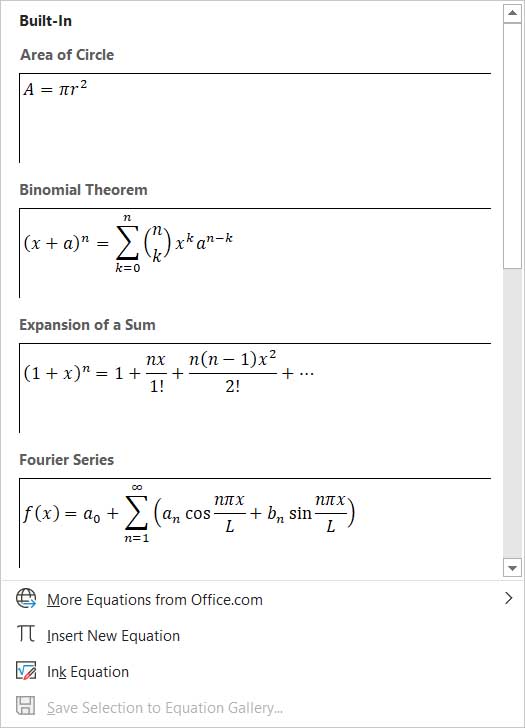
If you’re looking to add something a little more complicated than simple calculations to your document, then you’ll be glad to know that Word has a built-in equation feature for doing just that. To insert equations into your Word documents hit Insert and then Equation. Word will then show you a number of different equations that you can add to your document and then format as you wish.

Delete whole words at once

If you ever find yourself with lots of text that you need to delete, you’ll be interested to know that you can upgrade delete from a single letter at a time to a word simply by holding the CTRL key when you hit delete.

Assess the readability of your document

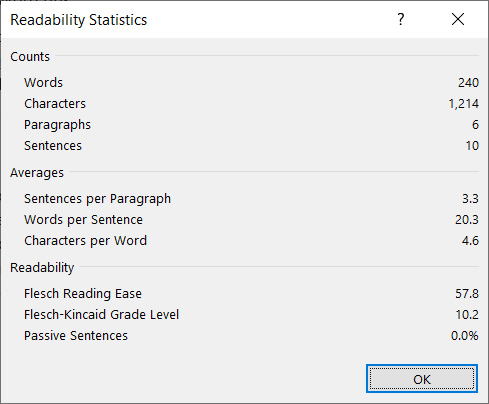
Word now has a readability tool that uses many different established lingual tests to provide you with readability statistics. The statistics are presented on a scale of 1 – 100 with the higher your score the easier your text is to understand. In the example shown below, the readability could do with a slight improvement as Microsoft recommends that you should aim for a score between 60 and 70.

Readability on Microsoft Word

To activate this feature in Word you need to click File, then Options at the bottom of the menu. You then want to hit the Proofing tab on the left and tick the box next to Show readability statistics in the Spelling & Grammar section of the menu. Then, whenever you ask Word to run a spell check by hitting the Review tab and then selecting Check Document, Word will show you the readability stats too.

The clipboard shortcuts

Copying, cutting, and pasting are very important features of Microsoft Word and pretty much any other program where the text is involved. Fortunately, Word has some handy keyboard shortcuts that make it very easy to copy and paste. To copy some text you simply need to hit CTRL + C when the text is highlighted; to cut text, you do the same but hit CTRL + X; and then to paste what you have on the clipboard you hit CTRL + V. This will save you a lot of time.

The search shortcut

Search on Microsoft Word

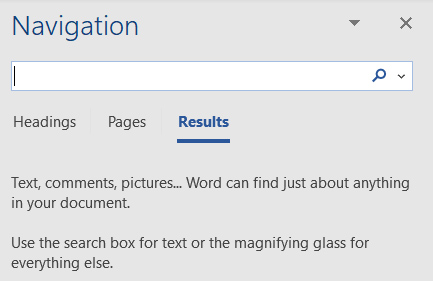
This one is useful for SEO editors or anybody dealing with large amounts of text in documents. If you need to search your document for a particular word or phrase, it can be a real pain scouring through all the written text in search of what you’re after. Instead, what you should do is hit CTRL + F, which will open up the Word search bar. Enter your word or term in there and Word will seek it out in the text and highlight every example it finds.

The best free Steam games 2020

These are the eight games that we think are the best free games you can play on Steam right now.

Steam

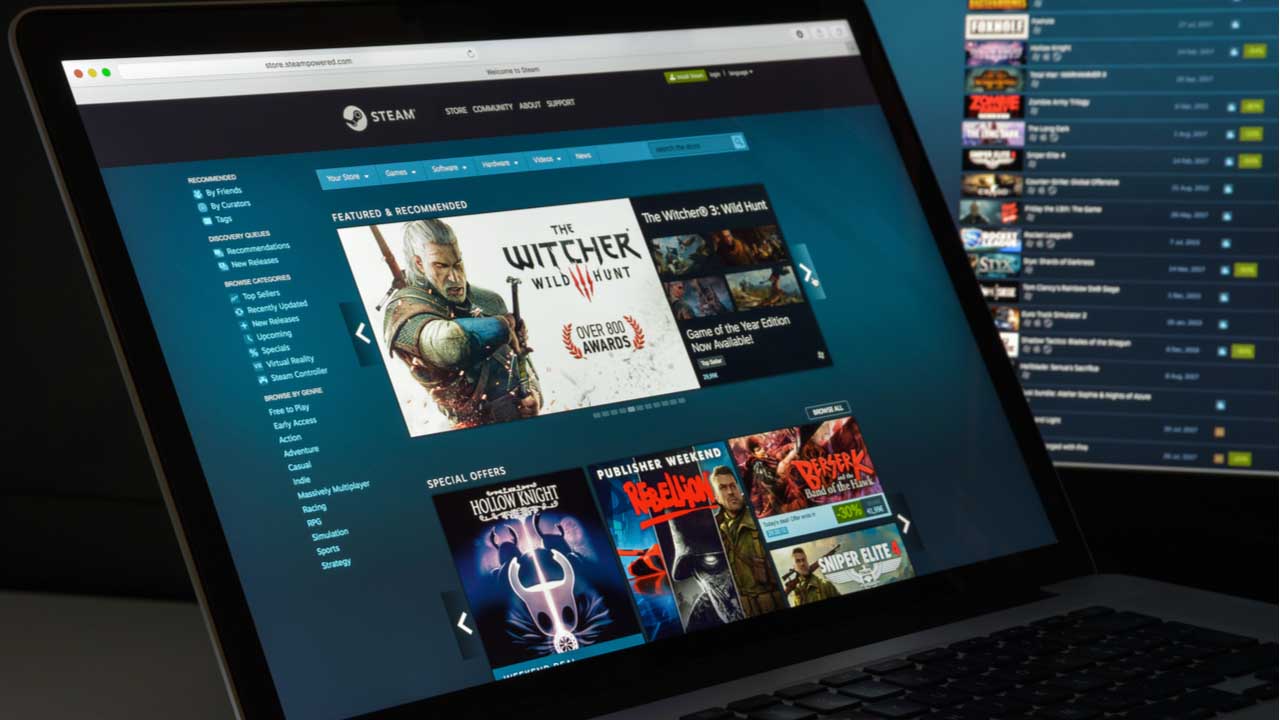
If you want to play games, you’ve come to the right place as we’re finishing this week’s look at all the best PC games with a bit of a treat. Today we’re going to bring you all the best free games you can get on Steam right now. We’ve already looked at free PC board gamesfree RPG games, the best sports games for PC, and all the best RTS strategy games too. Now though, it’s all about Valve’s massive online platform and the best free games you can find there.

Quite surprisingly, you’ll actually be able to find a lot of great free to play single-player and multiplayer games on Steam offering blistering gameplay across many different genres. All the biggest games are here in fact, from MOBAs to action RPGs via all manner of MMO masterpiece. Let’s dig in.

Free games for Steam

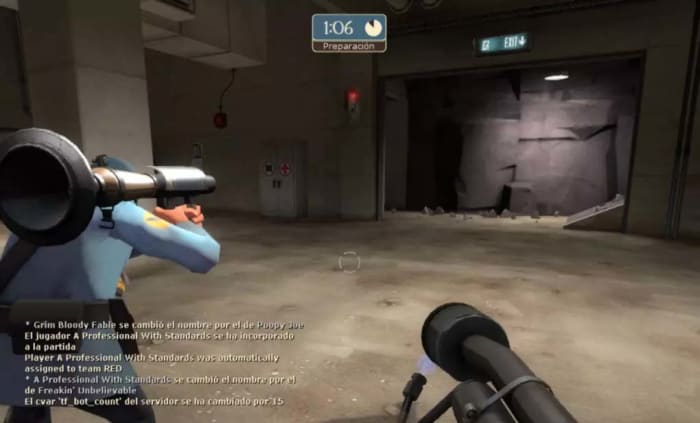
Team Fortress 2

Team Fortress 2

This classic first-person shooter has been around for years and is still one of the most popular games on Steam. The cartoon-like graphics give you an idea of just how much fun Team Fortress 2 is to play. It’s been copied many times now, but the fact that it has such a huge community of followers supporting its development means that no matter what else is out there, there is a very good chance there will always be Team Fortress 2.

Team Fortress 2 Play now
8

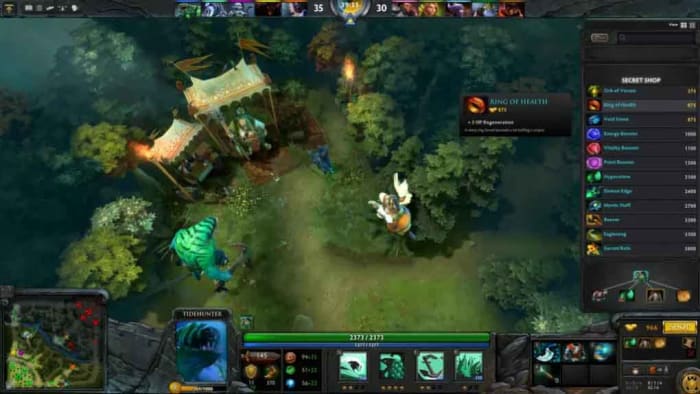
DOTA 2

DOTA 2

Here is another game that almost feels too good to be free. The hugely popular Massive Online Battle Arena game was the most popular game in the world at one point and still regularly attracts millions of viewers to annual tournaments that draw in the best players from around the globe. The premise of the game is simple and effective. There are two teams of mystical magical characters and they’re trying to battle through each other’s lines. The idea is to destroy your enemy’s towers and base. There’s no way a description can do DOTA 2 justice though, you simply must play it.

DOTA 2 Play now
8

Path of Exile

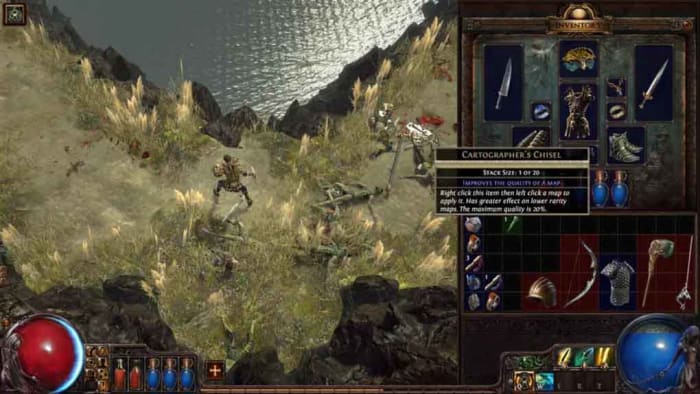
We’ve already featured Path of Exile in another of this week’s list. The classic RPG title is completely free-to-play, which meant it made it into our best free RPG game list too, and with good reason. Taking its inspiration from Diablo, Path of Exile sees you embark on a mission of character development and self-discovery. There’s so much customization you can do here as you fight your way through increasingly difficult dungeons using various playstyles. What’s best though, is that you can’t pay for advantages here as microtransactions will only get you cosmetic items rather than power-ups.

Path of Exile Play now
8

Paladins

Paladins

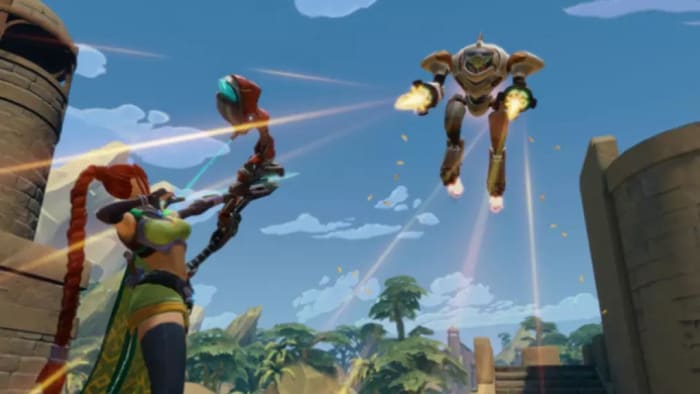
If you’re an Overwatch fan, then you’re going to love Paladins, which is a similar character-based action First Person Shooter (FPS). You have four categories of player to choose from including front line fighter, damage dealer, support hero, and flanking character.  These are split between almost 40 different characters, which can be customized via weapons add-ons and other items. It’s all about the action here though, which is frantic and fun.

Paladins Play now
8

War Thunder

War Thunder

War Thunder is an action-packed treat of a game that packs a lot of punch for something that is free. Although it looks like a war game simulator, the action is a lot more arcade friendly with simple mechanics that make it easy to pick up but then difficult to master. All this is done in many different types of vehicle too including planes, tanks, and jeeps with 16 players splitting into two teams and battling it out.

War Thunder Play now
8

Smite

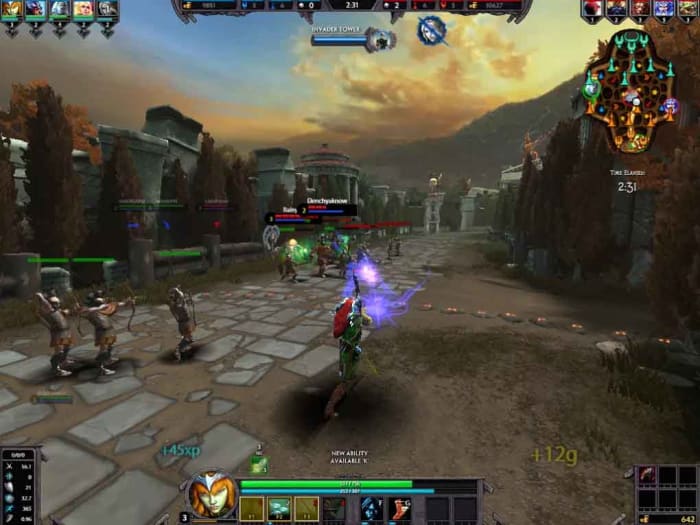
Smite brings a fresh change to the MOBA genre by coming at it from a different angle. That’s literally what it does. Instead of following your team of five warriors around as if you were some sort of malevolent god in the skies above, Smite gives you the third-person camera angle, which puts you right in the action. If you’re a DOTA 2 fan or you love League of Legends, there’s a lot here that you’ll recognize, but the new angle will make Smite feel brand-new.

Smite Play now
7

Counter-Strike: Global Offensive

cs:go

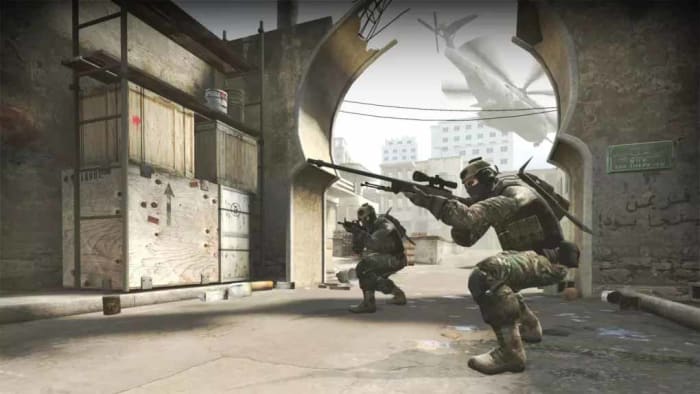
Like Team Fortress 2 Counter-Strike: Global Offensive (CS:GO) is another First-Person Shooter that has been around for years and enjoys incredible support from a massive online community. The graphics might not look as good here as you’ll get with more modern games, but the gameplay is still as fresh it was the day it first burst onto the scene. Two teams, multiple locations, and lots of weapons. That’s it, that’s the game. You’re going to love it.

Counter-Strike: Global Offensive Play Counter-Strike
7

Destiny 2

Destiny 2

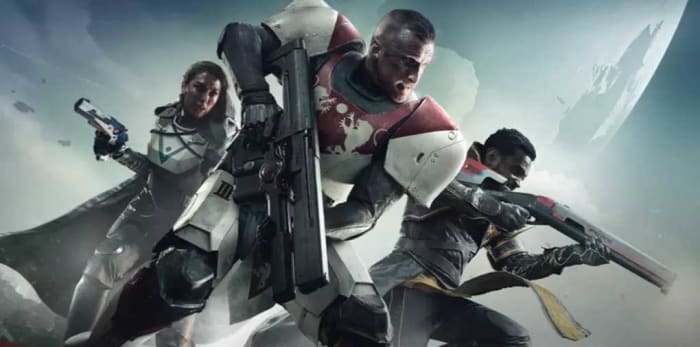
It used to be that we couldn’t believe that Warframe, which offers an incredibly rich and enjoyable experience was free-to-play. The reason we couldn’t believe it is because it offered a comparable experience to that you’d get with Bungie’s Halo follow up Destiny, which cost Bungie a massive $500 million to develop and promote. Now though, the much-improved sequel to Destiny, Destiny 2, is free-to-play also meaning you can get a genuine AAA game experience for the same price as a collect call. The First-Person Shooter action here looks incredible and plays smoothly. The gameplay is frantic, and the worlds and missions have been built with lots of care and attention. If you only play one game from this list, it should probably be this one.

Destiny 2 Download now
9
Wrapping up

So, there you have eight of the best free games on Steam. Again, just like with all the other lists we’ve done this week, we’ve tried to mix up our recommendations and bring you as many different genres as possible. Free-to-play is now a huge part of the gaming with world with many developers choosing to take their games down that path. All the games we’ve listed above do above paid-for elements in them, and that drip-feed monetization method is what drives revenue for game developers all over the world. It’s all up to you what you spend though. You can play and enjoy all the games we’ve been through today for free, and that’s what matters most.

Best strategy games for PC

These are the best strategy games you can play right now on your PC.

Best Strategy Games

This week we’re looking at all the best PC games and today is the day for strategy PC games. Yesterday it was RPG and today it is RTS. There are many different elements that go into a good strategy game, particularly as the genre has come a long way in recent years. Instead, the best strategy games these days can be graphical masterpieces complete with epic explosions, blistering gameplay, smooth animations, and movie-like cutscenes. Classic titles such as Microsoft’s Age of Empires II, XCOM, and Sid Meier’s Civilization game are mere highlights in a genre filled with incredible games. Real-time strategy games no longer need to be top-down 2D affairs. Yep, strategy games really the best games these days.

These modern new extras are exactly that though. Extras that mean nothing unless there is a great game propping it all up. Let’s waste no more time then and look at some of the best strategy games you can download and play on your PC right now.

PC strategy video games

Civilization VI

Civ VI

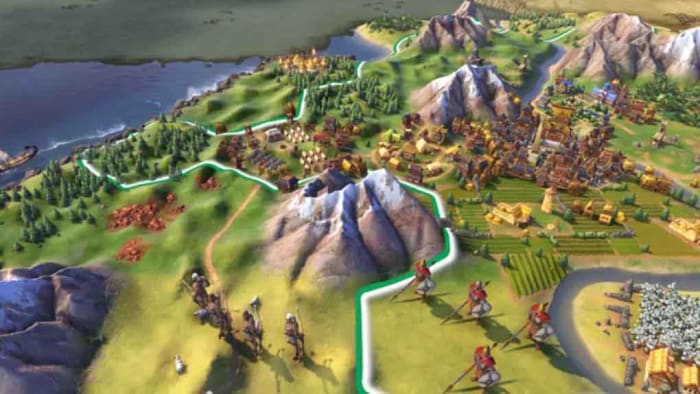
Civilization has been around for decades and still wears the crown as king of the turn-based strategy games. Including many different types of single-player scenarios and DLC content for you to explore, as well as the open play mode, which sees you select your civilization of choice and then guide it through the ages, this game is huge. Civilization has seen constant evolution for years and now includes new loyalty dynamics for your units and district dynamics for your cities. Both fine-tune an already immersive experience creating a game that is almost impossible to stop playing once you’ve started. Beware, this one is very addictive.

Civilization VI Download now
9

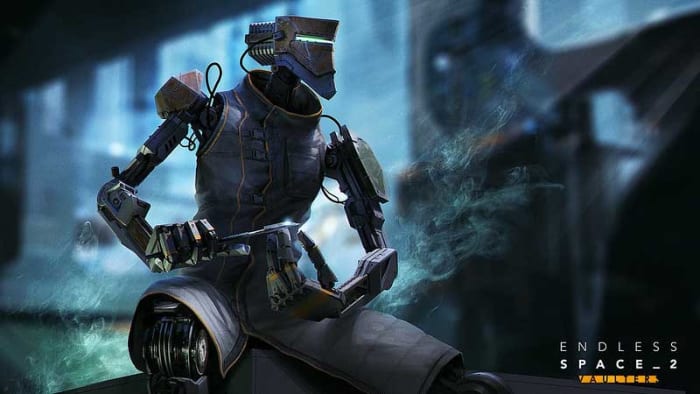
Endless Space II

Endless Space 2

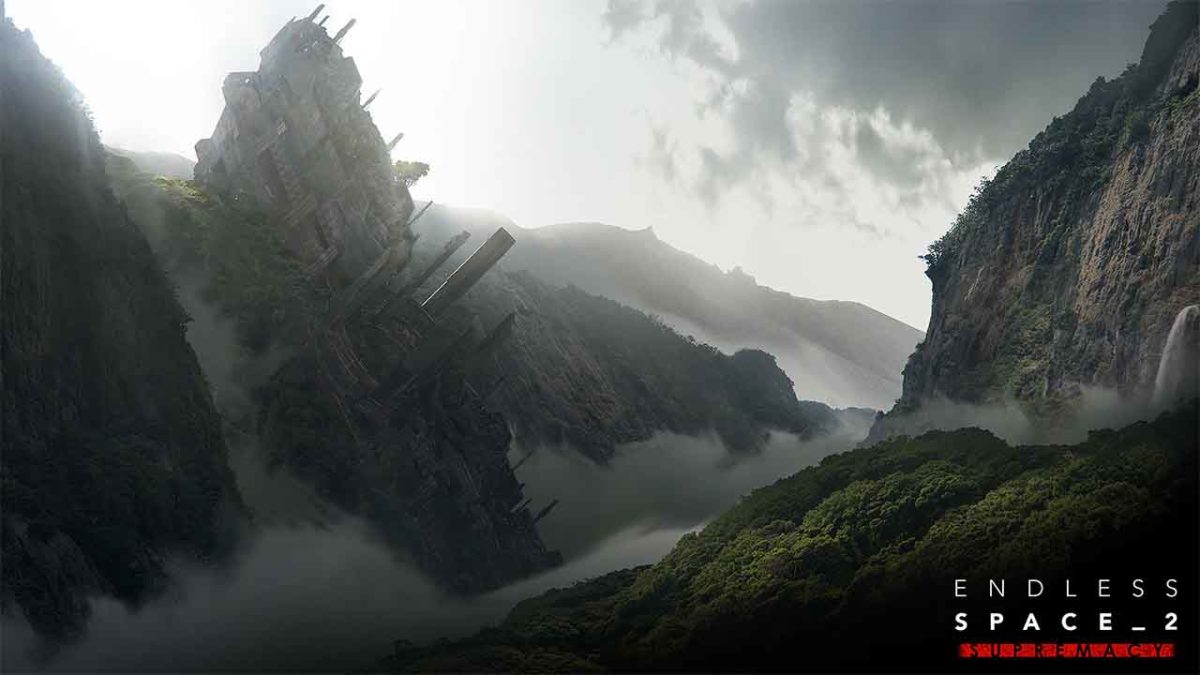
4X is a particular type of strategy game that aims to give players complete control over the realms they control. Civilization 6 is an excellent example of a 4X game as it allows players to explore, expand, exploit, and exterminate. Another fine example comes via the Endless game series comprising Endless Space, Dungeon of the Endless, and Endless Legend. All are worth exploring in their own right, but Endless Space 2 is the most advanced of all the Endless games. Set in space, the action sees you commanding galactic empires complete with fleets of spaceships galactic exploration and armies of ground troops for planet incursions. Of course, warfare is just one element in this massive game, however, which offers you nothing less than a galaxy to explore, understand, and, if you wish to try, conquer.

Endless Space 2 Download now
9

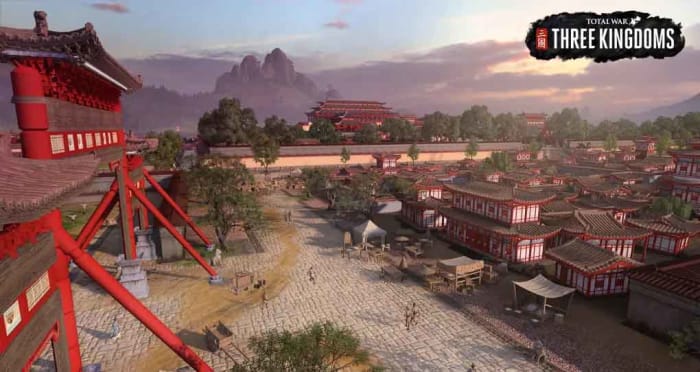
Total War: Three Kingdoms

Total War

The Total War series is another strategy game institution that reaches out through the ages. With so many amazing titles under the series banner, there are many strategy fans out there who’ll happily call Total War their favorite franchise. Highlights include Shogun 2 and Warhammer 2 but for us, Three Kingdoms is the best Total War game you can play today. Set during the Three Kingdoms period of Chinese history that saw the battle to unify China under one ruler, players must pick one of twelve factions and then work to eliminate the others.

Total War: Three Kingdoms Download now
9

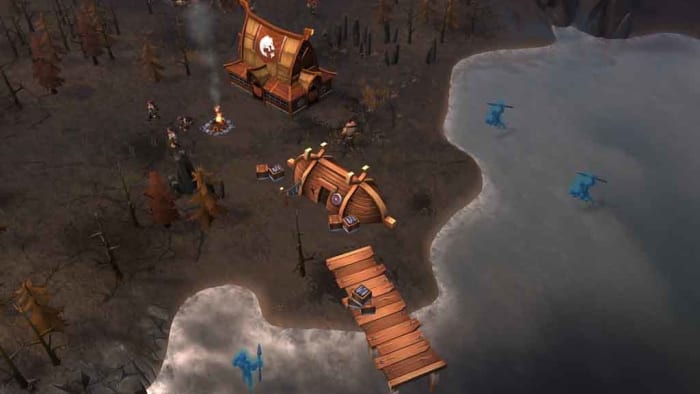
Northgard

Northgard

Northgard could be considered a much simpler game than the expansive behemoths that have preceded it in today’s list. This real-time strategy game feels almost nostalgic, harking back to titles like Command & Conquer, Red Alert, and in particular Warcraft III. There’s more to it than those simple dynamics, however, with your Viking kingdom hinging on new and entertaining dynamics such as weather systems and food supplies. Northgard looks beautiful, is fun and entertaining in a unique way, and still has plenty to explore and discover that will keep you occupied for many a day, week, month, or year.

Northgardd Download now
7

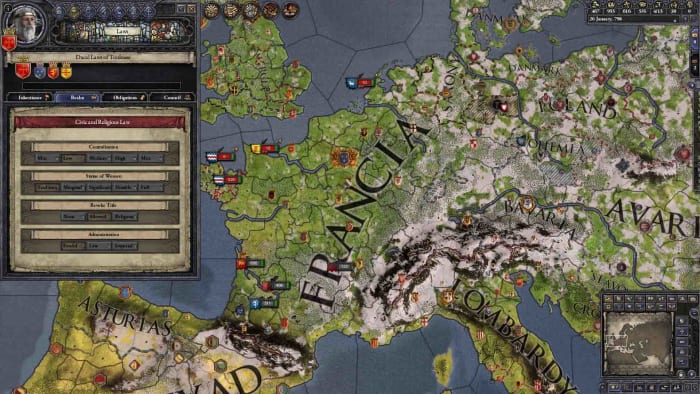
Crusader Kings II

Crusader Kings 2

What sets Paradox’s Crusader Kings 2 apart from other strategy games is that you play the role of the mortal ruler rather than of some abstract immortal being controlling the action from the stars. The game is set in the Middle Ages and sees you taking on the mantle of a dynasty meaning you’ll need to head a family and then organize the succession of your rule to your children. This, of course, brings in all sorts of interesting dynamics that other games don’t go near. As well as all the family-based drama, however, Paradox has also crafted a fine strategic warfare system and rich diplomatic veins that go beyond anything you’ll find elsewhere. What’s even crazier about this masterpiece is that it is now completely free to play.

Crusader Kings II Download now
9

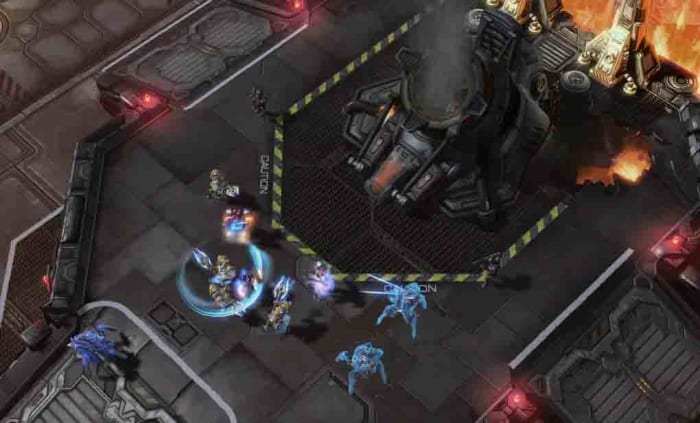
StarCraft II

Starcraft 2

No list of the best strategy games would be complete without Blizzard’s StarCraft 2, which conquered the world more completely than you’ll ever get to do in any real-time strategy game. To put it bluntly, millions of players have played and mastered StarCraft 2, and battles have been watched by millions more as an eSport spectacle. The game might feel simple now compared to the likes of Total War, but there’s still plenty of fun to be had here should you seek it. In particular, the Legacy of the Void expansion is a joy to behold.

StarCraft !! Download now
8

Anno 1800

Anno 1800

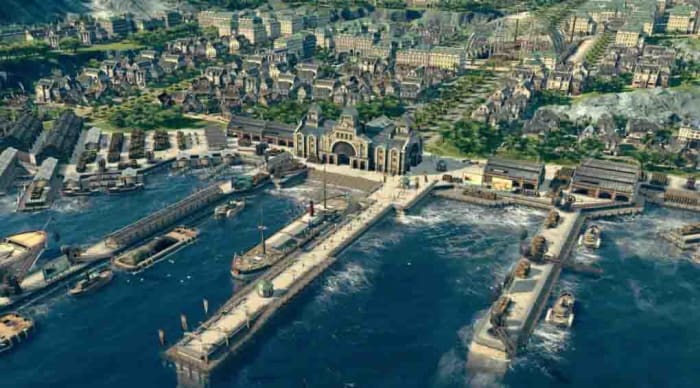
Anno 1800 throws you headfirst into one of the most crucial periods of human history, the Industrial Revolution. The latest installment in the Anno series gives players total control of their cities, whether they be in the rapidly advancing nations of Europe or rugged jungle landscapes of the new world. Players have to consider social, economic, and political realities as technologies advance and cities rise and fall. Anno 1800 is a challenging treat that has lots to offer any strategy game fan.

Anno 1800 Download now
8
Wrapping up

Today we’ve tried to bring you a broad spectrum of strategy games that are available to play on your PC. As well as all the different settings we’ve offered from fantasy lands, historical recreations, and the stars and beyond; we’ve also endeavored to bring you a broad-spectrum of strategy game styles and dynamics. There really is something for all types of strategy game fans in our list but we’ve also tried to include games that we think will appeal to all strategy fans individually. Give them a try and let us know what you think in the comments below.