Adding a swipe-up link is easy. Just follow our guide.
If you’re a frequent user of Snapchat and Instagram then you may have noticed their “swipe-up” features. This allows for someone to swipe up on a picture to be redirected to a website. Popular YouTubers will do this in their Snapchat stories with links to their new videos, while some people might link to their other social media accounts like Twitter. Regardless of what you’d like to link to, it can be a little confusing to get started. Here is an easy to follow step by step guide for both Snapchat and Instagram:
How to add swipe up links on Snapchat and Instagram
Swipe-up link in Snapchat
1. Take a picture in Snapchat
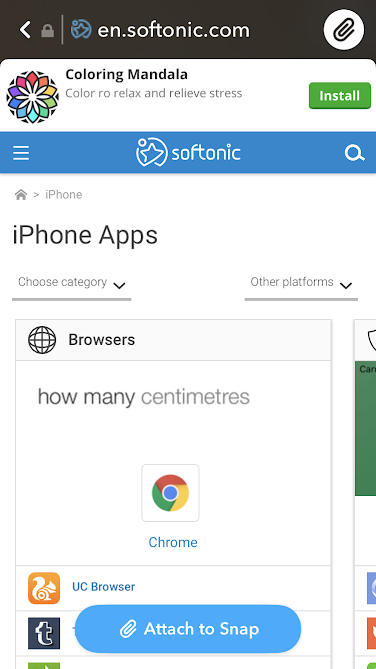
2. Press the paperclip on the right-hand side of the photo
3. Add the link you want to use into the URL box (Snapchat can use your clipboard so you don’t have to go looking for links frequently, you just have to save them).
4. Send the snap
Once you’ve done this, the picture will have a swipe-up link that will direct viewers to whatever URL you’ve put.
Swipe-up link on Instagram
Unfortunately for Instagram users, not everyone can create a swipe-up link. Your account either needs to be verified or it must be a business account with at least 10,000 followers.
The swipe-up feature itself works similarly to the one for Snapchat. You have to take a picture for your Instagram story, then there should be a paperclip-like symbol in the top middle section of the screen. Press this and you can fill in whatever URL you’d like to link. Then you can post the story, and the link will be attached to the photo.
What can we expect from Disney’s “Star Wars” partnership with Zynga?
In its quest for world domination, Disney has taken to the mobile market and snatched up the free-to-play behemoth, Zynga Games. Disney and Zynga finalized their partnership, issuing press releases specifying that the minds behind Words with Friends and Draw Something now have domain over potentially two new mobile games set in the Star Wars universe.
This is huge news for the sleeping mobile giant that is still recouping from its massive acquisition of NaturalMotion Studios in 2014 for a whopping $527 million dollars. The very same studio will take over the current real-time strategy game, Star Wars: Commander as well as develop a new IP for a future release. Depending on the success of the new release, NaturalMotion might have the opportunity for a follow-up game.
As is customary with the Walt Disney Company, they put their newly acquired intellectual property to good use in 2015 with “Star Wars: The Force Awakens.” The emergence of a new Star Wars trilogy, under new management and a brilliant director at the helm with J.J. Abrams, “The Force Awakens” dominated the box office and its successor was not far behind. The two installments have grossed a staggering $3.4 billion to date. Which goes to show that the Rebels, the Empire, and everyone in between can captivate audiences 40 years after their first encounter.
What does this mean for the future of Star Wars?
In short, it means that Star Wars (if it already wasn’t) is now a mainstream, renewable source of entertainment. That may anger some long-time fans, but the financial and creative growth could turn out to be beneficial for the franchise. More money in the company means more content; more content means reaching a broader audience. Next year, the Disney Empire will take its amusement parks to a galaxy far, far away.
Star Wars: Commander and Star Wars: Tiny Death Star are some of the only mobile games set in the Star Wars universe on the market and haven’t seen much activity since their initial releases. The lifespan of a free-to-play real-time strategy game is fairly quick in a digital age when new content is being produced every day. However, we suspect there to be a resurgence of updates and content to attract players to a beloved franchise. Not much else is known about the merger, but we can expect some detailed reports of current and future releases as Zynga gets comfortable with its new parent company.
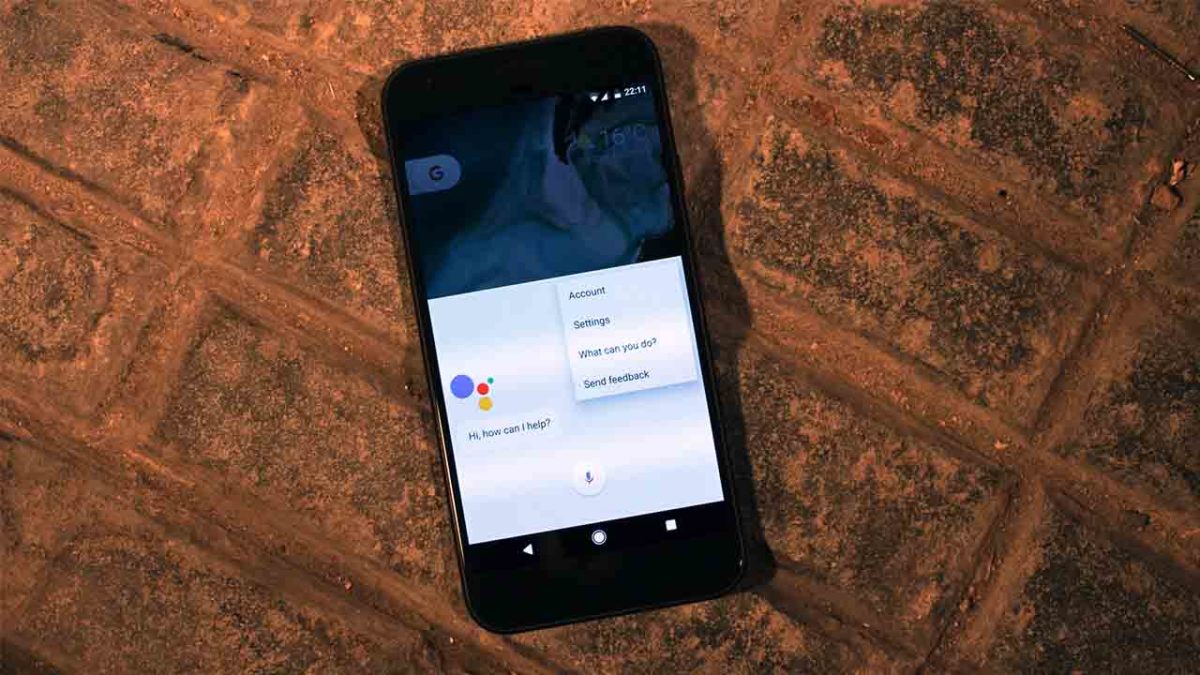
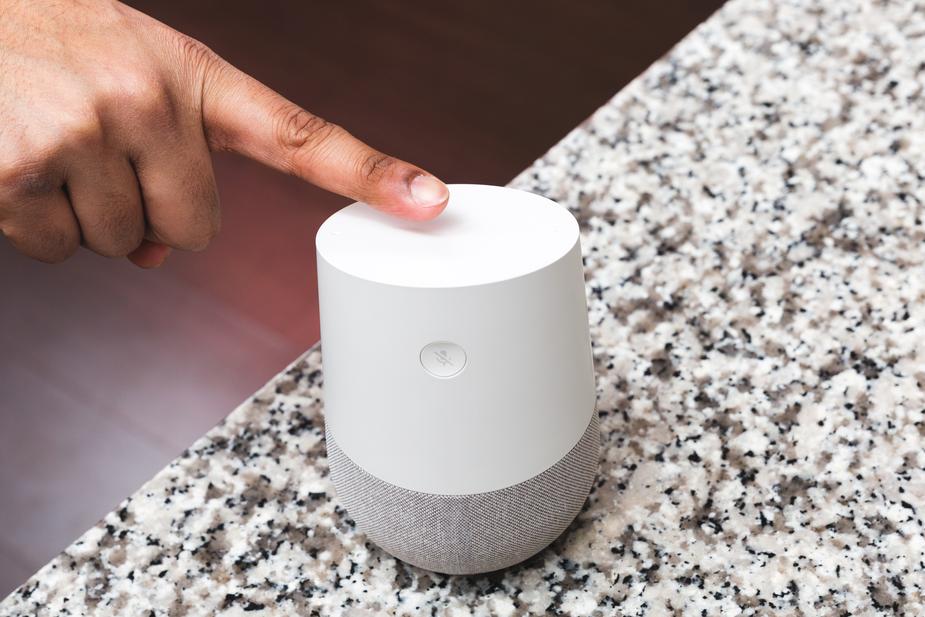
Since Google Assistant became bilingual last week many users have been reporting unsettling behavior from their AI powered smart speakers
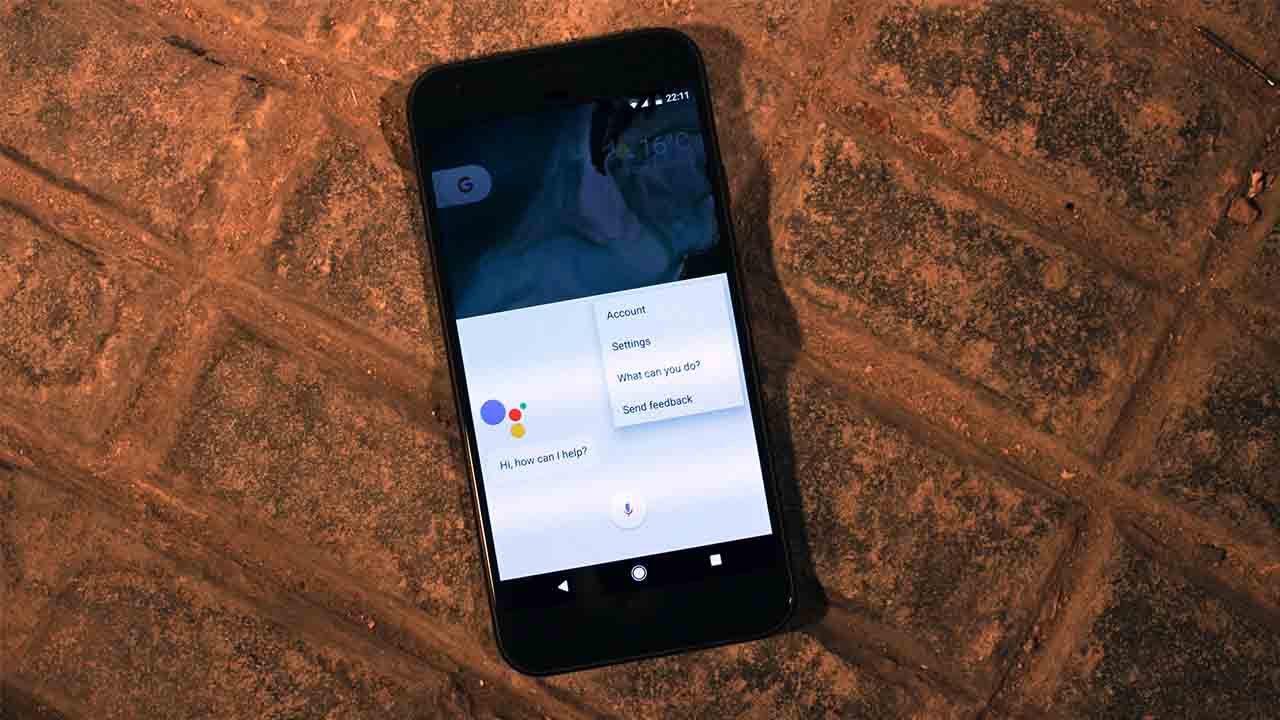
Since Google Assistant became bilingual, many users have been reporting unsettling behavior from their AI powered smart speakers
AI Assistants are handy little things. Once you get past the privacy implications of having a device that is always listening in your home, the benefits are quite impressive. From the basics like playing music or the latest news, to the more complicated tasks like dimming your lights or turning the heating on before you get home from work, having an AI assistant can make you feel a little like Tony Stark or a “Star Trek” captain.
People have been reporting strange behavior from their Google Assistants
As the list of skills gets bigger and bigger, however, we may need to start thinking about the strain we’re placing on our digital friends. Google’s recent move to make its AI Assistant bilingual, and able to help users in English, Spanish, French, German, Italian, and Japanese may have pushed it a little too far. According to Tech Radar, since the bilingual feature was introduced, people have been reporting some rather strange behavior from their Google Assistants.
Google turned on bilingual on August 30. Since then, some users have reported that Assistant has been responding to their queries in strange voices and even with strange accents. One user said her Assistant was talking in a male voice with an American accent despite being set to British female. Others have reported random switching between accents and flat refusals to switch back.
Google acknowledged that there is a problem after a lot of users took to the official Google Assistant forum to complain. If hearing a strange voice talk back to you would freak you out, imagine the poor users who have been repeatedly ignored by their Google Assistant, even after they say the “OK, Google”wake word.
It wasn’t too long ago that people were bugging out because Amazon’s Alexa was creepily laughing and nobody could figure out why. Are the robots learning how to mock us and biding their time until they’ll strike us down and take over the planet or is it just a bit of mixed up code?
No matter how impressive our digital assistants may be, you simply can’t compare current artificial intelligence to human intelligence. They are not comparable entities. There isn’t really a brain powering the responses our AI assistants give us. All that is happening is all the possible responses are considered and the correct one is given. At least, that is how it is supposed to work. Sometimes things can get a little mixed up. You can breathe easy, the robots are not going to kill us. At least the AI Assistants aren’t, anyway.
Uber is going to start kicking users with consistently low ratings off the app
Love it or hate it, Uber has taken the world by storm. There aren’t many cities left in the world where you can’t hail a cab on the Uber app, and with self-driving cars and other innovations on the horizon, Uber’s influence around the world looks set to grow further.
One of the main criticisms leveled at the taxi app, however, is the systematic deconstruction of established labor rights for taxi drivers. Uber drivers are self-employed, which means Uber isn’t subject to employee protection laws.
After years and years of fighting tooth and nail to exempt itself from an established employer/employee relationship, Uber is finally taking action to protect its drivers. It isn’t going to start providing them with sick pay or paid vacation, but Uber is going to try and protect Uber drivers from nasty customers.
In a bid to make Uber “enjoyable and safe for everyone” later this month, any users who have a consistently low rating will be kicked off the app. This is already the case in the U.S. but last week, Uber extended the policy to Australia and New Zealand. It could also be coming to the UK too.
Via Uber: Apparently, in Australia riding an Uber with no top on or in a string vest won’t score you a bad rating
If your rating starts dropping toward four stars, Uber will notify you that you need to improve your score and if you fail to do so, you’ll be kicked off the app. Anybody who is removed from the app will have to undertake a “shot educational exercise” to win back access to the Uber market.
Drivers have long been subject to stringent rules around ratings. U.S. drivers need a rating of 4.6 or higher if they want to keep their job. The threshold for customers will be a little lower, but it is good to see similar expectations falling on the riders as well as the drivers. As Uber now says in its updated community guidelines:
‘The way you behave while using Uber can have a big impact on the safety and comfort of drivers, as well as your fellow passengers. Courtesy matters. That’s why you are expected to exercise good judgment and behave decently towards other people in the car when riding with Uber — just as you would in any public place.”
When it comes to finding the perfect job, the right resume is crucial. Not only is it a record of all your skills, qualifications, and accomplishments, but it’s your first interaction with a potential employer. As first impressions are usually the most important, you want your resume to stand out from the crowd, and to highlight your talents in the best way possible.
There are three main ways to write a resume: functional (sometimes referred to as a skills-based resume), chronological, or a mixture of the two. Choosing the best one for the job you’re going for will ensure you’re resume highlights the most important things.
Functional resumes emphasise the skills and talents you have, rather than where you’ve worked. In most cases, people choose a functional resume in the following situations:
If you’re just out of university with little or no job history
If you’re changing career
If you’ve not worked for long periods of time (e.g. due to illness, pregnancy, or other life changes)
Chronological resumes emphasise your work history, but you should still emphasise your accomplishments within each described role. Chronological resumes are best in the following situations:
You’ve had regular, long-term work in the same industry
Your work history matches the job you’re applying for
Combination resumes are a good balance, and can be used if you want to highlight both your skills and your work history, especially if you perhaps worked in the industry you’re applying for but not for a long time.
Once you’ve picked the right resume structure, it’s time to start writing things down. In any resume, it’s most important to list your achievements, rather job responsibilities. For example, if you were an office manager, it would sound better to write, “Reduced office expenses by 15% in six months,” than “Responsible for managing office expenses.”
It’s also important to use statistics wherever possible. Numbers are particularly impactful for two reasons: one, they draw our eyes in, and two, they qualify your experience. A statistic demonstrates how well you carried out your duties, and that’s what employers want to know. It’s therefore important you keep track of your performance – if you’re stuck, ask a colleague (or boss, if you can do it discreetly) to get your performance data for you.
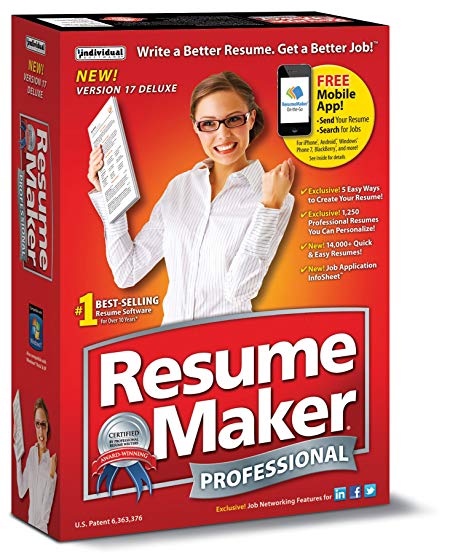
Once you’ve decided on the right format and have listed your accomplishments, describing them can still be a challenge. If you’re struggling to write down your ideas, we recommend using the award-winning Resume Maker Professional Deluxe 20.
As the bestselling resume-making software in the market, ResumeMaker has helped thousands of people find the perfect job. Not only does it guide you through building your resume, but it teaches you how to answer interview questions – and even negotiate a better salary.
Many of us spend hours stressing about what to put in our resume, usually because we don’t know what to say or how to say it. ResumeMaker guides you through the writing process by asking you a series of simple questions to draw out the most important details. If you’re still stuck, simply use phrases from ResumeMaker’s library of over 14,000 job types. You can then compare your resume with over 1,250 different samples to get the right colours, fonts, and designs to make your talents shine.
Once you’re happy with your resume, it’s time to start job hunting. ResumeMaker’s job finder searches all the most popular recruitment sites like Indeed and Dice, and you can post your resume on social networking sites like LinkedIn and Google+. Never want to miss a new job opportunity? ResumeMaker will send you push notifications every time a new job is listed matching your search criteria.
We’ve partnered with ResumeMaker to give you a 40% discount off the retail price of $29.99 – just enter the code BACK2SCHOOL1 at checkout to download it for $17.99.
Writing your resume can be stressful, but it doesn’t have to be. ResumeMaker does a lot of the hard work for you, helping organise and articulate your skills and experience in the best way possible. So download ResumeMaker Professional Deluxe 20 today and ensure you stand the best chance of landing your dream job.
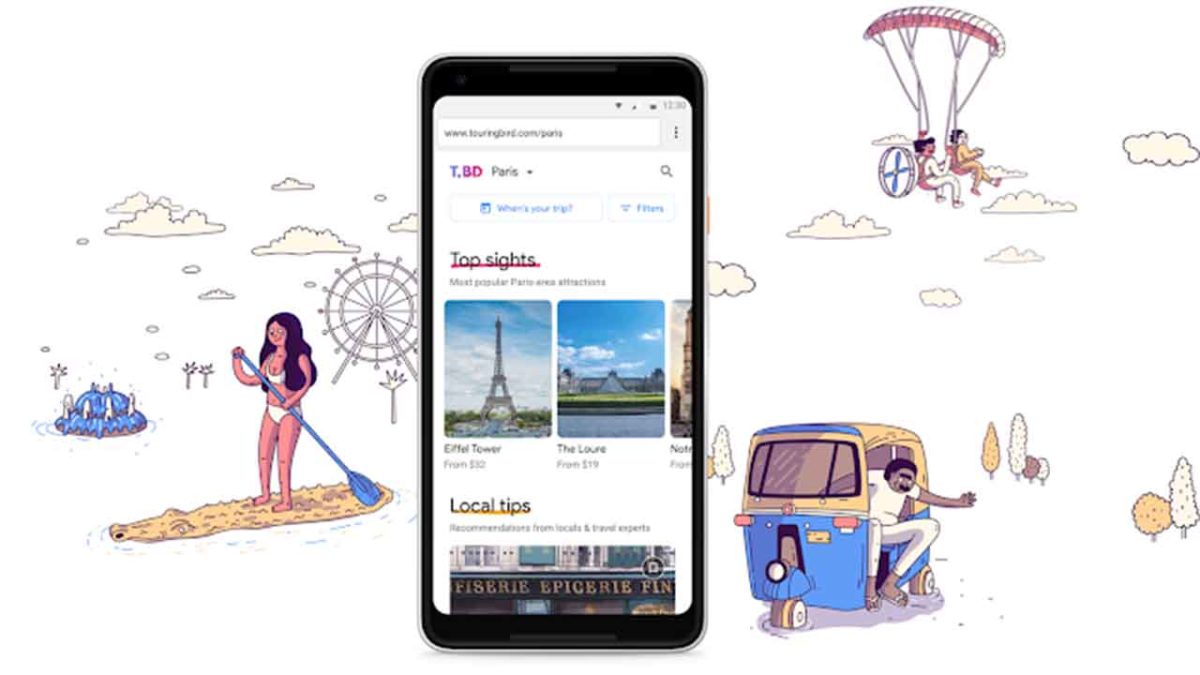
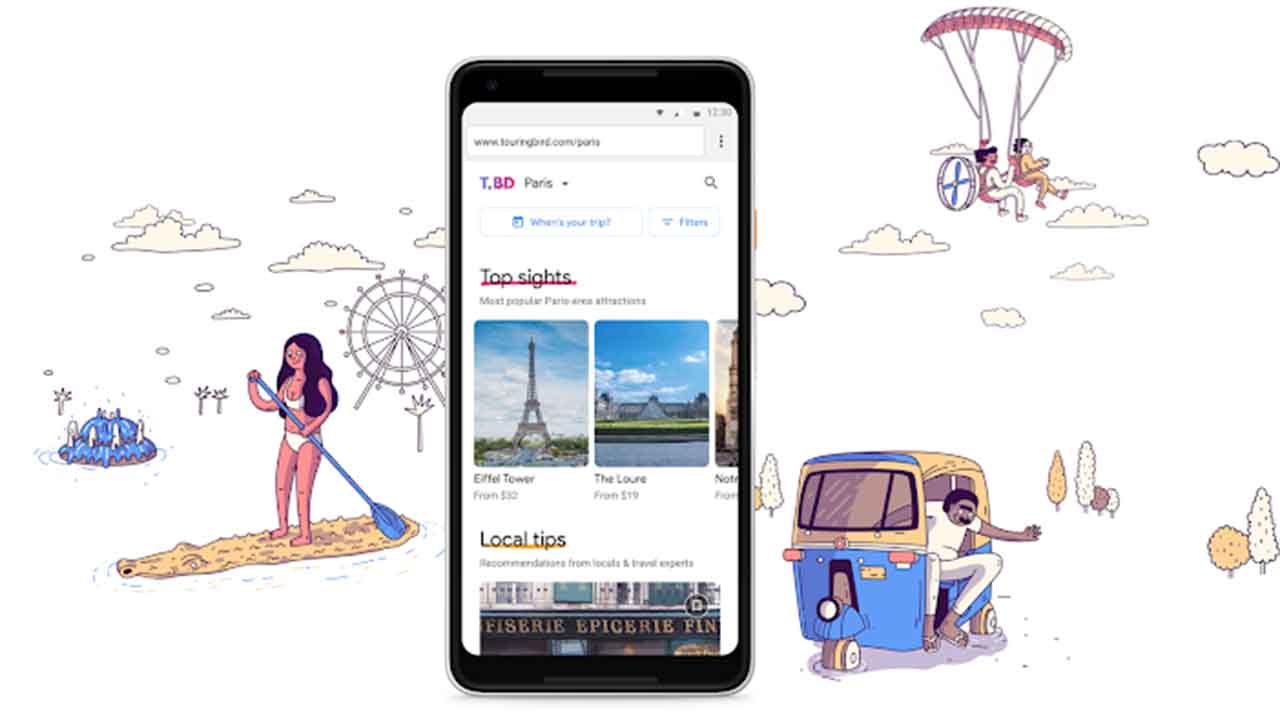
Touring Bird comes from Google’s start-up incubator and offers guides to some of the coolest cities in the world.
Touring Bird comes from Google’s start-up incubator and offers guides to some of the coolest cities in the world
Google is a big company, but in today’s world, “big” will never be big enough. Companies today have a duty to grow continuously and Google is no exception. There are many ways that Google pushes itself further and farther, but one of the web giant’s standout efforts is its official startup incubator, Area 120. As a workshop for all of Google’s most “out there” and experimental products, Area 120 is where you’ll find all of Google’s wackiest efforts. If you think you might be interested in what these are you can sign up for early access to whatever Area 120 is cooking up here.
One Area 120 breakout may seem surprising. Touring Bird is a new travel guide website to help travelers… “explore, compare, and book tours, tickets, and activities from multiple providers in top destinations around the world—all in a single place.”
The main idea behind the site is to put all sorts of different touring and activity options for some of the coolest cities around the world into one place, for both mobile and desktop users. Touring Bird aims to give users access to the best tours and activities in each of the cities it covers. Some are even free!
As of now, Touring Bird is live for 20 cities including Barcelona, Berlin, Amsterdam, London, Las Vegas, Chicago, LA, and New Delhi. The company plans to expand further in the coming months. The tool allows users to search for activities based on different classifications like interest, traveler type, and activity type. So, if you’re a family of four on vacation in Chicago and you’re looking for a left-field type of experience that is educational for the kids, Touring Bird could be the website you need to help you find what you’re looking for. (Although if it recommends The Weiner’s Circle, we advise against it.)
Traveling might not seem like a natural fit for a search giant, but Touring Bird does seem to be trying to link up web users with what they’re looking for, albeit across a niche category.
Touring Bird brings together all types of activities in 20 cool cities around the world
On the Touring Bird website, the small team behind Google’s latest project to go live had this to say:
“Traveling to new places is fun and exciting—but for a lot of people, planning what to do once you’re there is not. It often involves hours of research, reading dozens of travel guides and blogs across the web, sifting through reviews, compiling your own lists, comparing prices and offerings, and asking friends and family for recommendations. No one wants to waste precious vacation time on disappointing experiences or miss out on the best ones… So, in late 2017, a small team of us within Area 120 (Google’s internal incubator for experimental ideas) set out to build a new tool that addresses this need, helping people find the best tours and activities across multiple providers.”
There is no doubt that organizing successful trips to exotic locations comes with its fair amount of stress. Some people, however, see this part of the trip as an exciting experience in itself, and those people might see Touring Bird as just another attempt to sell affiliated tours to travel-weary tourists. To set itself apart Touring Bird is reaching out to travelers to contribute with their own experiences, offer local tips, and to become part of an active community of travelers that will breathe life into Touring Bird.
Let’s take a closer look at Google Drive’s new feature.
With AI becoming more and more advanced by the day, suddenly living in a world like the one in “I, Robot” doesn’t seem so impossible.
Google is one of the most important tools for anyone who wants to search the internet for a new recipe, the name of a song, or to listen to music on their phone. It’s very hard to go an average day without having to use any of the many services that Google provides, especially in the workplace. In order to communicate with your coworkers and clients, you have to send hundreds if not thousands of emails every week.
In 2012, when Google Drive was launched, we were able to become even more organized since we could have access to a ton of documents and spreadsheets. We could even share them if we wanted to, and invite specific people to view and edit our files. With the new spellcheck algorithm, Google uses AI sort of how translation tools work: by taking improper English and recognizing errors to make suggestions as you type. If you have too many photos on your phone, Google Drive can help you with that, too. The service offers secure cloud storage. Now, Google takes organization to the next level with Priority.
Google Drive’s Priority function was teased at the Cloud Next 2018 conference. According to the G Suite Updates page, Priority is still currently in beta, but those lucky enough to have access to it will see it as the first option in the navigation bar when you open Drive. The point is to make it easier to find certain files and to handle the ones that need the most attention. AI will suggest the most relevant documents in your Drive, since most users only access 10 to 12 files at a time. It will let you know if someone added a new comment or share request, and you can do this all from the Drive’s UI.
Another cool feature of the Priority page is the workspaces. You can grab a few private files and view them from one place so that you can access them faster. You can add a file to the workspace manually or use Priority’s file suggestions.
Google says that the addition of Priority and its workspaces are another step in an effort to “help you spend less time searching for content and more time doing work on what matters.”
There are a few whispers about privacy concerns since we know that it uses your search history and preferences to judge what documents you’ll think are most important. We’ll have to wait until Priority is available to everyone to be sure, but just going off of the awesome functions that we saw in Google’s preview, we think it will really help with productivity.
Call of Duty: Black Ops 4 looks to tackle the battle royale mode in a whole new way.
Call of Duty: Black Ops 4 is almost here. Due to hit consoles on October 12, the game has been generating a lot of buzz. One of the main reasons for all the chatter is the decision to totally omit any kind of single-player campaign to focus on multiplayer modes. It remains to be seen whether this decision will pay off, but it certainly seems like it will.
The multiplayer mode turning the most heads is Blackout, Call of Duty’s take on the ever-popular Battle Royale game type. Check out the trailer below then read on for a look at the Blackout game type and how it compares to Fortnite and PUBG.
The Blackout game type remained shrouded in secrecy until the release of Black Ops 4’s beta mode last month. With players finally able to jump into the much-anticipated mode, it soon became clear that Blackout isn’t just a typical Fortnite clone.
From the beginning, Treyarch was clear that Blackout’s map would be the biggest ever encountered in a Call of Duty game… and it is. In fact, it might be easier to think of it as a series of smaller maps stitched together. Most of the map’s locations are throwbacks to locations in other games in Black Ops chronology. It’s a super cool feeling to stumble upon these locations for the first time, so we won’t give too much away, but suffice it to say that the Dam from the first Black Ops makes an appearance, as does the Nazi Asylum from World at War.
The map itself is loaded with loot. Like any good Call of Duty game, the arsenal of guns at your disposal is vast, and you’ll also be able to find a variety of attachments that let you customize your guns to your liking. This will certainly be a change for Fortnite players, where guns are found and used as-is. You’ll also be able to find consumable perks, similar to the soda vending machines from the Zombies game type. Loot is plentiful and easy to find, but this doesn’t make the game feel any less challenging.
As with other Battle Royale games, the structure is going to be the same. You and 79 other players will drop into the map and attempt to survive against other players and an ever-encroaching storm. One of the key new HUD features that shakes things up is a map tool that tells you how far on the map you are from safety and how close the storm is to you. It’s a neat feature that’s unique to the Blackout experience.
One other major factors that is going to set Blackout apart from other Battle Royale games is the inclusion of zombies. Yes, that’s right, zombies will be roaming around the map, and you’ll have to contend with them as well as the other players that are out to kill you. The inclusion of NPCs is a first in a Battle Royale game, and certainly shakes up how the game is played.
Zombies won’t be appearing all over the map. They’re only found in certain key locations… locations that will make sense to veterans of the Black Ops series. Hence, they can be avoided, but sometimes their appearance can be a surprise that changes the outcome of a firefight. The zombies aren’t just cannon fodder, either. They’re tough opponents in their own right, and can be shockingly lethal. Even just a handful of the undead can be a significant challenge to contend with.
They’re not just a threat, though. Smart players can use zombies to their advantage. If you find yourself in the midst of a firefight with an opposing squad or a skilled opponent, leading them into a horde of zombies is an excellent way to regain the upper hand. You can beat a hasty retreat while they’re distracted with the undead, or pick them off while they’re fighting for survival.
Call of Duty: Black Ops III - Zombies ChroniclesDOWNLOAD NOW
Revamped Gameplay
Frank Woods in Blackout
The game itself is also going to play differently than a traditional Call of Duty title. First and foremost, passive healing is gone. Players will have to find and collect healing items if they want to heal while injured. Healing is bound to its own button, and unlike Fortnite, players will be able to heal on the move. The system as a whole will feel very familiar to Far Cry players, a game that has a similar active healing mechanic.
Players themselves are a fair bit tankier than in previous Call of Duty entries, making firefights longer. Deciding when to retreat and heal is going to be a new aspect of battle, and players are going to have to think about encounters a little more strategically. Gunfights won’t necessarily be lethal, meaning you’ll have to think seriously about whether you’re going to stick it out until the kill. To this end, healing items are plentiful and players are able to carry quite a lot of them.
Also new to Blackout is a grapple mechanic. It’s easy to think of this mechanic as a much more fluid version of Fortnite’s new grapple gun. Grappling allows fast traversal of the battlefield and will let players quickly climb large structures to change the game. This fills the gap left by the Exo Suit, popularized in recent franchise entries but absent in Blackout. Adding this element of vertical traversal makes battles feel much more dynamic.
Traversal is also made into an entirely different ballgame with the addition of vehicles. From choppers to ATVs to boats, Blackout has them all. It’s the first CoD multiplayer experience to feature vehicles in a major way, but despite this, the handling and controls feel quite intuitive. Vehicles also don’t feel overpowered. Players on foot will be able to deal with players in vehicles in a way that is balanced and won’t leave players feeling bitter about their inclusion.
As a whole, Blackout is doing quite a bit to make itself stand out in an already crowded Battle Royale arena. The experience feels unique enough that it’ll certainly be making a name for itself come October 12.
Snapchat and Amazon team up for an impulse buyer’s dream.
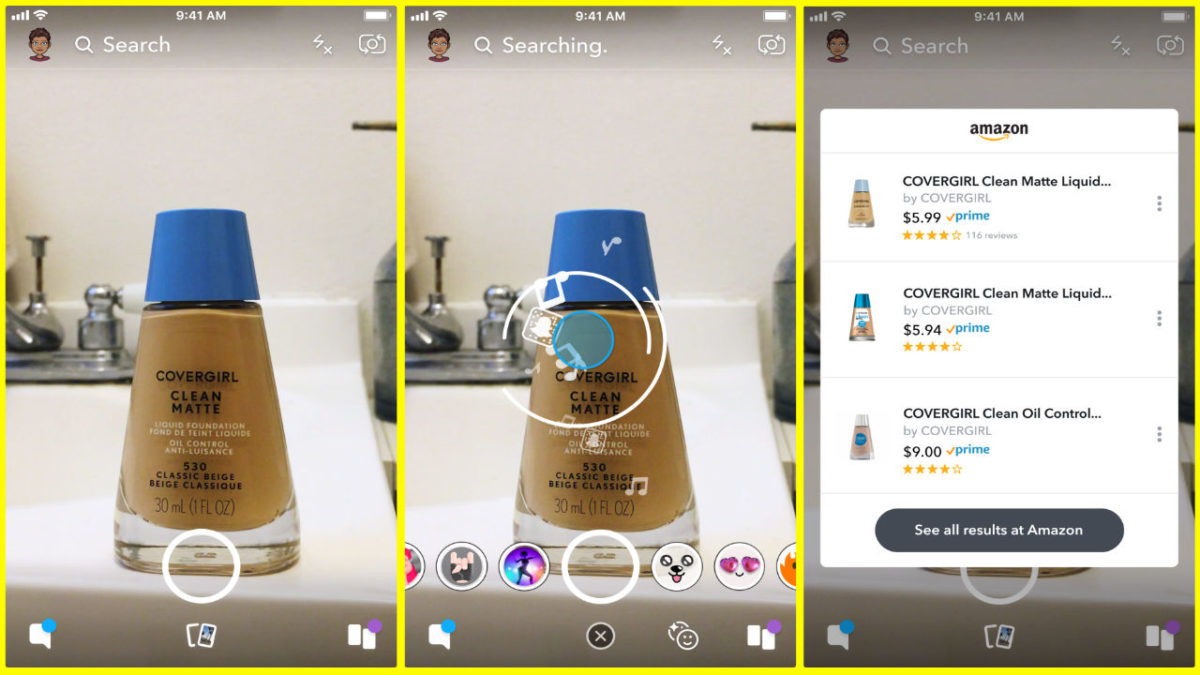
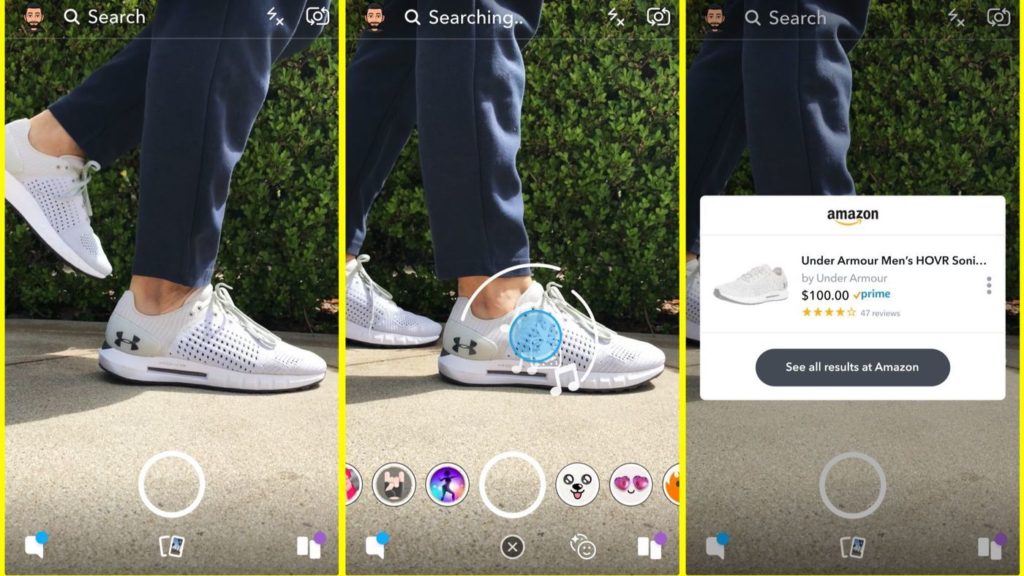
You ever wish you could just look at something cool and then buy it within a few seconds? There’s good news for you, my impulsive friend, as Snapchat has teamed up with Amazon, allowing Snap users to scan items using their phone cameras, taking them directly to their Amazon store page.
As shown in the picture above, scanning an item in Snapchat will bring up a window for its Amazon store page, displaying its price and a few related items. The technology combines augmented reality with Amazon’s machine-based visual learning software, which analyzes shapes, colors, and logos in order to identify products. Given the gigantic variety of items available to purchase on Amazon, this kind of software is no small technological feat.
Shopping features have been slowly added to popular social media apps for a while now, but haven’t really gained much momentum because they took too many extra steps. Snapchat and Amazon’s partnership is ingenious in that it only takes a tap or two to get to the product page, encouraging impulse buying and increasing profits. Ensuring impulse buying is especially important for Snapchat’s userbase, as its users tend to be younger and more prone to buying things en masse.
It is currently unknown what the financial details are in this partnership. Some believe that Snapchat will get referral money from Amazon when its users buy products, while others think that this may simply be a new feature that Snapchat hopes will allow it to gain new users and engage and maintain current ones.
This feature is slowly being introduced throughout the United States, and it will hit international users soon.
The latest feature to come to the Instagram mobile apps makes it easier to communicate without using words
The latest feature to come to the Instagram mobile apps makes it easier to comment without using words
Love them or hate them, emojis are here to stay. They’ve evolved from binary text indicating basic facial expressions like winking to modern marvels that cover all kinds of people and objects. This evolution has even led to Apple creating emojis that react to your own facial movements and Google using AI to create a complete set of emojis based on your own facial features. Emojis are a big deal these days.
If there is one social network that epitomizes the age of the emoji it is Instagram. Instagram is all about visual communication and is famous for its poorly featured comments section. Comments are only there for basic communication and users can’t even add links to the comments they make on people’s posts. Is there a better tool than emojis to share your reaction to a pic?
Instagram seems to think not. They’ve introduced a brand-new emoji toolbar to both Android and iOS versions of the app. Once you’ve updated your Instagram app, you’ll find the new emoji shortcut bar right above your keyboard. In it, you’ll find all the emojis you use the most and you’ll be able to scroll through them from left to right. The emoji bar is only available for comments, however, and won’t show up when you’re writing captions for your own posts.
Instagram has been testing this feature for some time, but it was released for everybody on September 6. If you haven’t seen it on your Instagram yet, update the app and it should be there next time you comment on a post.


 3. Add the link you want to use into the URL box (Snapchat can use your clipboard so you don’t have to go looking for links frequently, you just have to save them).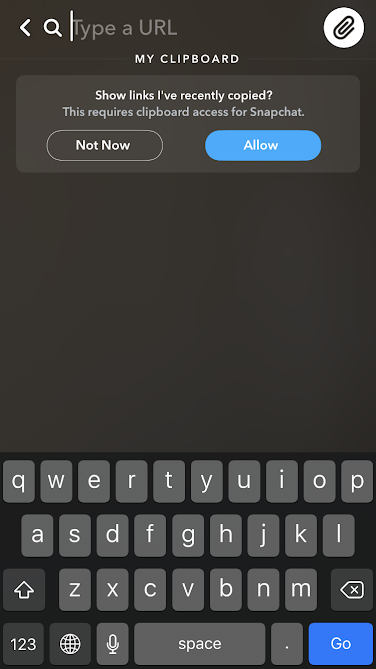
 4. Send the snap