Brave Browser vs Vivaldi: Which One is Better

Find out which browser is better in our in-depth comparison of Brave vs Vivaldi: speed, performance, CPU and RAM usage, and battery life on different devices.

Do you need a browser that guarantees a secure browsing experience? 
Private browsing has been the ultimate way to surf the internet without history, temporary files, and cookies being stored on your device. Amongst the multitude of browsers out there, with apt private browsing experiences, are Brave and Vivaldi.

In this article, we’ll discuss Brave vs Vivaldi to educate you on the one that best suits you. 

Are there even better options? Read on to get to know Tempest and other great browsers available on the market.

Tempest DOWNLOAD FREE
10

Browser vs Chrome: Quick Summary

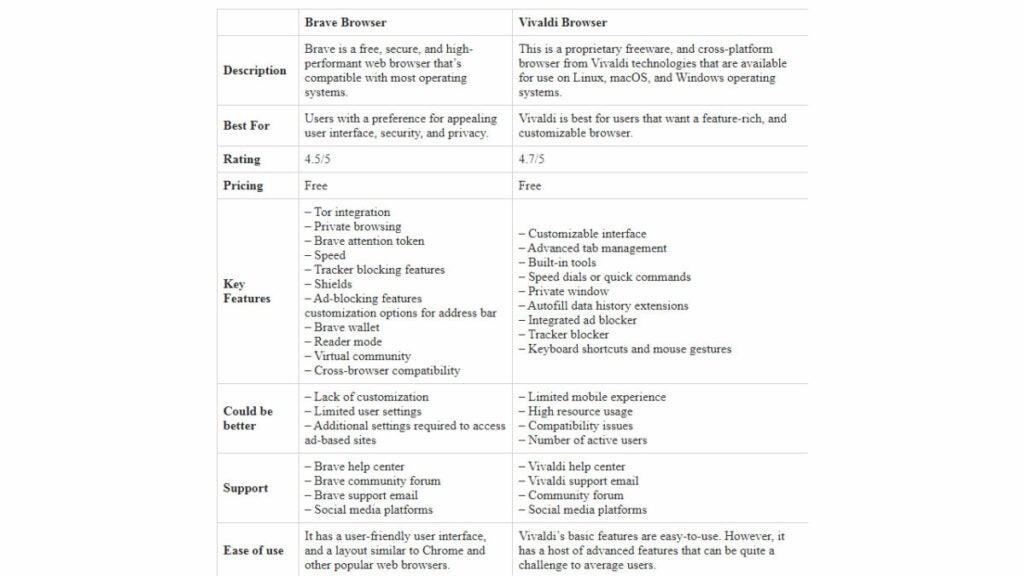
Brave vs Vivaldi

Brave and Vivaldi are both effective. As such, we’ll discuss each type of brother even further so you can make a more informed decision.

Speed and Performance
Brave – Faster Browser

Brave Browser 

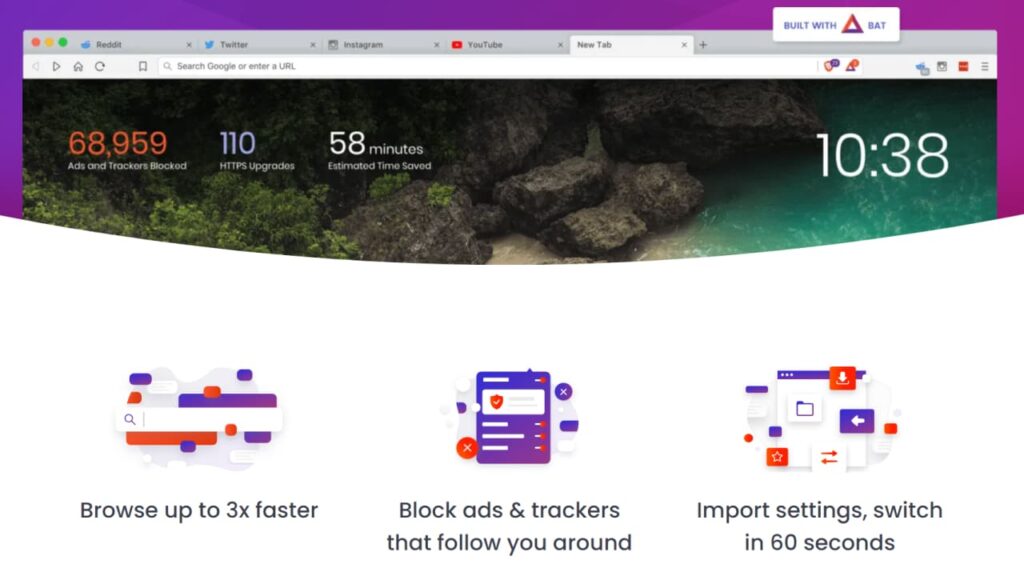
Overall, speed and performance are some of the major strengths of the Brave web browser. Brave uses several technologies to speed up browsing, this include fast rendering engines, and Javascript processors. Brave technologies ensure that it loads and renders web pages faster.

For one, it blocks ads by default to reduce the amount of data it’ll have to process in a website. Another way to reduce data consumption is by preventing tracking. This ensures that websites collecting user data can’t track your browsing activity. 

Lastly, the browser’s interface is streamlined and minimalist, featuring fewer menus, buttons, and elements to reduce the amount of real estate Brave users load. Based on these characters, the web browser is rated to be 3X faster than Chrome and other big-tech browsers.

Vivaldi Browser Default Search Engine

As it relates to speed and performance in Brave vs Vivaldi comparison, Vivaldi is generally considered a fast and dependable web browser. The platform uses the same underlying technology as Google chrome, meaning, they have similar security and performance optimization features. 

However, since the web browser is highly customizable, it can perform better than other browsers, especially when you’re running multiple extensions or if you have many tabs open.

That said, Vivaldi has numerous optimization features aimed at improving its speed and performance.

How to Improve Speed and Performance in Vivaldi browser

Here are some ways to improve the performance and speed of the Vivaldi browser: 

  • Disable hardware acceleration. Hardware acceleration is a feature on Vivaldi that uses the computer’s GPU to perform certain tasks such as rendering complex web pages. 

However, hardware acceleration sometimes leads to performance issues in Vivaldi. You can disable this feature by going to Setting> Appearance > Use hardware acceleration when available. 

  • Enable lazy loading. Lazy loading is a feature on the Vivaldi browser that prevent heavy images from opening till they’re needed. That’s the browser won’t load all images on a web page by default. Rather, the browser waits till you scroll to the page where the image is needed. Beyond leading to faster load time, it reduces data consumption. 

To enable lazy loading, go to Settings > Webpages >Lazy load restored tabs. 

  • Adjust Performance Settings. Vivaldi has many performance settings you can alter to improve your website browser’s speed. Access them via Settings > Webpages > Performance.

Overall, Vivaldi’s speed and performance are similar to popular browsers like Firefox, Safari, and Chrome. Although it’s not the fastest browser out there, it can be a great option for power users who desire a great deal of control and flexibility.
Verdict: According to a tech expert, Brave Search is a bit faster than Vivaldi. However, Vivaldi has more features for high-powered browsing.

Security and Privacy 
Brave Privacy

In Brave vs Vivaldi, both have a unique set of features tailored to guarantee security and ensure data privacy. 

Brave Browser

Brave ensures top-notch user privacy and security. Evidence of this is its Golden Kitty award as the best privacy-focused product of 2019. Here are some ways brave fares well in security and privacy: 

  • Ads Auto-blocker. The brave browser blocks adverts by default. Thus, it prevents trackers and unwanted ads from your device. 
  • HTTPS Everywhere. This is a browser extension that encrypts information exchanged between the browser and web pages. HTTPS Everywhere makes it difficult for hackers to intercept communication and steal sensitive data. 
  • Private browsing. This is a hidden browsing mode where your browser doesn’t save cookies or your browser history. Privacy tabs guarantee that online privacy remains secure even if you lost your device.
  • Fingerprint protection. Fingerprinting is a technique for tracking internet users via unique identifiers. Brave prevents fingerprinting by blocking third-party cookies, IP masking, and user-agent spoofing. 
  • Third-party cookie blocking. Brave, by default, blocks third-party cookies. It also offers phishing and malware protection.
  • Automatic HTTPS Upgrades. Brave will automatically upgrade your HTTP connection to HTTPs for better data protection and security.
  • Tor Integration. Its built-in integrated Tor feature lets users surf the web anonymously. Tor hides their IP address and other sensitive information. It guarantees you easy access to tor.
  • Shield. Shields is a tool that lets users customize their security and privacy details. You can adjust this feature to suit the intricacy of your data security. For example, you can adjust your to protect against malware, phishing, etc.

Vivaldi

Vivaldi, just like many web browsers, offers security and privacy features to its product users. Chief among its security and privacy features are: 

  • Encrypted Data Synchronization. Vivaldi lets users synchronize their information across devices using end-to-end data encryption. This ensures that the data transferred can’t be accessed. And where hackers intercept your communication, they can decode it. 
  • Customized Privacy Settings. Vivaldi lets users make settings based on their privacy concerns. This puts the security of the browser into the hands of its user. As such, the decision of trade-offs between security, performance, and speed is at the user’s discretion based on various customization options. 
  • Password Manager. Unlike brave, Vivaldi bookmarks passwords. Thereby, helping to securely store and auto-fill login details. It can also generate strong and unique codes for websites, thereby, helping to safeguard your data on websites. 

Verdict: Brave is primarily built around privacy and security. This, by default, prevents tracking, blocks ads, and ensures standard security protocols are met before it opens a website.

Brave vs Vivaldi Performance on Different Devices
Brave on Different Devices

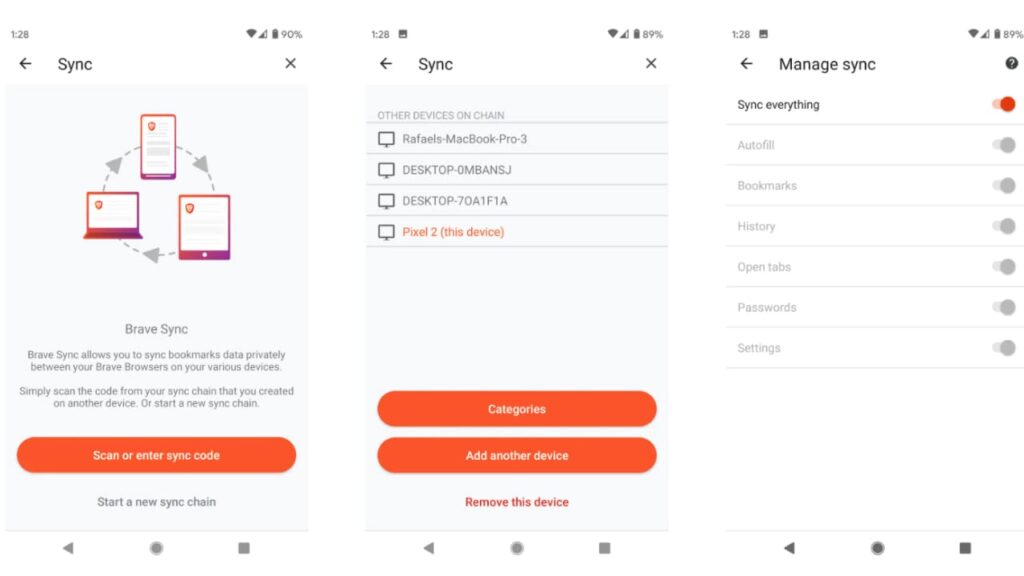
Both browsers perform distinctively on different devices. To properly understand the best of Brave vs Vivaldi, we’ll discuss their performance on different types of devices and operating systems. 

Brave Browser

There are distinct differences in how brave performs on Desktop and mobile devices. Let’s start with desktop devices. 

Brave’s Performance on Desktop Devices

Brave guarantees quick speed across all desktop devices, irrespective of its operating system. Nevertheless, there are small differences in how they function. 

  • Brave’s Performance on MacOS

Brave works well on the Mac Operating system. However, it consumes more resources here than in other OS. This is because the MaCOS is primarily optimized for graphical processing, as such, it may use more memory and CPU when accessing sites that rely on graphics. Also, you can’t use Brave as a default search engine in Apple.

A major pro here is that Brave integrates excellently well with Mac’s features like Touch Bar, Notification Center, and Siri. 

  • Brave’s Performance on Linux 

Brave performs effectively on Linux, and it’s guaranteed to have the fastest speed here. Since Linux is a lightweight operating system, Brave consumes fewer resources than the other two OS. Additionally, it integrates well the Linux’s desktop environments. 

  • Brave Performance on Windows 

Brave works well on windows. However, its effectiveness depends on the system’s configuration and hardware. As with MacOS, Windows is also optimized for graphical processing, requiring more resources. However, it integrates well with Windows in-built features like Action Center, Cortana, etc. 

Brave’s Performance on Mobile Devices 

Brave has also shown great compatibility with mobile devices. As with any other browser, its mobile version works distinctively on Android and iOS. Let’s compare: 

  • Performance on Android

Brave works effectively on Android, it has been particularly outstanding for its speed and efficient performance. Brave for Android supports ad-blocking, which increases its efficiency. 

  • Performance on iOS

Although it performs well on iOS, the operating system imposes some constraints. For example, iOS doesn’t allow ad blockers, making the web browser slower than Android. Likewise in iOS, you can use this browser as a default search engine.

Tempest DOWNLOAD FREE
10

Vivaldi Browser  

Although Vivaldi is available for a range of operating systems and devices including mobile devices, and desktops. Its performance varies per device type. Let’s dig into that: 

Vivaldi’s Performance on Desktop Devices 

Vivaldi performs exceptionally well on desktop devices, especially in terms of speed and customization. 

The browser works well with a range of operating systems including Mac, Linux, and Windows. Users can also personalize the interface and its features to suit their preferences. Let’s look out at how it performs on MacOS vs Linux vs Windows: 

  • Vivaldi’s Performance on MacOS 

Vivaldi has a native look and feels when you integrate it with the Mac Operating System. It supports Mac’s native features like Apple’s native notification and touch bar. Additionally, the platform has a unique built-in feature for taking screenshots on Mac. 

  • Vivaldi’s Performance on Linux 

Vivaldi works well on Linux and has a customizable interface that users can tweak to suit their preferences. They support Linux’s native features like keyboard shortcuts. You can install Vivaldi on any Linux device with the right package manager. 

  • Vivaldi’s Performance on Windows 

Vivaldi’s user interface on Windows is similar to Google Chrome. What’s more? You can customize it with extensions, and themes. 

Vivaldi’s Performance on Mobile Devices 

Here’s how the web browser stacks on iOS and Android Devices

  • Vivaldi’s Performance on iOS Devices 

Vivaldi provides iOS users with a clean, simple, and interactable interface with many features and customizable elements. 

The platform works well with Safari’s rending engine, meaning, websites with load faster, and more effectively. Features in Vivaldi for iOS include a new tab page management, and the ability to work with external shortcuts. 

However, a major impediment here is that Vivaldi doesn’t support extensions on iOS devices. This is a drawback to iOS users that want to tap into the browser’s high-performance extensions. 

  • Vivaldi on Android Devices 

Vivaldi’s android version guarantees a more customizable experience in comparison to iOS. For example, users can open web pages side by side. They can also add keyboard shortcuts. Vivaldi on Android works well with Chrome’s rendering engine, this allows websites to load quickly. 

A standout feature of Vivaldi for Android is its capacity to synchronize data across devices with a browser or search engine accounts. This makes it easy for users to access browser history and bookmarks, and easily recover saved web pages in the occurrence of a misplaced device.

Compatibility With Google Services

Both brave and Vivaldi can access google services, but Brave guarantees a much better experience because it uses the same rendering engine as the chrome browser. That is a chromium-based browser. One service that differentiates a chromium-based browser from alternatives is phishing and malware protection services from Google.

As such, a comparison of the two browsers shows that Brave users both its in-built protection, Google DNS, and access to chrome extensions. Vivaldi browser on the hand solely relies on its in-built features.

Battery Life 

Here’s a summary of the difference between the battery life of Brave vs Vivaldi web browsers
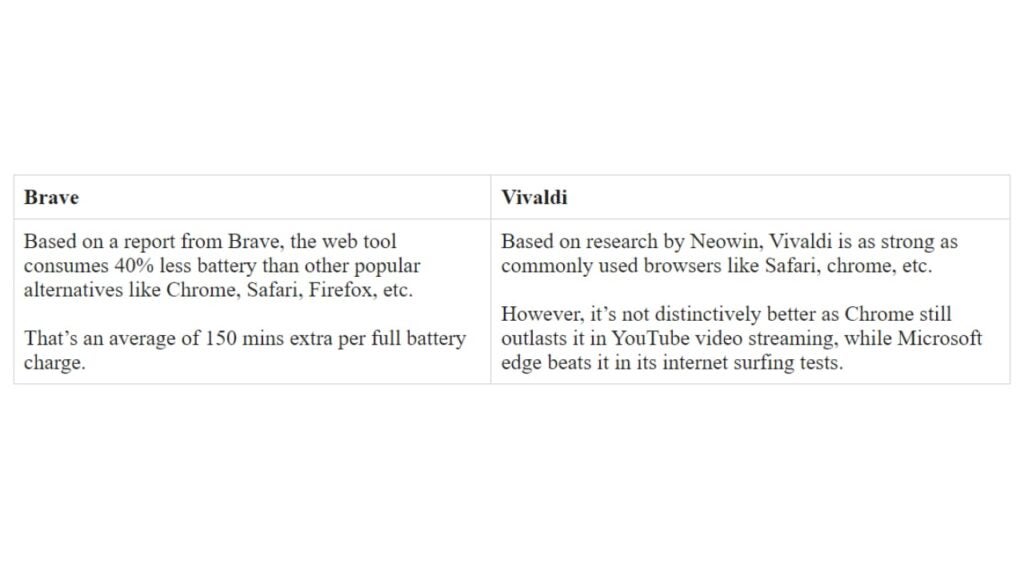
Brave VS Vivaldi

Verdict: Brave seems to be slightly better than Vivaldi in battery life. This is likely due to Vivaldi’s multiple features that run in the background by default.

Is There a Better Alternative?

While Brave and Vivaldi offer robust features and enhanced security to keep your online activity safe, they’re not the only options available. A variety of alternative browsers offer unique features and benefits worth considering. Here are four such alternatives to Brave and Vivaldi:

Tempest
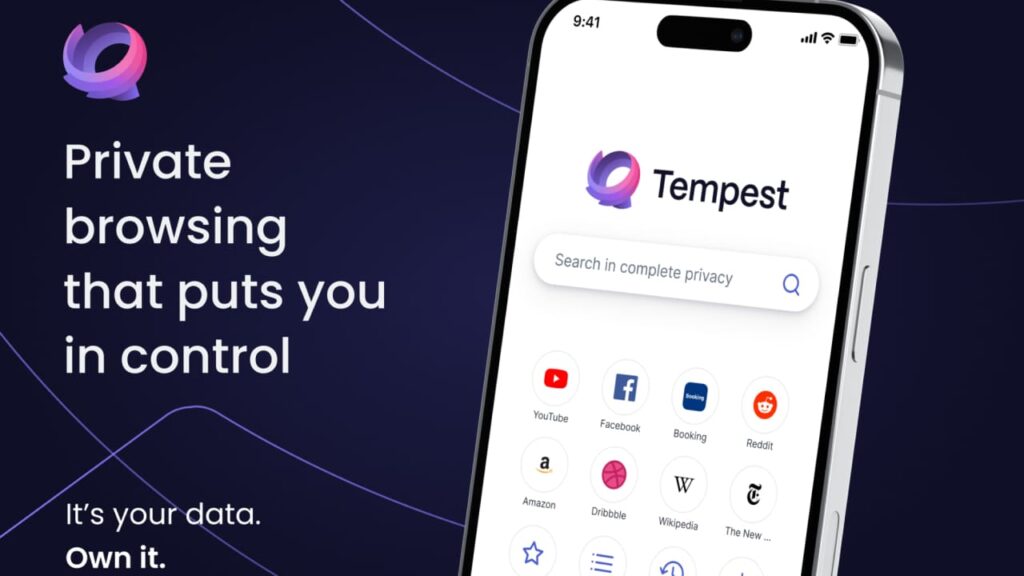
Tempest Browser
  • High-performance browser designed for privacy and security at its core.
  • Blocks unwanted ads, trackers, and malware to ensure browsing is safe and secure.
  • Unique blacklist feature allows users to block specific websites from tracking them, giving them complete control over their online activities.
  • Highly customizable interface with beautiful themes.
  • Intuitive and user-friendly interface for seamless navigation.
  • Developers have optimized the browser to ensure it delivers the fastest and most responsive browsing experience.
  • A reliable option for those who value speed, performance, control, and privacy when browsing the internet.

Tempest DOWNLOAD FREE
10

Mozilla Firefox

  • Community-driven free open-source browser.
  • Highly customizable interface with a vast range of themes, add-ons, and extensions.
  • Built-in security features to protect against phishing, malware, and other online threats.
  • Robust privacy protection with enhanced tracking protection and strict cookie management policies.
  • Focus on user control and ownership of data.
  • Constantly updated and improved through the contribution of its dedicated user community.
  • An ideal browser for those who want a secure and highly customizable online browsing experience.

Opera

  • Fast, secure, and highly customizable web browser.
  • Built-in ad blocker and VPN for added privacy and security.
  • Crypto wallet integration for easy management of cryptocurrency.
  • Personalized news feed based on your interests to provide relevant content.
  • Energy-efficient browsing with battery saver mode.
  • Operates on chromium technology for better compatibility with web apps and extensions.
  • Free and available on Windows, Mac, Linux, and mobile devices.
  • A great option for those who want a browser that emphasizes privacy, speed, user-friendliness, and versatility. 

Tor

  • Free and open-source browser for anonymous internet usage.
  • Uses multiple layers of encryption to hide the user’s online activity and identity.
  • Prevents trackings, censorship, and surveillance.
  • Offers access to the dark web, which is typically not accessible through regular browsers.
  • Can bypass geo-restrictions to access content that may not be available in certain regions.
  • Based on the Firefox browser for user-friendliness and familiarity.
  • Constantly updated to ensure maximum security and reliability.
  • Ideal for those highly concerned about privacy, anonymity, and bypassing censorship.

Brave and Vivaldi are both excellent browsers that offer innovative features and improved security. However, there are plenty of worthy alternatives available that have a lot to offer, including Tempest, Firefox, Opera, and Tor.

The world of web browsers is diverse, and the right one for you may depend on your individual needs and preferences. By exploring the options available and using them in your day-to-day browsing, you’ll be able to find a browser that best suits your needs while protecting your online activity.

In Summary 

Brave and Vivaldi are two popular types of browsers with differences in target users, and features.

Brave browser blocks ads and trackers by default–a highly desirable feature for privacy-focused users. Brave is also optimized for speed. As such, it’s best for users that prioritize speed and privacy over high-end functionalities. 

Vivaldi is a highly customizable browser with a range of offerings for power users. Vivaldi allows users to customize functionalities, features, and user interfaces. The browser is best for users that want a browser tailored to a specific workflow. 
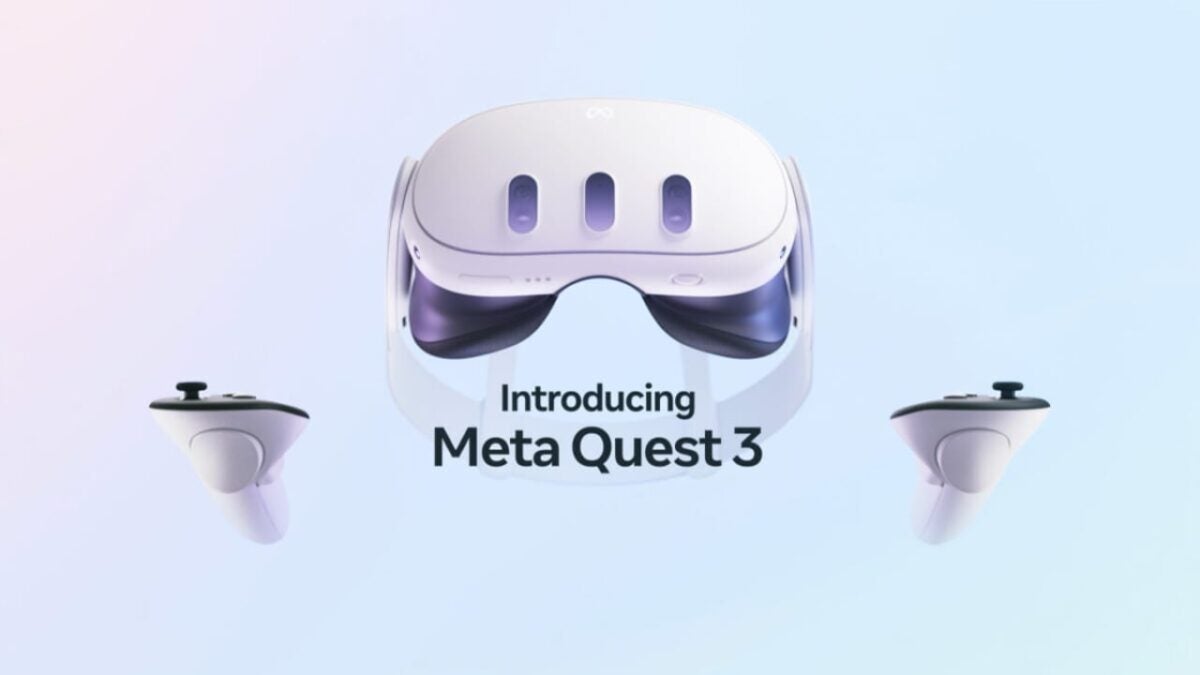
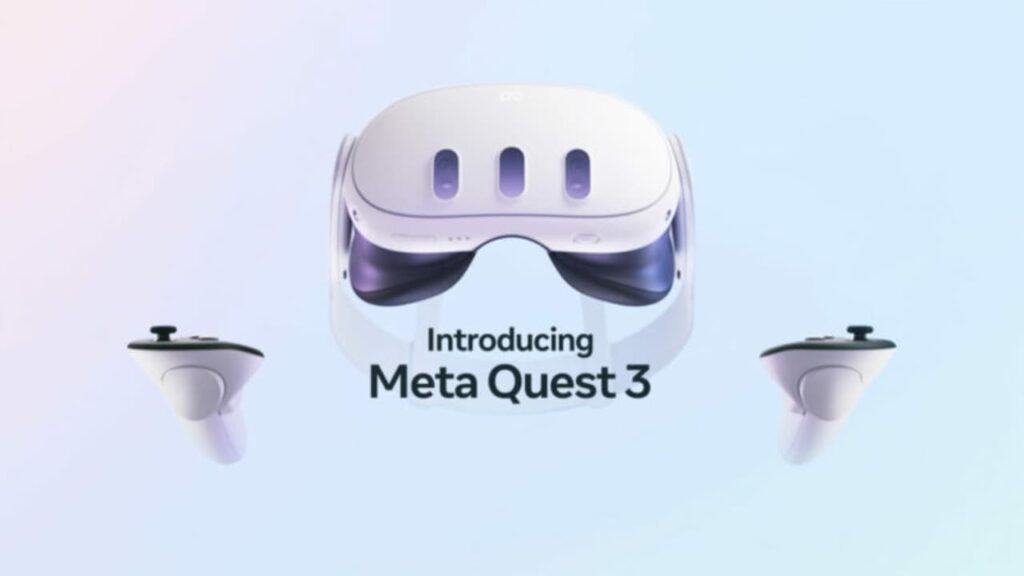
Introducing Meta Quest 3: Meta’s Ambitious Move to Challenge Apple’s Dominance

Meta has just announced the Meta Quest 3, the successor to the popular Meta Quest 2 VR headset.

WWDC 2023 is getting closer and closer. Several sources and rumors claim that Apple will unveil their highly anticipated mixed reality headsets at the event. In light of this occasion, Meta couldn’t “hold back” and has just announced the Meta Quest 3, the successors to the popular Meta Quest 2 VR glasses.

Facebook DOWNLOAD

Unlike the Meta Quest 2, the company’s new gadget combines virtual reality and augmented reality. As if that wasn’t enough, it also comes with a price increase: $499.99 (€569.99 in Spain), $100 more than the current cost of the Quest 2.

According to the information revealed by Meta, the Meta Quest 3 introduces a new design that makes them 40% lighter than their predecessor. Their more oval-shaped appearance features three indentations on the front, where their new sensors are located.

In addition, the Meta Quest 3 will include new high-definition displays and improved resolution thanks to a new Qualcomm chipset. While it has been confirmed that it will feature a new state-of-the-art Snapdragon, the specific model and its characteristics are not yet known. However, Meta promises a significant leap in performance and up to double the GPU power.

To enable mixed reality, the Meta Quest 3 will incorporate dual 4-megapixel RGB cameras along with much more precise depth sensors.

Another area that has been revamped is the controllers. The so-called Touch Plus controllers include the tracking system seen in the Quest Pro and feature a more ergonomic design. As expected, it has been confirmed that all of our games and applications from the Meta Quest 2 will be compatible with the Meta Quest 3.

To find out more, we will have to wait until September

Although Meta has rushed to announce it through social media, the truth is that there is still not much information available. For now, it’s just a small teaser to whet our appetites while we wait for September 27th, the day of Meta Connect.

To make the wait more enjoyable, Meta has released the first trailer of what will be the new Attack on Titan VR: Unbreakable on their social media. Judging from what has been shown, it is a game that no Meta Quest owner should miss, whether they are a fan of the famous anime or not.

Facebook DOWNLOAD

Some of the links added in the article are part of affiliate campaigns and may represent benefits for Softonic.

Vin Diesel and Dwayne Johnson are friends again for Fast & Furious: what happened to them?

A drama that remains in the past. Find out what happened to Dwayne Johnson and Vin Diesel in Fast & Furious.

Despite the rumors, Fast X has been a box office success, and the franchise of supercharged cars is now approaching its final stretch with two more films that will supposedly close it. One of the secrets to the movie’s success has been the cameos of actors returning after leaving the franchise, such as Gal Gadot and Dwayne Johnson. And now, from what we know, the actor will be the protagonist of the next installment.

Amazon Prime Video DOWNLOAD

In the post-credit scene of Fast X, we witness Johnson’s return. His character, Luke Hobbs, receives a call from Dante, the villain portrayed by Jason Momoa in the film. After dealing (or not) with the Toretto family, Dante threatens Hobbs for his involvement in his father’s death. It is evident that Luke Hobbs will return to the saga and, from the looks of it, will play a crucial role in the upcoming installment.

A problem that remains in the past

However, Hobbs’ return comes after Johnson swore that he would not participate in the franchise due to directorial issues he had with Vin Diesel, who is both producer and star of the series. The problem was quite significant, but in an interview, Johnson has explained that everything is now in the past:

“Last summer, Vin and I cleared the air. We will lead with brotherhood and determination, and always take care of the franchise, the characters, and the FANS we love.”

With this statement, they finally put what happened behind them and prioritize the fans. The problem began in the eighth installment of Fast & Furious. After three films of Hobbs (Johnson) appearing, he gained more prominence than Toretto (Diesel) himself, as he had to lead the family while Diesel’s character seemed to have gone to the dark side… but not everyone felt good about this turn of events.

When filming wrapped up, Johnson publicly addressed on Instagram that he had issues with his male co-stars in the movie. He made it clear that he had clashed with Vin Diesel, who is also a producer of the franchise. Although Johnson later tried to rectify the situation, the problem had already escalated, and Diesel’s response only added fuel to the fire: “Dwayne has only one big brother in the film industry, and that’s me.”

While this statement may seem like a playful comment, Johnson did not appreciate it. Their egos clashed, and as a result, Johnson did not participate in Fast & Furious 9, instead starring in the spin-off Hobbs & Shaw alongside Jason Statham. Johnson made it clear that he would not return to the Fast & Furious franchise… until now.

Amazon Prime Video DOWNLOAD

Some of the links added in the article are part of affiliate campaigns and may represent benefits for Softonic.

Discover the Secret: Free Star Trek Streaming on YouTube – Learn How to Bypass the Ban

One of the best seasons of the new Star Trek has just been uploaded to YouTube for free for everyone in the United States. So you can see it from Spain.

You are about to return to the U.S.S. Enterprise for the second season of Star Trek: Strange New Worlds, but if you missed the series’ inaugural journey, I have good news: the complete season is available for free on YouTube.

ExpressVPN DOWNLOAD

To celebrate the upcoming second season of Strange New Worlds, Paramount has released the entire first season on YouTube for limited-time streaming.

The downside is that while Star Trek portrays a future with a united Earth, we don’t have that currently, so it can only be viewed on YouTube if you live in the United States.

However, I’m sure that the most adventurous Star Trek fans from outside the US will find ways to bypass this restriction without having to physically travel to another country. If you’re not sure how to do it, let me explain: through the use of VPNs, like the ones listed here.

Once you have installed the VPN and set your location to the United States, all you have to do is click here, and you will have access to all the episodes available for free. It doesn’t matter where you live outside of the US.

A Star Trek that has surprised everyone

Regardless, if it’s your first time watching it, you’re in for a treat. Although Star Trek as a franchise has had a historical reputation for rocky premiere seasons, deserved or not, it’s fair to say that Strange New Worlds debuted with one of the best seasons in the franchise, if not the best, within its first 10 episodes.

With an intoxicating blend of classic Trek ranging from whimsical farce to spine-chilling horror, along with extrapolations of some of the original series’ finest episodes, the collection is truly a gem.

It’s not every day that we have a complete season available for free on YouTube with good video and audio quality. The fact that it can only be viewed within the United States may sound unfair, right?

ExpressVPN DOWNLOAD

Some of the links added in the article are part of affiliate campaigns and may represent benefits for Softonic.

Breaking Boundaries: Artificial Intelligence’s Ambitious Mission to Oust Google Chrome and Mozilla

This side of artificial intelligence is one of the unknown, but in the long run it can be uploaded to all web browsers. So they will.

The objective of artificial intelligence is to change the world. Literally. And if there’s something crucial in our society, it’s information, access to information. That’s where AI wants to intervene now.

ChatGPT ACCESS

AI assistants are emerging as the next big thing in web browsers since the invention of tabs. Both large and small companies are seeking ways to introduce chatbots into their businesses, but they also aim to go beyond that.

In the near future, your browser could be capable of automatically changing the appearance and functionality of a webpage, and even rewriting the page’s content to adapt to your specific needs.

One of the most ambitious implementations seen so far, as explained in The Verge, comes from a company called SigmaOS, which presents itself as a browser for the ultra-productive set.

SigmaOS is a revolutionary navigator

It has a plethora of organizational tools and some truly extravagant ideas about keyboard shortcuts and tab management, and now it is launching a new AI assistant called Airis that works throughout the browser.

What Airis essentially does is allow you to ask questions about a web page. You can highlight a name or a phrase, right-click, and select “ask Airis” to search for what you have selected. It then tries to explain that name, concept, phrase, or whatever it may be in the context of the page you are viewing.

If you were to ask ChatGPT, for example, about who Nikola Jokić is, you would get a general overview of the Serbian NBA superstar. But when you ask Airis about Nikola Jokić, it truly explains who he is and what he does.

There are many ways to summarize a web page using AI, but this one does it in the exact context you are looking for.

Since the browser knows the page you are viewing, it can deduce a tremendous amount of information from a simple question.

The way the creators describe Airis’ technology is straightforward and intelligent: it quickly ingests and understands the important parts of a web page, matches that information with your question to form a comprehensive message, sends that message to the OpenAI GPT-4 language model, and then returns the responses.

The user doesn’t have to do any engineering work because the question and the web page contain more than enough information.

But he is not the only one working on this

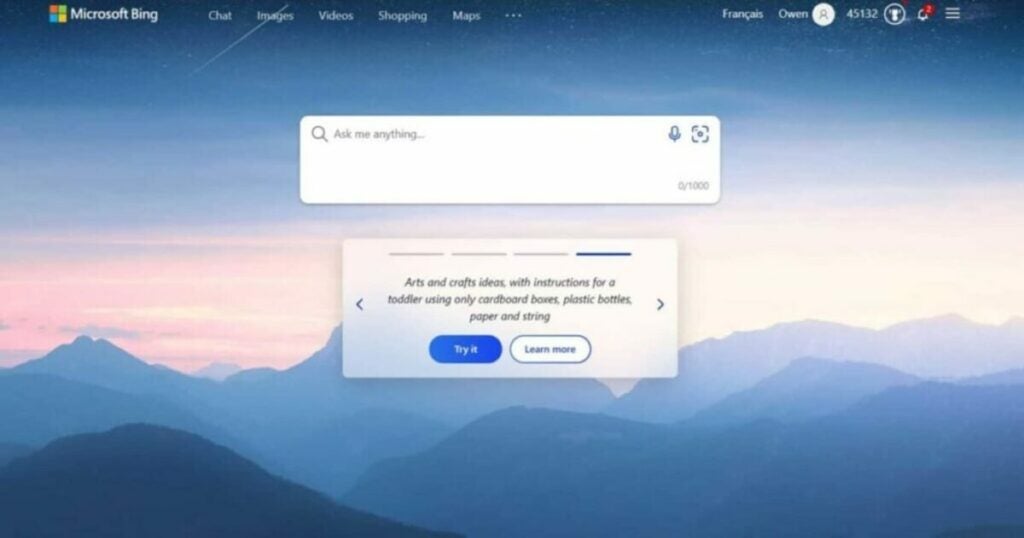
Indeed, SigmaOS is by no means the only company seeking ways to incorporate artificial intelligence into web browsing. Microsoft is adding a Bing sidebar to its Edge browser, putting both search and chatbots just a click away. They are also deploying tools that allow you to summarize or rewrite web pages.

Opera recently launched its own rewriting and summarizing tools, along with a dedicated sidebar to access ChatGPT and other bots.

ChatGPT ACCESS

Some of the links added in the article are part of affiliate campaigns and may represent benefits for Softonic.

20 million dollars a year? It's what Reddit is asking for

The creator of Apollo, an app for browsing Reddit, will have to pay the company $20 million a year to keep the app running.

When it comes to browsing through the thousands of threads on Reddit, many users prefer using Apollo instead of the official app. Apollo is the creation of Christian Selig, a former Apple employee who aimed to provide a better browsing experience for Reddit, with additional features and a more user-friendly design.

Reddit DOWNLOAD

Apollo enjoys great success among Redditors, and prestigious technology websites like TechCrunch even claim in their reviews that it is “the only Reddit app you need.” But if, by any chance, you not only knew about it but also used it daily, we have bad news for you: the app may be on borrowed time.

Last month, we reported that Reddit modified its API terms and conditions to limit and even charge for its usage, which many functions, extensions, and even apps like Apollo rely on. Following these changes, Reddit contacted Selig to inform him that he will have to pay a whopping $20 million per year if he wants his app to continue functioning as it has been until now.

In a business move very similar to Elon Musk‘s approach with Twitter‘s API (which ultimately led to the end of thousands of accounts, websites, and useful apps), Reddit is demanding the developer to pay around $12,000 for every 50 million API requests made by his app. With 7 billion requests made just last month, Selig would have to pay a total of $1.7 million per month or $20 million per year to keep Apollo alive.

“I am deeply disappointed with this price,” Selig states, finding the price set by Reddit for API usage unreasonable. “I hope it goes without saying that I don’t have that amount of money, nor would I even know how to charge it to a credit card.”

Reddit DOWNLOAD

Currently, it is unknown what will happen to Apollo. Selig hopes that Reddit will listen to the developers and that both parties can reach an agreement that benefits them. In the event that this does not happen, it is likely that Selig will end the app, much to the disappointment of its hundreds of users.

Some of the links added in the article are part of affiliate campaigns and may represent benefits for Softonic.

The Dangerous Motherboards You Need to Replace Immediately

Hackers have been using a computer’s UEFI firmware for years… now Gigabyte has installed its own backdoor.

Hackers have been using a computer’s UEFI firmware, the hidden code that instructs a PC on how to boot its operating system, for years to infiltrate computers worldwide.

CCleaner DOWNLOAD

When a motherboard manufacturer installs its own hidden backdoor in the firmware of millions of computers, they are essentially doing the hackers’ job for them.

Researchers from cybersecurity company Eclypsium have revealed today that they have discovered a hidden mechanism in the firmware of motherboards sold by Taiwanese manufacturer Gigabyte. This brand is commonly found in gaming computers.

According to Eclypsium, every time a computer with the affected Gigabyte motherboard is restarted, a firmware code initiates an invisible updater program that runs on the computer and, in turn, downloads and executes additional software.

While Eclypsium claims that the hidden code is intended to be a harmless tool for keeping the motherboard firmware up to date, researchers discovered that it is implemented in an insecure manner, potentially allowing the mechanism to be hijacked and used to install malware instead of the intended program by Gigabyte.

Since the updater program is activated from the computer’s firmware, outside of its operating system, it is difficult for users to remove or even detect. Here’s how you can find out which motherboard you have.

In their blog post about the investigation, Eclypsium lists 271 models of Gigabyte motherboards that, according to the researchers, are affected. Loucaides adds that users who want to check which motherboard their computer is using can do so by going to “Start” in Windows and then selecting “System Information.”

Eclypsium states that they discovered Gigabyte’s hidden firmware mechanism while tracking customers’ computers for firmware-based malicious code, which is becoming increasingly common among sophisticated hackers. Take a look, just to make sure you haven’t been inadvertently hacked…

CCleaner DOWNLOAD

Some of the links added in the article are part of affiliate campaigns and may represent benefits for Softonic.

Tired of Unwanted Content on Instagram? Decoding the Platform’s Algorithm

The director of Instagram, Adam Mosseri, explains in a recent publication how his different content recommendation algorithms work.

They are part of our lives and have the power to even change our perception of them. Each social media platform has a distinct algorithm responsible for recommending content to its users based on various criteria. While companies are generally reluctant to explain the inner workings of their algorithms, there are times when they publicly share the criteria they consider when recommending certain posts to each user.

This week, Instagram has made an effort to be transparent with its users by revealing how its recommendation system works when prioritizing certain posts over others for each individual.

Instagram DOWNLOAD

Instagram’s director, Adam Mosseri, explains how the recommendation system of the social network operates. It relies on multiple algorithms (not just one) to prioritize certain content over others in various sections of the platform: the main feed, Stories, Explore, Reels, and search.

A significant portion of the data used for content recommendations on Instagram, as many would expect, comes from the users themselves. For instance, the algorithms take into account how frequently you view other users’ Stories and whether you interact with them in any way (such as reactions, likes, or private messages) to prioritize them and display them at the top. The algorithms even attempt to “figure out” the type of relationship you have with another user (whether they are a mere acquaintance, a friend, or a family member, for example).

Similar to other platforms like YouTube, Instagram considers the content you have liked, shared, or responded to in order to show you similar posts. In Reels, factors such as what you watch and listen to in videos, the information about the person who shared them, the number of followers they have, and their level of engagement are also taken into account, among other aspects.

Instagram DOWNLOAD

While Instagram provides some information (though not entirely) about how its post recommendation system works, the social network remains frustrating for many users who have limited control over manually choosing which posts they want to see or not. They also lack the ability to view their friends’ posts chronologically, a feature that other social media platforms offer.

Some of the links added in the article are part of affiliate campaigns and may represent benefits for Softonic.

Curro: Expo 92’s Iconic Mascot Finds Final Resting Place in Doll Cemetery

Curro, by the way, was about to be called Colón, but in the end they kept the name Francisco: because yes, Curro is still an affectionate name, right? Why have you never thought about it?

1992 was the year when Spain lost its innocence. After a period of Transition and well into the 90s, it was time to venture out into the world again, and what a way to do it: Olympics in Barcelona and Universal Expo in Seville. Quite something. And each event had its respective mascot: Cobi, the squashed dog by Mariscal, focused on sports, but to showcase Andalusia to the world, they chose a strange bird with multicolored hair. It was Curro’s turn, the peculiar one.

Google Maps DOWNLOAD

Let’s get to work!

This was not the only mascot presented to the organizing committee, of course. Three possible mascots made it to the final selection, which took place in January 1989: Curro, designed by Heinz Edelmann (art director of ‘Yellow Submarine’); El Ángel, created by Mingote; and Caballo Cartujano, designed by Miguel Calatayud, which bore a striking resemblance to the contemporary character BoJack Horseman.

As we know, Edelmann emerged as the winner, a decision that didn’t sit well with Mingote, who ended up in third place and withdrew from the competition afterwards (somewhat like canceling a game when you’re losing 10-0). Interestingly, Curro was almost named Colón, but they ultimately kept the name Francisco. After all, Curro is just an affectionate nickname, isn’t it? Bet you never thought of it that way!

Curro’s first sketch has seen some things

Curro appeared everywhere. Absolutely everywhere. From the TV show ‘Un, dos, tres’ to being a guest on the inaugural voyage of a perfect replica of the Victoria, Juan Sebastián Elcano’s ship, which unfortunately sank just 26 minutes after leaving the port, sending the mascot into the water. Things didn’t start off well, but they would end up even worse.

The Expo never grew tired of telling the story behind Curro’s nasal and capillary colors: apparently, he was born from a rainbow (hence the colorful hair), and then, by drinking water from a puddle where it was reflected, his nose ended up like that too. Quite a coincidence, right? Behind the costume, during the major appearances, was Chelo Vivares, better known as Espinete. Talk about enduring an extremely uncomfortable suit…

After the Expo, there were hundreds of Curro dolls left without a place to rest. Nowadays, they might have been sold at auction or on eBay, but back then there was only one solution: taking them to Alcalá de Guadaira, specifically to Romano Antigüedades, where they are piled up, waiting for someone to offer them a home. Do you want one? It can be yours for 225 euros. Just don’t bring it near any boats, just in case.

End of an Era: Real Madrid’s Iconic Captain Departs After Over a Decade

It had to happen and it did. Benzema, one of the great players of our time, leaves Real Madrid after deciding on an Arab team…

This is something that many Real Madrid fans feared: the retirement of their stars, their idols. Unfortunately, the time comes for all of us, and it seems that Benzema’s time has just arrived… in European football.

FIFA 23 DOWNLOAD

The Athletic announced yesterday that Benzema, 35 years old and coming off a poor season, had received a lucrative offer from Saudi Arabia, and that Real Madrid had been aware of this proposal and the Frenchman’s decision to leave for several days.

Several sources from Real Madrid’s training camp in Valdebebas confirmed that the forward and coach Carlo Ancelotti had a meeting on Wednesday that was considered unusual and was not part of the team’s agenda.

All these sources stated that they expected Benzema to leave after that meeting unless the board could change his mind. The Champions League defeat has taken its toll.

According to The Athletic, a media outlet affiliated with The New York Times, Real Madrid did not stand in Benzema’s way, despite having renewed his contract until June 2024 earlier this year.

Benzema’s teammates at Real Madrid have been aware of his temptation regarding the offer from Saudi Arabia for several weeks, and as far as is known, he would have asked one of the club’s physiotherapists to accompany him to Saudi Arabia.

Benzema arrived at Madrid in 2009 from Lyon for around 40 million euros, and as of 2023, he is the second-highest goalscorer in Real Madrid’s history, with 353 goals in 647 matches, only behind Cristiano Ronaldo, who has scored 450 goals in 438 matches.

He won his first Ballon d’Or last year and has lifted 24 trophies during his time at the club, including four La Liga titles and five Champions League titles.

It is expected that the Frenchman will be bid farewell as a hero in Real Madrid’s final match of the season, on Sunday against Athletic Bilbao at the Bernabeu.

FIFA 23 DOWNLOAD

Some of the links added in the article are part of affiliate campaigns and may represent benefits for Softonic.