ZeniMax Online Studios and Bethesda have launched one of the most exciting events in the history of The Elder Scrolls Online: The Battle for the Convulsing Wall. This epic event aims to mobilize players from all servers to join the war against the Worm Cult, and it is already underway. Players can head to Skordo the Knife, located at the Stirk Brotherhood camp or on the wall of Sunhold, to participate in this ambitious contest. Only for those with the Battle for the Wall content pass […]
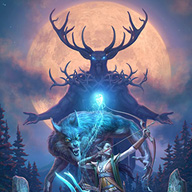
ZeniMax Online Studios and Bethesda have launched one of the most exciting events in the history of The Elder Scrolls Online: The Battle for the Wailing Wall. This epic event aims to mobilize players from all servers to join the war against the Worm Cult, and it is already underway. Players can head to Skordo the Knife, located at the Stirk Brotherhood camp or at the wall of Sunhold, to participate in this ambitious contest.
Only for those who have the content pass
The Battle for the Convulsing Wall presents itself as a monumental challenge, divided into three thematic phases. The first two phases require players to complete daily missions on servers with varying rhythms, while the third phase, which is the climax of the event, will take place over a week. This final phase is crucial, as not all servers will fall at the same time, creating a dynamic of competition and collaboration among players.
It is important to highlight that this event is not available to all players, but is limited to those who have the 2025 content pass. Once the event is completed, participants will be able to access the Eastern Solstice and continue with the story of the Season of the Worm Cult, Part 2.
To encourage participation, ZeniMax has promised a variety of rewards, including treasures, gold, outfit styles, and a unique title: ‘Wall Breaker’. The magnitude of this initiative not only promises to entertain the Tamriel community but could also set a precedent for future events in the MMORPG, generating high expectations among players.
Oblivion Remastered, the highly anticipated return of the 2006 classic, has shown impressive sales performance during its first week on the market, becoming the third best-selling game of 2025 in the U.S., according to game analyst Mat Piscatella from Circana. The title, which has been reimagined to appeal to both new players and veterans, is only surpassed in sales by Monster Hunter: Wilds and Assassin’s Creed Shadows. A bestseller by any possible metric During the week ending April 26, Oblivion Remastered also ranked first in weekly active users […]
Oblivion Remastered, the highly anticipated return of the 2006 classic, has shown impressive sales performance during its first week on the market, becoming the third best-selling game of 2025 in the U.S., according to game analyst Mat Piscatella from Circana. The title, which has been reimagined to appeal to both new players and veterans, is only surpassed in sales by Monster Hunter: Wilds and Assassin’s Creed Shadows.
A bestseller by any possible metric
During the week ending April 26, Oblivion Remastered also ranked first in weekly active users on Steam US and second on Steam Canada. However, on platforms like Xbox and PlayStation, it ranked fourth and fifteenth, respectively. This shows that, although it has rejuvenated its status, it faces tough competition in an increasingly saturated industry of titles.
Despite its age, the rapid rise of Oblivion Remastered in the sales charts underscores the longevity and ongoing relevance of the Elder Scrolls series. This phenomenon is particularly noteworthy given that, if it were Elder Scrolls VI, the sales data would be considered less impactful and would not deserve the attention that Oblivion Remastered has garnered. The game’s acceptance, as well as its sales figures, are a testament to the affection that players still have for the world of Tamriel.
With a market that continues to evolve, the arrival of remastered classics could indicate a trend towards nostalgia, helping to keep the legacy of fundamental games like Oblivion alive. The interest in revised titles like this reinforces the commitment of developers and players to honor the history and quality of video games.
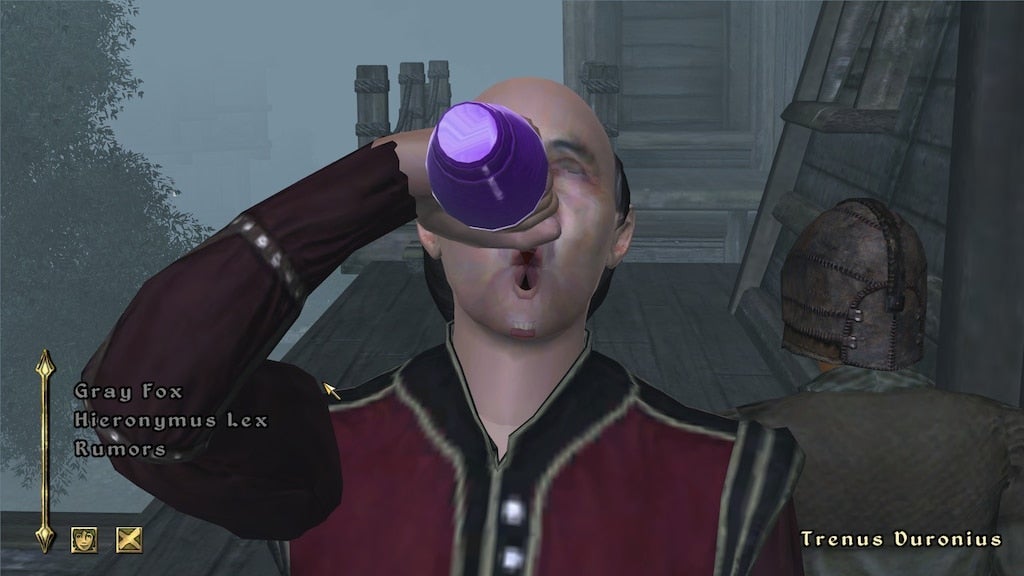
The recent remastering of Oblivion has brought a significant change that has caught the attention of the gaming community, especially among speedrunning enthusiasts. The well-known YouTuber Bacon_ has discovered that the controversial Khajiiti drug, Skooma, can now stack up to 22 times, instead of the eight in the original version. This modification results in a spectacular temporary increase in speed and strength, which can take a character’s attributes to unexpected levels. Bug? Feature? A blessing for speedrunners The use of Skooma in Oblivion, a substance that momentarily increases speed and strength at the cost of […]
The recent remastering of Oblivion has brought a significant change that has caught the attention of the gaming community, especially among speedrunning enthusiasts. The well-known YouTuber Bacon_ has discovered that the controversial Khajiiti drug, Skooma, can now be stacked up to 22 times, instead of the eight in the original version. This modification results in a spectacular temporary increase in speed and strength, which can elevate a character’s attributes to unexpected levels.
Bug? Feature? Blessing for speedrunners
The use of Skooma in Oblivion, a substance that momentarily increases speed and strength at the cost of a permanent reduction in intelligence, has generated great cultural appeal in the Elder Scrolls series. With the new limit of 22 doses, players can achieve speed statistics that would reach 1,320 points, a surprising number considering that the attribute cap in the game is 100.
This change allows for faster and more efficient strategies in speedrunning, as players can cover huge distances in a short amount of time. Bacon_ demonstrated this speed by traveling from the Imperial City to Skingrad Castle in under a minute, comparing his journey to that of Saitama from One Punch Man.
The physics of the game, now implemented with Unreal Engine 5, also influences how Skooma behaves, providing more controlled handling compared to the absurd jumps of the original version. This change could be an intentional decision by the developers to align the use of Skooma with the new physical dynamics of the remaster.
Ultimately, although the increase in the Skooma limit may focus on gameplay and strategy, it also reflects the ongoing evolution of gaming culture, where every detail matters to the most dedicated players.
Yes, a new game in the saga has been released. But no, it’s definitely not what you expect. Prepare for disappointment and you will be right.
Watch out! Your thousand alarms might have gone off: How is it possible that Bethesda, twelve years after ‘Skyrim,’ has released a new ‘The Elder Scrolls,’ and you didn’t know about it? Has the whole world gone crazy? Don’t worry: yes, they have released a new game in the series. But no, it’s definitely not what you’re expecting. Brace yourself for the disappointment, and you’ll be right on target.
There wasn’t even a prior announcement in a time when there are announcements for even the new updates of ‘Pokémon Go‘. That’s what Bethesda was counting on when they made ‘Elder Scrolls: Castles’, an exciting mobile game where you won’t go on adventures to kill monsters, ride beasts, or explore a gigantic map. Instead, you’ll be a king who rules over his subjects while acquiring resources and making various decisions for the future of his kingdom.
If you live in the United States, you’re in luck because you can play it right now on your Android device since it’s available as early access on the Play Store. No news, however, about iOS… or the European release. On the other hand, you’re not missing out on much. Have you played ‘Fallout Shelter’? Well, it’s the same, but with a different face.
Throughout the game, you’ll have to build a grand castle, make people work for you, and explore different ways to acquire more resources. You can decorate them as you please, with more freedom than the ‘Fallout’ spin-off. The real question is whether this is what ‘Skyrim’ and the rest of the saga’s fans are looking for as they eagerly await the imminent – figuratively speaking – announcement of the sixth installment.
‘Elder Scrolls: Castles’ might not be the game fans were eagerly demanding, but the words “microtransactions” are too enticing to overlook and not capitalize on. Bethesda knows how to play the game.
It is with great excitement that members of the Amazon Prime Gaming subscription program can look forward to its new free batch of PC games available in February this year.
Instead of the games being available at the same time, which was the norm in the past Prime Gaming is spreading the love this February month, and the free games will be available momentarily over the entire month. There are nine free games in their February lineup, including the evergreen title The Elder Scrolls 3: Morrowind.
Apart from the free games made available in February, Prime members will be able to enjoy streaming various titles on Luna’s Prime Gaming Channel while claiming in-game loot for a batch of popular multiplayer games!
February 2023 Prime Gaming Lineup
February 2
The Elder Scrolls 3: Morrowind GOTY Edition
Onsen Master
February 9
Divine Knockout
Aerial_Knight’s Never Yield
February 16
BATS: Bloodsucker Anti-Terror Squad
One Hand Clapping
February 23
Space Warlord Organ Trading Simulator
Space Crew: Legendary Edition
Tunche
February 2023 List of Prime Gaming’s FREE Loot Drops
Spreading more love members can enjoy rewards from title favorites at no extra cost from skins, game currency and other perks from titles like:
February 2
Raid: Shadow Legends – Genbo the Dishonored, Epic Shadowkin Champion
Grand Theft Auto Online – GTA$125K, Mask, Year of the Rabbit
Grand Theft Auto Online – GTA$125K, Mask, Year of the Rabbit
Note: The loot list for February is not limited to the above disclosed as Prime Gaming subscribers could possibly enjoy additional content during February month.
Are you still immersed in the world of Skyrim? Follow these tips to enhance your experience!
Skyrim is not a very friendly place. There’s scheming vampire lords, vicious bears that will maul you to pieces, a civil war raging across the land, werewolves, and of course the looming threat that a dragon could swoop down and barbecue you just because he’s bored. Suffice it to say that combat is a huge cornerstone of Elder Scrolls V, and eight years after the game’s original release, it’s starting to feel a bit stale. If you look around, though, there are actually a number of ways to revitalize battle in Skyrim:
There are plenty of mods to improve Skyrim’s visuals, restore cut content, fix bugs, or make new dungeons, homes, and followers. However, exploring all these new crypts and caves is still going to feel tiresome if your fighting is restricted to what Bethesda offered back in 2011, and one of the largest contributing factors to that lack of spice is that at higher levels you’re likely not changing your style, armor, weapons, or appearances anymore, and your offensive spells cap at a certain damage.
Attack 1: Swing your sword. Attack 2: Swing it harder. There is no third attack.
There is a “best weapon” in Skyrim
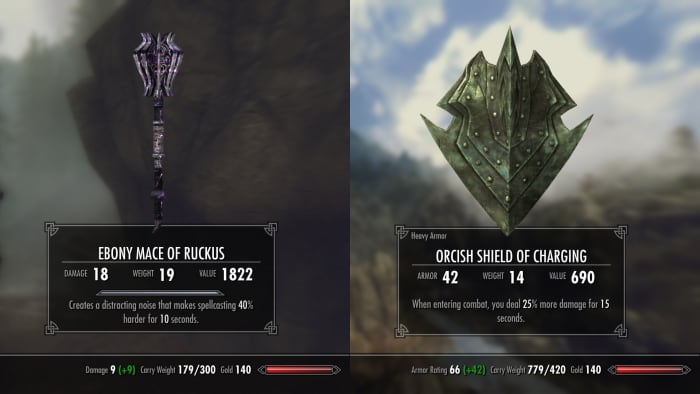
Whether you’re an Orc wielding a greatsword, a Wood Elf aiming with a bow, or a Redguard dual-wielding axes, the problem with late-game martial characters is that once you’ve smithed a set of Daedric armor or forged a Dragonbone dagger you havezero reasons to go back to steel, Elven, or bonemold. That means that in order to maximize your defense score you’ll donning the same weapons and armor. Every time. Why would you not?
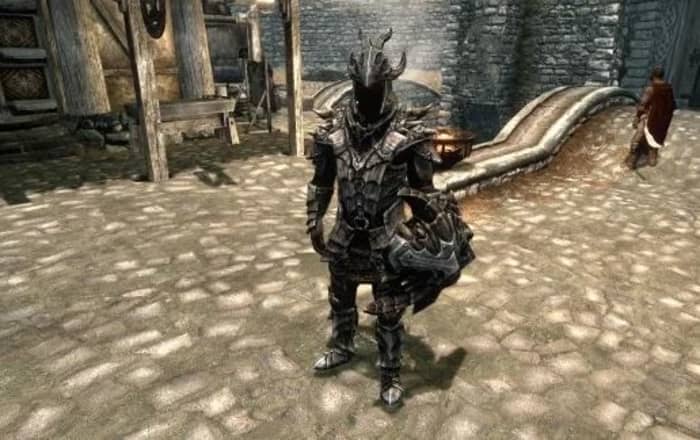
This is the best armor. Prepare to never take it off.
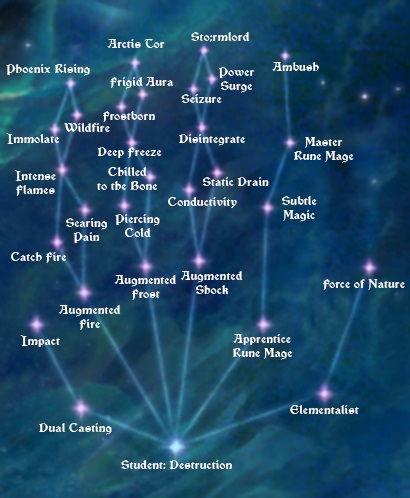
The same goes for perks – if you’re a pure mage class, all you’ve really got for combat is the frost, fire, and shock spells of the Destruction tree. Once you buy the most damaging spell (Incinerate, Thunderbolt, or Icy Spear), Dual Casting, and a couple of perks to buff the damage (Augmented Flames, Frost, or Shock) you’ve reached your damage cap and probably won’t be casting the weaker versions of these spells ever again. By your second or third mage playthrough, you’ll probably be tired of them. The same goes for that Orc with a greatsword – you’re probably going to sink the same three points into the stacking Deep Wounds perk.
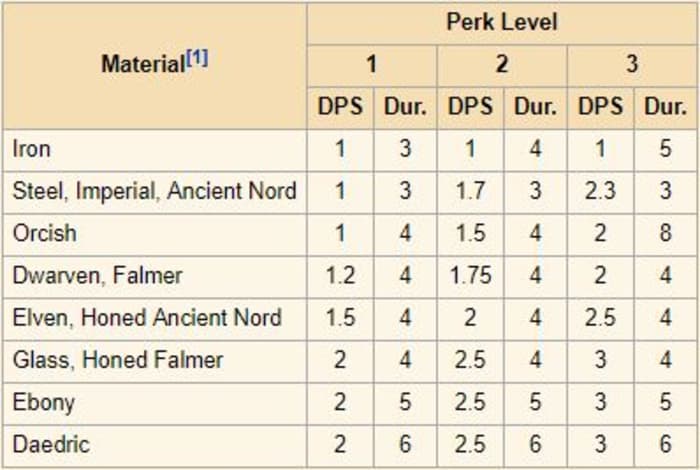
See the stats for ‘bleed damage:’ The best material yields the best results.
1. There is no best weapon in Skyrim
Remember when we said there was the best weapon in Skyrim? Statistically speaking, this is true. Here’s the flip side: Different weapons and spells serve a different purpose. Even if you just play a one-handed specialist there’s still some variation you can get by using different types of one-handed weapons. Don’t just stick with the sword because that’s the most damaging weapon you’ve found. There’s a use for each one:
Swords are fast and can deal critical damage, but are weaker than maces and axes.
Sword
Swords have a (10%-20%) chance to deal critical damage to targets, eventually boosting up to +50% crit damage. Since swords also boast a higher swing speed than axes and maces, that means you’re going for multiple fast strikes with the chance that one of them will score a critical.Dual-wielding (or using the dual-wielding exploit with a sword and dagger) doubles your chances even more. Try enchanting your blades with this in mind for a plethora of clever combinations.
Dagger
If faster swings per second make you happy, then daggers are your best bet. While they’ll always deal less damage than a sword, ax, or mace, if you properly smith or enchant it, it can hold its own, particularly if the enchantment does high damage. Appropriately, the dagger is also a great weapon of choice for the rogue classes; get the Assassin’s Blade perk and performing a sneak attack with a dagger will deal 15x the damage!
Ax
Axes are the awkward middle child of the martial weapons family, swinging slower than swords and daggers, and dealing less damage than maces. What’s the draw, then? Axes deal bleed damage, which is likely the most underrated, undervalued damage type in the game. Bleed effects cannot be absorbed or resisted in any way, and every rank of the respective perks will bump the magnitude and duration of bleeding damage dealt by weapons (the material of which is another factor). Bleed does DPS, and the effects stack with other DPS implements in the game, such as poison, fire, or Absorb Health. If you’re good at enchanting or concocting poisons, the ax can be a formidable weapon indeed.
Mace/hammer
Last but not least, you’ve got the blunt weapons – the martial bad boys; the heavy hitters of Skyrim. While they’re slower to hit with, these massive bludgeon tools always deal more damage than any other weapon in an even encounter. Better still, they can ignore 25%-75% of armor, cutting right through whatever damage resistance your enemy has. This makes a warhammer a deadly tool against bandit chiefs, Falmer warmongers, Dwemer automatons, or any armored foe who dares step in your way.
Ride a dragon with this build and feel like the Witch-King.
Don’t limit yourself to one weapon type. Carry one of each. Use maces on armored foes, and use a battle-ax when you have poisons available. Pull out a dagger when it’s time to sneak, and dual-wield swords when you’re banking on a critical strike for massive damage!
2. Switch up your elemental damage
Similarly, mages should opt away from specializing in just one type of offensive spell. Fire, frost, and shock all have their time and place, and switching between them will both make combat more visually exciting and keep you alive longer.
Fire is great, but when is shock smarter?
Fire
Fire is the most commonly used spell type for Skyrim mages and that’s because it’s awesome. Burn an enemy and they’ll take more damage while on fire. What that means, then, is that if you have fire in your left hand and a melee weapon in your right, you’ll do more damage to the target per hit as long as you keep them lit up. This makes it a great choice for when you’re trying to maximize stackable DPS (like the aforementioned poisoned ax). Fire’s also a great choice when you’re fighting through the many, many Draugr crypts.
Frost
Frost is the squishy mage’s best friend. The main reason for this is that frost spells do half their damage value to an opponent’s stamina level. This does two things: First, it means melee opponents can’t keep slamming you with power attacks. Second (and more importantly) it means they are slowed. A slow bandit chief whose stamina bar is depleted is way less scary than one charging at you with a battle-ax – even if he is on fire. Frost spells are best used against humanoid opponents, but using them against Draugr or Dwemer robots should be avoided. As a unique quirk, frost enchantments are 25% stronger on anything made of Stalhrim!
Shock
Resisting shock damage in Skyrim is very rare. As such, you’ll probably do more damage with shock spells than with fire or frost. While frost spells deal half their damage value to an opponent’s stamina pool, shock spells do the same to their magicka, making lightning a great choice when you’re up against enemy spellcasters. It doesn’t matter how powerful a mage’s spell is if they don’t have enough magicka to cast it! It also means they won’t be able to block with wards, or do the ever-so-annoying strategy of running away at the last second to cast a healing spell. Lastly, shock spells are the easiest to hit with, as the blast has no travel time. Enemies will have a much harder time dodging Thunderbolt than Icy Spear.
3. Destruction magic is more than just projectiles
If you’re playing a mage, once you get Dual Casting with Impact, it’s easy to forget that there are any Destruction spells other than Thunderbolt, Icy Spear, and Incinerate. While these will probably still remain the cornerstone of your offense, there are other tools in your Destruction arsenal you may have abandoned: Cloak spells, Wall spells, and Runes.
A build like this will slaughter enemy mages.
Cloak
The biggest thing to remember about Destruction cloak spells is that they still boast the same elemental effects that we brought up earlier. If you’re playing a warrior, try throwing on a Flame Cloak to increase the damage of your hits! Use a Lightning Cloak to deter mages. A Frost Cloak can sap away the stamina of enemy warriors, leaving them vulnerable to attack and stagger.
Wall
Remember back at the start of the game when all you had was a Flames spell? Wall of Fire is like an upgraded version of that spell. You don’t even have to be directly attacking enemies for Wall spells to wreak havoc on crowds of enemies. Use Frost Wall to deplete the stamina gauge of an entire room. Switch to projectiles or physical attacks while they’re all slowed. Mages who throw up a ward can’t block a Wall of Storms under their feet!
Rune
Runes are rarely used in Skyrim since most combat is initiated before you have much time to plan. The trick with runes is to get the Quiet Casting perk under Illusion. Dual Casting in Destruction means that you can lay down a more powerful trap (which can be placed quite far away with the Rune Master perk) that can catch enemies by surprise, all without them even knowing where you are. Lightning Rune can be an especially good method for sabotaging a mage’s magicka before you even engage them in combat.
5 mods that completely overhaul The Elder Scrolls V: Skyrim
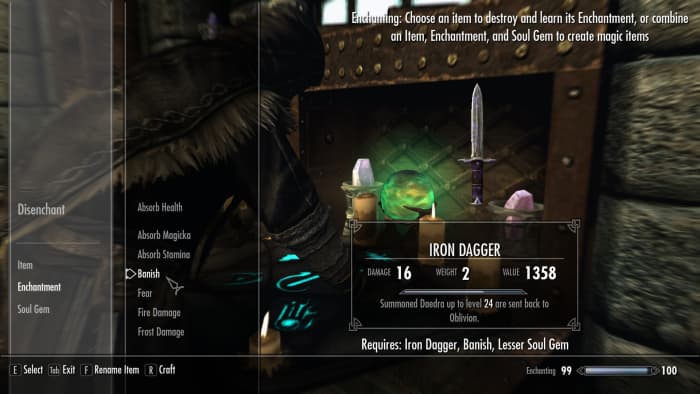
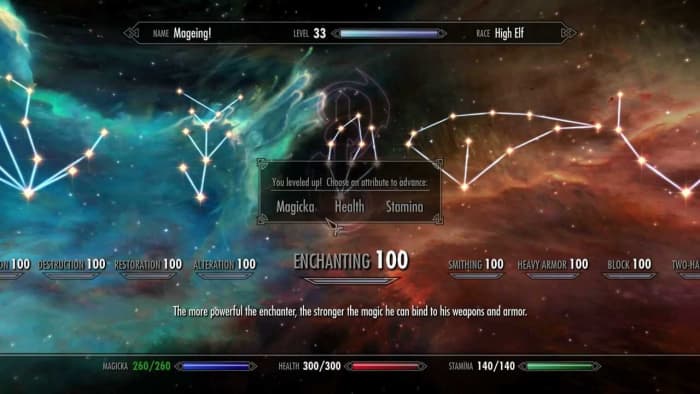
The beauty of Skyrim’s RPG system is that many skill trees work in harmony, benefiting from perks you’ve put into other trees. You can always run a pure thief or warrior, but mixing and matching your talents actually breeds the best results in combat – particularly the more ‘hybrid’ trees like Enchanting or Alchemy. A high skill in Enchanting is essential for virtually any build you can think of, upping the resistances of your armor, augmenting damage, letting you regenerate magicka more quickly, or increasing your thief skills like Pickpocketing or Lockpicking.
Enchanting can add an extra layer of utility to any build
Alchemy is a versatile tool that’s often forgotten. Everyone gulps down health potions when they’re hurt, but what about those typically ignored Frenzy or Aversion potions you can coat your weapons with? Try putting Aversion to Fire on your enchanted fire ax (which does bleed damage), then attacking an enemy with it while barraging them with Flames from your other hand. If you want to get really radical, put away your ultra-damage ebony bow in favor of an old hunting bow that’ll wound instead of kill. Apply a Frenzy potion to the bow and fire a couple of arrows into a group of bandits. Watch them tear each other to pieces!
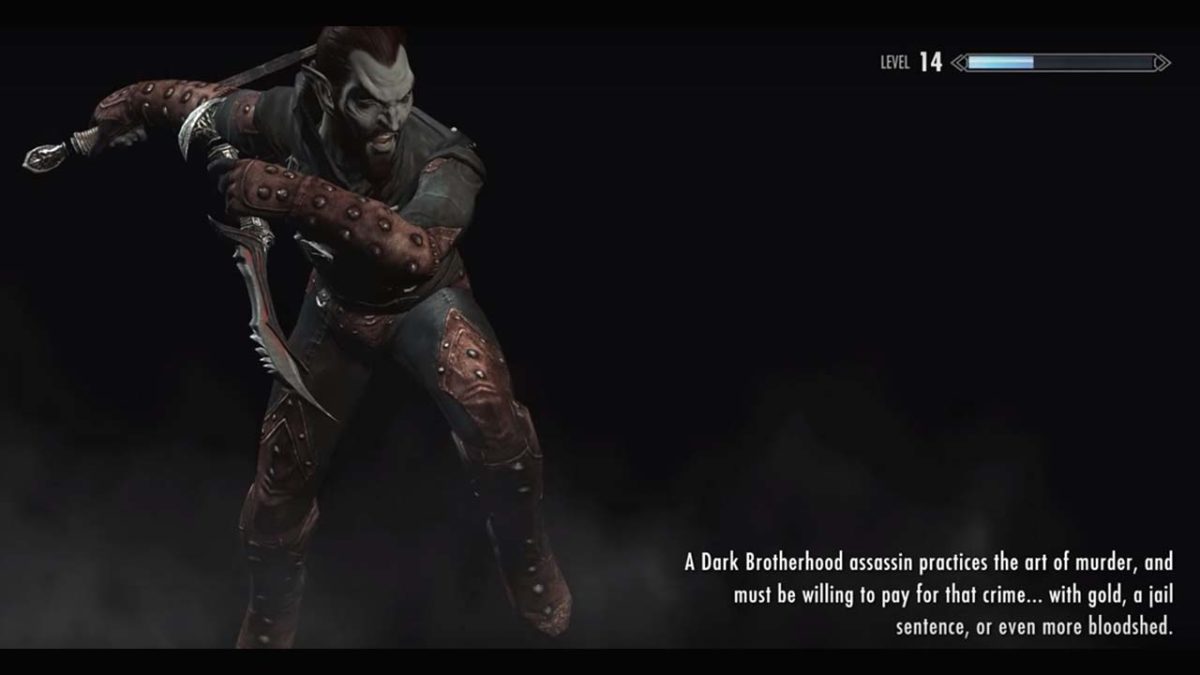
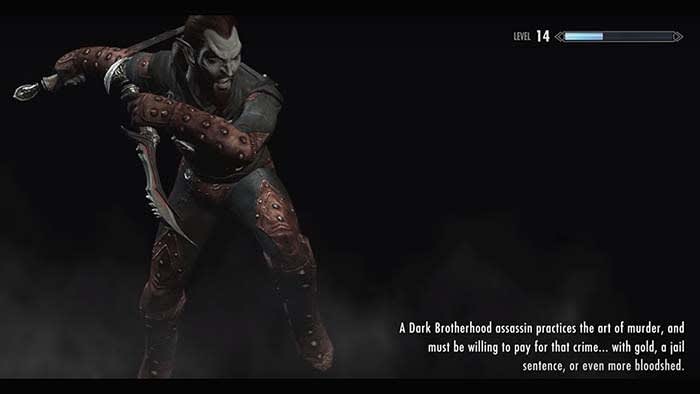
The last tip we have for shaking up your Skyrim experience is to tackle the quests in a different order. Most players start with the Main Quest and the Companions, but what happens if you join the Dark Brotherhood first? If you have DLC installed, what’s the final fight with Alduin like if you’re already a fully-powered Vampire Lord? Or try and get all the Black Books in the Dragonborn DLC before you start the Thieves’ Guild questline to really shake up what’s in your bag of tricks.
The mods you need to play as a bard in Skyrim (and make it look awesome)
Playing a race other than your usual can also encourage you to try new approaches to old combat scenarios. If you’re used to playing the hardy Nord, try and mix things up by playing a nimble Khajiit, a powerful High Elf, or an expert Redguard pickpocket who dabbles in illusion. It’s an open world. Stop confining yourself to what’s comfortable!
If you don’t want to play Skyrim with mods, then changing your approach to combat is probably the best way to avoid repetitive gameplay. The stories and dungeons of Elder Scrolls V may always stay the same, but its RPG elements are whatever you make of them. You’re in control of the archetype you want to run, so try and approach old stories from wholly new angles.
Let us know in the comments below what kind of build you’re going for in your next Skyrim playthrough, and stay in touch for more Elder Scrolls VI information as it becomes available.
Are you a fan of Skyrim? Become a master with these tips and tricks!
Even at nearly 10 years old, Skyrim is losing no steam. However, it can sometimes be hard to know where to start when you being a new game. Which race should I choose? Should I add any mods? How do I play with Thomas the Tank Engine??? We have the answer to all of these questions and more!
Go beyond the College of Winterhold and become a master of the mystic arts with these mods!
Almost a decade later, Skyrim is still one of the most popular games of all time. In order to keep this massive game relevant, many fans have created mods to improve on some of the base-game features. Since magic is one area that some feel is not as deep as older Elder Scrolls titles, many magic lovers will look to mods to solve this issue in Skyrim. Thankfully, there are plenty of these mods to choose from. Here are some of the best ones you can find:
This is a pretty common mod for people looking to expand the magic of Skyrim. It adds so many new spells, you’ll feel like you’re playing an entirely different game. It’s a great choice for someone who feels that Skyrim’s current spells are somewhat stale. The spells are seamlessly introduced to the game and can be found in normal places that you can find spellbooks.
Sometimes in Skyrim, you can use the Telekinesis spell to solve some puzzles that may be out of your normal reach. However, outside of that, magic doesn’t always have a profound use on the world around you (besides combat, of course). Useful Alteration gives you more options in how you can interact with the world and even gives you the option to solve other puzzles with magic that you normally wouldn’t be able to.
One major problem with spellcasting is that you only have two hands. There are so many spells that you want to cast at the same time. Also, you have to go through the spells menu every time to switch out your spells in order to cast them. But with Smart Cast, you can use your flesh spells, elemental summons, and destruction spells all in the same go. It can make your life as a mage so much easier, or even just as someone who wants to use supportive spells without switching to restoration, illusion, or alteration menus.
Most magic mods focus on adding new spells or experiences, while Path of Sorcery puts its attention on the magic perk trees. It completely overhauls the perks, giving you more versatility and roleplay opportunities for your mage character.
Since this mod focuses mainly on perks, it is compatible with almost all other magic mods.
This mod adds some seriously needed spells to the Restoration tree, including buffs and status ailment healing. It also adds some additional options for the Daedra Prince quests that can be interesting to take. Since these quests are somewhat limited, to begin with, a lot of players will enjoy the alternative options they can take.
Any mage player is bound to take on the College of Winterhold quest series. However, this mod can really open up the college into more than just one quest series to follow. Instead, it becomes an actual college of magic, similar to Harry Potter. Professors actually teach lessons, and you can experience far more magic from this place.
Arcanum is a massive mod that includes hundreds of new spells. Arcanum is probably the largest magic mod that anyone has created for Skyrim (barring Apocolypse) and it’s still being updated in 2019. The goal of this mod is to create more diverse magic skill trees and provide the player with a more immersive magic experience. With so many spells to choose from, you’ll never get bored with this mod.
Wrapping up
Skyrim mods are as vast as the game itself, so this is only the tip of the iceberg. Once you’ve tried out some good magic mods, you’ll definitely want to take some time looking into the other player-made mods that Skyrim has to offer.
Make fighting more fun with our list of the best mods for Skyrim.
You can’t travel from Solitude to Markarth without running into some wild Forsworn, and you can consider yourself the luckiest person in Tamriel if you make it from Windhelm to Riften without incurring the wrath of a hungry dragon. Skyrim is in midst of a vicious civil war, the Dark Brotherhood is painting targets on people, and Solstheim is being enslaved by the treacherous Miraak. Suffice it to say, you’re going to be in combat. A lot.
While there are ways to spice up enemy encounters in Skyrim – like trying an unusual build or race, swapping to a different weapon or armor set, or changing the order in which you do the quests – eight years later we’re feeling pretty uninspired to whip out an iron sword and hack at that wounded frostbite spider in Bleak Falls Barrow.
Any way you spin it, the combat starts feeling tiresome and repetitive, particularly once you’re at a high level, completed the quests, have all the perks you want, and no longer have any reason to change your spells or gear.
Fear not; the Skyrim modding community has you covered. There are tons of (free) ways to shake up battles and encounters in Elder Scrolls V with mods, and here are some of our favorites:
1. Combat overhaul
If you don’t like anything about the way combat feels in Skyrim, the most obvious solution is to play a different game get a mod that completely changes it. There are a number of combat overhaul mods, some of which implement new features like being able to parry when dual-wielding, giving enemies access to modded spells, or allowing for the chance that an enemy will be using an upgraded weapon. These 10 mods might be just what you’re looking for:
If you’re looking for a more controlled combat experience that puts you in charge of the ebb and flow of combat, you can also try Wildcat Combat by EnaiSiaion. This mod adds injuries, stagger, and more responsive AI, and lets you tweak the settings on the fly via an in-game mod menu. Take control of combat in Skryim, and let it play the way you want!
2. Harder enemies
One popular aspect of Wildcat Combat is that it makes survival harder all around. Enemies are more reactive, more aggressive, and generally more powerful. Wildcat Combat isn’t the only way to accomplish this (check out Combat Evolved by CrushBoss, Deadly Combat by Borgutt1337, or Duel by LogRaam), and the sentiment is the same: Instead of adding new enemies or more enemies, you’re simply making enemies more threatening and more challenging.
If you’re a fan of tougher games like Dark Souls or Witcher 3 these kinds of mods (plus simply raising the general difficulty in the base Settings menu of the game) are probably what you’re looking for.
Fighting bandits, cave bears, and giants is fun, but we’ve been doing it for eight years. There’s a slew of free monster mods online, and adding some will add some much-needed freshness and excitement to your typical cave-clearing and everyday meanderings.
A lot of these community-made monsters are pretty impressive – some of them are even scary. Some of these mods can replace monster encounters, subbing in things like a wraith or a lich instead of a draugr deathlord, or a minotaur or cyclops instead of another bear. If you’re a fan of Witcher, you’ll love these fantasy-inspired monsters from MihailMods.
New enemies shake up the way you fight
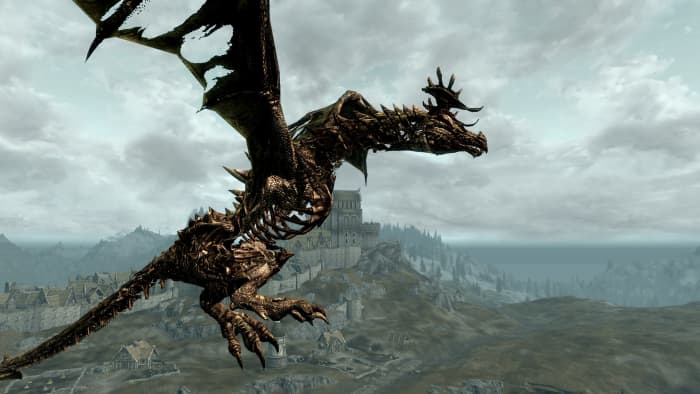
Dragon encounters are the roaming boss fights of Skyrim, but at the end of the day, it’s just a leveled frost or fire dragon 80% of the time. Check out Diverse Dragons by OpusGlass which adds dozens of new dragon types to the mix.
That’s no ordinary dragon!
The mods you need to play as a bard in Skyrim (and make it look awesome)
Combat in Skyrim is comprised of slinging spells and shouts, swinging weapons, and firing arrows. If you want to change that experience, literally change the weapons and spells at your disposal.
There’s some creativity involved when it comes to enchanting in the original Skyrim. We remember putting countless hours into figuring out the best pattern of elemental resistances and buffs into our final set of smithed armor, before cranking up the difficulty and diving back into fights.
Wintermyst by The Care Taker helps us relive that same enthusiastic sense of wonder we felt when we began crafting and enchanting in our first playthrough years ago. The mod adds over 100 completely new, unique, and clever enchantments that you can put on your weapons, armor, and accessories. Enchant a shield to disarm foes, stagger enemies when you jump, summon spectral predators to aid you in battle – there are tons of combinations you can play with, and entirely new builds you can make thanks to this mod alone.
Radically change your combat approach
6. Perk overhaul
Last but not least you can radically change combat by installing an overhaul to Skyrim’s RPG system. The original skill trees are decent, but a bit sparse when you’re going for multiple runs through the game.
Adding and modifying the perks you can obtain lets you envision and work towards a completely new character than you could back in 2011. Play a zany alchemist or a wayfaring druid with Perkus Maximus, a dimension-walking ranger or a Daedra-worshiping Dwemer hacker with Ordinator, or a necromantic warlord with Path of Sorcery.
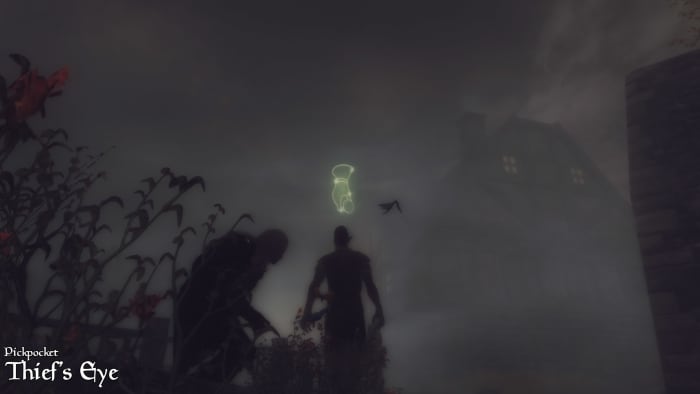
Use the Thief’s Eye to see who’s worth stealing from.
If you’re looking to radically overhaul your Skyrim experience, a perk overhaul is a great place to start; not only will it add lots of new builds for combat – it can also change the game as a whole, encouraging you prioritize new perks, manage your survival differently, or even hold conversations with NPCs differently or start worshiping divines regularly for passive boosts.
Toggle God Mode and take your Skyrim game to a whole new level with these great commands!
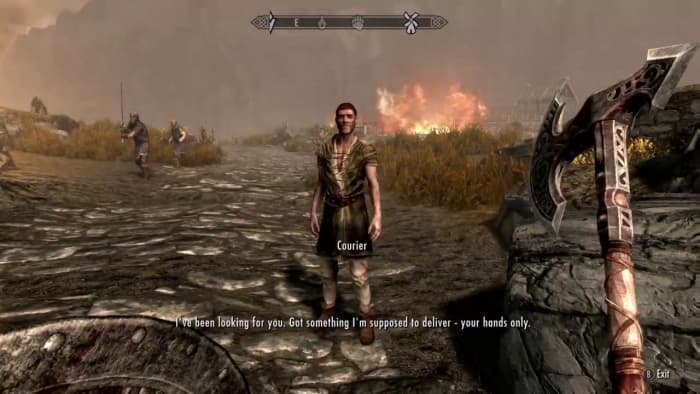
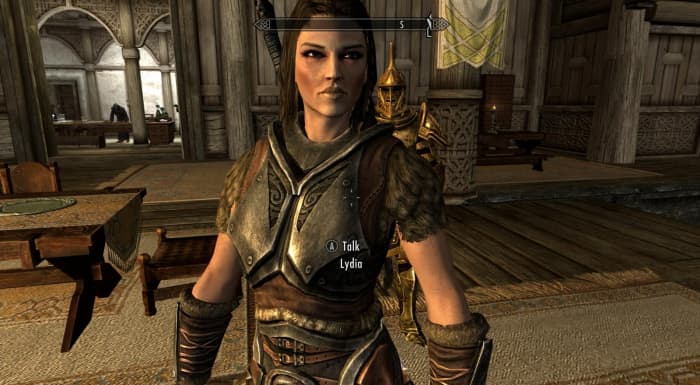
We’ve all had it happen – you’re in the middle of combat high up on a mountain when boom, you accidentally fus-roh-dah poor Lydia off a cliff. Reloading a save is easy, but what if you haven’t saved in a couple hours? Or what if your old save is corrupted? What if you didn’t even know she died until the courier comes up to you with the dreaded letter?
“Your wife is dead, but here’s 200 gold. I’ll even throw in a bag of pretzels!”
Disclaimer: This isn’t a eulogy for Lydia. If that’s what you’re looking for, though, you can check out this one and shed a few tears. Rather, this article is about how to problem-solve in Elder Scrolls V: Skyrim. How so? Console commands.
If you’re playing Skyrim on PC you can input console commands to do … well, practically anything. Broken quest? Fix it. Wabbajack glitched through the floor? Get a new one. Broke? Give yourself a small loan of a million dollars. No matter your issue, fixing it is usually just a few keystrokes away.
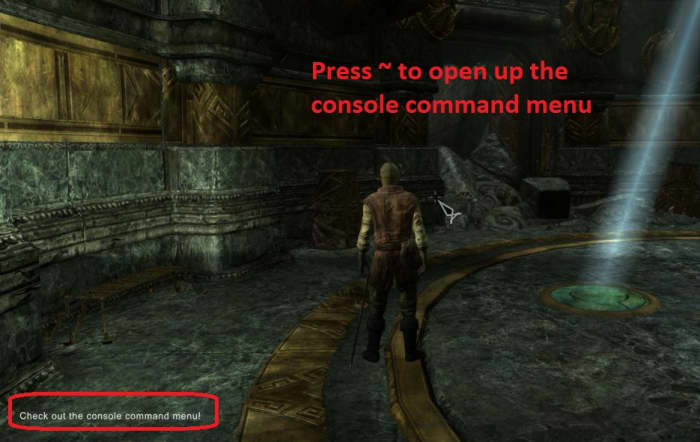
To input a console command you just need to bring up the menu. Pressing the tilde key (~) should bring it right up. If you’re playing with a controller, there’s a chance that won’t work, so just unplug your controller first, then press it. Plug it back in after and you should be able to seamlessly use both at once.
Once the menu is up, your game will pause and you’re free to start all the crazy shenanigans your heart desires. Here’s a list of 12 super useful console commands you’ll definitely want to know:
1. How to enable god mode
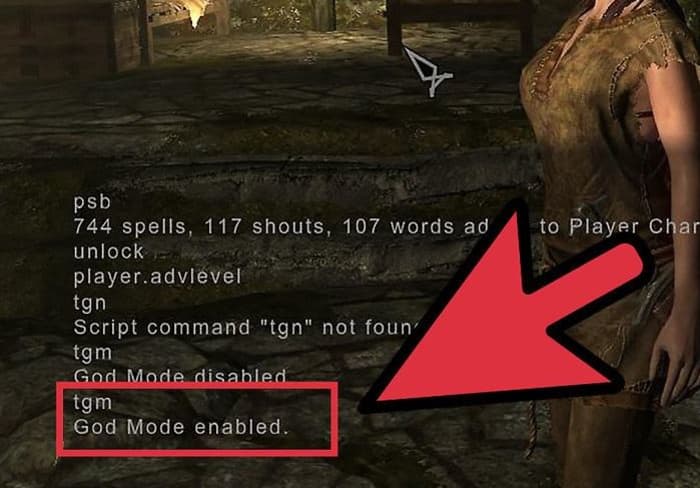
tgm
Just to show we’re serious business we’ll start with the one you’re probably asking for first: How to toggle invincibility. Type ‘tgm’ (toggle god mode) and you’ll not only be immune to damage, you’ll also have unlimited staminaand magicka. Note that ‘unlimited magicka’ or ‘unlimited stamina’ does not equate having a larger pool of either, so you’ll still be unable to cast those master spells if you’re stuck at the baseline mana pool.
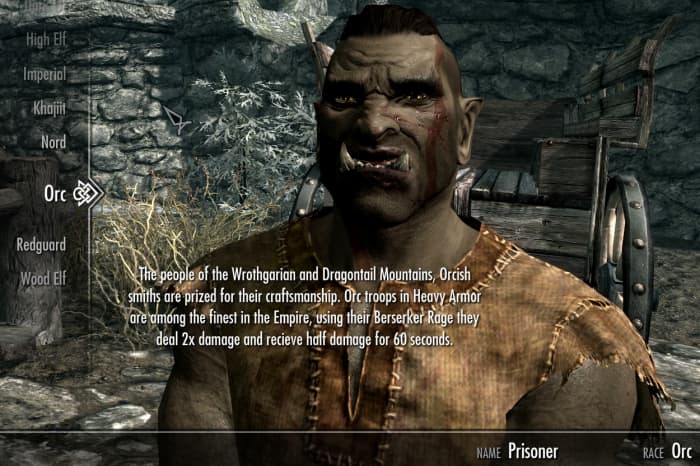
Do you regret making your character a bald orc female with black lipstick and a hideous scar? Of course you don’t! You crazy Skyrimer, you. In case you do want to modify the way your character looks (maybe give your higher-level character an appropriate beard and gray hair?) just type ‘showracemenu’ and it’ll bring up the character creation menu from the start of the game.
Careful when you do this, though; it’ll set you back to level one and all your skills along with it!
This one’s a little more complicated, but hang with us: To bring a follower to your exact spot, usually, the easiest way is to just enter a new ‘cell,’ (like going in and out of a cave or city). That’ll usually trigger them to appear unless they’re really stuck (or dead). For characters that are not followers, there’s the ‘prid’ command. After you’ve typed the code, though, you’ll still need to enter the specific NPC’s ref ID.
Lovable but derpy
Let’s use our good pal Lydia as an example. If you’ve lost track of her (again) simply type ‘prid 000A2C94.’ You’ll see the code appear at the top of the console command input box if you did it right. Next type ‘moveto player‘ and she’ll poof right next to you. To find an NPC’s ref ID just look them up here in the Elder Scrolls wiki. It’s sorted alphabetically.
How to create and add your own unique follower to Skyrim
If Lydia’s been eaten by a bear or something you can bring her back by adding one extra step to the series of commands we just mentioned. Find the character’s ref ID, move them to you, and then once their body is lying in front of you, follow up with the nifty command ‘recycleactor.’ Let’s mix things up and use everybody’s favorite Skyrim character: Nazeem.
A tragic accident
If Nazeem’s been tragically murdered as the result of a vampire attack, you can bring him back like so: ‘prid 0001A6A4’ (which is his ref ID), ‘moveto player,’ ‘recycleactor.’ Now he’ll be back to charm Whiterun with renewed vigor.
5. How to fix a broken quest
player.sqs X, setstage X Y
One of the most frustrating things is when you can’t complete a quest due to a game-breaking bug. This can happen for a number of reasons, but there’s something of a catch-all that will hopefully get you back on track. First, check the UESP wiki to get the quest ID. Once you’ve found it open up the console command window and type ‘player.sqsX‘ where ‘X’ is the quest ID. This command will list all the stages of the relevant quest, with each stage marked with a ‘1’ if complete, and a ‘0’ if incomplete.
You can also type ‘ShowQuestTargets’ to see a list of all your active quests and their codes
To fix the broken quest you’ll need to bump your progress to the next stage manually. Type ‘setstage X Y‘ where ‘X’ is the quest ID and ‘Y’ is the stage number of the quest that you want to be at.
6. How to level up skills and perks
player.advskill X, Y; player.addperk X
Some skills like Two-handed, Destruction, or Light Armor might level up quickly, but others can be a real grind (lookin’ at you, Speechcraft and Alchemy). If you’ve done multiple playthroughs you’re likely really tired of combining 8,000 iron ingots with another 8,000 leather strips to make iron daggers and watch your Smithing skill slowly crawl up to 100. Open up console commands and type ‘player.advskill X Y‘ where ‘X’ is the skill you want (check out the official command names on the wiki right here) and ‘Y’ is the numerical amount you’d like to advance the skill. If you just want to max it out to 100, just type a bunch of nines in a row.
You might also choose to forego leveling up a skill and just grant yourself a specific perk. You can do that too. Just type ‘player.addperk X‘ where ‘X’ is the perk code. You can find a list of all perk codes here. So let’s say for example that you want to give yourself the ‘Poisoner’ perk under Alchemy. In the console command window, you’d type ‘player.addperk 00058217.’
7. How to increase stats
player.modav X Y
Having all the skills in the game isn’t going to give you a magicka pool big enough to use them! So you’ll need to bump it up before you can cast something like a master Illusion spell. Type ‘player.modav X Y‘ where ‘X’ is the attribute you want to increase (‘magicka,’ ‘health,’ and ‘stamina’ respectively) and ‘Y’ is the amount you want to increase it by. Again, if you just want to cheese it, you can type ‘10000000’ or something.
5 mods that completely overhaul The Elder Scrolls V: Skyrim
Our favorite use for this code is to use it for carry weight. To do this type something like ‘player.modav carryweight 100000.’ Now you can carry around all the junk you like.
8. How to get spells
player.addspell X
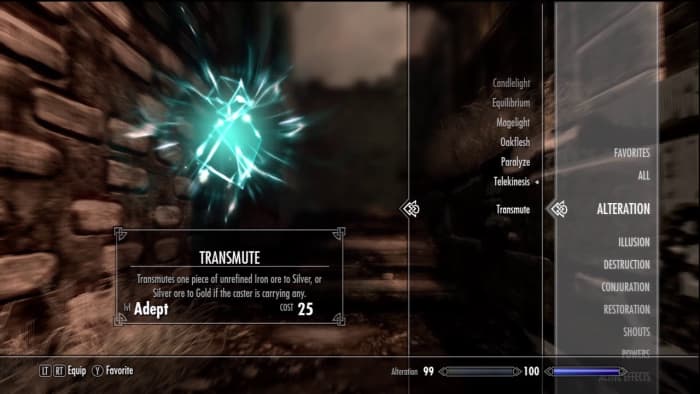
Spells in Skyrim can only even be seen in a vendor’s lists if you have the prerequisite levels in the skill tree. It’s even harder with master spells since they usually involve doing a whole quest on top of that (and that master Destruction quest requires a lot of travel)! For some special spells like Transmute Ore or Equilibrium, it’s even harder; they’re not even for sale!
Good luck ever finding this spell.
To give yourself any spell you’ll need its Spell ID first. Then open up the console command window and type ‘player.addspell X‘ where ‘X’ is the spell ID. Alternatively you can get the ID for the spell tome, and type ‘player.additem X,’ ‘X’ being the tome ID.
9. How to get weapons and armor
player.additem X Y
Not able to find that one pair of Daedric boots to complete the set? We feel for you. Luckily it’s super easy to place literally any item right into your inventory. All you have to do is find its Form ID (again, just look online) and type ‘player.additem X Y‘ where ‘X’ is the Form ID. The only catch here is that it won’t work if you don’t specify how many of the items you want. So you’ll have to add a numeral afterwards (usually ‘1’) to complete the code.
Never have to collect these again!
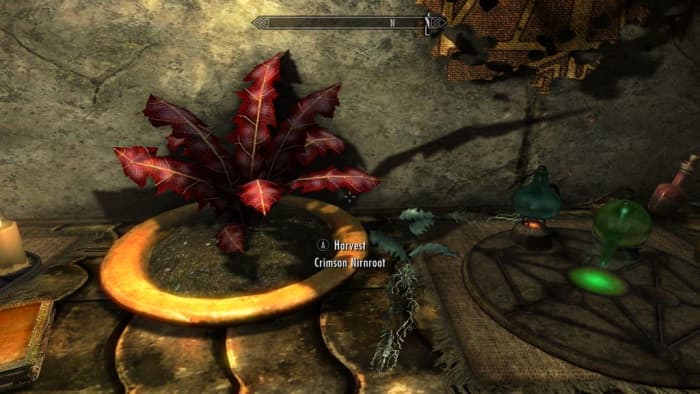
So a good example is giving yourself items that would normally be super obnoxious to obtain – like, say, 30 crimson nirnroots. To give them to yourself right away you’d type ‘player.additem 000B701A 30’ and call it a day before you go absolutely crazy hunting for them all across Blackreach (no, we’re still not over it).
10. How to get unlimited gold
player.additem f X
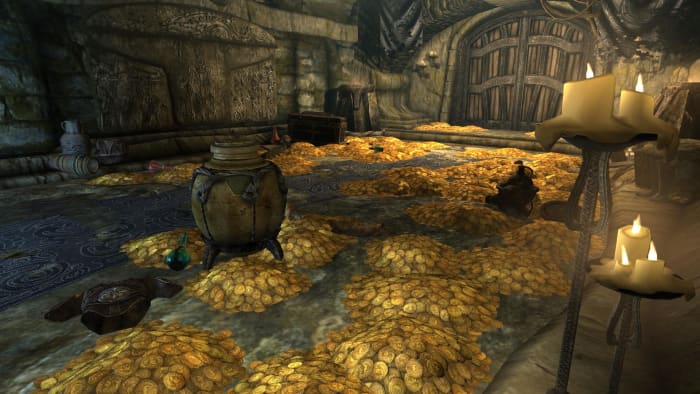
From the second you turned this game on you wanted to be that player, didn’t you? The one who opened every chest, searched every house, looted every corpse, and pillaged every urn. Don’t even lie. We’ll tell you the code for infinite gold, but we know that still won’t stop you from plundering every jar in every draugr crypt. Jeez, no respect for the dead.
A room full of gold? Ah well. Maybe there’ll be something good next time.
To give yourself gold all you need to do is type ‘player.additem f X‘ where ‘X’ is the amount of gold you want. Gold in Skyrim is weightless, so there’s nothing to stop you from being Tamriel’s next billionaire. Kind of takes the fun out of completing quests for gold, though, doesn’t it? (Yeah, right.)
11. How to open locked doors (and how to ‘no clip’)
unlock X
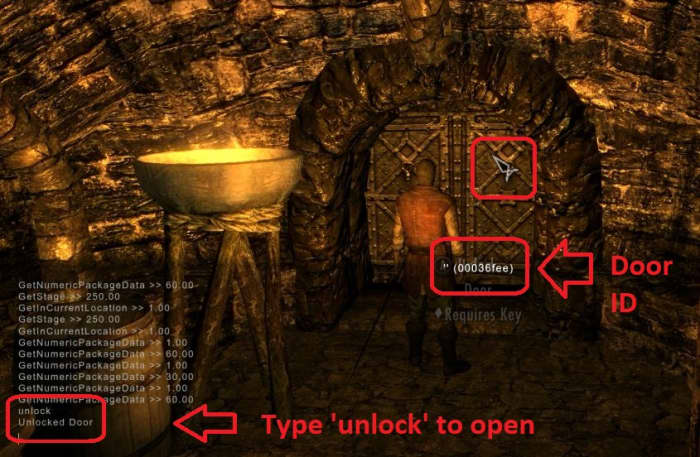
Lockpicking in Skyrim isn’t too tough once you get the hang of the mini-game, but there are still some doors or chests that can’t be opened without a key. If this sort of thing annoys you, you’re not alone. Luckily for you, this is also one of the easiest commands in the game. Just open up the console command window and click on the object (or door) you want to open. Keep in mind again that if you’re using a controller you might have to unplug it first in order for the game to recognize your mouse.
Clicking on the object in question will bring up its corresponding ID. Now just type ‘unlock,’ and look at it again and it’ll magically be unlocked. If that’s not enough for you, you can also turn on ‘no clip’ mode by typing ‘tcl.’ Now you can walk through everything. Be careful with this, though, as it can break all kinds of things. Type ‘tcl’ again to turn it back off.
How to add your own music to Skyrim in 5 easy steps
You can fast-travel anywhere in Skyrim that you’ve already been, but sometimes that’s not enough. If you want to quickly get somewhere that you either haven’t been yet or that would normally take multiple load screens (like a cave somewhere in Solstheim, or the big fortress in the Forgotten Vale), you can save time with the ‘coc‘ command. Again you’ll need the location ID for the place you have in mind.
Beautiful location. Hard to get to, though.
Some of them are logical (like ‘riverwood’ to teleport straight to the city) while others are a bit more complicated (like ‘DLC2KolbjornBarrowExterior01’). You can use this convenient list of locations to find the ID of a specific place, then type ‘coc X‘ to get there, where ‘X’ is the relevant location ID.
Use the ‘help’ command
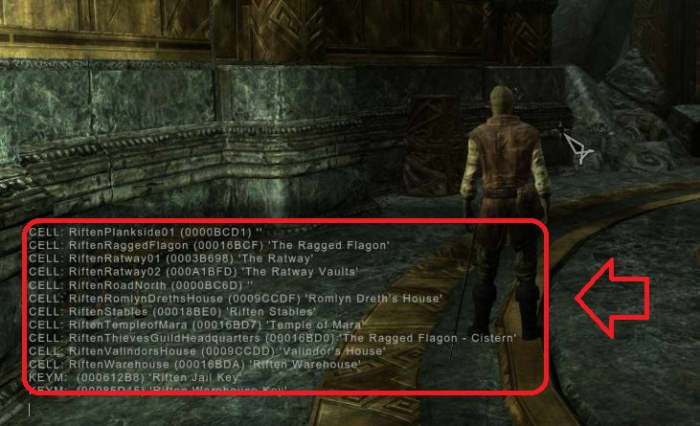
To get the specific ID for virtually anything (including content added by mods!) one insanely useful trick is to type ‘help’ right into the command window followed by whatever hints you can give the program. Examples include ‘help iron‘ to show you anything that the game tags as iron, or ‘help riften‘ for a list of all the location IDs within the city. You might have to get creative with this (like typing ‘ingot’ when you want a steel ingot instead of ‘steel,’ which will just list off a bunch of weapons or armor), but it’s a great way to find things without having to constantly look online.
Pro tip: Anything with the ‘CELL’ designation is a location you can ‘coc’ to.
We hope these commands will help you enjoy Skyrim, and let us know in the comments below if you found them helpful, or if there’s a command you’d like to know. Until then, stick with Softonic for Elder Scrolls for any upcoming news on Elder Scrolls 6!