Facebook reveals which companies were given special access to your data

Unless you’ve been living under a rock, you’ll know that Facebook has been going through quite the crisis recently. Trust in the big blue social network has been severely dented and head honcho Mark Zuckerberg was called to testify in front of Congress.

Since the first reports of the Cambridge Analytica scandal, Facebook has been under increasing pressure to disclose more details about what user data it shares and who with. We recently reported on the latest chapter of the scandal, which saw 61 companies being given extended access to user data. The pressure grew further when it emerged that Chinese companies like Huawei we’re getting their hands on Facebook user data.

In response to the growing pressure, Facebook has decided to release a list of the companies, which you can see below, that were granted special access to user data.  Each company had, according to the BBC:

“… been given a temporary exemption to a block on apps accessing details about users’ friends.”
The 61 companies Facebook allowed special access to your data

ABCSocial, ABC Television Network

Actiance

Adium

Anschutz Entertainment Group

AOL

Arktan / Janrain

Audi

biNu

Cerulean Studios

Coffee Meets Bagel

DataSift

Dingtone

Double Down Interactive

Endomondo

Flowics, Zauber Labs

Garena

Global Relay Communications

Hearsay Systems

Hinge

HiQ International AB

Hootsuite

Krush Technologies

LiveFyre / Adobe Systems

Mail.ru

MiggoChat

Monterosa Productions Limited

never.no AS

NIKE

Nimbuzz

NISSAN MOTOR CO / Airbiquity Inc.

Oracle

Panasonic

Playtika

Postano, TigerLogic Corporation

Raidcall

RealNetworks, Inc.

RegED / Stoneriver RegED

Reliance/Saavn

Rovi

Salesforce/Radian6

SeaChange International

Serotek Corp.

Shape Services

Smarsh

Snap

Social SafeGuard

Socialeyes LLC

SocialNewsdesk

Socialware / Proofpoint

SoundayMusic

Spotify

Spredfast

Sprinklr / Sprinklr Japan

Storyful Limited / News Corp

Tagboard

Telescope

Tradable Bits, TradableBits Media Inc.

UPS

Vidpresso

Vizrt Group AS

Wayin

What does this all mean?

This special access was granted after May 2015, when Facebook updated to a more restrictive system. Until then app developers were able to request Facebook data including name, gender, birthdate, location, photos, and page likes. The new system enacted a more stringent review process and removed access to friend’s data, but the above companies were given an exemption, of up to 6 months from the May 2015 deadline, before having to sign up to the system.

Facebook hasn’t explained why the 61 companies were given the extra time before having to comply with the new, stricter rules.

(function(d,s,id){var js,fjs=d.getElementsByTagName(s)[0];if(d.getElementById(id))return;js=d.createElement(s);js.id=id;js.src=’https://embed.playbuzz.com/sdk.js’;fjs.parentNode.insertBefore(js,fjs);}(document,’script’,’playbuzz-sdk’));

 

The most important privacy tricks for Facebook

Facebook is still reeling from one of the company’s most significant security breaches. Thousands of users around the world decided to delete their accounts after millions of accounts were compromised, while others simply stayed on the social network to wait for improvements. Beyond the usual privacy settings, we’re going to teach you the top five privacy tricks for Facebook.

Facebook Download Free
7

Hide your posts

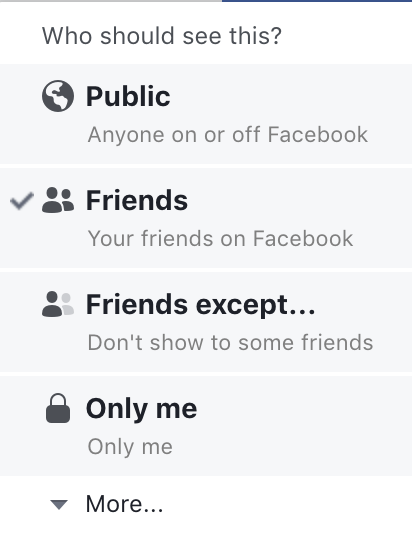
Every time you write a post on Facebook, carefully check the box to the bottom right of “News feed.” As you can see, here you can set the privacy level of the post you’re writing. You can choose “Friends Only,” “Friends of Friends” or “Public” for everybody to see. Likewise, you can also change these settings once posted. Just click on the icon that appears by the publication date and change the setting of “Who should see this?”

Use restricted lists

This feature is a little more hidden, but it’s worth knowing about: restricted lists. Restricted lists give you the option to move certain contacts into a specific category. This is similar to blocking the user, but they won’t notice a thing (you even stay on their friends list). Just go to the profile you want to restrict, click on “Friends” in their cover photo and then “Add to another list.” Here several categories will appear, but you’re interested in the last one “Restricted.”

Manage who can contact you

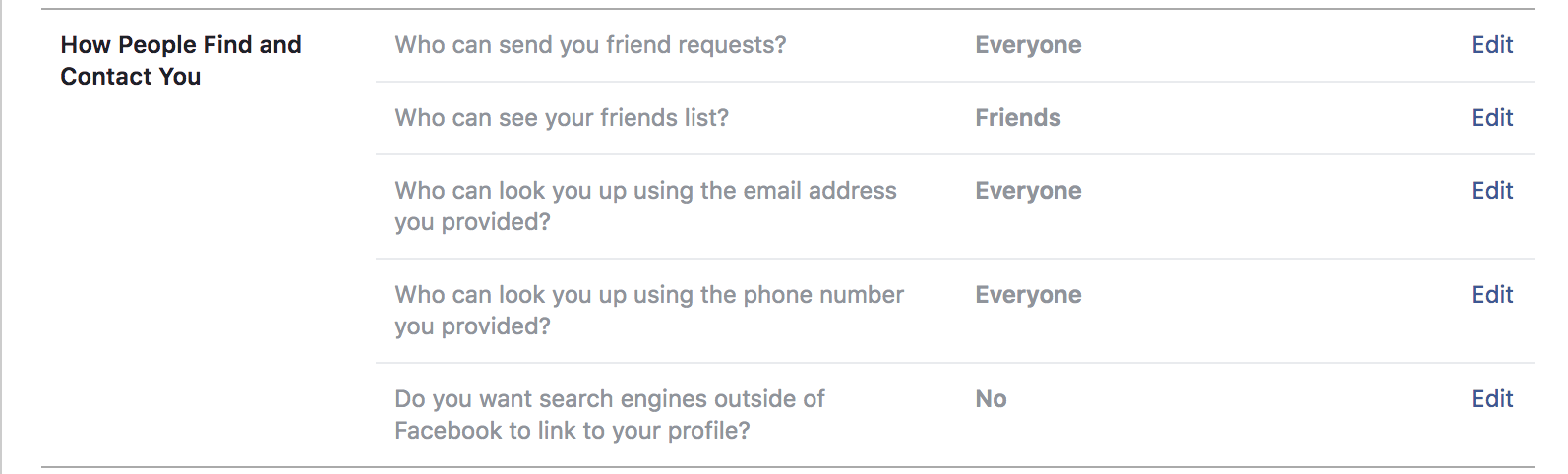
Want only a few people to be able to contact you? In general, Facebook enables public mode by default, so anybody can add you as a friend or send you a message (it’s another thing if you accept or read them, of course). However, it’s possible to change this. Just head to “Settings,” “Privacy” and change the options under the field “How people find and contact you.”

Disable others’ posts on your timeline  

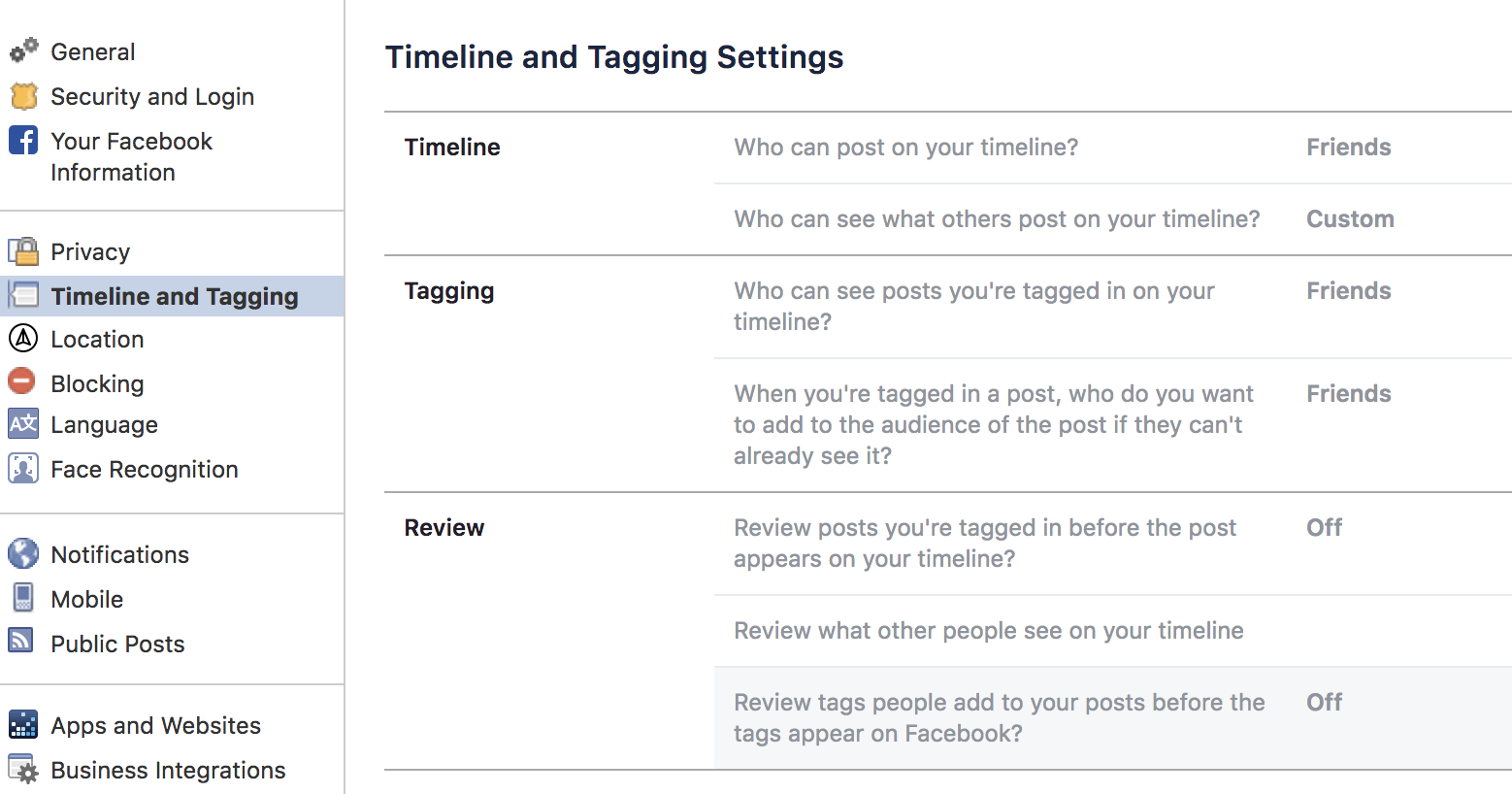
In the point above, we showed you how to restrict contacts; now we’re going to do the same for comments on your timeline. Right under the previously mentioned category “Privacy,” you’ll see one called “Timeline and tagging.” If you go here, you can change all these settings, including who can post on your wall or photos you’re tagged in.

Hide your data

The last trick or tip is to hide your personal data on Facebook as much as possible. People that haven’t added you may still be able to see lots of your private info. To change this, just go to your profile and click on “About.” In each one of the categories, you can change who can see what. Our advice is that you set it to “Friends Only” or “Friends of Friends” maximum. Never “Public.”


Dios Mio! Messenger can now automatically translate conversations in Spanish and English

Facebook has been trumpeting M, the Messenger AI bot, for some time now. M is now able to offer users auto-fill suggestions for messages, quick and easy polls, and various other conversation starters. M is there to ease communication between Messenger users. To this end Facebook has been working on a rather impressive feature for M, that’ll help people of different cultures and different languages communicate more easily. M can now help Spanish and English speakers converse by translating each other’s conversations automatically.

Messenger Download Messenger
7

Tech website wersm.com reported on Sunday that Facebook has started to make good on the translation promise it made at this year’s f8 conference. According to the report, M can distinguish whether the language being used is the same as the default language on the device of the recipient:

“It understands when a message is written in a language which is not the recipient’s default app language and offers to translate it. M will then show a pop-up that offers to immediately translate all messages from that specific recipient.”

This new feature is already available to Messenger users in the U.S. and Mexico. Although for now, it is only Spanish and English that M’s translations are working with, Facebook says new languages will be coming soon.

We think is an exciting announcement from Facebook, and we’d love to hear your thoughts, too.

Image via: pxhere


Look out! Autoplay video ads are coming to private conversations on Messenger

It wasn’t too long ago that Facebook videos started blasting out autoplay ads. Now it seems Facebook wants to take that ridiculously annoying reality and crowbar it into your personal conversations on Messenger too. Messenger is the third most popular messaging service in the U.S., so it represents a massive potential future revenue stream for Facebook.

video ads in Messenger
Autoplay video ads will now invade your private conversations on Messenger

Although Messenger is a much cleaner experience than Facebook, users’ private messages have seen ads for over a year. Now, according to a report by Recode, autoplay videos have started popping up in people’s private conversations. Seemingly, they started rolling out on Monday.

Recode reports, Facebook is aware of the new ads and is actively monitoring user response. There is a good chance that autoplay videos could be seen as too annoying if you’re simply trying to have a conversation with a friend or loved one; obnoxious even. At the Cannes Lions advertising festival Stefanos Loukakos, manage or Messenger’s ad business said:

“…we don’t know yet [if these will work]. However, signs until now, when we tested basic ads, didn’t show any changes with how people used the platform or how many messages they send… Video might be a bit different, but we don’t believe so.”

Messenger Download Messenger
7

Gizmodo smartly pointed out that the Cambridge Analytica scandal is limiting Facebook’s ability to move into new spheres of influence. In particular, the massive data leak has dented public trust meaning we likely won’t be seeing an all-hearing Facebook smart speaker any time soon. This means that if Facebook is to keep growing it needs to find more places in its current products for ads.

Facebook continues to monetize Instagram, and the launch of IGTV offers a new revenue stream for the photo, and now video, sharing social network. Messenger now has autoplay video ads, but WhatsApp is yet to make any real money for Facebook.

Does this mean we could start seeing video ads in out private conversations on WhatsApp too? Only time will tell.

How do you feel about autoplay videos popping up in your private conversations on Messenger?

How to read messages on Facebook Messenger without the sender knowing

Messaging services have spurred new ways of communicating around the world. That blue checkmark is a confirmation that your message has arrived and been read. You know it. The recipient knows it.  And that can be awkward at times.

In the case of WhatsApp, you can disable the message confirmation, but with Facebook Messenger it’s not so easy… or maybe it is. We’ll show you how to read messages on Facebook Messenger without the sender knowing.

On your cell phone

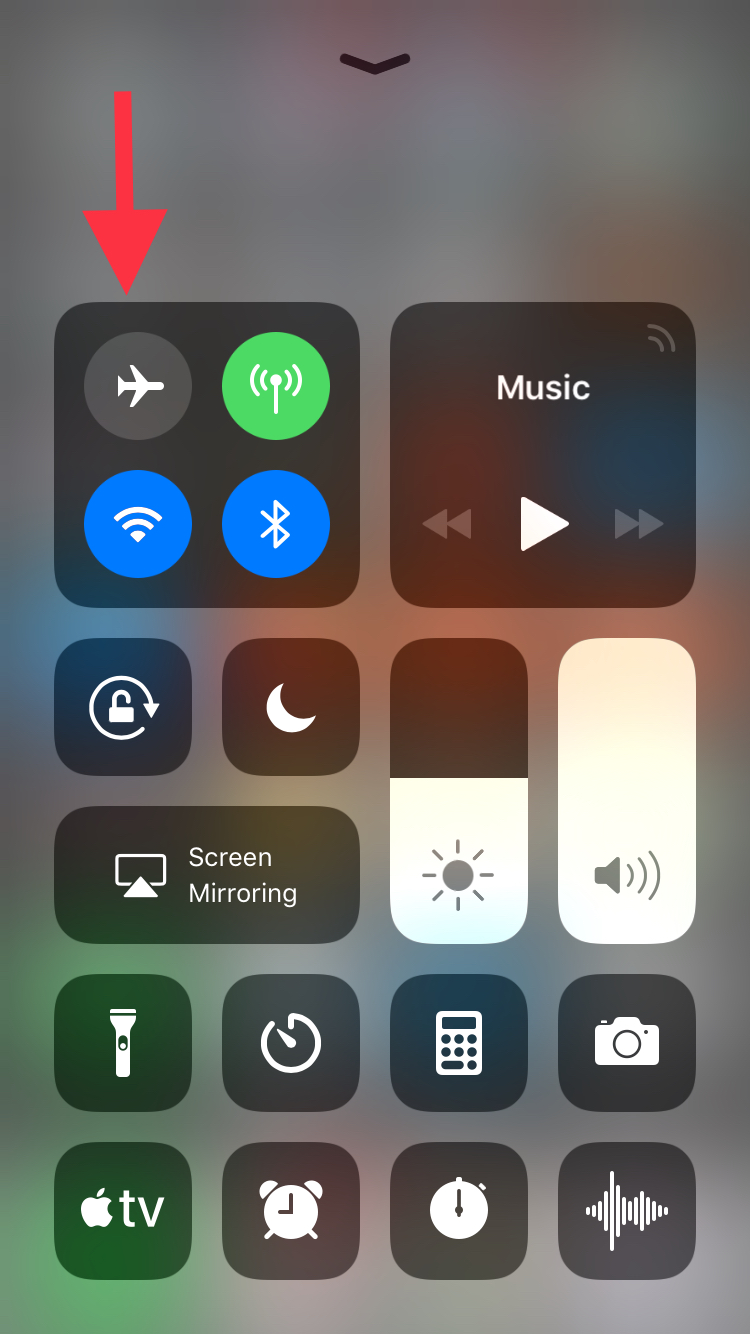
Let’s start this guide with your smartphone, where this app is most used. In the case of mobile devices, making it so Facebook Messenger doesn’t detect your view is so easy it might scare you: simply put it on Airplane Mode. Yup, that’s the big reveal. If you put it on this mode, your messages on Facebook Messenger won’t appear as seen.

This happens because the app downloads all the messages going to your phone, regardless of whether they are read or not. However, if you enable Airplane Mode and then go into the messaging app, without internet there won’t be any read receipt or even the possibility of responding. It’s the modern day equivalent of “driving into a tunnel.”

On your PC

We already mentioned that it’s pretty easy to get this unseen message with your smartphone and it’s just as straightforward with your PC, though there are a few additional steps.

If you use Google Chrome, what you should do is install the extension Unseen. The name is straightforward. It blocks received messages so they don’t appear as read when you go into the app.

FB Unseen Download Free
7

If you use Mozilla Firefox, there are several extensions like this, though our advice is to go for Message Seen Disable. It works pretty well and doesn’t give you any trouble with browsing or using Facebook Messenger, so it’s one of the best options.

Now that you know how to read messages without them appearing as seen, you just have to choose how to do it. We like the smartphone method best, which takes a matter of seconds (literally) to complete the process. It’s up to you.

Facebook: Send us your nude photos to prevent revenge porn

Revenge porn is one of the big problems of the Internet today: an intimate photo you sent privately to your partner can, out of spite, end up in front of everybody on social media. Aware of how easy this is, Facebook has developed a system so users’ intimate photos can’t be uploaded to the social network. But it’s weird. Really weird.

To prevent an ex-lover from uploading your naked pictures, Facebook wants you to send them your naked pictures. You read that right.

If this interests you, get in touch with Facebook using a special form, now available in Australia, the United States, the United Kingdom and Canada. Next, Facebook will send you a one-time link for you to upload all those intimate photos that you want to prevent from being uploaded by other people to the social network. From each of these photos, an identifier will be extracted to prevent third parties from distributing your images: the moment they try, FB will block them on Facebook as well as on Messenger and Instagram. Also, you’ll be notified that somebody tried to do this.

Although the idea behind this method could work, the implementation is fairly odd. While Facebook promises that it doesn’t store the info of your photos and absolutely nobody will have access to them, the idea of handing them over requires a significant amount of trust, especially considering Facebook’s recent scandals surrounding the privacy of its users.

Would you trust Facebook to prevent revenge porn?

Source: Facebook Safety

How YouTube chat works and what you can do with it

YouTube got non-stop updates in 2017. The video streaming platform knows that industry competition is fierce, so last year it launched a lot of new features, and developed some features that were already available but easy-to-miss. This is where YouTube chat comes in. Although it’s hard to believe, the system has a messaging service like WhatsApp or Facebook Messenger. Today at Softonic, we’ll tell you how YouTube chat works and what you can do with it.

Step by step

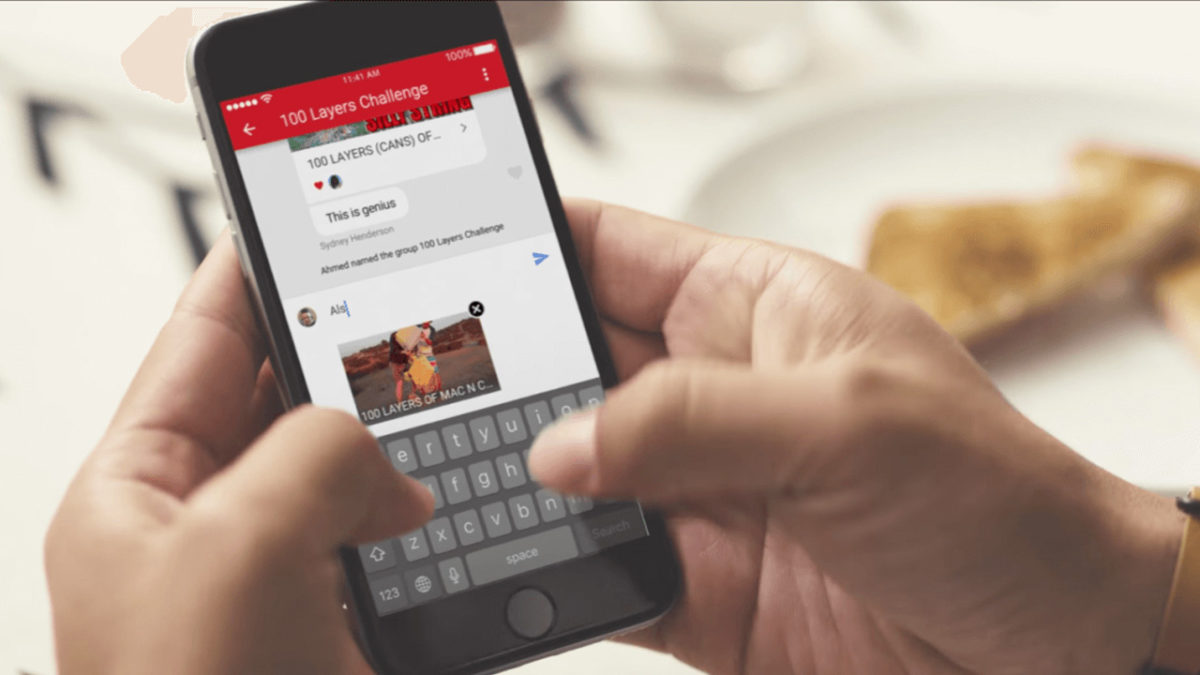
YouTube chat isn’t any different from what you see on major messaging services. In other words, you can write messages, send emojis and hold a normal conversation. However, the biggest difference is that everything is focused on YouTube. Instead of attaching videos or images, the icon is of sharing a YouTube clip. It’s a chat designed for browsing on the platform.

YouTube Download Free
8

For whatever reason, Google hid the chat feature in a place you’re unlikely to look. To chat, we’re going to select a video and click “Share.” When the menu opens, select the user you want to send the video to. Do this and the chat will open.

This screen is the main conversation interface, which hides some secrets. If you click on the three dots that appear on the top, the app will display a menu where some options appear, such as “View participants” of the chat, “Add participants,” “Delete chat” and “Mute notifications.” Of course, each name indicates what you can do under each.

In case you want to see the chat you’ve opened previously, all you have to do is click on “Activity” and then “View contacts.” There all your previous conversations will appear, as well as all possible chats of yours.

A big asterisk to this is that you have to have a confirmed name on YouTube or none of this will work. We spent about an hour looking for these options and couldn’t find them in the app, probably because we don’t want to use our real name on the site.

You might soon be able to share your Facebook posts via WhatsApp

People are reporting on Twitter that the Facebook mobile app now includes a Share to WhatsApp button. This new button allows users to share their Facebook posts with friends on WhatsApp quickly. You can already do this of course, but it currently takes a lot more than simply clicking a button.

This new button appears to be only a test, for now at least, as only some people have reported seeing it. Facebook is yet to announce anything about a share to WhatsApp button, so we can only guess that we’re waiting to gauge public opinion on the matter before they press ahead with a broader release.

You’ll find the Share in WhatsApp button underneath the Write Post button when you click the standard share button on your post.

Facebook (Mobile) Download
8

This button is similar to Facebook’s Send in Messenger button. It is another example of Facebook making it easier for users to communicate across its multiple platforms and slip from one to another with a minimum of effort.

Do you think a Share to WhatsApp button for Facebook is a good idea? Let us know below.

WhatsApp Messenger Download WhatsApp
8

Facebook is preparing a “Don’t Like” button, but it’s not what you think

The “Don’t Like” button has been on Facebook users’ wish lists for a long time. After years waffling, the social giant may have caved: a “Don’t Like” button may appear on FB in upcoming months… but there are some conditions.

7

According to media in the United Kingdom, Facebook has tested this button on 5 percent of its North American users. Rather than a thumbs down, it would be more like a negative vote or downvote, and would be used to flag posts or comments that may be considered malicious or disrespectful.

So, the idea behind this “Don’t Like” button isn’t to express disagreement (for that, we’ve already got the “angry face” reaction), but rather to report inappropriate content on the platform. Also, it would come with another button, upvote, that would show preference for certain content.

The system of upvotes and downvotes is similar to “karma” on some sites or votes on platforms such as Reddit and Quora, which highlight one post above the rest.

Reddit: The Official App Download Now
8

By encouraging the best comments, Facebook users would work to self-moderate, which would help the company determine what its audience is really interested in.

The end goal of all this would be to stop “fake news,” a plague to Facebook and other networks like YouTube.

In any case, all this work won’t be left to users: just this week, Facebook announced that it will establish offices in Barcelona with a team solely dedicated to moderating and verifying content. It’s clear that, besides the good work by users, more professional tools are needed to fight against fake info.

What do you think about the premiere of this “Don’t Like” button? Do you think users will use it correctly?

Facebook ignores experts’ warning and rolls out Android app for six-year-olds

Source: Getty Images

Okay, so the headline’s a little misleading – Messenger Kids is for children six and above. And Facebook has only ignored the advice of the experts it hasn’t paid off.

So that’s fine, then.

But most of the experts who haven’t received funding from Zuckerberg’s Panopticon think that the new app will lead to a more miserable childhood for many, and have told Facebook so in no uncertain terms.

The girls and boys of Menlo Park are keen to get kids hooked on their brand, as you currently need to be 13 to join Fakebook. Also, the platform is increasingly being rejected by younger people, and Messenger Kids is no doubt a ploy to help reverse that trend.