Apple’s “incredibly private” Safari is not so private in Europe

According to Bakry and Mysk, Apple’s URI system has three major flaws. First, it doesn’t check the origin of the website; second, …

The European antitrust rules that Apple has had to accept (for the benefit of users and to its own economic detriment) have left Safari browser users exposed to possible web tracking.

AppleTV+ DOWNLOAD

Developers Talal Haj Bakry and Tommy Mysk investigated how Apple implemented the process of installing third-party software markets on iOS with Safari, and concluded that Cupertino’s approach is particularly deficient.

“Our tests show that Apple provided this feature with catastrophic security and privacy flaws,” wrote Bakry and Mysk in a notice published over the weekend.

Where does the Safari security flaw come from?

Apple, which advertises its Safari browser as incredibly private, has evidently undermined the privacy of Safari users in the European Union through a marketplace-kit: URI scheme that allows third-party app stores to track those users across the web.

A URI scheme is a way to determine how a specific network request is handled. A website that offers an alternative software marketplace may include a button that, when clicked in Safari, launches a marketplace-kit request: managed by a MarketplaceKit process on the user’s iPhone in the EU.

This process, integrated in iOS 17.4 by Apple, contacts the authorized market’s back-end servers to complete the installation of the application from that store on the phone.

The problem is that any site can activate a marketplace-kit: request. On iOS 17.4 devices in the EU, Safari will send a unique user identifier to approved marketplace servers, filtering the fact that the user was visiting that site.

This happens even if Safari is in private browsing mode. Market servers may reject the request, which may also include a custom payload, passing more information about the user to the alternative store. All of this is illustrated in the following video.

According to Bakry and Mysk, Apple’s URI system has three major flaws. First, it does not check the origin of the website, which means that the aforementioned cross-site tracking is possible.

Secondly, Apple’s MarketplaceKit – their API for third-party stores – does not validate JSON web tokens (JWT) passed as input parameters through incoming requests. “Even worse, it blindly transmits the invalid JWT token when calling the /oauth/token endpoint,” Bakry and Mysk noted. “This opens the door to various injection attacks targeting the MarketplaceKit process or the marketplace backend.”

And thirdly, Apple is not using certificate pinning, which leaves the door open to a man-in-the-middle (MITM) attack during the exchange of MarketplaceKit communications. Bakry and Mysk claim they were able to overwrite the servers involved in this process with their own endpoints.

Is Apple interested in fixing the bug?

The limiting factor of this attack is that a marketplace must be approved by Apple first before being able to carry out this type of tracking. At the moment, there are not many marketplaces that have obtained the approval.

The two security researchers argue that fraudulent applications regularly make their way through Apple’s review process, meaning that fraudulent app stores could be authorized. And they claim that privacy issues are due to Apple wanting to track the use of third-party stores.

Users of iOS in Europe are encouraged to use Brave instead of Safari because Brave’s implementation checks the website’s origin with the URL to prevent cross-site tracking.

AppleTV+ DOWNLOAD

By not making the extra effort to securely implement third-party app stores, Apple has possibly turned their concerns about security and privacy into a self-fulfilling prophecy.

In its observations [PDF] on DMA compliance, Apple stated: “In the EU, the security, privacy, and protection of each user will depend in part on two questions. First, are alternative markets and payment processors capable of protecting users? And second, are they interested in doing so?”.

There is also the question of whether Apple is capable of protecting users, and if it is interested in doing so.
Siri + Safari = Your Perfect Pair: How to Tailor Your iPhone’s Recommendations to Your Needs

Thanks to Safari’s Siri suggestions, we can quickly and comfortably access certain websites without having to go to bookmarks or searches. And also, we can customize them.

Thanks to Safari’s Siri suggestions we can quickly and conveniently access certain websites without having to go to bookmarks or searches. A system of recommendations that learns from our tastes, but to which we can offer a little help to better adapt to our day to day.

Continue reading “Siri + Safari = Your Perfect Pair: How to Tailor Your iPhone’s Recommendations to Your Needs”

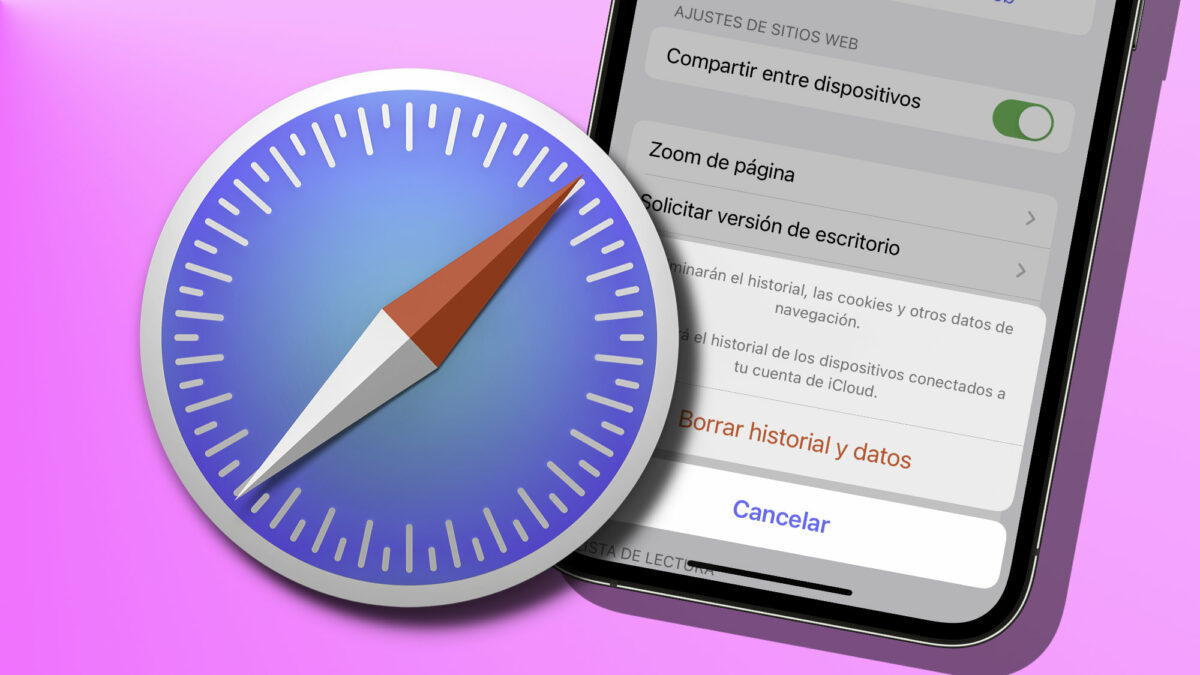
Take Control of Your Privacy: Learn How to Delete Your iPhone’s Browsing History

Deleting browsing history and cookies on our iPhone is an effective way to protect our privacy online, as it allows us to have greater control over our personal information and how it is used while we browse.

In the digital age in which we live, online privacy is a vitally important issue. We often wonder if our personal data is being collected and used without our knowledge. The good news is that there are steps we can take to further protect our privacy, such as deleting the browsing history on our iPhone and using private browsing. Let’s see how to do this and why it is important.

Continue reading “Take Control of Your Privacy: Learn How to Delete Your iPhone’s Browsing History”

All the best new features your web browser got in 2019

Google Chrome is the most popular major web browser. Here we walk you through all the biggest new features that landed on Google Chrome in 2019.

The best new browser features 2019

Modern browsers like Mozilla Firefox, Microsoft Edge, Safari, Opera, and of course Google Chrome are monster programs that can do amazing things. The days of Internet Explorer are long gone. You only have to consider the fact that Google used its web browser Chrome to develop a whole new operating system that runs Google powered laptops called Chromebooks, and rivals the likes of Windows and MacOS. This incredible feat has been made possible by Google’s policy of continually updating the Chrome browser.

It can be hard to keep up with all these updates, however, as they just keep coming. What use is a shiny new updated feature, if you don’t even know that it’s there. Well, that’s what we’re here for today. We’re going to walk you through all the new features that came to the Google Chrome web browser in 2019.

7

New Chrome features 2019

The Google Chrome web browser received a massive 7 updates in 2019 with the first, Chrome 72, landing in January and the last, Chrome 79, arriving just before the new year in December. Let’s look at all the best new Chrome features that these updates brought with them.

Default Flash blocker

Default Flash blocker

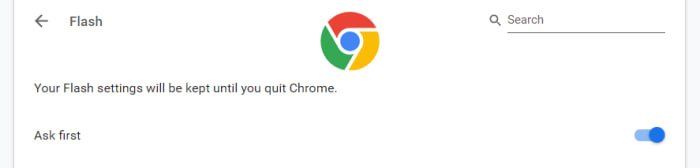
Google has already said that it will remove the Flash plugin from Chrome towards the end of 2020. In 2019, however, Google put the impetus on users to activate Flash in Chrome by making the browser block the plugin by default. You can set the browser to ask you before blocking it, however, on each site you visit. To do so copy and paste chrome://settings/content/flash into the Chrome address bar.

Password checkup tool

Google has integrated a former Chrome plugin directly into the browser, meaning it is now available for all Chrome users. The feature will scan your passwords and then check them against known databases of leaked passwords. Basically, if any of your accounts and passwords have fallen victim to any of the massive data breaches you hear about all the time, Chrome will now tell you. To activate this feature copy and paste chrome://flags/#password-leak-detection into the Chrome address bar.

Send tabs to other devices

Send tabs to other devices on Chrome

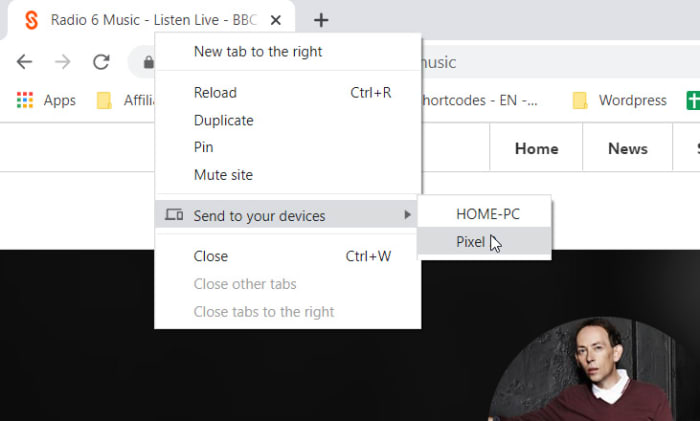
Chrome 77 introduced an interesting feature that allows users to send tabs to other devices that use the same Google account on Chrome. If you use the same Google account on Chrome across different devices, you can now right-click on any of your open tabs on Chrome for desktop and hit the Send to your devices option to see a list of devices you can share the tab with.

Copy and paste across devices

Another cool Chrome Sync feature that was introduced in 2019 is the clipboard synchronization feature across multiple devices. This new feature means you can copy something on one device and then paste it on another that is using the same Google account for Google Chrome. This feature came with Chrome 79, which means both devices will need to be updated to Chrome 79 before it will work. If you have two devices that qualify, however, you’ll be able to right-click anywhere on the webpage and then select Copy to (your device’s name).

Chrome backgrounds and themes

Chrome backgrounds and themes

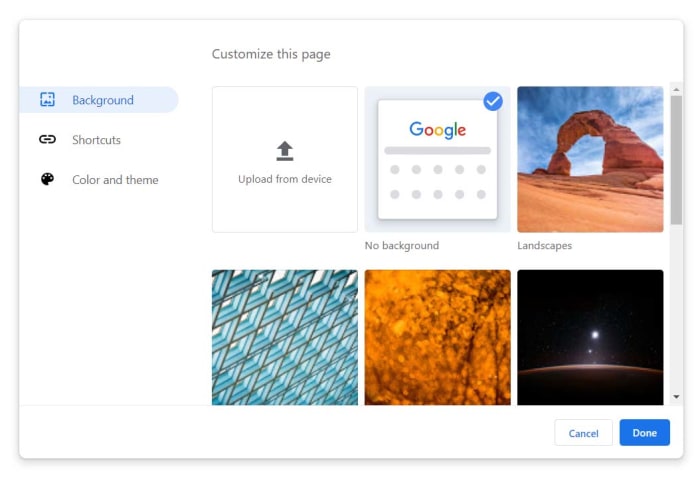
Another cool feature that landed with Chrome 77 is the Customize button you’ll find in the bottom-right corner of the Chrome homepage. Clicking this will give you a series of different customization options including BackgroundColors & Themes, and Shortcuts. You can decide on the shortcuts Chrome will show on the homepage, pick from a whole host of interesting background images, and set different themes and color schemes for the browser.

The Dark Mode

Google split the Chrome Dark Mode roll-out over two separate updates with the Mac Dark Mode coming with Chrome 73 and the Windows Dark Mode coming with Chrome 74. Both operating systems now support Chrome’s Dark mode but there are no controls for this on the web browser itself. Instead, Chrome simply copies your system OS color scheme meaning if you’ve set your Mac or Windows system to run in Dark Mode then your Chrome browser will do too. The Chrome support page here shows you how to do so.

Tab info cards

Tab info cards

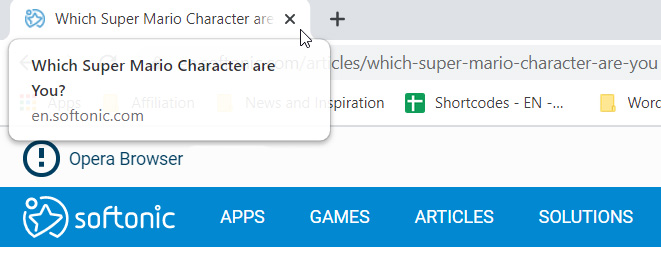
A small but useful change is the introduction of tab info cards. All you need to do here is hover your cursor over an open tab and Chrome will show you the name of the site open on the tab, and its URL.

Dodgy site warning

Chrome’s password protection features were updated again when Chrome 79 landed. Chrome now offers real-time protection and will warn you whenever you enter your passwords on sites that are suspected of phishing.

Hardware support for media controls

Hardware media controls

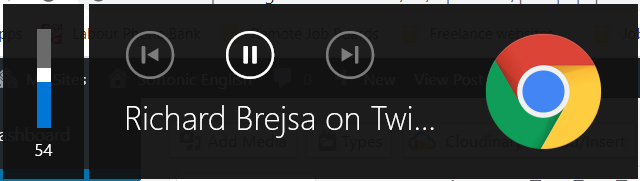
Chrome now supports media control buttons on any hardware you have connected to your device. This means if you have a keyboard with a Play/Pause button, you can now use that button to control playback on any media that is active in Google Chrome. The same goes for other controls and other types of hardware such as headphones etc.

Tab freezing

This updated feature might not sound too exciting, but it will actually make a big difference for laptop users. Basically, Chrome now automatically freezes tabs that you’ve had running in the background for a while. Chrome will no longer load ads or perform other CPU heavy tasks in tabs you’re not using, but will instead pause them and then resume them when you open them again. This is to put less pressure on your device’s CPU and then, accordingly, make your laptop’s battery last longer.

Password manager

Chrome password manager

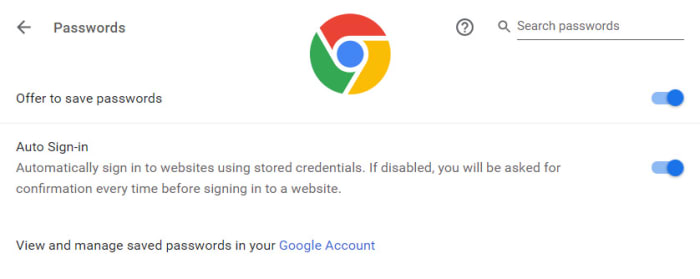
Chrome 75 introduced the built-in password manager to Android and iOS devices meaning Chrome can now generate and store strong and unique passwords for you every time you open a new online account. This is an incredibly useful and essential feature as any time you duplicate a password across different accounts you leave yourself vulnerable to hacking.

What the Brave browser can do for you

There are better options than Chrome… Learn more about how the Brave browser stacks up the competition.

Not all browsers are created equally, and at this day and age when you’re spending so much time online, you should be using the best browsing tool possible. So which is it? Chrome? Firefox? Edge? The truth is there’s no objective ‘best browser,’ but there are certainly strengths and weaknesses to each. And we’ve got some compelling reasons why Brave could be the best browser yet. We’ve compiled a list of pros and cons for each one. Let’s run through them.

Mozilla Firefox

Pros:

  • More privacy than Chrome
  • Can be as fast as Chrome
  • Less likely to mine for data

Cons:

  • Runs slower on pages with lots of images, pop-ups, and videos
  • Lags behind Chrome once you install plug-ins to block those pop-ups and vids
  • No built-in support for Flash

Google Chrome

Pros:

  • Recognizes all plug-ins
  • Fast
  • Tons of extensions

Cons:

  • Bloated and heavy
  • Taxing on your RAM
  • Lacks trustworthy privacy features

Microsoft Edge

Pros:

  • Lightweight and smoother than Chrome
  • Built-in Cortana is very convenient
  • Reading mode fights distractions and blocks ads

Cons:

  • Unavailable on Mac or any Windows OS less than 10
  • If you have Windows 10, Chrome is still a better option
  • Even Internet Explorer is more popular

Opera

Pros:

  • Turbo mode speeds up page loads dramatically
  • Free, built-in VPN
  • Integrated wallet and messenger services, including WhatsApp and Messenger

Cons:

  • Fewer extensions
  • No parental controls
  • Middle of the road option, lacking where other browsers excel

Safari

Pros:

  • Default browser for Apple, very convenient
  • Works in tandem with all software designed by Apple
  • Default pop-up blocking

Cons:

  • Safari is over 15 years old, and its age is beginning to show
  • Lacking in customization
  • Useless if you don’t use Apple products

Brave

Brave is a relative newcomer for iOS, Android, macOS, Windows, and Linux created by Brian Bondy and Brendan Eich, the inventor of JavaScript and the co-founder of Mozilla.

Brave automatically blocks any third party trackers, shutting down anything that might worsen your browsing experience. Without ads in the way, Brave is up to eight times faster than the mobile competition, and offers numerous extensions as well. Brave also helps you support your favorite publishers.

Softonic is proud to partner with Brave. When you download from us, we may earn a commission.