Apple Music: pros and cons

Is Apple Music worth the price, or should you give it a hard pass

Apple MusicAfter reaching 40 million downloads for Android users, Apple Music is not slowing down. The app serves up a library of 50 million songs, along with music videos and news.

We have a plethora of music-streaming apps to choose from, each with varying prices and features. So is Apple Music worth your hard-earned dollar? We collected the main pros and cons of Apple Music so you can decide whether or not it deserves a home on your device.

Pros and cons of Apple Music

Pro: It has a 90-day free trial
Apple Music Free Trial

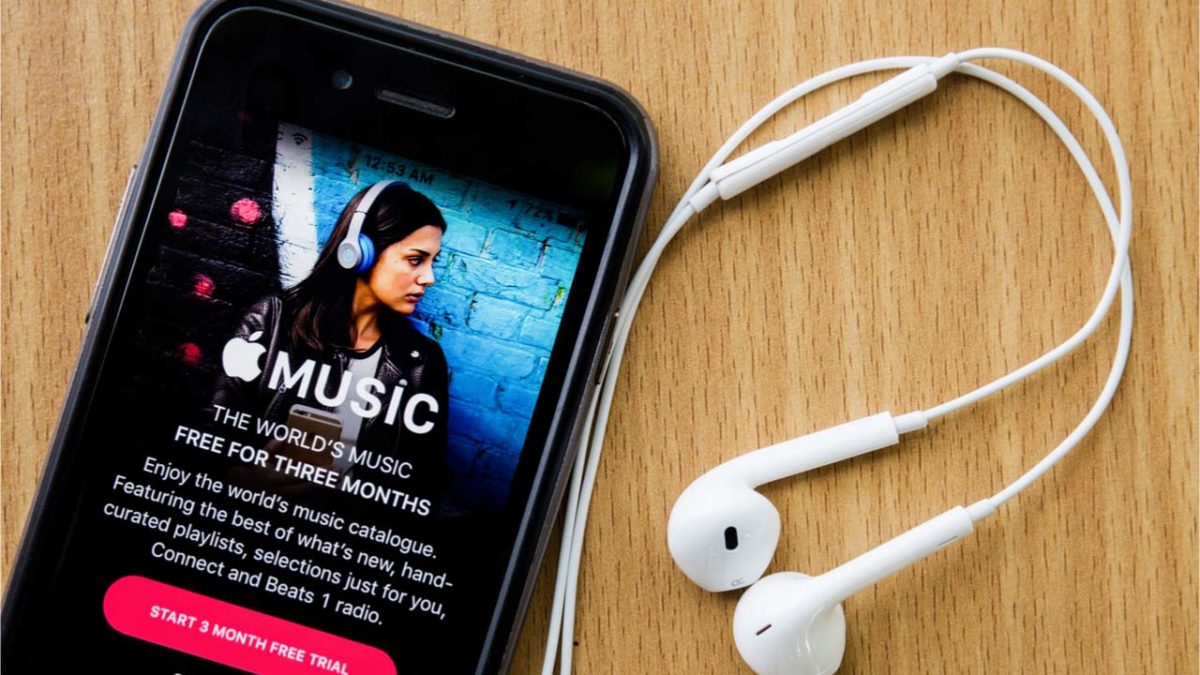
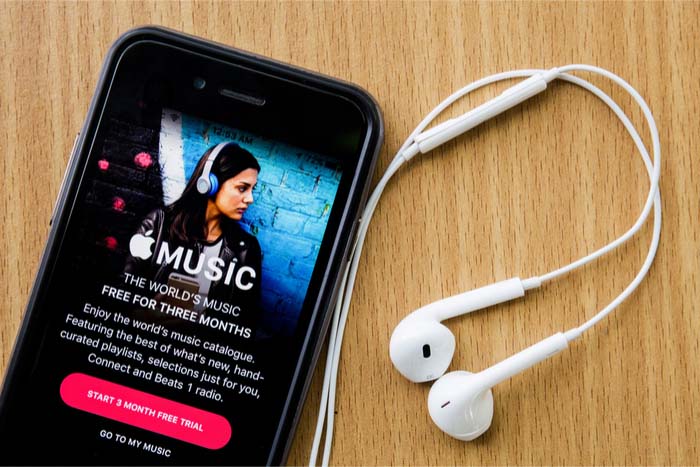
Surpassing Spotify Premium by a full month, Apple Music offers users a free three-month trial to first-time users. You get to use the app in its entirety during your free trial, so you can be sure you are getting the full experience.

Apple Music Download Now ►
7

Con: The white screen of death

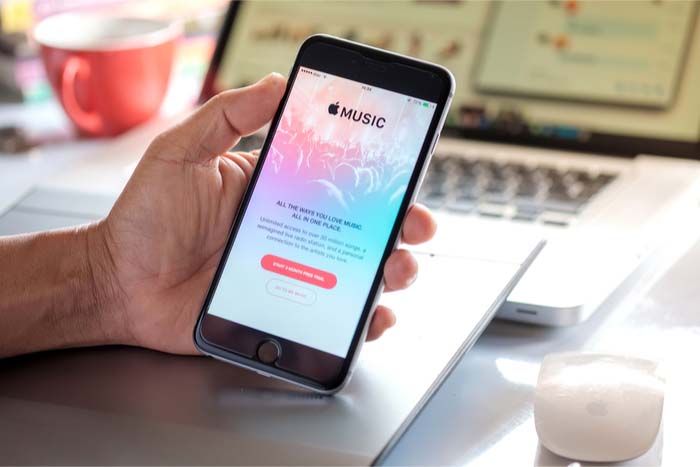
Apple Music on phone

With most new apps, there tend to be a few hiccups that come to light soon after launch. Since Apple Music has been around since 2015, it’s odd that issues still remain. Users often find themselves staring at a stale, white screen as the app stops working. To make matters worse, troubleshooting hasn’t been fixing the issue. The app is in desperate need of an update to fix these issues, or, at least, to improve the troubleshooting.

Pro: It is reasonably priced, and has a student plan
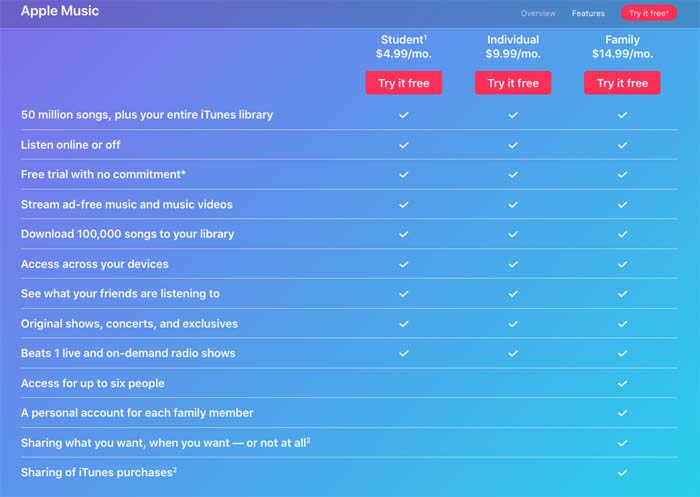
Apple Music payment plans

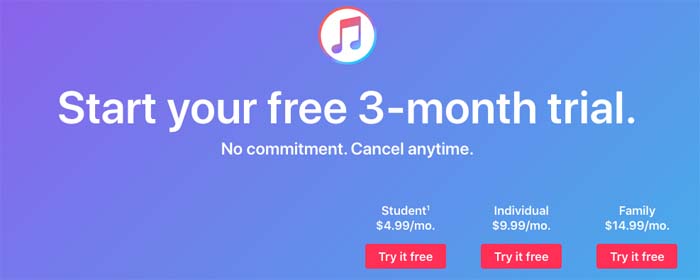
Most music-streaming services hover around the $9.99 to $12.99 per month price range. Apple Music charges $9.99 per month for its ad-free services, and also offers a student plan, which costs only $4.99 per month.

Con: You can’t listen to podcasts
Podcast symbol on phone

Whether you are listening to “My Favorite Murder” during your morning commute or tuning into “Stuff You Should Know” while at the gym, podcasts have become part of our daily routines. Unfortunately, Apple Music has not gotten that memo as we are not able to stream our favorite podcasts through the app. We can listen to podcasts via iTunes, but the fact that this service isn’t streamlined into a single app like Spotify is a bit absurd.

8

Pro: You can avoid burning data

Burning data

If you stream music daily as many of us do, you can burn through about half a gig in a day pretty easily. As this adds up over time along with everything else you do with your phone or smart device, the ability to listen to music offline is necessary. Apple Music offers a feature where you can download music while online for no additional cost, and then listen to tracks while offline. You can also create playlists with your downloaded tracks while offline.

Downloading tracks takes a matter of seconds, so you can easily spend a few minutes downloading songs, and then spend the rest of the day listening to music while offline.

Con: Hazardous updates

Phone frustration

Snapchat is a prime example of how one bad update can make many of your users uninstall the app. Apple Music has done this numerous times with updates that removed beloved features such as the “play later” feature, and updates that consequently made the app more laggy, or just not work altogether.

8

MySpace loses over 50 million songs

Remember MySpace? It just deleted a massive part of internet history.

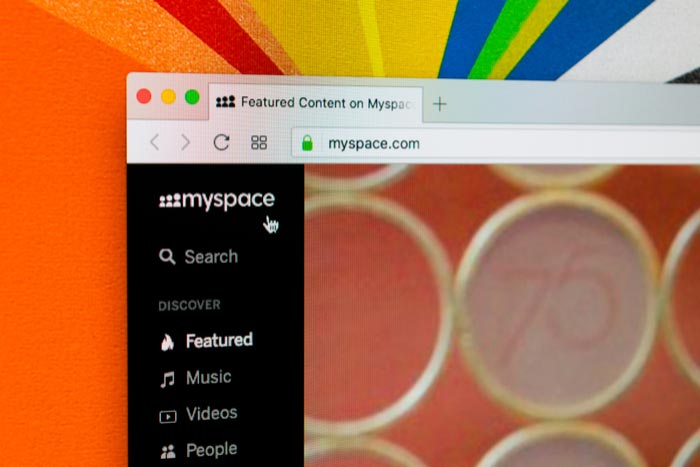
MySpace

MySpace released a statement saying that all songs, photos, and videos uploaded more than three years ago have been lost, amounting to 12 years of lost content and over 50 million deleted songs from 14 million artists. The loss was the result of a failed “server migration project.” In one of the most understated responses in corporate history, MySpace has said that they “apologize for any inconvenience.”

In the early-2000s, MySpace was the world’s biggest social media network. Founded in 2003, the site exploded in popularity, beating Google as the internet’s most visited site in 2006.

Though the site is obviously nowhere near that in popularity today, the platform played an instrumental role in popularizing modern online music distribution. Through MySpace, artists and their fans could interact with each other directly, without having to go through any corporate middlemen. In the age of Twitter, this may seem mundane, but back then the idea of sharing a platform with your favorite artist was novel and exciting. Artists self-promoted their own image and music in what was seen as a large scale extension of the underground, DIY scene. With social media like MySpace, the playing field between major label artists and underground acts was leveled, something that remains true today with platforms like Soundcloud, YouTube, and Bandcamp.

Several popular artists of the early 2000s including Arctic Monkeys, Hollywood Undead, Owl City, and Sean Kingston first gained popularity through MySpace. As the 2000s raged on, MySpace was dethroned by the massive launch of Facebook, a service originally available only to college students. After losing the mainstream social media battle to Zuckerberg, MySpace rebranded in 2011 to focus on its strength: music. The website was purchased by none other than Justin Timberlake and would go on to change hands over the next few years.

MySpace’s data loss is a loss for modern music history. The website offered a fascinating look into the beginnings of today’s online musical landscape. It’s baffling that a website that has done little more than exist for the past 10 years can completely destroy their legacy in just one move. For this, Tom, we will never forgive you. It’s finally time to unfriend.

Spotify says it wants to become the Netflix of music

What’s next for Spotify as they look to dominate all audio entertainment?

A few weeks back, Spotify announced they were angling to become the Netflix of music. Isn’t that the same as what they currently offer? You pay for a monthly subscription and consume music that eventually builds an algorithm perfected by past choices.

But — what this means is something else. Something both Netflix and the long list of internet retailers and blockchain startups already do — wipe out the middle man.

In other words, Spotify needs to make its own content if it wants to level up its profit potential.

As is, record labels take about 75% of Spotify’s revenue. So, they’re making moves toward original content.

Spotify acquires Gimlet and Anchor

gimlet bought by spotify

As we mentioned, Spotify needs to get in on the content game to make money. So the plan is to take over podcasting. The streaming company announced this month that they had acquired Gimlet Media and Anchor.

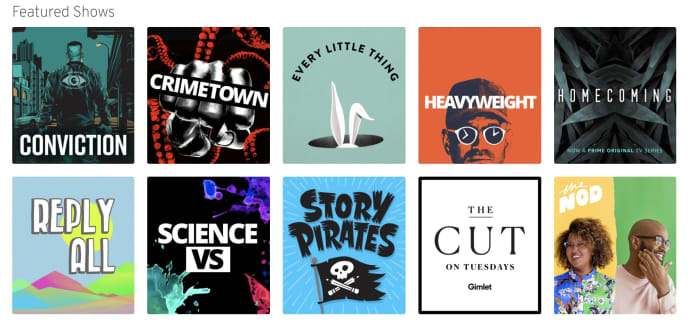
For those who don’t know, Gimlet is a podcasting network known for shows like Reply All and Heavyweight, while Anchor is a tool that helps podcasters produce and distribute podcasts.

These acquisitions signal a move toward a podcasting version of something called vertical integration. What this means is, one company buys two or more parts of the supply chain — an example is a store like Target that owns the manufacturing of its store brands, controls the distribution process, then sells those products in its stores.

Then, in the case of Target’s generic brand, passes the savings on to the customer.

Podcasting only? Not exactly

Interestingly this vertical approach seems to apply only to podcasting. With podcasting, the medium is only starting to pick up mainstream steam. Though some podcasts are hugely popular, many still have a DIY vibe.

Spotify has plans to spend up to $500m on podcast-centered acquisitions. Anchor and Gimlet are the tips of the iceberg.

TechCrunch raises an interesting point about Spotify’s focus on casts — the app simply added podcasts into the fold, alongside the music. The company hasn’t tried to force users to separate apps for podcasts and music like Apple. Rather, they’ve opted to keep things together inside the one app.

Second, Spotify is one of the few podcast platforms with a decent discovery feature, which has long been a pain point for the slow-growing industry.

That said, the discovery feature could be improved. As is stands, Spotify’s podcast section does make a few recommendations, but the content doesn’t always match up with listening preferences.

What about music?

According to Billboard, Spotify has started licensing some songs from artists directly. But it seems that right now, the streaming service is trying to stay away from competing with record labels.

While they don’t seem to be publicizing this much, Spotify does offer artists more money to work with them directly — so they technically are competing with record labels.

Spotify doesn’t ask for exclusive rights from those artists who work directly with the streaming service. Those artists can also sell their music to Apple and Google, or whoever else.

It’s also important to note that Spotify isn’t trying to become a label. But they are paving the way for artists who want to own their content and make deals with distributors, rather than working with a label who owns that music.

7

How will this affect content creators?

Ultimately, the actual payout remains to be seen. Spotify isn’t exactly known for offering musicians massive paydays.

Still, podcasting is a different industry. Creators often rely on crowd-funding and DIY marketing methods to get off the ground. Those who make money do so by selling ads, doing live shows, and selling merchandise.

No one really knows how this whole thing will shake out. There’s no question that a massive corporation entering this anything-goes, low-stakes industry might change what makes podcasting so special.

This is how to block bands and artists you don’t like on Spotify

Users have been reporting on social media that they’ve spotted a new block artist feature on their Spotify apps.

Spotify

Music is a truly polarizing force. We love some artists and we hate others. Two true emotional extremes brought on by different arrangements of rhythms and beats. When it comes to loving music, nobody helps more of us find the music we love than Spotify, which has more monthly subscribers than any other music streaming service. For hating music, however, Spotify has always taken the position that it can’t be that bad.

Spotify Download Now
8

Back in 2017, Spotify publicly stated “after serious consideration” that it wasn’t going to start allowing us to block the artists we don’t want to hear. If we’re is listening to Discover or a public playlist and a song from that artist we just can’t stand is coming up, we just have to hit skip once it comes on. Spotify decided against offering a way of automatically filtering out those artists we hate. This has now changed.

Users have been reporting on social media that they’ve spotted a new block artist feature on their Spotify apps. According to a report by Thurrott, this roll-out has only reached members of the Spotify beta program on iOS, which means the streaming giant is still testing the feature. The same report goes on to say that, although Spotify’s official position is still that you can’t block artists, it has been testing this exact feature for months with a select group of users. The reason more people are reporting the feature now is that the test has recently been extended to a larger group.

How to block artists on Spotify

To block an artist on Spotify you need to click the icon on their profile page. This will take you to the settings menu for the artist. From here you’ll see the new option Don’t play this artist. Tapping this option will stop Spotify from playing music by that artist in the future. The feature will even prevent you from manually selecting music by blocked artists.

the ... menu on spotify
Seek out the artists you don’t like and look for the three dots.

If you want to play music by an artist you’ve previously blocked, you’ll first have to unblock them. The only way you’ll be able to hear music by a blocked artist is if they feature on a track by another artist. Spotify’s new block artist feature won’t block tracks the artist has featured on if they’re not the primary artist.

This is the feature all you haters out there have been waiting for. I’ve been waiting for it, too. For me, it is inane pop music and generic EDM that’ll be going straight into my Don’t playlist. On top of the music I can’t stand I’ll also likely use the new feature to block artists like R. Kelly and Chris Brown. There is still no official word about when the feature will roll-out to all of us, but it looks like iOS users, at least, will get it soon. When the block artist feature comes to your phone, PC, or Mac who will you be blocking first?

Google and Spotify team up to find you the perfect morning alarm tune

Wake up with your favorite Spotify song! Here’s how.

Making your own alarm ringtones can be a serious hassle depending on the method you choose. You may remember the days of making your own ringtone on a sketchy website, or trying to alter existing songs in iTunes to start playing at the right time and for the right length. And what happens when you get sick of that song? Then you have to go through the whole process again.

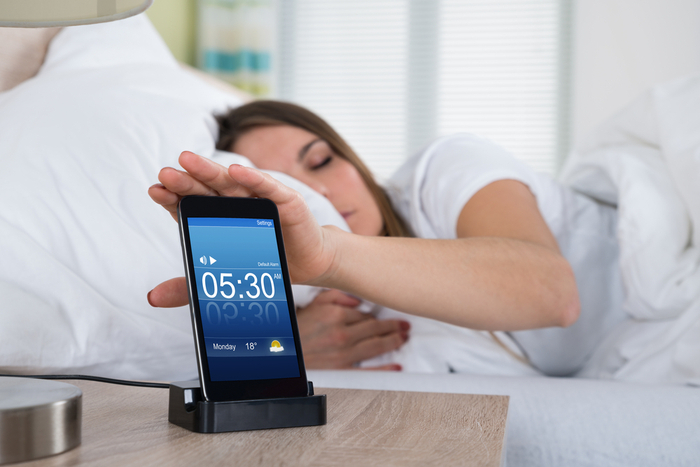
Wouldn’t it be easier if a streaming service like Spotify simply worked with your phone to provide you with the ringtones you want? Well, now Spotify offers just that. Recently, Google and Spotify joined forces to provide you with a more seamless way to integrate your Spotify playlist with your phone’s alarm clock.

Google and Spotify team up to find you the perfect morning alarm tune

Spotify merges with Google Clock

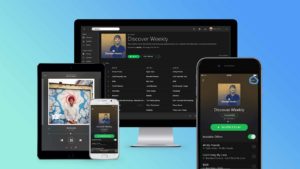
If you use the Google Clock app on Android, you may have noticed that the app was recently updated to include built-in access to Spotify. Without much effort, you can now choose a song, artist, album, or playlist from Spotify’s library to wake up to, right in the app. Think of it as the modern version of the clock radio or CD alarm clock of your childhood.

Google Clock Download Free
8

Which Spotify users can access this feature?

The Spotify alarm clock feature is available to all Spotify users, whether you have a free or premium account. You’ll also need to have the Spotify app on your Android phone. Make sure you’re logged in to your account and that you give Google Clock access to your Spotify account, too.

If you don’t yet have a Spotify account but you want to access this feature on Google Clock, consider signing up for a free account. Just don’t forget to download the app and sync it with Google Clock!

Spotify Download Free
8

Which songs can you choose from?

With Spotify integration, you can either wake up to the specific song of your choice or choose a playlist to wake up to. This can be your own playlist that you’ve created or else one of Spotify’s existing playlists. The service even offers playlists specifically for waking up in the morning. Spotify also offers the option to seamlessly continue listening to your playlist after you wake up.

A note for free Spotify account users: If you choose a playlist to wake up to, the song play within a playlist is random, just like the regular app. If you want to wake up to only upbeat songs, make sure you choose a playlist that meets your needs.

No matter which option you choose, waking up to the right song or playlist can make all the difference in how you approach your day. From the moment you open your eyes, you’ll feel empowered and ready to take on the day!

Best music app alternatives to Spotify

Find more music with these great apps.

Spotify

Spotify has dominated the music streaming industry over the last few years, and it’s no surprise why. It has one of the largest collections of music of any streaming app, and a lot of options on how to play this music. Despite this, its popularity lets it outshine some of its competitors that are actually better in some ways.

Best music app alternatives to Spotify

SoundCloud Free Download ►
8
SoundCloud is basically the social media version of music streaming, similar to what MySpace was back in the day. You can upload and share music easily for free, while also following many other users as well. The app is also not very ad heavy, and you have the option to pay to remove the ads altogether.

Pandora Radio Free Download ►
7
The second most popular music app after Spotify, Pandora is perfect for anyone who doesn’t want to make a playlist, and instead wants to listen to a radio station tailored directly to their music tastes. It’s great for choosing a radio station based on your mood, since you decide what kind of music each station plays.
Apple Music Free Download ►
8
With a huge selection of songs, and very little limitation in downloading any song you want to listen to, Apple Music is a great alternative if you are paying for your Spotify. It’s roughly the same price, but with more customizability when it comes to how you play your music offline.
iHeartRadio: Top Radio & Music Free Download ►
10
Similar to Pandora, iHeartRadio lets you listen to customize your own radio stations, as well as providing its own live radio stations.
Essentially the same concept of Spotify but with a different business model. While Spotify caters to record labels, Tidal caters to artists directly. This allows them to get some more indie artists, who potentially wouldn’t be on Spotify. It is worth checking out the free trial if you’re currently unsatisfied with your Spotify experience. Tidal was also created by Jay-Z, as an attempt to create a music streaming software that works well for both the consumers who use it, and the artists they sponsor.

For more great options, check out our Softonic Solutions page where our community suggests even more streaming services to choose from.

5 best music discovery apps

Need some new tunes? These 5 apps will do the trick.

Music improves lives.

That’s a bold statement, but we strongly believe beautiful sounds help improve focus, finish work, get through traffic, or enjoy time with friends and family (not to mention improving plant growth). It makes movies great, inspires the creative muse, and eases listeners through bad times while improving the good.

Bottom line: we enjoy music!

But… have you ever listened to your phone’s main playlist – even one holdings thousands of songs – and realized you’ve heard each one too many times? We often find ourselves trying to find new covers of old tunes, organize songs, and increase variety without increasing the cost.

The answer may lie with one of these five music discovery apps!

The best apps to discover new music

Pandora

Pandora

Is it a jewelry store? Is it a planet? No, it’s a popular music application!

Pandora long ago became the standard in “internet radio.” Why? The process works in a beautifully simple fashion: you enter an artist, song, or composer.

Search

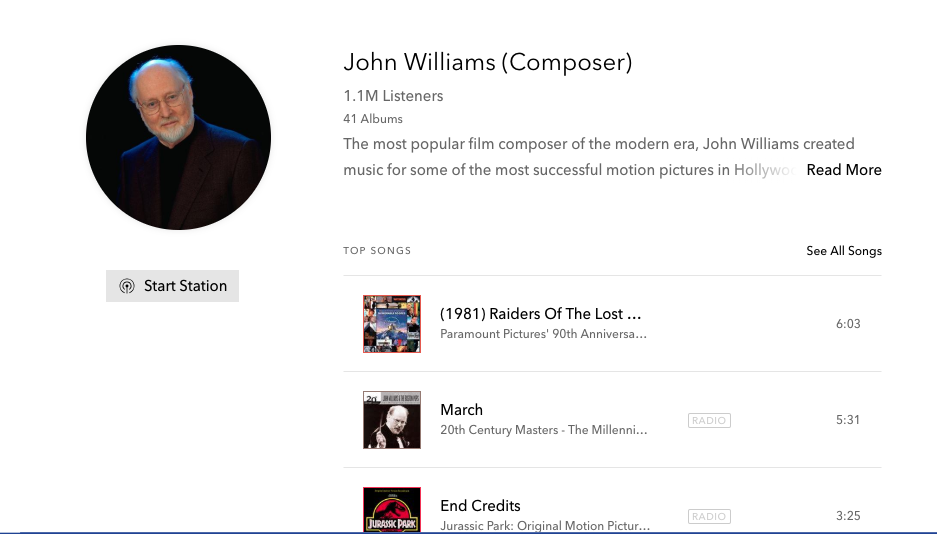
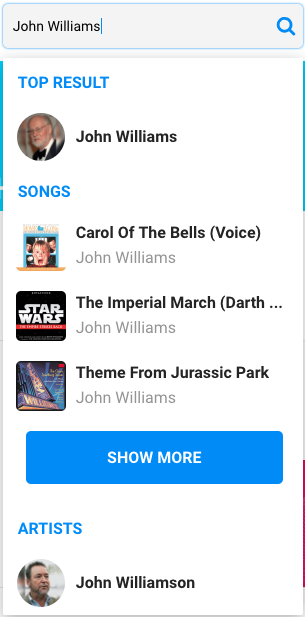
From there, you’re given a list of artists, songs, and composers to choose from. Each will have their own “radio” station where you can find similar songs and other music from the same artist. For example, if you make the right decision and choose bandmaster John Williams…

JW

Clicking “Start Station” plays that specific radio station. Sit back and enjoy!

A note before moving on: Pandora’s free program works well, but limits personalized radios, includes ads, and decreases audio quality. The Pandora Plus version fixes these issues at the cost of $5 dollars a month. Pandora Premium costs $10 a month, or $15 for a family (with up to 6 members allowed, coming to around $2.50 a month per person). With this, you can search/play any song, make your own playlists, and have unlimited skips/replays and offline content.

Pandora Radio Download Free ►
7

8tracks

8tracks

Everything has to have a gimmick…and we really like the one from 8tracks!

8tracks puts all the power in the hands of users: every single playlist was developed by listeners like you.

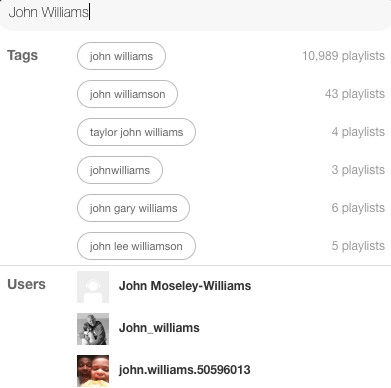
With 8tracks, you can enter whatever keywords you like, from artists, songs, and composers to concepts like “study” or “darkness.” Then, you’ll get tons of results from different people. This means you can search for “John Williams” and adds tags like “Star Wars,” “Instrumental,” or “Study.” You’ll receive a list of all playlists bearing those phrases.

Keys

Since content comes from others who enjoy the same music, you can go through user profiles and find even more content. Reply to playlists, save favorites, and star your favorite songs for later. The various artwork and personal song choices make 8tracks quite charming.

Like Pandora, the free version is limited by ads. To take care of this problem, a yearly subscription costs only $30, a little of $2 per month.

8

Spotify

Spotty2

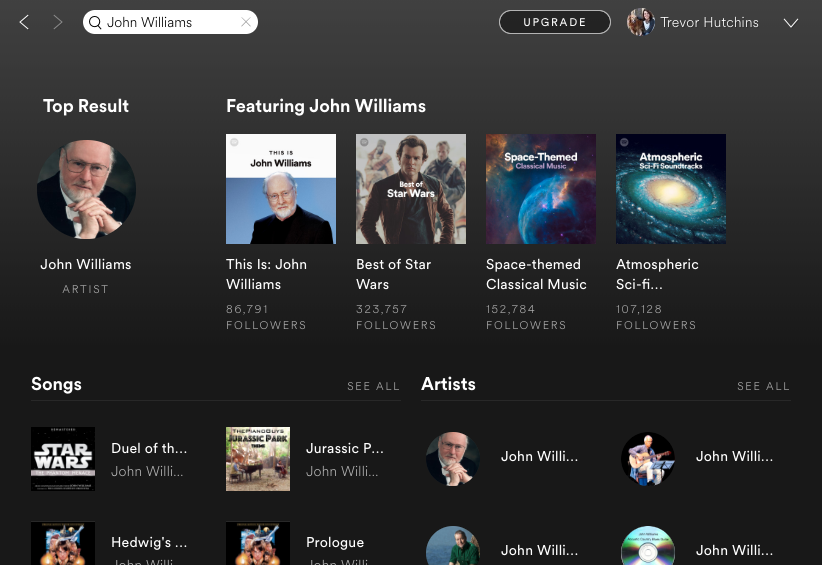
Spotify looks really good. Their dark theme and green tones create a smooth environment for listening, combined with a powerful music search window that includes a number of podcasts, among other things:

Search Winda

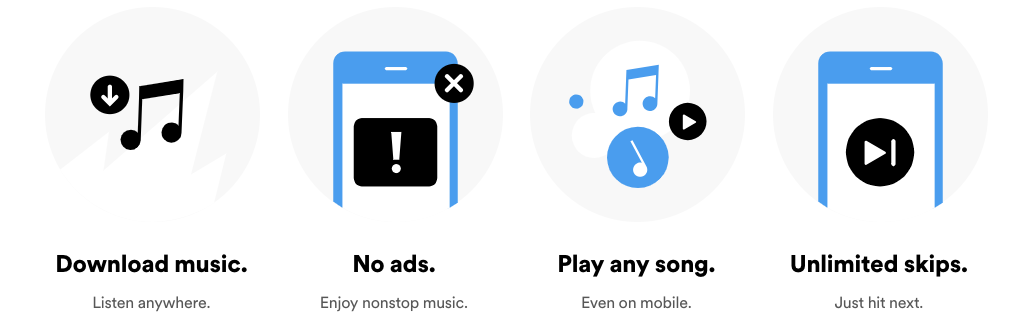
Their Premium account costs $10, and allow for:

Overall, it seems like Spotify offers the greatest tools for the user in terms of conventional music searching. However, it also comes at twice the monthly price of Pandora Plus, and four times the monthly price of 8tracks. All good things to consider.

8

Shazam

SHAZAM!

Shazam’s vanilla version offers a true “music discovery” environment: it only plays 30-second clips of songs to give you a good taste of each (unless, we suppose, it has the chaotic and variable nature of something like “Bohemian Rhapsody”).

You may think: what’s the point, if you can’t at least hear the whole song? The answer is time. If you’re looking through new music, Shazam gives a solid example of two songs per minute, along with the same easy searches we’ve come to expect:

You can upgrade to Shazam Encore for a one-time price of $3 to $6, depending on where you go. The Encore version allows you to link with other programs like Spotify, where you can permanently download the music discovered with Shazam. Bonus: Apple recently bought Shazam and eliminated all the ads on the free version.

Tik Tok

Introducing: the wild card.

Tik Tok isn’t really an “internet radio” like many of the others. In fact, it’s not specifically intended for music discovery either.
So, why did we include Tik Tok?

Everyone approaches music differently, just as we learn better in different ways. While many listeners may benefit from the cut-and-dry music searches in other apps, Tik Tok’s videos and social focus create an interesting new dynamic that may be up your alley.

9

(Note: Until August 2018, Tik Tok was called Musical.ly.)

Final Words

Every one of these programs has aspects that may be right for you, whether it’s the tried and tested formula, a user-friendly environment with great variety, an incredibly well-developed interface, a true music discovery program, or a social music video application. Give them a try!

And one more thing: we are not sponsored by any of these programs. We just enjoy them and we hope this article helps you find new tunes to enjoy!

6 great features you didn’t know Spotify had

Spotify is capable of more than you’d imagine. Here’s how to supercharge your music!

SPOTIFY

Spotify is one of the most popular music streaming services on the market. However, there are are many features that even avid users of the platform may not even be aware of: Think tips, tricks, and downright cool features that users may be missing out on.

Below, learn the ins and outs of this fan-favorite music streaming service to ensure you get the most out of the app that plays your tunes.

6 great features you didn’t know Spotify had

1. Preview a song

Although this feature is currently only available for iOS users (sorry, Android fans), it’s a great feature that many users are unaware of. Touch Preview allows users to use a long-press on a track as they’re browsing music, prompting a short snippet of the song as a preview. Once a user lifts their finger, the preview ends.

2. Automatically save Shazams

Many Spotify users also take advantage of the music-identifying app Shazam. This is a great way to discover new tracks that will become an instant favorite. Luckily, Spotify makes it easy to save these unearthed tunes to your library. Once you link the two apps, each Shazam will automatically be saved to a new playlist called “My Shazam Tracks.” The rule also applies to SoundHound, which is pretty convenient.

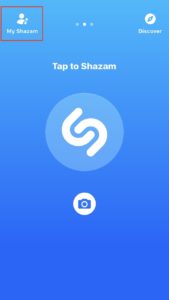
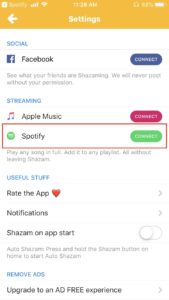
To link Shazam and Spotify, open the Shazam app and go to My Shazam. 

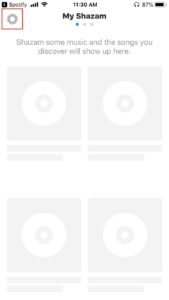
Click the settings icon at the top-left of the screen.

Once you’re in settings, find the Streaming section, where you’ll see an option to connect Spotify.


Soundhound Download Free ►
8

3. Recover deleted playlists

Ever deleted a playlist and then regretted it? Spotify has a little-known feature to fix that. Many users don’t know that it’s easy to restore a deleted playlist. Sign in on the desktop version and click Recover Playlists on the left panel. There, there will be a list of deleted playlists. Simply hit Restore and it’ll be moved back to your library.

4. Get fit with Spotify

Spotify has a program called Spotify Running that is considered a favorite hidden feature. To use this, click on the Running tab from the main menu. Begin your run at your desired pace and — amazingly — Spotify will automatically match a playlist to your running speed to keep you motivated and on pace.

8

5. Refine song quality

You don’t necessarily have to listen to the music that Spotify plays the way it originally sounds. You can refine your audio experience by choosing from four different streaming quality options. This action can be completed in settings, where you can choose from Automatic, Normal, High, or Extreme.

6. Make a playlist collaborative

Whether it’s for a party or just a shared playlist among friends, it’s easy to make playlists collaborative so that a group can add songs to the list for all to enjoy. When you’re on the desktop version of Spotify, right-click on a playlist and choose Collaborative Playlist to make it editable by others.

While these are just six of the many impressive hidden features that Spotify has to offer, these are a great place to start when it comes to making the most out of the app.

Is Spotify Premium worth it?

Is Spotify Premium worth the money? Here’s how to decide.

Most people know Spotify Premium for its lack of ads. This is one of its biggest selling points, as Spotify believes that’s the main reason why people would want to switch to the Premium version. And while for some that is enough of a reason, others might still be on the fence. Here are a few questions you should be asking yourself before you decide to take the leap and go all in on Spotify Premium.

1. How often do you use Spotify?

The very first question you should be asking yourself is whether you use Spotify enough to justify the cost. If you’re using Spotify every day, then obviously you’ll be able to notice a difference between using Premium and having the free version. However, if you’re using Spotify less often, you may not even see ads all that frequently.

2. Do you typically use it on a desktop or as a mobile app?

This is probably one of the largest factors to consider before upgrading. While the app version does not allow you to play specific songs without paying for Spotify (instead featuring a shuffle system similar to Pandora), the Windows version does. This is a feature that is a main selling point for the app version, but is less useful if you mostly listen to Spotify on a desktop.

Spotify Free Download
7

3. Do you use Hulu?

If you’re already paying for Hulu, then getting Spotify Premium is actually pretty cheap. They have a deal where you can get both Premium and Hulu’s Limited Commercials for $12.99. This is only a few dollars more for each of the services. If you use both Spotify and Hulu, then there this deal is well worth the money. Additionally, there is an extremely discounted rate for students.

Hulu Plus Free Download
10

4. Do you plan to use its offline features?

Another big selling point for Spotify Premium is the ability to download songs and listen to them offline. Maybe part of the reason you don’t use Spotify frequently right now is because you don’t have consistent internet access where you would be using it. If that’s the case, then Spotify Premium would be something to look into, since you can download songs on multiple devices with it, so it doesn’t require internet access.

Overall, paying for Spotify can be great for convenience, but only if you are using the app version on a regular basis. You want to make sure your money is being well spent on a product that you’re using. It’s up to you to decide whether you feel you put in enough time for it to make a difference. Thankfully, Spotify offers a free trial for the first month of its service, so you can take advantage of that to find out whether you feel it’s a good fit for you or not.

Musicians battle over how to measure popularity in a streaming world

In a streaming world, how can we know exactly how many songs an artist sells? Here’s how the industry is adapting.

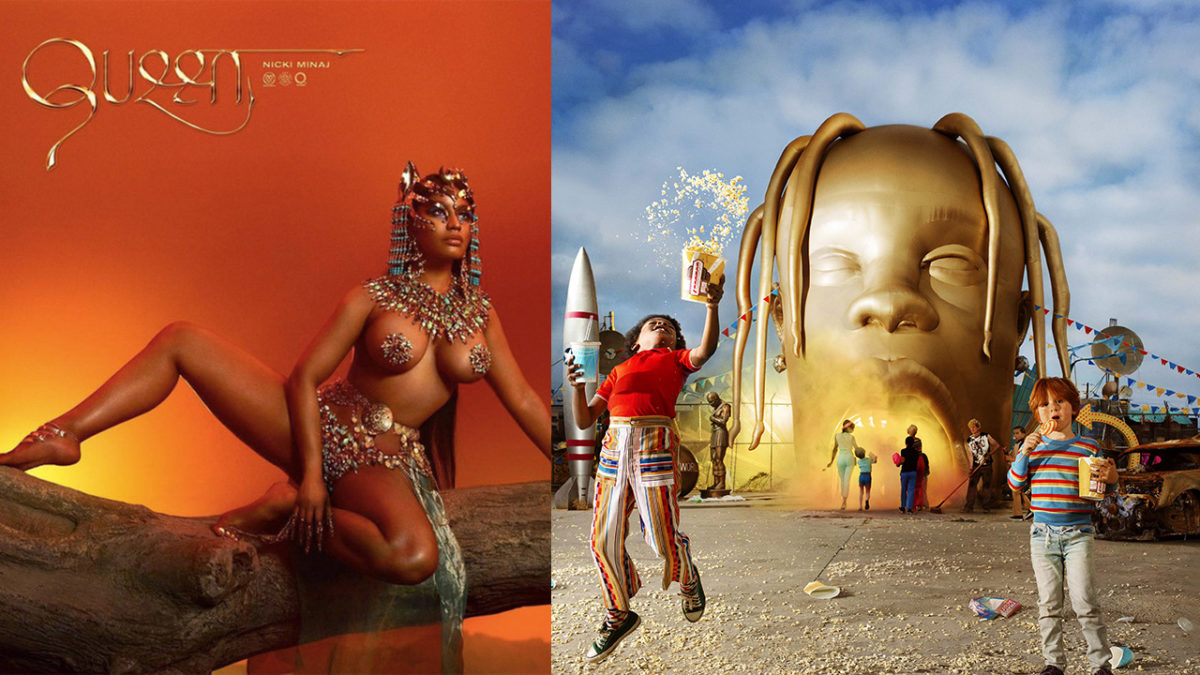
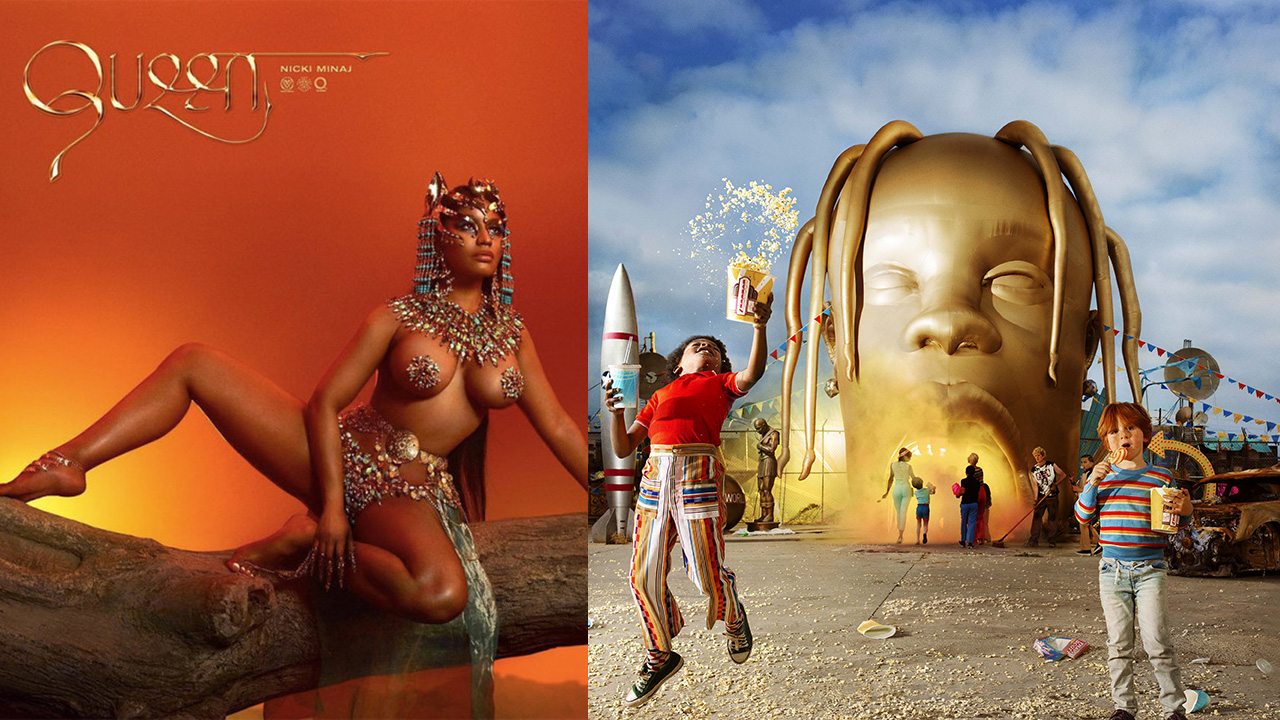
Nicki Minaj made headlines across the blogosphere recently after accusing Travis Scott of stealing the coveted #1 Billboard spot. Her hotly anticipated album “Queen” debuted at #2, failing to knock Scott’s “Astroworld” off the #1 spot. Nicki took issue with what she saw as unfair practices by Travis to artificially boost his stream numbers and sales. Before getting into that, however, it’s important to understand how Billboard calculates album sales in a time where more people stream music than buy it.

If somebody buys the CD of an album or purchases it in its entirety on a service like iTunes, then that counts as one sale of an album, referred to as a “pure sale.” When an album or song is streamed a certain number of times, Billboard also counts it as a sale. How many streams it takes to count as a sale depends on the streaming service and whether or not that service is paid or free. On paid services like Apple Music, Tidal, and Spotify, 100 streams count as a sale. For free services, such as YouTube, it takes 600 streams to count as a sale. This methodology was set in stone earlier this summer, right before the release of Drake’s “Scorpion.”

Back to Nicki and Travis, the context is as follows. Travis Scott is currently dating Kylie Jenner. If you’re living under a rock, Kylie is a member of the Kardashian family, and with 115 million Instagram followers, is easily one of the most influential people in popular culture. Kylie and Travis have a daughter named Stormi, who was born early this year. Kylie used her massive social media following, understandably, to promote her boyfriend’s album, plugging a link to Travis Scott’s official online store. Travis sold digital copies of the album bundled with his hotly anticipated “Astroworld” merchandise. According to Nicki, these digital albums didn’t need to be redeemed or downloaded to count as a sale, artificially conflating Travis’ merchandise sales with his album sales, which allowed him to barely edge out Nicki for the coveted #1 spot. Here are Nicki’s thoughts on the matter in her own words:
It’s hard to call Travis’ strategy of bundling his album with his merchandise cheating, as he is far from the first artist to do this. Nicki herself ended up employing the same technique with “Queen.” Both artists added past singles to their albums in order to boost their streaming numbers, with last year’s hit “Butterfly Effect” added to “Astroworld” and Nicki’s megapopular collaboration with 6ix9ine “FEFE” posthumously added to “Queen.”

Let us know in the comments below if you think Travis’ merch bundles were legitimate sales or not. Should Billboard take a look at its policies?