These 4 Spotify Premium features can make you happier

When we upgraded to Spotify Premium, it was pretty much because we wanted ad-free playlists with unlimited skips. We had no idea of the many other features that Spotify boasted until we gave it a thorough look. We already knew it had every artist under the sun, but that’s surprisingly just the tip of the iceberg.

Spotify Download
7

One of the more charming features is Spotify’s knack for arranging and suggesting tracks to add to our playlists. Making a playlist with Spotify Premium is easy: Just right-clicking on the playlists menu brings up a drop-down with that option along with half a dozen others.
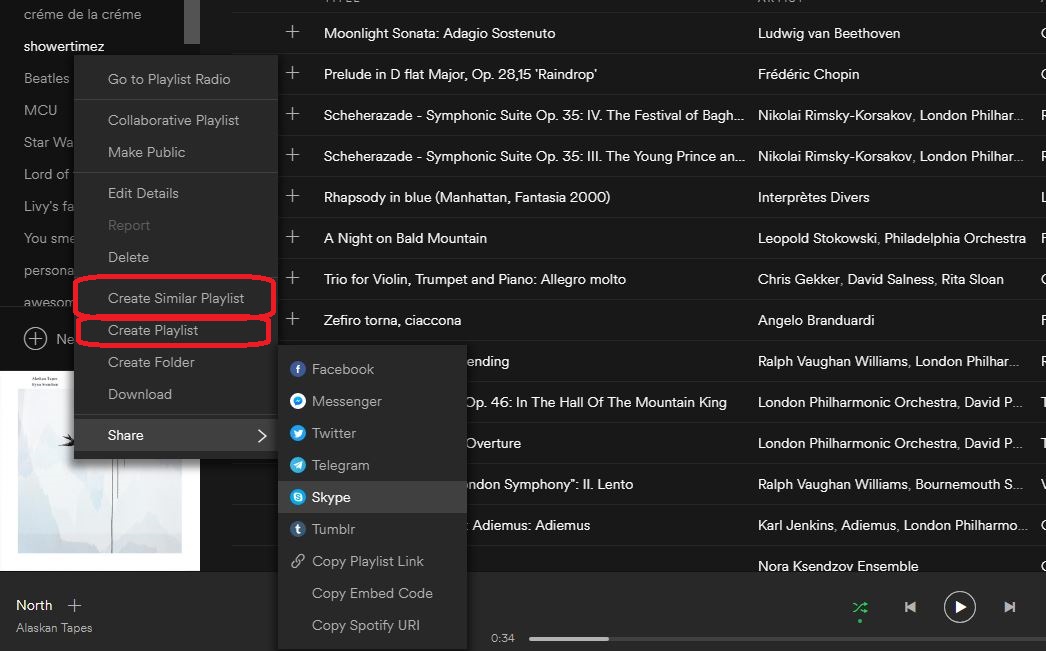
Create a Similar Playlist

‘Create a similar playlist’ immediately makes a list about 75 percent the size of the original. The new playlist will have songs from the copied list shuffled in with a ton of other songs similar to the genre and artists from the first. This is a great way to introduce some new flavor to a playlist while still keeping true to the tone of the initial one.
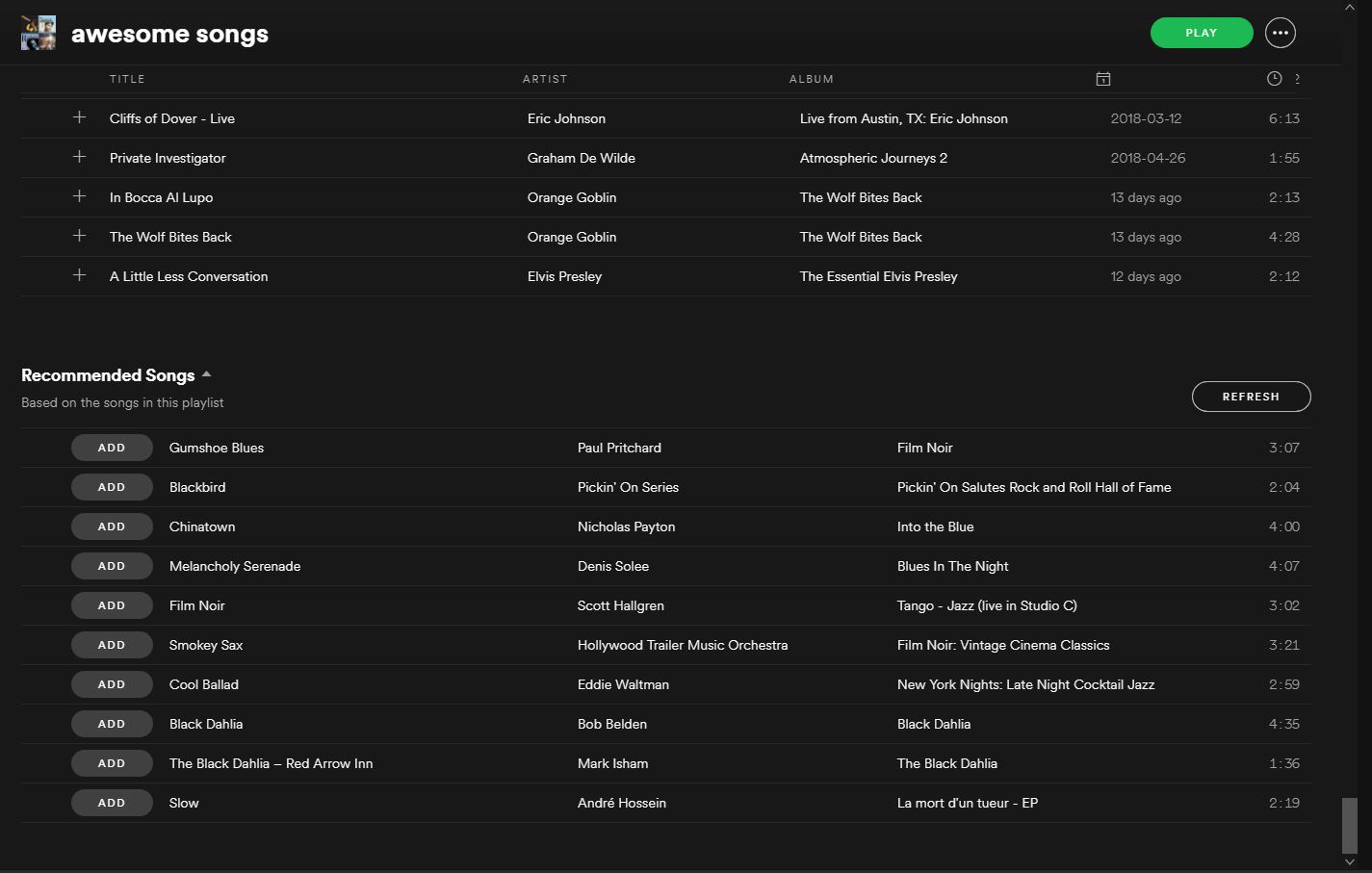
Not happy with the new songs Spotify added? Scroll to the bottom of any one of your playlists and you’ll see a refreshable list of 10 different songs that fit the style and vibe of whatever list you made. Just click ‘add’ and any recommended song can immediately join the playlist. Refresh again for more, rinse, repeat.

Discover Weekly

Probably our favorite feature, Discover Weekly does just what the name implies: Every Monday Spotify pulls together 30 new tracks based on the music in your other playlists. That means every week you get a new list and it will have music as consistent (or as varied) as your own collection.

This will introduce you to deep cuts, remasters, and covers of songs you know and love, and also similar artists and tracks that you may have forgotten about. In all likelihood, you will find some that you never even knew you liked.

Your Daily Mix
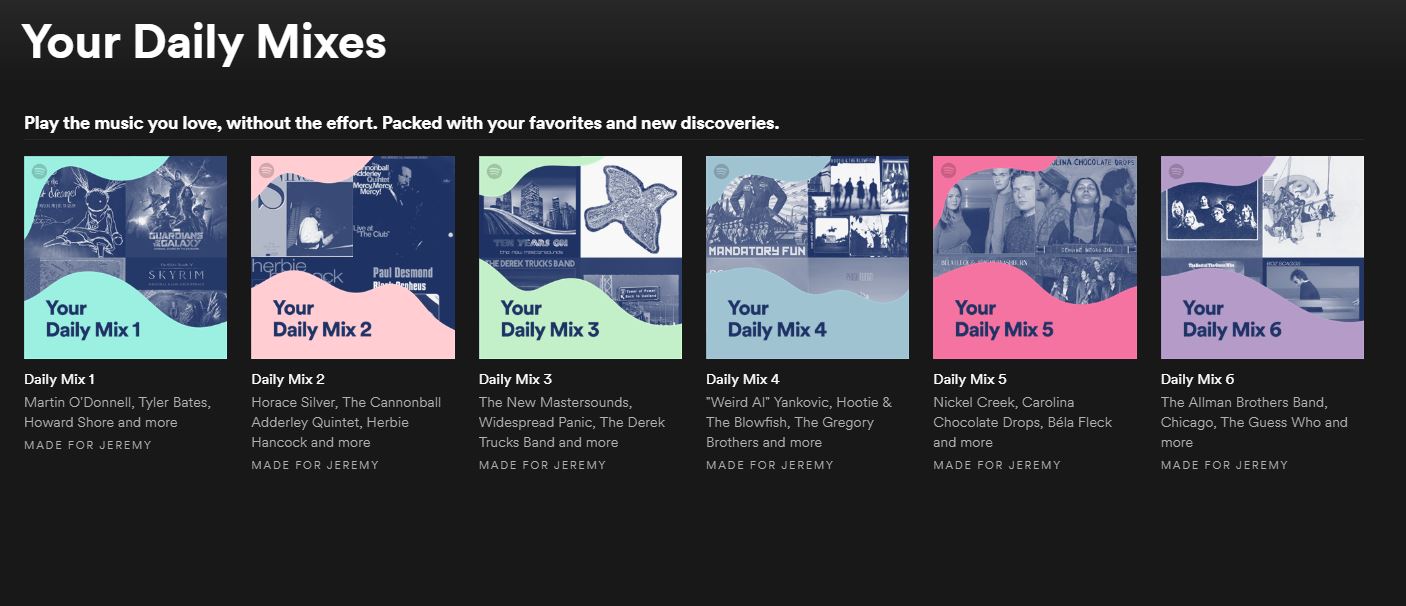
This feature is another awesome example of how Spotify Premium can make playlists of music similar to other tracks you’ve chosen. Besides updating every day as opposed to every week, the way this differs from ‘Discover Weekly’ is that ‘Your Daily Mix’ divides into six different categories, each one an “endless mix.”

What this means is that as you go down the list it will pull tracks of a similar genre, some of which you’ll know, and some of which will be new discoveries. If your taste in music is especially eclectic, these mixes might be your favorite element of Spotify Premium since these mixes can be drastically different from each other.

Genres and Moods
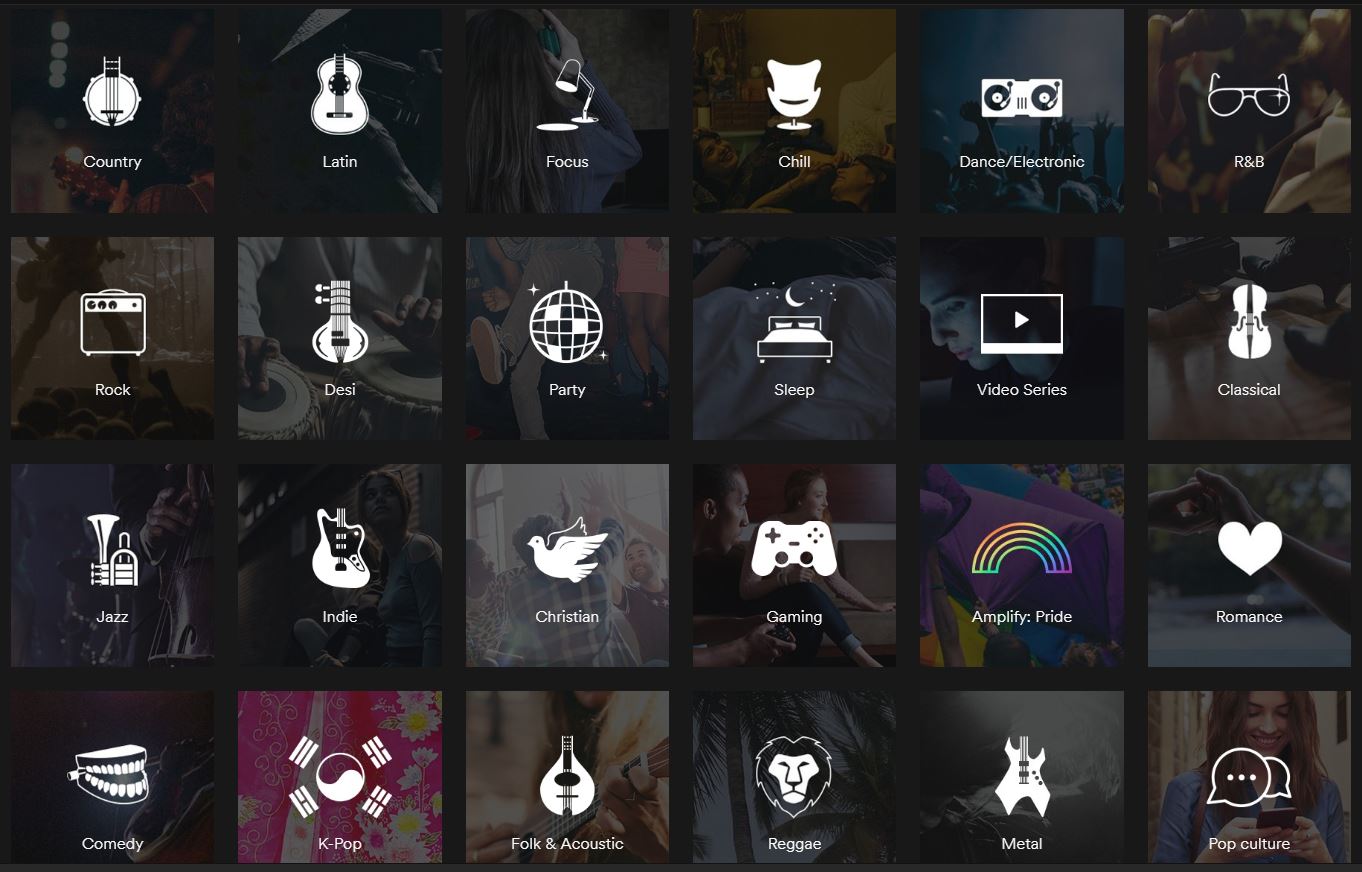
Lastly, clicking ‘Browse’ on the left and scrolling down will take you to a bunch of various ‘genres and moods’, each opening up to a half a dozen subcategories, all of which are playlists comprised of over a hundred songs.
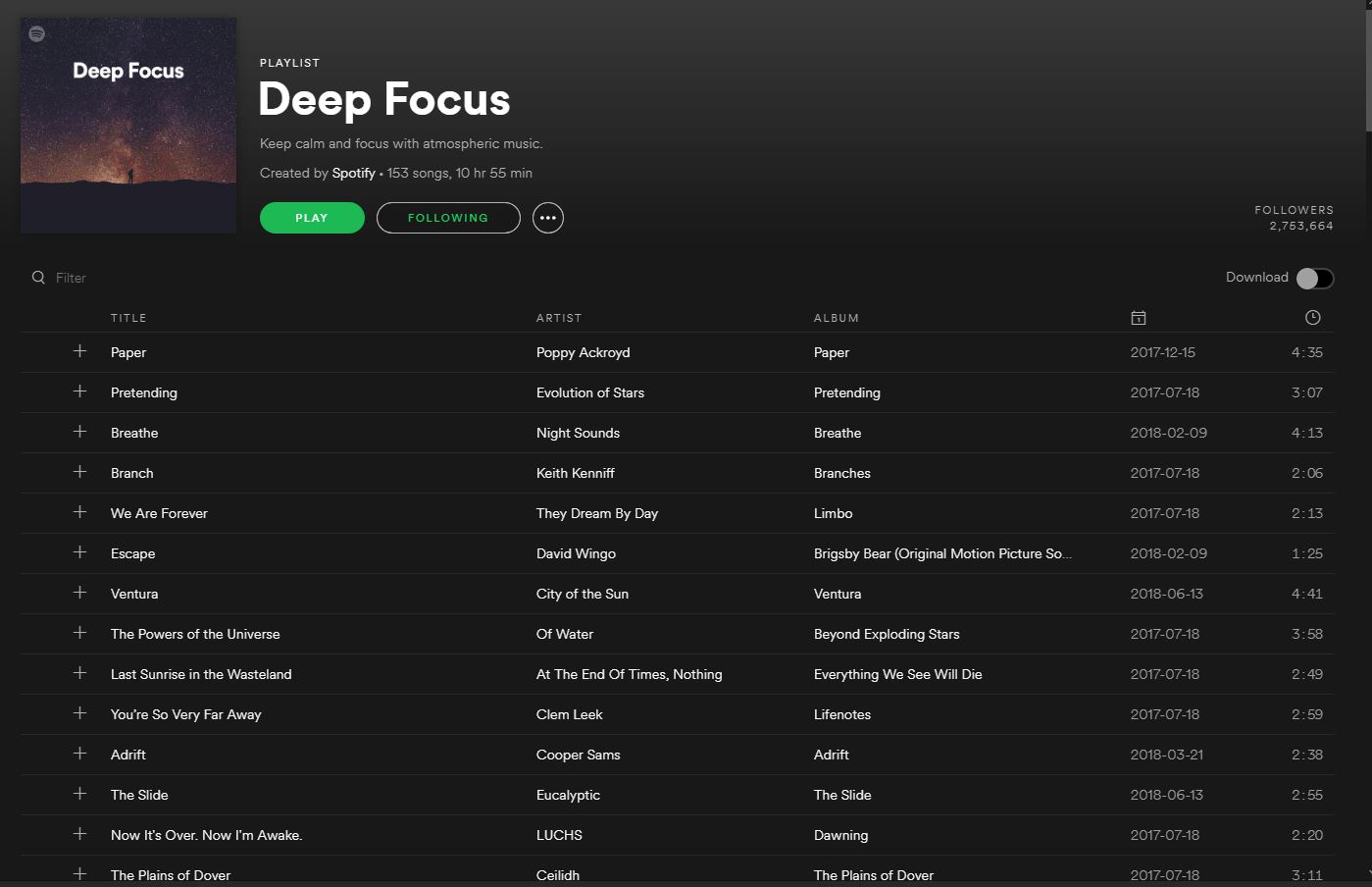
Regardless of what you’re doing or how you’re feeling, Spotify has you covered. With fast, intuitive software to build your own playlists and clever algorithms to constantly find you new tracks, there’s finally a place for all your music, present and future.

 

Spotify now has a Lite app for Android too

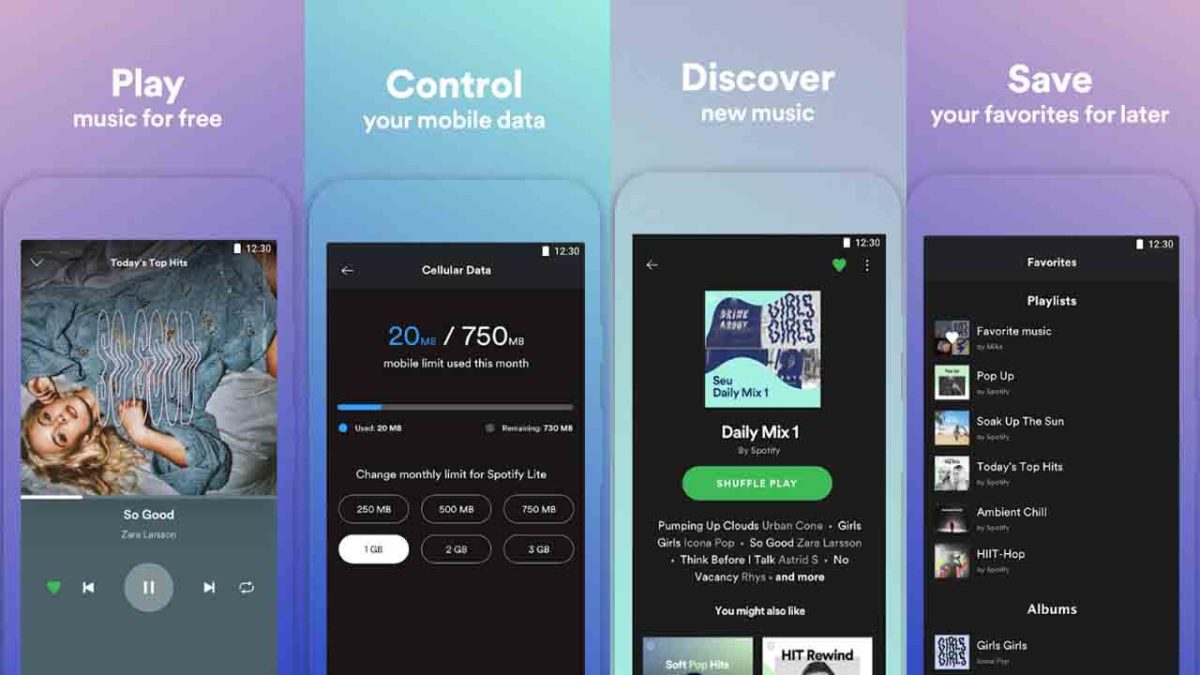
It is still a test, and the icon says “beta,” but Spotify has launched Spotify Lite for Android. We’ve recently seen a spate of apps releasing basic versions of themselves so that users with older or slower phones can access their services. Spotify Lite is the latest and offers a much simpler version of the Spotify experience.

Spotify Download Now
8

Compared to the likes of Facebook’s Lite apps or Google’s Go apps, Spotify Lite has cut a lot of the main app’s experience. Despite their smaller file size and less resource intensive operation, Facebook and Google have managed to maintain most of what their main apps offer. Spotify Lite has managed to cut its size down considerably but to achieve this, a lot of the Spotify experience that we know and love has been cut.

Spotify Lite saves data but sacrifices functionality
It is Spotify, but there is a lot missing

Spotify Lite offers users the ability to play random tracks from suggested playlists. The playlists are automatically set to shuffle, and there is no option turn off shuffle. That is pretty much it. There is no control over playlists, no radio, no single track search, and no radio stations. You download Spotify Lite, and you get the music you are given.

This is a test

Spotify has made it clear that this is a test app and that the company wants your feedback. Users have already started chiming in with their opinions via reviews on the Google Play store. Most people seem to be asking for:

  • Premium users to be able to turn off shuffle
  • Control over playlists
  • An ability to decide sound quality for downloaded music. This will give more control over the amount of space that the files take up.

It is still early days though, so if you download Spotify Lite and can think of any way to make it better, let Spotify know about it.

The Lite app trend that we’re seeing is a really positive move from the industry. We’re happy that Spotify is on board and wants to bring its service to users with more basic devices. The music streaming specialist still has a long way to go with Spotify Lite, however, so hopefully, over time, we’ll see this app getting better and better, based on user comments and recommendations.


How to create professional music mixes (the easy way)

Music has changed a lot over the years. I remember taping my favourite tracks on the radio as a child, clicking the red button on the tape recorder just before the DJ started talking. Aside from revealing my prehistoric age, it’s an example of how difficult it was to get the music we wanted, when we wanted it. Back then, music came from physical media – records, CDs, and cassettes, if you could afford them, the radio if not.

Now, it’s Spotify, iTunes, and Beatport. All the music you could ever want with just a few taps on your smartphone. It’s incredible, really. A small part of me still misses browsing record stores to buy a new album, and then listening to each track while gazing at the artwork. But enough of my nostalgia. Times have changed, and it’s now easier to listen, share, and create music than ever before.

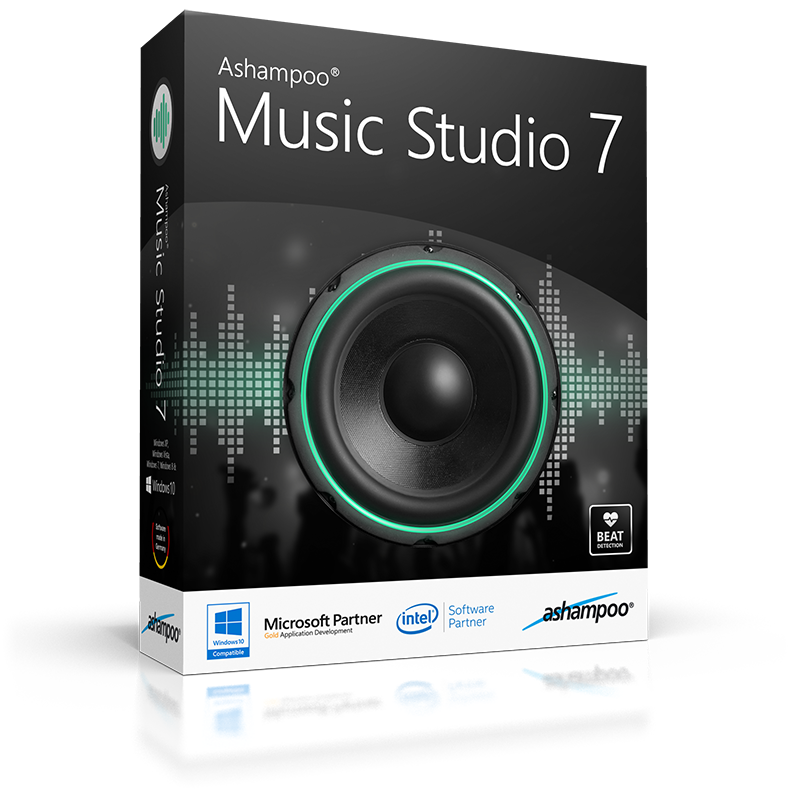
DJs have it particularly good. In the past, you needed to lug around flight cases full of vinyl or CDs. Now all you need is a laptop and a decent piece of music software. Streaming services like Spotify are fine to queue tracks or make simple playlists, but if you want to play at parties, weddings, or other important events, using a virtual studio like Ashampoo Music Studio 7 will make you sound like a pro.

If you’ve ever DJ’d with decks and a mixer, you’ll know how difficult it is to beat match your music. Every track has its own BPM (beats per minute), and if you don’t match them perfectly, your mix will sound like two washing machines having a fight: noisy, industrial, and extremely unpleasant. Music Studio 7 perfectly synchronises BPMs by analysing the speed of each track, and choosing the best moment to start blending them together, so you get the perfect mix, every time.

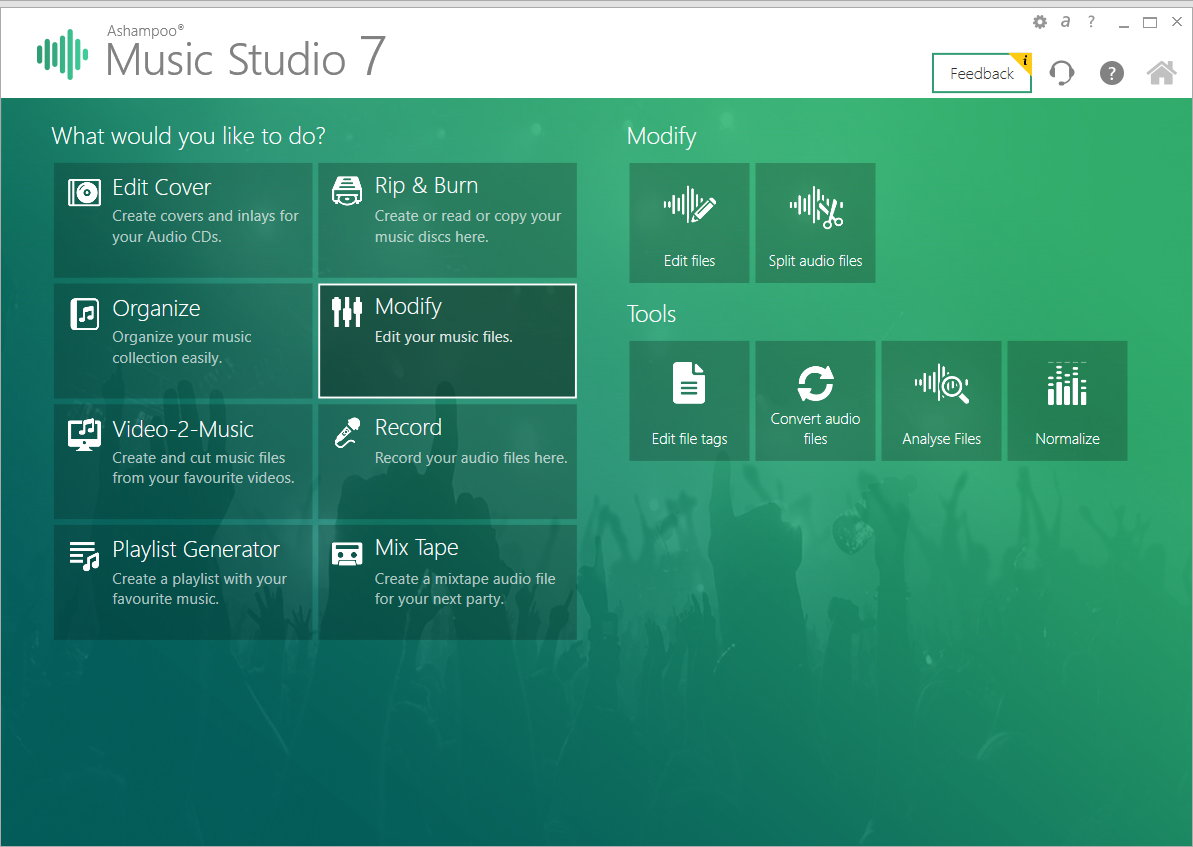
Creating a playlist is easy; making it your own is tough. The engineers over at Ashampoo understand that if you want to stand out, you need your own style. They’ve included a comprehensive set of editing tools in Music Studio 7 which can turn a mediocre setlist into something really special – including a triple track mixing desk, fader, equaliser, and pause detection for splitting live recordings and then mixing them with other sounds.

When designing your musical journey, you’ll need to work with a range of different files, from MP3s to FLACs, and Ashampoo Music Studio 7 supports them all. You can play, convert, or save in any file system you want, including playlist files, so your mixes can be listened to on any digital platform or device. You can also extract audio from video files, so if you fancy dropping in a sample or two from your favourite movies, you can. Music Studio 7 will even convert them into ringtones for you.

If you plan on publishing your mixes, use Music Studio 7 to create the album covers, and then upload the cover with your mix online. Or if you’re old school, burn your mix with the included burner and print the CD inlay – useful if you’ve got an aunt somewhere in the sticks who loves your techno remix of Jingle Bells (best Christmas gift ever?).

We love Ashampoo Music Studio 7, and at just $19.99 it’s worth buying for the mixing features alone. You might not need to prowl record stores anymore, or heave boxes of vinyl to your latest gig, but you still have to work on your playlists. So get Ashampoo Music Studio 7 today and discover your inner DJ.

Get better internet for 12

The internet is the backbone of society. Never before has it penetrated so widely or so deeply. It’s in virtually everything we do, from shopping to hiring a taxi.

We rely on the internet so much, it’s easy to get frustrated when it’s not working. We often sit at the laptop, fiddling with wifi settings, IP addresses, and DNS servers to boost speeds or fix faulty connections. The problem is, we often make things worse.

When things are going well, we tend to spend our time enjoying the fruits of the world wide web instead of learning how they grow. But when things go wrong, troubleshooting can be an overwhelming, confusing, and intimidating experience.

Although we’re dependent on the internet for almost everything, few of us understand how it works. Forums and YouTube tutorials help with the basics, but can only do so much. Internet connections fail in a thousand different ways, and understanding the root cause and the means to fix it often require specialist knowledge many of us lack.

Nevertheless, when Netflix pixelates or Spotify won’t connect, we don’t want to waste hours on the phone to our ISP (Internet Service Provider). Going through the motions with tech support can be gruelling, especially if you’re unsure of what you’re describing, and more often than not the problem is a simple one. If only you had an expert on hand to analyse and optimise your internet connection, everything would be fine…

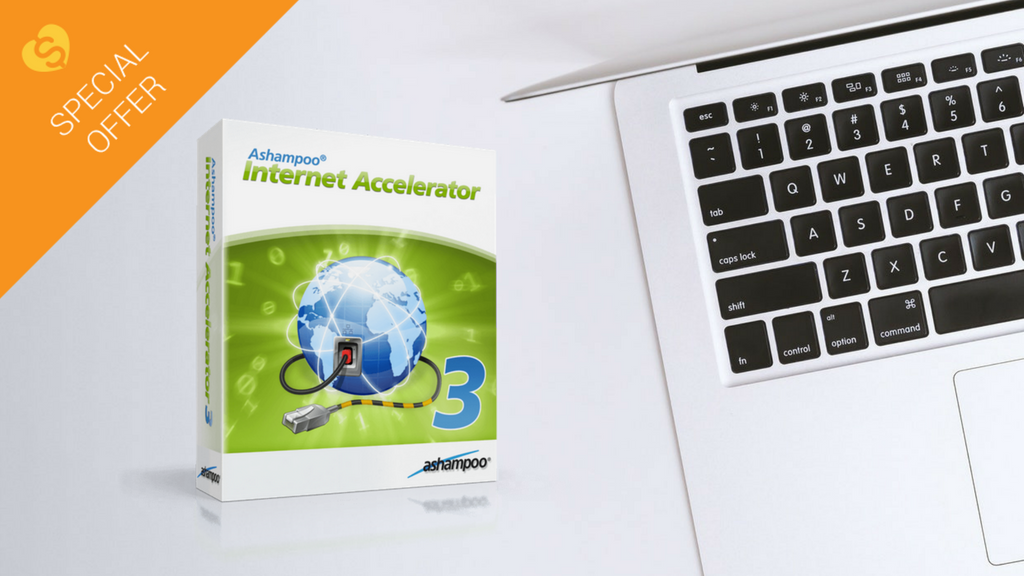
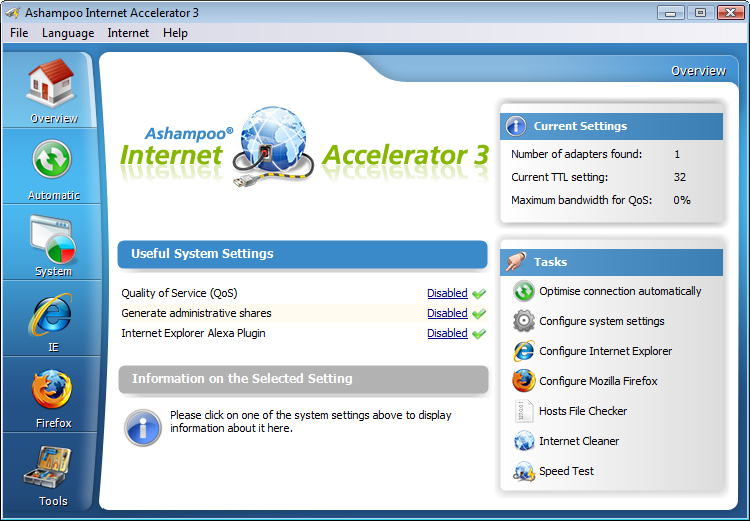
Well, now you can. Ashampoo Internet Accelerator 3 will solve most internet connection problems in a single click. Ashampoo has assessed many of the common internet connectivity issues and programmed Internet Accelerator 3 to identify and fix them automatically, without your help. Not only does this save you time reading technical forum posts or on frustrating calls to IT support, but also prevents misdiagnosis, which can make a simple problem worse.

Internet Accelerator 3 works by analysing your computer’s internet settings. Then, it configures these settings to increase the speed and stability of your connection. It’s all done automatically through a clean, simple user interface, so you can choose just how involved you want to be. Advanced users can view and change the settings themselves.

Aside from fixing common internet problems and boosting performance, Internet Accelerator 3 also speeds up browsers like Internet Explorer and Firefox. It’ll clean up old temporary internet files and cookies, too, freeing up hard drive space for more important content.

Ashampoo Internet Accelerator 3 ensures you’re getting the fastest, stablest connection without opening a help page or dialling a support line. Download it today for just $12 . That’s better internet performance for less than a breakfast.

9 out-of-this-world features on your favorite apps that NOBODY knows about

Our favorite apps are updated almost every week. The bad news is that these updates usually go unnoticed. Did you know that Facebook helps you look for public Wi-Fi? Or that Gmail can write your emails for you? So you don’t miss out on the best new features on your favorite apps, we’ve compiled the best updates in recent months. 

1. Gmail writes your emails for you

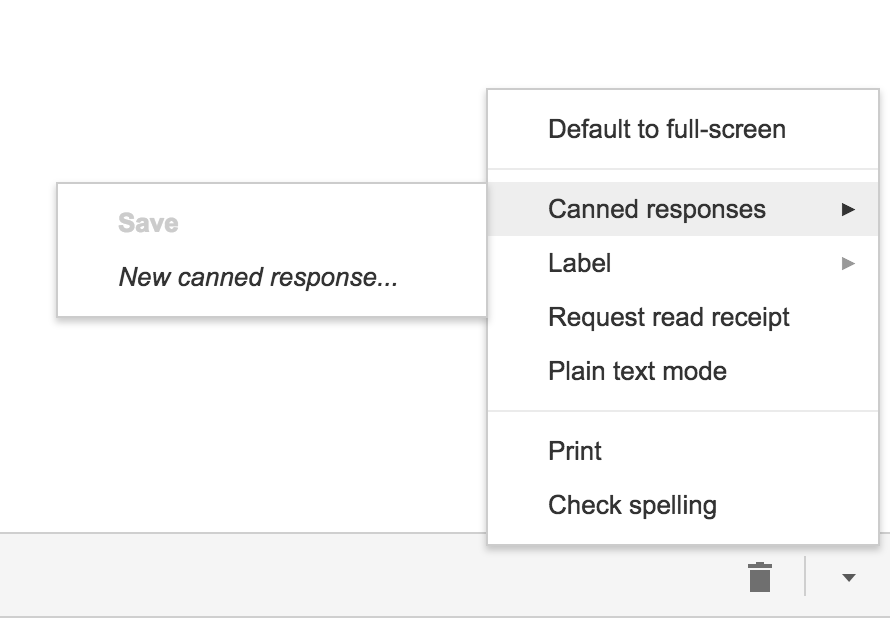
Gmail offers an option called “Canned Responses.” This feature saves messages or phrases that you use most often and suggests them when you draft an email, saving you time.

Want to enable this option? You have to go to the settings section in Gmail called Labs. Gmail Labs is a testing center with “far-fetched” experiments (according to Google) of all kinds. You can access Gmail Labs here.

The feature you’re looking for is called “Canned Responses” and all you have to do is click on “Enable” and then “Save Changes” at the bottom of the page. 

Next time you compose an email you’d like to save as a canned response, click the little triangle on the lower right-hand side of the screen. That opens a menu with an option for “Canned responses.” Just move over and click “Save” if you’d like to save that email so you can fire it off again someday.

You may have noticed a basic AI version of this at the bottom of messages you read on the Gmail app on your phone. They look like this:

2. Gmail’s most invisible feature

It’s unlikely that you’ve noticed this Gmail update because it’s designed to go unseen.

Haven’t you noticed lately that you’ve received fewer spam emails with suspicious links? Gmail has enhanced its ability to detect and delete this type of email even before it reaches your inbox. It’s not yet 100 percent foolproof, but it’ll keep you safer than before.

3. Make wish lists on Google Maps

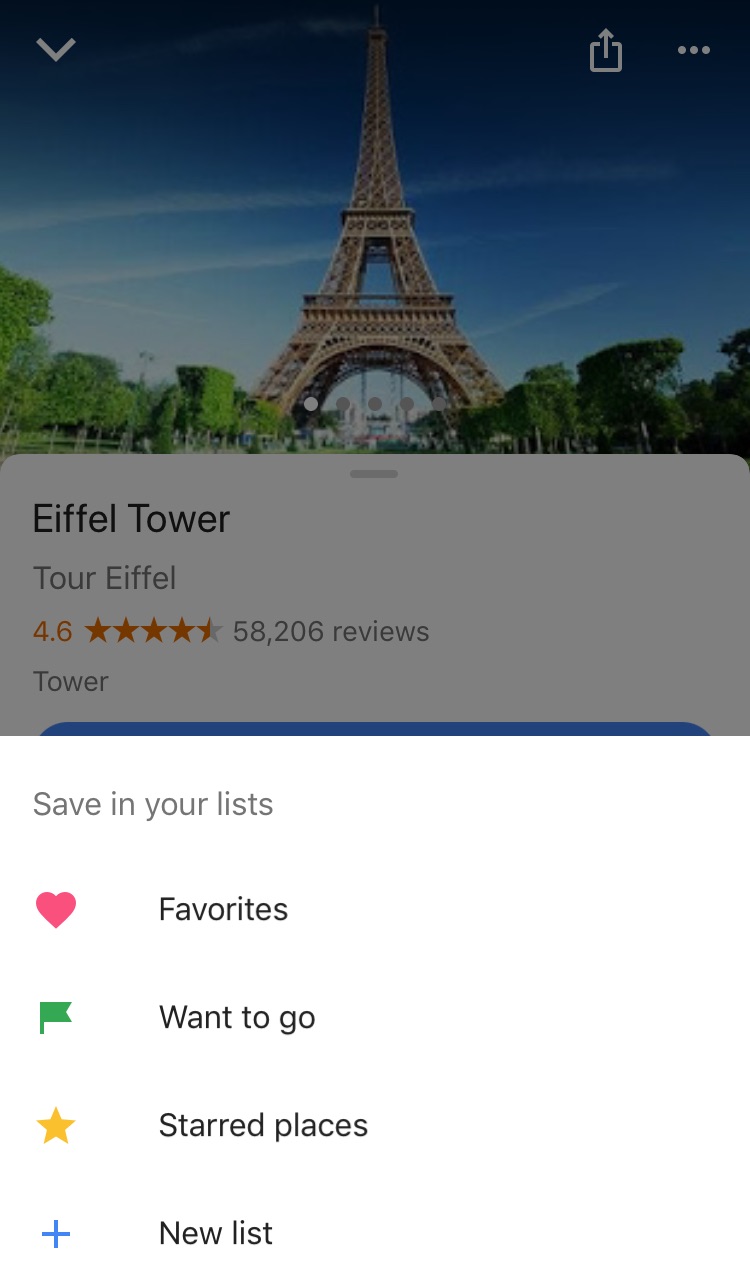
Google Maps lets you make lists of places you’d like to visit. Imagine that you’re planning a vacation to Paris. You can make a list of those museums, restaurants, and attractions that you’d like to visit. And you can share the list with those you’re traveling with. Or with anybody, for that matter!

Google Maps users are making the most of this feature to share recommended places or themed attractions. To use this feature, it’s as easy as pinpointing a place in the app, clicking “Save” and choosing the list with the green label that says “Want to go.”

4. Share anything with WhatsApp

WhatsApp lets you share any file type (mp3, videos…) between contacts provided that these files do not exceed 100MB in size. Instead of sending 100 photos one-by-one, why don’t you send them as a .zip file, for example?

5. WhatsApp gets their act together…kind of

It’s taken a while, but WhatsApp now has filters, like Instagram and the rest! At the time of writing this article, there are just five filters and they’re only available on iOS; no news on when they’ll arrive on Android.

6. Facebook helps you find Wi-Fi

Facebook has a relatively new feature called “Find Wi-Fi.” It’s a little bit hidden. First you have to click on the three horizontal lines on the lower menu bar. Click on “See More.” There you’ll find it and you can enable “Find Wi-Fi.”

After enabling it, Facebook will show you a map with the closest Wi-Fi hotspots as well as details about these hotspots, like which businesses they belong to.

7. Download movies and TV series from Netflix

Taking a plane somewhere? Bring your tablet packed with your favorite Netflix movies and shows! Not all Netflix offerings are available: pay attention to the download icon that appears on the TV series or movie listing. Amazon Prime also offers this feature.

8. Spotify Codes

Spotify has a feature called Spotify Codes. Have you noticed that below songs, playlists, and albums, there is a barcode in the shape of a sound wave? If you don’t see it, click on the three dots to access Spotify’s advanced options.

You can exchange these sound codes with your friends and they only have to open the Camera feature within Spotify for apps to scan them.

Also, Spotify Codes are an excellent way for artists to become known, as they can insert their codes on social media so the rest of the world can quickly access their songs.

9. Muting on Twitter

Got some people on Twitter who won’t stop spoiling your favorite TV series or spewing goofy conspiracy theories? Don’t want to block them because sometimes you talk to them and some of their Tweets are interesting?

Twitter now lets you mute whoever you want. Muting means that their messages will not appear on your feed, all without their knowledge. You’ll receive notifications if they mention you in a Tweet or if you receive direct messages from them. And you can check their Tweets when you feel like it.

Muting is as easy as clicking on the “down arrow” on one of their Tweets. You’ll see this option, among others.

Have you found any hidden features you’d like to share? Let us know in the comments!


What happened at the big Spotify event?

Rumors started surfacing earlier this month about a Spotify smart speaker and a Spotify gadget for your car. Today in New York, Spotify held an event and everybody thought that’s when we’d learn more about these new Spotify peripherals. Turns out, we were wrong. Instead, Spotify released some pretty interesting news about a brand new app that it’ll be offering its free users. Let’s have a look at this in more detail.

Spotify Download Now
8

Having already taken a swipe at traditional record stores, Spotify wants this new app to take on broadcast radio. The app will use machine learning and AI to automatically generate playlists for free users. Users will also have unlimited access to 750 tracks from 15 top playlists and will have unlimited skips so they’ll be able to pick songs directly. This number of tracks is obviously a hell of a lot less than what premium subscribers have access to but resembles something similar to the song lists radio DJs have to pick from when they’re broadcasting.

Spotify is calling the new automatic playlists “self-driving playlists,” which may explain why the Spotify car dongle rumor got started.

The new free Spotify app will start rolling out in the coming weeks so keep your eyes peeled for word on an exact date.

Apart from the new free app, Spotify’s big event brought no more big news. No changes were announced for the premium service and there was nothing mentioned about any hardware. Still, a more dynamic free Spotify experience will please a lot of people. And with Spotify having over 90 million free users, you can expect radio stations around the world will be thinking long and hard about what they’re going to do about this new threat.

Spotify Download Now
8