
Easy ways to do your taxes online

We’ve got a few discounts to save money and get your numbers right.

taxes

Whether you’re ready to think about tax day or not, there’s a real benefit to getting ahead of the curve on this stuff. For one, if you’re expecting a refund, it never hurts to fatten up those pockets faster, especially after the holidays have left your bank account looking a little thin.

On the flip side, if you know you’ll have to fork over some substantial funds to Uncle Sam, it’s better to figure out a payment plan ASAP. After all, there’s nothing to gain by putting off bad news.

Now, e-filing services are a dime a dozen. It can be hard to select the right program for you,  and it’s even harder when you’re trying to price compare — should you go with the free plan or shell out for some better features?

Below, we’ve compiled a list of some of the best options for making online tax prep as painless as possible. Let’s take a look.

Best ways to do your taxes online

IRS Free File

This option is the IRS’ offering, which, while a bit clunky, gets the job done and is relatively straightforward. Free File is free for Americans making less than $60,000 a year and allows you to submit your tax information online and track your refund.

The IRS has partnered with a range of tax providers, which means the agency will transfer you to another site. Partner sites vary by state, so experiences will range too, based on where you live.

If you make over $60,000, you can still use the IRS’ online forms. Print and send your returns through the USPS or submit them to a third-party preparer of your choosing.

Liberty Tax eSmart Tax

Liberty Tax’s eSmart Tax is an inexpensive service with a tiered pricing plan. The platform works by asking you a series of questions to determine which forms you’ll need and where you might be able to qualify for deductions. eSmart Tax is super user-friendly, they’ve made it easy to add multiple W2s and other forms, and the tool guides you through the end-to-end process.

This platform is an excellent choice for freelancers and independent contractors, as well as W2 employees.

It’s not overly complicated, but it will help you stay in compliance with the IRS’ tax laws. eSmart Tax comes with a handful of features that sweeten the deal — ACA forms, business expenses, child and dependent care, and a credit maximizer.

You can also save more by clicking this link: eSmart Tax is offering a 20% discount for Softonic readers.

taxes

Turbo Tax

Turbo Tax is probably the most popular online filing program. It’s been around forever and is known for its intuitive design and straightforward interface.

This option is a bit more expensive than some of the competing tools, but it comes with several add-on tools that making DIY tax filing easy for those who don’t know what they’re doing. The free version of the product allows you to file a federal return with the 1040A or 1040EZ.

The Deluxe plan is $59.99, and this one comes with some better add-ons — namely in the form of the ItsDeductible feature, which allows you to itemize expenses and donations made throughout the year. Upgrade to the premier plan for $79.99, and you’ll now have added capabilities for reporting investments and rental income.

At the more expensive end of the spectrum, Turbotax offers a self-employed plan for $119.99, which gives you everything included in the Premier package, plus expense tracking features for freelancers and independent contractors.

Finally, there’s the new plan, TurboTax Live, which handles everything from expenses to investments, plus provides a one-on-one review with a CPA before you file.

Efile 

Efile is another online tax preparation service that allows users to file tax returns through the IRS. Like the other programs we’ve looked at, E-file comes with three different pricing tiers — a free plan, a $29.95 Deluxe plan, and a $39.95 Premium plan.

The free plan is made for those with a simple tax filing — a 1040EZ or 1040A, while the Deluxe caters to those with deductions or more complex employment situations.

The Premium plan is best for those with rental properties, investments, or the self-employed. State filing will cost users an additional $19.95, and you’ll get free audit support in there event of an audit.

That said, E-file won’t provide a hands-on walkthrough on how to deal with the IRS in that situation, so it might be worth paying for assistance from one of the bigger companies like TurboTax or H&R Block if you need more advanced audit support

H&R Block

H&R Block is one of the biggest names in online tax services, and they offer a handful of pricing options ranging from a $40 basic plan to a $75 premium service.

There’s also a free plan, but this option is designed for those filing 1040EZ forms. It’s also worth pointing out that the free option doesn’t allow you to save your progress and return later.

The $50 deluxe plan is available for people looking for a bit more features — it’s best for homeowners and people with investments. This version will ask users questions about their employment situation and walk them through each step to identify any potential deductions.

The Premium plan is best suited for people with rental properties or those who are self-employed and may have more complex tax situations. If you’re just a regular W2 employee, you’ll likely do okay with the basic.

Overall, the platform is attractive, easy to use, and there are little extras built in that make the process run smoothly. For example, the W2 photo import means you can avoid some of those data entry tasks that slow you down.

Additionally, H&R Block also offers a feature called Worry-Free Audit Support, which gives you access to a tax professional who can help guide you through an audit for $19.99.

Softonic readers can save a few bucks on some of the more advanced features, too. HR Block is offering 35% off through April 15. 

Final Thoughts

In the end, many of these sites come with a similar set of offerings—all provide an automated walkthrough, tiered pricing, and the ability to file online, no printing or scanning required.

H&R Block is our top pick here, as you get the most bang for your buck—good design, a solid user experience, and relatively affordable pricing.

Still, you may want to click around within each of these options before making a decision.

5 best ways to buy sports and concert tickets

Need a ticket to the big game or the hot concert? Here’s how to snag the best seat.

concert tickets

There are more ways to buy tickets than ever.

From Craigslist resellers to event-specific ticket hubs, there’s a real choice paralysis here. Who do you choose when you’re hoping to score a seat at one of the most in-demand events of the year?

Below, we’ve rounded up some of the best options — from where to lock down special deals to where to get a refund in the event of a cancellation.

5 best sites to get tickets to concerts, professional sports, and more

Ticketmaster (ugh, we know…)

Ticketmaster home

Ticketmaster is the 400-pound gorilla in the event game. The company has been around since 1976 and is one of the biggest names in ticket sales.

Of course, there’s always a downside. If you’re angling for tickets to an in-demand concert or a major playoff game, there’s always the risk that tickets will sell out fast.

One of the key reasons that we liked Ticketmaster is, the site has one of the best return policies around. Ticketmaster offers a Fan Guarantee that means you have three days to get your money back in the event of a cancellation — so if your sports game is rained out, it’s not a total bust.

The price comparison feature is adequate. Other sites do a better job in that respect, as Ticketmaster doesn’t show you the view from each seat. Meaning, aside from proximity, it’s hard to figure out why one seat is $25 when another is $50. Still, reputation and ease of use win out, making this one of our top picks for ticks.

StubHub

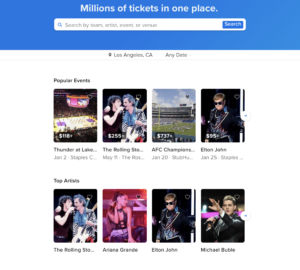
StubHub search

Stubhub offers some of the most competitive pricing on tickets for everything from pop star tours to music fests, comedy shows, and speaking engagements. We liked the site’s intuitive interface, which lets you sort through their offerings based on price, location, artist, and so on.

At a glance, some ticket prices appear higher than competing sites, but it’s important to note that StubHub makes up for it by offering free shipping.

Instead, the site builds a 10 percent service fee into the sale and you’ll have the choice of receiving online tickets, physical stubs, or the option to pick them up at will-call.

One of the key advantages of StubHub is that as the events draw closer, prices might start to drop. Obviously, that won’t be the case for certain events like a major playoff game — but it’s a great way to see some quality shows on the cheap if you’re looking for something to do.

Overall, StubHub is one of our top picks for ticket apps. The transparent pricing, plus a massive selection of tickets means that you won’t have trouble locking down seats for that special event.

TicketNetwork

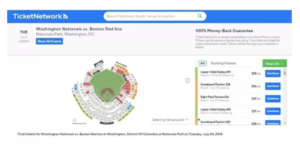
TicketNetwork seating chart

TicketNetwork is a ticket reseller that offers a wide range of tickets to all kinds of events from the Broadway shows to your favorite comedian’s latest tour.

The site is user-friendly and they make it easy to browse by category, top events, and more. Because the site is a resale platform, tickets may be priced above face value. Still, shoppers have the option to finance their payment using PayPal credit — interest-free for six months.

The main benefit of TicketNetwork is, the platform provides a resource for ticket hunters seeking their “in” for sold out shows or hard to find events.

Tickets also come with a 100 percent, money-back guarantee.

What’s more, TicketNetwork also functions as a way to offload unwanted tickets of your own. All you need to do is set up a free account and post your tickets. They’ll take a 10 percent commission, but it’s not a bad deal — and it’s a whole lot safer than trying to sell your seats to strangers on Craigslist.

Seat Geek

seat geek home

Seat Geek is another great option that allows users to sort through a selection of events. What’s unique about this platform is, they assign a “deal score” to each seat, and the intuitive platform recommends events based on your past searches.

Like StubHub and TicketNetwork, you can also sell tickets through Seat Geek, but the commission on this site is 20 percent, which is a bit higher than the other options.

Vivid Seats

Vivid Seats tickets

Vivid Seats is one of the best picks, especially for sporting events. The site comes with interactive seating charts, transparent pricing, and an easy-to-navigate search function.

All tickets are backed by a 100 percent money-back guarantee, and in many cases, you can see the view from your seat before committing to a ticket. The downside with using Vivid Seats is, sometimes the prices are rather high. In general, StubHub offers better pricing, but Vivid is a solid pick—especially if you opt into their rewards program.

Parting thoughts

We recommend shopping around with a few of these sites before you buy tickets. Most ticket brokers offer comparable pricing, but in some cases, you might be able to find a deal.

Overall, any of the above options should serve you well. Enjoy the show!

Free up your time with home grocery delivery

Need groceries delivered to your door? Here are our favorite services.

Going to the grocery store is a pain.

A trip to the store means losing an hour or more of time better spent doing, well, anything else.

And don’t forget about the hassle of dragging heavy bags around town when you don’t have a car. There’s a reason that city dwellers love their takeout.

Why spend time standing in line when you can just buy your groceries online? What was once a luxury has become a relatively affordable convenience option—and some services even offer same-day delivery and high-end items—more than canned goods and snack items.

Below, we’ve included a list of home grocery delivery options that can help you free up your time and in some cases, help you save some cash while you’re at it.

Pros and cons of grocery delivery

have you tried these food delivery services?

Advantages of ordering groceries online

Obviously, the convenience factor is the most attractive selling point when it comes to buying food online. People don’t always have the time to make it to the store — and city folk can especially benefit from skipping walks to the store or train rides with brown bags in tow.

Many digital shoppers also like that ordering online makes it easy to stick to a budget and reduces the number of impulse buys made during a trip to the store.

So if you’re prone to picking up junky magazines at the checkout or junky foods in the middle aisles of your local market, shopping online can keep you on track.

Additionally, ordering food online is great for those people who feel rushed at the supermarket. Instead, you’ll get the chance to kick back, browse the virtual aisles at your leisure and create a meal plan based on what’s on sale and in season.

While delivery fees and higher per-item costs are associated with the service, there are a lot of deals out there that may make this process relatively affordable.

Disadvantages

Of course, everything has a downside.

If you don’t pay for a delivery service membership, chances are, you’ll be paying delivery fees each time you buy. Over time, fees can add up. In some cases, delivery services don’t offer everything that the IRL store has on the shelves. Nonperishables are always easy to find, though you might have trouble finding fresh foods on a reliable basis.

Finally, the main disadvantage of online grocery shopping is you don’t get to feel and smell the food up close. A successful produce haul often depends on a sensory evaluation — something you lose when ordering through a site — underripe, bruised, or overripe items can put a damper on even the best-planned meals.

Best options for grocery delivery

Amazon Fresh

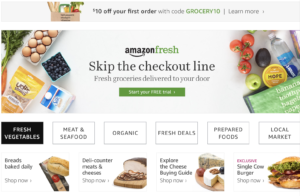
Amazon Fresh

Amazon Fresh is the food delivery service for Amazon Prime members. In general, pricing is better than some of the other options out there—Whole Foods brands are offered at lower rates than in store, and members have access to meal kits, and the option for same-day delivery.

Oh, and there’s the added benefit of ordering through Alexa.

Getting started with an account requires a $14.99 monthly fee and from there, delivery is free for orders over $40.

Deals range considerably when compared to what you’ll pay at a conventional grocery store. For example, you might find your favorite chips are cheaper through Amazon Fresh, while fresh foods can cost a bit more than what you’d find in person.

For example, a bundle of scallions is $1.29 and a bunch of organic broccoli goes for $4.48. Non-perishables tend to be a better deal.

That said, the delivery costs are minimal, especially if you order a good chunk of your meals through the site. And while you might spend more on your scallion fix, the produce prices aren’t that much higher than IRL grocery.

Instacart

Instacart delivery service

Instacart’s key benefit is that they source products from several stores such as Costco, Aldi, and even drug stores, but compile all of the items into one interface.

Groceries can be delivered within an hour, so this option is best suited for those who need food in a hurry.

That said, costs tend to be higher than you’ll find with other food delivery services. You’re paying for the personal shopper who can communicate with you via text, as well as the fast turnaround time. We don’t really see this being a sustainable alternative to traditional grocery shopping, but it’s a nice convenience on occasion.

The company has recently introduced a subscription fee for frequent shoppers — $149 annually for free deliveries over $35.

FreshDirect

FreshDirect home delivery

FreshDirect is another great option for those who can’t make it to the market or let’s face it, don’t want to venture out to buy their refrigerator staples.

We’ll say this outright, this company has a relatively small list of delivery areas — catering to NYC, and parts of New Jersey, DC, Delaware, and Philadelphia.

Delivery fees range by metropolitan area, though you can pay for a DeliveryPass, which covers six months or a year of delivery fees for $79 and $129, respectively.

The site offers a ton of discounts and provides food sourced from local farms. Unlike Amazon Fresh — which runs the gamut from junk food to organics and everything in between, FreshDirect has a focus on gourmet items, sustainable proteins, and specialty foods that cater to the vegan, paleo, and gluten-free crowds.

Thrive Market

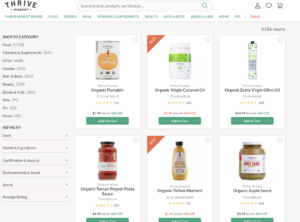
Thrive Market shopping

Thrive Market falls into a slightly different category than the options mentioned above. Thrive delivers healthy options like antibiotic-free meats and sustainable seafood, and makes it easy to shop for specialty items — think Paleo, Vegan, or Keto foods — without breaking the bank. Membership is $59.95 per year and orders over $49 ship for free.

Unfortunately, you can’t find fresh produce on the site. However, discounts on higher-end items like oils, energy bars, and more make the membership worthwhile — discounts average about 25 to 50 percent off retail — so this is a good place to stock up on organic soups, bone broth, and matcha tea that costs an arm and a leg at the local Whole Foods.

 Looking for a prepared meal instead? Check out our article on the best takeout delivery apps.

How to succeed with a robot coworker

Learn how can you stay employable once robots start taking jobs.

robot coworker

We might be on the verge of a robot revolution, but employers are increasingly looking for people who excel at, well, being human.

Sure, robots can do a lot of things better than we can: data entry, stocking shelves, even hard skills like coding or debugging.

But, bots lack the nuance, out of the box thinking, and creativity that humans do so well.

According to LinkedIn data, soft skills are high in demand.  And while things like cloud computing, coding, and cybersecurity top the list, communication, collaboration, and creative problem-solving stand to be the differentiating factors of industry 4.0.

Why the emphasis on the softer stuff?

The simple answer is, humans should focus on improving the skills that artificial intelligence will have trouble replacing.

AI is set to transform most “doing” jobs into “thinking” and “feeling” jobs. Experts say jobs composed of linear, repetitive tasks will be the first to go. These jobs include customer service, retail, fast food, accounting, manual labor, and more.

The World Economic Forum estimates that 65% of our children will end up in jobs that don’t exist today. Which certainly makes it a challenge to develop the training methods that set the youth of today up for success.

It seems the consensus is, young people should develop a skill set that they can transfer to multiple occupations. So, it’s going to be increasingly important that we move toward a culture that values lifelong learning, and that we treat people skills and creativity — intangibles — as top priorities, not “nice to have” qualities.

Here are some of the timeless skills you should start polishing now. You know, before the robots come for your job.

Skills to focus on for our robot-human future

Empathy

empathy

Empathy is the ability to understand another person’s thoughts and feelings. It means you can place yourself in their shoes and that you consider others’ concerns.

This quality, often considered a personality trait, has significant impacts on productivity, engagement, and loyalty.

When you feel that you’re stuck with people who don’t care about you, teamwork suffers, there’s a lack of trust and culture of resentment. And in the future workplace, humans are going to have to band together and feel comfortable with throwing out new ideas — even if they might not work.

Improving your empathy has a lot to with taking a step back and thinking about how others might react to your words or actions. Ask questions and avoid making assumptions.

When you consistently approach coworker interactions with kindness and respect, the workplace becomes more compassionate.

Leadership

leadership

A good leader is someone who can motivate, inspire, and empower others. Leaders are assertive and likable, someone we can all look up to. But, many people believe leaders are born that way.

It’s true that traits like agreeableness and emotional intelligence come more naturally to some people. But, there are ways anyone can level up their leadership skills.

Recognizing and acknowledging others’ accomplishments, focusing on collaboration over competition, and maintaining a positive attitude, are things you can work on without enrolling in an MBA program.

Still, aspiring leaders may want to look into more formal training. Classes in organizational or project management are solid choices, particularly if you don’t have experience in a management role.

Before you sign up for a college class, though, check with your company to see if they offer tuition reimbursement or access to training programs.

Flexibility

flexibility

Adaptability and the willingness to learn something new on the fly are critical in an era where tech is evolving at a breakneck pace.

Cognitive flexibility is the ability to switch between one concept to another, or shift between ideas. It’s also a marker of what Harvard Business Review refers to as a growth mindset.

HBR reports that some people lean toward a belief that skills and interests are inherent — so someone might naturally be good at sports or is born with above-average intelligence. This is called a fixed mindset.

By contrast, a growth mindset stands to become a valued asset in a changing workplace.

One way to level up your flexibility is to think about yourself as this sort of package of skills. For example, you’re a project manager today, but you’re also an excellent communicator. You’ve got good writing skills, and you’re able to bring out the best results in your team by delegating.

These skills that you might use in your project management role today can help you in any position–whether that’s allocating robot labor to specific tasks or transitioning into a role that requires more writing and editing.

It’s that readiness to accept change and understand how your knowledge can apply to different areas that will serve as a backbone for reinvention.

Active listening

active listening

Listening should mean more than waiting for your next chance to talk. It’s a potent tool that can help you solve problems and build better relationships.

Active listening may come more naturally to someone who is genuinely curious about other people. Try to frame listening as a chance to learn something new or understand a different point of view.

Make an effort to understand where someone is coming from and why. This requires a great deal of focus, and you’ll need to get used to putting your phone down and looking at the person who is speaking—this indicates that you are treating someone with respect.

Listen to the words and pay attention to facial expressions and body language.

After someone finishes talking, let them know you understood what they said by reiterating the key points and asking for clarification on anything that didn’t make sense.

Final thoughts

People fear technology because they believe it destroys work. But that’s been the case for every significant shift we’ve faced as a population. Social media managers, app developers, and so on, didn’t exist until recently.

Skills like conversation, empathy, and problem-solving have always had value. But, up to this point, they haven’t been emphasized during the career training process. It might be time that changes.

What is Web 3.0?

Take a look at how the future internet will leave today’s tech in the dust.

web 3.0

Web 3.0 is one of those buzzy terms that have become shorthand for “the future.”

It’s long been sweeping the web, but not many people understand what it actually means.

A look at the future: What is Web 3.0?

A little background: to understand Web 3.0, you’ll need to have a working understanding of the Webs 1.0 and 2.0 that came before.

Web 1.0 hearkens back to the early days of the internet. You know, the dial-up days of old, where AOL CDs were dumped on the U.S. en masse.

2.0 is the current state of the web — where streaming and social media reign supreme and dial-up is a thing of distant memory. Broadband connections and reliable Wi-Fi replaced shrieking modems and Google became the go-to search engine.

Techopedia defines Web 3.0 as the “new paradigm in web interactions.” It marks the next phase in web development and will shake up how people create and interact with websites.

No, Web 3.0 doesn’t come with a specific definition, as we’re not quite there yet. But, what’s notable about this next internet is it’s predicted to be a total reinvention of the web, not an upgrade like 2.0 was.

The term was coined by New York Times reporter John Markoff back in 2006, and it represents this idea that the internet would continue to evolve in ways that we certainly couldn’t imagine back in 2006.

When is Web 3.0 supposed to happen?

What is web 3.0?

So, some people believe that Web 3.0 is already here. At least in some small ways.

Given that the transition from Web 1.0 to Web 2.0 didn’t happen overnight, we can expect the same for Web 3.0.

Additionally, Web 3.0 is likely to be a bigger, more dramatic change than its predecessor — and change, on this scale, takes time.

Given the latest applications of AI, the long list of blockchain projects, and advances in natural language processing, it seems we really are in the midst of a transition.

So what is this great new web supposed to look like?

It’s hard to say. But, most likely, it will be at least partially decentralized.

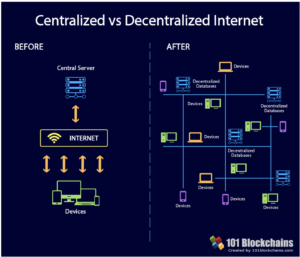
A lot of the Web 3.0 talk is tinged with shades of blockchain buzz. For example, a huge part of this conversation looks at the idea of a decentralized internet, a place where we stand to regain control over our data and security breaches become a thing of the past.

Proponents of the blockchain web say we’ll never deal with data interruptions again. Or, that we’ll finally be free from centralized, corporate ISP control.

One of the biggest flaws of Web 2.0 is the fact that our data is owned by a handful of private companies. Facebook data breaches and a long list of famous hacks have made headlines in recent years, proving that we can’t exactly trust these media giants to keep us safe.

As such, a blockchain-based web presents an attractive solution. Decentralizing protects against potential breaches, as data is distributed across several databases, rather than one central hub, as it is today.

web 3.0 blockchain

Beyond these predictions, here are a few concepts we’ve seen linked to Web 3.0 time and time again:

The Semantic Web

The semantic web seeks to improve how computers understand humans. The concept has been around for quite some time, Scientific American covered this in 2001 and the core idea is, that we’re looking at a version of the internet that pulls meaning from interactions.

The semantic web is a version of the internet that provides software programs with metadata that machines can easily interpret. For example, your browser might collect data based on your activity, which will inform future searches. Basically, your computer will start making contextual decisions when it comes to presenting information — much like a human might.

In short, this shift could transform the search process, looking at the meaning instead of pinging the right keywords.

AI will be front and center

Many people are looking toward artificial intelligence to usher in the new digital era. Web 3.0 is bound to see an increase in AI usage, allowing for the technology to start making decisions for us — whether that’s a tool that helps you at work or when you’re driving.

A lot of the speculation surrounding Web 3.0 is about how it might function as a personal assistant.

As you search the web, the browser will start to learn more about you, your interests, and eventually, you’ll need to be less specific with your search queries. For example, if you look up concepts related to digital marketing frequently, the browser may start presenting content that speaks to this niche versus promoting certain keywords that don’t relate to your request.

Cross-platform connectivity

With Web 3.0, some experts predict greater connectivity than ever. Up until now, data has been stored in a wide range of formats, making communication between those datasets something of a challenge.

When internet-connected devices are everywhere, from your kitchen to your car, to your workplace, they’ll serve you better when they can all talk with one another. While you can already say, work across devices when they’re all nearby, the next phase will be ordering items for your smart fridge from the device in your car.

Outside of the digital assistant context, this also means you can expect a seamless content experience — you can start reading a long-form article on your computer and finish it off from your phone if you decide to grab a mid-day coffee.

Parting Thoughts

Ultimately, Web 3.0 presents a secure, connected experience that eliminates a lot of the friction involved with many online processes today. Still, it’s hard to point at the place where the fantasy diverges with the reality of the future internet—and by extension, how it will impact our lives.

There’s no doubt that the internet is changing. However, like concepts like the blockchain and artificial intelligence, there’s a lot of buzz you’ll need to sift through before you can uncover the reality of the next phase.

Should you pay for custom Instagram filters?

Should you pay more to make your Instagram stand out?

instagram sunset

Here’s another way that influencers aren’t #justlikeus: they never use the filters that come with Instagram. How utterly pedestrian.

It’s a well-known fact that Instagram’s toolkit doesn’t always cut it when you’re trying to stand out in a sea of other digital content creators who have access to the same exact Valencias and Clarendons.

As such, influencers, marketers, and regulars have flocked to apps like VCSO that allow for a bit more customization.

Then there are tools like Snapseed and Lightroom that allow users to customize on the fly — and make those little tweaks that somehow make Instagram feel like a legit catalog.

What’s more, these customizations have become a new way for influencers to monetize their platforms. Here’s a little background on the wild world of “presets.”

Are custom Instagram filters worth the cost?

What is a Custom Filter? How Does it Work?

The Atlantic recently published a great piece looking at the business of influencers. And, it’s not what you think. While you may think of #sponcon like those waist training belts or laxatives rebranded as a wellness cleanse, or affiliate deals as the income drivers in the IG space, there’s another way to monetize: filters.

Influencer Maddy Corbin told The Atlantic that she developed her own set of presets based on months of playing around inside Adobe’s Lightroom app. Corbin says that it took her months to develop a style that represented her aesthetic (a pastel pink-tinged look) that she now presents on the platform as #MADDYCORBINPRESETS.

#maddycorbinpresets

It’s essentially like selling merchandise on your platform — and Corbin says it helps her connect with her followers.

To use a preset, customers purchase it through an online store and they’ll receive a downloadable link. From there, they open the file and copy it into their Lightroom account and can start editing photos just like their favorite influencers.

The benefit is, buying presets allows you to sidestep the creative experimentation phase and get to editing photos the way you want them to look. The downside, at least for fans, is that the filter doesn’t exactly become available inside the Instagram app.

On the seller side, selling custom presets requires setting up an e-commerce store and promoting your digital assets in the same way you might sell your T-shirts, or whatever else you sell.

Additionally, it’s not just influencers like Corbin behind this new business model, there are companies that sell filters to influencers. Take, for example, FilterGrade. They’re a company that sells packs of preset filters that you can buy directly—or they’ll put together custom filters for you that you can then resell on your site.

Career photographers — people who aren’t necessarily influencers, but have a mastery of photo editing — are also getting in on the game.

We came across countless blog posts documenting how to use these filters as a way to drum up some passive income.

Popular Science provides a step-by-step guide to DIYing your own preset filters in Lightroom, which, in all honesty, isn’t especially difficult.

Lightroom is a super intuitive platform, ideal for photographers at every level. So the idea that you’d buy settings from another person seems like a waste of cash.

If you want to get into this, there’s another thing to consider: how your customers use the filters. Rachelle Swannie, an influencer who sells packs of two presets for $25 says she routinely checks her presets in action by searching with the associated hashtag.

The thing is, if pictures aren’t looking so good, people won’t be inclined to buy them — it’s like using a model to sell something — you’re getting the ideal, whereas when real people post that shirt in action, you’ll get a sense of how it might look on you.

Why buy presets?

The market is clearly flooding. According to the photo blog, Fstoppers, buying presets is, well, a waste of money.

The short story is — you’ll get to copy a look from Instagram and that’s about it. Photographer James Popsys says, if you’re buying presets, you’re eliminating the creating process and you skip the part where you learn to create your own look by playing around and editing.

It seems that the reason for buying them is more what Corbin told The Atlantic: preset filters are perfect for creating a connection between the influencer and their fans.

This crowd might not be the demographic who feels compelled to learn digital photography best practices but wants to make their Instagram look more professional.

Is the preset economy going to stick around?

That’s the big question. Clearly, buying presets is frowned upon in the art community, which makes sense. Not that there is a shortage of teens that may want to gram like their favorite digital stars, but their time may be better spend leveling up their own skills. But, there’s also the chance that these purchases could lead to a desire to make their own.

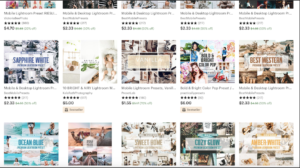
We found that outside of Instagram, there are a ton of Etsy users selling themed presets in their shops. Prices range considerably, but most are cheaper than what Rachelle Swannie charges for two presets.

Instagram presets sold on Etsy

It’s hard to begrudge anyone who uses their own skill set to make some extra cash online — it’s all about those revenue streams, man.

However, it’s the followers that have us wondering — why not try it yourself? Creating your own IG aesthetic may be more challenging, but it’s also a great way to get new followers who like what you’ve got to offer.

Adobe Lightroom Download free
9

Can anyone overthrow Gmail? A look at the competitors

Considering a new email address? Maybe Gmail isn’t the way to go.

email

Chances are, you and all of your friends have a Gmail account. With a whopping 1.5 billion users, there’s a clear market preference.

Outliers seem to be limited almost exclusively to business emails, which, chances are, are linked to a Gmail inbox. Or, of course, the biggest competitor, Outlook.

But, it got us thinking, is Gmail better than anything else, or is the ubiquity chalked up to branding and aesthetics, in the same way that Apple has the market cornered on phones?

Gmail, of course, comes with a long list of benefits. They’ve added some welcome changes like predictive email text, which learns from your communication habits over time.

And there’s the fact that the platform is one piece of the Google suite — access your documents, plug into your browser, and you’ve got this interconnected system of tools. Pretty useful, right?

Anyway, Google has long had an impressive cloud-based AI built into their solution — this is how they identify spam, tag your senders, and keep unwanted addresses from making their way into your priority inbox.

But, it’s worth pointing out that some of the competitors out there have pretty solid solutions themselves. Here’s a look at some of the competing tools.

Best Gmail alternatives

Zoho Mail

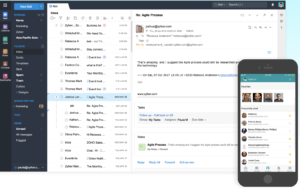
zoho mail screenshot

Zoho, maker of a ton of free and affordable business tools has provided free hosted email for over a decade. G Suite’s professional Gmail accounts are $5 and $10 per user per month, so small businesses might like the fact that Zoho’s solution allows you to have a professional email for free.

Some key features include integrations with Zoho’s tools, like the CRM, Office features, and cloud-based collaboration. The collaboration features might work better for companies that do most of their collaboration internally, as this is basically an alternative to Google Docs — which most people have.

That said, some users have mentioned that this isn’t necessary as reliable as Google, especially in a business context. Zoho comes with a lot of features and it could help you become more efficient over time.

Yahoo Mail

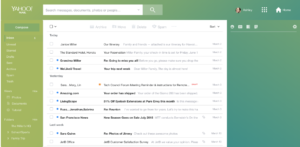
Yahoo Mail Inbox

Yahoo Mail has been around for a long time. We’d even venture to guess that you used this tool before switching over to Gmail.

After a 2013 data breach, Yahoo Mail added extra security and new features. It’s had trouble shaking its old-school reputation, but the new Yahoo Mail is actually pretty good.

Like Gmail, Yahoo offers three different inbox layouts and you can customize spacing, color scheme, and so on.

Compared to Gmail, Yahoo’s organization process is a little different. Where Gmail allows you to set up tabs — Primary, Social, Promotions (customizable) Yahoo opts to sort emails by photos, documents, coupons, travels, and tutorials. (Which is a little strange, but you do you, Yahoo.)

Yahoo also provides some decent filtering options, but Gmail is ultimately more useful — allowing for more filtering criteria.

Apple iCloud Mail

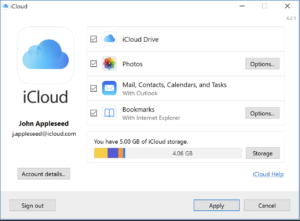
iCloud Mail

Apple’s email is free to anyone who signs up for an Apple ID. The iCloud mail has its fair share of fans, as its clean and simple, just like your iPhone and Mac.

Pros include 5GB of free online storage which spans calendars, backups, and documents: this includes everything — from photos to your email activity. You do have the option to buy more space, if needed. The app is ad-free, which could be a selling point in and of itself.

Unfortunately, iCloud Mail does not come with labels and search folders.

So this is not the best option for the Inbox Zero-obsessed users who file emails away as they work through the inbox. You also can’t access multiple email accounts from the web app, and mail is not accessible via POP.

Compared to Gmail, iCloud mail is pared down, ad-free, and feels like its designed for the no-frills user. iCloud won’t cut it for business — there just aren’t enough features. But, it’s a solid option for those who aren’t email power users.

Outlook

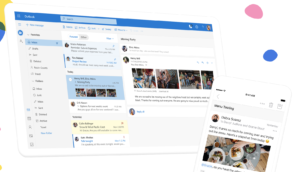
Outlook Interface

Microsoft’s Outlook is part of a suite of applications that allows you to stores emails, attachments, and organize your activities within your inbox.

Compared to Gmail, Outlook is the strongest competitor in the space. Microsoft offers integrations with the Office Suite, cloud storage, and an Immersive reader.

You can also open photos in the integrated photo viewer and save them to your OneNote Account. The platform integrates with Box, Google Drive, and Dropbox, and they turn blocking unwanted emails into an art form.

Both Gmail and Outlook offer 15 GB of storage free, however, Office 365 accounts offer 50 GB of storage. Labels and folders come down to a matter of preference. Outlook’s approach allows you to have labels and folders within the same system. Gmail’s labels are a way to sort emails into folders.

There’s always AOL, too

Interestingly, AOL is trying to work it’s way back on your radar—just in time for Web 3.0.

We recently came across a HubSpot article that mentioned AOL’s email offering has unlimited storage. Still, we wonder whether it matters that AOL isn’t exactly fashionable in this day and age. Honestly, the internet hasn’t been around long enough for us to know whether it’s possible for a former titan to reclaim its crown.

Final thoughts

In the end, we don’t know if Gmail is the best email hands down. But things like the organizational tools, spam filters, and all-around reliability make us unlikely to forego our existing addresses for an iCloud inbox or looking back at AOL.

It is clear that because we’re all so used to using Google’s tools for much of our internet activity, that it makes sense to want to maintain that seamless experience.

It’ll be interesting to see which email providers stick around and whether we’ll make space for anything new. Newcomers have an uphill battle ahead, to be sure.


Why skill acquisition is your best bet for career success

If you want a better job, here’s where to start.

level up your skills

Fear is a powerful emotion, especially when it comes to our jobs and our future — what will happen to us if we get left behind?

Sure, you’ve heard it all before — AI stands to put us all out of work. We’re being replaced by the latest batch of tech-savvy new grads. Or, we’re digitally transforming, pivoting to video, you get the idea.

It’s a common fear, someday becoming irrelevant. But, that’s not to say we should sit back and wait for obsolescence.

Handwringing over the robot revolution won’t help us stay competitive in a changing landscape, but a commitment to skill acquisition and development will.

Here are a few ways — both big and small for getting ahead of the curve.

Why skill acquisition is your best bet for career success

First of all, do you know where change is taking place?

Whether you’re a victim of an organizational pivot or freaking out over digital transformation, you know you need to learn some new skills, it’s just hard to know where to begin.

Learning new, relevant skills is the best way to bulk up your earning potential and provide more value to your employer or clients.

Start looking at the skills companies are starting to phase out. How much time do you spend on clerical work or manual data entry?

You should also take stock of who you currently work with and how you can bring more value to the table. What skills could turn you into an expert or allow you to sell multiple services?

For example, if you’re social media marketer that works with a lot of tech companies, you may want to take some online courses in things like web development or cloud computing.

This doesn’t necessarily mean that this is the career path for you — however, you’ll be more of an asset to your clients if you gain a deeper understanding of their space.

Spend time focusing on emerging skills

coding

There are a million learning channels out there and topics on the verge of becoming the next set of must-have skills. According to this CIO piece, web development stands to be in high demand for the foreseeable future, so that could be a good bet. Other hot areas include data science, machine learning and AI, and digital marketing.

One way to do this is to start tracking the skills that the top companies in your industry are hiring for. Make a list of the qualifications that keep coming up.

The other way to kickstart the research process is by reaching out to people on LinkedIn that work in your industry or have your dream job. The point isn’t to awkwardly ask for jobs, rather, to find out how these high achievers put their winning skill set together.

And we get it, it may be pretty intimidating to ask people for help. But, in many cases, people are happy to connect and provide some advice. If they’re not — they’ll probably just ignore you anyway, so it’s not really the end of the world.

What if you don’t have any time?

Yeah. You’re probably already working full-time. Which, unfortunately, is somewhat at odds with the ability to pick up and learn a new skill.

A few years back, researchers from the University of Pennsylvania and the University of Washington teamed up with Coursera to conduct a longitudinal study looking at the outcomes from online learning courses.

Encouragingly, they found many online learners from all over the world found that investing some time in MOOCs (massive open online courses) paid off in one way or another. For example, some users were able to demand higher wages, while others marked success by feeling better equipped to do their job.

Now, there were some caveats in the findings. For example, online learners from a less educated, less affluent backgrounds reported more tangible career benefits than those with more privileged situations. And older learners saw greater benefits than younger learners.

What we’re gathering from this is groups that had to make up more of a “difference” so to speak, benefitted most. Still, any new skill you can apply in the wild is valuable, no matter what socioeconomic bracket you’re in.

Level up in small ways during your free time

We get it – you’re short on time. You don’t have the budget to squeeze in a few sessions at the local university.

However, there are countless ways to keep up with the changing workplace environment, without much commitment at all.

Webinars, online tutorials, and courses are all available within a few clicks. There are podcasts, industry publications, blogs to check out — even making a commitment to read more makes a difference.

There’s also a ton of certifications offered through sites like Hubspot or Google, which provide instruction through a series of video lessons and an exam afterward.

Look for synchronous experiences

Again, there’s Coursera, Lynda, and others – all designed to help you improve your skills from coding to brushing up on your marketing savvy. But, most of these models are asynchronous, meaning they’re largely self-directed. The point is two-fold — the companies offering these courses can do so on a massive scale. And digital learners can make it work for their busy schedules. A real win-win, right?

Well, not so much.

You’ve got to be a self-starter to a high degree if you want to reap the benefits, and for most of us, it’s hard to muster the energy to complete these free courses.

Synchronous learning experiences, though rarer on the web, offer some social interaction and accountability built-into the online experience.

While these might be harder to find in the form of a free MOOC, consider looking at universities that offer online courses. Look at your local institutions; many offer certificate programs and courses for professional adults.

Because you’d be paying for the experience, you’ll find more of a hands-on approach, even if you’re taking classes online. Group chats, projects, and forums can make all the difference and can anchor you to the class a bit more.

Or look for a skills boot camp

Skills boot camps aren’t free either, but they’re cheaper than getting a certificate or a degree in many cases and serve as a way to teach people things like how to code.

Though Wired predicted the coding boot camp bubble would burst back in 2016, professionals can still get a lot of bang for their buck (and their time) by enrolling in a program.

Take, for example, General Assembly, which offers a variety of skills boot camps both online and in several cities. Or Datacamp, Byte Academy, among others, that offer programs in coding, as well as data science, project management, marketing, and more. These programs provide a way for late-career workers to gain in-demand skills and can lay the groundwork for a career change.

What’s more, according to data from Indeed, over 70% of employers think that boot camp graduates are just as capable as their degree-holding counterparts.

Final Thoughts

Professional development does take time, but it’s the price you must pay to avoid getting left behind in an era where chatbots reign supreme and automation is accessible to just about anyone with access to a SaaS subscription.

If now isn’t the right time for a boot camp, do some extra reading and catch all of those digital marketing certificates offered free on the web.

5 best email automation tools

Ready to take the next step in promoting your brand? Check out these great tools.

email automation

There are a million email automation tools out there. Many smaller operations, freelancers, and individuals scraping together an online presence believe that automation is still the domain of big companies with deep pockets.

But that’s not necessarily true.

Almost all options ranging from MailChimp to GetResponse, as well as some of the lesser-known tools out there, offer plans catering to everyone from the self-employed to the mom-and-pop operation.

So whether you’re trying to build a mailing list or helping past clients remember you down the road, here are some tools that will help you create pro-level campaigns—complete with analytics.

5 best tools for email automation

Why you should automate

There are several reasons you might want to automate your email outreach efforts. For one, you’re looking at sending messages to the right people at the right time.

Another great reason is, you’ll be able to pre-schedule your outgoing messages and focus on other things in the meantime.

While you might think email automation is something offered only to “real companies,” it’s actually something all organizations should consider bringing into the fold.

Taking the time to nurture your leads can set the tone for a better relationship down the line. Without automation, it’s hard to juggle manual follow-ups with your day-to-day operations.

Constant Contact

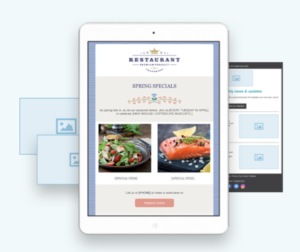
Constant Contact template

Constant Contact is one of the better-known email marketing services in the world. (Hello, they advertise on NPR!) It’s also a super easy to use, affordable marketing service ideal for overwhelmed small businesses.

Like the other tools we’ve mentioned, Constant Contact comes with a simple drag-and-drop approach to design. Users can pick from their 100+ deep template arsenal and customize newsletters accordingly.

What’s more, the automation features are SOLID. Send welcome emails, birthday wishes, and anniversary emails using the tool’s built-in autoresponder. Or, create a series of emails for new subscribers, aimed at keeping your audience engaged throughout. While the entry-level plan only supports 500 contacts at a time, that number makes sense for those just starting out. Ready to give it a shot? They’ve got a free trial.

Drip

drip email automation

Drip is known for its simple email automation builder and tag-based segmentation. Key features include automatic resend buttons, Zapier integration, and a huge collection of templates.

Drip aims to help users get a handle on things like mass emailing, tracking open rates, unsubscribes, and more — and it can scale. So your email marketing efforts can expand along with your business.

We found Drip’s intelligent marketing features set this one apart from the competition. It’s ideal for segmenting groups and creating campaigns, Facebook ads, and more.

The idea is to grow your reach across channels, not just inside the inbox — so e-commerce brands or those trying to grow their online presence can really benefit from this tool.

There are some limitations when it comes to customization options. For example, we found that you can only choose from a selection of preset fonts and sizes. So, those seeking complete control might be a little frustrated here and there.

ConvertKit

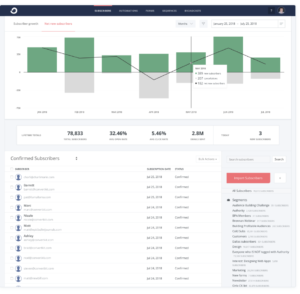
ConvertKit reporting

ConvertKit‘s approach is actually pretty cool. It’s a platform that allows you to build landing pages and forms for lead capture — and design email campaigns for customized groups of subscribers.

The founder of this application wanted to design a suite of marketing tools aimed at helping professional bloggers, marketers, and YouTubers grow a larger audience without learning to code or buying a million different platforms.

So while an experienced marketer might find the tool lacks a few features here and there, the idea is, freelancers of all stripes have access to a curated selection of tools that allow them to collect emails and create segmented campaigns.

The visual automation editor allows you to customize the selection of templates and edit the associated messaging. You can create lead magnets like an e-book, webinar, or some other free resource, and do some A/B testing.

That said, if you’re looking for a variety of email templates, this probably isn’t the right tool for you. Founder Nathan Barry is committed to plain text emails—he says they’re less likely to land in the spam folder and promote a more personal message.

GetResponse

getresponse email newsletter

GetResponse has been around forever and is one of the very first email service providers on the scene. The platform comes with hundreds of newsletter templates that you can customize with your own photos and branding.

GetResponse starts at $10 a month for an account with basic automation features — and the ability to send emails to 1,000 subscribers. As you grow your operation, you can always upgrade to the Pro Suite, which will run you $32 per month.

Campaign Monitor

drag and drop campaign monitor

This email marketing tool is a good one for those starting with a smaller email list. As you grow, you might want to look toward something a little more robust. But, the simple interface, easy automation tools, and basic functionalities make this worth a look.

The basic plan is just $9 per month and you’ll get 2,500 emails across campaigns, core email marketing features, and access to the insights analytics suite.

Between the easy campaign set-up and the ability to build a custom list, and track your results, Campaign Monitor is bound to help you level up your marketing strategy.

Social media adds 24/7 emotional burdens

Feeling exhausted? Here’s how social media is affecting you.

With 2 billion monthly active users and counting, there’s no doubt that Facebook has changed a lot about how we connect with others… for better and for worse.

Keeping up with all of these sites, followers, and random relatives is a lot—especially if you’re already working full-time.

Guilt sets in when you fail to wish that high school friend a happy birthday. Maintaining a polished professional appearance is more than doing your job — you need to connect with people on LinkedIn — and be active and relevant enough that you show up on peoples’ feeds.

That’s a lot of “work” that in most cases, no one is paying you for. In other words, emotional labor.

Facing the fallout of emotional labor on social media

emotional labor and social media

What is emotional labor?

The term emotional labor has actually been around since the 1980s. Coined by sociologist Arlie Russell Hochschild in her book, “The Managed Heart: Commercialization of Human Feeling,” the author looks at the difference between someone working with their hands all day in a factory with a flight attendant, who sure, walks the aisles and pushes drink carts, but the bulk of their job is about making people feel taken care of.

These days, we hear the term in relation to the workplace and the extra workload often placed on women. It usually refers to all of the unpaid work that someone might perform behind the scenes. Or the person who plans the office party or cleans up or does the scheduling for the family. You get the idea.

While social media has made some parts of our emotional workload more convenient, it’s brought on some new ways to drain our empathy reserves.

Here are a few ways that “always on” connectivity can leave us feeling depleted:

The expectation of the personal brand

social media stress

These days, it feels like everyone is trying to stake a claim on LinkedIn since there’s now this idea that we need a consistent, professional personal brand.

There’s nothing wrong with this idea, but developing content outside of your regular job is overwhelming to be sure.

Spending time curating your “brand” is stressful. Unless you’re paid to write online content or “influence” for a living, these efforts are largely unpaid. And, when people turn themselves into brands, there’s an added pressure to put more thought into every tweet, making sure they stay on message 24/7.

If you’re looking for a career change or more visibility in your field, developing your online presence is essential. But, if you’re happy in your current position, we recommend keeping your online activity clean (no party pics) and updated.

You can always revisit your brand down the road when the time comes.

Superficial relationships are a time suck

Another reason we feel burnt out may have to do with a greater emphasis on quantity than quality. The average Facebook user has about 338 friends, but studies have shown that the more connections you have, the more likely you are to be stressed.

There’s also the perfectionism factor. Appearances are everything on social media, and with that comes significant pressure to present this curated life. So, rather than share authentic feelings — it’s all just a competition.

Studies have shown that young people who spend more than two hours a day on social channels are more likely to report feelings of despair. While most of the coverage has looked at the effects of social media on teens, we’re all susceptible to feelings of inadequacy.

A constant parade of promotions, vacations, and delicious, healthy meals can promote those same feelings you’d get talking to a frenemy at a party — social comparisons on steroids.

And then there’s the issue of social media angst. Psychology Today wrote a piece that looked at the effects of inadvertent slights or failing to follow someone back.

While wondering who your friends “really are” doesn’t equate to any actual work on your end, it certainly stirs up unnecessary negative feelings.

Social media fatigue is a thing now, too

According to this article in the Chicago Tribune, Instagram, Facebook, and Twitter are making us tired. The Tribune interviewed one doctor who said they’ve noticed that several patients complaining about tiredness spent a great deal of time on social media.

Social media can make some people feel anxious and overwhelmed at everything happening in the world — or their smaller world filled with personal politics, complaints, and comparisons to others.

This Guardian article highlights some of the “millennials who don’t use social media,” and quotes a social worker who found that using social media on top of her demands at work was just too draining.

Like the old-school definition of emotional labor, sometimes watching emotional reactions play out online can wear us out. And it makes sense. Before social media came along we only had to deal with our friends’ feelings and opinions when we saw them in person.

However, social media makes some things easier

Where we might be spreading ourselves thin over personal branding attempts and toxic feeds, social media has done us a lot of good in terms of cutting back on some of our “personal admin tasks.”

We don’t have to knock on doors to invite people to a party or send out invitations and wait for the RSVPs to come back to us like a formal boomerang.

Now, wishing someone a happy birthday is a click away — no postage required. If you want to host an event, plug in the details and boom— all your friends have the info.

Wrapping Up

If you’re feeling burnt out, taking some time to pare down your digital activities might just do you some good. We recommend taking a look at this article from TEDx speaker and entrepreneur, Dr. Pragya Agarwal. She’s put together some tips for managing the dread and anxiety associated with social media marketing — but they’re applicable to your personal life, too.

It’s also worth acknowledging that we’re currently in the middle of a massive social undertaking — a transitional phase in etiquette if you will.

Social rituals have always been a lot of work, the difference now is, there’s an expectation to engage 24/7. But, as new norms sort of “gel” into place, chances are, we’ll be able to define a clear sense of boundaries moving forward. For now, though, we’ll have to establish them for ourselves.