Jeremy is an avid gamer, writer, musician, and instructor. He has been teaching for over 15 years, with his primary focus on music, and has written all manner of gaming articles, reviews, FAQs, walkthroughs, strategy guides, and even the odd screenplay or two.
He has run the gamut of tech reviews, game guides, lifestyle content, and more. His focus as a writer is to give fair feedback of products, highlighting their strengths and weaknesses in a clear, concise, and entertaining manner.
Need to write in a foreign language or type a currency symbol? Here’s how!
Whether it’s coding a game or writing a blog, firing off a quick tweet or writing a college essay, our professional and personal typing is usually done on a standard keyboard. It gets the job done, but unless you have a special product with extra bells and whistles you’re not going to have easy access to certain characters like currency, math symbols, fractions, or copyright or trademark symbols.
This is especially frustrating when you’re trying to type in a foreign language – one that uses tildes, umlauts, accents, or circumflexes. There are no keys for that, so short of remapping your entire keyboard what can you do? On Windows 10, there are actually built-in shortcut commands for all kinds of characters – you just have to know how to input them. Here’s how to do it in three super easy steps:
How to input foreign characters
1. Switch on Num Lock
You may not need to do this step on Windows 7, 8, or Vista, but on Windows 10, you’ll need to use the number pad on the right of the keyboard. If you have it disengaged, hit Num Lock in order to do the next steps.
2. Click where you need your character to go.
Simply click where in your document you need that accented letter or special symbol.
3. Alt+type the code
Holding down the Alt key, punch in any of the following four-digit codes. Let go of the Alt button and your chosen character will appear right where you want! Make sure that when you do this you’re using the number pad, and not the numbers at the top of the keyboard. The numerical keys at the top of your keyboard will not work. Here’s a list of some common symbols:
See how 1999’s biggest blockbuster changed movies forever.
Love them or hate them, the prequels are a part of the Star Wars universe. Jar Jar Binks is in the same universe as Yoda and Darth Vader, and Force ability is the result of midichlorians existing in the bloodstream. “‘The Phantom Menace’ is one of my favorite movies,” George Lucas said at this year’s Star Wars Celebration, “and, of course, Jar Jar is my favorite character. Ahmed [Best], you did a fantastic job. It was very very hard.”
There are dozens of ways you can speed up your OS, your computer, and even your browsing. If you’re like so many of us and have a monitor (or multiple monitors) full of busy windows, half-written emails, and spreadsheets waiting to be filled, then one more often-overlooked element is to speed up your actual cursor.
If you think about it, your mouse is how you’re doing all the real work to begin with. Adjust to a faster cursor speed and it can be a huge (and consistent) boost to your productivity. Here’s how you change it in Windows 10 in just 6 easy steps:
How to adjust Windows 10 cursor speed
1. Open Settings
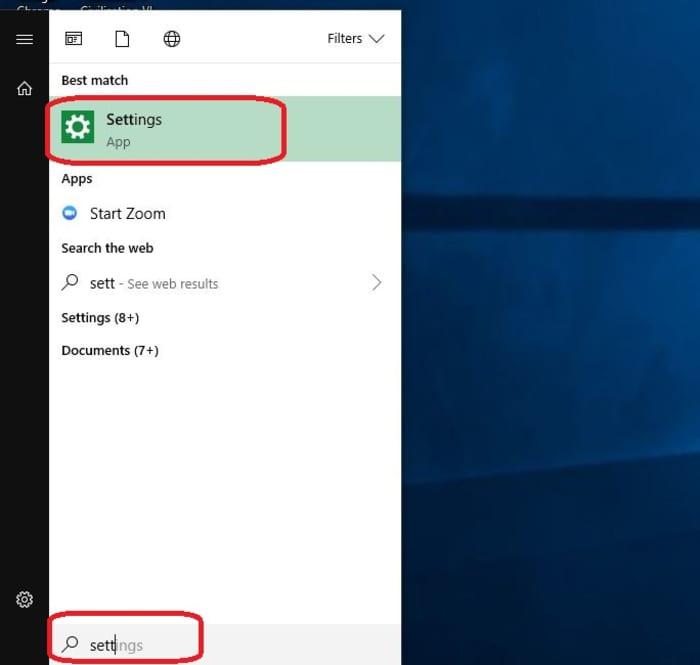
First off, open up your Settings menu. Hit the Win key and start typing “Settings” and it’ll pop right up. Alternatively, you can type Win+I.
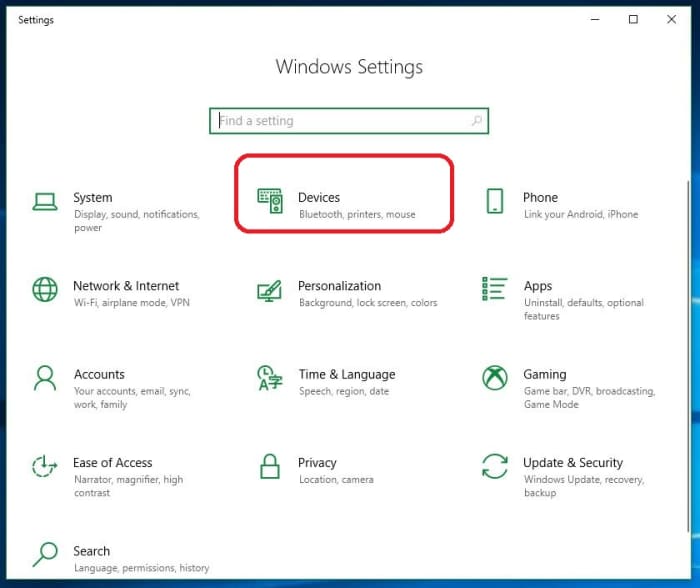
2. Open Devices
Right on the top row of your Settings choices, you’ll see Devices. Click here.
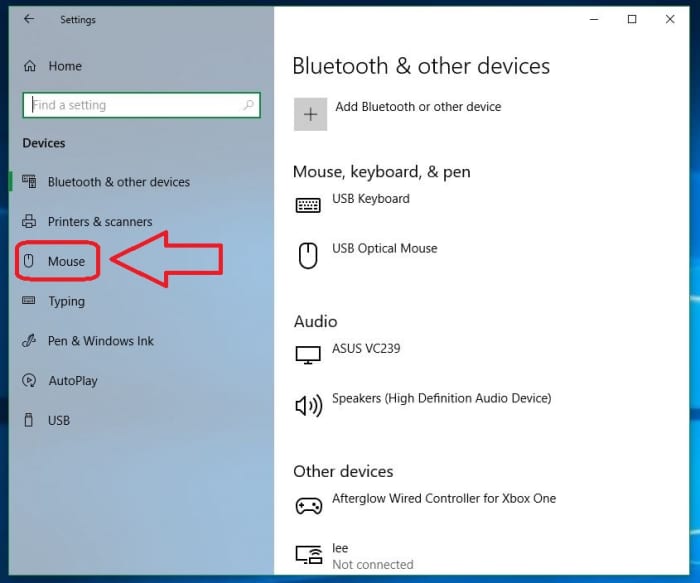
3. Click Mouse
You can tweak all your external devices here, like your keyboard, your monitor, your speakers – even your game controllers and other computers on your network. On the left rail, you’ll see Mouse. Click that and it’ll open a whole page pertaining to Mouse options.
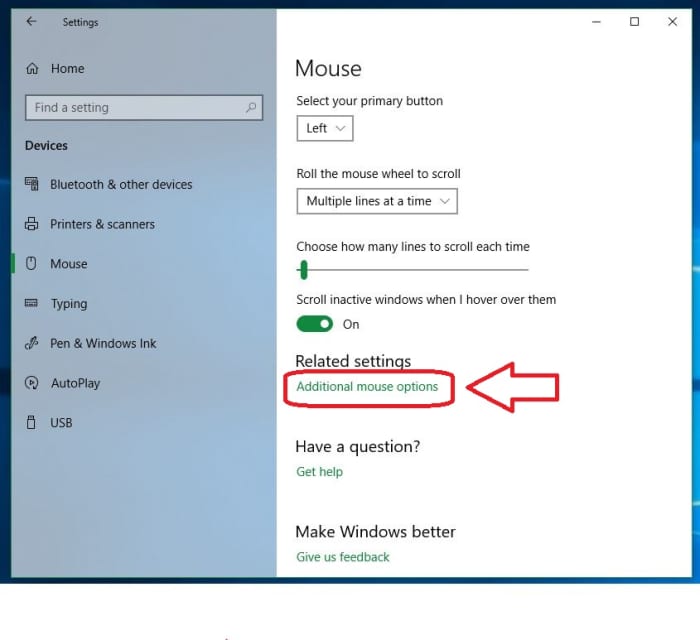
4. Click Additional Mouse Options
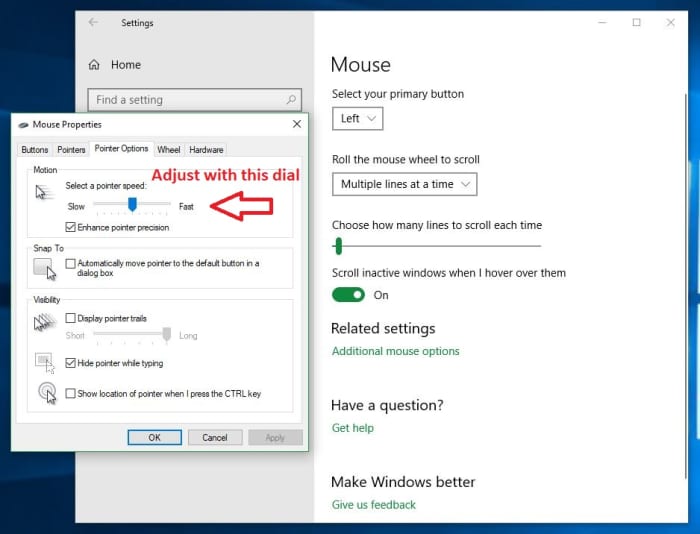
On the Mouse page, you can select settings like scroll speed, and which mouse button is primary, but the cursor speed settings are via the “Additional mouse options” link under Related Settings. Click that link and it’ll open a new window.
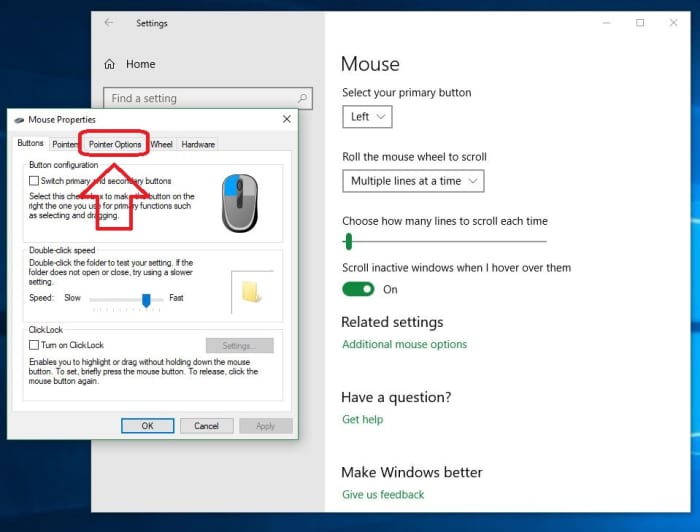
5. Tab over to Pointer Options
This window is useful for a ton of mouse-related adjustments (most notably double-click speed and a neat ClickLock feature), but it’s the Pointer Options tab that has what we want. Open the Pointer Options tab and you’ll see the speed slider right away.
6. Adjust cursor speed
The Motion box up top has a slider that allows you to select how fast you want your cursor to move. More helpful still, you can sample it before you commit. Just turn the dial up or down and move your mouse around until you find your new favorite.
Once you’re happy with your cursor speed, hit Apply and bam! See how much more efficiently you can work now that you’re not fighting with your mouse. We hope this has helped you become more comfortable with your computer, and stay tuned with Softonic for more helpful tips and tricks.
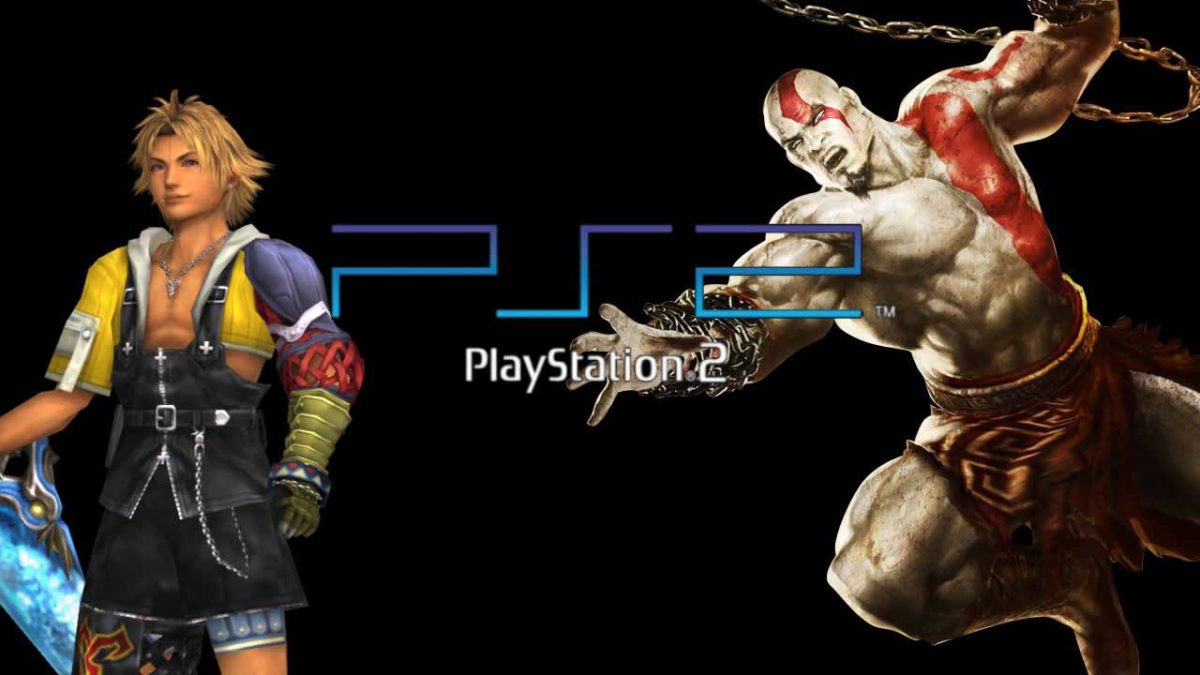
What games made the PlayStation 2 such an incredible console?
Upon its release in 2000, the PlayStation 2 quickly became one of the best gaming consoles of all time. By 2019, if you prefer PS4 over XB1, it’s probably because of the exclusive titles: Uncharted, Horizon Zero Dawn, or The Last of Us. Even as far back as the PS2 era, the platform was home to many incredible games. Looking back, here are 12 of our top favorites:
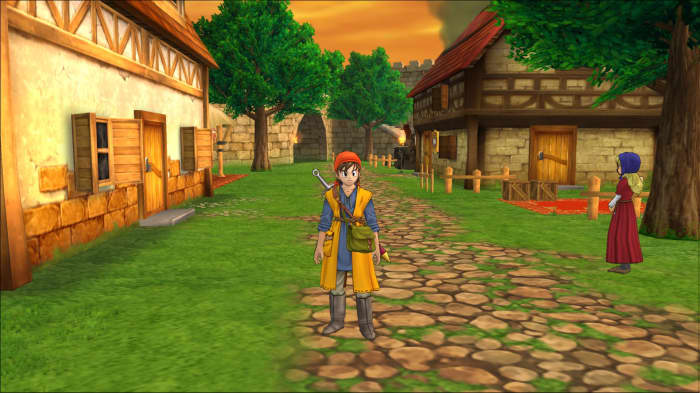
Dragon Quest 8: Journey of the Cursed King
A role-playing video game developed by Level-5 and published by Square Enix, Dragon Quest 8: Journey of the Cursed King is the first in the series to have fully three-dimensional cel-shaded visuals, and a huge game world for the player to explore. The nostalgic, simple gameplay and choice to star fewer characters allowed for players to become genuinely invested in their journey. As far as gameplay is concerned, the randomly-occurring battles are reminiscent of Final Fantasy, and would set the stage for turn-based combat for many titles to come.
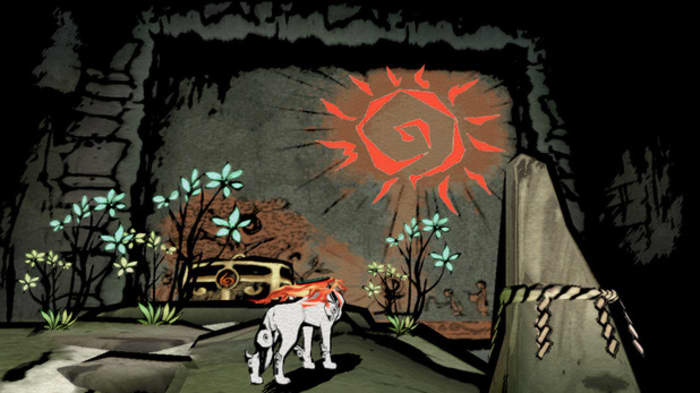
Okami is a true visual delight. A Zelda-inspired adventure game in which you play as the wolf god Amaterasu, you traverse your way through a lush cel-shaded landscape of feudal Japan to save the Earth from the rebirth of wicked gods. You can’t get much more epic than that. Clover Studio created a uniquely picturesque twist on the traditional open world fantasy game, where broad visual strokes accompany memorable puzzles and boss battles. The game’s since been remastered for Xbox One, PS4, and Switch, meaning that even if you don’t currently own a PS2, you can experience the adventure!
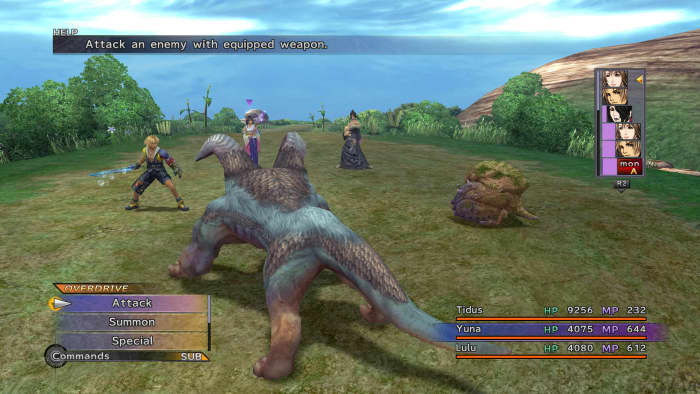
There’s hardly a ‘top games’ list that doesn’t include Final Fantasy somewhere, and Final Fantasy X was one of the real outstanding achievements of the PS2. Even today, the graphics still look good, and the strategic turn-based combat remains fresh and compelling. Final Fantasy X continued the long-standing tradition of combining magic and science, a blend that few other game series (save Arcanum: Of Steamworks and Magick Obscura or perhaps the Bioshock series) have accomplished. Even though we had to put up with Tidus and Wakka, we still look back on this title fondly. If you haven’t tried this one, we promise it’s worth a look.
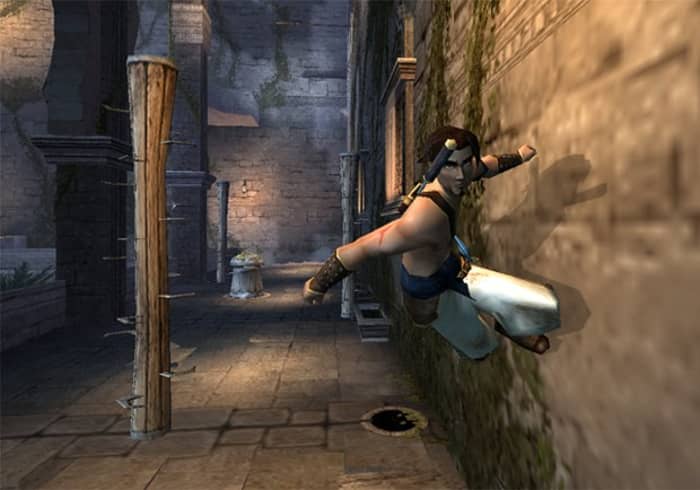
By 2003, Prince of Persia wasn’t on anybody’s mind. You were either repressing Prince of Persia 3D from your mind, or reminiscing the days of the prior two entries in the series. As such, Sands of Time really came out of nowhere. Exploration-based platforming, precise controls, a strong plot, and an innovative rewind function, Jordan Mechner easily proved that he and Ubisoft were a creative force to be reckoned with.
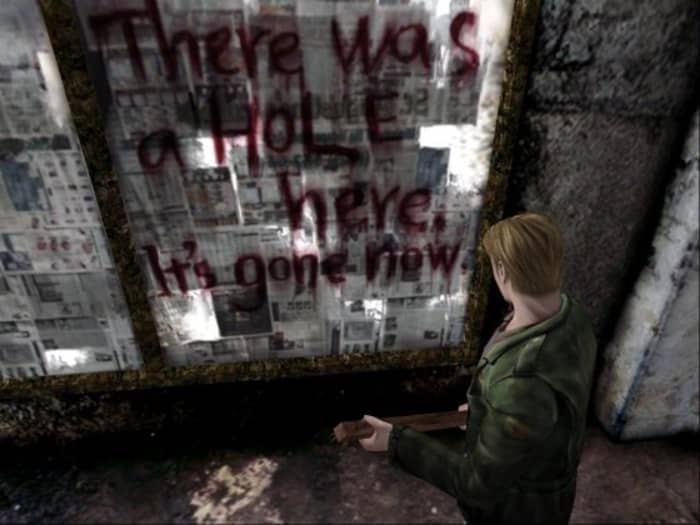
Of the eight games in the Silent Hill series, Silent Hill 2 stands out for being the one that best achieves what it set out to do: thoroughly scar the player with psychological horror and nightmarish imagery. It doesn’t go for the cheap jump scares, but for deeper, more impactful, and more intelligent themes: Mental illness, personal guilt, child abuse, and misogyny. Was that real? Was it all in your head? Either way, you won’t come back the same.
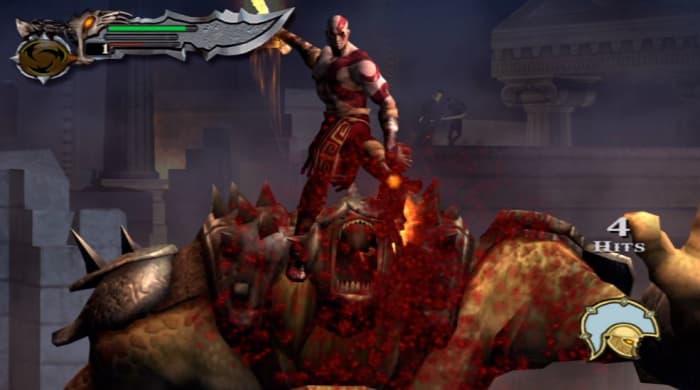
God of War 2
God of War set the stage the now-famous Kratos – the god-killing, testosterone-packed hero who tackles Olympus and raises a son in his spare time. Kratos picks his Blades of Chaos back up in God of War 2, leading the action-adventure genre charge with larger, gorier, fiercer and better-looking visuals – even on the then-aging PS2. If you’re a fan of Greek mythology you’ll love this game. If you love taking to Greek mythology’s best monsters with a sharp blade while soaring on wings that you stole from Icarus, you’ll love it even more.
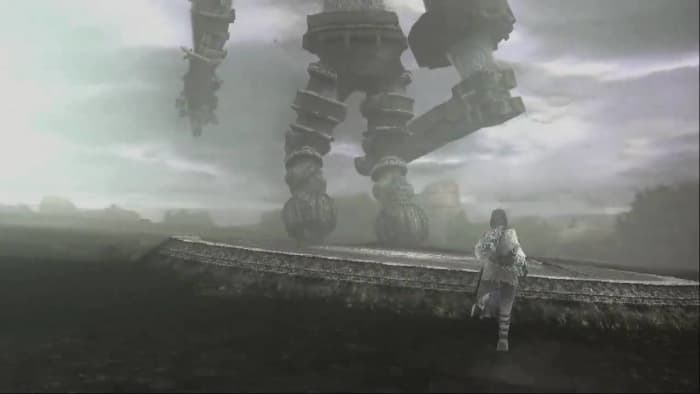
Shadow of the Colossus
Shadow of the Colossus starts you off in an empty world. There’s little living, there’s little dialogue. You’ve only your trusty sword, a steed, and a task: Destroy 16 colossi to resurrect Mono. In a narrative that’s sparse and tragic, the world does much of the story-telling for you. Travel long distances, watch the plot slowly build around you, and The fights are not just simple button-mashers, either; they’re puzzles to be solved. Shadow of the Colossus has gone down as one of the greatest games to ever grace the PS2, and it’s a title that every gamer should play at least once.
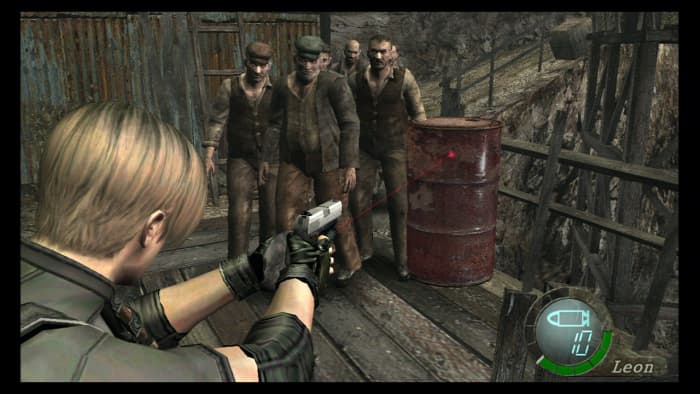
Resident Evil 4
Silent Hill 2’s horror was psychological. Resident Evil 4‘s horror is more what you’d classically expect in a video game: Run-and-gun shooting, creepy cultists, limited ammo, tough bosses, and of course more zombies than you can shake a big chainsaw at. The game isn’t really “scary,” per se, it’s an extremely fun romp through traditional horror set pieces, non-linear maps, and a priority of gameplay over needless jump scares. RE4 was a huge influence for every third-person shooter that followed it, and few have matched it.
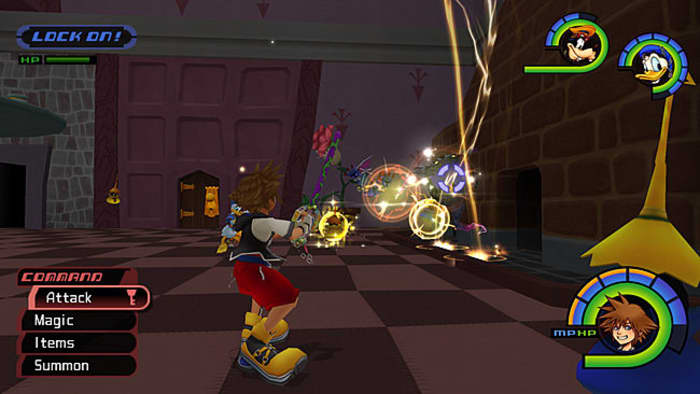
While there are many amazing games for the PS2, Kingdom Hearts is usually the reason you’d buy one in the first place. You can pilot gummi ships to ferry between worlds, each of which is unique and interesting, and if you’re a fan of JRPGs then you should own this game. No exceptions. All that, and we’re not even scratching the surface of why this game is so memorable: They combined Final Fantasy and Disney and somehow made it work, and work well. That’s an achievement … if you can get past the oddball absurdity of embarking on an adventure with Donald Duck and Goofy.
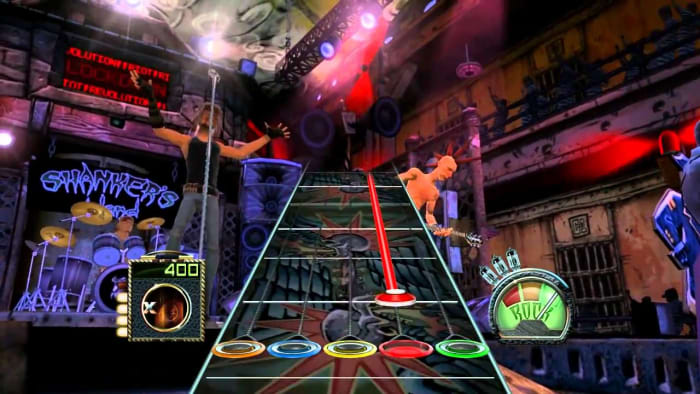
There’s not a gamer out there unfamiliar with Guitar Hero. Heck, there was even a “South Park” episode about it. Guitar Hero was the genre-defining rhythm game that spawned numerous offshoots, such as Rock Band, DJ Hero, and Ultimate Band. With five colored buttons and a potpourri of classic tracks, inviting over a friend or two and working to master a song made you feel like a real rock star.
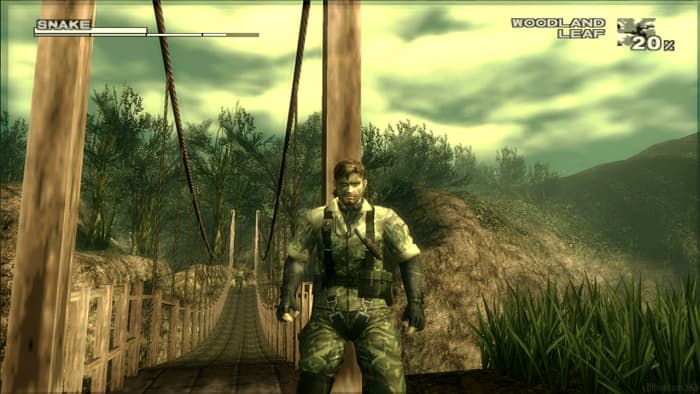
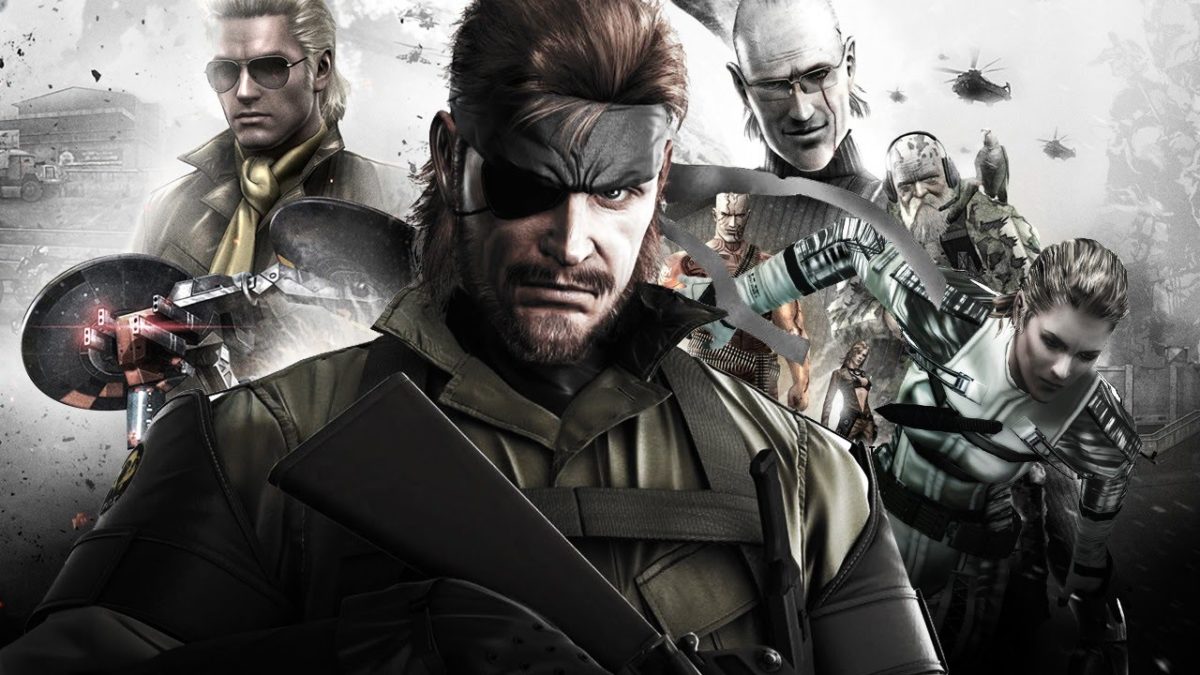
What can be said of Metal Gear Solid 3: Snake Eater? The game is another Hideo Kojima masterpiece (maybe even his best work) that stars Naked Snake (soon to be Big Boss) on the journey that sets him on the path of darkness. You’ll battle the Cobra Unit, sneak through the soldier-infested jungles and mangroves of Russia, destroy super weapons, and finally take on the legendary Boss herself in an emotional showdown that still brings a tear to our eye. The title moves the action from urban environments to the forest, forcing you to use camouflage to hide in plain sight, heal your wounds with a field pack, and hunt animals to survive. There’s content galore, and Konami’s really at the top of their game with this masterpiece. One of the best titles for PS2, and one of the best titles ever.
How Hideo Kojima created the characters of Metal Gear
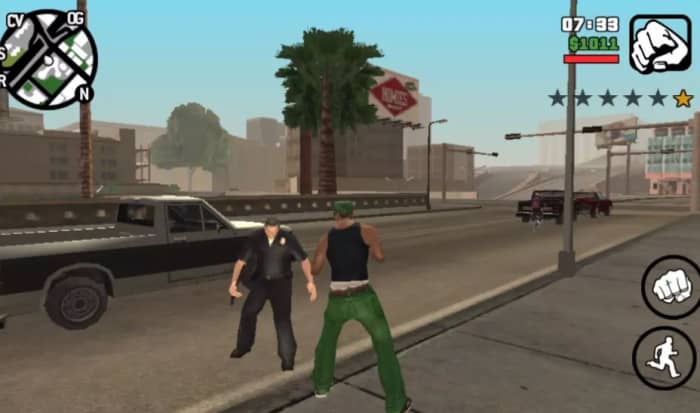
GTA 3 was a huge innovation, and Vice City did all those innovations better, but it was San Andreas that widened the scope to jaw-dropping effect. Carl Johnson starts off as a no-name thug in a petty turf war in Los Santos, but rises through the game as a man with a family, a personality, and a real destiny. By the time you’re busting into Area 51 to steal a jetpack for the CIA you’ll have to take a step back and think how far you’ve come. With a vast area to explore, gang wars to quell, and sports cars to steal for joyriding, San Andreas sold over 27.5 million copies worldwide as of 2011, and remains the best-selling PlayStation 2 game of all time.
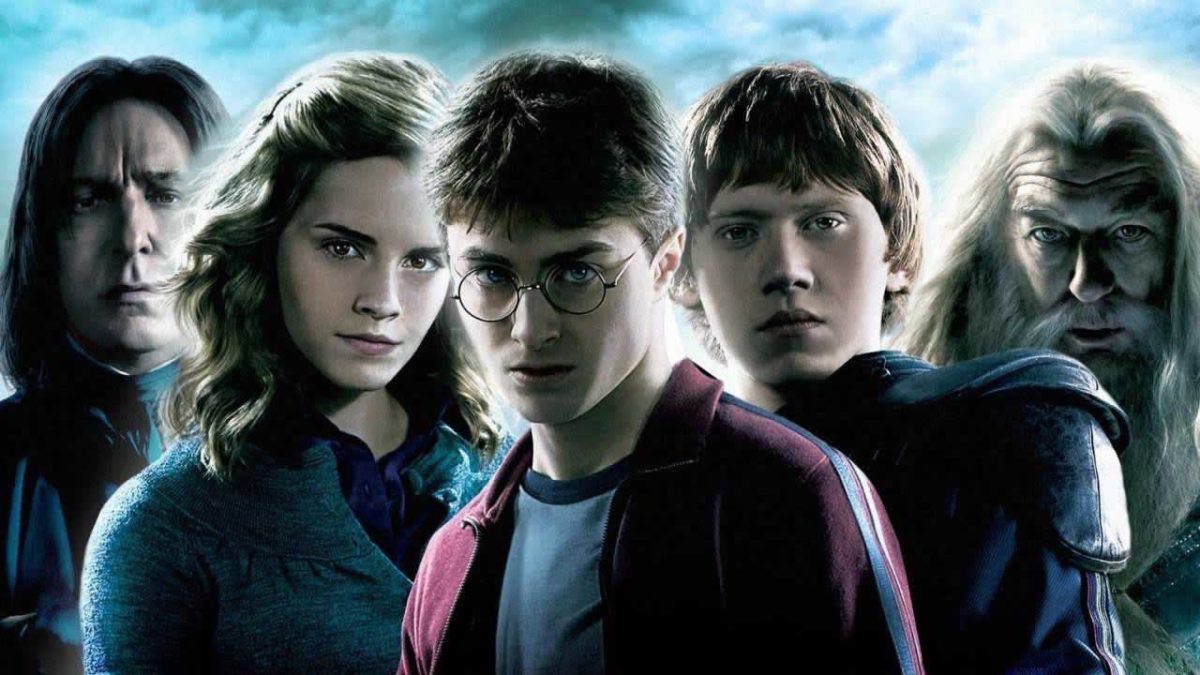
Are you brave like Harry? Clever like Hermione? Take our quiz to find out!
J.K. Rowling’s superb characters are one of the main reasons the Harry Potter franchise has exploded into so much success. From brave and loyal to shrewd and scheming, to ruthless and dominating, it’s the multifaceted roster that elevates Rowling’s world into far more than just a simple tale of good and evil. There’s a wide range of personalities to be sure, but which character are you most similar to? Take our quiz below to find out!
There’s no bad result, but if you’re unhappy with your choice just grab your Time-Turner and retake the quiz! Let us know in the comments below which character you got, and live-stream your favorite Harry Potter movies right here!
Which Halo weapons bring us the most joy and inflict the most pain? Read on.
While Halo had incredible music, a memorable narrative, immense replayability, and famous characters like Master Chief and Cortana, the heart of any shooter game is the combat, and the heart of that combat is the game’s weapons. While the Call of Duty franchise went for a more realistic approach in their weapons, the Halo series went for a more arcade style, favoring colorful visuals and a much different approach to gameplay.
The weapons of Halo attributed to much of the game’s color and longevity, being both fun and tactical. While every weapon has its place in Halo, here are 10 that especially stood out:
10. Halo 1 Shotgun
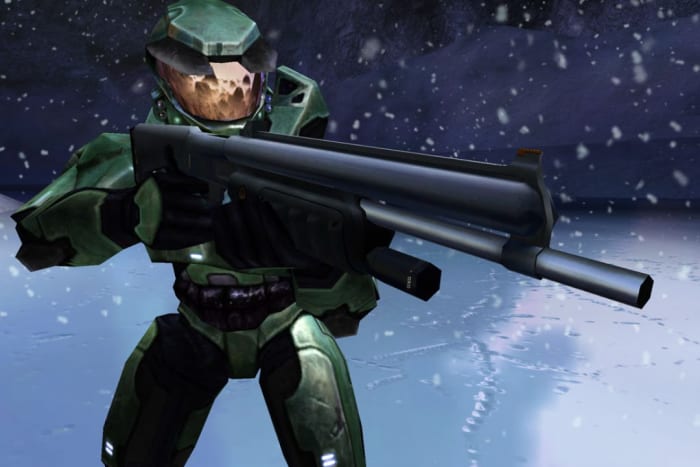
The Halo: CE shotgun was a complete powerhouse.
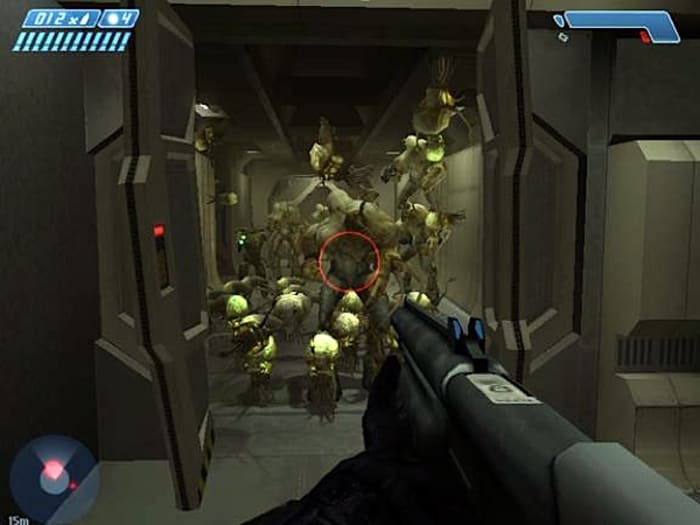
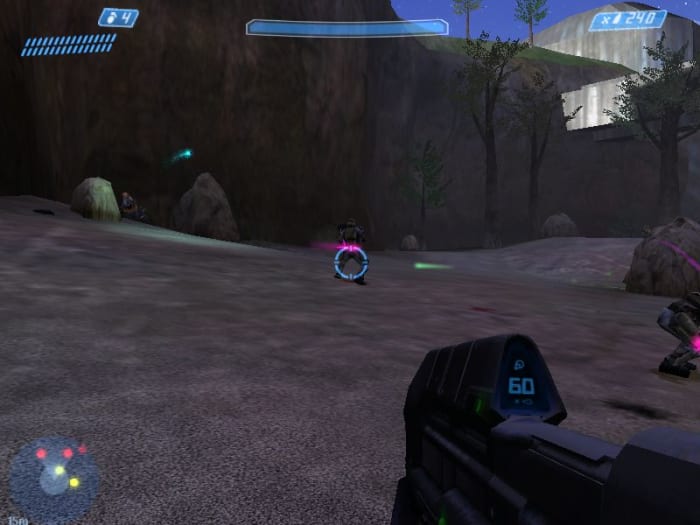
The shotgun from the original Halo: CE didn’t show up in the campaign until nearly halfway through the game. Fittingly, this is right around when the series first introduces the hideous mutated abominations, the Flood. Zombies, meet shotgun. Suddenly you’ve turned a futuristic FPS game into a horror survival shooter racing through an abandoned alien library. For a game that came out in 2001, it scored some extra points for creativity and versatility.
Health bar? Not looking good. Shotgun in hand? The silver lining.
The shotgun became a staple in every installment in the franchise from that point on, and has been the bane of sword-wielding CQC players ever since. While the weapon has received buffs and nerfs in every subsequent game, we’ll never forget the OG death stick that could knock Banshees out of the sky in a single shot.
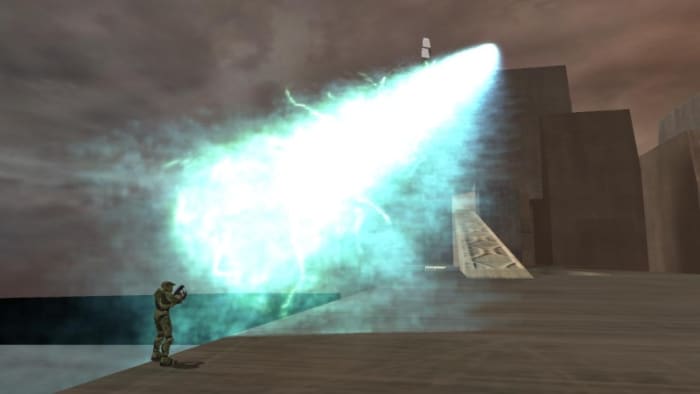
Disclaimer: This gun was put in as an easter egg, and has never (and hopefully will never) be seen in a multiplayer environment. The gun looks like a harmless plasma rifle, and you hold it like one too, but it fires like the main cannon on a Covenant Scarab tank. That bright green-blue beam of obliteration that one-shots everything it touches? It’s in your hand now. Have fun.
Was it worth the climb? I mean, yeah.
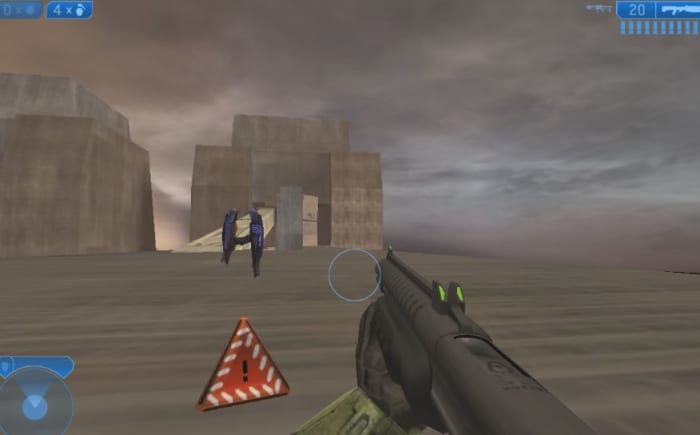
While the gun has unmatched firepower, that’s not why it made the list: Half the fun of the scarab gun is the journey to acquiring it. Something of an initiation rite for Halo fans, hunting for this superweapon is to embark on a grueling journey: Luring a Banshee, breaking its wings, carefully bumping it along a narrow corridor only to board it as quickly as possible or it’ll disappear before your eyes, negating all your hard work and time spent. When you reach the summit of that bridge and see the gun floating there, though – you’ll feel truly accomplished.
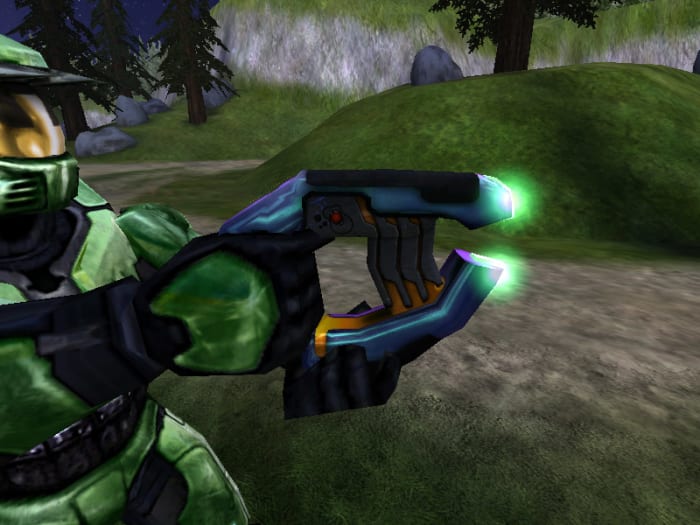
8. Plasma Pistol
Say goodbye to your shields.
There’s a reason we didn’t specify which game we like this weapon best: It’s great in every game, and changes quite a bit from title to title. In the original Halo, you could rapid-fire as quickly as you could pull the trigger, while in Halo 2 the homing capabilities were increased. This led to some really creative options for dual-wield combos in Halo 2 and Halo 3. In Halo 2 (where it was infamously paired with the battle rifle) and Reach, the pistol could also be used to briefly EMP vehicles and turrets, which made it even a (albeit poor) contender for anti-vehicle combat.
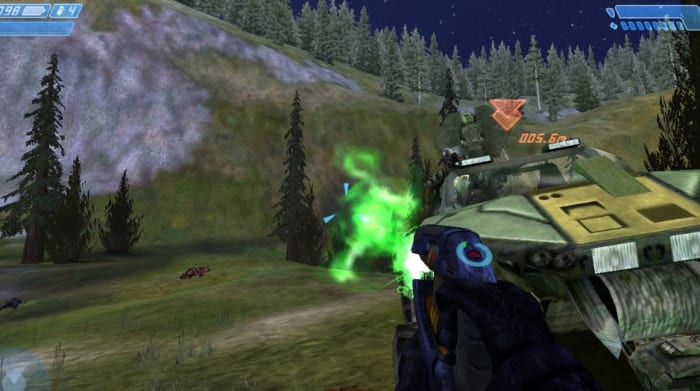
If this were Halo 3, that Warthog would be in trouble.
We love the plasma pistol because it’s the underdog of weapons. When a team of enemy players comes barreling after you in a Warthog and you sidestep and hit the jeep with a well-aimed plasma shot only to follow it up with a sticky grenade to the tire? Congrats, you demolished a vehicle with a Grunt weapon. You’ll have to turn your headset volume down because you just made three players very angry.
7. Plasma Grenade
Catch!
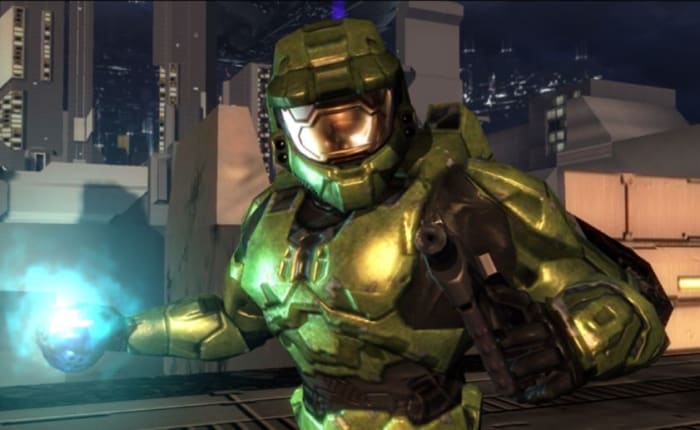
Here’s another one where we couldn’t list a specific title, and that’s because this weapon is iconic, a staple in every Halo game. The sticky grenades have long separated noob players from the pros, and in the hands of the latter, these guys can work absolute magic. The plasma grenade is the ‘fling and forget’ that sits in your back pocket, and was so beloved by the community and dev team that it even earned a place in the Halo 3 Believe ad.
That’s one way to make Grunts scary again.
That no heart-sinking moment quite on par with the “oh, s**t” when you see the blue flare and hear the whistling hiss of a plasma grenade stuck to your helmet. The grenades were so popular in the first couple Halo games that Bungie added spike grenades to the lineup in Halo 3. The great thing about any sticky grenade was that even if you ended up with a worthless weapon on spawn, you still had one last trick up your sleeve.
The clip size of this thing in Halo: CE was crazy.
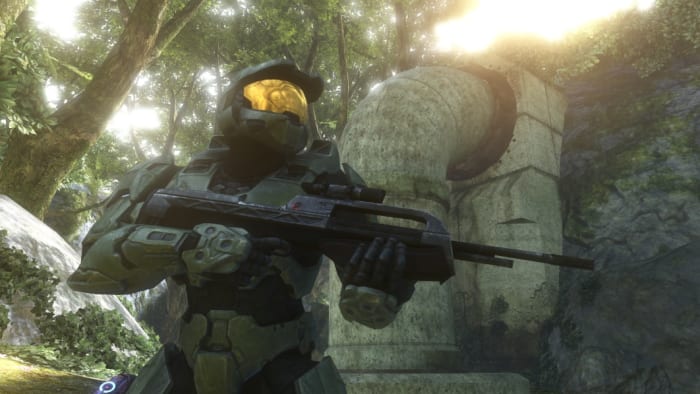
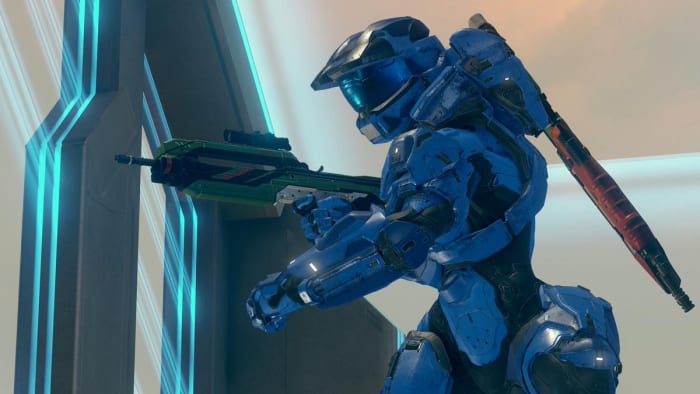
“The assault rifle works really well with the golden three things of Halo,” explained Multiplayer Designer Lars Bakkenin an interview, “which are weapons, grenades, and melee.” When two players face off and both have the assault rifle, the deciding factor ends up being skill – how well you control burst fire, how well you can strafe and shoot, how well you can aim your melee or grenade throw.
Master Chief’s weapon of choice
“The assault rifle’s design language works really well with the Master Chief,” said Weapon Modeler Tom Doyle of the weapon’s iconic silhouette and appearance. Doyle’s was the vision that saw the assault rifle returned to Halo after its absence in Halo 2. “There’s this thing we didn’t really identify in Halo 2,” said Bungie’s Software Design Engineer Adrian Perez in an interview, “that if you spawn everybody with a dual-wieldable weapon like the SMG it changed the game.” Since its triumphant return, the assault rifle has become a mainstay of the series.
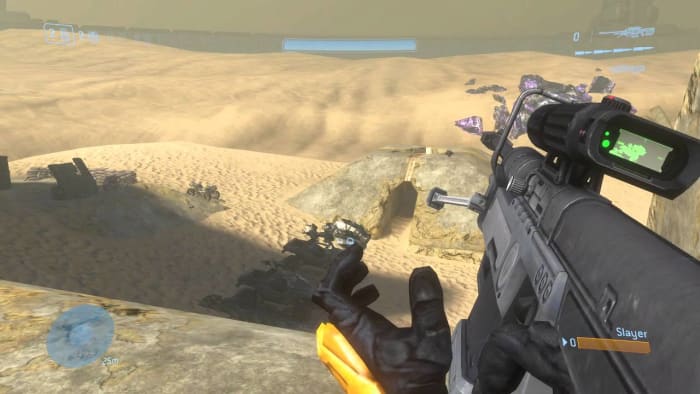
5. Sniper Rifle
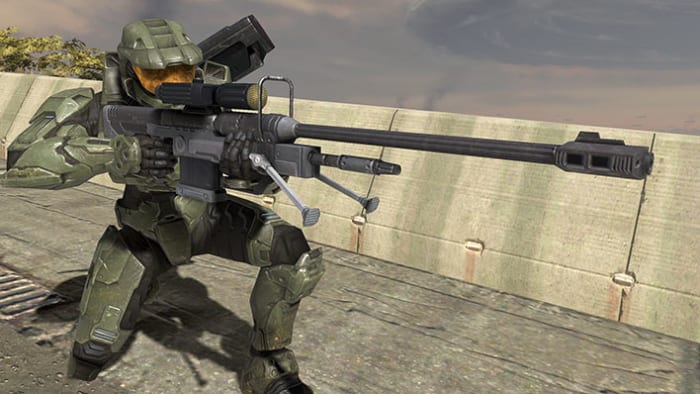
One headshot to kill, or two body shots.
Sniper Rifles are a popular addition to many FPS games, but the one in Halo holds a special place. Maybe its because you can’t choose to spawn with it, so it becomes a coveted item, maybe it’s because the design and layout of Halo maps so often make the weapon advantageous, maybe it’s because the gun looks freaking sweet and can score you kills from across the map. Whatever the reason, this is one weapon that we couldn’t do without.
As Bungie and 343 brought in larger maps, the weapon became more and more useful.
We’re not alone in thinking this, either; the weapon was popular enough that in later games more varieties of sniper rifle were added: The beam rifle, and later the binary rifle in Halo 4. Additionally, Team Snipers became a popular game type in multiplayer matches, pitting sharpshooter players in 4v4 matches across large maps like Valhalla and Blood Gulch.
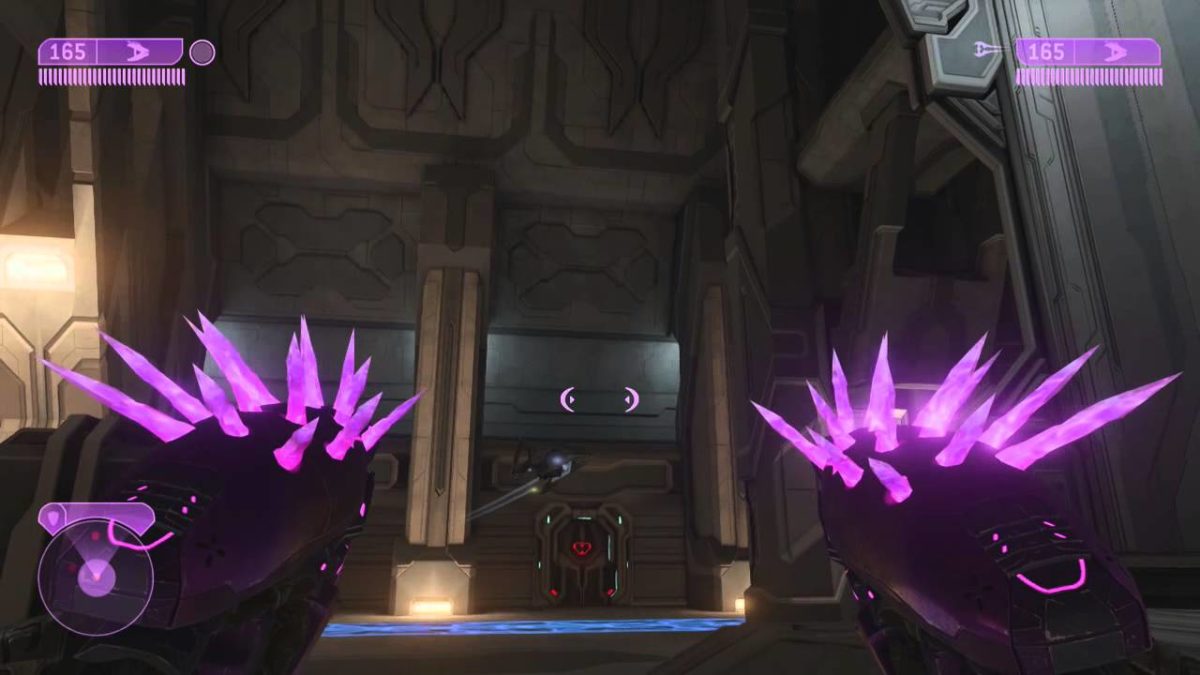
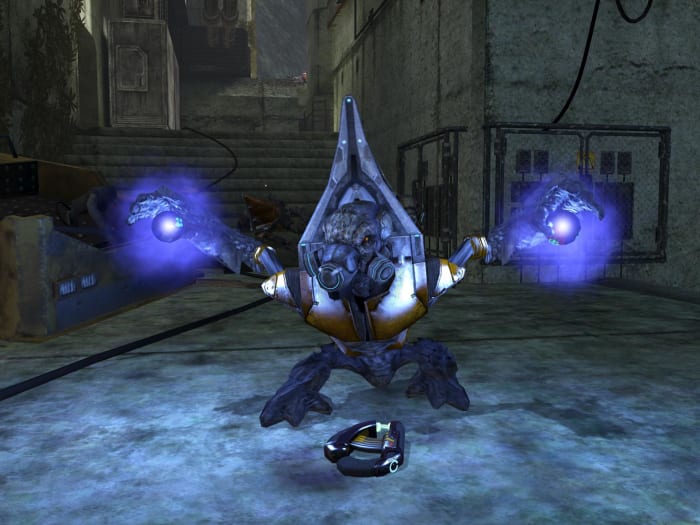
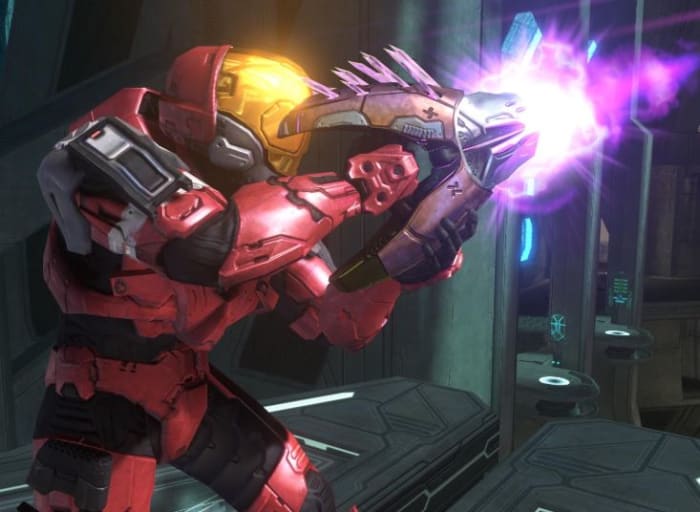
The Needler is a wacky Covenant weapon that, like the plasma pistol, underwent some series mutations over the series. Whichever Halo game you’re playing, the Needler will be present, though aspects like fire speed, bloom, reload speed, and homing all change drastically from title to title. Halo 2 players will remember dual-wielding Needlers for instant kills.
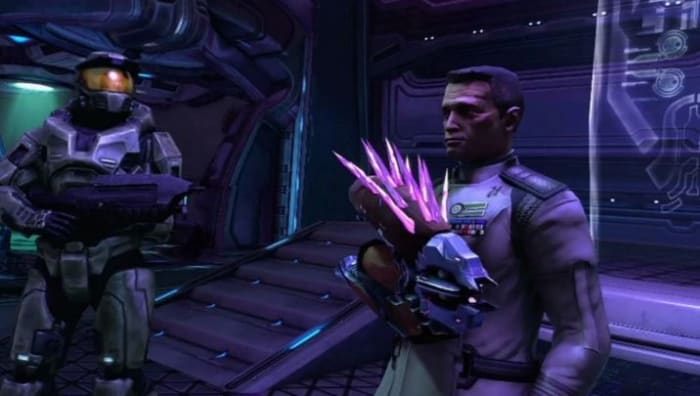
Worried this weapon makes you less manly? Doesn’t bother Keyes!
Any way you spin it, the Needler is a grenade on a stick. Hit a player with seven of these sharp pink projectiles and they’ll coalesce into a detonation akin to a plasma grenade. Get the angle and distance right, and you can ambush and eliminate players before they even know what hit them.
3. Halo 2 battle rifle
DMR? Carbine? Light Rifle? The Battle Rifle did it first.
While Halo 2 sadly lacked the assault rifle, it made up for it with the introduction of the battle rifle: A rare burst-fire weapon that FPS players actually like. The battle rifle encouraged mid-long engagements with other players in multiplayer mode, as well as rewarded players who could more consistently land headshots.
Stopping power, accuracy, and versatility all in one package.
While the gun was present in several Halo games, there’s a reason we specifically cited the one from Halo 2: Expert players could exploit a double fire glitch that allowed them to fire two consecutive bursts in a row. If you quickly press fire, then immediately follow up with a held trigger pull, the controller registers the start of the holding and pressing ‘X’ fires both bursts at the same time or in rapid sequence.
2. Halo 2 Energy Sword
Energy Sword and Active Camo at the start? It’s good to be the Arbiter.
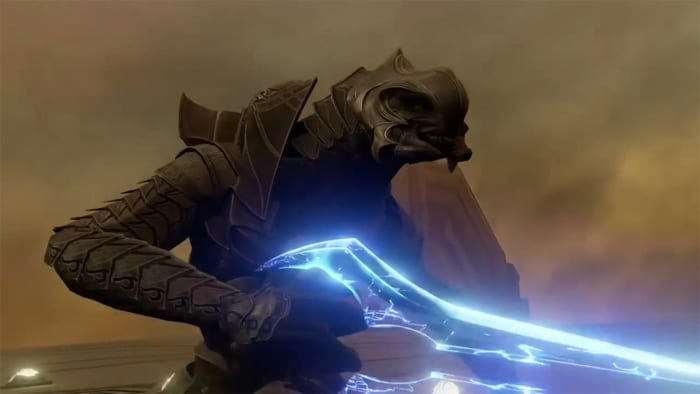
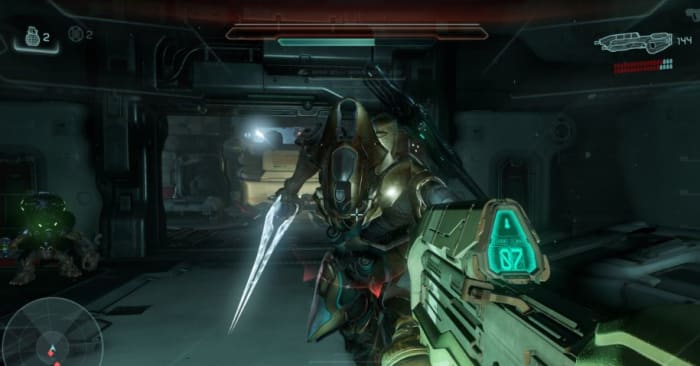
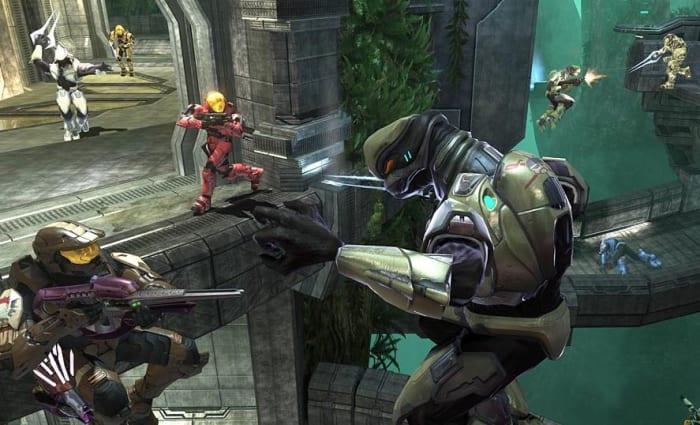
One of the most iconic weapon in the series, the energy sword is one of the coolest weapons ever designed. It’s the closest you’ll get to bringing a lightsaber into Halo, and as you might expect it feels about as epic. While the enemy AI could use the energy sword in Halo: CE, the player didn’t get to use it until the sequel … and Bungie went pretty overboard to make it worthwhile. The weapon had a very long reach, and could one-hit kill as soon as the targeting reticle turned red.
“I didn’t mean it!”
In Halo 3 the combat mechanics to the energy sword were reworked to make the weapon a little more fair, and better rewarded more skilled gameplay. A quick pull of the trigger would perform a slow lunge from the maximum distance, while hitting with the melee button hit faster for less distance. Entire sword-based game modes were introduced in Halo 3 and Reach, and sparring against multiple opponents got really cinematic.
1. Halo 1 Magnum
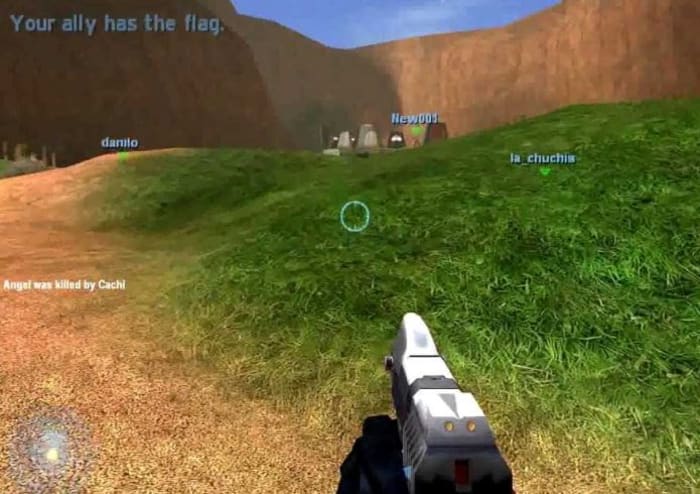
Veteran Halo players, you already knew this was going at the top of the list. From the first time you get to use Captain Keyes’ handgun at the start of Halo 1, all the way into wrecking entire teams with this in the remastered multiplayer, this is the sidearm that you’ll probably use more frequently than your main gun.
On maps like Blood Gulch, it may as well be a sniper rifle.
The magnum underwent some serious changes throughout the series, receiving a massive downgrade in Halo 2, then buffed damage but no zoom in Halo 3, to a really neat silenced version in Halo 3: ODST. By Halo: Reach, the magnum had made a triumphant return as a preferred weapon in SWAT matches, sacrificing the range of the DMR for faster fire and better handling. Pro players in Halo 1 were able to use the gun’s recoil to empty the clip, ending the barrage with a headshot once the enemy shields pop. It wasn’t unusual for pro players to put down a sniper rifle or rocket launcher in favor of this pistol, and for good reason.
Rumble Pit got pretty crazy back on Guardian
Honorable mentions go out to the grenade launcher from Halo: Reach, the elite sentinel beam of Halo 2, and Gravity Hammer from Halo 3, but what’s your favorite Halo weapon? Let us know in the comments below, and stay tuned with us for more information on the upcoming Master Chief Collection on PC!
What makes Kojima’s boss fights stand out from the crowd of button-mashing, grindy, soul-crushing antagonists like Shao Kahn or Gill is that the fight isn’t made difficult because of triple health bars, invulnerability shields, or one-hit K.O. moves. Instead, they’re the highlight of the game for different reasons. We had a top 10 prepared, but Kojima always dials things up to 11, so we thought we’d go even one step further than that. Here’s our pick for the top 12 boss fights in the Metal Gear franchise:
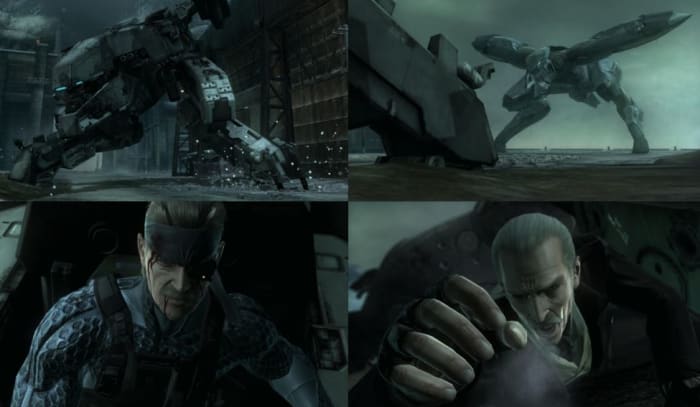
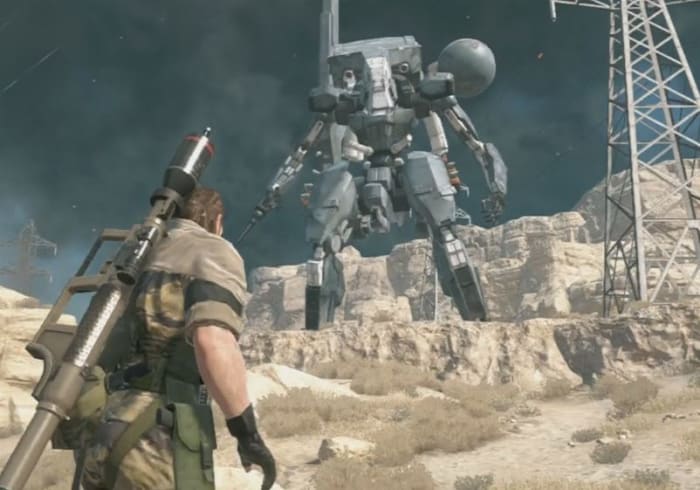
Nothing says Metal Gear quite like two giant mechs ramming into each other in a high-tech battle for combat supremacy. Lasers, Gatling guns, missiles, and a ton of metal smashing against metal, the fight is only enhanced by the fact that it’s behind the mechs it’s the classic Snake vs Liquid, just to raise the stakes even more. To top it all off, Liquid is in “the more advanced model,” so Snake’s the underdog before the battle even starts.
“Don’t you know that the majority of the world’s greatest assassins are women?”
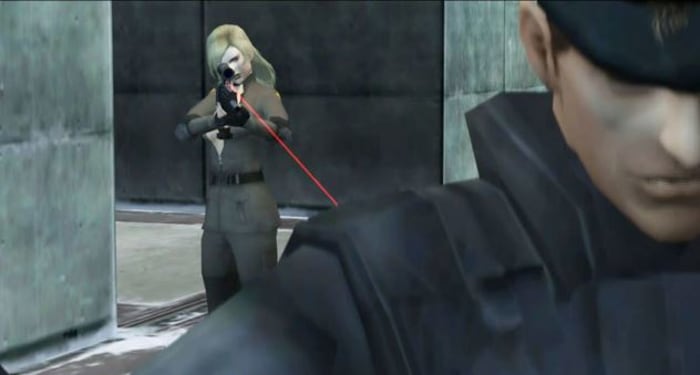
Following her murder of one of the title’s protagonists, Sniper Wolf wants to prove her marksmanship against the one and only Solid Snake. “I always kill what I aim at,” says Wolf before the two face off in a snowfield sniper duel. The fight was the first all-out sniper battle in the series, but it wouldn’t be the last either. What also makes the battle memorable is the conversation with Wolf after she’s defeated – her relation with Big Boss, the tragic thing that she was truly searching for, and her wish to be at peace.
“The path you walk on has no end … you shall have no peace.”
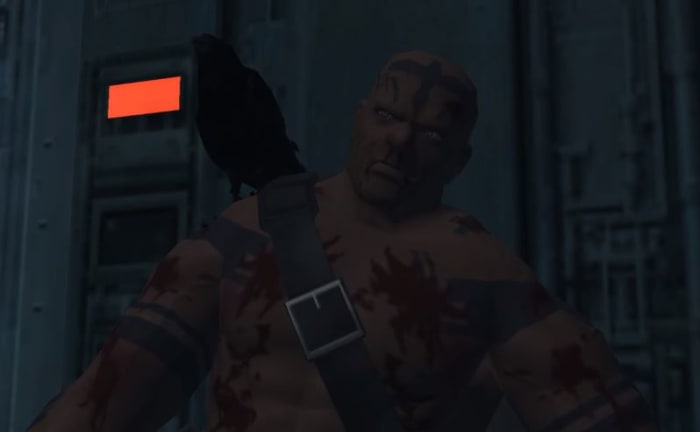
The boss fight with Raven was one of Kojima’s favorites: A duck-and-cover shootout in a warehouse full of boxes against a lumbering foe who decided to bring flock of birds and a Gatling gun to a pistol fight. “He never kneels down,” said Kojima in an interview. “I think that added a lot of character to him.” True enough, his final words raise more questions than answer them, cluing Snake in to the greater schemes of the game’s plot.
His suit gives him camo, but drains his stamina very quickly.
The second member of The Boss’sCobra Unit, The Fear is a mutant acrobatic contortionist who dons a stealth suit and fires poisoned darts at Snake with a crossbow. While he’s leaping from tree to tree Snake is running around a forested area laden with pitfalls, snare traps, and venomous creatures. Aside from the awesome battleground, the fight is also memorable for the many ways it can be won.The Fear can be lured, fooled, poisoned, and even blinded. If you manage to beat him by depleting his stamina, you’ll even get the reward of his uniform and its outrageous camo index.
How Hideo Kojima created the characters of Metal Gear
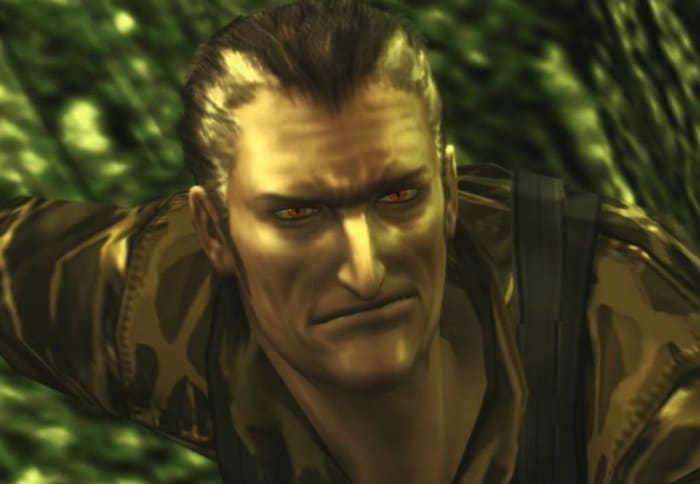
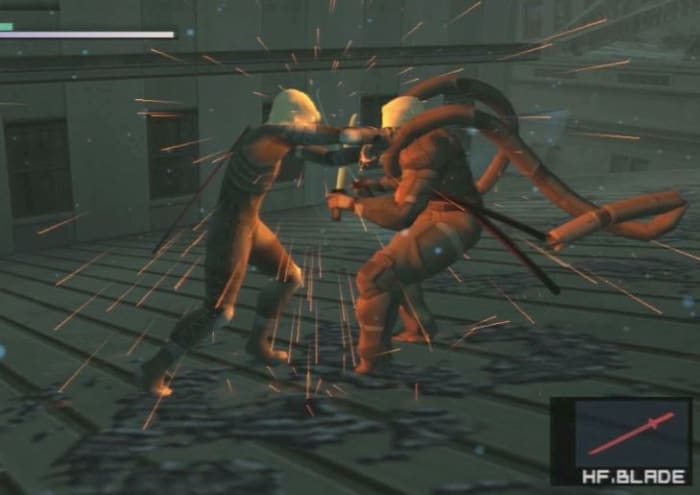
What do you get when you make a near-perfect clone of Big Boss, make him President of the United States, have him be a master swordsman, and give him metal tentacles like Doctor Octopus? If you answered “A Metal Gear boss” you’d be right. This time it’s Solidus Snake duking it out on top of Federal Hall. Raiden was Solidus’ former protégé, adding an extra layer to the already epic fight.
The Sorrow was a casualty of war, forced to be killed by his loving wife.
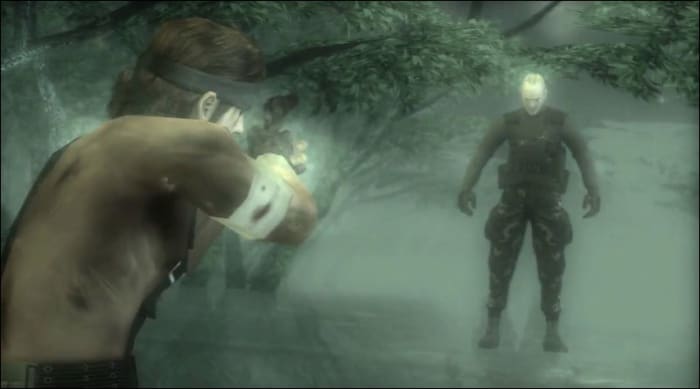
One of our favorite fights on this list (and another of Kojima’s own top 5), The Sorrow was a surprise boss fight late in the game. “This character was very different from all boss battles I had tried up to that point;” said Kojima in an interview, “it’s a boss that doesn’t exist, he’s a ghost.” While the Metal Gear franchise doesn’t veer away from the occasional step into fantasy territory, an encounter with a spirit is pretty far removed from the typical genre.
The experience takes Snake through a mangrove populated by zombies – corpses of all the enemies that the player has killed in their playthrough. The stream can even be empty if they’ve done an no-kill run! Since the encounter is more or less happening in Snake’s head, the sequence can be skipped entirely by using the life pill when defeated.
Big Boss confesses the loneliness of a post-war soldier.
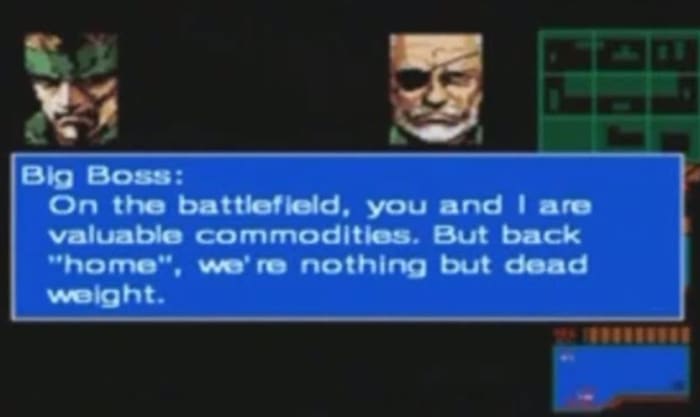
“You either die a hero, or you live long enough to see yourself become the villain,” says Batman in “The Dark Knight.” Such is tragically true for Big Boss, who turns out to be the mastermind behind the cruel, warmongering events of Metal Gear 2. Snake is forced to fight his ranking officer in a battle that redefines what it means to be an underdog. Armed with a hairspray can and a lighter, Snake creates a makeshift flamethrower and dukes it out with the legendary hero.
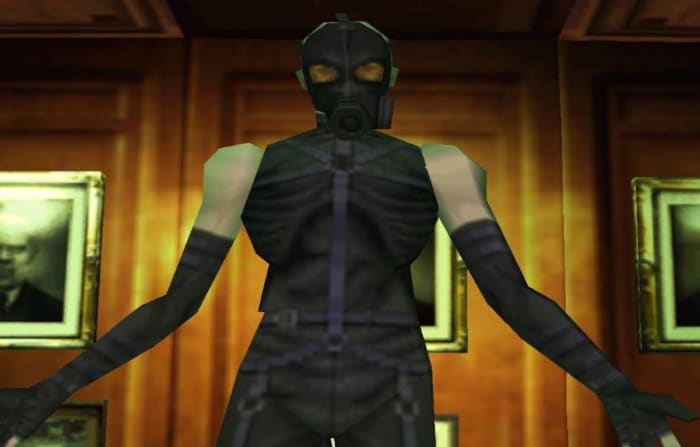
The battle with Psycho Mantis was the first fight that set the Metal Gear boss fights apart from others of the time, and one of the best boss fights of all time. To prove his telepathic might before the fight even starts, Mantis starts telling you your game stats so far: How many traps you’ve stepped in, how many fights you’ve gotten into, and how often you’ve been detected so far. He then takes it a step further and starts even listing off other games you’ve played on the system, a total fourth wall break that’s guaranteed to put a smile on your face.
Since Psycho Mantis has telepathic powers, he can’t even be defeated like a regular boss; he can read your every thought and therefore predict your moves. The guy can even make your controller vibrate at will, and tells you when he’s doing it! The only way to really defeat him is to take out the controller completely and plug it into a different port! How’s that for thinking outside the box?
“There is nothing more for me to give you. All that’s left for you to take is my life.”
The final boss battle of Metal Gear Solid 3 is against The Boss herself, the famed WWII hero who trained Snake since the very beginning. The fight against her takes place in a field of beautiful lilies, and is the classic master vs. apprentice as the two fight in a CQC battle for the title of Big Boss. There’s no gimmicks, there’s no spectacular fireworks or gaudy effects, just a one-on-one with a woman torn between her duty and her love.
Like all the best fights in cinema, it’s not the effects or the choreography that make it so memorable – it’s the two people that are locked in combat. When the fight ends it’s the player that has to pull the trigger on her; it’s not done in a cutscene. The lilies turn red to symbolize the shift in Snake’s character, and the blood that is now on his hands. The Boss was almost like a mother to Snake, and even after her defection she unsuccessfully tried to save Snake from the same path the she walked – a path of endless violence and warfare.
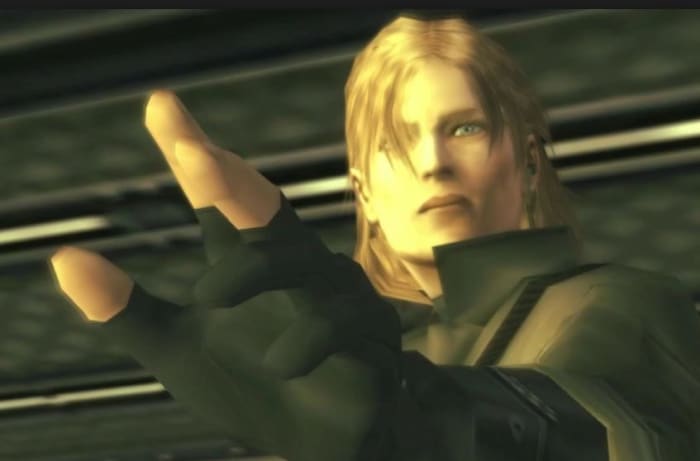
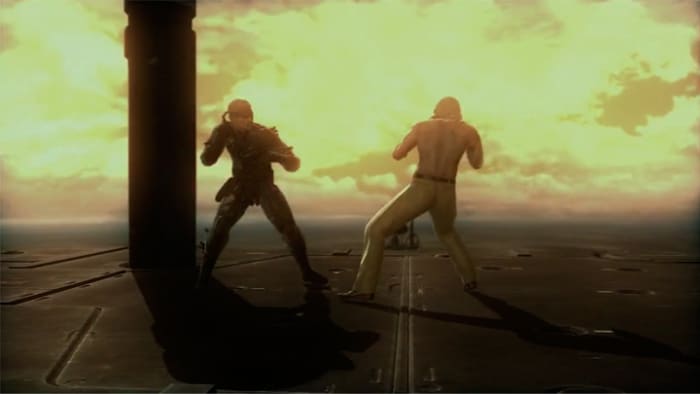
Revolver Ocelot was one of the major recurring characters of the Metal Gear franchise – sometimes a friend, sometimes a foe. He was the first fight for Big Boss, and poetically the final fight for Solid Snake. Metal Gear Solid 4 takes these characters to the end of their competitive journey, and has them fight on the ocean in front of a rising sun. “The war is over,” says Liquid, “but we are not yet free.” The two begin a fight for the ages, in a conflict that both of them knew would happen one day, and that one of them would not survive.
The boss fight itself is one of the series’ best. It takes the player through flashback pictures of Ocelot and Snake as they grew up together over the course of several games, and even a nostalgic comeback of the original games’ soundtracks and HUD. It really feels like a culmination of their arc, and both characters are physically and emotionally exhausted by its end.
“Let me linger in this world just a little longer.”
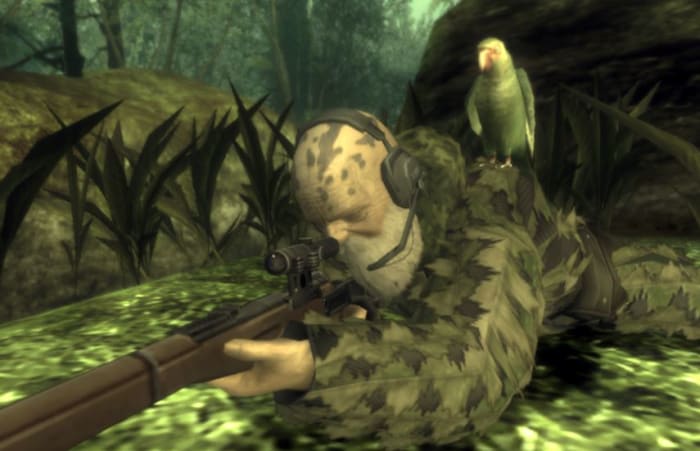
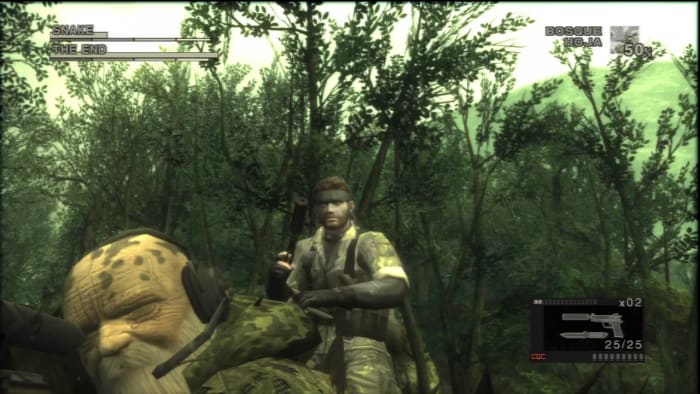
While other picks on our list are by and large better moments, there’s no actual battle that tops The End: The best sniper duel in gaming history. He’s a legendary sniper from the Cobra Unit who’s over a century old and saving the last of his strength for one final hunt. That hunt is Snake. The End wears a full-on salad suit and blends in nearly perfectly with the forest, making him hard to spot, and even harder to spot before he sees you and hits you with his tranquilizer-loaded Mosin-Nagant. Worse still, The End has photosynthetic powers, allowing him to regenerate stamina if it falls below a certain threshold. Combine that with the fact that the boss fight goes between three separate locations, and it’s a tug-of-war with who’s predator and who is prey.
That high-tension moment when you finally get the drop on The End.
Like all the best boss fights in Metal Gear, The End has multiple weaknesses that clever players can exploit. Kojima wanted the boss fight to last a long time, to really drag out the exhaustive snipe-off between the two characters but, as with Psycho Mantis, there’s ways to make the fight much easier, like following his footprints with thermal vision, catching his pet parrot and following it to his location, or even setting your console calendar forward a week just to watch him die of old age! Crafty players who get their hands on a sniper rifle early enough can even shoot him in his wheelchair long before the fight ever starts. It just goes to show how outside-the-box thinking can outwit and defeat even very difficult opponents.
Top 5 most memorable boss fights in video game history
Need to rotate some video in VLC? Just follow these steps.
VLC Media Player is the top of the class in multi-format media playing, No matter what format you’re dealing with, the program is probably your answer. While VLC does the bulk of the heavy lifting for you, once in a while you’ll still get the odd video that’s playing upside-down or rotated weirdly. Never fear; we’ll show you how to spin it right!
Videos in VLC can be rotated, flipped and even transposed (which means rotate and flip simultaneously). VLC even has a neat tool that helps you rotate your video arbitrarily; you’re never locked into specific rotate coordinates. Best part? It’s right in your top toolbar, takes three easy steps, and can be done in seconds.
How to rotate and flip your video
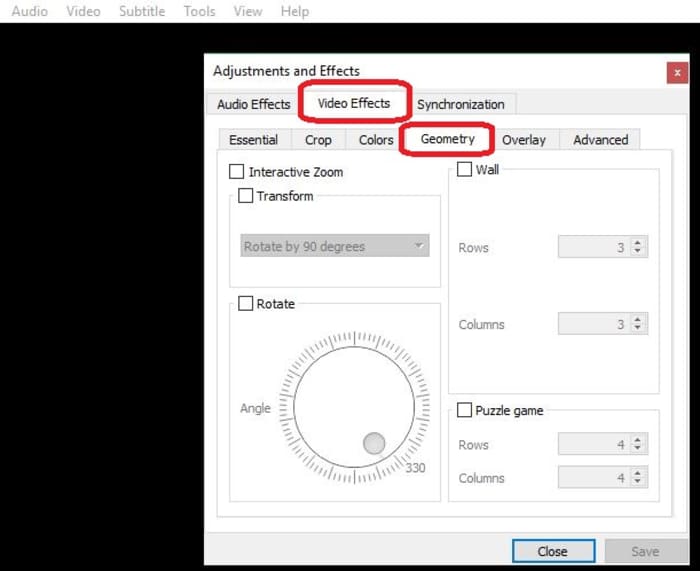
1. Open Adjustments and Effects
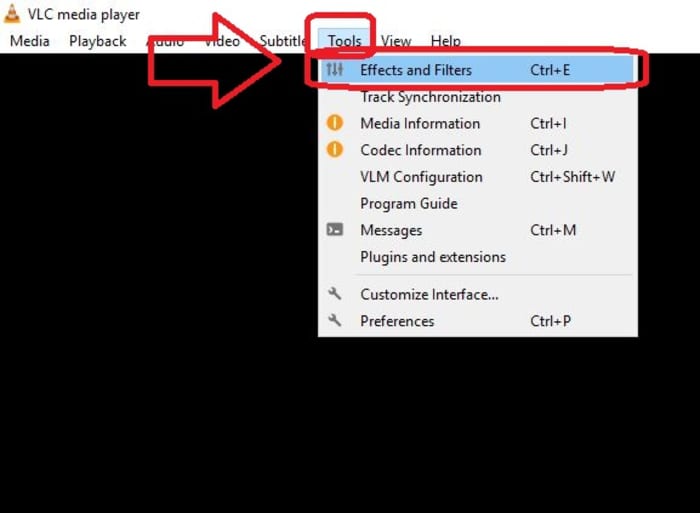
Click on the Tools tab on the top left of VLC. The top choice in the drop-down will be Effects and Filters. Click on that and it’ll open the window you need. Alternatively, you can just press CTRL + E when you’re in VLC.
2. Open the Geometry tab
This window has a bunch of compressing tools, advanced options, and sliders that you can play with, but the rotating tool you need is nested under the Video Effects tab. Click on it, then open Geometry.
3. Choose how you want to rotate
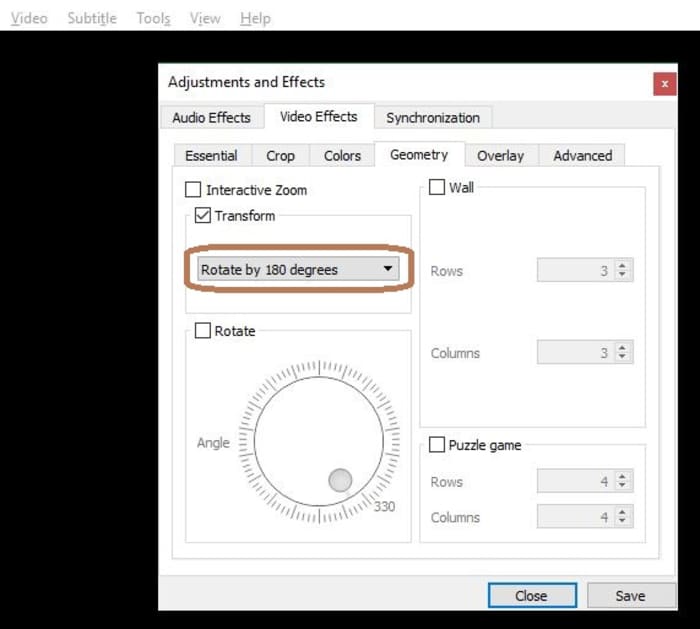
Now for the easy part. Check the box that says Transform, and you’ll unlock a drop-down that has seven different rotation options. Select the one you need and hit Save. When you open a new video, it will be rotated accordingly. If you want to disable the rotation, simply un-check the box.
Other options
“Rotate by 90 degrees” is straightforward enough, but there are other options you can select via the Transform drop-down. ‘Transpose’ will rotate your video 270 degrees clockwise, and then also flips it horizontally. ‘Anti-transpose’ does the same, but rotates by 90 degrees before the horizontal flip.
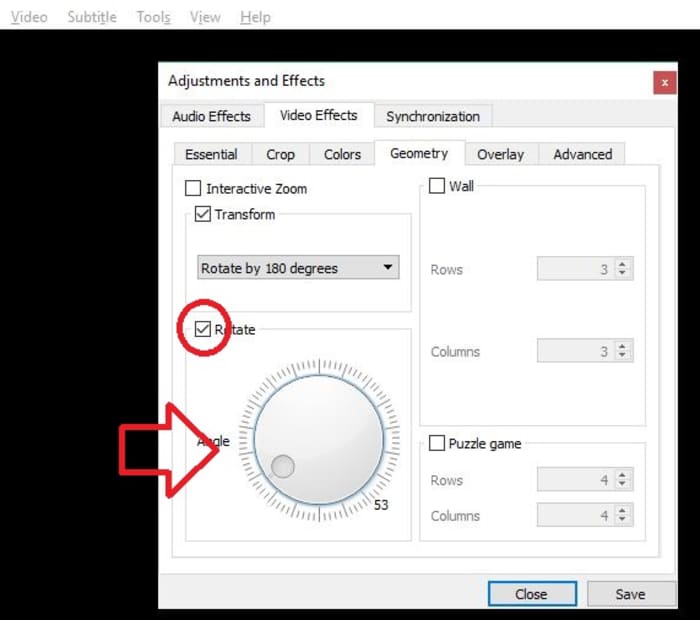
Lastly, you can also elect to rotate your video by smaller margins rather than locking in to a specific degree. To do this, check the Rotate box and move the Angle dial around to wherever you like.
Pretty easy, right? Let us know in the comments below if you got the video figured out, and if there are any other VLC tips and tricks you’d like us to share.
What is cryptojacking and how do you know if you’re affected?
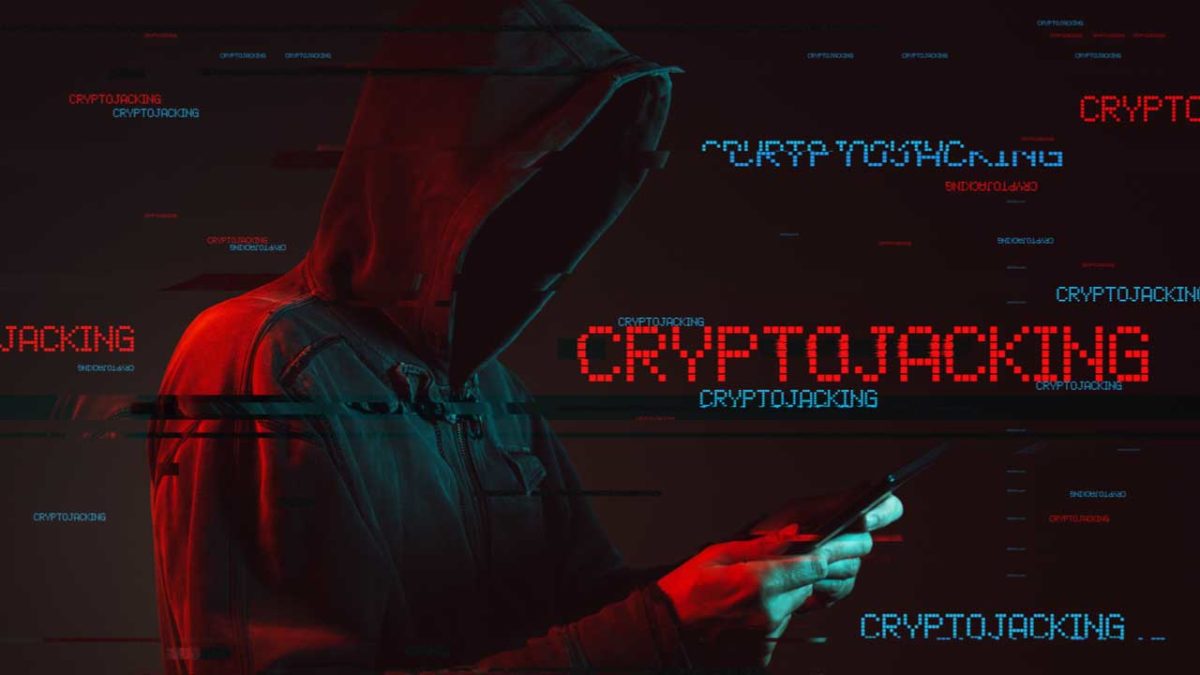
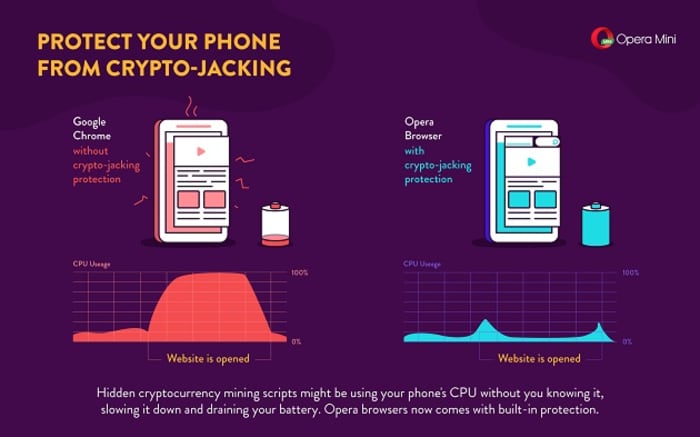
There are a lot of reasons a computer could be slow: Excessive programs running in the background; bloated temp files; a corrupted hard drive; or if you’re unlucky, it could be malware and viruses. One particularly sinister emerging threat is cryptojacking, which can increase overheating, slow down processing speed, and drain your batteries – all under the radar.
Cryptojacking is when someone takes hold of your computer to mine cryptocurrency. Often, hackers will ensnare you by infecting a website or online ad with an infected JavaScript code. The code auto-executes once loaded into your browser. Alternatively, a hacker might lure you into clicking a malicious link in an email. Once you click it, it uploads a cryptomining code to your computer and suddenly your processing power is getting leeched to an outside source.
Why would someone bother doing this?
Money.
Cryptojacking allows someone with malicious intent to steal computing resources from a victim’s device instead of having to build their own dedicated cryptomining computer. In this way, they can compete against sophisticated cryptomining operations without any of the costly overhead.
Stay protected
Even on a healthy computer, it’s tough to track the origin of a program that’s draining all your CPU. It’s harder still when you’re trying to do so on an infected computer that’s slow as dirt. Troubleshooting when your computer can barely chug along is a nightmare. As such, the best way to deal with cryptojacking threats is to not get infected in the first place.
A smart, secure browser is your first line of defense – especially one that can block JavaScript. While this effectively closes any door on a cryptojacking attempt, the obvious drawback is that blocking JavaScript will also cull functions that you like and need. The best middle ground is Opera, a browser that’s been fighting the cryptojacking war since before we even knew about it. If you install Opera on your mobile device, it’ll actually block risky mining scripts when visiting a site. It’s analyzed over 100 mined websites, and noted how smartphones such as the Galaxy S8 or HTC One suffered reduced performance when exposed to cryptojacking.
You can also download an extension like No Coin which blocks miners using your computer resources without consent. Opera even comes with the extension already installed on download.
Lastly, Opera even made this cool test to tell you whether you’ve been cryptojacked. If you’re a regular user of cryptocurrency, it might be a good idea to bookmark the page.
Using Opera in tandem with a strong anti-malware tool will help keep your PC protected from cryptojacking attempts, but it always helps to take extra precautions before clicking on that sketchy email, or opening a link that you don’t trust. Stay frosty, and stay tuned with Softonic for more tips and tricks to keep protect your computer protected.
What if “The Rise of Skywalker” was a Super Nintendo game?
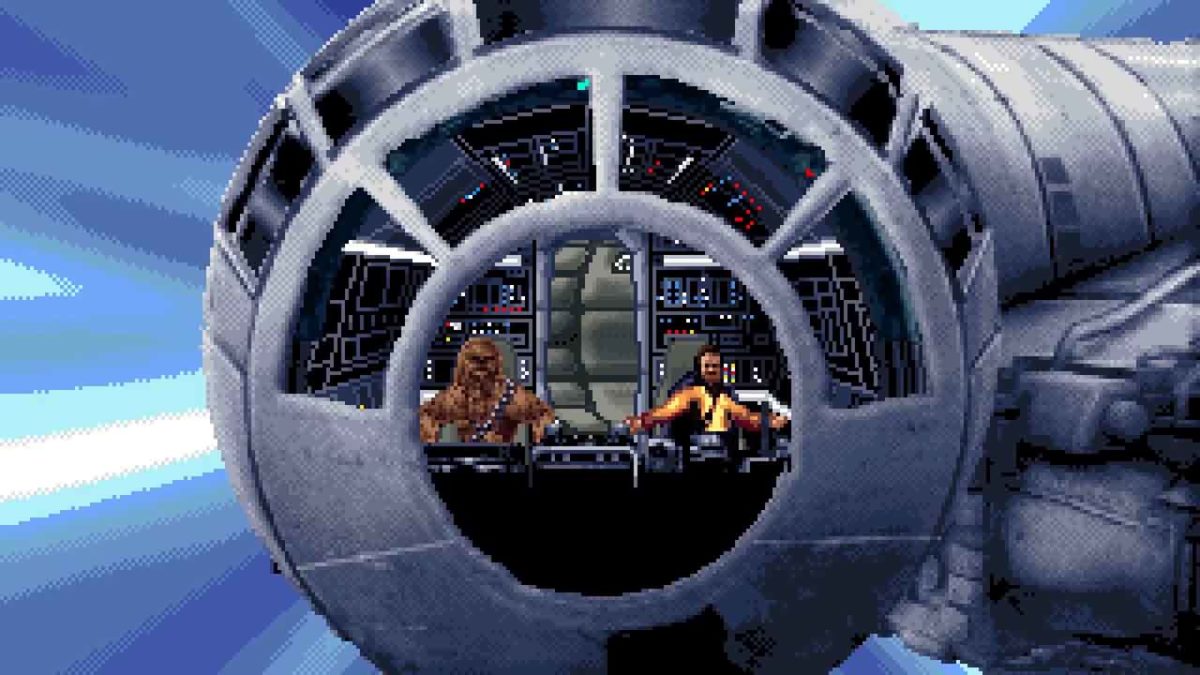
Unless you’ve been living under a rock since early April, you’ve seen “The Rise of Skywalker” trailer that created a great disturbance on the internet – as if millions of voices suddenly cried out in nerdy jubilation. While most the 28 million viewers on YouTube took to it with a dissection knife and an FBI-caliber analysis committee, one fan had a very different reaction. Animator John Stratman decided he wanted to see it in a new light.
If you’ve ever wanted to see what a 2019 blockbuster movie trailer would look like as a Super Nintendo game … well, then you’re in the same minority as Stratman. Whether you asked for it or not, here it is in all its retro glory:
We’ve got to admit, though; if someone turned this into a playable side-scroller, we’d buy it in a heartbeat. Let us know in the comments below if you feel the same way, and we’ll see you in theaters for the real deal this December!
Frame-by-frame breakdown of the Star Wars Episode IX trailer