Apex Legends: Introducing Wattson

Wattson has just been officially inducted into the Apex Legends roster, and Respawn has revealed her accompanying set of new abilities, as well as a backstory for the character. The brilliant daughter of the Apex Game’s lead electrical engineer, Wattson is a promising, talented, and enterprising young woman with a mind for tech and a talent for battle. Her abilities mostly involve area control, defense, and mobility prevention, making her a viable alternative to the typical run-and-gun style of play in Apex Legends. Check out the full details below:

Apex Legends Free Download
9
Play Apex Legends here!

Who is Wattson?

Wattson’s real name is Natalie Paquette, a French woman who discovered her talent for electrical engineering at a young age. An avid reader on the subject, her skill earned her commission to build King’s Canyon’s Modified Containment Ring. While lighthearted and carefree, Wattson also exhibited a laser-focused attention to detail when working, and is passionate about electricity for its ordered, predictable flow.

Sadly, her father died the day the Modified Containment Ring was revealed, but Wattson soon found solace in a group of competitors who invited her to battle in the arena. King’s Canyon is her new home, and she is a valuable asset to any team with her dazzling tech abilities. What kind of abilities? Let’s take a look:

Apex Legends Wattson
Check out Wattson’s full character description here on EA’s site

Wattson abilities

Apex Legends Wattson Abilities

Wattson’s role as a Legend is mostly support, providing faster shield recharges, tactical information, and powerful defensive barriers that fluidly work in tandem with pretty much any other Legend on the field (but especially Caustic). Her tactical ability sets a node that connects to form an electrified fence. While it’s not subtle, it can cover a wide area, and alerts both Wattson and her team to any incoming enemy teams. These players are also slowed and receive light damage, making the decision to enter Wattson’s zone of control a weighted one.

Apex Legends Wattson Perimeter Security
Wattson sets up an electrified perimeter to debuff, damage, and ping hostiles.

Wattson’s Ultimate is Interception Pylon, which can outright nullify and destroy enemy projectiles that come within a set radius. This provides great cover (especially when paired with a friendly Gibraltar or Bangalore) to recharge your shields, heal or revive teammates, loot player boxes, or even just re-position for a stronger offensive. Wattson’s Spark of Genius passive also grants a strong synergy between her other abilities, allowing for more frequent use of her tactical, and even fully recharging Interception Pylon after a single Ultimate Accelerant.

How to play Wattson

The strategy with Wattson is to keep your teammates alive with good tactical input, stockpile on Ultimate Accelerants so that you’ll be easily and reliably defended in the late game, and use her Perimeter Security to zone enemy teams and discourage enemy positioning. Like we mentioned before, she pairs especially well with Caustic in the late game, since their defensive tactical abilities stack when trying to control a structure or territory. Make the enemy come to you, then ambush them from a powerful vantage point.

Wattson will be available on July 2 to kick off the second season of Apex Legends with a jolt. Does she sound like a Legend you’ll want to try? Or are you better off unlocking Mirage, Octane, or Caustic first?

Let us know in the comments below if you plan on giving Wattson a shot, and we’ll catch you online!

Opera GX: the world’s first gaming browser

Opera GX is the world’s first gaming browser released by Opera. Try it out for free and enhance your gaming experience.

Opera has always been a cool browser – a turbo mode to speed up page loads, and a free integrated VPN for shielding your activity. The list goes on. It’s great at what it does, there’s no doubt about it, but today it pulled a rabbit out of its hat with Opera GX – the world’s first gaming browser.

Much like the Opera browser is made with user customization in mind, GX is designed for the meticulous gamer. “Opera GX is built for people who love games, and spend a lot of time building their setups,” said Krystian Kolondra, EVP at Opera browsers. “We want to give them a browser to perfectly match their beautiful machines.”

It’s true – every PC gamer worth his salt is proud to run a rig capable of flashy graphics, smooth FPS, and generous RAM. Serious enthusiasts will even opt for multiple GPU integration, water-powered cooling, or glowing keyboards that make you feel like you’re in “The Matrix.” Decking out your hardware is par for the course, but if Opera GX offers new levels of customization through a gaming browser, that’s exciting indeed. “I have a strong feeling this browser will resonate with the gaming world,” said Kolondra. Check out how it aims to do so:

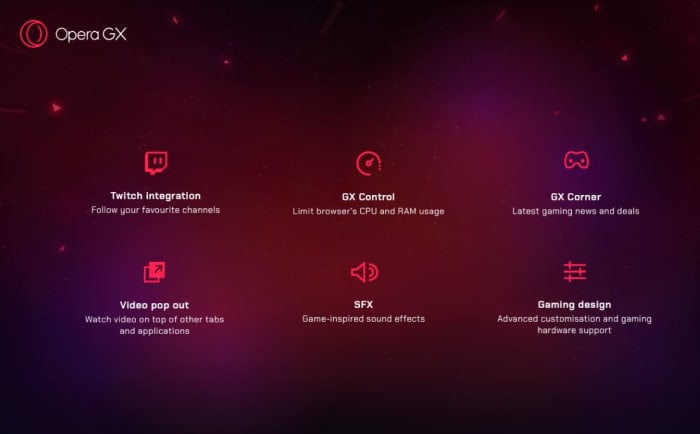
Opera GX features

  • Twitch integration: Follow your favorite channels
  • GX Control: Limit browser’s CPU and RAM usage
  • GX Corner: Latest gaming news and deals
  • Video pop out: Watch video on top of other tabs and applications
  • SFX: Game-inspired sound effects
  • Gaming design: Advanced customization and gaming hardware support


Control your gaming experience

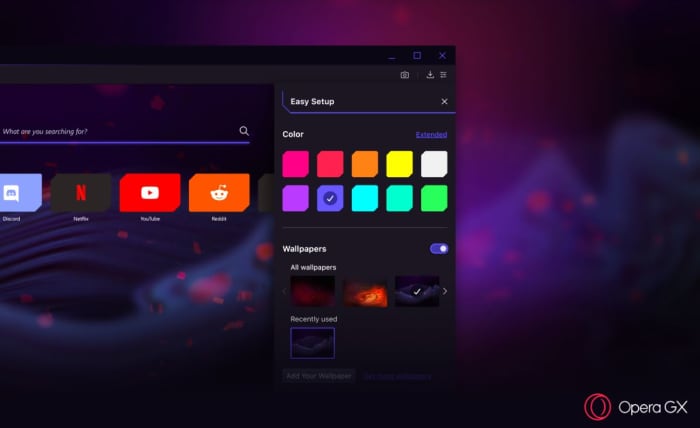
“From the startup sounds to the look of the browser’s speed dial, Opera GX was designed to feel at home on any gaming setup,” said Opera GX product director, Maciej Kocembra. Right upon booting it up, GX is visually stunning with crimson streaks, an elegant UI, and dark shadows. As you’d expect, the color palette can be changed to 10 different suggested colors (and 16 million other possibilities courtesy of the extended color picker). GX is about far more than just looking cool, though (we have to admit we do love the aesthetic)! GX is also about being able to comfortably keep a browser up and running while you’re deep in the game, something that until now has always come with the risk of FPS drops and lag.

Opera GX colors
Choose a variety of different color schemes and wallpapers

“Running a game might require a lot of effort from your machine. Even more so if you are streaming while you play,” said Kocembra. “Before Opera GX, gamers often shut down their browsers in order to not slow down their gaming experience.” Memory-hungry browsers (like Chrome) are notoriously bloated, sapping a lot of power to function at high speeds. “We came up with the GX Control feature to make people’s games run more smoothly,” said Kocembra, “without requiring them to compromise on what they do on the Web.”

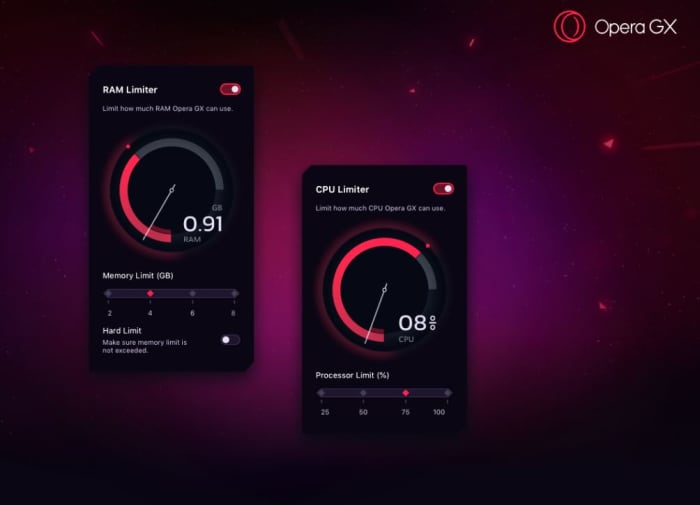
The main hub for this is the new GX Control panel, which allows users to choose how much of their computer’s CPU or RAM they want to dedicate to their browser vs their game. There’s a pair of dials (one for RAM, one for CPU) that you can toggle to decide what percentage of your computer’s resources you want to use for each. Trying to play while keeping a strategy guide open? Crank down the dials. Trying to improve your streaming quality? Dial them back up! Opera GX adjusts to stay within whatever constraints you set.

Opera GX memory processor limit
Adjust how much RAM and CPU you want the browser to use.

Smooth streaming

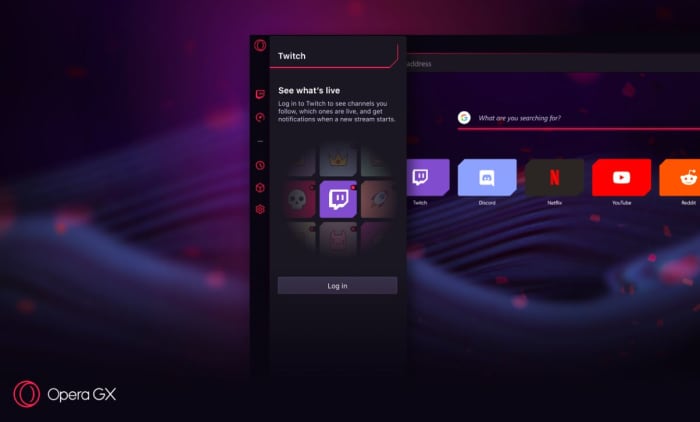
Twitch streaming isn’t the future anymore; it’s the present, especially for younger gamers. Streaming is a lucrative business too, which could make GX a preferred tool for the rising number of professional streamers. Twitch is integrated right into Opera GX, and the browser even lets users log right into their accounts directly from the sidebar. It also notifies you whenever a streamer you follow is going live. It’ll let you keep tabs in real time, and comes with shortcuts to sites like necessary sites like Discord, YouTube, and Reddit.

Opera GX Twitch sidebar
Seamlessly keep tabs on Twitch, Discord, Reddit, YouTube, and even Netflix.

For gamers and non-gamers

There are over 65 million Opera users, and not all of them are gamers. Like we said before, there’s a lot more draw to Opera than just playing Fortnite. As such, GX includes all the features that brought the browser under the spotlight in the first place: Integration with WhatsApp, Facebook, and Telegram right in the sidebar for easy access. Fans of Opera will also be happy to know that GX retains the popular Video Pop Out function, which will be more handy now than ever since you’ll want to fine-tune and manage your browsing while you’re in-game. You’ll also get the same powerful built-in ad blocker and VPN to keep your browsing session safe, distraction-free, and fast.

Opera GX

There are 1.2 billion PC gamers, and from the sound of it Opera GX is a promising choice for anyone looking for more control and convenience over their experience. Download it here while it’s in Level 1 early access to provide the Opera team with feedback and wish lists. Will you be giving it a try? Let us know in the comments below if this sounds like a browser you’ll be switching to!

Softonic is proud to partner with Opera. When you download from us, we may earn a commission.

Why ‘Endgame’ Thor is so important

Here’s why Thor is the heart and soul of “Avengers: Endgame.”

Endgame Thor

* SPOILERS BELOW *

People deal with grief in different ways, and many of them are not healthy. Marvel’s “Avengers: Endgame” starts Thor off in a bad mental place, where he is stewing in his failure to properly behead the mad Titan. He’s off in the corner of the room, not saying a word, and when it comes time to face Thanos again he decapitates him before the rest of the team is ready. He flies off and that’s the last we see of the thunder god until five years later – five years that were less than kind to him.

The ending of “Avengers: Infinity War” is the biggest tragedy in the history of the universe. Billions of organisms (remember, it’s all life; not just people) are turned to dust. The Avengers failed to save the day. The bad guy succeeded in his plan, and then he got away. They didn’t even get to ‘avenge’ the fallen properly. It’s a crippling blow for our heroes’ morale, and for Thor, it was even worse since, at least in his mind, he’s the only one who might have been able to stop Thanos (“should’ve gone for the head”). It was a particularly bad time for the Asgardian to fail once again. We’re shown a candid perspective of Thor’s mental place before he forges Stormbreaker during a conversation with Rocket. Even as far back as then, the poor guy really needed some therapy:

Tasteless jokes?

We go from Thor in the above scene to the aforementioned dark and brooding Thor at “Endgame’s” start. Then we shift to five years later when he’s put on some pounds, let his hair grow unkempt down to his shoulders, and, as War Machine puts it, “has Cheez Whiz running through his veins.”

After the emotional turmoil of “Infinity War” this is how we approach Thor? Jabs at his weight and insensitive remarks? It wasn’t the decision to make Thor fat that caused such a backlash from fans; it was the constant jokes made at his expense. Was fat Thor a weak attempt to inject some humor into an otherwise dark story?

fat Thor Avengers Endgame
Thor drowning his sorrows in what looks like some delicious guacamole.

Thor faces new challenges

Thor is depressed. Not only that, it’s a welcome example of depression being portrayed in a realistic way: Thor isn’t sitting in the dark alone and crying. He’s with his friends; he’s laughing, he’s partying. But when it comes time step up and face the trauma that’s digging at him, he is stubborn and afraid.

On the character’s evolution, director Anthony Russo voiced that Thor’s arc in “Endgame” is one of his favorites. “It’s so devious and subversive,” he said proudly, “when comedy is coming from a place of complete commitment and emotional complexity.” It’s an unexpected turn for the normally godlike character, and it shows one of the angles that Stan Lee was most keen to convey: It’s not your powers or prowess that make you a superhero; it’s who you are as a person.

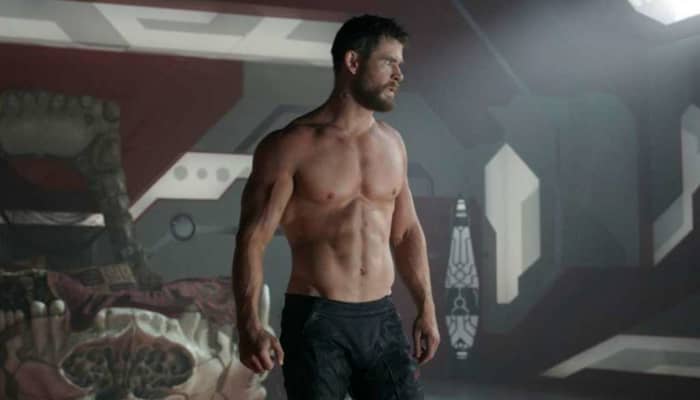
Thor: Ragnarok Chris Hemsworth shirtless
This shirtless scene in “Thor: Ragnarok” was played for a much different effect.

The main villain of “Iron Man 2” wasn’t Whiplash or Justin Hammer. It was Tony Stark and his own personal issues. Thanos is still a huge threat in “Endgame,” but the first two acts of the film are more about showing how our heroes deal with failure. Thor is an excellent example of this deeper, internal conflict, and Chris Hemsworth was not afraid to play it to its limit. “I like that anything goes. You’re not locked into expectations,” he said. “I enjoyed that version of Thor. It was so different than any other way I played the character. And then it took on a life of its own.”

Originally, the intent was that Thor would regain his godlike physique before the final showdown with Thanos. However, Hemsworth stressed that he would instead like the character to remain overweight, a sentiment that a more lazy actor would never have voiced; putting on that fat prosthetic was no cakewalk (pun slightly intended). “It was certainly exhausting,” said the actor. “I had weights on my hands and ankles just to have my arms and legs swing differently when I shuffled along through the set. Physically, it was a good three hours in hair and makeup. Then the prosthetic suit, particularly for the shirt-off scene, that was a big silicone that weighed about 90 pounds.” The decision to keep “fat Thor” throughout the movie is one of the defining reasons we think the choice was made for more than just cheap comedy.

Why it’s so important

There isn’t one right way to be hero, and everyone deals with depression differently. Thor’s at his lowest point – where can he go from there? “Endgame” screenwriter Christopher Markus reflected that “we wondered ‘okay, well, what if he does become a sort of depressive alcoholic?’ And the weight gain was just part and parcel of that state of mind. We didn’t go, like, ‘let’s chunk him up; it’ll be hilarious.’ I think he is the ideal Thor at the end of the movie, and he’s carrying some weight.”

Thor Dr. Strange beer
Thor’s alcoholism didn’t come from nowhere. It makes sense that depression would ramp it up.

Thor’s got a problem for sure, but it’s his mental state. It isn’t his weight. For all the snipes and jokes made at the expense of his bloated figure, the action on-screen never presents Thor’s bulging stomach as an actual problem. It’s merely a symptom of the mental illness he’s struggling to live with. To emphasize that point, Thor is still able to summon Mjolnir during the scene with his mother, Frigga. “I’m still worthy!” he cries out in surprise.

When Thor comes out to face Thanos during the final fight, he’s not magically thin. He’s got his beard in a neat braid, he’s got lighting coursing through his body, and he’s as strong as ever. He needed to get back in the fight mentally. He needed to face his demons firsthand. He didn’t need a treadmill and a stalk of celery. The fact that there intentionally is not a physical transformation for Thor speaks volumes about the Directors’ decision: Depression and apathy don’t have anything to do with body weight, and neither does curing it.

Thor’s character arc has taken him to a new, unexpected place of power and self-confidence. As per his mother’s advice, he’s stopped trying to be the person he’s supposed to be, and started becoming who he is.

As for what’s next for the thunder god, Hemsworth excitedly stated “I’d still love to do more, to be honest. And I don’t know what the plan is. I feel like we’ve opened up such a different character. I feel more energized for the possibility of where it could go.”

Endgame Thor Mjolnir Stormbreaker
Thor is stronger now than ever before. Ever ‘BeThor?’

Does this mean he’ll be keeping the weight in what the character endearingly called the “Asgardians of the Galaxy?”

Let us know in the comments below if you’d like to see more “fat Thor” in future films in the Marvel Cinematic Universe, and we’ll see you in theaters for “Spider-Man: Far From Home!”

Which Princess Bride character are you? (Quiz)

Take our quiz to see which Princess Bride character you’d be!

The Princess Bride

“Fencing, fighting, torture, revenge, giants, monsters, chases, escapes, true love, miracles” – William Goldman’s “The Princess Bride” (directed by Rob Reiner) has it all. From pirates to princesses, swordsmen to six-fingered men, there’s someone out there for everyone. Which character are you most like? Take our quiz and find out:

(function(d,s,id){var js,fjs=d.getElementsByTagName(s)[0];if(d.getElementById(id))return;js=d.createElement(s);js.id=id;js.src=’https://embed.playbuzz.com/sdk.js’;fjs.parentNode.insertBefore(js,fjs);}(document,’script’,’playbuzz-sdk’));

Happy with your answer? If not, scale the Cliffs of Insanity and try it again. Have fun storming the castle!

What the Brave browser can do for you

There are better options than Chrome… Learn more about how the Brave browser stacks up the competition.

Not all browsers are created equally, and at this day and age when you’re spending so much time online, you should be using the best browsing tool possible. So which is it? Chrome? Firefox? Edge? The truth is there’s no objective ‘best browser,’ but there are certainly strengths and weaknesses to each. And we’ve got some compelling reasons why Brave could be the best browser yet. We’ve compiled a list of pros and cons for each one. Let’s run through them.

Mozilla Firefox

Pros:

  • More privacy than Chrome
  • Can be as fast as Chrome
  • Less likely to mine for data

Cons:

  • Runs slower on pages with lots of images, pop-ups, and videos
  • Lags behind Chrome once you install plug-ins to block those pop-ups and vids
  • No built-in support for Flash

Google Chrome

Pros:

  • Recognizes all plug-ins
  • Fast
  • Tons of extensions

Cons:

  • Bloated and heavy
  • Taxing on your RAM
  • Lacks trustworthy privacy features

Microsoft Edge

Pros:

  • Lightweight and smoother than Chrome
  • Built-in Cortana is very convenient
  • Reading mode fights distractions and blocks ads

Cons:

  • Unavailable on Mac or any Windows OS less than 10
  • If you have Windows 10, Chrome is still a better option
  • Even Internet Explorer is more popular

Opera

Pros:

  • Turbo mode speeds up page loads dramatically
  • Free, built-in VPN
  • Integrated wallet and messenger services, including WhatsApp and Messenger

Cons:

  • Fewer extensions
  • No parental controls
  • Middle of the road option, lacking where other browsers excel

Safari

Pros:

  • Default browser for Apple, very convenient
  • Works in tandem with all software designed by Apple
  • Default pop-up blocking

Cons:

  • Safari is over 15 years old, and its age is beginning to show
  • Lacking in customization
  • Useless if you don’t use Apple products

Brave

Brave is a relative newcomer for iOS, Android, macOS, Windows, and Linux created by Brian Bondy and Brendan Eich, the inventor of JavaScript and the co-founder of Mozilla.

Brave automatically blocks any third party trackers, shutting down anything that might worsen your browsing experience. Without ads in the way, Brave is up to eight times faster than the mobile competition, and offers numerous extensions as well. Brave also helps you support your favorite publishers.

Softonic is proud to partner with Brave. When you download from us, we may earn a commission.

Airport charging stations could give your phone malware

Think twice before charging your device in public.

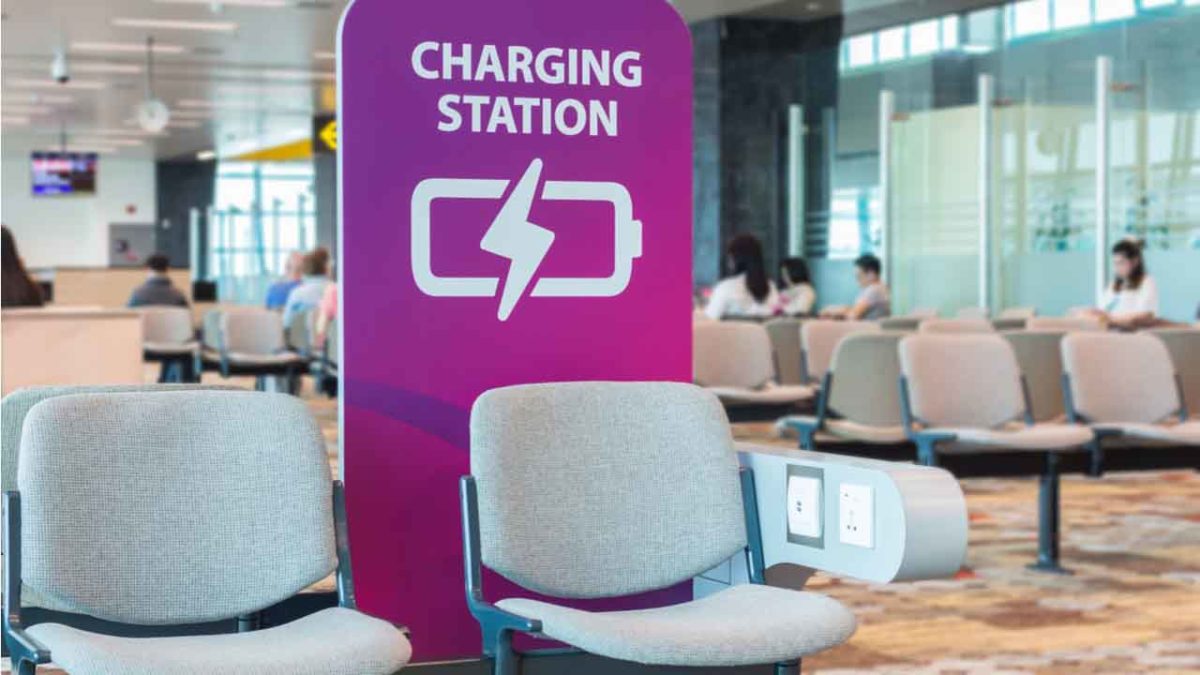
Airport charging station

By 2019, you probably know it’s not safe to hop on the internet without a safety net in place: Anti-malware protection, a firewall, a solid VPN, and a secure password manager. We create quintillions of bytes of data every day, and it’s easy to make an innocent mistake that puts it at risk. Now that innocent mistake can include plugging your phone into a charger at an airport.

It’s no secret that public Wi-Fi can be sketchy at best, and while it’s convenient to charge your phone at the nearest port, it’s not necessarily safe. Free public phone chargers can be used to secretly install malware on your device, malware that can eat up your data in a process called “juice jacking.”

What’s juice jacking?

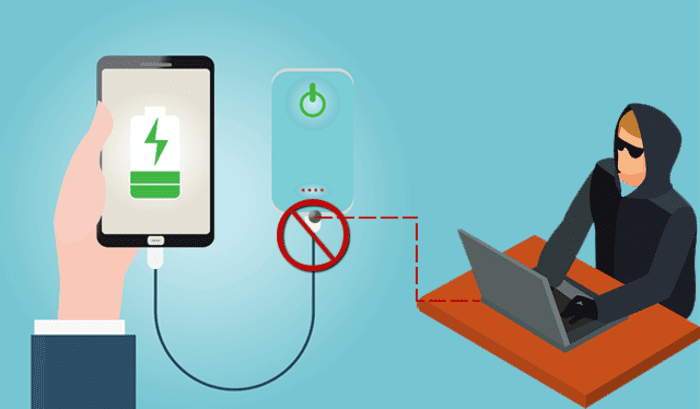
It sounds like tinfoil hat propaganda, but in reality, it’s an underrated but serious security threat. ‘Juice jacking’ was coined back in 2011, and refers to a hack attempt that uses public charging terminals to install malware on your device. It does so covertly via USB charging port, and it copies your phone’s data, pictures, and email into someone else’s hands.

juice jacking
Hackers can use public USB charging terminals to copy your personal data

“All they really need to do is load malware on the USB port,” explains IBM cybersecurity expert Charles Henderson. It’s unlikely you’ll even know it’s happened until it’s too late. “There’s really no way to tell,” says Henderson. “You really have to be extremely technologically savvy to detect such an attack.”

3 easy solutions to stay safe in airports

1. Use a portable charger

The best thing you can do is avoid airport charging terminals altogether. These days it’s not too hard to get your hands on a cheap, reliable portable charger. It’s a safe, convenient way to keep your phone charged and ready to go without putting your data at risk with a public outlet.

2. Use an electrical outlet instead

It should also be noted juice jacking can’t be done unless it’s via USB, so as long as you opt for an electrical outlet instead you’ll be safe.

3. Turn off your phone first

Lastly, if you’re in a situation where you’ve got no choice but to charge with a public USB port, completely powering off the device beforehand will prevent the download and transfer of your data.

Luckily, preventing your phone from being juice jacked is pretty easy. Just remember that any time you use public charging stations or Wi-Fi, your online activity could be at risk. Follow these easy steps, and stay informed!

BlueKeep security issue threatens nearly one million Windows users

If you’re running an older version of Windows, your data could be at risk.

Microsoft

There’s a reason people update to new versions of Windows: Old versions don’t get updated, and that makes them more susceptible to issues, both internal and external. While not every Windows update is a move forward, transitioning to a newer OS is almost always a smart step. Google is making the same assertion, too: If you haven’t upgraded to Windows 8 or 10, now’s a very good time; anything older is now putting you at risk.

Windows 10 Download
7
Update to a safer OS

The BlueKeep vulnerability

Just like old browsers are full of holes for malware to enter, an old OS can start becoming fallible as new threats emerge and evolve. Technically known as CVE-2019-0708, BlueKeep is a remote code execution vulnerability that exists in Remote Desktop Services. It’s when an unauthenticated attacker connects to a target system using RDP, and then starts sending requests. A successful hack attempt could then start to inflict arbitrary code on the targeted system, installing programs, deleting data, or creating new accounts that still mimic your user rights. It’s a nasty pre-authentication vulnerability in older Windows Operating Systems, and therefore doesn’t require any user interaction before it latches on.

Which OS is at risk?

Anything less than Windows 8. So if you’re running 7, 2008 R2, Vista, Server 2008, or XP, BlueKeep leaves your computer open to infection. How many people are running these old versions of Windows? Almost a million, Microsoft discovered in a recent report. Frighteningly, that’s not even including the computers on corporate networks. Errata Security predicts that anyone using an older OS probably has a month or two before BlueKeep worms its way in.

How to tell if you’re already infected

If you’re running an older OS, now’s the time to upgrade. In the meantime Errata Security’s Rob Graham has put together binaries on Github to scan for BlueKeep. If you think your PC might be infected, go to the link in his tweet and run the scan:

Hopefully, both your computer and network have not been compromised, but trust us – you don’t want to procrastinate on things like this. Get Windows 8 or 10 today and stay secure!

11 things you never knew about Jaws

Why did Spielberg sleep with celery under his pillow?

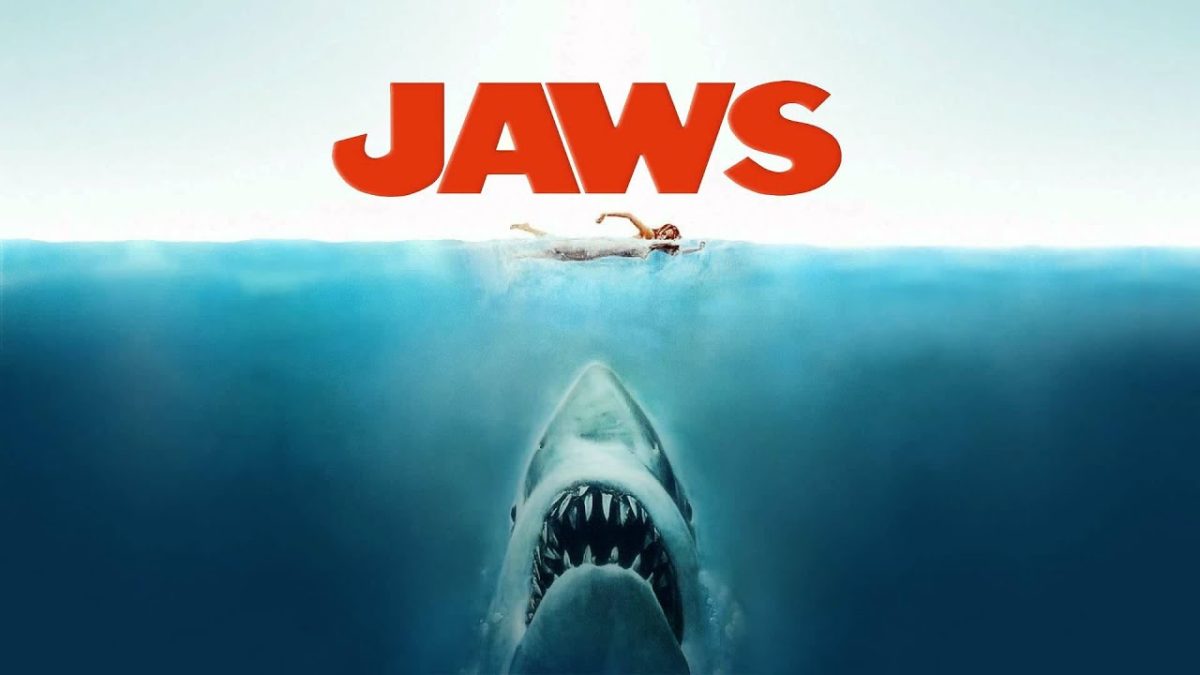
When “Jaws” hit theaters in 1975 it was a smash-success, often called the first true blockbuster. Two years later, George Lucas’ “Star Wars” defeated it in the box office (they shared a playful exchange on the subject), but Spielberg’s “Jaws” was the OG.

Despite the film’s huge success, the production was plagued with issue after issue, roadblock after roadblock. The shoot went on longer than expected, went so over-budget that Spielberg shelled out his own cash for re-shot scenes, the script was still being written during the filming, and even the mechanical shark retreated … by accidentally sinking to the bottom of the ocean.

If you haven’t seen “Jaws,” you can live stream it right here. Before you watch it, though, you may be amused to know these 11 crazy facts. Let’s dive in:

1. The author of the novel makes a cameo

“Jaws” was originally a novel penned by Peter Benchley. He was present on-set for much of the filming, and even got this cameo scene on the beach:

Benchley grew to hate the film, especially its climax, later calling it “an eat-’em-up ending that lacks only Queequeg’s coffin to resemble a bath tub version of Moby-Dick.”

2. The most famous line was ad-libbed

Jaws we're gonna need a bigger boat

When Brody is first surprised by the shark in this scene, he slinks back to Quint looking shell-shocked. He manages to croak out “we’re gonna need a bigger boat,” before the two head onto the deck. Roy Scheider actually improvised this line, but said it so quietly that it was drowned out by the screams of test audiences. Spielberg had to re-edit it to make the line more audible.

3. Spielberg thought the ‘Jaws’ music was a joke

Jaws opening
Spielberg later said “the score was clearly responsible for half of the success of that movie.”

Spielberg was very aware of John Williams’ talent before he asked him to write  for “Jaws.” Spielberg envisioned a score with otherworldy undertones and an eerie theme to match the context of an ominous underwater creature. When John Williams instead shared with him the two-note theme, Spielberg thought it was a joke.

4. ‘Finding Nemo’ wasn’t the first shark named ‘Bruce’

Jaws mechanical shark Bruce

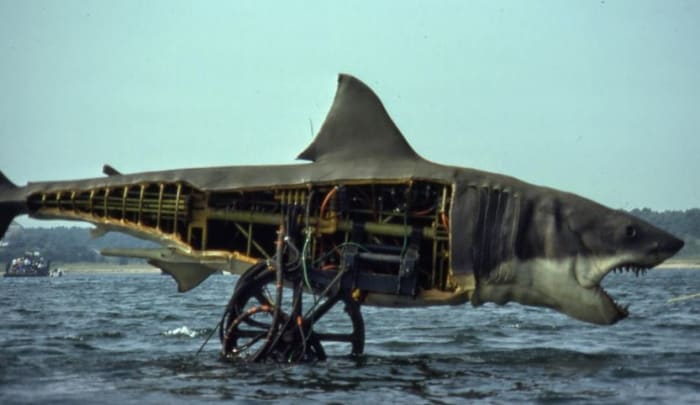
Bruce Ramer is a pretty big entertaiment lawyer in Los Angeles, and Steven Spielberg was one his clients. As a joking tribute (and ominous foreshadowing of the many issues the rig would have), the crew nicknamed the shark rig “Bruce.”

Finding Nemo Bruce

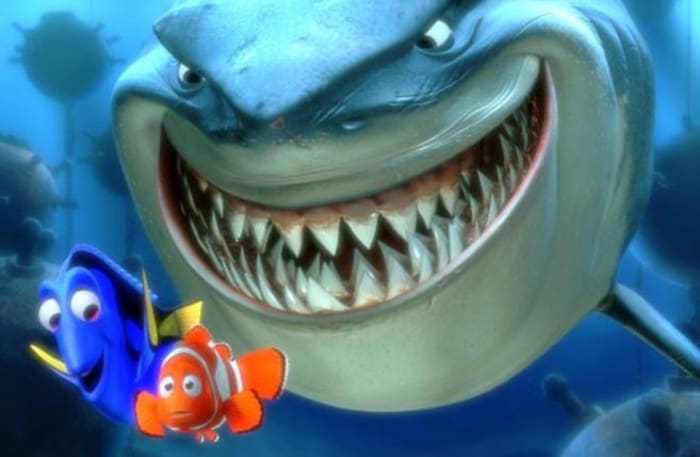
In 2003 “Finding Nemo” paid tribute to this by naming the shark in their film “Bruce” as well.

5. The Orca did actually sink

Orca sinking Jaws
One camera was even submerged during the accident, but the film was salvaged!

While there were issues with practically every aspect of the ocean portion of the shoot, no one expected part of the plot to literally happen: Due to a malfunction one day, however, the Orca did start to actually sink. Robert Shaw, Roy Scheider, and Richard Dreyfuss were all on-board at the time, sending Spielberg on a mad dash to bring boats out to rescue the actors and crew. When they arrived, Sound Engineer John R. Carter reportedly held his tape recorder over his head and shouted, “F**ck the actors, save the sound department!”

6. The shark ate George Lucas

Jaws rig
Maybe that’s where he found inspiration for this scene.

George Lucas was friends with Spielberg as well as “Jaws” screenwriter, John Milius. He came to visit during production, and especially enjoyed his time in the special effects shop … until he got his head stuck in Bruce’s mouth. What started as a prank ended up an actual emergency when the controls jammed, leaving Lucas stuck inside. They ended up having to pry the rig open in order to save him. Good thing too; he hadn’t even made “Star Wars” yet!

7. Spielberg slept with celery under his pillow for the whole shoot

Spielburg Jaws
Spielberg later called the film “my Vietnam. It was basically naive people against nature, and nature beat us every day.”

Spielberg was a perfectionist with his films, and that made the nerve-wracking experience of the “Jaws” shoot especially hard on the young director. Beset by mechanical problems with the shark, mounting pressure from the studio, and horrible weather conditions day after day, Spielberg suffered numerous mental breakdowns and sleepless nights. The cure? Celery. To help the poor man sleep at night, he had a familiar pillow sent from his California home, underneath which he kept a single stalk of celery. Apparently, the smell was comforting to him, and helped ease him to sleep.

8. That’s Spielberg’s dog

Jaws Spielburg dog Elma

Spielberg owned pets throughout his life, and had a particular fondness for dogs. During “Jaws,” his puppy Elma even got to make a cameo, sitting on Martin Brody’s couch.

9. That’s also him on clarinet

Spielburg clarinet Jaws

Early in the movie, there’s a scene on the beach where a high school band is playing a Sousa march. That’s John Williams’ orchestra as well, but many of them found it difficult to “play down” to a high school level. The solution? Put Spielberg on first clarinet. According to Williams, it “added just the right amateur quality to the piece.”

10. Fidel Castro loved it

Fidel Castro

“Jaws” was a huge commercial success, breaking box office records left and right. Of all people, Fidel Castro was a big fan of the story, and reportedly loved the book. The year the film came out he called the tale “a marvelous metaphor about the corruption of capitalism.”

11. This scene was shot in a pool

The above is definitely one of the more frightening scenes in the film; there’s something especially striking about the image of Ben Gardner’s head through the chewed up boat. While many scenes were shot in the actual Atlantic ocean, this one actually was not one of them. Instead, it was shot six months after principal photography was finished. Spielberg pored over the original scene, but eventually decided it needed a re-shoot. He borrowed some props and film equipment from the Univeral backlot and set up in the swimming pool of the movie’s editor, Verna Fields. He paid for the re-shoot out of his own pocket.

We hope you’ve enjoyed these 11 odd facts about “Jaws;” enjoy your next trip to the beach!

How ‘Spider-Man 2’ presented the perfect protagonist

Here’s how 2004’s Spider-Man film surpassed other superhero films.

It’s hard to believe that it’s been 15 years since Sam Raimi’s Spider-Man trilogy. We’ve since had Sony and Andrew Garfield take a crack at it with two “Amazing Spider-Man” films, and now Tom Holland is playing the character in the Marvel Cinematic Universe. We’re just weeks away from “Spider-Man: Far From Home,” the final chapter of Marvel’s Phase Three.

While visual effects have come a long way since “Spider-Man 2,” good storytelling has no expiration date. The heart of a superhero story is in creating a good protagonist, and YouTuber Filmento makes a great case for how “Spider-Man 2” did just that. Check out his analysis:

Do you agree with his points? Let us know in the comments below whether you think the MCU’s take on Spider-Man hit home in the same way. Stay tuned, and we’ll see you in theaters on July 1!

How Brave eliminates common browser problems

Brave brings you fast, private browsing without many of the drawbacks of other browsers.

Brave

The internet has evolved into an essential component of our daily lives, and its use in American homes has increased by 400% in the past 20 years. According to the USC Annenberg Center for the Digital Future the number of hours we spend on the internet every week has risen from 9.4 (the statistic back in 2000) to 23.6. Overall internet penetration has increased from 67% to 92%. That’s all time that you’re spending on a specific internet browser, whether it’s Firefox, Chrome, Safari, Opera, or what have you. No matter your choice, it’s helpful to know the good, the bad, and the ugly of every choice out there. Not all browsers are created equally, so we’ve compiled a list of each one’s strengths and weaknesses:

Is it time for you to make a switch? Check out the stats below and decide for yourself!

1. Google Chrome
Google ChromePros:

With the monolithic Google behind its creation, it’s no surprise that Chrome is fast, efficient, and user-friendly. It’s got pretty much anything you’d need to make the most of the web, like quick answers in your address bar, one-click translations, and a wide variety of extensions and customization options.

Chrome will also automatically protect you from security issues like scamming and phishing, making it pretty safe to browse with, too. Just as Google is the most popular search engine, Google’s Chrome is currently the most popular browser. Chrome’s popularity has led to a surplus of extensions and websites catered to the browser, making it a highly customizable experience to boot.

Google Chrome Download now ►
7

Cons:

As powerful and popular as Chrome is, the browser is not without fault. In order for it to achieve its impressive speeds, Chrome needs to take extra resources from your PC:

Chrome splits every tab, plugin, and extension into its own process – that’s how it manages crashes so competently. The downside is that means it’s far more taxing on RAM since it’s duplicating tasks for each tab. Chrome is one of the ‘heaviest’ browsers and can get swarmed by bloatware, making it less than ideal for machines with limited RAM. There’s also the mounting suspicion of tying your data to Google, and if privacy is your concern you should likely look elsewhere.

2. Mozilla Firefox
FirefoxPros:

One of the earliest browsers out of the gate, Firefox brings to mind two things: Privacy and speed. While other browsers that capitalize on privacy do so at the cost of loading speed and/or heavier use on system resources, Firefox manages to succeed on both fronts, achieving a browsing experience that gives Chrome a run for its money.

Mozilla is a non-profit organization, meaning it’s got far less interest in mining and selling your data than, say, Google Chrome. Firefox also updates on the regular to bolster user privacy and ad-blocking. Its combined speed and safety put it at the top of TechRadar’s web browser ranking as recently as September 2018, claiming that Firefox has “retaken its crown” in recent months, and is now deserving of another look from avid Chrome users.

Mozilla Firefox Download Now ►
7

Cons:

Firefox is fast, but it’s not always faster than Chrome. This is mostly apparent on pages with tons of images or videos, at which point you’ll probably want to simply install an add-on or extension to either speed it up or block them. This brings us to Firefox’s second weakness: If you start installing extra plug-ins to customize your experience to the same extent as Chrome, Firefox will start to lag noticeably behind the competition.

Lastly, Firefox doesn’t have built-in support for Flash. Flash is notoriously dangerous, so this isn’t so much of an issue in 2018 when the internet is largely abandoning the platform. Even so, just like Apple got a negative response for removing the aux jack, we feel it’s necessary to mention any upgrades that leave old tech in the dust.

3. Microsoft Edge
Microsoft EdgePros:

Microsoft Edge the default browser for Windows 10. As such, it does a decent job of keeping in line with the speed, intuitive UI, and ‘clean’ aesthetic of many facets of Windows 10. Edge holds its own by modern web standards, and additionally offers a few capabilities you won’t get in other browsers: Webpage markup, integrated Cortana features, and a clean-cut reading mode.

Recent updates have also included a Tab Preview, Set Aside, ebook reading, and a handful of nifty extensions. Edge also no longer uses the infamous ActiveX, browser helper objects, or VBScript support that made Explorer slow as dirt. Edge is easily a significant improvement over Internet Explorer in terms of speed, accessibility, and compatibility. It also weighs substantially less than Chrome, meaning you’ll have a less bloated browser experience, albeit a more bare-bones one.

Cons:

Edge has struggled to achieve market share, mindshare, and positive reviews. The first three months of 2018, Microsoft Edge pulled a less-than-impressive 8% of the 1.2 billion visits to government websites from consumer and business PCs and Macs. This figure isn’t wholly reliable for another reason that Edge gets a lot of flak: The browser is not even available on any Windows OS older than 10, or if you’re using a Mac.

The real head-scratcher is why Microsoft feels the need to support multiple browsers for different Windows Operating Systems when they could just work to make Edge backward compatible. Doing so would certainly help give it some much-needed traction. For more reasons why you might find Edge disappointing, check out this article.

4. Opera
Opera browserPros:

Opera is as underrated as it is high-quality, and it’s certainly both of those things. Opera is a Chromium-based software, which means it’ll feel similar to Google Chrome when it comes to facets like rendering, and was the flagship for popular modern browser features such as private browsing and pop-up blocking. Opera also offers a free VPN that will replace your IP address with a new one, making it more difficult for ads to track your location and harass you.

Opera pushes a focus on privacy and like Edge offers a simple, intuitive layout, and has built-in messenger services like WhatsApp, Telegram, and Messenger, making it altogether a quick, smart, intuitive browser that go toe-to-toe with the competition.

Cons:

Opera doesn’t offer as many plug-ins as other browsers and it’s also lacking in parental controls (if such a thing matters to you). Occasionally the browser will also have issues playing videos or have trouble keeping pace with other browsers like Firefox.  Moreover, there’s no shining reason why a person would switch to Opera. It performs everything a browser should, but doesn’t really excel in anything either. For speed, people go to Chrome. For customization,they go to Firefox. With Opera, there’s little pull to use it when compared to the competition; most people have a strong reason for using one browser or another and being caught in the middle isn’t helping its case.

5. Safari
SafariPros:

Safari’s got the home field advantage with the Apple crowd. It’s the default browser for all the company’s products, mobile or otherwise, and Safari has become intertwined with the Apple experience. Apple does a solid job with security, and Safari is no exception. Browsing with Safari is a ‘better safe than sorry’ experience and can be further optimized quite easily to bump your protection even higher. Safari uses default pop-up blocking, which is always a huge plus.

If you’re an Apple user, Safari is still an excellent browser, even 15 years after its release. It’s already preloaded on all Apple products, so it’s at your disposal immediately and seamlessly works in tandem with all software produced by the company.

6

Cons:

If you’re not an Apple user, then Safari is useless to you. Microsoft products want as little to do with the competition as possible, so if you’re in with Microsoft you may never even use Safari. Besides the enhanced security options, there also isn’t a ton you can do to customize Safari, meaning that you’ll get a good, safe experience but not necessarily and adjustable one.

Why we like Brave
BraveIf you haven’t heard of Brave before, it’s likely because its first stable release just landed for iOS back in early August. The platform is now available on iOS, Android, macOS, Windows, and Linux. Who created it? Brian Bondy and Brendan Eich, who you’ll remember as the inventor of JavaScript and the co-founder of Mozilla (makers of Firefox).

Much like Firefox prioritizes user privacy, Brave automatically blocks any third party trackers, shutting down anything that might worsen your browsing experience such as third party cookies, pop-ups, and ads. None of that even makes it past the first line of defense. From that point forward, the rest is up to the user.

Brave is fast (up to eight times faster than the mobile competition), offers extensions that you’re familiar with, shields you from third party trackers, and because Brave blocks excessive third party requests, you’re actually saving money on your data plan. But then we get to the age-old dilemma of publishers and advertisers not generating revenue due to blocked ads.

Brave has an answer for that too:

How Brave solves the ad problem
Basic Attention TokenWith Brave, users can always select an ad-free browsing experience. However, Brave introduces a new private advertising platform that users can opt-in to and receive rewards for their attention. Users who elect to view ads earn Brave’s Basic Attention Tokens (BATs) which can then be used to support publishers and content creators, distributing your monetized attention how you see fit. You’ll then benefit from better ad-matching, and your data remains private.
Thirty percent of the ‘revenue’ gained from watching the ads goes to Brave, while the other 70% goes directly to the user. Should you choose to browse with Brave Rewards, your data stays private and you’ll still benefit from more accurate ad-matching and reception of Basic Attention Tokens. If this sounds like a feature you’d be interested in, you’ll be happy to know over 33,000 content creators and publishers are already registered receive tips and contributions from their users.

Softonic is proud to partner with Brave. When you download from us, we may earn a commission.