AI will soon stop Chrome from using all your device’s power

Google Chrome has a huge problem: it uses up too many resources even when you have only a few tabs open. As a result, your PC slows down, especially if it’s a laptop.

Chrome will soon consume fewer resources. This browser will use a type of machine learning system created by Google that detects tabs with a higher probability of being reactivated. At the same time, it will detect tabs with a lower probability of being opened. Chrome will disregard this info, consuming less memory.

In this case, if the user decides to open a tab that Chrome considered rarely used, the entire page will completely reload again. Google hopes this technology will gradually learn the user’s tastes to continue refining and avoiding such situations.

Google Chrome Download Free
7

What do you think about this new Chrome feature? Do you think it will be useful? Leave us a comment!

Source: Andro4all

This is how to make money using Google Rewards

Want to make money with Google quickly and easily? This may seem like a scam, but it’s possible. Google gives you the chance to make money through its Rewards program. If you want to know a little more about this, we’ll explain how you can make money using Google Rewards, the Android app.

Google Opinion Rewards Download Now
7

Google Rewards is an app that you can download for free. Once you’ve downloaded it, open it up. The first screen is self-explanatory: Google requests info about you. They’re basic questions that are easy to answer. The idea is for the search engine to get more info about you, the user.

Once you answer these questions, the app will open and you can start using it. How do you make money? By responding to surveys that Google sends you periodically. In general, you’ll get one survey per week, though the frequency can sometimes be higher (or lower). The price of each survey depends on the importance Google assigns it, though the most you can get is $1 in Google Play credits. That’s right. A whole dollar.

These surveys look to get feedback on general Google issues. For example: which logo you like better; if this ad looks interesting; where you want to travel; if you use Google products regularly; etc.

It’s an easy way to get a few bucks that you can then redeem for some apps. Also, the surveys can be answered in one or two minutes, so it’s worth trying out!


New Opera mobile browser has some really cool features

Since their earliest inceptions, smartphones gradually got bigger and bigger. Standard smartphone screen sizes these days rock in at between 4.5–5 inches, compared to the 3.5-inch screen of the original iPhone. XL models, which are growing in popularity, push screen size even further as they creep towards the seven inches that used to be the exclusive domain of smaller tablets.

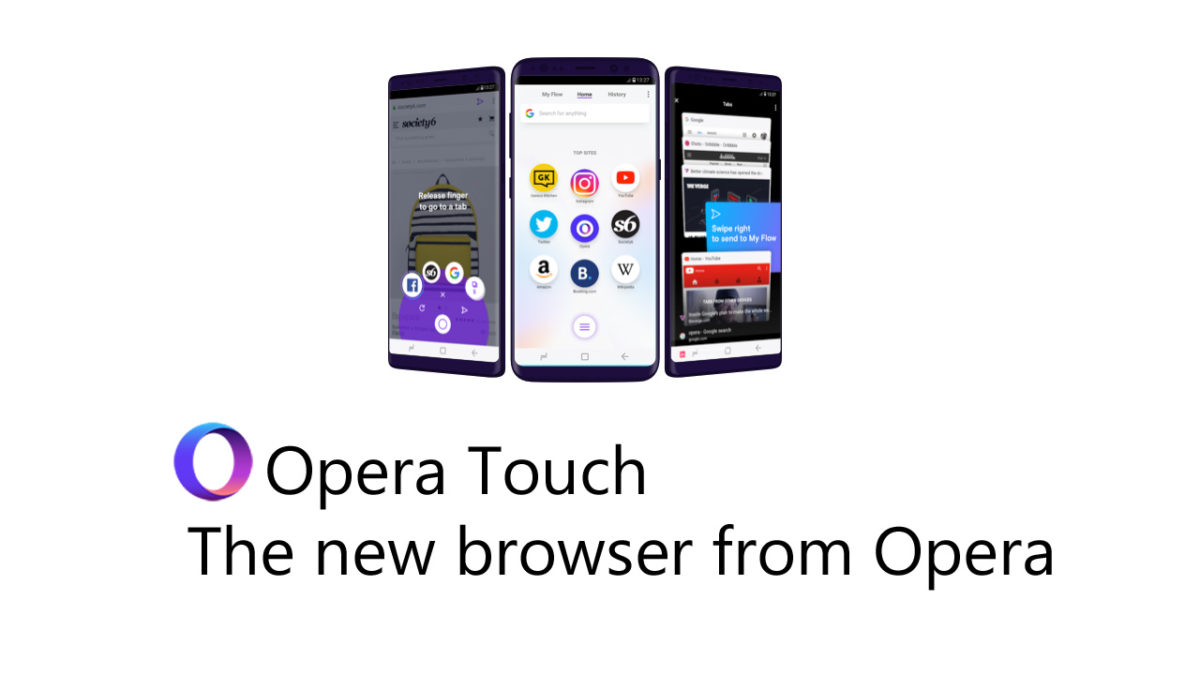
The bigger screens make it easier to get more done and they make playing games and watching videos a much more enjoyable experience. They can be harder to use, though, and any serious attempt to take advantage of all the space offered by these plus size touchscreens requires two hands. Opera wants to address this, and its latest browser, Opera Touch, aims to put the power of the web into just one of your hands.

Opera Touch Download Free
8

Opera Touch starts in Searching Mode, so you don’t have to click the URL address bar or the Google search bar at the top of the screen. You’re ready to search as soon as you open Opera Touch. The main innovation of Opera Touch, however, is what Opera is calling the “Fast Action Button” or FAB for short. True to its name, the FAB puts all of the controls you use most when browsing the web within reach of your thumb.

Image via: Opera

The FAB is always present in the center of the web page at the bottom of the browser. When you hold the button, it’ll give the option to open tabs, switch between tabs, or to close them. All you have to do is swipe across to the desired option with your thumb and then start browsing. The FAB also gives easy access to Google search if you want to perform more than one search per browsing session. Rather than holding your thumb on the FAB, a simple click will bring up your keyboard and the search bar.

Opera is a free web browser which functions in much the same way as Edge, Chrome or Firefox, but it has a handy free VPN feature which makes it stand out.

In a move to get people downloading the desktop version of its browser, Opera has also introduced a new Flow feature. If you have Opera installed on both your mobile and desktop, Opera claims you’ll be able to work seamlessly across both devices:

“You can now add images, links, videos and notes to yourself to your Flow and the other device will immediately see them. You can access them on your other device and the good part is that the Flow is encrypted, private and kept to yourself.”

Image via: Opera

Activating Opera Flow is similar to activating WhatsApp Web. You simply scan a QR code presented on the desktop version of Opera using the scanner on Opera Touch. Then you can slip from mobile to desktop and take whatever you were working on with you.

Opera Touch is available now on Android and will be available on iOS soon.

Google gets into Podcasts

Google has a brand new podcast app, but it is not like all the other podcast apps out there. In fact, it is only available for Android users and is built into the Google app. If you’re an Android user, you won’t need to download any new apps or software. You’ll just be able to start using Google to listen to your podcasts.

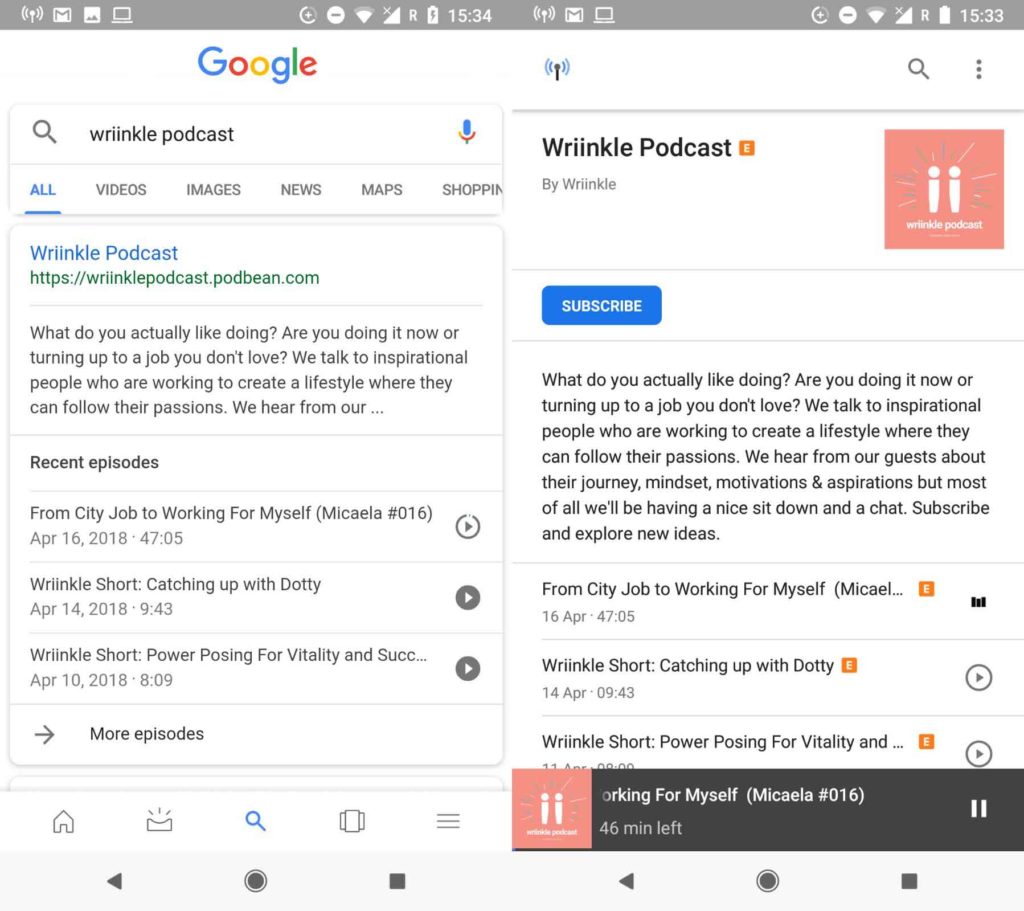
All you have to do to start using the new Google podcast “app” is to search for your chosen podcast using the Google app or Google Assistant. You’ll then find all of the info relating to the podcast, including a list of recent episodes that you can start playing right away by tapping the play button.

Google App Download Now
8

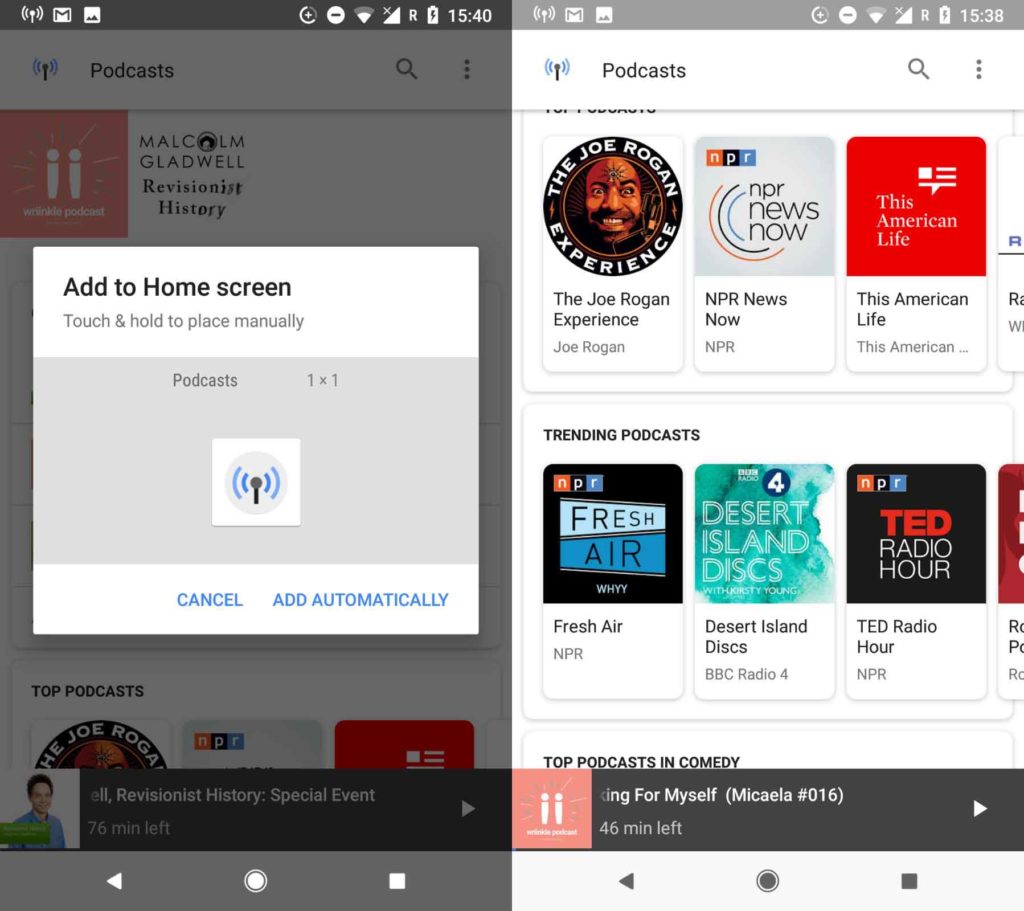
Once you click on the search result, you’ll be taken to the podcast’s page. Here, you can subscribe to the podcast and download episodes for offline listening. You’ll also find a podcast icon in the top left of the page, which will take you to the Google podcast “home page.”

This homepage resembles more established podcast apps. It allows you to search for podcasts, resume listening to the episodes you haven’t finished, view top and trending podcasts, search through different categories, and keep track of the podcasts you follow. Another cool option is that you can create a home screen icon for the new podcasts app and even create particular icons for individual podcasts.

When you’re playing your podcasts, you can skip forward and back in 10- and 30-second increments. The whole experience is pretty lightweight, but overall, it is straightforward to use and does a great job. If you’re an Android user and you listen to podcasts, it is definitely worth checking out. It’s already on your phone, so it should be easy enough. Even if you’ve never listened to a podcast before this new offering from Google gives a simple and intuitive way to get started.

So far, there has been no news from Google about whether or not this will be coming to iOS.

Google Maps to start using landmarks when it is giving you directions

It’s the little things that make the big differences. Think about much better breakfast is in bed rather than at the kitchen table, or the difference 5 minutes of sunshine can make to your day. Google understands this perfectly and has started testing a new feature for Google Maps that will make a big difference.

Google Maps Download Google Maps
7

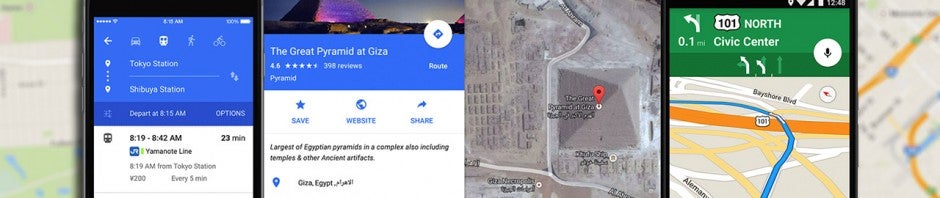
Whenever your GPS is telling you where to go, you’ll normally hear instructions like, “In 500 feet, turn right,” or “Turn right onto … street.” Instructions like these are accurate, but they’re cold and they make it abundantly clear that it is a computer is talking to you. For Google Maps users, these unemotional prompts may soon become a thing of the past. According to some Twitter users, Google is testing out a new landmark-based direction feature.

Turn left after Burger King

Think about it. Whenever a person is giving you directions, they’ll normally mention a landmark that you’ll see and tell you to either turn before or after it. Google is testing out a way to incorporate this human behavior into Google Maps. Obviously, that’s a major challenge. If Maps is supposed to sound human, it’ll have to refer to the landmarks that matter to the driver and they could be different all over the world.

According to Google, landmark-based directions is just one of several ways the company is trying to improve Google Maps’ guidance systems. No word yet on when this update or the other features the search giant is currently testing will roll out to all app users.

Tips to improve your Google searches and find everything you want

Do you really know how to use Google? This question may seem a little ridiculous, but we really mean it. Most users don’t really know how the best ways to use the most famous search engine in the world.

At Softonic, we want to help make your online searching more efficient, so here are seven tips for improving your Google searches and finding everything you want.

Use OR

One of the most basic commands that Google has and that you should know is “OR.” When do you use it? Well, when you’re looking for two elements, but you don’t have a preference. So, imagine that you want to find something about Final Fantasy VII and Dragon Quest, then you can put Final Fantasy VII OR Dragon Quest.

Add words

With the “OR” command, you can link two terms, but maybe you’re interested in one over the other. In this case, the “+” sign is key. Using the previous example, we would put: Final Fantasy VII +Dragon Quest. This way, when you search for Final Fantasy VII, you’ll also have entries in your results that include Dragon Quest.

Exclude words

Maybe you’re searching for a result that might show a lot of similar results, but you want to narrow it down. You can do this with a very simple command: adding the “-” sign in front of the word. For example, if we want to find something about Final Fantasy VII, but without Dragon Quest in the text, then the command would be: Final Fantasy VII -Dragon Quest.

Use an asterisk for unknown terms

Imagine that you want to search for something, but you’re not sure about it. Google has a powerful algorithm capable of guessing what you’re looking for. And it works well in 99 percent of cases. To use this autosearch, the command is the asterisk (*). Example: Final * VII. If you’re paying attention, Google will put the word replacing the asterisk in bold, in this case “Fantasy.” It’s great for when you have doubts about a specific subject and you need to better define it.

Add ellipses

You’re searching for Final Fantasy VII and don’t want to spend more than 60 dollars on the game, but you know it doesn’t go for under 30. You can search for the price by adding an ellipsis. For example: Final Fantasy VII $30 … $60. With this command, you’ll get some results pretty close to what you want (as far as price goes, of course).

Search for images

This is one of the most overlooked features on Google, which we think is a tragedy. The search has a specific section for searching for images. We’re not talking about putting in a term and clicking “Images.” No, we’re talking about a specific URL for it. This way, you can search a URL to compare images and even upload your own image to see if Google can show you the same or similar results.

Index websites

We’ll wrap up this list with a feature that’s a little more professional, since it’s designed for those with websites. If you want to know what URLs from your website Google has indexed, the command is as easy as “site:www.softonic.com.” With this combination, Google will give you all the results related to your website.

Related Articles:

Top 10 things you should never Google

15 funny Easter eggs from Google

How to delete Google search results
Mario has invaded Google Maps

Source: Nintendo

March 10th is now Mario Day. It might be a stretch, but Mar 10 spells Mario, so March 10th is now Mario Day. To celebrate the fact, or perhaps because soon we’ll be getting a mobile version of Mario Kart, Nintendo and Google partnered up to bring us Mario Time in Google Maps.

Mario Time means that whenever you use Maps for navigation, Mario will be right there with you showing you which way you need to go. Instead of having the normal blue arrow, you’ll have Mario riding his famous red kart. This cool little update will only last for about a week so if you want to ride with Mario make sure you do it soon. You’ll find instructions here.

Oh yeah, you read that right. Mario Kart is coming to mobile. Tell all your friends!

Bose wants to augment reality with sound

Source: Raymond Wong /Mashable

These days when people think about augmented reality, they think about Pokémon Go, Google Glass, or even Ikea’s app that lets you see what furniture would look like in your living room. When people think about augmented reality, they think visual augmentation. High-end speaker and headphone manufacturer Bose want to change that. Bose wants to start augmenting reality with sound as well as images.

To do this Bose is developing augmented reality sunglasses that will give the wearer audio cues about whatever it is they’re looking at. What is even more impressive is that the glasses don’t use cameras at all. Instead, Bose’s glasses use onboard sensors and precise GPS data to understand what the user is looking at so that they can then pass relevant information through the two directional speakers built into the stems of the glasses.

As well as the glasses, Bose is also investing $50 million into a fund that’ll promote the development of the AR platform itself. Already signed up to the platform are giants like Srava, TripAdvisor, TuneIn, and Yelp, but Bose also hopes hardware developers will a start looking at making their own accessories that will take advantage of the Bose AR system.

If this catches on, it could be huge!

Google and Facebook making money off of prostitution


Source: John D McHugh/ AFP

Lawmakers in the UK are looking at a potential law that will require online platforms like Facebook and Google to take more responsibility for the content shown on their platforms. The calls for the change in law have come after it came out that both Google and Facebook have been making money off advertisements for pop-up brothels.

What makes this whole sordid affair even worse, is that a number of the brothels that have been advertising on the Google and Facebook have been found to be involved in human trafficking and the exploitation of sex-workers.

A similar bill is being pushed through US Congress that targets internet firms that, “knowingly assist, support or facilitate” content that leads to trafficking. In particular, the US bill is designed to tackle sites like Backpage.com that are packed with sex ads, many of them trafficked women or teenage runaways.

If laws on both sides of the Atlantic come into force, it’ll mean the web giants will no longer be able to turn a blind eye to the types of content and services advertised on their platforms.

Android Go makes your old mobile so much better

Source: Android Authority

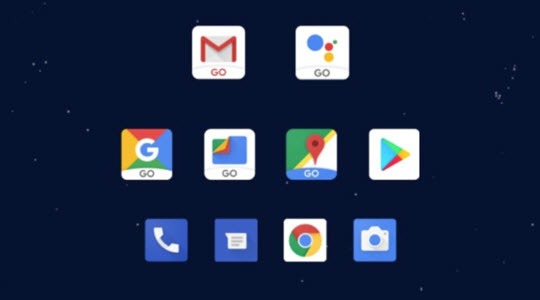
The rollout of Google’s line of Go apps, designed to run on older mobile devices, continues at a pace. As well as, Android Oreo (Go Edition), which makes Android run better on phones with less than 1GB Ram, and takes up less space than the full version of the OS, Google has rolled out some Go versions of its apps. These include YouTube Go, Gmail Go, Maps Go, Assistant Go, and Files Go, which will even recommend apps that you don’t need anymore.

It isn’t just Google either. Facebook has released lite versions of its Facebook and Messenger apps, and now Microsoft is getting involved too. Microsoft owned Skype is now optimized for use on slower and older mobiles, and even on mobiles running much older versions of Android, all the way back to Android 4.03.

With such innovation designed to squeeze performance out of older devices, more and more people will have reliable access to internet services and might be time to start thinking about what to do with all those old devices you have lying around the house.