The teenager squashing big bugs for big bucks

Most 11 year olds like playing video games or hanging round with friends. Not Ezequiel Pereira. Pereira got his first computer age 10 and has been programming since he was 11. He came so close to being a normal kid, when he is anything but. Now 16, Pereira has just found a bug that left Google’s internal systems vulnerable to hackers.

Source: CNBC

For the trouble, Google paid him a whopping $36,000. Not bad for a teenager, not bad at all. There is more though, as this latest bug is the fifth Pereira has reported to Google.

It took Pereira a lot of hard work to develop his bug hunting prowess, but he did start with early success. He spent years teaching himself different programming languages. He even earned himself a trip to Google HQ for the work he did in a coding competition. When he started bug hunting though, it didn’t take him long to find his first bug and net himself $500.

Since that first paycheck his continued hard work has paid off again and again. Other prizes for his bug hunting include a $10,000 bounty that he spent trying to get into US universities. Apart from that his earnings go on helping his mum pay the bills.

Pereira encourages his friends to search for bugs too and wants to earn a Master’s in Computer Security. Although he wasn’t able to break Ito the US education system, he is currently learning at home in Montevideo. Something tells us that it won’t be long before this kid achieves his dream and is working for one of the biggest tech firms in the world. Good luck Ezequiel.
How YouTube chat works and what you can do with it

YouTube got non-stop updates in 2017. The video streaming platform knows that industry competition is fierce, so last year it launched a lot of new features, and developed some features that were already available but easy-to-miss. This is where YouTube chat comes in. Although it’s hard to believe, the system has a messaging service like WhatsApp or Facebook Messenger. Today at Softonic, we’ll tell you how YouTube chat works and what you can do with it.

Step by step

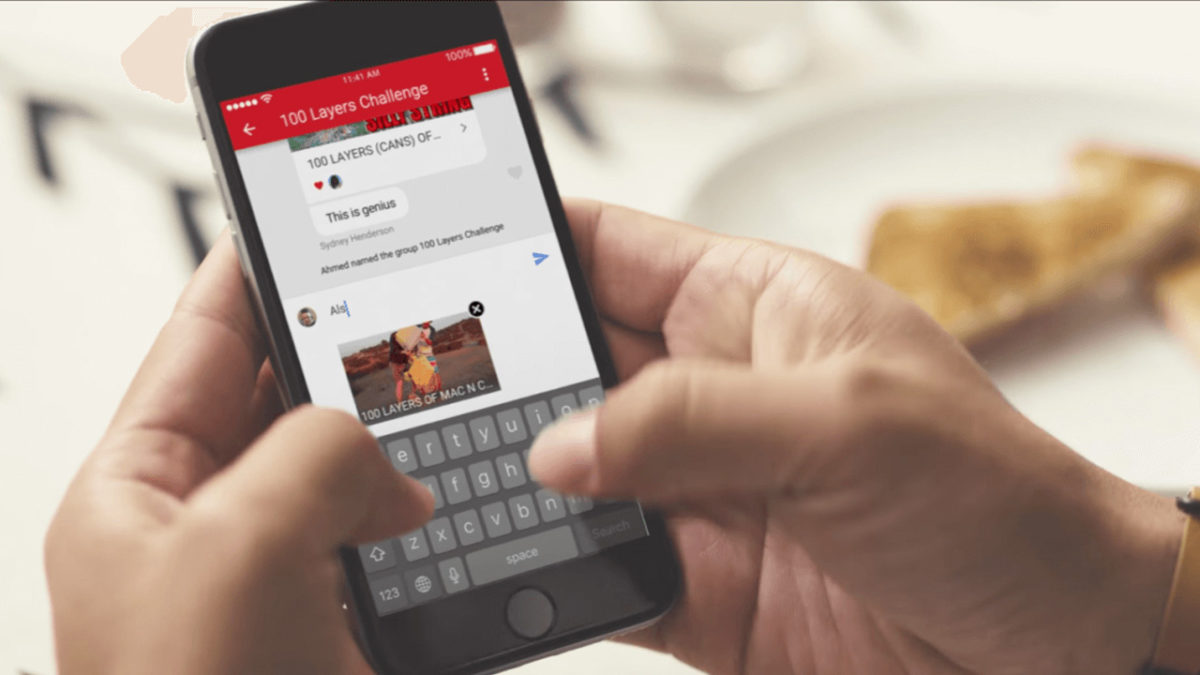
YouTube chat isn’t any different from what you see on major messaging services. In other words, you can write messages, send emojis and hold a normal conversation. However, the biggest difference is that everything is focused on YouTube. Instead of attaching videos or images, the icon is of sharing a YouTube clip. It’s a chat designed for browsing on the platform.

YouTube Download Free
8

For whatever reason, Google hid the chat feature in a place you’re unlikely to look. To chat, we’re going to select a video and click “Share.” When the menu opens, select the user you want to send the video to. Do this and the chat will open.

This screen is the main conversation interface, which hides some secrets. If you click on the three dots that appear on the top, the app will display a menu where some options appear, such as “View participants” of the chat, “Add participants,” “Delete chat” and “Mute notifications.” Of course, each name indicates what you can do under each.

In case you want to see the chat you’ve opened previously, all you have to do is click on “Activity” and then “View contacts.” There all your previous conversations will appear, as well as all possible chats of yours.

A big asterisk to this is that you have to have a confirmed name on YouTube or none of this will work. We spent about an hour looking for these options and couldn’t find them in the app, probably because we don’t want to use our real name on the site.

How to scan APK files so you don’t get a virus on your Android device

Google takes the security of its online store very seriously. However, it’s often been blamed for allowing too much harmful content and potentially dangerous apps.

Last year, it launched the Google Play Protect service, a tool that helps provide an extra security layer. Although the problem has improved, the risk still exists. Today, we’re going to take your protection to the next level: we’ll show you how to scan APK files so you don’t get a virus on your Android device.

Preventing before fixing

Every time we install an APK app from outside the Google Play Store, we’re exposing ourselves to risk. You may know the manufacturer, but nobody is free from encountering problems with an app, whether you’ve downloaded it from the Google Play store or another website. Because of this, running a program analysis is a great solution.

Google Chrome Download Free
7

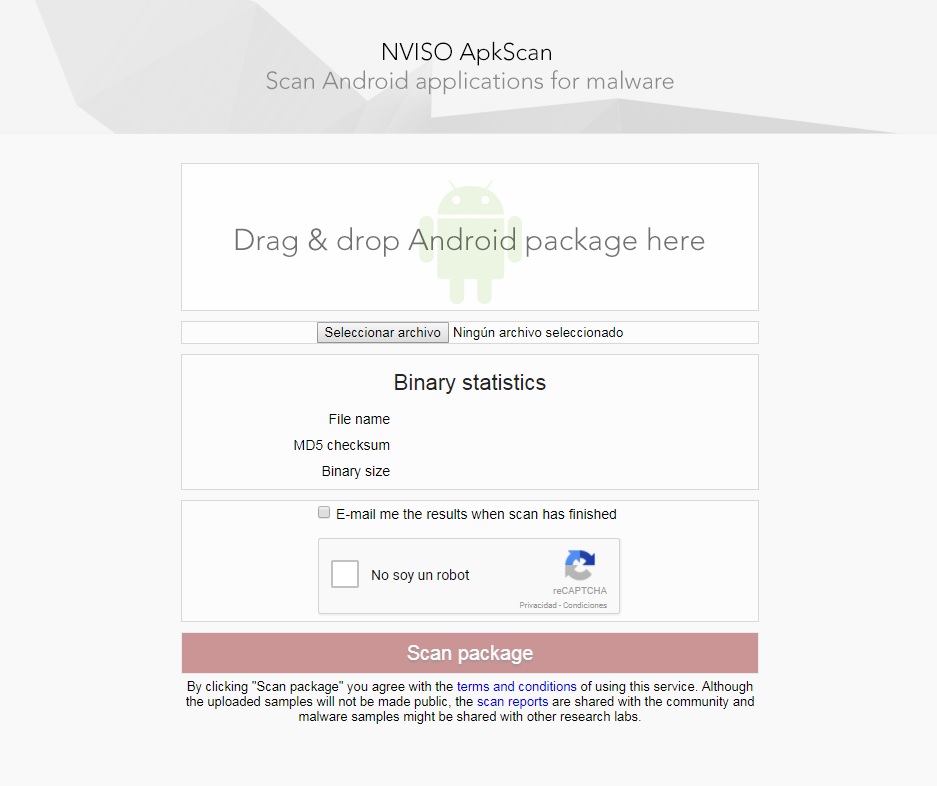
For this, we recommend NVISO ApkScan. This website is becoming a trusted resource in the online community. Why? Because it meets your needs perfectly: making sure there’s no virus in the app you want.

Using it is as simple as dragging the file into the box (or uploading it); the platform takes care of the rest. In addition, you can ask to be sent an email with the data of the analysis. Just check the box that appears above the captcha.

Once you click on the Scan package, be patient, since the analysis usually takes a few minutes. When finished, you have two possible options: one, it’s clean (you can install the app worry-free) or two, it’s infected. If the second happens, the tool will give you extra info.

Google Play Services Download Free
8

Google Drive relaunch: check out the new interface

Google has relaunched Google Drive with a new interface and design. Now, the cloud storage tool has a cleaner look and other aesthetic updates.

Some examples include: a more transparent background color, a new font, rounded corners… Many of the changes follow Google’s Material Design style guide.

In this sense, Google has gotten a makeover. A few days ago, Google surprised us with an important Gmail redesign, possibly its second most important app after Google Drive. Aesthetically, the new Google Drive looks exactly like the new Gmail, making Google products more consistent.

Google Drive Download Free
7

What do you think about the changes to Google Drive?

Google Maps on iOS now looks a little friendlier

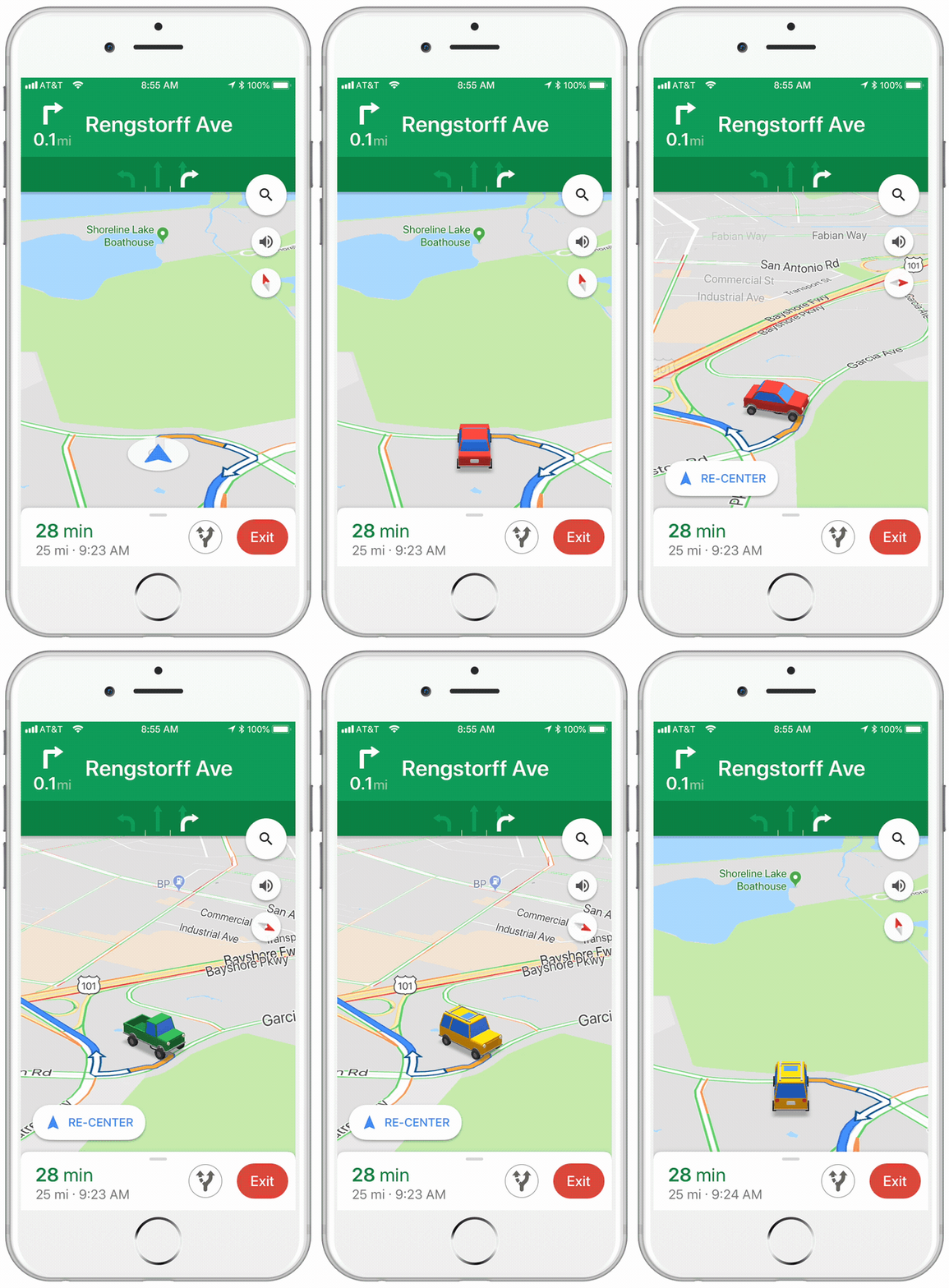
If you have an iPhone, this tiny little update to the iOS version of Google Maps, might just make your next car journey a little cheerier. Instead of the cold blue arrow that usually represents you on the map, when you’re receiving turn by turn directions, you can choose a car instead.

Image via: Google Keyword

The icons are a little cartoony, and there are only three options to choose from, but it makes a welcome change. You can choose from a sedan, a pickup truck, or an SUV.

All you have to do to select your vehicle is tap on the blue arrow, next time you’re in navigation mode.

Google Maps Download Google Maps
7

It wasn’t too long ago that Google allowed to drive around Google Maps as Super Mario in his Go Kart. That change was temporary, however, whereas this new one seems to be a more permanent addition to Google Maps. There is no word from Google about whether this feature will come to the Android version of the app.

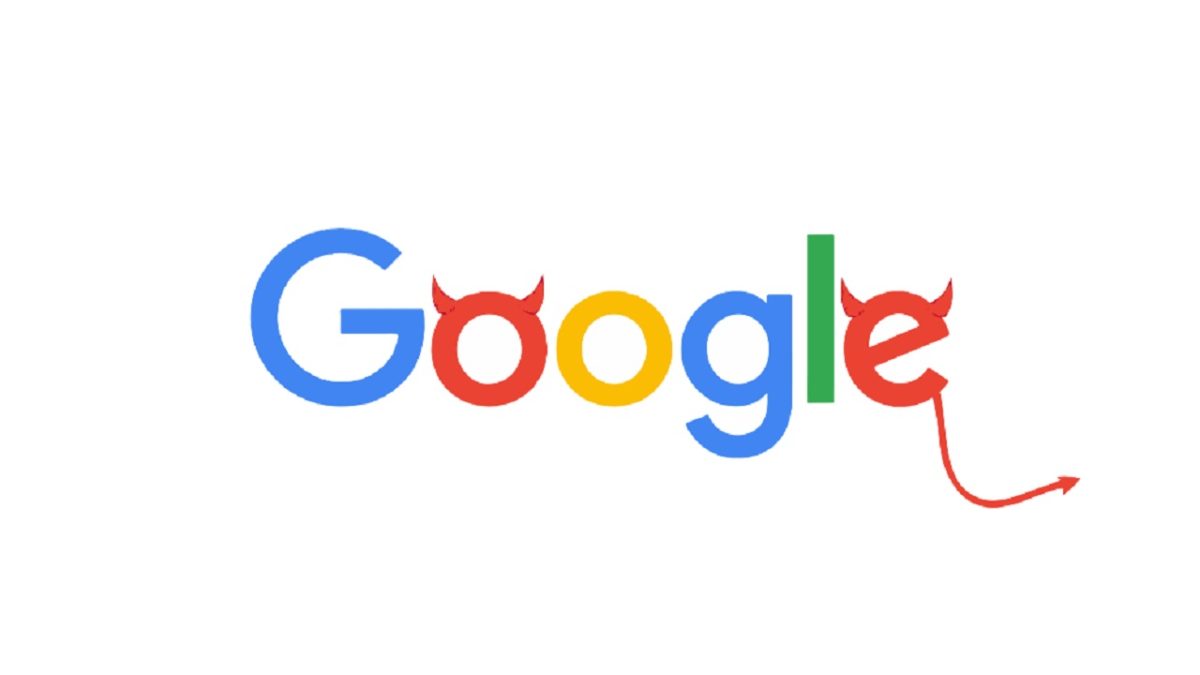
Is Google Evil now?

Don’t be evil sounds like the type of moral lesson you’d find in a bargain basement bible. It is basic, is delivered without panache, and contains no deeper meaning beyond its slap you in the face bluntness. Rather than being the words of a second-rate preacher, Don’t be evil has for a long time been the Code of Conduct for Google, the company that effectively owns the internet.

Source: My Broad Band

Now Don’t be evil sounds good, but it is subjective. It is open to interpretation. It is up to whoever is reading it to decide what is evil and then avoid acting in such a manner. If Google doesn’t think acting like a monopoly is evil, then Google is free to act like a Monopoly and follow unfair business practices, as it has done many times since its inception.

Coming from this angle, maybe we shouldn’t be too alarmed that Google has decided to remove Don’t be evil from its code of conduct. Does it mean that Google is going to start being evil or does it simply mean that it was never meant to be more than marketing? An empty phrase designed to let us know that Google is the good guys. The new code of conduct wants to be more than mere fluff:

“The Google Code of Conduct is one of the ways we put Google’s values into practice. It’s built around the recognition that everything we do in connection with our work at Google will be, and should be, measured against the highest possible standards of ethical business conduct. We set the bar that high for practical as well as aspirational reasons: Our commitment to the highest standards helps us hire great people, build great products, and attract loyal users. Respect for our users, for the opportunity, and for each other are foundational to our success, and are something we need to support every day.”

It is a bit beefier and explicitly mentions respect for users, which could be a good thing. The lack of Don’t evil, however, could also provide the wiggle room needed for Google to continue working on dark and sinister projects like US government sponsored AI- weaponization or the unsettling project we’ll talk about shortly…

The AI we deserve…

AI bots are everywhere these days and can talk about all sorts. You have bots that’ll tell you jokes and riddles, cats that’ll tell you about the weather, AI customer service bots, etc. Bots are taking over, and as Google Duplex shows, soon they’ll be talking to us as well as typing.

Source: The Next Web

Are bots useful though? Sure it is “impressive” that a bot can sound like a human, but is it a revolution to ask Google Assistant for the week’s weather rather just asking Google as you have done for years?

No, for us, we think there is still a long way to go before we start delegating our daily tasks to the big brain in the cloud. What we do like, however, are the ridiculous bots. The ones that don’t make any sense and don’t claim to either. Let us introduce you then to our new favorite bot. The fun Fearless Fake Fanta bot.

With over 50 fake Fantas to its name so far, including gems like Communist Blowfish Fanta and British dog Fanta, there is a lot of fun to be had with this purveyor of fake fizzy pop variations. Fanta flavors are a subjective affair of course, so everybody has their own favorite. Mine might be Jealous Unicorn Fanta, but yours could be completely different. Check out the Fake Fanta bot and let us know your favorite in the comments below.

Is this Google’s scary endgame?

We know that Silicon Valley big tech companies are spying on us. Data is the new oil as they say. Do we care though? Probably not, but a leaked video from Google could set your alarm bells ringing or at least have the hairs on the back of your neck standing on end.

Source: The Verge

The Selfish Ledger asks whether data is like the DNA of our behavior. Does the data determine our behavior? It posits the question whether our data belongs to us. If our data was available to future generations, think of the good it can do.

The problem with hypotheses like this one is they inevitably end up attacking free will. The algorithms that use our data begin making decisions for us rather than just advising us on the best course of action; they become sovereign.

The Selfish Ledger points all of this out in a startlingly blunt fashion. The app at the heart of your existence, known as your ledger, influences your behavior so that it can collect the data it needs to make better decisions. It can even create new products to help it do so and then purchase them on your behalf.

Google says that the Selfish Ledger is no more than an old design concept that is supposed to be disturbing. It claims that it isn’t related to any current or future Google products. Google’s very lifeblood, however, is our data and with being evil now on the table at Google HQ who is to say that Google isn’t lying to us? Check out the video and let us know what you think.

6 Things you didn’t know you could do on Google Maps

We use Google Maps all the time. Whether you’re driving in an unfamiliar area or just trying to find that restaurant that must be around here somewhere, it’s a miracle of modern technology. But Google Maps has lots of great features you may not even know about. It’s time to raise your Google game, friends. Read on and start exploring!

6 Things you didn’t know you could do on Google Maps

Download maps

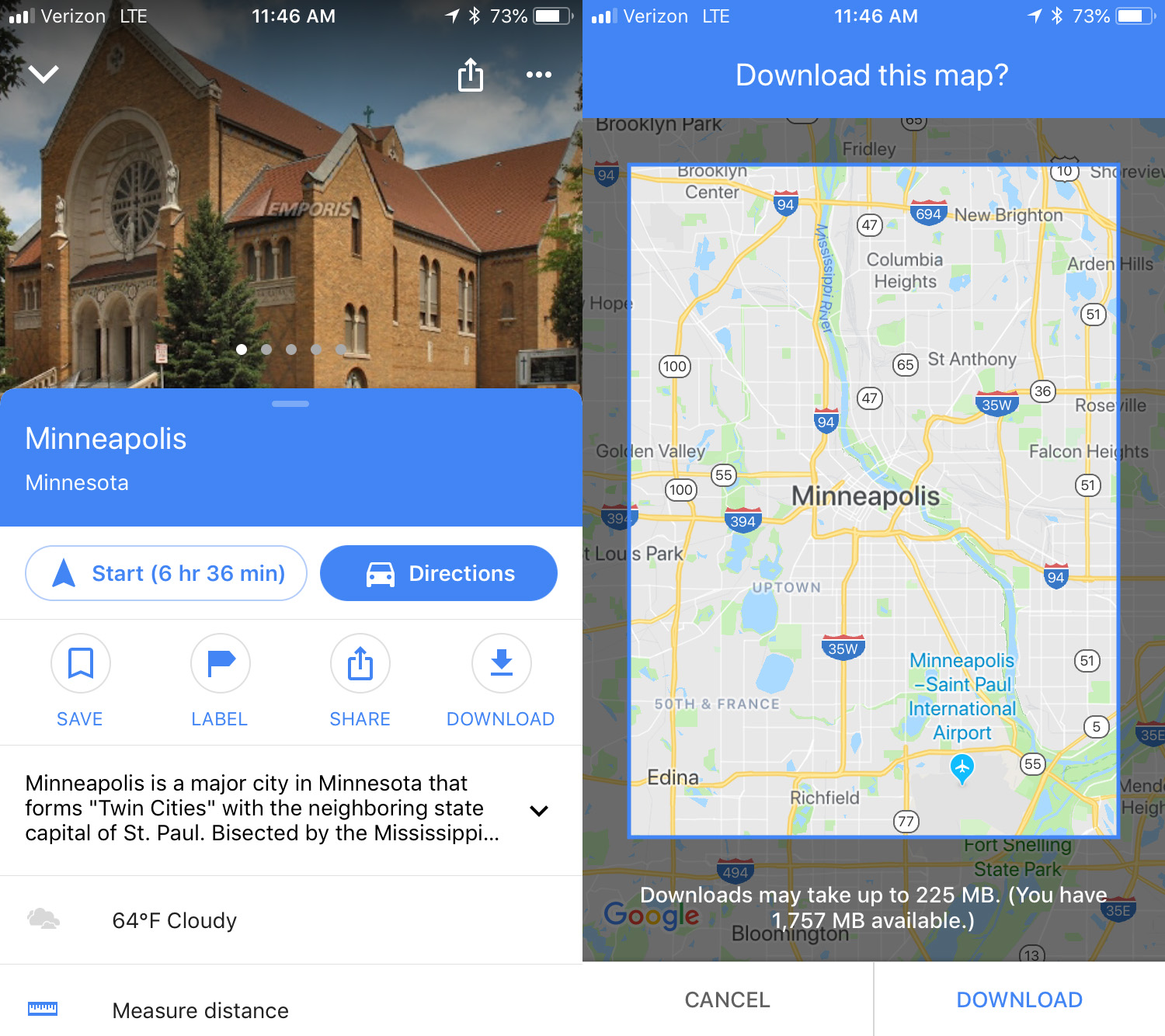
This is an awesome option for travelers: download maps to see them later offline. To do this, search for the location you want, then swipe up and you’ll see a download button. Click that and then you can refine the area you want to save. Click download again to save the map to your device. The larger the map, the more memory it will use. To access the maps offline, click the menu in the upper left corner and select Offline maps. No Wi-Fi? No problem.

Custom maps

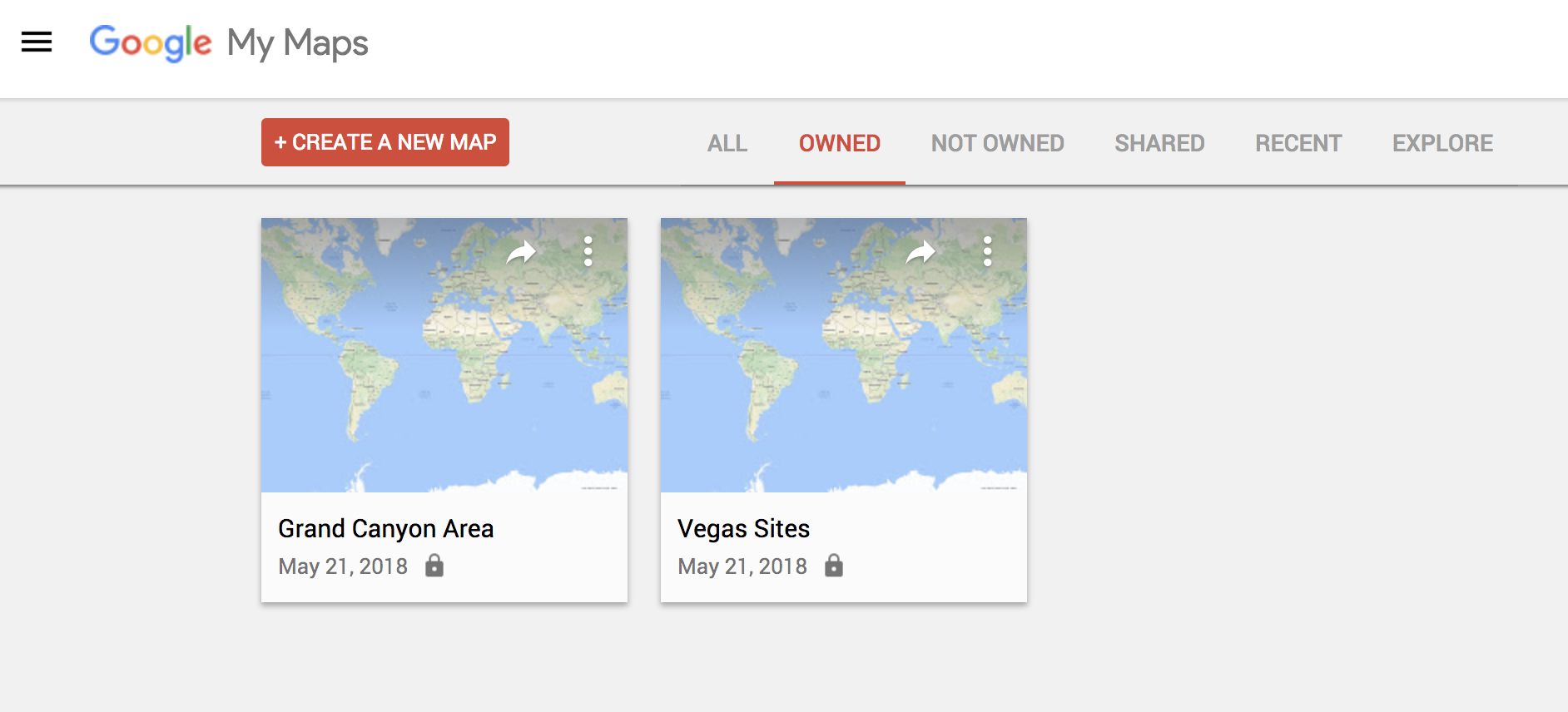
If you’re thinking of going on a trip somewhere and you would like to have a custom map that includes points of interest, Google Maps has a simple feature for this. To make one, you just have to go to this URL from your PC and click on the option that says “Create a new map.” From there, it’s up to you. Everything you save, you can see later from the mobile version by clicking on Your places.

Check traffic

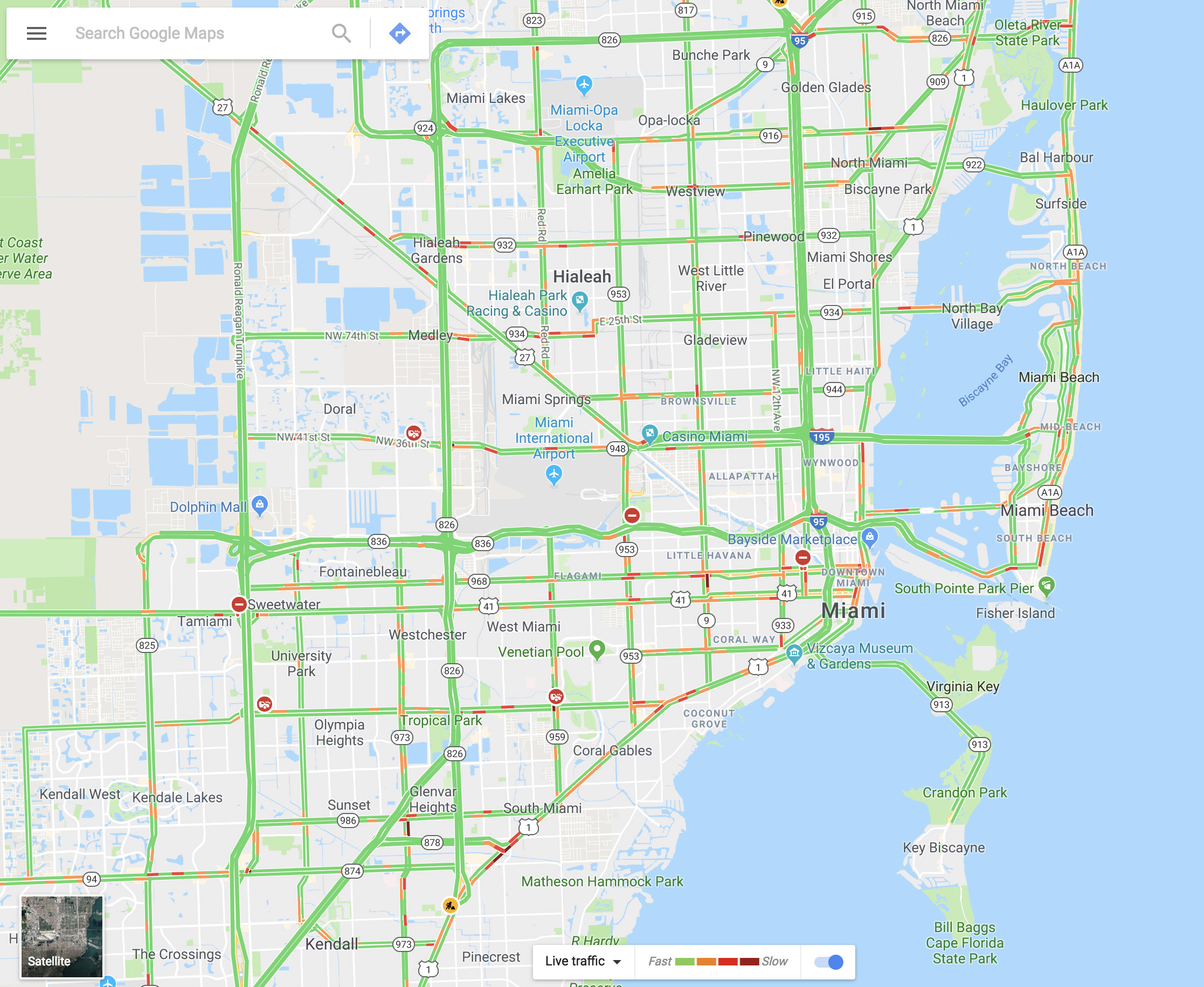
You can see the traffic in your city via Google Maps within seconds. It’s as easy as going to the menu and selecting “Traffic.” The green lines represent streets that have steadily flowing traffic, yellow signals some congestion, and red is gridlock.

Share your real-time location

Almost no one knows about this feature, but it’s really cool. Imagine that you’re meeting a friend at a concert, but you’re not there yet. Google Maps lets you share your location in real time with that person. You move, your friend watches. It’s that simple. Just go to the menu and click on “Location sharing.” Give access to everything it asks and add the amount of time you’ll be sharing your location. Choose a contact and that person can watch your every move.

Google Maps Download Google Maps
7

Avoid tolls

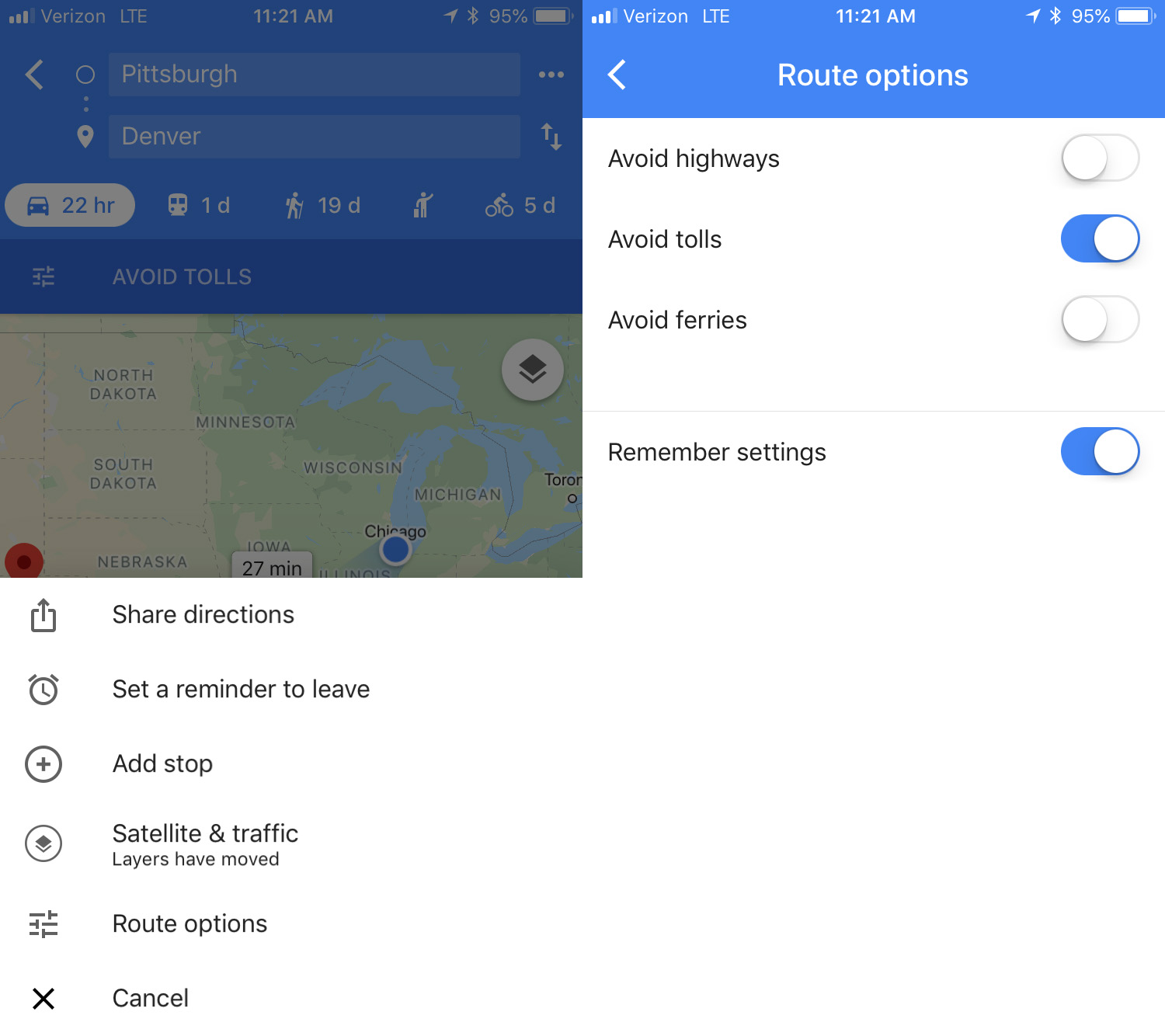
If you want to avoid all possible tolls, Google Maps can help! Just put in your destination and click on “Directions.” On the upper right, click on the three dots, then hit “Route options.” There you’ll see several fields, though the one we want is “Avoid tolls.” Check it and you’re good to go.

Calibrate your compass

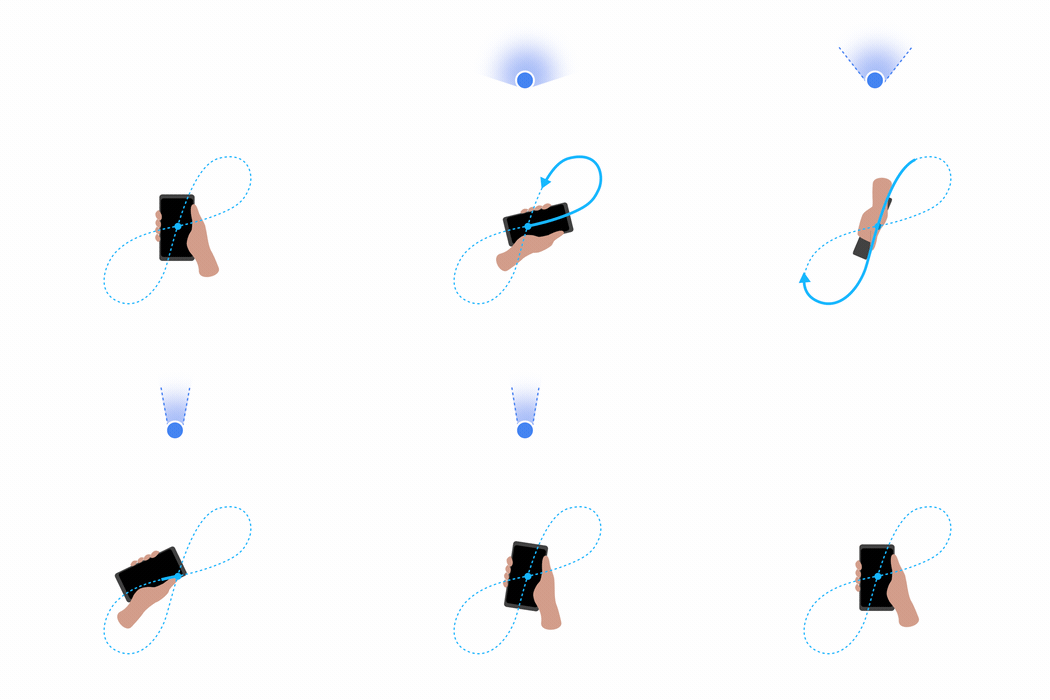
If you want your position to be more accurate you can calibrate your compass on Google Maps. To do this, click on the blue dot indicating your current position and look for the option that says “Calibrate compass.” Once you click there, you have to make a figure 8 (or loop) with your phone. Do it several times and keep checking the status of the calibration. If on screen it says “high” accuracy, you’re all set. (This isn’t an option on iOS – just open your Compass app to calibrate there.)


Stop Google from spying on your browsing with Google Container for Firefox

Google Container is a new extension for Firefox that stops Google from spying as you browse.

This extension uses Firefox’s Containers technology. Containers are special tabs that isolate everything happening inside the rest of your browser. This technology enhances your security since it prevents pages within a Container from using cookies or buttons to find out other sites you visit.

Google also has its tricks for knowing where you browse. The official description of Google Container explains: “Clicking Google Share buttons passes information to Google about the website that you shared from. The same happens when you log into your Google account. Installing this extension deletes your Google cookies and logs you out of Google. You can log in and use Google normally when in the Google Container. If you click on a non-Google link or navigate to a non-Google website in the URL bar, these pages will load outside of the container.”

If you don’t want Google to “follow” you around when browsing, try Google Container. According to the site GHacks, it works without a hitch. Ready to try it? Click here to give it a whirl.

If they keep making extensions that isolate big names like Google and Facebook, maybe Firefox will turn Containers into an easy-access feature that lets users decide what exactly they want to isolate.