Get movie, TV, and music recommendations with TasteDive

Need something to watch or listen to? Try TasteDive!

TasteDive

There are almost too many shows and movies out there right now — making it too difficult to make a decision about what kind of media to consume. That’s before you factor in all of the great music, podcasts, and books, too.

That’s where TasteDive comes in.

The recommendation engine works a lot like the old school Netflix rating system. Users rate the movies they’ve watched and the algorithm makes recommendations based on your preferences.

Today’s Netflix recommendations are based on finding a common thread between what you’ve watched. Netflix is assuming that you’re using the tool to watch the latest releases like the new “Sabrina” episodes or catching Miley Cyrus in “Black Mirror.” However, you’re mainly watching “The Office” for the millionth time. Because of this, Netflix’s recommendations likely aren’t going to feel all that personal.

So, back to TasteDive. The site keeps things simple. Liked “Stranger Things?” Great, they’ll tell you what to watch next. How does it work? Let’s take a look.

Getting started

Signing up is literally as simple as creating an account using Google or Facebook.

Once you’re in, TasteDive will prompt you to fill out some profile details, but this is optional and likely won’t have much of an impact on recommendations. On the contrary, it looks like they’re attempting to add some kind of social element to the mix.

Once you’ve created an account and/or profile, you can start browsing, liking, and disliking to your heart’s content.

User Lists

The site’s home page features user lists that you can use as a starting point. People create lists that range from books they hope to read at some point, to top animes, to favorite comedies.

You’ll see notifications on your account if someone likes a show or movie through your profile, or if they just like your profile in general.
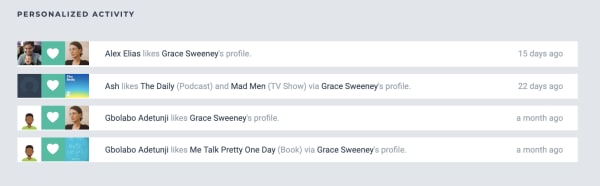
tastedive user activity

Browse and ‘Like’

You can navigate to one of the site’s categories: music, movies, TV, books, authors, games, or podcasts. You can start your search by typing in something you already like.

Navigate over to TV shows and you’ll see a list of trending shows. Check the ones that you like by clicking on the little heart on the right side of each entry:
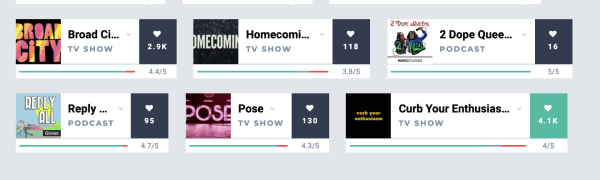
rating recommendations tastedive

As you scroll down the list, recommendations are displayed in the same feed. More appear each time you add a heart to any of the entries.

We just signed up for an account and tried browsing through the TV category. Initially, we liked some of the popular options from their “trending” list including; “Barry,” “The Chilling Adventures of Sabrina,” “Sharp Objects,” “Succession,” and “Fleabag.”

The recommendations listed after “hearting” these selections were kind of all over the place. TasteDive recommended other Netflix hits like “Russian Doll” and “Glow,” but also things like “Digimon,” “House,” and “Planet Earth.”

You can dislike any of the recommendations as well, simply click on one of these cards and like, dislike, or give it a “meh.”
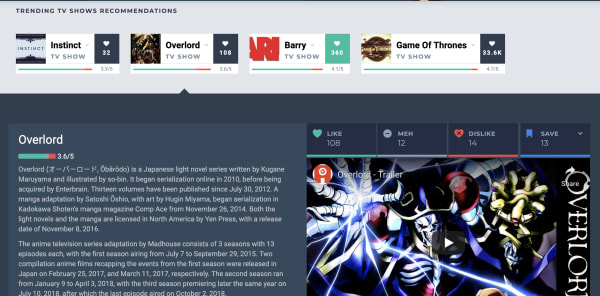
tastedive description

Podcasts and books — Not so hot

Podcasting isn’t quite as popular as movies, music, or television at this point, so we’re not surprised that this area doesn’t have many suggestions.

Still, it was a bit disappointing that it hadn’t heard of many podcasts outside of those that have topped the charts for years. You’ll see hits like “Marc Maron’s WTF,” “This American Life,” “My Favorite Murder,” “Comedy Bang Bang,” and “Serial,” but none of your favorite hidden gems.

We tried typing in a few other popular podcasts like “True Crime Garage” and “Beautiful Anonymous” and the engine hadn’t heard of those. Others like “Crime Junkie” and “Slow Burn” had one or two likes a pop, but no associated recommendations.

As far as books go, the bulk of the existing entries are books that have been made into movies or TV shows. We saw “Sharp Objects,” “A Song of Ice and Fire,” “Lord of the Rings,” plus a couple of David Sedaris books and Agatha Christie novels. Not exactly a whole library’s worth of recommendations.
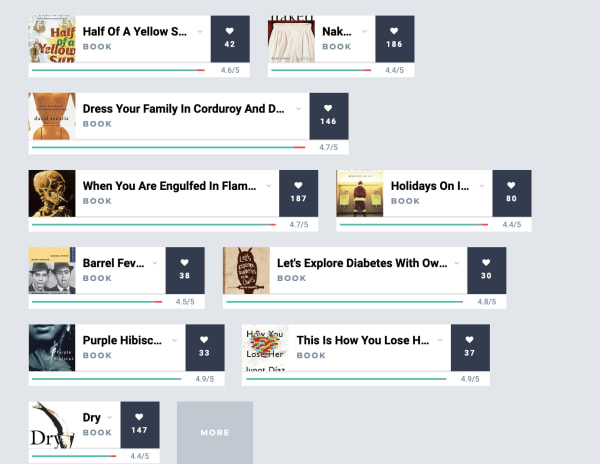
tastedive app book recommendations

The problem is, it doesn’t seem like enough people use the platform for it to generate truly tailored content recommendations.

Qloo acquisition could give Tastedive a boost

Back in February, cultural AI platform Qloo announced that they acquired Tastedive. Qloo cited that both platforms were interested in understanding what drives consumer tastes and helping them discover new shows, music, and movies.

We bring this up because, while Qloo took ownership of the recommendation engine months ago, we’re likely to start seeing a smarter, more responsive version of Tastedive sometime in the near future.

That said, Qloo’s real motive is understanding patterns in consumer tastes, and selling those AI-mined insights to advertisers. Which… well, we all know the drill.

Here’s a shot from the Qloo website, which shows just how much data the AI company has collected already:
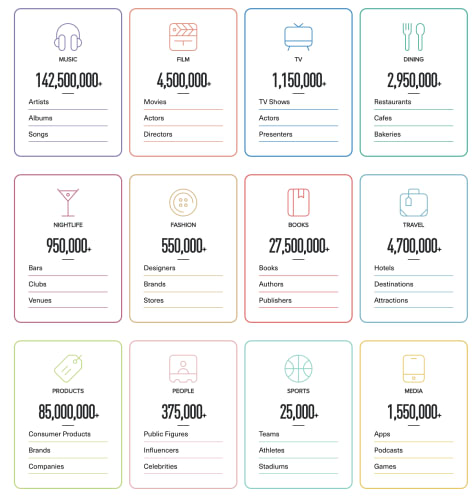
qloo data

For now, users should stick with ‘popular’ categories

Overall, if you’re going to use TasteDive, stick to the Movies and TV sections. What’s nice about these recommendation sections is that you’ll quickly get a list of ideas without having to sort through a bunch of reviews and blog posts to find what you’re looking for.

That said, it’s hard to get a sense of whether you’d actually like something based on what you’ve told the tool that you like or dislike, but it should get “smarter” the longer you use it.
How to watch free TV and movies with Tubi

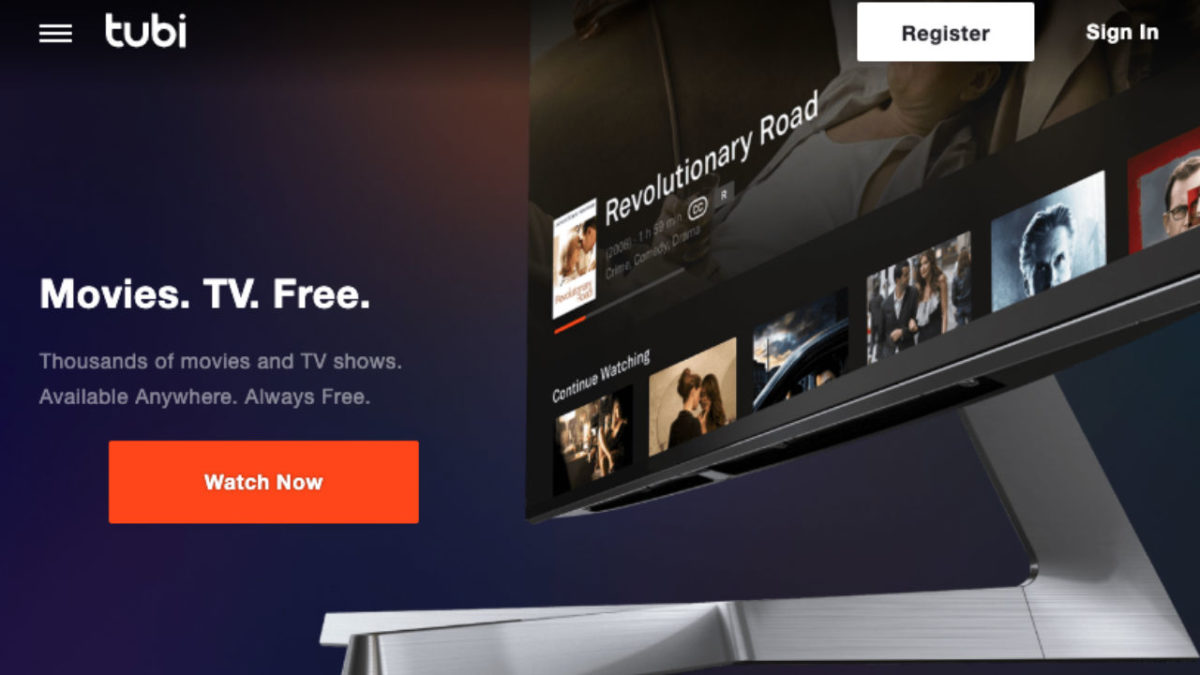
Tubi TV is the free streaming service that might be your escape from Netflix!

Tubi

In the world of streaming services, there are naturally some big winners in the space. Netflix, Hulu, HBO, Amazon. You know, the titans of big tech.

In an increasingly fragmented, weirdly transitional era, we’re linking more and more subscriptions to our bank accounts to keep up with all of our favorite programs.

Given the current state of things, it seems that Tubi’s promise of free and legal streaming is at least worth a shot. Heck, you don’t even have to register for an account.

In this article, we’ll take a look under the hood to see what Tubi TV has to offer and whether it’s a worthy replacement for any of the big guys.

What is Tubi TV?

Tubi is a video streaming tool that presents itself as a free Netflix alternative somewhat similar to Sony’s Crackle TV or the Hulu of yesteryear. Remember when you could watch “Parks & Rec” and “The Office” for free? Man, that was nice.

The platform is supported by in-stream ads. Also, you don’t even need to sign up for an account to access their library. This means there are no annoying emails, no subscription fee, just unlimited streaming.

10

What’s the deal with Tubi TV sign up?

What’s a little confusing here is, while ads are part of the deal, Tubi’s help section states that “all content on Tubi is free to watch — we don’t offer a subscription service to watch ad-free.”

What that means is, Tubi plays commercials pre-roll, mid-roll, and post-roll — breaking up your video with ads.

You don’t have to subscribe to any services, but you do need to watch commercials. Those commercials might not align with your interests like they might on Facebook or YouTube. (In this way, Tubi is very much like Pluto.)

Tubi’s ads are targeted using generic criteria. This means that advertisers are going to run really general campaigns to create brand awareness.

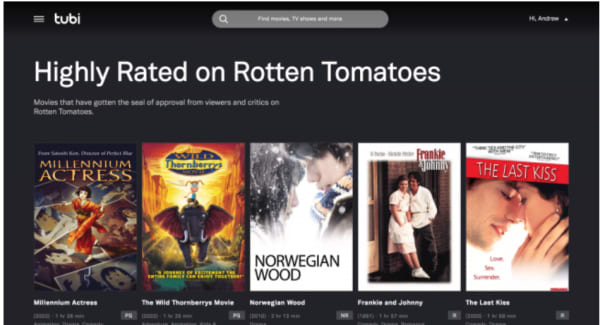
Still, if you don’t care about ads, there’s nothing to lose from giving Tubi a shot. Your Tubi TV signup comes with a few perks, including the ability to pause movies and return later (wild, right?). You’ll also gain access to movie recommendations and lists like this Rotten Tomatoes roundup below:

Tubi TV recommendations

Thousands of titles, but Tubi makes you dig for the gems.

Tubi is free, legal, and totally legit — but, at a glance, it’s not necessarily going to replace your favorite paid streaming services.

There’s no original content like “Stranger Things “or “The Handmaid’s Tale.”

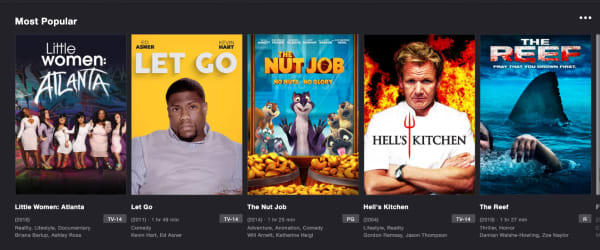
Rather, there’s a TON of reruns like “Little Women of Atlanta” and “Hell’s Kitchen,” plus some truly heinous-looking kids content we have never heard of (seriously, what on God’s green Earth is Fred and why does he have so many movies?).

tubi tv options

That said, there’s some good stuff in there, too, you’ll just need to do some digging. Look in the New Releases tab and you’ll find some award winners in the mix — “Spotlight,” “Memento,” “Short Term 12.”

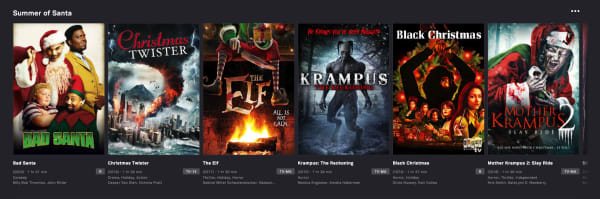
There are throwback cult classics like “Saved!” and “Donny Darko.” There is also a whole section devoted to Christmas horror films — which let’s be honest, look like a real treat.

tubi xmas movies

Where Tubi really shines is that it’s the home for all of your guilty pleasure watches. Whether that means scary Christmas movies or rewatching the “Forensic Files” episodes you’ve only experienced in hotel rooms.

You can watch “Quantum Leap,” and it’ll feel like that first year Netflix streaming was available. And, if you’re a big Lifetime or A&E fan, Tubi means you can finally cut the cord.

Is Tubi available on all devices?

Tubi TV is free to download on iOS, Android, Apple TV, Amazon Fire TV, Roku, Xfinity X1, Xbox, Sony and Samsung Smart TVs, and PlayStation. You can also watch from your browser, no download required.

As it stands, the streaming service is not available in Europe, due to changes in EU law thanks to the rollout of the GDPR.

Tubi does plan on relaunching in European countries, but they need to work out some compliance details first.

8

So, what’s the final word on Tubi?

It’s free… so that’s something.

But seriously, if you’re looking for one of the best free TV apps, this is a solid option.

There are a couple of notable “cons” associated with Tubi TV. First, you need to do some research to find Oscar winners and underrated indie flicks.

Second, this isn’t the best choice for TV. If you’re a fan of “Hoarders” and “Duck Dynasty,” you’re in luck. However, Tubi TV isn’t really the place for beloved comedies or prestige dramas.

Find the perfect streaming recommendation with the Dinggo app

Try the app that’s like Tinder for movies.

Dinggo app

It’s Saturday night and you want to kick back and relax with some streaming video. But how do you know what to watch? Sometimes, Netflix’s algorithm gets you. Sometimes, it spits out a bunch of stuff you want no part of. That’s where the Dinggo app comes in.

Dinggo: swipe thru Netflix Hulu Prime Video DOWNLOAD FREE ►
8

Add the app to your phone, select the streaming services you have, choose the genres that feel right, and Dinggo will start suggesting movies and shows. Swipe left if you don’t like a suggestion, swipe right if something sounds interesting. Tap the down arrow to get more detailed information on a streaming option. Right now, Dinggo serves up recommendations for Netflix, Hulu, and Amazon Prime Video only.

When we tried it, the suggestions were awfully broad. After all, Prime Video has 4,457 titles, Netflix offers 2,040, and Hulu has 1,137. But you can really narrow down your selections. Dinggo offers a surprising variety of niche categories, like LGBTQ Action and Adventure, International Late Night Comedies, Mockumentaries, and Faith and Spirituality.

Did you know you can access all of Netflix’s niche categories directly? Here’s how to do that.

If you don’t want to download Dinggo, you can find a similar streaming suggestion option through the intro survey at JustWatch.com. Happy streaming!

Dinggo: swipe thru Netflix Hulu Prime Video DOWNLOAD FREE ►
8


How to watch the 2019 Women’s World Cup online

The Women’s World Cup is here! Here’s how you can watch it!

FifaIf you’re like us, you cannot wait to watch the FIFA Women’s World Cup. However, if you live in the U.S. where soccer is nowhere near as popular as it is in countries where they call it football, you may be struggling to figure out where to watch it.

You might be lucky and have a sports bar nearby that will be streaming every game. However, you might also live in a place where a baseball game would take precedence over a soccer game.

Luckily, we’ve got you covered with services that are here to help.

How to watch the 2019 Women’s World Cup online

fuboTV

FuboTV

If you’re looking to just watch the end of the Women’s World Cup and nothing else, you can do so for free with fuboTV. 

Depending on your plan, fuboTV offers between 99 and 167 channels as well as access to more than 100 events streamed in 4K. 

The service offers a one-week free trial, so you can watch it, and then ditch the service. If you don’t, you’ll be stuck paying the monthly subscription fee, which starts at about $55 per month.

If you’d like, you can really take advantage of the free trial period and add premium channels such as Showtime, which you can also watch unto your trial is over.

To subscribe, either download the app or visit their website. You will need to create an account by entering your email address. You also need to enter your credit card information after choosing a plan. However,  you will not be charged unless you watch beyond your free trial.

7

Hulu + Live TV

Hulu + Live TV

Unfortunately, you can’t watch the Women’s World Cup with just a normal Hulu subscription. If you could, this would be a pretty short article. However, you can still watch it through Hulu, you’ll just need to shell out a few more bucks.

For about $45 per month, you can sign up for Hulu + Live TV and watch the Women’s World Cup to your heart’s content. You can also get a one-week free trial, just like with fuboTV.

Before you start your free trial, you should check to make sure that one of the channels showing the Women’s World Cup (FOX, FS1, or FS2) are available in your zip code. You can check on the Hulu website. Finally, you need to make sure that your device supports Hulu before you go with this option.

Also, like with fuboTV, you need to create an account with an email address as well as enter credit card information. Again, you won’t be charged until you exceed your free trial.

If you already have Hulu, upgrading your current package probably sounds better than buying a separate service altogether just to watch the Women’s World Cup.

Hulu Plus Download Free ►
7

Sling TV

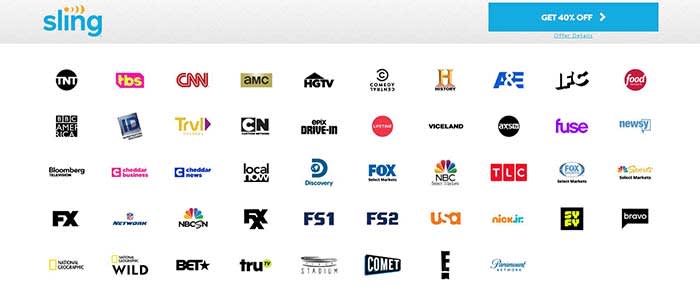
Sling TVIf you don’t want to miss a single game, then Sling TV might be your best option. Currently, the service has a deal for you to get your first month for 40% off. 

Sure, it does stink that there isn’t a free trial. However, since those free trials were only for a week, you wouldn’t have been able to watch every game for free anyway as the Women’s World Cup is about a month long.

When you purchase your subscription, make sure that you choose a plan that includes Sling Blue. Sling Blue is the only package that has FOX, FS1, or FS2 (it actually has all three). With the discount, Sling Blue on its own costs $15, making it the cheapest option thus far.

Sling TV Download now ►
9

PlayStation Vue

Vue has always been one of our favorite ways to stream live TV. You can build a package that includes 85 channels. You can have up to 10 different DVR profiles. You can watch on your smart TV, computer, phone, or tablet. And there’s a free 5-day trial. After the trial ends, you can still watch all the games on their most basic package for $44.99/month. If you have an Apple TV or a PS4, you can watch multiple channels at the same time.

PlayStation Vue Mobile Download Free ►
9

FOX Sports Go

Fox Sports Go

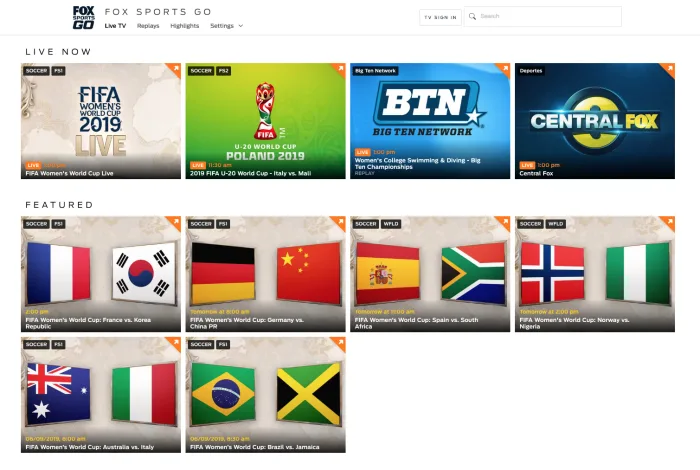
If you have a subscription to a cable or streaming service, you can also log into the FOX Sports Go website and watch the games there.

FOX Sports GO Download Free ►
8

Watch for free

If you don’t feel like paying to watch the games, you can see all the highlights on the FOX Sports Twitter account. No, you won’t be able to watch the entire game, but you can see every goal after it happens. If you want to watch the games live and in their entirety, then this isn’t for you.

Some of the games will be broadcast on your local FOX affiliate, so if you have an antenna, you can get those games for free.

Wrapping up

For all practical purposes, Sling TV seems like the best choice. It’s the cheapest option you have for watching every game during the Women’s World Cup. No matter what option you choose, we hope you enjoy watching the 2019 FIFA Women’s World Cup!


Best cord-cutting stacks: choosing your streaming service lineup

Most of us have left cable companies in the dust, but which streaming service is right for me?

A recent Deloitte report found that 47% of consumers say there are way too many streaming options.

Netflix and Hulu have changed the game when it comes to how we consume media. They’ve been normalizing subscription services and getting us to break up with cable.

As more enter the mix, consumers are piecing together their content from an increasingly fragmented space. Accessing the hottest new shows can come with a hefty price tag.

As cord-cutting costs continue to rise, cable companies will hopefully start stepping in with consolidated bundles.

In the meantime, how do you choose which streaming services to buy?

Too many options

Stranger Things 2

Customers want options, yes. But, it’s frustrating when content just vanishes all of a sudden or is canceled without warning.

That Deloitte report found that the average consumer has three streaming services. For the platforms themselves, the secret to success has been original content.

Netflix led the way, pumping out hits like “Stranger Things” and “Orange is the New Black.” However, now Hulu’s got its own set of hits like “The Handmaid’s Tale.” Also, HBO attracts viewers with programming like “Game of Thrones.”

Those three options alone could easily round out the average consumer’s streaming stack. These easily have enough content to keep you glued to your couch for the long-term.

8
Hulu Plus Download Free ►
7

What’s the best content mix in 2019?

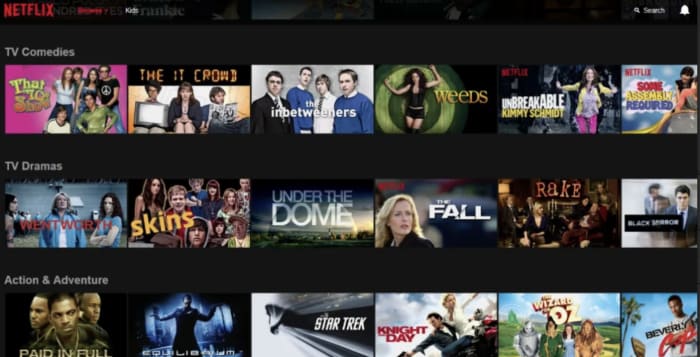
content on netflix

As far as choosing the right mix of subscriptions, that depends on what you like to watch. Take stock of which platforms have the best mix of “comfort programming” and original content.
For example, Hulu now hosts shows like “Malcolm in the Middle and “30 Rock,” while Netflix has re-watchable faves like “The Office” and “Friends.” Hulu has the edge when it comes to licensed programming. They also have “Bob’s Burgers,” “The Simpsons,” and “Seinfeld.”
Netflix offers the most content overall. They have a constant stream of new comedy specials from heavy-hitters like Tom Segura to legit features like the Oscar-winning “Roma.”
If you’re committed to HBO, you can subscribe to the standalone service, of course. But because of its origins inside the traditional cable package, it’s sometimes included as an add-on with other services.
Jon Snow
It’s worth noting that HBO programming isn’t always a win year-round. We’re enjoying the final season of “Game of Thrones,” and “Barry” is back as well. But there’s always a lull after the spring programming block comes to a close.
And then, there’s Amazon, which well, comes with your Prime subscription. They also have great original content such as the movies “The Big Sick” and “Last Flag Flying.”
A few other areas to consider:
  • New Movies — HBO shows a rotating lineup of recent releases, though it’s kind of a mixed bag. Amazon Prime and iTunes always have the latest hits. However, you can expect to pay-per-view if you’d like to catch the latest Oscar noms and blockbusters.
  • Family Content — PBS and YouTube Kids provide a solid line-up of kid-friendly content. And, Netflix, Hulu, and Amazon come with a mix of cartoons and movies the whole family can enjoy.
  • Sports — Sports content is harder to come by than movies and TV shows. ESPN+ and NFL GamePass are among the more affordable options, but they leave out big games like the Super Bowl and other championship events. You’ll usually be able to get the title games with an antenna, however. Fubo’s live channel lineup might be the best option unless you’d rather stick with your local cable provider.
  • News and politics — Like many cord-cutters, you could lean on the radio and a handful of news sites to keep you informed of the latest updates. However, some people still prefer watching the news the old-fashioned way. PlutoTV offers some news channels through the free app, as does YouTubeTV and cable entrants like DirecTV Now.
Pluto TV Download Free
8

Subscription saturation is about to get worse

Later this year, more entrants are expected to enter the fold, for an even more fragmented streaming landscape. Disney’s version will host animated classics and Marvel’s content library, making it a potential win for families.
While Disney also owns Hulu, the company plans to keep the subscriptions separate for now — so you’ll still have to pay for multiple accounts.

We’ve also got Apple TV+ on the horizon and AT&T’s WarnerMedia service.

Interestingly, the WarnerMedia service isn’t AT&T’s first attempt at a streaming service. DirecTV Now is the telecom giant’s existing offering. It is a competitor to platforms like YouTube TVSling, and PlayStation Vue that aims to bring a cable-like line-up to the live stream.

Sling TV Download now ►
7

AT&T’s Time Warner purchase represents a shift. The WarnerMedia streaming service won’t be released for a while. A beta test is planned later this year, but the streaming platform could bundle some of the standalone options.

Again, we’ll have to see how big cable shakes up the landscape or whether Hulu and Disney join forces.

At the end of the day, maybe we should all just give up and head over to Goodwill to stock up on used DVDs.

How streaming services are becoming cable all over again

Have you noticed streaming services taking up more of your paycheck?

Streaming video

Remember how revolutionary Netflix and Hulu were when they came out a decade ago?

Being able to watch any episode of dozens of shows anytime you want? For a sub -10 monthly price? It seemed so futuristic, and millions of people across the world cut their cable cords in favor of this new consumer-friendly technology. It truly seemed like we’d see the death of cable television, with its barrage of ads and constantly soaring prices, within the next few years. As it would turn out, cable is still alive and kicking, but something potentially worse is beginning to take its place. Streaming services have become the very evil they set out to destroy.

obi wan

What’s happening to streaming?

streaming services
How many of these are you subscribed to?

The whole idea behind streaming services in the first place was having all of your favorite movies and shows bundled together in one convenient inexpensive package. Far too often, you’d purchase a cable subscription that would come with dozens of expensive channels that you didn’t want. When they first hit the scene, Hulu and Netflix alleviated this problem by featuring some of the most popular movies and shows on their services. If there was a big show that you wanted to binge, you could bet that it would be on either Netflix or Hulu. This so-called “Golden Age of Streaming” lived up to its name by providing consumer-friendly options to people who had been squeezed dry by cable companies for decades.

This worked out nicely for a few years because even if you bought both Netflix and Hulu it still cost far less than a cable subscription. Both of these services became enormously successful, and it seemed most households had at least one of them.

Of course, in a capitalist society when something becomes successful, other people want to hop on the bandwagon. New streaming services started crawling out of the woodwork. From major networks promoting their own content (HBO Now, Showtime) to massive sports organizations putting up games and exclusive content (NFL Game Pass, NBA League Pass, WWE Network), it seemed everyone wanted a slice of the pie.

This seemed like a good thing at first, as it let consumers view some of their favorite content whenever they wanted. But the more streaming services appeared, the more content was spread out amongst them. Now, simply buying Netflix or Hulu wasn’t enough to get all of the content you wanted.

Why streaming services have become cable

cable tvTo understand what streaming services are becoming, we first need to look at the history of cable. When television first became popular in the 1950s, it was free for anyone with a TV to access with an antenna. Broadcasters and television studios made their money off of commercials that played between, and sometimes during, shows. As technology advanced, TV transitioned from analog signals to digital signals, which required a cable box to use.


Cable boxes had to be purchased and subscriptions had to be bought, but consumers thought that it would be worth it because you wouldn’t have commercials. For a while, this was actually true, but cable companies soon became absurdly powerful and started placing commercials in TV programs just because they could. Not only that, but they also started increasing the price of cable packages because there were no other viable options for watching TV. As cable companies got greedier, consumers became disgruntled, yet were forced to play ball if they wanted to watch TV. Now, streaming services are following a similar path.

Netflix and Hulu debuted at incredibly low price points and became extremely popular when pitted against oppressive cable packages. However, as both services realized their stranglehold on the entertainment market, they steadily increased their prices, ignoring consumer outcry. They did this because they could, just as the cable companies did all those years ago.

Now, as dozens of streaming services have emerged, picking a streaming service is no longer the simple and consumer-friendly affair that it was a decade ago. As new players appeared in the streaming game, they further fracture content across different platforms, forcing consumers to buy new services if they want that content. For example, before Disney+ debuts in November, they will gradually pull all Disney content off of competing platforms like Netflix. Say goodbye to Marvel movies and Disney classics on other platforms, because if you’re a Disney fan, the only streaming option will be Disney+.

It’s this kind of fragmentation that will lead to increased prices and fewer consumer options. Streaming services know that their content is valuable, and they will raise their prices because they know that they can. Disney knows how valuable their properties are just as Netflix knows how popular its original shows like “Stranger Things” or “13 Reasons Why” are. Consumers will be forced to choose between increasingly pricy options to get the content they want, while also paying for content that they don’t care about.

This sounds familiar, doesn’t it?

Handmaid’s Tale: Season 3 teaser trailer

The Washington Monument has never been more ominous.

Handmaid's Tale Season 3

Perhaps one of the best reasons to subscribe to Hulu, “The Handmaid’s Tale” is a spooky near-future imagining of what might happen if the world were suddenly faced with the one-two punch of a global fertility crisis and a rise in religious fundamentalism. It can be tough to watch, but it’s increasingly relevant in today’s political climate.

Spoilers for Season 2 below!

Season 2 ended with Serena Waterford reading from the Bible in front of Gilead’s leaders and getting her finger cut off for it. Emily shoved Aunt Lydia down the stairs. Nick’s assigned wife Eden was executed for running off with another man. With Serena’s blessing, June/Offred ran off with her daughter, handing her off to an escaping Emily, then turning back to Gilead.

What’s in store for Season 3? Here’s the first teaser:

Guys, they turned the Washington Monument into a cross. Spooky.

Season 3 of “The Handmaid’s Tale” arrives on Hulu on June 5.

Hulu Plus Download Free ►
7

Where to watch Broadway plays and musicals online

Enjoy the stage without leaving home with these great options.

HamiltonEven if you can’t make it to a live performance, the show must go on.

Being a Broadway fan is tough when you don’t live near a major city. Even if you do, Broadway shows can be expensive, with some tickets fetching hundreds of dollars. 

Ticketmaster Download now ►
8

Best options to watch Broadway plays and musicals online

While each trip to the theater is a unique experience, many of these plays have been professionally recorded at one time or another.

With a number of online resources to watch them, you no longer have to miss out on your favorite Broadway musical. 

Here are some of the best sites and apps you should check out:

BroadwayHD

Broadwayhd

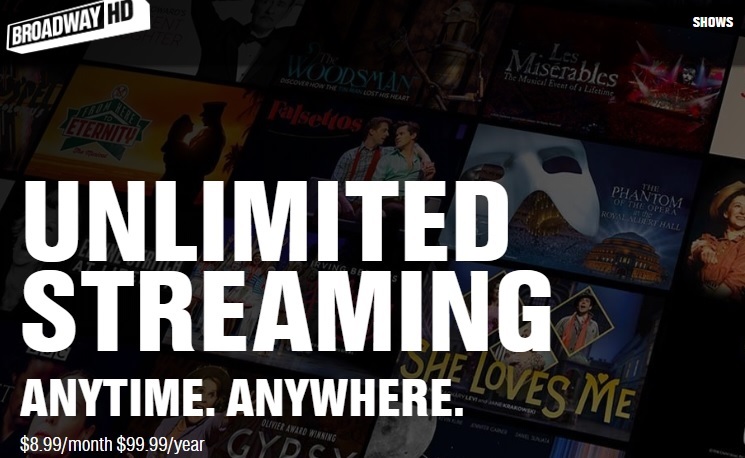
If you’re looking for a Broadway streaming service, BroadwayHD should be your very first stop.

Often considered “Netflix for Broadway lovers,” BroadwayHD costs a simple monthly subscription of $8.99/month. The library is huge, and you will find many of your favorite titles. 

You won’t find any amateur work, which can be a bit of a downside. However, all filming is top quality and there are a few off-Broadway productions to be found. 

Oh, what a beautiful day you’ll have while streaming “Oklahoma” on BroadwayHD.

Netflix

Netflix

You won’t find many stage musicals here. However, You can take a chance on Netflix and watch film adaptations of musicals like “Mamma Mia.”

There are a few stage musicals you can find, such as “Shrek the Musical” and “Oh, Hello” on Broadway. However, you won’t find as many on this streaming service as you would on BroadwayHD.

Instead, Netflix is a great choice for anyone interested in movie adaptations of Broadway plays. Some examples include: “Burlesque,” “Grease,” and “Beauty and the Beast.” 

8

Hulu

Hulu

Like Netflix, Hulu has more movie adaptations than actual stage films. That being said, it’s one of the only places you’ll be able to find “Jesus Christ Superstar. So, you can find out what’s the buzz and what’s a-happenin’. 

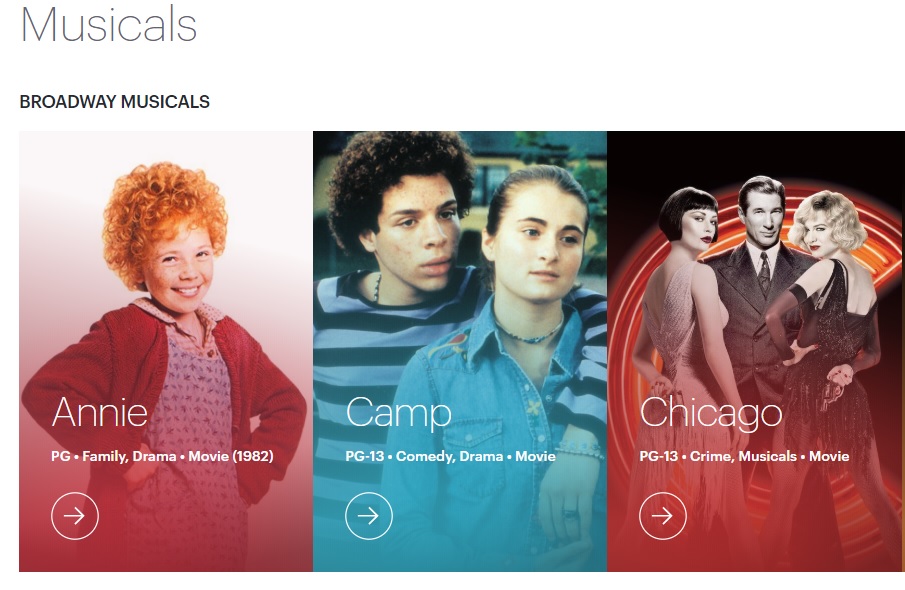
Hulu also features a lot of older musicals that can be hard to get, such as “The King and I,” “Hello Dolly,”  and “Annie.” You may want to compare Hulu and Netflix’s selection before deciding if you want to subscribe to one or both.

Fandango

Fandango

Most of you know Fandango as the app that helps you get tickets for your favorite movies. However, many movie theaters have special events where you can watch a recording from a live Broadway performance. 

You can search for those musicals on Fandango, and then go see them at a theater near you. The $10-$20 you pay for a movie ticket far outweighs the huge prices you’d have to dish out to see the show live. 

Basically, if “Hamilton” makes ever its way to the silver screen, don’t throw away your shot to see it through Fandango.

7

YouTube

Amateur and off-Broadway productions can be just as good, if not better than original Broadway plays. YouTube is full of well-filmed (and plenty of poorly-filmed) amateur work that you won’t be able to find on any of the other streaming services.

For example, we found this full performance of “Rent.” How can you measure that?

Of course, you may find full Broadway productions on YouTube, too. However, you’ll have more luck finding off-Broadway productions. You also can find full soundtracks to musicals. It’s easy to find soundtracks like “Heathers,” “The Book of Mormon,” “Legally Blonde,” “Spamalot” and many more. 

YouTube might not be the first option that comes to mind when looking for Broadway musicals. However, a little digging might bring up a hidden gem.

8

Beyond the Broadway barricade, there are musicals we long to see

Through these services, you can enjoy the Broadway stage straight from your device without having to pay Broadway prices.

If you must attend in person, check out this list of apps that our users picked as the best options for buying Broadway tickets. They can get you the best deals for buying Broadway tickets.

5 Netflix alternatives for streaming movies

Tired of Netflix, Amazon, and Hulu? Try these alternatives to expand your entertainment options.

We’re all well aware of the big names in video streaming: Netflix, Hulu, Amazon. But Netflix is upping its prices. And traditional cable feels like a scam — add in a few additional services and you’re racking up a pretty big entertainment bill before you know it. If you’re looking to watch movies online, there are all kinds of options available to you.

Below, we’ve compiled five solid options for expanding your media library without expanding your budget.

5 great Netflix alternatives for streaming movies

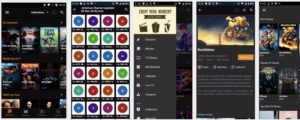
1. TeaTV

TeaTv app

One of the best free movie apps for Firestick, TeaTV operates on the BitTorrent protocol and is a solid alternative to apps like Terrarium TV.

Since the original Terrarium is gone, TeaTV presents a solid alternative for fans of the bygone app.

TeaTV is a movie streaming app that offers users access to thousands of movies and TV episodes at up to 1080p quality. The app is available for Android and may be installed on a jailbroken Firestick for big screen viewing.

Keep in mind, however, TeaTV lives in some murky legal territory. You may want to use a VPN to protect your security and identity when streaming on TeaTV or similar apps.

2. Pluto TV

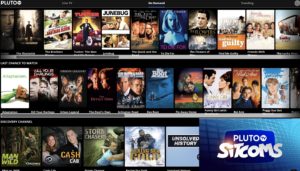
PlutoTV menu

Pluto TV is a live TV-streaming service, similar to apps like Playstation Vue, Vizio’s WatchFree, and Rabbit TV. The app, designed for the cord-cutting crowd is available on just about any device: Android, iOS, web, Firestick, Apple TV, Roku, the list goes on.

Pluto TV’s content lineup consists of a blend of live TV channels, on-demand movies, and weirdly, reruns of “sick day” faves like “Maury” and “Jerry Springer.”

As far as movies go, however, there are some gems in there. Indie flicks like “Adaptation” and cult favorites like “Cube” are nestled among “Hell’s Kitchen” repeats and “Dog the Bounty Hunter.”

So, yes, while Pluto TV is a bit all over the place, it’s worth a look because A: it’s free. And B: it’s a straightforward download: 100 percent legal, no need for a VPN or roundabout pirating process.

3. SnagFilms

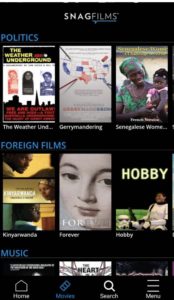
snag films free documentaries

Snagfilms is one of the best movie streaming apps around if you’re interested in documentaries and foreign films. The free app is completely legal and provides the option to download movies for offline viewing or stream directly.

You might be a bit disappointed if you’re hoping to watch new content like the latest TV episodes or newly released movies. That said, the app has the cult classics, festival faves, and climate change documentaries on lock. Worth checking out if you need a break from the Netflix algorithm.

4. Flipps HD

Flipps movies

Flipps HD is a free movie streaming app for Android, Apple TV, Chromecast, and smart TVs like Samsung, LG, and Sony. Like Pluto TV, Flipps comes with access to 100+ channels, a long list of movies, music videos, and YouTube.

What’s cool about Flipps is, the app turns your phone into a remote control. You’ll make your selection on the phone, then tap to stream the content to your connected TV.

5. Kodi

Kodi interface

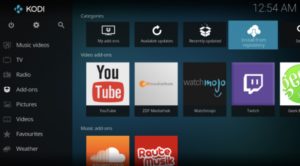
Kodi, formerly known as XBMC is a streaming platform for all types of content — from illegal cam versions of new releases to TV episodes, music and more. What it is, is an open-sourced media platform that allows users to upload their own media collections — BluRay, DVD, and downloaded files from personal hard drives.

Kodi offers a lot of the same features found in Terrarium TV, provided you download the right plug-ins. Kodi plugins range from the perfectly legal — use it to watch videos on YouTube and Vivo — to the illegal — torrent services and unpaid access to paywall content.

If you do choose to use Kodi for torrenting, you’ll want to invest in a VPN. Check our VPN articles if you’re not sure where to start the hunt.

Wait, what about sites like 123Movies?

123Movies reportedly shut down last year. But, these illegal sites always have a way of bouncing back, and they’re definitely out there. There’s also GoStream and several others. Unfortunately, these apps do present some risks. Aside from the potential legal risks, these apps and sites are hotbeds for malware. Unless you have some crazy virus protection in place, steer clear.

In the end, you can cobble together a diverse range of viewing options by exploring the wide array of free streaming services. Tread carefully with Kodi or TeaTV, though and invest in a VPN before catching up on those blockbusters.

Streaming services to crack down on account sharing

Your days of password sharing might be over.

streaming services

If you’re one of the 117.6 million Netflix subscribers or one of the 20 million US subscribers to Hulu, there may be a change on the wind – particularly if you’re working with a shared account: Synamedia has just announced a new software called the Credentials Sharing Insight which according to their website “identifies, monitors and analyzes credentials sharing activity across streaming accounts.” What does this mean for the many account holders who share their password with friends for free?

Prepare to be flagged and flogged.

Streaming sites crack down on account sharing

The Credentials Sharing Insight

Synamedia announced their new tech on December 17, their goal being to help streaming service providers combat the rise of free account sharing. The software was marketed to streaming sites such as Netflix, HBO, and Hulu and aims to identify instances of fraudulent activity. If such activity is found, it will ask users to upgrade to a premium account that includes sharing. Furthermore, if any passwords are discovered to have been sold for profit, the account will be completely shut down. All at once, the Credentials Sharing Insight offers to transform a chink in the provider’s armor into an opportunity to generate more revenue.

Here’s how it works

The Credentials Sharing Insight uses artificial intelligence to discover and flag any user that appears to be logged in different locations. That information is shared with the provider, and the operator can then apply policies (like the aforementioned premium membership) to any account whose sharing score exceeds a predefined threshold.

Can they tread the line between legal and illegal sharing?
The Credentials Sharing Insight turns account sharing into extra company profit.

The hope is that marketing teams will be able to use this information to find account sharers without harassing customers operating within the parameters of their account.

How many accounts are shared?

At first, most OTT providers didn’t share any concern with casual password sharing. Having more viewers, regardless of whether they’re paying, provides a valuable opportunity to market their product – kind of like a free trial. It widens the net of active users, accrues more viewing data, and allows the provider to better shape their product. After a while, however, the numbers start showing more and more active users who aren’t paying for the service at all.

Maybe not quite like this, but you get the point.
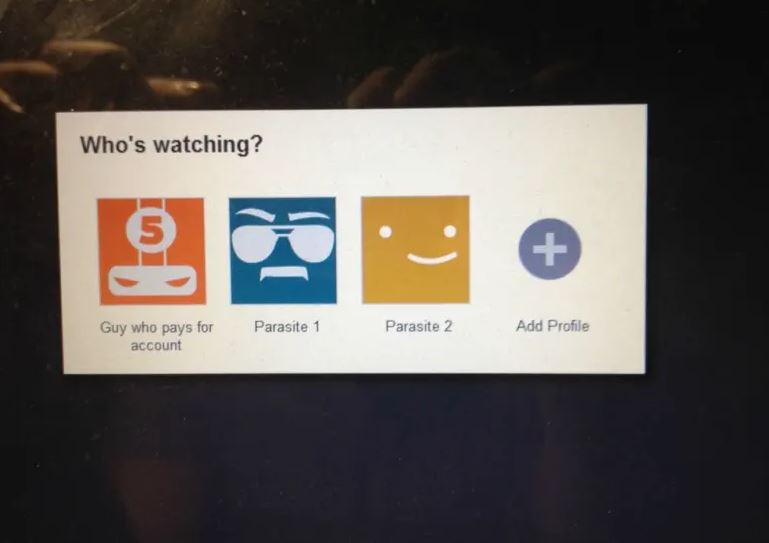
This is how Netflix sees your shared account … sort of.

Providers discovered that this is especially an issue with younger generations of viewers who are accustomed to services such as YouTube, where streaming is largely free.

Netflix Free Download
8

The 2018 Magid Video Entertainment Survey discovered that 26% of millennials share passwords for video streaming services. Parks Associates predicts that if the trend continues $9.9 billion of pay-tv revenues and $1.2 billion of OTT revenues will be lost to credentials sharing by 2021.

“Casual credentials sharing is becoming too expensive to ignore,” said Synamedia Chief Performance Officer Jean Marc Racine. “Our new solution gives operators the ability to take action.” Whether they actually will is yet to be determined. Don’t be too surprised if warring providers use this as an opportunity to offer competitive premium account services to assert their dominance over the market.

Hulu Download
7

As for the customers’ response, Racine is confident that most users will oblige and upgrade their account in exchange for improved service. “Many casual users will be happy to pay an additional fee for a premium shared service with a greater number of concurrent users,” he said. “It’s a great way to keep honest people honest while benefiting from an incremental revenue stream.”

Time will tell whether Racine is correct, or if suddenly asking customers to pay extra money for a service they’re already provided will generate massive backlash. Let us know your thoughts in the comments below, and stay tuned for updates!