
Airbnb rival aims to fix the home-sharing economy and you’re going to love what it will be called

An “ethical” alternative to Airbnb will start offering a pilot program in four cities in January.

travel

In allowing people to rent out rooms in their own houses, Airbnb seemed to have created the perfect product. It allowed people to supplement their primary income while opening up a whole host of interesting and affordable new properties to travelers and tourists. On a small scale, this idea seemingly works for everybody, but the idea has proved so powerful it has grown large enough to cause some rather serious problems.

As well as our U.S. headquarters, Softonic has a base in Barcelona, Spain, where the local council has been fighting with Airbnb for years. Barcelona’s problems are also being felt by cities all around the world. The Airbnb effect? Rent increases, gentrification, housing shortages, and a whole host of other problems relating to increased levels of tourism. At the heart of all the problems lies the fact that instead of offering their properties to local people, homeowners are listing them on Airbnb.

To combat these negative side effects, a team led by Sitio Veracruz is working on a rival service to compete with Airbnb. According to Veracruz, the new service will be different to Airbnb in three main areas that will ensure a much fairer service.

Fairbnb will start offering a pilot scheme in four cities from January

what is fairbnb?

The four pilot cities that will see the first Fairbnb rentals are all in Europe. From January 2019, the platform will offer properties in Barcelona, Bologna and Venice in Italy, and Amsterdam in the Netherlands.

Speaking to The Next Web, Veracruz described the three main areas that set FairBnB apart from its established competition. First, The platform will enforce a one host one home policy, which will ensure single landlords can’t take multiple properties off the local market. The platform will follow this up by ensuring that all hosts are legally entitled to offer their property up as a tourist rental.

The second difference is that Fairbnb will pay local taxes on all profits and that 50% will be used to fund local community projects. Veracruz said, “We’re currently looking towards community projects that are struggling to find non-commercial spaces, which we’ve seen is a big problem in many cities… This includes non-profit projects such as housing for neighborhood associations, non-profit food cooperatives, or community gardens.” Imagine a global company like Airbnb, which has achieved a market value of more than $2 billion in less than 10 years, putting half of everything it makes back into the local communities where it operates.

The third major difference between Fairbnb and Airbnb is the fact that the ethical alternative will be run as a cooperative. All salaries will be limited, everything about it will be transparent, and the owners of the project will all be involved in the day-to-day running of it.

Apps are all supposed to make our lives better and developers claim to be working to make a better world, too. When profits get involved, however, and investors start calling the shots, things can become a little muddied. Airbnb has shown the real-world problems that can occur when well-meaning apps ignore the wider issues to chase maximum profit. With the very different Fairbnb starting up next year, we could be about to see a battle between ideologies. Capitalist apps against truly ideological apps that offer service over profit. Who will you be rooting for?

You can find out more about FairBnB here.

5 money-saving tools for shopping online

Save money as you shop with these great options.

One of the best things about buying items online is that you can shop around to find the best deals. Of course, hunting down the lowest price on the products you need can still take a lot of time and effort. Good thing there are apps and websites that will do all the work for you. There are so many of them to choose from that you may have trouble narrowing it down. Here are five of the best tools to help you get the most from your money without having to spend all day comparing prices.

5 money-saving tools for shopping online

1. Groupon

Groupon connects you with killer deals in your city and around the internet. Sign up for daily deals on local food, entertainment, and more. If you haven’t used Groupon yet, here’s how it works: Choose from several limited-time deals, and pay for your purchase right there on the site. You’ll receive a voucher, which you can then redeem (on the website provided) when you want to get your goodies.

8

2. LivingSocial

LivingSocial works in pretty much the same way as Groupon. Join for daily deals, and browse the site for bargains and discounts on local food, drink, activities, and more. LivingSocial will also issue you a voucher, which you can store on your phone or print out. While it might seem redundant to use both Groupon and LivingSocial, it’s worth your time to check both of them regularly since each offers a different array of good deals.

LivingSocial download free ►
7

3. PriceGrabber

PriceGrabber is a nifty website that allows you to compare prices across the internet. Just enter the product you’re looking for into the search bar. You can also get super specific and type in the exact make and model of the product you want, or just enter a general term such as “digital cameras” or “cat pajamas.” You can also browse PriceGrabber’s extensive list of product categories to shop the deals.

4. PriceBlink

If you’re always on the hunt for a good deal, you need a tool like PriceBlink in your life. No need to check coupon sites like RetailMeNot for deals: PriceBlink is a browser extension that does all that work for you (and then some). Whenever you visit a retail site, PriceBlink will kick in and do its thing — which is to scan for any coupon codes, discounts, membership deals, free shipping offers, or any other ways to save money on the site. Plus, anytime you click on a product, you’ll get an alert if there’s a better deal on it somewhere else.

5. Honey

Another deal-finding browser extension, Honey will find you the best discounts at thousands of online stores. When you finish shopping and head to the checkout page, you’ll see a popup letting you know if there are coupons or discount codes available for your purchase. Honey will automatically combine coupons and codes if they are eligible. If not, it will apply the promotion that saves you the most. Visit Amazon with Honey installed and it will search through all the sellers to find you the best deal on whatever product you’re looking at.

Google Maps: Look out for this scam targeting your bank

Hackers are changing the contact details of banks on Google Maps to try and catch you out

Scammers targeting banks on google maps

We recently learned exciting news about a Google Maps update that makes it easier for you to contact the businesses you need to use from inside the Google Maps app. Messages is a brand new feature that opens up a whole new world of functionality to Google Maps and pits it against other big apps like Facebook Messenger and the fairly new WhatsApp Business. Now we have to bring you news of new way that scammers are targeting banks on Google Maps

Google Maps Download Google Maps
7

Hackers are changing the contact details of banks on Google Maps to try and trip you up

Google Maps allows users to submit changes and corrections to listings on the navigation app. This allows fraudsters to change the contact details of financial institutions like banks so that when customers try to call or message their banks the fraudsters can intercept the correspondence. With the first interactions with financial institutions always being confirming security details on the account, this leaves customers very vulnerable to having their accounts compromised.

This scam was first reported in India and picked by local newspaper The Hindu. After receiving more than three complaints from the Bank of India, Police in the state of Maharashtra notified Google and put out a local warning relating to the scam. There is nothing stopping scammers in other parts of the world from trying the scam in their area.

In the story reported by The Hindu, Google acknowledged the problem but didn’t mention any specific fix. A Google spokesperson said, “Overall, allowing users to suggest edits provides comprehensive and up-to-date info, but we recognise there may be occasional inaccuracies or bad edits suggested by them. When this happens, we do our best to address the issue as quickly as possible. The Google Safety Center outlines tips to help consumers stay safe online.”

There doesn’t seem to be any sort of automatic defense against this problem in development, but Google will act quickly whenever an incident comes to its attention.

How to stay safe

This all means then that we need to be extra careful when we’re searching online for contact details to financial institutions like banks. If you do find yourself looking for a phone number online, don’t trust it unless the number is also listed on the bank’s official website. Should you come across the number through Google Maps or some other third-party website, a simple Google search including the number and the name of the financial institution in question should yield the contact page on the official website. If it doesn’t, you should suspect the number in question and think about reporting it.

For more tips on consumer safety online, check out the Google Safety Center here.

Top 10 apps to find the best deals on Black Friday

Make your biggest possible holiday haul with these great shopping apps.

Black Friday deal apps

Although November’s barely half over, most of us are thinking about Christmas shopping if we haven’t started already. Moments after that Turkey hits our stomachs, we’ll be packing ourselves into the car to prepare to fight the crowds for Black Friday. The key to a successful shopping trip is information, and we’ve got 10 great apps to do the trick. But first things first, make sure you bookmark our deals site so you can jump on the best online deals at a moment’s notice.

10 best apps to find Black Friday sales

1. SlickDeals

SlickDeals logo

SlickDeals is an app available for iOS and Android that is home to a community of people who do nothing but scour the internet for deals all year long. Members post deals that they see and people who have shopped the deal give feedback on it, like whether or not it’s worth the trip. On the front page, you can see the newest deals that have popped up and the “Popular” page shows the ones that are hottest. You can also flag deals on specific products to get alerts when a sale is listed.

Slickdeals: Coupons & Shopping Download Free
8

2. TGI Black Friday

This app organizes Black Friday deals by store, so you plan ahead to decide which stores you want to go to right away. This can really save you time in the rush of Black Friday, and make sure you don’t miss out on something because you went to the wrong store first.

TGI Black Friday Free Download
7

3. Best Buy

Best Buy is one of the most well known Black Friday destinations, as they occasionally even hire new employees just to work that day. With this in mind, you may realize that it’s also one of the hardest places to shop since it becomes so crowded. Ideally, you should know exactly what you want before entering so you can make the experience a seamless one.

Best Buy Free Download
7

4. Shopular

This app works year round to save you money with coupons, but it takes extra special care to do so for Black Friday. It has its own section of Black Friday coupons and deals that you’re able to look at far in advance from the actual day itself.

Coupons & Weekly Ads Shopular Free Download
7

5. Black Friday 2018 Ads Shopping

Black Friday 2018 logo

There are a ton of apps out there to help you save money while shopping, but Black Friday 2018 Ads Shopping is an app specifically for Black Friday and Cyber Monday. See full page ads for stores, and as you scroll page to page the items will show up so you can select them individually. You can use the filter function to select which stores that you’d like to see deals for, and favorite them to send to your wishlist. Save in-ad scans and coupons to the app to make it easier when you’re in store at the cashier.  App available for both iOS and Android.

Black Friday 2018 Ads Deals Free Download
7

6. Cyber Monday 2018 Deals and Ads

Cyber Monday is the online version of Black Friday, and can help avoid some of the chaos that ensues the week of Thanksgiving. While we’re at it, you may also like to check out our Softonic Solutions page to find out where the best deals are going to be for this Cyber Monday.

7. Amazon Shopping

Essentially the Best Buy of the web when it comes to Black Friday, Amazon is the perfect location to check out gifts for all those important in your life on either Friday or Monday.

Amazon Shopping Free Download
7

8. ShopSavvy

ShopSavvy logo

ShopSavvy lists all of the stores near you and boasts millions of deals that update constantly. The difference is that this app is mainly used as a barcode scanner. Instead of being able to save deals in the app, it redirects you to the sale page of the individual store where you can continue shopping and checkout. If you want to go back later, just favorite the store in the app.

There are articles with compilations for things like best television sales, best running shoes under $50, and best iPhone deals of the year. If you’re out and you see something that you like, you can scan the barcode to compare prices with other stores that have the item. If the item is available for price matching, save it, and later at the cashier, you can pull it up for an easy transaction. App available for iOS and Android.

ShopSavvy Download Free
8

9. Santa’s Bag

While certainly not exclusive to Black Friday, this app helps organize Christmas lists, which can make your shopping experience significantly easier. At the palm of your hand, you’ll be able to remember any detail of a gift your loved ones wanted.

10. Flipp

Flipp removes the tedious paper trail caused by cutting coupons by organizing them all onto your phone. It can help you get deals at any time but has specific deals for Black Friday itself as well.

Flipp - Weekly Ads & Coupons Free Download
8

Alternately, you could check out our Softonic deals page to find some of the best Black Friday deals of the year! With these apps, your Black Friday and Cyber Monday shopping will be a breeze. Start saving now!

Google’s new hotel search engine makes vacation planning easier

Google’s hotel search engine now available on both mobile and desktop

Google hotel vacation search

For a while now, Google has offered a special hotel search engine tab on your smartphone. The search company has today announced that the same feature will now be available on desktop, too. Let’s have a look at Google’s hotel search engine in a bit more detail.

Google App Download Now
8

Google’s hotel search engine now available on both mobile and desktop

Google Hotel search console
This search console will appear in inside search results for hotels

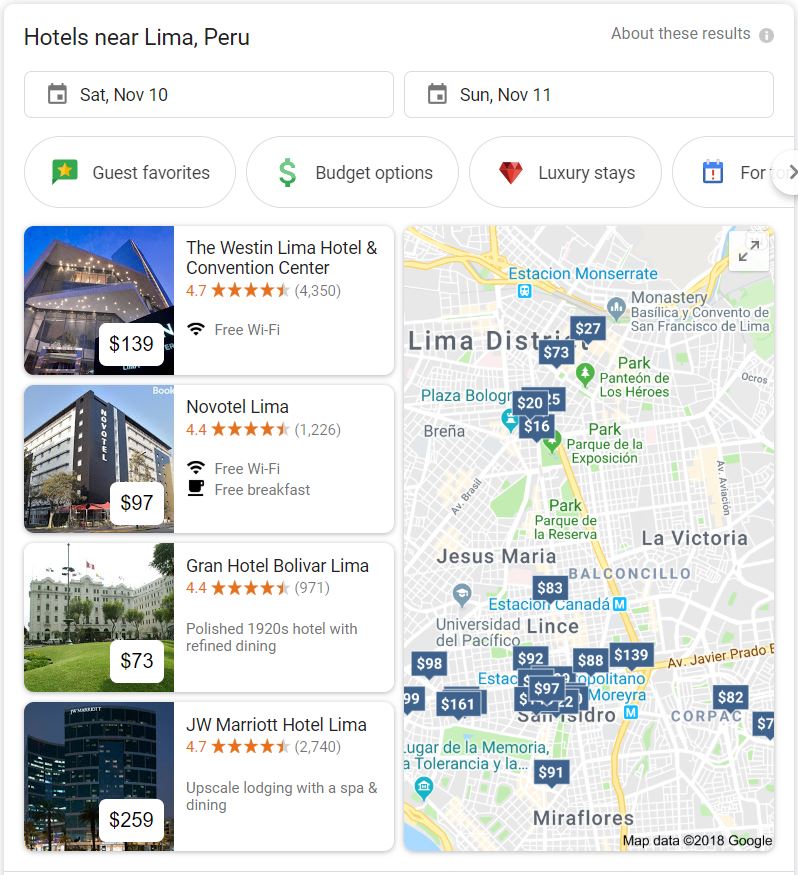
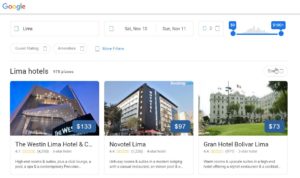
If you’ve ever used Google to search for flights, you’ll be familiar with the types of customization options and toggles that Google has included in this new hotel experience. Simply searching for something like “hotels in Lima” will open the new hotel search panel, which includes all the new hotel specific search options.

The new panel will appear in the search results and will allow users to enter the dates of their stay as well as selecting options like, “Guest favorites,” “Budget options,” “Luxury stays,” and, “For tonight.” The new panel will also show the top hotel results as well as a map showing the locations of the hotels Google has listed. At the bottom of the panel is a button that says, “See … results.” This will show how many hotels Google has listed for that particular location and clicking it will open up the full Google Hotels search engine.

Google Hotels available on both mobile and desktop
The full Google Hotels search console

Once you’ve opened the full Google Hotels search console, you’ll be able to customize a whole range of filters and options. These include the city, the dates of the stay, and the number of people in the booking, as well as a slider for setting the price range.

Other filters include guest ratings of hotels and a range of hotel amenities like Wi-Fi, swimming pools, TV etc. As well as guest ratings, the search engine will also be able to filter by official star rating and will also include an option to search for vacation rentals rather than hotel rooms. Clicking on a particular hotel or vacation rental result will show more information and offer various partners and agents available to make a booking.

In a blog post announcing the new feature, Google mentioned that on the new Hotels console users, “…can browse hotel results easily with:

  • Photos from the hotel or fellow travelers
  • Hotel information, such as neighborhood and location.
  • Hotel reviews from around the web that can be searched by keywords like ‘air conditioning.’”

This new service has already begun rolling out globally so if you’re planning a trip head over to Google and start searching for hotels. We’d love to hear about your experiences with the new search console in the comments below.

3 e-commerce sites that are perfect for your wedding registry

You’re engaged! Here’s how to knock out your wedding registry in no time.

wedding registry

A wedding requires an abundance of planning, coordination, and attention to detail. And even if you do all of that, some estranged great aunt is going to try to crash the party with 24 hours notice. Breathe, brides and grooms. Breathe.

One of the most fun things about planning the big day is creating the wedding registry. However, this can also be a long (and sometimes stressful) process.

Luckily, many e-commerce sites have made this process simpler. You can knock out your entire registry while sitting on your couch. And your guests can buy everything for you while they sit on their couches. It’s a win-win for everyone who enjoys the couch.

3 e-commerce sites that are perfect for your wedding registry

1. Amazon

Amazon is the 400-pound gorilla in the online shopping industry, so it naturally makes for a terrific choice for a wedding registry. As the top registry choice across almost half the nation (24 states) it offers a wide range of advantages.

First, Amazon offers the most options in all categories. Also, the company offers world-renowned customer service, which is great in the case of questions or a snafu. Additionally, Amazon Prime’s free shipping makes it convenient, and Amazon is known for keeping items in stock.

This is a guest favorite, too, because it’s a site that virtually everyone is familiar with and has used. Finally, this platform allows the bride or groom to write personal notes about different items they registered for in order to explain why they make the cut.

2. Zola

Zola is relatively new to the registry scene, but it’s a strong contender. Here, couples register on the central hub of Zola. Almost-married couples can add items from virtually any site.

There are many benefits. Zola offers a clean and easy-to-use aesthetic that the couple and guests love. Zola offers notifications when items are purchased and allows the couple to choose delivery times. The company also offers a simple exchange policy.

3. Wayfair

A home store giant, Wayfair is another excellent choice for a wedding registry. Couples love it because the company offers virtually everything anyone could want, all in one place, featuring thousands of items and brands.

Additionally, this platform allows guests to chip in to buy joint gifts, which is great for big-ticket items.

These sites are all fun to use and make registering that much easier and more fun for couples. Give your guests a break and go e-commerce — they’ll thank you!

8 ways sellers can make the most of Facebook Marketplace

Increase your chances of selling your stuff on Facebook. Just follow our guide!

online selling

Facebook is more than a social tool: It’s also a great place to make some extra cash! Selling items on Facebook Marketplace has never been so easy, and its popularity continues to grow. To simplify the sales process and help you put more green in your pocket, we’ve rounded up the top eight tips for making the most out of the selling platform. Read on to learn the ropes.

8 ways sellers can make the most of Facebook Marketplace

1. Spruce up your items

Your items should be in their best possible condition before you list them for sale. Clean them thoroughly to ensure they’re appealing to buyers and worth their money!

2. Take high-quality photos

The photo of what you are selling has the power to really grab a buyer’s attention! When you take photos, ensure the item is well lit and minimize background clutter. Also, get the entire item in the shot, perhaps from different angles. Try to show the size of the item in the photo.

3. Price your items high

You definitely need to turn a profit. One easy technique is to price items on the higher end to prepare yourself for negotiations. If you mark up your item, then you have more wiggle room to make buyers happy!

4. But ensure your prices are reasonable

Although you want to mark up your item to turn a profit, you also want to ensure that you don’t go overboard. Do your research to see how much the product sells for online (both used and brand-new). Stay in the ballpark to ensure you offer a deal that will actually appeal to buyers.

5. List items individually

When you have a large number of items to sell — perhaps from a move — it’s easier, in theory, to post them as a group. However, that may not prompt the most sales. Instead, list each item individually with their own photos and details.

6. Be forthcoming and honest

If you’re listing anything with problems, defects, or imperfections, be honest about the condition of the product. This will help your reputation as a seller and will make you more trustworthy on the Marketplace.

7. Respond to potential buyers quickly

You don’t want to sit too long on inquiries from buyers. Reply within 24 hours to ensure that they don’t lose interest or take their business somewhere else.

8. Mark categories appropriately

The selling categories exist for a reason! You don’t want to mark every category under the sun just in the hopes of making a sale, as it’s a bad look for a seller. Mark them appropriately to get the most out of the platform.

These tips are easy to follow and will be effective in helping to make stellar sales. Happy selling!

6 ways to keep up with great deals on Amazon

Amazon is the place to go for, well, just about anything. Books, electronics, clothing, cosmetics, groceries — there’s not much you can’t buy on Amazon. Want to score even better deals on all those items? Try these tips to save more money when you shop on Amazon.

6 ways to keep up with great deals on Amazon

1. Upgrade to Prime

Amazon Prime is a subscription-based service. One of the most enticing and money-saving benefits is the free shipping on thousands of products. If you order from Amazon regularly, your Prime membership will likely pay for itself through the free shipping feature. You also get a whole bunch of additional perks as a Prime member, including unlimited access to thousands of movies, TV shows, and books. Plus, you’ll gain early access to special deals and promotions available only to Prime members.

2. Follow the brands you love

If you love a certain brand or seller on Amazon, start following them on social media. If you aren’t doing this, you’re probably missing out on savings. Brands and businesses regularly post about deals and upcoming promotions on their social media pages.

amazon

3. Explore Amazon Warehouse and Amazon Outlet

Bargain hunters, don’t forget to check out Amazon Warehouse and Amazon Outlet (both accessible from the main Amazon site). Amazon Warehouse features high-quality slightly used goods for deeply discounted prices. Amazon Outlet is where to find price cuts on overstock products.

4. Sign up for price alerts

Got your eye on a certain something and want to strike as soon as the price is right? Just set up notifications to alert you as soon as your item reaches a certain price threshold. You can’t set up price notifications directly through Amazon, but you can monitor the price of items using third-party apps such as Price Alert for Amazon.

5. Use the Amazon app

Never miss a great Amazon deal when you download the Amazon shopping app on your mobile device. You can browse daily deals and promotions from wherever you are. To make the most of it, sign up for price alerts on products you’ve been eyeing. You can also use the app for other useful tasks, like search using voice commands or to scan barcodes to find comparable products on Amazon.

Amazon Shopping Download Free ►
8

6. Check out Amazon Coupons

Just click on the Coupons link on the upper portion of any Amazon page, and you’ll get to an entire section full of coupons for all kinds of different products on the site. You can also check external coupon sites like Groupon and RetailMeNot to look for more Amazon savings.

8
RetailMeNot Coupons Download free ►
7

Do you have any other sweet Amazon hacks to find bargains? Let us know in the comments below!

8 tips for a better shopping experience on Facebook Marketplace

Here’s how to get your best bargain today!

Facebook Marketplace has become quite a force, as it easily allows members to buy and sell their unwanted items right on the social media platform. Seems mutually beneficial, right? Great deals at your fingertips!

However, shopping on Facebook can get a bit tricky, as it’s important to get a good deal and avoid scams. Below are eight foolproof tips for making the most out of the experience.

8 tips for a better shopping experience on Facebook Marketplace

1. Research what you’re buying

Before completing a purchase, be sure to do your research! You’ll want to understand what the price goes for at a normal store and what defects to look out for. Also, read reviews to ensure the item is exactly what you’re looking for.

2. Don’t buy from a wishy-washy seller

It’s not a good sign if the seller seems to go back and forth and change their mind. Also, avoid buying from someone who frequently increases and decreases the price of their item.

3. Buy from local sellers

Always be sure to pinpoint where the item you’re buying is coming from. Facebook is only supposed to promote sales within a certain mile radius, but just double-check to ensure that it’s accurate when buying the item.

Facebook Access Facebook
7

4. Meet in a public place

Many buyers choose to meet the Facebook seller in person to retrieve their new item. For optimal safety, arrange to meet in a public place, such as a store parking lot or at a library or coffee shop.

5. Fully inspect items

At said meet-up, before you hand over payment, be sure to perform a complete inspection of the item you’re purchasing. Ensure it’s what you wanted, and check for flaws or defects not reported in the listing. This helps to ensure you won’t walk away with a problematic item that leaves you feeling ripped off.

6. Check out seller profiles

Sellers should have a profile listed on the site under “Seller Information”. Check for any mutual friends, determine the amount of time they’ve been on Facebook, and see how many friends they have. If something seems off, chances are the person could be an illegitimate seller.

7. Negotiate with sellers

Many Facebook sellers are looking to both strike a deal and get rid of unwanted items from their home. Try your hand at negotiating in order to get the best possible deal that you can. Don’t be shy!

8. Join a group

Do you really love shopping on Facebook? Join a specialized group that focuses on a particular category, such as furniture or in one central location. This can help you to find more eye-catching products for sale!

These tips make Facebook Marketplace that much more safe, alluring, and beneficial to buyers and sellers alike. Follow them, and you’ll have a new collection of items purchased for a steal in no time.

5 of the best laptops for around $400

Budget laptops are easy to find, but you’ll have to make sacrifices.

Depending on your needs, you might want a larger screen, more RAM, a bigger hard drive, or faster processor. If you prioritize a couple of these and accept a reduction in (or loss of) other features, you’ll find a laptop that does what you want at a price that doesn’t break the bank.

We’ve listed five of our favorite budget laptops below. Note these are proper laptops, not Chromebooks. A Chromebook outsources most of its processing power to the cloud through Google’s browser, so you need to be online to get the most out of it. If you’re really tight for cash, they’re a reasonable alternative and cost much less (usually under $250).

For everyone else, here’s our rundown of the best laptops for under $400…

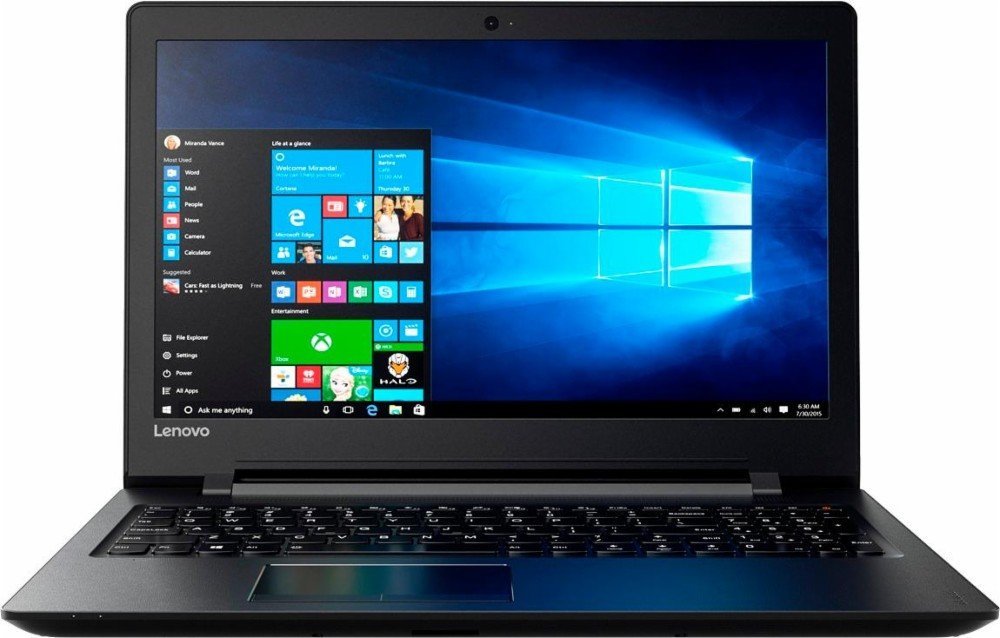
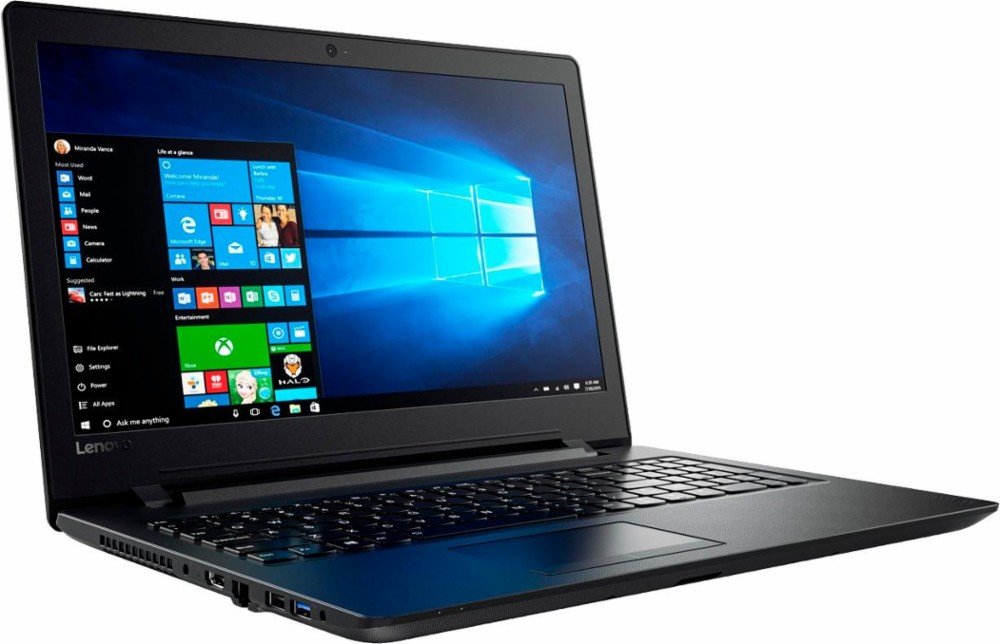
1. Lenovo IdeaPad

The Lenovo IdeaPad is a great all-rounder. From its 15.6” HD screen to its full-size keyboard, the hardware is perfect for business and study. The AMD quad-core A6 processor ramps up to 2.4 GHz – enough for most tasks – and the 500GB HDD will store hundreds of photos and movies.

The standout feature is the 8GB RAM, which ensures you don’t experience slow-down when using several applications at once, or during RAM-heavy tasks like photo and video editing.

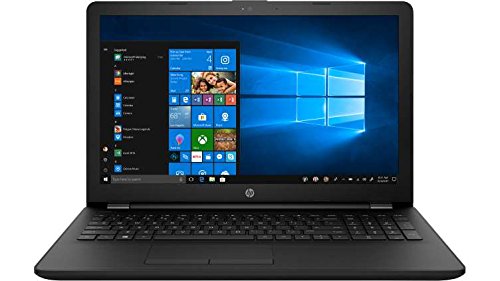
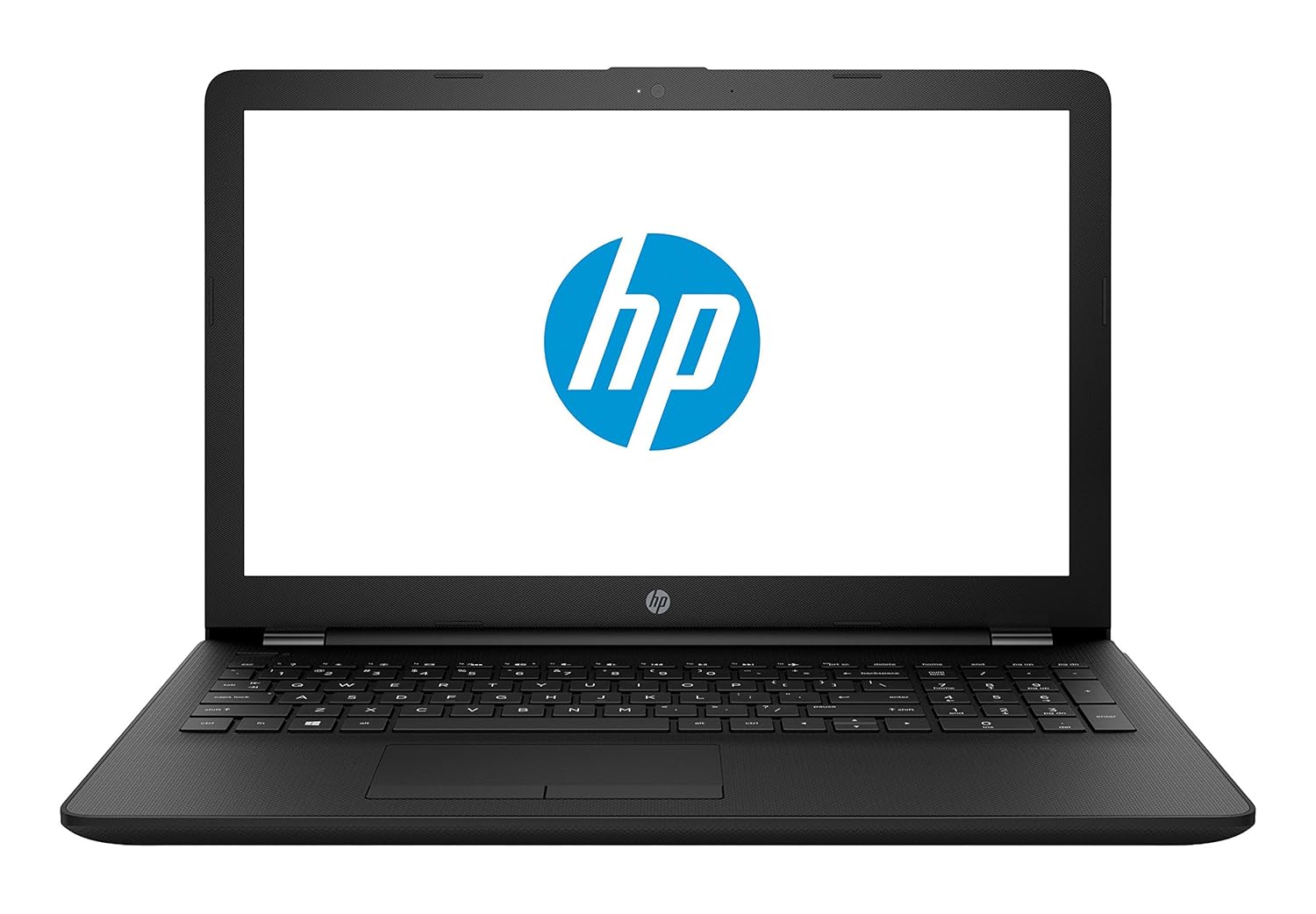
2. HP 15-BS091MS

Not the most inspiring name, but it certainly makes up for it in features. The HP 15 uses an Intel i3 processor clocking 2.4 GHz, has 6GB RAM, and a 15.6” HD LED touchscreen. The standout feature? Its massive 1TB HDD.

If you want to store all your photos and movies, as well as download the latest software without worrying about filling up the HDD, this laptop is for you. The Intel processor is also a bonus – while it clocks the same as the IdeaPad, Intel CPUs are generally considered of better quality, so should run faster.

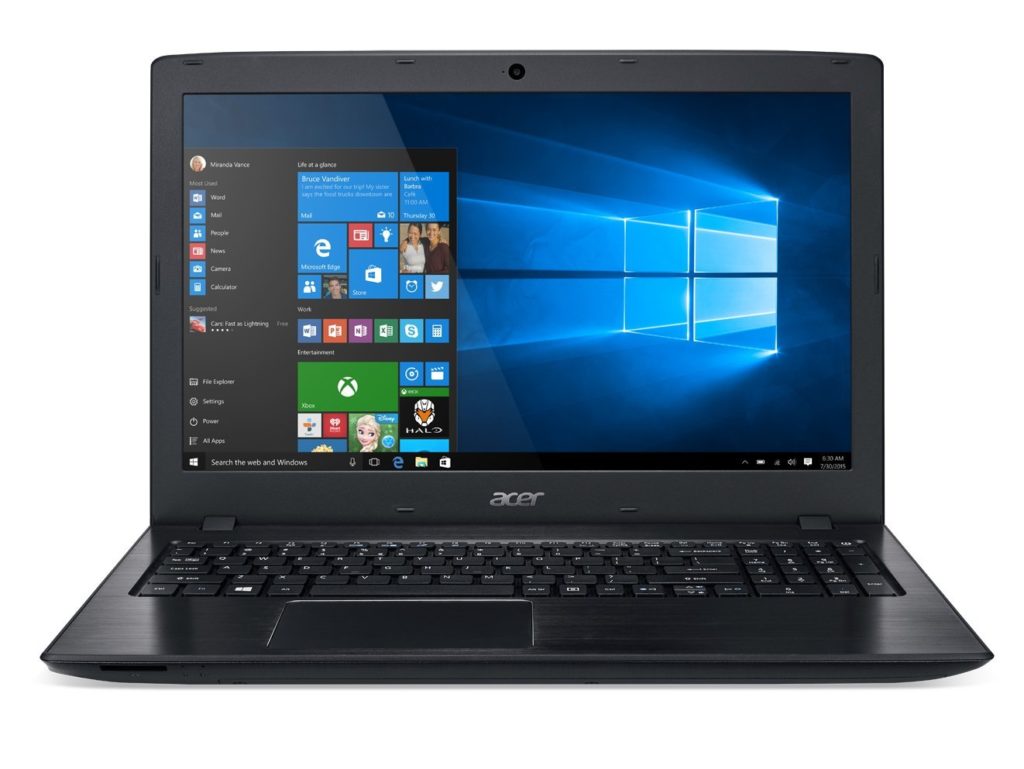
3. Acer E15

The E15 also has a 7th generation Intel i3 processor clocking at 2.4 GHz, but only 4GB RAM. This will make it a bit slow during intensive tasks, but it does make up for it in storage with a 1TB HDD (and you can always add more RAM later).

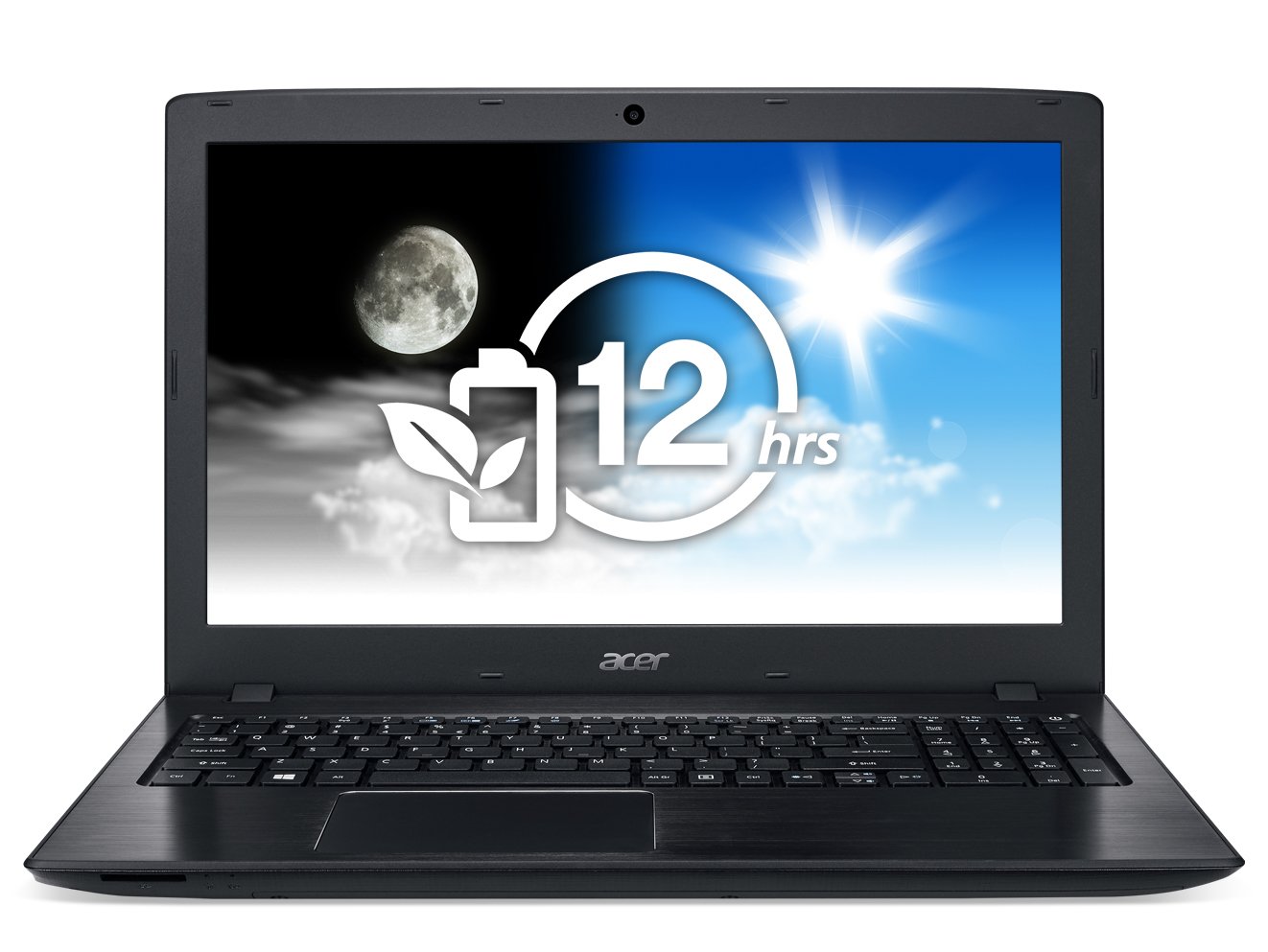
While the screen also measures 15.6”, it enjoys a full HD display of 1920×1080 – perfect for movies and media editing – but no touchscreen. The E15’s standout feature is its 12-hour battery life, the longest of any laptop on this list.

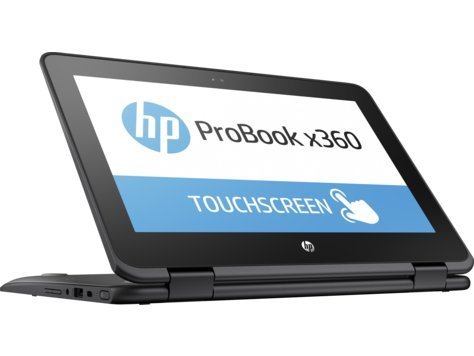
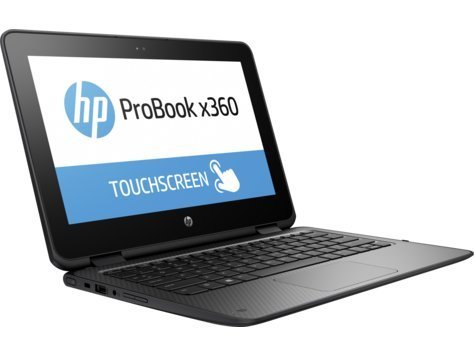
4. HP ProBook x360

If you’re looking for something to use on the move, the ProBook is worth a look. Its processor is relatively underpowered, but for emails, watching videos, and browsing it’s more than capable. The 11.6” HD touchscreen is small enough for large handbags and small backpacks, and the 360-degree hinges mean you can use it like a tablet. Bear in mind there’s no DVD/CD drive, though.

The 128GB SSD might not hold as much as the others, but SSDs are faster and less prone to failure. There’s no standout feature as such, instead, it’s the perfect blend of size and features , touchscreen, and SSD that make this a great portable machine.

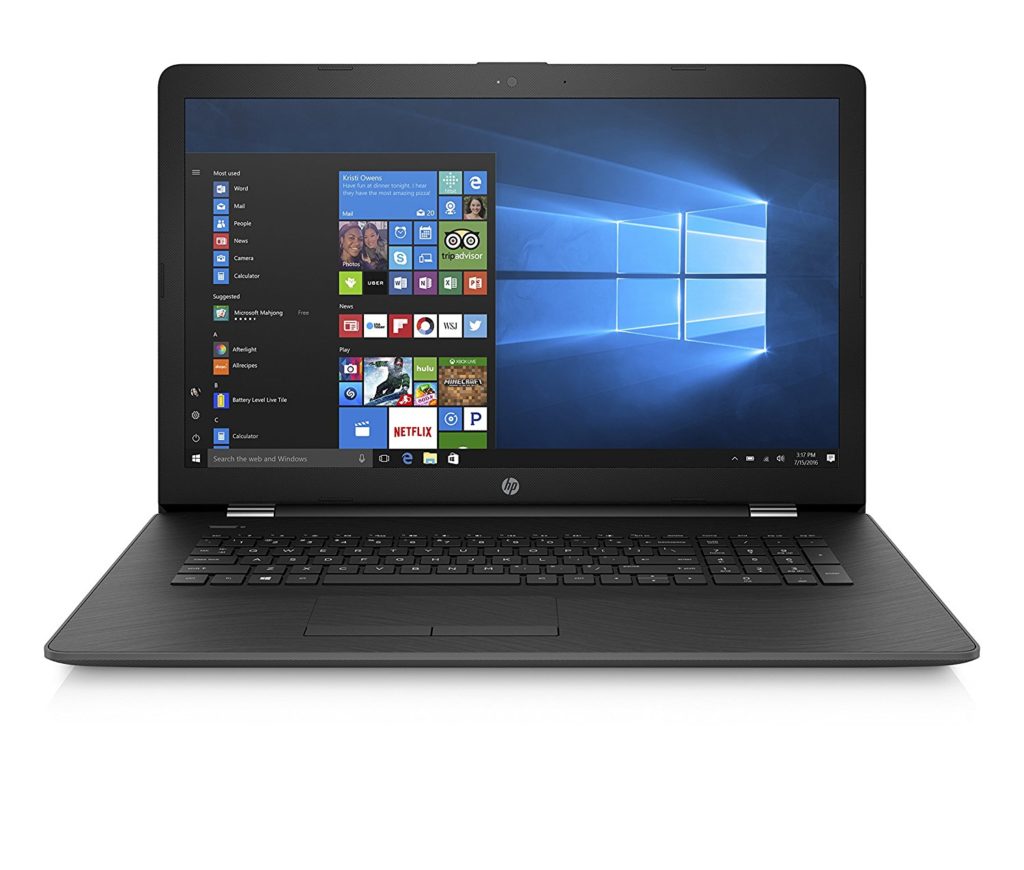
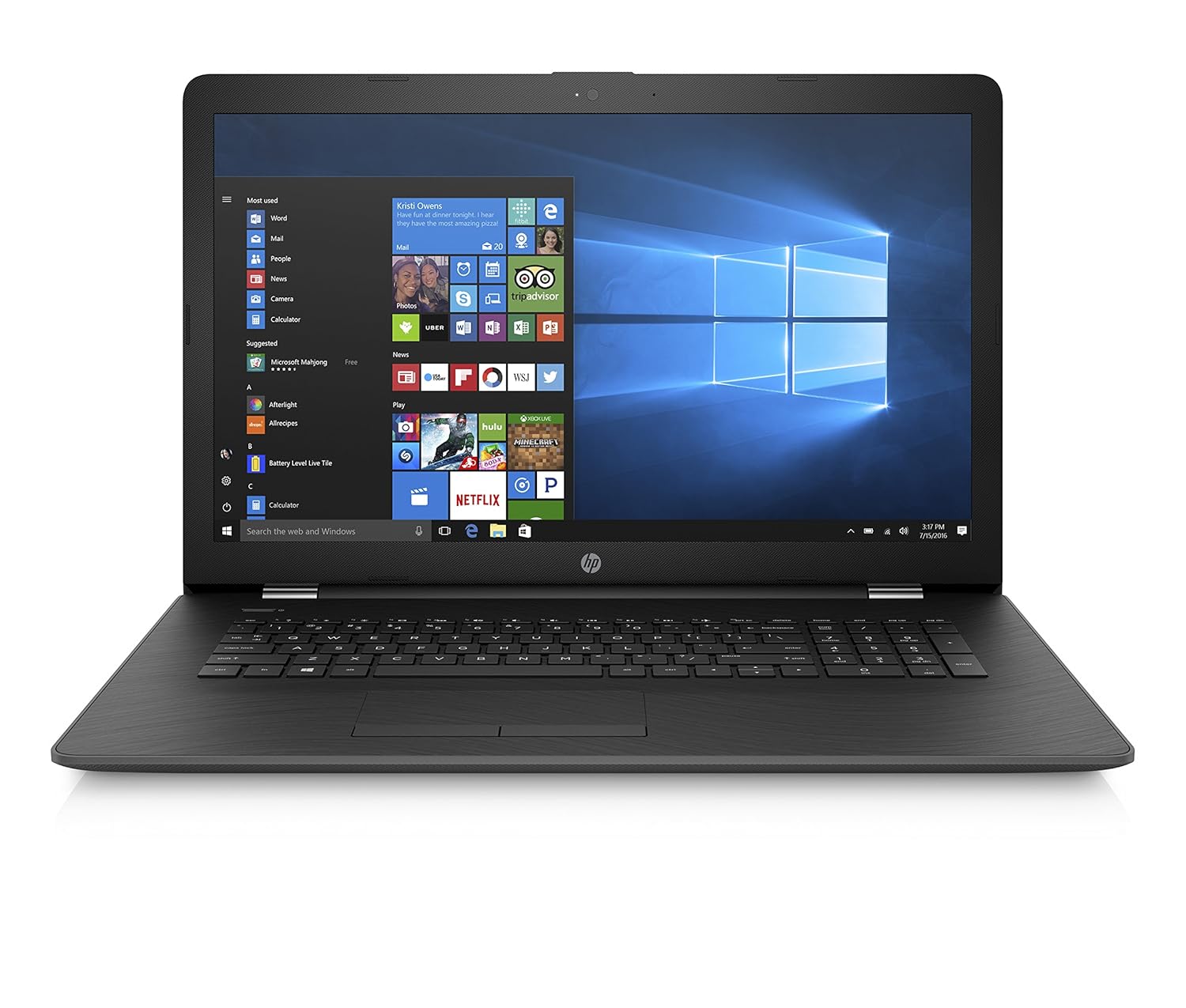
5. HP 17-AK010NR

The HP 17 might not use an Intel processor, but its AMD A9 chip clocks up to 3.6 GHz. That’s easily enough for the toughest computing tasks, but its 4GB RAM does let it down a bit. Thankfully, it’s expandable. There’s a CD/DVD drive, and a decent battery life of 6 hours for video playback. The standout feature here is the 17.3” LED screen.

At 1600×900 its not full HD, but unless you’re a pixel-peeper, you probably won’t notice. It’s higher than 720p, so still a great choice for HD movies, and that extra screen space is perfect for working on two documents at once.  

You don’t have to spend thousands to get a decent laptop. There’s plenty of choice out there for almost any budget, but to avoid disappointment, ensure you know what’s most important to you before clicking that order button.