
How to use the AliExpress shopping app

If you’ve never used AliExpress to shop, you’re in for a treat.


AliExpress

AliExpress has been around for quite some time now, but the Chinese shopping portal is still clouded in mystery. In many ways, AliExpress is comparable to a Chinese version of Amazon, but in other ways, it is completely different. The differences come from AliExpress’s genesis as a retail version of the wholesaling website Alibaba, while the similarities come from being able to buy pretty much anything from a single site/app.

What is the difference between Alibaba and AliExpress?

With China famous for its immense manufacturing sector that can build almost anything, it makes sense that a wholesaling platform established itself so that the millions of Chinese factories would have somewhere to sell their wares. Alibaba is China’s leading wholesale platform and you can find everything on it, from DIY basics like nuts and bolts to the latest consumer tech via fashion and accessories. It is all built for business, however, with minimum orders often starting in the thousands. For personal users, this is no good. Who wants to buy 5,000 phone cases when you only have one phone?

How does AliExpress compare to Amazon?

This is where AliExpress comes in. While it is possible to find factories on AliBaba that will sell you a single unit, it is rare. AliExpress, on the other hand, is designed for vendors or retailers to sell single units. AliExpress is where you go to buy one phone case while AliBaba is where you go for 1,000 phone cases.
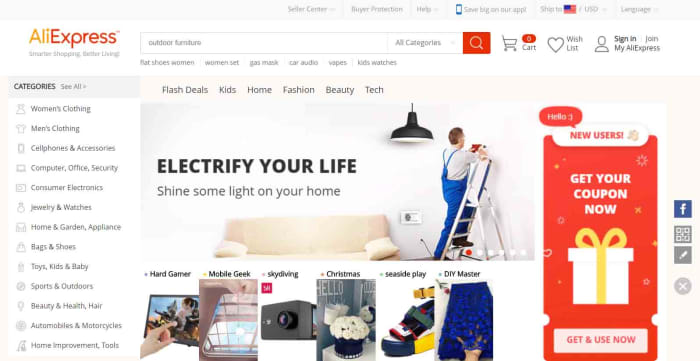
AliExpress homepage
The AliExpress homepage for desktop

This means that AliExpress ends up as a mix between eBay and the Amazon marketplace. When you buy things off AliExpress, you’re buying them from individual stores and vendors rather than off a centralized store. You can search for items or you can search for stores.

Since AliExpress was founded, it has grown to become the world’s largest online store. Its proximity to factory supply lines allows it to offer extremely competitive prices compared to local retailers and online retailers like Amazon. If we look at phone cases again, just as an example, it is easy to find them on sale for as little as 30 cents, which is a lot cheaper than you’ll find them at Best Buy.

Things to consider when buying off AliExpress
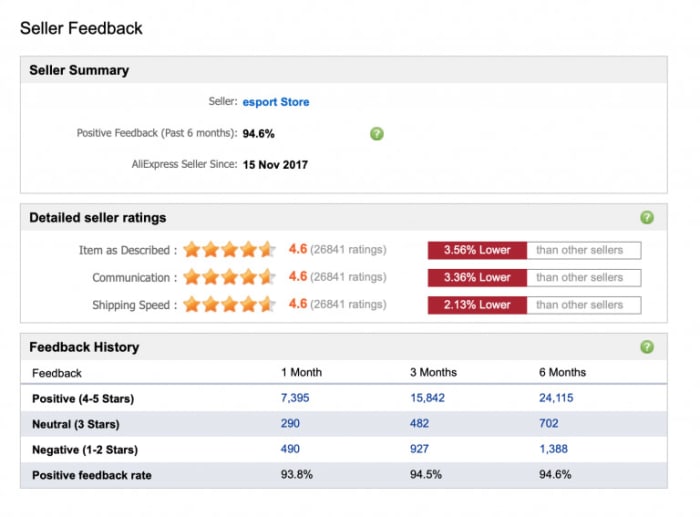
Seller feedback on AliExpress
Image via: AliExpress – You need to make sure you can trust the vendor you’re dealing with when you’re shopping on AliExpress

If you’re thinking of buying something from AliExpress, it is likely the low prices are what caught your attention. When buying from AliExpress, however, you need to consider more than just the retail price of whatever you’re looking to buy. The main things you need to be aware of when shopping on AliExpress are the trustworthiness of the seller, shipping times and costs, and potential import fees. Another thing you might want to look at, if buying a branded item, is whether or not you can guarantee its authenticity. Fortunately, AliExpress has created a guide on how to check for all of these, which you can read here.

How to use the AliExpress app for Android and iPhone

Now let’s have a look at how to use the AliExpress app. AliExpress has an app available for both the iPhone and Android smartphones and you can download them both here:

AliExpress Download free ►
9

Navigating the AliExpress app homepage

When you first open the app, you’ll find something that looks rather similar to the homepage you’ll find on the AliExpress website. In the middle of the screen, the app shows scrolling special offers and various buttons including coupon codes, flash deals, freebies, and searchable categories. You’ll also be able to scroll up and down the page to see different shopping sections filled with many different types of items like USB cables, sports footwear, makeup, and toys.
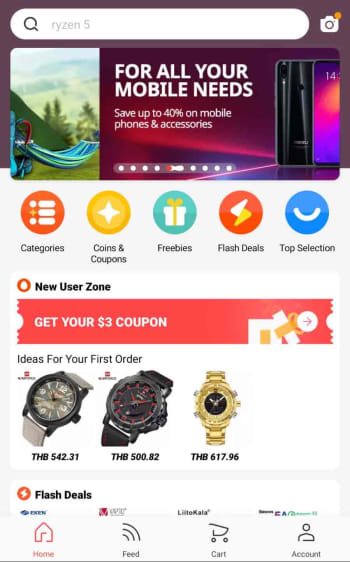
homepage of the AliExpress app

At the top and bottom of the homepage, you’ll find the function keys that will help you navigate the app, your account, and the shopping process. You’ll see a search bar at the top of the screen and a toolbar at the bottom. The toolbar includes a home button, a feed button that gives you a personalized feed based on your shopping history, a shopping cart button, and an account button. Whenever you click on an item or a store, the toolbar will disappear, but you’ll be able to find all the toolbar buttons by clicking on the three dot icon that appears in the top-right of the screen.

Next to the search bar across the top of the app, you’ll find a camera button, which activates some very interesting features.

The AliExpress camera app
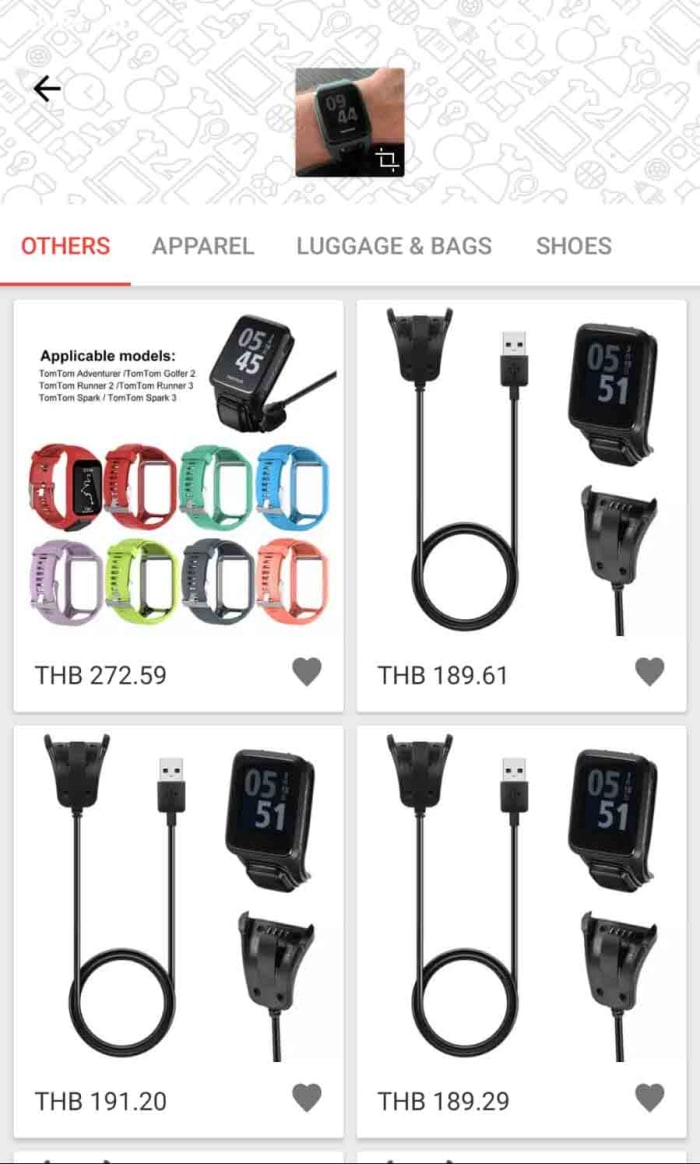
AliExpress camera search
The AliExpress image search function is rather impressive

Clicking the camera icon in top-right of the AliExpress app homepage gives you three options. AR scan and QR code scan use your smartphone’s camera to scan for links to AliExpress items and pages. The really cool feature, however, is the image search feature, which can detect what you’ve taken a picture of and search for similar products or accessories. In all our tests this feature worked really well and was able to determine things like the brand of the item we’d snapped and, in some cases, even the model.

How to buy things using the AliExpress app

Step 1 Sign up

The first thing you need to do when buying something on the AliExpress app is to create an account. This process is simple, and similar to how you’ve signed up to a million other online accounts. You can even use your social media account details to create your account for you. You can do this using your Facebook, Twitter, or Google accounts.
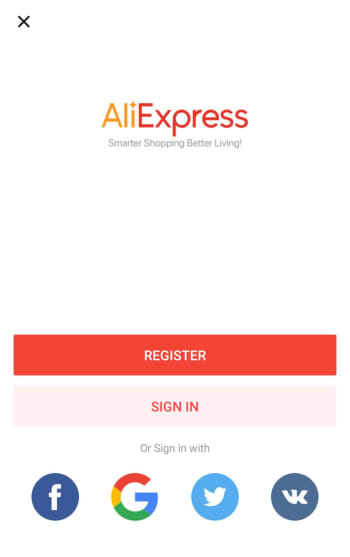
AliExpress app sign up page

Step 2 Add items to your cart

You can find what you’re looking for using all of the homepage tools we highlighted earlier. Once you have an item you want you can either add it to your cart or hit the buy now button.

Depending on what you’re buying, you might have to select a few extra options at this point. This could include where your item will be shipped from. Here, it may be more expensive to have the item shipped from the U.S., but then you won’t have to worry about long shipping times, import duties, and taxes. This decision is up to you. You can find information on importing goods into the U.S. from abroad here.
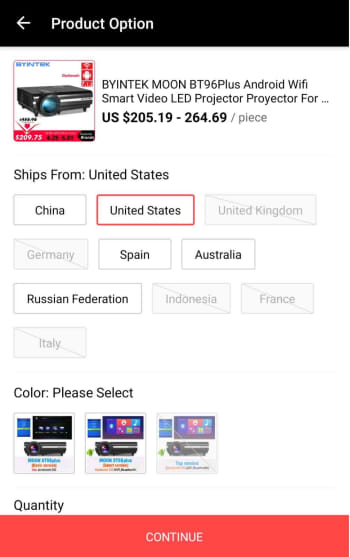
where do you want your AliExpress item shipped from?

Step 3 Select the items you want to buy

The AliExpress cart works a little differently to other online shopping carts. Rather than automatically selecting all the goods in your cart for purchase, you’ll have to select the items you want to buy by selecting the box next to each item.
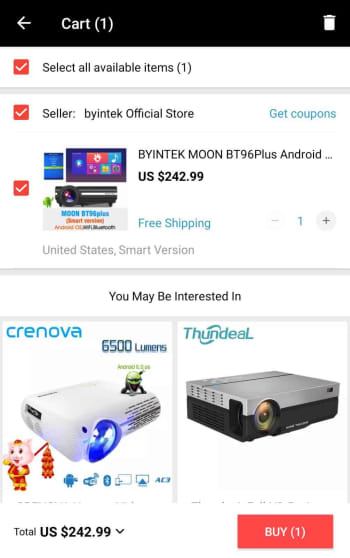
confirm the items you want to buy

Step 4 Add shipping address and place order

Once you’ve confirmed the items you want to buy, you’ll be taken to an order confirmation screen where you need to input your shipping details and check all of the information relating to your purchase. This will include any potential discount coupons and will also inform you of whether there are any shipping-related issues attached to your item. Sometimes you’ll see the seller offering a full refund if it hasn’t arrived by a certain date.
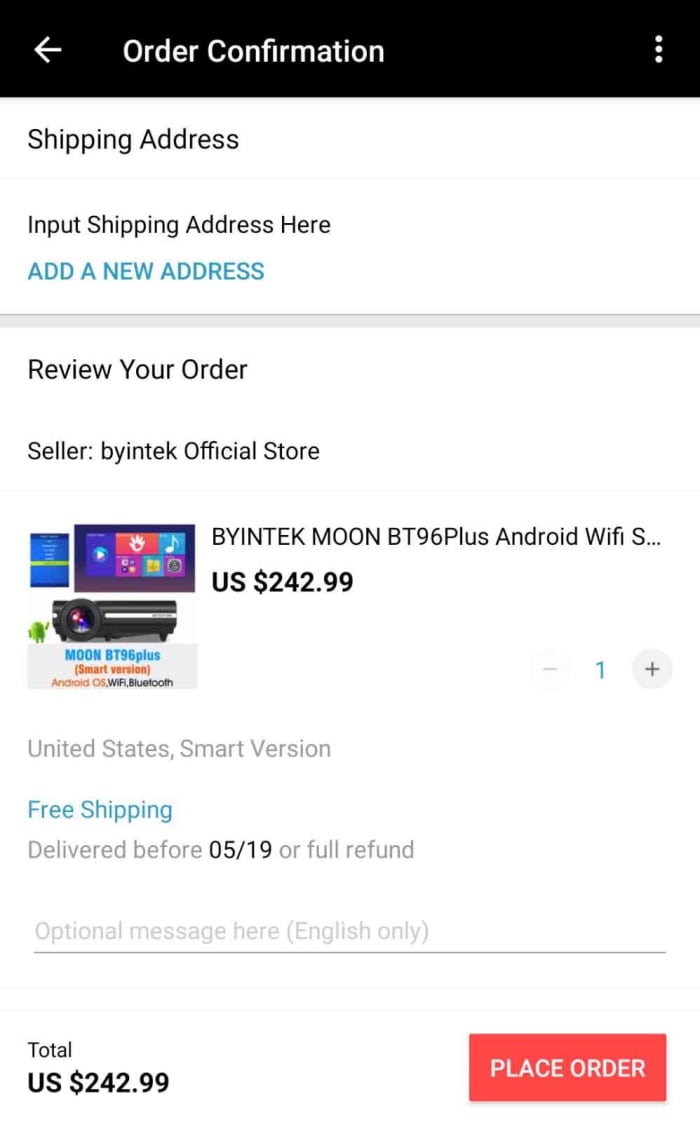
Ad your shipping address to your AliExpress order

Step 5 Payment details

After you’ve input your shipping details, you’ll need to enter your payment details. AliExpress accepts a number of payment methods including its own version of PayPal called AliPay, card payments, and bank transfers as well as a host of other payment methods including WebMoney, Western Union, Yandex.Money, QIWI, DOKU, MercadoPago, Ticket, and American Express. For full information on all the different payment methods available on AliExpress and the risks attached to them click here.

Conclusion

As you can see, using the AliExpress app itself is very simple. It is intuitive, easy to use, and also offers some cool and innovative features. This is reflected in the high ratings the app has on both the Apple app store and the Google Play Store. The app has an impressive 4.6 rating on the Play Store even after more than 7.5 million downloads.
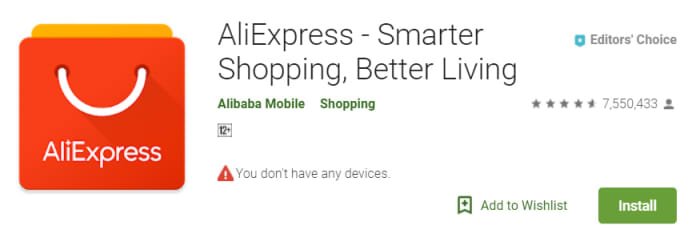
AliExpress on the Google Play Store

The tricky business relating to shopping with AliExpress, however, is the mystery of it all. This is why we’ve gone through a bit of context for you to show you how the company operates and where it came from.

There are things you need to consider when you’re buying from AliExpress, and first and foremost you need to ensure that the vendor you’re dealing with can be trusted. Secondly, you need to consider shipping times, costs, and any import duties and taxes you may be liable for; we’ve also pointed out, however, that this might not always be necessary as the vendor may also ship items from your region. If you’re confident in the seller and understand all the shipping details, however then you should think of AliExpress as another viable option when you’re looking to buy something online.


AliExpress Download free ►
9

Save money with Cently

This extension can make every online purchase cheaper.

Cently

If you’re in the habit of buying online (and these days who isn’t?) then you may already be familiar with online discount services like Amazon Wishlist, Honey, PriceBlink, or InvisibleHand. These are extensions that you can add to your internet browser that will help you to apply discounts to any purchases you make. Basically, if there’s a coupon that can be applied, these services apply it for you. Cently is a particularly good coupon extension service that you can add for free literally right now.

Cently (Coupons at Checkout) Add to Chrome ►
8

If you’re the type who searches high and low for coupon codes, you’re not alone. Over 50% of shoppers spend more than two hours per week searching for coupons, deals, or discounts. Added up, that totals around five full days a year. Get Cently today. It’s free, and it does all that work for you, finding all the easily-missed coupon codes for you, and automatically applying them any time you shop online.

What does it do?

Cently is a free browser extension that automates the process of finding and applying discounts. It can quite literally save you money with every online purchase you make.

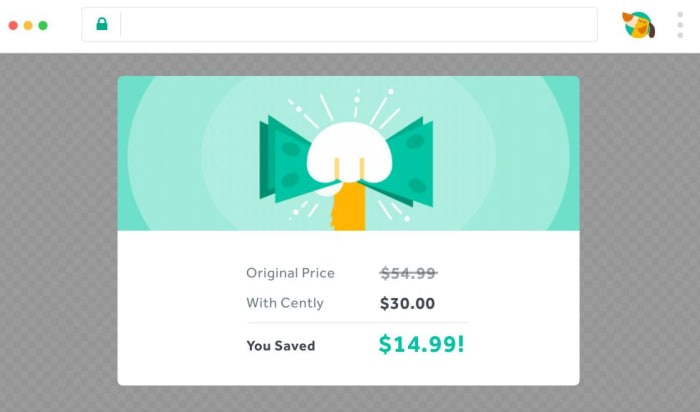
Cently discount applied
Cha-ching! You just saved fifteen bucks.

Cently maximizes your savings while saving you the time and effort it would normally take to sift through all the coupons you have (or more often the ones you swore you had, but can’t find). The extension does all the looking for you, and does it in an unobtrusive, streamlined manner. Cently was designed to fly under the radar, applying coupons whenever possible, and never interrupting your browsing until it’s time to save you money.

How does it work?

When you’re on the checkout screen of whatever online store you choose, Cently will pop up to apply codes right before you hit the purchase button. A single click might save you a surprising amount of money, particularly on bigger purchases.

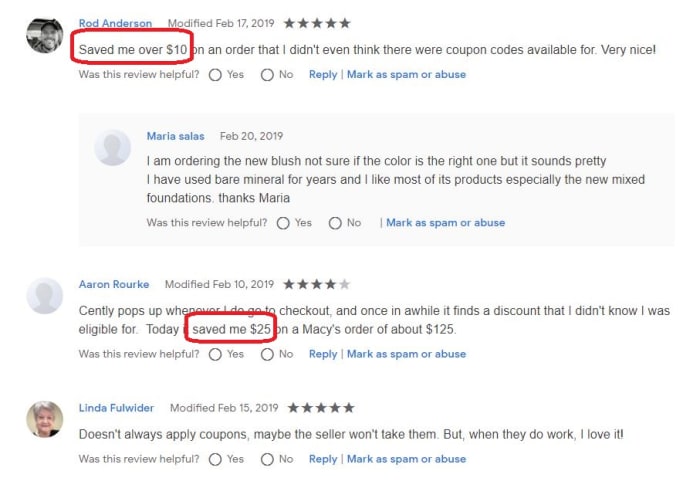
Cently reviews

What if I already have a coupon?

Cently goes through any different coupons that could be applied to your purchase and chooses the best one. Whenever Cently finds an empty coupon code box at an e-commerce store, it does a quick but thorough web search, picking up any of that retailer’s most recent coupon codes. It’s an excellent default if you don’t have coupons lying around for all your favorite online stores, but if you do happen to have a better coupon (or qualify for one), then, by all means, use it instead. Cently is best at finding coupons in places you didn’t even think to look.

Use it with Honey

If you’re already using one of the shopping extensions we mentioned above, then here’s some awesome news: Cently doesn’t discredit them – it works alongside them. If you use it with Honey, for example, Cently can even combine offers to save you more money. So really there’s no reason not to have both.

Cently can save you money at a ton of different stores, on purchases of everything from shoes to pizza to video games to cookbooks to music albums. If you frequent online shopping sites like Target, Amazon, Papa John’s, Sephora, or hotels.com this little extension can end up saving you a lot of money.

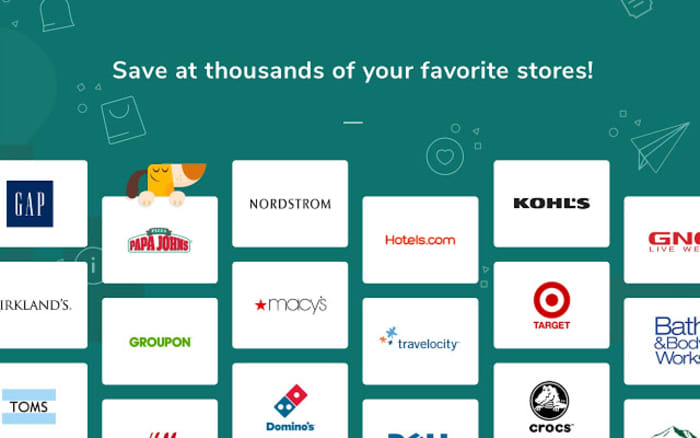
Stores that work with Cently
Cently can save you money from thousands of different places!

Grab Cently today, and if you have any questions you can check out their helpline here or view their Terms of Service here.

How to become a mystery shopper

Looking to make some extra cash while remaining undercover? Here’s your guide to the world of mystery shopping.

If you’ve ever worked in retail or the food industry, then you have probably heard of secret shoppers. These are customers who have been hired by a company to inspect select stores to make sure that the employees are following the guidelines the company has set. While secret shopping doesn’t typically pay much, you often get reimbursed for your shopping experience. This means you can get a lot of free perks without spending any money on them. However, the job works a little differently than a normal full or part-time position. Instead of being hired by a specific company, secret shoppers are independent contractors that typically work for a group of companies. So how do you become a contractor for these organizations? Here’s a little guide explaining the process:

How to become a mystery shopper

mystery shopper

Where to start

Signing up to be a mystery shopper is far easier than one might expect. In most cases, you simply go to a reputable mystery shopper site and make an account. Once there, you’ll be able to browse shops and choose the ones that bear suit you.

The important thing is finding a site that is legitimate. There are a few scam sites that pretend to be mystery shopper sites just to get your information. This is pretty easy for them to do, since the process of applying to become a mystery shopper is far easier than other jobs. Not to worry, however, as we’ve created a list of reputable companies for you to check out right here:

If you’re ever in doubt of a mystery shopping site, be sure to check out the MSPA, which helps manage many of the major mystery shopping sites on the web. You can also check out this site if you’re a business owner looking to allow mystery shoppers are your store.

Also note: no mystery shopping site will ask you to pay in advance for their services. They will also never require you to wire money to them. These are the work of scam sites, so be wary of them.

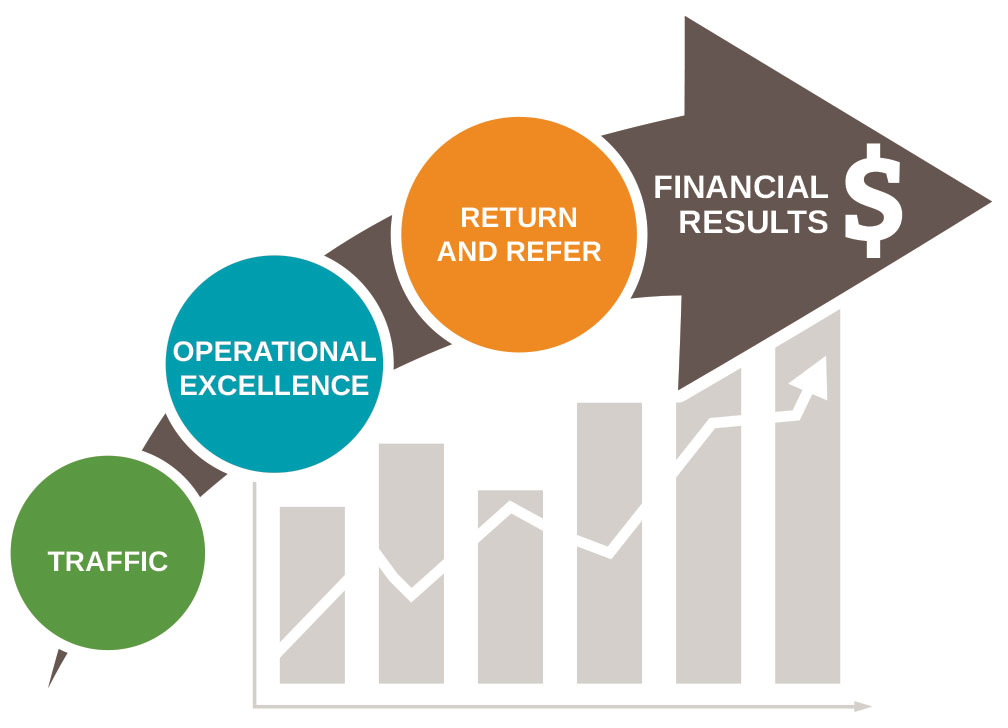
Market Force

This is Market Force’s explanation of how you earn money through mystery shopping. It shows each step typically observed during a mystery shop experience.

Is the job right for you?

Mystery shopping requires high levels of self-motivation and discipline. You have to actively seek out shops, as well as prevent yourself from being an obvious mystery shopper. Even if you have the skills to accomplish this, however, mystery shopping isn’t always the best choice for everyone.

The biggest concern is money. While someone may be able to successfully live almost exclusively on perks (every meal coming from shops, oil changes coming from shops, even internet routers coming from their shop perks), there are no perks that will pay all your bills. That being said, it is possible to make enough money to pay off your additional bills, assuming they are not excessive and you’re careful with the money you earn.

While there is some money to be made in mystery shopping, the real value is the perks. These can range anywhere from a free meal to a free cruise. Like any job, these perks come with experience. The higher value shops are restricted to mystery shoppers who’ve been working with a company the longest. So that free cruise won’t be accessible without a few months of work. This also means that the job tends to get easier the more you invest into it. If you are serious about taking advantage of the extreme perks you often see advertised by mystery shopping sites, then you should make sure to prioritize frequently mystery shopping.

There are three primary groups secret shopping works best for. The first are college students and young adults who still are supported by their parents, since the lack of consistent income isn’t a hindrance and this is a relatively easy job to get with no experience.

The second are stay-at-home parents looking to get some extra dinners and goodies since they don’t earn their own income.

And the third are unemployed and disabled individuals looking for something to help them get by while they try to figure out their employment situation.

Of course, you don’t need to fit one of these categories to become a mystery shopper. But if you do fit into one of them, then chances are it might be a great opportunity for you.

St Patrick’s Day 2019: Where to get clothing, music, and booze

The best places to find St. Patrick’s costumes and outfits.

God Bless the Irish!

The Emerald Isle is a beautiful place and sure enough, once you’ve visited its luscious green shores and sampled its hearty fare, it’ll never leave you. No matter where you go from that special day onward, one truth will present itself again and again. All the best places in the world remind you of Ireland. If you’ve been, you’ll know what we’re talking about but if you haven’t, not to worry. For that special day of the year when Ireland comes to you is just around the corner. St. Patrick’s Day is upon us.

Now as parties go, St. Patrick’s Day is up there with the best of the best. Paddy’s day parades and Irish bars galore, sing-songs and dancing, Guinness and Whiskey (that E is how you know it’s Irish whiskey), and cities up and down the country going mad. When St. Patrick’s Day does come, will you look the part? That is why we’re here today. To help you look your best this March 17. No matter how extravagant you are or aren’t, we’ve got something green for you.

The best places to find St. Patrick’s shirts, costumes, and outfits

A wee bit of green

Irish t-shirts

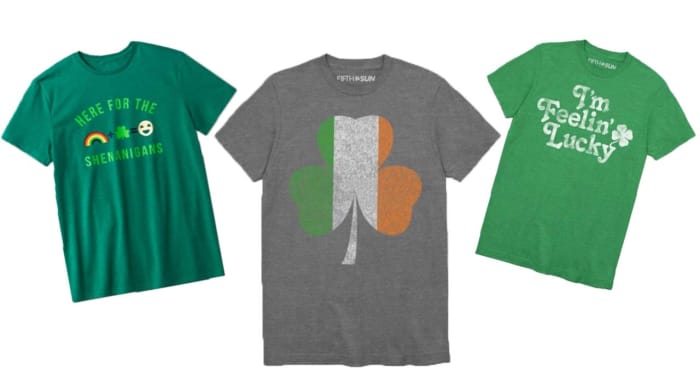
St. Patrick’s Day T-Shirts from Target

If you want to save all your money for Guinness and whiskey, or a fine bowl of Irish stew, you should take a look at the excellent range of Irish T-shirts Target has on offer for the bargain price of $10. These t-shirts say you’re in the mood for some Irish shenanigans while showing off your casual nature. T-shirts being T-shirts, there’d be nothing wrong with spilling a fair bit of the black stuff down the front of these.

How to look the feckin’ part

Shinesty party suits st patricks day

Shinesty Party Suits

T-shirts are great and all, but when it comes to St. Patrick’s Day partying, they don’t give the occasion the respect it deserves. If you really want to give your all for the Irish holiday, you should be checking out the St. Patrick’s Day special outfits Shinesty has to offer. Shinesty has all bases covered from St. Patrick’s Day Hawaiian shirts to Lucky Charms suits and dresses. We especially love the O’Doyle Rules short-sleeve blazer and shorts suit, but there’s so much more on offer.

short suit for st patricks day

Even if you’re just looking for a subtle touch, Shinesty has you covered with a full selection of men’s and women’s outfits, suits, costumes, dresses, and even Paddy’s day underwear and socks.

The little things that make a big difference

St Patricks Day paraphenalia

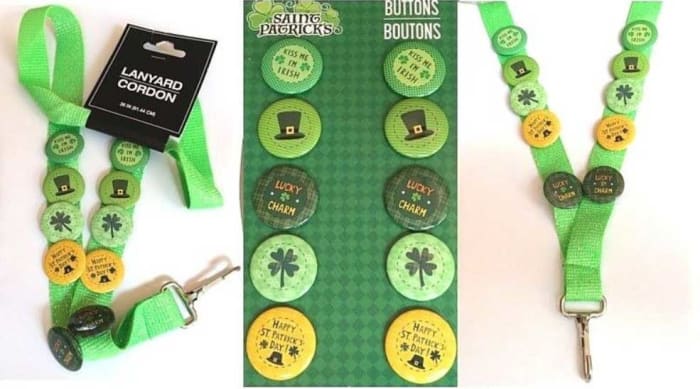
Badges, hats, wigs, and more on eBay

When you’re out on St. Patrick’s Day, you’ll always see somebody wearing or carrying something you’d love to have yourself. Whether it be a wig, or a hat, a tiny pin, or a special piece of Guinness memorabilia, every year, you see something you wished you’d bought yourself. This year, you should try and get ahead of the game, and there is no better place to do that than eBay. You’ll find everything there to make yourself the king of your St. Pat’s party.

Your fiddle and flute

Spotify st patricks day playlist

Your Irish playlist on Spotify

An Irish party is nothing without music. Click here for a playlist of 125 of the best Irish songs that will have you dancing and dropkicking until the wee hours of March 18.

A wee tipple

Good ole Irish whiskey

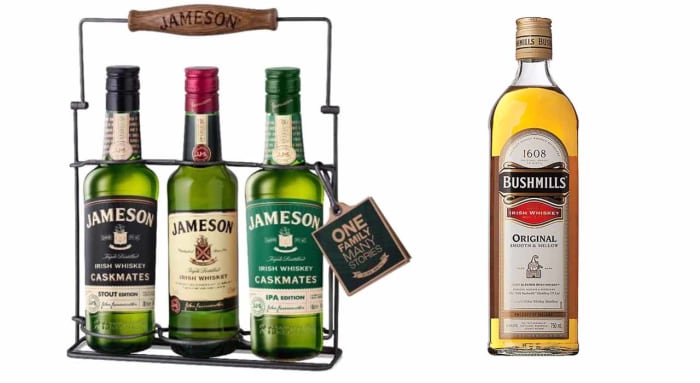
You can get your whiskey from The Liquor Barn

Now you know that you need to see an E to know you’re drinking a good Irish whiskey only one question remains. Will you be drinking Jameson’s, a good Catholic whiskey, or Bushmills, which is Protestant whiskey at its finest?

Get home safely

Of course, we want to remind you to party responsibly. If you find yourself the least bit impaired, pull up one of these great ride-sharing apps to get home in one piece. After all, you have many more years of parties ahead of you.

WhatsApp’s newest app gets some new features

WhatsApp Business now has Quick Replies, Labels, and Chat List Filtering.

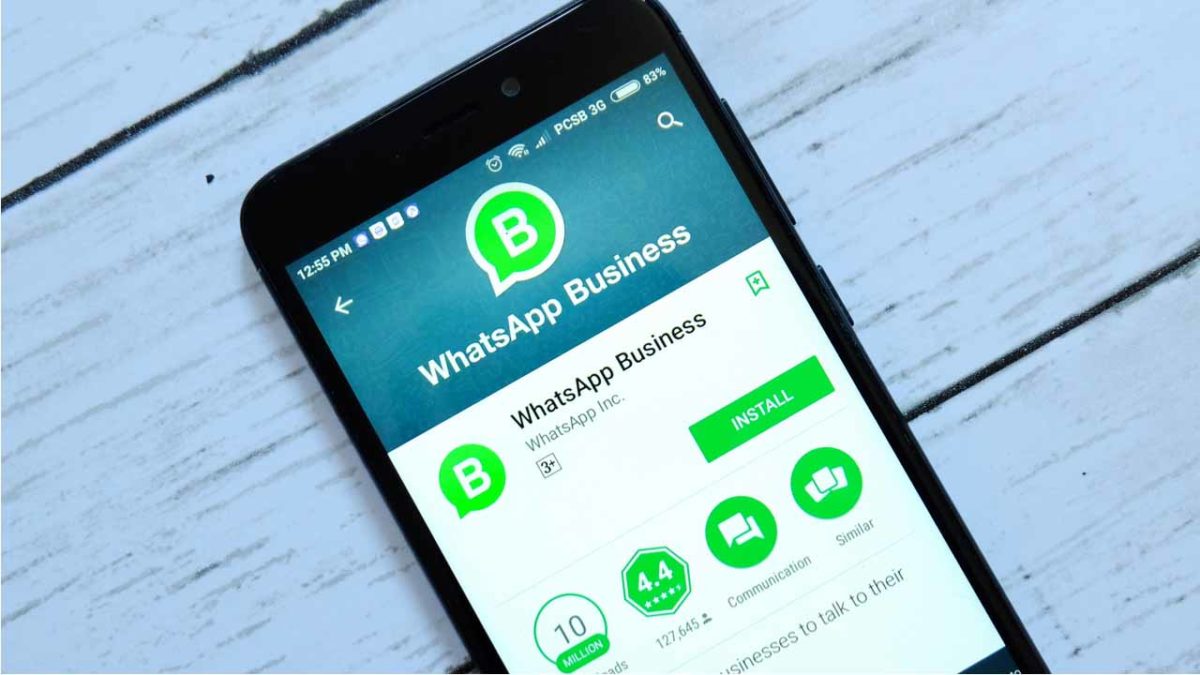
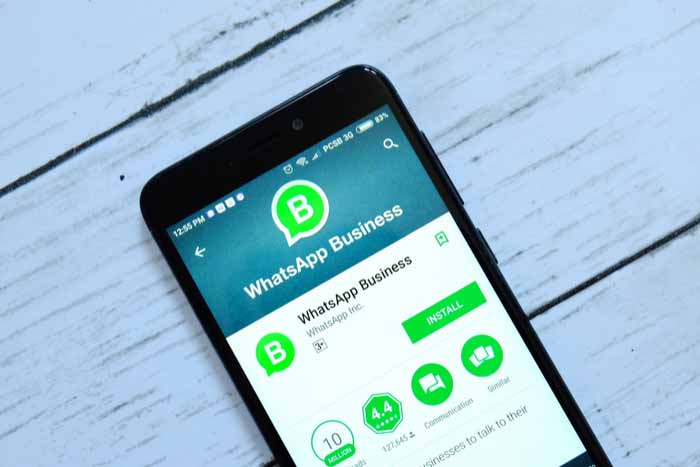
whatsapp business

WhatsApp is a fantastic communication tool. With more than 1.5 billion users, downloading WhatsApp offers an easy, free, and secure way of communicating with a huge chunk of the world’s population. The problem though, was that WhatsApp didn’t offer a secure way for businesses to create their own WhatsApp accounts in order to communicate with their customers using the messaging service. Anybody could start an account pretending to be any business. This is why WhatsApp recently launched a brand-new app, WhatsApp Business.

WhatsApp Business Download WhatsApp Business Now
7

WhatsApp Business allows businesses to set up a WhatsApp account their customers know is legitimate. Although WhatsApp charges businesses to use its official new app, the messaging giant claims over 5 million businesses around the world have signed up to use the new service. If you own one of those businesses or if you are a customer of one of those businesses, you’ll be happy to know that WhatsApp is adding three new features to WhatsApp Business.

WhatsApp Business now has Quick Replies, Labels, and Chat List Filtering

Twelve months after WhatsApp Business’ official launch, three new features have been added to the app. In the blog post announcing the update, WhatsApp said, “We’re excited to keep growing WhatsApp Business and introducing new features that make it easy for customers to find and engage with businesses that are important to them.”

It is now possible for businesses to set up Quick Replies that can be quickly and easily sent to questions they’ve received before or receiver regularly. Sending Quick Replies needs to be an easy process and WhatsApp has made it so. All businesses need to do to access all of their previously saved Quick Replies is type the ‘/’ symbol into the text field. This will then show up all of the previously saved quick replies ready for the right one to be selected.

download whatsapp business

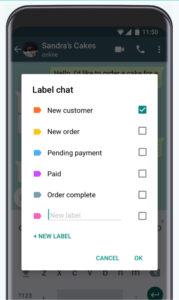
Another key feature to come with the WhatsApp Business update is Labels. Labels can be used to organize both chats and contacts adding an extra layer of organization to the app. WhatsApp Business Labels come in different colors making it easy to highlight chats and contacts based on varying criteria like outstanding payments, new clients, ongoing contracts etc.

new labels for WhatsApp Business
Labels make it easier to organize client lists

The final big change to come in the WhatsApp Business first anniversary update is Chat List Filtering. This feature will allow WhatsApp Business users to filter chats by unread messages, groups, or broadcast lists.

If you’re one of the 5,000,000 businesses reported to have signed up to WhatsApp Business, then these tools will help you both communicate more effectively with your customers and also save time while doing so. If you’re a customer of one of those businesses,you could expect smoother communication with them but also greater potential to receive promotional materials as it’ll now be easier for them to label the type of customer you are, and coordinate WhatsApp promotional campaigns better. This, of course, is all on top of the new ads, which WhatsApp has promised to introduce in the near future.

3 fun Amazon alternatives for fun stuff delivered to your door

Need a gift idea or just want to treat yourself? Try these fun options!

The holidays may be over, but that doesn’t mean you can’t still treat yourself to something nice. Though most retail stores are overrun with shoppers trying to snag post-Christmas sales from barren shelves, you don’t even have to leave the comfort of your home to snag some new clothes or other goodies. Check out these sites to find the perfect way to treat yourself.

3 great sites for fun stuff delivered to your door

AliExpress

aliexpress logo
Image courtesy AliExpress

If you can think of it, you can probably find it on AliExpress. Beauty products? Check. Phones and accessories? Check. Tools? Check. The real highlight, though, is the huge selection of clothing and jewelry with a variety of unique brands and styles. It’s all meticulously sorted into categories so you can easily find whatever you’re looking for… or maybe stumble on a little something extra.

The best part, though, is the ridiculous deals. Look for frequent flash sales, coupons, and other promo offers on a regular basis. That’s on top of their already absurdly low prices. You’ll even get $3 off your first order just for signing up, and downloading their app will net you even more deals. Fill up your cart now and snag that new outfit you’ve been wanting.

Cratejoy

cratejoy logo
Image courtesy Cratejoy

One of the best parts of the holidays is getting to open presents. Nothing beats the joy of being totally surprised by a unique gift. Even though the holidays are over, you can still experience the fun of opening gifts all year long with Cratejoy. You might be familiar with box delivery services like Blue Apron or Loot Crate, but Cratejoy aggregates every different type of subscription box under the sun on their easy-to-navigate site.

No matter what you’re looking for, you can find a subscription box for that. Snag an Escape Room box for the puzzle solver in your life or get a bouquet of fresh flowers each month. The best part? You’ll get a whopping 50% off your first monthly delivery.

Bokksu

bokksu promo image
Image courtesy Bokksu

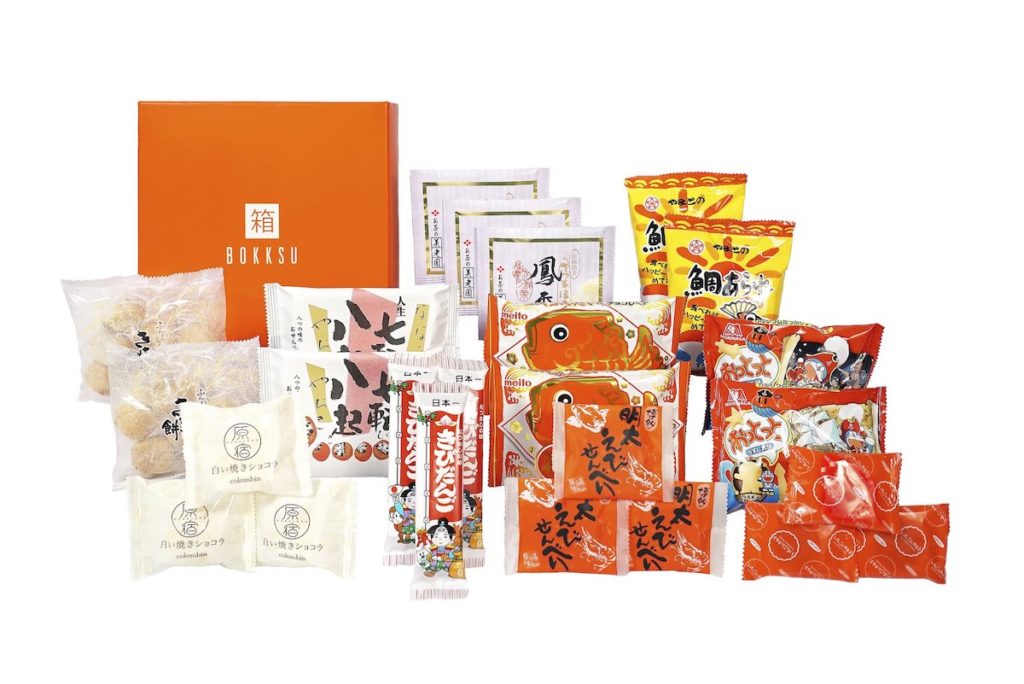
Got a case of the munchies but don’t feel like heading over to the grocery store? Bokksu will deliver snacks straight to your door. Just pick your box of carefully curated Japanese snacks and other treats and you’ll get a month’s supply of snacks delivered directly to you. Snacks, candies, teas, cookies… you’ll get a selection of new snacks to try. If you’re not familiar with an item, you can consult the handy tasting guide included in each box for a quick rundown, and even a list of common allergens. If this is enough to get you salivating, just head over to the site, select your box and payment plan, and start snacking.

2019 is here, so why not try something new? These sites make it easy to get new experiences delivered straight to your door each month, so you can keep the joy of the holiday season rolling all year long.

Lolli pays you Bitcoin for everyday online shopping

You’re already shopping online. Why not get free Bitcoin for it?

bitcoin

These days, everyone is after ways to earn Bitcoin — and everyone is shopping online. So why not link the two? That’s what startup Lolli is doing. The company launched a new platform that allows you to earn free Bitcoin while you shop.

Lolli brings Bitcoin to everyday online shopping

Getting everyone involved in Bitcoin

Bitcoin is the most well-known cryptocurrency, and it’s getting a lot of attention from those in the finance industry. Stock traders are interested in it, but what about everyday people? Bitcoin has opportunities to help everyone to achieve the same benefits, but the currency isn’t as readily available in the mainstream right now. Lolli can change that.

How does Lolli work?

In short, Lolli is a rewards-like platform similar to the many others out there. When you use the app, you earn Bitcoin when you make a purchase through a wide range of retailers. At this time, there are over 500 participating companies involved.

If you are interested, all you have to do is download the browser extension. The process is easy, and it takes only a minute to download from the company’s site. This is also the place to check out the list of retailers participating in the service. (Wal-mart, Seat Geek, VRBO, Barnes & Noble, Sam’s Club, and CVS are some of the heavy hitters.) The company currently offers the service just for Chrome and Safari users. However, Lolli plans to offer more browser support in the future.

Then what happens?

When you activate Lolli and shop, you can earn as much as 30 percent back in Bitcoin rewards. The tool automatically alerts users when they are shopping on one of the approved and partner websites. Once the transaction is complete, you earn your sweet, sweet Bitcoin.

For those who want a Bitcoin version of a cash-back app, Lolli is the way to go.

The Google Maps messaging update will be on your phone soon

The Google Maps Messages tab will help you contact businesses

google maps

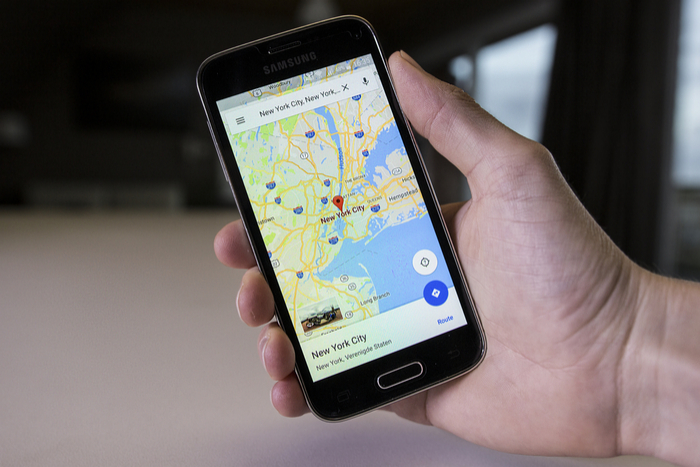
We’ve been talking a lot recently, about big updates coming to Google Maps. We’ve seen lots of cool new features like a special mode for using Google Assistant while you’re navigating and a new feature for reporting traffic accidents and incidents. The other big news for Google’s flagship mapping app has been its pivot towards becoming a business directory to help users find businesses in their local area. There has been the addition of Instagram-style hashtags to reviews, making it easier to find exactly what you’re looking for, and Google has also promised us that Maps will soon have a messages tab. The new messages feature is now rolling out.

Google Maps Download Google Maps
7

The Google Maps Messages tab will help you contact businesses

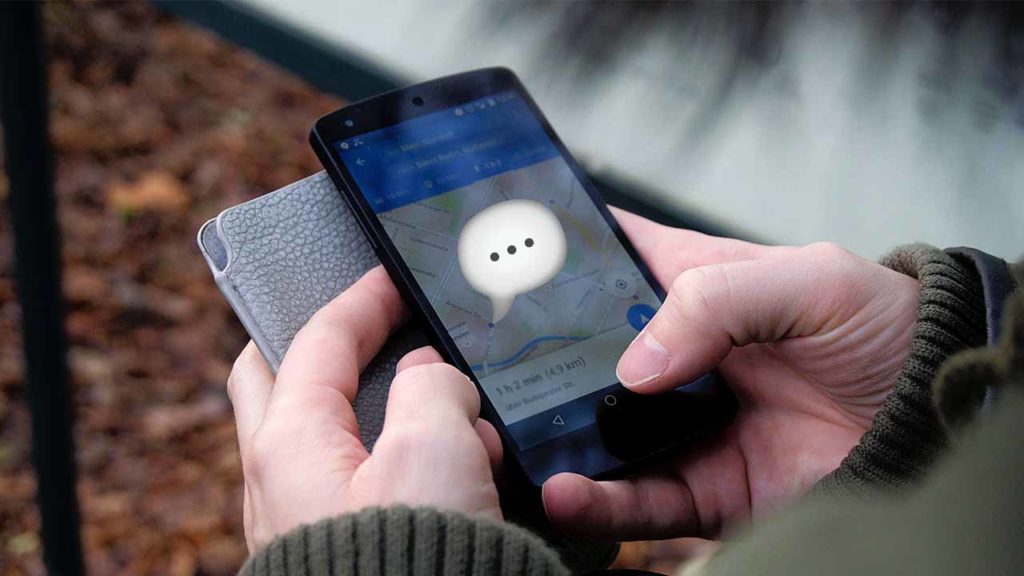
We covered a lot about the functionality of the new Messages tab when we first reported on it back in November. The new Message button will show on the business overview tab of any business that has registered for the service with Google Maps. You’ll also be able to find all of your chats in the new Messages button found in the main settings sidebar of the app. The key, however, is that this new Messages button won’t enable you to spark up conversations with your friends, it is only for talking to businesses.

If this all sounds like something you’d be interested in using, then you’ll be happy to hear that users on social media have started to see the new feature land on their app. Over on Reddit, the response to the new feature seems positive, too. Now, if you need to ask a question about opening times, specific food allergies, or whatever you can just open up a chat bubble and ask away. At the very least, the new Messages feature looks set to remove the need to ask questions in reviews.

This move is not an attempt by Google to muscle in on social messaging platforms like WhatsApp, Instagram, Messenger, or Snapchat. Not yet, anyway. There is nothing to say Google won’t extend the feature to all of a user’s Google contacts in the future, but at the moment there is no evidence to suggest that is the plan.

What this is though, is an attempt to move into a growing marketplace. Facebook’s Messenger app has long been trying to become the app for everything, with business messages forming a huge part of those efforts. Instagram also offers a great way for businesses and customers to contact each other and WhatsApp has recently launched WhatsApp Business, which will charge business users for contacting their customers using WhatsApp. It could be a crowded marketplace that Google is moving into, but with so many people using the app to find places already, Maps could be about to become the internet’s number one business directory.

4 best apps to help you shop for clothes

clothes shopping

Shopping for clothes in person can be incredibly time-consuming. Drive to the store, find parking, scan for something you like, see if they have it in your size, try it on, imagine yourself being photographed in that thing, then fling it back on the rack and go home in frustration. Luckily, we have a collection of great apps that can make fashion shopping easy and fun. Here are four of our favorites!

4 apps to help you shop for clothes

1. ShopStyle

The problem with shopping in stores is that they usually have a limited amount of clothes. With ShopStyle, you have access to millions of items from different brands worldwide. The app is also very easy to use. You can scroll through clothes from your favorites shops to see the latest popular clothing styles.

You can also add filters to find the perfect item. Trying to find a green denim jacket? Simply click on the denim jackets category, and then use the color filter to select the color green. It’s never been easier to find exactly what you’re looking for.

ShopStyle: Fashion Lifestyle Download Now ►
8

2. Poshmark

Have you ever wanted to shop your friends’ closets? Now you can with Poshmark! This is an app where people sell their new or gently used clothes at extremely discounted prices. If you want to wear designer clothes on a budget, then Poshmark has hundreds of great designer styles at a discount. And if you’re looking to sell some of your clothes to make room for new ones, the app makes it extremely easy to list clothing items for sale.

Poshmark: Buy & Sell Fashion Download Free ►
7

3. Rent the Runway

Now that we live in the age of Instagram and Facebook, some people don’t want to be outfit repeaters. With Rent the Runway, you can rent a beautiful dress you know you’ll only wear once. Rent the Runway has great style options like gowns, cocktail dresses, and accessories that are all available to rent! The best part is these styles are just a fraction of their full retail price (if you fall in love and want to buy one).

Rent the Runway Download Free ►
8

4. The RealReal

With The RealReal app, you can shop from hundreds of pre-owned luxury goods. All of this top-notch merch is sold at a considerable discount. You can purchase designer clothing or even a Chanel bag quickly and easily through the app. If you’re afraid you might purchase a knock-off, don’t worry — all of the items on the app are authenticated by The Real Real’s team of luxury goods experts. And the prices are consistently a fraction of the retail cost.

The RealReal Download Free
7

Overall, if you’re looking for amazing clothing deals, these apps are the ones for you. Get started and download a few today!

The Christmas sting operation to save your gifts

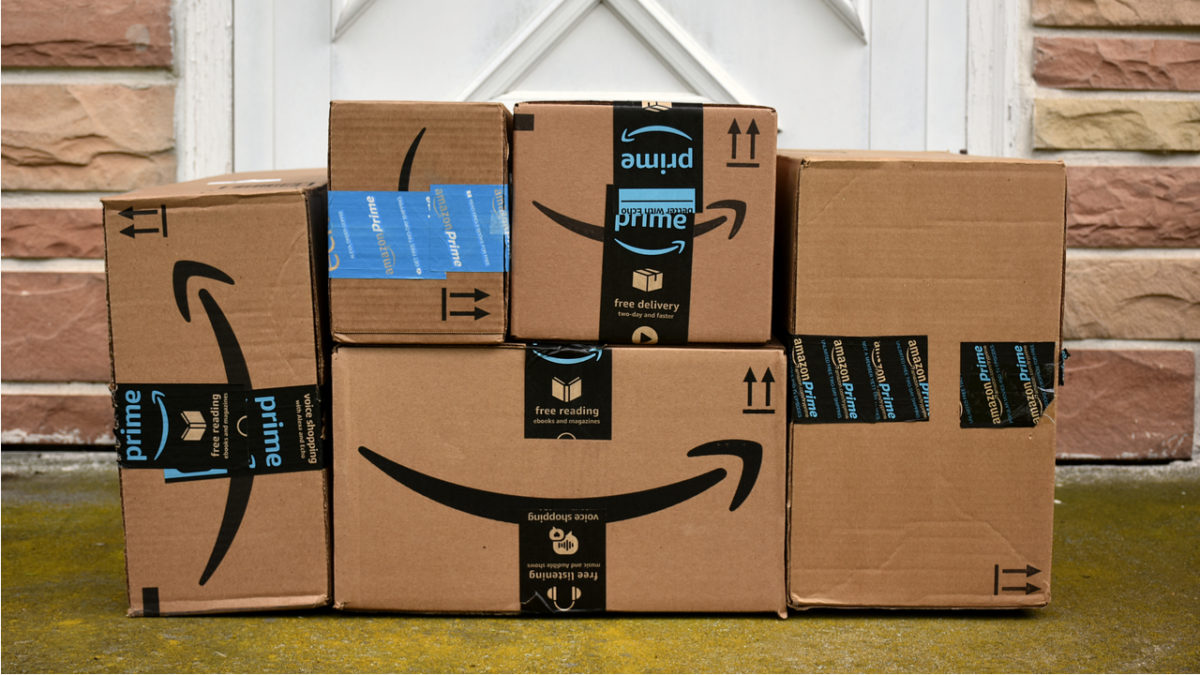
The police are using fake Amazon packages to try and catch thieves

amazon packages

Over the holiday season, packages from Amazon and others have been whizzing all over the country. Some of these will end up waiting on our doorsteps until we arrive home from work. Unfortunately, this leaves them vulnerable to thieves. Yep, people have been stealing packages off people’s doorsteps even if they contain Christmas presents. Shocking, I know, but there is good news to help ease your holiday worries.

The police are using fake Amazon packages to try and catch thieves

The Associated Press reported that police in Jersey City ran sting operations in the run-up to Christmas, in order to tackle a growing problem up and down the country. They’ve been using fake Amazon packages with GPS transmitters inside them to catch the thieves red-handed. They’ve also been using doorbell cameras on the homes where they’ve been leaving their special packages to try and catch an image of the thieves doing the dirty deed.

These sting operations have been taking place in areas where the police have been receiving more reports of package theft. There are limits to the operation, but it has seen success. Obviously, the police can’t deliver as many packages as Amazon, but one of the sting packages was stolen a mere three minutes after if it was put out on somebody’s porch. The suspect was caught. Hopefully, word of these types of sting operation will spread and act as a deterrent that will make thieves think twice before they make off with that Amazon box.

Actions like these Jersey City sting operations are important as package theft has developed into a very real problem. Internet shopping is now a huge business and the amount of stuff we buy online grows every year. According to Adobe Analytics, we’ll have spent a massive $124.1 billion dollars online in November and December alone. This is up nearly 15% over last year. The more packages we buy, the more chances that somebody will take one of them before we get home. Between 8-30% of Americans have had a package stolen at some point.
In the meantime, there are a few tips you can follow to try and stop thieves from stealing your packages.

How to keep your packages from getting stolen

  • Install a doorbell camera, that will allow you to keep an eye on your porch even if you’re not home.
  • Have packages delivered to your workplace.
  • Require a signature for delivery so that the courier can’t just leave the package on your porch.