How to stop Facebook from spying on you

This how to stop Facebook tracking your online behavior.

It is possibly the worst kept secret in tech that Facebook is spying on you. Mark Zuckerberg is keen to know absolutely everything about you, he is prepared to go to some pretty shameful lengths do so like tracking people’s smartphones who don’t even have the Facebook app, and then when he gets your personal data he’s not exactly careful with what he does with it or who he shares it with. Everybody remembers the Cambridge Analytica scandal. Yep, this is all known and this probably why you want to stop Facebook tracking you and collecting your private data.

That is why we’re here today. It is possible to stop Facebook spying on you and by the end of this article you’ll know how to do it. Let’s get started.

How and why Facebook tracks your data

Facebook makes more money, the more information it knows about you. The more accurate the data, the higher price they can charge advertisers to access it. That is why Facebook doesn’t just track people who actually use Facebook. Sure, Facebook is very good at tracking Facebook users by their Facebook accounts, likes and sharesFacebook cookies, and then also tracks users across other apps it owns like Instagram and WhatsApp.

Money
This is what it is all about

Facebook goes further than this though, giving third-party websites what it calls a Facebook Pixel, which allows the site owners to analyze the effectiveness of their ad campaigns. Facebook of course, uses this data too meaning it has data on anybody visiting any sites with a Facebook Pixel. This all means it is difficult to stop Facebook tracking your data, but, importantly, it can be done.

How to block Facebook tracking your data

Opt out of ads

Your web behavior follows you around wherever you go. Advertisers want to get their hands on this so that they can show you relevant ads for products that your behavior tells them you want or need. This is the basic formula that pays for the modern internet as we know it today. You can opt out of this ad tracking relationship, however, by using certain online tools that are different depending on where you are around the world. Doing so will put up a block to the tracking that Facebook carries out. You’ll still get Facebook ads, they just won’t be target ads based on you data.
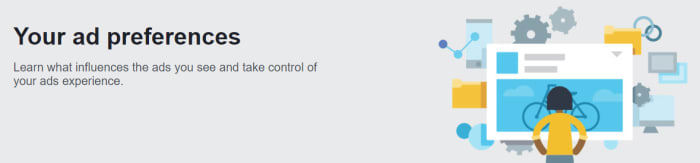
opt out of ads to stop Facebook tracking you

If you’re in Europe, you can opt out of advertising based on your web behavior by going to the European Interactive Digital Advertising Alliance homepage. If you’re in the USA, you can opt out by heading over to the Digital Advertising Alliance. The name of the organization Canada is the same as it is the USA; click here to go to the Canadian Digital Advertising Alliance.

As we’ve just mentioned, however, this underpins the whole of the modern internet so don’t expect this process to be easy. Stick with it though, and you will get it done.

Browser plugins

Your browser is Facebook’s main tool for tracking your online behavior. This means you can set up your browser to be your first line of defense. You can use third-party plugins to add certain protections that will block tracking protocols.

Limiting scripts

One such protocol that you can limit to better protect your privacy is the scripts. Scripts can alert advertising trackers to your presence whenever you log on to a website. This means if you block a website’s scripts, you can prevent the advertising trackers from knowing you’re there.
uBlock Origin

An excellent free plugin you can install on ChromeFirefoxOpera, and Safari for free is uBlock Origin, which gives you the option to block scripts across all sites and then white list sites you can trust. Another fantastic little plugin you can use is Privacy Badger, which is very easy to use. If you’re reading here about advertising trackers and scripts and thinking you’re out of your league, then this is the plugin for you. Privacy Badger makes it very easy for you to control which scripts track what. It is important you get this right because many basic web functions rely on scripts so blocking the wrong ones could be like shutting off the internet.

Automatic cookie deletion

Another type of plugin you can download will address a problem you probably know more about. Cookies are much more well known than website scripts. Cookies remember the choices and actions you make on certain websites and Facebook can then read these to get an understanding of your online behavior.
If you’re a Firefox or Microsoft Edge user, you can set your browser to automatically delete your third-party cookies every time you close your web browser. You can find a guide on how to do this for both browsers here. If you’re a Chrome user, however, there is no such option. Fortunately, though, there is a browser plugin you can download for Chrome, imaginatively called Cookie AutoDelete that will do the trick. Install it and set it up on your Chrome browser to fight back against Facebook.

Dedicated privacy-protecting browser

Another great option for making it much more difficult for social networks like Facebook to track your online activity is to use a browser that is dedicated to protecting your privacy. This will mean ditching Google Chrome, as Google is perhaps the only other company on the planet that is as good as Facebook is at tracking your data. In this regard, we strongly recommend the Brave browser, which is committed to protecting your privacy.

Brave does not collect any user data, unlike Chrome, and comes ready-made to block third-party and advertising cookies. This means you don’t have to worry about which security plugins or addons to install as all the functions are already a part of the Brave browser. Brave is actually trying to readjust the modern internet model that we described earlier and push web developers to rely less on advertising by offering something called Brave rewards instead. If this mission is successful, you won’t need to block Facebook tracking as it won’t be such a lucrative business anymore. What’s even better about Brave is that it is based on the opensource Chromium code that built Google Chrome meaning it also works with your Chrome browser plugins too.


All the best new features that came to social media in 2019

These are all the major changes that came to social networks in 2019.

Best social media features 2019

It wasn’t long ago that social media didn’t even exist. Then MySpace came along and before too long Facebook changed the world. Now, well the world is chock full of social networks offering us all sorts of different types of connections to people spread out all over the world. As to whether this is a good thing or not, we’re not going to get into and we’re definitely not going to comment on whether the world is a better place now than it was then.

What we’re here for today is to talk about the nuts and bolts of the aforementioned social networks. Each year, social media platforms, mobile apps, and websites get brand-new features and today we’re going to tell you about all the best new social media features that landed in 2019.

New social media features 2019

Google+ gone forever

We’ll start our 2019 list with the opposite of an update. With so many social networks knocking about, not all of them catch on. Google+ was one such social platform that failed miserably. In April 2019, Google put its mistake to bed forever by deleting all Google+ pages and profiles permanently. Although it never really felt like it was here anyway, it’s definitely gone for good now.

Greater control over Facebook notifications

Facebook is like that annoying friend that just won’t quit. You look away and then you hear a ping drawing your attention back again. There’s actually a lot of science behind Facebook notifications that have defined social media marketing strategies around the world. Traditionally certain types of video content have been more likely to register a ping on your Facebook, and Facebook Group messages have been more likely to trigger a push notification. In 2019, however, this changed when Facebook introduced greater controls over your own notifications. You can now clear everything and control what will reach out and try to grab your attention.

The Twitter desktop redesign

2019 saw Twitter completely redesign its desktop social networking interface. The navigation bar is now on the left-hand side of the page and includes Bookmarks, Lists, Messages, Notifications, and the brand-new Explore option, which works like an updated search page showing trends etc. Your profile is also found at the bottom of the navigation bar just above the Tweet button. The Trends for you and Who to follow sidebars are now on the right of the screen giving you easy access to influencers and trending current affairs.

Facebook Dating

Facebook Dating

In September 2019, Facebook finally launched Facebook Dating to help you find your soul mate. If you think about who you are as a series of data points with your soul mate matching up more data points than anybody else on the planet, then Facebook Dating is probably the best way for you to find love. Let’s face it, whether you want it to or not, Facebook probably knows more about you than even your own mother so why not put your love life in its hands? If everything else has failed in this regard, try Facebook Dating now.

Snapchat considers bringing in permanent snaps

OK, this isn’t an actual update, but it is so major that we thought we’d add to it our list anyway. In 2019, reports started circulating that Snapchat is considering introducing permanent snaps rather than the here one minute gone the next content that made the social media network what it is today. If Snapchat goes ahead with this change, it will completely change what it means to be a Snapchat user.

Instagram now hides likes

Instagram has been taking a lead on protecting its users with massive pushes against online bullying across the network and also efforts to protect the mental health of Instagram users. The biggest such move Instagram made in 2019 was removing the like counter from Instagram posts. Users can still see how many likes their own posts get, but the rest of the world remains oblivious. Instagram just became a little bit less about comparing yourself to others.

Twitter allows users to hide replies to tweets

A similar move to protect users came from Twitter, which has increasingly attracted criticism for not preventing abuse on the network. Users can now choose to hide replies to their tweets, which cuts out a potential new avenue for incoming abuse. The hope is that by protecting users in this way, Twitter users will feel emboldened to share more across the network.

LinkedIn live streaming

LinkedIn Live Launches Beta

It might not be as fun as Facebook or Tik Tok, but LinkedIn is still a social network. With its primary focus being on fostering professional networks rather than social ones the introduction of live video streaming has added a whole new element to LinkedIn. As well as the obvious marketing capabilities, professional live streaming can now cover events such as training courses and industry seminars.

Why am I seeing this Facebook ad?

Another feature that Facebook has given users better control over is ads. Now, when you see an ad on your news feed you can hit the ellipsis menu icon in the top-right corner of the ad and then select the Why am I seeing this ad? Option to open up a new menu that gives you control over your ad preferences. This new menu allows you to hide ads from that particular advertiser as well as control the influences that are behind the ad choices Facebook shows you. Of course, you can’t stop Facebook showing you ads altogether, but you can try to make the ones you do see a little less annoying.

New year new mobile? You need these essential Android apps going into 2020

These are all the essential apps you need to download on your new Android phone.

Essential android apps

Everybody loves getting a new phone. Smartphones are fun and exciting because more and more they’re becoming powerful beasts with processing power that rivals that found on laptops and huge amounts of RAM that make even the most resource reliant apps work smoothly. When you get a new phone though, it is like a blank slate. Sure, an Android phone can do almost anything but when you take it out of the box, it is limited to whatever basic apps that came with it.

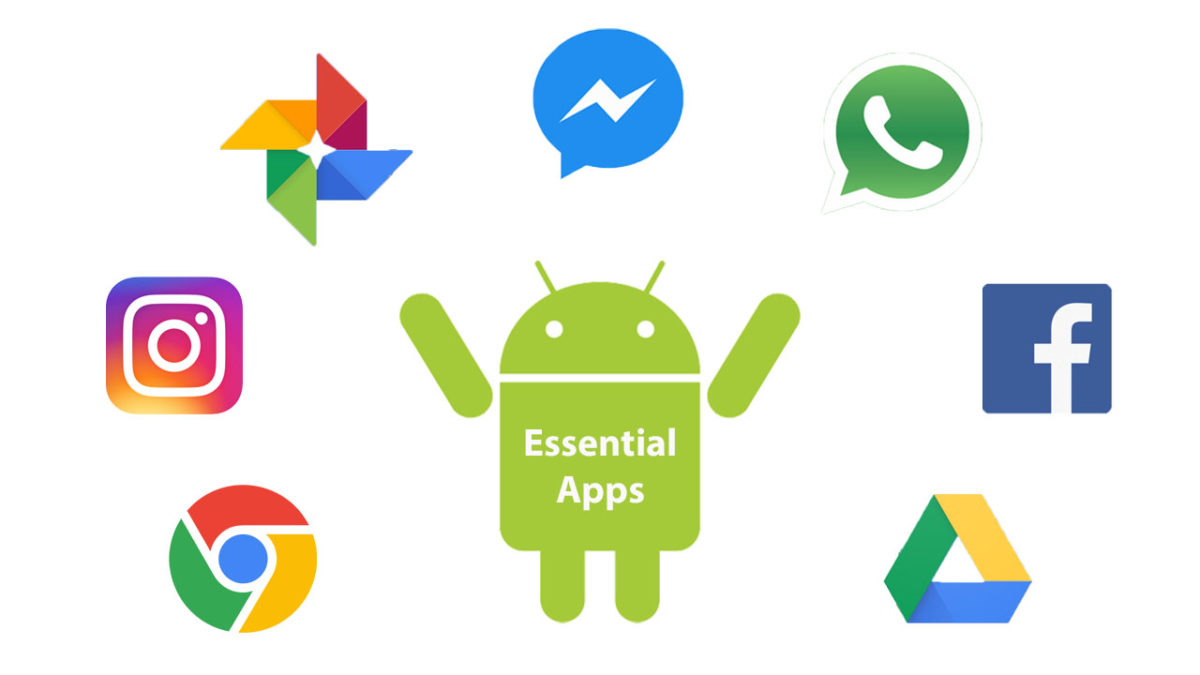
This is why today we’re going to walk you through all the best apps you need to install on your Android device. Check out our list of essential Android apps.

Android must-have apps

Core Features and Social Media

There are a lot of essential apps these days that could be described as offering your new Android phone its core features. Google apps like Gmail and Google Chrome will likely come pre-loaded on your phone offering you an industry-leading email client and web browser. Even Google Maps provides a core mobile function these days. Other core apps, however, include messaging apps, which could be WhatsApp and Facebook Messenger,or Telegram for more private users. Another core feature could be video calls offered by Skype.

WhatsApp Messenger Download Now ►
8

Finally, what is an Android smartphone in today’s modern world without a plethora of social media apps, each offering exclusive access to their own hip networks? You know your new phone needs apps like Facebook, Instagram, Snapchat, Twitter, and Tik Tok.

8
Instagram Download Now ►
7
8
9

LinkedIn

You could say that LinkedIn is just another social network, but you could also say that helping you find and stay in work elevates it above the triviality that we often attach to the other forms of social media. LinkedIn isn’t for fun, which sets it apart from other social networks. Either way, you really should have LinkedIn installed on your Android smartphone.

7

Google Drive

Syncing across multiple devices is important for pretty much every type of file. More than ever these days we start a job on one device and finish it on another. This is made possible by storing our files and folders on the cloud and then accessing them from wherever. The best service you can get for this on your Android phone is Google Drive. As well as the cloud storage, Google Drive also comes with a suite of apps you can download onto your Android phone. These include Google Docs for word processing, Google Sheets for making spreadsheets, Google Keep for note-taking and lists, and Google Photos for storing and viewing every photo you’ve ever taken across all of your devices.

7

MiXplorer

A key app that is often overlooked by Android users is a competent file manager app. A good file manager will allow you to organize your device files and give you greater control of and access to key folders like Downloads and Photos. As Android allows for much greater customization than Apple’s iOS for iPhone, a file explorer allows you greater control and also greater security when playing around with your phone’s OS. We used to love ES File Explorer Pro, but that is no longer available on the Google Play Store. Now, however, we love the MiXplorer file manager, which does everything we’ve already mentioned and also gives Android users another key feature that is missing from their phones; a Recycle Bin for recovering lost files.

MiXplorer Silver File Manager Download now
10

LastPass

We can’t recommend LastPass enough. These days you need a password manager if you’re going to secure all of your online accounts properly and LastPass gives you the best password manager you can get for free. LastPass’s free version will sync your passwords across three devices meaning it’ll secure logins on your desktop/laptop/Mac, mobile, and one other device. This is very important because most free password managers only work on one device, which means you’ll need to switch the passwords between devices manually and this is much less secure.

8

Snapseed

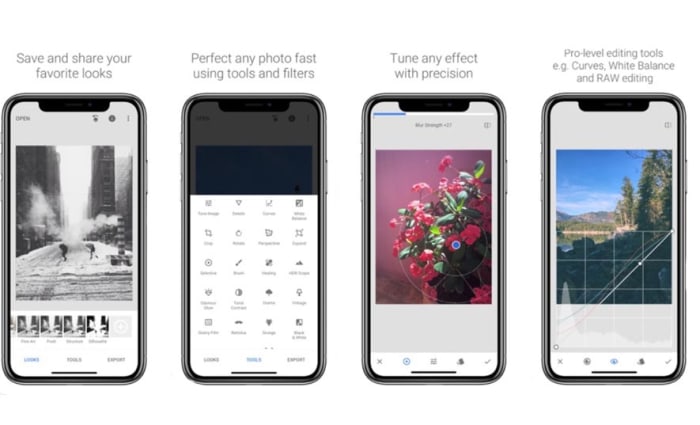
We mentioned Google Photos earlier, which itself comes with rudimentary photo editing capabilities. Snapseed, which is also by Google offers much more, however, and is completely free to download. As well as basic cropping and rotating, Snapseed will also give you the chance to make advanced edits and put all sorts of cool filters and adjustments onto your photos. If you’re serious about your social media presence or just want your photos to look as good as they should, download Snapseed now.

9

Google Podcasts

Podcasts have become an essential part of modern life. They basically allow you to choose all of your favorite radio shows that you can then listen to whenever you want. Android users used to have to download third-party podcast apps like Acast and Castro and, of course, they still can although their free but not really free status can be annoying. Google, however, has now brought out its own podcast app imaginatively called Google Podcasts, which is free and has almost every podcast series you could ever search for.

Google Podcasts Download now
9

Netflix

OK, this one is subjective. Not everybody has a Netflix subscription, but enough people do for us to include it on our list. Downloading the Netflix app will enable you to download movies and shows that you can then watch later when away from your Wi-Fi connection. This means you get your fix without hitting your network mobile data allowance.

8

Spotify

Spotify feature

Again, this is another subjective one. Not everybody has Spotify; you could just as easily have DeezerApple Music, or Google Play Music. Which one you have doesn’t matter as although there are differences between them, they’re not so big. Download whichever app you’re subscribed to and instantly your phone is better than any iPod or MP3 player you’ve ever owned.

8
Deezer Download now
7
Apple Music Download Now ►
7
Google Play Music Download now
8
Wrapping up

With all the best Android apps we’ve outlined today your mobile device is ready to go. You could download these apps and no others, and your phone would still be a powerful machine capable of everything modern life demands of it and you. Obviously from here, there are plenty of other apps you can download too if you’re a big shopper get the Amazon app for example and there are a whole host of alternative apps to the Google options we’ve outlined. These include the Microsoft Android apps including OneDrive and other apps like Evernote and Dropbox. We just wanted to give you and your new phone a solid foundation to build on.

All you need to know about Tik Tok

TikTok is a Chinese video sharing and lip-syncing app

The Tik Tok Guide

TikTok has quickly risen to become the hottest trending social media app on iOS iPhone, and Google Android phones. This puts it ahead of other social media platforms like Twitter, YouTube, and even Facebook and Instagram. TikTok has been downloaded millions of times in the U.S.  ABC News in Australia calls it, “the app your kids love, but you’ve never heard of” which ultimately begs the question; what is TikTok?

What is TikTok?

The TikTok app, like Snapchat and a whole host of new apps these days can appear baffling to anybody born before the turn of the millennium. Users can create 15-second comedy skits using a variety of tools including lip-syncing, animations, special effects, and also beat matching popular songs to filmed footage. These all add up to create a tool that can give even the freshest and most inexperienced of movie-makers the ability to create videos that look polished and well made. Videos can they promote across the networks using tools like hashtags. Tik Tok is making people famous.

TikTok was formerly called Musical.ly, but now has a fresh look and new name. It was taken over by the Chinese firm Bytedance in 2017 and has since gone on to reach hundreds of millions of monthly users in over 150 countries.

9

TikTok’s success in the US has been helped along by late-night talk show host Jimmy Fallon. Fallon has not only encouraged his viewers to use the app, he has also offered an excellent introduction to what it is about: “What it is, is you post short videos of you doing fun stuff like lip-syncing to a song or a movie clip or acting out a silly scene with your friends, or even your pets” Another Fallon feature invites users to roll around the ground like tumbleweeds, using TikTok to overlay old western music on top of the video.

TikTok is a fun-to-use app that invites users to create funny, silly, and hopefully engaging videos that they can then share on the app. Let’s have a look then at some tips on how to use Tik Tok.

Top TikTok tips

Tip #1 The TikTok Share button does a lot

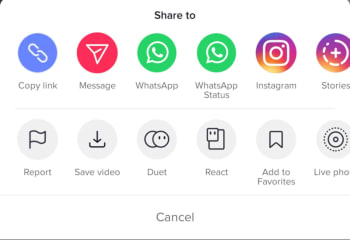
You’ll find Share buttons on almost all social networks and apps. You click share if you want your friends to see something you like or maybe hate. The Share button on Tik Tok, however, does a lot more than just sharing Tik Tok videos. First up, it’ll give you the option to download a video so that you can watch it later when you’re offline. Another cool thing you can do when hitting the Share icon on Tik Tok is saving the video as a GIF. This is a great option as many of the short Tik Tok videos look fantastic when played over and over again as GIFs. You can also make Live Photos out of Tik Tok videos.

The final cool feature found in the Tik Tok Share menu is the duet option. If you find a video you like, you can perform a duet with the performance in that video. Click here for our guide to Tik Tok duets.

Tip #2 TikTok Quick Actions

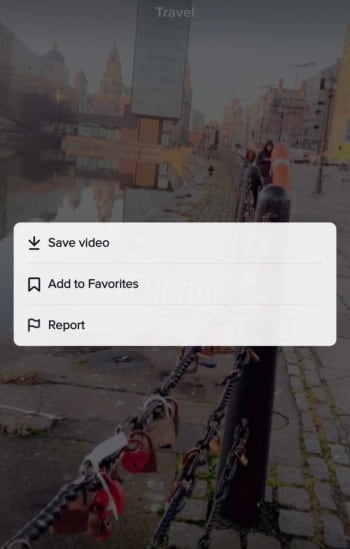
You can actually access some core Tik Tok features without having to go into any menus. When watching a Tik Tok video all you need to do is hold your finger down anywhere on the screen to open up the Quick Actions screen. This will enable you to quickly Save videoAdd to Favorites, or tell Tik Tok you’re Not Interested in this type of content, so it won’t show up in your Home tab.

Tik Tok Quick Actions

Tip #3 Use TikCodes to connect with other users

Tik Tok has its own cool version of QR codes that you can use to connect with other Tik Tok users. Your TikCode will look like a circular QR code that is wrapped around your profile picture. To create your own TikCode go to your profile page and hit the code button, which is above and to the right of your profile picture. This will show you your code, which you can either show to another user directly or save and share across your social networks and messaging apps. If somebody else shows you their code and you want to scan it, you need to tap the Scan button at the bottom of your TikCode screen. Once you’ve scanned the other person’s code, you’ll be taken to their profile page.

Tip #4 Privacy Settings are important

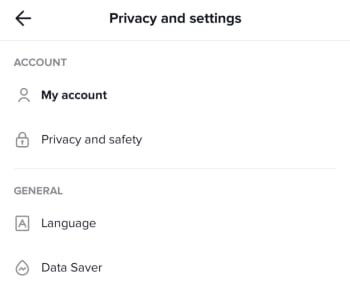
You need to consider your own safety when uploading videos of yourself to the internet. This means thinking about your privacy and who can have access to your videos, who can download them, and who can perform duets with them. To access your Tik Tok Account Privacy and Safety menu you need to open your Profile page and then tap the Ellipsis (three dots) menu icon in the top-right corner of the screen. This will open the Privacy and Settings menu, where you’ll find the Privacy and Safety menu as the second option in the Account section. This is where you’ll be able to control all of your privacy settings and keep yourself as safe as possible when using Tik Tok.

Tip #5 Handsfree makes anything possible

You want your Tik Tok videos to shine. That means doing a little bit more than simply hitting record and capturing whatever it is you’re doing at any particular moment. This means taking the time to plan out what will happen in your new video. You could practice a dance routine, go through your lines for a lip-sync masterpiece, or even draw up a script for a little 15-second movie. Once you’ve done all that though, you’re going to need to freedom to pull it all off without having to hold down the record button. To use Tik Tok’s timer feature go to the video capture screen and look for the small clock icon. Select how long you want the timer to wait before it begins recording, and then hit Start Countdown. Click here for our guide to help you become Tik Tok Famous.

The most popular TikTok memes

You’ll love these. They’are all the best Tik Toks we could find on the internet.

The most popular Tik Tok Memes

Is Tik Tok, the app formally known as musical.ly, better than Vine? We’re not quite equipped to get into such a deep philosophical debate right now. Honestly, we’d be here for hours and we probably wouldn’t even say that much. Suffice to say, when Vine shut down, we were devastated until Tik Tok burst onto the scene. The Tik Tok video app is glorious, with some crack TikTok user accounts never failing to have us rolling around laughing our heads off. Tik Tok videos might make you cringe, but they’ll definitely make you laugh.

That’s what we’re here for today. We’re here to celebrate Tik Tok in all its scripted, epic comedy, lip-sync music video goodness and go through some of the best Tik Tok videos ever. Quick note, these articles always take me longer than they should do as it is impossible to not get sucked in and just watch video after video. Buckle up, these are the funniest Tik Toks.

9

Funny Tik Tok memes

Second quick note; many of these will be in the form of tweets and Instagram posts. They all originated on Tik Tok, however, we guarantee it. Tik Tok users are like the new YouTubers and people will share their content across multiple platforms. You can even find Tik Tok videos shared on platforms like Snapchat and Google.

Scary cat

Tik Tok lets users add music clips to their videos. The clips can be used to create amazing lip-synced tributes to the biggest pop acts on the planet, but they can also help build tension for a jump scare payoff. Not bad at all when you only have 15 seconds to play around with.

Yeah, you’d better run

This is great. The music helps build the video up towards its epic payoff just like in the scary cat video above. Let’s face it, we all know how disgusting roaches are and we definitely don’t want them anywhere near us.

Risky business

What can you do with 15 seconds? Well, as this video proves quite a lot, actually. Filming is about getting the shot, no matter what. Use what you can to get the effect you’re looking for. This could be a helicopter, drone, multi-million-dollar special effects studio, or the ceiling fan in your living room. Oh yeah, don’t forget a backing track that will make your hairs stand on end.

Dead on

Apart from the odd social media manager or TV star, Tik Tok is the domain of Gen Z. If nothing else, this gives us hope for the future as they’ve been making us laugh for nearly two years now. They’re even better when they’re skewering themselves like in this classic Tik Tok.

No Steve, no

This classic Tik Tok meme has been painstakingly recreated with everything from gummy bears to wine bottle corks. That’s the great thing about Tik Tok, people reuse audio to make their own versions of popular memes. This video has an added extra treat at the end though, that will have you in stitches.

Hit or miss

Another big Tik Tok meme that has been rippling across the app and reaching out into the real world is Hit or miss. If you’ve ever heard this shouted out in public, you’ve found yourself right in the middle of the meme. Tik Tok users shout it out to see if there are any other Tik Tok fans around.

That’s not a knife, THIS is a knife

As we’ve already mentioned, you’ll often find a bit of star power mixed in between all the comedy gold coming straight from the youth of today. This video of Arnold Schwarzenegger laughing at the size of Sylvester Stallone’s knife fits in nicely. It might not have the production value of some of the other videos we’re featuring but it deserves its slot.

Full power wholesomeness

This video is simple. It includes a very happy dog, video game sound effects, and a charging cable. Enjoy.

The Bollywood cat

Duets are a big thing on Tik Tok. The idea is that you both video yourself in portrait mode singing/lip-syncing together and then play the videos along together. When done well they can look great. Not as great as this though. A Bollywood style dance duet between a man and a cat.

Dog the head banger

This dog needs no dance partner. This dog doesn’t even need to get up. This dog can do it all on its own while lying on the floor. We wish we could do what this dog does so effortlessly.

Just good content

@alainahatsuneI will never be the same ?? #thisismyvoice #girlsarentfunny #dank #ironic #meme #anime #cringe♬ original sound – alainahatsune

Like we’ve already mentioned, memes are often repeated across Tik Tok with different users adding their own spin to an already well-worn concept and idea. Here we’ve two excellent examples of the This is my voice… meme that sees users showcasing the changes they go through when they become members of a new digital tribe. Check out first what happens when you start watching Dora the Explorer and then afterwards what happens when you start watching anime. Both are great.

Cat cruelty

Animals are a big deal on the internet. We’re not going to get involved in the whole cats vs dogs debate. We love them both. We do, however, know that cats have a certain diabolical nature to them while dogs have more of a loveable gullible way of seeing the world. This Tik Tok illustrates these truths brilliantly and proves that you don’t need some incredible performing pet to make them internet video stars.

How to Know If My Phone Is Hacked and What to Do

Let’s have a look at some of the things you should look out for to make sure your phone hasn’t been hacked.

Have you ever wondered how to know if your phone is hacked? We are all aware of the many cyber threats surrounding us when we use the internet on our PCs. Think of all the measures we take to protect our computers from hackers, antivirus programs, VPNs, proxies, and more. But when it comes to our mobile devices, we aren’t always as careful.

With so much of our lives contained in our smartphones, these devices have become a crucial part of our daily lives. Think about that one time you forgot your phone at home, how utterly lost you felt without it. We store almost everything on our phones these days, important documents, bank details, health care, IDs, and more. If someone were to hack our phones, they’d have access to all of this information.

A lot of the time, you might not even know that you’re being hacked. This type of attack is much more subtle than a robbery. Once the hacker gets into your devices, they can easily access your apps, files and even use your data without you even knowing. This is why it is critical to know the signs of a hacked phone to protect yourself.

Can iPhone Get Hacked? or Is it Just a Matter of Android?

Although iPhones are usually better protected than Android devices, they can still be hacked. Unfortunately, as technology advances, so do hackers. Using a device that seems safe is no longer a surefire way to protect yourself from hackers. If they want to, hackers will find a way through the protective measures, which is why it is essential to stay one step ahead and not assume your safety just because of your device type.

Is my phone hacked? 8 ways to find out

There are quite a few things to look out for that could indicate your phone has been hacked. On their own, these could be simple issues that should be looked at individually. If you’re experiencing a few of them, however, then you should think about dealing with them as a whole.

1. Your device is a lot hotter than usual

phone is too hot

If your mobile phone has been hacked, there will be lots of unauthorized programs running in the background behind your operating system. These could be things like adware, spyware, trojans, etc. all designed to make money for the hacker in different ways. These will be putting extra pressure on your device’s processor and memory. This will, in turn, cause the processor to heat up much more than normal. If your device is hotter than usual, try to find out why. If you can’t get to the bottom of it, something fishy might be going on.

2. Your battery doesn’t last as long as it should

The same that goes for extra heat will also go for extra power. Even if you’re not feeling the heat, you might still notice that your battery is running down much quicker than it used to. Again, this could be because of unknown programs always running in the background.

3. You seem to be using more data than you usually do

This follows on from the other two. Most malicious programs running in the background will connect to the internet to do whatever it is they’ve been programmed to do. This could something like be transferring your data to a third-party server or showing you ads that wouldn’t normally be there. If you’re not connected to Wi-Fi, this will use mobile data. Check your data usage.

4. Your call message records include calls you didn’t make and messages you didn’t send

If the malware infecting your phone has permission to make calls or send messages then this could end up costing you big. Some hackers will program the malware to call their own premium rate phone lines that can cost many dollars a minute to call. The same goes for SMS messages too. If you notice outgoing phone numbers you don’t know or phone calls you don’t remember, check with your network provider immediately.

5. You’re seeing a lot more pop-up ads than you’re used to

As we’ve just mentioned, one way for hackers to make money is through raising ad-based revenue. They do this by forcing their victims to view more ads than they normally would. If you’re noticing more ads than usual, your phone may have been infected with adware and most likely has been hacked.

6. Your phone has new apps that you didn’t install

Always pay attention to the apps you have on your phone. For one of many reasons, hackers could try to install false apps. If something is there and you don’t remember how it got there, it may have been installed remotely by a malicious third party.

7. Your phone isn’t working as well as it should

As we’ve already mentioned, hackers will try to install their secret programs onto your device. These will try to do a number of things but will run in the background without you knowing about it. It stands to reason then that if your phone is running all sorts of extra little programs and protocols in the background, it won’t be able to perform its normal functions as efficiently.

8. Unusual Background Noises

Another telltale sign that your phone may be hacked is if you hear odd background noise. This can either be while you’re listening to the audio or even while making calls. If you hear strange background noises, you should immediately investigate further as it could mean that your phone has been hacked and someone is listening in on your conversations. 

What to Do If Your Phone Has Been Hacked

If you’ve noticed any of the above signs and you suspect that your phone has been hacked, don’t panic. There are things you can do to get rid of the hacker and keep them from coming back.

Check Your Phone Bill

First, you should check your phone bill for any calls you didn’t make. Make sure to check for any unknown number dialed and the length of the calls. Make notes of anything unfamiliar to you. Also, don’t forget to check your messages as well. You should carefully check all your messages for any traces of messages sent to numbers you don’t know or containing texts you haven’t sent. Once you’ve gathered all this data, contact your service provider and discuss the matter with them. You may even get the chance to claim back your losses.

Change All Account Passwords

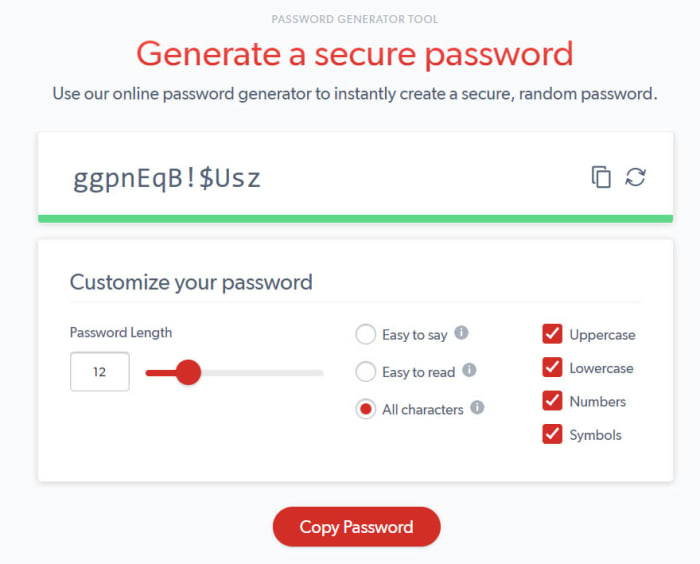
If you notice any unfamiliar activity on your device, immediately log out of all accounts and change the password. It is best to use a strong, randomly generated password consisting of letters, characters, and numbers when doing this. It is a good idea not to make up a password yourself if you suspect that you’ve been hacked. This is because the hacker potentially already knows you and might be able to guess the new passwords.

Uninstall Any Malicious/Suspicious Apps

Go through all of your apps and delete any ones that are unfamiliar or that you don’t use often. This may take some time, but it is a crucial step as the hacker might be using malicious apps to gather your data, or worse.

Install an Antivirus App

Make sure to install a good antivirus app. As soon as you’ve installed the antivirus, make sure to run a full scan and remove any threats picked up by the app. Also, if your app has ‘Real-Time Protection, ’ we recommend enabling it. This feature will assist in keeping you safe by flagging suspicious websites, links and phishing attacks in the future.

Worse Case Scenario – Restore Phone to Factory Settings

If you’ve done all the above steps and it still seems like your phone has been hacked, you might have to resort to a factory reset. This will return your phone to how it was when you first took it out of the box. Any apps that you’ve installed will be removed. Any messages, emails, and photos will also be removed. This is why the factory reset is the last option on our list. Make sure to backup anything you want to keep before restoring your phone to factory settings.

Know the Signs of a Hacked Phone

In this day and age, we have to stay one step ahead of hackers. With more and more of our lives taking place online and through our mobile devices, we cannot afford to have our data breached. One way to stay safe is to know the warning signs and act immediately if you suspect anything.

Is WhatsApp safe? All you need to know

Let’s take a look at some of the potential security risks that can affect you when you’re using WhatsApp

Is WHatsApp safe

WhatsApp is a huge app. Over 1.5 billion of us have the app on our Android smartphones and Apple iPhones and we send tens of billions of WhatsApp messages between us every day. Now the Facebook-owned messaging app is famous for its end-to-end encryption but, let’s be honest, Facebook isn’t exactly the most trusted company in the world right now. This begs the question for WhatsApp users all around the world: is WhatsApp safe to use?

We talk a lot at Softonic about cyber security issues. We’re here to keep you safe when you’re online and with us, like so many of you, being regular WhatsApp users, we thought we’d spend some time going through potential security weaknesses you should look out for when you’re using WhatsApp.

How safe is WhatsApp?

WhatsApp bugs

Every now and then malware and spyware-like bugs can find their way into the WhatsApp code. These can leave you open to potential hacking, which we’ll look at in a moment, but they can also end up causing other problems that may end up hitting your wallet.

One such WhatsApp bug saw the app regularly trying to backup all app data using a cellular data connection. This meant that even when users didn’t have Wi-Fi connections, their phones were constantly uploading WhatsApp data to Google Drive and iCloud. Many users ended up footing a huge bill because of this bug, as the uploading continued long after they’d used up all the data from their monthly allowance.

WhatsApp hacks

Other WhatsApp bugs might affect WhatsApp security deliberately. Hackers often try to add malicious code to WhatsApp so that they can take control of the app. Worryingly, a recent WhatsApp hack created a security flaw that gave the hackers backdoor control of the user’s WhatsApp accounts and allowed them to post fake status updates. Yep, hackers were able to post status updates using the victim’s WhatsApp.

WhatsApp scams

Another WhatsApp security weak spot that you need to look out for is scam links and phishing attacks that you might receive via WhatsApp. As we’ve already mentioned, between us we receive billions of WhatsApp messages every day and many of these include links to third-party websites. Just like with emails, however, we need to be very careful with the links we click on WhatsApp.

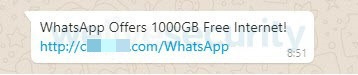
Fake WhatsApp message about 1000GB of free data
FAKE!!!!

One recent WhatsApp scam sent a link promising 1000GB of free mobile data. It was all a scam though, with the link leading to a fake website that was designed to steal personal information, phone numbers, and user’s credit cards.

Fake WhatsApp scams

Over the years we’ve reported on a lot of fake versions of WhatsApp doing the rounds. Like with the types of scam described above, these are designed to steal personal information but can also be used to bombard users with ads in a bid to raise revenue for the hackers. There are two main types of these fake WhatsApp scams.

The first type of fake WhatsApp scam sees the scam app trying to look as much like the real version of the app as possible. One example of this is the Update WhatsApp Messenger scam, which security experts and cybersecurity researchers discovered in 2017. The app had an ad in the Google Play Store that was almost identical to the original WhatsApp’s ad. Downloading it, however, would force the user to see a lot of unwanted ads and prompts to download further scam apps.

Beware this Fake WhatsApp Update Scam

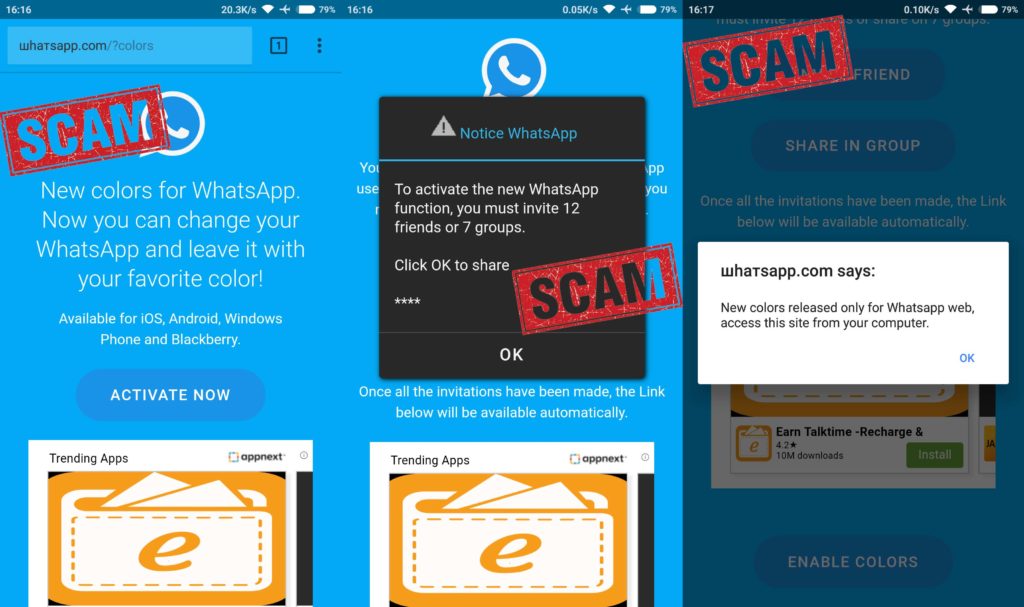
The other type of fake WhatsApp scam sees hackers trying to pitch their fake versions of WhatsApp as having new and improved features. Examples of this include the WhatsApp Gold scam, which has been distributed across WhatsApp a few times and the WhatsApp Colors scam, which promised the ability to change and set the background color of the app. Both were fake and were efforts to install adware on users’ phones.

WhatsApp’s Fake news problem

Another security risk that pops up again and again on WhatsApp is the app’s fake news problem. Fake news being spread across WhatsApp has had some truly catastrophic effects all over the world. People have been lynched in India and others were beaten to death following fake reports spread via WhatsApp that child abusers were traveling through parts of the country. The problem in India got so bad that law enforcement and government agencies were forced to intervene and force WhatsApp to take measures to address the problem.

Does WhatsApp spread fake news?

Elsewhere, fake news spread on WhatsApp in Brazil helped to win far-right politician Jair Bolsonaro the presidency. He’s since unleashed terrible forces that have seen huge swathes of the Amazon rainforest burn. Although, not on WhatsApp itself fake news spread in Myanmar using Messenger, another Facebook-owned messaging app, contributed to the Rohingya genocide. This is a very serious issue.

Unsecure chat backups

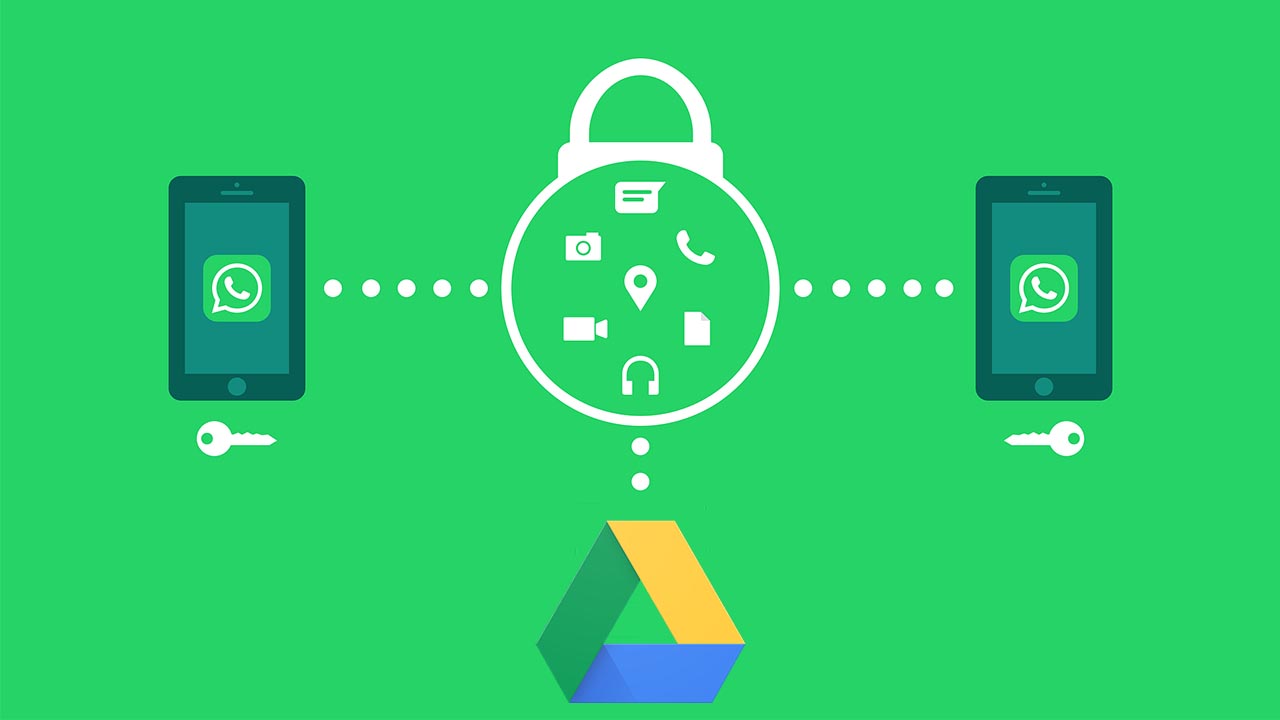
As we’ve already mentioned, WhatsApp is famous for its robust end-to-end encryption. All messages sent via WhatsApp are protected by the encryption, which makes it next to impossible for unwelcome eyes to see what’s been sent. That is, however, until they’re backed up. Recently, WhatsApp signed a deal with Google that allows users to back up all of their WhatsApp data using Google Drive for free.

The security risk here is that the encryption Google uses to protect Google Drive data isn’t as strong as that used by WhatsApp. When you back up your WhatsApp chats using Google Drive you make them more vulnerable to hacking. The other thing to consider here is that you’re also giving Google access to all your WhatsApp data. You’d better believe that Google knows how to use that too.

Wrapping up

We’ve gone through six potential security breaches that could affect users of the WhatsApp chat app. The key to safely avoiding all of them, however, is you. As we always point out in these security guides, you are your best line of defense against online cyber-attacks. You can easily defend yourself against all of these potential WhatsApp security problems if you use your common sense. Keep your app regularly updated, think twice about the dodgy links and messages you receive, and don’t believe anything that appears too good to be true.

How to know if WhatsApp is down and what to do

If you’re WhatsApp isn’t working, try these steps to get it working properly again.

There is an old adage that goes something like, “You never know how much you need something until it’s gone.” This certainly rings true for the WhatsApp messaging app. It is oh so easy to take the Facebook-owned messaging service for granted. It is free, it is always on, and it makes talking to anybody anywhere incredibly easy. The trouble is though, sometimes it doesn’t. In fact, WhatsApp goes down quite often just like other social media sites, like Facebook, Facebook Messenger, and Instagram. Furthermore, when it doesn’t work you don’t get a message explaining what is going on, it just doesn’t work.

If WhatsApp is not working on your smartphone, you’re likely confused. Is the problem local to your mobile app, is it a wider WhatsApp outage, or is it something to do with the service provider? These are the questions that’ll usually send iPhone and Android users to Google but worry not because Softonic is here to help. This is how to figure out why WhatsApp isn’t working on your iOS or Android device and how to fix it.

Why isn’t WhatsApp working?

Is WhatsApp down?

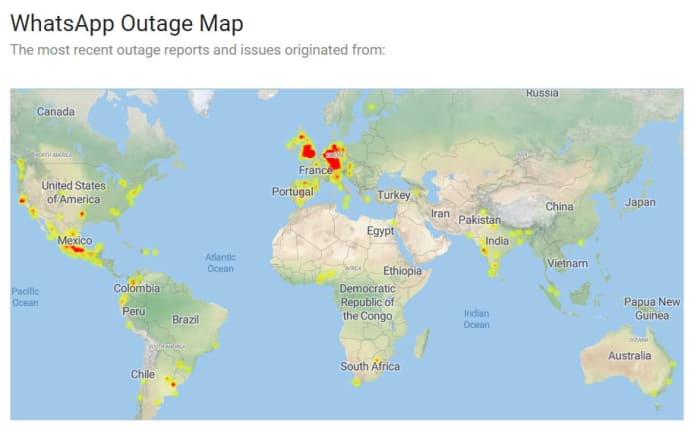
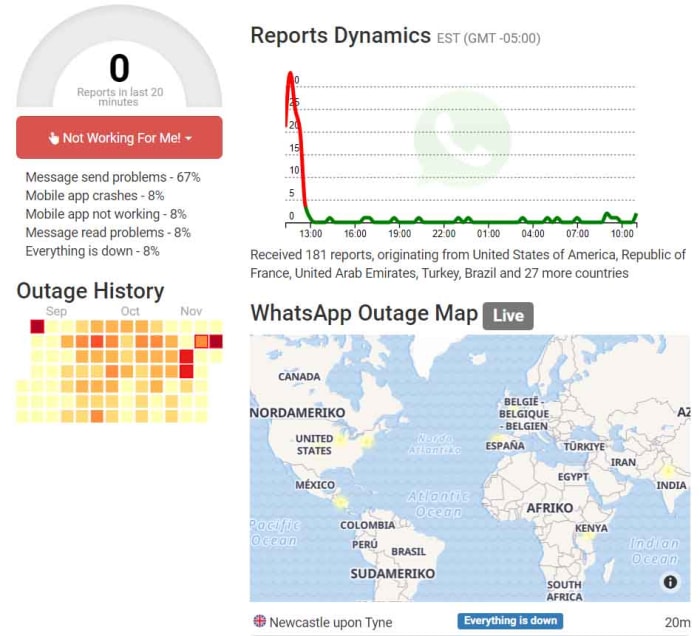
WhatsApp is a ridiculously popular program. It has over 1.5 billion users, which means there are quite a few different sites you can visit to find out whether you have a local WhatsApp problem or if WhatsApp itself is experiencing a more general problem. These sites include Is The Service DownIs It Down Right NowOutage Report, and Down Detector. If your WhatsApp isn’t working, these sites should be your first ports of call. If the problem is affecting the network, then these sites will let you know. You’ll get outage maps and up to date graphs showing reported problems.

WhatsApp outage map
Image via: Is The Service Down?

Unfortunately, however, if the problem is a wider WhatsApp outage, there is nothing you can do. You simply have to wait until WhatsApp is up and running again. Fortunately, however, when these massive issues arise the teams at WhatsApp HQ don’t usually take too long to resolve them. You can check out a list of historical problems that have affected the WhatsApp network here.

What if WhatsApp isn’t down?

If the above sites show that WhatsApp is working perfectly in your country or local area, then you’ll need to start looking into potential local problems that could be stopping your WhatsApp messages coming through. The first thing you should look into is your active internet connection. You can do this by checking your Wi-Fi and mobile data connectivity using your phone’s network and connectivity settings menu. If both of these are switched on but WhatsApp still isn’t working, you should try and see if the internet works for another app like Google Chrome or YouTube.

WhatsApp outage report
Image via: Outage Report

Switch it on and off again

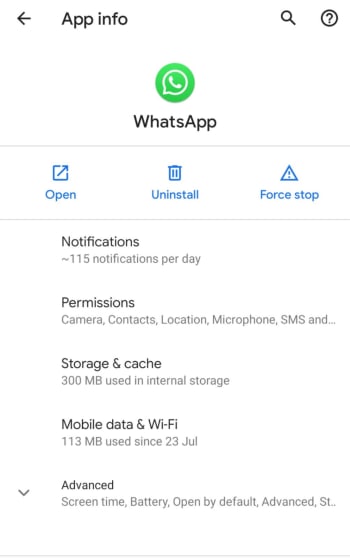
If WhatsApp isn’t working but other apps like YouTube or Google Chrome are then there is a problem within the app itself. The first step you should take, should this be the case, is stopping the app completely. To do this you need to go to the Apps settings menu on your Android or iPhone, select WhatsApp, and then hit Force Stop.

Forcing WhatsApp to stop will then make it possible for you to clear the WhatsApp cache, which may contain the bug that is stopping WhatsApp from connecting to the internet. To clear the WhatsApp cache, scroll down to the Storage & cache option in the WhatsApp App info page. Once you click that, you’ll see the option to Clear cache. After you’ve done that turn your phone off and then on again, and then launch WhatsApp to see if you’ve resolved the issue.

WhatsApp app info on Android

Update WhatsApp

If you’ve got this far and WhatsApp still isn’t working, you’re going to have to start taking more drastic actions. First, though, you should check you are running the latest version of WhatsApp by going to the Apple App Store or the Google Play Store. You need to find the list of all the apps you’ve bought and installed on your phone. When you’ve found it, scroll down until you find WhatsApp, and then select it. You should then see the version you are running and whether there is an update available.

If you are running the latest version of WhatsApp or if you update WhatsApp and it still doesn’t work, the next thing you can try is uninstalling the app and then reinstalling it. To do this, go to the WhatsApp App info page on your phone, using the method outlined above, and hit Uninstall. If you don’t want to lose all your app data including your chats and downloaded images etc. tick the box that says Keep app data before confirming the uninstall. Then, head over to the Google Play Store or Apple App Store and reinstall WhatsApp. This should install a clean and up to date version of WhatsApp.

Wrapping up

When WhatsApp goes down it can feel like you’re cut off from everyone and everything. We’ve walked you through all the steps you need to follow, should it happen to you. The key is finding out whether the problem is on your phone or whether there are actual WhatsApp servers down causing problems for millions of WhatsApp users at the same time. The sites listed above will show you about potential outages and will offer real-time maps showing all the different WhatsApp problems being reported at the same time as well as historical data.

If the problem is a local one, however, one of the other steps we’ve laid out for you should see you have WhatsApp working normally again. Hopefully, you won’t have to uninstall WhatsApp and reinstall it to resolve your issues, but you can always take the nuclear option should you need to. Just remember to save your app data, if you don’t want to lose all your chats.

Your 10 most burning WhatsApp questions, answered

10 WhatsApp questions and answers

Sometimes it can feel like WhatsApp was designed by a sadist. Honestly, the amount of drama that a messaging app can produce is ridiculous. Have they read my message? Can they see if I’ve read theirs? What a stressful nightmare!

Of course, it’s possible (and probable) that WhatsApp was designed with the best intentions, and that you’re freaking out for no reason. Although, on top of knowing when someone read your messages, there are plenty of other potential mishaps and confusion that the WhatsApp messaging service can produce for any discerning smartphone user.

Determined to clear up some of these mysteries, we’ve thoroughly investigated and compiled a list of the most frequent and distressing issues about how to use WhatsApp, that people Google, in a bid to help you keep your stress level at a minimum.

WhatsApp Messenger Download Now ►
8

1. Can I stop somebody knowing I’m on WhatsApp?

No.

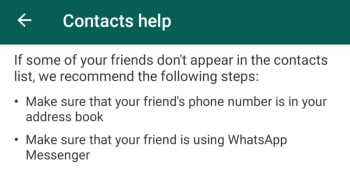
With WhatsApp it is all about the contacts you have in your phone’s contact list. Even when you block a contact, they’ll continue to have you in their contact list, if they still have your number in their phone book. The only way you won’t show up for the other person is if they don’t have your phone number saved in their phone.

WhatsApp Contacts Help

This means it has nothing to do with who you can see in your WhatsApp contact list as that doesn’t reflect the numbers, they have in their contact list on their phone. If they have your phone number, they’ll be able to see you have WhatsApp. As far as we’re aware, there is no way to delete your number from somebody else’s phone remotely.

If you don’t want somebody to know you’re on WhatsApp, don’t give them your number and don’t send them any messages.

2. Can I appear as invisible on WhatsApp?

Yes.

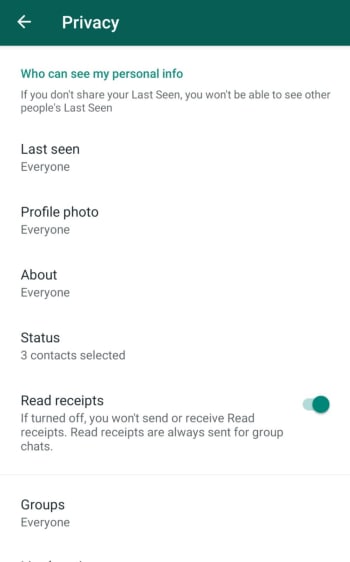
The WhatsApp FAQ page is quite clear. Unless you block a contact, there is no way to hide when you’re online or typing. You can, however, stop sharing your “last seen” status and read receipts that show when you’ve read a WhatsApp message. Doing this, however, will stop you from being able to see the corresponding statuses from your contacts.

WhatsApp Privacy Settings

To change these settings on both Android and iOS iPhones you need to open WhatsApp, then go to Settings, then Account, and finally land on the Privacy settings menu. You’ll then be able to toggle your privacy settings including when you were last online and who can see your profile picture etc.

3. If someone is given my old number, will they be able to download my messages and see my contacts?

No.

They won’t see contacts or be able to access old chats – that data is saved on your phone – but they can receive messages sent to your old number (without knowing who sent them).

WhatsApp gets its contacts from your phone book, so it’s unlikely that the person taking your old number will have the same contact. On the other hand, if the other person has WhatsApp installed, your friends will see that this person isn’t you.

To avoid any problems, WhatsApp recommends the following:

A) Post a status update with your new phone number.

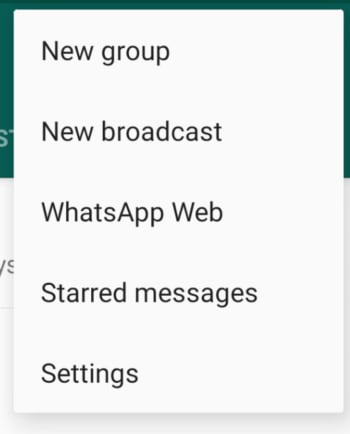
B) Tell everyone you’ve changed your number using a broadcast message.

New WhatsApp Broadcast

C) Delete your account using the following methods:

Android phones: Settings > Account Info > Delete my account

Apple iPhone and iPad: Settings > Chat > Advanced > Delete my account

Deleting the account removes all chat history on your mobile, payment information, and participation in WhatsApp groups. It will make your account disappear.

4. Is WhatsApp free or paid for?

WhatsApp is free. The app used to have rolling free trial periods, but these long since been scrapped. Making money from WhatsApp is a problem that has dogged Facebook ever since it bought what is now the most popular messaging app on planet earth. Soon, however, we’ll see ads showing up on the WhatsApp Status page and there is also the new WhatsApp Business app, which charges businesses to use the platform to communicate with clients and customers.

WhatsApp Business Download Now ►
7

5. Is there a way to delete contacts forever?

Yes.

To delete contacts, simply remove them from your phone book. If you then want to stop that person messaging you at all, you’ll have to block them.

But remember, if they have you in their phone book, then they’ll still see you on their contact list.

6. Is there any way to tell if someone has read my messages?

Yes.

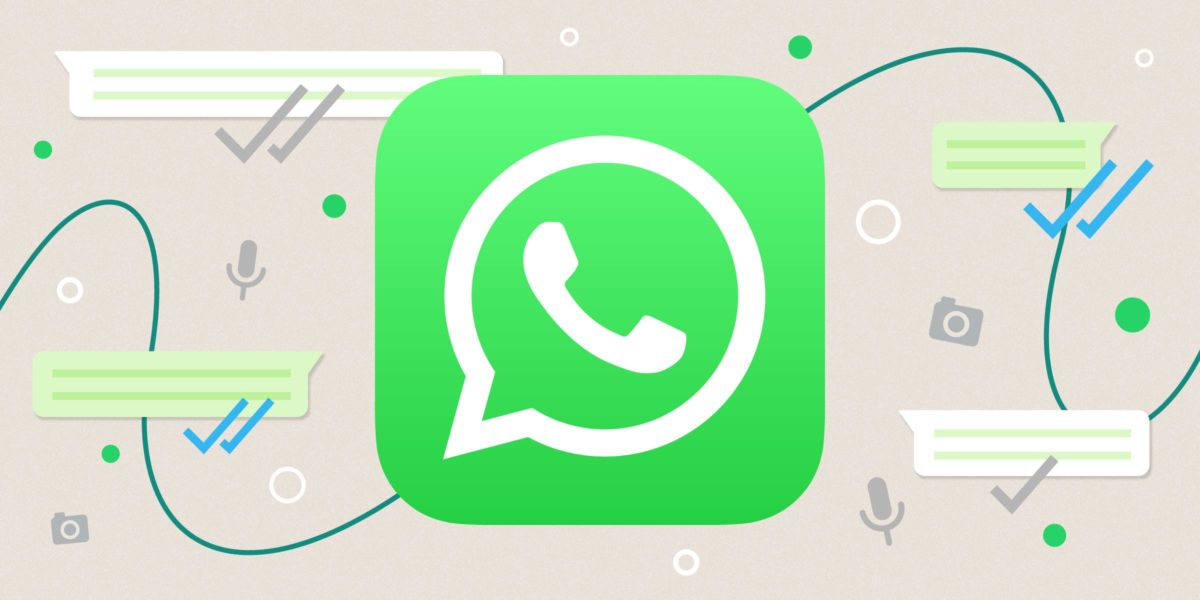
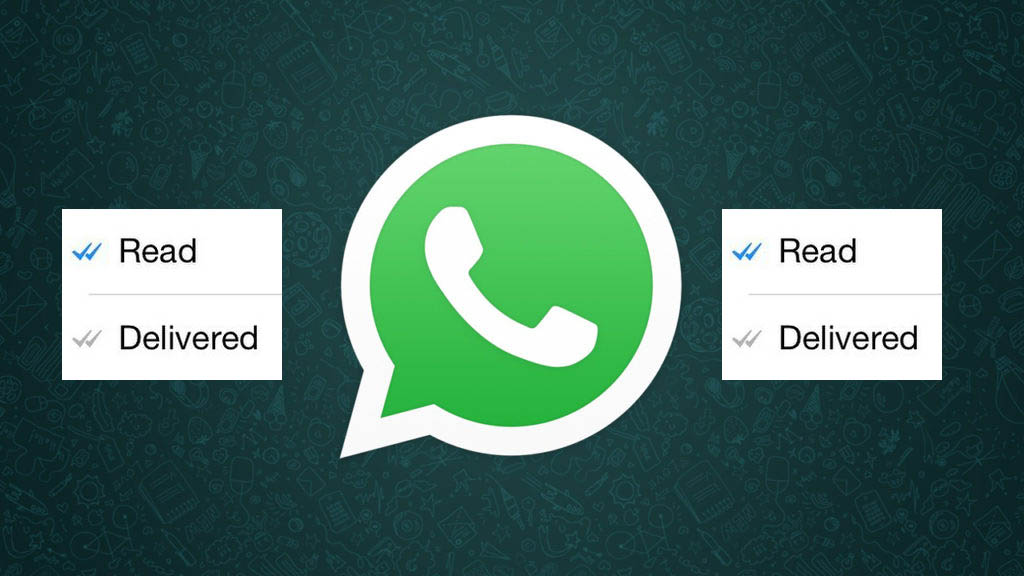
Theoretically, there is no way to know for sure if someone’s read your message, but the introduction of the double blue check mark indicates just that. Here’s a quick summary of what WhatsApp’s icons mean:

Clock: The message hasn’t left your phone yet, meaning there’s either a problem with data or Wi-Fi connection. You can delete the message before it’s sent.

Single grey check mark: The message has been delivered to the WhatsApp server. It’s left your phone but hasn’t yet been received by the other person.

Double grey check mark: The message has been delivered to the other person’s phone, but they haven’t necessarily read it yey.

Double blue check: A new icon that indicates that the message has been read (or at least opened in your conversation) by the recipient.
In addition, if you hold down on the message and tap Info, you’ll be able to see what time the message was delivered, and what time it was read. Remember though, that just because the message is ‘read’, doesn’t mean that the person has definitely read the message. Chances are they have, but they may also have left open your chat and gotten the message without actually reading it.

7. If I block a person, can they tell?

No.

A common symptom of blocking is that you can’t see the “last seen” or “online” status. As we’ve already seen though, this might be because they’ve deactivated those privacy settings.

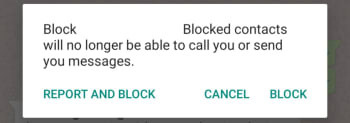
Whatsapp Block contact

Another result of blocking is that messages are left with only one tick and never get a second, although this could also be due to other causes, like the phone being turned off or lost.

If you know it’s neither of these reasons, the chances that you’ve been blocked are high, but it’s still not 100%. If you really want to know, you’re going to have to try calling them or sending them a message.

8. Is there any way to silence a group and still receive messages?

You don’t need to.

When you mute a group, you’ll keep receiving the messages, you just won’t receive notifications when you get them.

To silence a group, just tap the menu button (on Android) or info (on iPhone) and press Mute or Mute Group. It’s a useful feature to prevent your phone from vibrating incessantly.

9. When you invite someone to a group, will they be able to read previous messages?

No.

When you enter a group, you can only see messages from the point you entered the group. You don’t get access to the chat history or any media sent before you joined the group.

10. If I delete a message or photo on my phone, is it deleted from the other person’s phone too?

No.

If only it were that simple. As it turns out, a message, photo, or sound sent through WhatsApp will be delivered as soon as the first green tick appears. There is a window, however, from when you send your message that WhatsApp will allow you to delete the message from your own phone as well as from the phones of anybody who received it. You have exactly 1 hour 8 minutes and 16 seconds to delete the messages, images, and sounds you’ve sent. After that you won’t be able to and they’ll be the recipients’ phones forever.

How to get more followers on Instagram

Instagram has become a gatekeeper to paradise. Or, at least that is what it wants us to think. Through those scrollable square windows, we can peer out on unbelievable scenes of peak living. “Instagram influencers” has become such a buzzword, that guides like this are not just about how to gain more Instagram followers. Guides like this are about growing your brand on Instagram, about how to become an Instagram influencer. We all want that peak living we see through other people’s Instagram windows, and getting more Instagram followers is the first step we need to take.

Followers for Instagram Download now
8

Crowdfire offers a more extensive toolkit for those looking to build a substantial Instagram following. As well as offering insights on who has unfollowed you, it will help you find the types of accounts you should be following, and which accounts are likely to follow back. Crowdfire also allows you to schedule your Instagram posts so that they’ll send automatically at the exact time you want them to go out.

Crowdfire Download Crowdfire
8

So we’ve looked at the content of your Instagram posts, the hashtags you can use to classify your posts and link them up to like-minded people, how you should find the followers you want, how to engage with them, and the best apps to help you manage the whole thing.

This guide is by no means more exhaustive, and there is a lot more you can do to find more Instagram followers. It is a very good start, however, and if you set to work following the steps laid out, you will see your Instagram following grow. You’re the key in all of this though. You need to make sure your posts are interesting and engaging, and you need to interact with the community you’re trying to build. Good luck!

If you’d like any more tips on getting more Instagram followers let us know in the comments. The same goes for any other questions you might have about Instagram or any of your favorite apps. Softonic answers is here for your questions.