
We put Google’s Night Sight camera mode to the test in the Amazon jungle

How does Google’s new Night Sight feature stand up against heart of darkness found in the deepest most remote parts of the Amazon jungle?

How good is Google Night Sight

Google’s Pixel smartphones are known for having some of the best cameras you can find on a phone. The cameras themselves aren’t too special; all of the magic comes from within, via Google’s famous AI. Pixels don’t just snap photos, they build them. When the camera mode is turned on the Pixels are snapping away in the background and then when you hit the shutter release, the phone takes the best data from nine separate images and composites it all into a single photo. In the hands of a good photographer, the results can be stunning. Head over to the Team Pixel Instagram page to see more examples.


View this post on Instagram


Landing #sfo under an insane #sunset over #pacific #california #sanfrancisco #siliconvalley #lifeontravel #teampixel #pixel3xl

A post shared by Francois (@francoisigworld) on Dec 30, 2018 at 5:59pm PST

With software as the main driver behind the Pixel’s camera, it stands to reason that Google will be able to update the Pixel cameras with new software and new features. New software can make old cameras better. This is exactly what happened in the run-up to the launch of the Pixel 3 when Google announced a new camera feature called Night Sight. Details were patchy, but the news was that the cameras on the new Pixel 3 phones would be able to take much better photos in low light situations. Once the Pixel 3 launched, reports came in that the feature was impressive, but also that it would be coming to older Pixel phones too.

As a Pixel 2 owner who was about to spend nearly a week in the heart of the Amazon jungle, I was excited about having the chance to really put this new feature through its paces.

Google Camera Download now
8

I was heading into the largest rainforest on earth near Iquitos in Peru. We had a boat for sailing the Amazon river, and a guide, but no fixed itinerary. The plan was to pitch camp in any safe places we could find and, if necessary, stay with local families in some of the small villages that sat next to the river. We would be far away from any cities or towns with regular power supplies so at night we’d only have small flashlights or the moonlight to guide us. In short, it would be very dark.

How good is Google Night Sight?

It must be said that Night Sight shots are rather impressive. Before heading into the rainforest, I took a few comparison shots in an apartment and the difference between the photos I took using the regular camera mode and the photos I took using the Night Sight mode were profound.


Living room shot taken in the early evening twilight using the regular camera mode on a Google Pixel 2
This is the same shot taken using the new Night Sight mode on the Pixel 2

You can see the clear difference between these two shots. The Night Sight mode gives the shot much more illumination and makes it much easier to make out everything in the picture. You have to really look at the regular camera image to make out the cat on the table and it is also difficult to determine any of the items on the coffee table at the front of the shot. Also, the colors in the Night Sight shot are much more vibrant with the bright poncho draped over the chair really catching your attention. The Night Sight picture is a massive improvement on the image taken by the regular camera mode.

Living room and hammock shot in the early evening twilight using the regular camera mode on a Google Pixel 2
This is the same shot taken using the new Night Sight mode on the Pixel 2

The difference here isn’t as clear as in the first shot, but there is still an improvement from using the Night Sight feature. The more expansive shot of the whole living room gives Night Sight more light to play with, meaning it can process more information than on the more closed shot of a small section of the room.

How to use Google Night Sight in the dark

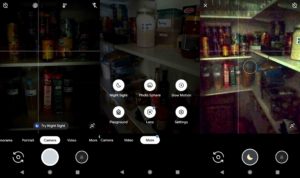
To use Google’s Night Sight feature is easy. In fact, if you open the camera in low-light conditions, the camera will suggest the Night Sight feature to you. To find it yourself, all you have to do is hit more when you open the Google camera app and then click Night Sight, which will be the top-left option in the menu that pops up.
How to use Google night Sight
Just look for the moon!

When Night Sight is active, a little moon will show on the center of the shutter button. You have to tap this and then hold the camera still while it takes in as much light as possible. You’ll see a circle appear on the screen that will turn white to show you how much longer you need to keep the camera still. Once the camera has gathered enough light and information to work its magic, you’ll be able to move the camera again and snap other photos. You’ll have to wait a few moments for the camera to process all the information and create your photo.

The way Night Sight works highlights a key aspect of the feature. It needs light to work. The darker the scene you are trying to capture, the longer it will take the camera to gather enough light. You could end up holding the camera still for quite a few seconds.

Using Night Sight in the Amazon jungle

Having fully familiarized myself with how to use Google Night Sight on my Pixel 2, we headed out into to Amazon rainforest. We spent five days sailing along the river and heading into the jungle at various spots in search of wildlife and to learn about the different types of plants and the medicinal effects many of them can have.

At night we stayed in different places with just a mosquito net to protect us. We slept on a small beach created by a sand embankment, in the house of a village shaman, and out in the rainforest itself. Light was always in short supply, so we had the perfect chance to put Night Sight to the test. You can check out some of the shots below.

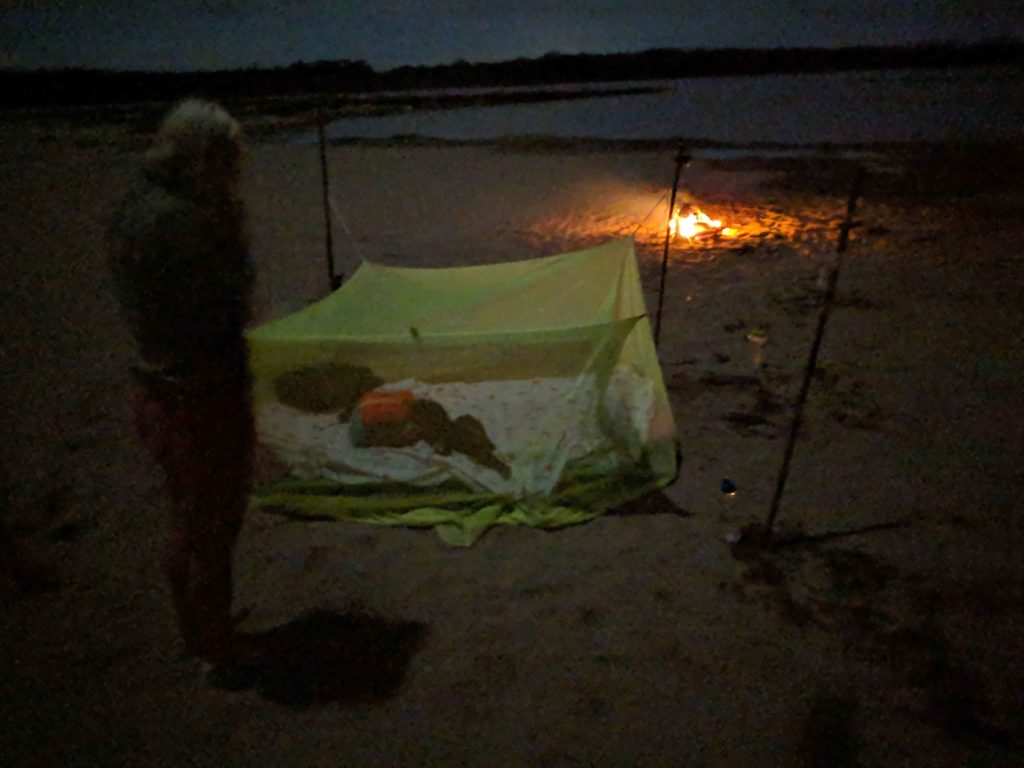
For our first night we slept on a small beach on the banks of the Amazon river. We ate jungle boar cooked over an open fire.
We slept under a mosquito net as the fire slowly burned out beside us. The warm glow from the dying embers was the only thing keeping the wildlife from coming to check us out.
After that, we slept in the rainforest itself. I had to build a platform for us to sleep on so that we wouldn’t be bitten by snakes during the night.
Apart from the jungle canopy above us, once again all we had between us and the stars was our mosquito net.
On another night we stayed in the house of a village shaman. He and his family made us very welcome and we loved our time with them. There were no electric lights at night, just oil lamps burning away so we could see each other’s faces.
We were in the village when Peru were playing Costa Rica. We headed over to watch the match at the local shop, which was showing the match on a big screen.

Conclusion

You can see from the shots above that the best photos are the ones that have a direct source of light in them. The flames from the campfire, the lights from the local shop, and the headlamp all illuminate the images and enable Night Sight to put together much sharper images than the more traditional low-light situations of the other three shots.

The other shots include quite a bit of noise and grain, which shows as either distortion of the images or discoloration. This could be used with an artistic flair, the photo taken in the shaman’s house has a ghostly quality about it, but will often lead to shots looking disappointing.

There is room for improvement, however, and a clear path to make it happen. At the moment, you can’t use Night Sight with the phone’s flash, which is disappointing as all of our test shots showed that direct sources of light really help Night Sight work its magic. If you add to this just how terrible the Pixel camera flash is anyway, putting these two camera features together could help Google take its low-light smartphone photography to the next level.

All-in-all, however, Google needs to be applauded for its new Night Sight feature. It marks a clear improvement over the regular camera setting and allows users to capture memories and moments at times when it would normally be impossible. I’m very happy that they added the feature to my Pixel 2 and think that other phone manufacturers need to start working on their own Night Sight feature for their handsets too.

The Google Maps messaging update will be on your phone soon

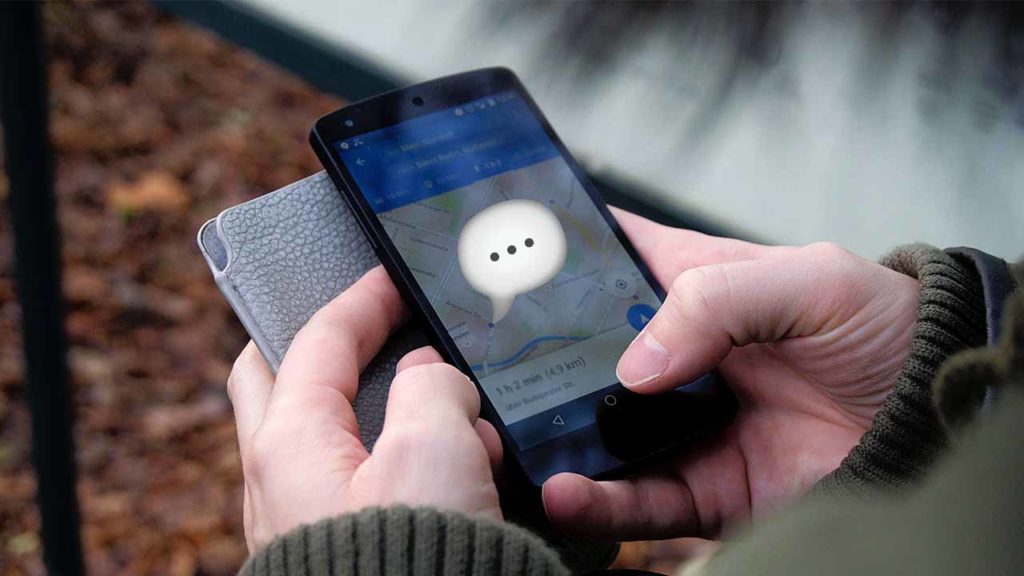
The Google Maps Messages tab will help you contact businesses

google maps

We’ve been talking a lot recently, about big updates coming to Google Maps. We’ve seen lots of cool new features like a special mode for using Google Assistant while you’re navigating and a new feature for reporting traffic accidents and incidents. The other big news for Google’s flagship mapping app has been its pivot towards becoming a business directory to help users find businesses in their local area. There has been the addition of Instagram-style hashtags to reviews, making it easier to find exactly what you’re looking for, and Google has also promised us that Maps will soon have a messages tab. The new messages feature is now rolling out.

Google Maps Download Google Maps
7

The Google Maps Messages tab will help you contact businesses

We covered a lot about the functionality of the new Messages tab when we first reported on it back in November. The new Message button will show on the business overview tab of any business that has registered for the service with Google Maps. You’ll also be able to find all of your chats in the new Messages button found in the main settings sidebar of the app. The key, however, is that this new Messages button won’t enable you to spark up conversations with your friends, it is only for talking to businesses.

If this all sounds like something you’d be interested in using, then you’ll be happy to hear that users on social media have started to see the new feature land on their app. Over on Reddit, the response to the new feature seems positive, too. Now, if you need to ask a question about opening times, specific food allergies, or whatever you can just open up a chat bubble and ask away. At the very least, the new Messages feature looks set to remove the need to ask questions in reviews.

This move is not an attempt by Google to muscle in on social messaging platforms like WhatsApp, Instagram, Messenger, or Snapchat. Not yet, anyway. There is nothing to say Google won’t extend the feature to all of a user’s Google contacts in the future, but at the moment there is no evidence to suggest that is the plan.

What this is though, is an attempt to move into a growing marketplace. Facebook’s Messenger app has long been trying to become the app for everything, with business messages forming a huge part of those efforts. Instagram also offers a great way for businesses and customers to contact each other and WhatsApp has recently launched WhatsApp Business, which will charge business users for contacting their customers using WhatsApp. It could be a crowded marketplace that Google is moving into, but with so many people using the app to find places already, Maps could be about to become the internet’s number one business directory.

Google Assistant can now accurately predict the future

Google Assistant can let you know with 85% accuracy if your flight will be delayed.

google assistant flight delays

If you’ve ever used an AI assistant like Amazon’s Alexa or Google Assistant, you’ll know that they have many skills that can help you throughout your daily life. Often these skills are just novelties or bits of fun, like calling Santa Claus in his workshop, but they can also be useful and practical like making your coffee in the morning, cooking your lunch, or setting reminders for your schedule. Rather impressively, Google Assistant has developed a new skill that allows it to see into the future and give you useful information when you’re about to embark on a trip or vacation.

Google Assistant Download now
8

Google Assistant can let you know with 85% accuracy if your flight will be delayed

The major advantage that Google Assistant has over other AI assistants is that it can call on data from across all of Google’s products to help provide you with the information you need when you need it. Assistant can dip into your Gmail inbox and bring back the flight times from the booking you made a few months ago as if it always had the information on hand anyway.

In a recent blog post, Google announced that soon Assistant will be able to access data from another Google product that will broaden this skill. Google Flights has been publishing flight statuses for a while, and this historical flight data allows Google to make predictions about whether flights will be delayed with an astonishing 85% level of accuracy.

Soon, data from Google Flights will be available to Google Assistant, which means you’ll soon be able to holler, “Hey Google, is my flight on time?” or “Hey Google, what’s the status of the American Airlines flight from Philadelphia to Denver?” to get up-to-date information about your flight status.

As well as providing information on flight statuses when we ask for it, Google Assistant will also start proactively updating us. If the Google Flight data indicates that there is a high likelihood your flight will be delayed, Assistant will ping you a notification telling you so, before you even ask for it. This approach puts Google Assistant ahead of Apple and even the airlines themselves, which will only send you a notification once the flight delay has been confirmed.

As we push further into the new year, we move into the most popular time of the year for booking vacations. With trips supposed to be relaxing and stress relieving, it is good to know that our virtual assistants will be working away in the background to keep us up to date about potentially stressful occurrences. Google Assistants flight delay predictions will keep us one step ahead of the game when we’re trying to relax. The big question will be, however, if Google says it thinks your flight will be delayed, will you risk staying at home on an 85% certainty?

Top 3 apps to find the best gas prices

Save on your next road trip with these great apps.

gas prices

The moment you get your license, you realize gas is expensive. If you have to drive, you’re probably willing to go out of your way to find gas stations that don’t charge as much per gallon. Instead of driving in circles trying to compare which station has the best rates, let these apps put them all in one place for you.

Top 3 apps to find the cheapest gas

1. Gas Guru

Gas Guru logo

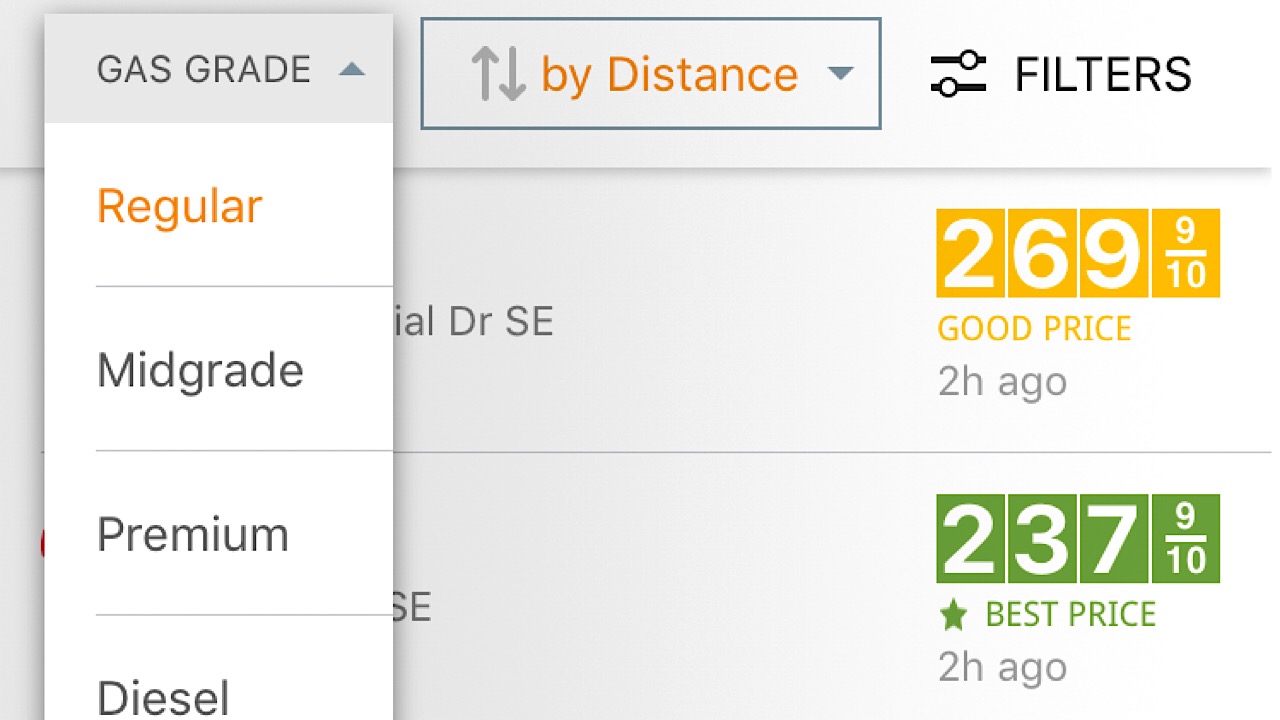
Gas Guru has everything that you want in a gas app. You can start by altering the settings and customizing them to what kind of gas that your car takes. On the main page, just tap on the “Gas Grade” drop-down menu and select your gas type.

Gas Guru gas types

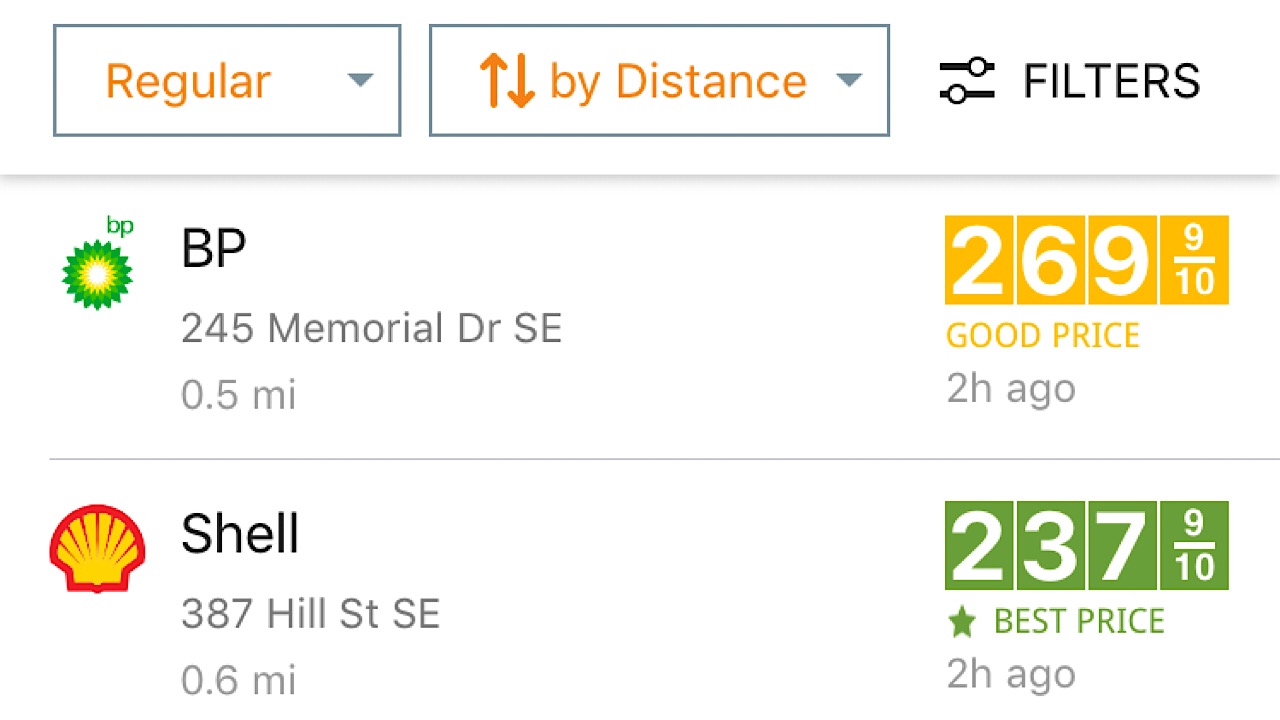
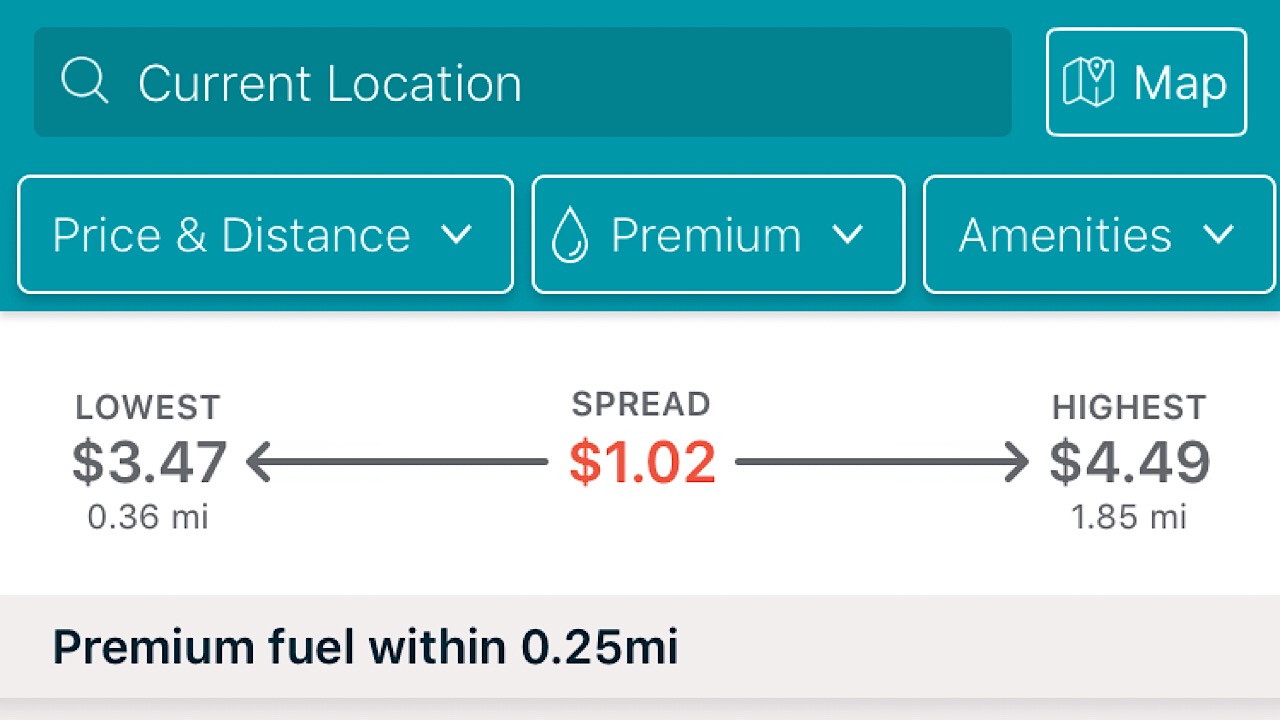
List stations by distance so you know how far you’ll have to drive to get to the BP or Shell that you’re looking for.

Gas Guru distances

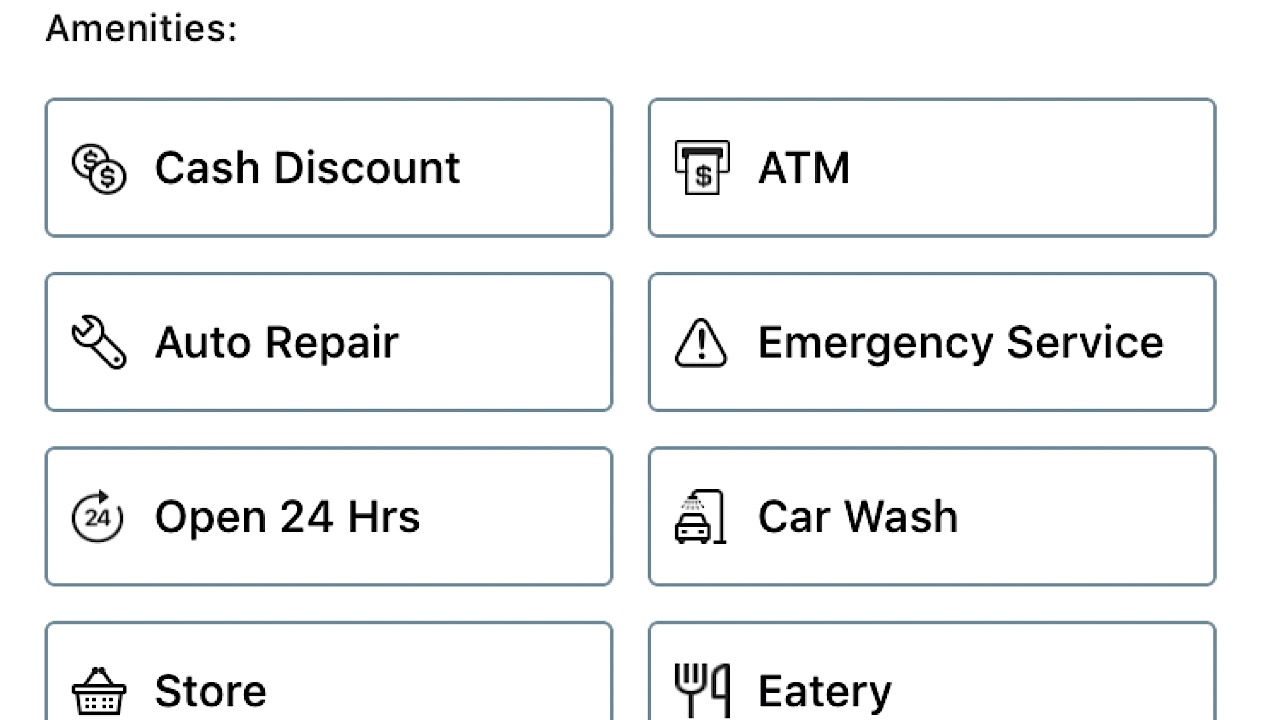
Something that’s pretty cool about Gas Guru is that you can also filter results by the amenities that are offered. If you’re taking a road trip, tap on “Open 24 hours.” If you’ve popped a tire, select “Auto Repair.”

Gas Guru amenities

There are a ton of things you can do with this app outside of just searching for the best gas prices, so it’s definitely worth the download. Available on iOS and Android.

7

2. GasBuddy

GasBuddy is the original gas app. Chances are if you’ve ever searched for one, GasBuddy is the first that will show up.

Like Gas Guru, you can sort your options by just price, just distance, or both, the type of gas, and you can also search by amenities. For each result, you can see the ranking by stars of others that have used this station.

GasBuddy screenshot

If you get there and the price is completely wrong, you can alert the app and they will make changes so as not to convenience you or other people in the future. GasBuddy gives you the option to pay for your gas through the app with their Wallet function, which will save you five cents per transaction. Five cents doesn’t seem like much, but it adds up over time. Earn points for entries in contests to win free gas.

GasBuddy contests

GasBuddy has a bit of everything and the incentives earned it a download from us. Available for iOS and Android.

8

3. MapQuest

MapQuest logo

Remember MapQuest? Back before there were apps for everything, we’d use MapQuest for directions, printing them out and trying to read them while steering. It was insane.

6

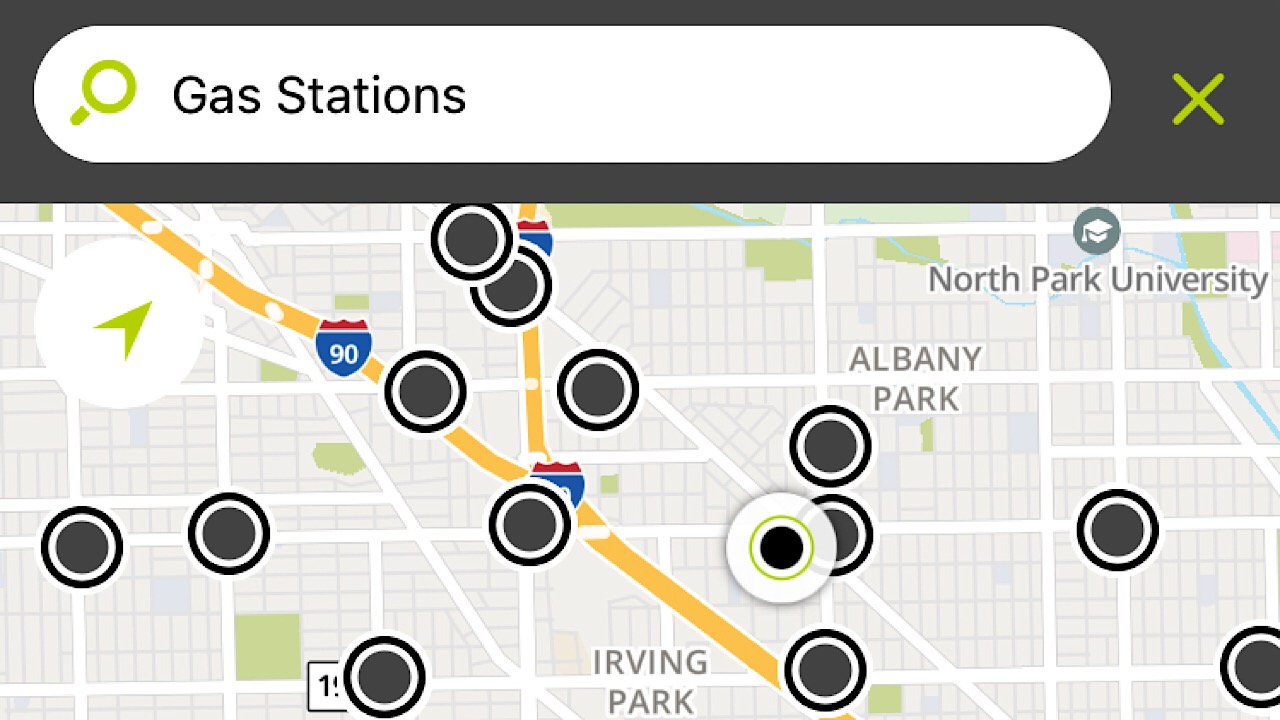
Although this app doesn’t have as many functions as the other two on our list, it still gets the job done. Search gas stations and see an eagle’s eye view of all the stations in your area.

mapquest screenshot

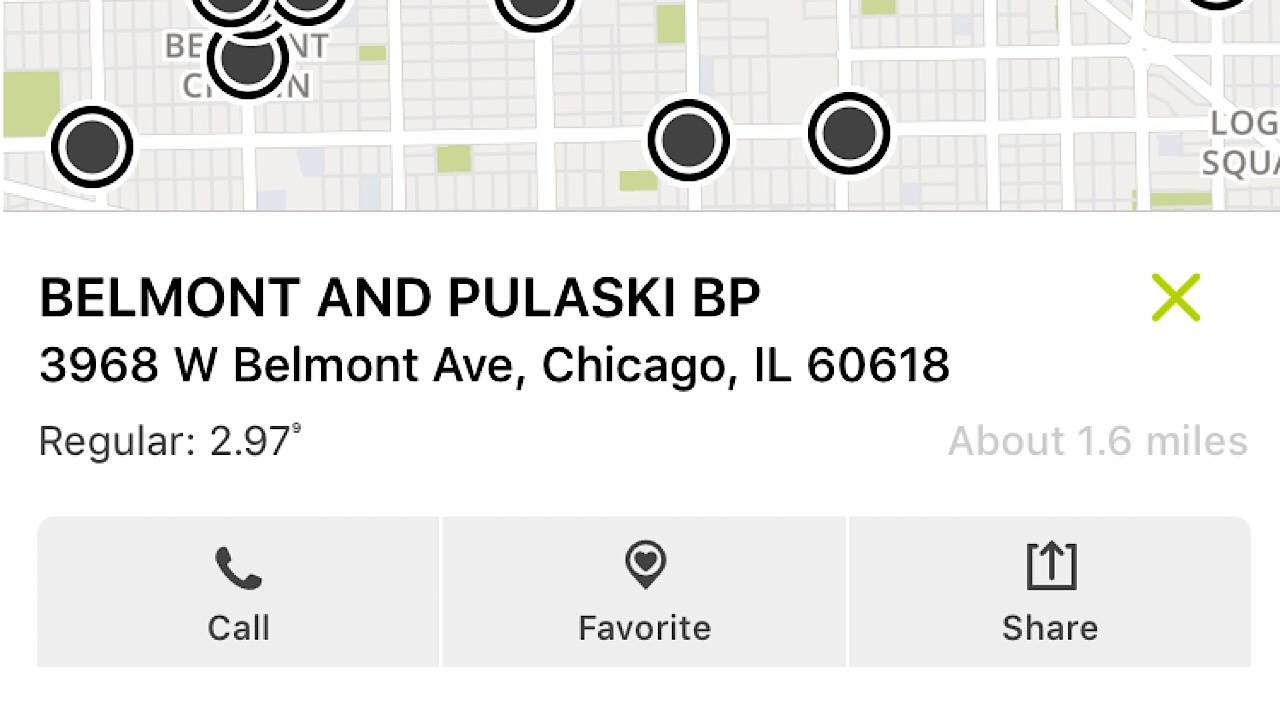
Tap on the one you want and it will give you the address, distance from you, the current price of regular gas, and the ability to save it to your favorites for later.

MapQuest screenshot

As great as our early MapQuest memories are, we’ll take the convenience of app technology over wasting so much paper and ink any day. Available on iOS and Android.

Shelling out hundreds of dollars for gas is already stressful enough, so hopefully, this list will help cut down on some of your day-to-day workload.

Airbnb rival aims to fix the home-sharing economy and you’re going to love what it will be called

An “ethical” alternative to Airbnb will start offering a pilot program in four cities in January.

travel

In allowing people to rent out rooms in their own houses, Airbnb seemed to have created the perfect product. It allowed people to supplement their primary income while opening up a whole host of interesting and affordable new properties to travelers and tourists. On a small scale, this idea seemingly works for everybody, but the idea has proved so powerful it has grown large enough to cause some rather serious problems.

As well as our U.S. headquarters, Softonic has a base in Barcelona, Spain, where the local council has been fighting with Airbnb for years. Barcelona’s problems are also being felt by cities all around the world. The Airbnb effect? Rent increases, gentrification, housing shortages, and a whole host of other problems relating to increased levels of tourism. At the heart of all the problems lies the fact that instead of offering their properties to local people, homeowners are listing them on Airbnb.

To combat these negative side effects, a team led by Sitio Veracruz is working on a rival service to compete with Airbnb. According to Veracruz, the new service will be different to Airbnb in three main areas that will ensure a much fairer service.

Fairbnb will start offering a pilot scheme in four cities from January

what is fairbnb?

The four pilot cities that will see the first Fairbnb rentals are all in Europe. From January 2019, the platform will offer properties in Barcelona, Bologna and Venice in Italy, and Amsterdam in the Netherlands.

Speaking to The Next Web, Veracruz described the three main areas that set FairBnB apart from its established competition. First, The platform will enforce a one host one home policy, which will ensure single landlords can’t take multiple properties off the local market. The platform will follow this up by ensuring that all hosts are legally entitled to offer their property up as a tourist rental.

The second difference is that Fairbnb will pay local taxes on all profits and that 50% will be used to fund local community projects. Veracruz said, “We’re currently looking towards community projects that are struggling to find non-commercial spaces, which we’ve seen is a big problem in many cities… This includes non-profit projects such as housing for neighborhood associations, non-profit food cooperatives, or community gardens.” Imagine a global company like Airbnb, which has achieved a market value of more than $2 billion in less than 10 years, putting half of everything it makes back into the local communities where it operates.

The third major difference between Fairbnb and Airbnb is the fact that the ethical alternative will be run as a cooperative. All salaries will be limited, everything about it will be transparent, and the owners of the project will all be involved in the day-to-day running of it.

Apps are all supposed to make our lives better and developers claim to be working to make a better world, too. When profits get involved, however, and investors start calling the shots, things can become a little muddied. Airbnb has shown the real-world problems that can occur when well-meaning apps ignore the wider issues to chase maximum profit. With the very different Fairbnb starting up next year, we could be about to see a battle between ideologies. Capitalist apps against truly ideological apps that offer service over profit. Who will you be rooting for?

You can find out more about FairBnB here.

Cozy alternatives to hotel stays during the holidays and year round

Make your next vacation extraordinary with the help of these 3 sites.

travel

Holiday season is prime time for traveling. Maybe it’s to visit family, plan a romantic Christmas getaway, or to escape the cold weather and spend a cozy vacation on a sunny beach far from any threat of snow. Whatever your reason might be, you’re going to have to figure where you’re lodging! There are a number of hotels you might try, but perhaps you’re looking for something a little more adventurous – something that will make this season a holiday to remember.

If you’re looking to escape the confines of a hotel, book a relaxing trip with confidence, and find a unique locale that really captures the essence of what you’re craving in a trip, then we’ll start you off on the right foot with these three travel sites.

Best websites for lodging other than hotels

1. Give Airbnb a chance!

Unless you’ve been living under a rock, you’ve heard of these guys. What you may not know is just how many homes are available via Airbnb by now; there are over 4 million Airbnb listings worldwide, and on any given night around 2 million people are staying in one that they’ve they’ve rented.

Is it safe? Short answer: Yes. If you’re new (and feeling dubious), check out these seven tips for first-time renters or look up safety policies on their FAQ. The bottom line is that there are nearly 5 million listings in 191 countries to choose from, which is more than the top five hotel chains combined.

Their success is made possible by a thorough system of account protection, secure payments, watch list and background checks for any hosts, and risk scoring every reservation, making sure you know what you’re getting into. You can even communicate with your Airbnb hosts without having to send your private email address to prevent scams and avoid maintaining contact with a host you later choose not to follow through with.

Airbnb offers more choice of lodging than your typical hotel or apartment complex. See a location from a new angle!

As for the kinds of places Airbnb offers, there are three basic listings: A private room, a shared room, or an entire place. That said, Airbnb’s versatility is through the roof, ranging from tiny rooms where you’ll spend a night or two to entire islands if you’ve got the money to burn. Check here for listing information and here for more detailed search options and filters.

2. VRBO promises to help you build the best vacation ever

Vacation rentals by owner (VRBO) launched in 1995, about 15 years before Airbnb, so it’s had a longer time to work out any kinks that might leave you skeptical about Airbnb. Another advantage that VRBO has is that since it was originally used as a home-sharing market that prioritized ‘second home’ or ‘vacation home’ type locales, that’s largely what you’ll be finding there.

Sure you’ll likely be able to find the same spots on Airbnb, but VRBO will probably be more scenic and closer to the action, since it was designed with tourism in mind. For a more thorough comparison between VRBO and Airbnb, check this video:

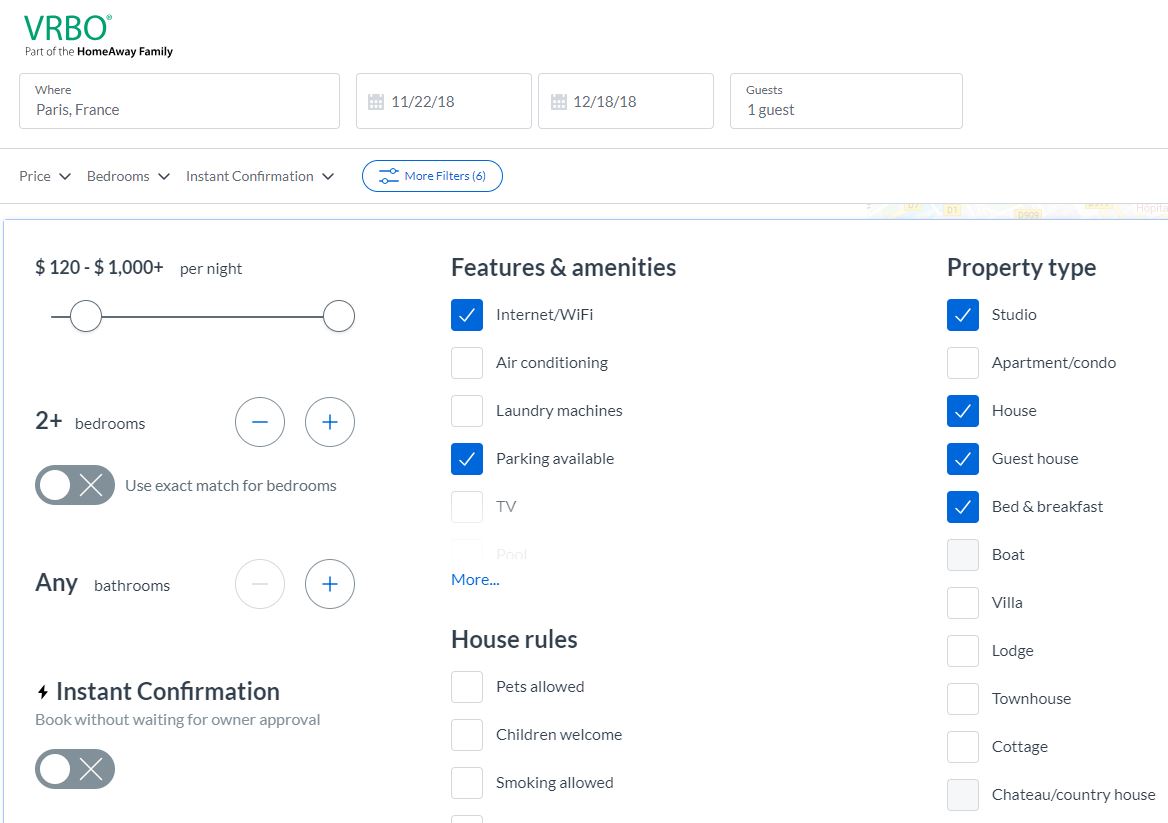
Since VRBO caters more towards vacation stays, their website is very up-front and user-friendly with showcasing popular destination spots like New York, Venice, Hawaii, or Paris. Again, VRBO offers apartments, houses, boats, cottages, chateaus, cabins – whatever you’re looking for. Just click more filters on the top of the page and you’ll be able to distinguish all kinds of facets, including price, nearby activities, location, and number of bedrooms.

VRBO lets you adjust filters 'till your heart's content

3. Booking.com gives more options

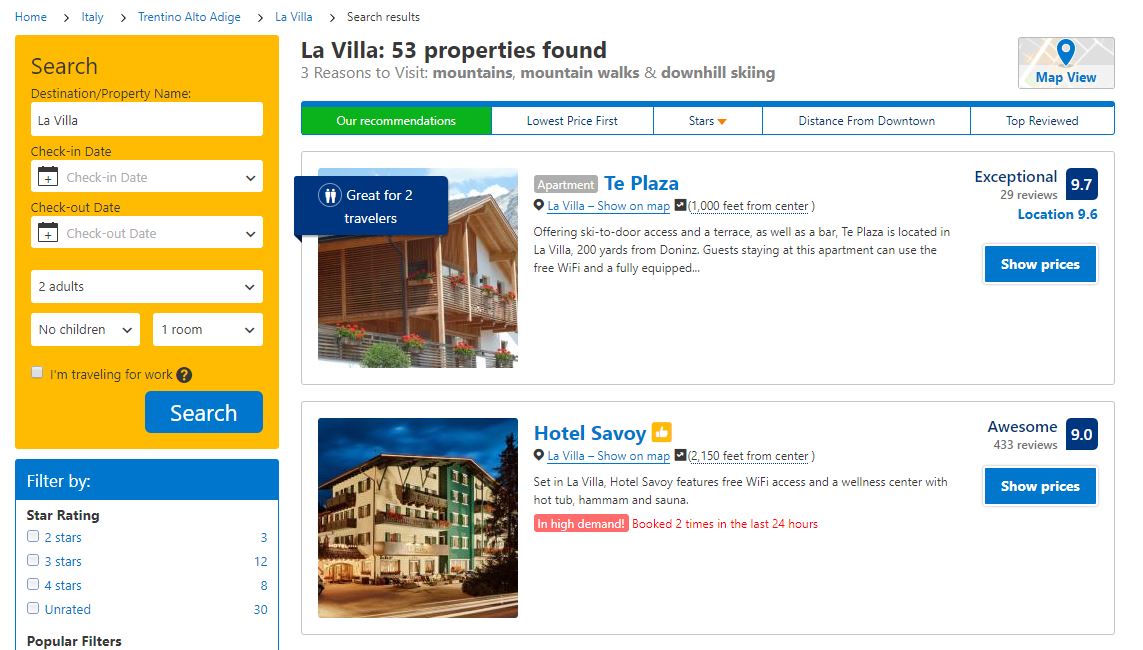
Booking.com offers a variety of getaway options just like our previous two options, but it additionally offers hotels as well. If you’re not opposed to hotels being listed in your options, but still like the chance of getting an Italian villa or a jaunty gîte in France, then booking.com will cast a larger net. The website is growing in popularity (particularly for destinations in Europe), but even something as simple as Ocean City has over 880 vacation rentals!

Booking.com has hotels and practically every other kind of lodging under the sun

Booking.com has more options available to its users, which is why its website is so useful. There’s a number of articles to help you narrow your search that are available (and free to browse!) right on their home page. There’s a food lover’s guide to southern France, top 5 hiking spots in Germany, and even a list of pet-friendly adventure locations. If you want low prices and unique lodging options but aren’t sure specifically where you want to go, we recommend starting with this site, then running the location through either VRBO or Airbnb afterward, to crosscheck your options and compare prices.

We hope this guide has gotten you excited to travel. Let us know which site you find to be the most useful, and if there’s any that we missed!

6 perfect apps for exploring new places

Before you head out on your next vacation, pack these apps on your phone!

travel

Traveling isn’t just a fun escape from your day-to-day life — it’s actually good for you. Research shows that people who vacation regularly are healthier and live longer than those who don’t. Traveling for pleasure can also improve your mood, inspire your creative side, and make you smarter.

If we’re being honest, though, traveling can also be stressful. Sure, there are plenty of apps that promise to help keep you sane — but not all of them are as helpful as they seem. However, these six apps really deliver on their promises. Try one out before your next trip so you can minimize the chaos of travel planning and focus on enjoying your well-deserved holiday.

6 perfect apps for traveling to new places

PackPoint Premium Packing List Download Now ►
7
Do you really need an app to help you pack your travel bags? Well, kind of. This simple app is actually very helpful. PackPoint creates a packing list depending on where you’re going, how you’re getting there, and how long you’ll be staying. You can customize your list based on factors such as what activities you’ll be doing, the time of year, and more. Don’t feel like making your own? Check out lists posted by other travelers heading to the same place you are.
7
GeoSure helps you stay on top of any health or safety concerns as you travel abroad. The app compiles data from multiple sources, including the World Health Organization, the United Nations, the Centers for Disease Control, and local agencies. This information is used to create a safety score based on factors such as crime, political unrest, environmental hazards, and other potential risks to your health and safety. Besides all the official stuff, GeoSure also helps you get the word on the street. You can tap into crowdsourced info about what’s happening right now in your travel destination, right down to the neighborhood you’ll be visiting.

travel apps

TripIt: Travel Planner Download Free ►
6
TripIt is one of many similar travel planning apps. However, it’s a standout because of its comprehensive features and user-friendly functionality. Instead of giving TripIt access to your inbox (which is the case with many comparable apps), you just forward your confirmation emails to them. TripIt will then use this information to create a detailed itinerary for you. This interactive itinerary includes the dates, times, confirmation numbers, maps, weather forecasts, and everything else you need to stay on track while you travel.
CalConvert: Currency Converter Download Free ►
7
It’s a calculator, it’s a unit converter, it’s ... both! Sure, you should always have a calculator available, but the conversion features are what makes this iOS app a must-have for world travelers. CalConvert can instantly show you the current exchange rate for over 150 currencies. Plus, you can use it to convert foreign units of measurement into familiar increments.
9
If your travel plans involve a road trip, GasBuddy wants to be your new best friend. This simple but useful app helps you find the best gas prices near you, no matter where you go. Available in Canada, Australia, and the United States, GasBuddy will also help you plan your fuel stops and calculate your travel cost.
Guides by Lonely Planet Download Free ►
7
If you’re on the hunt for Instagram-worthy attractions, Guides by Lonely Planet will help you find them. Along with the dreamy photos of gorgeous places near your destination, this app offers location-specific advice, information, and travel guides. Taking the kids? Get family-friendly itineraries. Thirsting for adventure? Find out where the biggest local thrills are. You can even book excursions and activities through the app.

No matter where you travel, be sure to take lots of pictures to make your friends jealous! And if you need tips to make sure those Instagram posts reach the widest audience, we’ve got you covered there, too.

Best hotel sites for travel

Find the perfect hotel at the perfect price with our picks.

There’s no place like home for the holidays, but if you’ve been bitten by the travel bug (or if you’re travelling to see family or friends elsewhere) then you’re in for a holiday of travel. Here’s the hard part: Figuring out where you’re staying, and booking that sweet reservation!

Holidays aside, no matter your reason for travel, discovering that perfect hotel can be a challenging, irksome, and tedious business – especially if you’re travelling on a budget, won’t have transportation, or are just plain finicky. Luckily we’ve got four websites that will make your job much easier and much less stressful. Check them out!

4 best websites for booking hotels

Bring the holiday with you wherever you go

1. Can’t be simpler than Hotels.com

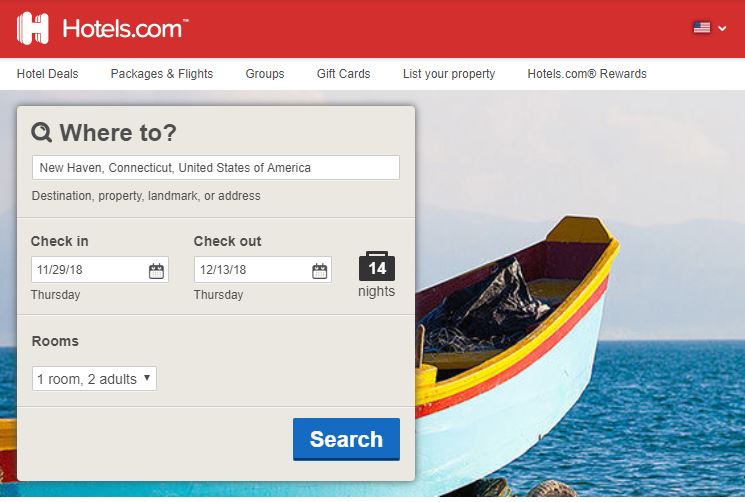
The name of the website says it all: You want hotels fast and easy? You got hotels fast and easy. As soon as you open the page, there’s a prompt right up top that lets you write where and when you’re going, how long you aim to be there, and how many people you’re looking to room. Click the blue search button and let hotels.com work its magic.

hotels.com should be your first choice

We also like this site for more than just the holiday season, and if you’re a frequent traveler this could be your new favorite thing; you can use the Rewards system to eventually accrue points towards free nights, and secret prizes, which could save you a lot of money, depending where you go. Hotels.com also has new deals pretty frequently, ranging from package deals to timely holiday sales.

2. Bidroom.com is tailor-made for return guests

What makes Bidroom so great is that it offers sweet deals to members – another great resource if you’re a frequent traveler. If you’re looking for that one-shot trip to grandma’s for Christmas then you’re probably better off with hotels.com, but a membership with Bidroom will save you more money in the long run:

Join the Bidroom membership community  and you’ll not only get a huge variety of location and lodging choices, but you’ll also save up to 25% on every booking! Bidroom scouts for all the lowest available rates on the biggest hotel booking websites and then compiles them, leaving you with a discount on those prices. It works similarly to Chrome’s Honey extension, but specifically with room booking. Their slogan? “Same hotel. Better pricing.” You can even start a free trial!

3. Booking.com gives more options

Want to stay someplace besides a hotel? Booking.com is your best bet.

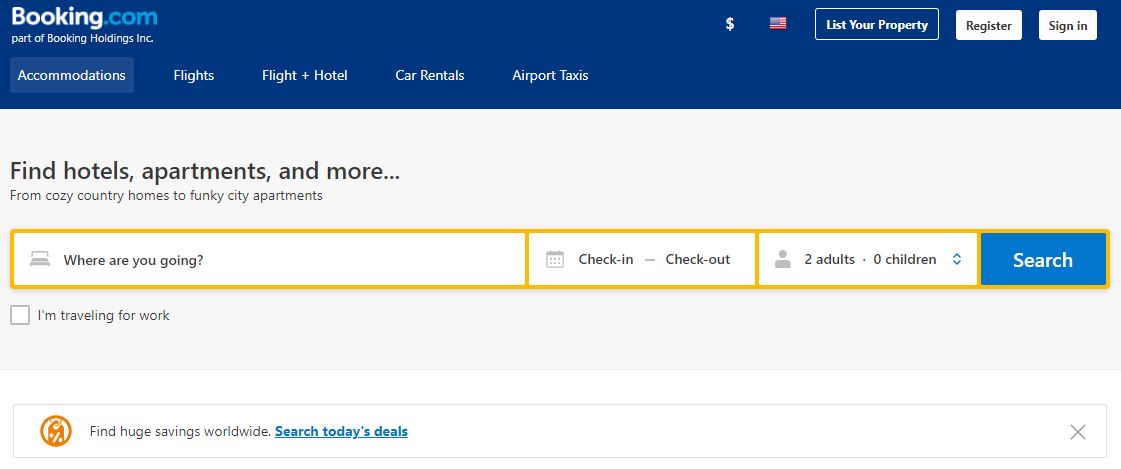
Booking.com finds you hotels just like our previous two options, but has an extra advantage: They’ll offer you lodging besides just hotels. Want a resort in Italy? They’ve got it. A cabin in Denmark? They’ve got that too. Cottages in France, Motels in Las Vegas, this website has a ton of style options to choose from, and it’s all on one intuitive website. Ocean City alone has over 880 vacation rentals! Is it better than hotels.com? Check out this video and decide for yourself:

More options mean more decision-making, which can be really daunting for some people. That’s why Booking.com also has a number of travel articles to help persuade/dissuade you. There’s a food lover’s guide to southern France, top 5 hiking spots in Germany, and even a list of pet-friendly adventure locations. If you want low prices and want to meet specific interests while indulging in unique lodging options, this is probably your best bet.

4. Reservations.com has hundreds of thousands of choices

If you’re looking to cast the net wide, but still want options to pinpoint that perfect fit, Reservations.com offers you the niche versatility and a variety of filters that will help narrow that search down to the best choice for you. Like hotels.com, Reservations has a super simple UI that lets users pinpoint destinations, check-in/check-out, and rooms, and you’ll instantly have access to over 250,000 choices. But the difference here is that right below the search portals you’ve also got options to set filterspopular options, luxury, or cheap. That helps you narrow down the type of lodging you’re most interested in reserving (we recommend “popular”).

Easy UI? Tons of choices? Sign us up!

Reservations also has a number of holiday deals (perfect for this time of year), an instant confirmation policy, customer reviews, 24/7 customer support, and secure checkout options that’ll get you booked in just a few minutes.

Let us know which option you’re going to be using this season! Sure there’s no place like home for the holidays, but when finding hotels is this easy, that travel itch can sure be convincing!

Google’s new hotel search engine makes vacation planning easier

Google’s hotel search engine now available on both mobile and desktop

Google hotel vacation search

For a while now, Google has offered a special hotel search engine tab on your smartphone. The search company has today announced that the same feature will now be available on desktop, too. Let’s have a look at Google’s hotel search engine in a bit more detail.

Google App Download Now
8

Google’s hotel search engine now available on both mobile and desktop

Google Hotel search console
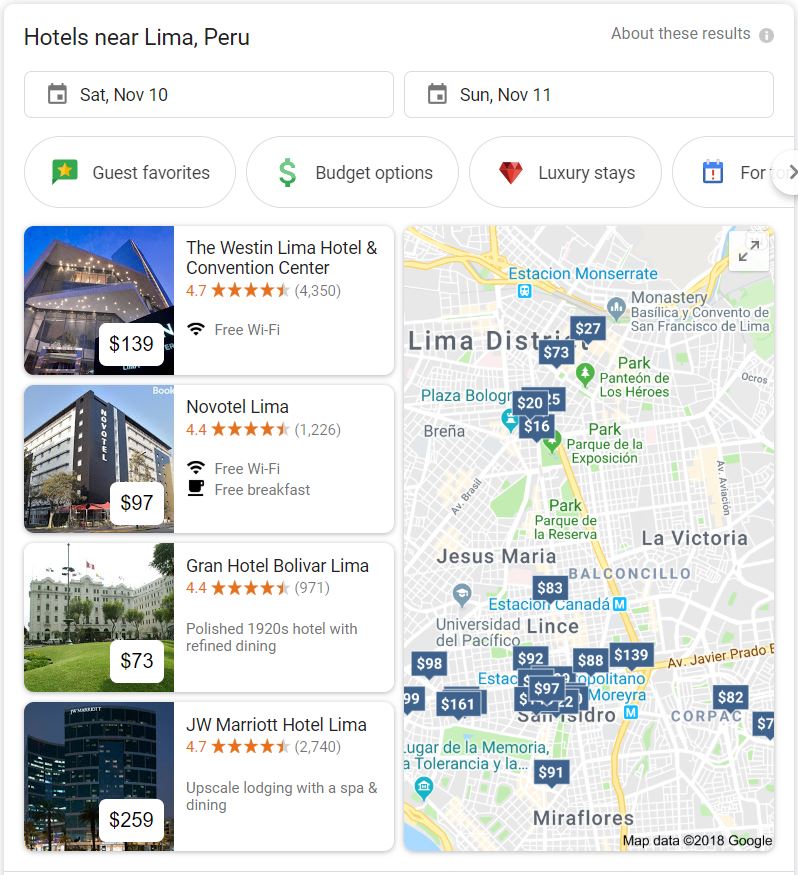
This search console will appear in inside search results for hotels

If you’ve ever used Google to search for flights, you’ll be familiar with the types of customization options and toggles that Google has included in this new hotel experience. Simply searching for something like “hotels in Lima” will open the new hotel search panel, which includes all the new hotel specific search options.

The new panel will appear in the search results and will allow users to enter the dates of their stay as well as selecting options like, “Guest favorites,” “Budget options,” “Luxury stays,” and, “For tonight.” The new panel will also show the top hotel results as well as a map showing the locations of the hotels Google has listed. At the bottom of the panel is a button that says, “See … results.” This will show how many hotels Google has listed for that particular location and clicking it will open up the full Google Hotels search engine.

Google Hotels available on both mobile and desktop
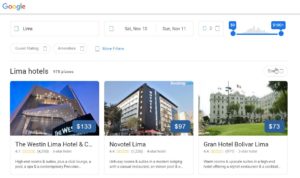
The full Google Hotels search console

Once you’ve opened the full Google Hotels search console, you’ll be able to customize a whole range of filters and options. These include the city, the dates of the stay, and the number of people in the booking, as well as a slider for setting the price range.

Other filters include guest ratings of hotels and a range of hotel amenities like Wi-Fi, swimming pools, TV etc. As well as guest ratings, the search engine will also be able to filter by official star rating and will also include an option to search for vacation rentals rather than hotel rooms. Clicking on a particular hotel or vacation rental result will show more information and offer various partners and agents available to make a booking.

In a blog post announcing the new feature, Google mentioned that on the new Hotels console users, “…can browse hotel results easily with:

  • Photos from the hotel or fellow travelers
  • Hotel information, such as neighborhood and location.
  • Hotel reviews from around the web that can be searched by keywords like ‘air conditioning.’”

This new service has already begun rolling out globally so if you’re planning a trip head over to Google and start searching for hotels. We’d love to hear about your experiences with the new search console in the comments below.

Uber is getting tough on users with low ratings

Uber is getting tough on users with low ratings

Uber is going to start kicking users with consistently low ratings off the app

Love it or hate it, Uber has taken the world by storm. There aren’t many cities left in the world where you can’t hail a cab on the Uber app, and with self-driving cars and other innovations on the horizon, Uber’s influence around the world looks set to grow further.

8

One of the main criticisms leveled at the taxi app, however, is the systematic deconstruction of established labor rights for taxi drivers. Uber drivers are self-employed, which means Uber isn’t subject to employee protection laws.

After years and years of fighting tooth and nail to exempt itself from an established employer/employee relationship, Uber is finally taking action to protect its drivers. It isn’t going to start providing them with sick pay or paid vacation, but Uber is going to try and protect Uber drivers from nasty customers.

In a bid to make Uber “enjoyable and safe for everyone” later this month, any users who have a consistently low rating will be kicked off the app. This is already the case in the U.S. but last week, Uber extended the policy to Australia and New Zealand. It could also be coming to the UK too.

Via Uber: Apparently, in Australia riding an Uber with no top on or in a string vest won’t score you a bad rating

If your rating starts dropping toward four stars, Uber will notify you that you need to improve your score and if you fail to do so, you’ll be kicked off the app. Anybody who is removed from the app will have to undertake a “shot educational exercise” to win back access to the Uber market.

Drivers have long been subject to stringent rules around ratings. U.S. drivers need a rating of 4.6 or higher if they want to keep their job. The threshold for customers will be a little lower, but it is good to see similar expectations falling on the riders as well as the drivers. As Uber now says in its updated community guidelines:

‘The way you behave while using Uber can have a big impact on the safety and comfort of drivers, as well as your fellow passengers. Courtesy matters. That’s why you are expected to exercise good judgment and behave decently towards other people in the car when riding with Uber — just as you would in any public place.”