Guide to Slay the Spire with the best tips and tricks

This strategy game called Slay the Spire from Mega Crit Games is ideal for those who enjoy the combination of rogue-like elements with card game mechanics. The game takes place within the Spire that is inhabited by strange creatures and powerful relics. You have to try and make it to the top by collecting your unique deck and battling many different enemies. But how do you make it to the top of Spire in this game?

In this Slay the Spire guide, we share more about the game, the best strategies, differences between the characters, and more.

What Is Slay the Spire?

Slay the Spire is a strategy game that fuses card games and rogue-like elements to create a stunning single-player deck-building game. The game was developed by American gaming studio Mega Crit Games and is available on Mac, Windows, iOS, and Android. 

There are four characters you can choose from to traverse the Spire. Each character has its strengths, and the decks you build for each one will also be unique. As you travel up the Spire, you will have to battle many different enemies, which is where the card game elements come into play. 

The game is also procedurally-generated, meaning that each instance is different from the last, meaning that no two games are ever the same. This gives you a great opportunity to play with all three characters and even reply with the same character for a completely different experience.

Guide to Slay the Spire With the Best Tips and Tricks

Slay the Spire Best Strategies

One of the most challenging things about Slay the Spire is that there is no set strategy to guarantee a run to the top. Each run is completely different, with a different map, different cards and decks, and different enemies. This makes planning a strategy from the start almost impossible.

Instead, you have to think on your feet and handle each situation as it comes up while still also thinking about the path ahead. Throughout the game, you will have to conserve as much health as possible while not being afraid to spend energy during your turn as you travel through the Spire. 

A good strategy when starting a route is to plan carefully. There are six different room types; monsters, elites (mini-bosses), treasure chests, merchants, and mystery; that you can visit. Plan a route that doesn’t have too many battle rooms (monsters and elites) following each other to conserve your health. Also, aim to hit as many of the other rooms as possible along your journey.

Defect Vs. Silent Vs. Ironclad Vs. Watcher

There are four different classes that you can play within Slay the Spire. Choosing which one is the best is a very personal choice that is based on your preferred playing style. As you gain experience with the different characters and get to know their individual strengths and weaknesses, you’ll be able to beat the game with all the classes.

Slay the Spire: Defect Guide

The Defect is a robot character designed around engine building. While it takes a while to get your character strong, you have the ability to create an all-around developed character. The Defect has a very fundamental design which makes it a great character to provide playstyle flexibility.

Slay the Spire: Silent Guide

The Silent is one of the most popular characters in Slay the Spire. This character has a great deck boost that allows you to draw 12 cards from the start, which gives you a lot more options early in the game. This character also has a decent mix of block, attack, and status cards to use. This character is best used by players who enjoy a more stealthy approach, but the development of this character can be a bit slow compared to the others.

Slay the Spire: Ironclad Guide

The Ironclad is the starting character for most players of Slay the Spire. It is a solid character with a lot of strength and attack. If you are an attack-first-strategize-later type of player, then you will enjoy the Ironclads immense attack power. There isn’t a lot of variation with Ironclad, but you can develop a truly formidable character with the right deck.

Slay the Spire: The Watcher Guide

The Watcher wasn’t part of the early release of Slay the Spire, but it has quickly grown into one of the most popular characters. While starting with this character can sometimes be challenging as she is not very strong initially, but if you bear through it, you can have a very strong Watcher on your hands. If you enjoy playing in a ninja-monk style fashion, you’ll love The Watcher.

Slay the Spire Achievements

In our Slay the Spire achievements guide, we’ll be sharing some of the achievements you can get in the game. If you enjoy earning achievements, you’re in luck. Slay the Spire has 46 different ones to achieve.

They’re worth a total of 1070 gamerscore points and can take up to 200 hours to unlock all of them in the base game. Although the achievements don’t unlock anything special, they do contribute towards a saved file’s completion score.

Here are some of the achievements include the following:

  • Shrug it off: Completing a battle with only one health point remaining
  • Come at me: Win a battle without playing an attack
  • The pact: Use 20 cards in a single battle
  • Powerful: Have ten or more buffs active in one battle
  • You are nothing: Defeat a boss on the first turn

There are many more achievements to unlock. Some of them are easy, and you’ll start earning them simply by battling. However, some of the achievements take a bit more finesse and planning to earn.

How to Play Slay the Spire: Tricks and Tips

Now that we’ve covered the basics of the game, here are some more Slay the Spire tips and tricks to get you started with the game on the best possible footing. May the cards be forever in your favor.

Understand the pros and cons of each class

While you’ll likely have a favorite class, there is no doubt you’ll end up playing each of them at some point. It’s important to understand what each one is capable of, and where they struggle compared to the others. For example, the Silent often has bursts of damage through poisoning the enemy or getting free daggers. The trade-off for her, however, is being rather weak defensively and relying on quick kills to survive.

Alternatively, the Ironclad can build blocks or strength and has a healing starting relic, so he can keep safe while applying his burst. The Defect is a little different than these two, focusing on long battles and manipulating his orbs to attack when needed. Each of these classes has unique cards and starting relics, so you’ll need to practice a bit to fully understand what they can do.
Plan ahead

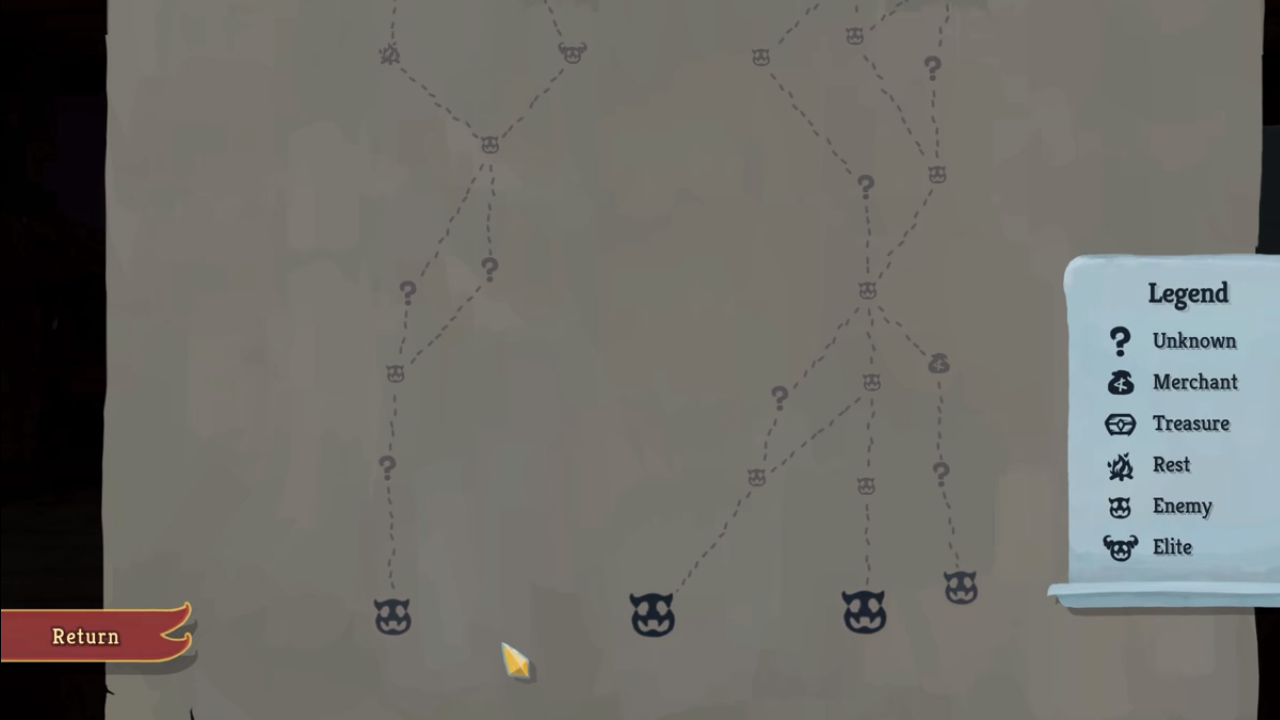
Question marks and campfires are typically the best way to take at all stages in the game. Try to plan your routes to encounter as many of these as possible. Early in the game, you won’t be able to take on many elite monsters, so you should avoid fighting too many. However, once you’re more powerful, these can be very useful since they give you a relic. Keep that in mind when you’re planning your path.
Farm for relics, not cards

Once you have a strong deck strategy, you can stop getting cards for the most part. In fact, you may even want to get rid of some early cards that no longer fit into your strategy. Deck synergy is important in this game, and if you have a huge deck then it’s hard for everything to be beneficial to each other. Just because a card is good doesn’t mean it’s necessary for your deck.

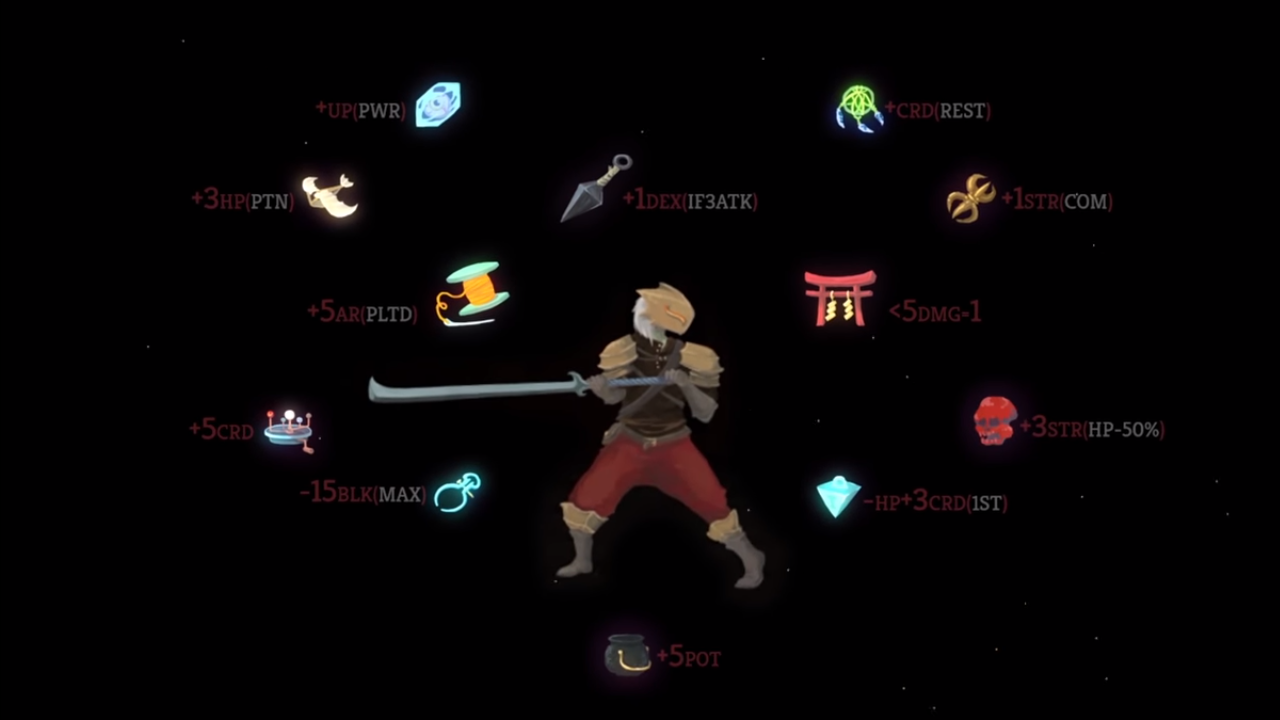
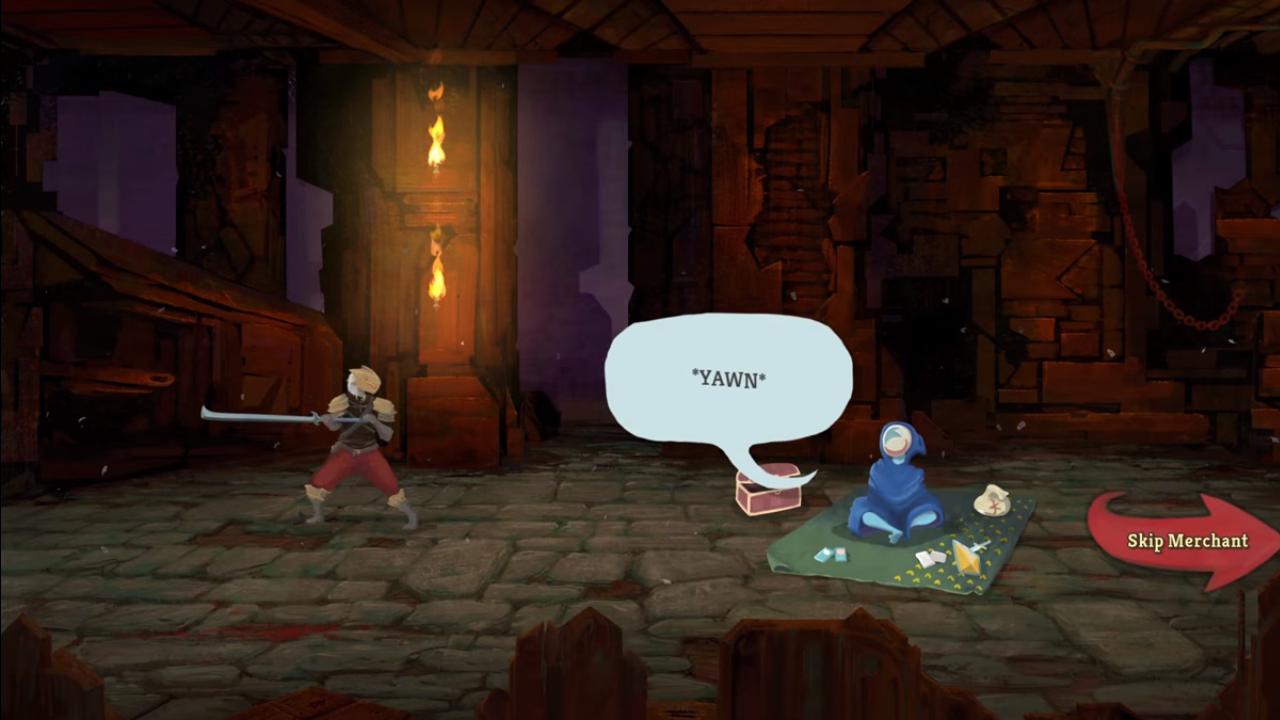
Alternatively, most relics are inherently useful. While some come with downsides (often boss relics), most are fully beneficial. Take advantage of this. When you are shopping, you’re more likely to find use in a relic or card removal, rather than buying an actual card.
Be careful about the risks you take

Risk-taking is necessary for a game that’s partially based on random chance. However, you don’t want to go too far with it. For example, you typically don’t want to forgo your starting relic at the whale, since it’s powerful and you may end up with something useless. That’s not to say that you need to play safe all the time.

One risk you should take pretty frequently is upgrading your cards at campfires, rather than healing. This is because you’ll be automatically healed after each boss, and the upgrade is more valuable, assuming you can survive. The only time you should take the heal is when you absolutely need it.

Be ready to adapt your strategy

You’ll want to start building a strategy early on. For example, you may get access to some really strong block cards as the Ironclad early on in a run. You can build a strategy around this so your cards can strengthen each other. Be careful though, because you won’t always be able to stick with one strategy.

Be ready to adjust a bit when necessary, and make some sacrifices if you need to. Slay the Spire is all about adapting to your situation, and the sooner you learn how to, the sooner you’ll reach the top!


Why printing your photos can make you happier

An old girlfriend of mine asked why I took so few pictures. When I explained I just couldn’t be bothered, she patiently replied that pictures are like memories – if you don’t take any, how are you supposed to remember all the happy moments you had in life?

I’m not especially forgetful, but her point struck a chord. My girlfriend taught me a fundamental truth: photographs help us immortalize special memories. And the very best memories deserve to live in the physical world, where you can see them every day, reliving the best times of your life as if they were yesterday.

Since then, I’ve been taking photos regularly and printing them using 1ClickPrint. Now I’m in the habit of taking pictures it’s great to browse albums or walk around my home and remember the sights, smells, and sounds of the past.

You see, just taking pictures isn’t enough. It’s what you do with them that counts. Do you remember what you did with your last picture? If you’re like 90% of the population you probably uploaded it to social media. That buzz you get when the likes build up is pretty special, but like all cheap thrills it fades quickly, and so does the photo.

It’s a strange irony: we take cameras with us everywhere but spend far less time looking at the pictures. Yet studies have shown that browsing old albums makes you happier than eating chocolate, watching TV, listening to music, or drinking booze.

If you truly want to relive your favorite moments of the past, why not print your photographs? Hang them on your living room wall, in your study, in the kitchen, frame and display them on your desk at work… do anything to bring those treasured moments to life in the real world.

I use 1ClickPrint to create canvas prints of my favorite pictures, but they also print on metal, wood, acrylic, and (of course) paper, so you can find the right style for your home. Instead of spending money on costly artworks, cover your walls in loved ones and exotic places, bringing you closer to friends, family, and past adventures.

The craftspeople at 1ClickPrint prepare everything by hand, using the finest art-grade inks to ensure long-lasting, colourful, and vibrant pictures. Every order is then triple-checked before leaving the printers and sent securely to your door. With premium, hand-stretched canvas prints beginning at just $5.99, you can easily print within budget. 

Abandoning your photographs on a hard drive or social media account denies them their true power. If you take pictures to remember a special moment, then give them life by printing them. You’ll feel a lot happier if you do.

The secret to winning with golf cart combat in Fortnite

Have you seen them? If you haven’t, get back into Fortnite for Season 5! Golf carts recently hit the battlefield, along with a number of other changes to the familiar island we’ve come to love.

Despite Fortnite’s new rifts, skins, emotes, locations, and sports balls, the addition of driving to Fortnite likely deserves to be called the best change. Since many other battle Royale games – Player Unknowns Battlegrounds, for example – already allowed the use of vehicles, players have long expected some automobile in Fortnite. Now that it’s here, we’re glad to see the carts were designed with Fortnite’s characteristic charm.

About the Carts

There are a few technical details you should know. First, carts can be found in good supply at Lazy Links and Paradise Palms, two of the new locations which were ostensibly pulled into the landscape after the Great Rift of Season 4. Each cart sits four people: driver, shotgun, and two passengers on the back. They can be destroyed by gunfire with apparent ease. At top speed, they move much faster than a sprinting player and the roof acts like a bounce pad…

So what about combat?! To discuss this, we’ll go step by step and check through each position of the cart. Every one has a different role, and the successful completion of those could spell a Victory Royale; failure could mean a destroyed cart and a lost game, so read on!

Driver

Your job is to drive, naturally.

However, there’s more to that than you might expect. For one, you should know that the carts deal damage when they run into other players:

If you see the chance to run someone over, don’t waste the opportunity, and don’t miss!

At the same time, beware. As we’ve mentioned, the carts can be destroyed by gunfire, and are not very strong! If your enemies see you coming, it may be best to stay farther away and let your passengers engage in combat. When this happens, follow the Driver’s Number 1 Rule: keep moving, and avoid fire. A stationary vehicle makes an easy target, and a vehicle traveling straight ahead at the same speed isn’t much better. Get jiggy with it!

Finally, the driver is the parent/guardian of the vehicle. You’re responsible for making sure everyone’s inside. Don’t leave your friends amongst enemies or running through the storm!

Shotgun

Like the passengers, shotgun position can fire weapons. While driving across the landscape, you should be watching for signs of enemies ahead.

Once engaged with an enemy, note that the roof may impede your vision and doesn’t offer much cover. While this makes shotgun a difficult position, it still offers a huge plus: you’re closer to the front of the cart, and the ground…

That means building!

Is there a mountain in your way? Shotgun can build a ramp as the cart goes up. Are there people on both sides? Shotgun can create a wall to avoid a two-front war. Stay on top of it, keep fighting, and build well!

Passengers

You are the brawlers. When driving, keep your head up and scour the landscape for signs of danger. You may see a group of enemies running before they spot you. When this happens, have your weapon ready and score a few hits before the building starts. Also, don’t forget to crouch back down if someone starts firing back!

Now, we admit that this requires excellent aim while moving. If you aren’t that type of fighter, no worries: once the enemies begin fighting you can always hop off and start building from the ground while your teammates keep rolling. Then, continue fighting the usual way!

Transport

Fortnite has an unspoken rule: transportation is combat.

On one hand, this relates to the storm. Since Fortnite’s weather itself deals damage, simply outrunning the storm may be your key to winning a fight. Why lose health when the environment will take care of your opponents? But on the flip side, you don’t want to be the team left behind, running for your lives. If the clouds are coming, get to that cart quick before anyone else does!

On the other hand, “transportation combat” can relate to positioning. Many battles are won with the use of jump pads and bouncers, all of which may help you get behind the enemy, on top of their fort, or simply to a safe place for healing. In terms of the cart, this may mean running, moving to higher ground, or a flanking maneuver.

(To flank: if you’re a passenger, hop off the cart while your teammates keep driving around. If you’re lucky, you may come up behind the other team while they’re distracted and catch them from multiple sides. If that doesn’t work, don’t panic: you may be the perfect distraction while your teammates get into position.)

Fun

Of course, don’t forget that we’re playing Fortnite here. Take nothing too seriously! Build a ramp, drive off cliffs, have drag races. If you’ve acquired one of the sports ball emotes, you can use the carts to get around Lazy Links for some golf, or visit the many other sports fields for a good time. Also, once the next set of Battle Pass challenges arrive, you can be sure the carts will help. Whatever the case, don’t forget to enjoy Fortnite’s new vehicles!

How to become a DJ, arranger, and composer with Ableton

High quality electronic music is a marriage between an artistic talent and the power of the digital audio workstation (DAW) that they’re working with. Knowing the ins and outs of your DAW will not only help you speed the creative process along, but depending on your DAW’s capability, it may even open doors to sounds you didn’t know you could create.

Ableton does just that.

Ableton Download
7

When you’re trying to pick the best DAW, you’re looking for three things: Versatility, intuitive design, and compatibility. From there, your only limitations are your creativity, talent … and probably your budget.

We’re here to give you an overview of Ableton’s core features so you can decide if it’s the best DAW for you.

What’s special about Ableton?

http://www.avid.com/pro-tools/whats-new

Comparing Ableton to similar DAWs like Pro Tools or Logic is a good place to start. In what areas does Ableton differ?

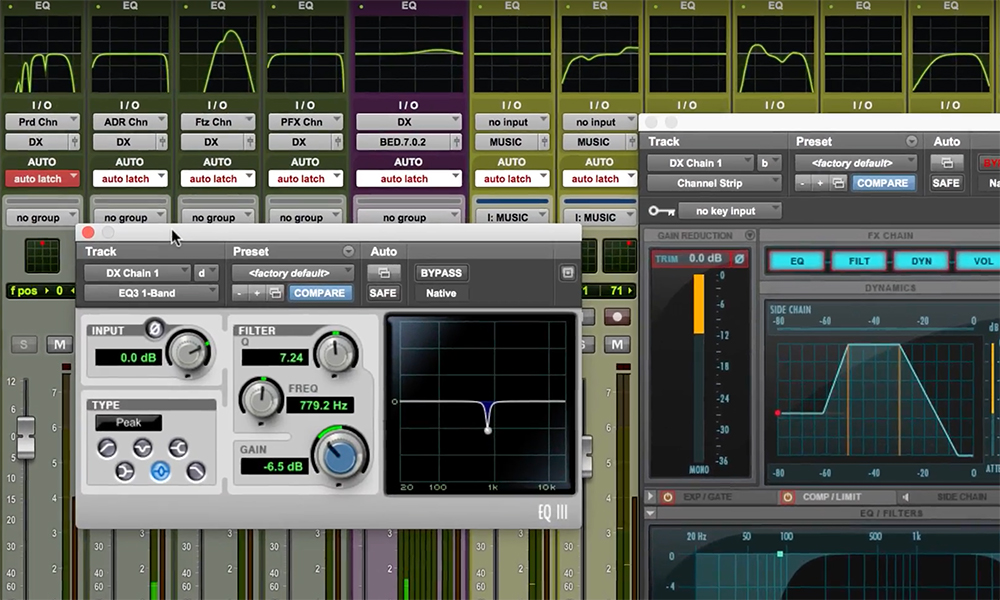
With Pro Tools, the biggest selling point is the control you have with playback. Altering the count-off, pre-roll, or playback speed is where the software really shines. Pro Tools was designed with console recording in mind, but it comparatively it falls a bit short when it comes to manipulating MIDI and organizing files.

https://www.macprovideo.com/logic

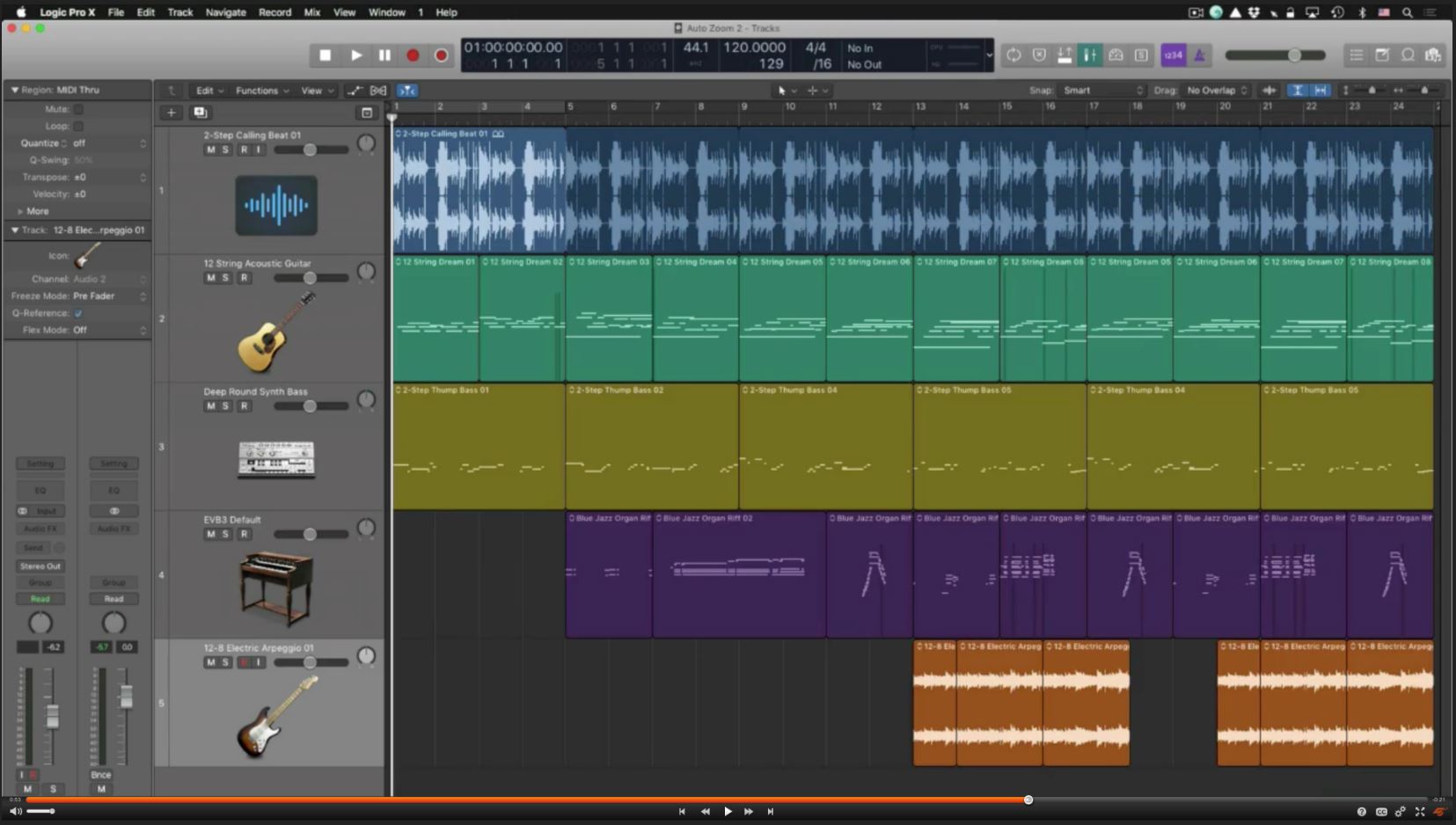
Logic Pro X boasts a much larger number of virtual instruments and plugins than Pro Tools, and the interface used to manipulate them is worlds more user-friendly. Combine that with Logic’s focus on post-production and you’ve got a DAW that’s hard to beat.

The only caveat with this program is its lack of sampling. For artists and DJs focused on creating more modern sounding music like Hip Hop or House, Logic might take a bit more digging and coaxing before you can match Ableton.

https://www.sweetwater.com/store/detail/Live9Suite-e–ableton-live-9-suite-download

With Ableton, you’ll be able to create any kind of music your heart desires. Take a listen to its samples, however, and you’ll quickly hear the slant towards EDM and live DJ work. Some of the features we’ll be covering later are angled very obviously toward that avenue of use, but Ableton can definitely get you any sound you’re looking for.

Able to switch sounds in seconds, Ableton has the fastest flexibility and the most reactive interface of any DAW, making it the best in terms of last-second tweaks or experimenting with new sounds.

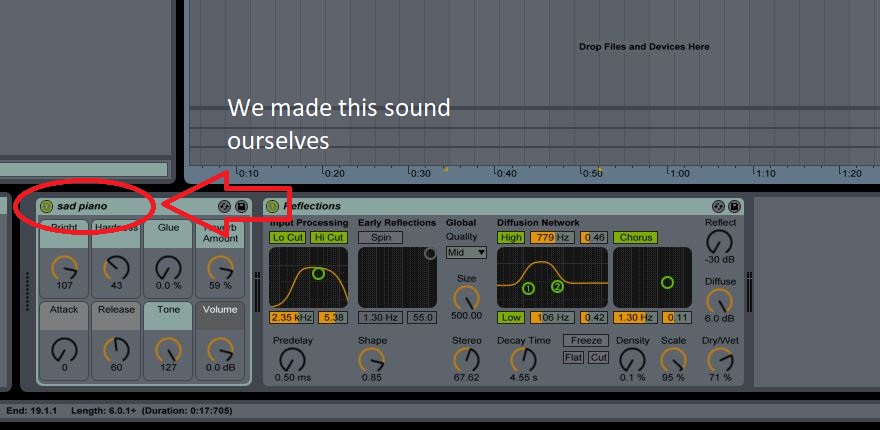
Speaking of new sounds, Ableton is also the reigning champion when it comes to creating a unique timbre or voice, and lets you save your new audio on the spot for future use. The DAW is most in its element when you’re cycling through and adjusting the knobs and dials on the audio or MIDI sample you pick, and the program comes chock full of hundreds to choose from. That’s even before downloading additional plug-ins.

For more comparisons between these three DAWs, you can check out this article.

How’s the learning curve?

If you’re new to electronic music, the slew of customization and sound options will be pretty overwhelming. But fear not – the program is very beginner-friendly and can hold your hand if you ask it to.

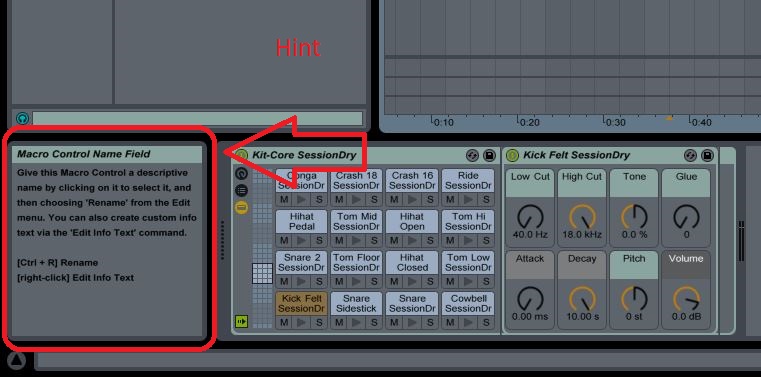
Getting help in Ableton is as simple as hovering your cursor over an icon, window, or panel. A prompt in the bottom left of the screen will immediately tell you what you’re looking at.

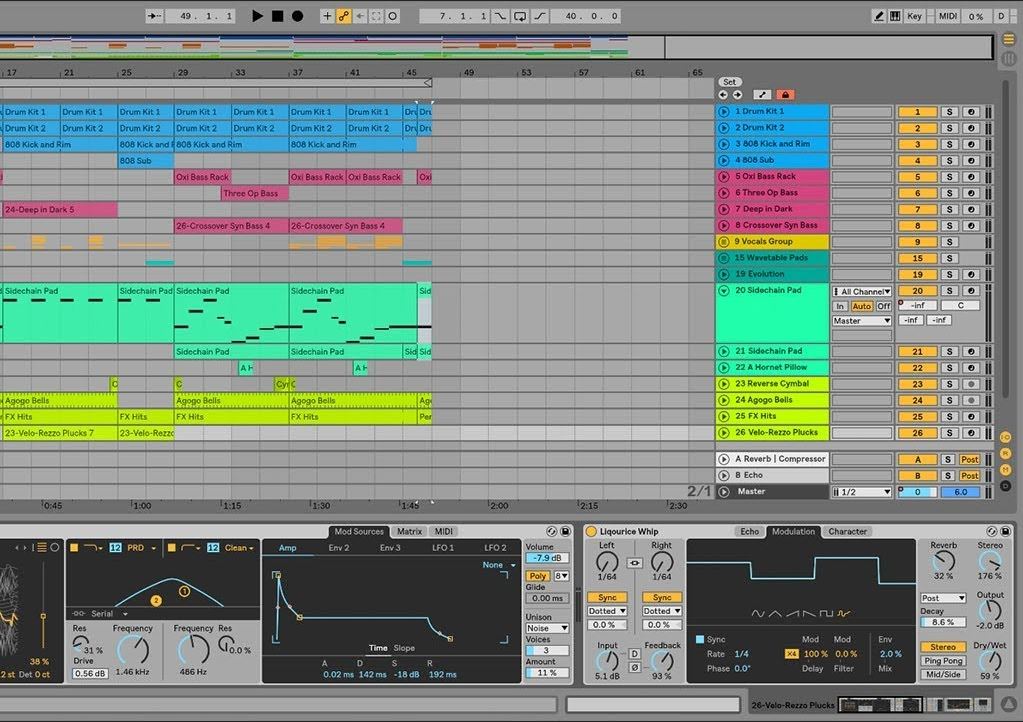
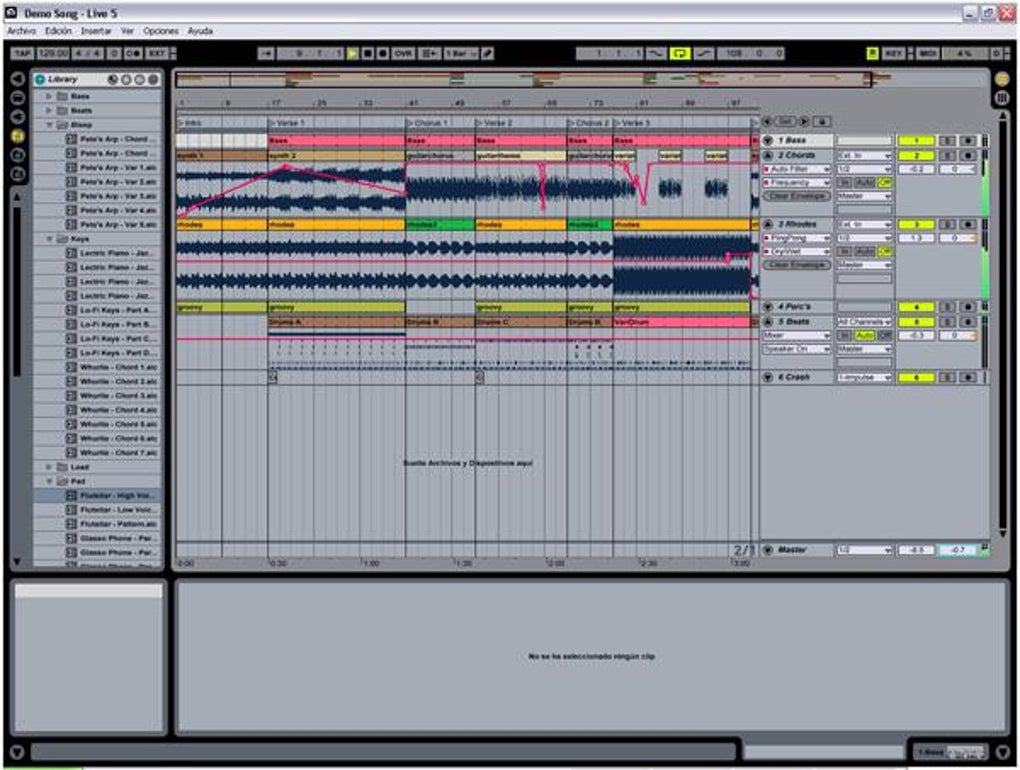
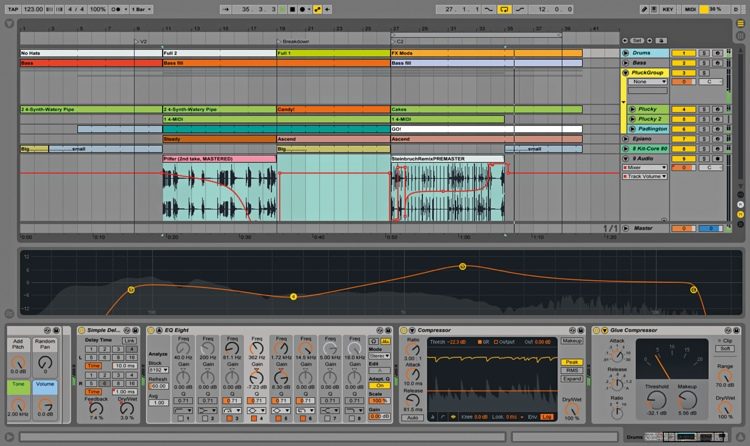
One of Ableton’s key features is the ability to seamlessly switch between its two modes: Session and Arrangement. A quick press of the ‘TAB‘ button will flip the screen between the two, with Arrangement view catered more towards creating and organizing your various audio and MIDI tracks, while the Session view is a more vertical layout with easier access and faster adaptability for live work. It’s a DJ’s best friend.

It’s worth mentioning that if you’re ever feeling lost, YouTube also several series meant to help you through your first steps. This introductory video will probably answer a lot of your questions right off the bat:

So this is a catalog of sound samples?

Ableton has two kinds of tracks: Audio, and MIDI. Audio tracks are pre-recorded of drum beats, electronic blips and whirs, and all manner of “synthy” phrases you can stack on top of each other.

MIDI, however, is a different story: Ableton also allows you to use either your keypad or a MIDI controller (like an attached drum pad or keyboard) to seamlessly create and integrate your own tracks. Open a new MIDI track, choose an instrument (or custom make one), and you can immediately play it on your attached device.

http://www.musictech.net/2013/09/ableton-live-tutorial-power-1/

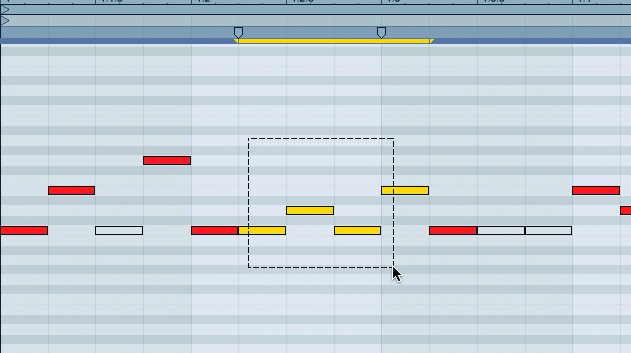
Don’t know how to play an instrument? Ableton’s got you covered. Draw mode (pictured above) allows you to fill in the divisions wherever you want with any MIDI sound you pick. You’re essentially drawing in where you want your notes to be.

It takes practice, but this method gives you a huge amount of control over where you beats land and how your tracks integrate with each other.

How do the prices compare?

Pro Tools: $299 for an annual subscription, $899 or higher for a perpetual license.

Logic: $199.99

Ableton: $99 for the entry-level Live 9, $449 for the standard edition.

Our advice is to go for the $99 dollar Ableton Live 9 and if you like it, consider the upgrade.

Why upgrade to the standard edition?

Short answer: Plug-ins.

Ableton Standard and Ableton Suite have a much wider selection of instruments and audio effects, hugely expanding the number of choices you have to work with from the very beginning. Keep in mind that all these sounds can be customized from there, so if you can think it you can create it. For more in-depth comparisons of the various versions of Ableton, check out this video.

All this is just the tip of the iceberg. Creating electronic music is a big undertaking and takes practice and skill before you’re happy with what you create. Spend some time with Ableton, though, and you’ll find it becomes an extension of your creativity.

Best of luck out there – we can’t wait to see what you can create!

Facebook posts: New Facebook security breach as more than 1 trillion posts compromised

Facebook could have another Cambridge Analytica type scandal on its hands

Facebook could have another Cambridge Analytica-type scandal on its hands

Yep, Facebook has just suspended another analytics firm, in a similar fashion to the way it eventually suspended Cambridge Analytica. Boston-based Crimson Hexagon, which has a link to a Russian nonprofit organization that has ties to the Kremlin, can no longer access Facebook and Instagram data. Crimson Hexagon already boasts a collection of an eye-watering 1 trillion public social media posts. The suspension appears to be temporary.

Facebook has been forced to suspend another data analyst firm while it investigates what the firm does with user’s data

Facebook has been quick to say that, as yet, there is no reason to believe that Crimson Hexagon has done anything illegally. The suspension follows questions surrounding the firm’s connections to national governments in the US, Turkey, and Russia. There is a worry that the vast amounts of data Crimson Hexagon is collecting could be used for surveillance.

Facebook has decided to look into the use of data further, saying:

“We don’t allow developers to build surveillance tools using information from Facebook or Instagram. We take these allegations seriously, and we have suspended these apps while we investigate.”

Twitter recently blocked Crimson Hexagon due to concerns about what it does with user data. The Boston-based firm has responded, however, by saying that government contracts only form a tiny portion of their overall business and that if a government used the data for surveillance, it would be breaching Crimson Hexagon’s terms. Chief Technical Officer Chris Bingham said:

“Crimson Hexagon only allows government customers to use the platform for specific approved use cases, and under no circumstances is surveillance a permitted use case… The most common use cases are large scale public opinion research and measuring the success of their communication efforts. Each potential government customer must contractually commit, in writing, to the use cases that they will be utilizing the platform for in their agreements … No one using Crimson Hexagon would be able to learn anything about an individual that isn’t already contained in publicly-available data.”

Although the social media data Crimson Hexagon collects is public, government surveillance links provide a PR nightmare for Facebook. Zuckerberg’s social network is still reeling from the Cambridge Analytica scandal. With other social networks like Twitter leading by example, and high-profile reports into Crimson Hexagon coming out in The Wall Street Journal Facebook had little choice but to act. So far, this is just a temporary suspension, so we’ll have to wait and see what happens next with this one.

Yes, Google Maps is sending you notifications on your PC

Google Maps on desktop now offers real-time notifications when it is time to leave for your appointments.

Google is good at connecting dots. The dots Google connects are all of the snippets of information about your life that build up across Google products. The big G can take info including your daily schedule from Google calendar, appointments from Gmail, and whatever else it can get its hands on. Google also likes to use environmental information like weather and traffic and connect that up with your private data so it can give you better recommendations and notifications.

Google Maps desktop time to leave notifications
Google Maps on desktop can now tell you when you need to leave to arrive at your appointments on time

Last week, we saw an update to Google Assistant, which puts all these connected dots together in a more visual manner. Now we’re seeing an update to Google Maps on desktop that allows Maps to update you on where you’re supposed to be and how you’re supposed to get there. Google maps will now send you notifications to tell you when you need to leave to make your appointments.

Google Maps Download Google Maps
7

The new update to Google Maps allows it to check your location against events in your calendar. If the events have a location included then maps will look at traffic information, calculate how long it will take you to arrive and then send you a notification when it is time to leave. This notification will also include a link to directions. The notification will then remain active until you disable it.

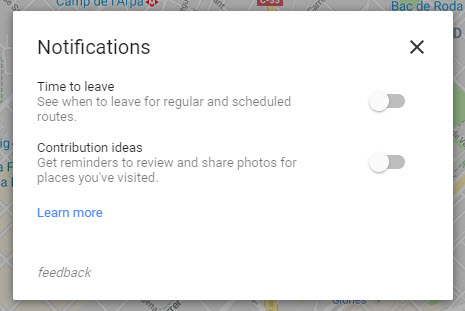
To activate the new Time to leave notifications for Google Maps on desktop you need to click on the settings icon in the top left-hand side of the Google Maps page. From there go to Notifications and toggle Time to leave to On. You may also have to make some changes to your Web & App Activity and Location History settings to use the new feature. If you do, Google will take you to them once you turn on Time to leave.

Private Instagram: How to hide your Instagram status

Instagram’s latest feature tells your friends when you’re online. If you like your Instagram private, this is how to disable it.

Yes, Instagram is now a little less private. The hippest social network of them all now broadcasts your active status, telling people whether you are online or not. Your friends can now see a little green light next to your name whenever you’re using Instagram.

For those who are little more concerned about their privacy, Instagram has kindly included a way to disable this feature. To be fair to the Facebook-owned social network, it isn’t too hard to take back control of this Instagram privacy setting. This is how to hide your Instagram status:

Private Instagram: How to hide your Instagram status
It isn’t difficult to remove your Instagram active status

  1. Open Instagram and tap the gear icon on your profile page.
  2. Scroll down and tap on Privacy and Security.
  3. Click on Activity Status.
  4. Toggle Show Activity Status to off.

Once you’ve done this, your friends won’t see a green light indicating that you’re online. As well as this, they won’t be able to see when you were last online. The flip side of this is that you won’t be able to see the same information about your friends either.

Instagram Download Instagram
7

To give your Instagram a boost check out more great Instagram tips and tricks from Softonic below:

Top 7 Highest Paying jobs and beyond

There are so many jobs and numerous career options out there! But which ones pay really well and will be in demand for the next few years?
Find out with our list of the top 7 highest-paying jobs!

1. Registered Nurse – The heartbeat of healthcare!

A job that is emotionally-rewarding with excellent wages! Besides being a life-changing job (literally), Nursing is also one of the most respected professions

  • Average Annual Salary: $133,000
  • Expected Job Growth: 16%

2. Data Scientist – Big Data = Big Opportunity!

Great salary, high demand, low competition – these are some of the many reasons you should choose a job as a Data Scientist.

  • Average Annual Salary: $131,800
  • Expected Job Growth: 28%

3. Software Developer – Combining data, design, and tech

The geniuses behind the software world, integrating the power of data, design, and technology. Following this career path means the world is open to you, literally!

  • Average Annual Salary: $120,000
  • Expected Job Growth: 24%

4.  Personal Finance Advisor – Enriching the lives of people!

You have options galore in this exciting field! From smart investments to saving for the future – there are numerous ways you can help people fast-track their financial goals.

  • Average Annual Salary: $118,000
  • Expected Job Growth: 15%

5. Data Analytics / Researcher – Identify, analyse, measure, and report

Insights derived from excellent data analysis is extremely crucial for business growth, making this role one of the most sought-after.

  • Average Annual Salary: $90,000
  • Expected Job Growth: 23%

6. Mobile App Developer – The ever-expanding mobile app market

n the first quarter of 2018, combined downloads of global iOS and Google Play grew more than 10%, totalling a WHOPPING 27.5 billion downloads! In terms of revenue, that was $18.4 billion! Need we say more?

  • Average Annual Salary: $85,000
  • Expected Job Growth: 32%

7. Project Manager – Leading teams, leading organisations.

To achieve business growth, companies need to run smoothly, generate profits, operate in an efficient way, and deliver successful projects. To make this process more streamlined and successful, companies need strong Project Managers.

  • Average Annual Salary: $75,000
  • Expected Job Growth: 33%


Why Facebook is developing its own chip

Facebook is reportedly developing its own custom chips, as they have begun aggressively hiring prospective employees familiar with developing chipsets.

In developing their own chips, Facebook follows in the footsteps of fellow tech giants such as Google, Apple, and Amazon. Apple particularly has been trying to break off from using third-party chips in order to reduce costs and create more specialized hardware. Google has also been developing its own custom chips, which they call tensor processing units or T.P.U.’s.

Facebook’s first big foray into the hardware market was late last year when they released the Oculus series of VR headsets. These units used third-party chips developed by Qualcomm called Snapdragon. It remains to be seen if Facebook’s upcoming custom chips will be used in hardware like Oculus, or in-house to sort through the troves of user data they possess.

The development of specialized chips at Facebook could be a game changer for them in terms of artificial intelligence, which could be used to help Facebook automatically detect the fake or malicious content that plagued its service and put them in the headlines over the past year. The amount of data generated and gathered by Facebook is immeasurable, which makes manual curation impossible. Using advanced AI that utilizes custom, in-house based chips, Facebook could scan its content for fake accounts, fake news, and extreme or disturbing content.


Baseball breakthrough: Use your iPhone to order a beer to your seat

It’s not officially summer until you’ve kicked back at a baseball game. And it’s not officially a baseball game until the beer guy comes along to sell you an admittedly overpriced (but refreshing) cold one. But have you ever needed the beer guy and he’s AWOL? Where does he go? Doesn’t he know it’s 97 degrees and you’re sweating and your team forgot how to hit and you need something to drown your sorrows?

A new pilot program will allow some lucky fans to use their iPhones to order a beer directly to their seat. Don’t get too excited just yet. The trial is limited to 10 games at the Phillies’ ballpark and only in specific sections. But the potential is exciting.

This video describes how it works:

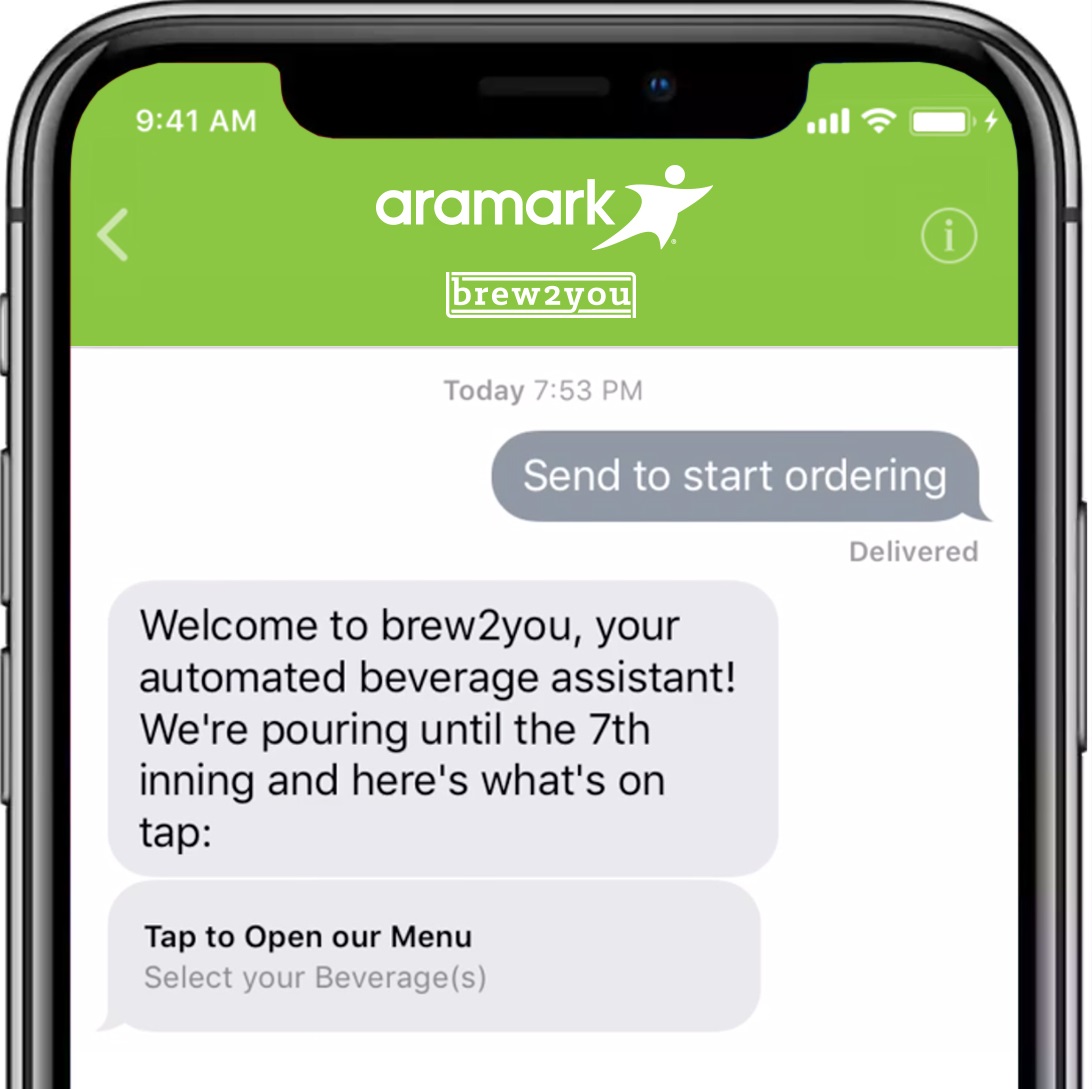
Just pull out your iPhone (sorry, Android users) and scan a QR code on the seat back in front of you. That opens a chatbot and you can see a menu of your options. Then order and pay with Apple Pay. Eventually, the beer guy will find you and deliver the suds (or water).

The program runs July 20-25 and August 2-5 at Citizens Bank Park in Philadelphia. And you’ve got to be sitting in section 142, 143, 144, or 145.

The program makes use of something called Apple Business Chat, and if the pilot succeeds, we might see this technology rolling out across the MLB and beyond!