Productivity tips for lazy people

These productivity tips will help you get more work done when you need to do it.

productivity plan

Getting things done can be such a chore. It is not just the finishing of jobs that is hard neither. Starting them can be bad enough too. Whatever the reason or distraction that is standing in the way of the work that needs doing does not matter. The only thing that counts is that it is there, and the work is not getting done.

Fortunately, however, there are a number of coping techniques and tips that you can utilize to break through these difficult times when distraction reigns supreme. You are not lazy, you just like to occupy your mind with other pursuits when there is work to be done. Well, these tips are here for you to help you regain control of your consciousness and start getting stuff done. These are the top productivity hacks to help you improve productivity in your daily life.

Tips for productivity

These tips aren’t necessarily related to apps or software, they’re simply good practices to have at hand any time you feel distracted or struggle to start a task. The truth is we do a lot of jobs on our computers these days, and they bring with them a whole new world of electronic distractions such as social media and online procrastination. These tips are here to help you fight them.

The 2-minute rule

2 min rule

The two-minute rule is a simple yet brilliant way to increase productivity. It offers a way to instantly deal with the small tasks that end up in your in-tray and forces you into taking action on similar tasks that would eat up a larger amount of time. The two-minute rule states that:

If a job can be done in under two minutes, you should just do it there and then.

If a job is clearly going to take longer than two minutes, then you should start it right there and then.

This rule is brilliant because it instantly activates your brain to the task at hand. It declutters your to-do list by making sure none of those little tasks clog it up when they’re so easy to complete. On top of that, the rule also ensures that those bigger tasks are already underway when you move not the next item. It is always easier to come back to a task you’ve already started than it is to start a new one.

Chew gum

OK, this one sounds a little strange. Let’s all be honest though; you’re not looking for productivity tips here that are going to take a lot of effort. Really, you’re after the easiest tips that will have the biggest results. Well, that’s what we have here. Scientific studies have found that chewing gum can make you more productive. Amazingly, chewing gum can make you work 10% faster, can stop you feeling sleepy, and can even make you more charismatic. Start chewing gum now!

Break lists

This is a cool little tip that will make so much sense once you read through it. It is imperative that we take breaks during the day if we’re to work as effectively as we can. In fact, be should be taking 15-20-minute breaks roughly every 90 minutes. Shutting down one program on your computer and opening another one, say Twitter or Facebook, for example, is not going to have the regenerative effect a proper break will. This is why you should create break lists; write down all the short pleasurable activities you can think of that help make you feel better. Now, this could be something like “check Twitter” but only add activities to your list that help you feel like you’ve had a break. Mine would be something like read from a book or magazine, take a walk, make a coffee, call a friend, etc.

Microsoft To-Do Download
8

The Pomodoro method

Image via: Flickr

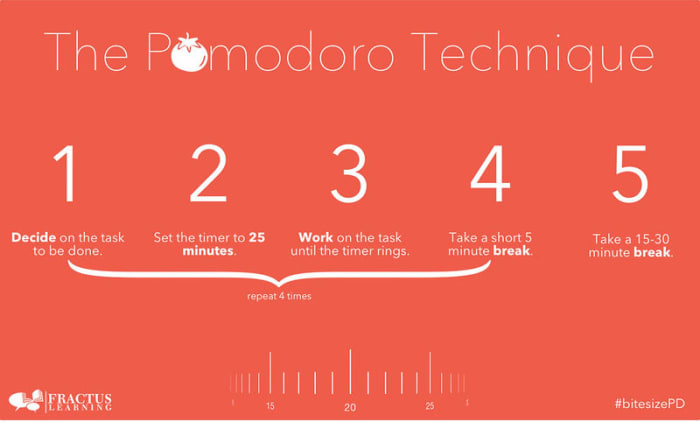
If you really want to take your breaks to the next level, you should look into the Pomodoro technique. Pomodoro works off the idea that your brain can only remain truly active for around 25 minutes. You set a timer for 25 minutes and then every time it rings you take a short five-minute break. This could be when you go make a coffee or check your phone. Then, when you’ve done this work-break cycle four times, you take a longer 15-30-minute break and then start the process all over again. This way you get to go through all the different items on your break list while training your brain to focus for shorter periods.

Pomodoro Timer Donwload
8

Don’t break the chain

We’re not talking about a Fleetwood Mac song here; we’re actually talking about a Seinfeld hack. Yep, Jerry Seinfeld actually shared one of the productivity tips he used to help him develop as a comic by trying to write better jokes every day. To do the same you need to get yourself a huge calendar poster that covers an entire year. Then every day you work on the task you want to work on you get to put a giant red x in the square for that day. Pretty soon, you’ll have a chain of red x’s and you’ll be a hell of a lot more motivated to work on your task because you won’t want to break the chain!

Do the hardest thing first

The final tip of the day is about what you should work on first. It is no secret that the most productive time of day is first thing in the morning just after we wake up. This means that it is first thing in the morning when we begin working that we should tackle our hardest tasks. This way you will take care of the most challenging and pressing issues when you’re at your best, but it also helps build momentum for the rest of the day. Once that first big task is out the way, everything else will feel smaller and less daunting.
Chrome extensions for a better Instagram experience on your PC

In the same league as Tik Tok, Instagram has become the most popular social media platform for teens and young adults today. As audiovisual takes precedence over text, it has managed to hook millions of people around the world. However, it continues to gain ground among an older audience, and here, a key variable comes into play: the Instagram version for desktop leaves a lot to be desired.

Although Facebook – the owner of Instagram – continues to add new features, it still can’t hold a candle to the smartphone version. So today, we’ve brought you a few Chrome extensions to improve your Instagram experience on your PC.

First of all, make sure you have updated Chrome. You can download it below for free.

Google Chrome Download
7

Real-time notifications

We’re going to start our article with a basic feature: real-time notifications from your account. If Instagram had a drawback, it would have to be the notification system. It doesn’t matter if it’s on Android, iPhone, iPad, PC, etc. In all cases, the service doesn’t work as well as other social media platforms.

On desktop, we can at least add a “patch” through a Google Chrome extension called WebClient for Instagram. This tool simply notifies us about comments, likes, new followers, and more from our profile. Just enable the extension on your Chrome browser and make sure you’re logged into your Instagram account (this applies to all the extensions going forward). You’ll start to receive real-time notifications about everything as it happens. How cool is that?

Download photos and videos

https://www.youtube.com/watch?v=NYYjp83aUH8&feature=emb_title

As you may have already noticed, Instagram won’t let you download images or videos from its platform. On your phone, you have no choice but to use a mobile app or your operating system’s tools, while on desktop, you can’t do the classic “Save image as.”

To make it happen, you need the Downloader for Instagram extension. As the name suggests, this tool lets you download any photo or video from the famous social media platform. You can save something with just a few clicks of your mouse.

Likewise, this extension lets you read and reply to direct messages from the Instagram website, something that wasn’t possible until recently (however, since the latest update a few weeks ago, you can check messages without a problem).

WhatsGreen Multi Messenger

This extension is for not only Instagram but all the social media platforms and messaging services you use on a daily basis. WhatsGreen Multi Messenger is a tool that lets you check all your linked apps with a few clicks of your mouse.

For example, imagine if you use WhatsApp, Telegram, Twitter, Instagram, Skype, etc., every day. Well, with this extension you can keep all the icons for these apps organized in the same folder. It’s like having a smartphone display right on your Google Chrome browser.

GrowBot Automator

The next extension isn’t our favorite if you want a clean, healthy Instagram account, but it could be convenient for a business account: GrowBot Automator.

This automated tool follows other accounts to flesh out your Following and Followers lists. You can program the “bot” to follow accounts with a minimum and maximum number of followers, with a minimum and maximum ratio of followers to following, with a minimum number of posts on their profiles, that are verified or unverified, that are private and much more. There are so many options that it could be overwhelming when you install it, but the idea is to automatically gain followers.

Improved Layout for Instagram

This extension is one of the most popular in Google’s online store for a reason: it enhances all of Instagram’s features to the point where the mobile version will seem too limited to you.

Improved Layout for Instagram is based on the following premise: “The default Instagram.com layout is not optimized for desktop.” That’s how blunt the developers are, and what they do is implement several functions: for example, you can view several posts simultaneously, since they appear in a horizontal format as opposed to vertical; controls are added to videos, such as fast-forward, rewind, pause, etc. (something the mobile version lacks and we miss), and there is full-screen mode and much more. You should definitely try it because the difference is amazing.

Night Mode

This extension is easy and straightforward: Night Mode for Instagram. As you may well know, this dark tone has become a favorite among users, and practically all the applications, programs, etc., on the market are including this feature.

Instagram Night Mode dims the entire page. And we mean that quite literally, as everything is displayed in this dark tone. Backgrounds, posts, stories… If anything ever appeared as white in the original version, it will be reversed with this extension. It’s an easy way to rest your eyes so the brightness doesn’t fry your pupils.

App for Instagram

Last but not least, we have an extension called App for Instagram. Its purpose is clear: to let you use Instagram on a PC just like you do on your phone. It’s that simple.

The developer of this extension, one of the most popular in the Chrome Web Store, wants to ensure the same experience on both systems: you can view (and respond to) Instagram stories just like you would do on a smartphone, display “Likes” the same way, at the bottom of the page instead of the top (as usual on the PC version), have an identical layout, etc.

In short, it aims to eliminate any visible differences between the mobile and desktop versions, so it’s the same app for everyone.

And those are the best Google Chrome extensions to make the most of Instagram. They’ll let you download photos and videos and even use the PC version just like the mobile one. Which one is your favorite?

Best Instagram accounts to train at home

All these Instagram accounts will inspire you to live a healthier lifestyle that’ll have you feeling much better and looking fantastic.

This week we’re bringing you all the best apps and social media accounts that can help you live healthy, happy lives even when staying indoors for long periods of time. Yesterday we looked at all the best mindfulness and meditation apps to help you safeguard your mental health even during adverse situations. Looking after your mind, however, isn’t enough. You also need to look after your body and today, and for the rest of the week, we’re going to help you do so.

Tomorrow we’ll be looking at the best YouTube channels offering good workout sessions and we’ll also look at workout apps this week too. Today though, we’re looking at another social network that has many accounts promoting healthy living. Believe it or not, Instagram is a fantastic resource for anybody looking to start working out or generally just try to get in shape. There is plenty of fit and healthy people on Instagram who are more than happy to share all their secrets with you. Let’s look then at some of the best Instagram workout ideas, programs, and fitness accounts.

Instagram Download Instagram
7

Best fitness Instagram accounts

These Instagram classes will have your body in tip-top shape in no time. Follow them all to inject your Instagram feed with fitness videos and workouts, healthy lifestyle tips, and recipes that are both good for your body and good for your soul.

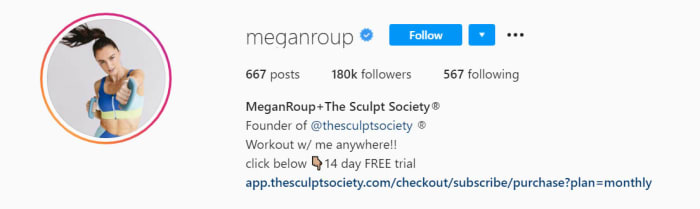
Megan Roup

Mega Roup’s Instagram account is impressive, inspirational, and bursting with positivity. Roup founded a very popular cardio class called The Sculp Society, which became a bit of a cult classic in NYC. The Sculp Society uses fun and active routines pulling in the likes of dance and high-rep full-body toning exercises to get your blood pumping. Roup’s classes are lots of fun and will help you with weight loss and reaching your fitness goals.

Her Instagram builds on the success of her app, showcasing fantastic behind-the-scenes videos and photos as well as more intimate shots grabbed from Roup’s personal life. The videos here are fun little blasts, usually focusing on a single move or routine. Every now and then though, you’ll stumble upon a fab little dance routine that’ll leave you feeling motivated and hungry for your next exercise.

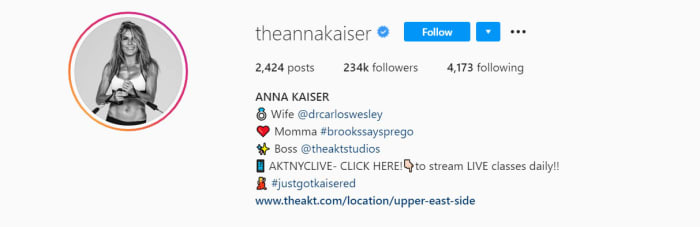
Anna Kaiser

Anna Kaiser is one of a particular type of personal trainer. Bursting with positive energy, Kaiser sees it as her mission to have you pumped for your session. Motivation is both the biggest ally and potential enemy of any would-be workout enthusiast, which explains why Kaiser takes it so seriously. If you’re up for your workout, you’ll take so much more from it. If you’re not, well let’s just say you’ll struggle to get through your routines or complete your exercises effectively.

In this regard, Kaiser’s Instagram page is full of high-energy and High-Intensity-Interval-Training (HIIT) workouts that will vary your heart rate for maximum efficiency. You’ll also get healthy recipe ideas as well as all the exercise guidance, meaning you can get a full service from Kaiser if you follow her Instagram account. What’s also great about this account is that all the exercises can be done at home without too much fuss.

The Rock

Dwayne Johnson doesn’t too much introduction. The ex-wrestler has established himself as one of Hollywood’s hottest properties coming across as a much family-friendly version of what Arnie offered during the 80s. The Rock is huge, strong, yet also sensitive and welcoming. That is of course until you head to is his Instagram account where he shares his grueling weight-lifting workouts.

What’s really great about The Rock’s Instagram account is that you get to see exactly what it takes to have such a huge body. His workout routines can be insane at times but he’s always trying to bring you along for the ride too. On top of the workout videos and behind-the-scenes pictures, you’ll also get plenty of motivational messages from the big guy too. Cheat Day Recipes is another regular feature of the account, which sees The Rock go through some excellent cheat day recipes that won’t undo all the good work you’ve been putting through the week.

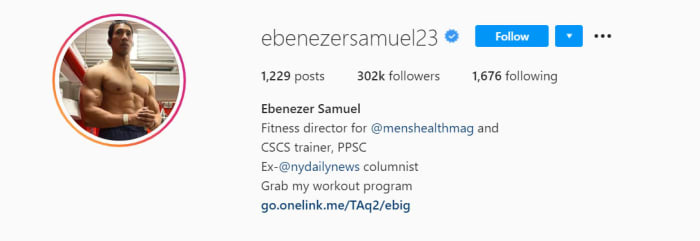
Ebenezer Samuel

If you’re stuck in the house, there aren’t much better Instagram accounts you can follow than Ebenezer Samuel. Samuel is a very well thought of personal trainer and he posts a few new workout routines every week. This means there is a vast wealth of personal training content there all ready for you to get into and you’ll never run out as he’s constantly updating his page and keeping it fresh.

The real reason Samuel’s is perfect for home workouts though is that he loves incorporating no equipment bodyweight exercises and everyday household items into his workout routines. You’ll regularly see him doing strength training reps with jugs and bottles of water, heavy bags, and very simple setups including resistance bands and basic dumbbells. The message from Samuel is clear. Just grab what you can and get at it. There’s nothing stopping you from working towards that healthier, fitter lifestyle.

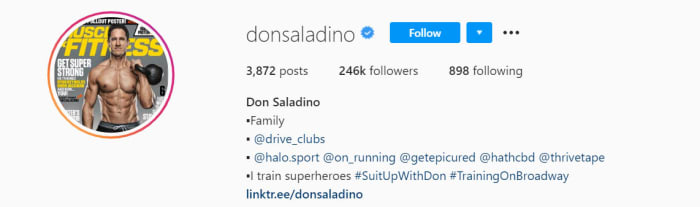
Don Saladino

Don Saladino is a personal trainer to the stars. If you’ve ever seen movies with the likes of Ryan Reynolds or Blake Lively, you’ve seen just how good Saladino’s results can be. The big Don was also behind David Harbour’s impressive transformation into local super cop Jim Hopper in the Netflix smash Stranger Things.

Saladino’s Instagram account is a treasure trove of short workout videos, inspirational behind-the-scenes images, and all manner of quick tips and tricks to get you moving in the right direction. All these exercises can be done at home too with Saladino also pulling in different elements from the home such as the stairs into his routines. Beyond the odd dumbbell or kettlebell, there’s nothing major needed to get started here. Simply follow Saladino on Instagram and then follow his advice.

Best apps to edit your Instagram photos

These apps will help you edit your Instagram photos so that they look amazing. This is how to edit Instagram photos.

Instagram on mobile

Image is everything on Instagram. You want your photos to look good because you want to look good. Instagram is a photo first social network. Practically, this means that snapping quality photos just isn’t enough anymore. You can capture all the great views, vistas, events, people, or whatever you like and still not get any sort of traction on Instagram. Instead, what you need to do is edit your photos to bring out all the best elements, shades, and lighting effects.

All this means Instagram can be an intimidating place. When they pop up on your Instagram feed the most popular accounts, even the ones not run by celebrities, look they have hired a professional photographer to snap everything they do for their Instagram posts. The truth behind the lens though is less intimidating. What they’ve really done is downloaded any of a number of photo editor apps that then help them turn their basic photos and selfies into high-quality social media gold. This is what we’re here to do today. Walk you through all the best apps you can download that will help you edit Instagram photos. You’ll still need a good eye for a photo but with any of these apps on your phone, you’ll be able to take things to the next level and post your best Instagram photo yet.

Instagram Download Now ►
7

Best apps to edit photos for Instagram

VSCO

VSCO

VSCO is available for both Android and iOS phones and offers some very user-friendly photo editing features that will have your smartphone pictures looking excellent in no time at all. What’s very cool about VSCO is that as well as a simple user interfaces on your phone, it also offers a Lightroom plugin that will make it possible to work with the same filters on your desktop PC. This is an extremely effective trick to have up your sleeve when trying to break through on Instagram. Most successful accounts will be pulling off desktop edits of their shots before posting them on mobile. VSCO offers you a path to the big leagues by making it easy to do so yourself.

VSCO also has a great in-app camera feature which works very well alongside all the regular edit features you’d expect to find on a photo editing app like this. You’ll find filters, lighting effects, vignettes, tinting, and more all easily controlled via slide bars that will show you your edits in real-time.

VSCO Download
9

PIXLR

PIXLR

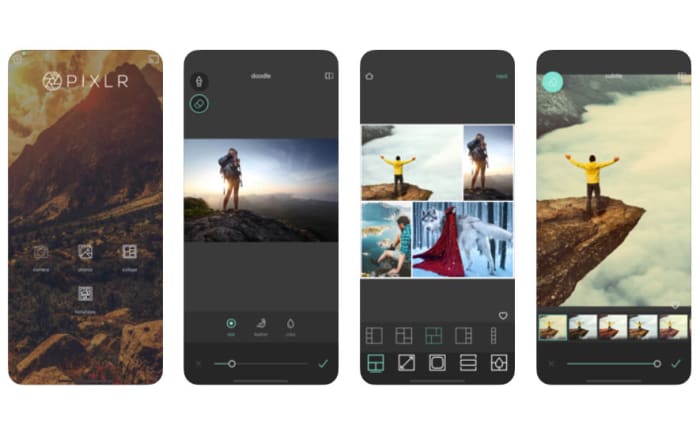
Another great app for all you budding Instagram influencers is PIXLR, which works on Android smartphones and tablets, iOS iPhones and iPads, and a whole host of other platforms including Microsoft Windows, Apple Mac, Linux, and web browsers like Google Chrome and Mozilla Firefox.

Again, like with VSCO, PIXLR has a very user-friendly interface so it won’t add an extra layer of complexity to your social sharing process. In fact, PIXLR has some specially designed social sharing features built right into the app. Editing features here include making collages, adding text, blurring or sharping your images, and even more outlandish edits like making your photos look like hand-drawn sketches. There’s a lot to master with PIXLR meaning you’ll really be able to develop your images, if you commit the time it’ll take to master the tools the app will give you.

PIXLR Download now
8

Snapseed

Snapseed on mobile

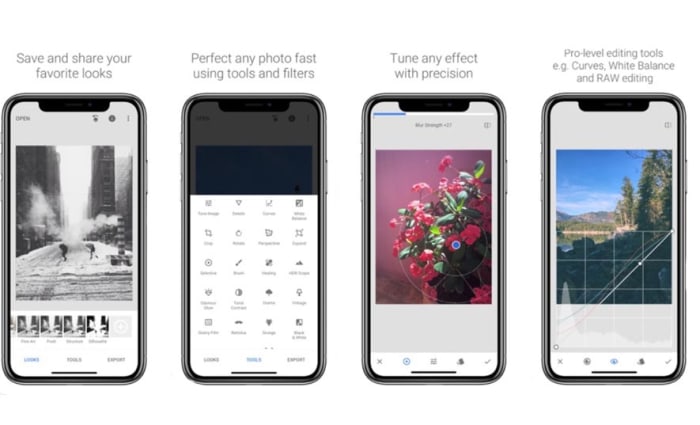
Google’s Snapseed app puts a lot of very powerful photo editing tools into your hands for free. Like with PIXLR, Snapseed also makes it very easy to instantly share your edited and optimized masterpieces to social networks like Instagram and Twitter. Snapseed is a mobile-only app that is available for iOS and Android phones.

All in all, Snapseed has an impressive 26 different editing tools and features including the likes of blur, vintage filters, white balance, lens bokeh, HDR optimization and more. For a mobile app, there is a lot here that can help you take a high level of control over your Instagram photos. Quite rightly, Snapseed is considered one of the best mobile photo apps available today and, accordingly, is the preferred choice of professional photographers and serious amateur snappers alike. You could say that there is somewhat of a steep learning curve to Snapseed but if you really want to try and make your Instagram sing with great photos, this is the one app you should download above all others.

Adobe Photoshop Lightroom CC

Lightroom for mobile

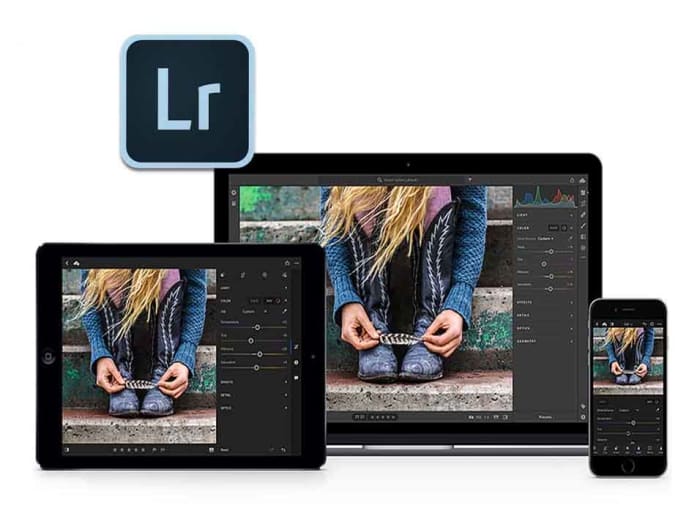
When it comes to graphic design and photo manipulation, Adobe Photoshop is the top dog and has been for years. If you’ve ever edited an image you fall into one of two categories. You either have Photoshop or you want it. Fortunately for mobile users, Adobe has developed a rather handy mobile app in Photoshop Lightroom CC that is available on both Android and iOS. What’s even better is that the basic version is available for free.

Obviously, there are certain sacrifices you’ll make using a mobile app compared to the full desktop version. There’s still a lot here though including the tonal curve, exposure edits, and contrast and sharpness. Adobe has also built-in social sharing features that you can access from the free version. If you do decide to stump for a full Adobe CC subscription though, you’ll be able to seamlessly switch your edits from mobile to desktop.

Adobe Lightroom Download Lightroom
7
Layout

Layout app

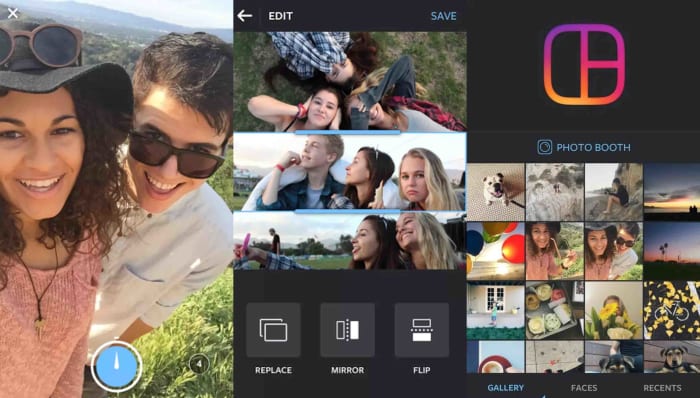
Our final app today is Layout, which has actually been designed by Instagram itself. Layout is free and available on both iOS and Android and works as both a camera app and a photo editing tool. Layout isn’t a serious photo editing tool like Snapseed or Lightroom CC, but it has been optimized to work with the dimensions of the social network and to create visually appealing photo creations.

The main aim of Layout is to help you make cool collages and then run them through Instagram’s myriad filters and editing tools. You’ll then be able to quickly and efficiently share your work directly to Instagram.

Layout for Instagram Download now
8

Photoshop for free? The best free alternatives

You don’t need to fork out lots of cash to get Photoshop like editing features. These are the best free alternatives to Photoshop

Best free photoshop alternatives

Adobe Photoshop’s established position as the number one image editing and photo-editing program for Windows and Mac is so strong that many people don’t even bother searching for alternative options. It is Photoshop or nothing. It doesn’t have to be that way though. Many Photoshop features are pro-level features, which means many of us will never know or understand how to use them. Furthermore, there are plenty of alternative photo editing programs out there that can do all the basic editing you need to do.
It isn’t just about getting simplified versions of Photoshop neither. There are great alternative programs out there that can offer comparable tool sets to that offered by the Adobe program. Oh yeah, we forgot to mention. A lot of these alternatives to Photoshop won’t cost you a penny. They’re completely free. Let’s not waste any more time then, these are the best free alternatives to Photoshop.

Free alternatives for Photoshop

GIMP

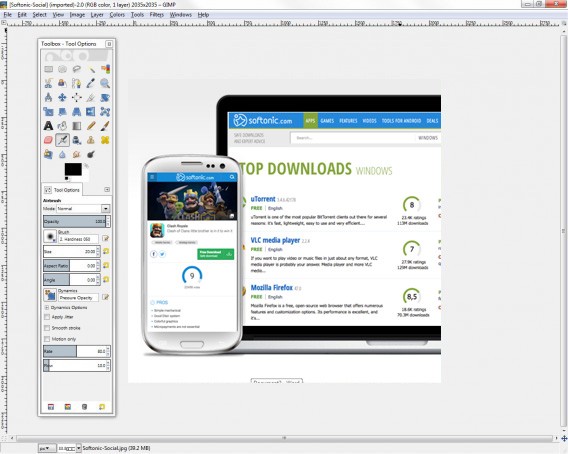
We’re starting off with a big dog here. GIMP, which stands for Gnu Image Manipulation Program is the most fully formed and arguably most well-known Photoshop alternative there is. GIMP is like an open source Photoshop developed by a global team of volunteer developers to work on Microsoft Windows, Linux, and Apple Mac. It has an extensive set of features to rival what even Photoshop has to offer and can edit a wide range of file formats including RAW files. This means GIMP is a pro-friendly alternative to Photoshop with features like layer masks and filters enabling photographers and graphic designers to get their work done. GIMP is also a customizable photo editing software as users can download add-on packs to add the extra features they need.

8

PIXLR

Pixlr

The PIXLR editor is an interesting photo editor because it is browser based, which means you can use in on all platforms via a modern web browser like Google Chrome or Mozilla Firefox. Impressively, despite this PIXLR offers a photo editing experience that rivals and indeed betters many of the downloadable alternatives. The PIXLR image editor also has a very similar layout to Photoshop meaning you’ll likely pick it up quickly, if you’re used to using the Adobe program. PIXLR also comes as a mobile app for Android and iOS iPhones and iPads.

PIXLR Download now
8

Squoosh

free photoshop alternative by Google

Squoosh is another browser-based photo editing program, although it offers a much more limited set of features than PIXLR or Gimp. Designed by the Google Chrome Labs team, Squoosh is designed to help you convert and optimize your images for publication across a wide variety digital platforms. If all you need to do is resize your image or make basic changes to the color palette then Squoosh is a good option that won’t intimidate you with a huge number of unknown features and buttons.

Paint.NET

Do you want the photos you share to be breathtaking - Paint.net

Another good free alternative to Photoshop that isn’t overly complicated is Paint.NET. If you’re an amateur photographer or if you’re looking for an image manipulation tool for a one-off project, then Paint.NET could be the option you’re looking for. That is unless you have a MAC as Paint.NET is only available on Windows. Paint.NET has a much gentler learning curve than GIMP while still offering, via plugins, access to a wide range of features including filters, masks, and layers.

Paint.NET Download now
8

Krita

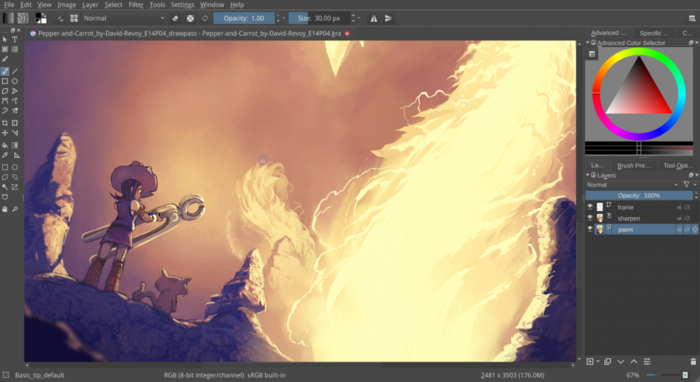
The Best Free Alternatives to MS Paint krita

Like GIMP, Krita is another piece of open-source editing software. Krita works on Linux, Windows, and Mac but offers a lighter experience than GIMP even though it has received a lot of new features in recent years. Krita features include the ability to create and edit HDR images, which is a rather advanced feature and a wide array of brush customizations. This makes Krita a great program for digital illustrators.

Krita Download now
8

SumoPaint

Sumo Paint

SumoPaint is a very popular and very capable alternative to Photoshop. One limitation, however, is that it can’t work with the standard Photoshop PSD file. SumoPaint has all the usual features including text gradients, brushes, and whatnot and works with many different types of images including JPEG, BMP, GIF, and TIFF.

Sumo Paint Download now
9

PicMonkey

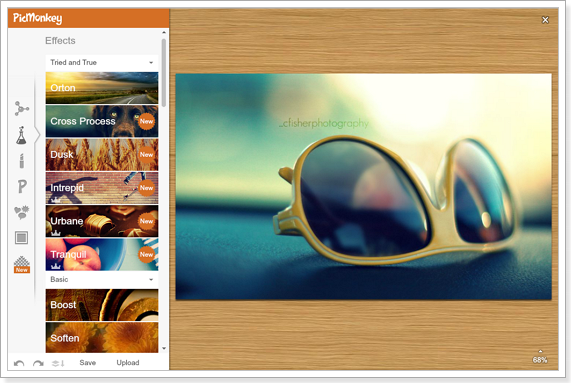
PicMonkey is another online photo editor that aims for the more socially-minded users. The interface is very simple and makes it very easy to perform basic edits and add text overlay and filters. PicMonkey isn’t going to rival Photoshop but it does offer simple editing mechanics and so isn’t too hard to get into. You can download it as an app on Android or iPhone and it also has a Google Chrome extension too.

PicMonkey Download now
8

Inkscape

Inkscape

A much more professionally minded piece of software built with graphic designers in mind is Inkscape. Inkscape is great for illustrators as it is optimized to work with vector images. Inkscape provides a great way to transform photos into vector images but it also has a range of more customary features like cropping and cutting and pasting. Technically, Inkscape is more of an alternative to Adobe Illustrator rather than Photoshop but it is still worth a mention.

Inkscape Download now
7

Photopea

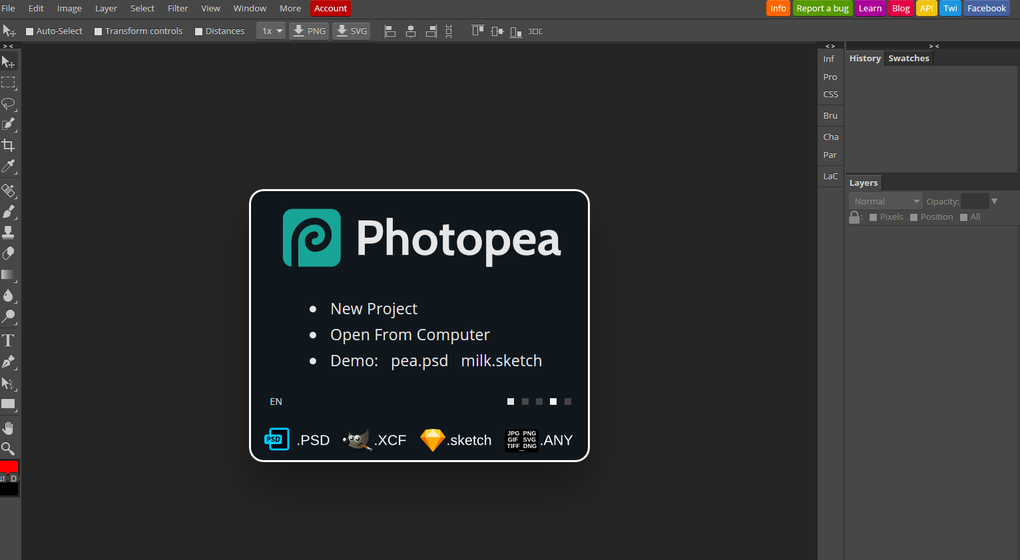
Photopea

Our final entry into this list is Photopea, which is another online photo-editing tool. Photopea looks very similar to Photoshop and even works with the standard Photoshop PSD file meaning you could work across the two platforms if needs be. Photopea also has many advanced features like vector graphics support and advanced layering meaning it is a credible alternative to Adobe Photoshop. The main problem, however, is that the program is funded by ads. This means you’ll either see a lot of ads that will encroach on your work surface or you’ll have to pay a $9 per month subscription to get rid of them.

Photopea Download now
8
Wrapping up

There you have 9 great free alternatives to Photoshop. The important thing here is to consider what type of photo editing project you need to work on. If you’re looking for a program to perform basic image editing for social media then a program like Squoosh, PicMonkey, or Paint.NET could be all you need. If, however, you need a more rounded experience that you could use professionally, you should definitely look into the likes of GIMP, Krita or PIXLR.

How to get more followers on Instagram

Instagram has become a gatekeeper to paradise. Or, at least that is what it wants us to think. Through those scrollable square windows, we can peer out on unbelievable scenes of peak living. “Instagram influencers” has become such a buzzword, that guides like this are not just about how to gain more Instagram followers. Guides like this are about growing your brand on Instagram, about how to become an Instagram influencer. We all want that peak living we see through other people’s Instagram windows, and getting more Instagram followers is the first step we need to take.
Followers for Instagram Download now
8

Crowdfire offers a more extensive toolkit for those looking to build a substantial Instagram following. As well as offering insights on who has unfollowed you, it will help you find the types of accounts you should be following, and which accounts are likely to follow back. Crowdfire also allows you to schedule your Instagram posts so that they’ll send automatically at the exact time you want them to go out.

Crowdfire Download Crowdfire
8

So we’ve looked at the content of your Instagram posts, the hashtags you can use to classify your posts and link them up to like-minded people, how you should find the followers you want, how to engage with them, and the best apps to help you manage the whole thing.

This guide is by no means more exhaustive, and there is a lot more you can do to find more Instagram followers. It is a very good start, however, and if you set to work following the steps laid out, you will see your Instagram following grow. You’re the key in all of this though. You need to make sure your posts are interesting and engaging, and you need to interact with the community you’re trying to build. Good luck!

If you’d like any more tips on getting more Instagram followers let us know in the comments. The same goes for any other questions you might have about Instagram or any of your favorite apps. Softonic answers is here for your questions.

How to view private Instagram accounts

They were a place to share photos, videos, and updates with your family and friends. These days, there are more reasons to place that barrier between your profile and the general online public.

And, private accounts keep bots, strangers, and lurkers off of your profile, making for better user experience.

Others go private in an attempt to game the algorithm. Last summer, The Atlantic ran an article that reported an uptick in the number of meme accounts going private. The practice is an easy way to increase follower counts, as digital lurkers need to take the leap and follow if they want to view the content.

So, whether you’re a private account owner yourself or you’d like to look at a feed here and there without alerting the account holder, you might want to know how to view private Instagram accounts.

Instagram Download Now ►
7

Just send the request

The most legitimate way to view a private profile is to send the account owner a request. Which, of course, you’re thinking, “well, duh.”

But, so long as the account owner isn’t some ex you’ve been stalking, most people will accept your message, even if they don’t know you. If you’d really like to get in touch, try dropping a short message in the DM section.

If you’d like to get around this, there are a couple of options, but they’re either a little shady or not especially effective.

Investigate with their username

private instagram account

Searching by username doesn’t always work perfectly, but you may be able to find the information you’re looking for.

Sign into Instagram and type in the username of the person you want to look up.

Then paste the name into Google’s search bar. Now, this won’t automatically unlock any private accounts, but there’s always the chance that this user left a few digital breadcrumbs behind before switching their account to private mode.

There’s also the chance that this person has a public Facebook page or a LinkedIn profile (obviously do your research in incognito mode) you could check out instead.

Honestly, this method might not yield a wealth of information, but it beats asking for access when it could create an awkward situation.

Use an Instagram viewer site

There are countless sites out there that promise access to private accounts. Most are paid services, though, and they seem a little sketch. With names like Instaspy or Private Instaviewer, the idea is to provide access to accounts without having to follow a user — I.e., users won’t know that you’re stalking them.

Private Instaviewer presents itself in a way that makes it seem like a free service. Use the search bar, get a profile in return. That’s not exactly the case, though.

Private Instaviewer

Instead of being greeted with the usual RECAPTCHA box, you’re required to fill out some questions about your favorite candy. And then—you’ll have to fill out your name, address, and payment information.

Look, inputting your payment info is perfectly normal when you’re purchasing from a reputable website, but when software that exists for the sheer purpose of breaking into others’ accounts, they likely won’t care about protecting your info, either.

Ultimately, your best bet is to do a little sleuthing for free, or you know, bite the bullet and send a request.

Is it illegal to buy and sell Instagram accounts?

We all know the deal about /buying/ Instagram followers. It’s frowned upon, of course, and maybe even a little dangerous. You might get banned from the platform and it could have a negative impact on your reputation.

But there’s a whole other Instagram underbelly—the seedy world of flipping generic Instagram accounts.

The legality of these black market Instagram exchanges is murky at best. Here’s a little more about buying profiles and how it’s not exactly the same as buying followers.

Instagram Download Now ►
7

Buying Instagram followers vs. buying accounts

Brands that buy accounts are trying to jump-start their journey to success. It’s hard to get a social account off the ground and when people see that an account has followers, they’ll be more inclined to follow, too.

Buying accounts pre-loaded with niche-specific followers is a little sketch, but it doesn’t seem to cause harm on par with the practice of buying followers.

As a point of reference, we’ll point toward this New York Times article that looked closely at a company called Devumi.  Once a go-to source for athletes and celebrities to grow a social following overnight, Devumi advertised their service as “social media amplification.” In this case, customers believed they were paying for an advertising service that helped them get real fans — though it turned out, they were paying for bots that just looked like real people.

The fake follower racket is well-documented and Instagram takes a hard stance against the practice. But, buying accounts is a bit different. The idea is that you’ll get an account preloaded with followers within your target market and take over “legitimately” from there. Supposedly, the followers of these accounts are real. It seems like most are people who followed some random accounts that align with their interests be it yoga or cars.

When you buy an account, what you get is a generic account with people that represent your target demographic. From there, you can customize your new account and keep growing your following.

Instagram says you are not allowed to buy, transfer, or sell any aspect of your Instagram account. This means that there’s a chance Instagram could shut your account down at any time for violating its terms of service agreement.

How do you buy an Instagram account?

So, if you Google buy or sell Instagram accounts, you’ll see that there are a handful of companies that let people purchase Instagram accounts—fully stocked with followers–as if they were a pair of shoes.

SocialTradia is one such example. It’s actually pretty weird to look at the website. For example, the home page looks like an e-commerce shop—where you can buy accounts related to your niche. From there, we presume, you’ll slap your own branding on the accounts and start influencing away.

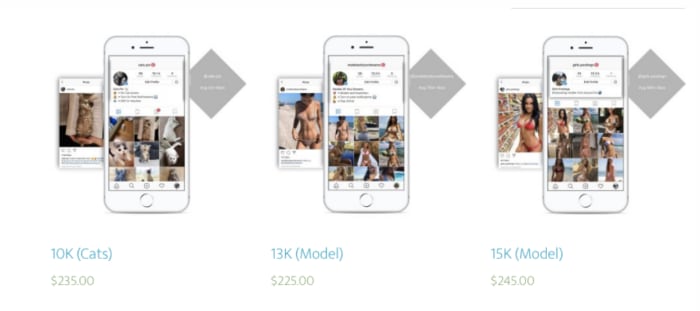
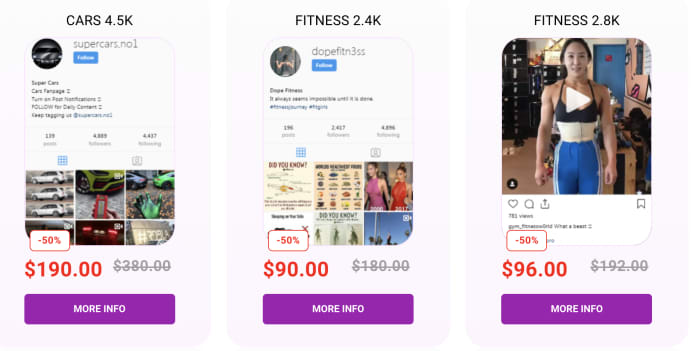
SocialTradia allows you to search for accounts by category: think yoga, fashion, or fitness. The accounts cover really broad topics, most with a collection of stock photos that haven’t been edited. They do provide a money-back guarantee, but it’s only good for 24 hours after making the purchase.

buy an instagram account

Or, there’s ViralInstas, another platform that offers accounts in the modeling, fashion, or animal niches. Follower counts won’t top 15k, which could be a sign that the platform does a decent job keeping fake followers off of the profiles. The accounts come with passwords, a hashtag research tool, and a list of hundreds of hashtags proven successful with the audience.

Or TooFame, another site that promises to provide users with a selection of high-quality accounts with real followers. Here, most accounts hover between 2k and 5k followers and are labeled by niche—fitness, sport, car, weed, are all options on here—and many accounts are marked down.

fitness niche profile for sale

Is it legal to buy an Instagram profile?

It’s not exactly illegal to buy Instagram accounts—and it’s certainly less of a problem that bot accounts and fake profiles. Instagram might ban your account—so the main concern is, you’ll be out a few hundred bucks, and you might waste some time growing a following — only to have it taken away.

The sites that sell Instagram accounts sometimes offer a layer of fraud protection like SocialTradia’s guarantee. Others aren’t such a smart idea.

Hold tight, there’s a brand-new Instagram app incoming

Threads will work alongside the main Instagram app and will give users the chance to automatically share basic information with close friends and send more typical messages too

We have lots of different social networks and lots of different social apps these days. Facebook, Snapchat, Instagram, WhatsApp, Twitter. The list could go on with each app having its own specialist feature or use. If you were to take Instagram out of that list and think about what it is good at above all else, you wouldn’t say its best use is staying in contact with your friends. Sure, you can send people messages on Instagram, but you know you’d be more likely to send a message on WhatsApp or messenger than you would be on Instagram.

Instagram Download Now ►
7

This could be about to change, however, as reports are coming in of internal testing at Instagram HQ of a brand-new companion app designed to keep you in constant contact with your closest friends.

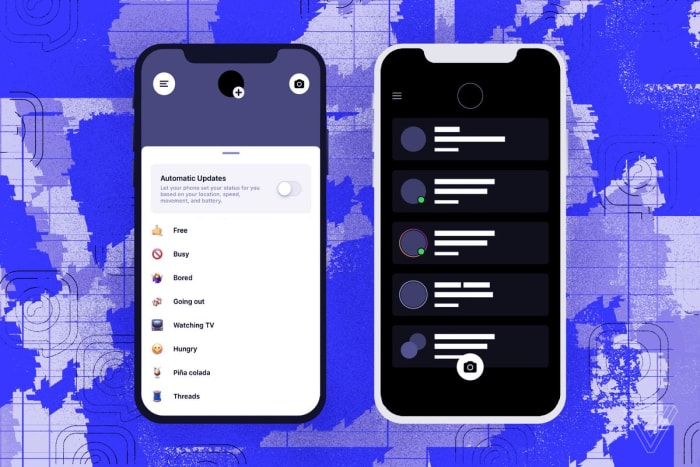
Threads will work alongside the main Instagram app and will give users the chance to automatically share basic information with close friends and send more typical messages too

According to journalists at The Verge, who’ve obtained leaked screenshots of the new Instagram app, Threads will allow you to automatically share information like your remaining battery life, internet connection speed, and location with your closest friends. The new Instagram app will also offer a more regular messaging app experience with features like text, voice, and video messaging all of which will have Instagram’s regular toolkit ready to make them look as fabulous as possible.

Image via: The Verge

This isn’t the first time Instagram has worked on a separate direct messaging app. The company also worked on an Instagram companion app called Direct, which, you guessed it, was supposed to make it easier for Instagram users to send direct messages to their friends. The thing is though, Direct never actually made it to general release with Instagram pulling the plug before the app made it to the app store. Direct messaging is still an internal part of the main Instagram app.

The key difference with Threads is the addition of the always sharing features that allow you to choose your closest friends who’ll then be ale to always see your live basic information. This automatic sharing will require you to opt-in to the service first, however, before Threads will start publishing your live information. You’ll also be able to view any of your closest friends’ recent Instagram Stories from inside Threads too.

Instagram's crackddown on sensitive content

According to The Verge, the main motivation behind developing Threads could be Instagram’s desire to match the impressive levels of engagement that Snapchat enjoys with its users. The average Snapchat user spends more time using the app than the average Instagram user does. Adding something like constant sharing on top of a regular messaging app experience could be a way for Instagram to try and drive up those engagement numbers.

What is missing in the report from The Verge though, is news of a release date for Threads. At the moment, there is no way of knowing when we might see the new Instagram receive a general release on iOS and Android. Indeed, with other Instagram companion messaging apps making it this far along the development path without being released, there is no way to guarantee it will ever be released at all. We’ll just have to wait and see.

Add more links to your Instagram profile with Linktree

Take your Instagram page to the next level with Linktree!

Linktree

If you’ve been around Instagram for a while, you may have noticed some users create “link trees.” These are a single link (the trunk) that takes users to even more links (the branches), which can direct them to Facebook, Patreon, a personal website and more!

More likely than not, they achieved this with Linktree!

We’ll be honest: Linktree’s applications aren’t limited to Instagram alone. However, it’s become well known on Instagram because the app only allows one web address in their designated slot. It’s the perfect location for a customizable directory!

If you’re ready to fire it up, let’s talk about how to…

How to create a link tree with linktr.ee

Step 1: Go to the website

Website

First off, in order to get Linktree, you have to sign up for it on their website. 

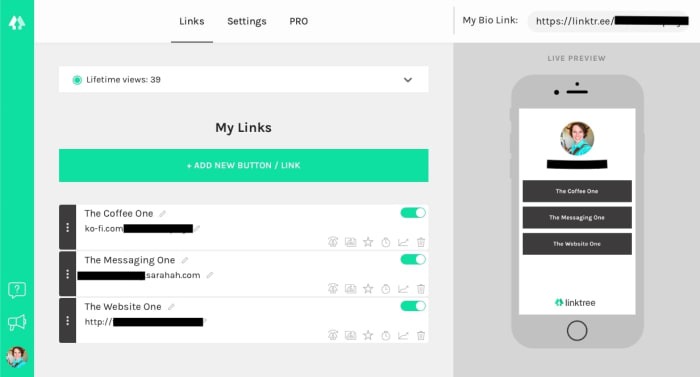
You’ll want to sign in with Instagram or create a new account. Once that’s finished, you’ll have a dashboard that looks something like the picture above! There are a few items to note:

The Links, Settings, and Pro menus all have important duties. The first manages links, the second changes the color users will see, and Pro displays the many features of their premium account.

Instagram Download Now ►
7

And, of course, at the top right you’ll be given the link itself. Place this in your Instagram account or profile of choice at any time: it’ll auto-update whenever you make changes on the Linktree dashboard.

In an Instagram account, it’ll probably look something like this:

Insta

Step 2: Add links

Links

When you hit “Add new button/link”, you get the new tab shown in the picture above. Add a title for others to see, then post the link in directly below.

Yeah, it’s pretty much that simple.

Once the information finishes updating, the yellow slider on the right will turn green. At that time, you may activate or deactivate the entry at any time without actually deleting the link to “remove” it. Nifty!

Holding your cursor over the triple-dot grip on the left allows you to drag and drop each link with ease. If you have one that’s more important than the others or want them in alphabetical order, it’s a cinch to arrange them as you wish.

Finally, the icons at the bottom right are for Pro users only. Should you accept the cost, they’ll help you create a thumbnail picture, highlight certain links, schedule times for links to appear/disappear, and more!

3. Personalize

Colors

Recap: you added the links to your link tree, you named each of the addresses, and you placed the URL in your Instagram account. Now, what’s left but altering how the tree itself looks?

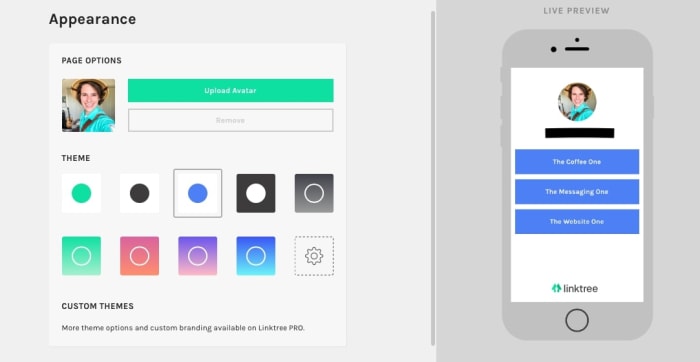
Head over to Settings!

Color options take up most of the space here: you can choose what the buttons and backgrounds look like with the click of a button. You don’t even need to save because everything is automatically updated!

Without a Pro account, be prepared to choose one of nine options. We recommend clicking through each to find what sticks out to you. Don’t worry, they’re all clean and professional! You may find that the lack of options makes the decision refreshingly simple and straightforward.

You can also change your avatar from here. By default, it will be your Instagram profile picture. However, you can upload a specific picture if you want. Anyone that visits the link will see the set graphic instead!

Conclusion

Linktree makes connecting multiple accounts and websites from your Instagram profile easy. With two clicks, followers can be directed almost anywhere across the worldwide web. We hope you enjoyed this quick introduction; we highly recommend giving the program a try!