Chrome extensions for a better Instagram experience on your PC

In the same league as Tik Tok, Instagram has become the most popular social media platform for teens and young adults today. As audiovisual takes precedence over text, it has managed to hook millions of people around the world. However, it continues to gain ground among an older audience, and here, a key variable comes into play: the Instagram version for desktop leaves a lot to be desired.

Although Facebook – the owner of Instagram – continues to add new features, it still can’t hold a candle to the smartphone version. So today, we’ve brought you a few Chrome extensions to improve your Instagram experience on your PC.

First of all, make sure you have updated Chrome. You can download it below for free.

Google Chrome Download
7

Real-time notifications

We’re going to start our article with a basic feature: real-time notifications from your account. If Instagram had a drawback, it would have to be the notification system. It doesn’t matter if it’s on Android, iPhone, iPad, PC, etc. In all cases, the service doesn’t work as well as other social media platforms.

On desktop, we can at least add a “patch” through a Google Chrome extension called WebClient for Instagram. This tool simply notifies us about comments, likes, new followers, and more from our profile. Just enable the extension on your Chrome browser and make sure you’re logged into your Instagram account (this applies to all the extensions going forward). You’ll start to receive real-time notifications about everything as it happens. How cool is that?

Download photos and videos

https://www.youtube.com/watch?v=NYYjp83aUH8&feature=emb_title

As you may have already noticed, Instagram won’t let you download images or videos from its platform. On your phone, you have no choice but to use a mobile app or your operating system’s tools, while on desktop, you can’t do the classic “Save image as.”

To make it happen, you need the Downloader for Instagram extension. As the name suggests, this tool lets you download any photo or video from the famous social media platform. You can save something with just a few clicks of your mouse.

Likewise, this extension lets you read and reply to direct messages from the Instagram website, something that wasn’t possible until recently (however, since the latest update a few weeks ago, you can check messages without a problem).

WhatsGreen Multi Messenger

This extension is for not only Instagram but all the social media platforms and messaging services you use on a daily basis. WhatsGreen Multi Messenger is a tool that lets you check all your linked apps with a few clicks of your mouse.

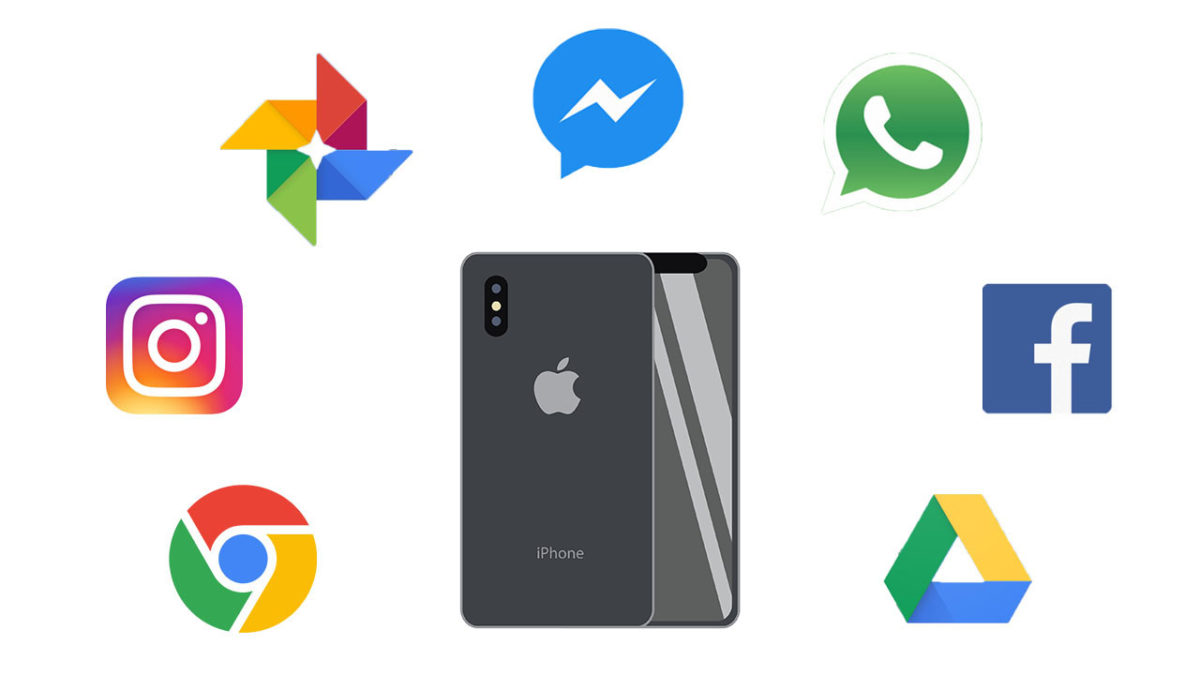
For example, imagine if you use WhatsApp, Telegram, Twitter, Instagram, Skype, etc., every day. Well, with this extension you can keep all the icons for these apps organized in the same folder. It’s like having a smartphone display right on your Google Chrome browser.

GrowBot Automator

The next extension isn’t our favorite if you want a clean, healthy Instagram account, but it could be convenient for a business account: GrowBot Automator.

This automated tool follows other accounts to flesh out your Following and Followers lists. You can program the “bot” to follow accounts with a minimum and maximum number of followers, with a minimum and maximum ratio of followers to following, with a minimum number of posts on their profiles, that are verified or unverified, that are private and much more. There are so many options that it could be overwhelming when you install it, but the idea is to automatically gain followers.

Improved Layout for Instagram

This extension is one of the most popular in Google’s online store for a reason: it enhances all of Instagram’s features to the point where the mobile version will seem too limited to you.

Improved Layout for Instagram is based on the following premise: “The default Instagram.com layout is not optimized for desktop.” That’s how blunt the developers are, and what they do is implement several functions: for example, you can view several posts simultaneously, since they appear in a horizontal format as opposed to vertical; controls are added to videos, such as fast-forward, rewind, pause, etc. (something the mobile version lacks and we miss), and there is full-screen mode and much more. You should definitely try it because the difference is amazing.

Night Mode

This extension is easy and straightforward: Night Mode for Instagram. As you may well know, this dark tone has become a favorite among users, and practically all the applications, programs, etc., on the market are including this feature.

Instagram Night Mode dims the entire page. And we mean that quite literally, as everything is displayed in this dark tone. Backgrounds, posts, stories… If anything ever appeared as white in the original version, it will be reversed with this extension. It’s an easy way to rest your eyes so the brightness doesn’t fry your pupils.

App for Instagram

Last but not least, we have an extension called App for Instagram. Its purpose is clear: to let you use Instagram on a PC just like you do on your phone. It’s that simple.

The developer of this extension, one of the most popular in the Chrome Web Store, wants to ensure the same experience on both systems: you can view (and respond to) Instagram stories just like you would do on a smartphone, display “Likes” the same way, at the bottom of the page instead of the top (as usual on the PC version), have an identical layout, etc.

In short, it aims to eliminate any visible differences between the mobile and desktop versions, so it’s the same app for everyone.

And those are the best Google Chrome extensions to make the most of Instagram. They’ll let you download photos and videos and even use the PC version just like the mobile one. Which one is your favorite?
The Best Features in Virtual DJ Explained

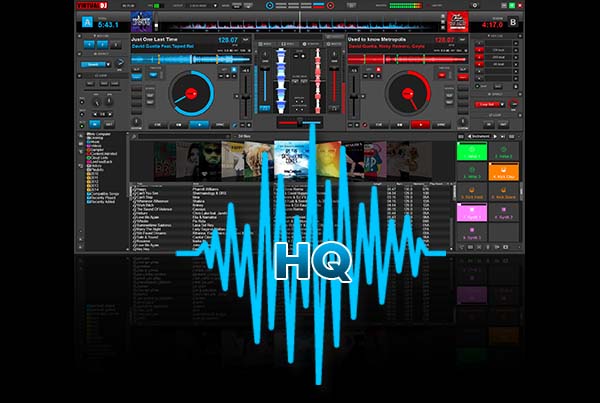
VirtualDJ is a powerful Pro DJ Software for Windows and Mac desktop and laptop computers. With the release of version 8, VirtualDJ adds great new features that make DJing so much easier, whether at a professional DJ gig using a DJ controller or virtual turntables or for fun at home. Sure, there are other media players and DJ mixing midi controllers such as Serato DJ and Traktor, but the Virtual DJ software from Atomix has been around for over 30 years and is well established as pro DJ favorite.

Virtual DJ has been around since 1996 but the last few years, beginning with the Virtual DJ 8 upgrade, have seen a full rewrite of the software code. As well as established plug-and-play features like the BPM detector, virtual crossfader, vdj video mixing features, hot cues and more, there’s now a lot more going on with Virtual DJ. Here is a look at the new main features.
Virtual DJ Download now
8

Timecode Vinyl

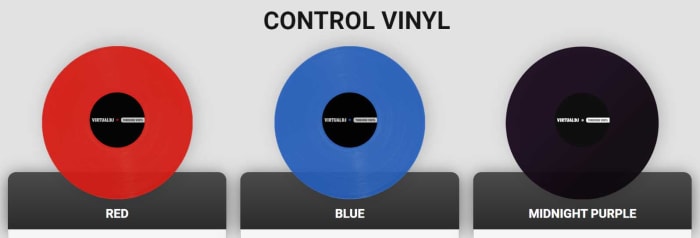
Virtual DJ now rivals Serato by offering digital DJs the chance to use real records when they’re mixing songs from their digital music library. Timecode vinyl now allows laptop DJs to incorporate their old Pioneer, Numark, or Technics decks into their routines. The vinyls transmit timecodes to the software so that Virtual DJ knows exactly what part of the song would be playing if it were coming from the vinyl itself. Not only does this bring an added flair to your mobile DJ live performances it also opens up scratching for your shows and mixes too.

Sandbox

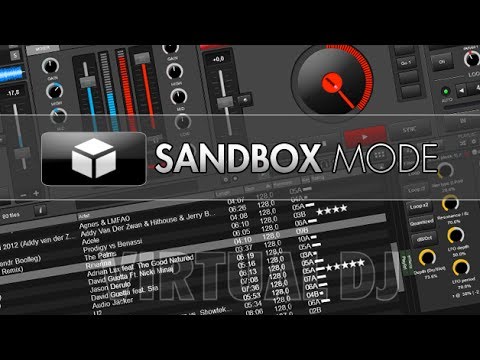
The sandbox concept helps you get ready for your next mix at the same time your audience is enjoying the current song. In the sandbox, you can move to the end of the playing track and mix in the next track.

sandboxmode

The mix is picked up only by your headphones. When you find the right transition points, disengage the sandbox feature and your mix will play effortlessly.

Sampler

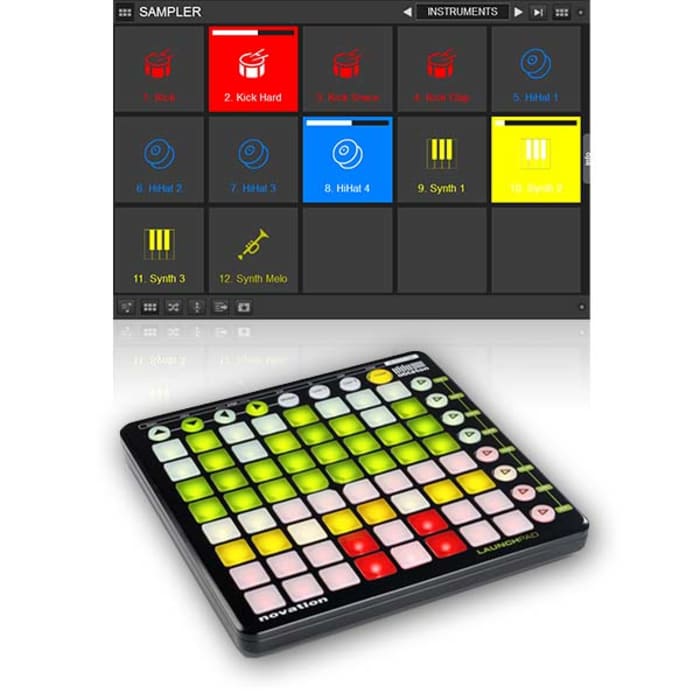
The version 8 sampler lets you play unlimited samples at the same time. The selected samples can be audio tracks, videos, or even still images. You can organize and group samples, triggering them like an instrument bank. Samples are like sound effects and elements that you can add to your mixes.

Sound Engine

Audio components such as an equalizer, filter, limiter or pitch-stretcher are all re-designed, leveraging the strength of modern computers. These features deliver crystal-clear sounds, and the re-worked engine delivers 32-bit audio, though the sample rate can be tweaked if preferred.

Browser

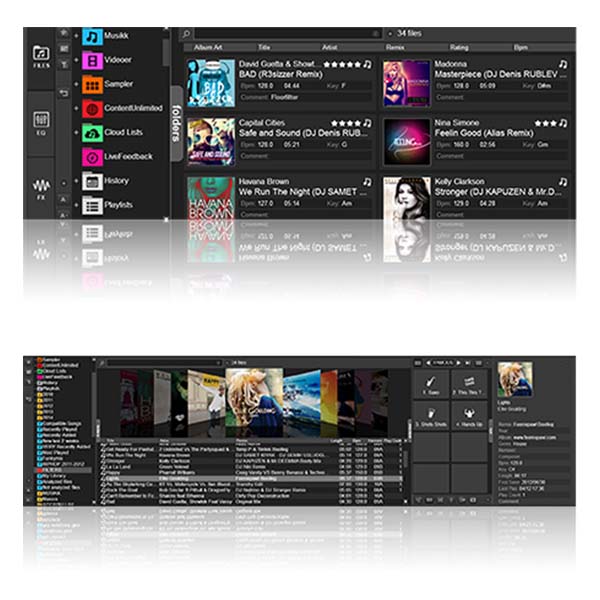
The latest browser has three components: folders, file view, and side view. Side view lets you show and switch between folders or lists, including automix, karaoke list, and side list.

Drag and drop folders into the side view, letting you park preferred tracks for easy access, and create your own shortcut buttons using this powerful tool.

A new folder organizational system also lets you organize track groupings in new ways and apply content from one folder into another. You can use folder filters such as “group by genre” to ease organization.

Effects

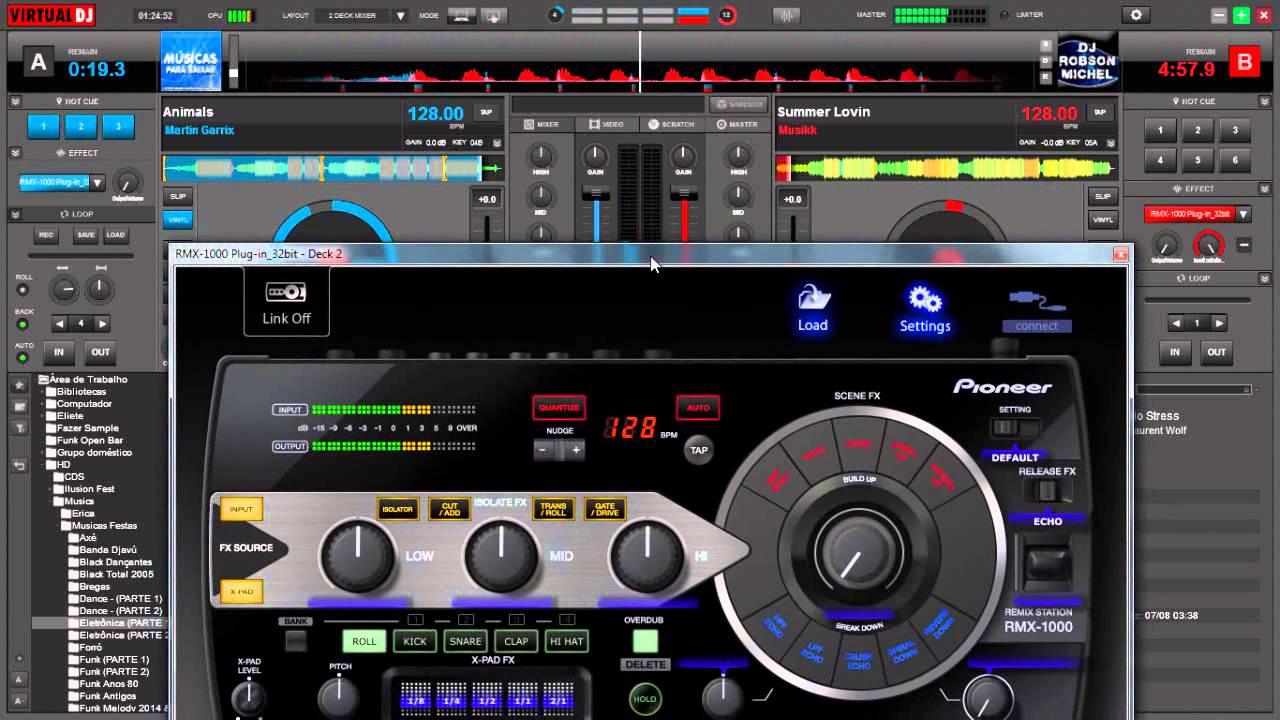
Effects windows can float and be moved around your computer screen now. You can un-pin the effects list to place it where you want. In this version, effects can be applied to one deck or as a master output function.

virttualdjeffects

Editors

This version includes a number of built-in editing functions, including:

Automix: Lets you pre-edit an automix sequence, fine-tune mix-out and mix-in marks, the transition type and, with videos, the video transition to use. The program remembers mix tuning, letting you use those settings when you use the same two songs next.

Track Cleaner: Make edits to your tracks by removing inappropriate lyrics, deleting unwanted intros, or looping sections.

Video: Add text effects or lyrics, or add new video tracks to audio-only tracks.

Sample: Adjust how you use audio, video, or image samples, including tweaking transparency on videos or cropping audio clips.

Point of Interest (POI): Manage your cues, including beat grid anchors, saved loops, and automix points.

If you like VirtualDJ, you’re sure to love DJ Mixer Express!

All the best movie wallpapers 2020

These are all the best places to find all the best movies wallpapers for your PC and mobile.

This week at Softonic we’re bringing you all the best places to find cool and epic desktop wallpapers and backgrounds for your Windows PCs, Apple Macs, and also some for your Android smartphones and tablets, and iPhones and iPads. We’ve split our offerings up into five categories and although some of the sites we’re flagging today have cropped in more than one of our lists, we’ve tried to broaden out our offerings so that we can bring you as many different sources of HD and 4K wallpapers as possible.
Today’s offering is movie wallpapers and backgrounds and we’ve got some really great options for you to get into. If you’re a film buff or just somebody who appreciates the aesthetics of a good movie poster, today’s list is for you.
Movie wallpapers

Movies Wallpaper HD

The first internet library of HD desktop wallpapers and backgrounds we’re bringing to your attention today is a simple Blogspot website called Movies Wallpaper HD. Don’t let this page’s humble layout fool you, this site has a ton of great wallpapers from some of the biggest movies ever. What’s even better is that the site is well organized into excellent categories meaning it is really easy to search for movie wallpapers via genre. There are lots of categories here too, including 4K wallpaper Hollywood movies, animation movies 4K and HD, classic movies wallpaper, Harry Potter movies, Horror movies, Marvel movies, and many, many more. All you need to do is search through this extensive library and click on the wallpaper you want.

The Movie Score

Although it hasn’t been updated in quite some time, The Movie Score is a half decent site for all movie fans to visit. It is full of movie and TV related content including reviews, trivia and quizzes, behind the scenes reports from shoots, and many different types of lists and galleries. The site also claims to have the largest archive of movie facts. Unfortunately, however, the list of movies it claims to have facts for only take to you to trivia hosted on other websites.

Despite that, however, you’ll still find a great library of HD photos and images from some fantastic movies that you can use as your desktop background. This is the place to go for truly beautiful shots from some of the all-time classic movies including the likes of Indian Jones, Star Wars, and Apocalypse Now. This old site is where we found some of our favorite movie wallpapers.

HD Wallpapers

You won’t find any movie trivia here or industry insider information. Instead, what you get at HD Wallpapers, as we’re sure you’ve already guessed, is an extensive and well-organized library of HD and 4K movie desktop backgrounds that will make your PC, Mac, or mobile phone stand out from the crowd. There aren’t nearly as many categories as you’ll find at Movies Wallpaper HD, but you will find well over 200 pages of HD and 4K Ultra HD wallpapers from both blockbusters and arthouse indie movies. You’ll even find desktop wallpapers for movies that haven’t been released in theaters yet.

Movie Mania

Movie Mania is an astonishingly large and well put together a library of movie wallpapers and backgrounds. In the top-right corner of the page, you’ll find a little switch that will toggle between the desktop wallpaper site and the smartphone wallpaper site. There are thousands of options in each and all of them look amazing. You get all of the usual categories here, but it is the content that is so good. You’ll get images and promo shots from all the biggest movies, but you’ll get angles and setups that you just won’t find anywhere else. The content here is unique and looks amazing.

1001 Free Downloads

The 1001 Free Downloads site is a bit of a catch-all site that offers a little of everything. You can find fonts, icons, brushes, vectors, and much more here but what we want to show you is the wallpapers section and in particular the movie wallpaper section. There are no categories here, movies is the category, but there are still plenty of interesting and cool movie images you can download and set as your background. The focus here is much more geared towards Hollywood blockbusters than you’ll get elsewhere in today’s list, but you will find wallpapers that you won’t find in the other sites we’ve listed. This is the place to go for high-quality wallpapers from movies like Star Wars: The Rise of Skywalker, Batman: The Dark Knight, Superman, Avengers: Infinity War, Wonder Woman, Captain America, Deadpool, and more.

Wrapping up

So, there you have five great sources to get all your favorite movie images to use as a background. We’ve shown you were to find backgrounds for all your devices, so it doesn’t matter if you’re looking for a wallpaper for your phone, Windows PC, or Apple Mac. This list has you covered. We’ve picked out some of our favorite images, but you’ll find thousands more by following the links we’ve included above. As a little bonus though, let us know in the comments if you can name all the movies we’ve featured with today’s article. We bet nobody will be able to get them all.

All the best apps to track your favorite TV Shows

Keep on top of all your favorite movies and tv shows with these top tracker apps.

Best TC Show Tracker apps

You could almost say that we’re overrun with TV shows these days. There’s just so much new content hitting streaming sites like Netflix, Amazon Prime, and HBO Now that sometimes we can end up feeling a little lost. This is even before you have to consider regular TV that simply airs TV shows whenever the hell it wants to. You either watch them or you miss them, it’s that simple.

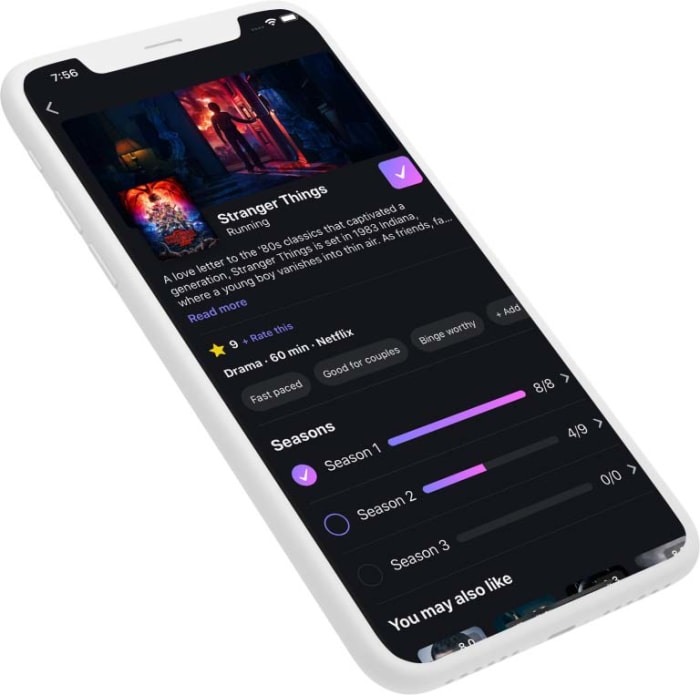
So, yes, we are living in a golden era of TV and video, but it’s easy to feel like you need help keeping on top of all the excellent content that’s available. Well, that’s where TV trackers come in and today, we’re going to walk you through all the best apps that will help you track your favorite shows. These are some of the top picks. Head on over to Binge.co for a complete list of TV Tracking Apps.

Best TV Show tracker apps

Trakt

Trakt tracker

You could say that Trakt is the ultimate TV tracking app because it works across a whole host of platforms including Kodi, Plex, Netflix, VLC, Android, iPhone, and Windows as well as many more. Strictly speaking, however, it isn’t an app but rather the code that powers many other apps.

Trakt uses what it calls Scrobbling to automatically track your TV shows if you watch using one of Trakt’s integrated platforms. You’ll also find features that allow you to rate what you’re watching and debate and share your views with other users too.

Next Episode

This fantastic app is available on both Android and iOS. It isn’t an app version of the classic track from Dr. Dre’s massive 2001 album, but it is something just as good. Next Episode has an easy to use interface and offers personalized recommendations based on your viewing preferences. Next Episode also brings in a social aspect to things by making it possible for you to track what other users of the app are watching too.

Next Episode for Android Download now
8
Next Episode for iOS Download now
8

Just Watch

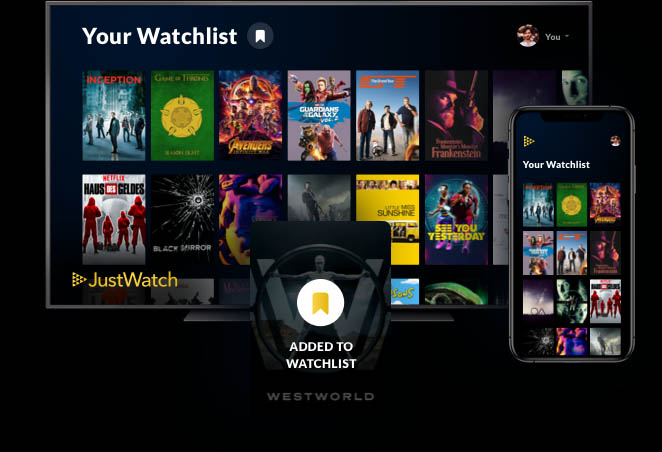
Just Watch is a website and mobile app that offers comprehensive listings for pretty much every single streaming service you can imagine. It is easy to use with all listings being just a click away, and comprehensive breakdowns of content into categories including genre, age rating, rating on IMDB and Rotten Tomatoes, and release year. All content is then laid out in a simple timeline showing when each title was added to the streaming service.

What’s also great about Just Watch is that you can sign up and create an account to access even more features. The best of these, without doubt, is the ability to answer questions about your viewing tastes so that Just Watch can then make better recommendations about new content you should watch.

Just Watch for Android Download now
8
Just Watch for iOS Download now
8

TeeVee 3

TeeVee 3 is a fantastic looking app for iOS iPhone and iPad that really makes the shows you’re keeping track of pop out the screen. The best feature TeeVee 3 offers anybody who is looking to track their favorite shows is the ability to export shows to the Apple Calendar. What’s even better is that once you do so, the app will then block all spoilers from future show descriptions.

TeeVee3 Download now
8

TVTime

TV Tracker app

Both Android and iPhone users can download TVTime and get their hands on a great TV tracking app that also gives them the ability to review the shows they’re watching and read other user reviews too. Users can also find articles about their favorite shows, as well as podcasts and related videos. The main crux of the app, however, is the ability to build yourself a Watch List that TVTime app can then track for you. The app also allows you to see shows that are coming soon to various networks and streaming services.

TV Time for Android Download now
7
TV Time for iOS Download now
7

Series Addict

As you’d expect from the name, Series Addict is a great app for anybody who can’t stop watching their favorite shows. It looks great and brings you detailed overviews of your shows, as well as an easy to set up personal TV Guide that will tell you where you’re up to with all your favorite shows and what episode you should watch next. Unfortunately for all iPhone and iPad users, however, Series Addict is only available on Android smartphones.

Series Addict Download now
9

Seriesguide

If you want to keep track of which shows you’ve watched and which you haven’t, you can’t go wrong with Seriesguide. The app is well designed and easy to navigate meaning it isn’t difficult getting yourself set up and all your favorite shows into the system. You can then keep track of all the episodes you’ve watched and even rate them and leave comments if you connect your app to trakt.tv. Seriesguide also allows you to keep an eye on upcoming releases.

SeriesGuide Download now
7

Hobi

hobi app tv tracker

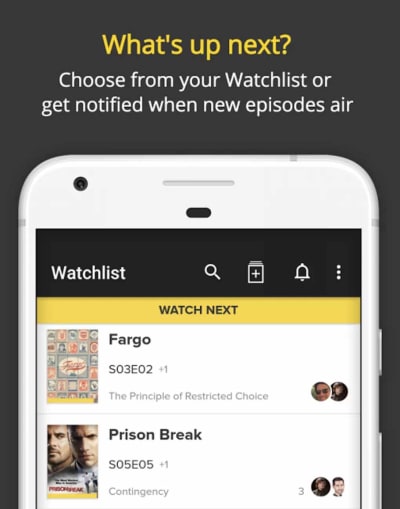
With so many big apps in this list offering all sorts of super features and interconnectivity, we’re glad to add a much smaller, more lightweight, and easier to use the option in Hobi. You download Hobi onto your iPhone or Android smartphone, you tell it all the shows you like, and then it sends you notifications whenever new shows are about to air. You can also take control of Hobi notifications and tell the app exactly how long in advance you want to know about upcoming apps.

Hobi for Android Download now
8
Hobi for iOS Download now
8
Wrapping up

It can seem like technology is getting ahead of us and making it more difficult than ever to keep on top of our favorite TV Shows. The truth, however, is that there has never been so many tools available for TV fans to track their shows so that they know exactly when they’ll get to see the shows they love. We’ve outlined eight fantastic apps that will allow you to easily stay on top of your TV viewing.

How to make the most of your HBO subscription

These tips and tricks will help you make the most of your HBO streaming subscription.

HBO Now

It used to be that you needed a high-end and expensive premium cable subscription to be able to watch HBO’s TV shows such as The Sopranos, Westworld, Veep, and of course Game of Thrones. This has all changed now with HBO Go and the HBO Now app bringing the network’s award-winning shows into people’s living room via internet streaming devices such as Amazon Fire TV; and even iPhones, iPads, and Android smartphones too. Both of these services are pretty similar with the only real difference being how you get them. Go still requires a HBO subscription but Now works as a standalone app.

Beyond knowing the difference between the two new HBO apps there is a lot more you can learn that will help you get more out of your HBO subscription. The HBO streaming service now has features to match Amazon Prime Video and Netflix. Let’s then, get into some HBO Now tips and tricks.

How to get more from HBO Now

Share your account

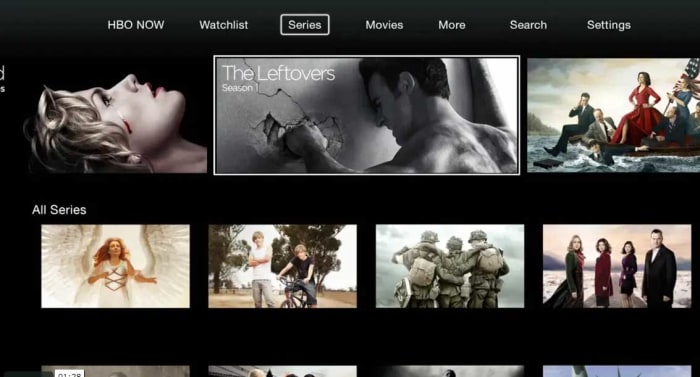
HBO Now home screen

If you find that you enjoy shows more when you get to discuss them further with other people, you’ll be glad to hear that HBO’s official policy allows you to share your account with other users. What HBO actually says is that it is fine to share your login details with members of the same household. Household is ambiguous enough to not actually mean anything and certainly isn’t something HBO could actively try to police. Share your details and then get into your favorite shows together. Just don’t push it with all sorts of simultaneous streaming.

Protect your mobile data allowance

It is a fact of modern life that most people don’t have enough mobile data on their monthly plan to see out the month. Streaming audio puts a huge strain on our data allowance, but streaming video takes it to the next level.

The bad news here is that HBO Now doesn’t offer an official download feature like you find on Netflix. The only official way to watch HBO content is to stream it. This means that the only way to save mobile data allowance is to limit streaming when you’ve connected to your mobile network. To do this go to the app Settings and then choose the Video Playback option. Here you’ll find three options. WiFi Only will limit your streaming to when you’re connected to a Wi-Fi network, Cellular Playback Warning will tell you you’re about to watch a video using a network connection and Continue Watching  will allow you to stream videos no matter what.

Parental controls

One of the big things that HBO likes to celebrate is the network’s ability to produce and show R-rated material. A brief glance at HBO’s back catalog will show up foul-mouthed and psychopathic mob bosses, occult influenced serial killers, and a lot of nudity. Even shows like Last Week Tonight with John Oliver revel in the use of totally unnecessary curse words.

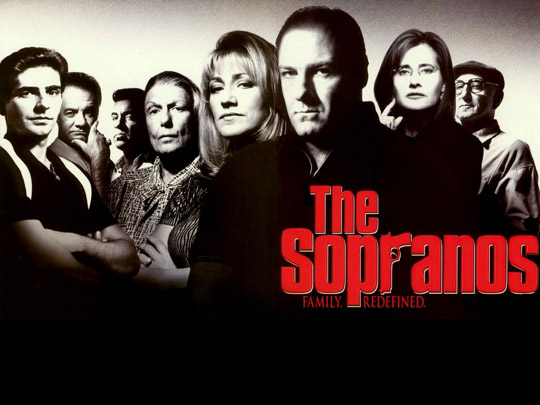
The sopranos on hbo now
Do you want your kids watching The Sopranos?

With all of the above being the case then, you might want to limit the content your kids can access when they’re using your HBO Now subscription. Fortunately, HBO gets this too and has included a Kids Lock feature in the app to keep inappropriate content hidden away from your kids. To enable the Kids Lock you need to open the hamburger menu icon (three vertical lines), which you’ll find in the top-left corner of the app. You then need to hit the Kids option and hit the lock icon at the top of the screen. You then enter or create your password and pass your smartphone or tablet to your kid. To disable the lock just hit the lock icon again and reenter your password.

Control HBO with your voice

As well as content streaming services the last few years have also brought another rather intriguing innovation, voice assistants. Voice assistants use advanced voice recognition technology and allow you to connect different devices to your network so that you can control them with your voice too. If you’ve an Amazon Alexa or a Google Assistant at home, you can hook up your HBO Now subscription your speaker and start telling your TV what HBO shows you want to watch at any given moment. You can find instructions on how to link a Google Assistant to your HBO Now account here and  how to link Amazon Alexa here.

Know what’s available to watch

Streaming services have added a new dimension to watching movies and shows. We can now watch our shows when we want to and no longer have to wait for them to air on TV. This is true, but only to a certain extent. Netflix is famous for adding and removing shows and movies from its service quite regularly and HBO Now is the same. Not all HBO content is available all the time. This means you might not be able to watch that HBO show next time you log in.

The Wire on HBO Now
Is critically acclaimed The Wire available on HBO Now?

To keep on top of the content available on HBO at any given time you can track HBO’s own website, which will tell you what new shows are coming to the service and which old ones are leaving.

Get personal recommendations

Another good site for tracking content across multiple streaming services is Just Watch. As well as keeping you appraised of what content is currently available on HBO Now, Just Watch will learn from your viewing choices and then give you some personal recommendations about new shows it thinks you’ll like.

You can access Just Watch via the web or via their mobile apps. Click below to download the version you need:

JustWatch for Android Download nov
8
JustWatch for iOS Download nov
8

In a world where we have total access to so much content all the time, recommendations you can rely on are like gold dust.

Wrapping up

So, there you have some tips to help you get more from your HBO subscription. The HBO streaming apps aren’t as sophisticated as Netflix and offer limited functionality compared to the streaming giant. Not being able to download content for later viewing is the biggest missing feature in our opinion. We hope that sooner rather than later, HBO will work on introducing the feature to its app.

All the best Netflix tips and tricks

Get more from Netflix with these excellent tips and tricks.

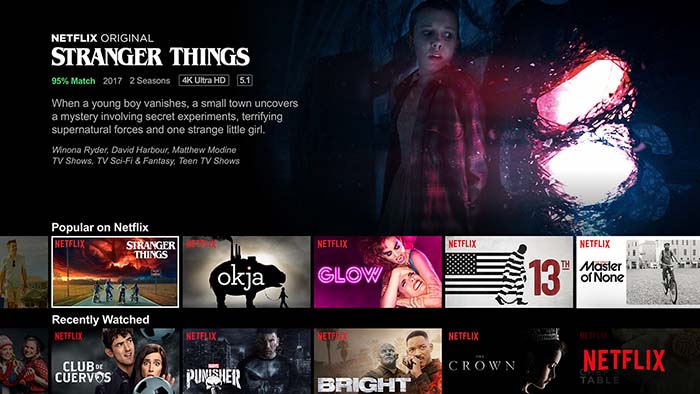
Simplicity sits at the very heart of Netflix’s success. You can open it up on the internet, your mobile phone, and with a simple press of a button on your TV remote. After that it is just a case of scrolling through all the top shows and movies Netflix has to offer. Netflix is easy to use certainly, but that doesn’t mean it is a simple app/service. There plenty of neat hacks and tricks you can use to get more out of your Netflix viewing experience and today we’re going to through the best of them. We’re going to assume you already know how to download movies over Wi-Fi onto your Android and Apple smartphones but if you don’t, you should check out this guide.

8

Cool Netflix hacks, tricks, and tips

Access Netflix’s secret genres

One of the main reasons you might want to give your Netflix a little tune-up is because you’re sick of seeing the same old stuff pop up as you scroll through the Netflix genres. Fortunately, there is a quick fix for this as Netflix actually sorts out its shows and movies into many more genres and sub-genres than it shows you on your home screen. To access them you simply need to know the number Netflix has assigned to the genre and then add it to the end of this web URL https://www.netflix.com/browse/genre/… You don’t have to worry about knowing the numbers for each genre neither as we’ve already put a full list of Netflix genres together here. That guide will also show you how to access the improved genres on your TV and Netflix app too.

Another great way to search for Netflix TV shows and movies

Netflix Flixable

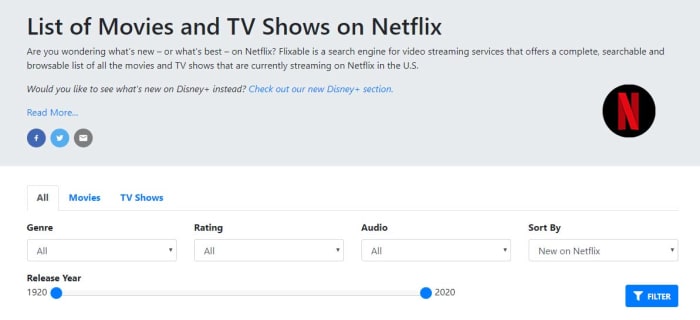
Having access to secret Netflix genres is one thing but if your problem is with the Netflix layout itself; you might be interested in this next tip. For a clean interface that works quickly and makes it much easier to search through Netflix’s catalog for the best movies and shows you should bookmark Flixable. If you’re in the US, Flixable offers a great way to find the next show you’re going to binge on Netflix. Another great feature Flixable offers are the ability to see previews of shows that are coming soon and get notifications about shows that will soon be removed from Netflix.

Reset the recommendations Netflix shows you

Netflix viewing history

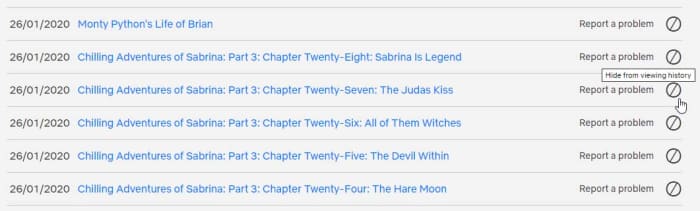
Another way to get some fresh content showing up on your homepage is to reset your Netflix viewing history. This is the data that Netflix uses to recommend new TV shows and movies so when you reset it, the recommendations will reset too. To reset your Netflix viewing history go into the app settings and go to Account, then My Activity, and then hit the small block switch that’s next to each title you want to remove from your history.

Netflix VR Download Free ►
8

Help Netflix recommend the right shows

Rate your Netflix shows and movies

Knowing that Netflix is constantly showing you the content it thinks you’ll want to see should change the way you use it. Basically, if you like a show, you should give it a thumbs up and if you don’t like a show, you should give it a thumbs down. Netflix will then use this data next time it thinks about what shows it thinks you will like.

To binge or not to binge

If you think you’re definitely going to settle into a binge-watching session and get through a full season or two, you can actually disable the Are you still watching prompt? And, even better still, completely skip out the title sequence of every show in the season. The bad news, however, is that you’re going to need a Chrome extension to do this, so you’ll only be able to do it on Netflix on your laptop or desktop PC. The extension is called Never Ending Netflix and is completely free to download.

The flip of this is that you only want to watch a single episode, but you know what you’re like and so want to disable the Auto-Play feature altogether. To disable the Netflix Auto-Play feature go to the Account menu, then hit Playback settings, and then uncheck the box next to Play next episode automatically.

The Netflix keyboard shortcuts

Netflix keyboard shortcuts

If you are watching Netflix on a PC or laptop, you might want to know that there are a number of Netflix hotkeys you can use to control media playback. If you want to make it easier to watch Netflix and don’t want to fumble around looking for your mouse every time you to pause the action, remember these hotkeys:

Play/Pause – Spacebar or Enter

Full Screen – F

Exit Full Screen – Esc

Mute – M

Volume Up – Up Arrow

Volume Down – Down Arrow

Fast Forward – Shift + Right Arrow

Rewind – Shift + Left Arrow

Ask Netflix to add shows or movies

Request a new title on Netflix

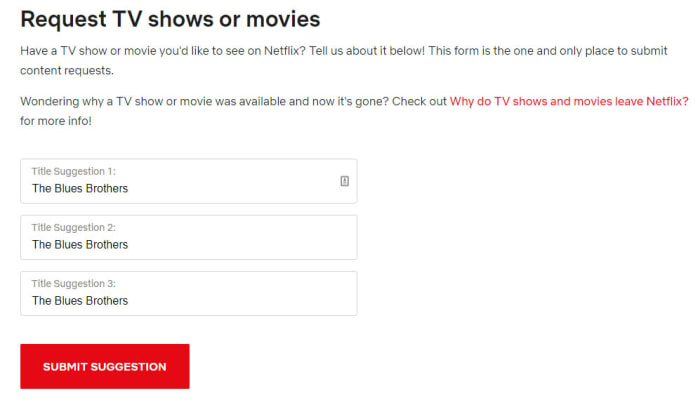
A direct way you can try and get more of the content you want on Netflix is to ask for it. Netflix has its very own web form you can fill out to request new titles be added to the Netflix content library. It is as simple as typing in the title and hitting submit. The form gives you three boxes too meaning you can request three titles at a time, but there is also nothing stopping you from using the form many times.

Take control of “Your” list

The My List section of the web browser takes quite a prominent place when you open Netflix. The default setting for My List is that Netflix will use it to suggest new shows for you to watch. You can change this, however, and add shows to the My List yourself. To do so you need to go to the Netflix Account menu, then go to My Profile, and then finally hit the Order in My List option. Here you’ll find the option to order the titles in My List yourself, curating your own watch list that will show highly every time you open Netflix.

Wrapping up

There you have the best Netflix tips and tricks that will give you much greater control over your Netflix experience. If you’re still finding your experience isn’t up to scratch, maybe you should think about another streaming service.

New year new iPhone? You need these essential apps for 2020

These are all the essential iPhone apps you need in 2020.

Must have iPhone apps

Is there anything as exciting as getting a brand-new iPhone? Just on looks alone they’re incredible little machines. Beautiful to look at and solid to hold, they’re a marvel of modern desire. Particularly when paired with an Apple Watch. Obviously, however, iPhones are so much more than how good they look. The newer iPhone models are very powerful mobile devices offering a world of possibilities to anybody lucky enough to have one in their pocket. Owning one isn’t enough, however, if you truly want to unlock the iPhone’s true potential. To do that you need the best apps.

This why we’re here today. When you first unpack your iPhone it only comes with basic iOS apps. We’re here today to tell you about the most important new apps you need to download on your iPhone. These are the best iPhone and iPad must have apps on the app store.

Essential iPhone apps 2020

Social media and messaging apps

We’ll start off our list of must-have iPhone apps with all the social media apps that no modern smartphone should be complete without. Of course, you need Facebook, Instagram, and Twitter, which represent the old faithful veteran social networks. Newer to the game, however, but no less influential is Snapchat and the biggest upstart of them all is Tik Tok. Each app offers something different to offer.

7
Instagram Download Now ►
7

Once you’ve got your social networks installed on your iPhone’s home screen, you need to start thinking about messaging apps. Yes, iMessage is a fantastic app but if you’ve any friends who don’t have iPhones themselves, you’re going to have to diversify your messaging capabilities. WhatsApp is the biggest messaging app on the planet with Facebook Messenger not far behind.

WhatsApp Messenger Download Now ►
8

Google Maps

When it comes to GPS navigation, Google is the king of kings. Both Google Maps and Waze, which is also owned by Google are better than the Apple Maps mobile app that comes pre-loaded on your iPhone. Installing Google Maps on your iPhone will give you fantastic navigation capabilities as well as reliable public transport information. In short, you’ll get the best GPS app available.

Google Maps Download Google Maps
7

Google Chrome

Google Chrome

As well as Google Chrome, we’re also going to recommend Mozilla Firefox here and Microsoft Edge. Chrome is by far and away the most used web browser on the planet. It is a fast and reliable browser, which is why it is so popular. Mozilla Firefox is also reliable but is also the perfect web browser for anybody who is worried about their online privacy. Microsoft’s Edge browser is the newest of the three recommendations and offers a decent compromise between what you get with Firefox and what you get with Chrome. If you like the sound of both of them, download Microsoft Edge.

7
9

LastPass

LastPass offers you the best free password manager and as such is a must have app. We have more online accounts than ever before and if you’re to stay secure when browsing the web, every single one of them needs a strong and unique password. In reality, this is an impossible task. You probably can’t come up with so many unique passwords and you definitely can’t remember them all. This is why you need a password manager and with LastPass syncing all your passwords across up to three of your devices, this is the one you should get.

8

Google Photos

Photos colorize blank and white images

Another Google app makes our list here, but it can’t be denied that Google Photos is the best photo app available today. Photos allows you to back up all of your photos under 16 megapixels to cloud storage and then access them whenever you have an active internet connection. This means you can then free up space on your iPhone by deleting the photos that have been backed up. On top of this Google Photos also uses all sorts of AI bells and whistles to automatically organize your photos, make them easier to find, edit and optimize them, and share them with friends and family.

Google Photos Download Google Photos
7

Snapseed

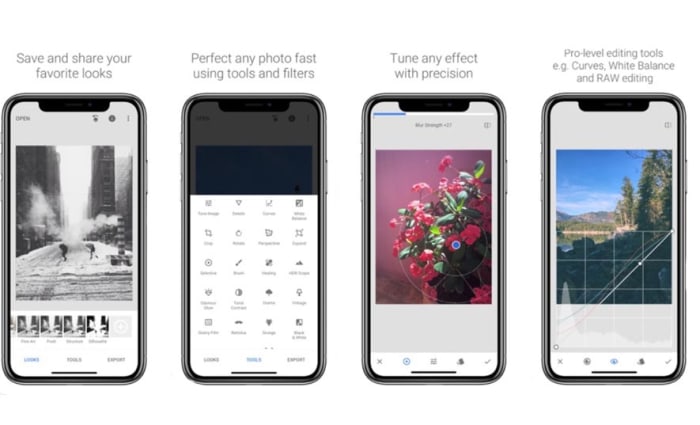
If you’re a keen smartphone photographer, you might want to go beyond the basic edits offered by Google Photos. Snapseed is a fantastic photo editing app that offers extensive features that rival those found on many premium apps. It is easy enough to use for beginners to make impressive edits to their shots and advanced enough for those who are more comfortable playing around with the nuts and bolts of images to get them exactly how they want them. This is the photo editing app you need on your iPhone.

9

Evernote

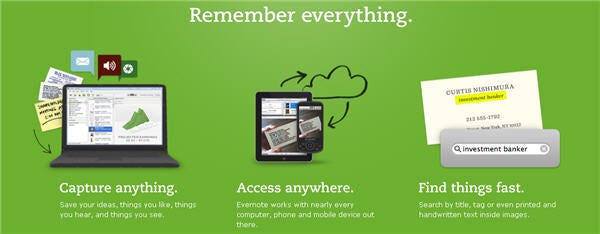
Evernote is a fantastic note taking app that gives you the power to easily create to-do lists and other notes to yourself and then sync them across all of your devices. Evernote can even scan handwritten notes and allows you to add multimedia elements like photos and audio clips to your notes as well as links and web pages. This is a very useful app.

7

Netflix

If you have a Netflix subscription, you need the Netflix app. It is as simple as that really. Why would you not download the app, why would you stop yourself from being able to download movies and shows to your phone so that you can then watch them when you’re not connected to Wi-Fi without having to worry about using up all your mobile data.

8

Spotify

This is the same as Netflix. If you have a Spotify subscription, download the app now and get all your favorite tracks and playlists even when you’re offline. Come to think of it, this works the same with Deezer, Apple Music, and Google Play Music. If you’ve a subscription, download the app.

8
Deezer Download now
7
Apple Music Download Now ►
7
Apple Music Download Now ►
7
Google Play Music Download now
8
Wrapping up

So, there you have some of the most essential apps you need to download right now on your Apple iPhone. We could have gone deep on Google apps but tried to limit it to just a few. You could also look at Gmail, Google Drive and all its attached apps like Google Docs, and Google Translate. On top of these, there are plenty more fantastic iPhone apps like Dropbox, Dark Sky, Skype, and Amazon out there for you to download. With this list, however, we just wanted to give a good foundation that you can then build on yourself.

All you need to know about Tik Tok

TikTok is a Chinese video sharing and lip-syncing app

The Tik Tok Guide

TikTok has quickly risen to become the hottest trending social media app on iOS iPhone, and Google Android phones. This puts it ahead of other social media platforms like Twitter, YouTube, and even Facebook and Instagram. TikTok has been downloaded millions of times in the U.S.  ABC News in Australia calls it, “the app your kids love, but you’ve never heard of” which ultimately begs the question; what is TikTok?

What is TikTok?

The TikTok app, like Snapchat and a whole host of new apps these days can appear baffling to anybody born before the turn of the millennium. Users can create 15-second comedy skits using a variety of tools including lip-syncing, animations, special effects, and also beat matching popular songs to filmed footage. These all add up to create a tool that can give even the freshest and most inexperienced of movie-makers the ability to create videos that look polished and well made. Videos can they promote across the networks using tools like hashtags. Tik Tok is making people famous.

TikTok was formerly called Musical.ly, but now has a fresh look and new name. It was taken over by the Chinese firm Bytedance in 2017 and has since gone on to reach hundreds of millions of monthly users in over 150 countries.

9

TikTok’s success in the US has been helped along by late-night talk show host Jimmy Fallon. Fallon has not only encouraged his viewers to use the app, he has also offered an excellent introduction to what it is about: “What it is, is you post short videos of you doing fun stuff like lip-syncing to a song or a movie clip or acting out a silly scene with your friends, or even your pets” Another Fallon feature invites users to roll around the ground like tumbleweeds, using TikTok to overlay old western music on top of the video.

TikTok is a fun-to-use app that invites users to create funny, silly, and hopefully engaging videos that they can then share on the app. Let’s have a look then at some tips on how to use Tik Tok.

Top TikTok tips

Tip #1 The TikTok Share button does a lot

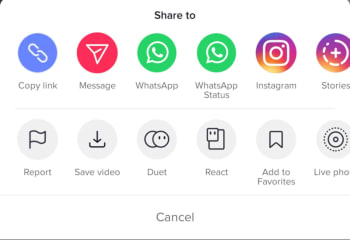
You’ll find Share buttons on almost all social networks and apps. You click share if you want your friends to see something you like or maybe hate. The Share button on Tik Tok, however, does a lot more than just sharing Tik Tok videos. First up, it’ll give you the option to download a video so that you can watch it later when you’re offline. Another cool thing you can do when hitting the Share icon on Tik Tok is saving the video as a GIF. This is a great option as many of the short Tik Tok videos look fantastic when played over and over again as GIFs. You can also make Live Photos out of Tik Tok videos.

The final cool feature found in the Tik Tok Share menu is the duet option. If you find a video you like, you can perform a duet with the performance in that video. Click here for our guide to Tik Tok duets.

Tip #2 TikTok Quick Actions

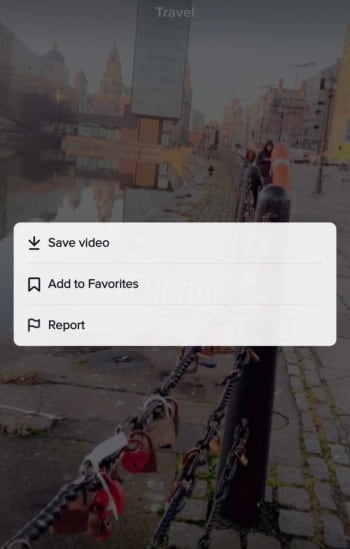
You can actually access some core Tik Tok features without having to go into any menus. When watching a Tik Tok video all you need to do is hold your finger down anywhere on the screen to open up the Quick Actions screen. This will enable you to quickly Save videoAdd to Favorites, or tell Tik Tok you’re Not Interested in this type of content, so it won’t show up in your Home tab.

Tik Tok Quick Actions

Tip #3 Use TikCodes to connect with other users

Tik Tok has its own cool version of QR codes that you can use to connect with other Tik Tok users. Your TikCode will look like a circular QR code that is wrapped around your profile picture. To create your own TikCode go to your profile page and hit the code button, which is above and to the right of your profile picture. This will show you your code, which you can either show to another user directly or save and share across your social networks and messaging apps. If somebody else shows you their code and you want to scan it, you need to tap the Scan button at the bottom of your TikCode screen. Once you’ve scanned the other person’s code, you’ll be taken to their profile page.

Tip #4 Privacy Settings are important

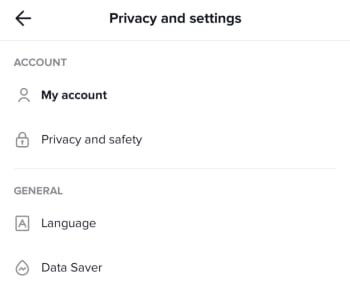
You need to consider your own safety when uploading videos of yourself to the internet. This means thinking about your privacy and who can have access to your videos, who can download them, and who can perform duets with them. To access your Tik Tok Account Privacy and Safety menu you need to open your Profile page and then tap the Ellipsis (three dots) menu icon in the top-right corner of the screen. This will open the Privacy and Settings menu, where you’ll find the Privacy and Safety menu as the second option in the Account section. This is where you’ll be able to control all of your privacy settings and keep yourself as safe as possible when using Tik Tok.

Tip #5 Handsfree makes anything possible

You want your Tik Tok videos to shine. That means doing a little bit more than simply hitting record and capturing whatever it is you’re doing at any particular moment. This means taking the time to plan out what will happen in your new video. You could practice a dance routine, go through your lines for a lip-sync masterpiece, or even draw up a script for a little 15-second movie. Once you’ve done all that though, you’re going to need to freedom to pull it all off without having to hold down the record button. To use Tik Tok’s timer feature go to the video capture screen and look for the small clock icon. Select how long you want the timer to wait before it begins recording, and then hit Start Countdown. Click here for our guide to help you become Tik Tok Famous.

Best Winamp skins

These are the best Winamp Skins

All the best Winamp skins

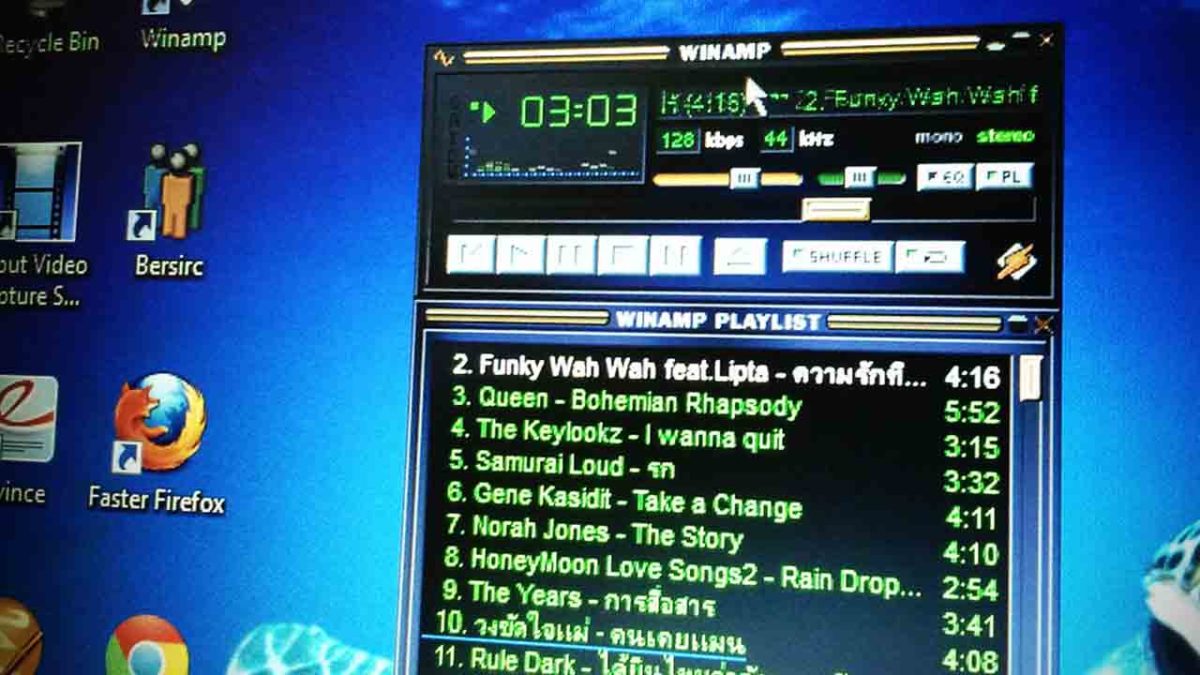
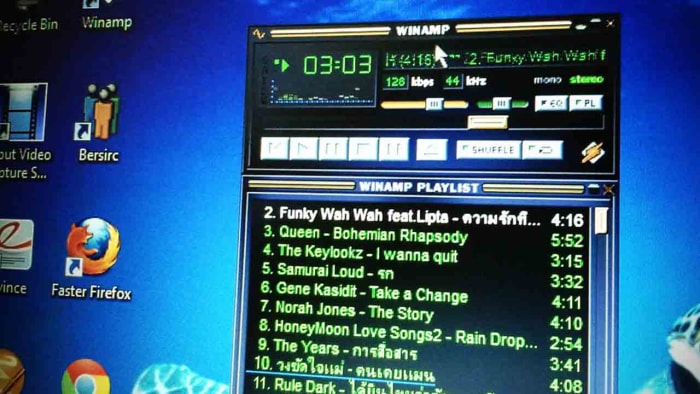
Nullsoft’s Winamp has been around forever. Back when you started downloading songs from Napster, Winamp was the best program to listen to them with. As other programs have come and gone, and the likes of the iPod, iPhone, and now Spotify have revolutionized the way we listen to music, it bears remembering that Winamp is still here and it is still going strong.

As well as Winamp’s ability to play many different types of audio files like MS-Audio, WAV, MP3, and AAC, one of the big stand out features for Winamp has always been its skins. Winamp skins have long given users a fun way to make their digital music player their own. Through the years there has been all manner of Winamp skin landing on the internet from classic Winamp 2 and Winamp 5 skins to skins of your favorite movies and shows. Let’s have a look then at some of the best Winamp skins you can download right now.

Winamp skins collection

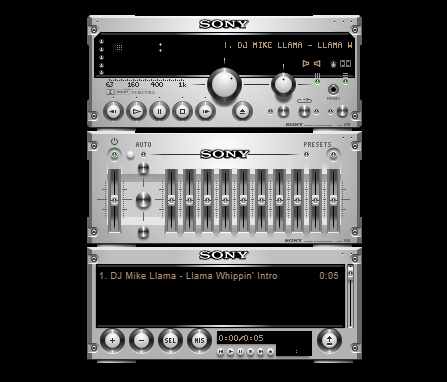
Expensive Hi Fi Skin

Expensive Hi Fi

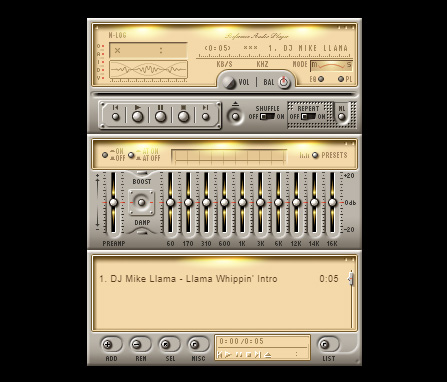
Although a modern skin, the Expensive Hi-Fi Skin is an absolute classic for Winamp. The premise is simple, you make Winamp look a high-end separates stereo with each part of the Winamp console, including the main window and the playlist section, being a separate stereo module. There are lots of these to choose from. But this one stood out for us as the equalizer looks so good.

Technics 1210 Skin

Technics 1210

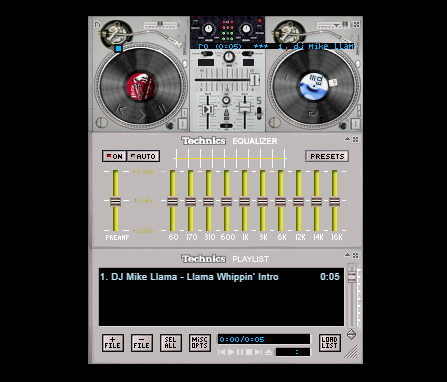
Most DJs simply mix with their laptops these days, but any DJ worth their salt learned their trade on a pair of Technics 1210s. These things were built like tanks and this skin does a fairly good job of recreating the old beasts with a decent mixer and equalizer to go with them too.

Old Mac OS Skin

Old MacOS

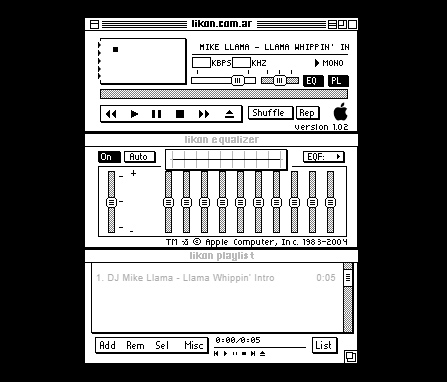
These days Winamp has quite a bit of nostalgic value to it. Like we’ve already said, there are now many other options out there for listening to music in many different formats. We don’t even have to download music onto our devices anymore. We still use Winamp though, for one reason or the other, with it definitely having a nostalgic feeling to add to it too. Well, how about this black and white original Mac-style Winamp skin to add to that nostalgic feeling?

Anime Winamp Skin

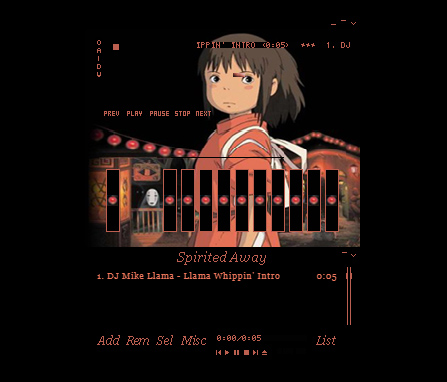
There are a lot of different Anime themed Winamp skins out there. This one from the classic movie Spirited Away. It is sleek and simple with a bold red on a black color scheme and a cool image to go with it.

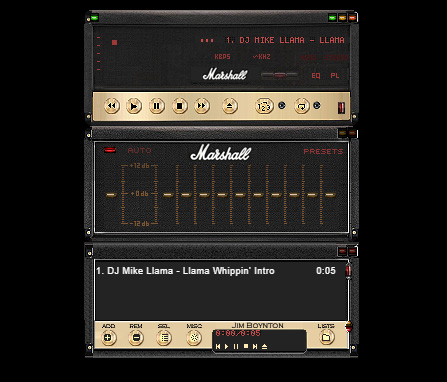
Marshall Skin

Marshall skin

This Winamp skin is so cool. It basically turns your Winamp controller into an epic Marshall amp, just like you’ve seen on stage at some of the world’s biggest rock concerts. If you’re listening to anything with a guitar solo of more than a minute, this is the skin you need.

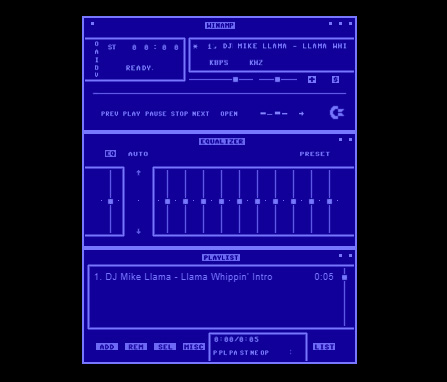
Commodore 64 Skin

Commodore 64 skin

This 64-bit skin is one of our favorites. It takes us back to the days when video games came on cassette tapes and you’d have to turn the tape over halfway through a load screen. This is nostalgic to the max and, with cyberpunk minimalism being very much on-trend, it looks great too and will definitely get people’s attention.

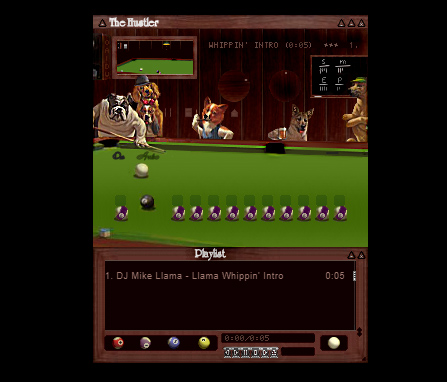
The Hustler Skin

The Hustler

This Winamp skin is just funny. It takes that classic image of the dog’s playing pool and turns it into a Winamp skin complete with pool balls as equalizer knobs so you can rearrange how the game is going by playing with the levels.

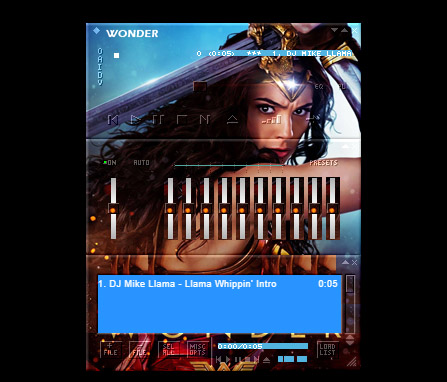
Wonder Woman Skin

Wonder Woman

Some people turn Winamp into what is essentially a poster that plays music. There are plenty of movie posters out there that people have turned into Winamp skins, but we’ve seen more Wonder Woman skins than any other movie. This is our favorite.

Super Mario Land Skin

Super Mario Land

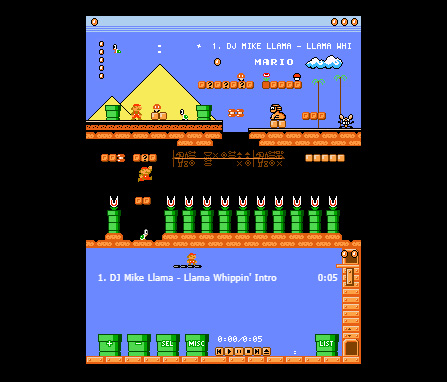
This Super Mario Land skin is very cool indeed and is more than just a flat image. It depicts a number of different game worlds and houses the control buttons in the question mark chance cubes you find all over Super Mario World. The coolest bit, however, is the equalizer, which is series of Mario’s famous pipes with Piranha Plants sticking out. You mess around with them to change the levels of your music. It looks great.

Spiderman Skin

Spiderman skin

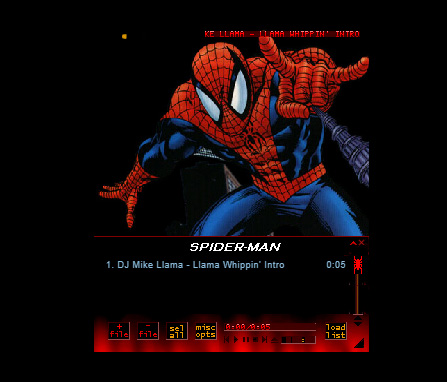
Another poster skin here. Although this is a basic skin with only minor button design, a main image, and a color scheme we still love it. The Spiderman image is as cool as they come. It’s almost like Winamp keeps pulling you back in with Spidey’s web. Just listen to one more tune…

Nucleo Skin

Nucleo Skin

If you’ve ever seen or used an old school HAM radio, you’ll be familiar with the retro stylings of the Nucleo Winamp skin. Waveforms, KHZ, and analog buttons really make this skin stand out as a sleek and light offering.

Windows Media Player Skin

Windows Media Player skin

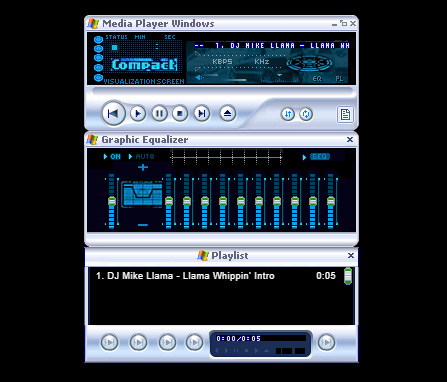
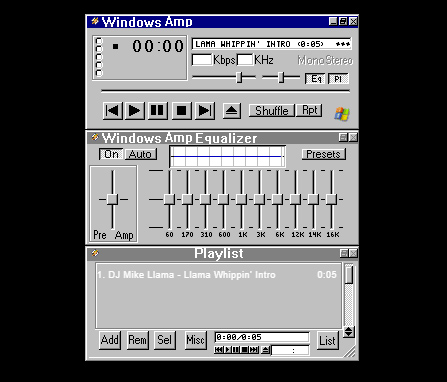
The old Windows Media Player was likely what you used to listen to your tunes on before you downloaded Winamp, which was able to play a lot more file types than Windows Media Player could handle. If the old girl had a style you liked though, don’t worry. You can simply download this skin, which will make Winamp look like Windows Media Player.

Windows Classic Skin

Windows Classic skin

You wouldn’t believe how popular Windows 95 was. Back when Minesweeper and Solitaire were the only games you had on your PC was a happier time for many people as Windows 95 nostalgia is a real thing. This Winamp skin looks like a classic Windows from back in the day, complete with the solid greys and blues that made Windows 95 what it was.

Winamp Classic Skin

Winamp classic

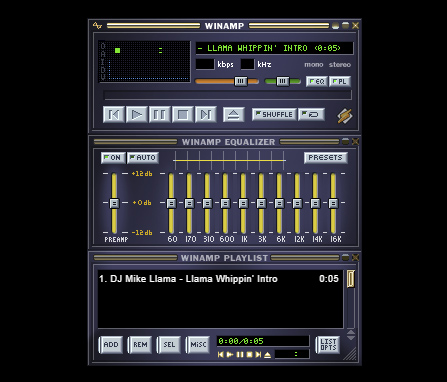
Why mess with perfection? The classic Winamp skin is pretty good, which means there isn’t really any need to change it in the first place. This is all about personal choice and tastes so have at it, if you wish.

Best Audacity plugins

Check out our list of the best Audacity plugins.

The best audacity plugins

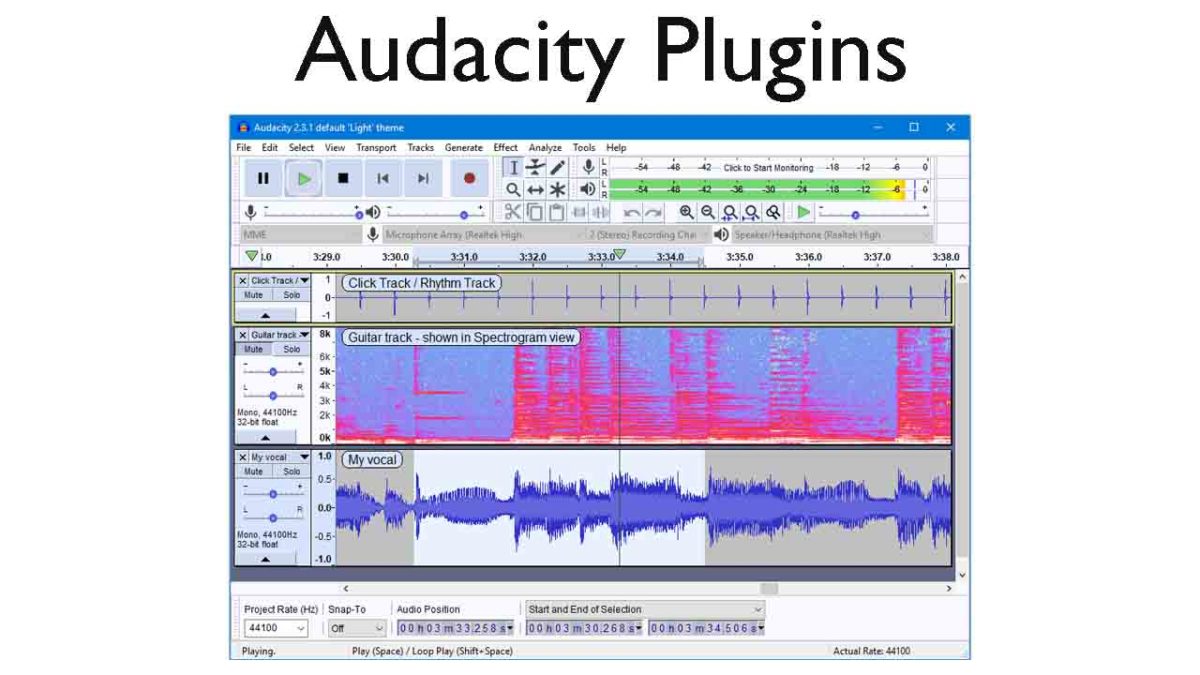
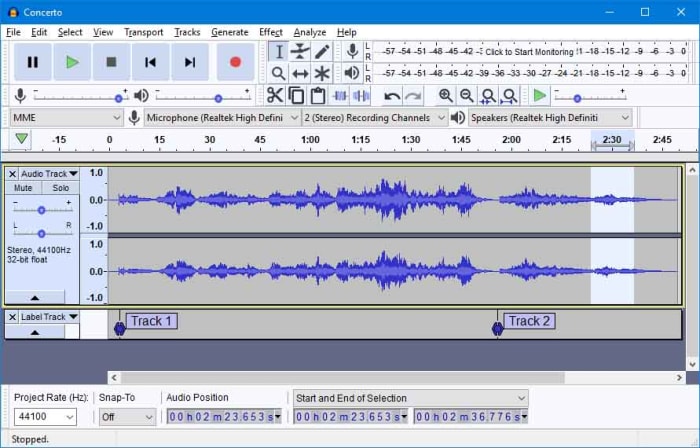
Audacity on Windows, Linux, and Mac OS X operating systems is an excellent open-source audio editor for anybody who needs to do pretty much any task relating to the audio. Audacity puts the power of a music producer recording studio right there in your bedroom and it is fair to say that many of the biggest tracks have been produced in bedrooms by aspiring producers and DJs just like you.

Audacity is a very well-made piece of music software that has been developed by and continues to be maintained by the audacity team, which is a group of volunteer developers all over the world. The nature of the Audacity software is why we’re here today. Its core functions mean it can help you create podcasts or produce tracks that can hit the top of the charts, it is that good. On its own, however, it can be and feel a little limited. This is OK though, as because it does the basics so well, other developers can build their own plugins that augment the music production process. This is what we’re going to look at today, an Audacity-files plug-in directory. These are the best Audacity plugins.

7

Best free plugins for Audacity

Audacity VST Enabler

VST effect plugins. This is where all Audacity plugin guides should start. The Audacity VST Enabler plugin manager allows users to take advantage of high-quality Visual Studio Technology (VST). Using VST plugins will give you the ability add all sorts of different recording studio like features to your setup. Think pianos, synthesizers, oscillators, and even guitar rigs or classical instrument inputs and samples and you’ll start to see just how much is possible with VST plugins for Audacity.

There is good news and bad news, however, when it comes to the Audacity VST Enabler. The bad news is that it has been removed from the official Audacity website. The good news is that it has been built-into Audacity itself. If you’ve recently installed Audacity, you already have it and can begin downloading VST plugins. If you installed Audacity a while ago or have an older version like v. 1.3, update Audacity and you’ll be ready to install VST plugins.

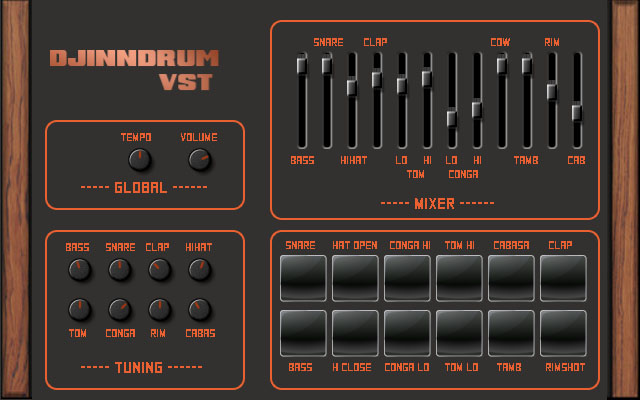
Djindrumm LM-1

Djinndrum

Now that we’ve cleared all that up, let’s get into some of the best VST plugins you can add to Audacity. Let’s go through VSTs that’ll help you create and enhance all the sounds you’d get from a band then add some creative powers to your setup too.

First off then, is the Djindrumm VST. The Djindrumm is a digital re-creation of the classic Linn LM-1 drum machine. The Linn has been a stalwart of rock and pop gods for years. Michael Jackson used one and so did Prince. Enough said. You can get the tools they used to make their hits with this free VST plugin for Audacity, which you also got for free. It really is a mad and crazy world we live in.

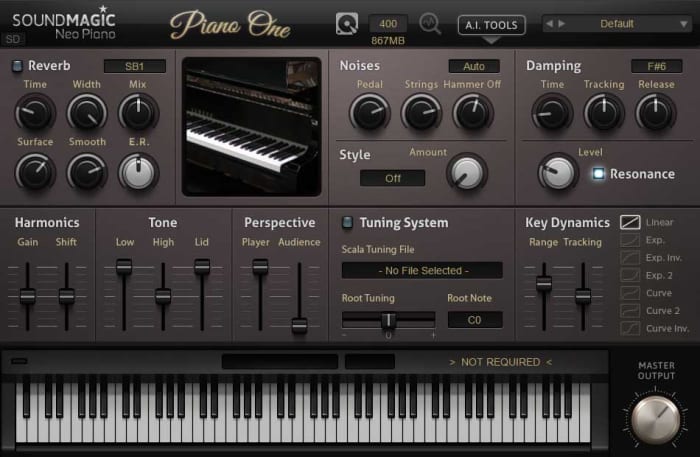
Piano One

Piano One

Many people think that Piano One is the best free acoustic piano VST plugin you can get your hands on. One of the main reasons for this is because the samples came from a Yamaha C7 Grand Piano, which would set you back about $75,000, if you bought one today. Yep, that’s right, you can get a free acoustic piano that sounds like a $75,000 piano. The free version of this VST isn’t feature rich, but it sounds incredible.

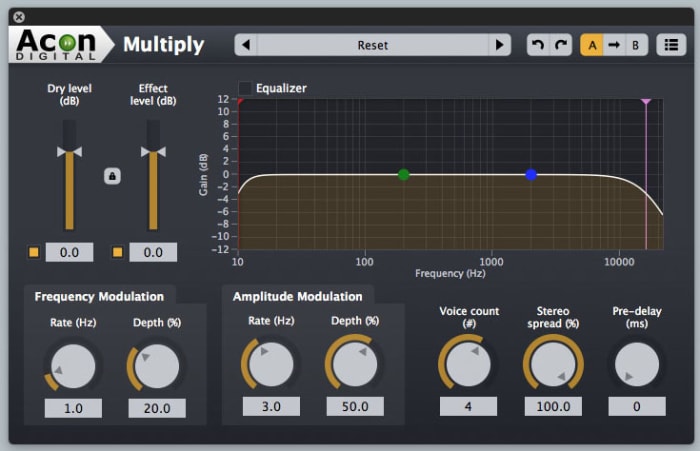
Acon Digital Multiply Chorus

Acon Chorus Multiplier

The Acon Digital Multiply Chorus plugin is great if you want to thicken out your sound and add a bit of depth to your tracks. It offers control over frequency and amplitude modulation and can add minute delays to your vocals. This effects VST is excellent if you’ve already laid down your track and you’re looking to add a little atmosphere and emotion to the sound. It is only a small console, but it can bring so much to your music.

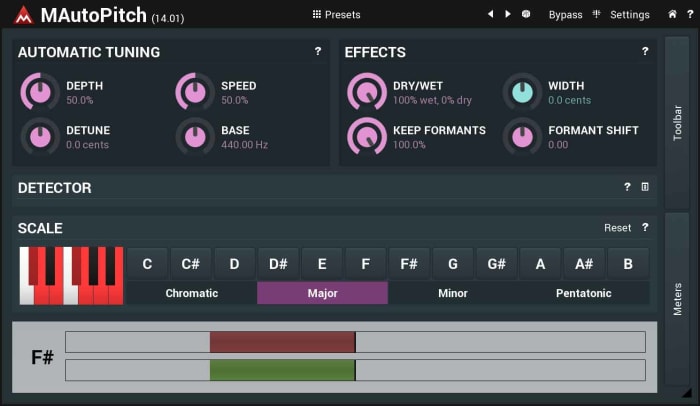
Melda MAutoPitch Auto-Tune

Melada AutoTune

Auto-Tune processes sound and then shifts the pitch to the nearest true semitone. This makes it an invaluable tool for any vocal mixer. If you’re laying down vocals on your track, you need to an Auto-Tune plugin, and the Melda MAutoPitch is one of the best you can get for free. It will fix the pitch in your tracks, correct all the notes that aren’t quite right, and also give you the ability to distort the vocal tracks you’re putting into your songs.

VK-1 Viking Synthesizer

Viking VK-1

If you’re looking to bring some retro electronica into your music, you’re going to want a synthesizer. The VK-1 is a VST plugin emulation of an analog mono synthesizer that’ll bring some real power to your Audacity setup. It comes with oscillators, dual modulation channels and an all-round accurate recreation of a very retro sound. What’s even better about the VK-1 Viking is that it is paid as you like. If you’re just getting started and don’t have much money to invest in your setup you can get this for free or very little.

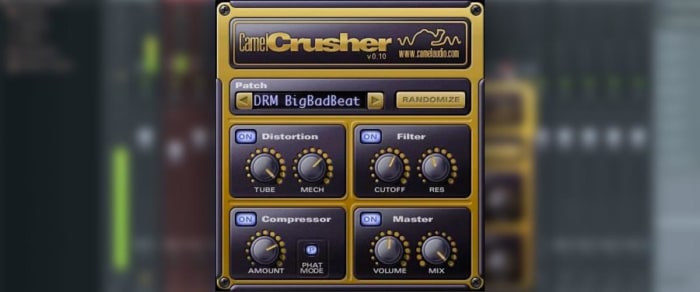
CamelCrusher

CamelCrusher

CamelCrusher adds distortion control, reverb, compression, and filtering to your Audacity toolkit, giving you powerful control over the sounds and beats you add to your tracks. As well as giving you the control, CamelCrusher also gives you a number of presets to add some instant oomph to your output while also giving you an idea of what the plugin is capable of. The CamelCrusher plugin is so good that Apple decided to acquire the developers that built it. Don’t worry though, you can still download CamelCrusher for free.

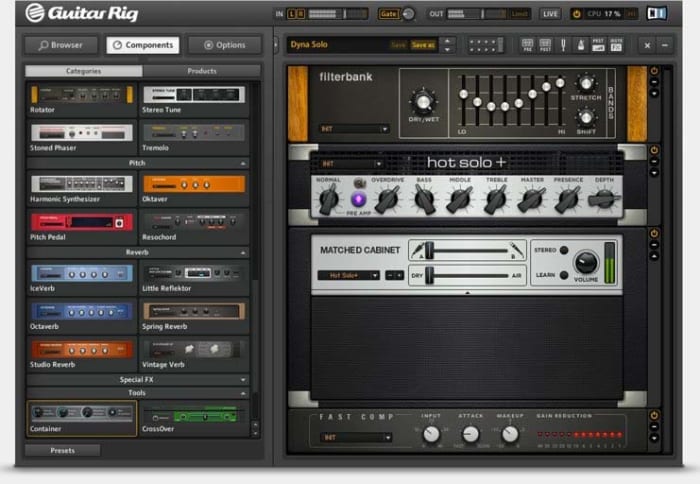
Guitar Rig 5

Guitar Rig

Guitar Rig from Native Instruments brings the power of the most epic of rock god recording studios right into your bedroom. With 17 different amps to choose from, 27 cabinets, and 54 effects this VST plugin gives you the power to really take control of the guitar tracks in your audio files. It can even manage effects like tone shaping, different mics, and even the positioning of your setup. This really is some next-level gear.