Remind is a messaging app built just for teachers, students, and parents

Never miss an assignment or forget a permission slip with Remind!

School

With the final days of summer dwindling down, it’s time to get focused on going back to school. Whether you are still in school yourself, or if you’re a parent who needs to keep track of their kids’ education, you need all the help you can get. In the age of smartphones, there is a laundry list of apps out there that can help you out. However, Remind is the best one out there by a mile.

10

Remind: School Communication gives students, parents, and teachers tools for communication. Now, you no longer have to worry about missing an assignment or getting in contact with your teacher to ask them a question. 

Remind: School Communication is changing the education game

Keep students up to date

Teachers can use remind to send notifications to students about things going on in class. For example, if your teacher is missing class because they are sick, they can let you know that class is either canceled or that there will be a sub.

Also, if permission slips are due for a field trip, teachers can send students a reminder that the due date to turn them in is approaching.

Parents can stay informed

If you’re a parent, Remind is an invaluable app for you. You can stay on top of your kid’s assignments, and never miss signing another permission slip.

One of the best parts of the app is that you won’t have to wait until parent-teacher conferences to hear from your child’s teachers. 

Safety concerns

At first glance, this app may seem a bit sketchy. Private messaging between young children and their adult teachers at any hour of the day sounds like a recipe for disaster. Also, there are tools for sending money such money for field trips, so that also opens another ethical can of worms.  However, Remind has plenty of tools to help keep users safe.

For example, all users can get a full transcript of their conversations. This way, all users can be held accountable for things that they say. Also, students under 13 have several measures in place to help protect them:

  • They can only be invited to join a class.
  • They can only join a class that has been connected to their school on Remind.
  • They cannot participate in two-way conversations. This means they cannot talk privately with their teachers.
  • They cannot start conversations or reply to announcements.
  • They cannot create groups.

Wrapping up

If your school does not have an account with Remind, then it can’t help you. However, if you’re a teacher, you can set up a free account yourself! You can register up to 10 classes on Remind so all of your students will be kept in the loop!

Top colleges with video game development programs

Having trouble deciding what you want to do with your life? Consider video game design!

Game design

Game design revolves around building a game world, creating levels, developing a story into a playable experience for users, and more! There are endless ways to create new variations of games within just a single genre!

If your dream is to become a game designer and develop new worlds in intriguing ways that challenge, inspire, and engage players, we have some advice: getting a college degree can be a huge help!

Becoming a game designer

Why college?

Game design is akin to writing: you don’t truly need a degree to do it. You can just start working, develop skills, and apply to jobs with the portfolio you developed yourself. So why pay for school?

First, college programs are designed to give you a well-rounded experience with transferable skills. Having a four-year degree says a lot when you’re in an interview for a long-term position, and good teachers provide valuable instruction to help you through snags. Finally, our personal favorite, you’ll be able to work alongside other like-minded students!

Even if you don’t go to one of the schools we discuss below, you can get a degree in a related field – art, history, computer science – and experience many of the benefits listed above. Still, if you have the chance, accredited game design programs like these will have levels of esteem and industry connections that can’t be found elsewhere.

Now, let’s discuss the…

Top colleges with video game development programs

Digipen Institute of Technology

DigiPen

DigiPen Institute was created specifically for creators, with a heavy influence on game technology and development. Located in Redmond, Washington, the institute offers a range of majors from music to engineering and happily features student creations.

Also an important note: according to their tuition page, the cost of attendance is related to the number of credits taken, but doesn’t seem to ever go above $20,000 yearly for in or out-of-state students. That’s pretty cheap! Others can hit above the $40,000 range…

University of Southern California

USC

USC’s game design program is arguably the best in the world, but it comes at a cost…

The name “University of Southern California” carries weight in many areas, especially artistic. Their film, acting, and game programs are top-tier courses. Their impressive student center sits in Los Angeles, a worldwide hub for creative endeavors of all kinds.

At the same time, beware. Many people want to get into USC, which makes admissions a difficult process due to their low acceptance rate!

Tuition note: at this time, it seems that USC’s tuition rises above the $56,000 range, making it the most expensive college on the list.

New York University

NYU

Like USC, the NYU’s popularity makes it difficult to gain entrance but can be a huge benefit to those that make it.

Located in arguably the second greatest worldwide hub of creativity (New York, New York), NYU’s Tish Gaming school has a great “incubator” for budding designers. We recommend looking at their showcase to see what kind of projects the students are working on. You might just be impressed!

NYU’s tuition rises just behind USC, ending somewhere around $51,000 per year. Once again: the price may be worth the payoff. Both these universities are well known for producing quality workers, which may be a leg up in interviews for starting level positions.

Full Sail University

FSU

Finally, we arrive at Full Sail University, an educational experience designed for aspiring game creators.

Based out of Winter Park, Florida, FSU offers just three courses in game artgame development, and game design. While not the most famous course out there, the name is still well known and you’ll be surrounded by students headed in the same direction!

Full Sail’s graphic design program costs $696 per credit, according to their tuition page. A full 120 credits will reach about $86,000, but the yearly cost will likely fall around $20,000, making this one of the cheapest degrees, and potentially the biggest bang for your buck.

Conclusion

We hope these options start you on your path to a professional game design career! If you decide to first pursue art at a local community college or venture to one of the larger universities, we believe you’ll be well served by the confidence, determination, and knowledge that comes from graduating with a new major. Thanks for reading, and best of luck!

Learn to play the piano online for free

Want to become an expert pianist? These resources can help!

PLaying piano

If you’re like most people who own a piano, all it really does is serve as a place to put your family photos. It’s a nice piece of furniture, but it would be nice to use it for its intended purpose.

If you have always wanted to learn how to play the piano, the internet has plenty of tools to learn how to play. We compiled some of the best we could find and put them in the list below. If you always wanted to learn how to play the guitar, don’t worry, we’ve got that covered also.

Learn to play the piano online

Check out some YouTube tutorials

Pretty much your best friend for learning how to play the piano online is through YouTube videos. 

You’ll find videos that teach beginner’s tips, and even how to play specific songs.

We especially enjoyed this video that taught us how to play “Imagine” by John Lennon. We never would have guessed that such a profound and popular song would be so easy to play.

If you’re just starting to learn how to play, we thought these were some of the best videos for beginners:

There are a lot of songs that you can play key by key, but in order to truly become a master, you’ll need to learn how to play chords. This video does a good job of teaching you some of the most common chords you will use. Once you’re done, the follow-up video will teach you accompaniment

If you want to learn how to do a fast piano run, this video is a good teacher. Piano runs look complicated, but they also look impressive and really cool. They’re definitely a must-know trick for up-and-coming pianists.

If you truly want to be a pianist, then you need to know what can prevent you from becoming one. The following video was created by a pro. How good is he? He created the last two videos we showed you. In the video, he goes over the most common pitfalls for becoming a pianist, including not maintaining a schedule and setting unrealistic expectations for yourself.

8

Practice on your computer or smartphone

It can be hard to find time to practice. Luckily, there are electronic solutions for you to practice the piano on both your computer or smartphone.

For Windows users, Electric Piano is one of the best apps for playing the piano. Basically, you can turn your keyboard keys into piano keys. You can even add different playing modes to make the piano sound like a different instrument like a harp or cello. Basically, it’s like having an actual electric keyboard but on your computer.

Electric Piano Download Free ►
7

If you want to practice the piano on your smartphone, My Piano for Android is a solid pick. You don’t get all of the same bells and whistles you get from Electric Piano, but that’s to be expected. (Come on, you’re playing the piano on a smartphone.) You are essentially getting a basic piano playing experience, but it’s still nice to have the option to practice.

7

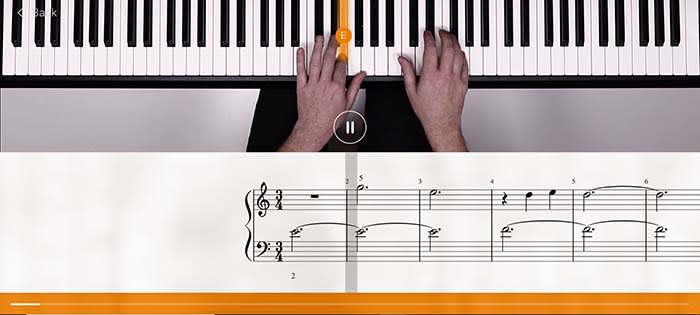
Learn with Flowkey

Flowkey

Quite possibly the best online teacher for learning piano is Flowkey. Flowkey has songs that you can play along with, and a microphone tool that listens in to make sure you are keeping up. To make things even better, Flowkey is completely free!

There are courses that you can take that range from beginner to pro. So even after you become a master pianist, Flowkey still has tools to help you hone your craft.

One of our favorite tools is the one that repeats a section. If you’re learning a new song, sometimes a single part of that song will give you a lot of trouble. Flowkey has a tool that will repeat that part of the song over and over again until you have it down pat.

Along with its stellar website, there is also an app for Android and iOS. The app is also free to use.

9

Wrapping up

The main thing you are going to need in order to become an expert pianist is discipline. You need to set realistic expectations for yourself and make sure you are devoting as much time as you can to practice.

As long as you do that, you are well on your way.

How to learn to play guitar online for free

Want to be a rock god? Follow these tips to help get you there!

Learning to play guitar

We’ve all fantasized about being a rock star with droves of fans who worship us. There seems to only be one thing that stands in our way: actually learning how to play the guitar.

Between work, school, and our social lives, it is hard to find time to take lessons, let alone the money. However, if you are serious about learning to play the guitar, these helpful tips and tricks can potentially make you go from a novice to a master.

Who knows, if you get good enough maybe Dave Grohl will call you out onstage to play “Monkey Wrench!”

I mean it probably won’t happen, but you never know!

Starting off

Buy your guitar wisely

Even if you are serious about learning how to play the guitar, we highly advise buying an expensive first guitar. You can avoid the $5,000 Gibson and settle for the $85 starter package you can buy on Amazon. Most places that sell guitars offer a guitar, amp, picks, case, strap and a tuner for less than $100, so shop smart!

You do this for the same reason you don’t get a teen a Lamborghini for their first car: wear and tear. You simply don’t know how to properly care for your new axe yet, so it’s best to start off as cheap as possible so you’re not making an expensive mistake. Also, if you give up halfway, that $5,000 guitar is suddenly a very expensive conversation piece.

What you need to buy

If you’re just starting off, there’s a bunch of things you will need to get going. However, don’t get suckered into buying a bunch of junk that will just take up space, or stuff that’s overpriced.

What you need:

  • Picks: If you’re spending more than 50 cents per pick, you’re being ripped off. Also, just because a pick looks cool doesn’t mean you should buy it. Think about it: your pick is sandwiched between your fingers and is hidden behind your palm when you’re playing. Who is even gonna see it?
  • A strap: If you want to ever perform for people, you are going to do it while standing up. If you try to play standing up without a strap, you are going to drop your guitar and potentially ruin it. Get yourself a simple strap that doesn’t look too complicated. Remember, if you can’t figure out how to put the strap on then you can’t keep your guitar safe. This should cost about $5 for your basic strap, but no more expensive than $20 if you want something a bit more stylish.
  • Amp/chords: You should buy a package that includes an amp with your guitar. However, if you want something that’s a bit nicer, you can get a decent amp that won’t break the bank. For your first amp, don’t spend more than $100. Also, make sure whatever you buy comes with an amp chord and overdrive settings. Overdrive is basically a distorted tone you hear in some songs. Later on, you can buy pedals that will give your guitar more unique sounds, but don’t worry about those in the beginning stage.
  • Strings: The first thing you should do when you get your new guitar is to buy new strings. Often, guitar manufacturers will slap cheap strings on mass-produced guitars that will break almost immediately. Also, if you bought your guitar off the showroom floor at a guitar store, there’s a good chance that many other people played on those strings. Strings shouldn’t cost more than $10-$15 and should be replaced every few months or as needed.
  • A capo: A capo holds down an entire fret for you. Basically, if a song is basically a series of the same barre chord, or if you need to play the whole song an octave higher, a capo really comes in handy. Again, you should only pay about $10 for this one.
  • A case: First off, always buy your guitar case from the same place you bought your guitar. If you don’t then you will have no idea whether or not your guitar will fit inside. You can always try to wing it and buy a one-size-fits-all case, but you may end up buying something overly baggy that won’t protect your guitar.  Get yourself a canvas case with a strap so you can easily throw it on your back. Expect to pay around $20.
  • A stand: You can’t just let your guitar lean up against the wall; that’s how they fall and snap their necks. Dish out the extra $10 and buy a stand to keep it safe. 
  • A tuner: Even the most experienced musicians have trouble tuning by ear, so don’t think you can do it right out of the gate. Instead, you need to get yourself a tuner. However, here you have the option of getting one for free! Download our free guitar tuner app below!
Free Guitar Tuner Download Free ►
7

Have an idea of what you want to play

Finally, you need to ask yourself what kind of music you want to play. This can help you decide what kind of guitar you should eventually buy, what kind of pedals, what kind of amp, and also what songs you should learn to play.

You don’t need to buy yourself a “My First Guitar” songbook. There are plenty of hit songs that you can learn online for free that are easy to learn.

Ask yourself, would you rather jam out to “Stairway to Heaven” or “The Grumpy Snail?”

How to learn to play guitar online for free

Tutorial videos

Online guitar lessons

Sure, there are online lessons you can pay to view, but there are also a ton of free options on YouTube.

From learning to play chords, learning how to change strings, to learning how to play a few easy songs, there’s a lot of resources.

8

Videos you should watch

Just to get you started, the following videos are ones you should watch when first learning how to play guitar.

Your first chords

This video does a good job of teaching you a few starting chords before you start to learn full songs. Once you master these few chords, you are then ready to start moving on to some more intermediate ones.

Learn to play House of the Rising Sun

Weirdly enough, “House of the Rising Sun” by The Animals is an extremely popular first guitar song. It’s a very easy-to-play song with basic chords, so you don’t have to worry about anything too intermediate. Master this song and you’ll soon be the envy of the block.

Play with songs playlists

If you ever want to play in a band, you need to learn how to keep up with others. Luckily, there’s a YouTube playlist that has songs with a wide range of difficulty and with guitar chords scrolling across the screen! Now, you can play along with the studio recording of your favorite songs! As an added bonus, this will make you feel like a real star as you play along with legends like Neil Young and Lionel Richie!

Learning tabs

Guitar tabs

If you want to learn a specific song, Ultimate Guitar has more than one million songs tabbed out for you. There are premium options that cost money, but many songs do have user-submitted tabs that can be viewed for free. Ultimate Guitar also has an app, but it does cost money.

Ultimate Guitar Tab & Chords Download now ►
7

If you don’t want to sift through the premium and non-premium options, Guitar Tab Universe is completely free. The catalog of songs is not as extensive as Ultimate Guitar’s, but it is still extensive.

Wrapping up

Chances are you’re not going to be the next Jimi Hendrix. However, learning to play the guitar is very rewarding and can lead to you making strong friendships. Who knows, maybe you will end up forming a band and playing on stage! Regardless of where this journey takes you, these tips can help get you where you need to be.

Best online tools for learning how to draw

Have you always wanted to pick up drawing? These tools can get you started!

Drawing

Kids love drawing and tend to focus on the joy of creation over fretting about their ability to draw a photo-realistic human hand by sight.

As we get older, we often give up on drawing, leaving the creativity to the artists of the world. We come to the conclusion that art skills are something you either have or don’t.

That’s not actually true.

Drawing skills can be learned, at any age, and today, you don’t even have to enroll in your local adult learning center to do so.

Learn to Draw on YouTube

YouTube is the go-to source for learning anything from home improvement tips to putting on makeup. It’s also a great place to learn how to draw for free!

Just like Bob Ross did decades ago, artistic YouTubers walk aspiring creators through video tutorials — and thanks to the power of the internet, you can pause and rewind as needed.

Here are a few channels worth checking out:

8

Circle Line School

The Circle Line School’s channel is all about teaching you how to draw optical illusions, perspective drawings, and mastering the human face.

Proko

Stan Prokopenko is a California-based fine artist who will cover everything you need to know to learn drawing from his free YouTube channel. He goes over everything from what kinds of pencils to buy, how to shade lights and darks, and even draw caricatures of your favorite celebs. Who doesn’t want to draw like Taylor Swift and Obama?

Christopher Hart

If you’re more interested in learning to create your own manga, Christopher Hart’s channel will walk you through the steps to create characters that range from the easy to the more detailed.

Darryl Tank

Okay, this guy is insanely good at pencil drawings that look like photos.

His YouTube tutorials cover slightly more advanced techniques like drawing freckles that don’t look like polka dots or really nailing the texture of a basketball.

He’ll also walk you through things like how to draw a realistic sphere — mastering form and shading, and even provides some tips for left-handed folks so they don’t smear their work.

How to Draw with Matt Busch!

learn to draw online

Okay, we don’t totally love this website, but the art lessons are approachable and ultimately, pretty solid.

Lessons are broken down into 11-step tutorials built around teaching newcomers the fundamentals of drawing.

Udemy

Udemy Art

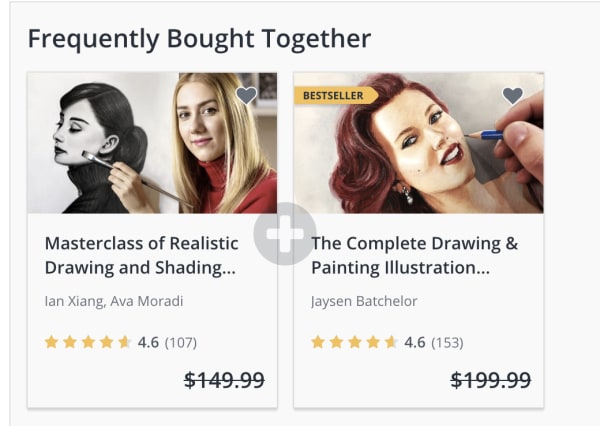
Udemy has a ton of drawing classes that range from beginner to master draftsperson.

At the time of writing, most classes are on sale for $9.99 a pop — some down from $199, like this one which comes with eight hours of video lessons and 19 downloadable resources. If you miss the deal, it seems like they run these promotions fairly regularly — so keep checking back if a course seems a bit steep.

Or, there’s this master class specifically for learning how to draw human features or another aimed at teaching people how to draw cartoons. The point is, there are plenty of skills you can learn — straight from behind the computer screen.

Ink Drawing Techniques: Brush, Nib, and Pen Style

skillshare ink drawing course

If you’ve always wanted to learn how to make amazing ink drawings, this online class from illustrator and School of Visual Arts instructor Yuko Shimizu is worth signing up for with Skillshare.

Skillshare Download Now ►
9

Shimizu will not only teach you proper inking techniques, but she’ll also walk you through different types of papers, nibs, brushes, and more.

The class is about 90 minutes, broken into 15 mini lessons making it an approachable entry point into the world of pen and ink. It’s perfect for beginners and pros alike.

Artists Network

artists network streaming

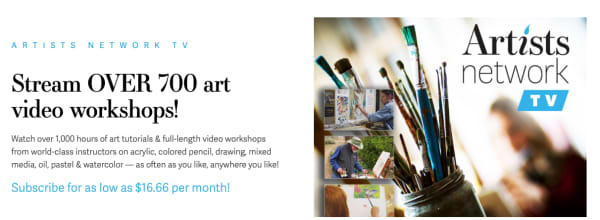
Artists Network is a subscription service that allows you to stream 700+ art workshops that cater to artists at every level.

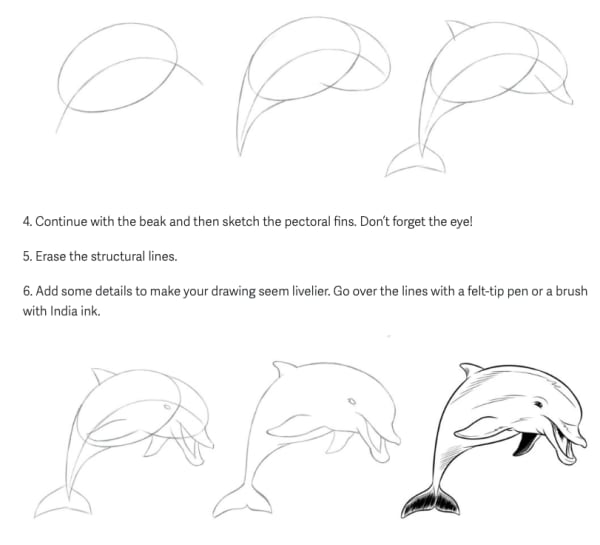
The site has some free content including mini tutorials like this one that walk you through how to draw animals.  The streaming service itself is $16.66 per month.

step by step animal drawing

You can also sign up for digital courses a la carte if you’d like to explore oil pastels or watercolors.

Wrapping up

There’s no shortage of great art content online. We recommend starting with YouTube, it’s free, and there are tons of channels that cater to specific niche skills, as well as just the basics.

Artweaver Download Now ►
7

Google has a cool new app to help kids learn to read

Rivet listens to kids read out loud and can even help with pronunciation.

Google is most famous for web searches and its big-name apps like Gmail, Google Maps, and Google Chrome. Beyond its core products, however, Google casts a wide net developing and releasing apps that cover many different aspects of our lives. From cultural heritage preservation to online video game streaming, Google has a lot of apps that do a lot of things. We can now add Rivet, an app that teaches kids to read, to this ever-growing list of software. Rivet has just left the beta testing stage and is now available on Android smartphones, tablets, iPads, iPhones, and Chromebooks.

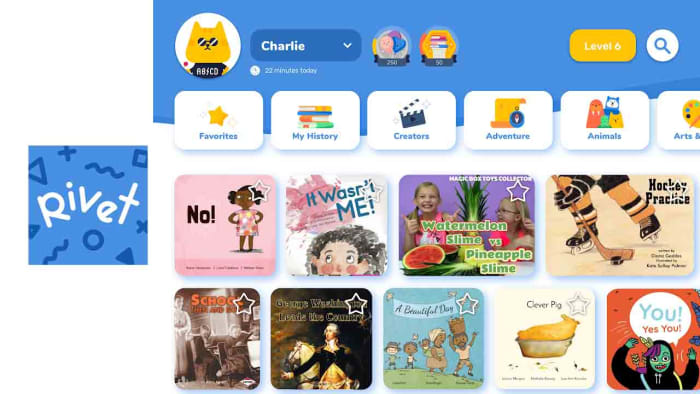
Rivet listens to kids read out loud and can even help with pronunciation

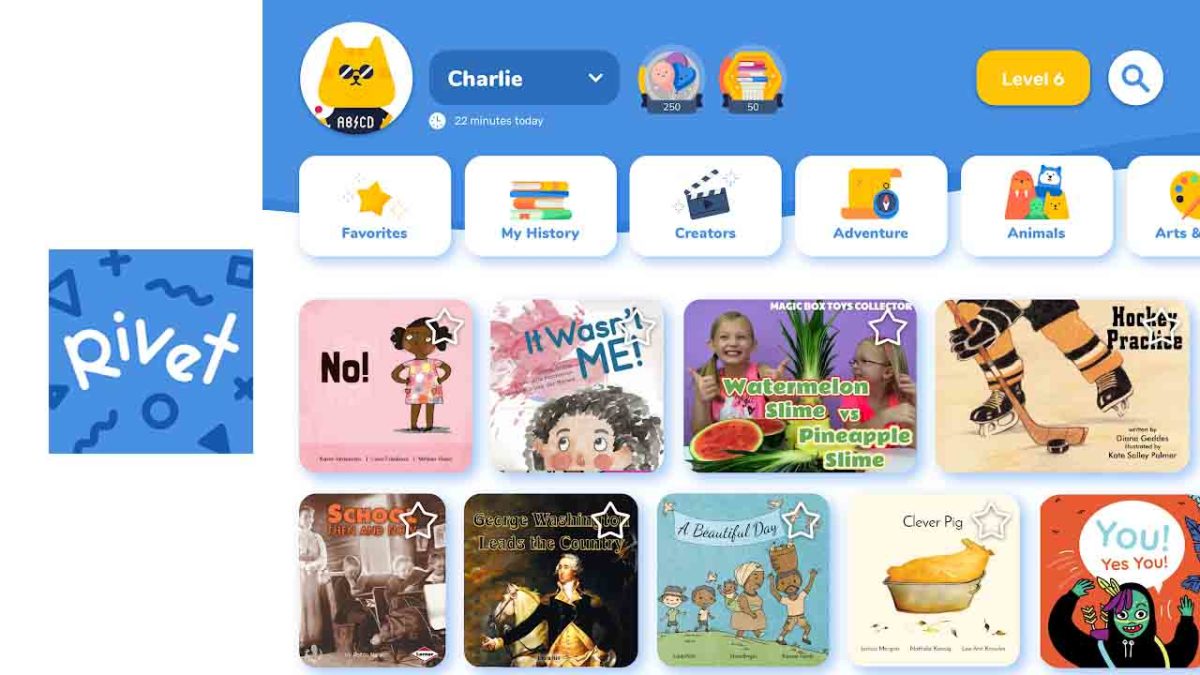
Rivet Library

Google makes a compelling case for the need for an app that teaches kids how to read. The search giant points out that struggling readers are, “unlikely to catch up and four times less likely to graduate from high school. Unfortunately, 64 percent of fourth grade students in the United States perform below the proficient level in reading.” You’d be forgiven for thinking we can all read just fine, but it doesn’t appear to be so. This is why Google has developed Rivet, to help kids learn to read at a young age.

Straight off the bat, Rivet has some very impressive stats, giving users access to over 2,000 free books split into categories like topic and reading level to help them learn to read. The blog post announcing Rivet’s release also promises that this number will keep growing as Google will continue to add books to it moving forward.

Image via: Google

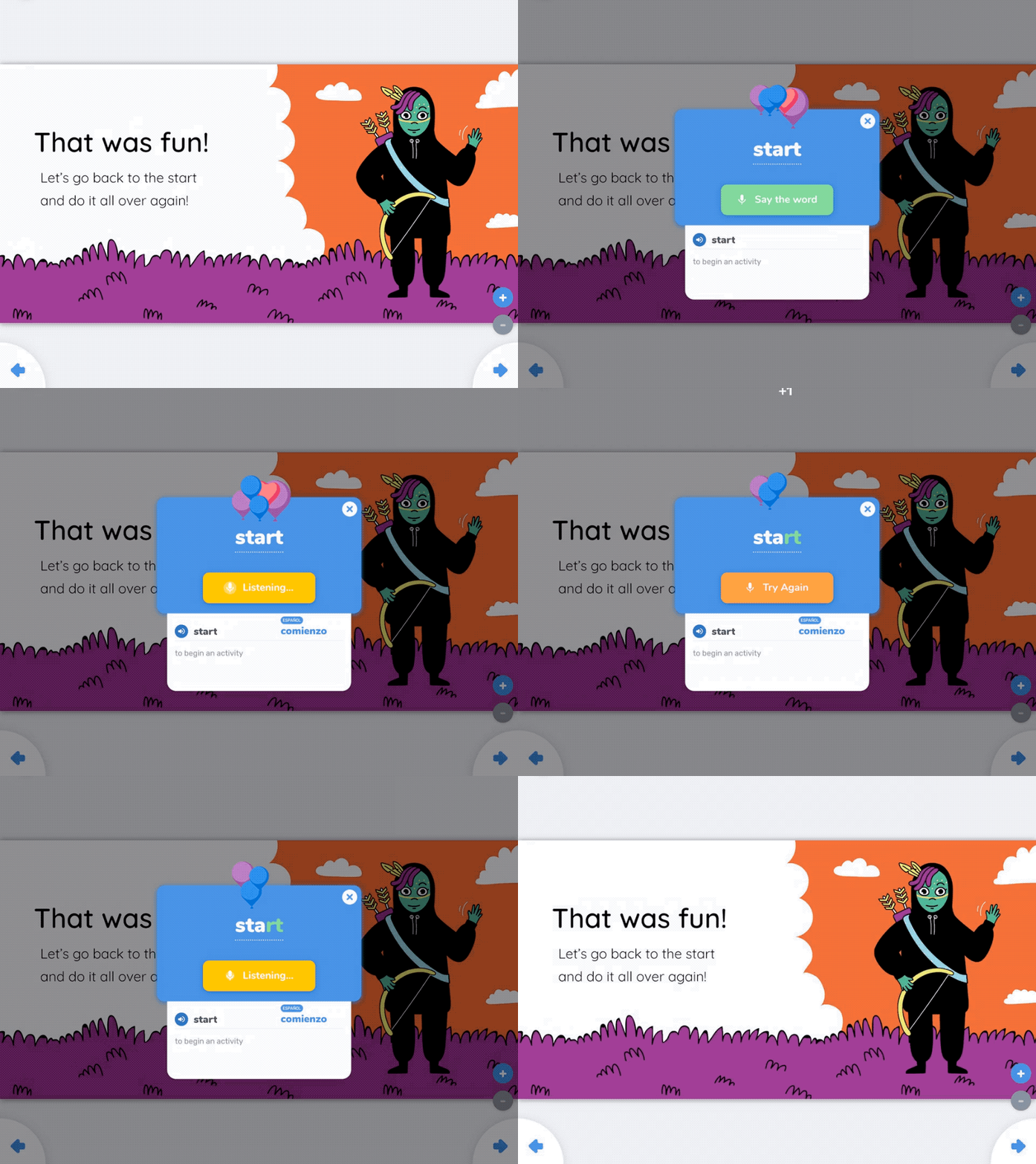
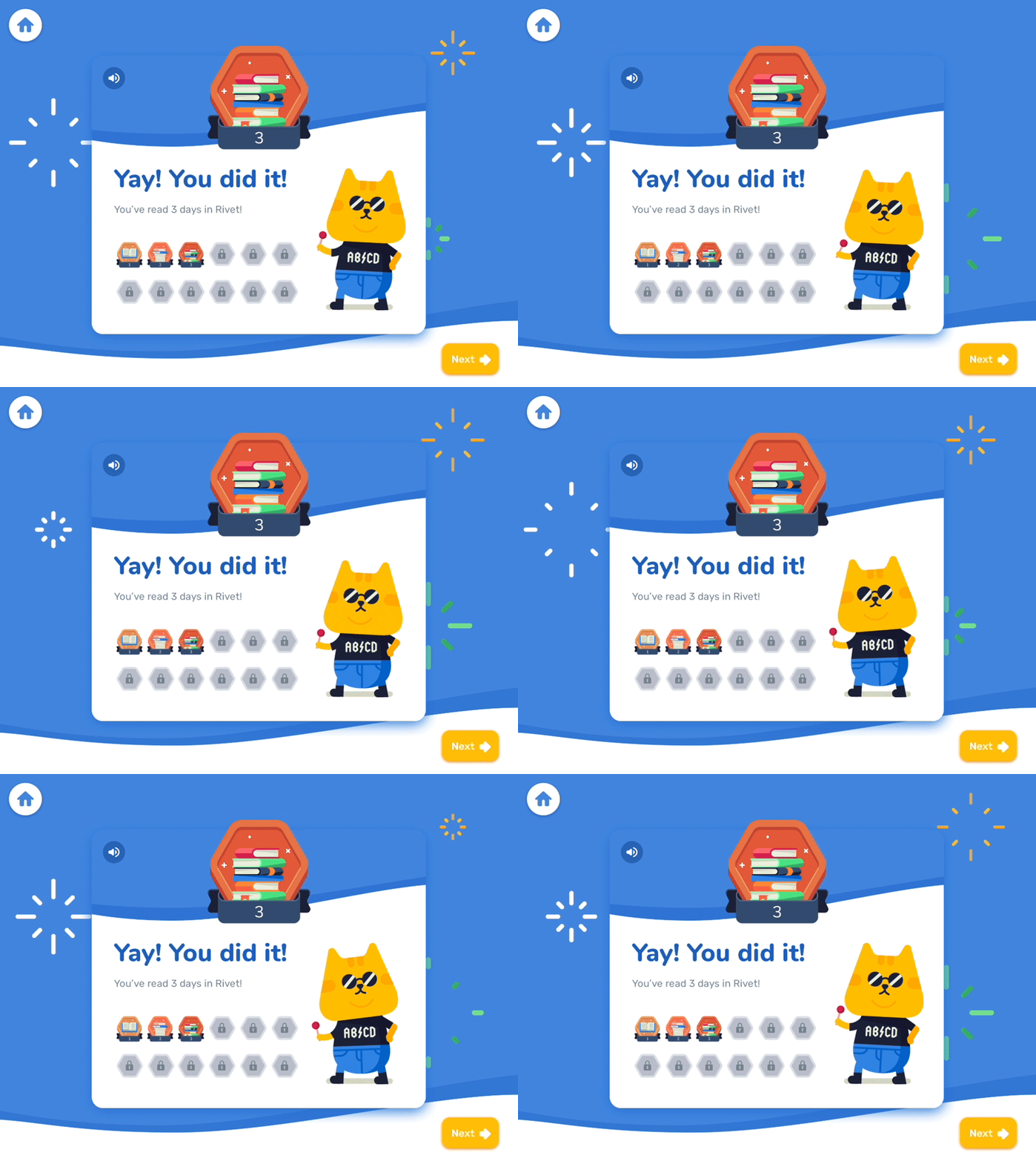
On top of the large library, however, as you’d expect from a Google product, Rivet has some very interesting tech-based features that will help it get the job done. The app can listen to children reading aloud and then offer visual cues should it hear them pronounce a word incorrectly. The app also offers audio clips so that the children can hear words pronounced correctly and makes the whole process of learning to read and pronounce words properly feel like a game.

Image via: Google

Another good Rivet feature is the Follow Along feature. When activated, Follow Along will read out full pages on a selection of books, just like a teacher would in class or a parent at home, and the child can follow the story via the words on the page.

Rivet is designed to give kids the ability to learn to read even if they don’t have somebody there to teach them. It does a good job of it too; the app helps when they get stuck and actively teaches them as they move up through reading levels.

The trouble is that the app only offers its teaching capabilities on a limited number of the 2,000 books in its library (for now). Not all the books have full audio support. Google is likely to work on bringing full support to more books in the future. If it can do that, it is highly likely that Rivet will help a lot of kids learn to read at a high level and develop strong reading habits.

Best ways to learn web design from home

Whether you might be a beginner or a master, these resources can help you hone your craft.

Web Design

If you’re interested in learning web design, there is a long list of options. You can take the time to go back to school, take classes online, or look toward the online community.

With web design, formal education doesn’t offer immunity against falling behind on industry standards.

Those new to the game don’t have the same benefits as their peers with existing knowledge, but that should not discourage you. Just remember, learning on your own isn’t out of the question.

Here, we’ll look at some of the skills that the modern web designer needs in order to compete. We also can tell you where to level up your know-how.

What aspiring web designers need to know

If you want to pursue a career in web design or development, there are a few components that make up the required skillset:

  • Coding — HTML and CSS are essential, even if you’re planning on sticking to the visual stuff. Knowing how to code makes it easier to make changes during the design process. These days it’s becoming less acceptable to pass off a web design to a developer without code.
  • Design theory — Design theory teaches the basics of design, shape, rhythm, color, typography, balance, and design fundamentals.
  • UX/UI (usability) — Aesthetics aren’t everything. Instead, you need to understand how to design something that works well for users.
  • Photoshop/Illustrator — The Adobe programs have become the backbone of web design. These pieces of software are required knowledge across the industry.

Best ways to learn web design from home

Udemy’s Adobe Illustrator CC MasterClass

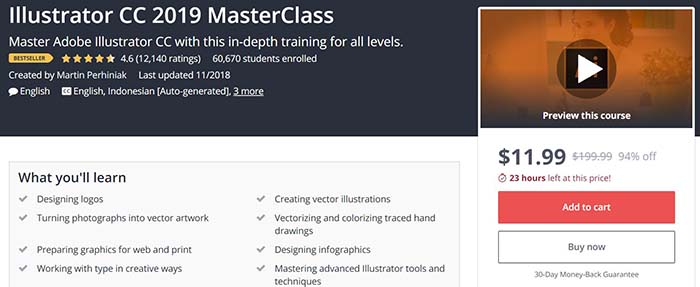
Illustrator Master Class

This program aims to teach participants the techniques needed to create logos and graphics in Illustrator. Illustrator is an application that allows you to create typography, logos, icons, and illustrations. With 12 hours of on-demand video, you’ll cover all of your basics from learning your way around the tools to advanced techniques.

Udemy also offers classes that cover the full Adobe Suite, as well as one focused on Photoshop. Courses offered here range from free to a  few hundred bucks. The Illustrator class is currently just $11.99, which is 94% off the normal price.

Gymnasium: Coding for Designers

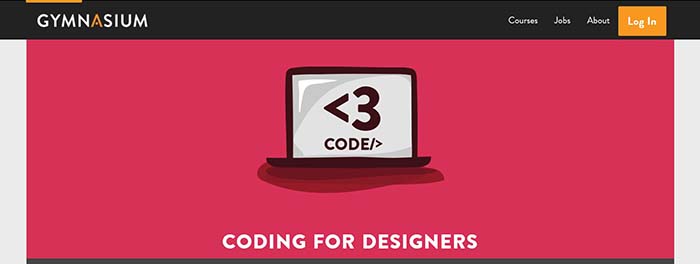
Gymnaisum coding for designersGymnaisum’s Coding for Designers course is a free, self-paced intro for designers that need to learn coding.

Like MIT’s intro, there’s no need to bone up on HTML before enrolling. What’s different about the Gymnasium course is it focuses exclusively on where coding and design intersect. This free class teaches students how to translate graphic design to the web and troubleshoot some common problems. You’ll learn page layout with CSS, receive an intro on typography for the web, and create a website with Twitter Bootstrap.

Career Foundry

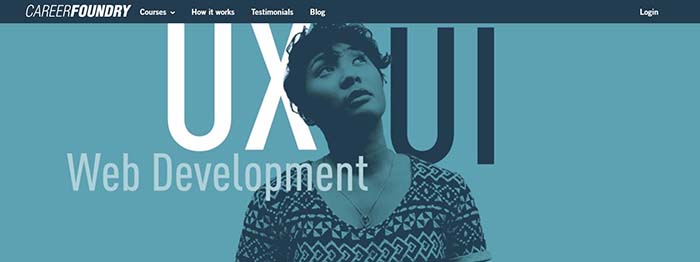
Career Foundry

Career Foundry is a paid option, but they’re a reliable source for all things UX/UI/web design. The site offers a few options — a certification in each of the previously mentioned specialties. We recommend looking through the site to see where you might need to learn the most. For those who have some art and design background, a UX certificate can bolster your career, as this area is in high demand.

Career Foundry is one of the more expensive programs in this category. However, they offer a project-based curriculum that allows you to build a portfolio aimed at helping you find a job.

The course spans 10 months and includes a one-on-one mentor there to evaluate your projects daily.

What’s more, if you’re on the fence, take the site’s free UX short course and its free consultation.

General Assembly

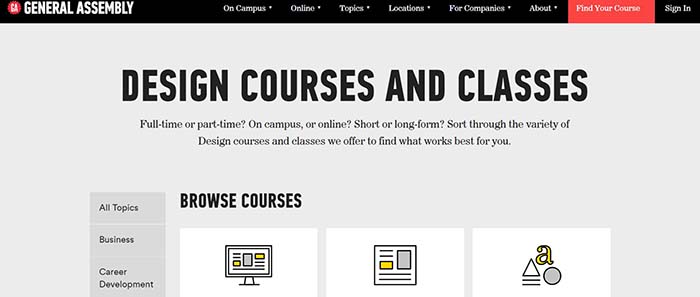
General Assembly

Like Career Foundry, General Assembly is not cheap. Still, there’s a reason these boot-camp-style programs have become so popular in recent years. They offer an accelerated program designed to give you skills you can use in the workplace.

General Assembly offers both UX design and visual design — and you’ll have the option to take an accelerated one-week program. You can also spread the lessons across a few months.

The curriculum combines user-interface fundamentals, web layout, and typeface design with research methods and responsive design. It’s a modern approach to web design that covers user-interface and usability tactics, along with graphic design principles.

The UX curriculum covers design in a broader sense. Much of the lessons focus on information architecture, consumer research, and usability testing. There is a unit on visual design as well, but the focus is on a website’s experience as a whole rather than just the aesthetics.

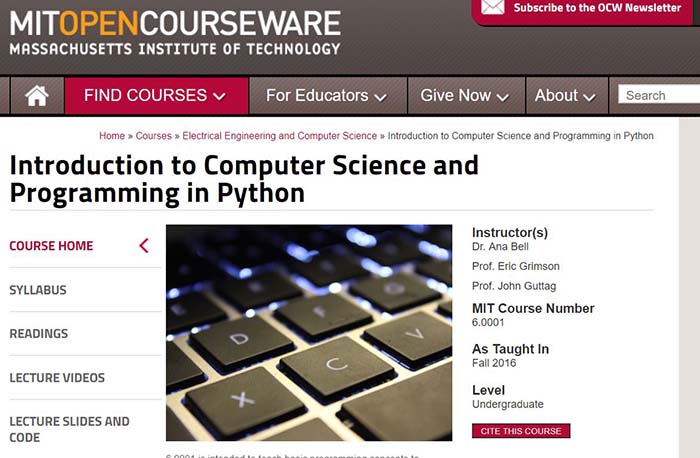
MIT OpenCourseWare: Introduction to Computer Science and Programming

MIT Open Coursework

This class may sound intimidating to those unfamiliar with coding and web development, but don’t let the name scare you. MIT’s free online program teaches beginners the ins and outs of Python, as well as computer programming basics.

While designers don’t need to become experts in coding, getting comfortable with the backend activity will serve you well.  This program isn’t necessarily design-focused. We think that the more information you can gather within the tech space, the better prepared you’ll be for digital transformation.

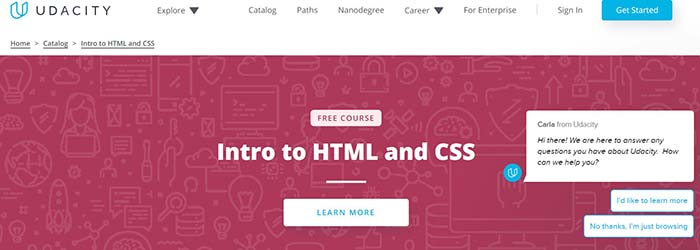
Udacity: Intro to HTML and CSS

Udacity

This online intro is a self-paced, three-week course designed to teach you the basics of CSS and HTML. It will make things easier for you if you end up working as a designer. In this course, you will learn the fundamentals of web development, how to style a website with CSS, and CSS syntax, units, and selectors.

Final thoughts

This info might be tech-heavy, but the design world is changing. No longer is it enough to have amazing artistic abilities and a knack for fonts; you need to have a strong command of the web from usability to CSS.

While we get that programs like General Assembly and Career Foundry can be pricey, they can be helpful for those looking to learn fast. If you’re just starting out or need to round out your skillset, take a few of these low-cost or free options. Later, you can decide if you need to invest more in your new career path.

Level up your pay with these 8 free(!) online certifications

A few hours of studying could make your resume stand out to recruiters.

Free online courses have been around for a while now. There are thousands of choices, from MOOCs (online college-level classes) to specialized boot camps and program-specific certifications.

Getting free training where you can is a great way to make moves toward a higher paying job. But it’s important to understand that what you get out of these offerings depends on what you put into these options.

Below, we’ve listed a collection of digital resources that can help you keep pace with changing tech–whenever you have time.

Let’s have a look…

8 free online classes to make you more valuable

online learning

1. Hubspot: online certification courses
Hubspot certification tracks

Hubspot is a go-to site for sales and marketing professionals hoping to stay relevant in rapidly changing fields.

The site offers access to several training modules like sales strategy, inbound marketing, and social media—free of charge.

The marketing course, for example, will walk you through the basics of creating content for every stage in the buyer’s journey. It should take around four hours to complete, and you’ll then be able to take the test — a final exam delivered multiple choice style.

Are Hubspot certifications worth it?

They are, but they aren’t a requirement. For example, Hubspot Inbound Marketing is a great resource for the beginner marketing pro. Course offerings cover all of the “best practice basics,” and once you earn certification, you’ll have some proof that you’ve mastered the tricks of the trade.

Certifications are good for one year, and most are free. These courses are well-known in the sales and marketing spaces—often recommended by supervisors hoping to educate their teams quickly.

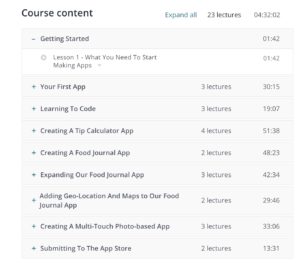
2. Udemy: This is how you make iPhone apps
iOS app workshop free

Udemy’s course is more of a workshop, designed to teach you how to create apps and submit your very first attempt to the App Store in less than a day.

This five-hour course is free and promises to teach you every step in the iOS App development process. While this might be easier for those with a bit of coding background under their belts, the course description does mention that coding newbies are more than welcome.

Course includes:

  • 4.5 hours on-demand video
  • Nine downloadable resources
  • Full lifetime access
  • Access to mobile and TV
  • Certificate of Completion

3. freeCodeCamp
free coding courses

freeCodeCamp is a non-profit online resource that will teach you HTML5, Python, CSS3, Javascript, and more. The mission is to help people learn to code through a vast library of online articles, lectures, and interactive coding lessons. Work at your own pace and earn certifications.

We should mention, the programs will be a significant time investment. Each certification requires 300 hours and the completion of five final projects.

Additionally, you can gain work experience by working on coding projects for nonprofits. So, while this is a lot of work, you will have the unique benefit of getting a free education and the documentation to back up your new found skill set.

4. Facebook Blueprint Certification
Facebook Ads Certifications

Facebook is a crucial element in any organization’s digital strategy, whether you’re striving for organic traffic or better ad results.

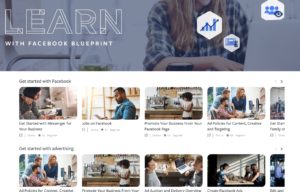
One way to go from generic marketer to social media pro is to become a certified Facebook pro through the site’s Blueprint training program.

What is Facebook Blueprint?

Well, it’s a comprehensive guide to all things Facebook ads. There are 100+ courses available, free, which show you how to do everything from creating Facebook pages to generating more Instagram activity.

FB offers two Blueprint certifications, one for planning and one for buying. Both require participants to pass two exams and certification is valid for 12 months. At which point, you can renew your credential. While the training is free, you do need to pay $150 per exam.

5. edX: Academic and business writing
UC Berkeley Business Writing free

Considering leveling up in the soft skills department? If so, brushing up your writing skills isn’t a bad place to start.

edX offers access to UC Berkeley’s intro to academic and business writing course, which provides an excellent overview of grammar, structure, editing, vocabulary, and publication.

6. Alison: Diploma in web business development and marketing
business marketing alison

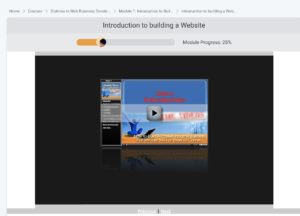
Building a web presence is a complicated process, especially if you’re newer to the world of autoresponders and driving traffic. This free course blends email marketing basics and lead generation methods with backend stuff like web hosting and creating pages.

According to the site, you’ll finish the course with the ability to create a website, understand web design concepts, and identify different ways to monetize your website.

Alison courses are free, but obtaining certification means you’ll need to score 80% or higher in each assessment and you’ll need to pay for official certification via the Alison shop.

7. Copyblogger: Internet Marketing for Smart People

internet marketing for smart people

Copyblogger isn’t just a great blog for the internet writers out there; they also provide several certifications aimed at helping people become better writers.

This specific course, which consists of a collection of eBooks, modules, and more covers the best practices associated with creating a profitable online business.

So, it’s essentially a valuable tool for any business. Level up copywriting, content marketing, and relationship building.

You might not get an official diploma, but you will walk away with some new skills you can add to your CV.

8. Google Digital Garage
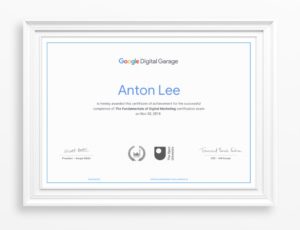
Digital Garage online certification

Google’s Digital Garage is a hub for free tutorials that cover everything related to digital marketing—including video marketing, SEO, email marketing, search engine marketing, and more.

While the Google Analytics certification is better known (and worth doing as well), the search giant’s garage certification is essential for anyone who wants to learn digital marketing basics or brush up on the latest best practices.

Keep in mind that this isn’t a quick five-hour workshop. The free program spans 26 modules and 40 hours. Once you pass the test, you can download and showcase your new set of skills on LinkedIn and elsewhere.