
Security threat: 2 million malware downloads from the Google Play Store

Google forced to pull even more malware filled apps from the Play Store

mobile virus security issue

When it comes to online security, no news is good news. Sure, online threats are constantly evolving and we need to hear about new dangers and how to deal with them, but you don’t want to keep hearing about security issues relating to a single product. This is why it’s disappointing to hear about another bunch of malware apps that have been removed from the Google Play Stor. What’s worse, before they were removed from the Play Store, they’d been downloaded over 2 million times.

Google forced to pull even more malware filled apps from the Play Store

According to a report by security experts, Sophos, Google has removed 22 apps from the Google Play Store for containing backdoor malware. Unsuspecting users who downloaded the apps unleashed a plethora of problems onto their devices and created backdoors for hackers to then secretly download files from their own servers.
From there, the problems for users who downloaded any of the 22 fraudulent apps grew further. The apps click on fraudulent ads and drain battery power in the process. They also continue to run in the background, even after they’ve been closed, draining both battery power and mobile data. Although the apps have been removed from the Play Store, there is a chance some users still have the apps on their phones. Below is a full list of the apps:

Sparkle FlashLight, Snake Attack, Math Solver, ShapeSorter, Tak A Trip, Magnifeye, Join Up, Zombie Killer, Space Rocket, Neon Pong, Just Flashlight, Table Soccer, Cliff Diver, Box Stack, Jelly Slice, AK Blackjack, Color Tiles, Animal Match, Roulette Mania, HexaFall, HexaBlocks and PairZap.

If you have any of the above apps on your phone, you should delete them immediately.

Incidents like this one are being reported much more frequently and represent a real headache for Google. Over the last 18 months, we’ve reported on hundreds of malware infecting apps being removed from the Play Store, that have stacked up downloads in the hundreds of millions.

More than ever, we are responsible for our own security when browsing the web and downloading apps and programs. If you want to ensure that you stay safe when using the internet, there are a number of key things to remember. You should only ever download apps from trusted sources, like Softonic, and you should always check the developer listed with the program you are thinking of downloading. Another key point to remember is to look at reviews. Reviews from other users offer the best way of verifying whether a program is legitimate or not. For more tips on avoiding fake apps in the Google Play Store, check out our tutorial below.
This is the scariest Internet Explorer bug we’ve ever seen

Google has discovered a bug in Internet Explorer allow a hacker to gain control of the PC running it

microsoft internet explorer

Internet Explorer is an old browser, sure, and there are definitely plenty of better options out there. But that doesn’t mean there aren’t a lot of reasons for people to keep using it. If you are one of those people who still uses Internet Explorer for one of those reasons, then we have some very important news for you. You need to update Internet Explorer immediately.

Internet Explorer Download
6

Google has discovered a bug in Internet Explorer that allows hackers to gain control of the PC running it

The search giant, Google, has a special team tasked with searching out security threats across all software and programs. This team is called the Threat Analysis Group, and a member of Google’s team recently spotted a rather large vulnerability in Internet Explorer’s code. The particular type of threat is known as a remote code execution flaw. Microsoft explains:

“The vulnerability could corrupt memory in such a way that an attacker could execute arbitrary code in the context of the current user… An attacker who successfully exploited the vulnerability could gain the same user rights as the current user.”

This all means that if you are still using Microsoft Internet Explorer on any version of Windows, and you haven’t downloaded and installed Microsoft’s latest security update, your whole computer could be at risk.

If you are logged into Windows as an admin user, then the hacker could then gain the same admin privileges on the machine by exploiting the vulnerability. This would give them the ability to create new accounts, install new software, and even copy or delete your data. The scariest thing of all is that the vulnerability doesn’t need any new software downloading to do any of this.

All that is needed is for the users to click on a website that is designed to take advantage of the security flaw. This means that the flaw makes Internet Explorer users much more vulnerable than victims of regular phishing attacks, which often require the downloading of compromised software. In a post describing the security flaw, Microsoft outlined a scenario that would see hackers taking remote control of a victim’s PC. In the scenario, the specially designed website was promoted via email and merely clicking the link left the victim’s PC wide open.

Fortunately, Microsoft has already created a security patch for Internet Explorer that closes the vulnerability. If you allow Windows to automatically update your system, then there is a very good chance that this serious flaw has already been corrected. If not, however, you’ll be able to find out more details about the flaw and how to correct it here. We suggest you do so immediately.

What to do if Google Maps says you’ve won a prize and asks for your location

Google Maps spam notifications asking for your location need to be ignored

spam location requests on google maps

At Softonic, we keep you up to date about all the latest digital threats. We want to help you use your PCs, smartphones, and tablets safely by staying one step ahead of the people who are trying to undermine you.

One particular method that the hackers out there have in their arsenal is the phishing scam, which sees them trying to trick you into believing a fake site, email, link etc. is legitimate. If they can do this, they may be able to install malware on your device, steal your personal information, or worse. The trick with phishing scams is to make the fake offering look as realistic as possible and a new strange phishing scam has been turning up on Google Maps that could have some worrying implications for the future.

Google Maps spam notifications asking for your location need to be ignored

Users on Reddit have been talking about strange messages they’ve been receiving on Google Maps. The notifications tell the user they’ve won a prize. They say things like “You Have Received a Free Prize from Google,” “You Have Received a Free Prize,”  “Congratulations for Winning Pixel.” When users then click on the links, they are asked to share their location.

The problem with this is that normally only people who you have previously shared your location with can ask for your location. Something is not right.

These requests are strange as they don’t seem to offer a backdoor into the users’ devices. There are clear security issues involved, however, in criminals knowing your whereabouts. If hackers are working on ways to bypass location sharing security protocols, we could see some serious security issues arising in the future.

The other puzzling issue about these Google Maps spam location requests is that nobody can figure out how they are being generated. Several users have hypothesized that it could be related to the Nearby me feature, but nobody knows for sure. One user investigated the included link and followed it to three domains. After sharing screenshots of his investigation with Google, however, he never heard back.

With Google clearly trying to turn Google Maps into a business directory, with increased features, these types of scam will not be welcome on the app. It is strange that Google hasn’t taken affirmative action against this type of activity. If these types of messages continue or become more prevalent, we should expect to see Google take action.

In the meantime, if you are worried about your online security, check our guide below, which will show you how to keep yourself safe online.

You definitely want to avoid this WhatsApp “update”

You need to ignore all invitations to receive to update to WhatsApp Gold

whatsapp gold martinelli fake update scam

There has been a scam making the rounds on WhatsApp and it is very important that you don’t fall for it. We’re always trying to keep you informed about WhatsApp scams and fake updates and we first reported on this scam back in 2016, but it seems to be back again. The scam is called WhatsApp Gold and it is spreading across WhatsApp via Status updates and chats forwarded from other users.

You need to ignore all invitations to receive to update to WhatsApp Gold

Downloading the fake WhatsApp Gold update will infect your phone and compromise your data. According to those who have been targeted, the WhatsApp Gold fake update is now being linked to another WhatsApp hoax called Martinelli. People have been receiving a strange message in their inboxes saying that a video called Martinelli will be released and, if opened, it will install a virus on the victim’s phone. The message is quite confusing and says:

“Today the radio was talking about WhatsApp Gold and it is true. There is a video that will be released tomorrow on WhatsApp and is called Martinelli. Do not open it. Enter your phone and nothing you do will fix it. Spread the message if you know someone. If you receive a message to update Whatsapp Gold Do not open it! They just announced that the virus is serious. Send it to everyone.”

The Martinelli video warning made the rounds on social media last year. Warnings were sent around telling people not to open the video as it would infect their phone. It turned out to be a complete hoax, however, as no video actually existed. It seems that the real WhatsApp Gold threat has, for some unknown reason, become attached to the fake Martinelli video warning.

The key here is to ignore any messages you might receive about WhatsApp updates. The real threat in this situation is the fake WhatsApp Gold update, which will install malware onto your phone if you install it. Any updates that ask you to download an apk file, to manually install on your device, are fake. WhatsApp updates occur automatically, so you never have to download or update anything.

Furthermore, you should make sure you only get your downloads and news about software updates from trusted sources like Softonic. We’ll bring you regular updates about WhatsApp from trusted sources like the official WhatsApp blog or WABetaInfo. To stay ahead of the news in a safe and secure way, sign up to our email newsletter by putting your email address in the box at the bottom of the page.


Google Maps: Look out for this scam targeting your bank

Hackers are changing the contact details of banks on Google Maps to try and catch you out

Scammers targeting banks on google maps

We recently learned exciting news about a Google Maps update that makes it easier for you to contact the businesses you need to use from inside the Google Maps app. Messages is a brand new feature that opens up a whole new world of functionality to Google Maps and pits it against other big apps like Facebook Messenger and the fairly new WhatsApp Business. Now we have to bring you news of new way that scammers are targeting banks on Google Maps

Google Maps Download Google Maps
7

Hackers are changing the contact details of banks on Google Maps to try and trip you up

Google Maps allows users to submit changes and corrections to listings on the navigation app. This allows fraudsters to change the contact details of financial institutions like banks so that when customers try to call or message their banks the fraudsters can intercept the correspondence. With the first interactions with financial institutions always being confirming security details on the account, this leaves customers very vulnerable to having their accounts compromised.

This scam was first reported in India and picked by local newspaper The Hindu. After receiving more than three complaints from the Bank of India, Police in the state of Maharashtra notified Google and put out a local warning relating to the scam. There is nothing stopping scammers in other parts of the world from trying the scam in their area.

In the story reported by The Hindu, Google acknowledged the problem but didn’t mention any specific fix. A Google spokesperson said, “Overall, allowing users to suggest edits provides comprehensive and up-to-date info, but we recognise there may be occasional inaccuracies or bad edits suggested by them. When this happens, we do our best to address the issue as quickly as possible. The Google Safety Center outlines tips to help consumers stay safe online.”

There doesn’t seem to be any sort of automatic defense against this problem in development, but Google will act quickly whenever an incident comes to its attention.

How to stay safe

This all means then that we need to be extra careful when we’re searching online for contact details to financial institutions like banks. If you do find yourself looking for a phone number online, don’t trust it unless the number is also listed on the bank’s official website. Should you come across the number through Google Maps or some other third-party website, a simple Google search including the number and the name of the financial institution in question should yield the contact page on the official website. If it doesn’t, you should suspect the number in question and think about reporting it.

For more tips on consumer safety online, check out the Google Safety Center here.

Be careful what you download from the Google Play Store

Google has found malware in apps that have been downloaded more than 500,000 times from the Play Store

Malware play store 500,000 app downloads

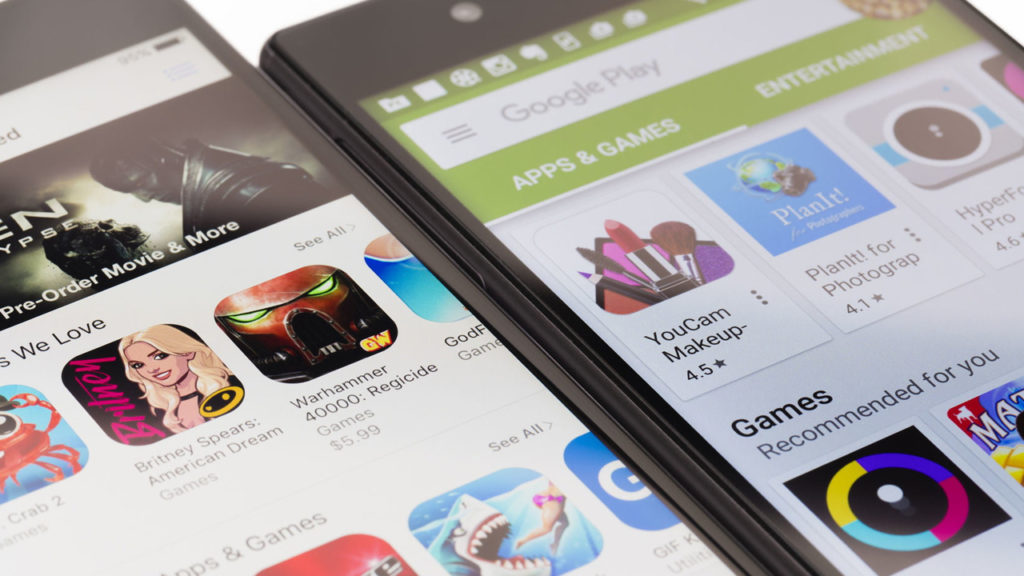
Android is the biggest mobile operating system on the planet. Its popularity can it make it harder to police. Accordingly, we’ve seen a number of problems hit the Google Play Store, which is where most Android users go to get their apps. We’ve seen malware added to established apps and we’ve even seen apps serving up pornographic ads to children. Google acted quickly to head off both of those problems and the search giant has been forced to act quickly again and remove a number of apps from the Play Store that were infected with malware.

Google discovered malware in apps that have been downloaded more than 500,000 times from the Play Store

A security researcher named Lukas Stefanko recently found 13 apps on the Play Store containing malware. Unfortunately, at the time Stefanko found the malware, the apps had already been downloaded by 560,000 people. All 13 of the apps were developed by the same person, a guy called Luiz Pinto. The fake apps posed as games and included luxury car, motorbikes, truck, and firefighter simulators. Google has now removed the apps, but embarrassingly two of the apps made it into the Play Store’s trending section.

Once installed on a user’s device, the apps installed malware and then deleted their own icon so that they’d be harder to delete. The last point is important as none of the 13 apps actually worked. They’d crash the phone and then when the user would search for the app to delete it, they wouldn’t be able to find it. The malware would gain full access to all device network traffic, which would offer it an excellent opportunity to steal private and personal data. If you’ve downloaded any of the apps listed in the tweet above, you need to delete them now or contact the Play Store for further advice.

As we pointed out, Google has been dealing with similar problems for a while now. The internet giant is committed to getting on top of the issue, but ultimately the responsibility lies with you. When downloading apps make sure to check the developer’s name as well as other users’ reviews. If something doesn’t look right, avoid downloading the app you’re looking at. For a more in-depth guide to spotting fake apps on the Google Play Store check-out our guide below.

The Internet of Things makes you more vulnerable to hackers

The IoT could be setting you up for a huge security risk.

The Internet of Things is the way of the future, and is starting to even be the way of the present. With smart home helpers like Amazon Alexa, smart fridges, door locks, thermostats, water meter, and even microwaves, in many ways, it’s a future we’re already at. While Siri and Alexa are incredibly useful tools on which we’ve all come to rely, we can’t help but raise an eyebrow at some of the features IoT household devices can do, and more importantly how the connect to the internet.

IoT-enabled devices work both ways. They can remotely monitor your lights or open doors on approach. Smart locks can help secure doors without needing a key. Cameras can help keep tabs on your kids. But by investing in these devices and incorporating them into your home network, you’re placing more and more control in their hands.

Don't let hackers take over your newly-purchased smart assassin devices!

While a future controlled by machines like Terminator is a common laughable outcry among folks wearing tin foil hats, it’s getting a little harder to laugh off incident after incident after incident. It’s one thing to keep our tablets, computers, phones and laptops secure, but it’s no longer as simple as that. If multiple devices are connected to the same network (as is the case in most homes), all it takes is for a hacker to break into any one of those machines and he could suddenly have access to any of them.

It may sound apocalyptic, but the truth of the matter is that your printers, microwaves, coffee makers, and baby monitors are all equally hackable. There was an instance as far back as two years ago when a couple of parents heard men speaking through their baby monitor to their infant (see link above).

This is just creepy.

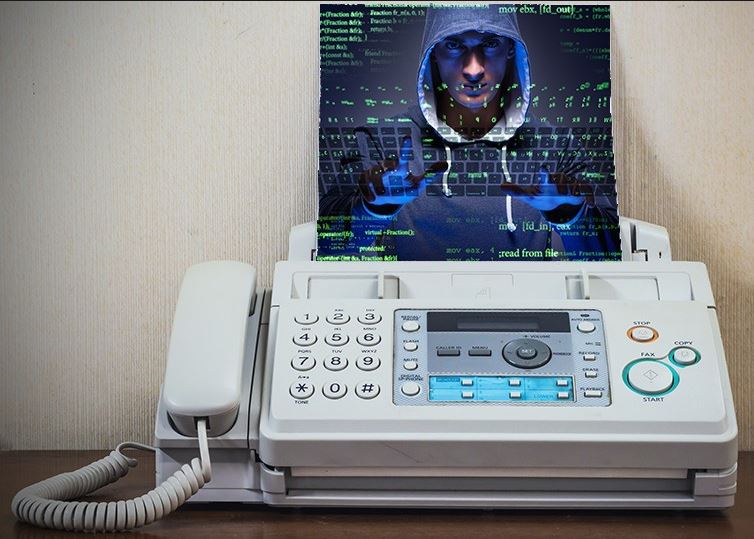
The problem doesn’t affect just our homes either – even places as important and allegedly secure as a law firm or hospital can be vulnerable. All it takes is a fax machine. “There seems to be a lot of organizations, government agencies, banks and others that are still using fax,” said Yaniv Balmas, a security researcher from Check Point software. “Fax is still considered as visual evidence in court but an email is not. That’s why some government agencies require you to send a fax. But it has no security measures built in – absolutely nothing.”

Fax machines are notoriously vulnerable to hacker access

So what can we do?

The Internet of Things is only getting started, and we’re excited to see what’s churned out next. We don’t want to stop using these new devices, and it would be awful if their progress was impeded by those with malicious intent. Think of all the progress we never would have made if hackers scared us away from using the internet! As such, we’ve got five things you can easily do to keep your IoT-enabled devices out of other people’s hands.

How to protect your IoT devices from hackers

1. Keep your software updated

Updated devices = safe devices

This one’s pretty basic. If your device runs scheduled updates, you definitely need to allow them. Even if you’re not crazy about the new features it includes, updates still mean there have been a ton of security upgrades. Don’t forget that as malware gets stronger, so too must our anti-malware.

2. Keep the device turned off

If you aren't using it, unplug it.

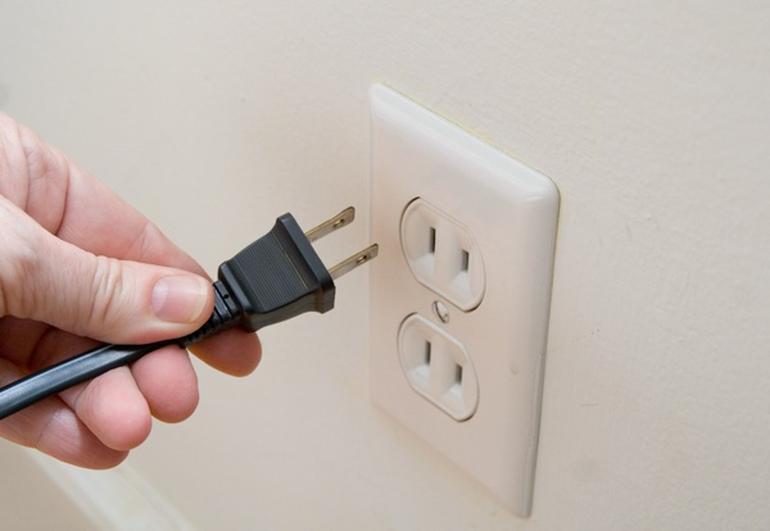
If the smart device isn’t in use (and isn’t something like a fridge that needs to be on at all times) just leave the thing off. That goes for computers and printers for one, but it doesn’t hurt to keep a list of other possible entry points.

3. Be diligent with network security

Invest in a good firewall. It's worth it.

We mentioned firewalls already, but this also extends to password managers and a multitude of authentication methods to be sure you’re the only one accessing your IoT devices.

4. Keep devices off the network

You can keep computers and printers off, but a smart fridge is another story. If you have to leave the device on, definitely question whether they need to be hooked into your home network at all times.

5. Don’t always let your devices see each other

Don't always let devices see each other.

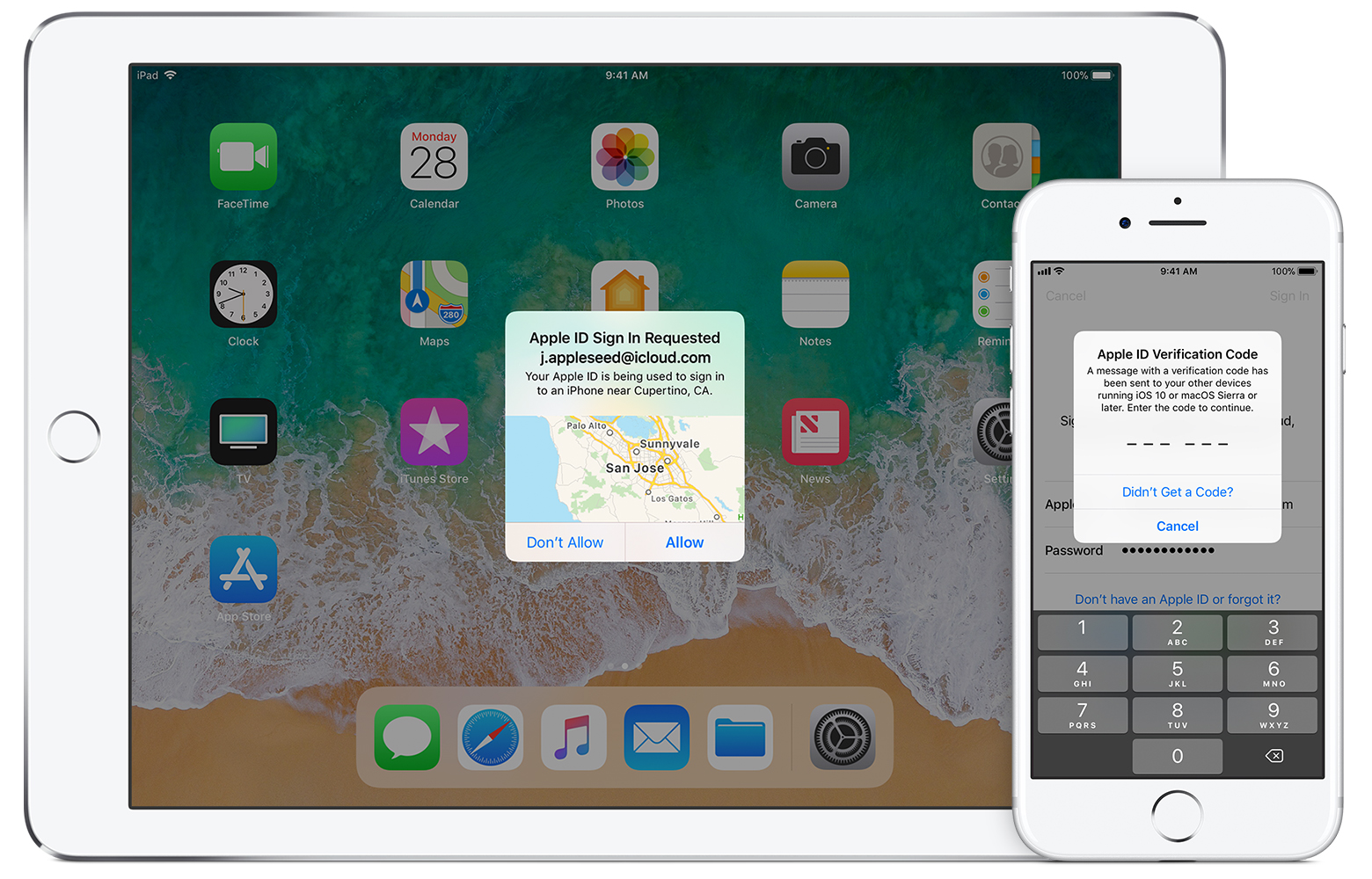
When you plug, say, an iPhone into a computer a message comes up on your mobile device asking if you’d like the two devices to recognize each other. Before you automatically hit yes, question whether it’s really necessary. Don’t leave that door open if you don’t have to.

The Internet of Things is going to make your daily life easier, but it comes at a cost. Be sure that you can avoid having to pay the price; it’s steep.


Apps can now track you even after you’ve uninstalled them

Breaking up with an app isn’t as easy as it used to be.

Sometimes you download an app and it’s a pairing for life. Download a new default browser for your phone, maybe install a utility app like a scanner, even standard social media apps like Instagram, Facebook, or Twitter. It’s a decision that you asked for, that you want, and that you decide to keep. Other times, however, you’ll install an app that you’ll regret. Luckily uninstalling an app is easy … but is it really gone?

As it turns out, they are not.

Apps can now track you even after you’ve uninstalled them

Uninstalling an app doesn't mean it's not watching you

Companies that give developer toolkits to app designers are now offering software that tracks users even if the app is uninstalled. This software is being marketed to both iOS and Android, and enables the content creator to determine which users have uninstalled their apps. This software was introduced so that app creators can bombard users with ads in an attempt to win them back onto their device. Now your device can throw a temper tantrum demanding your attention, and won’t shut up until you reinstall the deleted app.

Who’s doing this?

Currently, app design companies that have verified use of the new tech are Adjust, AppsFlyer, MoEngage, Localytics, and CleverTap: Companies that have collaborated with T-Mobile US, Spotify Technology, and Yelp. The new software is slipped in with other developer tools, meaning that app designers at least have the choice to use it.

How are companies doing this?

The new software that tracks after an uninstall is capitalizing on a core facet of Apple and Google: Push notifications. They’re nothing new, and app designers have always been able to enable silent push notifications that alert installed apps without notifying the user.

Silent push notifications will know when you don't respond

Now, however, if those same apps no longer ping back the developer back, they know that you uninstalled it. The new uninstall tracking tools commit that uninstall to files associated with your mobile device’s advertising ID (each of which is unique). That results in those apps being able to plead for your attention again, creepily stalking you until you cave and re-download them.

The excuse doesn’t hold much water

In the best of circumstances, uninstall tracking could potentially be angled to troubleshoot known issues with apps, fixing issues or improving the software without users having to fill out surveys, deal with updates, or install new versions. Allegedly, the tracking tools were created as a means of measuring user reactions to app updates, for example.

Should app developers know how many people have uninstalled their app?

Yes.

That information would be vital for determining which marketing campaigns or updates were disliked. As things stand currently, however, those same developers are being granted tools to access not only that information, but specifically who is installing or uninstalling their app. This creates and encourages an online marketplace where companies can then harvest this demographic data to sell to other sources. Get ready to experience a whole lot more abusive ad targeting and unwanted tracking.

uninstalling apps won't stop them from spying on you

How are phone companies handling this?

Apple already has tools to limit advertisers from potentially tracking users. iOS Users can opt to ‘Limit Ad Tracking’ via their Settings menu (see “Advertising” under the “Privacy” tab) which masks their device’s advertising ID. This essentially shows your ID to advertisers as a string of zeroes, helping to maintain your privacy from trackers.

Apple has also recently updated Safari with ‘intelligent tracking prevention,’ which allows for greater flexibility when it comes to limiting how users are tracked while browsing online. The tracking prevention halts social media ‘Like or ‘Share’ buttons, and can also discourage use of cookies. Will it be enough to stop uninstalled apps from tracking you?

It’s too early to tell.

Top 3 anti-virus software on a budget

Cyber-security doesn’t need to break the bank. Here are 3 great options.

It seems like every other month, a new anti-virus software is being released, and sometimes it can be difficult to narrow down what you need. Just when you think you’ve finally found a program that’ll prevent those annoying emails from a prince living in some foreign country asking you to help him reroute his fortune, it turns out that the protection doesn’t come cheap – at all. We’re here to help you by giving our top three picks for anti-virus software that won’t break the bank.

Top 3 anti-virus programs on a budget

1. McAfee AntiVirus Plus

mcafee logo

McAfee is a top product, offering complete protection for not just your PC, but your smartphone and tablet, too. Some of the things that are included in your kit are:

  • Safe Web Browsing – warnings of an unsafe website or link before you click
  • Cross Platform access – control the amount of protection for all of your devices from one place
  • Password Manager – manage all of your passwords directly from one app
  • Free customer support

All of that comes for $19.99 for the first year for up to 10 devices. The best part is that you can test drive before you buy with a 30-day free trial. Once it’s over, you can take your pick from the Plus or their other kits starting with a year’s full protection for one device for $54.99, and getting cheaper until you reach protection for 10 devices at $44.99 for the year.

McAfee Total Protection DOWNLOAD FREE ►
7

2. AVG AntiVirus

avg antivirus

AVG is probably one of the most popular software programs out now. What makes AVG a favorite is that it has a free option available for PC, Android, and Mac. The basic gets you the essentials for free, including:

  • Stopping viruses, spyware, and other malware
  • Blocking risky downloads, attachments, and links
  • Real-time security updates to let you know what’s happening as it happens
AVG AntiVirus Free DOWNLOAD FREE ►
8

If you’re not on a super tight budget, it’s worth checking out what AVG Internet Security gives you. It has everything that you get with the free package, but also includes:

  • Scanning for performance issues
  • Protection from stealth watching using your webcam
  • Hacker protection with Advanced Firewall
  • AntiVirus PRO for Android

AVG is a solid choice for both students with a limited income and those who can shell out a bit more for the full protection. $79.99 gets you a full year, and also offers a free 30-day trial.

3. Kaspersky AntiVirus

kaspersky antivirus

Kaspersky revamped their programs for 2018 making them easier to use and added extra layers of protection. Here’s what you get with Kaspersky’s coverage:

  • Protection against malware, ransomware, and other cyber security attacks
  • Security for your private and personal information saved on all devices
  • Safe transactions with banking and shopping protection
  • Simple security management with total control from one place
Kaspersky Anti-Virus Download Kaspersky ►
8

Protection can cover any of your devices – Android, iOS, PC, and Mac. There are monthly subscriptions for smaller protection coverages like Kaspersky Secure Connection starting at $4.99 per month, and after that handy 30-day free trial you have a number of packages to choose from, starting with one PC at $39.95 for an entire year.

You can trade your personal data for a cup of coffee. Should you?

An international chain of coffee shops called Shiru Café will give you a cup of coffee in exchange for your personal data

It can be hard to understand the value of something that you can’t hold in your hand or see. Our personal data is a prime example of this. We hand it over to access online services without giving a second’s thought to what it is actually worth.

To make the matter even more complicated, the online services themselves are not something we can touch either. We trade our data for access instead of ownership. This makes it even harder to comprehend what we are giving up because we can’t really understand what we are getting in return. Do you think you’d have a better understanding of what your personal data was worth, if you received something physical in exchange for it? Let’s find out.

An international chain of coffee shops called Shiru Café will give you a cup of coffee in exchange for your personal data

coffee
How much is your private data worth to you?

Shiru Café has one branch near Brown University in Providence, Rhode Island and is opening new coffee shops near Harvard, Yale, and Princeton as well as Amherst College.

The way the Shiru system works is students offer information like their name, email, college, major, year in school, and professional interests in exchange for a coffee. This information is then used by the corporate brands, that pay for the running of the coffee shop, to target students that might be suitable for positions they’re looking to fill.

We give over this type of information all the time in exchange for access to services like Facebook and Gmail but exchanging it for something as tangible as a cup of coffee creates a new way of looking what our data is actually worth. Although Shiru claims its business model is a new and advanced way of monetizing your personal data, it is still a basic system.

In essence, all they’ve done is offer a basic incentive for putting some advanced personal data down onto an advanced recruiters mailing list. This reality is borne out by the fact that Shiru expects upwards of 75% of all Brown students will have registered with the Brown University branch of Shiru by the end of the semester.

The model would be much more interesting and enlightening if students were able to haggle. I’ll let you know my major if you throw in a Danish with my coffee. Much more could be learned then about how people see their data and how much they think it is worth. Either that, or you would just get a long line of poor and hungry students trying to peddle their personal data for a few bites of an artisanal panini.

The fact is that trading your personal data for a cup of coffee isn’t going to give you a better understanding what it is worth. On a cold Monday morning, however, it will give you a very clear understanding that it is worth something. Considering we give our data away all the time, often without knowing it, any initiative that makes us understand the situation a little better should be seen as positive.